E-commerce Search Engine with
Apache Lucene/Solr
A sightseeing with few practical examples
By Vincenzo D’Amore
v.damore@gmail.com
@VincenzoDAmore
eCommerce Search
- Why not an RDBMS
- Characteristics
- Scenarios
- Applications
- Text Retrieval Basics
- Lucene vs Solr
- Hands on
Why not an RDBMS
AKA eCommerce and
Search? Start with why
Why not an
RDBMS
Use the right tool
for the job.
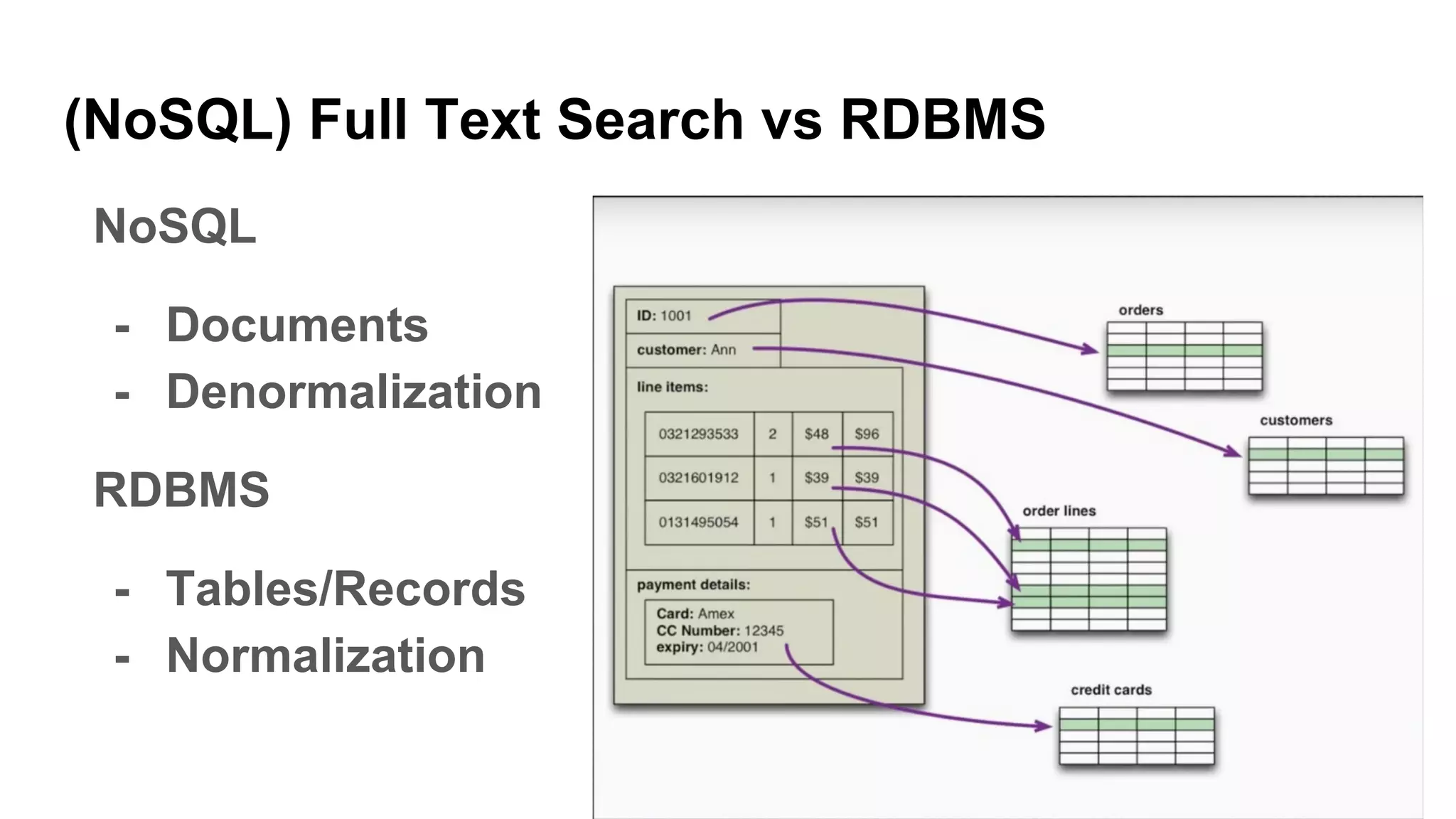
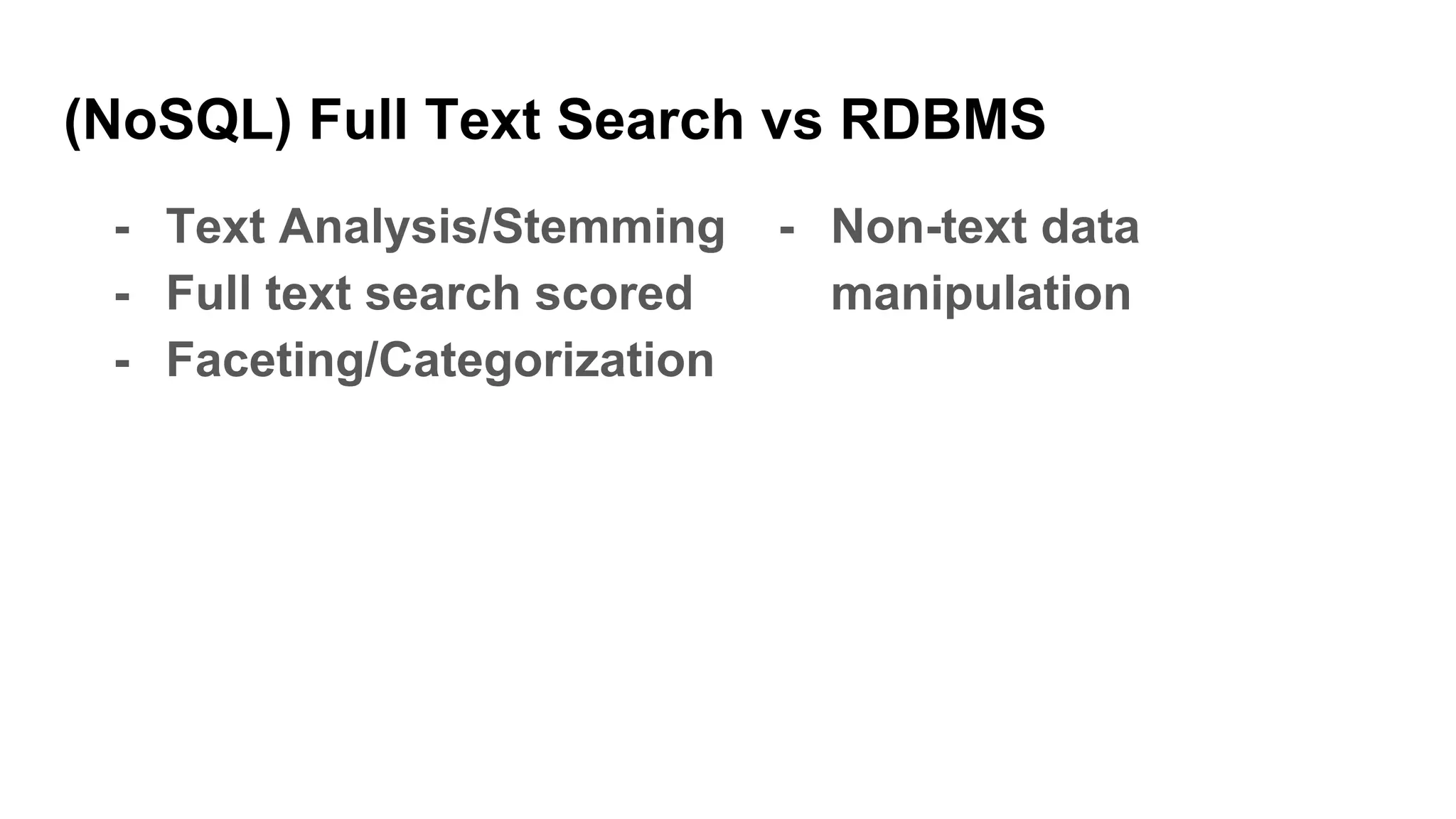
(NoSQL) Full Text Search vs RDBMS
NoSQL
- Documents
- Denormalization
RDBMS
- Tables/Records
- Normalization
(NoSQL) Full Text Search vs RDBMS
- Cluster-friendly
- Optimistic locking
- Schema-less (almost)
- Scale vertically
- ACID transactions
(NoSQL) Full Text Search vs RDBMS
- Text Analysis/Stemming
- Full text search scored
- Faceting/Categorization
- Non-text data
manipulation
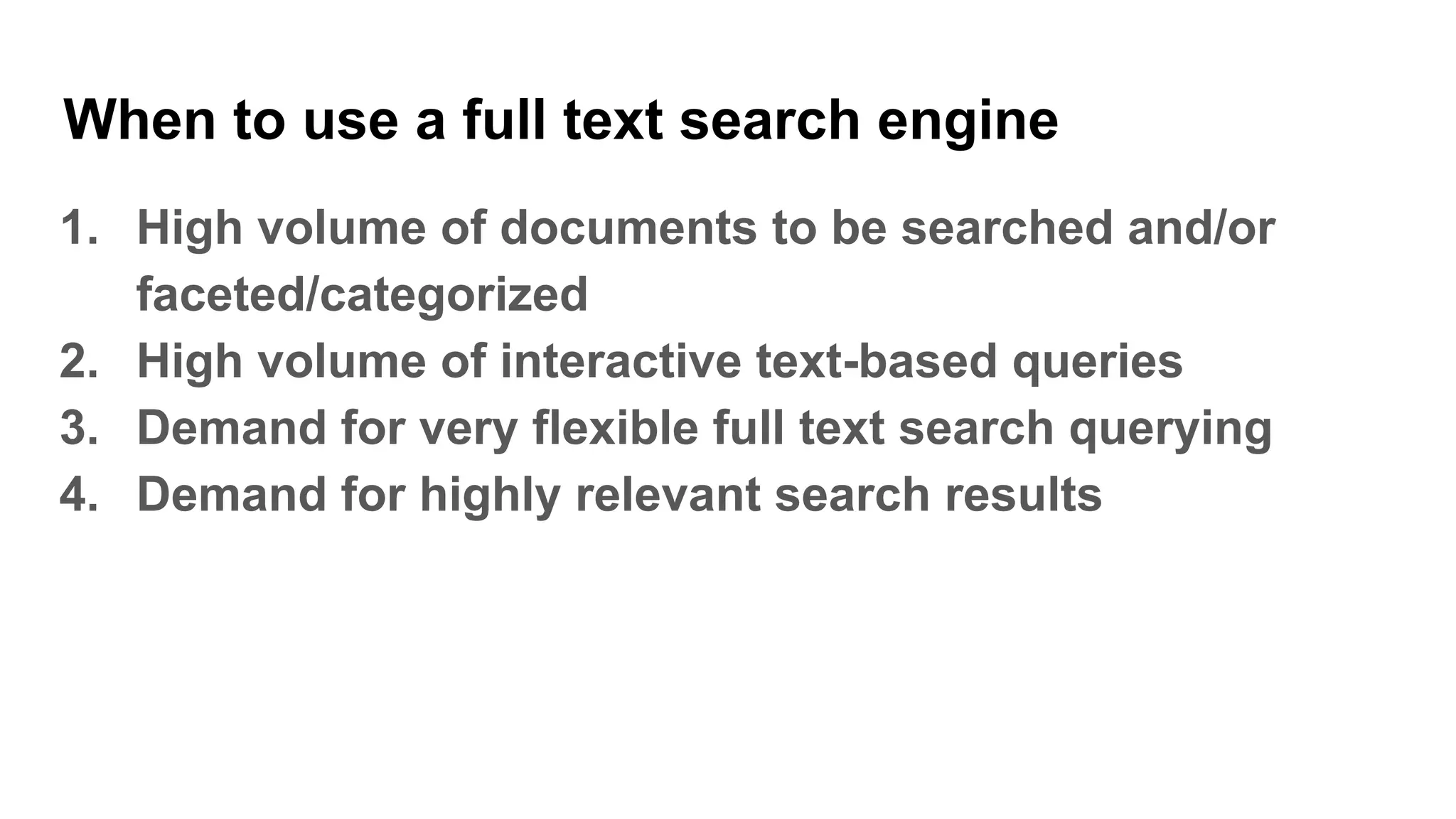
When to use a full text search engine
1. High volume of documents to be searched and/or
faceted/categorized
2. High volume of interactive text-based queries
3. Demand for very flexible full text search querying
4. Demand for highly relevant search results
When to use a RDBMS
1. Demands for many different record types
2. Non-text data manipulation
3. Secure transaction processing
eCommerce Search
characteristics
Scalable and fast to users
requests
eCommerce Search characteristics
Scalable and fast to users requests
- Thousands of concurrent users
- Millions of queries per day (with
peaks during Xmas
and Black Friday)
- Average response under few ms
eCommerce Search
characteristics
Flexible marketing
requirements
eCommerce Search characteristics
Flexible marketing requirements
- Promoted products should appear first
- Best sellers products should appear first
- Fresh products should appear first (freshness?)
- Hot keywords and curated search
- Everything should appear first (OMG & WTH)
eCommerce Search
characteristics
Users can't buy if they
can't find it
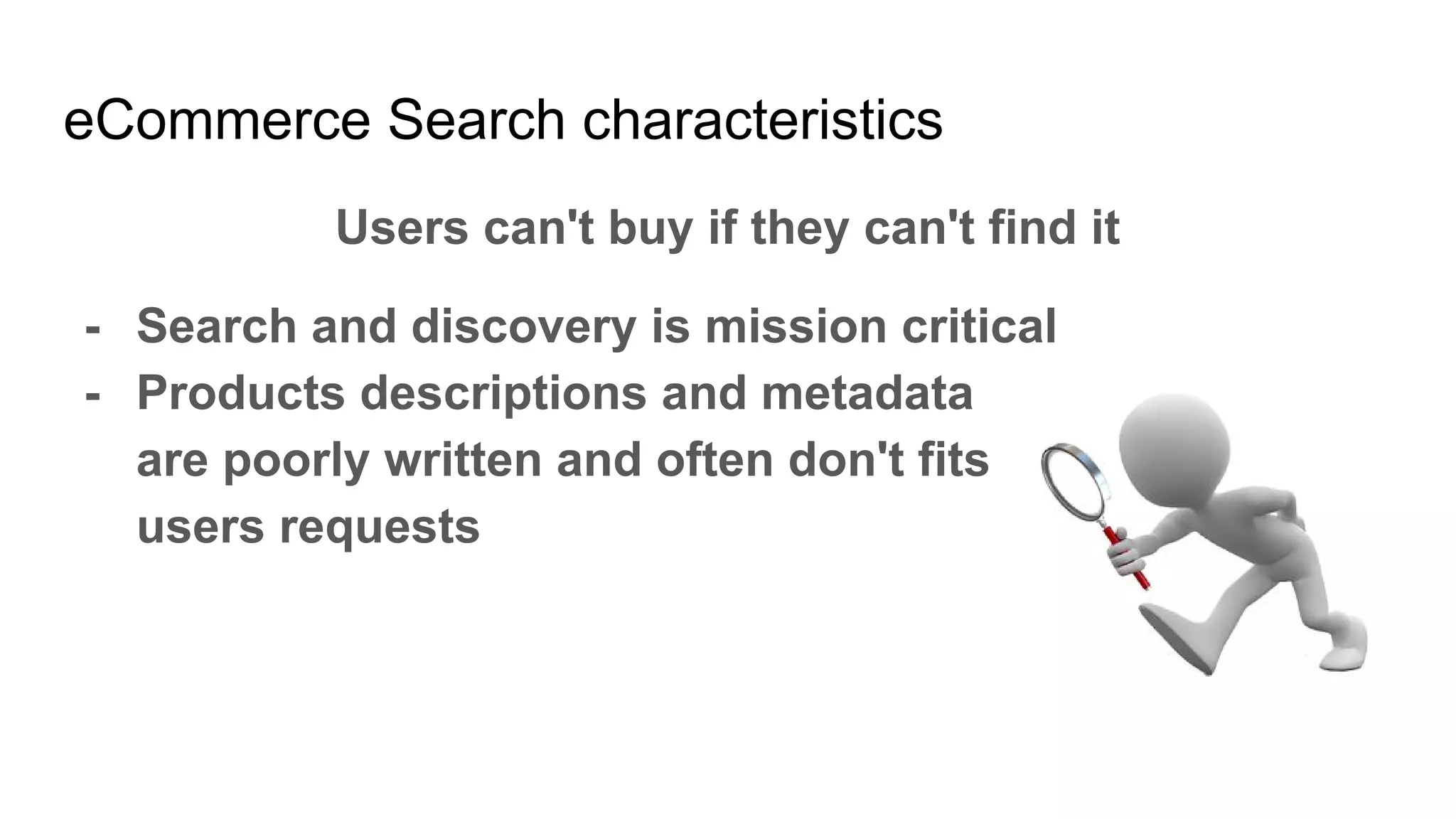
eCommerce Search characteristics
Users can't buy if they can't find it
- Search and discovery is mission critical
- Products descriptions and metadata
are poorly written and often don't fits
users requests
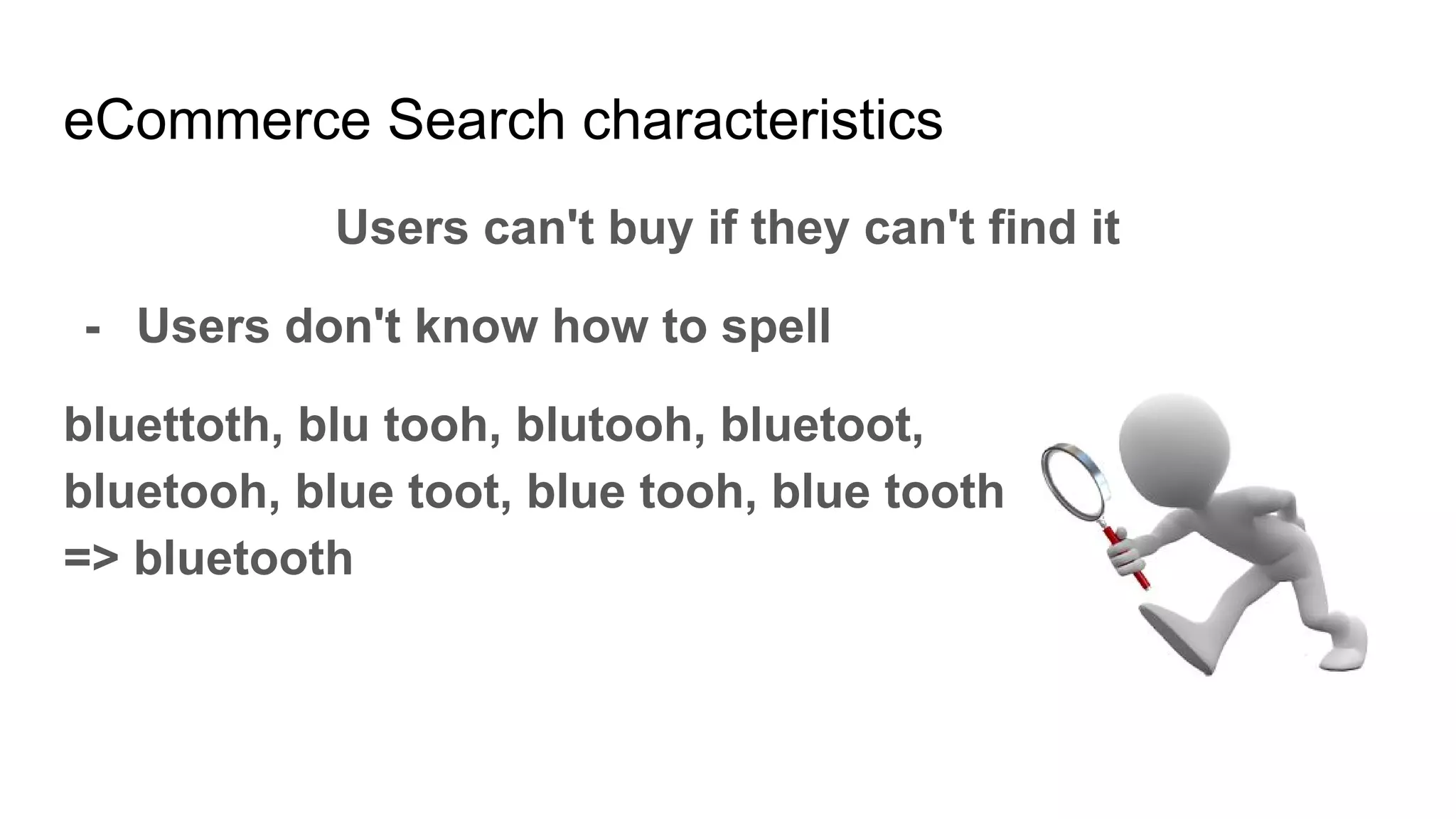
eCommerce Search characteristics
Users can't buy if they can't find it
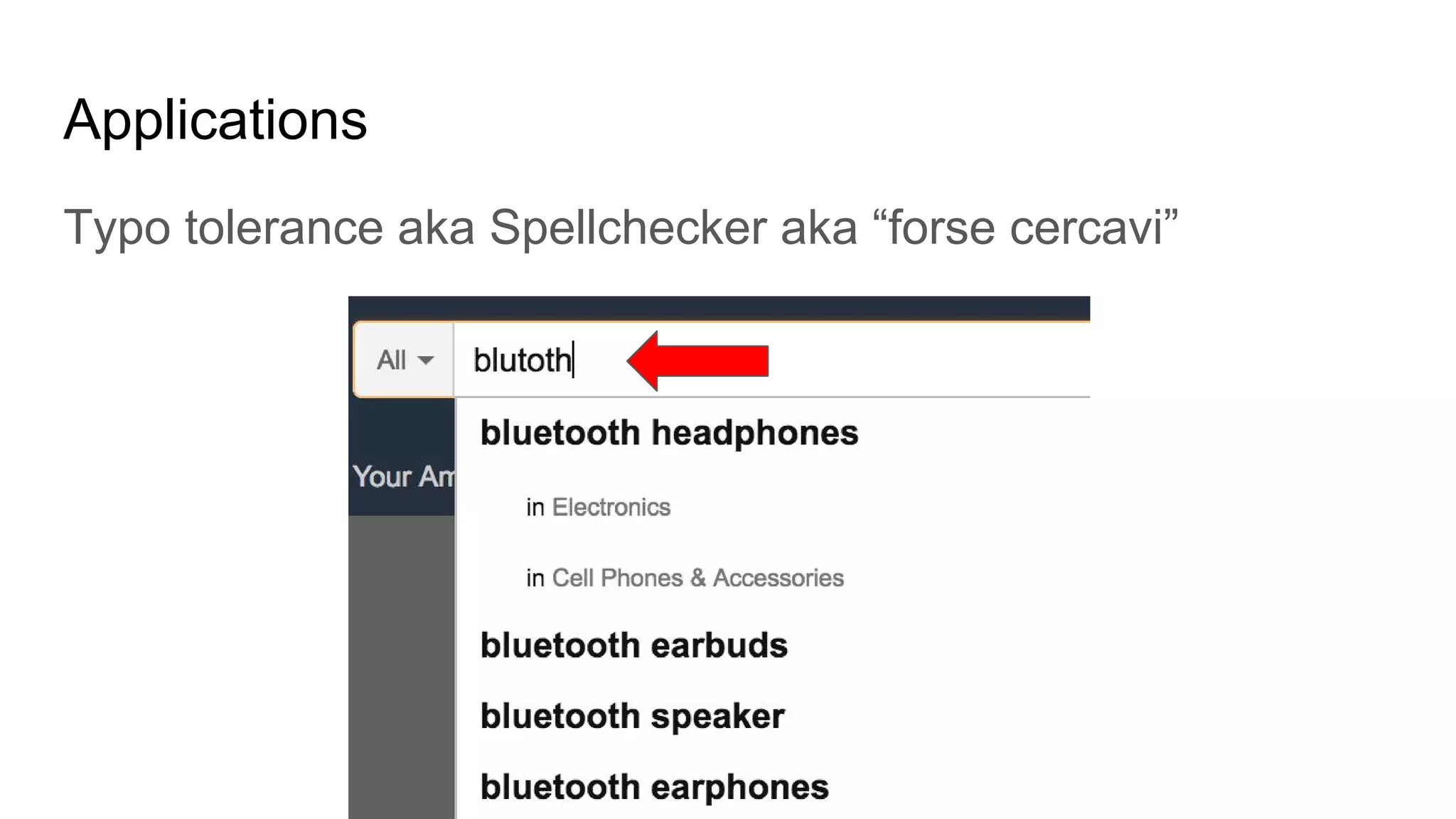
- Users don't know how to spell
bluettoth, blu tooh, blutooh, bluetoot,
bluetooh, blue toot, blue tooh, blue tooth
=> bluetooth
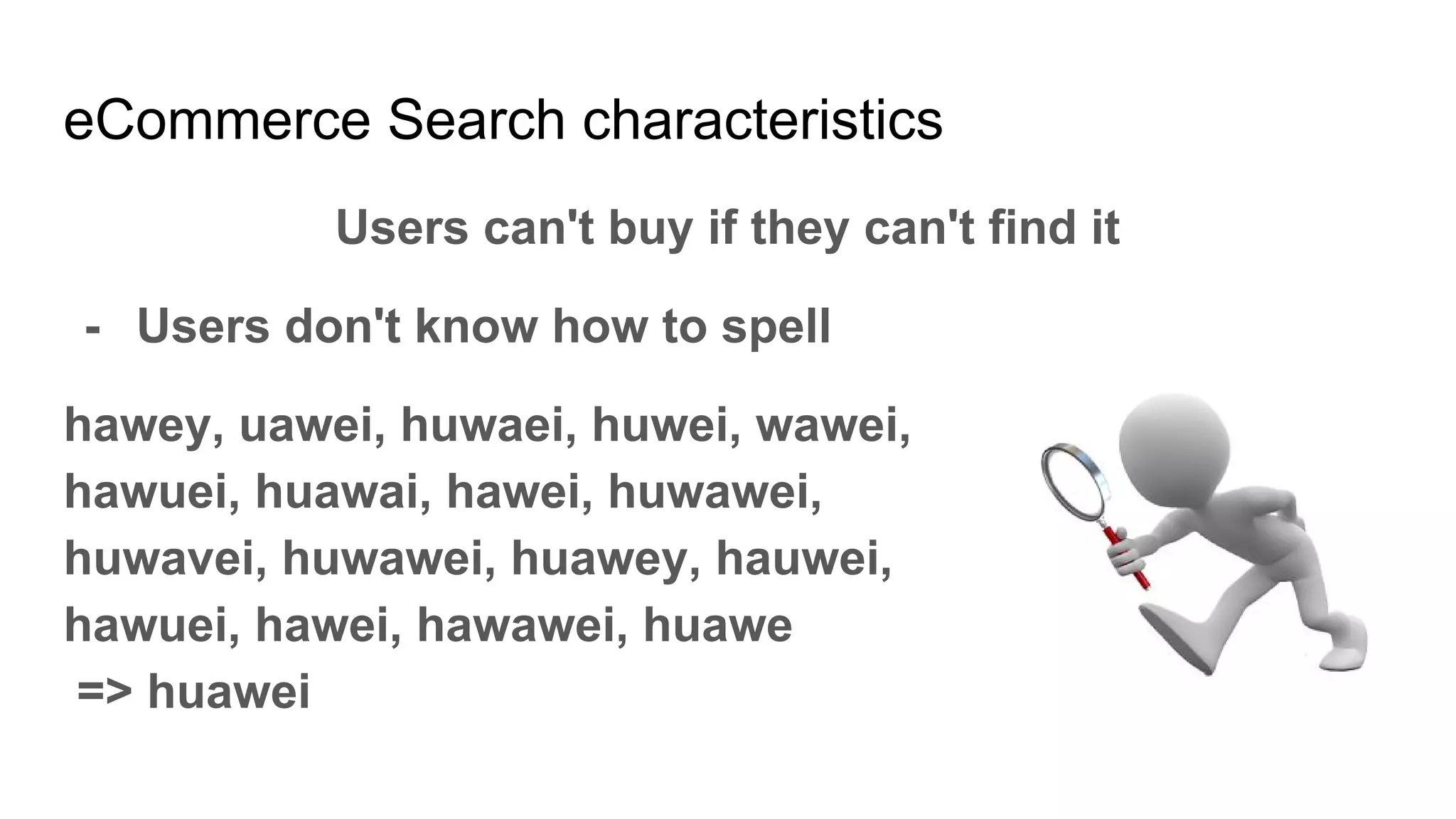
eCommerce Search characteristics
Users can't buy if they can't find it
- Users don't know how to spell
hawey, uawei, huwaei, huwei, wawei,
hawuei, huawai, hawei, huwawei,
huwavei, huwawei, huawey, hauwei,
hawuei, hawei, hawawei, huawe
=> huawei
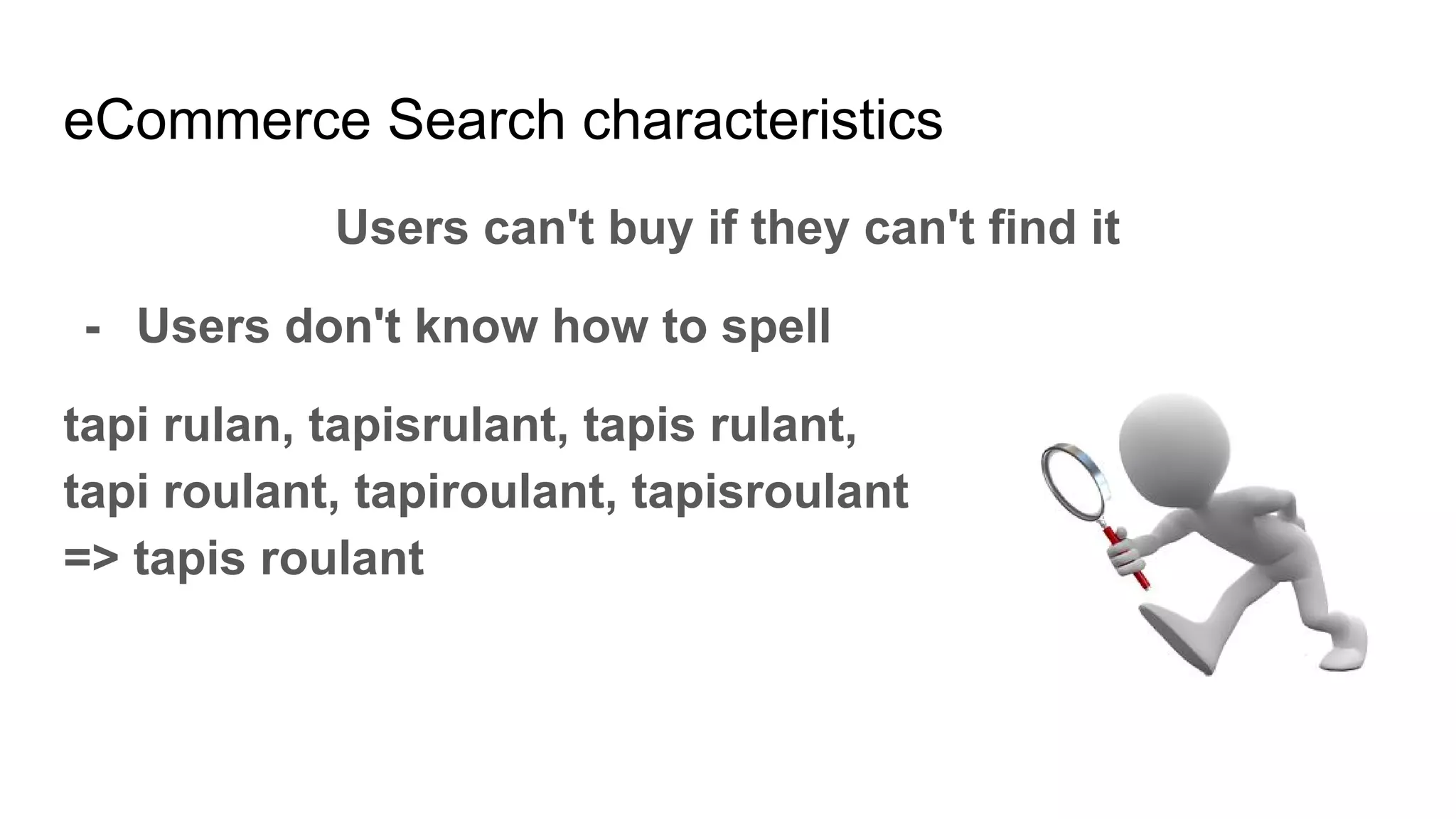
eCommerce Search characteristics
Users can't buy if they can't find it
- Users don't know how to spell
tapi rulan, tapisrulant, tapis rulant,
tapi roulant, tapiroulant, tapisroulant
=> tapis roulant
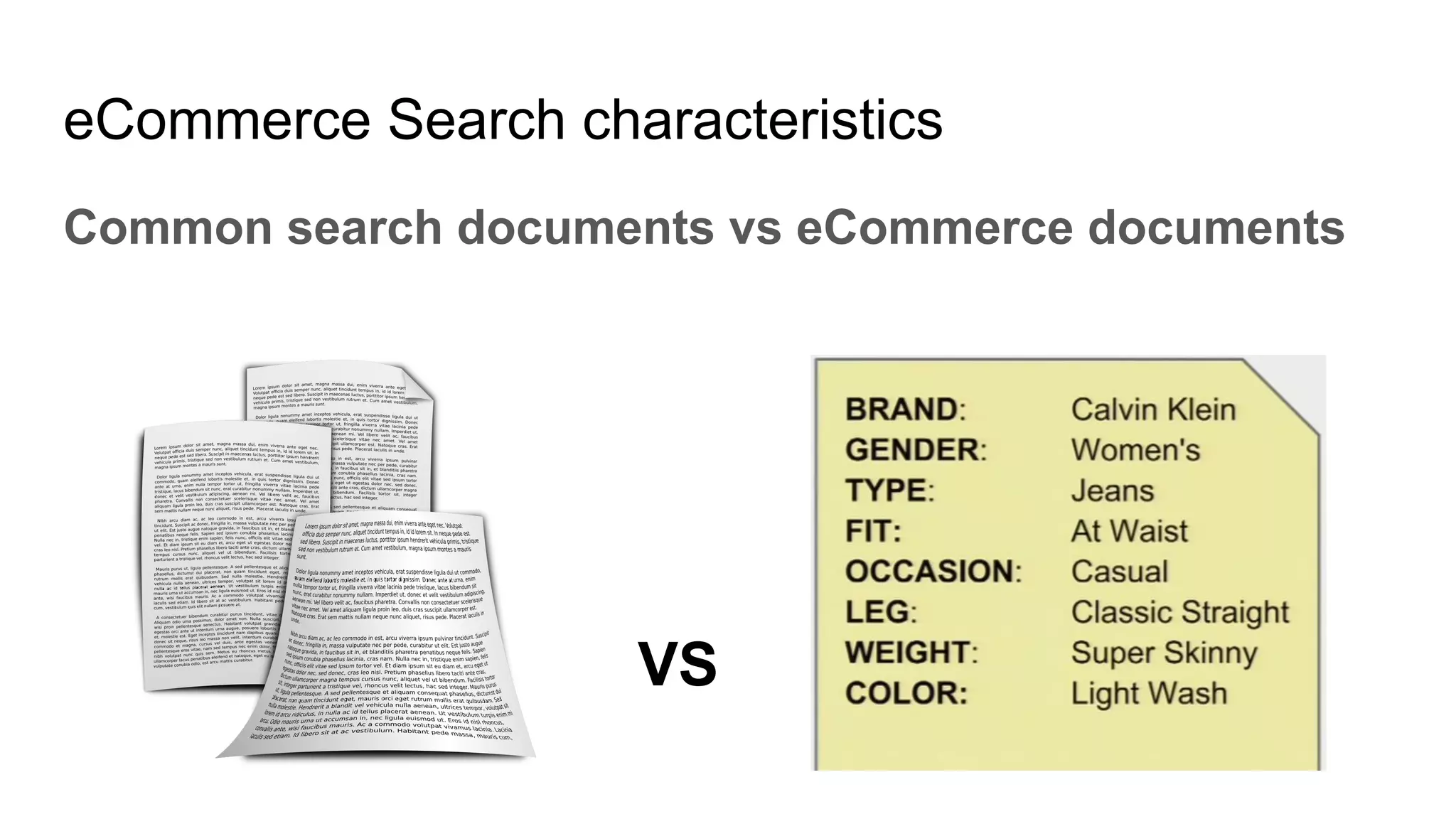
eCommerce Search characteristics
Common search documents vs eCommerce documents
VS
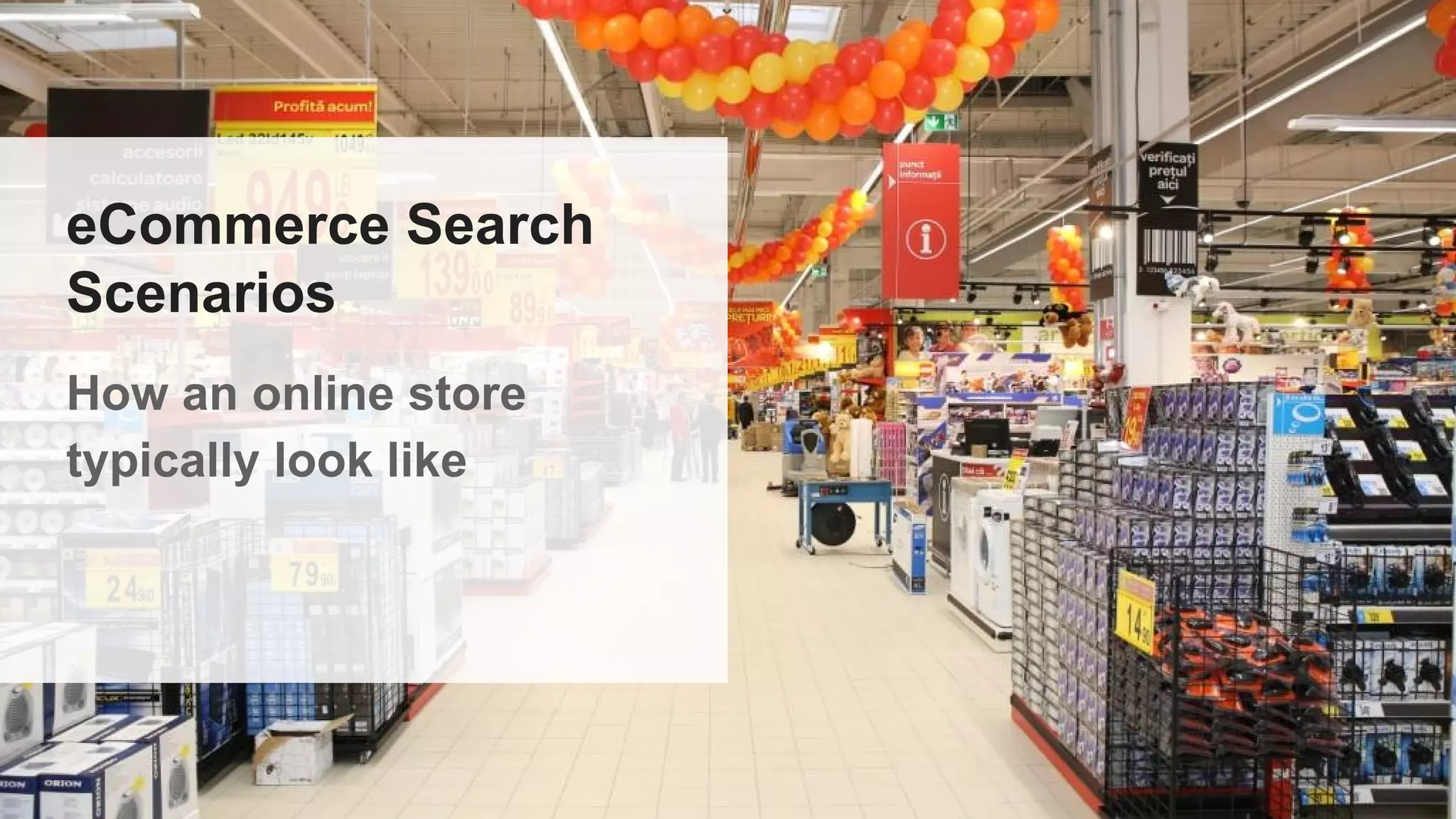
eCommerce Search
Scenarios
How an online store
typically look like
eCommerce Search Scenarios
How an online store typically look like
- Thousands, millions and even billions of products
- Lots of meta-data in text form
eCommerce Search Scenarios
How an online store typically look like
- Tricky product names & manufacturer names
- star trek, star wars (w/ or w/o space?)
- ÖKOKombi
eCommerce Search Scenarios
How an online store typically look like
- Word-level ambiguities in product
Names
- Gulliver
- Portatile
- Sacco
- WD Desktop
- Reflex
eCommerce
Search
Applications
A list of the most popular
eCommerce Search
Applications
Applications
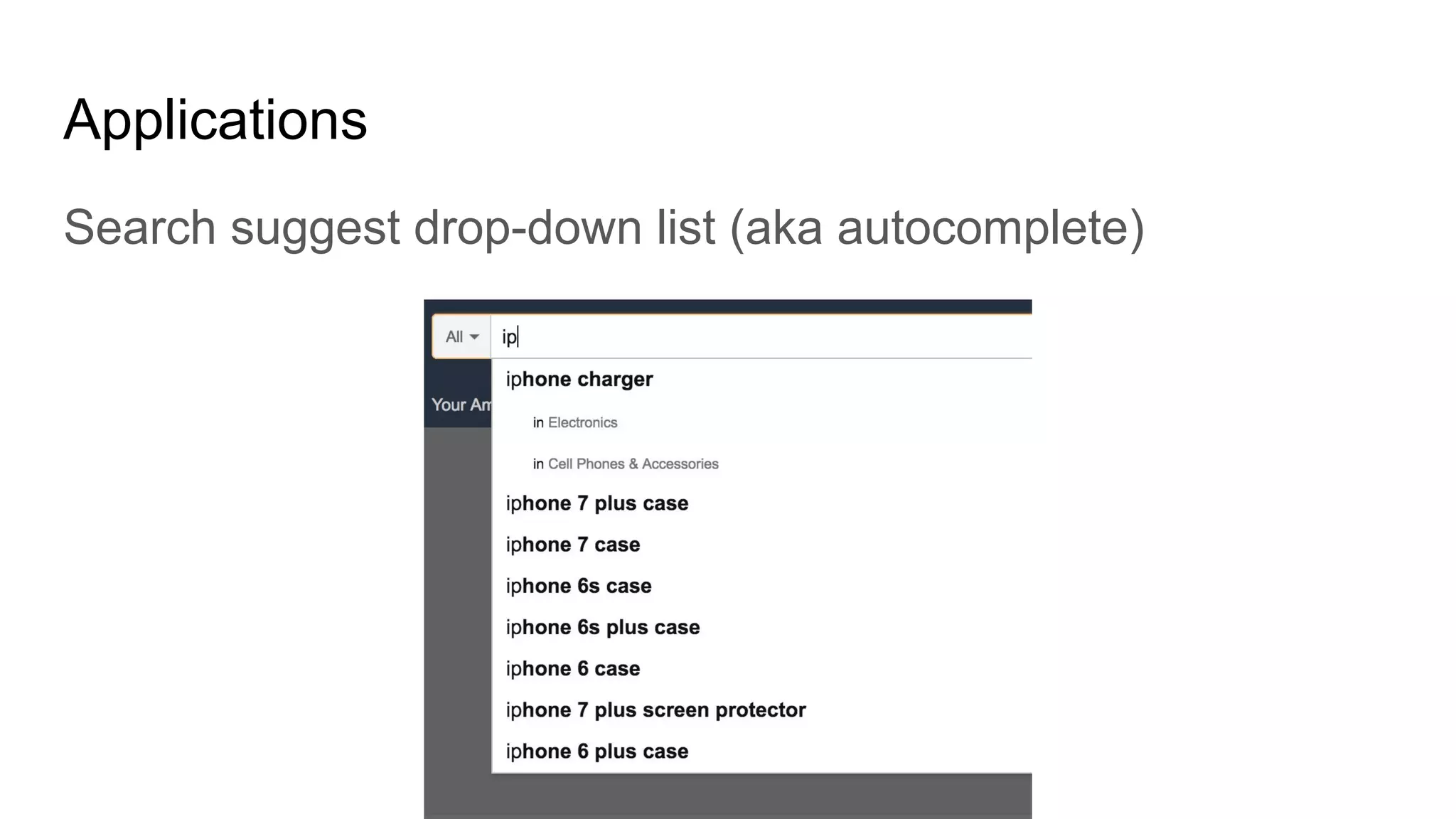
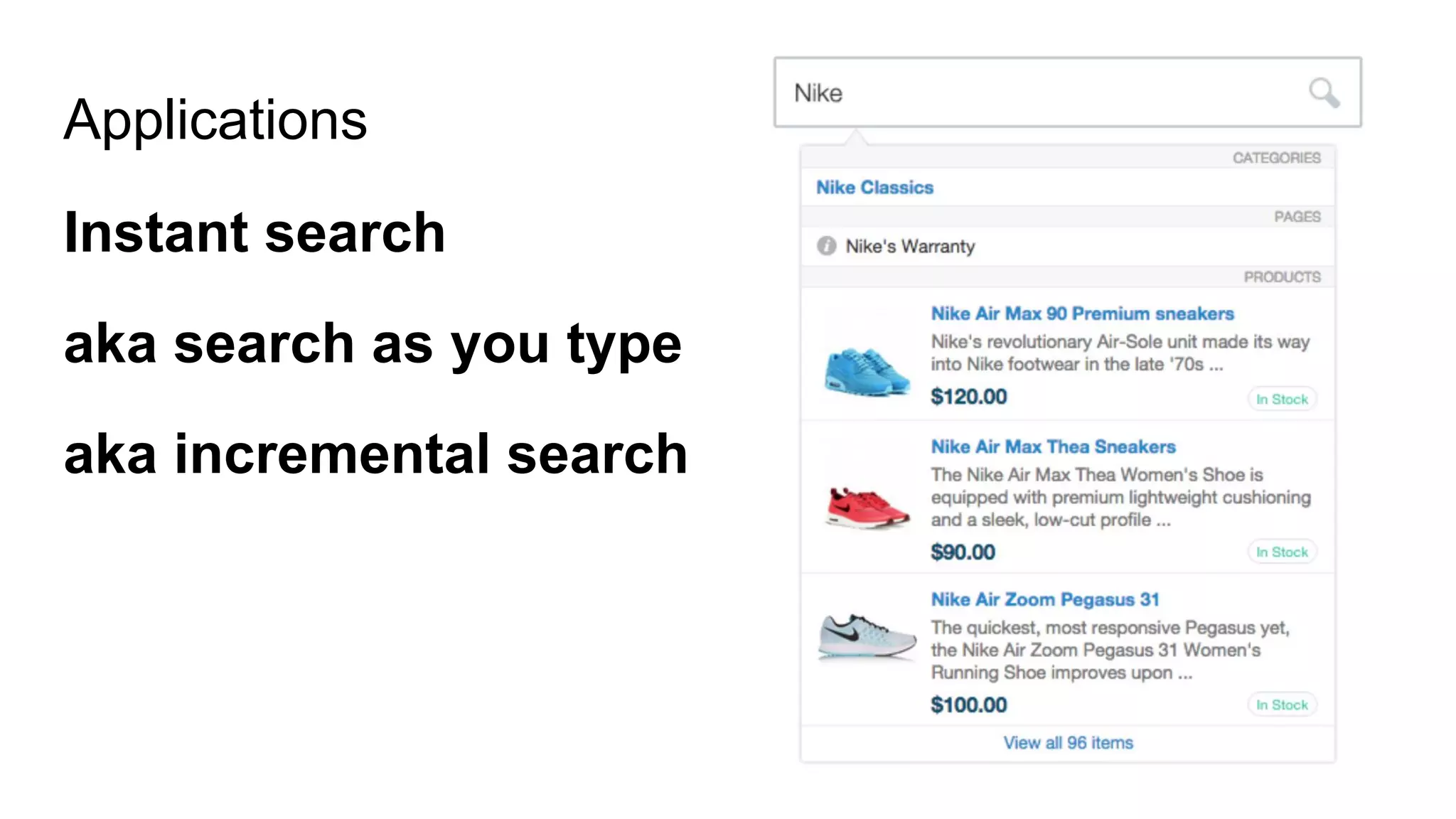
Search suggest drop-down list (aka autocomplete)
Applications
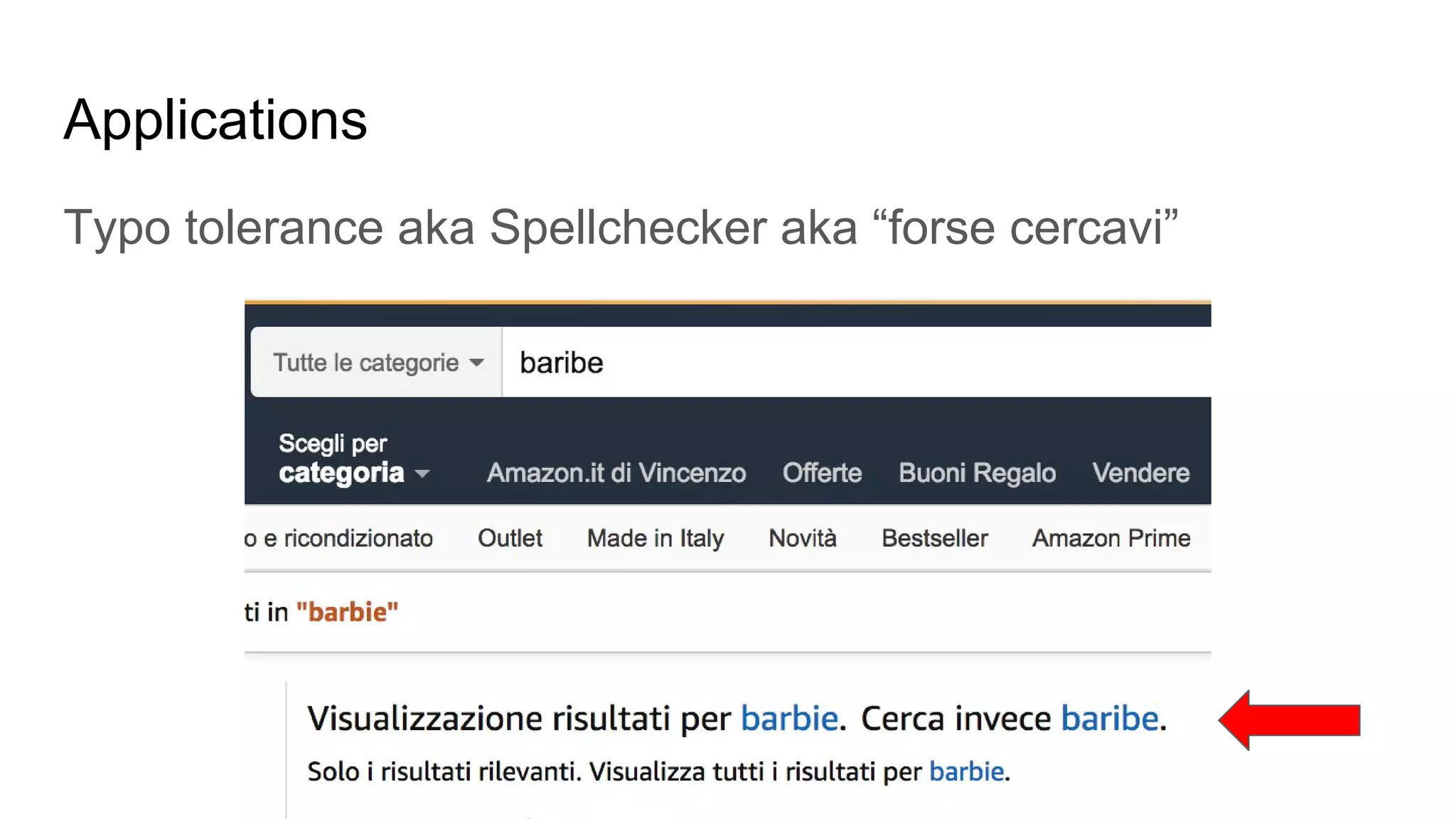
Typo tolerance aka Spellchecker aka “forse cercavi”
Applications
Typo tolerance aka Spellchecker aka “forse cercavi”
Applications
Instant search
aka search as you type
aka incremental search
Applications
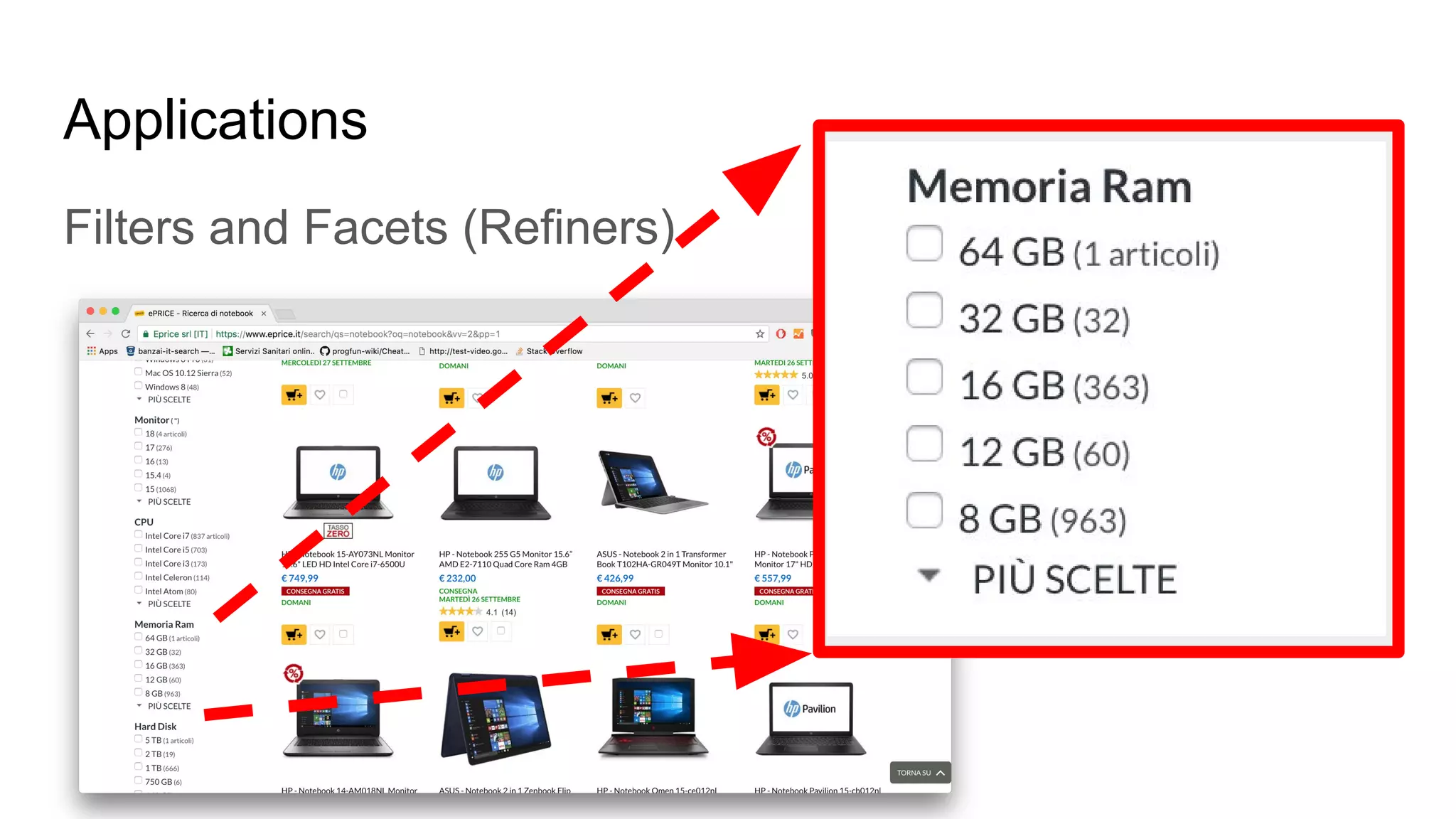
Filters and Facets (Refiners)
Applications
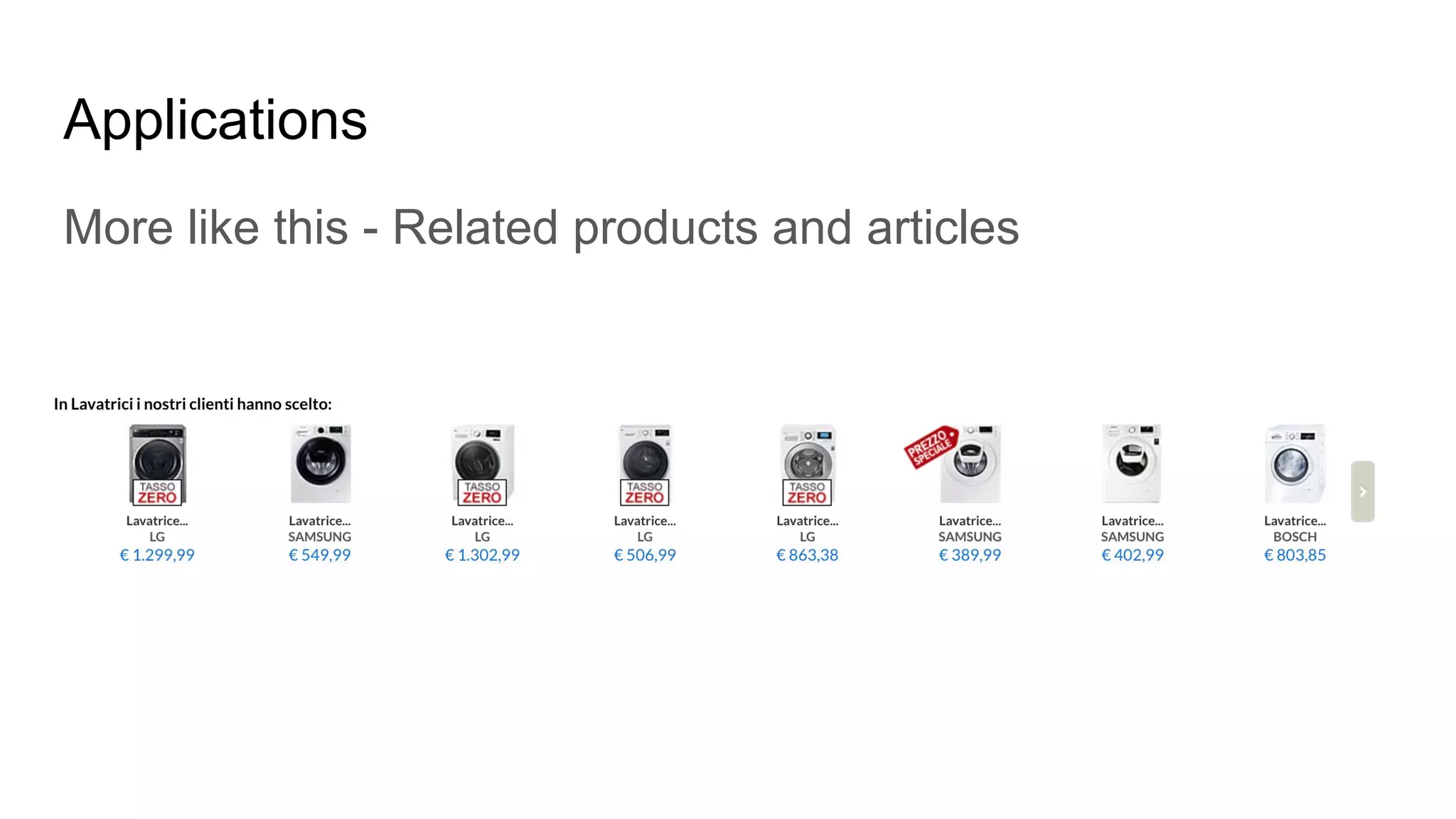
More like this - Related products and articles
Applications
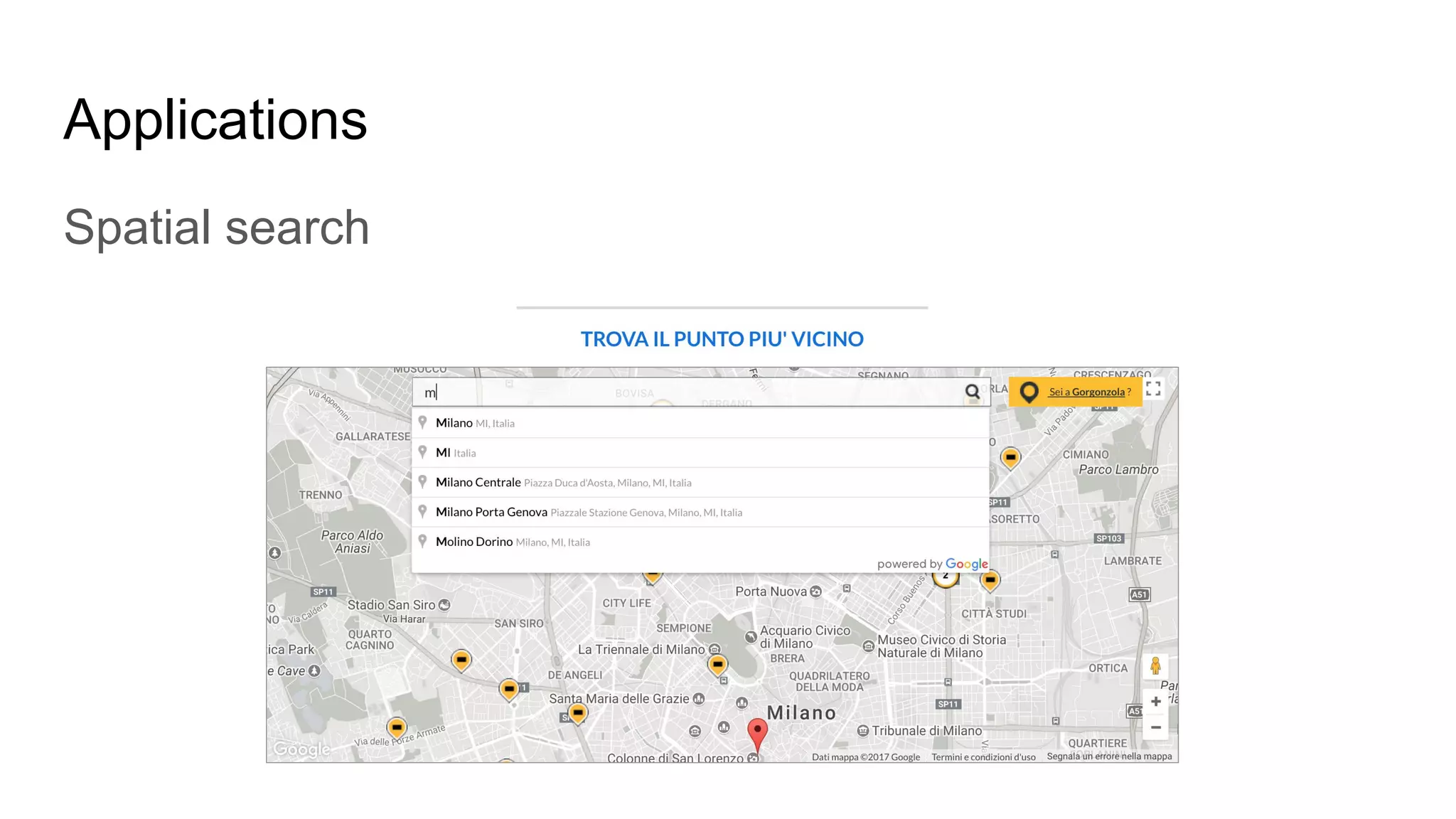
Spatial search
Applications
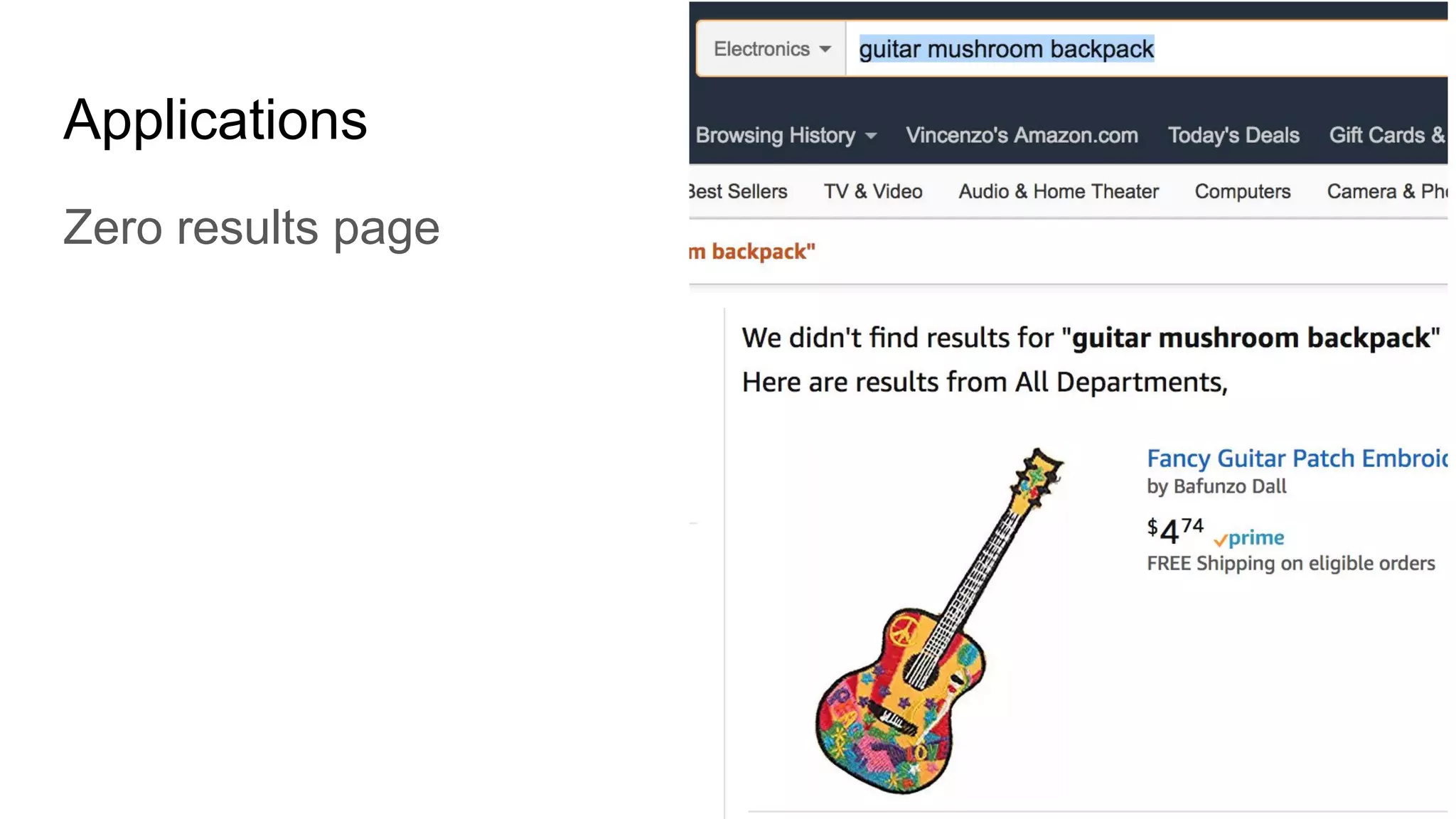
Zero results page
Text Retrieval Basics
A list of few basic concepts, principles
of Text Retrieval
Text Retrieval Basics
What is Information retrieval (IR)
- Information retrieval is the science of searching for
information in a document, searching for documents
themselves, and also searching for metadata that
describe data, and for databases of texts, images or
sounds.
Text Retrieval Basics
What is text retrieval (TR)
- Collection of documents exists
- The user submit a query to express the information
need
- The search engine returns documents relevant to the
user’s query.
Text Retrieval Basics
What is Relevance
- the quality of results returned from a query,
encompassing both what documents are found, and
their relative ranking (the order that they are returned
to the user.)
- Measure of the effectiveness of communication
- Trying also to satisfy the marketing requests
Text Retrieval Basics
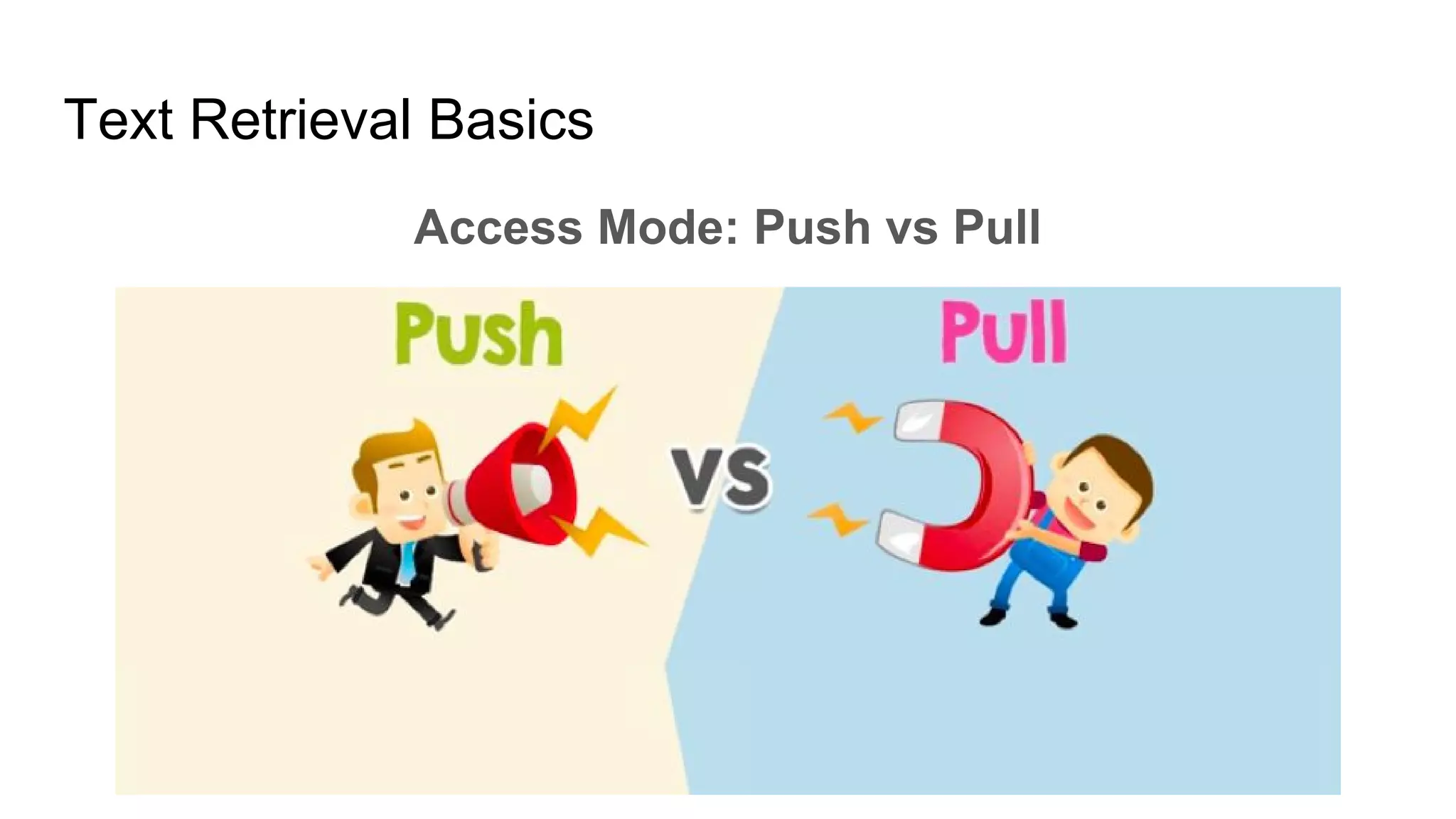
Access Mode: Push vs Pull
Text Retrieval Basics
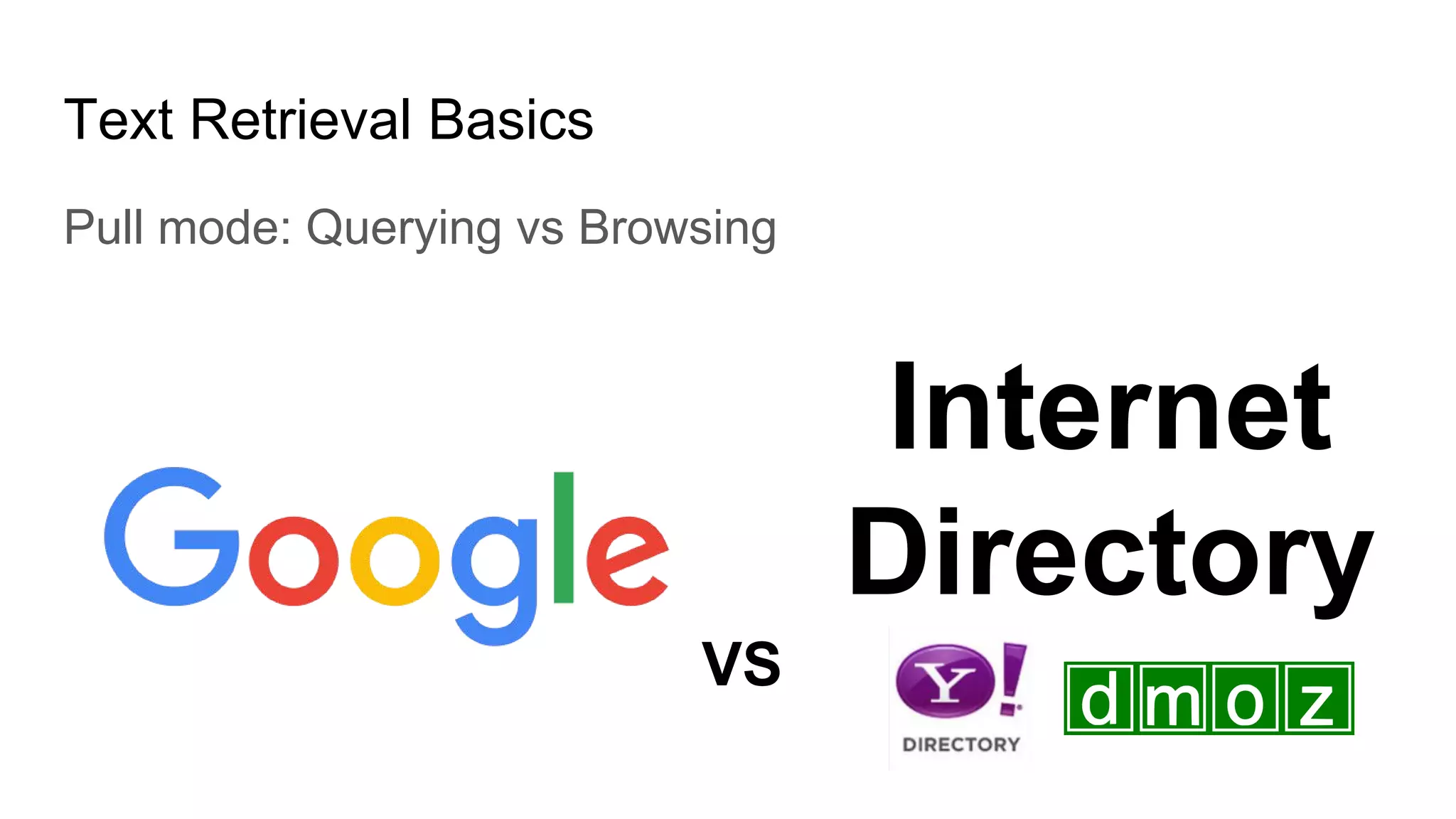
Pull mode: Querying vs Browsing
Internet
Directory
VS
Text Retrieval Basics
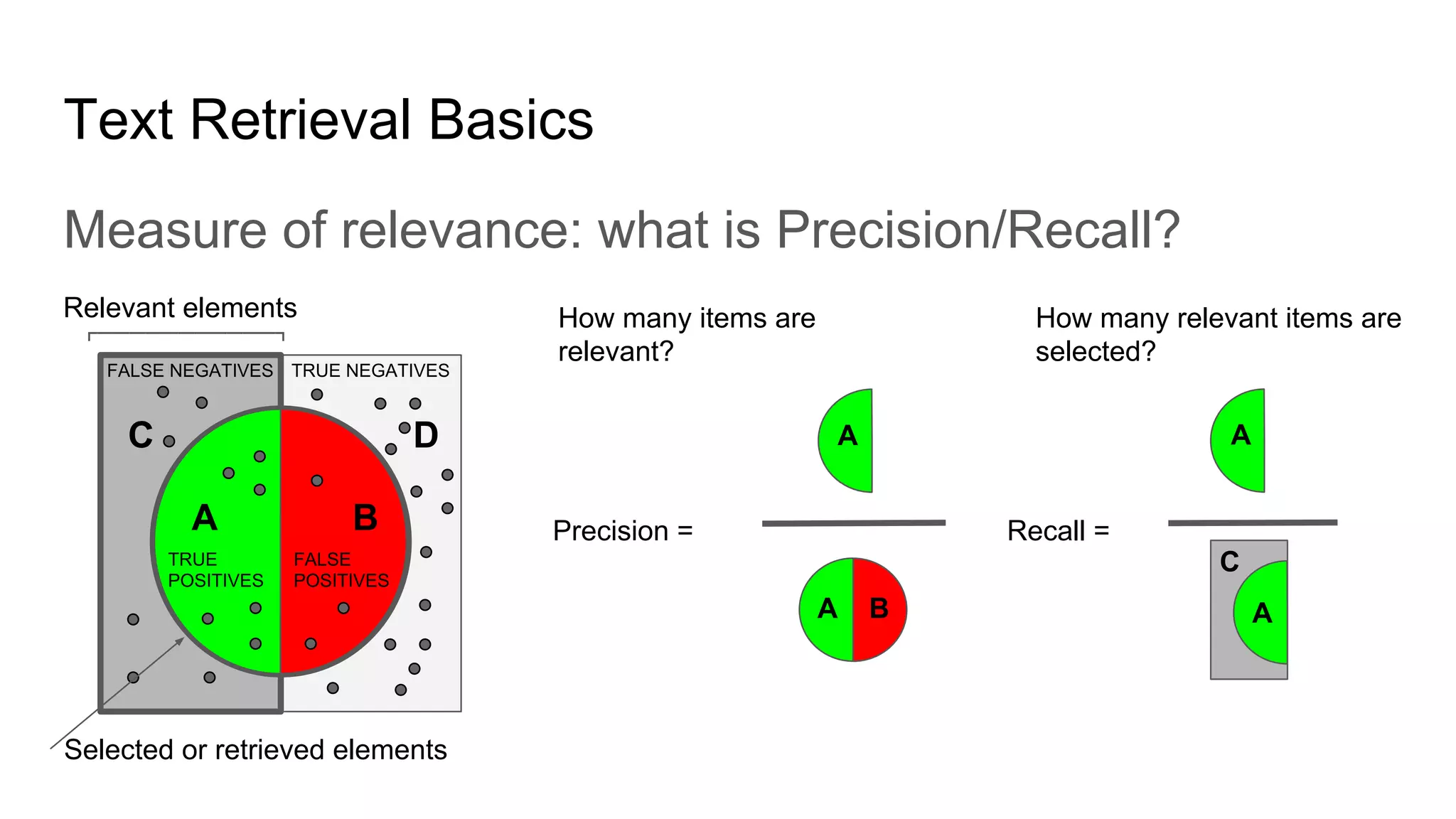
Measure of relevance: what is Precision/Recall?
TRUE NEGATIVESFALSE NEGATIVES
TRUE
POSITIVES
FALSE
POSITIVES
Precision = Recall =
Selected or retrieved elements
How many items are
relevant?
How many relevant items are
selected?
Relevant elements
┏━━━━━━━━━━━┓
A B
C D A
A B A
C
A
Text Retrieval Basics
Measures
- Effectiveness or accuracy
- System centered
- User centered
Text Retrieval Basics
Measures
- Efficiency
- Retrieval time
- Indexing time
- Index size
Text Retrieval Basics
Measures
- Usability
Text Retrieval Basics
Understanding and improving search relevancy can
often feel like a never ending journey.
Lucene vs Solr
Apache Lucene and Solr
What is Apache Lucene
- Java-based indexing and search technology, as well as spellchecking,
hit highlighting and advanced analysis/tokenization capabilities.
- Many Lucene-based projects: Solr, Elasticsearch, Hadoop, Nutch, etc.
Lucene vs Solr
What is Apache Solr
- Solr (pronounced "solar") is an open source enterprise search platform.
Its major features include full-text search, hit highlighting, faceted
search, real-time indexing, dynamic clustering, database integration,
NoSQL features and rich document (e.g., Word, PDF) handling.
Providing distributed search and index replication, Solr is designed for
scalability and fault tolerance.
Lucene vs Solr
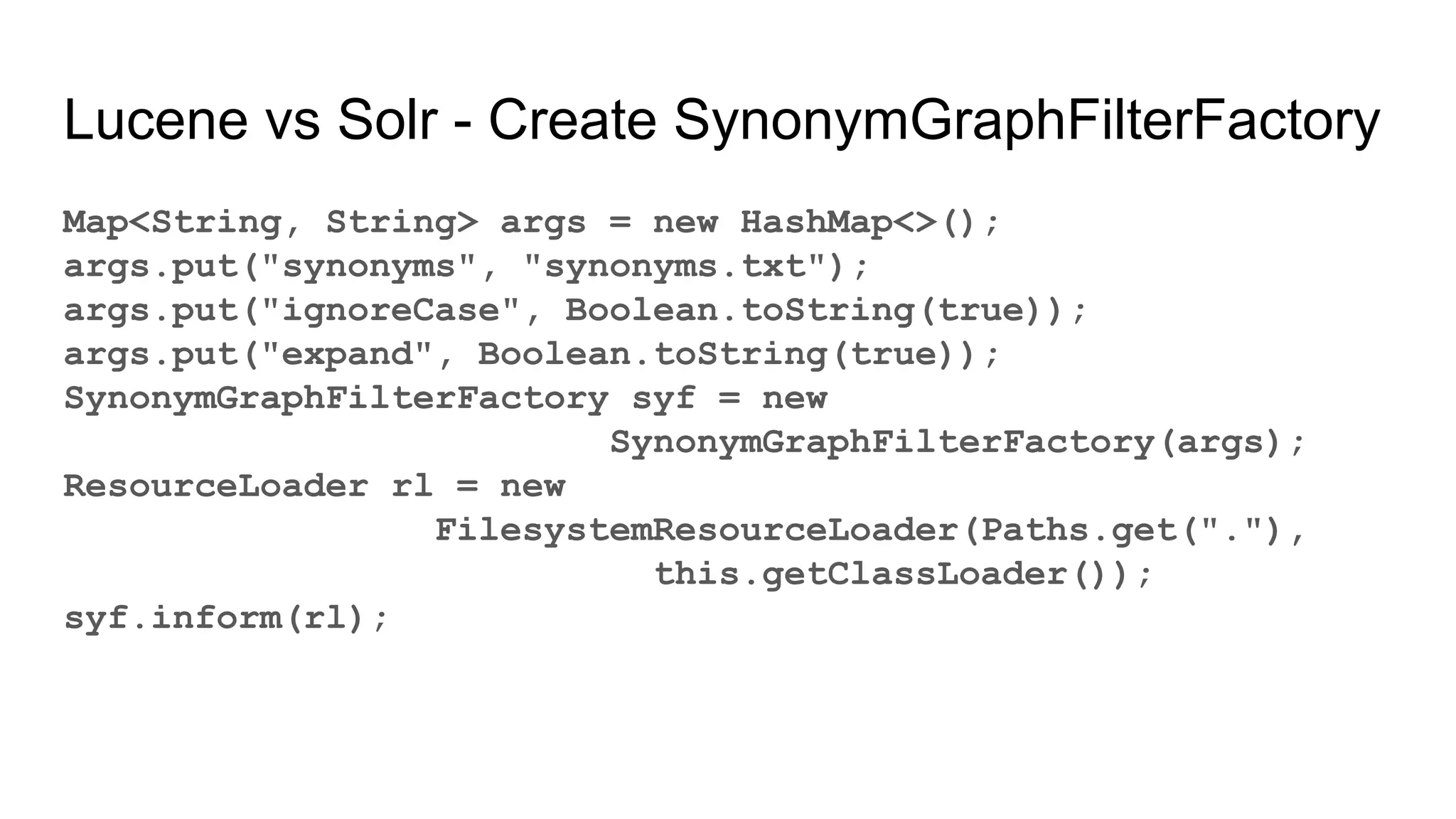
Lucene vs Solr - Create SynonymGraphFilterFactory
Map<String, String> args = new HashMap<>();
args.put("synonyms", "synonyms.txt");
args.put("ignoreCase", Boolean.toString(true));
args.put("expand", Boolean.toString(true));
SynonymGraphFilterFactory syf = new
SynonymGraphFilterFactory(args);
ResourceLoader rl = new
FilesystemResourceLoader(Paths.get("."),
this.getClassLoader());
syf.inform(rl);
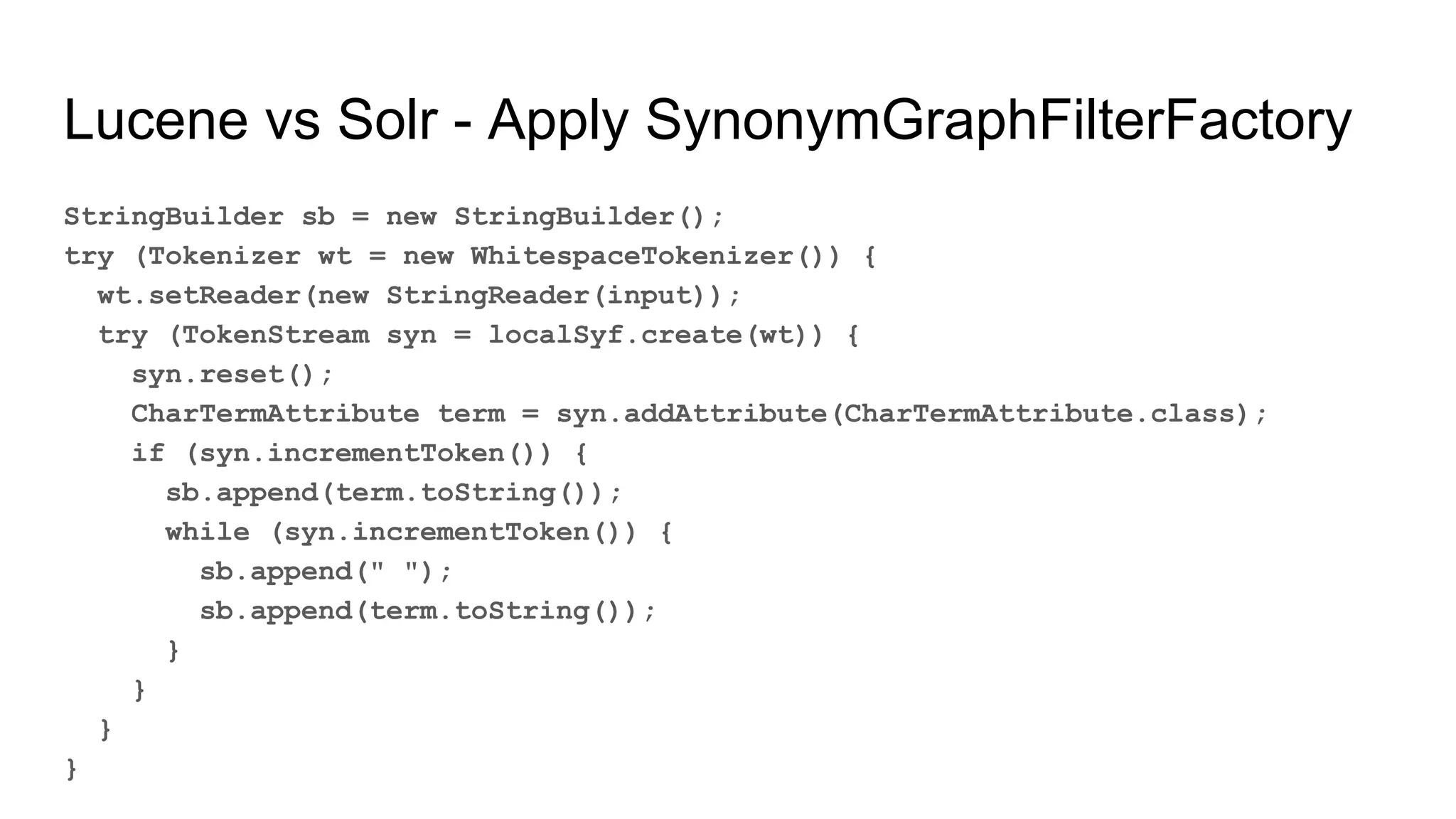
Lucene vs Solr - Apply SynonymGraphFilterFactory
StringBuilder sb = new StringBuilder();
try (Tokenizer wt = new WhitespaceTokenizer()) {
wt.setReader(new StringReader(input));
try (TokenStream syn = localSyf.create(wt)) {
syn.reset();
CharTermAttribute term = syn.addAttribute(CharTermAttribute.class);
if (syn.incrementToken()) {
sb.append(term.toString());
while (syn.incrementToken()) {
sb.append(" ");
sb.append(term.toString());
}
}
}
}
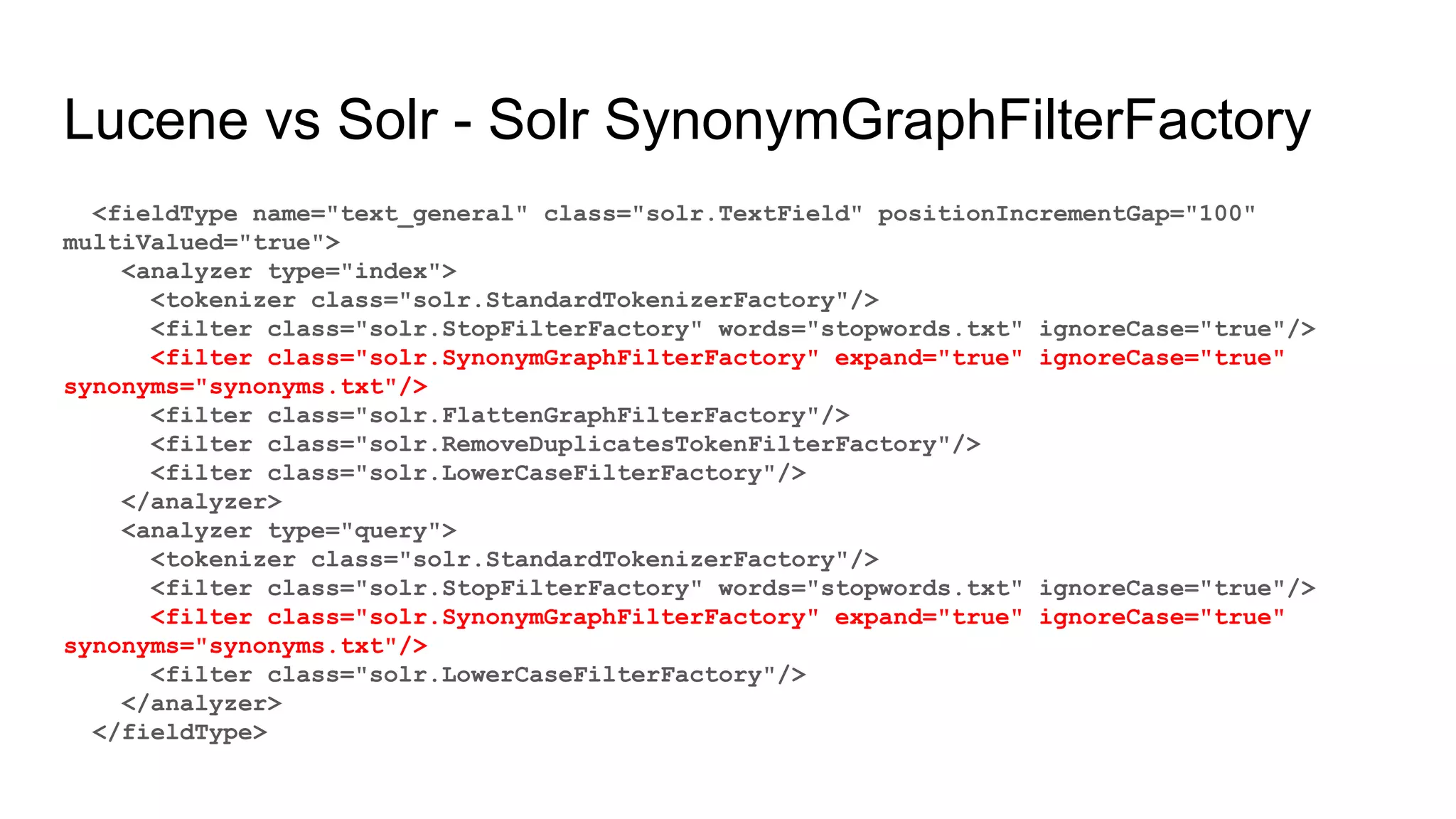
Lucene vs Solr - Solr SynonymGraphFilterFactory
<fieldType name="text_general" class="solr.TextField" positionIncrementGap="100"
multiValued="true">
<analyzer type="index">
<tokenizer class="solr.StandardTokenizerFactory"/>
<filter class="solr.StopFilterFactory" words="stopwords.txt" ignoreCase="true"/>
<filter class="solr.SynonymGraphFilterFactory" expand="true" ignoreCase="true"
synonyms="synonyms.txt"/>
<filter class="solr.FlattenGraphFilterFactory"/>
<filter class="solr.RemoveDuplicatesTokenFilterFactory"/>
<filter class="solr.LowerCaseFilterFactory"/>
</analyzer>
<analyzer type="query">
<tokenizer class="solr.StandardTokenizerFactory"/>
<filter class="solr.StopFilterFactory" words="stopwords.txt" ignoreCase="true"/>
<filter class="solr.SynonymGraphFilterFactory" expand="true" ignoreCase="true"
synonyms="synonyms.txt"/>
<filter class="solr.LowerCaseFilterFactory"/>
</analyzer>
</fieldType>
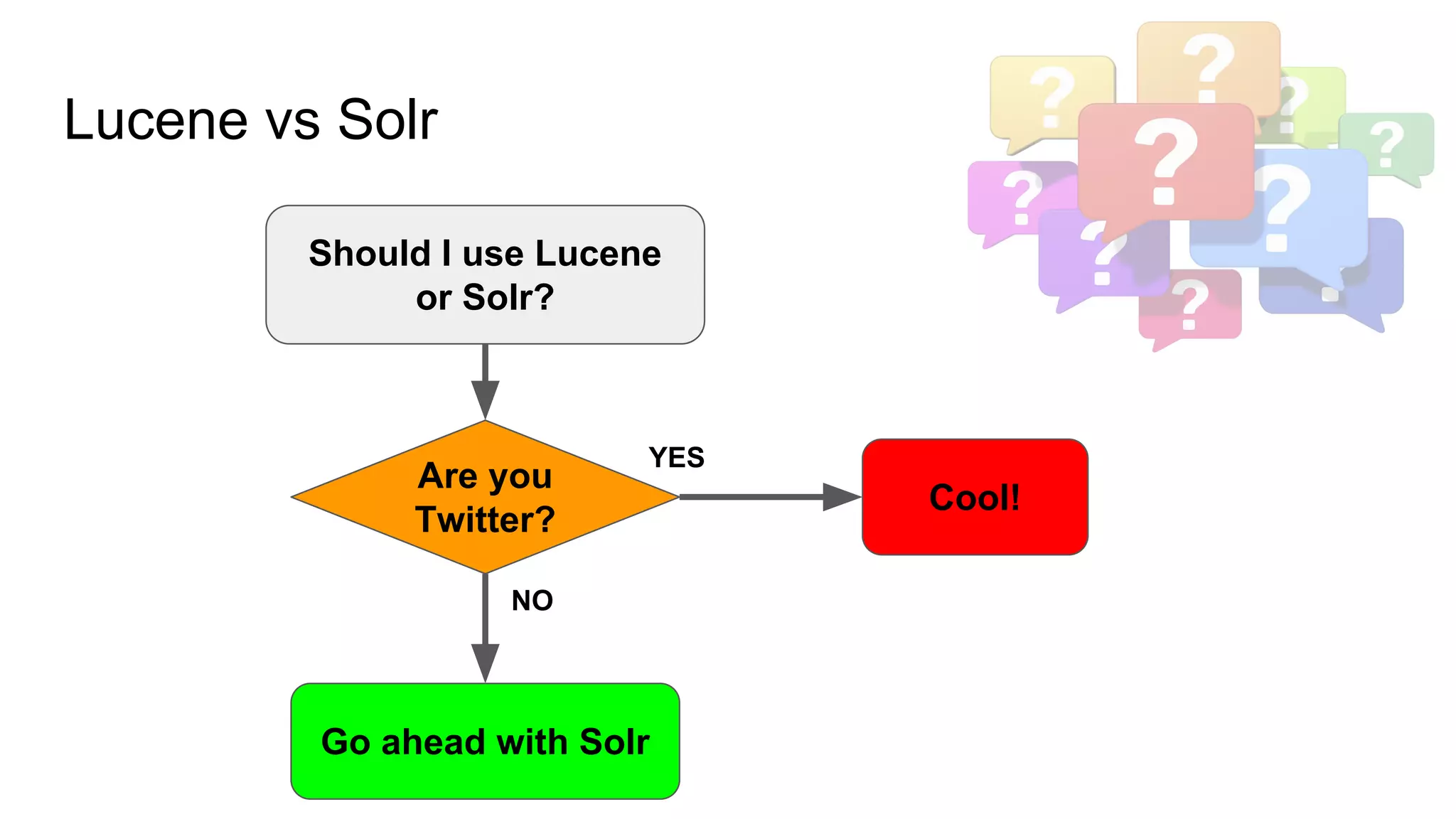
Lucene vs Solr
Go ahead with Solr
Should I use Lucene
or Solr?
Cool!
Are you
Twitter?
YES
NO
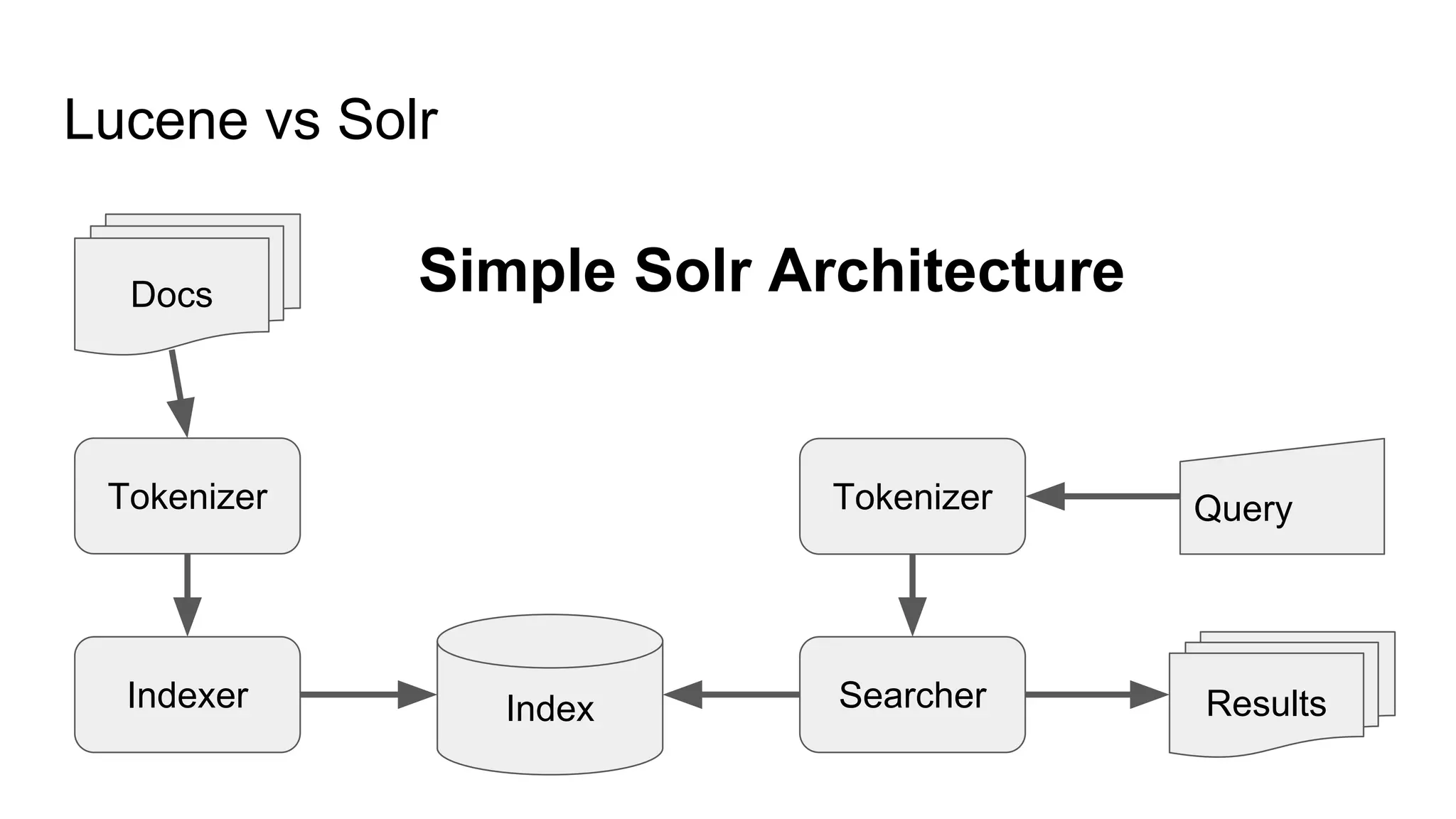
Lucene vs Solr
IndexIndexer Searcher Results
Tokenizer Tokenizer
Docs
Query
Simple Solr Architecture
Hands on Lucene &
Solr
A practical example of what Lucene & Solr
is
Hands on Lucene & Solr
Examples in the presentation
https://github.com/freedev/lucene-example
Apache Lucene/Solr Books
- Apache Solr Reference Guide
- Lucene in Action
- Relevant Search
- Apache Solr Search Patterns

E-commerce Search Engine with Apache Lucene/Solr

  • 1.
    E-commerce Search Enginewith Apache Lucene/Solr A sightseeing with few practical examples By Vincenzo D’Amore v.damore@gmail.com @VincenzoDAmore
  • 2.
    eCommerce Search - Whynot an RDBMS - Characteristics - Scenarios - Applications - Text Retrieval Basics - Lucene vs Solr - Hands on
  • 3.
    Why not anRDBMS AKA eCommerce and Search? Start with why
  • 4.
    Why not an RDBMS Usethe right tool for the job.
  • 5.
    (NoSQL) Full TextSearch vs RDBMS NoSQL - Documents - Denormalization RDBMS - Tables/Records - Normalization
  • 6.
    (NoSQL) Full TextSearch vs RDBMS - Cluster-friendly - Optimistic locking - Schema-less (almost) - Scale vertically - ACID transactions
  • 7.
    (NoSQL) Full TextSearch vs RDBMS - Text Analysis/Stemming - Full text search scored - Faceting/Categorization - Non-text data manipulation
  • 8.
    When to usea full text search engine 1. High volume of documents to be searched and/or faceted/categorized 2. High volume of interactive text-based queries 3. Demand for very flexible full text search querying 4. Demand for highly relevant search results
  • 9.
    When to usea RDBMS 1. Demands for many different record types 2. Non-text data manipulation 3. Secure transaction processing
  • 10.
  • 11.
    eCommerce Search characteristics Scalableand fast to users requests - Thousands of concurrent users - Millions of queries per day (with peaks during Xmas and Black Friday) - Average response under few ms
  • 12.
  • 13.
    eCommerce Search characteristics Flexiblemarketing requirements - Promoted products should appear first - Best sellers products should appear first - Fresh products should appear first (freshness?) - Hot keywords and curated search - Everything should appear first (OMG & WTH)
  • 14.
  • 15.
    eCommerce Search characteristics Userscan't buy if they can't find it - Search and discovery is mission critical - Products descriptions and metadata are poorly written and often don't fits users requests
  • 16.
    eCommerce Search characteristics Userscan't buy if they can't find it - Users don't know how to spell bluettoth, blu tooh, blutooh, bluetoot, bluetooh, blue toot, blue tooh, blue tooth => bluetooth
  • 17.
    eCommerce Search characteristics Userscan't buy if they can't find it - Users don't know how to spell hawey, uawei, huwaei, huwei, wawei, hawuei, huawai, hawei, huwawei, huwavei, huwawei, huawey, hauwei, hawuei, hawei, hawawei, huawe => huawei
  • 18.
    eCommerce Search characteristics Userscan't buy if they can't find it - Users don't know how to spell tapi rulan, tapisrulant, tapis rulant, tapi roulant, tapiroulant, tapisroulant => tapis roulant
  • 19.
    eCommerce Search characteristics Commonsearch documents vs eCommerce documents VS
  • 20.
    eCommerce Search Scenarios How anonline store typically look like
  • 21.
    eCommerce Search Scenarios Howan online store typically look like - Thousands, millions and even billions of products - Lots of meta-data in text form
  • 22.
    eCommerce Search Scenarios Howan online store typically look like - Tricky product names & manufacturer names - star trek, star wars (w/ or w/o space?) - ÖKOKombi
  • 23.
    eCommerce Search Scenarios Howan online store typically look like - Word-level ambiguities in product Names - Gulliver - Portatile - Sacco - WD Desktop - Reflex
  • 24.
    eCommerce Search Applications A list ofthe most popular eCommerce Search Applications
  • 25.
  • 26.
    Applications Typo tolerance akaSpellchecker aka “forse cercavi”
  • 27.
    Applications Typo tolerance akaSpellchecker aka “forse cercavi”
  • 28.
    Applications Instant search aka searchas you type aka incremental search
  • 29.
  • 30.
    Applications More like this- Related products and articles
  • 31.
  • 32.
  • 33.
    Text Retrieval Basics Alist of few basic concepts, principles of Text Retrieval
  • 34.
    Text Retrieval Basics Whatis Information retrieval (IR) - Information retrieval is the science of searching for information in a document, searching for documents themselves, and also searching for metadata that describe data, and for databases of texts, images or sounds.
  • 35.
    Text Retrieval Basics Whatis text retrieval (TR) - Collection of documents exists - The user submit a query to express the information need - The search engine returns documents relevant to the user’s query.
  • 36.
    Text Retrieval Basics Whatis Relevance - the quality of results returned from a query, encompassing both what documents are found, and their relative ranking (the order that they are returned to the user.) - Measure of the effectiveness of communication - Trying also to satisfy the marketing requests
  • 37.
    Text Retrieval Basics AccessMode: Push vs Pull
  • 38.
    Text Retrieval Basics Pullmode: Querying vs Browsing Internet Directory VS
  • 39.
    Text Retrieval Basics Measureof relevance: what is Precision/Recall? TRUE NEGATIVESFALSE NEGATIVES TRUE POSITIVES FALSE POSITIVES Precision = Recall = Selected or retrieved elements How many items are relevant? How many relevant items are selected? Relevant elements ┏━━━━━━━━━━━┓ A B C D A A B A C A
  • 40.
    Text Retrieval Basics Measures -Effectiveness or accuracy - System centered - User centered
  • 41.
    Text Retrieval Basics Measures -Efficiency - Retrieval time - Indexing time - Index size
  • 42.
  • 43.
    Text Retrieval Basics Understandingand improving search relevancy can often feel like a never ending journey.
  • 44.
    Lucene vs Solr ApacheLucene and Solr
  • 45.
    What is ApacheLucene - Java-based indexing and search technology, as well as spellchecking, hit highlighting and advanced analysis/tokenization capabilities. - Many Lucene-based projects: Solr, Elasticsearch, Hadoop, Nutch, etc. Lucene vs Solr
  • 46.
    What is ApacheSolr - Solr (pronounced "solar") is an open source enterprise search platform. Its major features include full-text search, hit highlighting, faceted search, real-time indexing, dynamic clustering, database integration, NoSQL features and rich document (e.g., Word, PDF) handling. Providing distributed search and index replication, Solr is designed for scalability and fault tolerance. Lucene vs Solr
  • 47.
    Lucene vs Solr- Create SynonymGraphFilterFactory Map<String, String> args = new HashMap<>(); args.put("synonyms", "synonyms.txt"); args.put("ignoreCase", Boolean.toString(true)); args.put("expand", Boolean.toString(true)); SynonymGraphFilterFactory syf = new SynonymGraphFilterFactory(args); ResourceLoader rl = new FilesystemResourceLoader(Paths.get("."), this.getClassLoader()); syf.inform(rl);
  • 48.
    Lucene vs Solr- Apply SynonymGraphFilterFactory StringBuilder sb = new StringBuilder(); try (Tokenizer wt = new WhitespaceTokenizer()) { wt.setReader(new StringReader(input)); try (TokenStream syn = localSyf.create(wt)) { syn.reset(); CharTermAttribute term = syn.addAttribute(CharTermAttribute.class); if (syn.incrementToken()) { sb.append(term.toString()); while (syn.incrementToken()) { sb.append(" "); sb.append(term.toString()); } } } }
  • 49.
    Lucene vs Solr- Solr SynonymGraphFilterFactory <fieldType name="text_general" class="solr.TextField" positionIncrementGap="100" multiValued="true"> <analyzer type="index"> <tokenizer class="solr.StandardTokenizerFactory"/> <filter class="solr.StopFilterFactory" words="stopwords.txt" ignoreCase="true"/> <filter class="solr.SynonymGraphFilterFactory" expand="true" ignoreCase="true" synonyms="synonyms.txt"/> <filter class="solr.FlattenGraphFilterFactory"/> <filter class="solr.RemoveDuplicatesTokenFilterFactory"/> <filter class="solr.LowerCaseFilterFactory"/> </analyzer> <analyzer type="query"> <tokenizer class="solr.StandardTokenizerFactory"/> <filter class="solr.StopFilterFactory" words="stopwords.txt" ignoreCase="true"/> <filter class="solr.SynonymGraphFilterFactory" expand="true" ignoreCase="true" synonyms="synonyms.txt"/> <filter class="solr.LowerCaseFilterFactory"/> </analyzer> </fieldType>
  • 50.
    Lucene vs Solr Goahead with Solr Should I use Lucene or Solr? Cool! Are you Twitter? YES NO
  • 51.
    Lucene vs Solr IndexIndexerSearcher Results Tokenizer Tokenizer Docs Query Simple Solr Architecture
  • 52.
    Hands on Lucene& Solr A practical example of what Lucene & Solr is
  • 53.
    Hands on Lucene& Solr Examples in the presentation https://github.com/freedev/lucene-example Apache Lucene/Solr Books - Apache Solr Reference Guide - Lucene in Action - Relevant Search - Apache Solr Search Patterns