Eco Design
info
Eco-Design PowerPoint Template
This document provides an overview of a PowerPoint template that I have created, specifically designed for eco-design presentations. Please note that this template
does not come with any pre-populated content or images. It is designed to be a blank canvas, allowing you to customize it to suit your specific needs.
Key Features
Design: The template is designed with a clean, professional aesthetic, incorporating elements of eco-design. It is intended to be a starting point for your
presentation, providing a visually appealing layout that you can build upon.
Pre-set Animations: The template includes a variety of pre-set animations. These are designed to enhance the visual appeal of your presentation and to guide your
audience through your content. However, they should be customized to fit your specific content and style.
Slide Variety: The template includes two examples of each type of slide. This provides a range of options for your presentation, allowing you to choose the most
effective slide type for each section of your content.
Usage
To use this template, simply duplicate the slides as needed. You can add or remove content as required, and adjust the animations to suit your presentation style.
Bullet Point Slides: These slides are designed to present information in a clear, concise format. Feel free to add your own bullet points to these slides, or to modify
the existing content as needed.
Usage Restrictions
Please note that this template is intended for personal use only. It is not permitted to rebrand this template or to post a version of this template where it is stated
that it is yours.
Acknowledgements
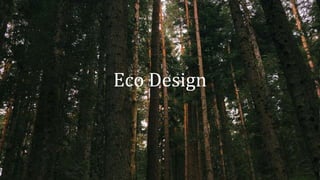
I would like to express my gratitude to Lucie Uciel for the beautiful photo used in this template. The photo can be found here.
Remember To Delete This Slide
Any Content Slide
widescreen
Any Content Slide
widescreen
Bullet point slide
• Eco
Bullet point slide
• Eco
Picture Slide
with caption
Eco
Picture Slide
with caption
Eco
Picture Slide
widescreen
Picture Slide
widescreen
Any Content Slide
With Caption
Eco
Any content slide
with caption
Eco
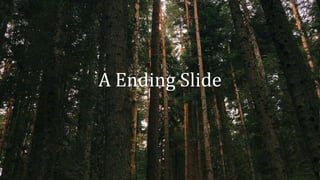
A Ending Slide

Eco-Design PowerPoint Template

  • 1.
  • 2.
    info Eco-Design PowerPoint Template Thisdocument provides an overview of a PowerPoint template that I have created, specifically designed for eco-design presentations. Please note that this template does not come with any pre-populated content or images. It is designed to be a blank canvas, allowing you to customize it to suit your specific needs. Key Features Design: The template is designed with a clean, professional aesthetic, incorporating elements of eco-design. It is intended to be a starting point for your presentation, providing a visually appealing layout that you can build upon. Pre-set Animations: The template includes a variety of pre-set animations. These are designed to enhance the visual appeal of your presentation and to guide your audience through your content. However, they should be customized to fit your specific content and style. Slide Variety: The template includes two examples of each type of slide. This provides a range of options for your presentation, allowing you to choose the most effective slide type for each section of your content. Usage To use this template, simply duplicate the slides as needed. You can add or remove content as required, and adjust the animations to suit your presentation style. Bullet Point Slides: These slides are designed to present information in a clear, concise format. Feel free to add your own bullet points to these slides, or to modify the existing content as needed. Usage Restrictions Please note that this template is intended for personal use only. It is not permitted to rebrand this template or to post a version of this template where it is stated that it is yours. Acknowledgements I would like to express my gratitude to Lucie Uciel for the beautiful photo used in this template. The photo can be found here. Remember To Delete This Slide
  • 3.
  • 4.
  • 5.
  • 6.
  • 7.
  • 8.
  • 9.
  • 10.
  • 11.
  • 12.
  • 13.

Editor's Notes

  • #3 Delete This Slide Once Done Reading
  • #6 Bullet point slide
  • #7 Bullet point slide
  • #8 Picture slide
  • #9 Picture slide
  • #10 Picture slide
  • #11 Picture slide
  • #12 Any content slide with caption
  • #13 Any content slide with caption
  • #14 Thank You!