Currently all theprogram does is draw a dragon using hard-coded parameters. Let’s make the program more useful and more user-friendly.
Let’s improve it as follows:
• When the program has started, it draws a dragon with the following default parameters:
• age = zero (a single line)
• length = 100 (pixels)
• horizontal start position = zero (the centre of the X axis)
• vertical start position = zero (the centre of the Y axis)
• start direction = east (we will sometimes refer to this start direction as the dragon’s orientation)
• colour combination = red (line colour) on black (background colour)
• For each of the dragon’s parameters, there is a key combination that the user can press in order to change the parameter. The current parameters
are always displayed at the top of the program’s graphics window frame.
• Whenever the user changes a dragon parameter, the dragon is drawn again.
• When the program starts up, it asks the user if they want to see a demo.
• The demo shows a dragon undergoing a sequence of parameter changes that see it gradually changing as it grows older/younger, grows
larger/smaller, moves north/south/east/west, starts facing north/south/east/west, is drawn using a different foreground/background colour
combination.
• The demo is defined programmatically, so it can be modified to one’s liking.
• The user can control the program using key combinations that do the following:
• show program instructions – i.e. show the available user commands and their corresponding key combinations
• start the demo (it is not possible to change a dragon parameter while a demo is running)
• pause the demo (while it is possible to change a dragon parameter while a demo is paused, the demo can no longer be resumed after that)
• resume the demo
• start again – reset the dragon parameters to the initial ones
• quit – exit the program
• Instructions always get displayed once the program has finished starting up (and running the demo if requested).
3.
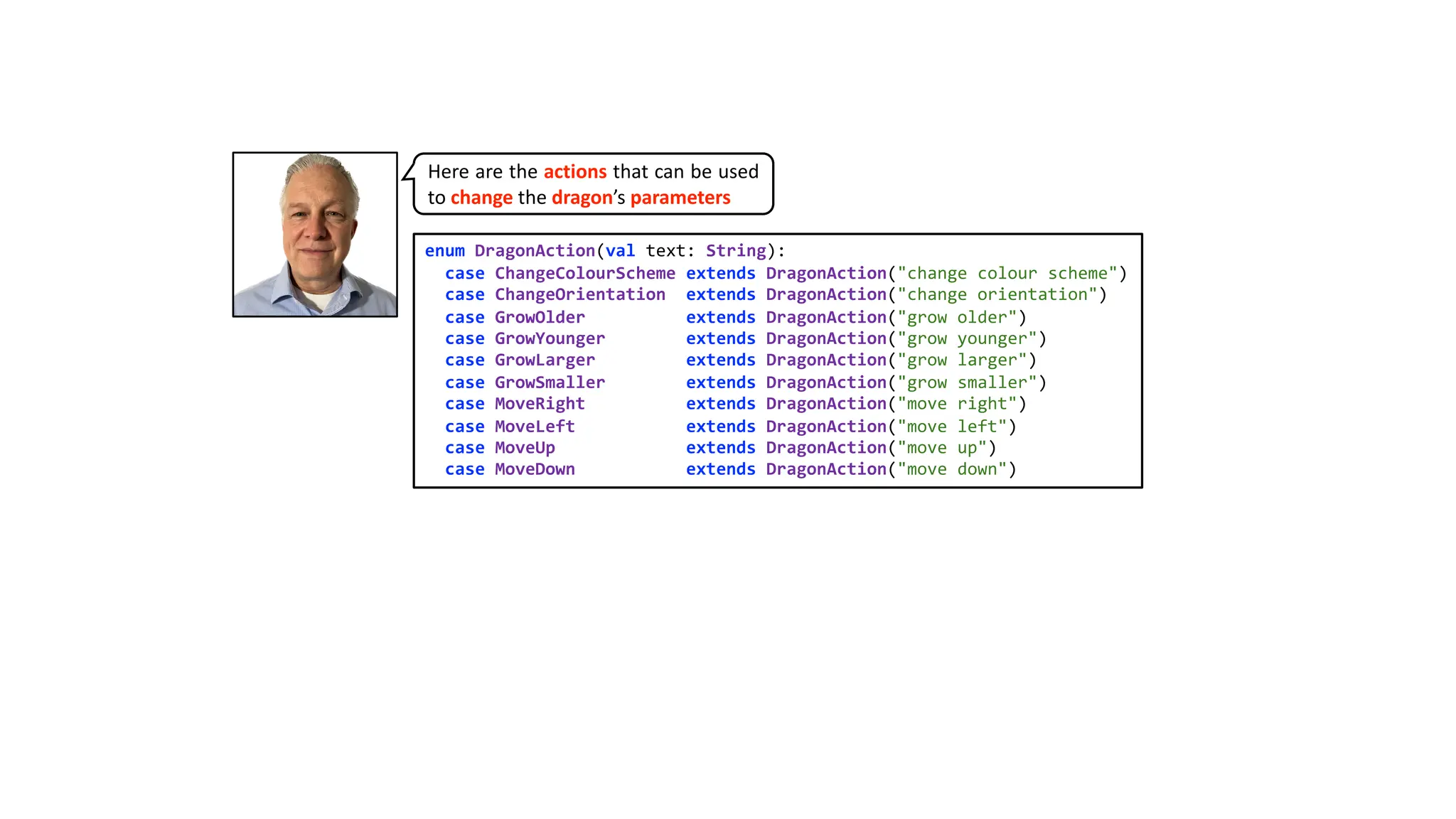
enum DragonAction(val text:String):
case ChangeColourScheme extends DragonAction("change colour scheme")
case ChangeOrientation extends DragonAction("change orientation")
case GrowOlder extends DragonAction("grow older")
case GrowYounger extends DragonAction("grow younger")
case GrowLarger extends DragonAction("grow larger")
case GrowSmaller extends DragonAction("grow smaller")
case MoveRight extends DragonAction("move right")
case MoveLeft extends DragonAction("move left")
case MoveUp extends DragonAction("move up")
case MoveDown extends DragonAction("move down")
Here are the actions that can be used
to change the dragon’s parameters
4.
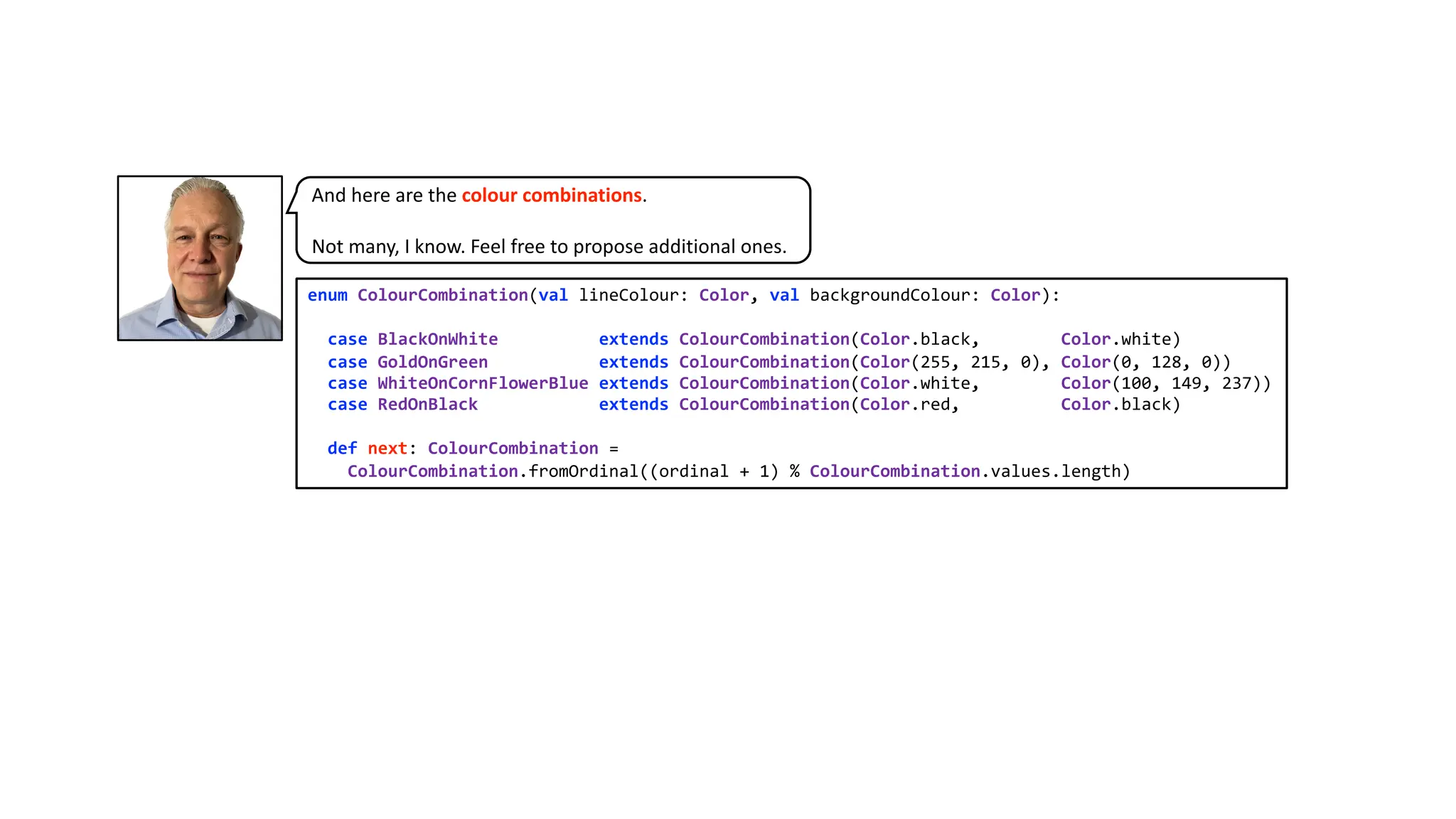
enum ColourCombination(val lineColour:Color, val backgroundColour: Color):
case BlackOnWhite extends ColourCombination(Color.black, Color.white)
case GoldOnGreen extends ColourCombination(Color(255, 215, 0), Color(0, 128, 0))
case WhiteOnCornFlowerBlue extends ColourCombination(Color.white, Color(100, 149, 237))
case RedOnBlack extends ColourCombination(Color.red, Color.black)
def next: ColourCombination =
ColourCombination.fromOrdinal((ordinal + 1) % ColourCombination.values.length)
And here are the colour combinations.
Not many, I know. Feel free to propose additional ones.
5.
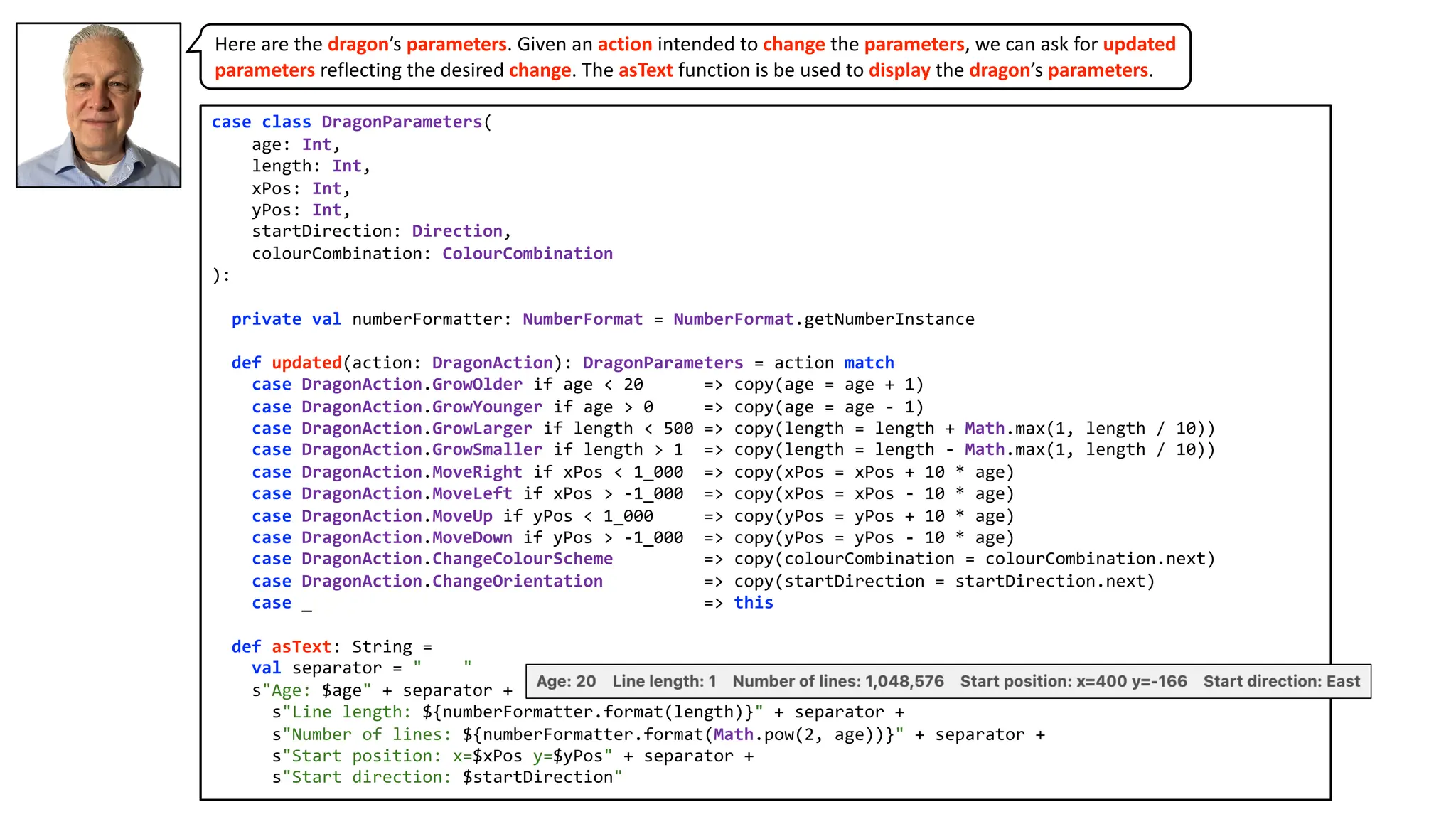
case class DragonParameters(
age:Int,
length: Int,
xPos: Int,
yPos: Int,
startDirection: Direction,
colourCombination: ColourCombination
):
private val numberFormatter: NumberFormat = NumberFormat.getNumberInstance
def updated(action: DragonAction): DragonParameters = action match
case DragonAction.GrowOlder if age < 20 => copy(age = age + 1)
case DragonAction.GrowYounger if age > 0 => copy(age = age - 1)
case DragonAction.GrowLarger if length < 500 => copy(length = length + Math.max(1, length / 10))
case DragonAction.GrowSmaller if length > 1 => copy(length = length - Math.max(1, length / 10))
case DragonAction.MoveRight if xPos < 1_000 => copy(xPos = xPos + 10 * age)
case DragonAction.MoveLeft if xPos > -1_000 => copy(xPos = xPos - 10 * age)
case DragonAction.MoveUp if yPos < 1_000 => copy(yPos = yPos + 10 * age)
case DragonAction.MoveDown if yPos > -1_000 => copy(yPos = yPos - 10 * age)
case DragonAction.ChangeColourScheme => copy(colourCombination = colourCombination.next)
case DragonAction.ChangeOrientation => copy(startDirection = startDirection.next)
case _ => this
def asText: String =
val separator = " "
s"Age: $age" + separator +
s"Line length: ${numberFormatter.format(length)}" + separator +
s"Number of lines: ${numberFormatter.format(Math.pow(2, age))}" + separator +
s"Start position: x=$xPos y=$yPos" + separator +
s"Start direction: $startDirection"
Here are the dragon’s parameters. Given an action intended to change the parameters, we can ask for updated
parameters reflecting the desired change. The asText function is be used to display the dragon’s parameters.
6.
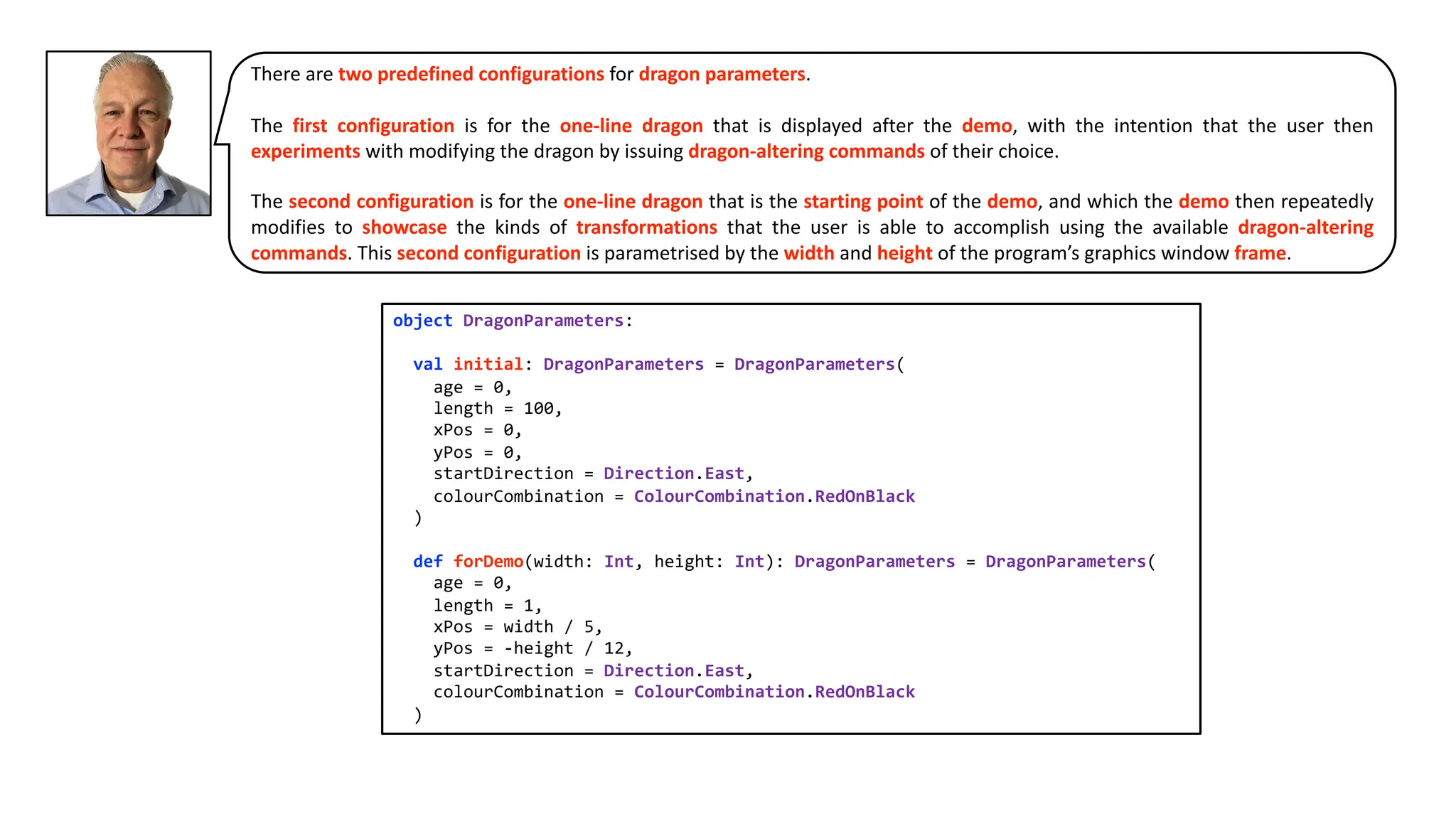
There are twopredefined configurations for dragon parameters.
The first configuration is for the one-line dragon that is displayed after the demo, with the intention that the user then
experiments with modifying the dragon by issuing dragon-altering commands of their choice.
The second configuration is for the one-line dragon that is the starting point of the demo, and which the demo then repeatedly
modifies to showcase the kinds of transformations that the user is able to accomplish using the available dragon-altering
commands. This second configuration is parametrised by the width and height of the program’s graphics window frame.
object DragonParameters:
val initial: DragonParameters = DragonParameters(
age = 0,
length = 100,
xPos = 0,
yPos = 0,
startDirection = Direction.East,
colourCombination = ColourCombination.RedOnBlack
)
def forDemo(width: Int, height: Int): DragonParameters = DragonParameters(
age = 0,
length = 1,
xPos = width / 5,
yPos = -height / 12,
startDirection = Direction.East,
colourCombination = ColourCombination.RedOnBlack
)
7.
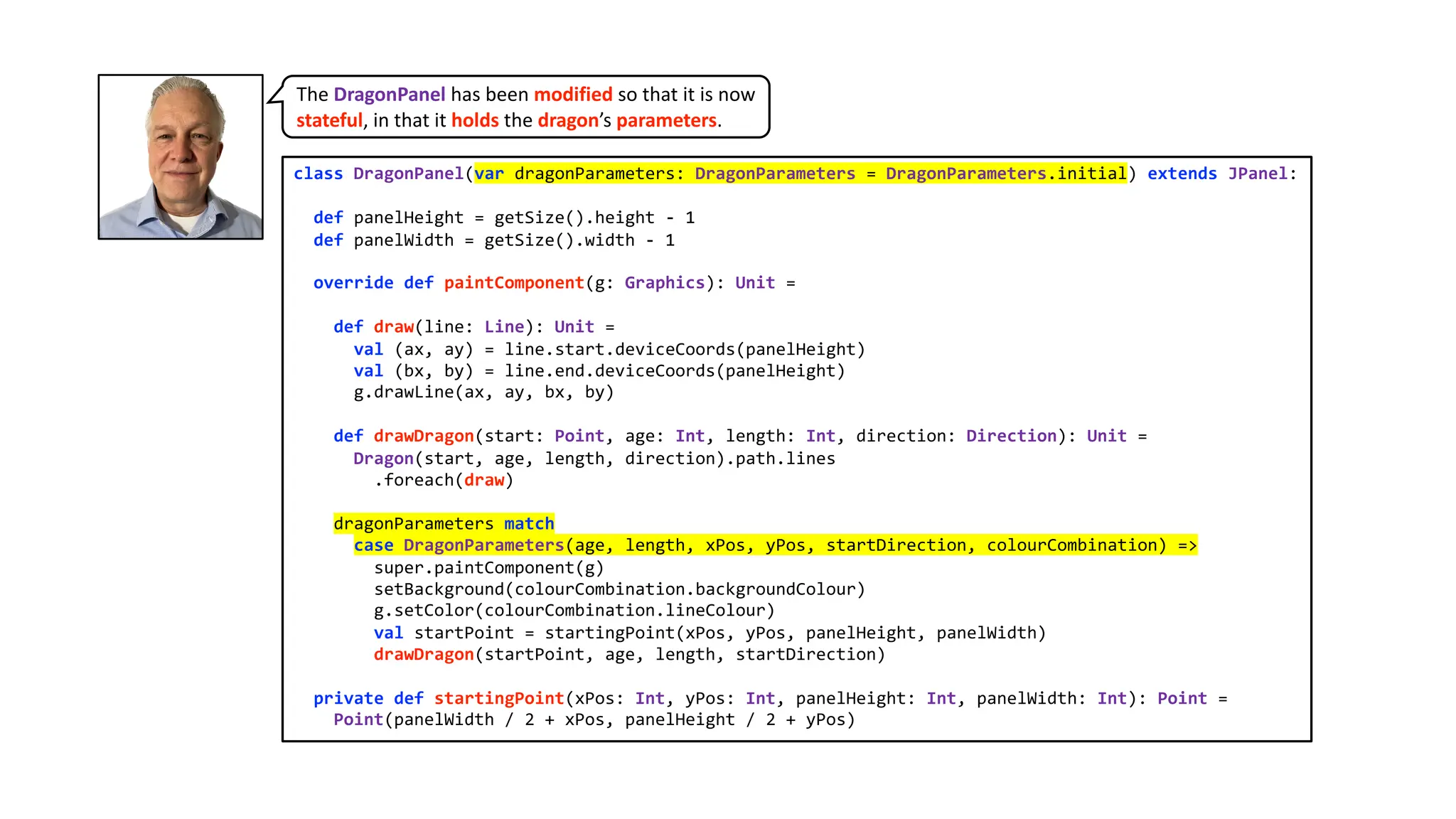
class DragonPanel(var dragonParameters:DragonParameters = DragonParameters.initial) extends JPanel:
def panelHeight = getSize().height - 1
def panelWidth = getSize().width - 1
override def paintComponent(g: Graphics): Unit =
def draw(line: Line): Unit =
val (ax, ay) = line.start.deviceCoords(panelHeight)
val (bx, by) = line.end.deviceCoords(panelHeight)
g.drawLine(ax, ay, bx, by)
def drawDragon(start: Point, age: Int, length: Int, direction: Direction): Unit =
Dragon(start, age, length, direction).path.lines
.foreach(draw)
dragonParameters match
case DragonParameters(age, length, xPos, yPos, startDirection, colourCombination) =>
super.paintComponent(g)
setBackground(colourCombination.backgroundColour)
g.setColor(colourCombination.lineColour)
val startPoint = startingPoint(xPos, yPos, panelHeight, panelWidth)
drawDragon(startPoint, age, length, startDirection)
private def startingPoint(xPos: Int, yPos: Int, panelHeight: Int, panelWidth: Int): Point =
Point(panelWidth / 2 + xPos, panelHeight / 2 + yPos)
The DragonPanel has been modified so that it is now
stateful, in that it holds the dragon’s parameters.
8.
Here is themenu for changing dragon parameters. It provides an asText function that
is used to display the program’s instructions for dragon-altering user commands.
class DragonMenu(actionListener: ActionListener) extends Menu("Dragon Parameters"):
menuItemDetails.foreach { case dragonAction -> (keyCode, withShift) =>
val item = MenuItem(dragonAction.toString, MenuShortcut(keyEventNumber, withShift))
add(item)
item.addActionListener(actionListener)
}
object DragonMenu:
private val menuItemDetails: List[(DragonAction, (keyCode : Int, withShift: Boolean))] = List(
DragonAction.ChangeColourScheme -> (KeyEvent.VK_C, false),
DragonAction.ChangeOrientation -> (KeyEvent.VK_O, false),
DragonAction.GrowOlder -> (KeyEvent.VK_RIGHT, false),
DragonAction.GrowYounger -> (KeyEvent.VK_LEFT, false),
DragonAction.GrowLarger -> (KeyEvent.VK_UP, false),
DragonAction.GrowSmaller -> (KeyEvent.VK_DOWN, false),
DragonAction.MoveRight -> (KeyEvent.VK_RIGHT, true),
DragonAction.MoveLeft -> (KeyEvent.VK_LEFT, true),
DragonAction.MoveUp -> (KeyEvent.VK_UP, true),
DragonAction.MoveDown -> (KeyEvent.VK_DOWN, true)
)
val asText: String =
menuItemDetails
.map { case (change, (keyCode, withShift)) =>
s"CMD ${if withShift then " + SHIFT" else ""} + ${KeyEvent.getKeyText(keyCode)} = ${change.text}"
}
.mkString("n")
9.
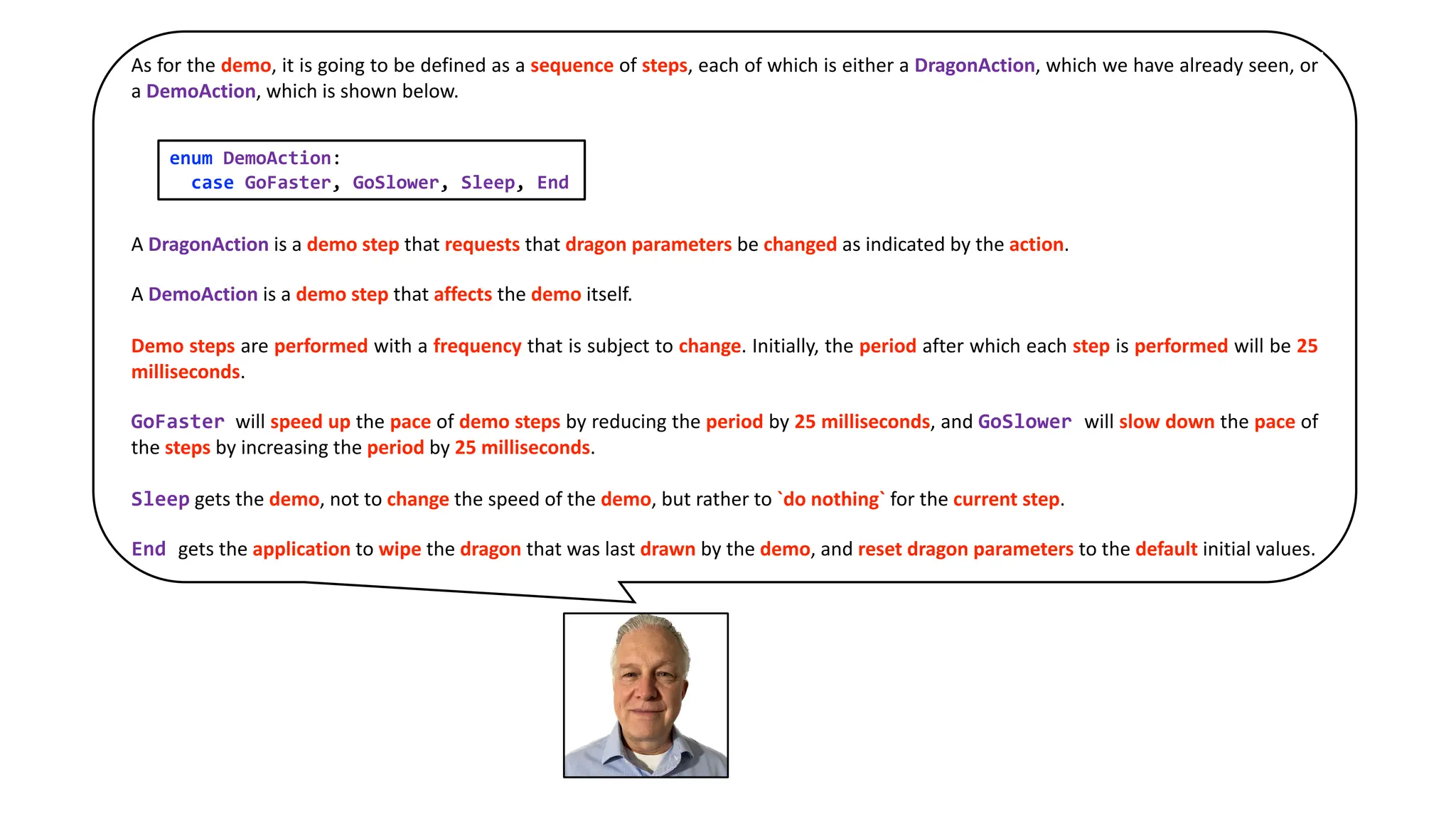
As for thedemo, it is going to be defined as a sequence of steps, each of which is either a DragonAction, which we have already seen, or
a DemoAction, which is shown below.
A DragonAction is a demo step that requests that dragon parameters be changed as indicated by the action.
A DemoAction is a demo step that affects the demo itself.
Demo steps are performed with a frequency that is subject to change. Initially, the period after which each step is performed will be 25
milliseconds.
GoFaster will speed up the pace of demo steps by reducing the period by 25 milliseconds, and GoSlower will slow down the pace of
the steps by increasing the period by 25 milliseconds.
Sleep gets the demo, not to change the speed of the demo, but rather to `do nothing` for the current step.
End gets the application to wipe the dragon that was last drawn by the demo, and reset dragon parameters to the default initial values.
enum DemoAction:
case GoFaster, GoSlower, Sleep, End
10.
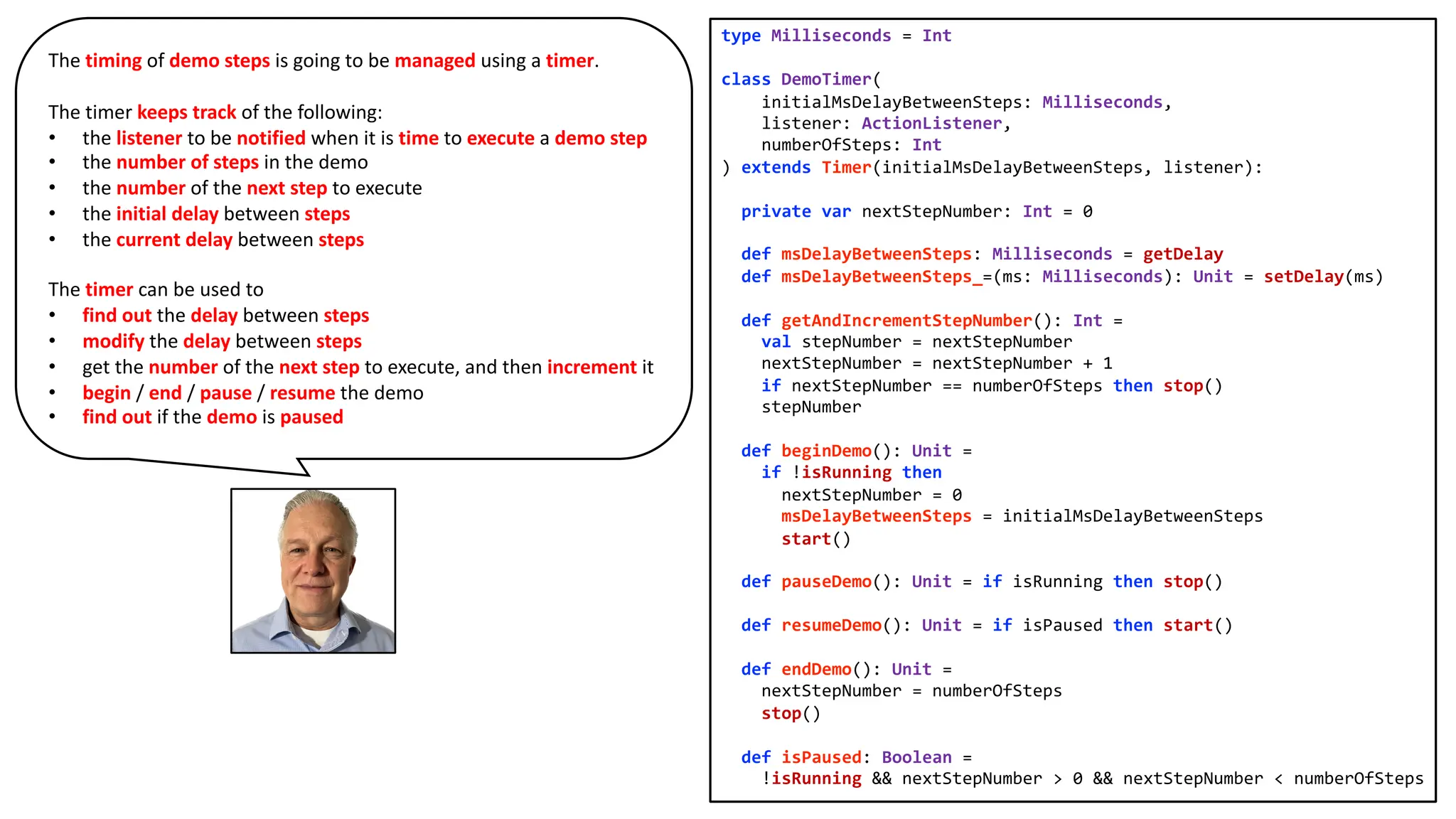
type Milliseconds =Int
class DemoTimer(
initialMsDelayBetweenSteps: Milliseconds,
listener: ActionListener,
numberOfSteps: Int
) extends Timer(initialMsDelayBetweenSteps, listener):
private var nextStepNumber: Int = 0
def msDelayBetweenSteps: Milliseconds = getDelay
def msDelayBetweenSteps_=(ms: Milliseconds): Unit = setDelay(ms)
def getAndIncrementStepNumber(): Int =
val stepNumber = nextStepNumber
nextStepNumber = nextStepNumber + 1
if nextStepNumber == numberOfSteps then stop()
stepNumber
def beginDemo(): Unit =
if !isRunning then
nextStepNumber = 0
msDelayBetweenSteps = initialMsDelayBetweenSteps
start()
def pauseDemo(): Unit = if isRunning then stop()
def resumeDemo(): Unit = if isPaused then start()
def endDemo(): Unit =
nextStepNumber = numberOfSteps
stop()
def isPaused: Boolean =
!isRunning && nextStepNumber > 0 && nextStepNumber < numberOfSteps
The timing of demo steps is going to be managed using a timer.
The timer keeps track of the following:
• the listener to be notified when it is time to execute a demo step
• the number of steps in the demo
• the number of the next step to execute
• the initial delay between steps
• the current delay between steps
The timer can be used to
• find out the delay between steps
• modify the delay between steps
• get the number of the next step to execute, and then increment it
• begin / end / pause / resume the demo
• find out if the demo is paused
11.
object Demo:
type Step= DragonAction | DemoAction
def numberOfSteps = stepByNumber.size
val stepByNumber: Map[Int, Step] =
List(
List.fill(10)(DragonAction.GrowOlder),
List.fill(4)(DemoAction.GoSlower),
List.fill(10)(DragonAction.GrowOlder),
List.fill(10)(DemoAction.Sleep),
List.fill(4)(DemoAction.GoSlower),
List.fill(4)(DragonAction.GrowYounger),
List.fill(5)(DragonAction.MoveLeft),
List.fill(2)(DragonAction.MoveUp),
List.fill(3)(DragonAction.GrowLarger),
List.fill(4)(DragonAction.GrowYounger),
List.fill(5)(DragonAction.MoveRight),
List.fill(2)(DragonAction.MoveDown),
List.fill(12)(DragonAction.GrowLarger),
List.fill(11)(DragonAction.GrowYounger),
List.fill(8)(DemoAction.GoFaster),
List.fill(20)(DragonAction.GrowLarger),
List.fill(80)(DragonAction.MoveLeft),
List.fill(40)(DragonAction.MoveUp),
List.fill(4)(DemoAction.GoSlower),
List.fill(7)(DragonAction.GrowOlder),
List.fill(11)(DragonAction.GrowSmaller),
<continued>
<continuing>
List.fill(4)(DragonAction.MoveRight),
List.fill(2)(DragonAction.MoveDown),
List
.fill(Direction.values.length)(
List(
List(DragonAction.ChangeOrientation),
List.fill(10)(DemoAction.Sleep)
).flatten
)
.flatten,
List(DragonAction.ChangeColourScheme),
List.fill(10)(DemoAction.Sleep),
List(DragonAction.ChangeColourScheme),
List.fill(10)(DemoAction.Sleep),
List.fill(3)(DragonAction.GrowYounger),
List.fill(9)(DragonAction.GrowSmaller),
List.fill(12)(DemoAction.GoFaster),
List.fill(14)(DragonAction.MoveRight),
List.fill(6)(DragonAction.MoveDown),
List.fill(10)(DemoAction.Sleep),
List.fill(17)(DragonAction.GrowSmaller),
List.fill(5)(DragonAction.GrowYounger),
List.fill(10)(DemoAction.Sleep),
List.fill(20)(DragonAction.GrowOlder),
List.fill(10)(DemoAction.GoSlower),
List.fill(10)(DemoAction.Sleep),
List(DemoAction.End)
).flatten.zipWithIndex.map { case (v, k) => k -> v }.toMap
The demo is defined as a map from a step number to a demo step,
with the latter being either a DragonAction or a DemoAction.
12.
class ApplicationMenu(actionListener: ActionListener)extends Menu("Application"):
menuItemDetails.foreach { case action -> keyCode =>
val item = MenuItem(action.toString, MenuShortcut(keyCode))
add(item)
item.addActionListener(actionListener)
}
object ApplicationMenu:
private val menuItemDetails : List[(action: ApplicationAction, keyCode: Int)] = List(
ApplicationAction.Instructions -> KeyEvent.VK_I,
ApplicationAction.StartDemo -> KeyEvent.VK_D,
ApplicationAction.PauseDemo -> KeyEvent.VK_P,
ApplicationAction.ResumeDemo -> KeyEvent.VK_R,
ApplicationAction.StartAgain -> KeyEvent.VK_S,
ApplicationAction.Quit -> KeyEvent.VK_Q
)
val asText: String =
menuItemDetails
.map { case (action, keyCode) =>
s"CMD + ${KeyEvent.getKeyText(keyCode)} = ${action.text}"
}
.mkString("n")
We have already seen the menu for changing dragon parameters.
Here is the menu for managing the application.
13.
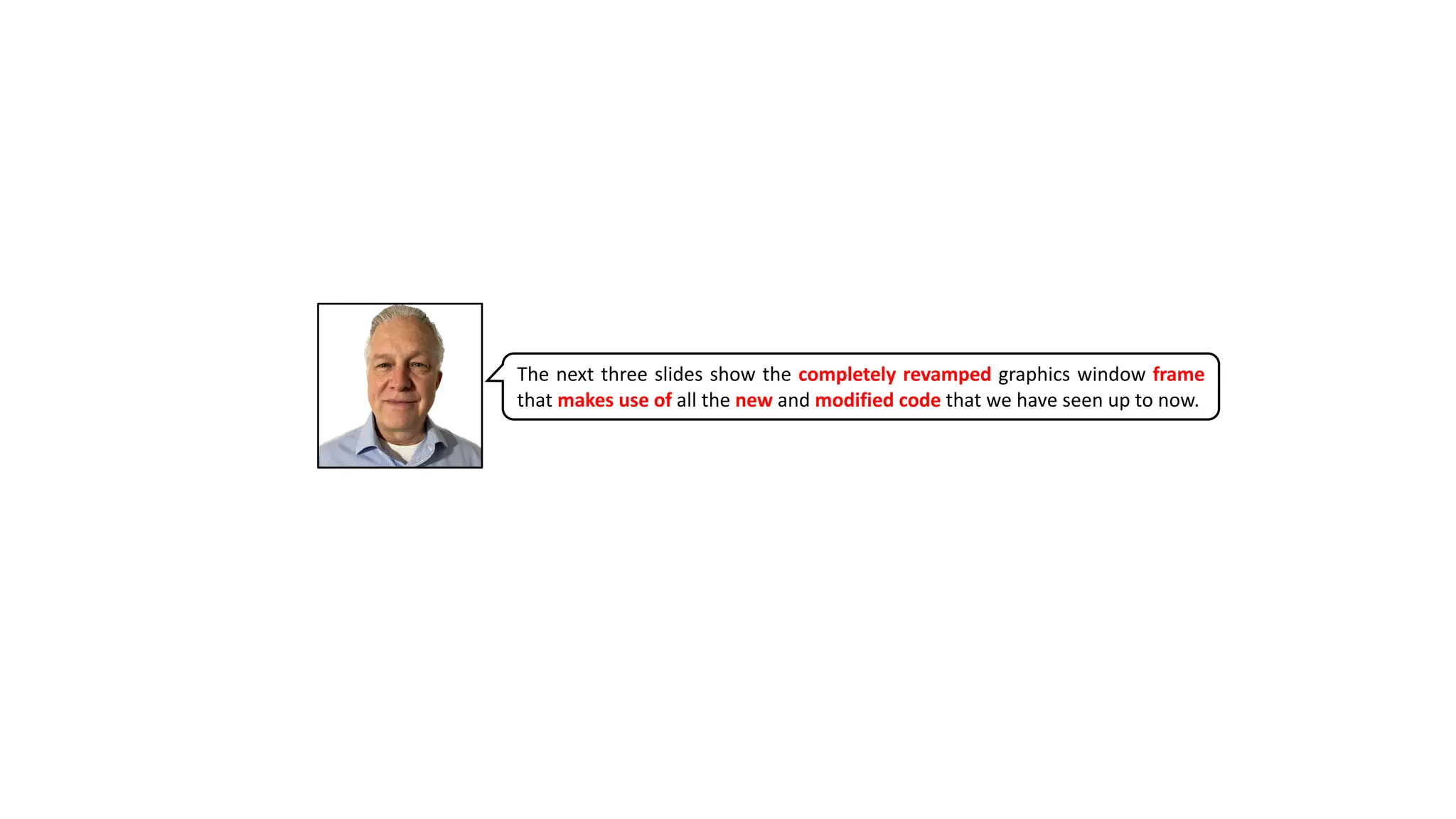
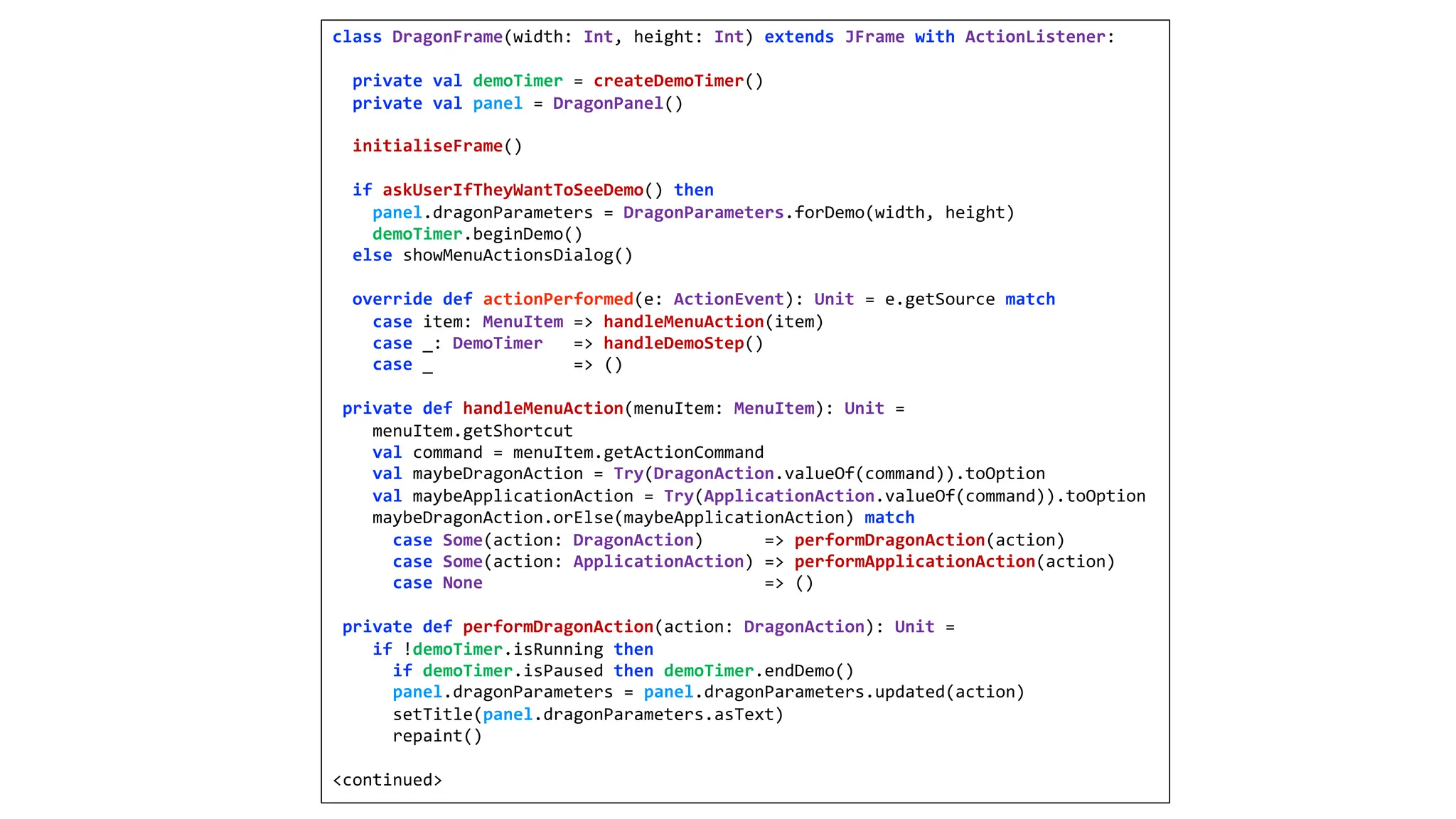
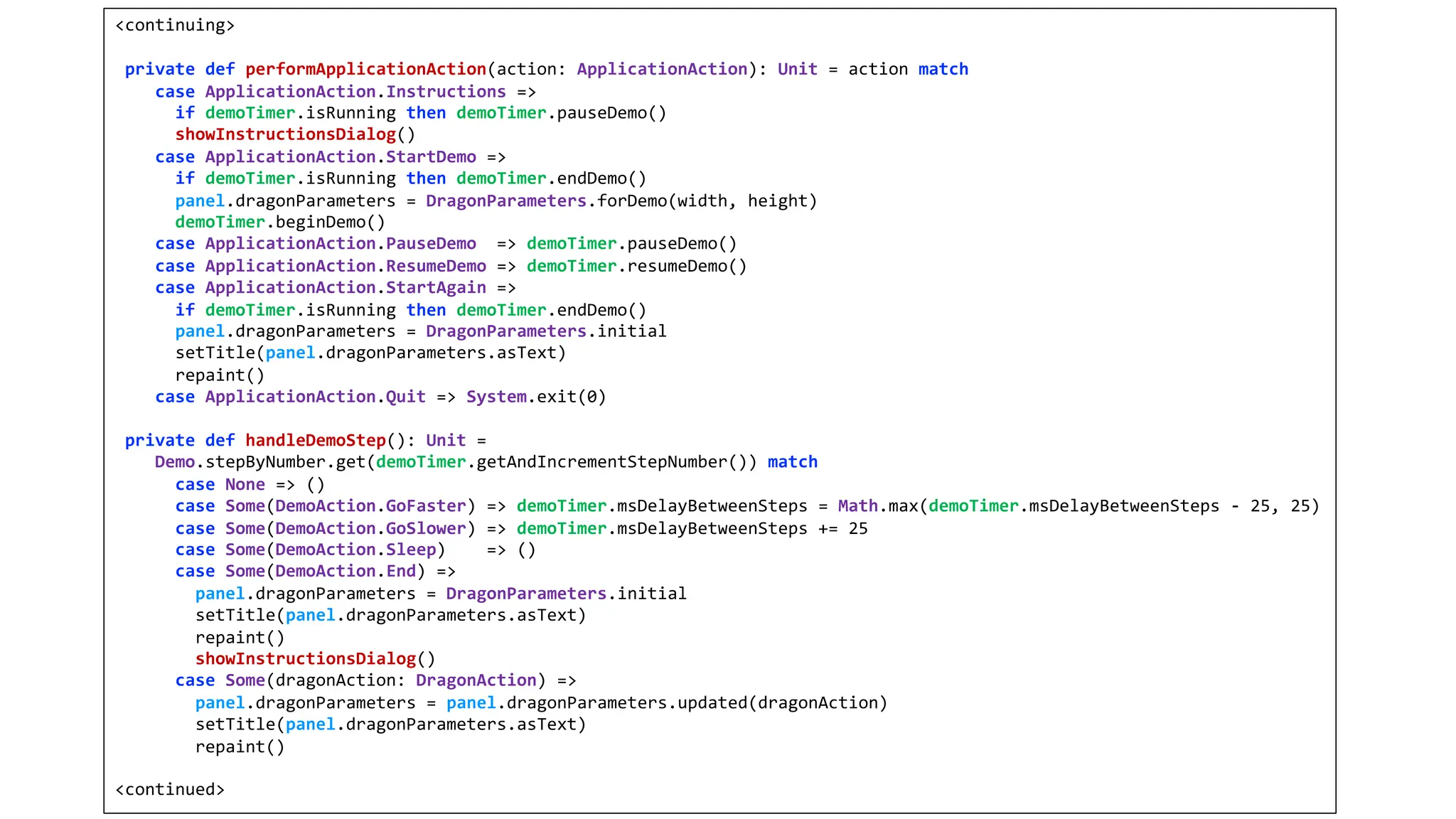
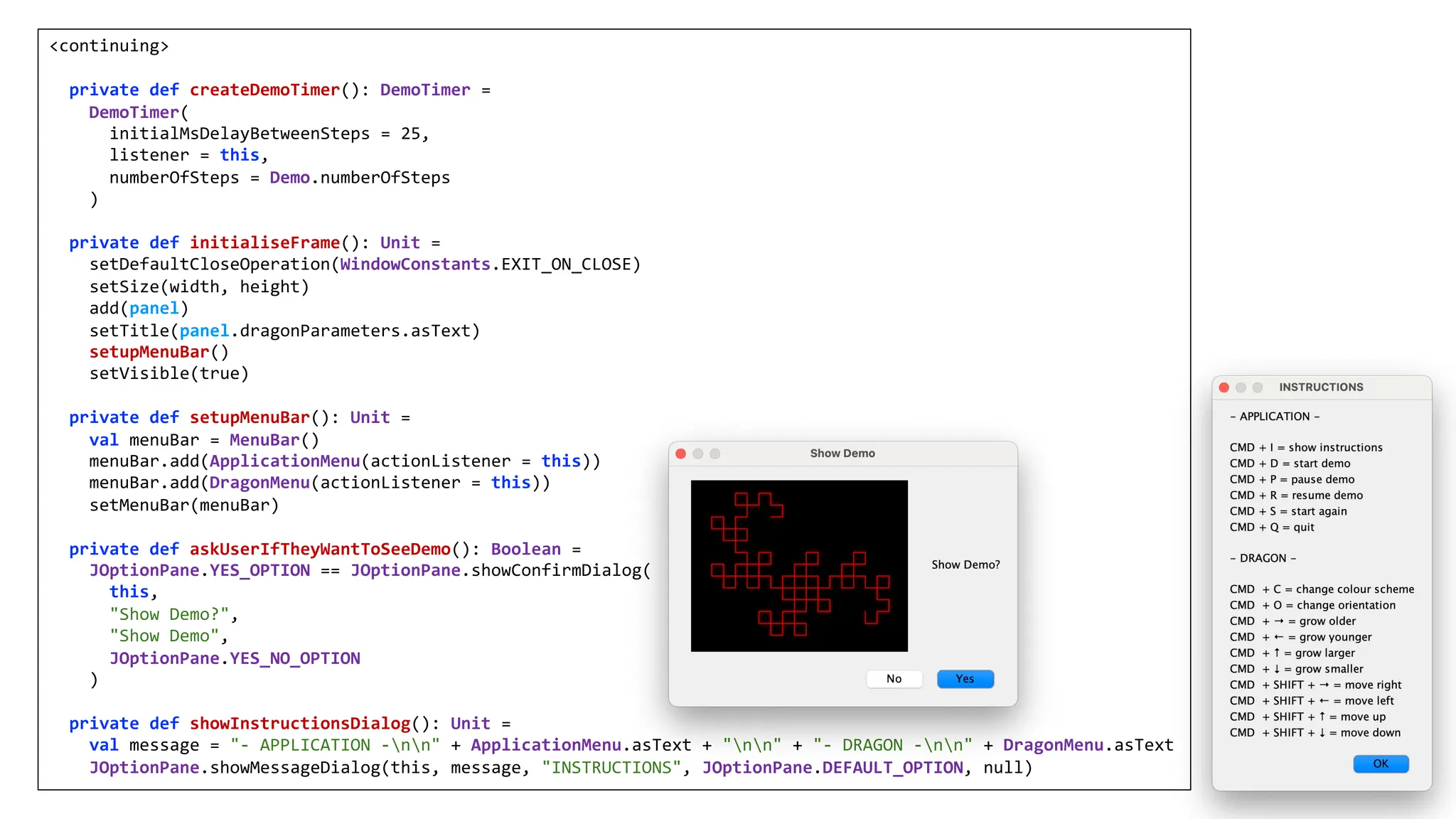
The next threeslides show the completely revamped graphics window frame
that makes use of all the new and modified code that we have seen up to now.
14.
class DragonFrame(width: Int,height: Int) extends JFrame with ActionListener:
private val demoTimer = createDemoTimer()
private val panel = DragonPanel()
initialiseFrame()
if askUserIfTheyWantToSeeDemo() then
panel.dragonParameters = DragonParameters.forDemo(width, height)
demoTimer.beginDemo()
else showMenuActionsDialog()
override def actionPerformed(e: ActionEvent): Unit = e.getSource match
case item: MenuItem => handleMenuAction(item)
case _: DemoTimer => handleDemoStep()
case _ => ()
private def handleMenuAction(menuItem: MenuItem): Unit =
menuItem.getShortcut
val command = menuItem.getActionCommand
val maybeDragonAction = Try(DragonAction.valueOf(command)).toOption
val maybeApplicationAction = Try(ApplicationAction.valueOf(command)).toOption
maybeDragonAction.orElse(maybeApplicationAction) match
case Some(action: DragonAction) => performDragonAction(action)
case Some(action: ApplicationAction) => performApplicationAction(action)
case None => ()
private def performDragonAction(action: DragonAction): Unit =
if !demoTimer.isRunning then
if demoTimer.isPaused then demoTimer.endDemo()
panel.dragonParameters = panel.dragonParameters.updated(action)
setTitle(panel.dragonParameters.asText)
repaint()
<continued>
15.
<continuing>
private def performApplicationAction(action:ApplicationAction): Unit = action match
case ApplicationAction.Instructions =>
if demoTimer.isRunning then demoTimer.pauseDemo()
showInstructionsDialog()
case ApplicationAction.StartDemo =>
if demoTimer.isRunning then demoTimer.endDemo()
panel.dragonParameters = DragonParameters.forDemo(width, height)
demoTimer.beginDemo()
case ApplicationAction.PauseDemo => demoTimer.pauseDemo()
case ApplicationAction.ResumeDemo => demoTimer.resumeDemo()
case ApplicationAction.StartAgain =>
if demoTimer.isRunning then demoTimer.endDemo()
panel.dragonParameters = DragonParameters.initial
setTitle(panel.dragonParameters.asText)
repaint()
case ApplicationAction.Quit => System.exit(0)
private def handleDemoStep(): Unit =
Demo.stepByNumber.get(demoTimer.getAndIncrementStepNumber()) match
case None => ()
case Some(DemoAction.GoFaster) => demoTimer.msDelayBetweenSteps = Math.max(demoTimer.msDelayBetweenSteps - 25, 25)
case Some(DemoAction.GoSlower) => demoTimer.msDelayBetweenSteps += 25
case Some(DemoAction.Sleep) => ()
case Some(DemoAction.End) =>
panel.dragonParameters = DragonParameters.initial
setTitle(panel.dragonParameters.asText)
repaint()
showInstructionsDialog()
case Some(dragonAction: DragonAction) =>
panel.dragonParameters = panel.dragonParameters.updated(dragonAction)
setTitle(panel.dragonParameters.asText)
repaint()
<continued>
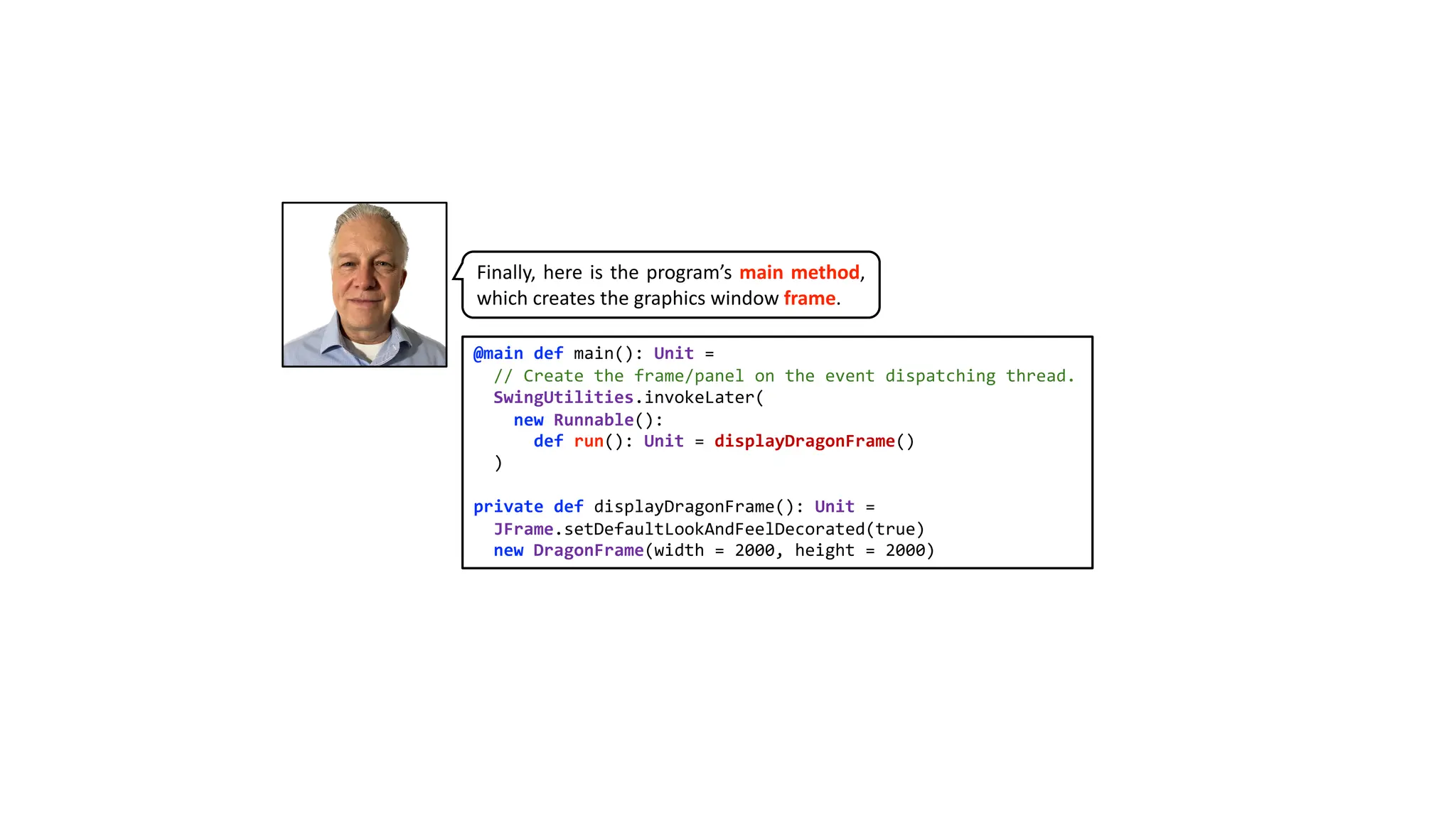
@main def main():Unit =
// Create the frame/panel on the event dispatching thread.
SwingUtilities.invokeLater(
new Runnable():
def run(): Unit = displayDragonFrame()
)
private def displayDragonFrame(): Unit =
JFrame.setDefaultLookAndFeelDecorated(true)
new DragonFrame(width = 2000, height = 2000)
Finally, here is the program’s main method,
which creates the graphics window frame.
18.
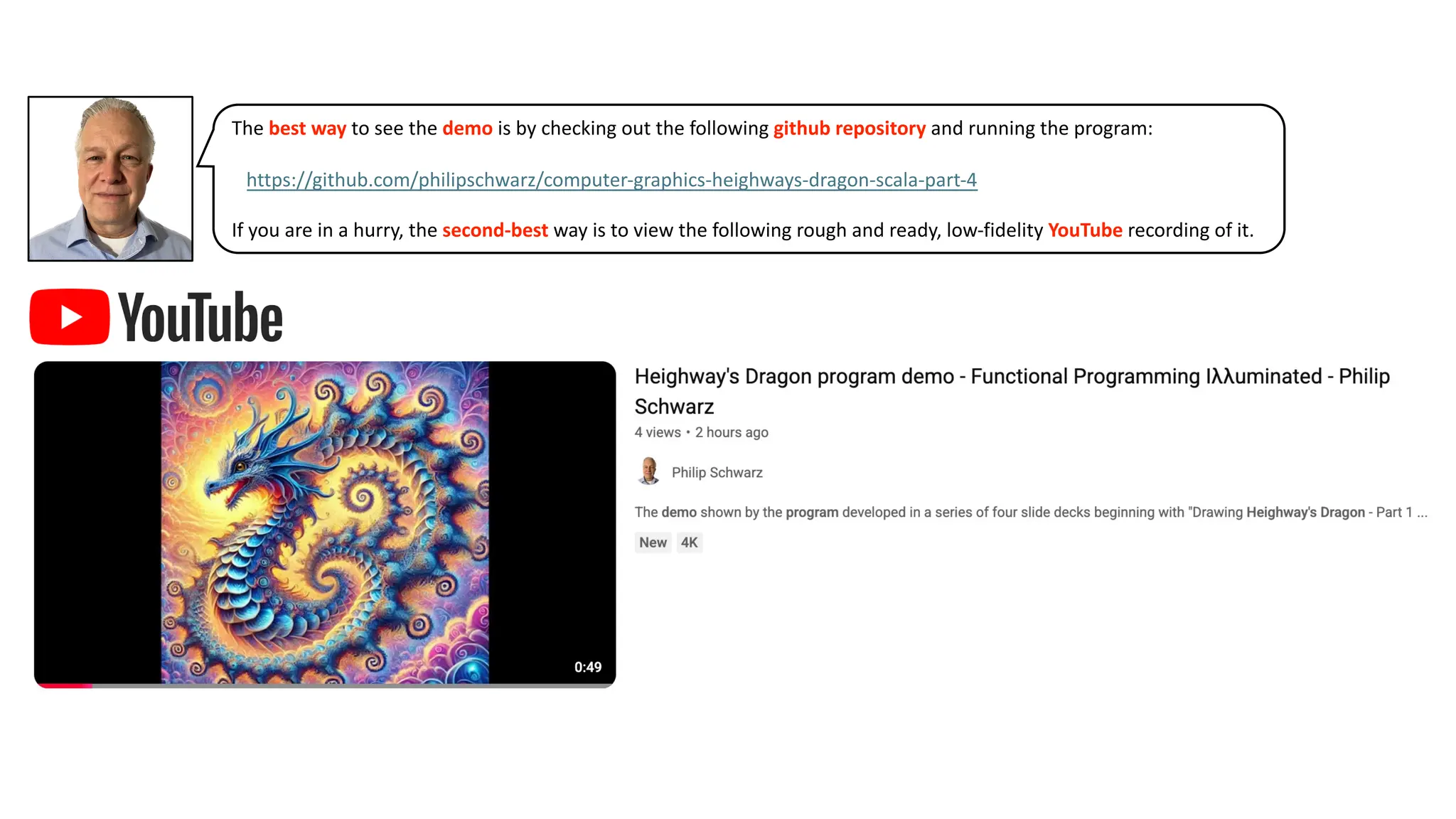
The best wayto see the demo is by checking out the following github repository and running the program:
…https://github.com/philipschwarz/computer-graphics-heighways-dragon-scala-part-4
If you are in a hurry, the second-best way is to view the following rough and ready, low-fidelity YouTube recording of it.
19.
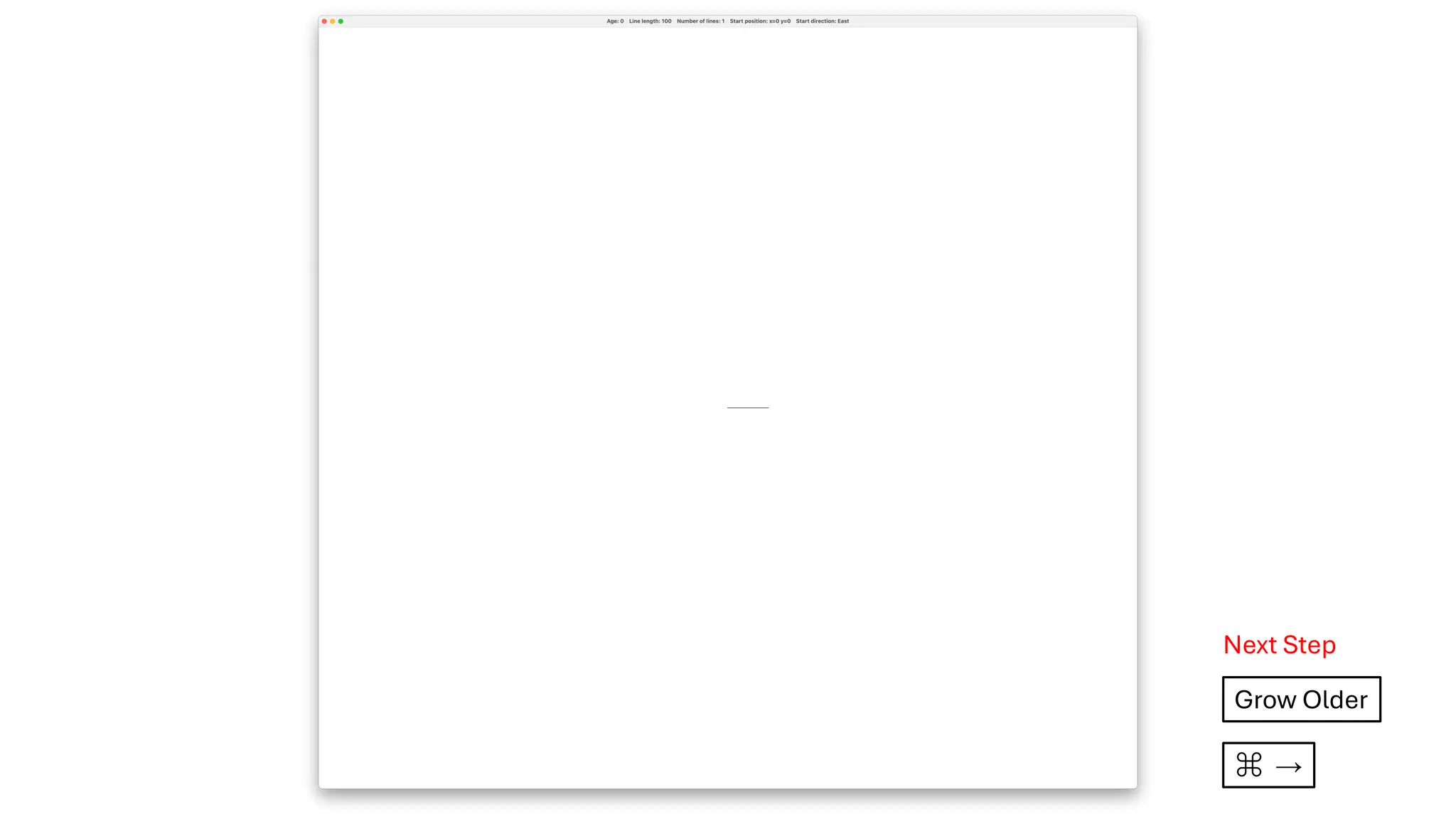
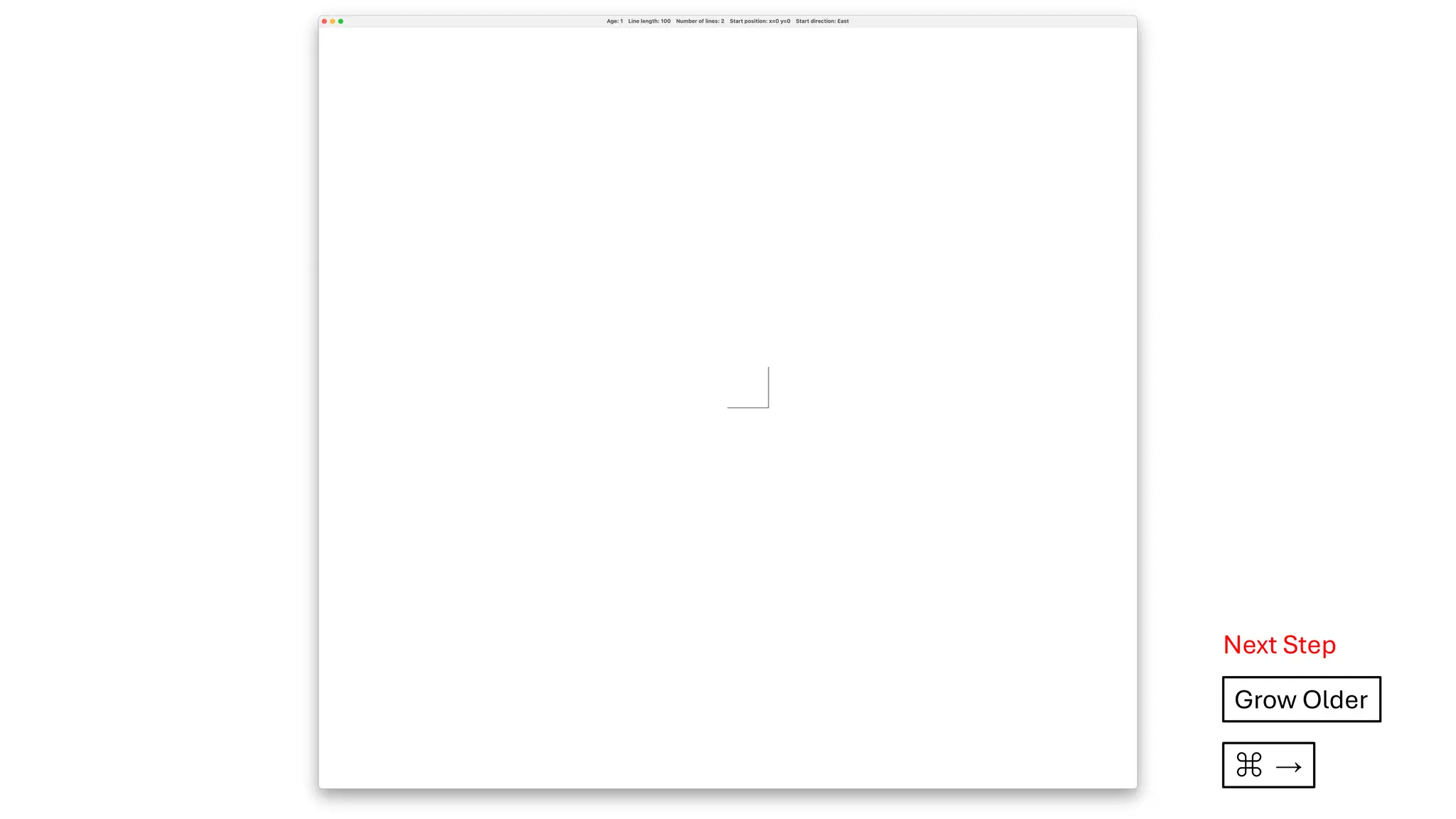
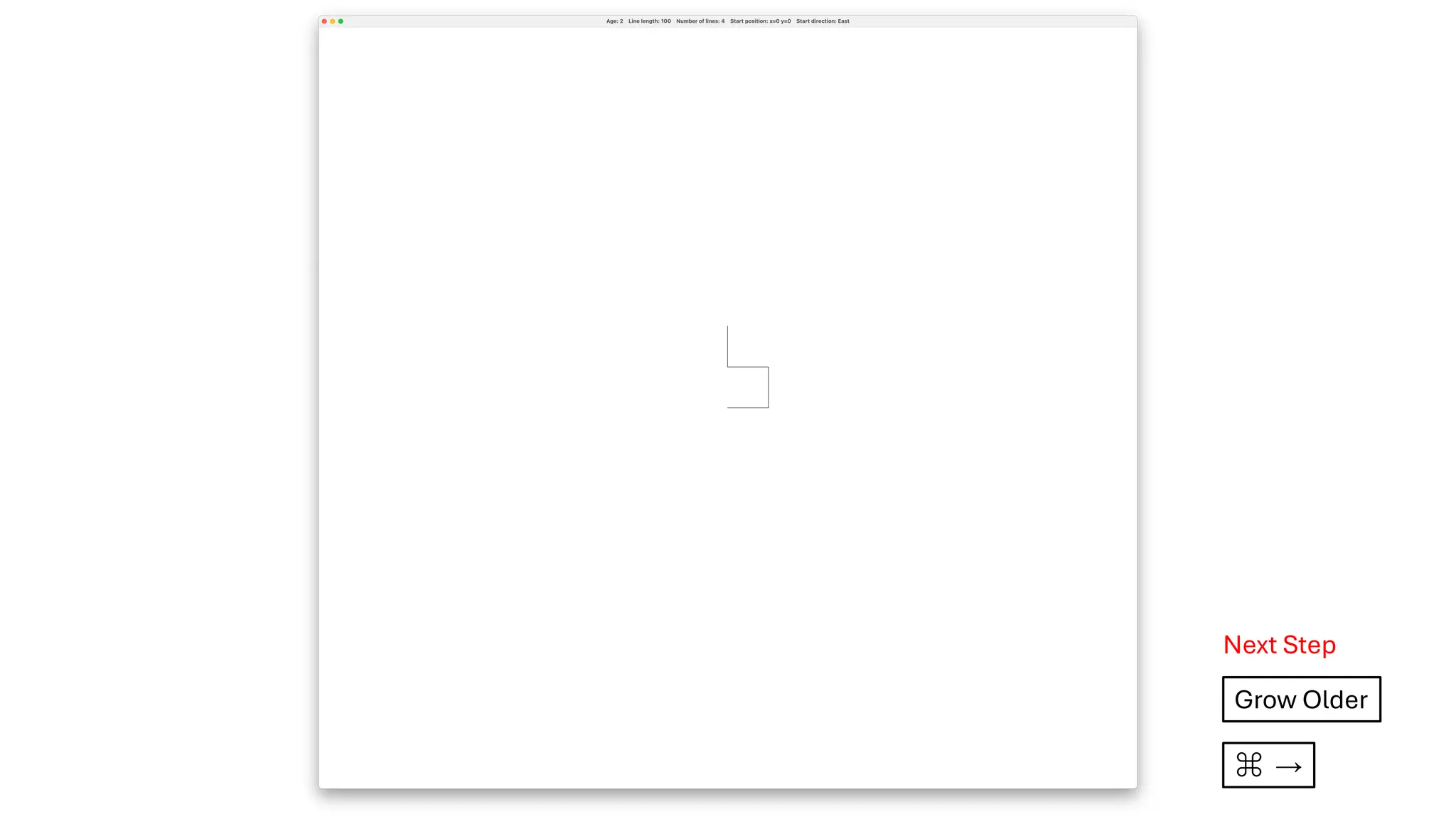
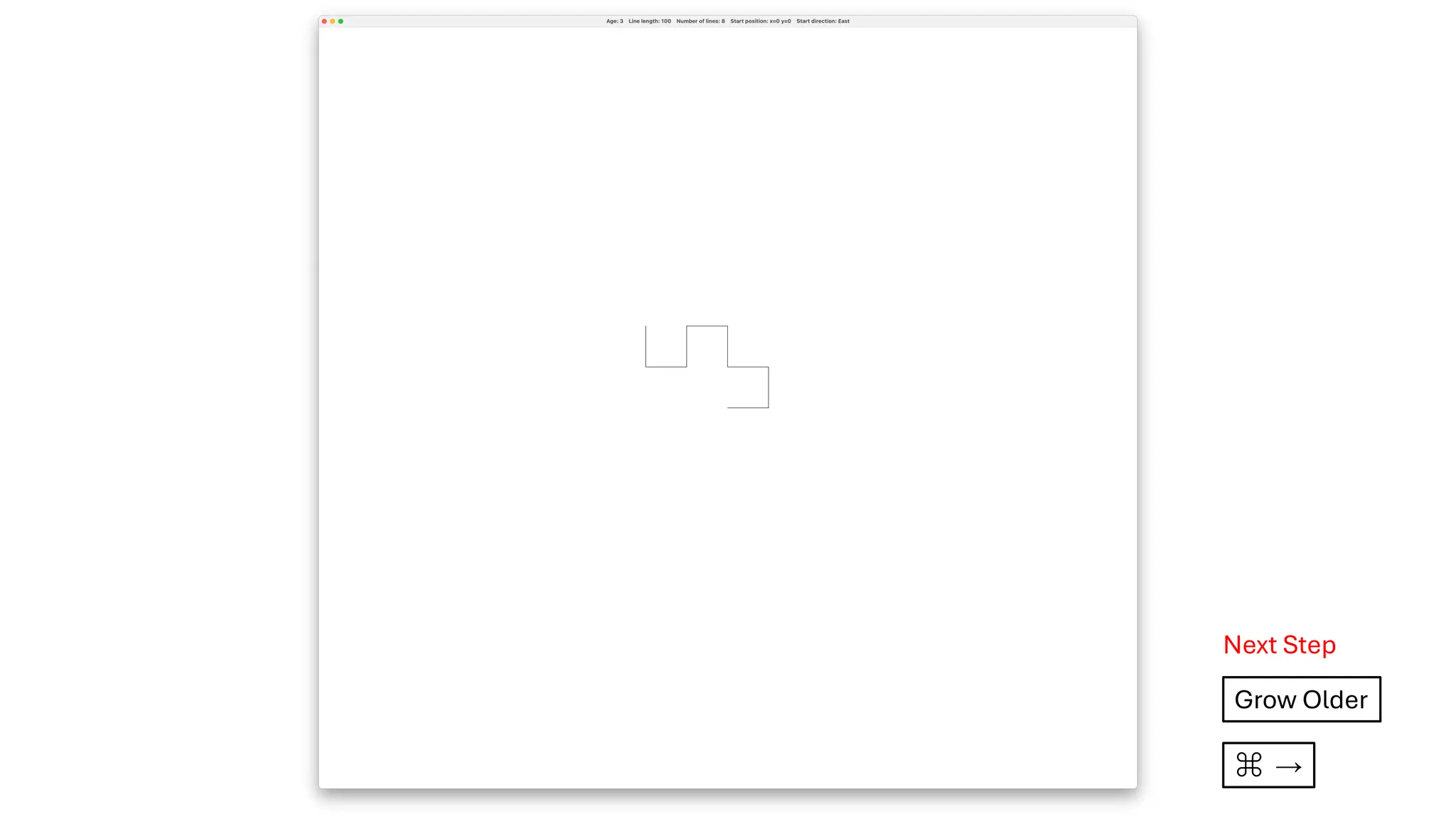
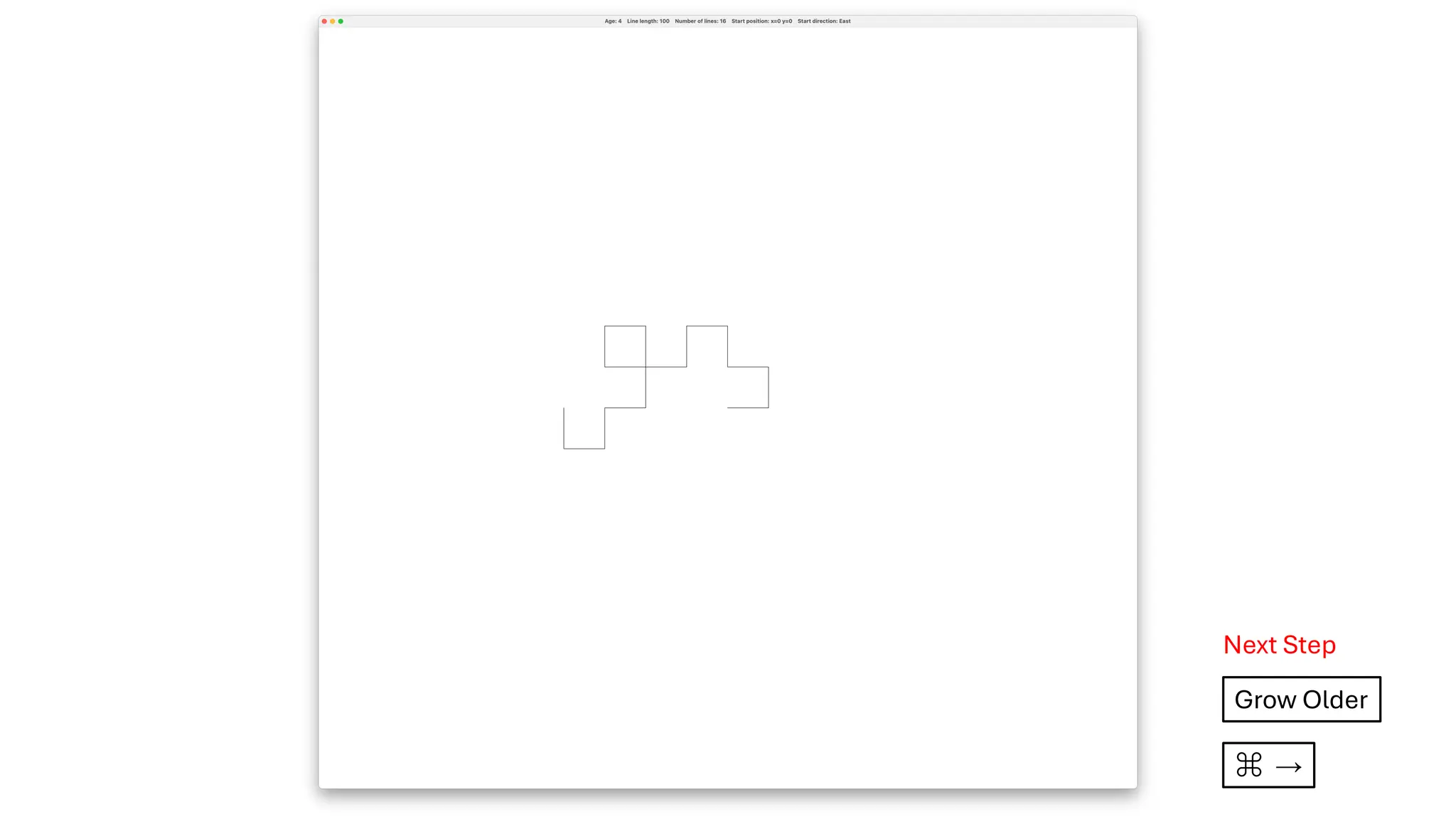
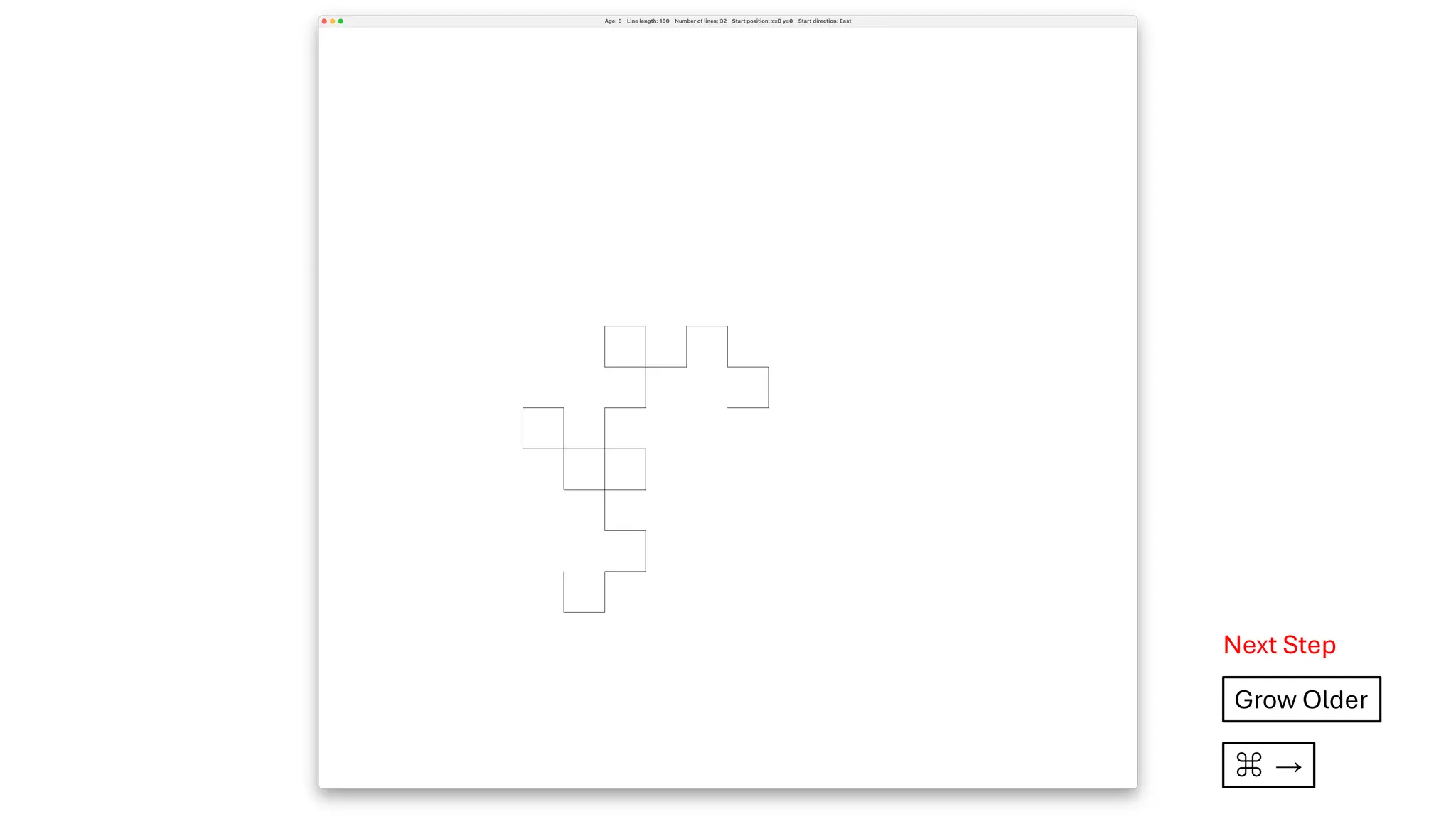
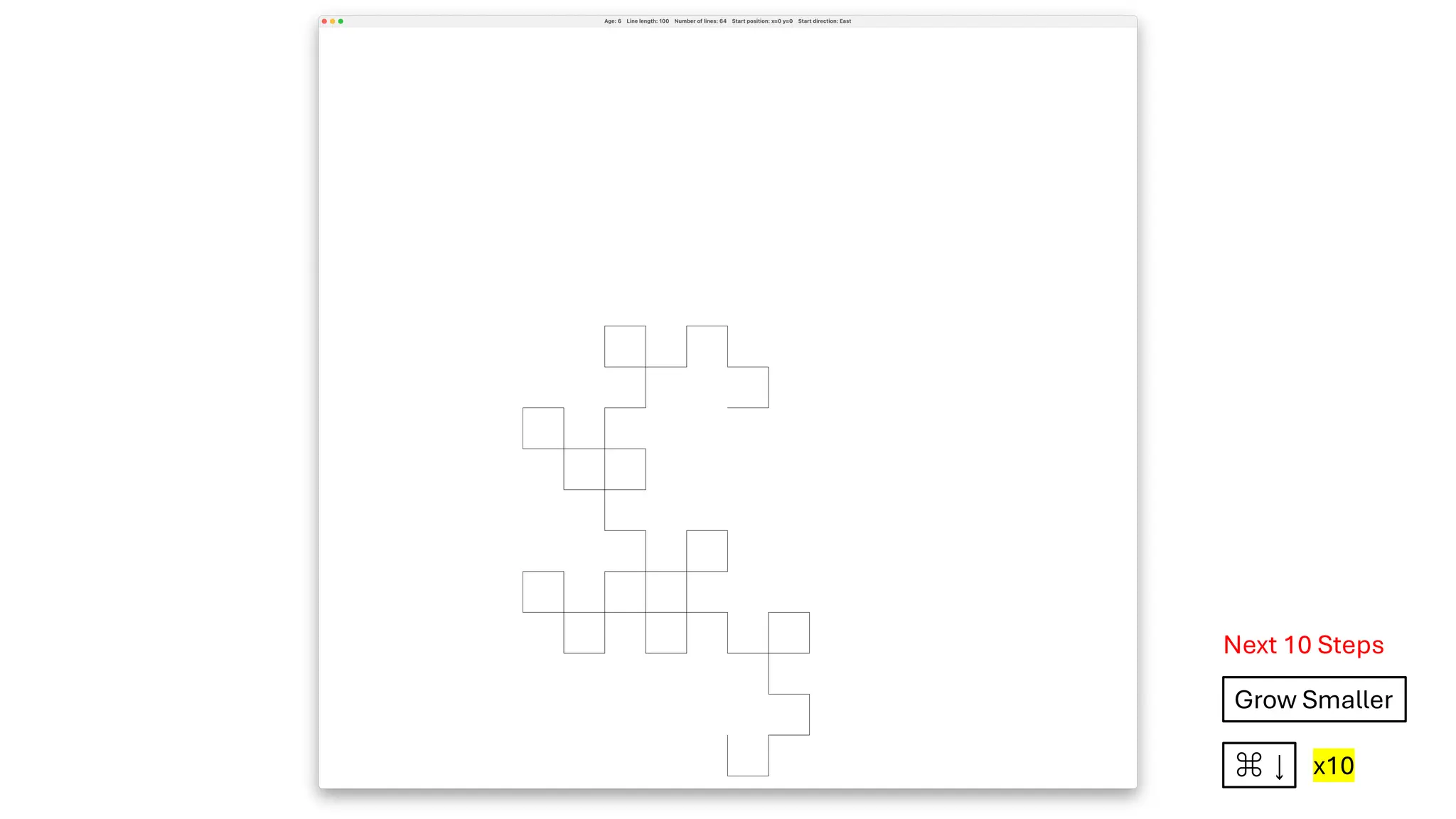
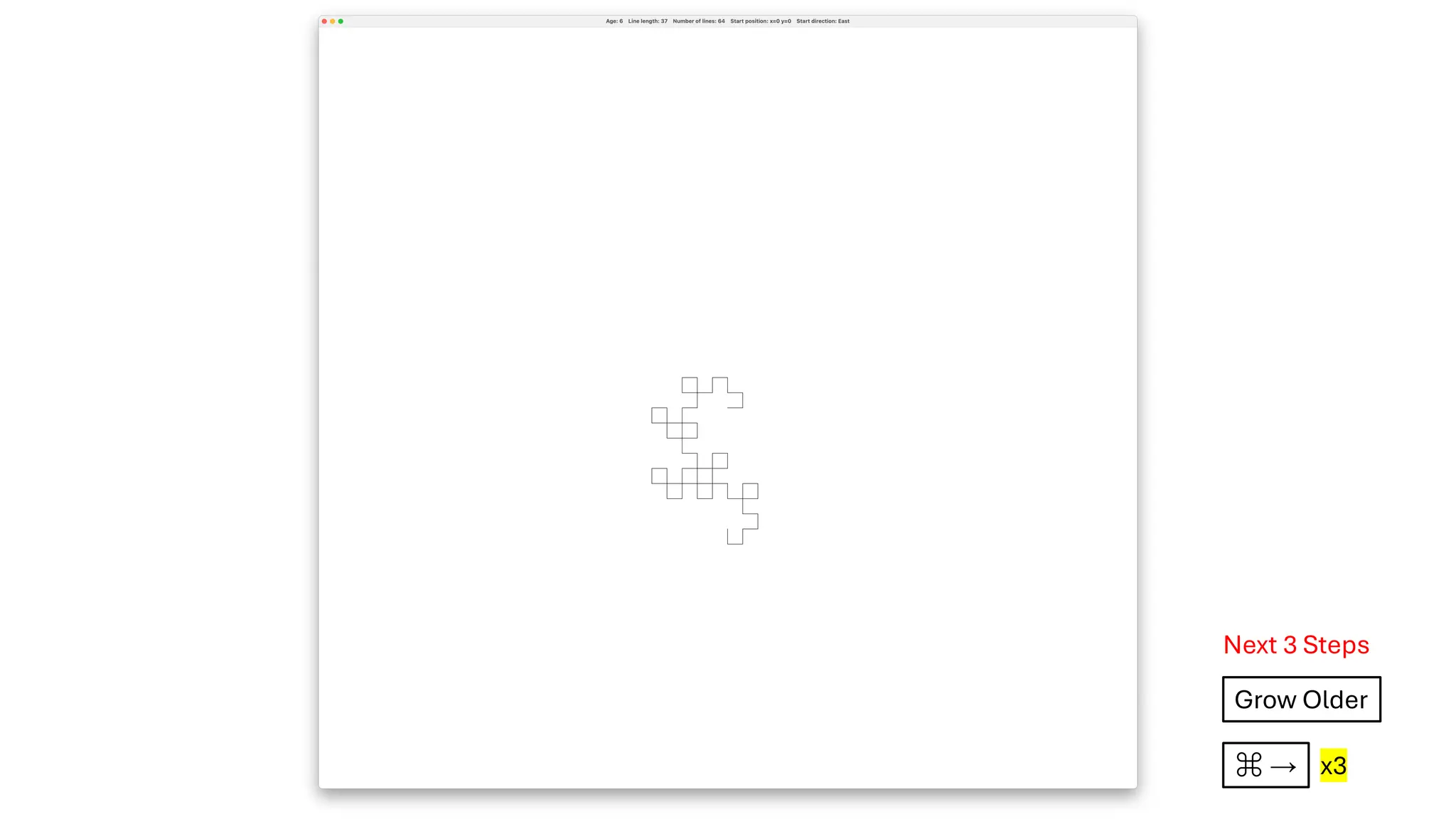
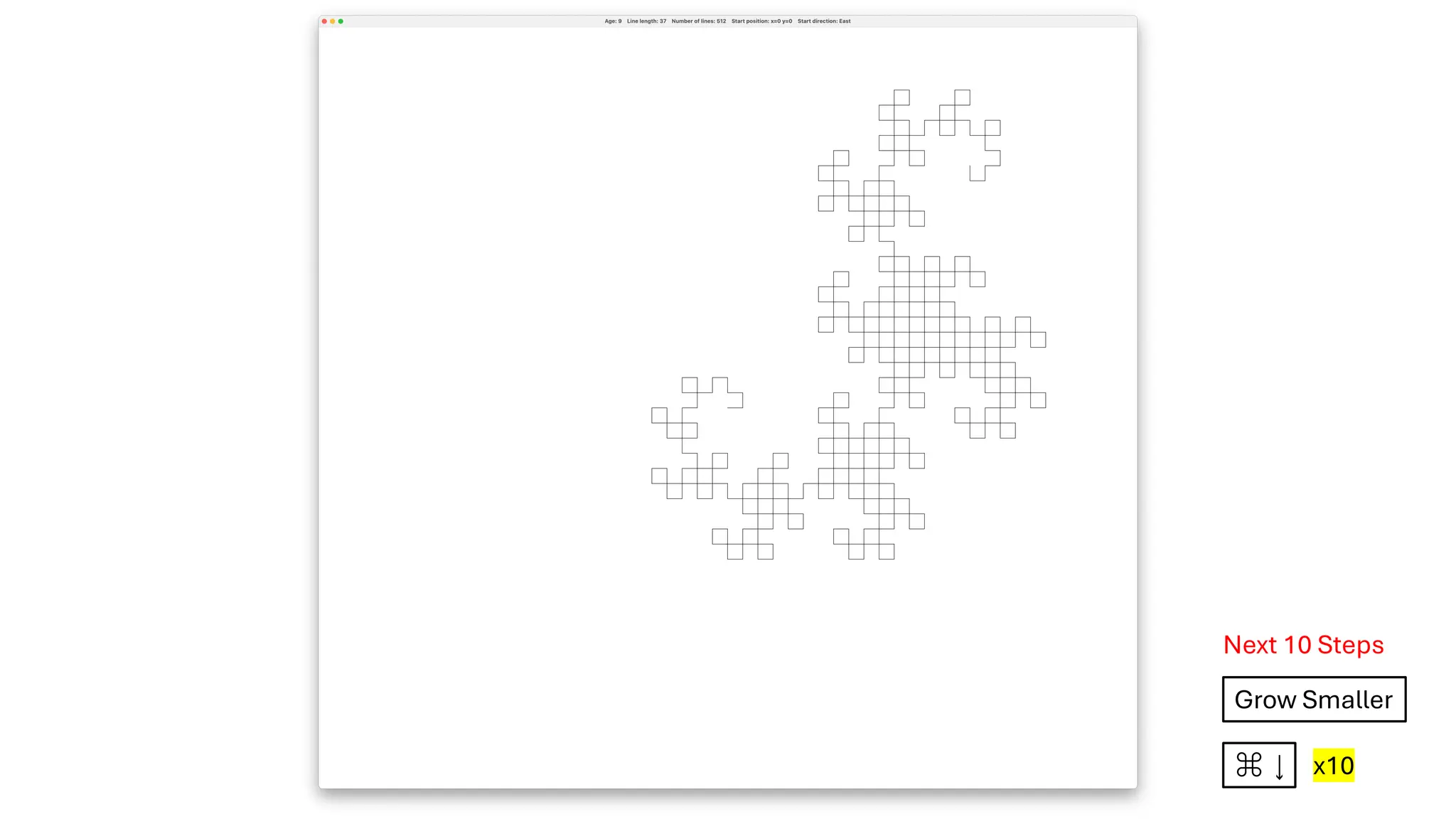
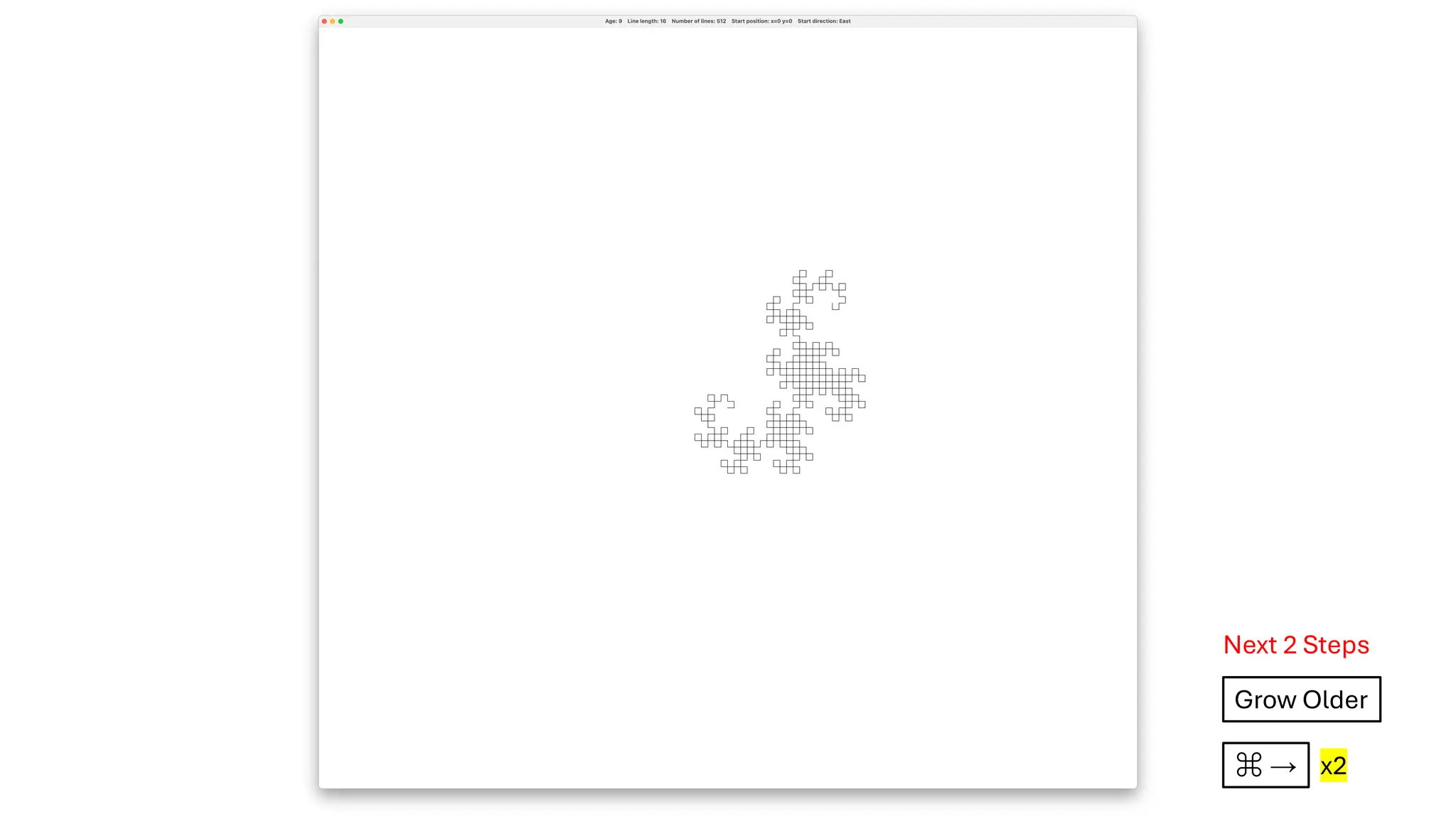
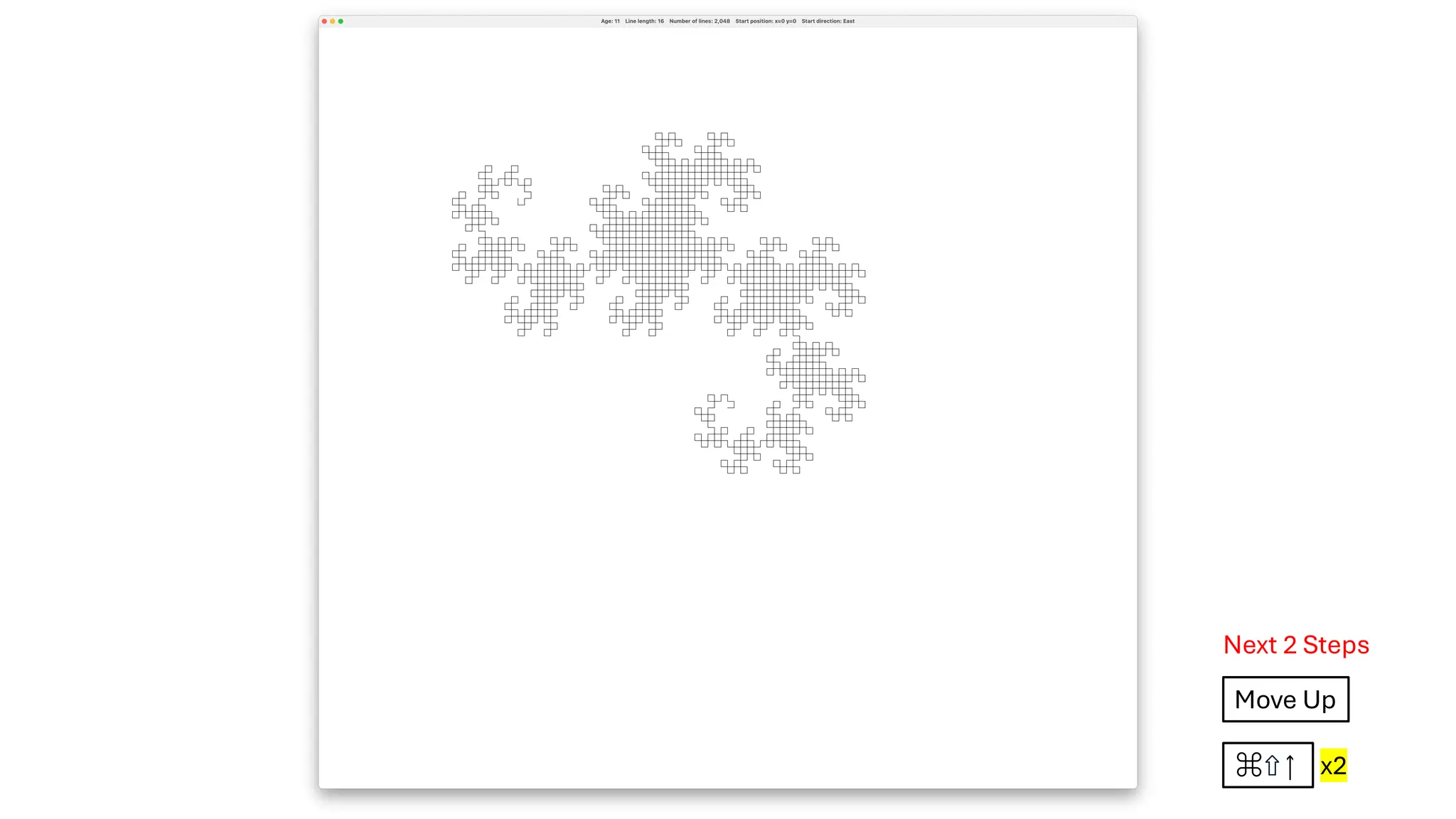
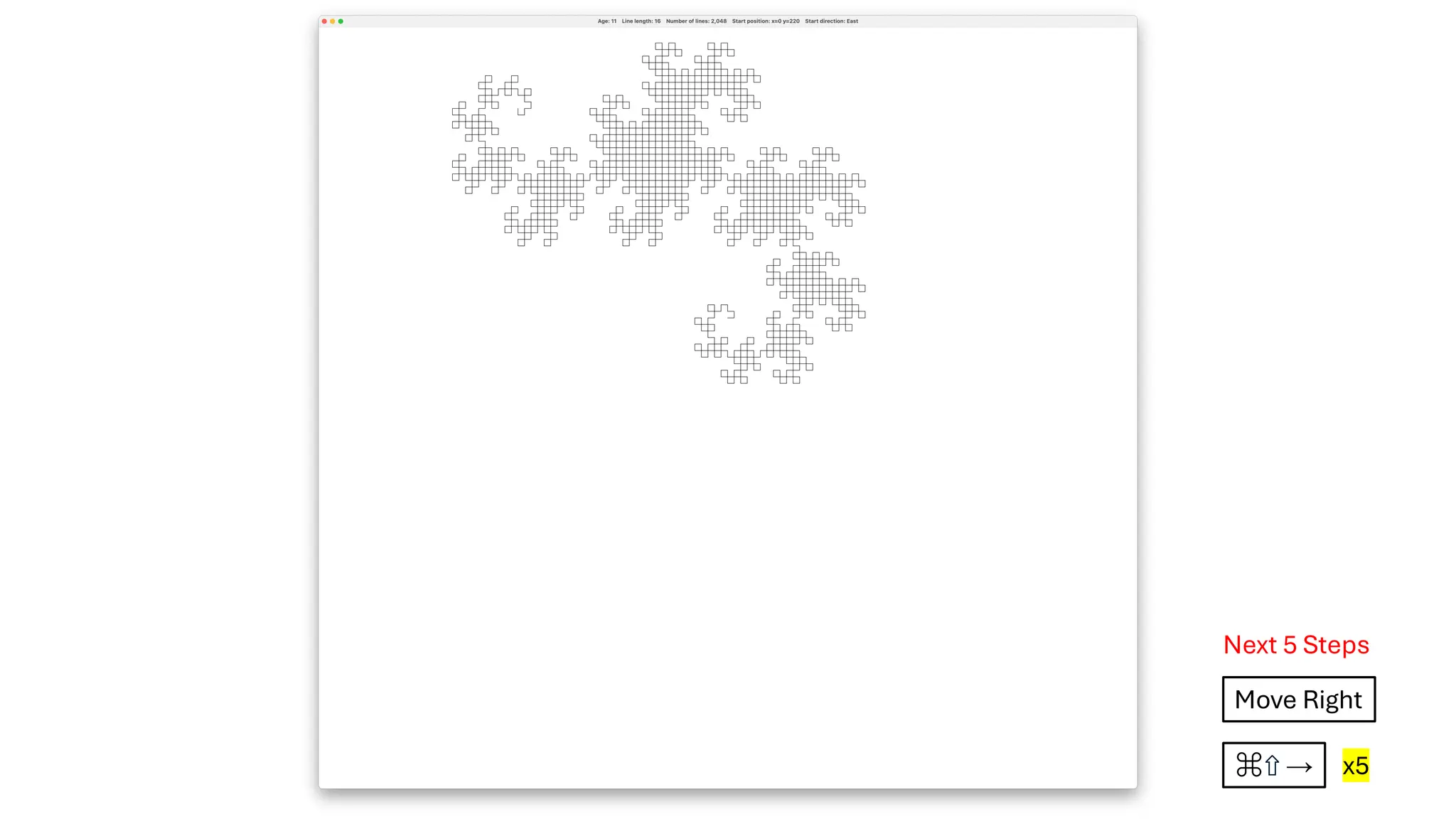
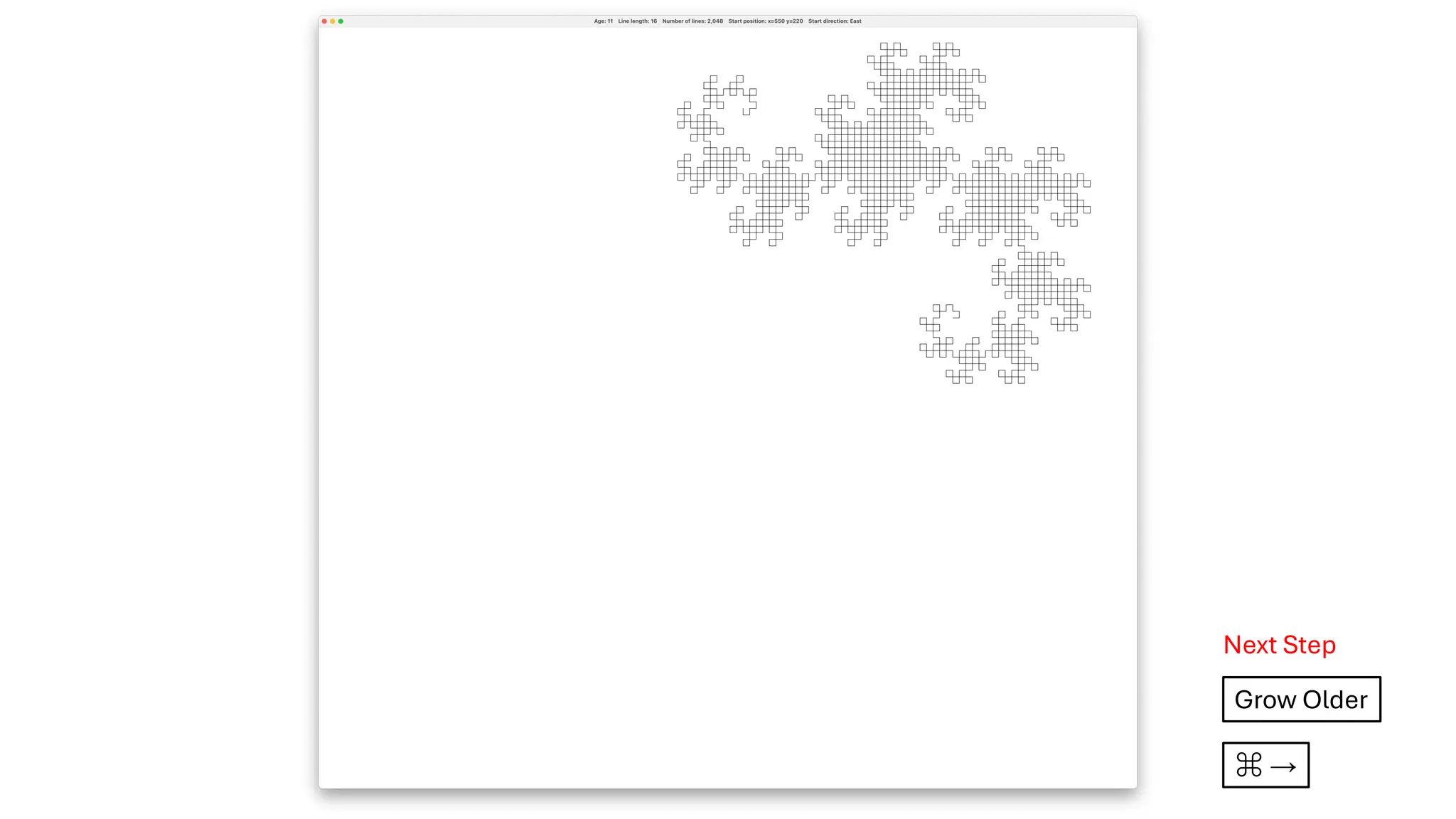
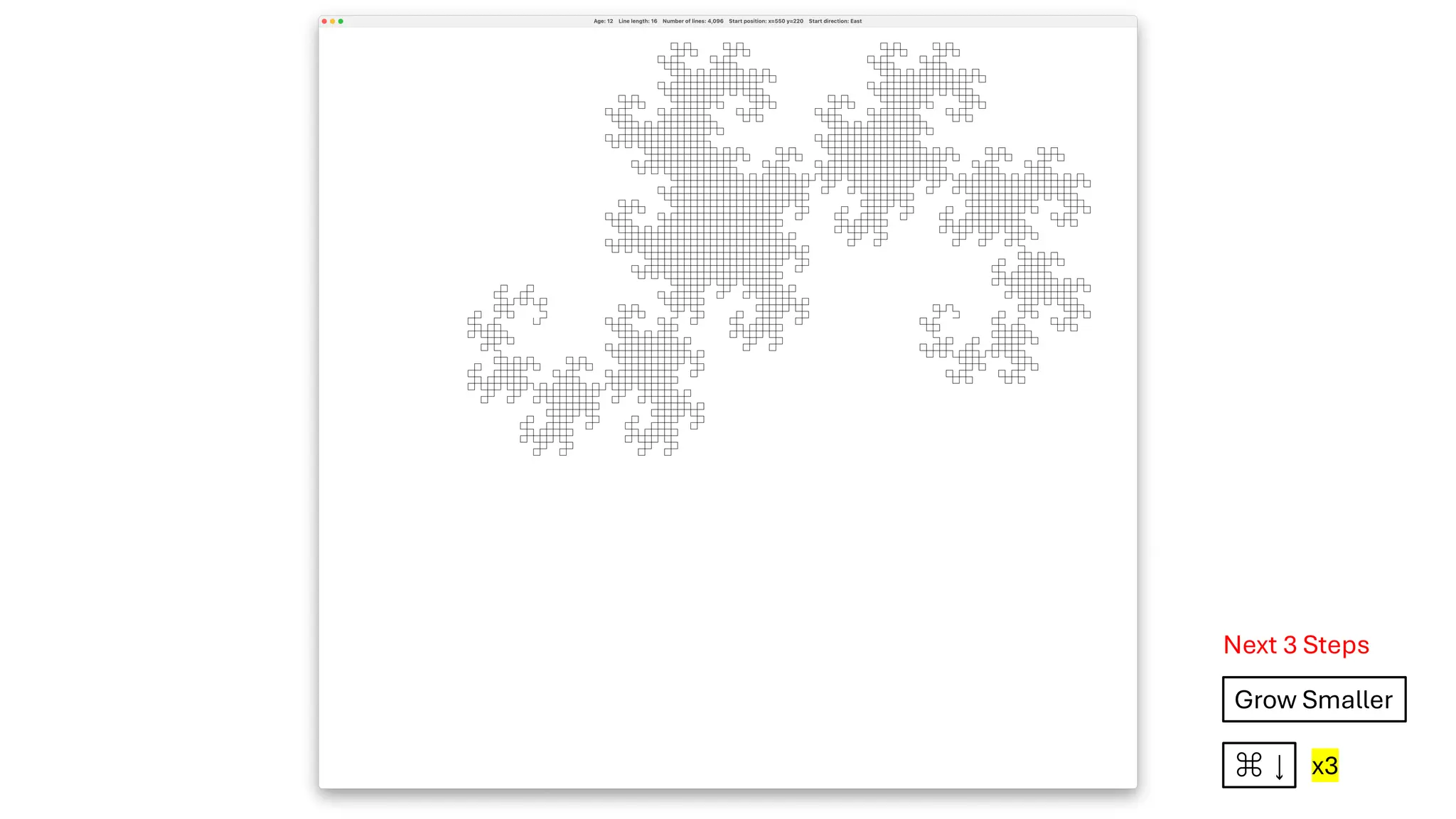
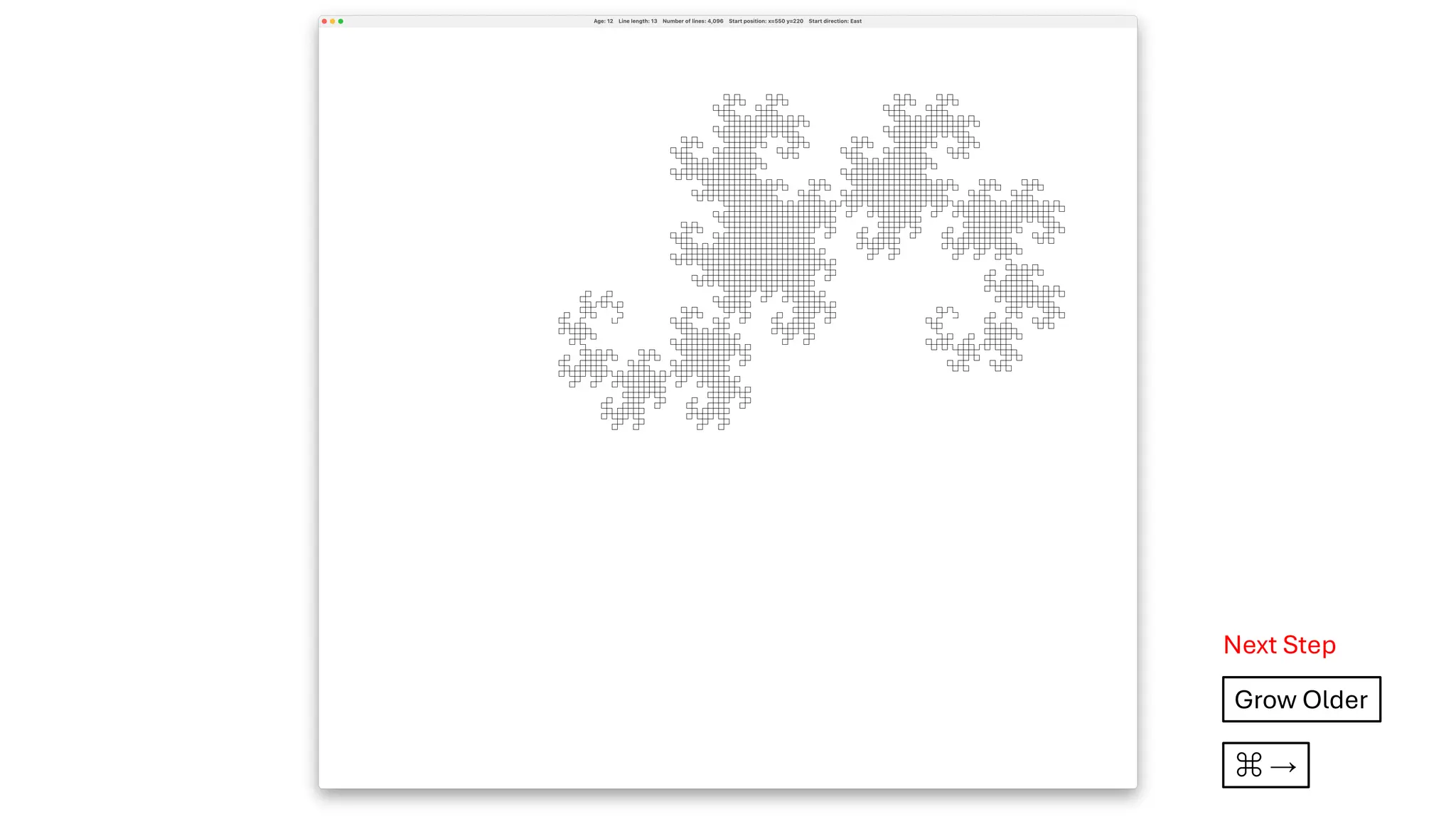
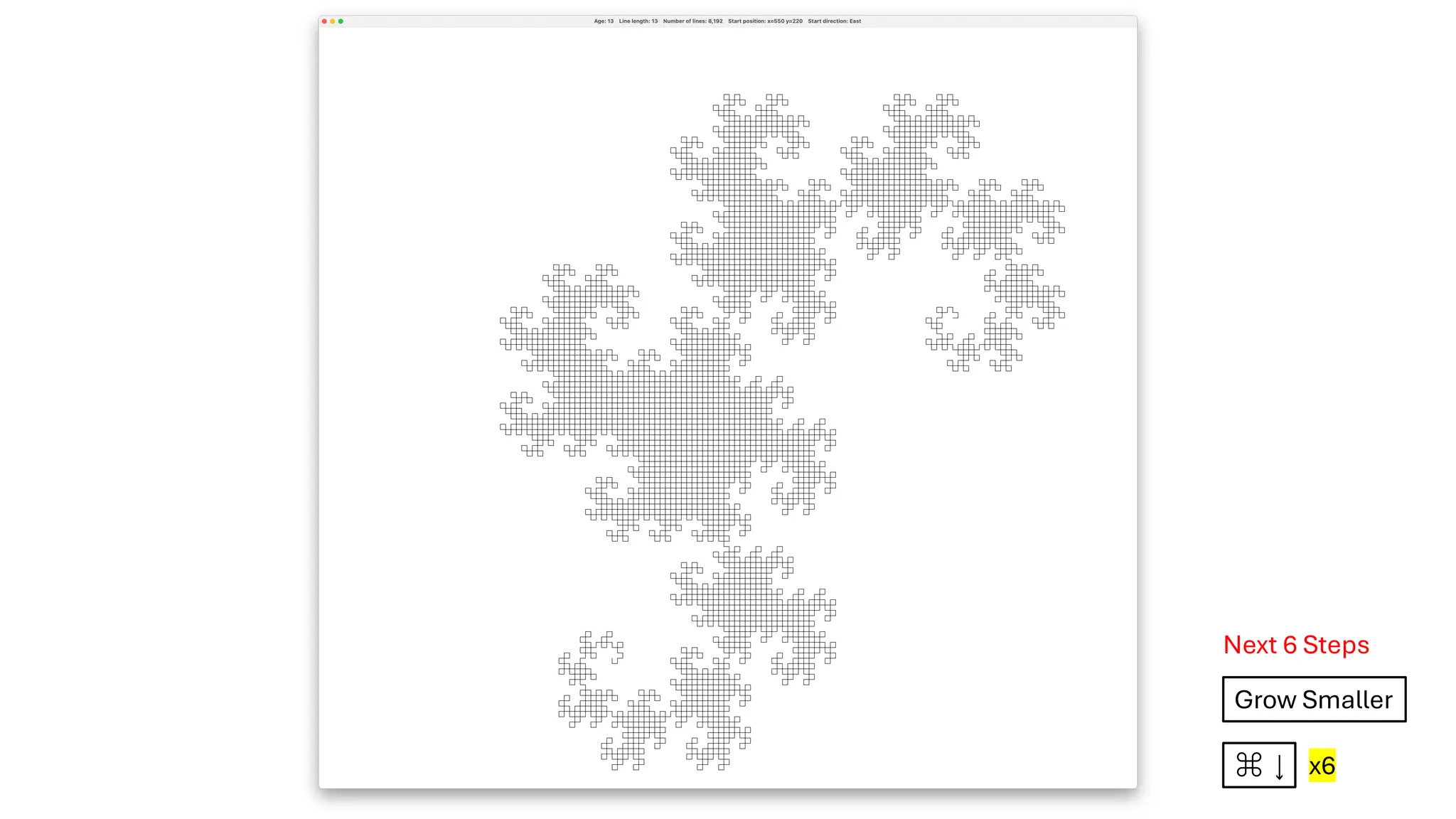
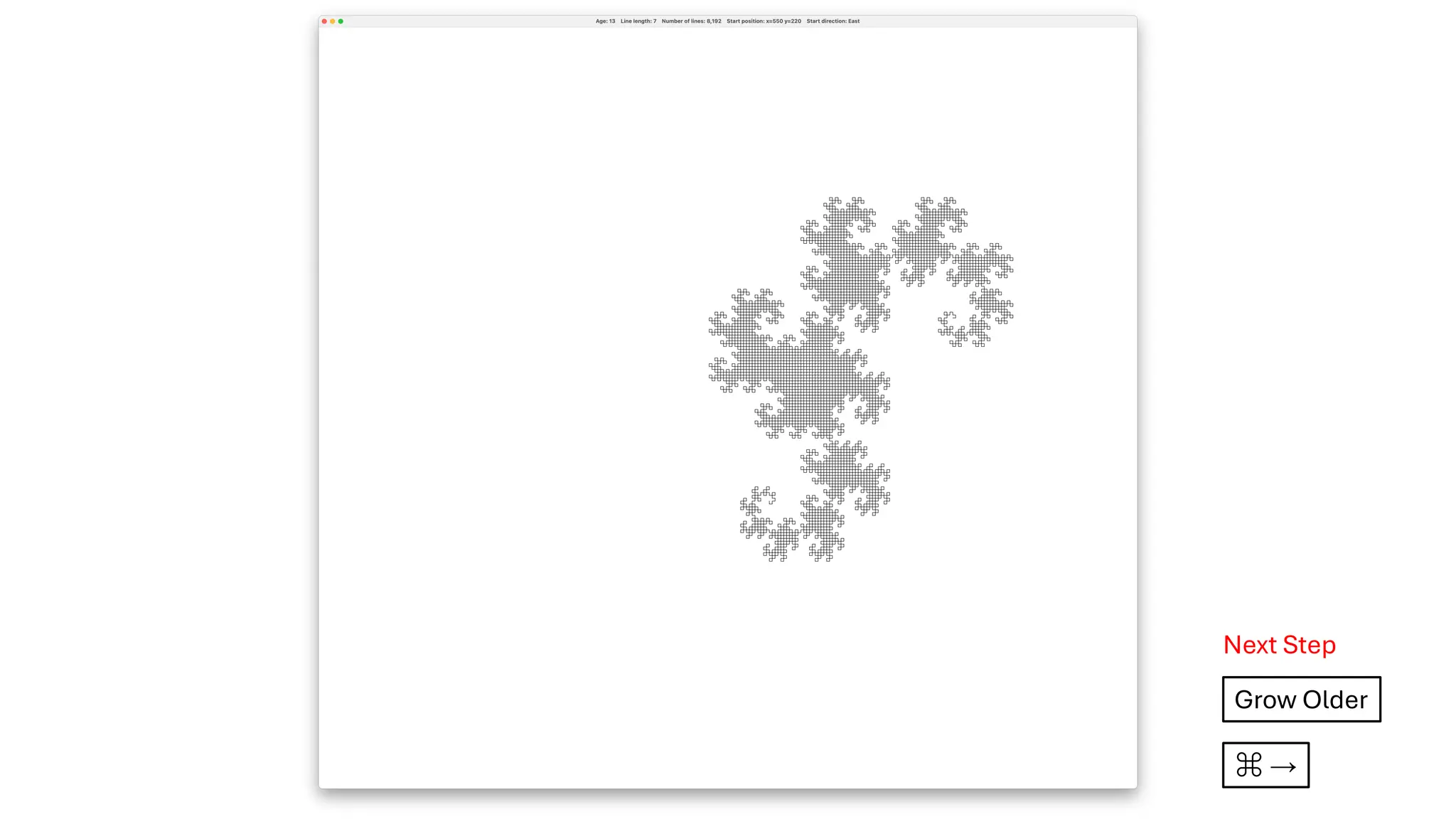
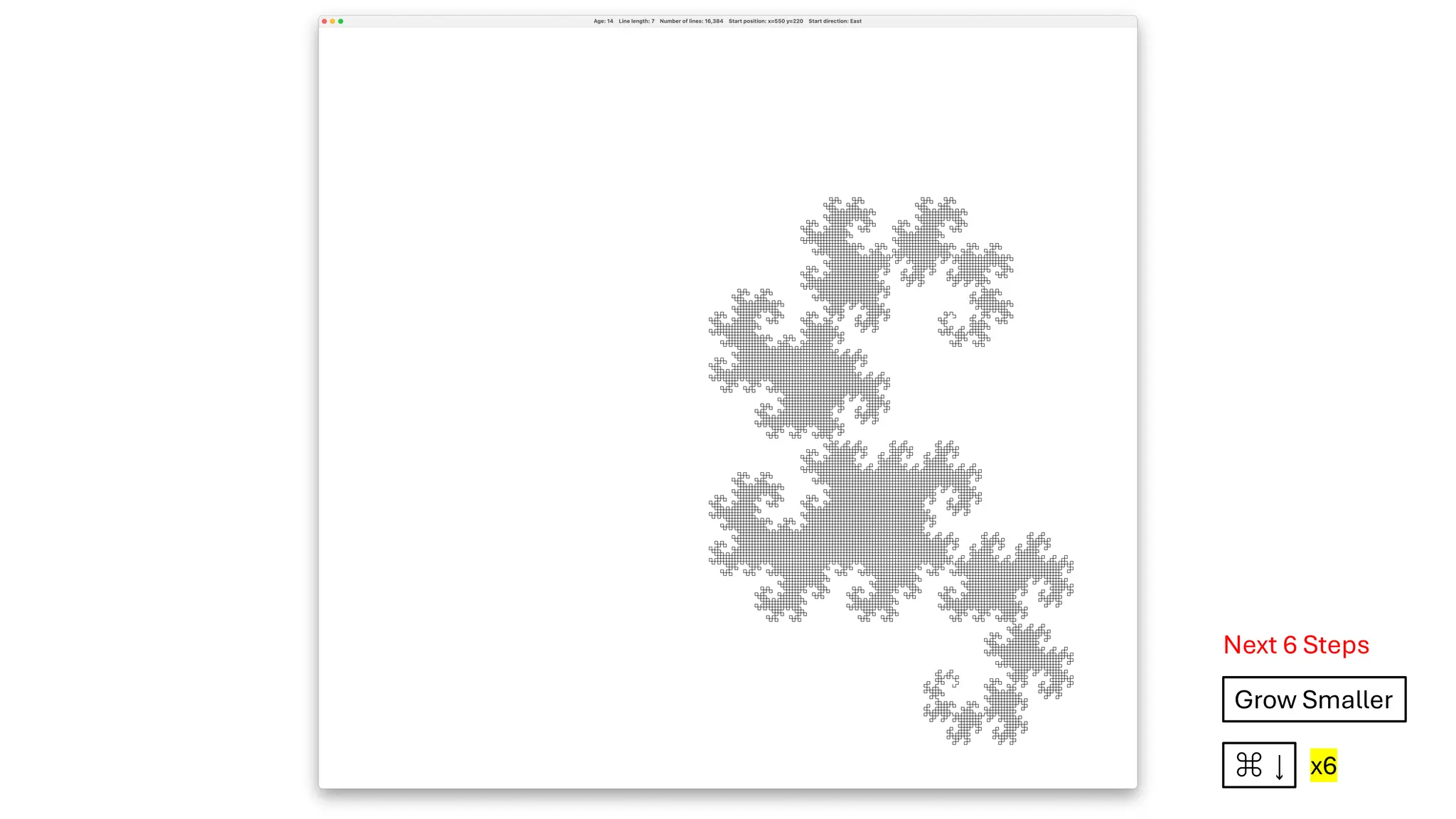
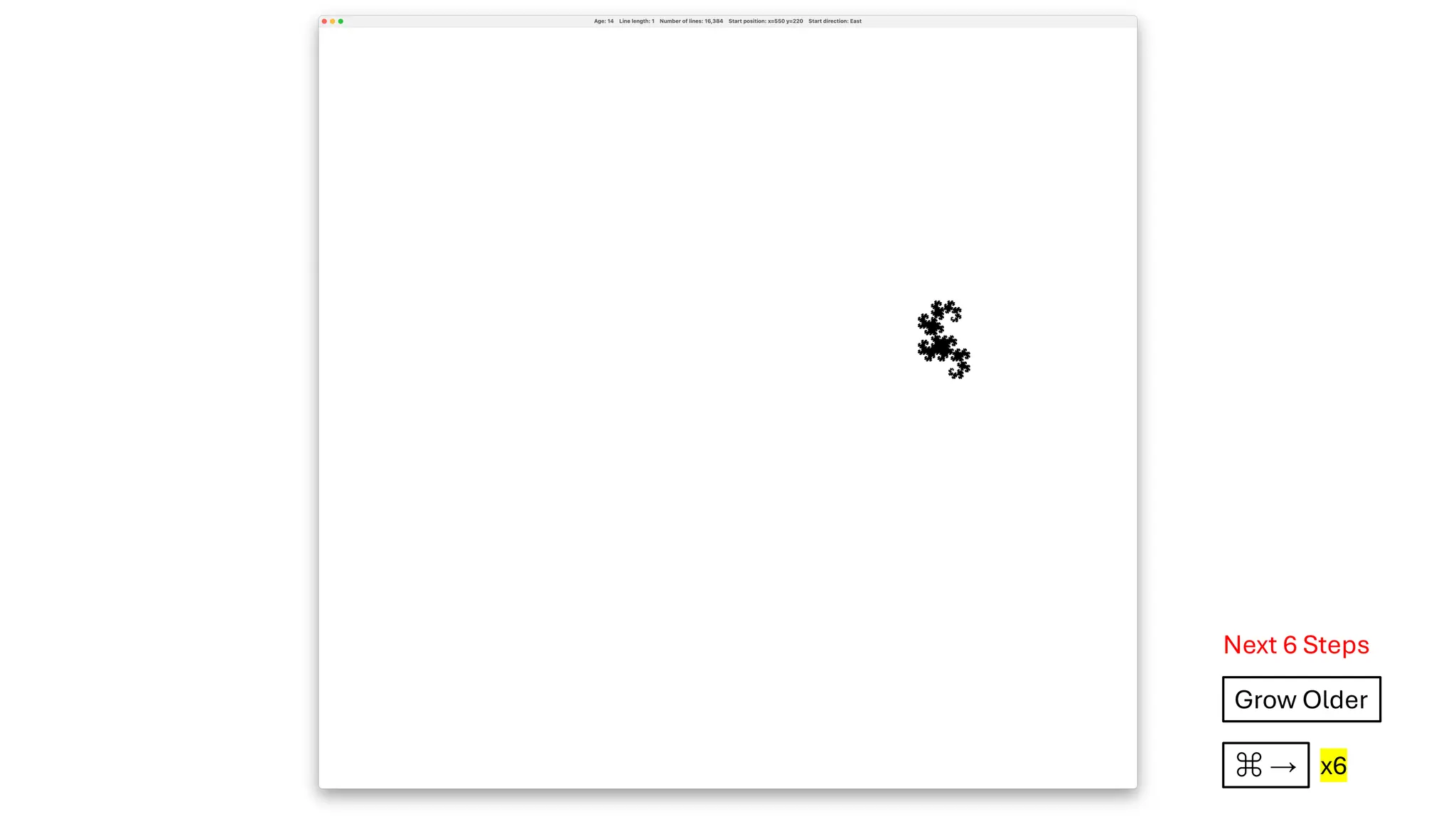
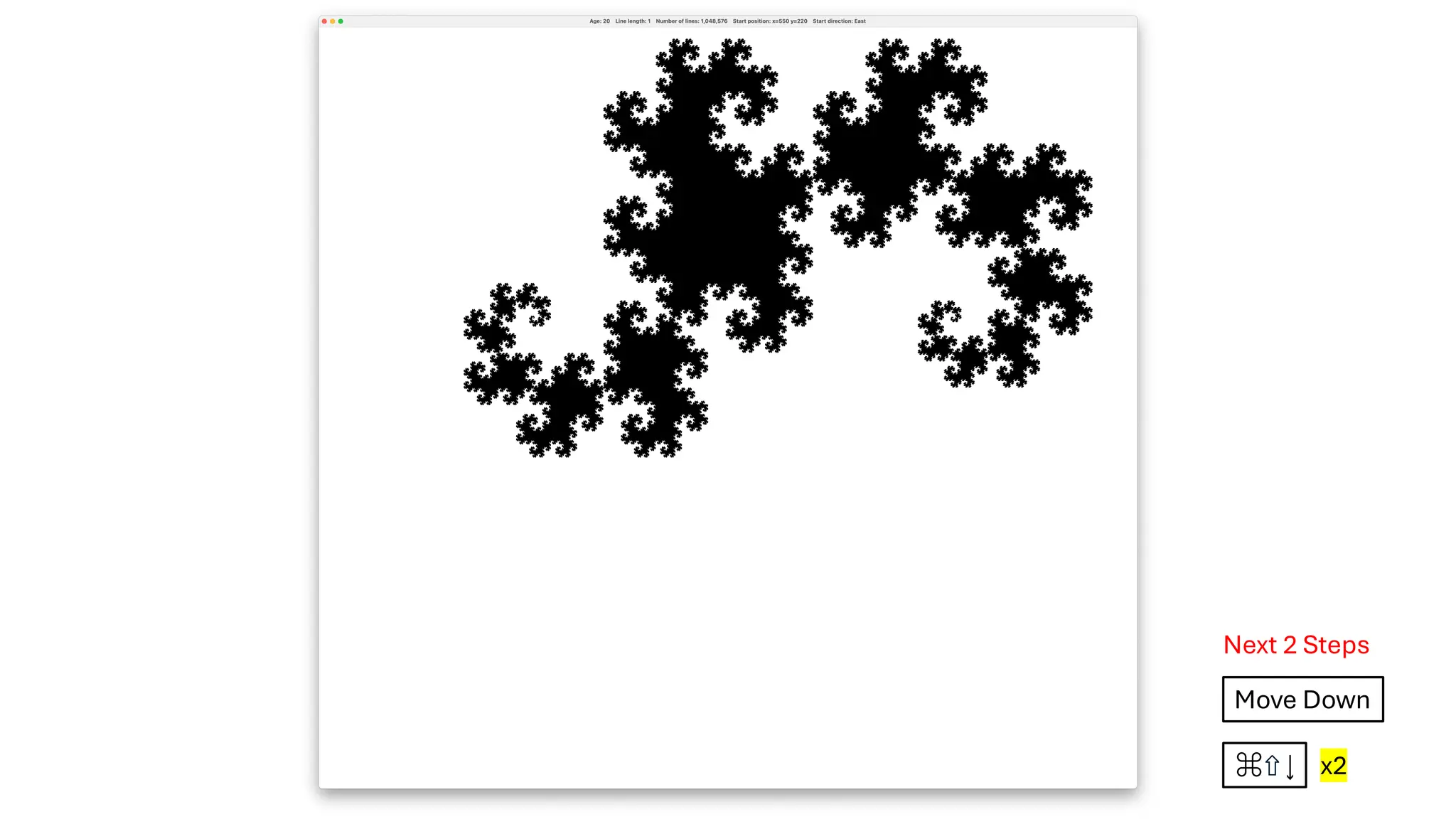
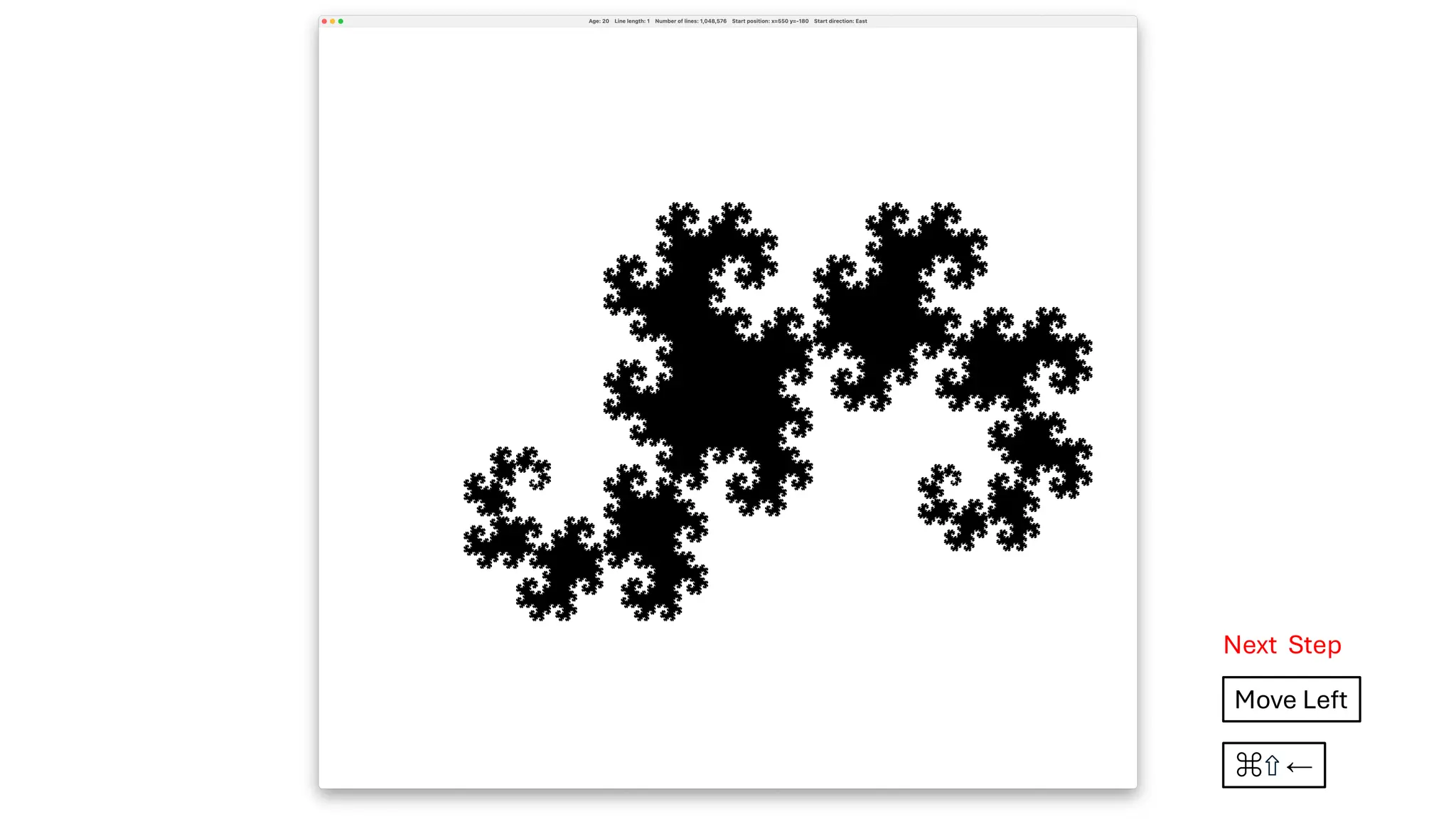
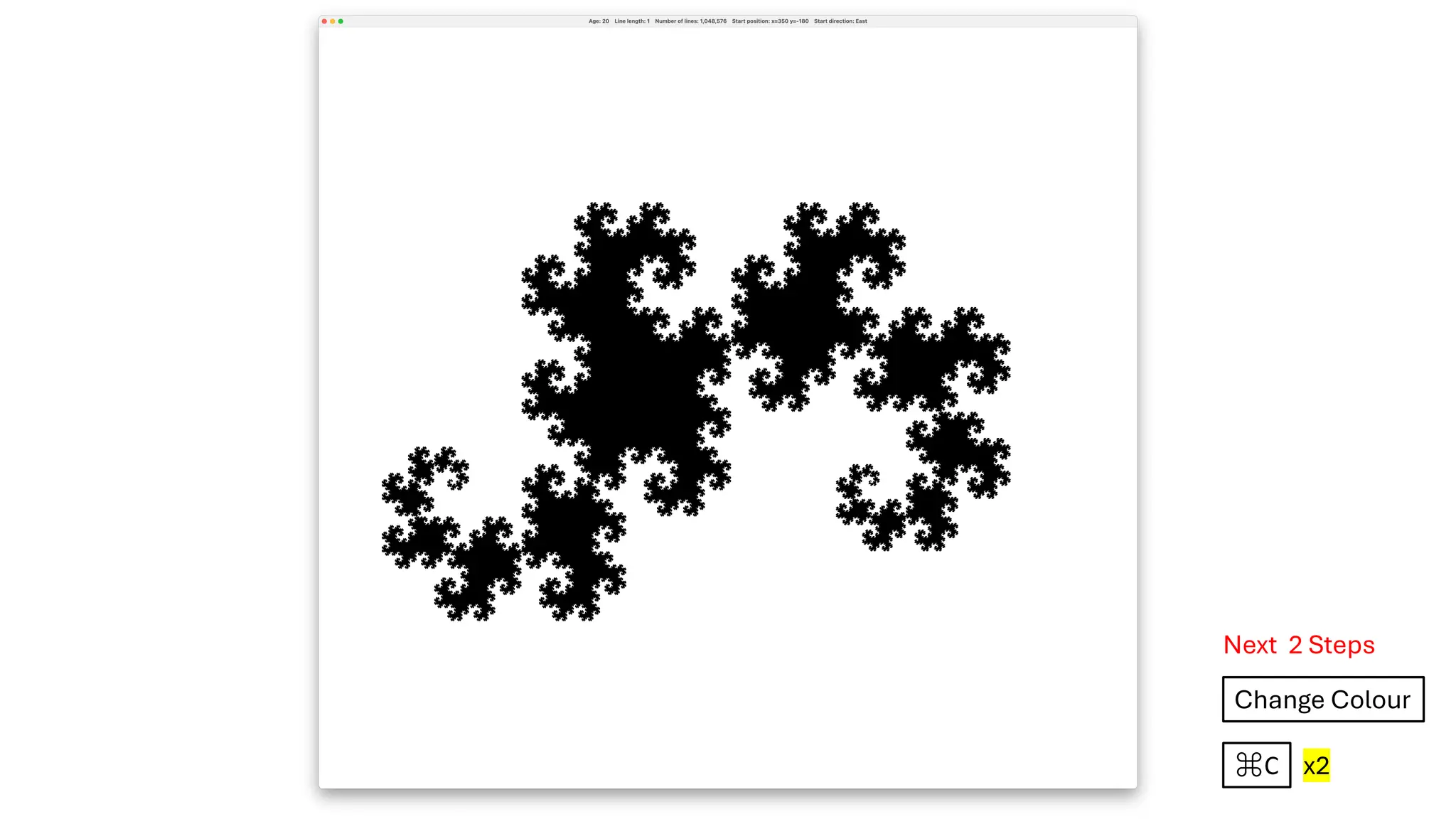
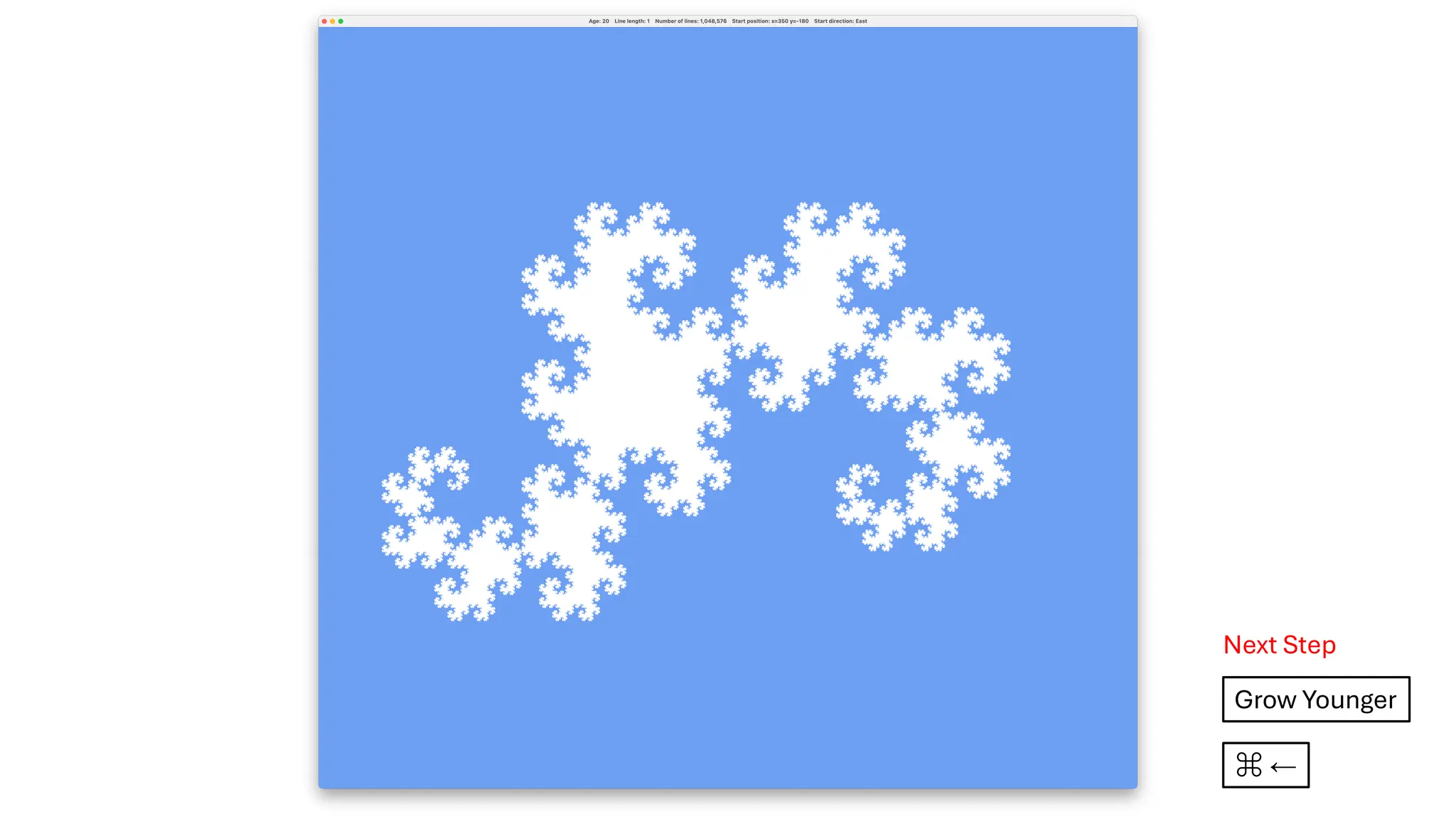
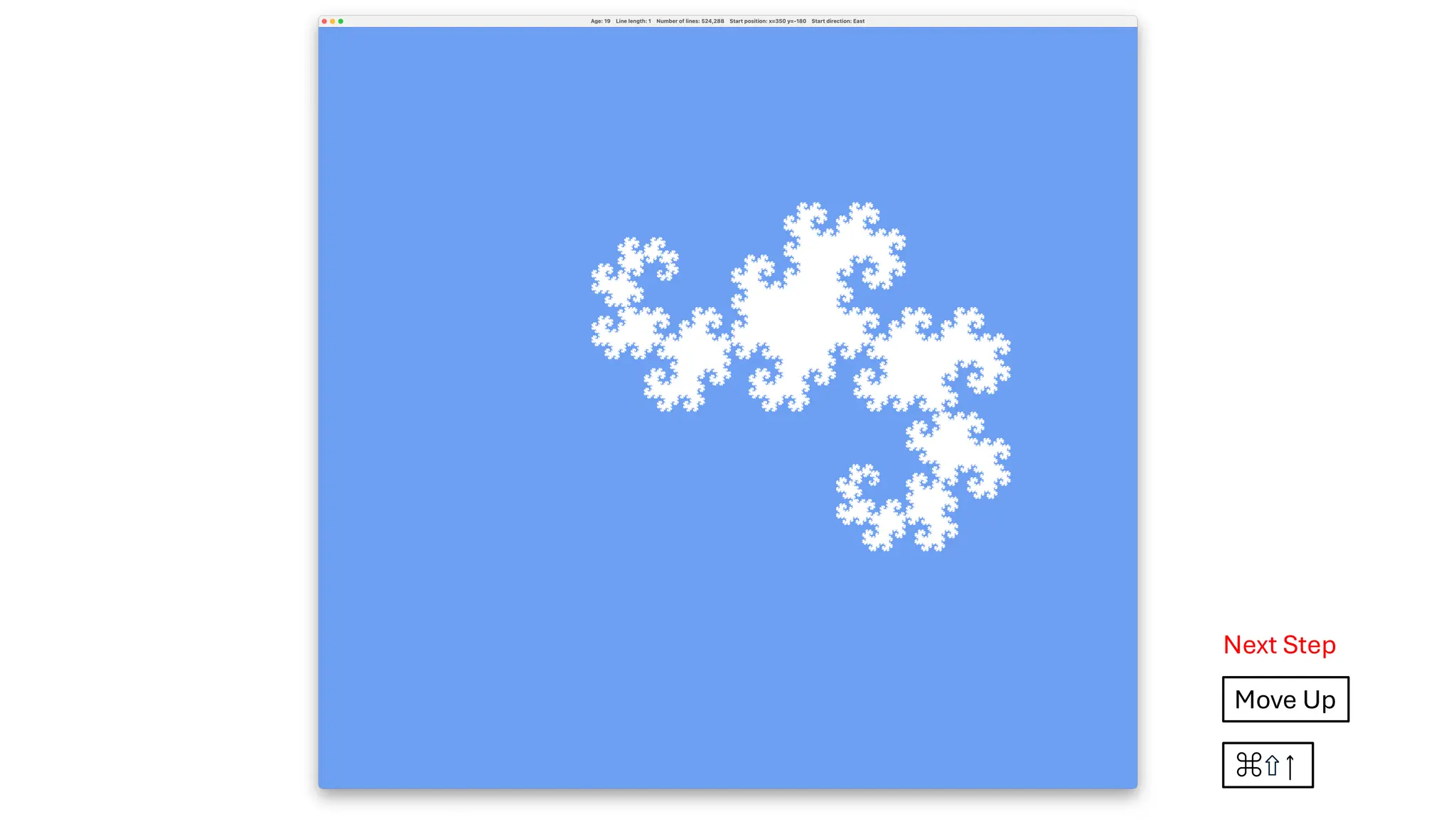
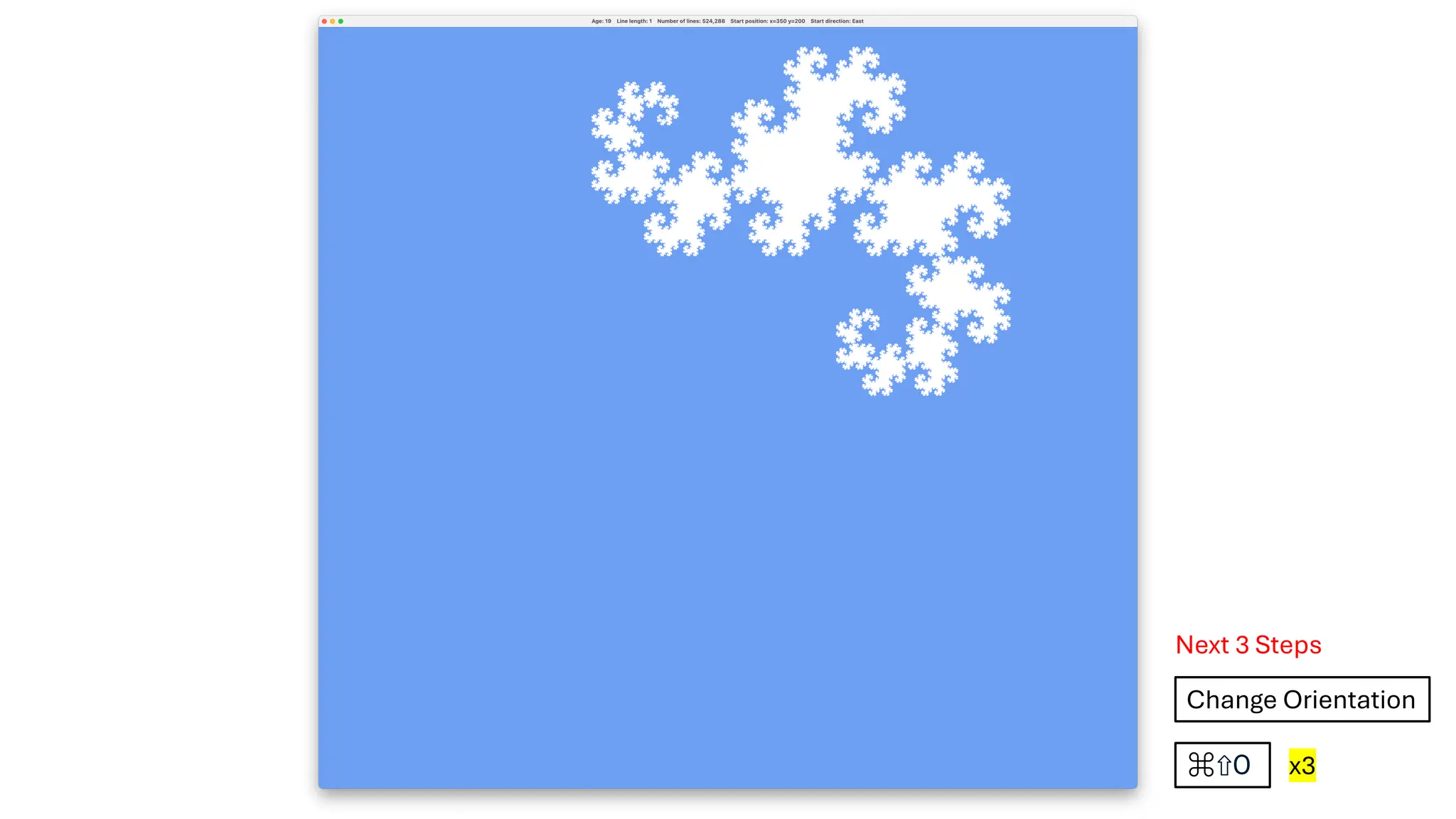
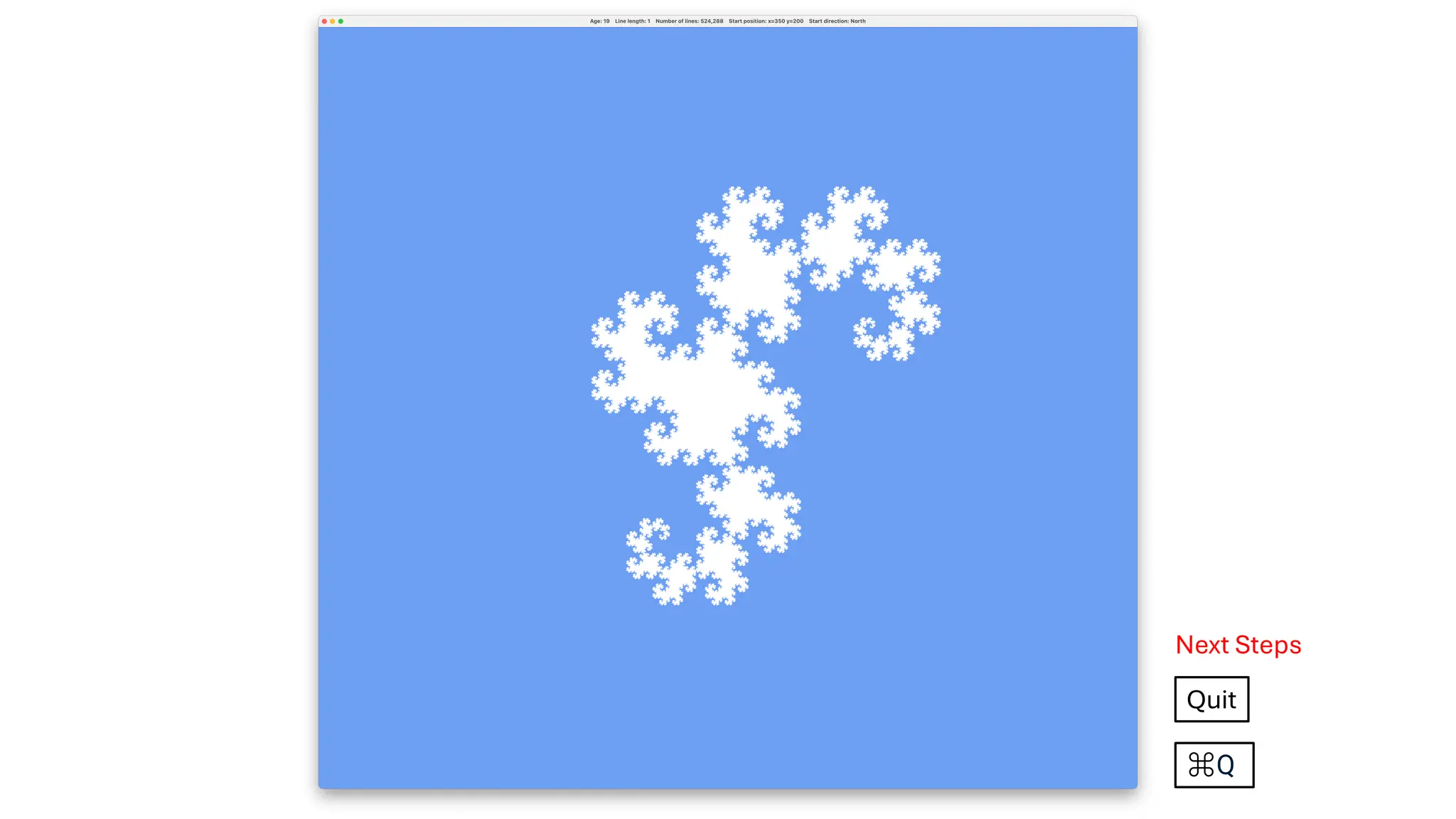
In the next26 slides, we walk through an illustrated example of the user issuing commands to create a dragon.
If you like, you can run the program and follow along to get familiar with the commands.
On the next slide, as a starting point, we see a one-line dragon, i.e. a dragon that is zero years old.
![Here is the menu for changing dragon parameters. It provides an asText function that
is used to display the program’s instructions for dragon-altering user commands.
class DragonMenu(actionListener: ActionListener) extends Menu("Dragon Parameters"):
menuItemDetails.foreach { case dragonAction -> (keyCode, withShift) =>
val item = MenuItem(dragonAction.toString, MenuShortcut(keyEventNumber, withShift))
add(item)
item.addActionListener(actionListener)
}
object DragonMenu:
private val menuItemDetails: List[(DragonAction, (keyCode : Int, withShift: Boolean))] = List(
DragonAction.ChangeColourScheme -> (KeyEvent.VK_C, false),
DragonAction.ChangeOrientation -> (KeyEvent.VK_O, false),
DragonAction.GrowOlder -> (KeyEvent.VK_RIGHT, false),
DragonAction.GrowYounger -> (KeyEvent.VK_LEFT, false),
DragonAction.GrowLarger -> (KeyEvent.VK_UP, false),
DragonAction.GrowSmaller -> (KeyEvent.VK_DOWN, false),
DragonAction.MoveRight -> (KeyEvent.VK_RIGHT, true),
DragonAction.MoveLeft -> (KeyEvent.VK_LEFT, true),
DragonAction.MoveUp -> (KeyEvent.VK_UP, true),
DragonAction.MoveDown -> (KeyEvent.VK_DOWN, true)
)
val asText: String =
menuItemDetails
.map { case (change, (keyCode, withShift)) =>
s"CMD ${if withShift then " + SHIFT" else ""} + ${KeyEvent.getKeyText(keyCode)} = ${change.text}"
}
.mkString("n")](https://image.slidesharecdn.com/drawing-heighways-dragon-part-4-interactive-and-animated-dragon-creation-250518193526-36bd17a5/75/Drawing-Heighway-s-Dragon-Part-4-Interactive-and-Animated-Dragon-Creation-8-2048.jpg)
![object Demo:
type Step = DragonAction | DemoAction
def numberOfSteps = stepByNumber.size
val stepByNumber: Map[Int, Step] =
List(
List.fill(10)(DragonAction.GrowOlder),
List.fill(4)(DemoAction.GoSlower),
List.fill(10)(DragonAction.GrowOlder),
List.fill(10)(DemoAction.Sleep),
List.fill(4)(DemoAction.GoSlower),
List.fill(4)(DragonAction.GrowYounger),
List.fill(5)(DragonAction.MoveLeft),
List.fill(2)(DragonAction.MoveUp),
List.fill(3)(DragonAction.GrowLarger),
List.fill(4)(DragonAction.GrowYounger),
List.fill(5)(DragonAction.MoveRight),
List.fill(2)(DragonAction.MoveDown),
List.fill(12)(DragonAction.GrowLarger),
List.fill(11)(DragonAction.GrowYounger),
List.fill(8)(DemoAction.GoFaster),
List.fill(20)(DragonAction.GrowLarger),
List.fill(80)(DragonAction.MoveLeft),
List.fill(40)(DragonAction.MoveUp),
List.fill(4)(DemoAction.GoSlower),
List.fill(7)(DragonAction.GrowOlder),
List.fill(11)(DragonAction.GrowSmaller),
<continued>
<continuing>
List.fill(4)(DragonAction.MoveRight),
List.fill(2)(DragonAction.MoveDown),
List
.fill(Direction.values.length)(
List(
List(DragonAction.ChangeOrientation),
List.fill(10)(DemoAction.Sleep)
).flatten
)
.flatten,
List(DragonAction.ChangeColourScheme),
List.fill(10)(DemoAction.Sleep),
List(DragonAction.ChangeColourScheme),
List.fill(10)(DemoAction.Sleep),
List.fill(3)(DragonAction.GrowYounger),
List.fill(9)(DragonAction.GrowSmaller),
List.fill(12)(DemoAction.GoFaster),
List.fill(14)(DragonAction.MoveRight),
List.fill(6)(DragonAction.MoveDown),
List.fill(10)(DemoAction.Sleep),
List.fill(17)(DragonAction.GrowSmaller),
List.fill(5)(DragonAction.GrowYounger),
List.fill(10)(DemoAction.Sleep),
List.fill(20)(DragonAction.GrowOlder),
List.fill(10)(DemoAction.GoSlower),
List.fill(10)(DemoAction.Sleep),
List(DemoAction.End)
).flatten.zipWithIndex.map { case (v, k) => k -> v }.toMap
The demo is defined as a map from a step number to a demo step,
with the latter being either a DragonAction or a DemoAction.](https://image.slidesharecdn.com/drawing-heighways-dragon-part-4-interactive-and-animated-dragon-creation-250518193526-36bd17a5/75/Drawing-Heighway-s-Dragon-Part-4-Interactive-and-Animated-Dragon-Creation-11-2048.jpg)
![class ApplicationMenu(actionListener: ActionListener) extends Menu("Application"):
menuItemDetails.foreach { case action -> keyCode =>
val item = MenuItem(action.toString, MenuShortcut(keyCode))
add(item)
item.addActionListener(actionListener)
}
object ApplicationMenu:
private val menuItemDetails : List[(action: ApplicationAction, keyCode: Int)] = List(
ApplicationAction.Instructions -> KeyEvent.VK_I,
ApplicationAction.StartDemo -> KeyEvent.VK_D,
ApplicationAction.PauseDemo -> KeyEvent.VK_P,
ApplicationAction.ResumeDemo -> KeyEvent.VK_R,
ApplicationAction.StartAgain -> KeyEvent.VK_S,
ApplicationAction.Quit -> KeyEvent.VK_Q
)
val asText: String =
menuItemDetails
.map { case (action, keyCode) =>
s"CMD + ${KeyEvent.getKeyText(keyCode)} = ${action.text}"
}
.mkString("n")
We have already seen the menu for changing dragon parameters.
Here is the menu for managing the application.](https://image.slidesharecdn.com/drawing-heighways-dragon-part-4-interactive-and-animated-dragon-creation-250518193526-36bd17a5/75/Drawing-Heighway-s-Dragon-Part-4-Interactive-and-Animated-Dragon-Creation-12-2048.jpg)