PHP:  Part II Please note that there will be  No homework you can experiment with php and MySQL on your i5 account   Attribution These slides are based on: -Ethan Cerami:  http://ecerami.com/mysql/
Road map Php II Using MySQL and php on i5
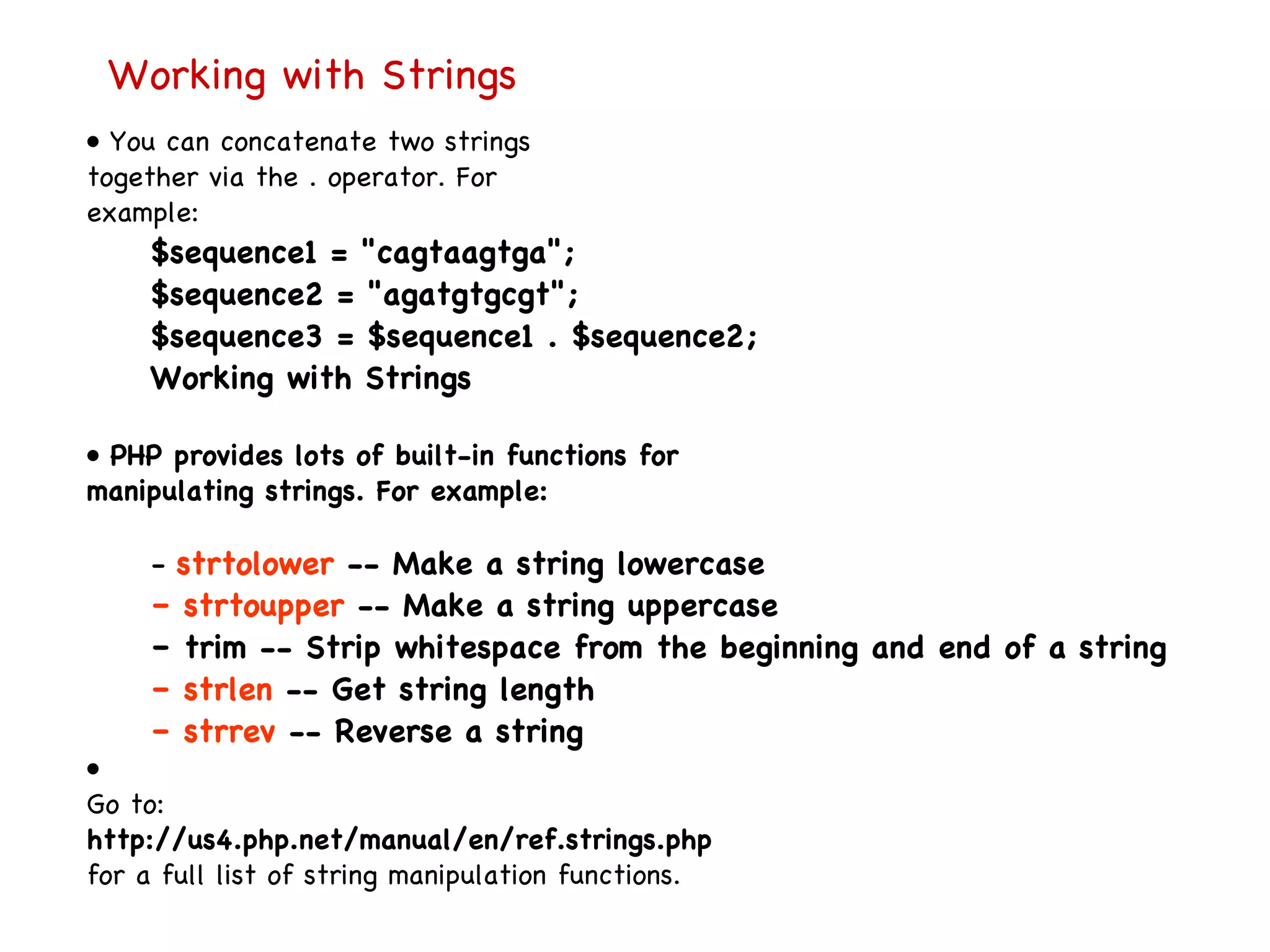
Working with Strings •  You can concatenate two strings together via the . operator. For example: $sequence1 = "cagtaagtga"; $sequence2 = "agatgtgcgt"; $sequence3 = $sequence1 . $sequence2; Working with Strings •  PHP provides lots of built-in functions for manipulating strings. For example: –  strtolower  -- Make a string lowercase –  strtoupper  -- Make a string uppercase –  trim -- Strip whitespace from the beginning and end of a string –  strlen  -- Get string length –  strrev  -- Reverse a string •  Go to: http://us4.php.net/manual/en/ref.strings.php for a full list of string manipulation functions.
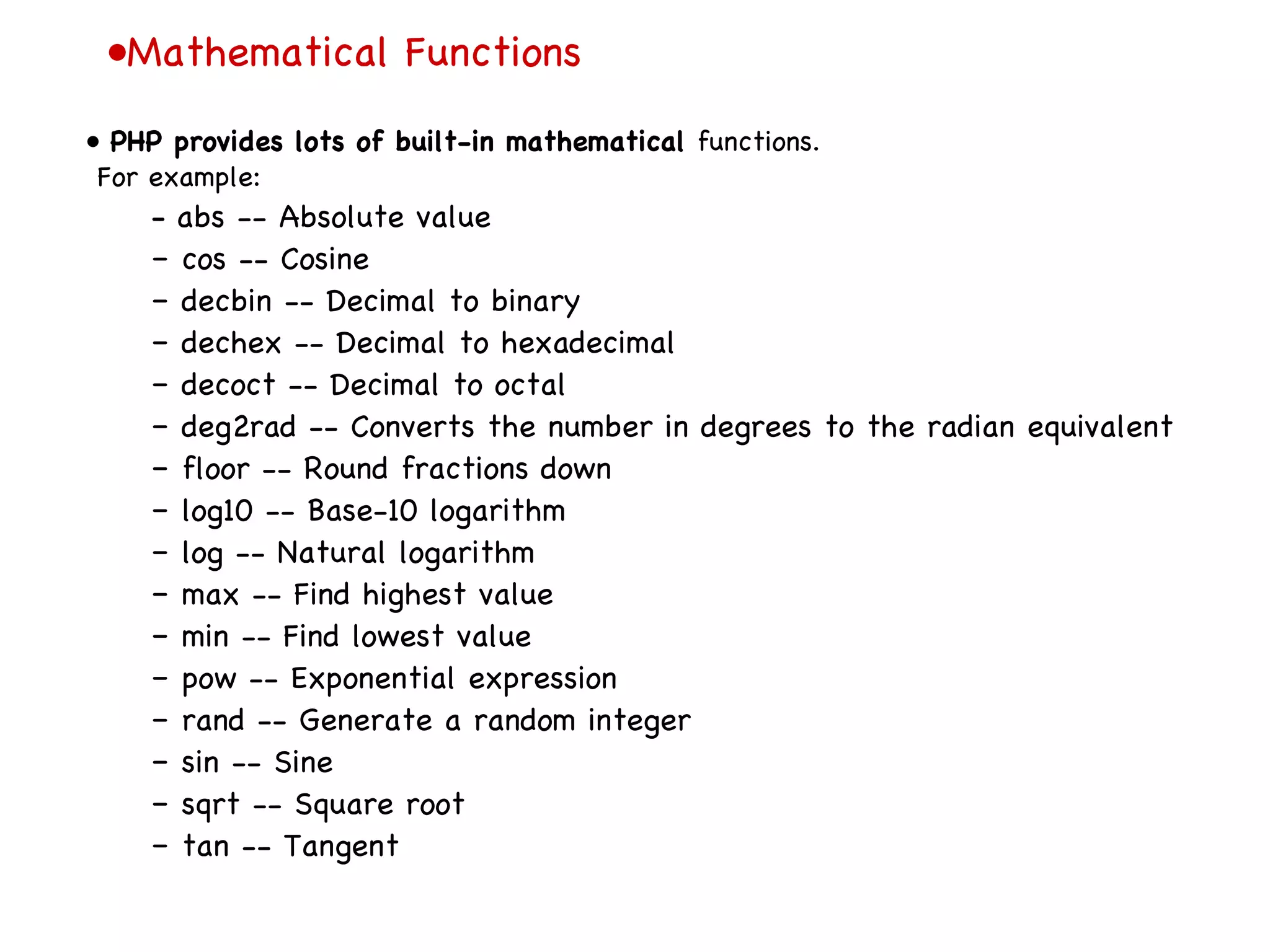
• Mathematical Functions •  PHP provides lots of built-in mathematical  functions. For example: –  abs -- Absolute value –  cos -- Cosine –  decbin -- Decimal to binary –  dechex -- Decimal to hexadecimal –  decoct -- Decimal to octal –  deg2rad -- Converts the number in degrees to the radian equivalent –  floor -- Round fractions down –  log10 -- Base-10 logarithm –  log -- Natural logarithm –  max -- Find highest value –  min -- Find lowest value –  pow -- Exponential expression –  rand -- Generate a random integer –  sin -- Sine –  sqrt -- Square root –  tan -- Tangent
• Arrays •  An example array: $fruit = array (&quot;apples&quot;, &quot;oranges&quot;, &quot;bananas&quot;); echo &quot;<P>Fruit: $fruit[1]&quot;; // This prints Oranges •  Note: just like ordinary variables, each space in an array can contain any type of value. •  For example, this is considered legal in PHP: $numbers = array (&quot;zero&quot;, 1, &quot;two&quot;);
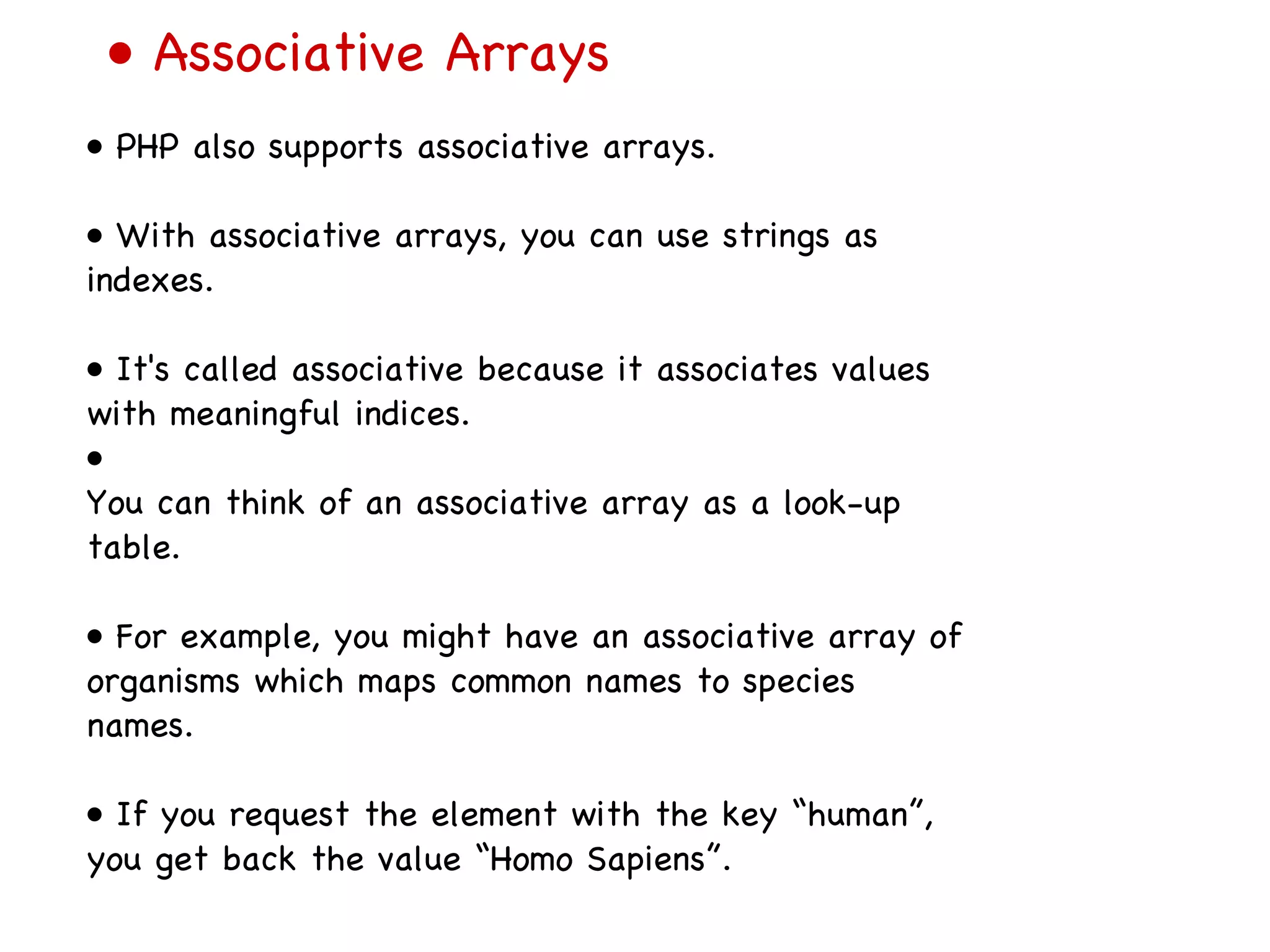
•  Associative Arrays •  PHP also supports associative arrays. •  With associative arrays, you can use strings as indexes. •  It's called associative because it associates values with meaningful indices. •  You can think of an associative array as a look-up table. •  For example, you might have an associative array of organisms which maps common names to species names. •  If you request the element with the key “human”, you get back the value “Homo Sapiens”.
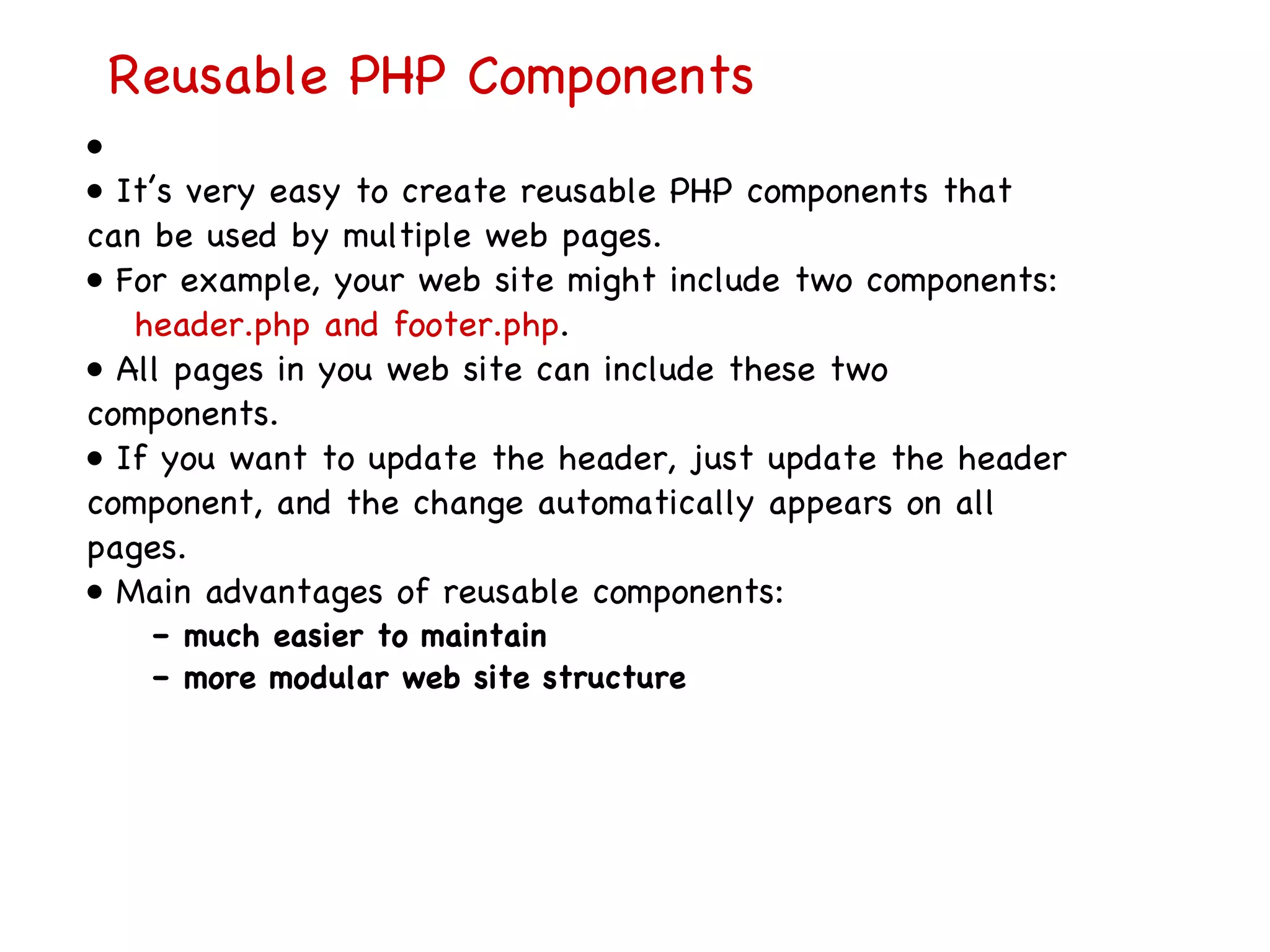
Reusable PHP Components   • •  It’s very easy to create reusable PHP components that can be used by multiple web pages. •  For example, your web site might include two components: header.php and footer.php . •  All pages in you web site can include these two components. •  If you want to update the header, just update the header component, and the change automatically appears on all pages. •  Main advantages of reusable components: –  much easier to maintain –  more modular web site structure
Reusable PHP Components   (r un )   The PHP Include Statement
Accessing Form Data in PHP ( run ) •  Accessing form data in PHP is very simple. •  Simply query the $_GET variable  (or the $_REQUEST variable) for the form parameter you want.
“ Big Picture”: PHP and MySQL •  PHP Includes built-in support for accessing multiple databases, including Oracle, Microsoft SQL Server, MySQL, etc. •  PHP support for MySQL is both simple and comprehensive. •  PHP support for MySQL is fully documented here: –  http://us2.php.net/manual/en/ref.mysql.php –  (Official Reference Page)
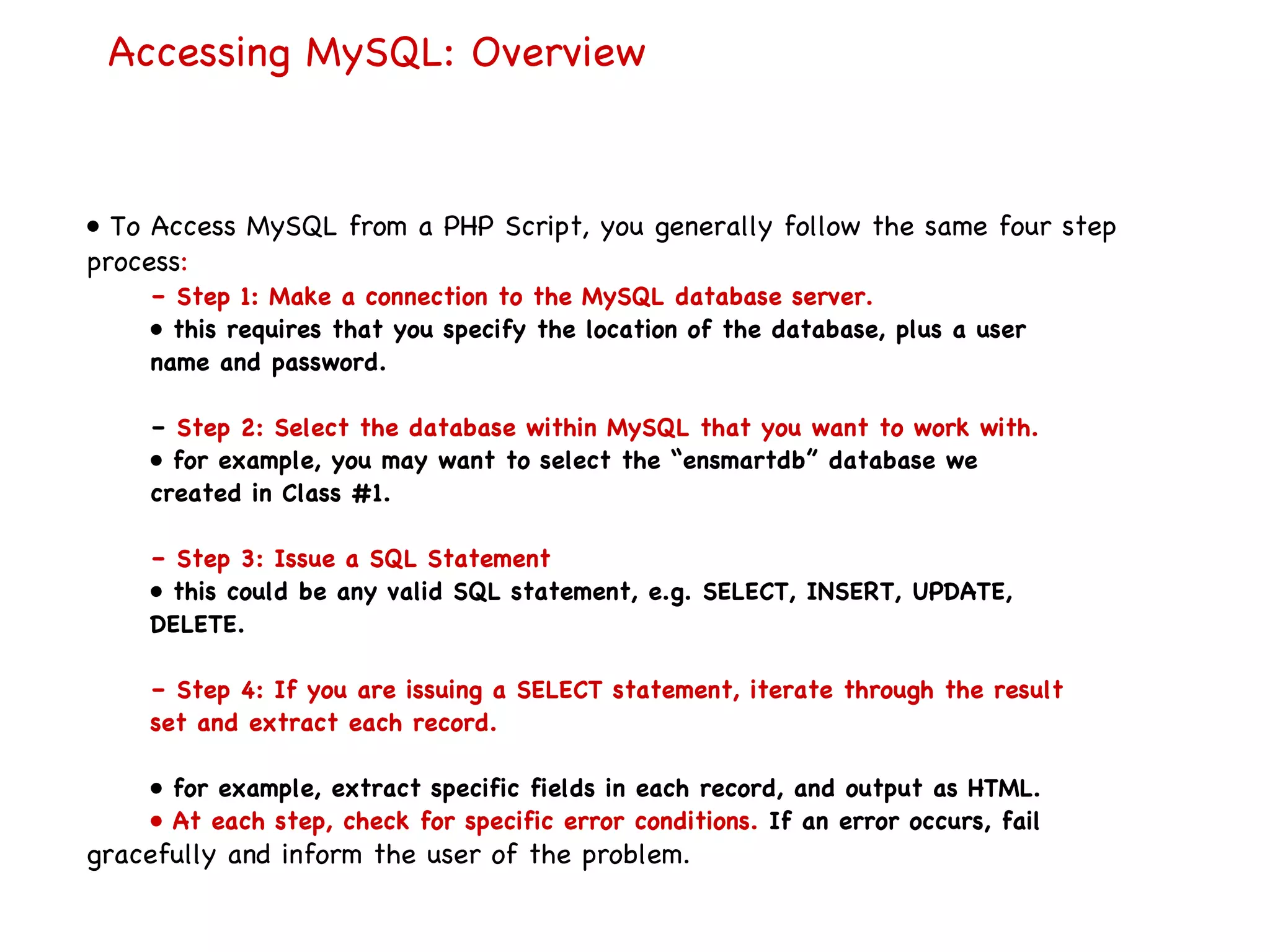
Accessing MySQL: Overview •  To Access MySQL from a PHP Script, you generally follow the same four step process : –  Step 1: Make a connection to the MySQL database server. •  this requires that you specify the location of the database, plus a user name and password. –  Step 2: Select the database within MySQL that you want to work with. •  for example, you may want to select the “ensmartdb” database we created in Class #1. –  Step 3: Issue a SQL Statement •  this could be any valid SQL statement, e.g. SELECT, INSERT, UPDATE, DELETE. –  Step 4: If you are issuing a SELECT statement, iterate through the result set and extract each record. •  for example, extract specific fields in each record, and output as HTML. •  At each step, check for specific error conditions.  If an error occurs, fail gracefully and inform the user of the problem.
Accessing MySQL: Overview Step 1: Connect to MySQL •  Before you can retrieve data from a MySQL table, you must first connect to the MySQL database server. •  To connect, you use the msql_connect function. mysql_connect (address, user_name, password); –  Here, address is the IP address or host name of the computer where the MySQL server is actually running. –  If you are connecting to a MySQL server running on your local machine, the address should be set to “ localhost ”. •  For example: $connection = mysql_connect(&quot;localhost&quot;, ”username&quot;, ”password&quot;);
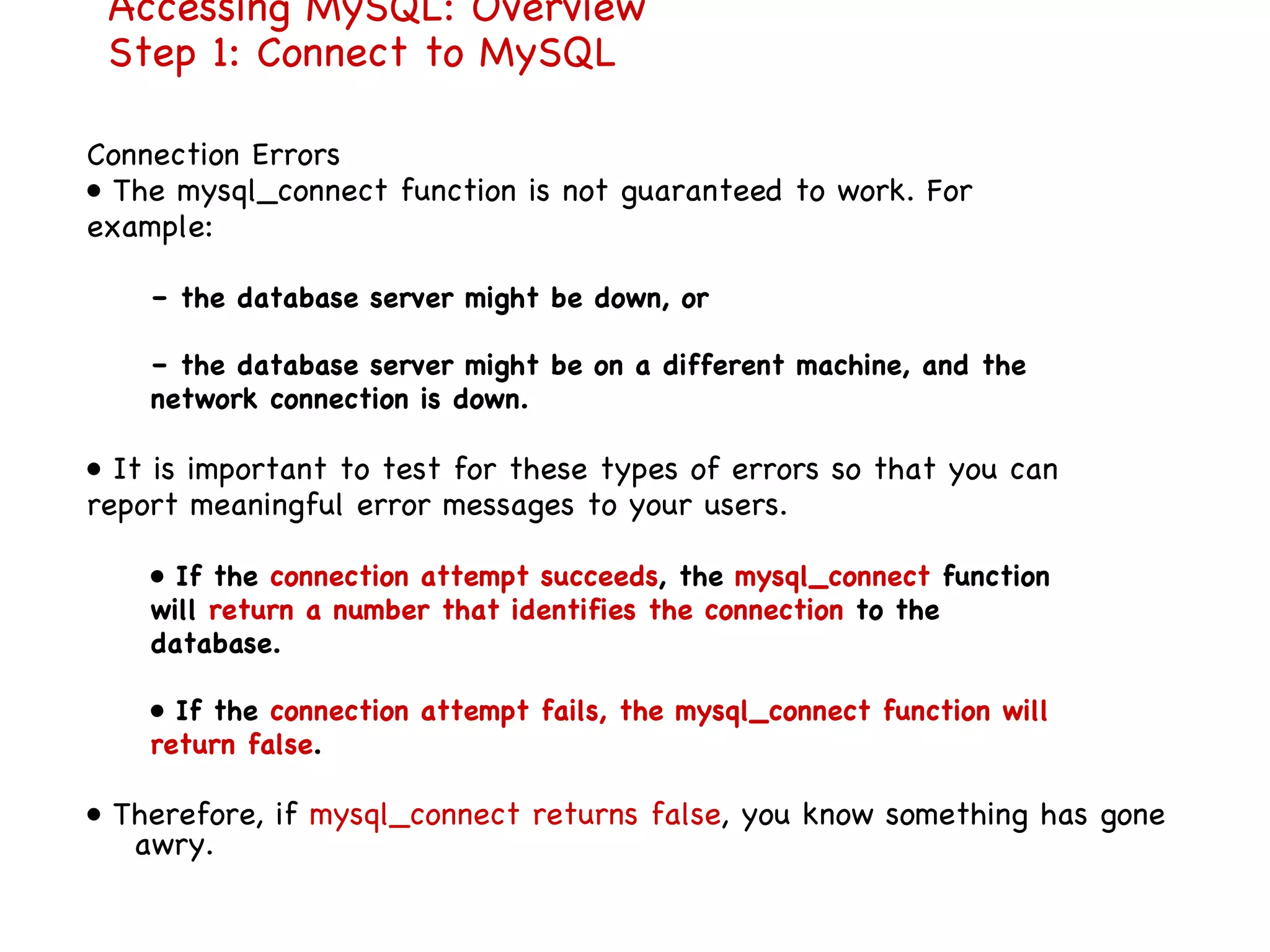
Accessing MySQL: Overview Step 1: Connect to MySQL Connection Errors •  The mysql_connect function is not guaranteed to work. For example: –  the database server might be down, or –  the database server might be on a different machine, and the network connection is down. •  It is important to test for these types of errors so that you can report meaningful error messages to your users. •  If the  connection attempt succeeds , the  mysql_connect  function will  return a number that identifies the connection  to the database. •  If the  connection attempt fails, the mysql_connect function will return false . •  Therefore, if  mysql_connect returns false , you know something has gone awry.
The @ Error Suppressor •  Suppose we have the following code with an invalid user name/password: $connection = mysql_connect (&quot;localhost&quot;, ”demo&quot;, ”demo&quot;); • By default, the mysql_connect will display a detailed error message directly to the user •  However, you may want to present a more user-friendly error message to your users. •  To suppress error messages from automatically appearing, use the  @ error suppression operator directly before the function call. •  For example: $connection = @mysql_connect(&quot;localhost&quot;, ”demo&quot;, ”demo&quot;); •  Then, explicitly check the return value of mysql_connect (see next slide). Connecti
• Connection Errors •  if mysql_connect returns false, you know something has gone wrong. •  To determine exactly what went wrong, you can use the mysql_error function. •  You can therefore create your own custom error page. •  For example: // Connect to the Database. // The @ character will suppress default error messages. $connection = @mysql_connect(&quot;localhost&quot;, ”guest&quot;, ”guest&quot;); // If we fail to connect, display an error message and exit. if ($connection == false) { echo (&quot;Unable to connect to the database server.&quot;); die (&quot;<P>MySQL Error: &quot; . mysql_error()); }
Side Note: the die() function •  The die() function will output a specific error message, and then stop processing of the PHP script. –  Any remaining PHP code is simply ignored. •  Very useful for reporting error messages to the user.
  Step 2: Select a Database  •  This part is easy. To select a database, use the mysql_select_db  function. •  Just like  mysql_connect, mysql_select_db will return false if an error occurs. •  Sample Code: // Select the correct database. // The @ character will suppress default error messages. $selection = @mysql_select_db(&quot;ensmartdb&quot;); // If we fail to select, display an error message and exit. if ($selection == false) { echo (&quot;Unable to select database.&quot;); die (&quot;<P>MySQL Error: &quot; . mysql_error()); }
Step 3: Issue a SQL Statement •  To issue a SQL statement, use the  mysql_query function. For example: $result = mysql_query (&quot;SELECT * from organism&quot;); •  As usual, if an error occurs, mysql_query will return false
Step 4: Iterate through the SQL Result Set •  If you have issued a SELECT statement, you want to iterate through all the records in your result set. •  To do so, use the  mysql_fetch_array  function along with a while loop. •  Each time you call mysql_fetch_array, you get back a row variable corresponding to a single record in the result set. •  This row variable is an associative array, which will contain all the field data for a record. •  Note: You can access array elements by  key strings or by index value.
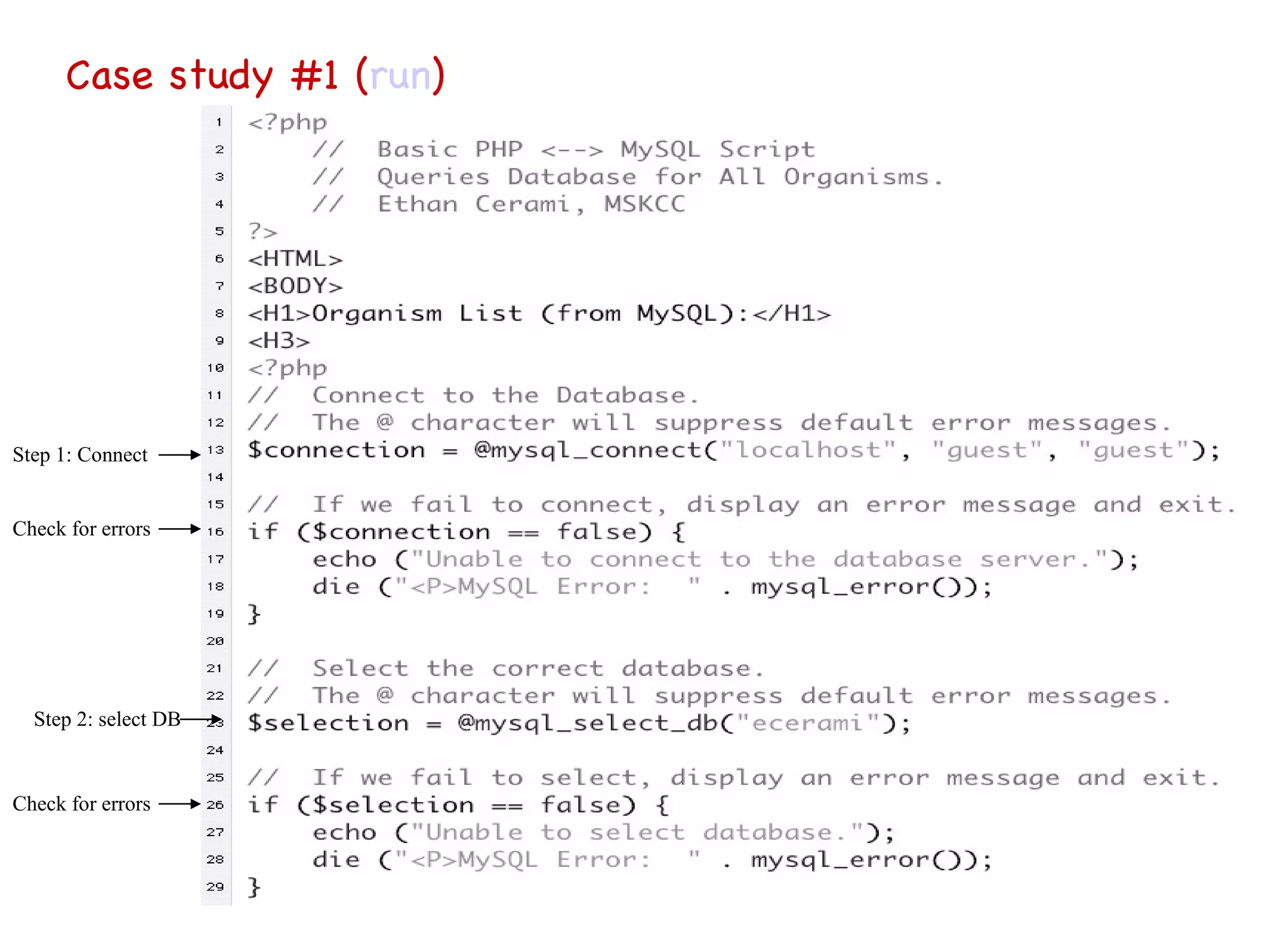
Case study #1 ( run ) Step 1: Connect Check for errors Step 2: select DB Check for errors
Case study #1 continued … Step 3: issue SQL statement Step 4: Iterate through result set Check for errors
Accessing MySQL on i5.nyu.edu To use MySQL on i5.nyu.edu: Logon to i5.nyu.edu.  Then connect to your own database using  mysql -u <netid>  Once you are at the  mysql  prompt, then you need to type:   use <netid>  to continue   Here are some notes about writing and running MySQL scripts and using MySQL on i5.nyu.edu: you may place your MySQL scripts in your home   directory  use  Pico  or  vi  to edit the script  use &quot; ; &quot; at the end of a script line or command  save your script file with an  &quot;.sql &quot; suffix
Here are some commands to try on i5.nyu.edu: $  mysql -u <netid> <netid> mysql>  use <netid> mysql>  create table book (    ->  title varchar(32),   ->  author varchar(64)   ->  ); [Result should be:  Query OK. 0 rows affected.] mysql>  insert into book values ('Pride and Prejudice', 'Jane Austen'); [Result should be:  Query OK. 1 row affected ] mysql>  select * from book; [Result should show the name and author and  1 row in set ] mysql>  exit [Result should show  Bye ->  and return you to the Unix command line prompt.]  
To see review of Mysql commands: http://cs.nyu.edu/courses/spring04/V22.0380-001/ MysqlSummary . htm
Here are some notes about writing and running PhP with MySQL on i5.nyu.edu: Your_php_script must be located in  public_html/cgi-bin   The first line of your PHP script has the directive:  #!/usr/local/bin/php   Use  chmod 755 <filename.php>  in order for it to be world-executable.  Your database name is the same as your netid.
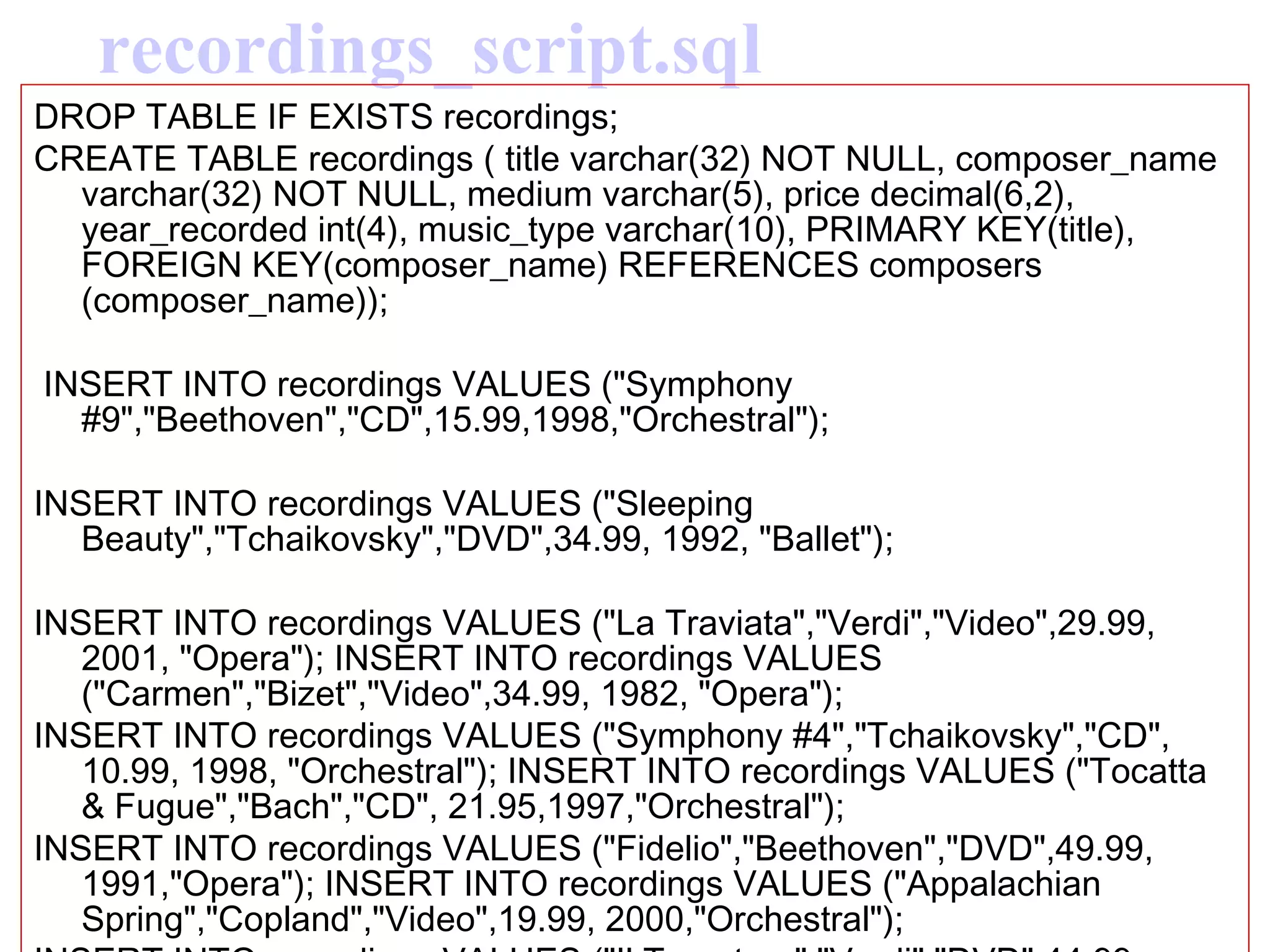
Lets look at the following Examples based on these 2 sql scripts (creating 2 tables) recordings_script.sql  (creating 1 table) composers_script.sql (creating 1 table) php_mysql6.php  script (run sql queries) HTML Form:  http://i5.nyu.edu/%7Edse7916/ php _mysql6.html Full example on this page (implantation for i5 accounts): http://cs.nyu.edu/courses/spring04/V22.0380-001/ PhpMysqlTogetherSummary . htm
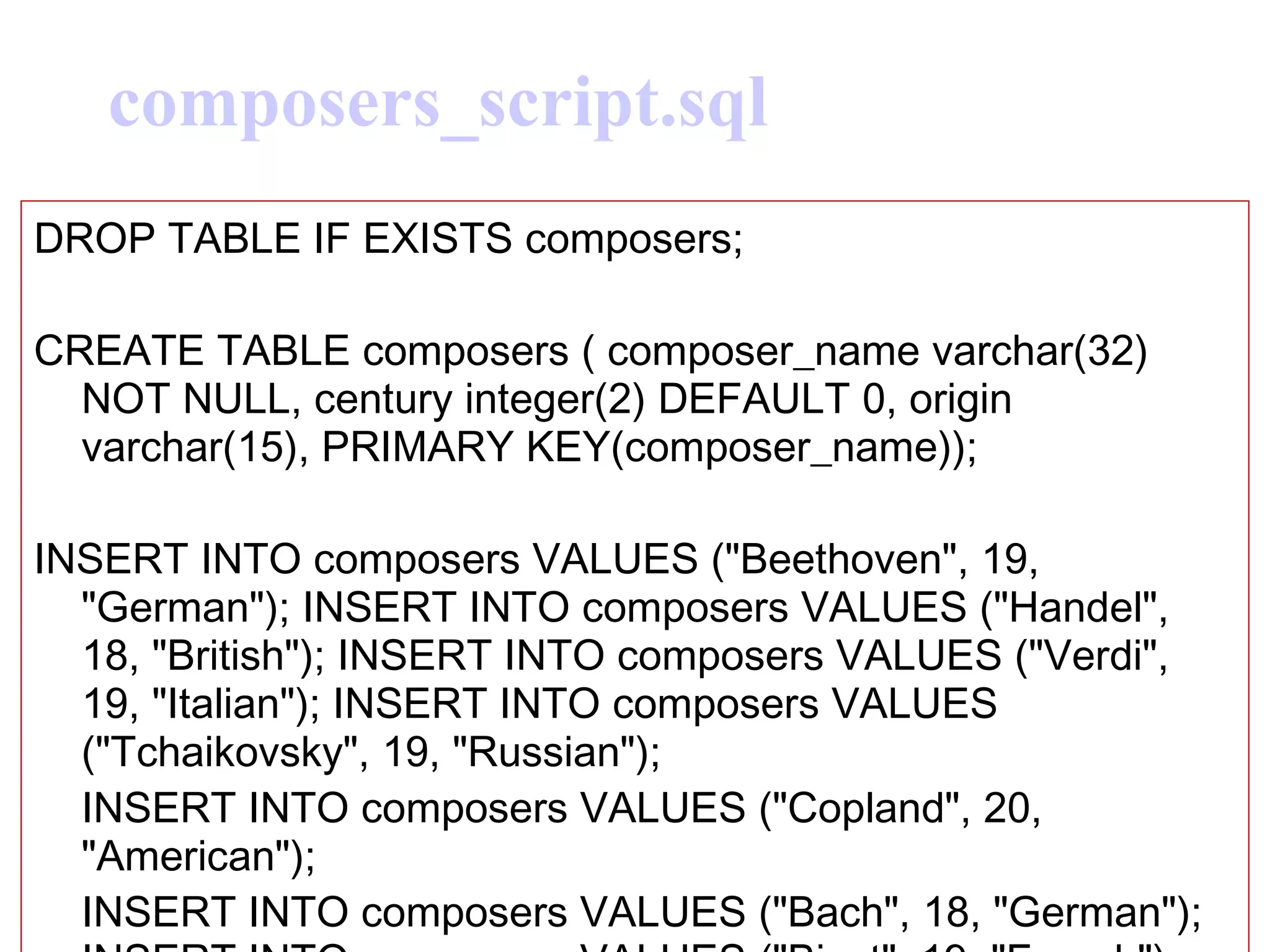
composers_script.sql DROP TABLE IF EXISTS composers;  CREATE TABLE composers ( composer_name varchar(32) NOT NULL, century integer(2) DEFAULT 0, origin varchar(15), PRIMARY KEY(composer_name));  INSERT INTO composers VALUES (&quot;Beethoven&quot;, 19, &quot;German&quot;); INSERT INTO composers VALUES (&quot;Handel&quot;, 18, &quot;British&quot;); INSERT INTO composers VALUES (&quot;Verdi&quot;, 19, &quot;Italian&quot;); INSERT INTO composers VALUES (&quot;Tchaikovsky&quot;, 19, &quot;Russian&quot;);  INSERT INTO composers VALUES (&quot;Copland&quot;, 20, &quot;American&quot;);  INSERT INTO composers VALUES (&quot;Bach&quot;, 18, &quot;German&quot;); INSERT INTO composers VALUES (&quot;Bizet&quot;, 19, &quot;French&quot;);
recordings_script.sql DROP TABLE IF EXISTS recordings;  CREATE TABLE recordings ( title varchar(32) NOT NULL, composer_name varchar(32) NOT NULL, medium varchar(5), price decimal(6,2), year_recorded int(4), music_type varchar(10), PRIMARY KEY(title), FOREIGN KEY(composer_name) REFERENCES composers (composer_name)); INSERT INTO recordings VALUES (&quot;Symphony #9&quot;,&quot;Beethoven&quot;,&quot;CD&quot;,15.99,1998,&quot;Orchestral&quot;);  INSERT INTO recordings VALUES (&quot;Sleeping Beauty&quot;,&quot;Tchaikovsky&quot;,&quot;DVD&quot;,34.99, 1992, &quot;Ballet&quot;);  INSERT INTO recordings VALUES (&quot;La Traviata&quot;,&quot;Verdi&quot;,&quot;Video&quot;,29.99, 2001, &quot;Opera&quot;); INSERT INTO recordings VALUES (&quot;Carmen&quot;,&quot;Bizet&quot;,&quot;Video&quot;,34.99, 1982, &quot;Opera&quot;);  INSERT INTO recordings VALUES (&quot;Symphony #4&quot;,&quot;Tchaikovsky&quot;,&quot;CD&quot;, 10.99, 1998, &quot;Orchestral&quot;); INSERT INTO recordings VALUES (&quot;Tocatta & Fugue&quot;,&quot;Bach&quot;,&quot;CD&quot;, 21.95,1997,&quot;Orchestral&quot;);  INSERT INTO recordings VALUES (&quot;Fidelio&quot;,&quot;Beethoven&quot;,&quot;DVD&quot;,49.99, 1991,&quot;Opera&quot;); INSERT INTO recordings VALUES (&quot;Appalachian Spring&quot;,&quot;Copland&quot;,&quot;Video&quot;,19.99, 2000,&quot;Orchestral&quot;);  INSERT INTO recordings VALUES (&quot;Il Trovatore&quot;,&quot;Verdi&quot;,&quot;DVD&quot;,44.99, 1990, &quot;Opera&quot;); INSERT INTO recordings VALUES (&quot;Swan Lake&quot;,&quot;Tchaikovsky&quot;,&quot;Video&quot;,14.99,1982,&quot;Ballet&quot;);
#!/usr/local/bin/php   // example using php and mysql on i5.nyu.edu <HTML> <head> <title>PHP: Sample Form </title> </head> <body bgcolor = lightblue>   <h2>Composers on File </h2> <p> <?php /* Connecting, selecting database on i5.nyu.edu*/ $link =  mysql_connect(&quot;&quot;, “your_netid&quot;, &quot;&quot;) or die(&quot;Could not connect : &quot; . mysql_error()); /* echo &quot;Connected successfully&quot;; -- for testing purposes */ mysql_select_db(&quot; your_netid &quot;) or die(&quot;Could not select database&quot;);   /* setting a variable for the nation of origin  on the HTML form */ $country =  $_POST['country'];   /* Performing SQL query */ $query = &quot;SELECT a.title, a.composer_name,a.music_type FROM recordings a, composers b WHERE a.composer_name = b.composer_name AND origin='$country' ORDER BY a.title &quot;;   $result = mysql_query($query) or die(&quot;Query failed : &quot; . mysql_error());    (… continued on next page….)
/* … continued….  see how many records are returned */  $num_rows = mysql_num_rows($result);   if ($num_rows > 0) { /* Printing results in HTML */ echo &quot;<table>\n&quot;; while ($line = mysql_fetch_array($result, MYSQL_ASSOC)) { echo &quot;\t<tr>\n&quot;; foreach ($line as $col_value) { echo &quot;\t\t<td>$col_value</td>\n&quot;; } // end of foreach echo &quot;\t</tr>\n&quot;; } // end of while echo &quot;</table>\n&quot;; echo &quot;<i>\n\n  $num_rows records match this query.\n </i>&quot;; } else { echo &quot;There were no results that match this query. Please try again.\n&quot;; }   /* Free resultset */ mysql_free_result($result); /* Closing connection */ mysql_close($link); ?> </body> </html>    
Where to get more info. On PHP •  When you get stuck, there are three places to check first: –  Check the  PHP Manual at: http://www.php.net/docs.php –  Check the  PHP FAQ at: http://www.php.net/FAQ.php –  If you want  information about a specific function , go to:  http://www.php.net/function _name. For example: •  For  information about echo, go to: http://php.net/echo •  For information about phpinfo, go to: http://php.net/phpinfo
Acknowledgements •  Information contained in these slides is based on these sources: –  W3 Schools PHP Tutorial. http://www.w3schools.com/php/default.asp –  Kevin Yank, “Building a Database-Driven Web Site Using PHP and MySQL” (SitePoint). http://dev.mysql.com/techresources/ articles/ddws/ –  Rasmus Lerdorf, “PHP Pocket Reference” (O’Reilly & Associates). http://www.oreilly.com/catalog/phppr/chapter/php _pkt.html Deena Engel course webiste:  http://www.cs.nyu.edu/courses/spring04/V22.0380-001/PhpSummary.htm

Download It

  • 1.
    PHP: PartII Please note that there will be No homework you can experiment with php and MySQL on your i5 account Attribution These slides are based on: -Ethan Cerami: http://ecerami.com/mysql/
  • 2.
    Road map PhpII Using MySQL and php on i5
  • 3.
    Working with Strings• You can concatenate two strings together via the . operator. For example: $sequence1 = &quot;cagtaagtga&quot;; $sequence2 = &quot;agatgtgcgt&quot;; $sequence3 = $sequence1 . $sequence2; Working with Strings • PHP provides lots of built-in functions for manipulating strings. For example: – strtolower -- Make a string lowercase – strtoupper -- Make a string uppercase – trim -- Strip whitespace from the beginning and end of a string – strlen -- Get string length – strrev -- Reverse a string • Go to: http://us4.php.net/manual/en/ref.strings.php for a full list of string manipulation functions.
  • 4.
    • Mathematical Functions• PHP provides lots of built-in mathematical functions. For example: – abs -- Absolute value – cos -- Cosine – decbin -- Decimal to binary – dechex -- Decimal to hexadecimal – decoct -- Decimal to octal – deg2rad -- Converts the number in degrees to the radian equivalent – floor -- Round fractions down – log10 -- Base-10 logarithm – log -- Natural logarithm – max -- Find highest value – min -- Find lowest value – pow -- Exponential expression – rand -- Generate a random integer – sin -- Sine – sqrt -- Square root – tan -- Tangent
  • 5.
    • Arrays • An example array: $fruit = array (&quot;apples&quot;, &quot;oranges&quot;, &quot;bananas&quot;); echo &quot;<P>Fruit: $fruit[1]&quot;; // This prints Oranges • Note: just like ordinary variables, each space in an array can contain any type of value. • For example, this is considered legal in PHP: $numbers = array (&quot;zero&quot;, 1, &quot;two&quot;);
  • 6.
    • AssociativeArrays • PHP also supports associative arrays. • With associative arrays, you can use strings as indexes. • It's called associative because it associates values with meaningful indices. • You can think of an associative array as a look-up table. • For example, you might have an associative array of organisms which maps common names to species names. • If you request the element with the key “human”, you get back the value “Homo Sapiens”.
  • 7.
    Reusable PHP Components • • It’s very easy to create reusable PHP components that can be used by multiple web pages. • For example, your web site might include two components: header.php and footer.php . • All pages in you web site can include these two components. • If you want to update the header, just update the header component, and the change automatically appears on all pages. • Main advantages of reusable components: – much easier to maintain – more modular web site structure
  • 8.
    Reusable PHP Components (r un ) The PHP Include Statement
  • 9.
    Accessing Form Datain PHP ( run ) • Accessing form data in PHP is very simple. • Simply query the $_GET variable (or the $_REQUEST variable) for the form parameter you want.
  • 10.
    “ Big Picture”:PHP and MySQL • PHP Includes built-in support for accessing multiple databases, including Oracle, Microsoft SQL Server, MySQL, etc. • PHP support for MySQL is both simple and comprehensive. • PHP support for MySQL is fully documented here: – http://us2.php.net/manual/en/ref.mysql.php – (Official Reference Page)
  • 11.
    Accessing MySQL: Overview• To Access MySQL from a PHP Script, you generally follow the same four step process : – Step 1: Make a connection to the MySQL database server. • this requires that you specify the location of the database, plus a user name and password. – Step 2: Select the database within MySQL that you want to work with. • for example, you may want to select the “ensmartdb” database we created in Class #1. – Step 3: Issue a SQL Statement • this could be any valid SQL statement, e.g. SELECT, INSERT, UPDATE, DELETE. – Step 4: If you are issuing a SELECT statement, iterate through the result set and extract each record. • for example, extract specific fields in each record, and output as HTML. • At each step, check for specific error conditions. If an error occurs, fail gracefully and inform the user of the problem.
  • 12.
    Accessing MySQL: OverviewStep 1: Connect to MySQL • Before you can retrieve data from a MySQL table, you must first connect to the MySQL database server. • To connect, you use the msql_connect function. mysql_connect (address, user_name, password); – Here, address is the IP address or host name of the computer where the MySQL server is actually running. – If you are connecting to a MySQL server running on your local machine, the address should be set to “ localhost ”. • For example: $connection = mysql_connect(&quot;localhost&quot;, ”username&quot;, ”password&quot;);
  • 13.
    Accessing MySQL: OverviewStep 1: Connect to MySQL Connection Errors • The mysql_connect function is not guaranteed to work. For example: – the database server might be down, or – the database server might be on a different machine, and the network connection is down. • It is important to test for these types of errors so that you can report meaningful error messages to your users. • If the connection attempt succeeds , the mysql_connect function will return a number that identifies the connection to the database. • If the connection attempt fails, the mysql_connect function will return false . • Therefore, if mysql_connect returns false , you know something has gone awry.
  • 14.
    The @ ErrorSuppressor • Suppose we have the following code with an invalid user name/password: $connection = mysql_connect (&quot;localhost&quot;, ”demo&quot;, ”demo&quot;); • By default, the mysql_connect will display a detailed error message directly to the user • However, you may want to present a more user-friendly error message to your users. • To suppress error messages from automatically appearing, use the @ error suppression operator directly before the function call. • For example: $connection = @mysql_connect(&quot;localhost&quot;, ”demo&quot;, ”demo&quot;); • Then, explicitly check the return value of mysql_connect (see next slide). Connecti
  • 15.
    • Connection Errors• if mysql_connect returns false, you know something has gone wrong. • To determine exactly what went wrong, you can use the mysql_error function. • You can therefore create your own custom error page. • For example: // Connect to the Database. // The @ character will suppress default error messages. $connection = @mysql_connect(&quot;localhost&quot;, ”guest&quot;, ”guest&quot;); // If we fail to connect, display an error message and exit. if ($connection == false) { echo (&quot;Unable to connect to the database server.&quot;); die (&quot;<P>MySQL Error: &quot; . mysql_error()); }
  • 16.
    Side Note: thedie() function • The die() function will output a specific error message, and then stop processing of the PHP script. – Any remaining PHP code is simply ignored. • Very useful for reporting error messages to the user.
  • 17.
    Step2: Select a Database • This part is easy. To select a database, use the mysql_select_db function. • Just like mysql_connect, mysql_select_db will return false if an error occurs. • Sample Code: // Select the correct database. // The @ character will suppress default error messages. $selection = @mysql_select_db(&quot;ensmartdb&quot;); // If we fail to select, display an error message and exit. if ($selection == false) { echo (&quot;Unable to select database.&quot;); die (&quot;<P>MySQL Error: &quot; . mysql_error()); }
  • 18.
    Step 3: Issuea SQL Statement • To issue a SQL statement, use the mysql_query function. For example: $result = mysql_query (&quot;SELECT * from organism&quot;); • As usual, if an error occurs, mysql_query will return false
  • 19.
    Step 4: Iteratethrough the SQL Result Set • If you have issued a SELECT statement, you want to iterate through all the records in your result set. • To do so, use the mysql_fetch_array function along with a while loop. • Each time you call mysql_fetch_array, you get back a row variable corresponding to a single record in the result set. • This row variable is an associative array, which will contain all the field data for a record. • Note: You can access array elements by key strings or by index value.
  • 20.
    Case study #1( run ) Step 1: Connect Check for errors Step 2: select DB Check for errors
  • 21.
    Case study #1continued … Step 3: issue SQL statement Step 4: Iterate through result set Check for errors
  • 22.
    Accessing MySQL oni5.nyu.edu To use MySQL on i5.nyu.edu: Logon to i5.nyu.edu. Then connect to your own database using mysql -u <netid> Once you are at the mysql prompt, then you need to type: use <netid> to continue Here are some notes about writing and running MySQL scripts and using MySQL on i5.nyu.edu: you may place your MySQL scripts in your home directory use Pico or vi to edit the script use &quot; ; &quot; at the end of a script line or command save your script file with an &quot;.sql &quot; suffix
  • 23.
    Here are somecommands to try on i5.nyu.edu: $ mysql -u <netid> <netid> mysql> use <netid> mysql> create table book (   -> title varchar(32),   -> author varchar(64)   -> ); [Result should be: Query OK. 0 rows affected.] mysql> insert into book values ('Pride and Prejudice', 'Jane Austen'); [Result should be: Query OK. 1 row affected ] mysql> select * from book; [Result should show the name and author and 1 row in set ] mysql> exit [Result should show Bye -> and return you to the Unix command line prompt.]  
  • 24.
    To see reviewof Mysql commands: http://cs.nyu.edu/courses/spring04/V22.0380-001/ MysqlSummary . htm
  • 25.
    Here are somenotes about writing and running PhP with MySQL on i5.nyu.edu: Your_php_script must be located in public_html/cgi-bin The first line of your PHP script has the directive: #!/usr/local/bin/php Use chmod 755 <filename.php> in order for it to be world-executable. Your database name is the same as your netid.
  • 26.
    Lets look atthe following Examples based on these 2 sql scripts (creating 2 tables) recordings_script.sql (creating 1 table) composers_script.sql (creating 1 table) php_mysql6.php script (run sql queries) HTML Form: http://i5.nyu.edu/%7Edse7916/ php _mysql6.html Full example on this page (implantation for i5 accounts): http://cs.nyu.edu/courses/spring04/V22.0380-001/ PhpMysqlTogetherSummary . htm
  • 27.
    composers_script.sql DROP TABLEIF EXISTS composers; CREATE TABLE composers ( composer_name varchar(32) NOT NULL, century integer(2) DEFAULT 0, origin varchar(15), PRIMARY KEY(composer_name)); INSERT INTO composers VALUES (&quot;Beethoven&quot;, 19, &quot;German&quot;); INSERT INTO composers VALUES (&quot;Handel&quot;, 18, &quot;British&quot;); INSERT INTO composers VALUES (&quot;Verdi&quot;, 19, &quot;Italian&quot;); INSERT INTO composers VALUES (&quot;Tchaikovsky&quot;, 19, &quot;Russian&quot;); INSERT INTO composers VALUES (&quot;Copland&quot;, 20, &quot;American&quot;); INSERT INTO composers VALUES (&quot;Bach&quot;, 18, &quot;German&quot;); INSERT INTO composers VALUES (&quot;Bizet&quot;, 19, &quot;French&quot;);
  • 28.
    recordings_script.sql DROP TABLEIF EXISTS recordings; CREATE TABLE recordings ( title varchar(32) NOT NULL, composer_name varchar(32) NOT NULL, medium varchar(5), price decimal(6,2), year_recorded int(4), music_type varchar(10), PRIMARY KEY(title), FOREIGN KEY(composer_name) REFERENCES composers (composer_name)); INSERT INTO recordings VALUES (&quot;Symphony #9&quot;,&quot;Beethoven&quot;,&quot;CD&quot;,15.99,1998,&quot;Orchestral&quot;); INSERT INTO recordings VALUES (&quot;Sleeping Beauty&quot;,&quot;Tchaikovsky&quot;,&quot;DVD&quot;,34.99, 1992, &quot;Ballet&quot;); INSERT INTO recordings VALUES (&quot;La Traviata&quot;,&quot;Verdi&quot;,&quot;Video&quot;,29.99, 2001, &quot;Opera&quot;); INSERT INTO recordings VALUES (&quot;Carmen&quot;,&quot;Bizet&quot;,&quot;Video&quot;,34.99, 1982, &quot;Opera&quot;); INSERT INTO recordings VALUES (&quot;Symphony #4&quot;,&quot;Tchaikovsky&quot;,&quot;CD&quot;, 10.99, 1998, &quot;Orchestral&quot;); INSERT INTO recordings VALUES (&quot;Tocatta & Fugue&quot;,&quot;Bach&quot;,&quot;CD&quot;, 21.95,1997,&quot;Orchestral&quot;); INSERT INTO recordings VALUES (&quot;Fidelio&quot;,&quot;Beethoven&quot;,&quot;DVD&quot;,49.99, 1991,&quot;Opera&quot;); INSERT INTO recordings VALUES (&quot;Appalachian Spring&quot;,&quot;Copland&quot;,&quot;Video&quot;,19.99, 2000,&quot;Orchestral&quot;); INSERT INTO recordings VALUES (&quot;Il Trovatore&quot;,&quot;Verdi&quot;,&quot;DVD&quot;,44.99, 1990, &quot;Opera&quot;); INSERT INTO recordings VALUES (&quot;Swan Lake&quot;,&quot;Tchaikovsky&quot;,&quot;Video&quot;,14.99,1982,&quot;Ballet&quot;);
  • 29.
    #!/usr/local/bin/php   //example using php and mysql on i5.nyu.edu <HTML> <head> <title>PHP: Sample Form </title> </head> <body bgcolor = lightblue>   <h2>Composers on File </h2> <p> <?php /* Connecting, selecting database on i5.nyu.edu*/ $link = mysql_connect(&quot;&quot;, “your_netid&quot;, &quot;&quot;) or die(&quot;Could not connect : &quot; . mysql_error()); /* echo &quot;Connected successfully&quot;; -- for testing purposes */ mysql_select_db(&quot; your_netid &quot;) or die(&quot;Could not select database&quot;);   /* setting a variable for the nation of origin on the HTML form */ $country = $_POST['country'];   /* Performing SQL query */ $query = &quot;SELECT a.title, a.composer_name,a.music_type FROM recordings a, composers b WHERE a.composer_name = b.composer_name AND origin='$country' ORDER BY a.title &quot;;   $result = mysql_query($query) or die(&quot;Query failed : &quot; . mysql_error());   (… continued on next page….)
  • 30.
    /* … continued…. see how many records are returned */ $num_rows = mysql_num_rows($result);   if ($num_rows > 0) { /* Printing results in HTML */ echo &quot;<table>\n&quot;; while ($line = mysql_fetch_array($result, MYSQL_ASSOC)) { echo &quot;\t<tr>\n&quot;; foreach ($line as $col_value) { echo &quot;\t\t<td>$col_value</td>\n&quot;; } // end of foreach echo &quot;\t</tr>\n&quot;; } // end of while echo &quot;</table>\n&quot;; echo &quot;<i>\n\n $num_rows records match this query.\n </i>&quot;; } else { echo &quot;There were no results that match this query. Please try again.\n&quot;; }   /* Free resultset */ mysql_free_result($result); /* Closing connection */ mysql_close($link); ?> </body> </html>    
  • 31.
    Where to getmore info. On PHP • When you get stuck, there are three places to check first: – Check the PHP Manual at: http://www.php.net/docs.php – Check the PHP FAQ at: http://www.php.net/FAQ.php – If you want information about a specific function , go to: http://www.php.net/function _name. For example: • For information about echo, go to: http://php.net/echo • For information about phpinfo, go to: http://php.net/phpinfo
  • 32.
    Acknowledgements • Information contained in these slides is based on these sources: – W3 Schools PHP Tutorial. http://www.w3schools.com/php/default.asp – Kevin Yank, “Building a Database-Driven Web Site Using PHP and MySQL” (SitePoint). http://dev.mysql.com/techresources/ articles/ddws/ – Rasmus Lerdorf, “PHP Pocket Reference” (O’Reilly & Associates). http://www.oreilly.com/catalog/phppr/chapter/php _pkt.html Deena Engel course webiste: http://www.cs.nyu.edu/courses/spring04/V22.0380-001/PhpSummary.htm