DOT NET COURSE COTENT

  ONLINE TRAINING FROM APEX
   FOR FREE DEMO contact us at:
EMail : raj@apex-online-it-training.com
      Phone : 00-91-8500122107
WebSite: www.apex-online-it-training.com
Module1: C#.NET Basics and OOPS

Target Audience: This module is meant for the
programmers, who are completely new to .NET
Framework and C#.NET.

Pre-requisite: Good knowledge in “C” language

Goals: By learning this module, you will be able to
write some programs using some basic concepts of
C#.NET and using OOPS.
Introduction to .NET
Introduction to .NET Framework

Versions of .NET Framework
Features and Advantages
.NET Framework Architecture
Components (CLS, CTS, BCL, CLR)
Application Compilation and Execution Mechanism in .NET
Overview of MSIL and Assemblies
IL DASM
.NET Framework directory
BCL Architecture
Overview of MS Visual Studio
Versions of Visual Studio
Advantages of Visual Studio
C#.NET Basics
Introduction to C#
Command Line Demo
Command Line Compiler
Visual Studio Demo
The IDE
Solution Explorer
Types
Primitive Types
Namespaces
Variables
Statements and Expressions
Operators
Type Casting
Boxing and Unboxing
References
Summary
C# - Flow Control and Exceptions
Branching
Switching
Looping

Jumping

Throwing Exceptions
Built-in Exceptions
Handling Exceptions
Chaining Catch Blocks
Finally
Summary

C# OOPS (Part 1)
Introduction
Structs
Classes and Objects
Reference Types
Data Members and Function Members
Access Modifiers
Read-only Data Members
Local Variables (vs) Data Members
this keyword
C# - Events, Properties, and Methods
Overview
Methods
Method Review
Method Overloading
Fields
Properties
Events
Events - Delegates
Indexers
Operator Overloading
Conversion Operators
Constructors
Destructors
Summary
C# - OOPS (Part 2)
Strings
DateTime
Enumerations
Interfaces
Arrays

Static Members and Non-static Members
Static Constructors
Static Classes
Inheritance
Abstract Classes
Abstract Functions
Virtual Functions and Function Overriding
Sealed Classes
Partial Classes
Summary
C# and Generics
Overview
Why Generics?
Using Generics
Generic Collections
Generic Methods
Generic Interfaces
Summary
Module2: Windows Forms App and ADO.NET
Target Audience: This module is meant for the
programmers, who are interested to develop graphical
applications using C# and want to connect them with
databases such as SQL Server and Oracle.
Pre-requisite: Good knowledge in “C#” language basics and OOPS. (refer
Module1)

Goals: To develop Windows Forms Applications with Database interaction.


GUI Application Development
Introduction to Windows Forms Applications
Form Properties
Event Handling and Form Events
Working with Multiple Forms
Working with Common Controls
Working With List Controls
Working With Menu Controls
Working with Dialog controls
Working with other controls
MDI Applications
User Controls and Event Handling
 User Defined Control
 Inherited Control
 Inherited forms
 Event handling
Windows Forms Control Library
Data Base Programming (ADO.NET)
ADO .NET Introduction
Data Providers in .Net
Introduction to Managed and Unmanaged Providers
Passing Commands to the Database
Data Readers
Dataset and Data Adapters
Creating Relations and Transactions
File Handling
 System .IO namespace
 FileStream
 StreamReader
 StreamWriter
 FileInfo
 DirectoryInfo

Dtrsing Handlings
 System.Text
 string reader
 string writer
 string.join
 string.split
 string comparisions
Search string
.NET Remoting
Understanding the need of Remoting
Channels (TCP and HTTP)
Server Activated Object and Client Activated Object
Remoting Architecture
Demo on Remoting
Multi Threading
Introduction
Garbage Collection
Threads
Threading Demo
Async Demo
Parallel Demo
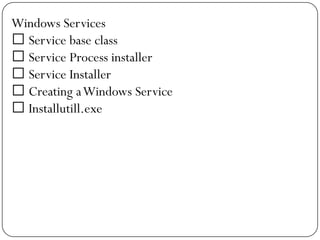
Windows Services
 Service base class
 Service Process installer
 Service Installer
 Creating a Windows Service
 Installutill.exe
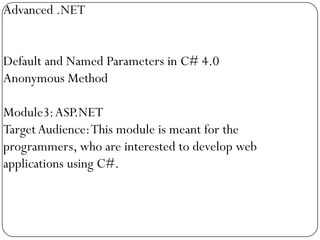
Advanced .NET


Default and Named Parameters in C# 4.0
Anonymous Method

Module3: ASP.NET
Target Audience: This module is meant for the
programmers, who are interested to develop web
applications using C#.
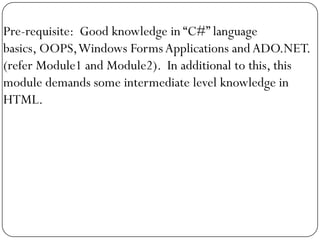
Pre-requisite: Good knowledge in “C#” language
basics, OOPS, Windows Forms Applications and ADO.NET.
(refer Module1 and Module2). In additional to this, this
module demands some intermediate level knowledge in
HTML.
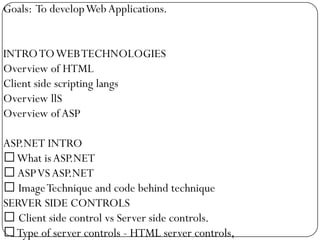
Goals: To develop Web Applications.


INTRO TO WEB TECHNOLOGIES
Overview of HTML
Client side scripting langs
Overview llS
Overview of ASP

ASP.NET INTRO
What is ASP.NET
 ASP VS ASP.NET
 Image Technique and code behind technique
SERVER SIDE CONTROLS
 Client side control vs Server side controls.
Type of server controls - HTML server controls,
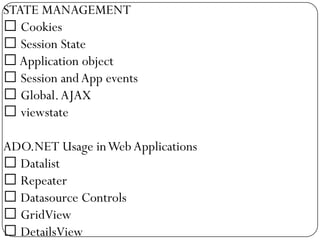
STATE MANAGEMENT
 Cookies
 Session State
 Application object
 Session and App events
 Global. AJAX
 viewstate

ADO.NET Usage in Web Applications
 Datalist
 Repeater
 Datasource Controls
 GridView
 DetailsView
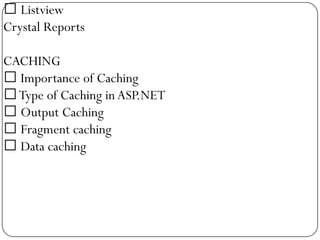
 Listview
Crystal Reports

CACHING
 Importance of Caching
 Type of Caching in ASP.NET
 Output Caching
 Fragment caching
 Data caching
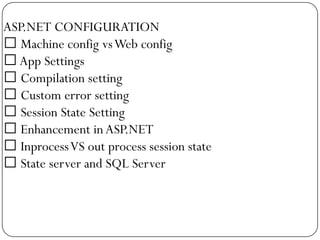
ASP.NET CONFIGURATION
 Machine config vs Web config
 App Settings
 Compilation setting
 Custom error setting
 Session State Setting
 Enhancement in ASP.NET
 Inprocess VS out process session state
 State server and SQL Server
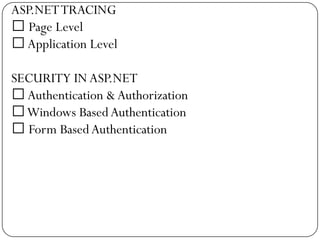
ASP.NET TRACING
 Page Level
 Application Level

SECURITY IN ASP.NET
 Authentication & Authorization
Windows Based Authentication
 Form Based Authentication
THEME AND SKIN
MASTER PAGES
SITE NAVIGATION
WEB PARTS
Web part manager
 Zone Types

Web Services Development using ASP.NET
Web Services Introduction, WSDL and SOAP
 Creating and Using Web Services

Examples on Linq .wpf , ajax and silverlght
THANK YOU
         ALL THE BEST
   FOR FREE DEMO contact us at:
EMail : raj@apex-online-it-training.com
      Phone : 00-91-8500122107
WebSite: www.apex-online-it-training.com

Dot net online training

  • 1.
    DOT NET COURSECOTENT ONLINE TRAINING FROM APEX FOR FREE DEMO contact us at: EMail : raj@apex-online-it-training.com Phone : 00-91-8500122107 WebSite: www.apex-online-it-training.com
  • 2.
    Module1: C#.NET Basicsand OOPS Target Audience: This module is meant for the programmers, who are completely new to .NET Framework and C#.NET. Pre-requisite: Good knowledge in “C” language Goals: By learning this module, you will be able to write some programs using some basic concepts of C#.NET and using OOPS.
  • 3.
    Introduction to .NET Introductionto .NET Framework Versions of .NET Framework Features and Advantages .NET Framework Architecture Components (CLS, CTS, BCL, CLR) Application Compilation and Execution Mechanism in .NET Overview of MSIL and Assemblies IL DASM .NET Framework directory BCL Architecture Overview of MS Visual Studio Versions of Visual Studio Advantages of Visual Studio
  • 4.
    C#.NET Basics Introduction toC# Command Line Demo Command Line Compiler Visual Studio Demo The IDE Solution Explorer Types Primitive Types Namespaces Variables Statements and Expressions Operators Type Casting Boxing and Unboxing References Summary
  • 5.
    C# - FlowControl and Exceptions Branching Switching Looping Jumping Throwing Exceptions Built-in Exceptions Handling Exceptions Chaining Catch Blocks Finally
  • 6.
    Summary C# OOPS (Part1) Introduction Structs Classes and Objects Reference Types Data Members and Function Members Access Modifiers Read-only Data Members Local Variables (vs) Data Members this keyword
  • 7.
    C# - Events,Properties, and Methods Overview Methods Method Review Method Overloading Fields Properties Events Events - Delegates Indexers Operator Overloading Conversion Operators Constructors Destructors Summary
  • 8.
    C# - OOPS(Part 2) Strings DateTime Enumerations Interfaces Arrays Static Members and Non-static Members Static Constructors Static Classes Inheritance Abstract Classes Abstract Functions Virtual Functions and Function Overriding Sealed Classes Partial Classes Summary
  • 9.
    C# and Generics Overview WhyGenerics? Using Generics Generic Collections Generic Methods Generic Interfaces Summary
  • 10.
    Module2: Windows FormsApp and ADO.NET Target Audience: This module is meant for the programmers, who are interested to develop graphical applications using C# and want to connect them with databases such as SQL Server and Oracle.
  • 11.
    Pre-requisite: Good knowledgein “C#” language basics and OOPS. (refer Module1) Goals: To develop Windows Forms Applications with Database interaction. GUI Application Development Introduction to Windows Forms Applications Form Properties Event Handling and Form Events Working with Multiple Forms Working with Common Controls Working With List Controls Working With Menu Controls Working with Dialog controls Working with other controls MDI Applications
  • 12.
    User Controls andEvent Handling  User Defined Control  Inherited Control  Inherited forms  Event handling Windows Forms Control Library
  • 13.
    Data Base Programming(ADO.NET) ADO .NET Introduction Data Providers in .Net Introduction to Managed and Unmanaged Providers Passing Commands to the Database Data Readers Dataset and Data Adapters Creating Relations and Transactions
  • 14.
    File Handling  System.IO namespace  FileStream  StreamReader  StreamWriter  FileInfo  DirectoryInfo Dtrsing Handlings  System.Text  string reader  string writer  string.join  string.split  string comparisions Search string
  • 15.
    .NET Remoting Understanding theneed of Remoting Channels (TCP and HTTP) Server Activated Object and Client Activated Object Remoting Architecture Demo on Remoting
  • 16.
  • 17.
    Windows Services  Servicebase class  Service Process installer  Service Installer  Creating a Windows Service  Installutill.exe
  • 18.
    Advanced .NET Default andNamed Parameters in C# 4.0 Anonymous Method Module3: ASP.NET Target Audience: This module is meant for the programmers, who are interested to develop web applications using C#.
  • 19.
    Pre-requisite: Good knowledgein “C#” language basics, OOPS, Windows Forms Applications and ADO.NET. (refer Module1 and Module2). In additional to this, this module demands some intermediate level knowledge in HTML.
  • 20.
    Goals: To developWeb Applications. INTRO TO WEB TECHNOLOGIES Overview of HTML Client side scripting langs Overview llS Overview of ASP ASP.NET INTRO What is ASP.NET  ASP VS ASP.NET  Image Technique and code behind technique SERVER SIDE CONTROLS  Client side control vs Server side controls. Type of server controls - HTML server controls,
  • 21.
    STATE MANAGEMENT  Cookies Session State  Application object  Session and App events  Global. AJAX  viewstate ADO.NET Usage in Web Applications  Datalist  Repeater  Datasource Controls  GridView  DetailsView
  • 22.
     Listview Crystal Reports CACHING Importance of Caching  Type of Caching in ASP.NET  Output Caching  Fragment caching  Data caching
  • 23.
    ASP.NET CONFIGURATION  Machineconfig vs Web config  App Settings  Compilation setting  Custom error setting  Session State Setting  Enhancement in ASP.NET  Inprocess VS out process session state  State server and SQL Server
  • 24.
    ASP.NET TRACING  PageLevel  Application Level SECURITY IN ASP.NET  Authentication & Authorization Windows Based Authentication  Form Based Authentication
  • 25.
    THEME AND SKIN MASTERPAGES SITE NAVIGATION WEB PARTS Web part manager  Zone Types Web Services Development using ASP.NET Web Services Introduction, WSDL and SOAP  Creating and Using Web Services Examples on Linq .wpf , ajax and silverlght
  • 26.
    THANK YOU ALL THE BEST FOR FREE DEMO contact us at: EMail : raj@apex-online-it-training.com Phone : 00-91-8500122107 WebSite: www.apex-online-it-training.com

Editor's Notes

  • #2 FOR FREE DEMO contact us at:EMail : raj@apex-online-it-training.comPhone : 00-91-8500122107WebSite: www.apex-online-it-training.com
  • #3 FOR FREE DEMO contact us at:EMail : raj@apex-online-it-training.comPhone : 00-91-8500122107WebSite: www.apex-online-it-training.com
  • #4 FOR FREE DEMO contact us at:EMail : raj@apex-online-it-training.comPhone : 00-91-8500122107WebSite: www.apex-online-it-training.com
  • #5 FOR FREE DEMO contact us at:EMail : raj@apex-online-it-training.comPhone : 00-91-8500122107WebSite: www.apex-online-it-training.com
  • #6 FOR FREE DEMO contact us at:EMail : raj@apex-online-it-training.comPhone : 00-91-8500122107WebSite: www.apex-online-it-training.com
  • #7 FOR FREE DEMO contact us at:EMail : raj@apex-online-it-training.comPhone : 00-91-8500122107WebSite: www.apex-online-it-training.com
  • #8 FOR FREE DEMO contact us at:EMail : raj@apex-online-it-training.comPhone : 00-91-8500122107WebSite: www.apex-online-it-training.com
  • #10 FOR FREE DEMO contact us at:EMail : raj@apex-online-it-training.comPhone : 00-91-8500122107WebSite: www.apex-online-it-training.com
  • #11 FOR FREE DEMO contact us at:EMail : raj@apex-online-it-training.comPhone : 00-91-8500122107WebSite: www.apex-online-it-training.com
  • #12 FOR FREE DEMO contact us at:EMail : raj@apex-online-it-training.comPhone : 00-91-8500122107WebSite: www.apex-online-it-training.com
  • #13 FOR FREE DEMO contact us at:EMail : raj@apex-online-it-training.comPhone : 00-91-8500122107WebSite: www.apex-online-it-training.com
  • #14 FOR FREE DEMO contact us at:EMail : raj@apex-online-it-training.comPhone : 00-91-8500122107WebSite: www.apex-online-it-training.com
  • #15 FOR FREE DEMO contact us at:EMail : raj@apex-online-it-training.comPhone : 00-91-8500122107WebSite: www.apex-online-it-training.com
  • #16 FOR FREE DEMO contact us at:EMail : raj@apex-online-it-training.comPhone : 00-91-8500122107WebSite: www.apex-online-it-training.com
  • #17 FOR FREE DEMO contact us at:EMail : raj@apex-online-it-training.comPhone : 00-91-8500122107WebSite: www.apex-online-it-training.com
  • #18 FOR FREE DEMO contact us at:EMail : raj@apex-online-it-training.comPhone : 00-91-8500122107WebSite: www.apex-online-it-training.com
  • #19 FOR FREE DEMO contact us at:EMail : raj@apex-online-it-training.comPhone : 00-91-8500122107WebSite: www.apex-online-it-training.com
  • #20 FOR FREE DEMO contact us at:EMail : raj@apex-online-it-training.comPhone : 00-91-8500122107WebSite: www.apex-online-it-training.com
  • #21 FOR FREE DEMO contact us at:EMail : raj@apex-online-it-training.comPhone : 00-91-8500122107WebSite: www.apex-online-it-training.com
  • #22 FOR FREE DEMO contact us at:EMail : raj@apex-online-it-training.comPhone : 00-91-8500122107WebSite: www.apex-online-it-training.com
  • #23 FOR FREE DEMO contact us at:EMail : raj@apex-online-it-training.comPhone : 00-91-8500122107WebSite: www.apex-online-it-training.com
  • #24 FOR FREE DEMO contact us at:EMail : raj@apex-online-it-training.comPhone : 00-91-8500122107WebSite: www.apex-online-it-training.com
  • #25 FOR FREE DEMO contact us at:EMail : raj@apex-online-it-training.comPhone : 00-91-8500122107WebSite: www.apex-online-it-training.com
  • #26 FOR FREE DEMO contact us at:EMail : raj@apex-online-it-training.comPhone : 00-91-8500122107WebSite: www.apex-online-it-training.com