DNES Network Map
Introduction & Tutorial
Objective:
Make a shared tool available for partner
relationship management:
1. Easy to visualize and (online) collaborate
2. Easy to edit and update over time
3. Easy to export and import
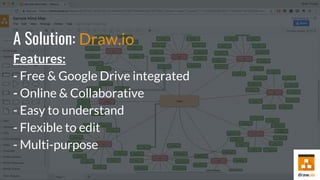
A Solution: Draw.io
Features:
- Free & Google Drive integrated
- Online & Collaborative
- Easy to understand
- Flexible to edit
- Multi-purpose
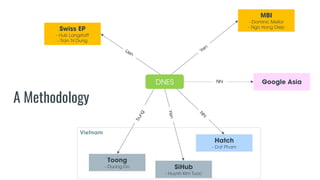
A Methodology
MBI
- Dominic Mellor
- Ngo Hong DiepSwiss EP
- Hub Langstaff
- Tran Tri Dung
Toong
- Duong Do
Hatch
- Dat Pham
DNES
SiHub
- Huynh Kim Tuoc
Google AsiaNhi
Vietnam
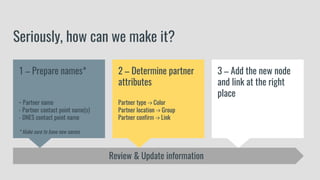
Seriously, how can we make it?
3 – Add the new node
and link at the right
place
1 – Prepare names*
- Partner name
- Partner contact point name(s)
- DNES contact point name
* Make sure to have new names
2 – Determine partner
attributes
Partner type -> Color
Partner location -> Group
Partner confirm -> Link
Review & Update information
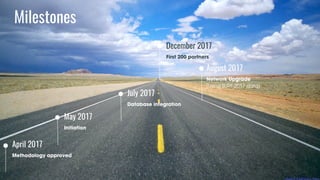
Milestones
April 2017
Methodology approved
July 2017
Database integration
December 2017
First 200 partners
August 2017
Network Upgrade
(Using SURF 2017 data)
May 2017
Initiation
Contact Database
*Link:https://docs.google.com/spreadsheets/d/1ja
aQLNPP0MBhWOsb7jfCMvrpRHAGCOscZPrViVmf3t
U/edit?usp=sharing
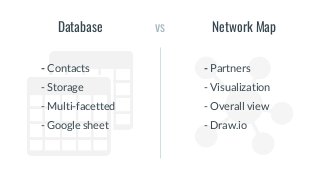
vsDatabase Network Map
- Contacts
- Storage
- Multi-facetted
- Google sheet
- Partners
- Visualization
- Overall view
- Draw.io
Now, run!

Dnes network map