Why is digitaltransformation in education
important ?
1. IMPROVE ACCESSIBILITY AND ACCESS:
One of the most inspiring digital transformation trends visible
in education is the improved accessibility to school by virtual
online classes and vocational studies for students of all ages.
For example : text-to-speech programs can help to improve
the ability of all students to access the information presented
through schools.
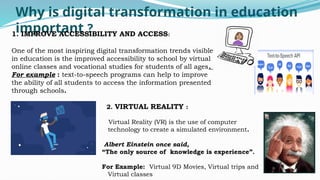
2. VIRTUAL REALITY :
Virtual Reality (VR) is the use of computer
technology to create a simulated environment.
Albert Einstein once said,
“The only source of knowledge is experience”.
For Example: Virtual 9D Movies, Virtual trips and
Virtual classes
5.
Why is digitaltransformation in education
important ?
3. CLOUD BASED LEARNING :
It is online learning that takes place on the cloud –
A virtual space that is not tied to any one computer.
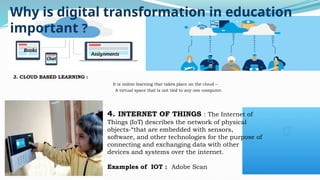
4. INTERNET OF THINGS : The Internet of
Things (IoT) describes the network of physical
objects-“that are embedded with sensors,
software, and other technologies for the purpose of
connecting and exchanging data with other
devices and systems over the internet.
Examples of IOT : Adobe Scan
Assignments
Chat
Books
6.
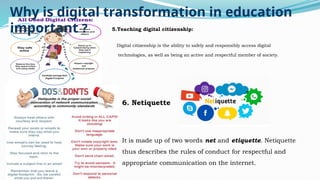
5.Teaching digital citizenship:
Digitalcitizenship is the ability to safely and responsibly access digital
technologies, as well as being an active and respectful member of society.
.
Why is digital transformation in education
important ?
6. Netiquette
It is made up of two words net and etiquette. Netiquette
thus describes the rules of conduct for respectful and
appropriate communication on the internet.
7.
What are thekey technologies and trends
enabling digital transformation in education?
Analytics Virtual
reality
Robotics
8.
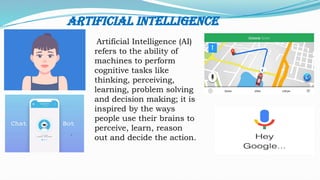
Artificial Intelligence
Artificial Intelligence(AI)
refers to the ability of
machines to perform
cognitive tasks like
thinking, perceiving,
learning, problem solving
and decision making; it is
inspired by the ways
people use their brains to
perceive, learn, reason
out and decide the action.
9.
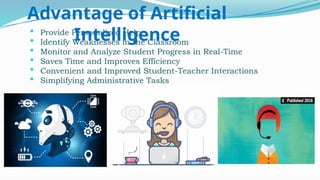
Provide PersonalizedHelp
Identify Weaknesses in the Classroom
Monitor and Analyze Student Progress in Real-Time
Saves Time and Improves Efficiency
Convenient and Improved Student-Teacher Interactions
Simplifying Administrative Tasks
Advantage of Artificial
Intelligence
10.
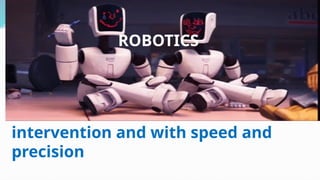
A Robotic isa type of automated
machine that can execute specific
tasks with little or no human
intervention and with speed and
precision
ROBOTICS
11.
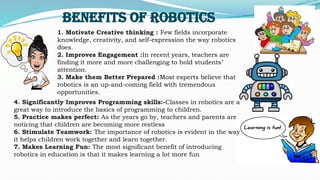
1. Motivate Creativethinking : Few fields incorporate
knowledge, creativity, and self-expression the way robotics
does.
2. Improves Engagement :In recent years, teachers are
finding it more and more challenging to hold students’
attention.
3. Make them Better Prepared :Most experts believe that
robotics is an up-and-coming field with tremendous
opportunities.
Benefits of Robotics
4. Significantly Improves Programming skills:-Classes in robotics are a
great way to introduce the basics of programming to children.
5. Practice makes perfect: As the years go by, teachers and parents are
noticing that children are becoming more restless
6. Stimulate Teamwork: The importance of robotics is evident in the way
it helps children work together and learn together.
7. Makes Learning Fun: The most significant benefit of introducing
robotics in education is that it makes learning a lot more fun
12.
Block chain givesstudents ownership of their personal records and allowing them to control
their academic identity. This makes proving the accuracy of the credentials on their resumes.
Block chain gives students ownership of their
personal records and allowing them to control their
academic identity. This makes proving the accuracy
of the credentials on their resumes.
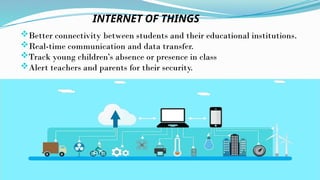
Better connectivity betweenstudents and their educational institutions.
Real-time communication and data transfer.
Track young children’s absence or presence in class
Alert teachers and parents for their security.
INTERNET OF THINGS
15.
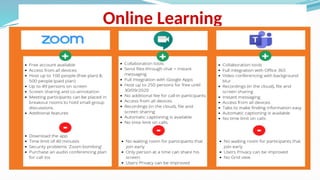
Virtual/Online Learning
Online learningis education that takes place over the
Internet. It is often referred to as “e- learning” among
other terms. However, online learning is just one type of
“distance learning”.
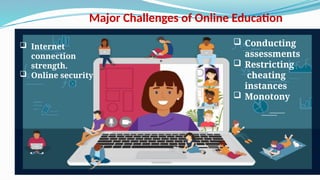
Major Challenges ofOnline Education
Internet
connection
strength.
Online security
Conducting
assessments
Restricting
cheating
instances
Monotony
18.
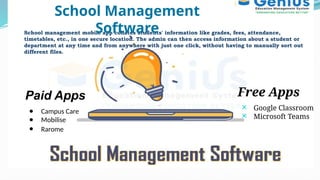
School management mobileapp collates students' information like grades, fees, attendance,
timetables, etc., in one secure location. The admin can then access information about a student or
department at any time and from anywhere with just one click, without having to manually sort out
different files.
Free Apps
Google Classroom
Microsoft Teams
Paid Apps
● Campus Care
● Mobilise
● Rarome
School Management
Software
19.
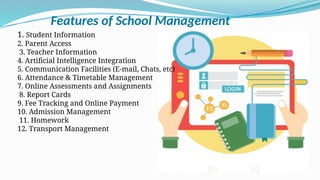
Features of SchoolManagement
1. Student Information
2. Parent Access
3. Teacher Information
4. Artificial Intelligence Integration
5. Communication Facilities (E-mail, Chats, etc)
6. Attendance & Timetable Management
7. Online Assessments and Assignments
8. Report Cards
9. Fee Tracking and Online Payment
10. Admission Management
11. Homework
12. Transport Management
20.
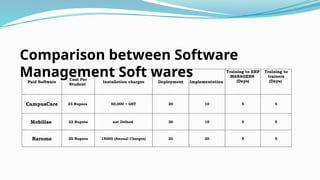
Paid Software
Cost Per
Student
Installationcharges Deployment Implementation
Training to ERP
MANAGERS
(Days)
Training to
trainers
(Days)
CampusCare 23 Rupees 50,000 + GST 20 10 5 5
Mobilise 22 Rupees not Defned 30 10 5 5
Rarome 20 Rupees 15000 (Annual Charges) 20 20 5 5
Comparison between Software
Management Soft wares
21.
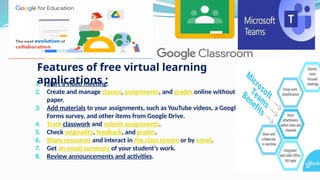
1. Start avideo meeting.
2. Create and manage classes, assignments, and grades online without
paper.
3. Add materials to your assignments, such as YouTube videos, a Google
Forms survey, and other items from Google Drive.
4. Track classwork and submit assignments.
5. Check originality, feedback, and grades.
6. Share resources and interact in the class stream or by email.
7. Get an email summary of your student’s work.
8. Review announcements and activities.
Features of free virtual learning
applications :
22.
Train the Trainers,Parents &
Students
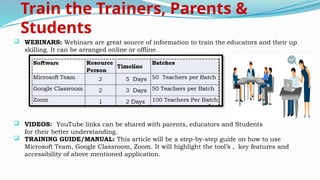
WEBINARS: Webinars are great source of information to train the educators and their up
skilling. It can be arranged online or offline.
VIDEOS: YouTube links can be shared with parents, educators and Students
for their better understanding.
TRAINING GUIDE/MANUAL: This article will be a step-by-step guide on how to use
Microsoft Team, Google Classroom, Zoom. It will highlight the tool’s , key features and
accessibility of above mentioned application.