Digital marketing refersto promoting products or services
using online platforms and digital technologies, such as
websites, social media, search engines, email, and mobile
apps. It enables businesses to connect with their customers
directly through the internet, offering opportunities for
interaction and engagement.
1. Overview of Digital Marketing
1970s–1980s: The rootsof digital marketing can be traced
back to the first email sent in the 1970s. However, it
wasn’t until the 1990s that digital marketing truly started
to take shape, as businesses began to see the potential of
the Internet for advertising.
1990: The term “Digital Marketing” was first used. The
first search engine, Archie, was launched, allowing users
to search for files online
The Early Days: Foundations of Digital Marketing
7.
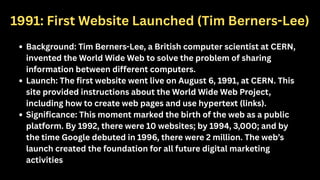
1991: First WebsiteLaunched (Tim Berners-Lee)
Background: Tim Berners-Lee, a British computer scientist at CERN,
invented the World Wide Web to solve the problem of sharing
information between different computers.
Launch: The first website went live on August 6, 1991, at CERN. This
site provided instructions about the World Wide Web Project,
including how to create web pages and use hypertext (links).
Significance: This moment marked the birth of the web as a public
platform. By 1992, there were 10 websites; by 1994, 3,000; and by
the time Google debuted in 1996, there were 2 million. The web’s
launch created the foundation for all future digital marketing
activities
8.
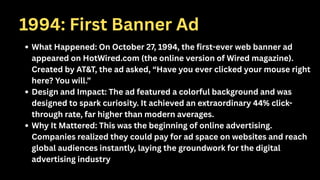
1994: First BannerAd
What Happened: On October 27, 1994, the first-ever web banner ad
appeared on HotWired.com (the online version of Wired magazine).
Created by AT&T, the ad asked, “Have you ever clicked your mouse right
here? You will.”
Design and Impact: The ad featured a colorful background and was
designed to spark curiosity. It achieved an extraordinary 44% click-
through rate, far higher than modern averages.
Why It Mattered: This was the beginning of online advertising.
Companies realized they could pay for ad space on websites and reach
global audiences instantly, laying the groundwork for the digital
advertising industry
9.
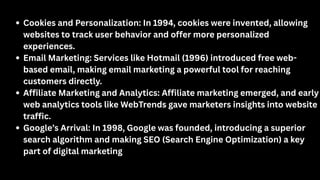
Cookies and Personalization:In 1994, cookies were invented, allowing
websites to track user behavior and offer more personalized
experiences.
Email Marketing: Services like Hotmail (1996) introduced free web-
based email, making email marketing a powerful tool for reaching
customers directly.
Affiliate Marketing and Analytics: Affiliate marketing emerged, and early
web analytics tools like WebTrends gave marketers insights into website
traffic.
Google’s Arrival: In 1998, Google was founded, introducing a superior
search algorithm and making SEO (Search Engine Optimization) a key
part of digital marketing
The early 2000ssaw the dot-com bubble burst, but it also led to
innovation and the rise of new digital marketing tools.
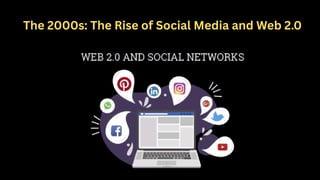
Social Media Platforms: LinkedIn (2002), MySpace (2003), Facebook
(2004), and YouTube (2005) emerged, allowing brands to connect
with audiences in new, interactive ways.
Web 2.0: The internet became more interactive, with users creating
and sharing content. Businesses could now engage directly with
customers through blogs, forums, and social media.
Mobile Text Marketing: SMS marketing gained popularity, enabling
brands to reach customers on their phones
The launch ofsmartphones and mobile apps shifted marketing strategies to
focus on mobile users.
Smartphones and Apps: Platforms like WhatsApp, Instagram, and
Snapchat became popular, and brands had to adapt to mobile-first
strategies.
Data-Driven Marketing: Advanced analytics, cookies, and tracking
technologies allowed marketers to target audiences more precisely and
personalize campaigns.
Influencer Marketing: Social media influencers became key players, with
brands leveraging their reach to promote products authentically2.
E-Commerce Growth: Online shopping exploded, with platforms like
Amazon leading the way.
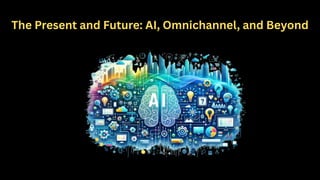
Today, digital marketingis more advanced and data-driven than ever before.
Mobile-First World: Most digital media time is now spent on mobile devices,
and Google uses mobile-first indexing for search rankings.
AI and Automation: Artificial intelligence powers chatbots, predictive
analytics, and automated ad buying, making marketing more efficient and
personalized.
Omnichannel Strategies: Brands focus on delivering seamless experiences
across websites, social media, email, and apps, meeting customers wherever
they are.
Voice Search and Emerging Tech: Voice assistants and new technologies
continue to shape the future of digital marketing
Digital marketing iscrucially important in today’s world because it shapes how
businesses reach, engage, and convert customers in a rapidly evolving digital
landscape. Here are the key reasons for its significance in 2025, supported by the
latest data:
Unprecedented Reach and Engagement: Over 5.24 billion people—64% of the
global population—actively use social media, spending an average of 2 hours and
24 minutes daily across multiple platforms. This massive, engaged audience makes
digital channels essential for brand awareness and customer engagement.
Dominance of Digital Ad Spend: Global digital advertising spend is expected to
surpass $500 billion in 2025 and could reach $1.1 trillion by 2030, showing that
businesses prioritize digital over traditional marketing to maximize ROI.
Mobile-First and Video-Driven: Mobile advertising will account for 70% of total ad
spending by 2028, and video content will represent 82% of all internet traffic.
Brands must optimize for mobile devices and leverage video to capture attention
and drive conversions
18.
Data-Driven Decision Making:Digital marketing relies on analytics and
metrics, enabling businesses to measure campaign effectiveness and
adjust strategies in real time for better results.
SEO and Organic Search: SEO remains a cornerstone, driving 68% of all
online experiences and accounting for over half of website traffic.
Ranking high in search results is vital for visibility and customer
acquisition.
Email and Content Marketing: Email marketing delivers one of the highest
ROIs, with $36–$40 returned for every $1 spent. Content marketing,
especially through blogs and interactive videos, boosts sales,
conversions, and customer loyalty
19.
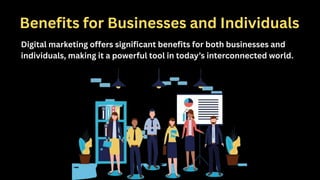
Benefits for Businessesand Individuals
Digital marketing offers significant benefits for both businesses and
individuals, making it a powerful tool in today’s interconnected world.
Global Reach: Digitalmarketing breaks geographical barriers, allowing even
small businesses to reach customers worldwide through channels like social
media, search engines, and email.
Cost Efficiency: Compared to traditional marketing, digital marketing is more
affordable and offers better returns on investment, making it accessible for
businesses of all sizes.
Measurable Results: With analytics tools, businesses can track the
performance of campaigns in real time, measure ROI, and quickly adjust
strategies for better outcomes.
Effective Targeting: Advanced targeting options enable businesses to reach
specific audiences based on demographics, interests, and behaviors, increasing
the likelihood of conversions
22.
Increased Engagement: Digitalplatforms allow for direct interaction with
customers through comments, messages, and social media, building
stronger relationships and brand loyalty.
Flexibility and Adaptability: Campaigns can be quickly modified or
optimized based on performance data, allowing businesses to stay agile in
a fast-changing market.
Improved Conversion Rates: By making it easier for customers to take
action online, digital marketing often leads to higher conversion rates
compared to traditional methods.
Social Currency: Engaging content can be shared widely, increasing brand
visibility and influence.
Greater ROI: The combination of cost-effectiveness, precise targeting,
and real-time data means businesses often see a higher return on
investment
Personal Branding: Individualscan build and promote their personal
brands using social media, blogs, and personal websites, showcasing
expertise and attracting new opportunities.
Career Advancement: Digital marketing skills are highly valued by
employers. Job seekers can use these skills to enhance their online
presence, connect with recruiters, and access more job opportunities.
Freelancing and Entrepreneurship: Digital marketing provides freelancers
and entrepreneurs with affordable ways to reach clients, promote
services, and grow their businesses globally.
Cost-Effective Self-Promotion: Individuals can market themselves or
their work with minimal investment, using tools like social media, email
marketing, and content creation
25.
Credibility and Authority:Regularly sharing valuable content helps
individuals establish themselves as thought leaders, building trust
and credibility in their field.
Networking and Connections: Digital marketing enables individuals to
connect directly with audiences, peers, and industry leaders,
fostering valuable relationships and collaborations.
Staying Relevant: Maintaining a strong digital presence helps
individuals remain visible and relevant in their industries, opening
doors to new collaborations and projects
26.
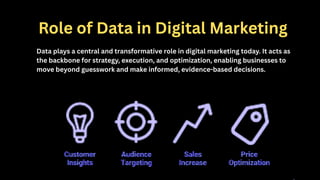
Role of Datain Digital Marketing
Data plays a central and transformative role in digital marketing today. It acts as
the backbone for strategy, execution, and optimization, enabling businesses to
move beyond guesswork and make informed, evidence-based decisions.
Informed Decision-Making: Dataallows marketers to measure campaign
performance, understand what’s working, and identify areas for
improvement. This ongoing measurement and analysis help businesses
adjust their strategies to achieve better outcomes.
Personalization: By analyzing customer behavior, preferences, and
engagement across various touchpoints, marketers can tailor content,
offers, and communications to individual users. This leads to more relevant
experiences and higher engagement rates.
Improved ROI: Data-driven marketing enables precise targeting and resource
allocation. Marketers can focus budgets on the most effective channels and
strategies, maximizing return on investment
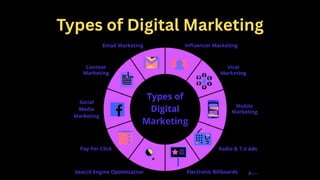
1. Search EngineOptimization (SEO)
SEO is the process of optimizing websites and content to rank higher in
search engine results pages (SERPs) like Google. It helps businesses attract
organic (non-paid) traffic by making their content more visible to people
actively searching for related topics. SEO involves keyword research, on-
page optimization, technical SEO, and backlink building.
2. Content Marketing
This involves creating and sharing valuable, relevant content such as blog
posts, videos, infographics, podcasts, and eBooks. The goal is to educate,
engage, and build trust with the target audience, establishing the brand as
an authority and nurturing leads over time.
32.
3. Social MediaMarketing
Using platforms like Facebook, Instagram, TikTok, LinkedIn, and
Twitter, social media marketing focuses on building brand awareness,
engaging audiences, and driving traffic through both organic posts and
paid advertisements. It allows direct interaction with customers and
community building.
4. Pay-Per-Click Advertising (PPC)
PPC is a paid advertising model where advertisers pay a fee each time
their ad is clicked. Common platforms include Google Ads and social
media ads. PPC provides immediate visibility and targeted reach,
making it ideal for driving quick traffic and conversions.
33.
5. Email Marketing
Despitethe rise of social media, email marketing remains one of the
most effective channels for personalized communication. It nurtures
leads, promotes products, shares company news, and builds customer
loyalty. Segmentation and automation allow highly tailored messages.
6. Affiliate Marketing
Affiliate marketing is a performance-based strategy where affiliates
promote a company’s products or services and earn commissions on
sales generated through their referrals. It expands reach by leveraging
trusted partners.
34.
7. Influencer Marketing
Thisstrategy involves collaborating with social media influencers who have
loyal and engaged audiences. Influencers promote products authentically,
helping brands build trust and increase awareness, especially among niche
or younger demographics.
8. Video Marketing
Video content is highly engaging and can be used for product demos,
tutorials, testimonials, and storytelling. Platforms like YouTube, TikTok, and
Instagram Reels are popular for video marketing, helping brands capture
attention and drive conversions.
35.
9. Mobile Marketing
Mobilemarketing targets users on smartphones and tablets through SMS
campaigns, push notifications, mobile apps, and mobile-optimized websites.
Given that most internet usage is on mobile devices, this channel is crucial for
reaching users on the go.
10. Viral Marketing
This approach aims to create content that spreads rapidly across the internet
through shares, likes, and word-of-mouth, dramatically increasing brand
exposure in a short time.
1. AI andMachine Learning Integration
Artificial Intelligence (AI) and Machine Learning (ML) have become the backbone of
modern digital marketing. Around 70-75% of marketing strategies now rely on AI to
personalize content, automate campaigns, and analyze vast amounts of data. AI helps
marketers deliver highly targeted ads, optimize customer journeys, and predict
consumer behavior with greater accuracy. However, human creativity remains
essential, as purely AI-generated content tends to underperform compared to human-
AI collaboration.
2. Search Everywhere Optimization
Search is no longer confined to Google or traditional search engines. Platforms like
YouTube (the second largest search engine), TikTok, and AI chatbots like ChatGPT have
become primary search tools, especially for younger generations (40% of Gen Z use
TikTok as their main search engine). Marketers must optimize content for multiple
platforms to capture visibility everywhere users search, a strategy called search
everywhere optimization.
38.
3. Voice SearchGrowth
Voice search continues to grow rapidly, with over 1 billion voice searches
monthly. Optimizing for voice queries—often conversational and question-
based—is critical as more consumers use smart speakers and voice
assistants like Alexa and Google Assistant for shopping and information.
4. Visual Search Expansion
Visual search technology, which lets users search using images instead of
text, processes over 10 billion queries per month. Platforms like Google
Lens and Pinterest Lens enable consumers to discover products through
photos, changing how brands approach product discovery and SEO.
39.
5. Social CommerceExplosion
Social media platforms are transforming into full-fledged shopping
destinations. Social commerce is projected to exceed $1 trillion in revenue
by 2028. Features like shoppable posts, live shopping events, and in-app
checkout make it easier for consumers to buy directly through platforms like
Instagram, TikTok, and Facebook. Influencers play a vital role in this
ecosystem by driving discovery and authentic recommendations.
6. Platform and Channel Integration (Omnichannel Marketing)
Brands that successfully integrate their marketing efforts across multiple
channels—websites, social media, email, apps—see significant performance
gains. AI-powered tools help synchronize campaigns, leading to up to 35%
improvement in marketing results, higher customer retention, and increased
average order values. Consistent messaging and seamless customer
experiences across platforms are now essential.
40.
7. Video andShort-Form Content Dominance
Video content, especially short-form videos on TikTok, Instagram
Reels, and YouTube Shorts, continues to dominate engagement.
Videos appear in over 60% of search results and generate higher
click-through rates than text alone. Marketers are investing heavily
in video storytelling, live streams, and interactive formats to capture
attention.
8. Ethics, Transparency, and Privacy
With growing concerns about data privacy and ethical marketing,
brands must prioritize transparency and responsible data use.
Consumers increasingly favor brands that demonstrate authenticity,
sustainability, and social responsibility. Purpose-driven marketing
and user-generated content help build trust and deeper
connections.
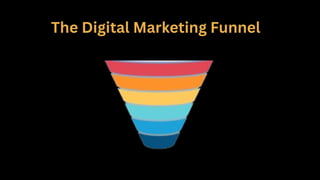
What is aDigital Marketing Funnel?
The Digital Marketing Funnel is a model that explains the journey a
customer goes through — from discovering your brand to becoming a
loyal customer.
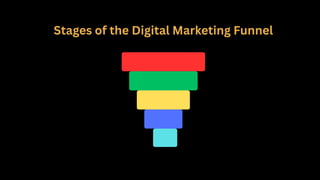
It’s shaped like a funnel because many people enter at the top, but
only a few make it to the bottom and convert.
43.
Why is itImportant in Digital Marketing?
✔Helps you understand what your audience needs at each stage
✔Helps create relevant content and marketing campaigns
✔Increases chances of conversions and sales
✔Builds long-term customer relationships
1. Awareness Stage(Top of Funnel - TOFU)
Goal: Let people know that your brand exists.
At this point, people may not know about your brand. You need to create visibility.
Strategies:
Blog posts
Social media posts (Instagram Reels, YouTube Shorts)
SEO content
Online ads (Facebook, Google)
Influencer marketing
Example:
A student sees your Instagram ad saying: “Want to learn digital marketing? Check this
out!”
46.
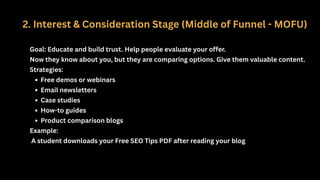
2. Interest &Consideration Stage (Middle of Funnel - MOFU)
Goal: Educate and build trust. Help people evaluate your offer.
Now they know about you, but they are comparing options. Give them valuable content.
Strategies:
Free demos or webinars
Email newsletters
Case studies
How-to guides
Product comparison blogs
Example:
A student downloads your Free SEO Tips PDF after reading your blog
47.
3. Decision Stage(Bottom of Funnel - BOFU)
Goal: Convert the lead into a paying customer.
The person is ready to take action, and you need to encourage them with the right offers.
Strategies:
Discounts or limited-time offers
Testimonials or student success stories
Free trial or course demo
Retargeting ads (to remind them)
Example:
A student who showed interest in your course receives an email:
"Join today and get 20% off. Offer ends tonight!"
48.
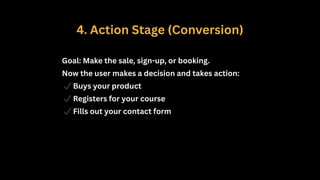
4. Action Stage(Conversion)
Goal: Make the sale, sign-up, or booking.
Now the user makes a decision and takes action:
✔Buys your product
✔Registers for your course
✔Fills out your contact form
49.
5. Loyalty &Advocacy Stage
Goal: Turn customers into repeat buyers and brand promoters.
After someone converts, your goal is to retain them and turn them into referrers.
Strategies:
Thank-you emails
Loyalty programs
Referral bonuses
Surveys & feedback forms
Special offers for existing customers
Example:
A student who completed your course gets:
"Refer a friend and get ₹500 cashback!"
50.
Adapting to ChangingAlgorithms
Adapting to changing algorithms—especially with Google’s frequent and
impactful updates in 2024 and 2025—requires a proactive, quality-first
approach to SEO and content strategy. Here’s how you and your students can
effectively respond to these changes:
51.
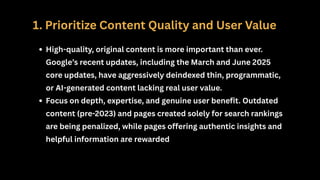
1. Prioritize ContentQuality and User Value
High-quality, original content is more important than ever.
Google’s recent updates, including the March and June 2025
core updates, have aggressively deindexed thin, programmatic,
or AI-generated content lacking real user value.
Focus on depth, expertise, and genuine user benefit. Outdated
content (pre-2023) and pages created solely for search rankings
are being penalized, while pages offering authentic insights and
helpful information are rewarded
52.
2. Monitor andAnalyze Performance—But Don’t Overreact
During core update rollouts (which can last up to three weeks), expect
significant ranking fluctuations and traffic changes across all
industries.
Google advises not to make hasty changes while an update is still
rolling out. Instead, document shifts, monitor key search terms, and
analyze Search Console data for accurate insights.
After the rollout, assess which pages lost or gained visibility and
identify patterns related to content type, quality, or technical factors
53.
3. Align withGoogle’s E-E-A-T Principles
Google continues to emphasize Experience, Expertise, Authoritativeness,
and Trustworthiness (E-E-A-T) as central ranking factors.
Demonstrate real-world experience, cite credible sources, and showcase
author credentials to build trust and authority in your content.
54.
4. Optimize forUser Experience and Mobile
User experience (UX) signals—including Core Web Vitals, fast loading
speeds, intuitive navigation, and minimal intrusive ads—are
increasingly weighted in rankings.
Ensure your site is mobile-friendly and meets mobile-first indexing
standards, as Google now primarily uses the mobile version for
ranking
55.
5. Remove orImprove Low-Value Pages
Audit your site for thin, outdated, or low-value pages. Remove, merge,
or substantially improve them to avoid penalties.
Focus on consolidating content and ensuring every page serves a
clear, valuable purpose for users.
6. Stay Informed and Flexible
Keep up with industry news, Google’s official announcements, and
trusted SEO sources to understand upcoming changes and best
practices.
Be ready to adapt your strategies as new updates roll out—what works
today may need adjustment tomorrow.
56.
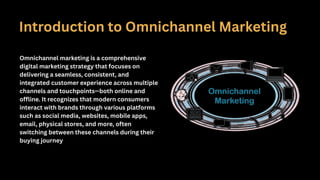
Introduction to OmnichannelMarketing
Omnichannel marketing is a comprehensive
digital marketing strategy that focuses on
delivering a seamless, consistent, and
integrated customer experience across multiple
channels and touchpoints—both online and
offline. It recognizes that modern consumers
interact with brands through various platforms
such as social media, websites, mobile apps,
email, physical stores, and more, often
switching between these channels during their
buying journey
1.Consistent Messaging AcrossChannels
Whether a customer encounters your brand on Instagram, via email, or in a physical store, the
messaging, branding, and overall experience remain uniform and coherent.
2. Integration of Marketing and Sales Channels
Omnichannel marketing connects all channels—social media, email, websites, mobile apps,
physical stores—so customers can move effortlessly between them. For example, a customer
might browse products on a mobile app, receive a reminder email about their cart, and
complete the purchase in-store.
59.
3. Customer-Centric Approach
Thestrategy is designed around the customer’s preferences and behaviors,
offering personalized experiences based on their interactions across
channels.
4. Unified Operations and Fulfillment
Behind the scenes, omnichannel marketing requires integrated company
operations, including inventory management and customer relationship
management (CRM), ensuring real-time updates and smooth order
fulfillment.
Improves Customer Experience:Customers enjoy a frictionless journey,
engaging with your brand on their terms without disruption or
inconsistent information.
Increases Customer Loyalty: Consistency and personalization across
channels build trust and encourage repeat business.
Boosts Sales and ROI: By meeting customers wherever they are and
making it easy to buy, omnichannel strategies drive higher conversion
rates.
Adapts to Modern Consumer Behavior: With consumers frequently
switching devices and platforms, omnichannel ensures your brand stays
relevant and accessible.
1. Reach
Digital Marketing:
Offersglobal reach—your campaigns can be seen by anyone, anywhere in
the world with internet access.
Easily scalable, allowing you to start local and expand internationally
without major logistical changes.
Content remains accessible for a long time (e.g., blog posts, social media),
continuing to attract new audiences.
Traditional Marketing:
Typically has a local or regional reach, limited by the distribution area of TV,
radio, newspapers, or billboards.
Expanding reach (e.g., to a national TV audience) is possible but much more
expensive and complex.
Once a campaign ends (like a TV ad spot), its reach stops unless you pay for
more exposure
65.
2. Targeting
Digital Marketing:
Allowsfor precise targeting using data such as age, location, interests,
online behavior, and more.
You can personalize messages for micro-segments or even individuals,
increasing relevance and effectiveness.
Retargeting and lookalike audiences help marketers reach people most
likely to convert.
Traditional Marketing:
Broad targeting—messages are sent to large, general audiences (e.g.,
everyone watching a TV channel or reading a newspaper).
Limited ability to personalize; everyone sees the same ad regardless of
their interests or demographics
66.
3. Cost
Digital Marketing:
Generallymore cost-effective and offers options for every budget.
You can start with a small investment (e.g., social media ads, email
campaigns) and scale up as needed.
Higher return on investment (ROI) due to better targeting and measurable
results.
Traditional Marketing:
Higher upfront costs—TV, radio, and print ads are expensive, especially for
prime slots or large formats.
Costs increase significantly with wider reach or repeated exposure.
ROI is harder to track and often lower compared to digital methods
67.
4. Analytics
Digital Marketing:
Providesdetailed, real-time analytics—you can track impressions, clicks,
conversions, and user behavior instantly.
Easy to measure ROI and optimize campaigns based on data.
Enables quick adjustments to improve performance (e.g., changing ad copy or
targeting).
Traditional Marketing:
Limited analytics—effectiveness is measured through indirect methods like
surveys or sales data, which can be slow and imprecise.
Difficult to know exactly how many people saw or engaged with your ad.
Making changes to a campaign is slow and often costly
Digital Marketing Pros
GlobalReach: Easily connect with audiences worldwide, regardless of your
business size.
Precise Targeting: Use data to target specific demographics, interests, and
behaviors, making campaigns highly effective.
Cost-Effective: Lower costs than traditional methods; flexible budgets for
small and large businesses alike.
Measurable Results: Real-time analytics let you track performance, ROI, and
make quick adjustments.
Personalization: Deliver tailored messages to individuals or micro-segments,
increasing engagement.
High Engagement: Interactive content (polls, quizzes, social media) builds
relationships and loyalty.
24/7 Availability: Campaigns run around the clock, reaching users at any time
70.
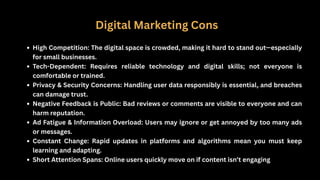
Digital Marketing Cons
HighCompetition: The digital space is crowded, making it hard to stand out—especially
for small businesses.
Tech-Dependent: Requires reliable technology and digital skills; not everyone is
comfortable or trained.
Privacy & Security Concerns: Handling user data responsibly is essential, and breaches
can damage trust.
Negative Feedback is Public: Bad reviews or comments are visible to everyone and can
harm reputation.
Ad Fatigue & Information Overload: Users may ignore or get annoyed by too many ads
or messages.
Constant Change: Rapid updates in platforms and algorithms mean you must keep
learning and adapting.
Short Attention Spans: Online users quickly move on if content isn’t engaging
71.
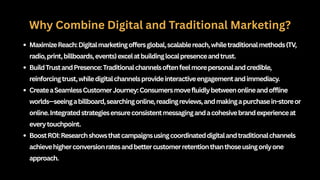
Combining Digital andTraditional Strategies
Combining digital and traditional marketing strategies
—often called integrated or omnichannel marketing—
is now considered the most effective approach for
reaching and engaging today’s consumers.
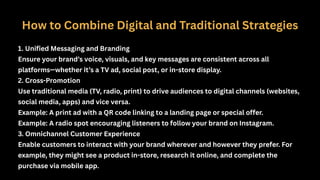
How to CombineDigital and Traditional Strategies
1. Unified Messaging and Branding
Ensure your brand’s voice, visuals, and key messages are consistent across all
platforms—whether it’s a TV ad, social post, or in-store display.
2. Cross-Promotion
Use traditional media (TV, radio, print) to drive audiences to digital channels (websites,
social media, apps) and vice versa.
Example: A print ad with a QR code linking to a landing page or special offer.
Example: A radio spot encouraging listeners to follow your brand on Instagram.
3. Omnichannel Customer Experience
Enable customers to interact with your brand wherever and however they prefer. For
example, they might see a product in-store, research it online, and complete the
purchase via mobile app.
74.
4. Data-Driven Personalization
Usedigital analytics and intent data to inform both online and offline campaigns,
personalizing messaging based on customer behavior and preferences.
Example: Tailor direct mail offers based on customers’ online browsing history.
5. Integrated Campaigns
Plan marketing campaigns that blend digital and traditional elements for maximum
impact.
Example: Launch a new product with a TV ad, reinforce awareness with social media
ads, and follow up with personalized email offers.
75.
Impact of Digitalon Global Marketing
The impact of digital marketing on global
marketing has been profound and transformative,
reshaping how businesses connect with consumers
worldwide. Here’s an in-depth overview based on
the latest 2025 data and trends:
76.
Massive Growth andMarket Size
The global digital advertising and marketing market was valued at around $627 billion in 2023,
expected to reach $786 billion by 2026, and projected to surpass $1.5 trillion by 2030,
growing at a CAGR of approximately 13.9%.
Digital marketing now accounts for a significant share of overall marketing budgets, with
businesses investing heavily in paid media, content, SEO, and social media strategies.
Global Reach and Accessibility
Over 5.35 billion internet users worldwide in 2024, with projections continuing upward, enable
brands to reach a truly global audience instantly.
Social media users alone are expected to exceed 5 billion by 2025, providing unprecedented
channels for brand engagement and customer interaction.
E-commerce, powered by digital marketing, accounted for 20.1% of global retail sales in 2024,
forecasted to reach 22.6% by 2026, illustrating how digital marketing fuels global commerce.
77.
Enhanced Targeting andPersonalization
Digital marketing leverages vast amounts of data to deliver highly targeted and personalized
campaigns across geographies, demographics, and interests, something traditional marketing
cannot match.
For example, 97% of users check a business’s online presence before visiting, highlighting the
importance of digital footprints in global consumer decision-making.
Marketers use AI and analytics to tailor messaging, optimize campaigns in real-time, and
improve customer experiences worldwide
Shift to Mobile and Video
Mobile advertising is dominant, expected to account for 70% of total ad spending by 2028,
reflecting global mobile internet usage trends.
Video content is also critical, with over 80% of internet traffic attributed to video, and 91% of
businesses incorporating video into their marketing strategies.
These formats enable engaging, interactive experiences that transcend language and cultural
barriers, enhancing global brand appeal.
78.
Influencer and SocialMedia Impact
Social media platforms have become global marketplaces and brand-building platforms.
59% of marketers plan to increase influencer partnerships in 2025, and 76% of social media
users say social content influenced their purchase decisions, with even higher influence
among Gen Z consumers.
This democratizes marketing, allowing brands to tap into local influencers worldwide to reach
niche markets authentically.
Data-Driven Decision Making and Analytics
Digital marketing’s real-time analytics empower global marketers to measure campaign
effectiveness precisely, optimize budgets, and improve ROI.
This contrasts with traditional marketing’s slower, less accurate measurement methods.
The rise of AI is further enhancing predictive analytics and automation, with 71% of marketers
planning substantial AI investments, boosting productivity and global campaign
performance.
79.
Challenges and Considerations
Despiteits advantages, digital marketing faces challenges like data privacy regulations,
digital divide issues in emerging markets, and the need for continuous adaptation to rapidly
evolving technologies and platforms.
Brands must balance global reach with local relevance, adapting content and strategies to
diverse cultures and languages.
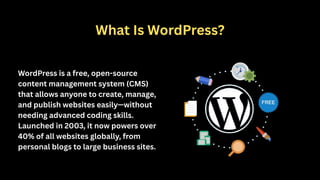
What Is WordPress?
WordPressis a free, open-source
content management system (CMS)
that allows anyone to create, manage,
and publish websites easily—without
needing advanced coding skills.
Launched in 2003, it now powers over
40% of all websites globally, from
personal blogs to large business sites.
1. User-Friendly andBeginner-Friendly
Simple Interface: WordPress offers a clean, intuitive dashboard where
you can add pages, posts, images, and more with just a few clicks.
No Coding Required: You can build and customize a professional website
without knowing HTML, CSS, or JavaScript.
Drag-and-Drop Builders: Popular plugins like Elementor or WPBakery let
you design visually, making the process even easier.
86.
2. Flexible andCustomizable
Thousands of Themes: Choose from free and premium designs to
match any style or industry.
Plugins for Every Need: Extend your site’s functionality (SEO,
security, e-commerce, contact forms, etc.) with over 60,000 plugins.
Customizable: Advanced users can edit code, but beginners can
achieve a lot with built-in tools and plugins.
87.
3. SEO-Friendly
Built forSearch Engines: WordPress’s structure helps your site get
indexed and ranked more easily.
SEO Plugins: Tools like Yoast SEO and All in One SEO help optimize
your content, meta tags, and sitemaps for better visibility.
88.
4. Responsive andMobile-Ready
Mobile-Friendly Themes: Most WordPress themes are
responsive, ensuring your site looks great on phones and tablets.
Mobile Optimization: Plugins and settings help you further
optimize speed and usability for mobile visitors.
89.
5. Cost-Effective
Free CoreSoftware: WordPress itself is free to use.
Affordable Hosting: Many web hosts offer
inexpensive WordPress plans.
Scalable: Start small and expand as your business
or project grows, without major extra costs
90.
6. Large Communityand Support
Vast Community: Millions of users, developers, and
designers worldwide contribute to forums, tutorials, and
resources.
Regular Updates: WordPress is constantly improved for
security, speed, and new features.
Help Is Everywhere: If you get stuck, you’ll find countless
guides, videos, and forums to help.
91.
7. Secure andReliable
Frequent Updates: Security patches and updates keep your site protected.
Security Plugins: Enhance protection with plugins like Wordfence or Sucuri.
8. Supports All Types of Websites
Versatile: Build blogs, business sites, portfolios, e-commerce stores,
membership sites, and more.
E-Commerce Ready: With plugins like WooCommerce, you can create a
full-featured online store.
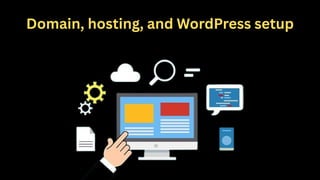
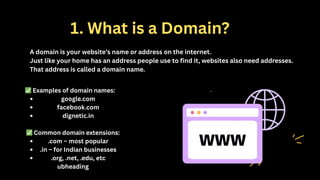
1. What isa Domain?
A domain is your website’s name or address on the internet.
Just like your home has an address people use to find it, websites also need addresses.
That address is called a domain name.
✅Examples of domain names:
google.com
facebook.com
dignetic.in
✅Common domain extensions:
.com – most popular
.in – for Indian businesses
.org, .net, .edu, etc
ubheading
94.
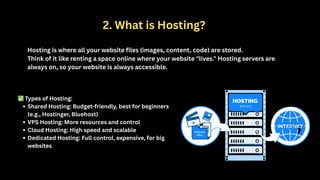
2. What isHosting?
Hosting is where all your website files (images, content, code) are stored.
Think of it like renting a space online where your website "lives." Hosting servers are
always on, so your website is always accessible.
✅Types of Hosting:
Shared Hosting: Budget-friendly, best for beginners
(e.g., Hostinger, Bluehost)
VPS Hosting: More resources and control
Cloud Hosting: High speed and scalable
Dedicated Hosting: Full control, expensive, for big
websites
95.
3. How toSet Up WordPress (Step-by-Step)
✅Step 1: Buy a Domain & Hosting
Go to hosting providers like Hostinger, Bluehost, or GoDaddy
Choose a plan and buy a domain + hosting
✅Step 2: Connect Domain to Hosting
If you bought the domain and hosting from the same company, this step
is automatic
If not, update the nameservers to point your domain to your hosting
server
96.
✅Step 3: InstallWordPress
Most hosting providers offer 1-click WordPress installation from
the control panel (like cPanel or hPanel).
Steps:
1.Log in to your hosting account
2.Find the “WordPress” option in the dashboard
3.Click "Install WordPress"
4.Enter your website name, admin username, and password
5.Click Install
✅Step 4: Log in to WordPress Dashboard
Go to: yourdomain.com/wp-admin
Enter your login credentials to access the dashboard.
97.
6. WordPress DashboardOverview
Once logged in, you'll see the backend (admin area).
Here's what you can do:
Posts: Add blog posts
Pages: Create About, Contact, etc.
Appearance > Themes: Change how your website
looks
Plugins: Add extra features (like forms, SEO tools)
Settings: Control basic options (time zone, site title)
98.
Navigating the WordPressDashboard
Once WordPress is installed, the dashboard becomes your control center.
You can manage your entire website from here — no coding needed!
99.
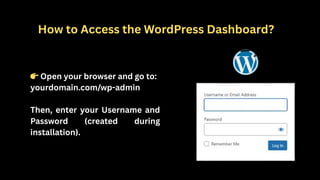
How to Accessthe WordPress Dashboard?
👉Open your browser and go to:
yourdomain.com/wp-admin
Then, enter your Username and
Password (created during
installation).
100.
WordPress Dashboard Layout
Whenyou log in, you'll see the Admin Panel on the left side and a
welcome screen in the center.
Here’s what each main menu item does:
1. Dashboard
Home: Overview of your site (updates, stats, activity)
Updates: Shows available updates for WordPress core, plugins, and themes
101.
2. Posts
Used tocreate and manage blog posts.
All Posts: View or edit existing posts
Add New: Create a new blog post
Categories & Tags: Organize your content for SEO and navigation
3. Media
Used to upload and manage images, videos, and other files.
Library: Shows all uploaded files
Add New: Upload new media files
102.
4. Pages
Used tocreate static pages like:
Home
About Us
Contact Us
Services
5. Comments
Manage comments left by visitors on your blog posts.
You can:
Approve
Delete
Reply
Mark as spam
103.
6. Appearance
Customize thelook and design of your website.
Themes: Choose or upload a theme
Customize: Edit colors, layout, logo, etc.
Widgets: Add features to sidebars or footers (e.g., search bar, recent posts)
Menus: Create navigation menus for your website
Theme File Editor: Edit theme code
104.
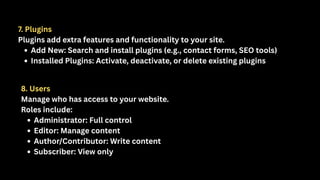
7. Plugins
Plugins addextra features and functionality to your site.
Add New: Search and install plugins (e.g., contact forms, SEO tools)
Installed Plugins: Activate, deactivate, or delete existing plugins
8. Users
Manage who has access to your website.
Roles include:
Administrator: Full control
Editor: Manage content
Author/Contributor: Write content
Subscriber: View only
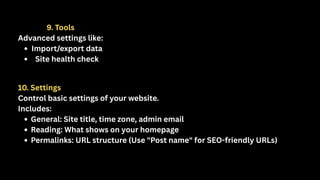
105.
9. Tools
Advanced settingslike:
Import/export data
Site health check
10. Settings
Control basic settings of your website.
Includes:
General: Site title, time zone, admin email
Reading: What shows on your homepage
Permalinks: URL structure (Use "Post name" for SEO-friendly URLs)
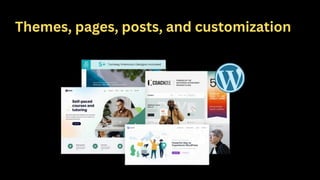
1️⃣ Themes inWordPress
What is a Theme?
A theme controls the look, feel, and layout of your website — including colors,
fonts, headers, footers, menus, and sidebar positions.
Free vs Paid Themes:
Free themes: Found in WordPress theme directory (good for beginners)
Paid themes: More features, premium design, customer support
108.
Popular Free Themes:
Astra– lightweight and fast
OceanWP – highly customizable
Neve – beginner-friendly and modern
How to Install a Theme:
1.Go to Appearance > Themes
2.Click “Add New”
3.Search for a theme or upload a .zip file
4.Click Install and then Activate
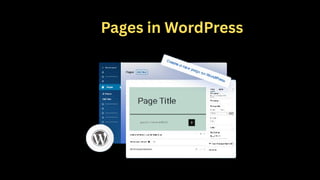
What are Pages?
Pagesare used for static content that doesn’t change often — like About Us,
Contact, Services, Privacy Policy.
They are not listed by date and do not use categories or tags.
How to Create a Page:
1.Go to Pages > Add New
2.Give it a title (e.g., "About Us")
3.Add your content using the block editor
4.Click Publish
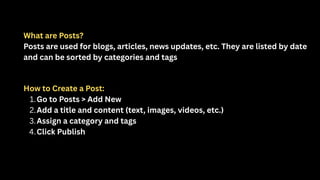
What are Posts?
Postsare used for blogs, articles, news updates, etc. They are listed by date
and can be sorted by categories and tags
How to Create a Post:
1.Go to Posts > Add New
2.Add a title and content (text, images, videos, etc.)
3.Assign a category and tags
4.Click Publish
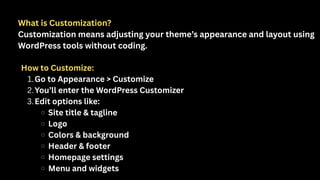
What is Customization?
Customizationmeans adjusting your theme’s appearance and layout using
WordPress tools without coding.
How to Customize:
1.Go to Appearance > Customize
2.You’ll enter the WordPress Customizer
3.Edit options like:
Site title & tagline
Logo
Colors & background
Header & footer
Homepage settings
Menu and widgets
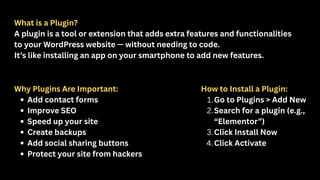
What is aPlugin?
A plugin is a tool or extension that adds extra features and functionalities
to your WordPress website — without needing to code.
It’s like installing an app on your smartphone to add new features.
Why Plugins Are Important:
Add contact forms
Improve SEO
Speed up your site
Create backups
Add social sharing buttons
Protect your site from hackers
How to Install a Plugin:
1.Go to Plugins > Add New
2.Search for a plugin (e.g.,
“Elementor”)
3.Click Install Now
4.Click Activate
What is Media?
TheMedia Library in WordPress stores all the files you upload:
Images
Videos
PDFs
Audio
How to Add Media:
1.Go to Media > Add New
2.Drag and drop files or click to upload
Or use the “Add Media” button while creating a post/page.
What is SEO?
SearchEngine Optimization (SEO) is the process of optimizing your website
so it ranks higher on Google and other search engines
Basic SEO Steps for WordPress:
1.Install an SEO plugin (like Yoast SEO or Rank Math)
2.Use keywords naturally in your page/post content
3.Add meta titles and descriptions
4.Create SEO-friendly URLs (called permalinks)
5.Add Alt Text to all images
6.Use internal linking (link to other pages/posts of your site)
Why Security isImportant:
WordPress is popular — which also makes it a target for hackers if not protected.
Key Security Practices:
1.Install a security plugin like Wordfence or Sucuri
2.Keep WordPress, plugins, and themes updated
3.Use strong passwords (avoid “admin123” or “password”)
4.Change the default login URL from wp-admin
5.Use SSL certificate (HTTPS) to encrypt the site
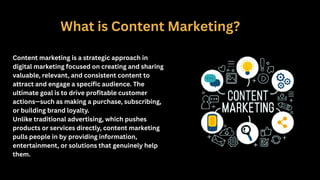
What is ContentMarketing?
Content marketing is a strategic approach in
digital marketing focused on creating and sharing
valuable, relevant, and consistent content to
attract and engage a specific audience. The
ultimate goal is to drive profitable customer
actions—such as making a purchase, subscribing,
or building brand loyalty.
Unlike traditional advertising, which pushes
products or services directly, content marketing
pulls people in by providing information,
entertainment, or solutions that genuinely help
them.
Builds Trust andAuthority:
By consistently delivering helpful and relevant information, brands become
trusted sources. This trust makes audiences more likely to choose your
business when they’re ready to buy.
Improves SEO (Search Engine Optimization):
Search engines reward websites that publish quality, consistent content,
which helps them rank higher and attract more organic (unpaid) traffic.
Drives Engagement and Loyalty:
Content that addresses audience needs or interests keeps people engaged,
encourages repeat visits, and builds long-term loyalty.
127.
Supports the CustomerJourney:
Content marketing guides potential customers from awareness
(learning about a problem) to consideration (evaluating solutions) to
decision (choosing a product or service).
Cost-Effective:
Compared to traditional advertising, content marketing often
delivers more sustainable results and a higher return on investment
over time
128.
Importance of QualityContent in SEO and Engagement
Quality content is a cornerstone of effective digital marketing,
playing a critical role in both search engine optimization (SEO)
and user engagement. Its significance cannot be overstated, as it
directly influences how search engines rank your website and
how visitors interact with your brand.
129.
Why Quality ContentMatters for SEO
Improves Search Engine Rankings
Search engines like Google prioritize websites that provide valuable, relevant, and well-
structured content.
Quality content naturally incorporates keywords and related terms in a meaningful way, helping
search engines understand the topic and relevance of your pages.
Fresh, original content signals to search engines that your site is active and authoritative, which
can boost rankings.
Enhances User Experience
Well-written, informative content keeps visitors on your site longer, reducing bounce rates—a
positive SEO signal.
Clear, organized content helps users find answers quickly, increasing satisfaction and the
likelihood of conversions.
Engaging content encourages sharing and backlinking, which are key factors in improving domain
authority and SEO.
130.
Supports Keyword Strategy
Qualitycontent allows for natural inclusion of primary and secondary keywords without keyword
stuffing.
It enables targeting of long-tail keywords and semantic search queries, broadening your reach.
Content that addresses user intent effectively ranks better and attracts more qualified traffic.
Builds Authority and Trust
Content that is accurate, well-researched, and insightful establishes your website as a trusted
source.
Authoritative content attracts backlinks from other reputable sites, which are crucial for SEO.
Trustworthy content encourages repeat visits and builds brand loyalty.
131.
Why Quality Contentis Essential for Engagement
Captures and Retains Attention
Engaging content—whether blog posts, videos, infographics, or interactive tools—draws
users in and encourages them to stay longer.
High-quality content that addresses audience needs fosters emotional connection and
interest.
Encourages Interaction
Valuable content prompts users to comment, share, and participate in discussions,
increasing social signals and visibility.
Interactive elements like quizzes, polls, or calls to action enhance user involvement
and deepen engagement.
132.
Drives Conversions
Content thateducates and informs helps potential customers make
informed decisions, moving them along the buyer’s journey.
Clear, persuasive content with strong calls to action increases the
likelihood of desired outcomes such as sign-ups, purchases, or inquiries.
Supports Brand Reputation
Consistently delivering high-quality content positions your brand as an
industry leader.
Positive user experiences with your content lead to word-of-mouth
referrals and stronger customer relationships.
133.
Types of Content
Contentmarketing includes a wide variety of formats that
businesses use to connect with their audience, build trust,
and drive engagement. Here’s an in-depth and easy-to-
understand overview of the most popular types of
content marketing based on current 2025 insights:
134.
Blog Posts
Written articlespublished on websites to share information, answer questions, or
provide insights.
Help improve SEO by targeting keywords and attracting organic traffic.
Useful for establishing thought leadership and engaging readers with relevant topics.
Videos
Highly engaging content that can tell stories, demonstrate products, or share tutorials.
Popular on social media and websites, videos build personal connections with
audiences.
Formats include short clips, explainer videos, interviews, and live streams.
135.
Infographics
Visual representations ofcomplex data or processes that
make information easier to understand and share.
Effective for simplifying statistics, timelines, or step-by-
step guides.
Email Marketing
Sending targeted messages directly to users’ inboxes to
promote products, share content, or nurture
relationships.
Highly personalized and measurable, email marketing
supports customer retention and conversions.
136.
Podcasts
Audio content thateducates or entertains listeners on
specific topics.
Great for reaching audiences who prefer listening on the
go.
White Papers & eBooks
In-depth, authoritative reports or guides that provide
valuable insights or solutions.
Often used for lead generation by offering them in
exchange for contact information.
137.
Case Studies &Success Stories
Detailed examples showcasing how a product or service
solved a problem for a customer.
Build credibility and help prospects relate to real-world
applications.
Social Media Content
Posts, stories, reels, and ads shared on platforms like
Instagram, Facebook, LinkedIn, and Twitter.
Used to engage audiences, build brand awareness, and drive
traffic.
138.
Interactive Content
Quizzes, calculators,polls, and surveys that encourage
user participation.
Boost engagement and provide personalized experiences.
User-Generated Content (UGC)
Content created by customers or fans, such as reviews,
testimonials, photos, or videos.
Builds authenticity and trust.
139.
Guides & How-ToArticles
Step-by-step instructions or tutorials that help users
solve specific problems.
Position your brand as a helpful resource.
Webinars & Online Courses
Live or recorded educational sessions that provide deep
dives into topics.
Excellent for lead generation and establishing expertise.
140.
What is aContent Calendar?
A content calendar (also called an editorial calendar) is a
strategic planning tool that outlines what content will be
published, when, where, and by whom across your marketing
channels. It acts as a roadmap for content creation,
scheduling, and distribution to ensure consistency, quality,
and alignment with business goals
141.
Why Use aContent Calendar?
Improves Organization and Consistency:
Helps avoid last-minute rushes and missed deadlines by planning
content well in advance.
Supports Strategic Planning:
Aligns content with key dates, events, product launches, and marketing
campaigns for maximum impact.
Enhances Collaboration:
Provides a centralized platform where team members can track
assignments, deadlines, and progress, improving communication and
accountability
142.
Boosts Content Quality:
Moretime for research, writing, editing, and design leads
to better, more engaging content.
Enables Performance Review:
Facilitates regular analysis of what content works best,
allowing refinement of future strategies
143.
How to Createa Content Calendar: Step-by-Step
Define Your Content Goals:
Understand what you want to achieve (brand awareness, lead generation, engagement, etc.).
Audit Existing Content:
Review past content performance to identify gaps and opportunities.
Brainstorm Content Ideas:
Generate topics aligned with your audience’s interests and business objectives.
Choose Content Types and Channels:
Decide on formats (blogs, videos, social posts) and where to publish.
Set a Publishing Frequency:
Determine how often you will publish content to maintain consistency without overwhelming
your team.
144.
Assign Responsibilities:
Clearly designatewho creates, edits, approves, and publishes each
piece.
Schedule Content:
Use a calendar tool (Google Sheets, Trello, Monday.com, or
specialized platforms) to map out publish dates and deadlines.
Monitor and Adjust:
Regularly review the calendar and content performance to optimize
your strategy.
145.
Measuring Content Effectiveness
Tomeasure content effectiveness, you need a structured
approach that tracks the right metrics, aligns with your
goals, and provides actionable insights for improvement.
Here’s how you can teach students to measure content
effectiveness in a clear, step-by-step way:
146.
Define Objectives andKPIs
Start by setting clear objectives for your content (e.g., increase website traffic,
generate leads, boost engagement). Then, choose Key Performance Indicators (KPIs)
that match those goals. For example, if your goal is engagement, focus on metrics like
time on page, comments, and shares
Track the Right Metrics
Website Content Metrics:
Page Views: Number of times your content is viewed—shows popularity but not depth of
engagement.
Sessions/Active Users: How many unique visits/interactions your content receives.
Average Engagement Time/Time on Page: Measures how long users spend reading or watching
your content—higher times suggest valuable content.
Bounce Rate: Percentage of visitors who leave after viewing one page—a high bounce rate may
indicate low relevance or poor user experience.
Conversions/Key Events: Actions you want users to take (downloads, sign-ups, purchases).
Revenue: Direct income attributed to content (important for e-commerce or paid content)
147.
Social Media ContentMetrics:
Impressions & Reach: How many people saw your content.
Engagement Rate: Percentage of audience interacting
with your content (likes, shares, comments, reactions).
Shares: Indicates content is valuable enough for users to
recommend to others.
Followers/Subscribers: Growth in your audience over time
148.
Marketing Campaign ContentMetrics:
Click-Through Rate (CTR): Percentage of people who
clicked a link in your content.
Conversion Rate: Percentage of users who completed a
desired action after engaging with your content.
ROI (Return on Investment): Revenue generated
compared to the cost of content creation and promotion
149.
Use a MeasurementPlan
Create a Measurement Plan (e.g., in Google Sheets) where you:
List your content pieces
Assign KPIs to each
Set benchmarks or targets
Track results over time
This keeps your analysis focused and organized.
Analyze and Benchmark
Compare against benchmarks: Use industry standards or your own past
performance to assess what’s working.
Look for trends: Analyze which topics, formats, or channels perform best and why.
Adjust strategy: Use insights to refine your content plan—focus more on high-
performing content types and improve or drop underperformers.
SEO stands forSearch Engine Optimization.
It is the process of optimizing your website to improve
its rankings on search engine results pages (SERPs)
such as Google, Bing, and others. The goal is to drive
organic (unpaid) traffic by making your content more
relevant and accessible to both users and search
engines.
Unlike paid ads, SEO focuses on earning visibility
naturally through quality content, proper website
structure, and authoritative signals.
What is SEO?
153.
Why is SEOImportant?
Increased Visibility: Higher rankings in search results mean more people see
your website.
Targeted Traffic: SEO attracts visitors who are actively searching for what you
offer.
Cost-Effective: Organic search traffic doesn’t incur pay-per-click fees, making
it economical in the long run.
Builds Credibility: Websites that rank well are often perceived as more
trustworthy and authoritative.
Sustainable Results: Unlike ads that stop showing when the budget ends, SEO
efforts provide lasting traffic benefits over time.
1. Drives OrganicTraffic
Most users start with search: The vast majority of online experiences begin with a search engine. Ranking high in
search results helps your business get found by people who are actively looking for your products, services, or
information.
Cost-effective: Unlike paid ads, SEO focuses on earning visibility naturally, reducing your reliance on constant
ad spend.
2. Builds Trust and Credibility
High rankings imply authority: Websites that appear at the top of search engine results are generally seen as
more trustworthy and credible by users.
Authority signals: Earning backlinks and positive user signals through SEO builds your domain’s reputation,
making search engines more likely to promote your content.
3. Targets High-Intent Users
Qualified leads: SEO attracts people who are already searching for specific topics or solutions, resulting in
visitors who are more likely to engage and convert compared to general advertising.
User intent focus: By optimizing for relevant keywords and content, you connect with users at every stage of
their buying journey.
156.
4. Enhances UserExperience
Content and site optimization: Good SEO practices make your website faster, more mobile-friendly, and
easier to navigate—improving user experience and engagement.
Accessibility: SEO efforts often lead to better-structured content that is easier to consume for all users.
5. Sustainable Long-Term Results
Evergreen benefits: Once established, SEO can drive consistent traffic and leads over a longer period, even
if you pause marketing spend.
Cumulative effect: As you build authority and publish more quality content, your results compound over
time.
6. Supports All Digital Marketing Channels
Integrated strategy: SEO complements other digital marketing tactics like PPC (Pay-Per-Click), content
marketing, social media, and email campaigns by boosting the overall visibility and credibility of your
online presence.
Data-driven insights: Analytics from SEO campaigns provide valuable data that can be used to refine and
improve all aspects of your digital marketing strategy.
157.
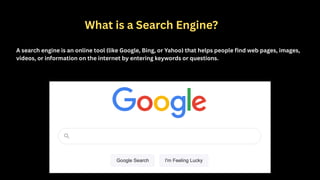
What is aSearch Engine?
A search engine is an online tool (like Google, Bing, or Yahoo) that helps people find web pages, images,
videos, or information on the internet by entering keywords or questions.
158.
Main Functions ofa Search Engine
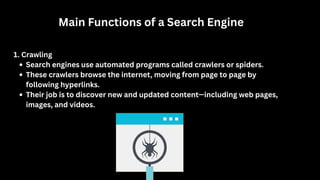
1. Crawling
Search engines use automated programs called crawlers or spiders.
These crawlers browse the internet, moving from page to page by
following hyperlinks.
Their job is to discover new and updated content—including web pages,
images, and videos.
159.
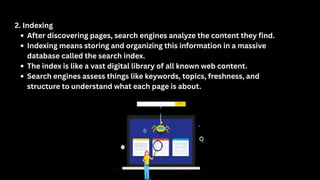
2. Indexing
After discoveringpages, search engines analyze the content they find.
Indexing means storing and organizing this information in a massive
database called the search index.
The index is like a vast digital library of all known web content.
Search engines assess things like keywords, topics, freshness, and
structure to understand what each page is about.
160.
3. Ranking
When auser types a query, the search engine checks its index for the most relevant
pages.
Ranking is the process of ordering results so the most useful and trustworthy pages
appear first.
Search engines use algorithms with hundreds of signals to rank pages, such as:
Relevance to the search query (keyword matches)
Quality and originality of content
Authority (backlinks from other reputable sites)
User experience (page speed, mobile-friendliness)
Freshness and update frequency
161.
How a SearchQuery is Processed
1.User enters a question or keyword into the search bar.
2.Search engine retrieves relevant pages from its index.
3.Algorithm ranks and displays results—often with featured snippets, images, or quick answers
at the top.
4.User clicks a result, and the process generates valuable data (e.g., which links people click,
how long they stay).
Why is This Important for SEO?
To succeed with SEO, you must help crawlers find your pages (internal linking, sitemaps).
You need to make your content easy for search engines to understand and index (quality
writing, clear structure).
Optimizing for ranking signals boosts your visibility and attracts more organic traffic.
162.
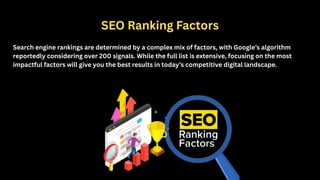
SEO Ranking Factors
Searchengine rankings are determined by a complex mix of factors, with Google’s algorithm
reportedly considering over 200 signals. While the full list is extensive, focusing on the most
impactful factors will give you the best results in today’s competitive digital landscape.
163.
Quality Content:
High-quality, informative,and relevant content is the most important
ranking factor. Google’s algorithms increasingly prioritize content that
satisfies user intent, demonstrates expertise, and is genuinely helpful. Thin,
outdated, or poorly researched content is less likely to rank well.
Backlinks:
Links from authoritative websites act as “votes of confidence” and remain
a core ranking signal. Quality matters more than quantity—natural, relevant
backlinks from reputable sources are most valuable.
164.
Search Intent &Content Relevancy:
Matching content to user intent is crucial. Google evaluates whether your page
truly answers the searcher’s question, whether it’s informational,
transactional, navigational, or commercial.
Technical SEO:
Site speed, mobile-friendliness, crawlability, and security (HTTPS) ensure your
website is accessible and easy for search engines to index. Core Web Vitals—
measuring loading, interactivity, and visual stability—are especially important
for user experience.
165.
Keyword Optimization:
Using relevantkeywords in titles, headings, and throughout your content
helps search engines understand your page’s topic. However, avoid
keyword stuffing; focus on natural, conversational language.
User Experience (UX):
Engagement metrics (time on page, bounce rate), ease of navigation, and
overall site usability influence rankings. A positive user experience keeps
visitors on your site longer, signaling quality to Google
166.
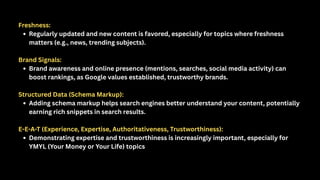
Freshness:
Regularly updated andnew content is favored, especially for topics where freshness
matters (e.g., news, trending subjects).
Brand Signals:
Brand awareness and online presence (mentions, searches, social media activity) can
boost rankings, as Google values established, trustworthy brands.
Structured Data (Schema Markup):
Adding schema markup helps search engines better understand your content, potentially
earning rich snippets in search results.
E-E-A-T (Experience, Expertise, Authoritativeness, Trustworthiness):
Demonstrating expertise and trustworthiness is increasingly important, especially for
YMYL (Your Money or Your Life) topics
167.
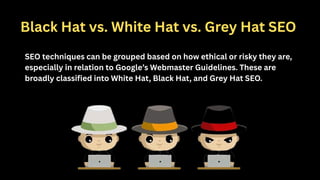
Black Hat vs.White Hat vs. Grey Hat SEO
SEO techniques can be grouped based on how ethical or risky they are,
especially in relation to Google’s Webmaster Guidelines. These are
broadly classified into White Hat, Black Hat, and Grey Hat SEO.
168.
1. White HatSEO
White Hat SEO includes techniques that follow search engine rules
and provide long-term results by focusing on user experience, high-
quality content, and genuine link-building.
169.
Examples of WhiteHat SEO:
Creating high-quality, informative, and original content
Using proper keyword research and placement
Mobile-friendly, fast-loading website
Earning backlinks through guest posting or PR
Using structured data (schema markup)
Improving site architecture for crawlability
Pros:
Safe and Google-approved
Long-term and stable results
No penalty risk
Cons:
Time-consuming
Slower results
170.
2. Black HatSEO
Black Hat SEO uses manipulative tactics to trick search engines and
achieve quick rankings. These violate Google’s guidelines and can lead to
penalties or a ban from search engines.
171.
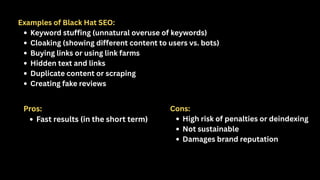
Examples of BlackHat SEO:
Keyword stuffing (unnatural overuse of keywords)
Cloaking (showing different content to users vs. bots)
Buying links or using link farms
Hidden text and links
Duplicate content or scraping
Creating fake reviews
Pros:
Fast results (in the short term)
Cons:
High risk of penalties or deindexing
Not sustainable
Damages brand reputation
172.
3. Grey HatSEO
Grey Hat SEO is in between white and black hat. It includes techniques
that are not clearly against the rules but could be seen as
manipulative or risky if overused.
173.
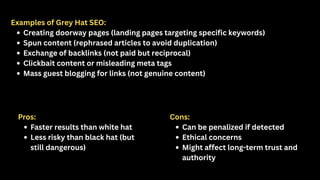
Examples of GreyHat SEO:
Creating doorway pages (landing pages targeting specific keywords)
Spun content (rephrased articles to avoid duplication)
Exchange of backlinks (not paid but reciprocal)
Clickbait content or misleading meta tags
Mass guest blogging for links (not genuine content)
Pros:
Faster results than white hat
Less risky than black hat (but
still dangerous)
Cons:
Can be penalized if detected
Ethical concerns
Might affect long-term trust and
authority
What is KeywordResearch?
Keyword research is the process of
discovering, analyzing, and
selecting the words and phrases
(keywords) people use when
searching for information,
products, or services online.
Effective keyword research helps
you target the right topics, attract
qualified visitors, and optimize
each page for better search
visibility.
178.
Why is KeywordResearch Important in On-Page SEO?
Aligns content with user intent
Reveals what your audience is searching for
Increases chances of ranking higher in search results
Identifies gaps and opportunities in your content strategy
Informs content topics, structure, and on-page optimization
179.
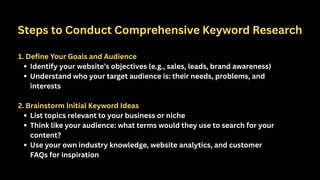
Steps to ConductComprehensive Keyword Research
1. Define Your Goals and Audience
Identify your website’s objectives (e.g., sales, leads, brand awareness)
Understand who your target audience is: their needs, problems, and
interests
2. Brainstorm Initial Keyword Ideas
List topics relevant to your business or niche
Think like your audience: what terms would they use to search for your
content?
Use your own industry knowledge, website analytics, and customer
FAQs for inspiration
180.
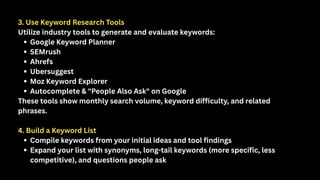
3. Use KeywordResearch Tools
Utilize industry tools to generate and evaluate keywords:
Google Keyword Planner
SEMrush
Ahrefs
Ubersuggest
Moz Keyword Explorer
Autocomplete & "People Also Ask" on Google
These tools show monthly search volume, keyword difficulty, and related
phrases.
4. Build a Keyword List
Compile keywords from your initial ideas and tool findings
Expand your list with synonyms, long-tail keywords (more specific, less
competitive), and questions people ask
181.
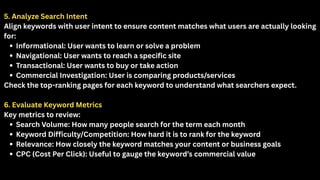
5. Analyze SearchIntent
Align keywords with user intent to ensure content matches what users are actually looking
for:
Informational: User wants to learn or solve a problem
Navigational: User wants to reach a specific site
Transactional: User wants to buy or take action
Commercial Investigation: User is comparing products/services
Check the top-ranking pages for each keyword to understand what searchers expect.
6. Evaluate Keyword Metrics
Key metrics to review:
Search Volume: How many people search for the term each month
Keyword Difficulty/Competition: How hard it is to rank for the keyword
Relevance: How closely the keyword matches your content or business goals
CPC (Cost Per Click): Useful to gauge the keyword’s commercial value
182.
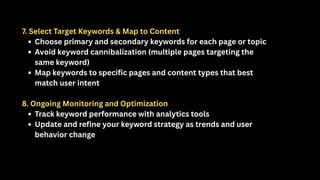
7. Select TargetKeywords & Map to Content
Choose primary and secondary keywords for each page or topic
Avoid keyword cannibalization (multiple pages targeting the
same keyword)
Map keywords to specific pages and content types that best
match user intent
8. Ongoing Monitoring and Optimization
Track keyword performance with analytics tools
Update and refine your keyword strategy as trends and user
behavior change
What Are MetaTags?
Meta tags are snippets of code in your web
page’s HTML that provide information about the
page to search engines and browsers.
While there are many types, the most important
for SEO are the meta title (also known as the title
tag) and meta description.
What Is aMeta Title?
The meta title is the main clickable headline shown in search engine
results pages (SERPs).
Appears at the top of your browser and as the default title when
sharing on social media.
Why Are Meta Titles Important?
Strongly influence how both users and search engines understand
what a page is about.
Impact click-through rates (CTRs) and page rankings.
187.
Best Practices forMeta Titles
Keep it concise: 50–60 characters to prevent truncation in
search results.
Include primary keywords near the beginning.
Make it unique for every page.
Write compellingly—entice users to click.
Reflect page content accurately.
What Is aMeta Description?
The meta description is a short summary that appears under the title
in search results.
While not a direct ranking factor, it influences whether users click
your link.
Why Are Meta Descriptions Important?
Improves page visibility and attractiveness in SERPs.
Can boost click-through rates, sending more traffic to your site.
190.
Best Practices forMeta Descriptions
Keep it between 150–160 characters: Stay within the limit to
avoid truncation.
Incorporate relevant keywords naturally, but avoid keyword
stuffing.
Highlight page benefits or a call to action (CTA).
Write actionable and clear copy that matches page content.
Make it unique for each page.
191.
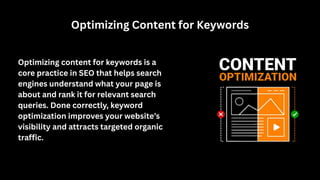
Optimizing Content forKeywords
Optimizing content for keywords is a
core practice in SEO that helps search
engines understand what your page is
about and rank it for relevant search
queries. Done correctly, keyword
optimization improves your website’s
visibility and attracts targeted organic
traffic.
192.
Step-by-Step Guide toOptimizing Content for Keywords:
1. Understand Keyword Intent
Before optimizing, ensure you understand the user intent behind
the keywords:
Informational: Users want to learn or find answers.
Navigational: Users seek a specific website or page.
Transactional: Users want to buy or take an action.
Commercial Investigation: Users compare options before
deciding.
Your content must align with these intents to rank well and satisfy
visitors.
193.
2. Conduct KeywordResearch
Identify primary keywords that best represent your page’s main
topic.
Find secondary keywords (related or long-tail keywords) that
support the primary keyword.
Use tools like Google Keyword Planner, SEMrush, or Ahrefs to
evaluate keyword volume, difficulty, and relevance.
194.
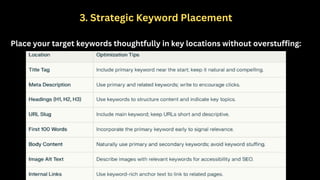
3. Strategic KeywordPlacement
Place your target keywords thoughtfully in key locations without overstuffing:
195.
4. Keyword Density& Natural Language
Aim for a natural keyword density—enough to signal relevance without sounding
forced.
Prioritize readability and user experience.
Google favors content written for humans, so place keywords where they fit
contextually.
Avoid tactics like keyword stuffing or hidden keywords, which can hurt rankings.
5. Use Synonyms and Latent Semantic Indexing (LSI) Keywords
Incorporate related terms and synonyms to broaden relevancy and help search
engines understand context.
LSI keywords are semantically related phrases that support your main topic and
improve content depth.
196.
6. Optimize ContentLength and Depth
Provide in-depth, comprehensive content that fully answers user
queries.
Longer content typically ranks better, but quality matters more
than quantity.
Use keywords naturally throughout detailed explanations,
examples, and multimedia.
197.
7. Enhance UserEngagement with Keywords
Use keywords to guide content flow and help users navigate topics
clearly.
Organize content using headings and bullet points enriched with
relevant keywords.
Include calls to action (CTAs) that incorporate target keywords for
transactional intent.
8. Optimize for Voice and Mobile Search
Include conversational keywords and question-based phrases for voice
search.
Mobile users often use natural language queries, so adapting to this
helps capture more traffic.