SLIDESMANIA.CO
M
Add some notes
here.
SLIDESMANIA.CO
M
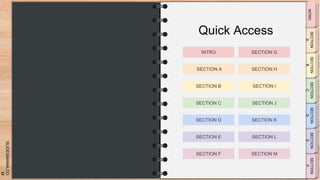
Quick Access
INTRO SECTION G
SECTION A SECTION H
SECTION B SECTION I
SECTION C SECTION J
SECTION D SECTION K
SECTION E SECTION L
SECTION F SECTION M
SLIDESMANIA.CO
M
Tanya
You can insert videos, images, audio files
and external links.
If you need more Slides, duplicate Slide 3. If
you only need one slide within each tab,
delete Slides 2 and 3.
Do not add slides, duplicate existing ones
because if you add new slides, you’ll have to
set the links.
ADD A LINK TO THIS BUTTON
CLICK ON THE IMAGE TO ENLARGE
IT
SLIDESMANIA.CO
M
INTRO - Slide 2
SLIDESMANIA.CO
M
INTRO - Slide 3
SLIDESMANIA.CO
M
INTRO - Slide 4
SLIDESMANIA.CO
M
SECTION A - Slide 1
You can insert videos, images, audio files
and external links.
If you need more Slides, duplicate Slide 3. If
you only need one slide within each tab,
delete Slides 2 and 3.
Do not add slides, duplicate existing ones
because if you add new slides, you’ll have to
set the links.
ADD A LINK TO THIS BUTTON
CLICK ON THE IMAGE TO ENLARGE
IT
SLIDESMANIA.CO
M
SECTION A - Slide 2
SLIDESMANIA.CO
M
SECTION A - Slide 3
SLIDESMANIA.CO
M
SECTION A - Slide 4
SLIDESMANIA.CO
M
Tanya
You can insert videos, images, audio files
and external links.
If you need more Slides, duplicate Slide 3. If
you only need one slide within each tab,
delete Slides 2 and 3.
Do not add slides, duplicate existing ones
because if you add new slides, you’ll have to
set the links.
ADD A LINK TO THIS BUTTON
CLICK ON THE IMAGE TO ENLARGE
IT
SLIDESMANIA.CO
M
SECTION B - Slide 2
SLIDESMANIA.CO
M
SECTION B - Slide 3
SLIDESMANIA.CO
M
SECTION B - Slide 4
SLIDESMANIA.CO
M
SECTION C - Slide 1
You can insert videos, images, audio files
and external links.
If you need more Slides, duplicate Slide 3. If
you only need one slide within each tab,
delete Slides 2 and 3.
Do not add slides, duplicate existing ones
because if you add new slides, you’ll have to
set the links.
ADD A LINK TO THIS BUTTON
CLICK ON THE IMAGE TO ENLARGE
IT
SLIDESMANIA.CO
M
SECTION C - Slide 2
SLIDESMANIA.CO
M
SECTION C - Slide 3
SLIDESMANIA.CO
M
SECTION C - Slide 4
SLIDESMANIA.CO
M
SECTION D - Slide 1
You can insert videos, images, audio files
and external links.
If you need more Slides, duplicate Slide 3. If
you only need one slide within each tab,
delete Slides 2 and 3.
Do not add slides, duplicate existing ones
because if you add new slides, you’ll have to
set the links.
ADD A LINK TO THIS BUTTON
CLICK ON THE IMAGE TO ENLARGE
IT
SLIDESMANIA.CO
M
SECTION D - Slide 2
SLIDESMANIA.CO
M
SECTION D - Slide 3
SLIDESMANIA.CO
M
SECTION D - Slide 4
SLIDESMANIA.CO
M
SECTION E - Slide 1
You can insert videos, images, audio files
and external links.
If you need more Slides, duplicate Slide 3. If
you only need one slide within each tab,
delete Slides 2 and 3.
Do not add slides, duplicate existing ones
because if you add new slides, you’ll have to
set the links.
ADD A LINK TO THIS BUTTON
CLICK ON THE IMAGE TO ENLARGE
IT
SLIDESMANIA.CO
M
SECTION E - Slide 2
SLIDESMANIA.CO
M
SECTION E - Slide 3
SLIDESMANIA.CO
M
SECTION E - Slide 4
SLIDESMANIA.CO
M
SECTION F - Slide 1
You can insert videos, images, audio files
and external links.
If you need more Slides, duplicate Slide 3. If
you only need one slide within each tab,
delete Slides 2 and 3.
Do not add slides, duplicate existing ones
because if you add new slides, you’ll have to
set the links.
ADD A LINK TO THIS BUTTON
CLICK ON THE IMAGE TO ENLARGE
IT
SLIDESMANIA.CO
M
SECTION F - Slide 2
SLIDESMANIA.CO
M
SECTION F - Slide 3
SLIDESMANIA.CO
M
SECTION F - Slide 4
SLIDESMANIA.CO
M
SECTION G – Slide 1
You can insert videos, images, audio files
and external links.
If you need more Slides, duplicate Slide 3. If
you only need one slide within each tab,
delete Slides 2 and 3.
Do not add slides, duplicate existing ones
because if you add new slides, you’ll have to
set the links.
ADD A LINK TO THIS BUTTON
CLICK ON THE IMAGE TO ENLARGE
IT
SLIDESMANIA.CO
M
SECTION G – Slide 2
SLIDESMANIA.CO
M
SECTION G – Slide 3
SLIDESMANIA.CO
M
SECTION G – Slide 4
SLIDESMANIA.CO
M
SECTION H – Slide 1
You can insert videos, images, audio files
and external links.
If you need more Slides, duplicate Slide 3. If
you only need one slide within each tab,
delete Slides 2 and 3.
Do not add slides, duplicate existing ones
because if you add new slides, you’ll have to
set the links.
ADD A LINK TO THIS BUTTON
CLICK ON THE IMAGE TO ENLARGE
IT
SLIDESMANIA.CO
M
SECTION H – Slide 2
SLIDESMANIA.CO
M
SECTION H – Slide 3
SLIDESMANIA.CO
M
SECTION H – Slide 4
SLIDESMANIA.CO
M
SECTION I – Slide 1
You can insert videos, images, audio files
and external links.
If you need more Slides, duplicate Slide 3. If
you only need one slide within each tab,
delete Slides 2 and 3.
Do not add slides, duplicate existing ones
because if you add new slides, you’ll have to
set the links.
ADD A LINK TO THIS BUTTON
CLICK ON THE IMAGE TO ENLARGE
IT
SLIDESMANIA.CO
M
SECTION I – Slide 2
SLIDESMANIA.CO
M
SECTION I – Slide 3
SLIDESMANIA.CO
M
SECTION I – Slide 4
SLIDESMANIA.CO
M
SECTION J – Slide 1
You can insert videos, images, audio files
and external links.
If you need more Slides, duplicate Slide 3. If
you only need one slide within each tab,
delete Slides 2 and 3.
Do not add slides, duplicate existing ones
because if you add new slides, you’ll have to
set the links.
ADD A LINK TO THIS BUTTON
CLICK ON THE IMAGE TO ENLARGE
IT
SLIDESMANIA.CO
M
SECTION J – Slide 2
SLIDESMANIA.CO
M
SECTION J – Slide 3
SLIDESMANIA.CO
M
SECTION J – Slide 4
SLIDESMANIA.CO
M
SECTION K – Slide 1
You can insert videos, images, audio files
and external links.
If you need more Slides, duplicate Slide 3. If
you only need one slide within each tab,
delete Slides 2 and 3.
Do not add slides, duplicate existing ones
because if you add new slides, you’ll have to
set the links.
ADD A LINK TO THIS BUTTON
CLICK ON THE IMAGE TO ENLARGE
IT
SLIDESMANIA.CO
M
SECTION K – Slide 2
SLIDESMANIA.CO
M
SECTION K – Slide 3
SLIDESMANIA.CO
M
SECTION K – Slide 4
SLIDESMANIA.CO
M
SECTION L – Slide 1
You can insert videos, images, audio files
and external links.
If you need more Slides, duplicate Slide 3. If
you only need one slide within each tab,
delete Slides 2 and 3.
Do not add slides, duplicate existing ones
because if you add new slides, you’ll have to
set the links.
ADD A LINK TO THIS BUTTON
CLICK ON THE IMAGE TO ENLARGE
IT
SLIDESMANIA.CO
M
SECTION L – Slide 2
SLIDESMANIA.CO
M
SECTION L – Slide 3
SLIDESMANIA.CO
M
SECTION L – Slide 4
SLIDESMANIA.CO
M
SECTION M – Slide 1
You can insert videos, images, audio files
and external links.
If you need more Slides, duplicate Slide 3. If
you only need one slide within each tab,
delete Slides 2 and 3.
Do not add slides, duplicate existing ones
because if you add new slides, you’ll have to
set the links.
ADD A LINK TO THIS BUTTON
CLICK ON THE IMAGE TO ENLARGE
IT
SLIDESMANIA.CO
M
SECTION M – Slide 2
SLIDESMANIA.CO
M
SECTION M – Slide 3
SLIDESMANIA.CO
M
SECTION M – Slide 4
SLIDESMANIA.CO
M
Template created by: SlidesMania.Com
Thank you!
SLIDESMANIA.CO
M
Free themes and templates for Google
Slides or PowerPoint
NOT to be sold as is or modified!
Read FAQ on slidesmania.com
Sharing is caring!

Digital Guidebook 14 tabs · SlidesMania.pptx