Iphone app design


The Abacus
  1 APP definition:
     It’s an app which teaches you how to use Chinese traditional Abacus (a calculator).


  2 Introductions:
   2.1 What is abacus?
     The Abacus, also called a counting frame, is a calculating tool used primarily in parts of Asia
     for performing arithmetic processes. Then why should we learn abacus? First, it is fun. With
     some practice, you can impress friends with amazing computation skills. Second, abacus is a
     rudimentary computer. One can visualize the computer at work by pushing beads and learn
     some very basic concepts of modern computers. What’s more, using abacus is a cooperation
     of both one’s hands and memory at the same time, thus it’s a great brain exercise even
     today.


  3 Structure of the APP:
     This small APP has 3 parts: tutorial mood; challenge mood; others information.
   3.1 Tutorial mood:
     The tutorial mood contains a short story which will teach you how an abacus works step by
     step, including how to represent certain number, how to do different calculation such as
     addition/subtraction/multiplication/division. Every time the user learns a new technique, he
     will receive some reward coin whose usage will be explained in later parts.
   3.2 The challenge mood:
     The challenge mood contains a series of simple story problems for users to solve. And users
     will also receive some reward if he can solve a problem fast enough.
   3.3 Other information:
     In this part of the game, user can view some information about the history of abacus/see the
     current ranking/change the look of his abacus.
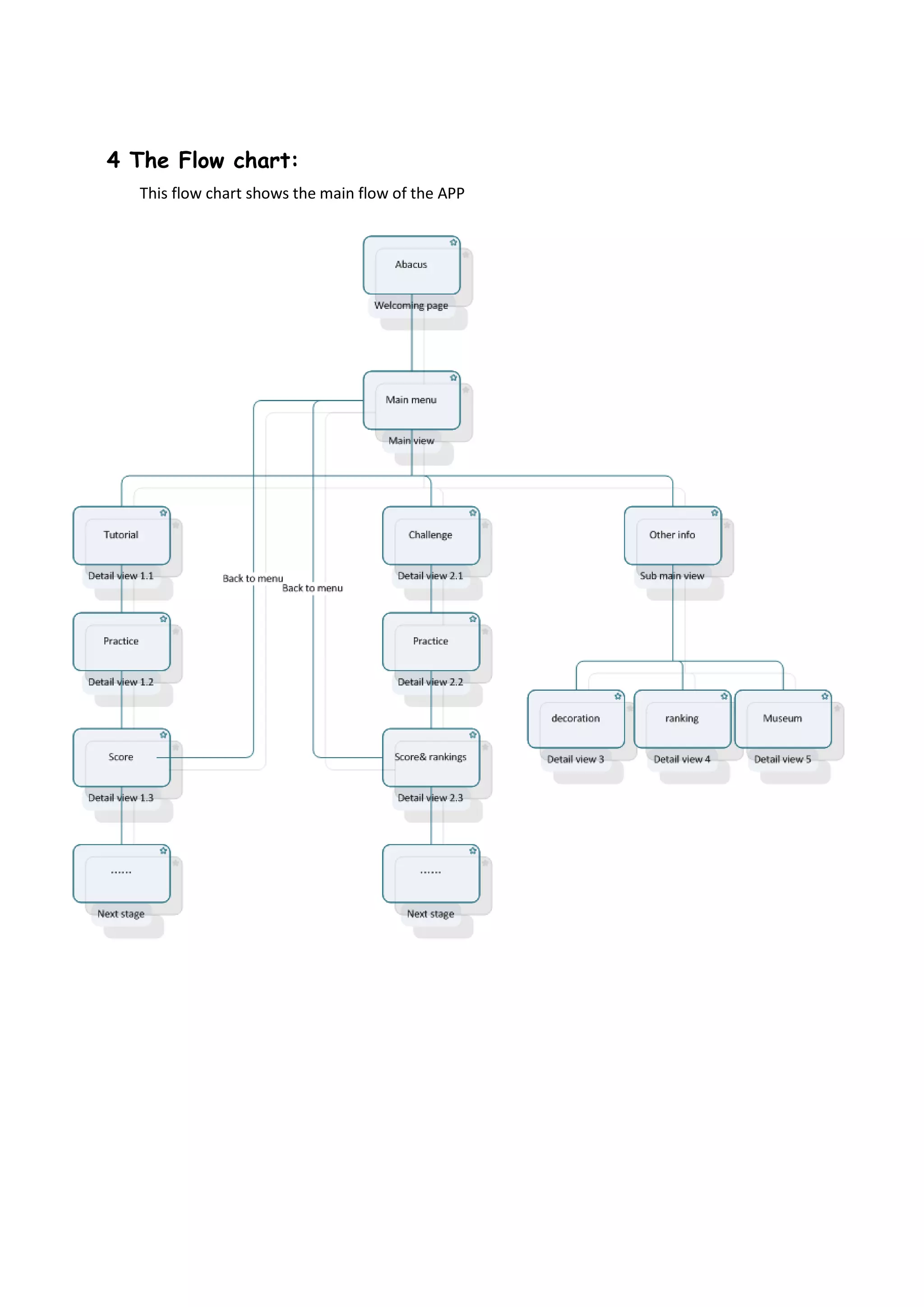
4 The Flow chart:
  This flow chart shows the main flow of the APP
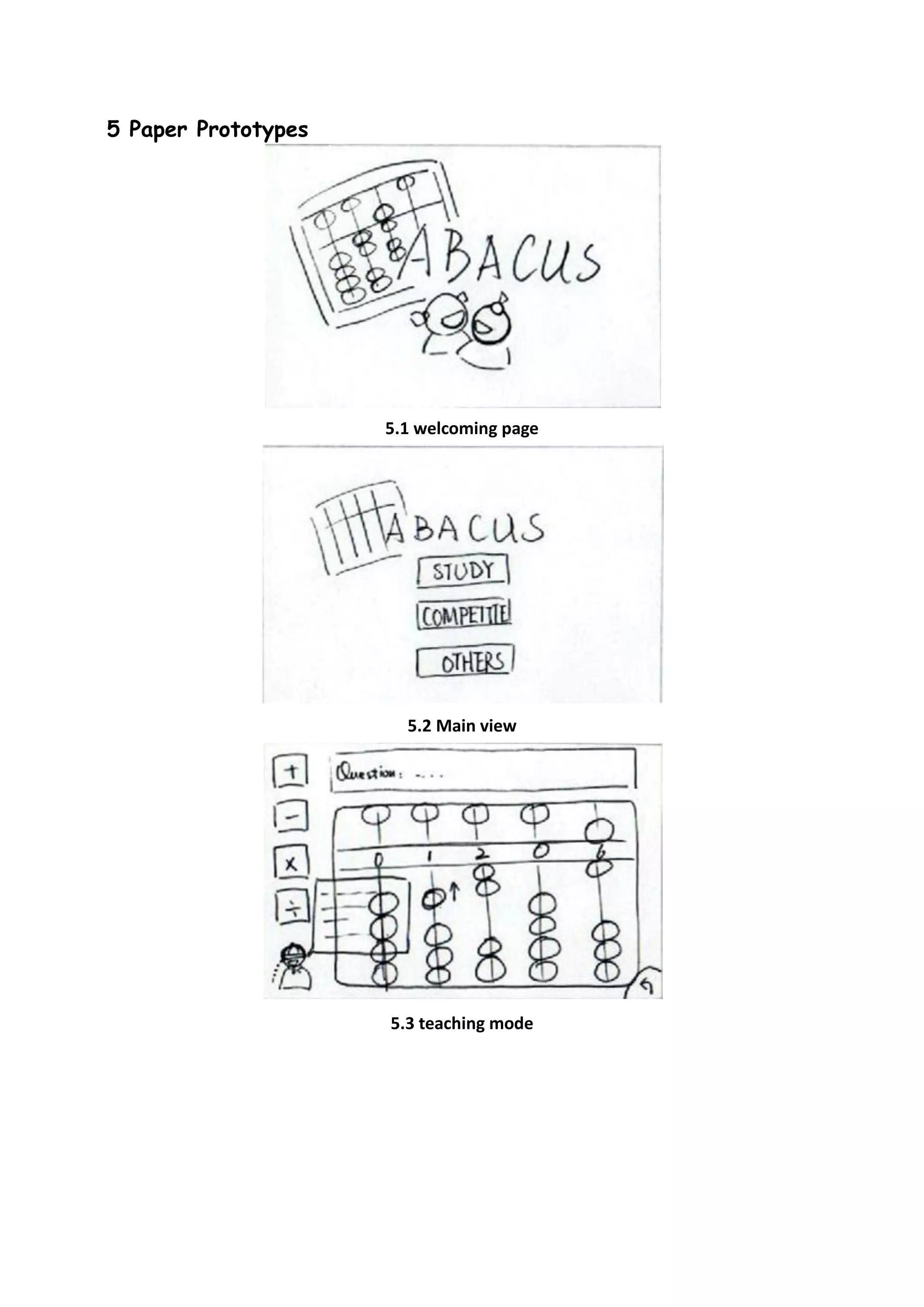
5 Paper Prototypes


                     5.1 welcoming page


                       5.2 Main view


                     5.3 teaching mode
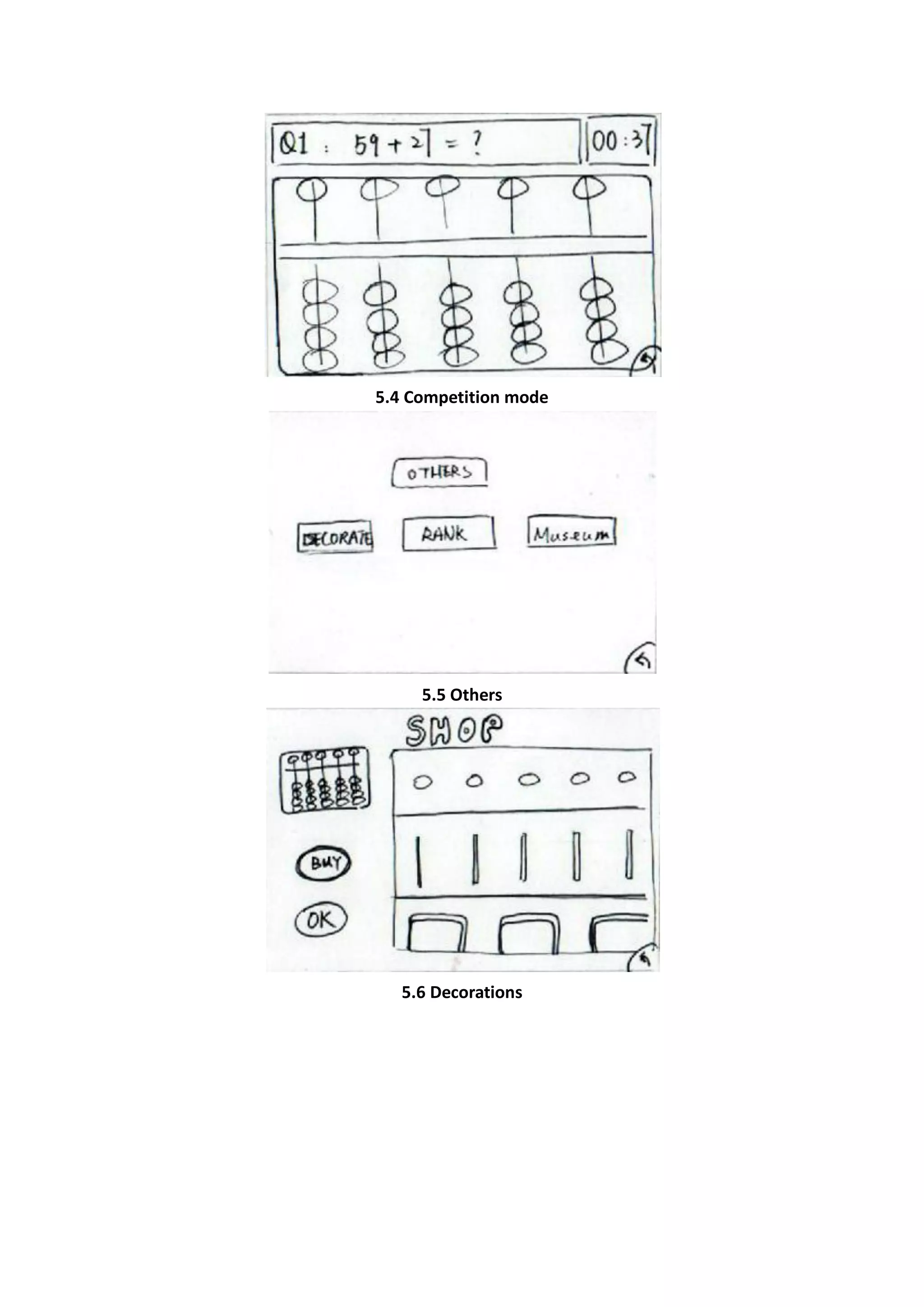
5.4 Competition mode


     5.5 Others


   5.6 Decorations
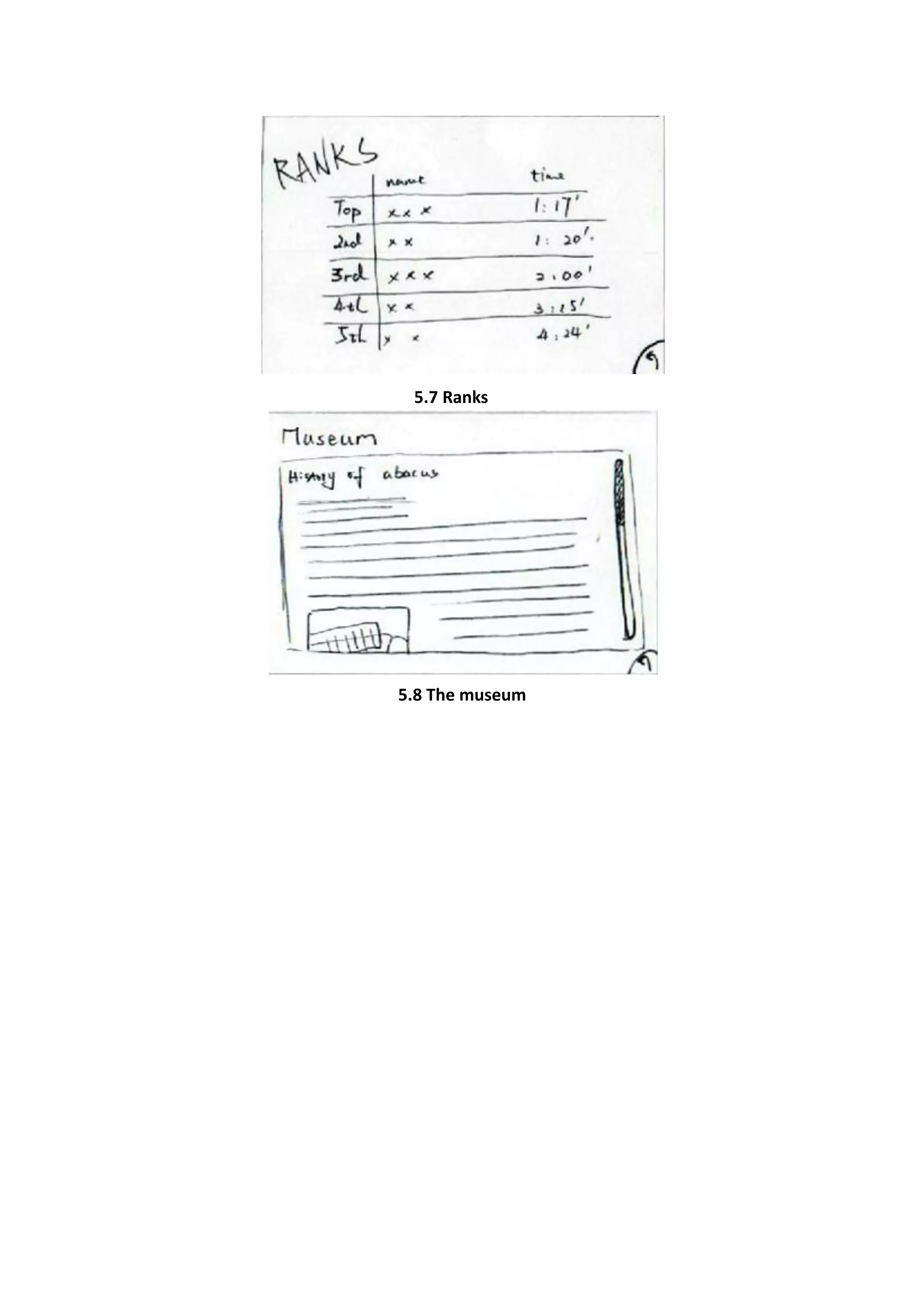
5.7 Ranks


5.8 The museum
6 Computer interface
6.1 Key interfaces


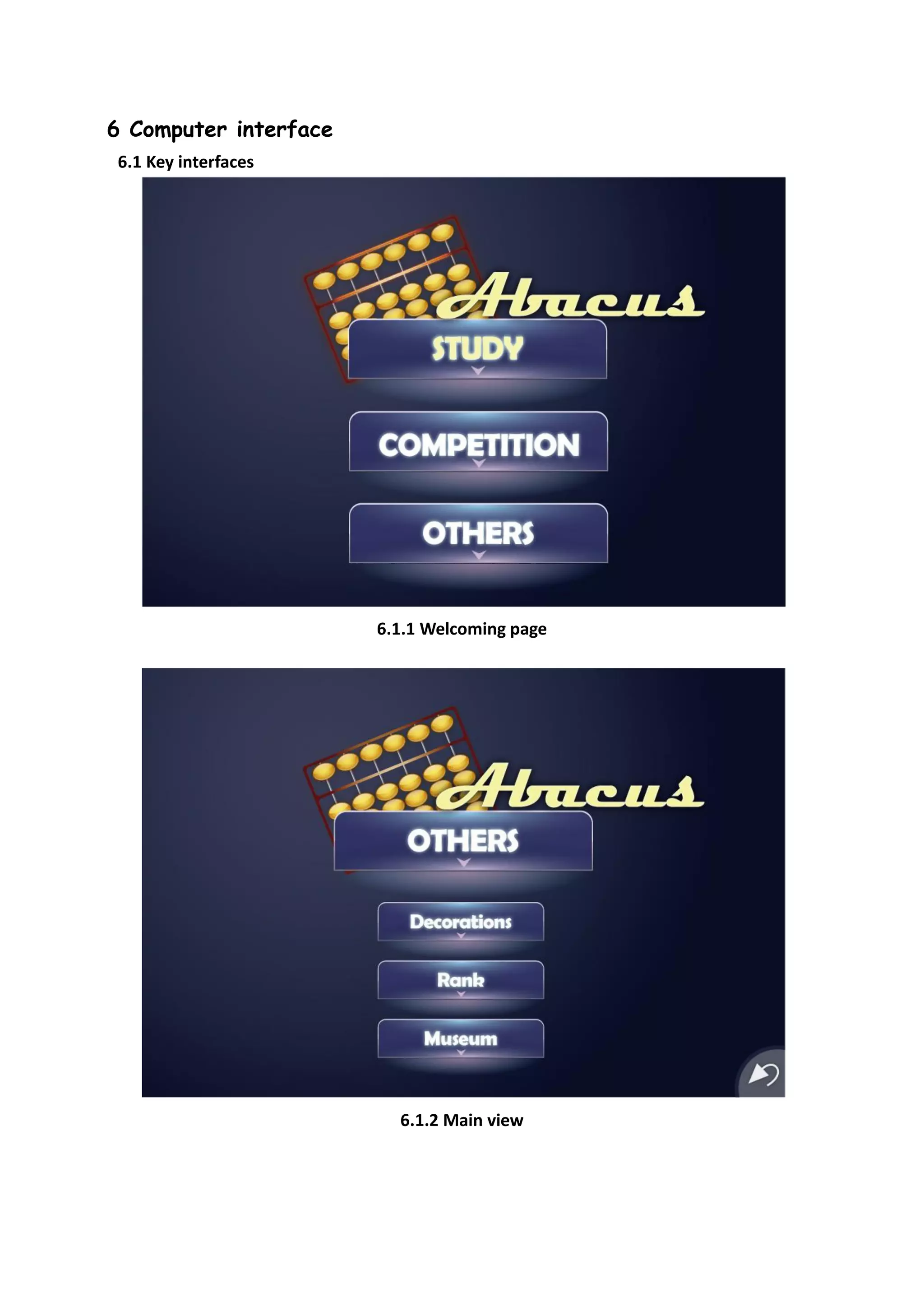
                       6.1.1 Welcoming page


                         6.1.2 Main view
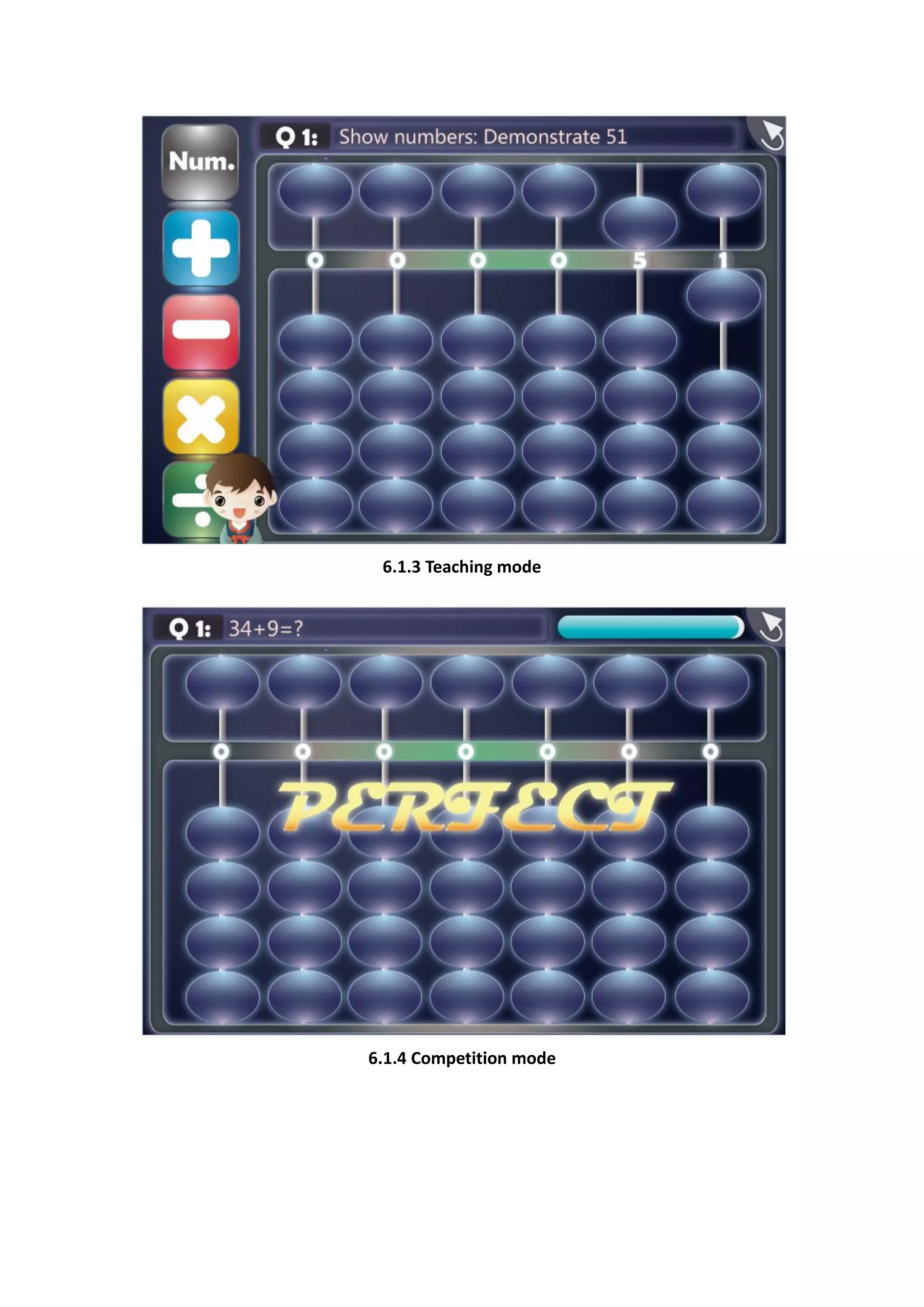
6.1.3 Teaching mode


6.1.4 Competition mode
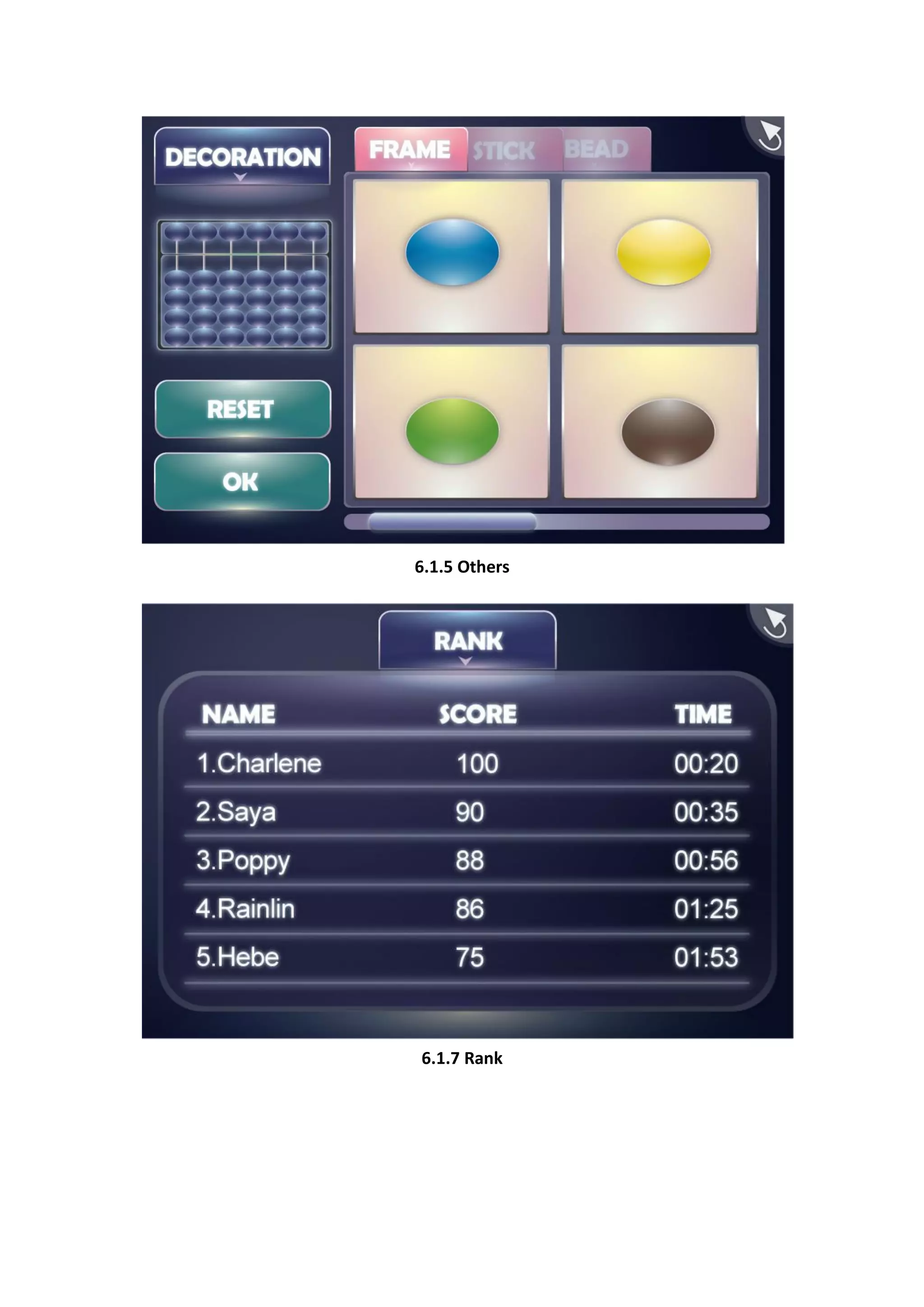
6.1.5 Others


6.1.7 Rank
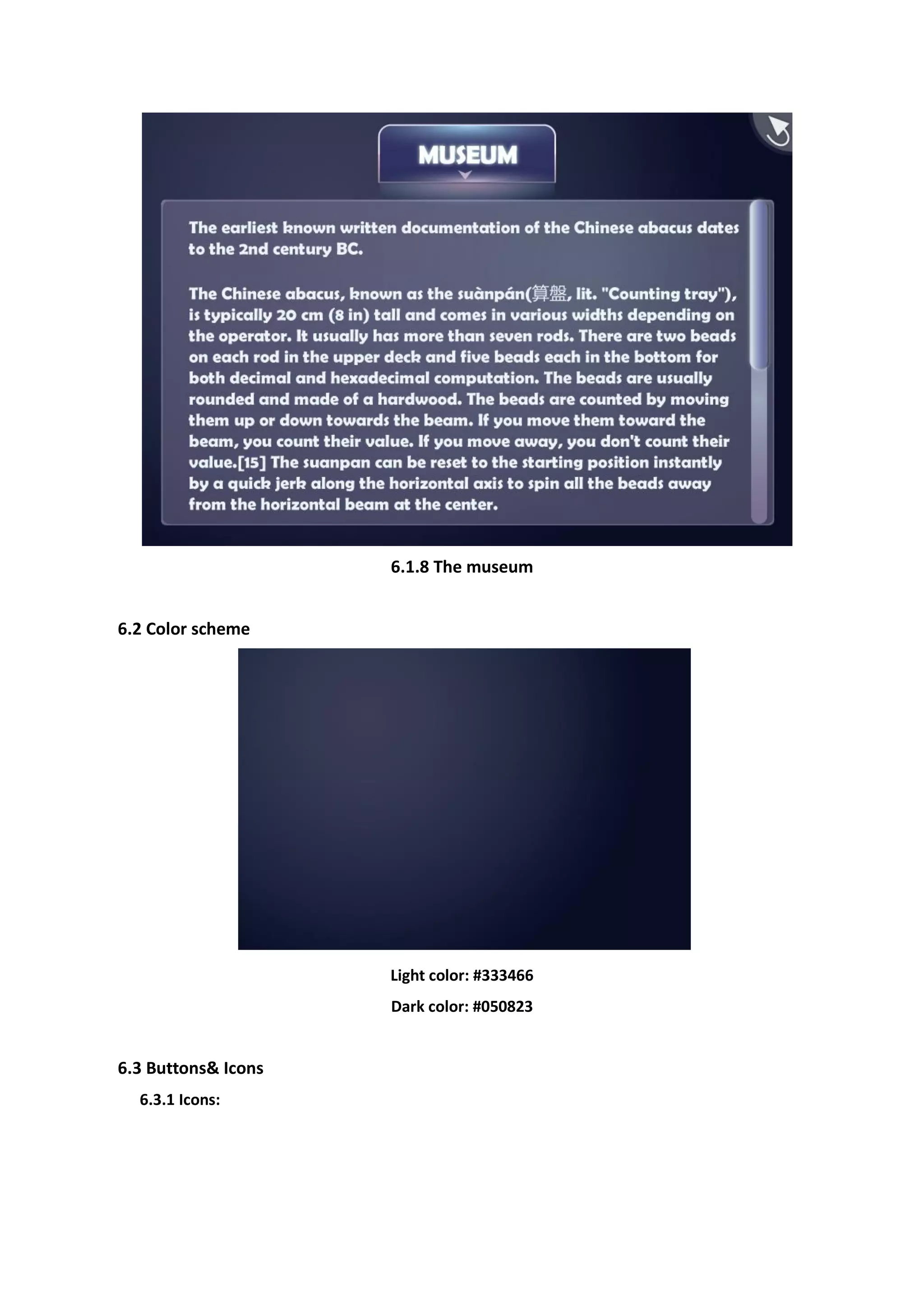
6.1.8 The museum


6.2 Color scheme


                     Light color: #333466
                     Dark color: #050823


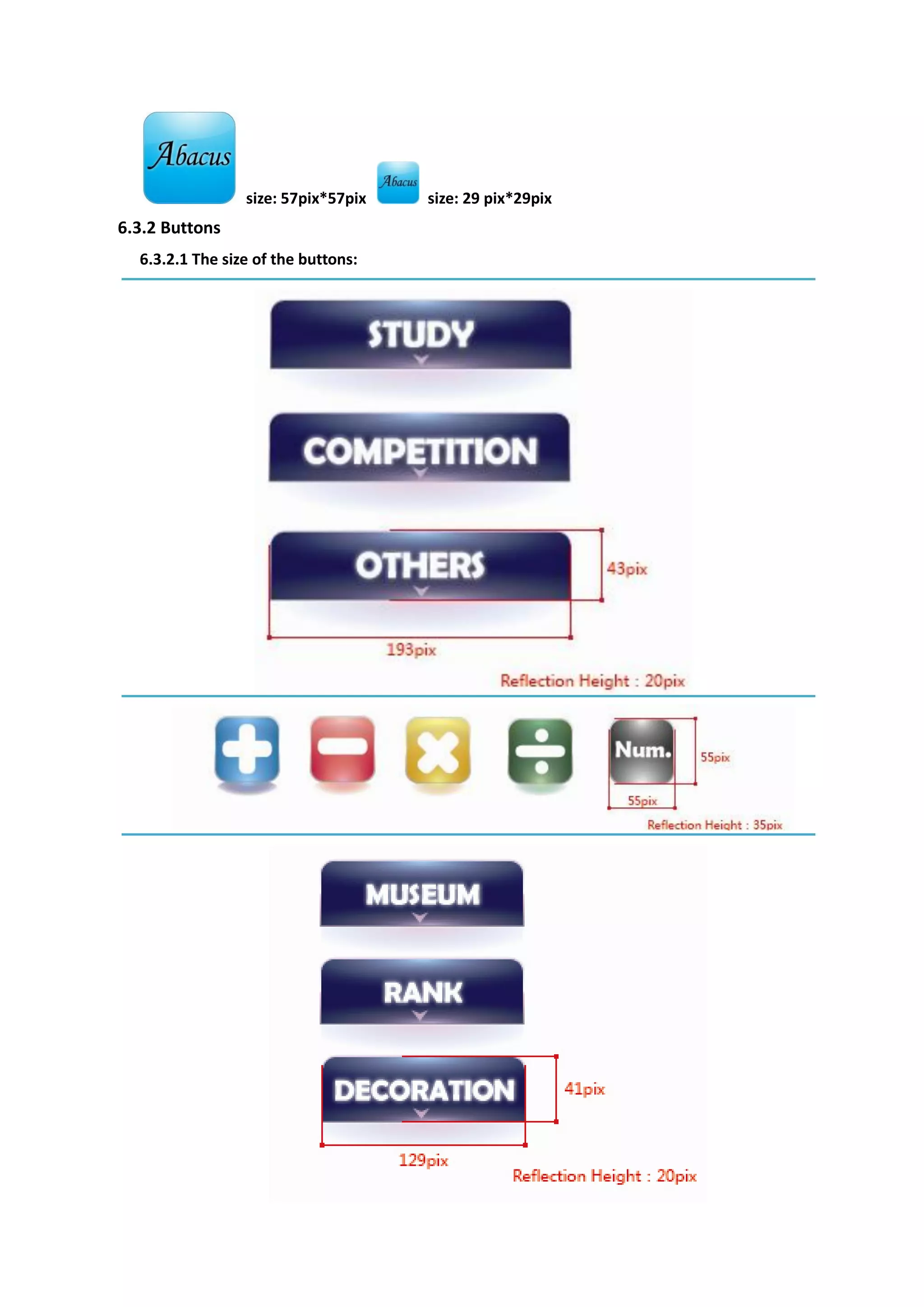
6.3 Buttons& Icons
  6.3.1 Icons:
size: 57pix*57pix   size: 29 pix*29pix
6.3.2 Buttons
  6.3.2.1 The size of the buttons:
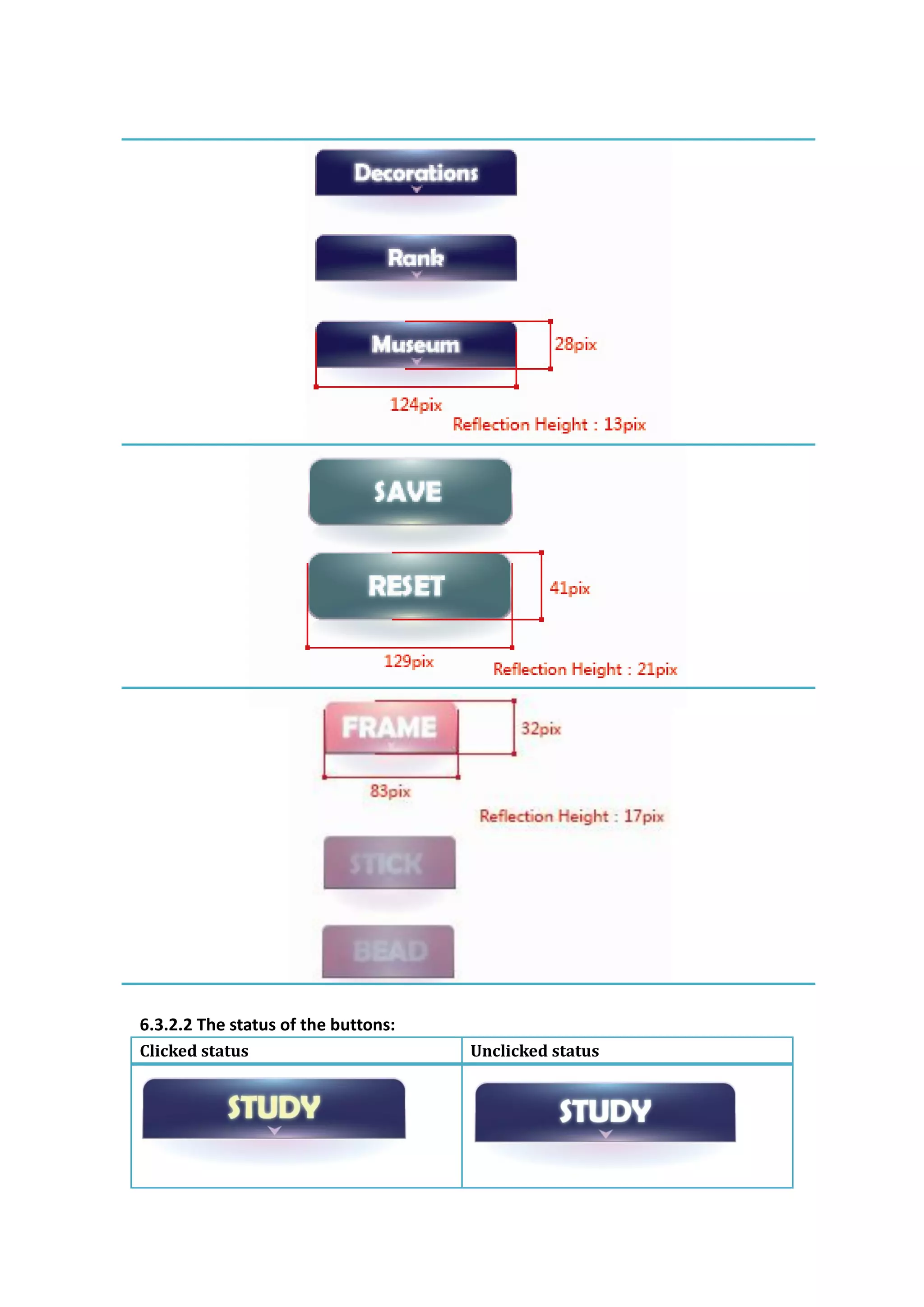
6.3.2.2 The status of the buttons:
Clicked status                       Unclicked status
On status                             Off status


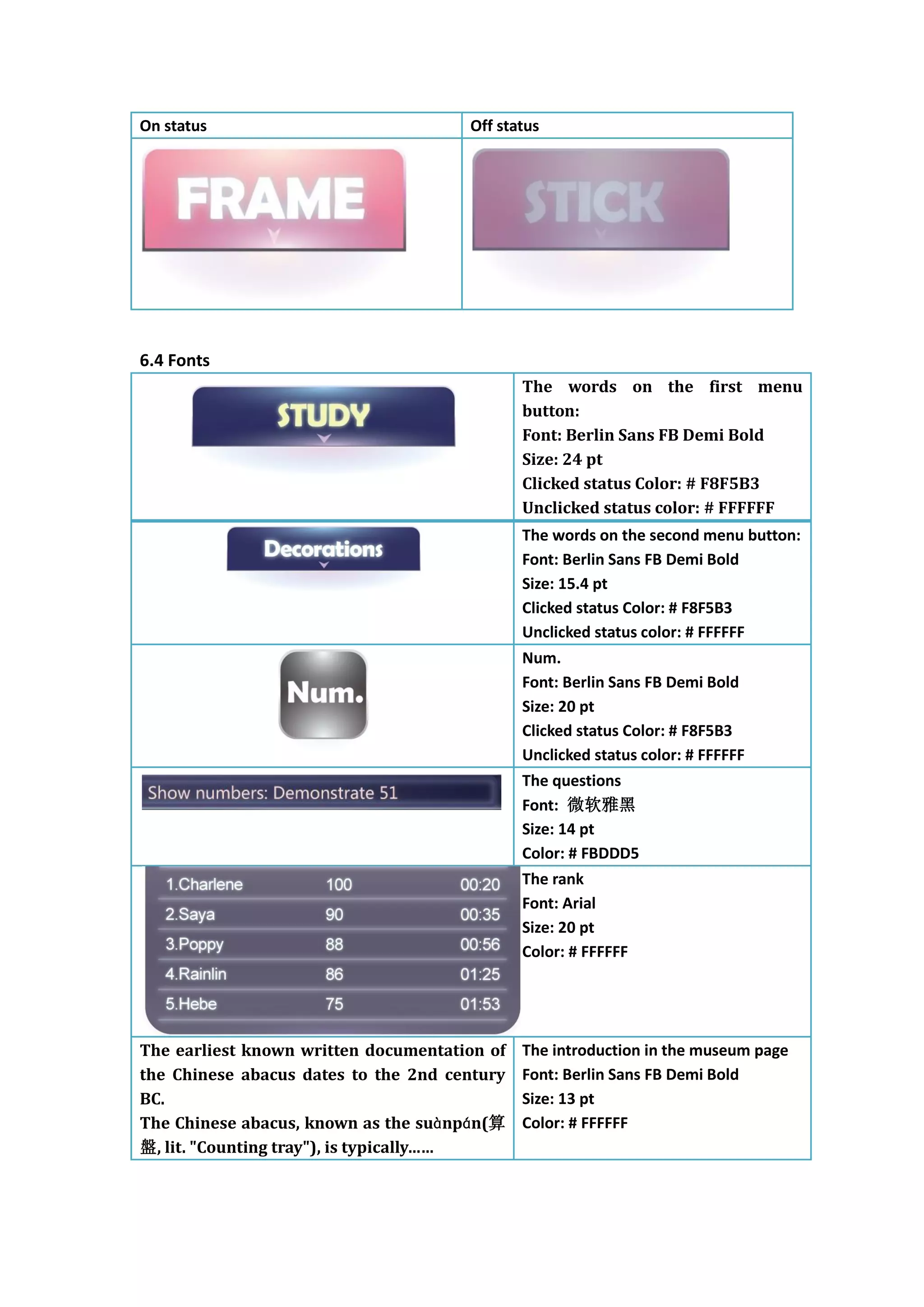
6.4 Fonts
                                              The words on the first menu
                                              button:
                                              Font: Berlin Sans FB Demi Bold
                                              Size: 24 pt
                                              Clicked status Color: # F8F5B3
                                              Unclicked status color: # FFFFFF
                                              The words on the second menu button:
                                              Font: Berlin Sans FB Demi Bold
                                              Size: 15.4 pt
                                              Clicked status Color: # F8F5B3
                                              Unclicked status color: # FFFFFF
                                              Num.
                                              Font: Berlin Sans FB Demi Bold
                                              Size: 20 pt
                                              Clicked status Color: # F8F5B3
                                              Unclicked status color: # FFFFFF
                                              The questions
                                              Font: 微软雅黑
                                              Size: 14 pt
                                              Color: # FBDDD5
                                              The rank
                                              Font: Arial
                                              Size: 20 pt
                                              Color: # FFFFFF


The earliest known written documentation of   The introduction in the museum page
the Chinese abacus dates to the 2nd century   Font: Berlin Sans FB Demi Bold
BC.                                           Size: 13 pt
The Chinese abacus, known as the suànpán(算    Color: # FFFFFF
盤, lit. "Counting tray"), is typically……

Design document

  • 1.
    Iphone app design TheAbacus 1 APP definition: It’s an app which teaches you how to use Chinese traditional Abacus (a calculator). 2 Introductions: 2.1 What is abacus? The Abacus, also called a counting frame, is a calculating tool used primarily in parts of Asia for performing arithmetic processes. Then why should we learn abacus? First, it is fun. With some practice, you can impress friends with amazing computation skills. Second, abacus is a rudimentary computer. One can visualize the computer at work by pushing beads and learn some very basic concepts of modern computers. What’s more, using abacus is a cooperation of both one’s hands and memory at the same time, thus it’s a great brain exercise even today. 3 Structure of the APP: This small APP has 3 parts: tutorial mood; challenge mood; others information. 3.1 Tutorial mood: The tutorial mood contains a short story which will teach you how an abacus works step by step, including how to represent certain number, how to do different calculation such as addition/subtraction/multiplication/division. Every time the user learns a new technique, he will receive some reward coin whose usage will be explained in later parts. 3.2 The challenge mood: The challenge mood contains a series of simple story problems for users to solve. And users will also receive some reward if he can solve a problem fast enough. 3.3 Other information: In this part of the game, user can view some information about the history of abacus/see the current ranking/change the look of his abacus.
  • 2.
    4 The Flowchart: This flow chart shows the main flow of the APP
  • 3.
    5 Paper Prototypes 5.1 welcoming page 5.2 Main view 5.3 teaching mode
  • 4.
    5.4 Competition mode 5.5 Others 5.6 Decorations
  • 5.
  • 6.
    6 Computer interface 6.1Key interfaces 6.1.1 Welcoming page 6.1.2 Main view
  • 7.
    6.1.3 Teaching mode 6.1.4Competition mode
  • 8.
  • 9.
    6.1.8 The museum 6.2Color scheme Light color: #333466 Dark color: #050823 6.3 Buttons& Icons 6.3.1 Icons:
  • 10.
    size: 57pix*57pix size: 29 pix*29pix 6.3.2 Buttons 6.3.2.1 The size of the buttons:
  • 11.
    6.3.2.2 The statusof the buttons: Clicked status Unclicked status
  • 12.
    On status Off status 6.4 Fonts The words on the first menu button: Font: Berlin Sans FB Demi Bold Size: 24 pt Clicked status Color: # F8F5B3 Unclicked status color: # FFFFFF The words on the second menu button: Font: Berlin Sans FB Demi Bold Size: 15.4 pt Clicked status Color: # F8F5B3 Unclicked status color: # FFFFFF Num. Font: Berlin Sans FB Demi Bold Size: 20 pt Clicked status Color: # F8F5B3 Unclicked status color: # FFFFFF The questions Font: 微软雅黑 Size: 14 pt Color: # FBDDD5 The rank Font: Arial Size: 20 pt Color: # FFFFFF The earliest known written documentation of The introduction in the museum page the Chinese abacus dates to the 2nd century Font: Berlin Sans FB Demi Bold BC. Size: 13 pt The Chinese abacus, known as the suànpán(算 Color: # FFFFFF 盤, lit. "Counting tray"), is typically……