C # Corner : Delhi Student’s Day 
HTML 5 
Don’t be afraid, Let's Code
Be Crazy Not lazy
AGENDA 
• HTML5: Past, Present & Future 
• What is HTML5 
• What's New in HTML5 
• Simplified and Loose Syntax 
• New Elements and Attributes 
• Embedded Media 
• Canvas 
• Offline Storage 
• Drag and Drop 
• Geo-Location …Etc 
• Don’t be afraid, Let's Code 
• (Lets Design a Drawing tool using HTML5...) 
• Thanks ! Enjoy Programming
HTML5: PAST, PRESENT & FUTURE 
• December 1997: HTML 4.0 is published by the W3C 
• February - March 1998: XML 1.0 is published 
• December 1999 - January 2000: ECMAScript 3rd Edition, XHTML 1.0 (Basically HTML tags 
reformulated in XML) and, HTML 4.01 recommendations are published 
• May 2001: XHTML 1.1 recommendation is published 
• August 2002: XHTML 2.0 first working draft is released. 
• December 2002: XHTML 2.0 second working draft published. 
• January 2008: First W3C working draft of HTML5 is published!! 
• 84% of Developers Plan to Adopt Key HTML5 Features 
• The key to understanding HTML5 is that it is not one, but a group of technologies. Within HTML5, 
developers have a tremendous amount of choice regarding what they use and what they don’t use 
• The power of HTML5 being ready for prime-time can be seen in Microsoft’s choice to utilize it in 
Windows 8
WHAT IS HTML5 
• HTML5 is the newest version of HTML, only recently 
gaining partial support by the makers of web browsers. 
• It incorporates all features from earlier versions of HTML, 
including the stricter XHTML. 
• It adds a diverse set of new tools for the web developer to 
use. 
• It is still a work in progress. No browsers have full HTML5 
support. It will be many years – perhaps not until 2018 or 
later - before being fully defined and supported.
WHAT'S NEW IN HTML5 
New Elements in HTML5 
<article> 
<aside> 
<audio> 
<canvas> 
<datalist> 
<figure> 
<figcaption> 
<footer> 
<header> 
<hgroup> 
<mark> 
<nav> 
<progress> 
<section> 
<source> 
<svg> 
<time> 
<video> 
These are just some of the new elements introduced in HTML5. I will 
be exploring each of these during my sessions…
OTHER FEATURES 
 Built-in audio and video support (without plugins) 
 Enhanced form controls and attributes 
 The Canvas (a way to draw directly on a web page) 
 Drag and Drop functionality 
 Support for CSS3 (the newer and more powerful version 
of CSS) 
 More advanced features for web developers, such as data 
storage and offline applications.
FIRST LOOK AT HTML5 
Remember the DOCTYPE declaration from XHTML? 
<!DOCTYPE html PUBLIC "-//W3C//DTD XHTML 1.0 Transitional//EN" 
"http://www.w3.org/TR/xhtml1/DTD/xhtml1-transitional.dtd"> 
In HTML5, there is just one possible DOCTYPE declaration and it is simpler: 
<!DOCTYPE html> 
Just 15 characters! 
The DOCTYPE tells the browser which type and version of document to 
expect. This should be the last time the DOCTYPE is ever changed. From 
now on, all future versions of HTML will use this same simplified declaration.
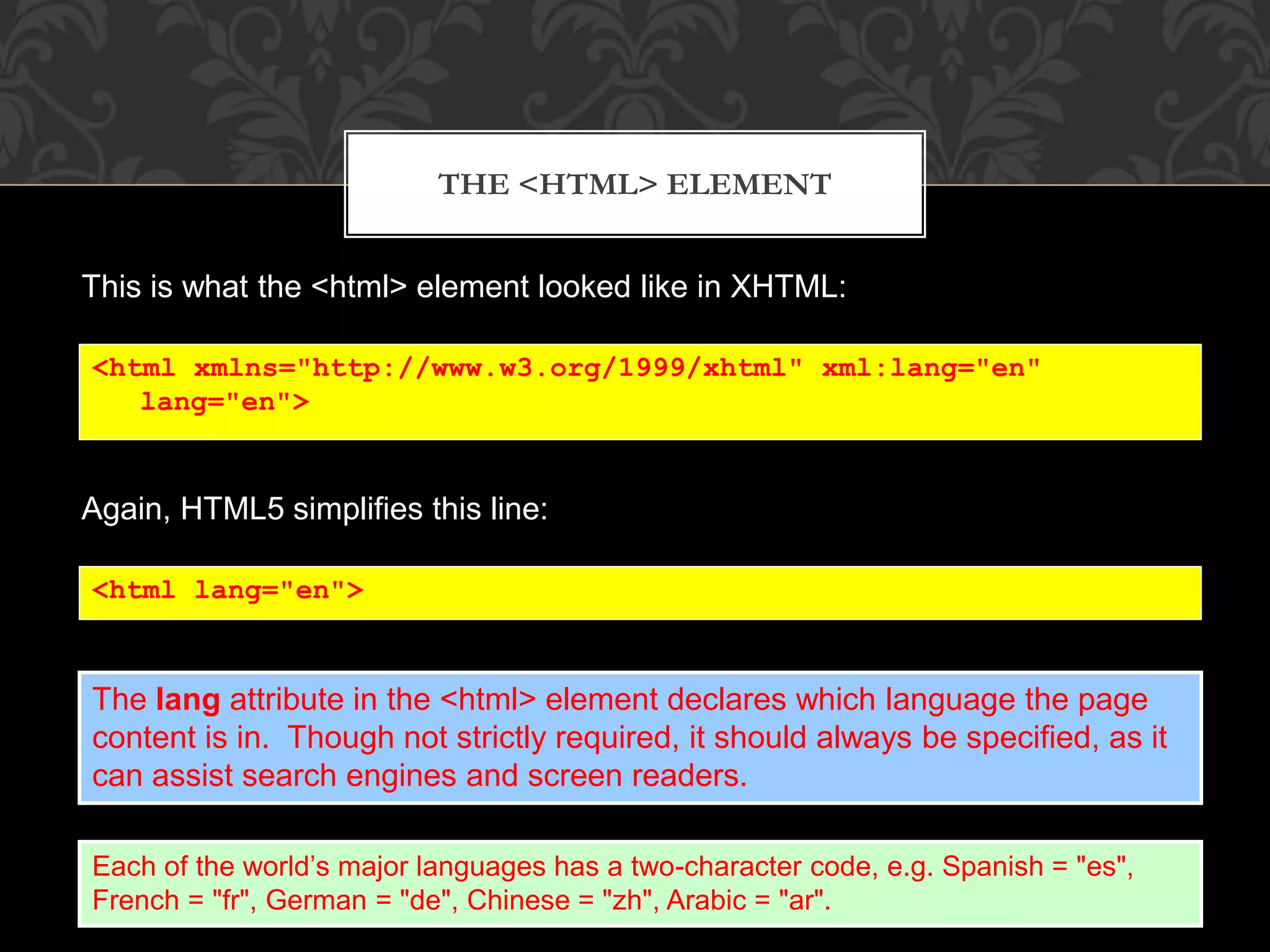
THE <HTML> ELEMENT 
This is what the <html> element looked like in XHTML: 
<html xmlns="http://www.w3.org/1999/xhtml" xml:lang="en" 
lang="en"> 
Again, HTML5 simplifies this line: 
<html lang="en"> 
The lang attribute in the <html> element declares which language the page 
content is in. Though not strictly required, it should always be specified, as it 
can assist search engines and screen readers. 
Each of the world’s major languages has a two-character code, e.g. Spanish = "es", 
French = "fr", German = "de", Chinese = "zh", Arabic = "ar".
THE <HEAD> SECTION 
Here is a typical XHTML <head> section: 
<head> 
<meta http-equiv="Content-type" content="text/html; charset=UTF-8" /> 
<title>My First XHTML Page</title> 
<link rel="stylesheet" type="text/css" href="style.css" /> 
</head> 
And the HTML5 version: 
<head> 
<meta charset="utf-8"> 
<title>My First HTML5 Page</title> 
<link rel="stylesheet" href="style.css"> 
</head> 
Notice the simplified character set declaration, the shorter CSS stylesheet link 
text, and the removal of the trailing slashes for these two lines.
BASIC HTML5 WEB PAGE 
Putting the prior sections together, and now adding the <body> section and 
closing tags, we have our first complete web page in HTML5: 
<!DOCTYPE html> 
<html lang="en"> 
<head> 
<meta charset="utf-8"> 
<title>My First HTML5 Page</title> 
<link rel="stylesheet" href="style.css"> 
</head> 
<body> 
<p>HTML5 is fun!</p> 
</body> 
</html> 
Let's open this page in a web browser to see how it looks…
      
Even though we used HTML5, the page looks exactly the same in a web 
browser as it would in XHTML. Without looking at the source code, web 
visitors will not know which version of HTML the page was created with.
Don’t be afraid, Let's Code
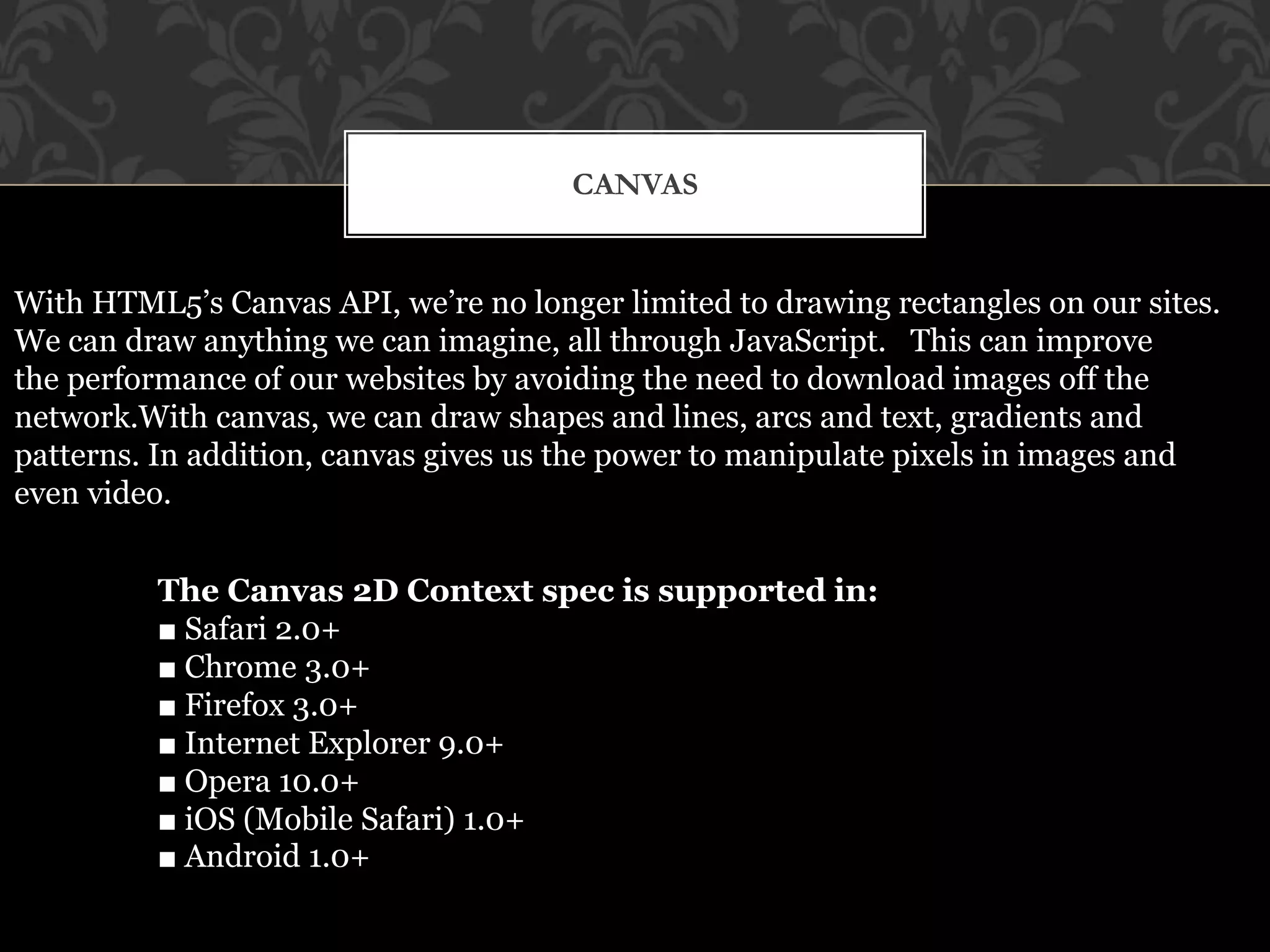
CANVAS 
With HTML5’s Canvas API, we’re no longer limited to drawing rectangles on our sites. 
We can draw anything we can imagine, all through JavaScript. This can improve 
the performance of our websites by avoiding the need to download images off the 
network.With canvas, we can draw shapes and lines, arcs and text, gradients and 
patterns. In addition, canvas gives us the power to manipulate pixels in images and 
even video. 
The Canvas 2D Context spec is supported in: 
■ Safari 2.0+ 
■ Chrome 3.0+ 
■ Firefox 3.0+ 
■ Internet Explorer 9.0+ 
■ Opera 10.0+ 
■ iOS (Mobile Safari) 1.0+ 
■ Android 1.0+
CREATING A CANVAS ELEMENT
…. 
6.2. Drawing a canvas 
We obtain our drawing context by calling the getContext method and passing it 
the string "2d", since we’ll be drawing in two dimensions:
I WILL EXPLAIN IN BLOG 
With Example: Pixel Bender
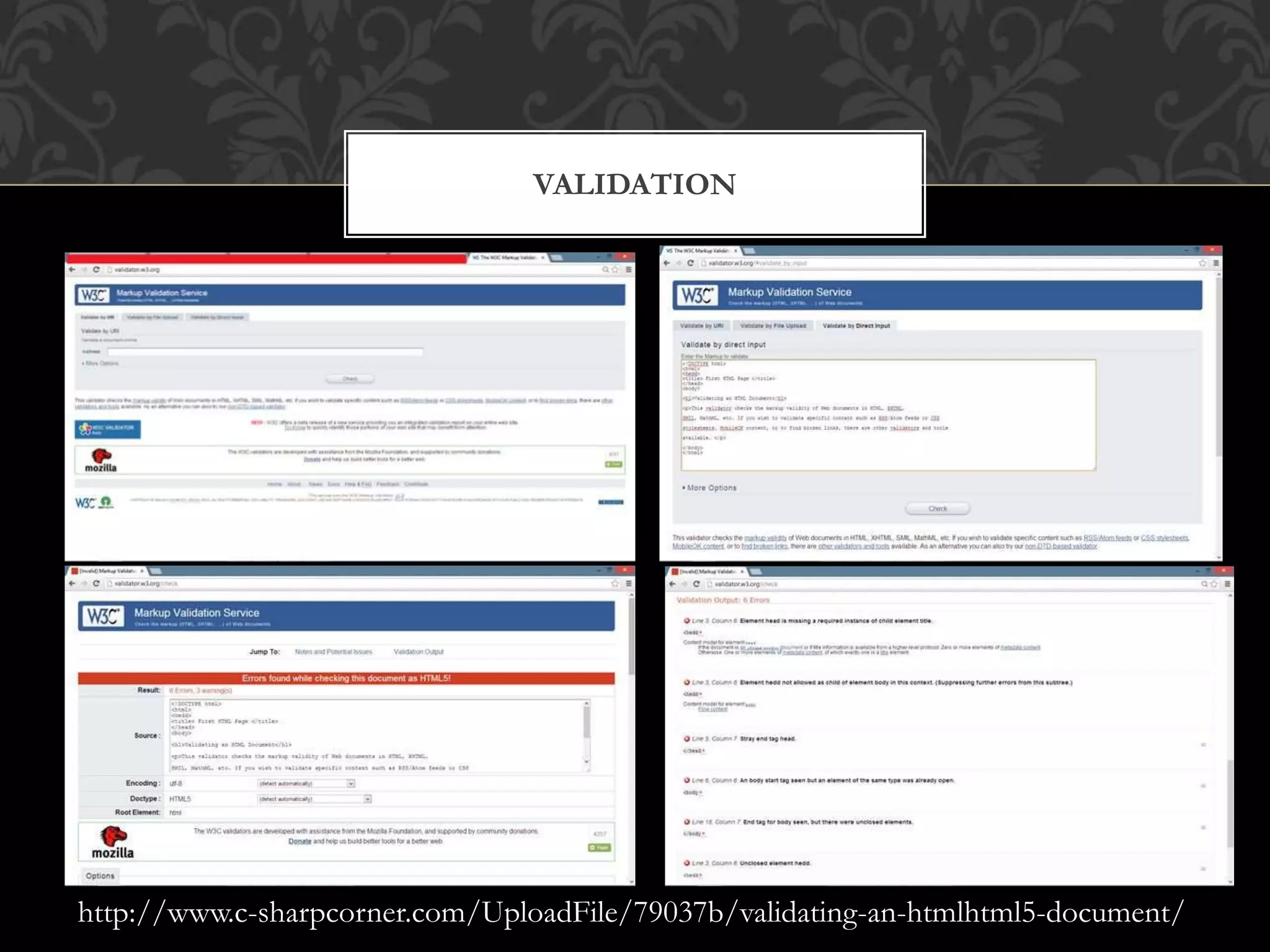
VALIDATING AN HTML/HTML5 DOCUMENT 
Validating a HTML document means checking or verifing its code according to the 
standards of HTML5 specifications. For validating an HTML5 document we can use an 
HTML validator. These are programs that check HTML documents for conformance to 
the standards. Some common online HTML validator programs: 
http://validator.w3.org/ 
http://validator.whatwg.org/ 
• Open a browser and URL ( http://validator.w3.org ). 
• Select the "Validate by Direct Input" tab and add the HTML code of the 
FirstHTMLpage.html file in the provided area. (We can also upload the 
respective HTML file document directly or By URL). 
• Click the check button. If the code complies with the HTML5 standards 
then the validator displays the results accordingly…. 
• Click the "Check" button ant note that if your document does not meet the 
standards of HTML5 then the errors occur, like… 
• You can remove all the errors by using this platform…
VALIDATION 
http://www.c-sharpcorner.com/UploadFile/79037b/validating-an-htmlhtml5-document/
Don’t Think Just Do
Thanks ! Enjoy Programming 
www.ankurmishra.in 
ankur@fotreantech.com 
Twitter: @iAnkurMishra 
Facebook: iAnkurMishra

Delhi student's day

  • 1.
    C # Corner: Delhi Student’s Day HTML 5 Don’t be afraid, Let's Code
  • 2.
  • 3.
    AGENDA • HTML5:Past, Present & Future • What is HTML5 • What's New in HTML5 • Simplified and Loose Syntax • New Elements and Attributes • Embedded Media • Canvas • Offline Storage • Drag and Drop • Geo-Location …Etc • Don’t be afraid, Let's Code • (Lets Design a Drawing tool using HTML5...) • Thanks ! Enjoy Programming
  • 4.
    HTML5: PAST, PRESENT& FUTURE • December 1997: HTML 4.0 is published by the W3C • February - March 1998: XML 1.0 is published • December 1999 - January 2000: ECMAScript 3rd Edition, XHTML 1.0 (Basically HTML tags reformulated in XML) and, HTML 4.01 recommendations are published • May 2001: XHTML 1.1 recommendation is published • August 2002: XHTML 2.0 first working draft is released. • December 2002: XHTML 2.0 second working draft published. • January 2008: First W3C working draft of HTML5 is published!! • 84% of Developers Plan to Adopt Key HTML5 Features • The key to understanding HTML5 is that it is not one, but a group of technologies. Within HTML5, developers have a tremendous amount of choice regarding what they use and what they don’t use • The power of HTML5 being ready for prime-time can be seen in Microsoft’s choice to utilize it in Windows 8
  • 5.
    WHAT IS HTML5 • HTML5 is the newest version of HTML, only recently gaining partial support by the makers of web browsers. • It incorporates all features from earlier versions of HTML, including the stricter XHTML. • It adds a diverse set of new tools for the web developer to use. • It is still a work in progress. No browsers have full HTML5 support. It will be many years – perhaps not until 2018 or later - before being fully defined and supported.
  • 6.
    WHAT'S NEW INHTML5 New Elements in HTML5 <article> <aside> <audio> <canvas> <datalist> <figure> <figcaption> <footer> <header> <hgroup> <mark> <nav> <progress> <section> <source> <svg> <time> <video> These are just some of the new elements introduced in HTML5. I will be exploring each of these during my sessions…
  • 7.
    OTHER FEATURES Built-in audio and video support (without plugins)  Enhanced form controls and attributes  The Canvas (a way to draw directly on a web page)  Drag and Drop functionality  Support for CSS3 (the newer and more powerful version of CSS)  More advanced features for web developers, such as data storage and offline applications.
  • 8.
    FIRST LOOK ATHTML5 Remember the DOCTYPE declaration from XHTML? <!DOCTYPE html PUBLIC "-//W3C//DTD XHTML 1.0 Transitional//EN" "http://www.w3.org/TR/xhtml1/DTD/xhtml1-transitional.dtd"> In HTML5, there is just one possible DOCTYPE declaration and it is simpler: <!DOCTYPE html> Just 15 characters! The DOCTYPE tells the browser which type and version of document to expect. This should be the last time the DOCTYPE is ever changed. From now on, all future versions of HTML will use this same simplified declaration.
  • 9.
    THE <HTML> ELEMENT This is what the <html> element looked like in XHTML: <html xmlns="http://www.w3.org/1999/xhtml" xml:lang="en" lang="en"> Again, HTML5 simplifies this line: <html lang="en"> The lang attribute in the <html> element declares which language the page content is in. Though not strictly required, it should always be specified, as it can assist search engines and screen readers. Each of the world’s major languages has a two-character code, e.g. Spanish = "es", French = "fr", German = "de", Chinese = "zh", Arabic = "ar".
  • 10.
    THE <HEAD> SECTION Here is a typical XHTML <head> section: <head> <meta http-equiv="Content-type" content="text/html; charset=UTF-8" /> <title>My First XHTML Page</title> <link rel="stylesheet" type="text/css" href="style.css" /> </head> And the HTML5 version: <head> <meta charset="utf-8"> <title>My First HTML5 Page</title> <link rel="stylesheet" href="style.css"> </head> Notice the simplified character set declaration, the shorter CSS stylesheet link text, and the removal of the trailing slashes for these two lines.
  • 11.
    BASIC HTML5 WEBPAGE Putting the prior sections together, and now adding the <body> section and closing tags, we have our first complete web page in HTML5: <!DOCTYPE html> <html lang="en"> <head> <meta charset="utf-8"> <title>My First HTML5 Page</title> <link rel="stylesheet" href="style.css"> </head> <body> <p>HTML5 is fun!</p> </body> </html> Let's open this page in a web browser to see how it looks…
  • 12.
         Even though we used HTML5, the page looks exactly the same in a web browser as it would in XHTML. Without looking at the source code, web visitors will not know which version of HTML the page was created with.
  • 13.
  • 14.
    CANVAS With HTML5’sCanvas API, we’re no longer limited to drawing rectangles on our sites. We can draw anything we can imagine, all through JavaScript. This can improve the performance of our websites by avoiding the need to download images off the network.With canvas, we can draw shapes and lines, arcs and text, gradients and patterns. In addition, canvas gives us the power to manipulate pixels in images and even video. The Canvas 2D Context spec is supported in: ■ Safari 2.0+ ■ Chrome 3.0+ ■ Firefox 3.0+ ■ Internet Explorer 9.0+ ■ Opera 10.0+ ■ iOS (Mobile Safari) 1.0+ ■ Android 1.0+
  • 15.
  • 16.
    …. 6.2. Drawinga canvas We obtain our drawing context by calling the getContext method and passing it the string "2d", since we’ll be drawing in two dimensions:
  • 17.
    I WILL EXPLAININ BLOG With Example: Pixel Bender
  • 18.
    VALIDATING AN HTML/HTML5DOCUMENT Validating a HTML document means checking or verifing its code according to the standards of HTML5 specifications. For validating an HTML5 document we can use an HTML validator. These are programs that check HTML documents for conformance to the standards. Some common online HTML validator programs: http://validator.w3.org/ http://validator.whatwg.org/ • Open a browser and URL ( http://validator.w3.org ). • Select the "Validate by Direct Input" tab and add the HTML code of the FirstHTMLpage.html file in the provided area. (We can also upload the respective HTML file document directly or By URL). • Click the check button. If the code complies with the HTML5 standards then the validator displays the results accordingly…. • Click the "Check" button ant note that if your document does not meet the standards of HTML5 then the errors occur, like… • You can remove all the errors by using this platform…
  • 19.
  • 20.
  • 21.
    Thanks ! EnjoyProgramming www.ankurmishra.in ankur@fotreantech.com Twitter: @iAnkurMishra Facebook: iAnkurMishra