Introduction
This presentation aimsto introduce fundamental concepts of cybersecurity,
common online threats, digital protection, and responsible online behavior
to help high school students navigate the digital world safely.
Definition of
Cybersecurity
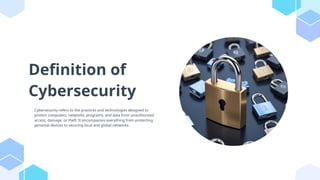
Cybersecurity refersto the practices and technologies designed to
protect computers, networks, programs, and data from unauthorized
access, damage, or theft. It encompasses everything from protecting
personal devices to securing local and global networks.
5.
Importance of
Cybersecurity
Cybersecurity iscrucial in today’s digital age as it protects sensitive information from theft and
malicious attacks. It ensures privacy, builds trust in online transactions, and helps to maintain
the integrity of data essential for personal and organizational operations.
6.
Key Terminologies
Key termsin cybersecurity include malware (malicious software), phishing (fraudulent attempts
to obtain sensitive information), ransomware (malware that locks files until a ransom is paid),
and firewall (security system that monitors and controls incoming and outgoing network traffic).
Types of OnlineThreats
Online threats can include viruses, spyware, phishing attacks, Denial of Service
(DoS) attacks, and identity theft. Each type of threat has specific characteristics
and potential impacts on individual and organizational security.
9.
Common Cyber Attacks
Commoncyber attacks include phishing, where attackers deceive users to gain personal
information; ransomware, which locks files until a ransom is paid; and social
engineering, which manipulates individuals into giving confidential information.
10.
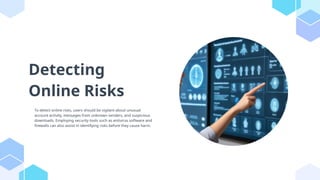
Detecting
Online Risks
To detectonline risks, users should be vigilant about unusual
account activity, messages from unknown senders, and suspicious
downloads. Employing security tools such as antivirus software and
firewalls can also assist in identifying risks before they cause harm.
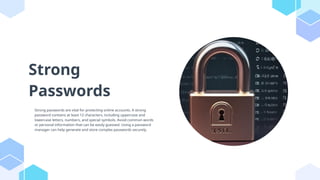
Strong
Passwords
Strong passwords arevital for protecting online accounts. A strong
password contains at least 12 characters, including uppercase and
lowercase letters, numbers, and special symbols. Avoid common words
or personal information that can be easily guessed. Using a password
manager can help generate and store complex passwords securely.
13.
Two-Factor
Authentication
Two-Factor Authentication (2FA)adds an extra layer of security by requiring not just a password but
also a second factor, like a code sent to your phone. This way, even if a password is compromised,
unauthorized access can be prevented. Enable 2FA on all accounts that offer it for enhanced security.
14.
Safe Browsing Practices
Safebrowsing practices include being cautious about the websites visited and the links clicked.
Always look for 'https://' in the URL, which indicates a secure connection. Avoid downloading
unknown attachments or software. Use reputable browsers and enable pop-up blockers to reduce
exposure to malicious content.
Responsible Online
Behavior
Responsible onlinebehavior includes treating others with respect, avoiding cyberbullying, and
thinking before posting. It’s essential to recognize the long-term impact of online actions and to
communicate positively. Understanding the consequences of one’s digital footprint is vital for
maintaining a good online reputation.
17.
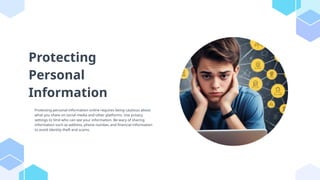
Protecting
Personal
Information
Protecting personal informationonline requires being cautious about
what you share on social media and other platforms. Use privacy
settings to limit who can see your information. Be wary of sharing
information such as address, phone number, and financial information
to avoid identity theft and scams.
18.
Understanding Privacy
Settings
Understanding privacysettings on social media platforms is crucial. Review and adjust settings to
control who can see your information and posts. Familiarize yourself with the platform’s data sharing
policies. Regularly updating these settings can help protect your personal data from unwanted
access.
What to DoAfter a
Breach
After a breach, immediately change passwords for affected accounts and enable two-factor
authentication. Monitor financial statements and credit reports for signs of unauthorized activity.
Consider contacting a credit bureau for a fraud alert and follow up with your service provider for
additional security measures.
21.
Reporting Incidents
Reporting incidentsis essential for preventing further damage and assisting in investigations. Report
cybercrimes to local and federal authorities, as well as your internet service provider or platform
where the incident occurred. Many organizations provide specific guidance on how to report
suspected cyber incidents.
22.
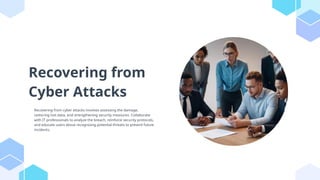
Recovering from
Cyber Attacks
Recoveringfrom cyber attacks involves assessing the damage,
restoring lost data, and strengthening security measures. Collaborate
with IT professionals to analyze the breach, reinforce security protocols,
and educate users about recognizing potential threats to prevent future
incidents.
23.
Conclusions
In conclusion, understandingcybersecurity fundamentals, recognizing
online threats, and practicing responsible behavior are critical for
maintaining safety in the digital world. By adopting strong passwords,
utilizing two-factor authentication, and being aware of digital citizenship,
individuals can significantly reduce their risk of cyber incidents.



![CYBERSECURITYcoll[1].pptx](https://cdn.slidesharecdn.com/ss_thumbnails/cybersecuritycoll1-231207002815-f4e5387d-thumbnail.jpg?width=640&height=640&fit=bounds)


