INTRO TO CSS
IAT100 Spring 2008
INTRO TO CSS
• Covered in this lesson:
⚬ Overview
■ What is CSS?
■ Why to use CSS?
■ CSS for Skinning your Website
⚬ Structure
■ CSS Syntax Introduction
■ Three places CSS can be defined
■ CSS Syntax Specifics
■ Cascading Inheritance
⚬ Applied
■ CSS Hands-on
WHAT IS CSS?
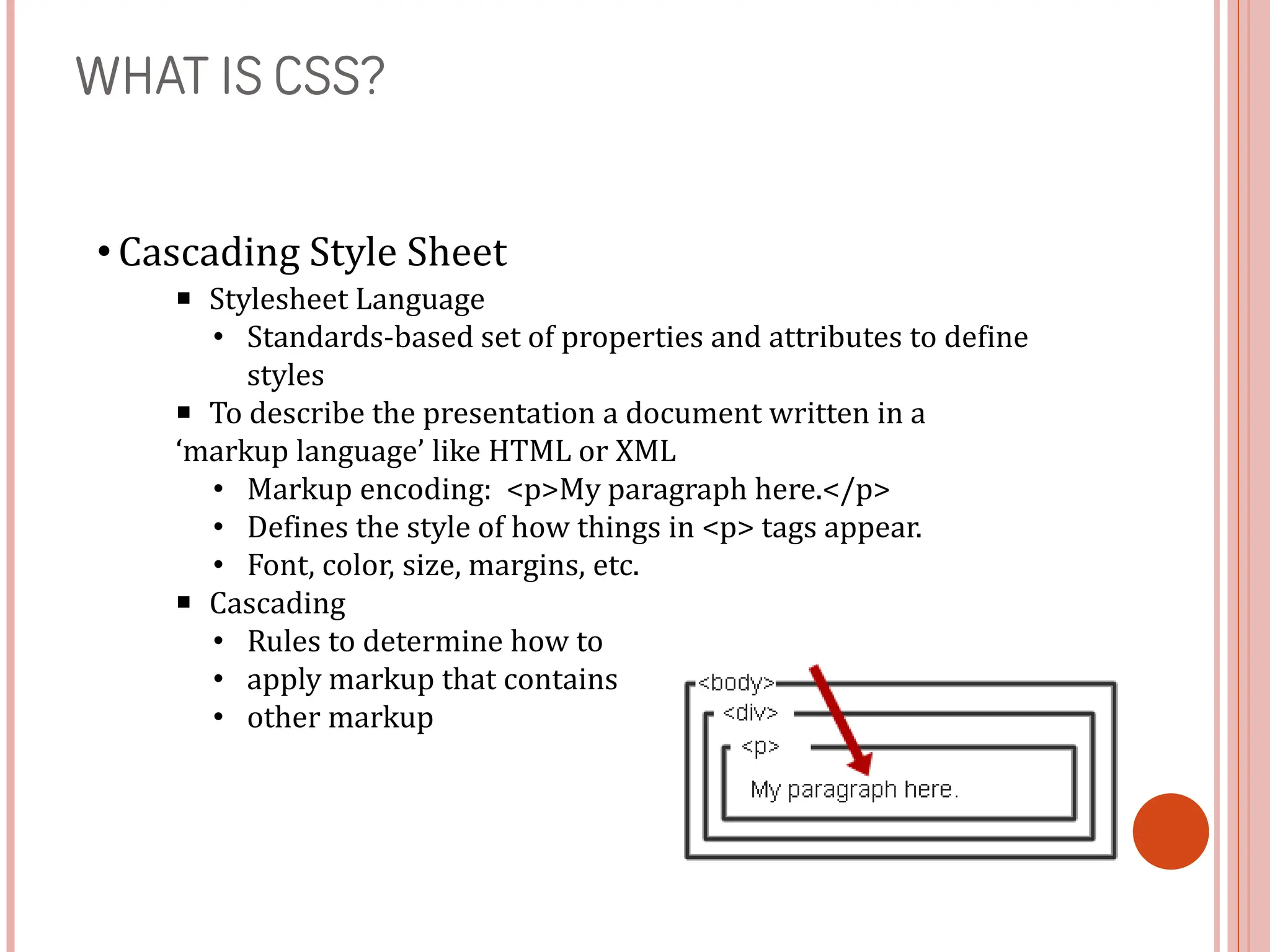
• Cascading Style Sheet
■ Stylesheet Language
• Standards-based set of properties and attributes to define
styles
■ To describe the presentation a document written in a
‘markup language’ like HTML or XML
• Markup encoding: <p>My paragraph here.</p>
• Defines the style of how things in <p> tags appear.
• Font, color, size, margins, etc.
■ Cascading
• Rules to determine how to
• apply markup that contains
• other markup
WHY CSS?
• Separate Content from Form
⚬ Content is the text and images, marked up to define regions of
specific types
⚬ Form defines the “style” for the content
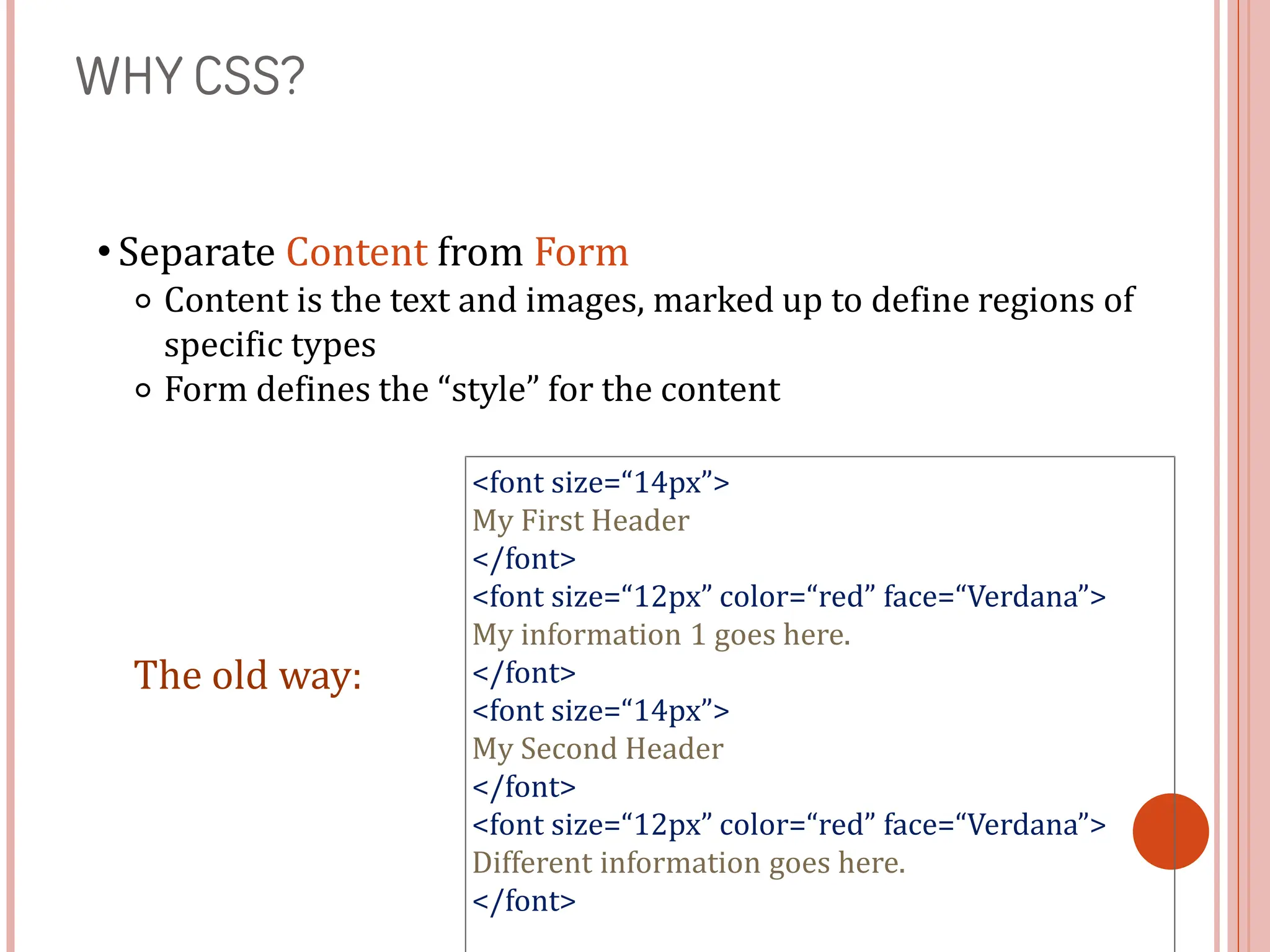
<font size=“14px”>
My First Header
</font>
<font size=“12px” color=“red” face=“Verdana”>
My information 1 goes here.
</font>
<font size=“14px”>
My Second Header
</font>
<font size=“12px” color=“red” face=“Verdana”>
Different information goes here.
</font>
The old way:
WHY CSS? CONTINUED.
• Separate Content from Form
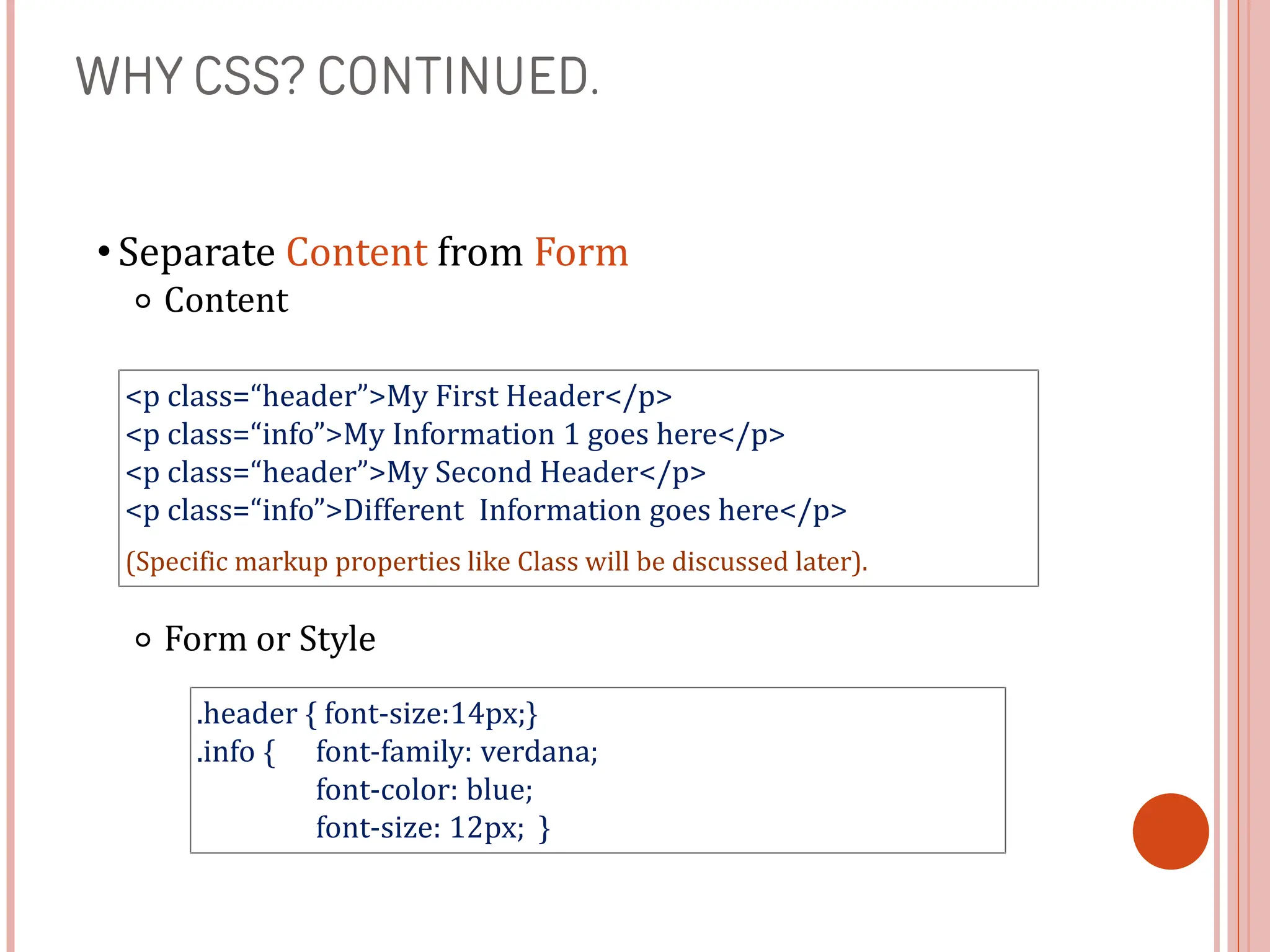
⚬ Content
⚬ Form or Style
<p class=“header”>My First Header</p>
<p class=“info”>My Information 1 goes here</p>
<p class=“header”>My Second Header</p>
<p class=“info”>Different Information goes here</p>
(Specific markup properties like Class will be discussed later).
.header { font-size:14px;}
.info { font-family: verdana;
font-color: blue;
font-size: 12px; }
WHAT DOES THIS SEPARATION GET US?
• Separate Content from Form
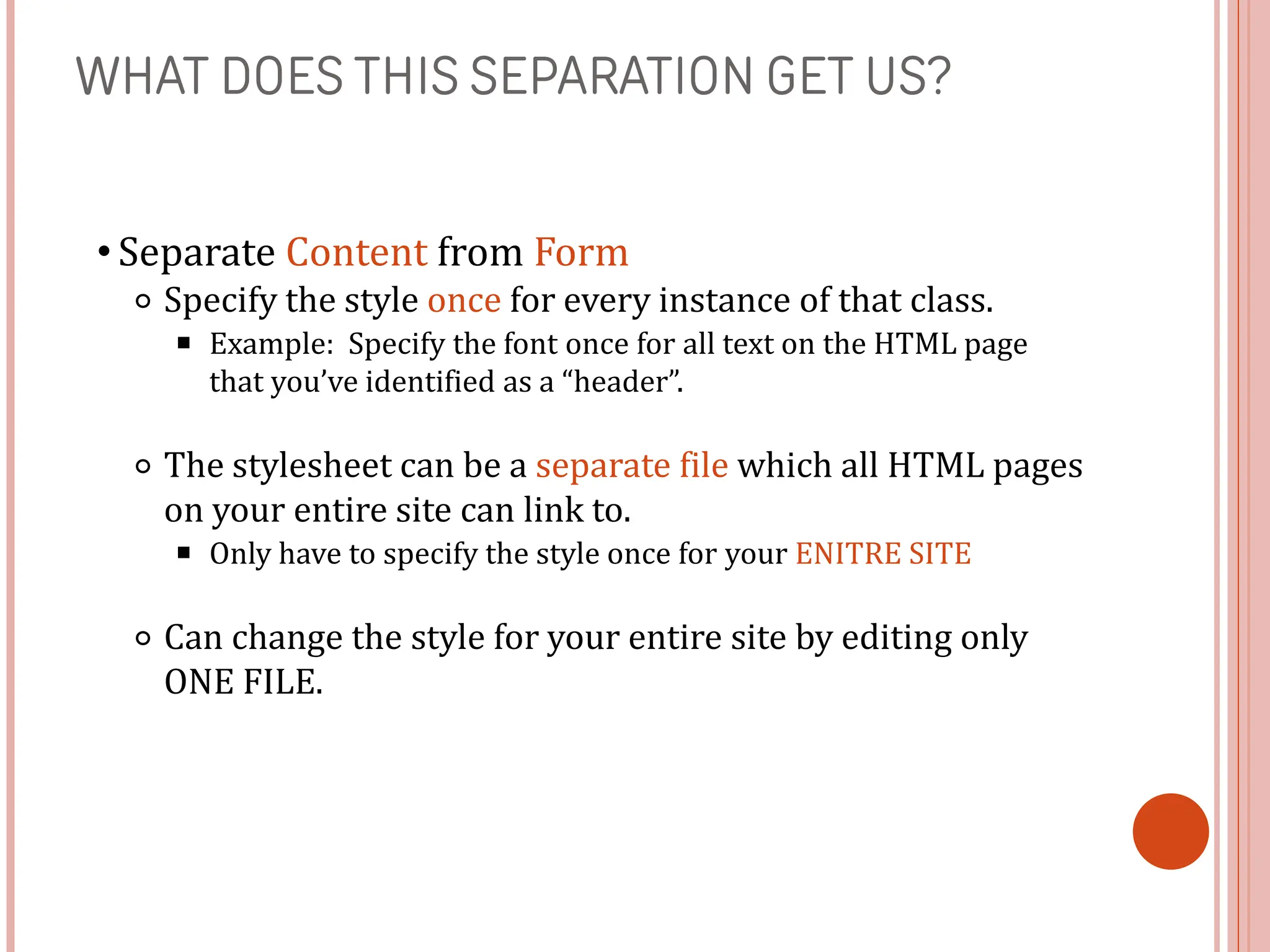
⚬ Specify the style once for every instance of that class.
■ Example: Specify the font once for all text on the HTML page
that you’ve identified as a “header”.
⚬ The stylesheet can be a separate file which all HTML pages
on your entire site can link to.
■ Only have to specify the style once for your ENITRE SITE
⚬ Can change the style for your entire site by editing only
ONE FILE.
CSS SKINNING
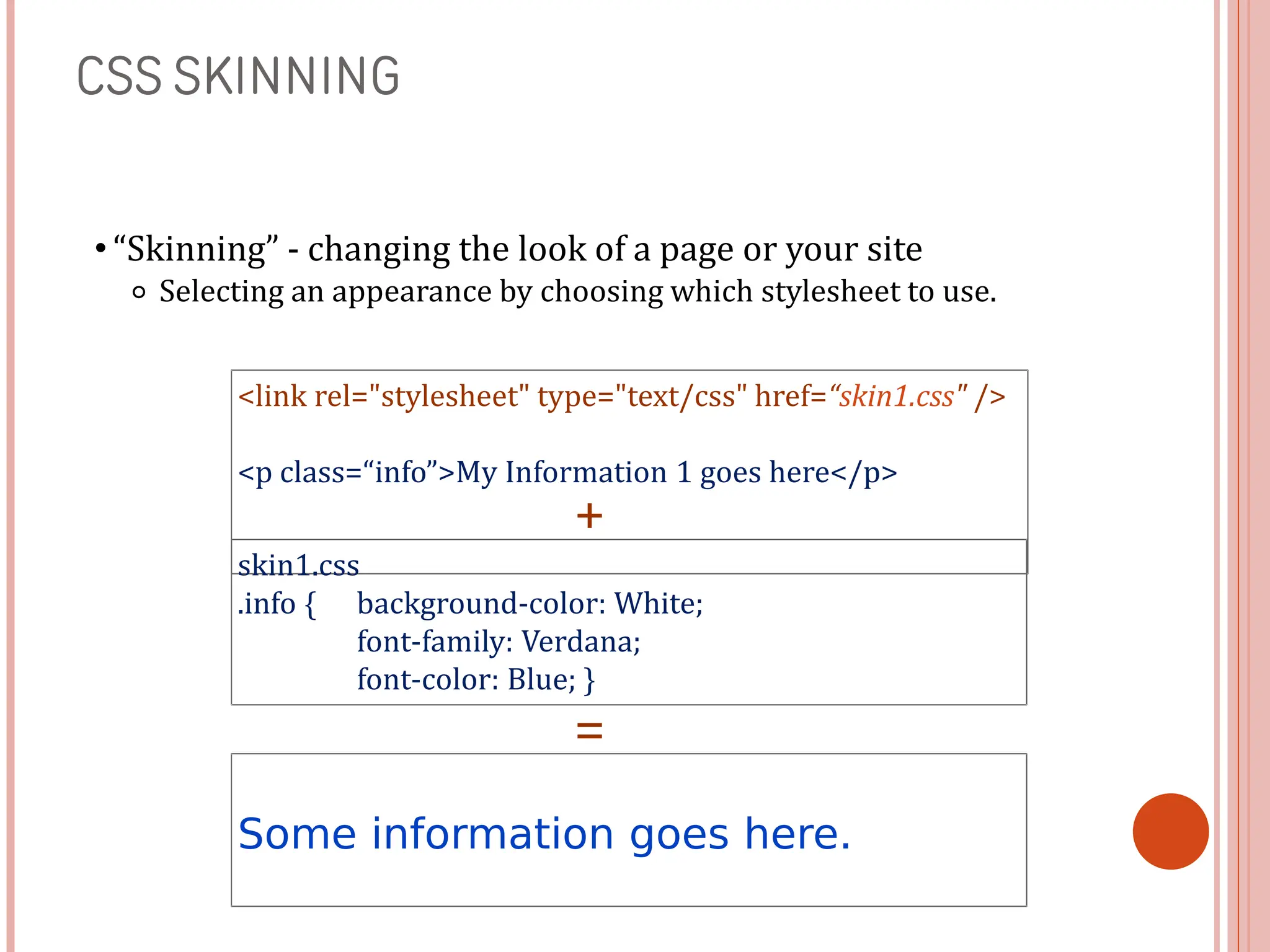
• “Skinning” - changing the look of a page or your site
⚬ Selecting an appearance by choosing which stylesheet to use.
<link rel="stylesheet" type="text/css" href=“skin1.css" />
<p class=“info”>My Information 1 goes here</p>
skin1.css
.info { background-color: White;
font-family: Verdana;
font-color: Blue; }
Some information goes here.
+
=
CSS SKINNING 2
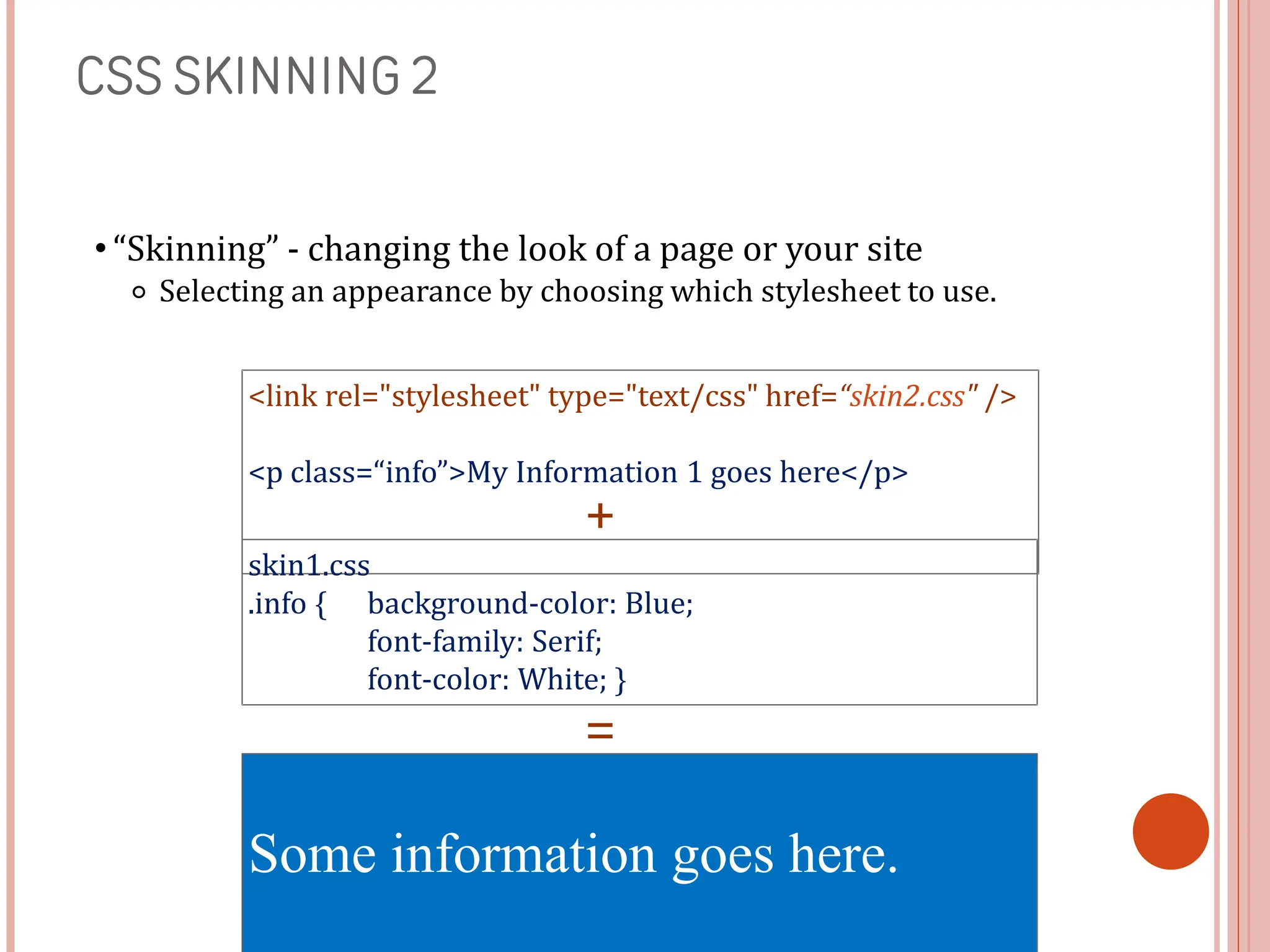
• “Skinning” - changing the look of a page or your site
⚬ Selecting an appearance by choosing which stylesheet to use.
<link rel="stylesheet" type="text/css" href=“skin2.css" />
<p class=“info”>My Information 1 goes here</p>
skin1.css
.info { background-color: Blue;
font-family: Serif;
font-color: White; }
Some information goes here.
+
=

CSS tutorial slides.ppt_20240716_204128_0000.pptx

  • 1.
  • 2.
    INTRO TO CSS •Covered in this lesson: ⚬ Overview ■ What is CSS? ■ Why to use CSS? ■ CSS for Skinning your Website ⚬ Structure ■ CSS Syntax Introduction ■ Three places CSS can be defined ■ CSS Syntax Specifics ■ Cascading Inheritance ⚬ Applied ■ CSS Hands-on
  • 3.
    WHAT IS CSS? •Cascading Style Sheet ■ Stylesheet Language • Standards-based set of properties and attributes to define styles ■ To describe the presentation a document written in a ‘markup language’ like HTML or XML • Markup encoding: <p>My paragraph here.</p> • Defines the style of how things in <p> tags appear. • Font, color, size, margins, etc. ■ Cascading • Rules to determine how to • apply markup that contains • other markup
  • 4.
    WHY CSS? • SeparateContent from Form ⚬ Content is the text and images, marked up to define regions of specific types ⚬ Form defines the “style” for the content <font size=“14px”> My First Header </font> <font size=“12px” color=“red” face=“Verdana”> My information 1 goes here. </font> <font size=“14px”> My Second Header </font> <font size=“12px” color=“red” face=“Verdana”> Different information goes here. </font> The old way:
  • 5.
    WHY CSS? CONTINUED. •Separate Content from Form ⚬ Content ⚬ Form or Style <p class=“header”>My First Header</p> <p class=“info”>My Information 1 goes here</p> <p class=“header”>My Second Header</p> <p class=“info”>Different Information goes here</p> (Specific markup properties like Class will be discussed later). .header { font-size:14px;} .info { font-family: verdana; font-color: blue; font-size: 12px; }
  • 6.
    WHAT DOES THISSEPARATION GET US? • Separate Content from Form ⚬ Specify the style once for every instance of that class. ■ Example: Specify the font once for all text on the HTML page that you’ve identified as a “header”. ⚬ The stylesheet can be a separate file which all HTML pages on your entire site can link to. ■ Only have to specify the style once for your ENITRE SITE ⚬ Can change the style for your entire site by editing only ONE FILE.
  • 7.
    CSS SKINNING • “Skinning”- changing the look of a page or your site ⚬ Selecting an appearance by choosing which stylesheet to use. <link rel="stylesheet" type="text/css" href=“skin1.css" /> <p class=“info”>My Information 1 goes here</p> skin1.css .info { background-color: White; font-family: Verdana; font-color: Blue; } Some information goes here. + =
  • 8.
    CSS SKINNING 2 •“Skinning” - changing the look of a page or your site ⚬ Selecting an appearance by choosing which stylesheet to use. <link rel="stylesheet" type="text/css" href=“skin2.css" /> <p class=“info”>My Information 1 goes here</p> skin1.css .info { background-color: Blue; font-family: Serif; font-color: White; } Some information goes here. + =