Box Model
 The three most commonly used CSS box properties are:
 padding
 border
 margin
 The other two properties are:
 width
 length
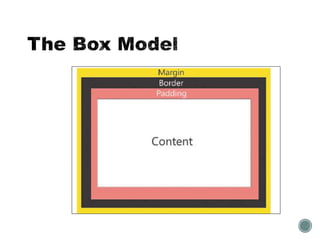
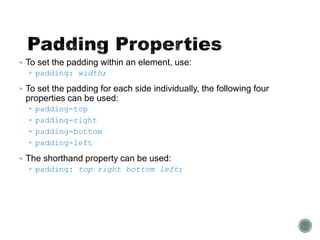
 Padding is the internal white space that surrounds the contents of
an element.
 The padding properties control this internal white space.
 By default, the content of an element does not have padding.
 All major Web browsers add varying amounts of padding by
default.
 To set the padding within an element, use:
 padding: width;
 To set the padding for each side individually, the following four
properties can be used:
 padding-top
 padding-right
 padding-bottom
 padding-left
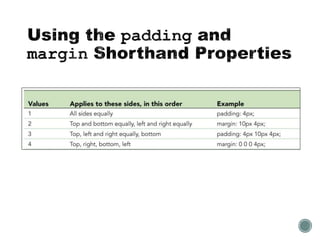
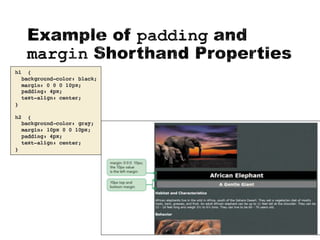
 The shorthand property can be used:
 padding: top right bottom left;
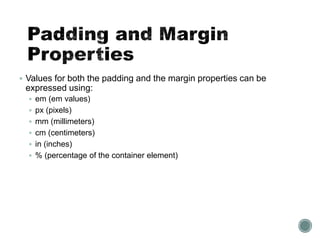
 Values for both the padding and the margin properties can be
expressed using:
 em (em values)
 px (pixels)
 mm (millimeters)
 cm (centimeters)
 in (inches)
 % (percentage of the container element)
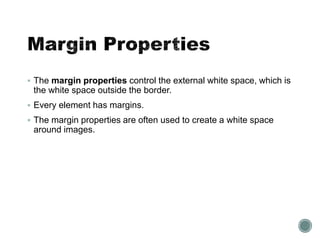
 The margin properties control the external white space, which is
the white space outside the border.
 Every element has margins.
 The margin properties are often used to create a white space
around images.
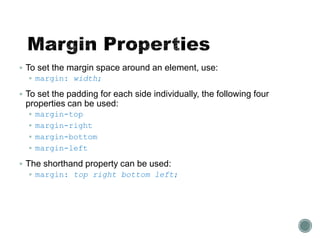
 To set the margin space around an element, use:
 margin: width;
 To set the padding for each side individually, the following four
properties can be used:
 margin-top
 margin-right
 margin-bottom
 margin-left
 The shorthand property can be used:
 margin: top right bottom left;
 The border properties are used to place a decorative border
around the contents and padding of an element.
 The border is located between the padding and the margin.
 You can change a border’s:
 style
 color
 width
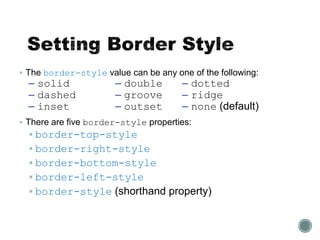
 The border-style value can be any one of the following:
– solid – double – dotted
– dashed – groove – ridge
– inset – outset – none (default)
 There are five border-style properties:
 border-top-style
 border-right-style
 border-bottom-style
 border-left-style
 border-style (shorthand property)
 Border thickness can be expressed using the keywords:
– thin
– medium
– thick
 There are five
border-width properties:
 border-top-width
 border-right-width
 border-bottom-width
 border-left-width
 border-width (shorthand property)
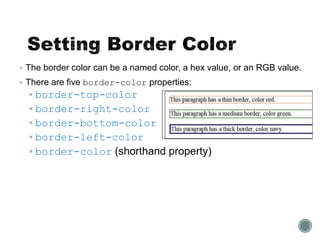
 The border color can be a named color, a hex value, or an RGB value.
 There are five border-color properties:
 border-top-color
 border-right-color
 border-bottom-color
 border-left-color
 border-color (shorthand property)
The following three properties change the border
style, width, or color for all four borders:
 border-color
 border-style
 border-width
The following four properties change the border
style, width, or color for an individual border:
 border-top
 border-right
 border-bottom
 border-left
To shorten the code, it is also possible to specify all
the individual border properties in one property.
The border property is a shorthand property for the
following individual border properties:
 border-width
 border-style (required)
 border-color
 Example
p {
border: 5px solid khaki;
}
h3 {
border-bottom: thick solid darkkhaki;
padding-bottom: 0.5em;
}
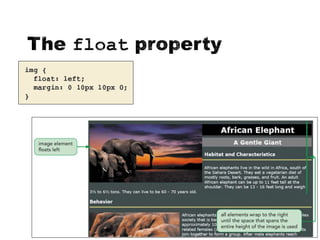
 The float property is used to position boxes on the page and to
wrap content, such as text, around a box.
 To float an element, use the style:
float: position;
 The position can have the following values:
 left
 right
 none
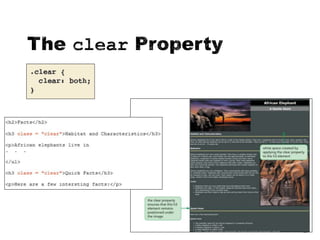
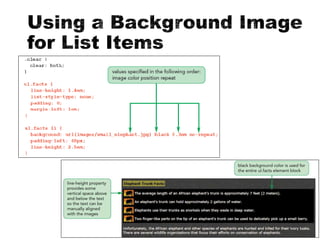
 The clear property is used to position the content of an element
below another element that has been floated.
 This is also called clearing past an element.
 To clear past an element, use the style:
clear: position;
 The position can have the following values:
 left
 right
 both
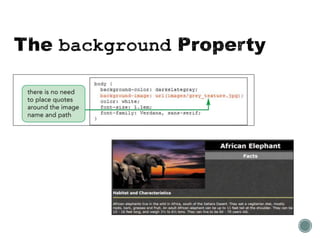
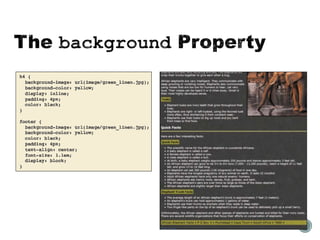
 The background properties set the background effects for an element.
 The following properties can be used:
- background-image - background-color
- background-position - background-repeat
- background-attachment - background
 For the last one, values must be listed in the following order:
image color position repeat attachment
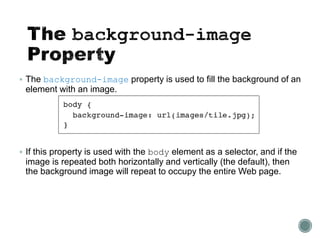
 The background-image property is used to fill the background of an
element with an image.
 If this property is used with the body element as a selector, and if the
image is repeated both horizontally and vertically (the default), then
the background image will repeat to occupy the entire Web page.
 The background-position property allows you to position a
background image in different locations within its container element.
 The container element could be body, head, or footer.
 The background-repeat property can be used to have copies
of an image appear behind an element horizontally, vertically, or
both.
 Repeating an image is known as tiling.
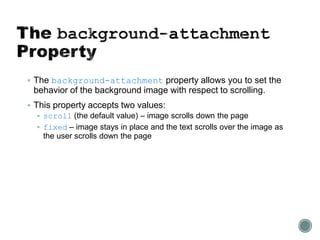
 The background-attachment property allows you to set the
behavior of the background image with respect to scrolling.
 This property accepts two values:
 scroll (the default value) – image scrolls down the page
 fixed – image stays in place and the text scrolls over the image as
the user scrolls down the page
 The term cascading in CSS refers to the methods used to
determine which style rules apply if more than one rule styles the
same element.
 Style precedence determines which styles have priority.
 There are five possible sources for styles.
 The order of precedence (from highest precedence to lowest) is
as follows:
1. User-defined styles
2. Inline styles
3. Embedded style sheet styles
4. External style sheet styles
5. The browser’s style sheet (the browser’s default styles)

CSS Box Model

  • 1.
  • 3.
     The threemost commonly used CSS box properties are:  padding  border  margin  The other two properties are:  width  length
  • 4.
     Padding isthe internal white space that surrounds the contents of an element.  The padding properties control this internal white space.  By default, the content of an element does not have padding.  All major Web browsers add varying amounts of padding by default.
  • 5.
     To setthe padding within an element, use:  padding: width;  To set the padding for each side individually, the following four properties can be used:  padding-top  padding-right  padding-bottom  padding-left  The shorthand property can be used:  padding: top right bottom left;
  • 6.
     Values forboth the padding and the margin properties can be expressed using:  em (em values)  px (pixels)  mm (millimeters)  cm (centimeters)  in (inches)  % (percentage of the container element)
  • 7.
     The marginproperties control the external white space, which is the white space outside the border.  Every element has margins.  The margin properties are often used to create a white space around images.
  • 8.
     To setthe margin space around an element, use:  margin: width;  To set the padding for each side individually, the following four properties can be used:  margin-top  margin-right  margin-bottom  margin-left  The shorthand property can be used:  margin: top right bottom left;
  • 11.
     The borderproperties are used to place a decorative border around the contents and padding of an element.  The border is located between the padding and the margin.  You can change a border’s:  style  color  width
  • 12.
     The border-stylevalue can be any one of the following: – solid – double – dotted – dashed – groove – ridge – inset – outset – none (default)  There are five border-style properties:  border-top-style  border-right-style  border-bottom-style  border-left-style  border-style (shorthand property)
  • 13.
     Border thicknesscan be expressed using the keywords: – thin – medium – thick  There are five border-width properties:  border-top-width  border-right-width  border-bottom-width  border-left-width  border-width (shorthand property)
  • 14.
     The bordercolor can be a named color, a hex value, or an RGB value.  There are five border-color properties:  border-top-color  border-right-color  border-bottom-color  border-left-color  border-color (shorthand property)
  • 15.
    The following threeproperties change the border style, width, or color for all four borders:  border-color  border-style  border-width The following four properties change the border style, width, or color for an individual border:  border-top  border-right  border-bottom  border-left
  • 16.
    To shorten thecode, it is also possible to specify all the individual border properties in one property. The border property is a shorthand property for the following individual border properties:  border-width  border-style (required)  border-color  Example p { border: 5px solid khaki; }
  • 17.
    h3 { border-bottom: thicksolid darkkhaki; padding-bottom: 0.5em; }
  • 18.
     The floatproperty is used to position boxes on the page and to wrap content, such as text, around a box.  To float an element, use the style: float: position;  The position can have the following values:  left  right  none
  • 20.
     The clearproperty is used to position the content of an element below another element that has been floated.  This is also called clearing past an element.  To clear past an element, use the style: clear: position;  The position can have the following values:  left  right  both
  • 22.
     The backgroundproperties set the background effects for an element.  The following properties can be used: - background-image - background-color - background-position - background-repeat - background-attachment - background  For the last one, values must be listed in the following order: image color position repeat attachment
  • 23.
     The background-imageproperty is used to fill the background of an element with an image.  If this property is used with the body element as a selector, and if the image is repeated both horizontally and vertically (the default), then the background image will repeat to occupy the entire Web page.
  • 24.
     The background-positionproperty allows you to position a background image in different locations within its container element.  The container element could be body, head, or footer.
  • 25.
     The background-repeatproperty can be used to have copies of an image appear behind an element horizontally, vertically, or both.  Repeating an image is known as tiling.
  • 26.
     The background-attachmentproperty allows you to set the behavior of the background image with respect to scrolling.  This property accepts two values:  scroll (the default value) – image scrolls down the page  fixed – image stays in place and the text scrolls over the image as the user scrolls down the page
  • 30.
     The termcascading in CSS refers to the methods used to determine which style rules apply if more than one rule styles the same element.  Style precedence determines which styles have priority.  There are five possible sources for styles.
  • 31.
     The orderof precedence (from highest precedence to lowest) is as follows: 1. User-defined styles 2. Inline styles 3. Embedded style sheet styles 4. External style sheet styles 5. The browser’s style sheet (the browser’s default styles)