
COMPUTER SCIENCE
TOPIC : CSS
BY: PRIYANKA PRADHAN
MJPRU
Priyanka Pradhan
What is CSS?
 CSS stands for Cascading Style Sheets
 CSS describes how HTML elements are to be
displayed on screen, paper, or in other media
 CSS saves a lot of work. It can control the layout
of multiple web pages all at once
 External stylesheets are stored in CSS files
Priyanka Pradhan
Why Use CSS?
 CSS is used to define styles for your web
pages, including the design, layout and
variations in display for different devices and
screen sizes.
Priyanka Pradhan
CSS Syntax
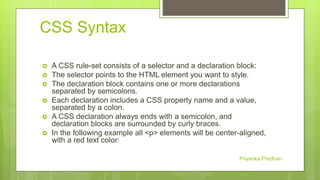
 A CSS rule-set consists of a selector and a declaration block:
 The selector points to the HTML element you want to style.
 The declaration block contains one or more declarations
separated by semicolons.
 Each declaration includes a CSS property name and a value,
separated by a colon.
 A CSS declaration always ends with a semicolon, and
declaration blocks are surrounded by curly braces.
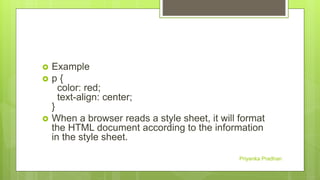
 In the following example all <p> elements will be center-aligned,
with a red text color:
Priyanka Pradhan
 Example
 p {
color: red;
text-align: center;
}
 When a browser reads a style sheet, it will format
the HTML document according to the information
in the style sheet.
Priyanka Pradhan
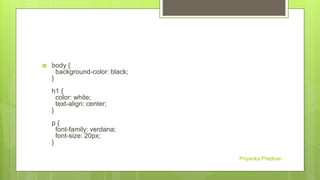
 body {
background-color: black;
}
h1 {
color: white;
text-align: center;
}
p {
font-family: verdana;
font-size: 20px;
}
Priyanka Pradhan
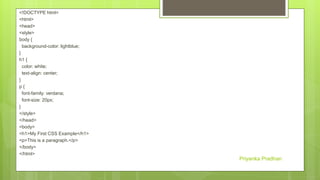
<!DOCTYPE html>
<html>
<head>
<style>
body {
background-color: lightblue;
}
h1 {
color: white;
text-align: center;
}
p {
font-family: verdana;
font-size: 20px;
}
</style>
</head>
<body>
<h1>My First CSS Example</h1>
<p>This is a paragraph.</p>
</body>
</html>
Priyanka Pradhan
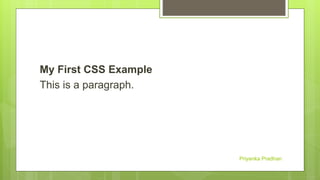
My First CSS Example
This is a paragraph.
Priyanka Pradhan
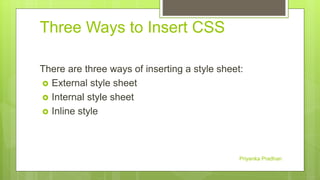
Three Ways to Insert CSS
There are three ways of inserting a style sheet:
 External style sheet
 Internal style sheet
 Inline style
Priyanka Pradhan
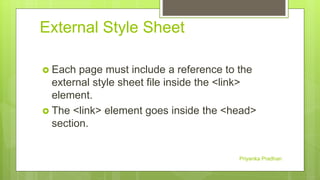
External Style Sheet
 Each page must include a reference to the
external style sheet file inside the <link>
element.
 The <link> element goes inside the <head>
section.
Priyanka Pradhan
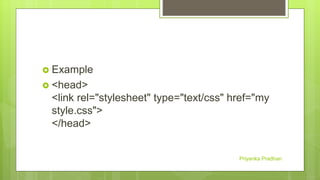
 Example
 <head>
<link rel="stylesheet" type="text/css" href="my
style.css">
</head>
Priyanka Pradhan
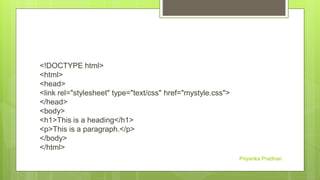
<!DOCTYPE html>
<html>
<head>
<link rel="stylesheet" type="text/css" href="mystyle.css">
</head>
<body>
<h1>This is a heading</h1>
<p>This is a paragraph.</p>
</body>
</html>
Priyanka Pradhan
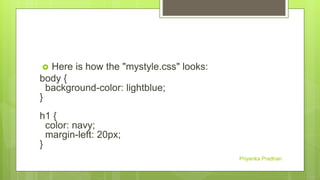
 Here is how the "mystyle.css" looks:
body {
background-color: lightblue;
}
h1 {
color: navy;
margin-left: 20px;
}
Priyanka Pradhan
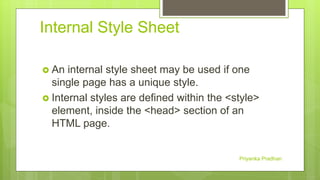
Internal Style Sheet
 An internal style sheet may be used if one
single page has a unique style.
 Internal styles are defined within the <style>
element, inside the <head> section of an
HTML page.
Priyanka Pradhan
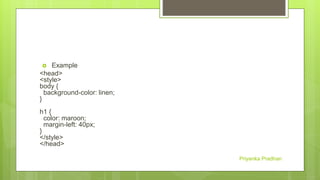
 Example
<head>
<style>
body {
background-color: linen;
}
h1 {
color: maroon;
margin-left: 40px;
}
</style>
</head>
Priyanka Pradhan
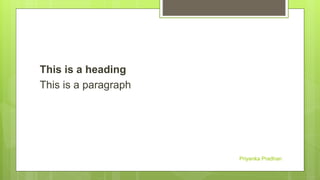
This is a heading
This is a paragraph
Priyanka Pradhan
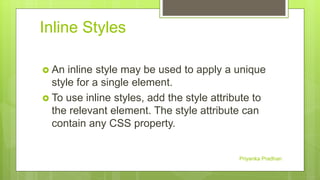
Inline Styles
 An inline style may be used to apply a unique
style for a single element.
 To use inline styles, add the style attribute to
the relevant element. The style attribute can
contain any CSS property.
Priyanka Pradhan
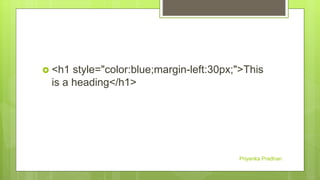
 <h1 style="color:blue;margin-left:30px;">This
is a heading</h1>
Priyanka Pradhan
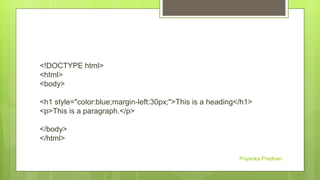
<!DOCTYPE html>
<html>
<body>
<h1 style="color:blue;margin-left:30px;">This is a heading</h1>
<p>This is a paragraph.</p>
</body>
</html>
Priyanka Pradhan
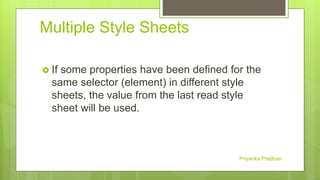
Multiple Style Sheets
 If some properties have been defined for the
same selector (element) in different style
sheets, the value from the last read style
sheet will be used.
Priyanka Pradhan
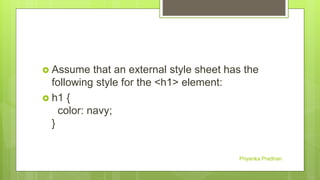
 Assume that an external style sheet has the
following style for the <h1> element:
 h1 {
color: navy;
}
Priyanka Pradhan
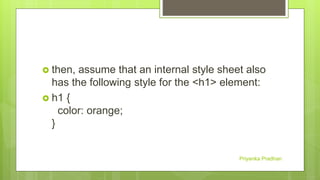
 then, assume that an internal style sheet also
has the following style for the <h1> element:
 h1 {
color: orange;
}
Priyanka Pradhan
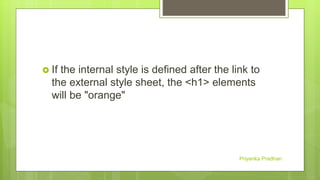
 If the internal style is defined after the link to
the external style sheet, the <h1> elements
will be "orange"
Priyanka Pradhan
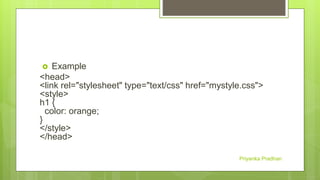
 Example
<head>
<link rel="stylesheet" type="text/css" href="mystyle.css">
<style>
h1 {
color: orange;
}
</style>
</head>
Priyanka Pradhan
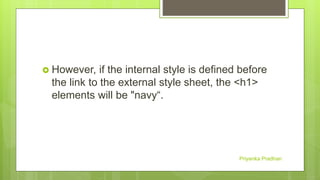
 However, if the internal style is defined before
the link to the external style sheet, the <h1>
elements will be "navy“.
Priyanka Pradhan
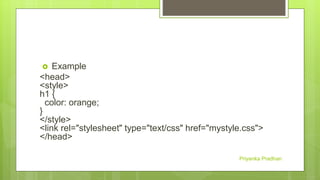
 Example
<head>
<style>
h1 {
color: orange;
}
</style>
<link rel="stylesheet" type="text/css" href="mystyle.css">
</head>
Priyanka Pradhan
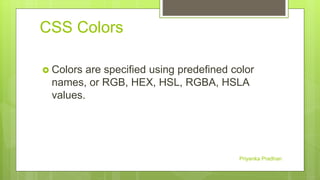
CSS Colors
 Colors are specified using predefined color
names, or RGB, HEX, HSL, RGBA, HSLA
values.
Priyanka Pradhan
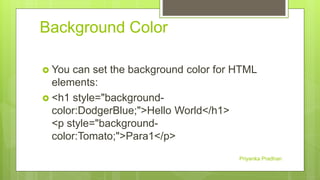
Background Color
 You can set the background color for HTML
elements:
 <h1 style="background-
color:DodgerBlue;">Hello World</h1>
<p style="background-
color:Tomato;">Para1</p>
Priyanka Pradhan
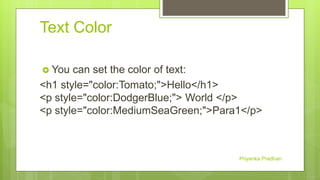
Text Color
 You can set the color of text:
<h1 style="color:Tomato;">Hello</h1>
<p style="color:DodgerBlue;"> World </p>
<p style="color:MediumSeaGreen;">Para1</p>
Priyanka Pradhan
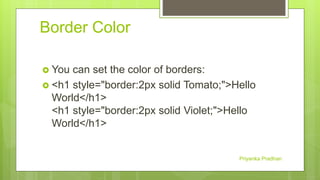
Border Color
 You can set the color of borders:
 <h1 style="border:2px solid Tomato;">Hello
World</h1>
<h1 style="border:2px solid Violet;">Hello
World</h1>
Priyanka Pradhan
CSS Margins
 The CSS margin properties are used to create
space around elements, outside of any
defined borders.
Priyanka Pradhan
CSS has properties for specifying the margin for
each side of an element:
 margin-top
 margin-right
 margin-bottom
 margin-left
Priyanka Pradhan
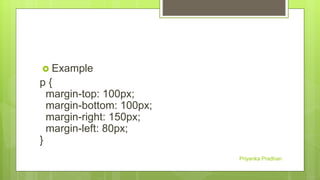
 Example
p {
margin-top: 100px;
margin-bottom: 100px;
margin-right: 150px;
margin-left: 80px;
}
Priyanka Pradhan
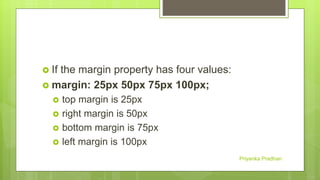
 If the margin property has four values:
 margin: 25px 50px 75px 100px;
 top margin is 25px
 right margin is 50px
 bottom margin is 75px
 left margin is 100px
Priyanka Pradhan
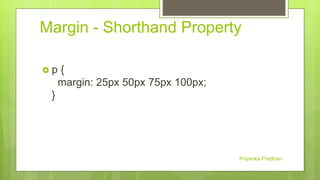
Margin - Shorthand Property
 p {
margin: 25px 50px 75px 100px;
}
Priyanka Pradhan
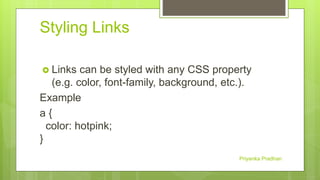
Styling Links
 Links can be styled with any CSS property
(e.g. color, font-family, background, etc.).
Example
a {
color: hotpink;
}
Priyanka Pradhan
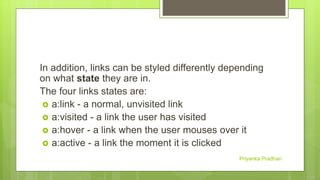
In addition, links can be styled differently depending
on what state they are in.
The four links states are:
 a:link - a normal, unvisited link
 a:visited - a link the user has visited
 a:hover - a link when the user mouses over it
 a:active - a link the moment it is clicked
Priyanka Pradhan
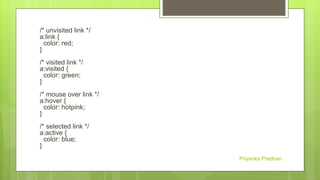
/* unvisited link */
a:link {
color: red;
}
/* visited link */
a:visited {
color: green;
}
/* mouse over link */
a:hover {
color: hotpink;
}
/* selected link */
a:active {
color: blue;
}
Priyanka Pradhan
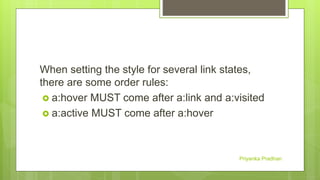
When setting the style for several link states,
there are some order rules:
 a:hover MUST come after a:link and a:visited
 a:active MUST come after a:hover
Priyanka Pradhan
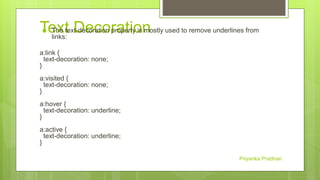
Text Decoration The text-decoration property is mostly used to remove underlines from
links:
a:link {
text-decoration: none;
}
a:visited {
text-decoration: none;
}
a:hover {
text-decoration: underline;
}
a:active {
text-decoration: underline;
}
Priyanka Pradhan
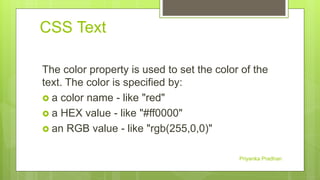
CSS Text
The color property is used to set the color of the
text. The color is specified by:
 a color name - like "red"
 a HEX value - like "#ff0000"
 an RGB value - like "rgb(255,0,0)"
Priyanka Pradhan
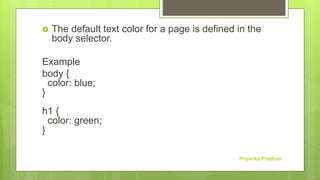
 The default text color for a page is defined in the
body selector.
Example
body {
color: blue;
}
h1 {
color: green;
}
Priyanka Pradhan
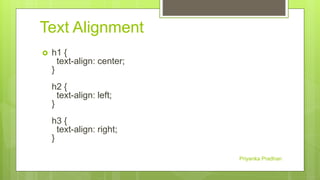
Text Alignment
 h1 {
text-align: center;
}
h2 {
text-align: left;
}
h3 {
text-align: right;
}
Priyanka Pradhan
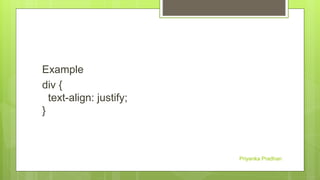
Example
div {
text-align: justify;
}
Priyanka Pradhan
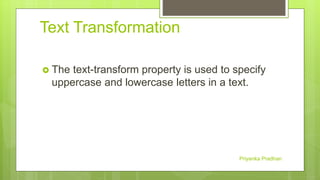
Text Transformation
 The text-transform property is used to specify
uppercase and lowercase letters in a text.
Priyanka Pradhan
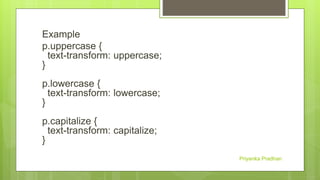
Example
p.uppercase {
text-transform: uppercase;
}
p.lowercase {
text-transform: lowercase;
}
p.capitalize {
text-transform: capitalize;
}
Priyanka Pradhan
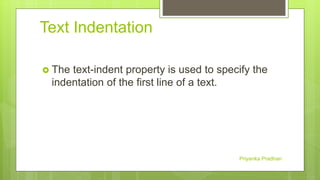
Text Indentation
 The text-indent property is used to specify the
indentation of the first line of a text.
Priyanka Pradhan
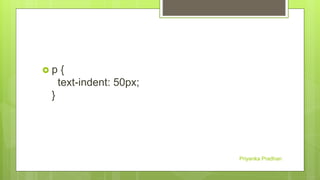
 p {
text-indent: 50px;
}
Priyanka Pradhan
Letter Spacing
 The letter-spacing property is used to specify
the space between the characters in a text.
Priyanka Pradhan
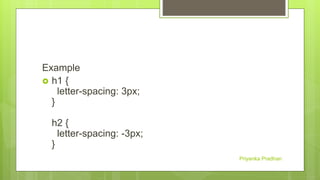
Example
 h1 {
letter-spacing: 3px;
}
h2 {
letter-spacing: -3px;
}
Priyanka Pradhan
Line Height
 The line-height property is used to specify the
space between lines.
Priyanka Pradhan
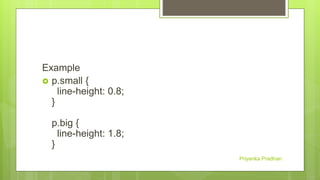
Example
 p.small {
line-height: 0.8;
}
p.big {
line-height: 1.8;
}
Priyanka Pradhan
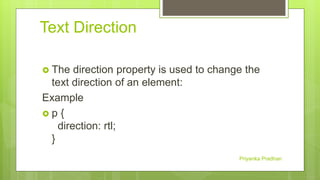
Text Direction
 The direction property is used to change the
text direction of an element:
Example
 p {
direction: rtl;
}
Priyanka Pradhan
Word Spacing
 The word-spacing property is used to specify
the space between the words in a text.
Priyanka Pradhan
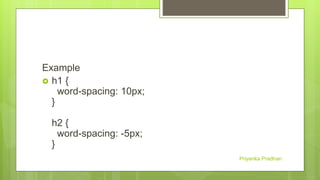
Example
 h1 {
word-spacing: 10px;
}
h2 {
word-spacing: -5px;
}
Priyanka Pradhan
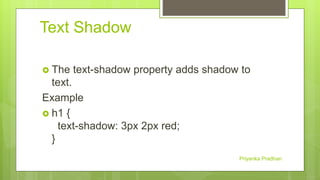
Text Shadow
 The text-shadow property adds shadow to
text.
Example
 h1 {
text-shadow: 3px 2px red;
}
Priyanka Pradhan
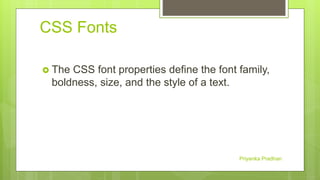
CSS Fonts
 The CSS font properties define the font family,
boldness, size, and the style of a text.
Priyanka Pradhan
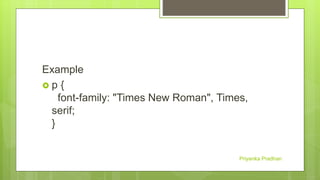
Example
 p {
font-family: "Times New Roman", Times,
serif;
}
Priyanka Pradhan
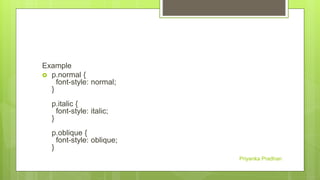
Example
 p.normal {
font-style: normal;
}
p.italic {
font-style: italic;
}
p.oblique {
font-style: oblique;
}
Priyanka Pradhan
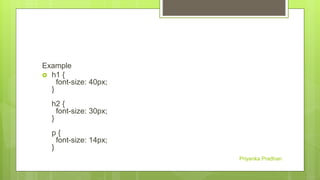
Example
 h1 {
font-size: 40px;
}
h2 {
font-size: 30px;
}
p {
font-size: 14px;
}
Priyanka Pradhan
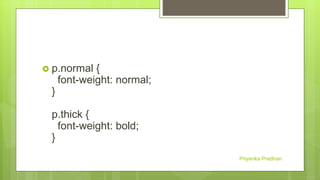
 p.normal {
font-weight: normal;
}
p.thick {
font-weight: bold;
}
Priyanka Pradhan
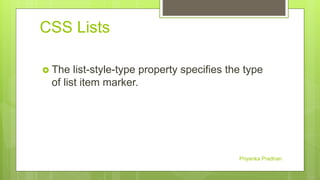
CSS Lists
 The list-style-type property specifies the type
of list item marker.
Priyanka Pradhan
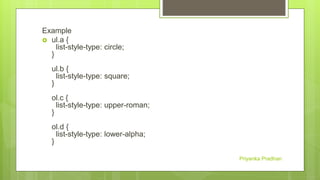
Example
 ul.a {
list-style-type: circle;
}
ul.b {
list-style-type: square;
}
ol.c {
list-style-type: upper-roman;
}
ol.d {
list-style-type: lower-alpha;
}
Priyanka Pradhan
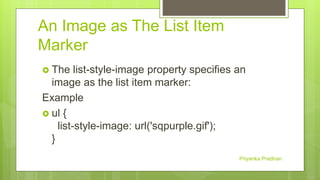
An Image as The List Item
Marker
 The list-style-image property specifies an
image as the list item marker:
Example
 ul {
list-style-image: url('sqpurple.gif');
}
Priyanka Pradhan
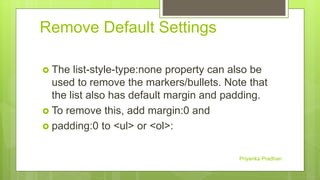
Remove Default Settings
 The list-style-type:none property can also be
used to remove the markers/bullets. Note that
the list also has default margin and padding.
 To remove this, add margin:0 and
 padding:0 to <ul> or <ol>:
Priyanka Pradhan
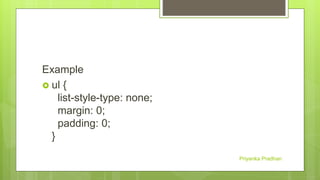
Example
 ul {
list-style-type: none;
margin: 0;
padding: 0;
}
Priyanka Pradhan
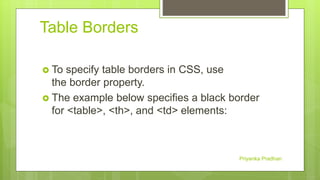
Table Borders
 To specify table borders in CSS, use
the border property.
 The example below specifies a black border
for <table>, <th>, and <td> elements:
Priyanka Pradhan
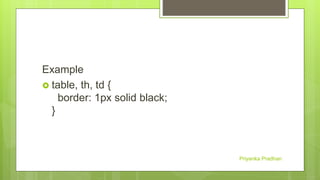
Example
 table, th, td {
border: 1px solid black;
}
Priyanka Pradhan
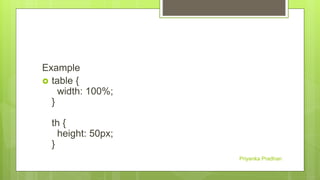
Example
 table {
width: 100%;
}
th {
height: 50px;
}
Priyanka Pradhan
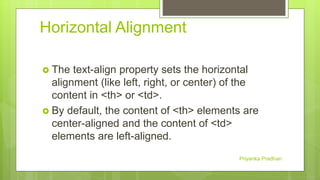
Horizontal Alignment
 The text-align property sets the horizontal
alignment (like left, right, or center) of the
content in <th> or <td>.
 By default, the content of <th> elements are
center-aligned and the content of <td>
elements are left-aligned.
Priyanka Pradhan
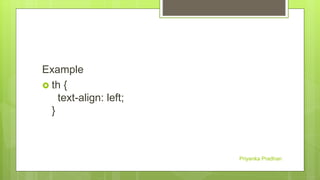
Example
 th {
text-align: left;
}
Priyanka Pradhan
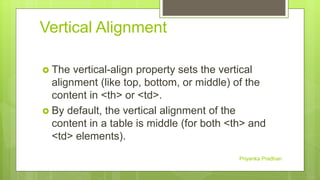
Vertical Alignment
 The vertical-align property sets the vertical
alignment (like top, bottom, or middle) of the
content in <th> or <td>.
 By default, the vertical alignment of the
content in a table is middle (for both <th> and
<td> elements).
Priyanka Pradhan
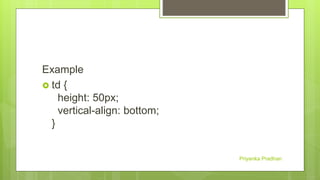
Example
 td {
height: 50px;
vertical-align: bottom;
}
Priyanka Pradhan
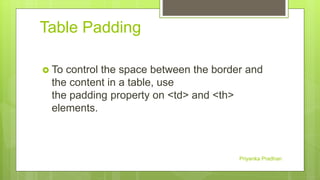
Table Padding
 To control the space between the border and
the content in a table, use
the padding property on <td> and <th>
elements.
Priyanka Pradhan
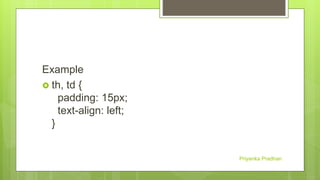
Example
 th, td {
padding: 15px;
text-align: left;
}
Priyanka Pradhan

Css

  • 1.
    COMPUTER SCIENCE TOPIC :CSS BY: PRIYANKA PRADHAN MJPRU Priyanka Pradhan
  • 2.
    What is CSS? CSS stands for Cascading Style Sheets  CSS describes how HTML elements are to be displayed on screen, paper, or in other media  CSS saves a lot of work. It can control the layout of multiple web pages all at once  External stylesheets are stored in CSS files Priyanka Pradhan
  • 3.
    Why Use CSS? CSS is used to define styles for your web pages, including the design, layout and variations in display for different devices and screen sizes. Priyanka Pradhan
  • 4.
    CSS Syntax  ACSS rule-set consists of a selector and a declaration block:  The selector points to the HTML element you want to style.  The declaration block contains one or more declarations separated by semicolons.  Each declaration includes a CSS property name and a value, separated by a colon.  A CSS declaration always ends with a semicolon, and declaration blocks are surrounded by curly braces.  In the following example all <p> elements will be center-aligned, with a red text color: Priyanka Pradhan
  • 5.
     Example  p{ color: red; text-align: center; }  When a browser reads a style sheet, it will format the HTML document according to the information in the style sheet. Priyanka Pradhan
  • 6.
     body { background-color:black; } h1 { color: white; text-align: center; } p { font-family: verdana; font-size: 20px; } Priyanka Pradhan
  • 7.
    <!DOCTYPE html> <html> <head> <style> body { background-color:lightblue; } h1 { color: white; text-align: center; } p { font-family: verdana; font-size: 20px; } </style> </head> <body> <h1>My First CSS Example</h1> <p>This is a paragraph.</p> </body> </html> Priyanka Pradhan
  • 8.
    My First CSSExample This is a paragraph. Priyanka Pradhan
  • 9.
    Three Ways toInsert CSS There are three ways of inserting a style sheet:  External style sheet  Internal style sheet  Inline style Priyanka Pradhan
  • 10.
    External Style Sheet Each page must include a reference to the external style sheet file inside the <link> element.  The <link> element goes inside the <head> section. Priyanka Pradhan
  • 11.
     Example  <head> <linkrel="stylesheet" type="text/css" href="my style.css"> </head> Priyanka Pradhan
  • 12.
    <!DOCTYPE html> <html> <head> <link rel="stylesheet"type="text/css" href="mystyle.css"> </head> <body> <h1>This is a heading</h1> <p>This is a paragraph.</p> </body> </html> Priyanka Pradhan
  • 13.
     Here ishow the "mystyle.css" looks: body { background-color: lightblue; } h1 { color: navy; margin-left: 20px; } Priyanka Pradhan
  • 14.
    Internal Style Sheet An internal style sheet may be used if one single page has a unique style.  Internal styles are defined within the <style> element, inside the <head> section of an HTML page. Priyanka Pradhan
  • 15.
     Example <head> <style> body { background-color:linen; } h1 { color: maroon; margin-left: 40px; } </style> </head> Priyanka Pradhan
  • 16.
    This is aheading This is a paragraph Priyanka Pradhan
  • 17.
    Inline Styles  Aninline style may be used to apply a unique style for a single element.  To use inline styles, add the style attribute to the relevant element. The style attribute can contain any CSS property. Priyanka Pradhan
  • 18.
  • 19.
    <!DOCTYPE html> <html> <body> <h1 style="color:blue;margin-left:30px;">Thisis a heading</h1> <p>This is a paragraph.</p> </body> </html> Priyanka Pradhan
  • 20.
    Multiple Style Sheets If some properties have been defined for the same selector (element) in different style sheets, the value from the last read style sheet will be used. Priyanka Pradhan
  • 21.
     Assume thatan external style sheet has the following style for the <h1> element:  h1 { color: navy; } Priyanka Pradhan
  • 22.
     then, assumethat an internal style sheet also has the following style for the <h1> element:  h1 { color: orange; } Priyanka Pradhan
  • 23.
     If theinternal style is defined after the link to the external style sheet, the <h1> elements will be "orange" Priyanka Pradhan
  • 24.
     Example <head> <link rel="stylesheet"type="text/css" href="mystyle.css"> <style> h1 { color: orange; } </style> </head> Priyanka Pradhan
  • 25.
     However, ifthe internal style is defined before the link to the external style sheet, the <h1> elements will be "navy“. Priyanka Pradhan
  • 26.
     Example <head> <style> h1 { color:orange; } </style> <link rel="stylesheet" type="text/css" href="mystyle.css"> </head> Priyanka Pradhan
  • 27.
    CSS Colors  Colorsare specified using predefined color names, or RGB, HEX, HSL, RGBA, HSLA values. Priyanka Pradhan
  • 28.
    Background Color  Youcan set the background color for HTML elements:  <h1 style="background- color:DodgerBlue;">Hello World</h1> <p style="background- color:Tomato;">Para1</p> Priyanka Pradhan
  • 29.
    Text Color  Youcan set the color of text: <h1 style="color:Tomato;">Hello</h1> <p style="color:DodgerBlue;"> World </p> <p style="color:MediumSeaGreen;">Para1</p> Priyanka Pradhan
  • 30.
    Border Color  Youcan set the color of borders:  <h1 style="border:2px solid Tomato;">Hello World</h1> <h1 style="border:2px solid Violet;">Hello World</h1> Priyanka Pradhan
  • 31.
    CSS Margins  TheCSS margin properties are used to create space around elements, outside of any defined borders. Priyanka Pradhan
  • 32.
    CSS has propertiesfor specifying the margin for each side of an element:  margin-top  margin-right  margin-bottom  margin-left Priyanka Pradhan
  • 33.
     Example p { margin-top:100px; margin-bottom: 100px; margin-right: 150px; margin-left: 80px; } Priyanka Pradhan
  • 34.
     If themargin property has four values:  margin: 25px 50px 75px 100px;  top margin is 25px  right margin is 50px  bottom margin is 75px  left margin is 100px Priyanka Pradhan
  • 35.
    Margin - ShorthandProperty  p { margin: 25px 50px 75px 100px; } Priyanka Pradhan
  • 36.
    Styling Links  Linkscan be styled with any CSS property (e.g. color, font-family, background, etc.). Example a { color: hotpink; } Priyanka Pradhan
  • 37.
    In addition, linkscan be styled differently depending on what state they are in. The four links states are:  a:link - a normal, unvisited link  a:visited - a link the user has visited  a:hover - a link when the user mouses over it  a:active - a link the moment it is clicked Priyanka Pradhan
  • 38.
    /* unvisited link*/ a:link { color: red; } /* visited link */ a:visited { color: green; } /* mouse over link */ a:hover { color: hotpink; } /* selected link */ a:active { color: blue; } Priyanka Pradhan
  • 39.
    When setting thestyle for several link states, there are some order rules:  a:hover MUST come after a:link and a:visited  a:active MUST come after a:hover Priyanka Pradhan
  • 40.
    Text Decoration Thetext-decoration property is mostly used to remove underlines from links: a:link { text-decoration: none; } a:visited { text-decoration: none; } a:hover { text-decoration: underline; } a:active { text-decoration: underline; } Priyanka Pradhan
  • 41.
    CSS Text The colorproperty is used to set the color of the text. The color is specified by:  a color name - like "red"  a HEX value - like "#ff0000"  an RGB value - like "rgb(255,0,0)" Priyanka Pradhan
  • 42.
     The defaulttext color for a page is defined in the body selector. Example body { color: blue; } h1 { color: green; } Priyanka Pradhan
  • 43.
    Text Alignment  h1{ text-align: center; } h2 { text-align: left; } h3 { text-align: right; } Priyanka Pradhan
  • 44.
  • 45.
    Text Transformation  Thetext-transform property is used to specify uppercase and lowercase letters in a text. Priyanka Pradhan
  • 46.
    Example p.uppercase { text-transform: uppercase; } p.lowercase{ text-transform: lowercase; } p.capitalize { text-transform: capitalize; } Priyanka Pradhan
  • 47.
    Text Indentation  Thetext-indent property is used to specify the indentation of the first line of a text. Priyanka Pradhan
  • 48.
     p { text-indent:50px; } Priyanka Pradhan
  • 49.
    Letter Spacing  Theletter-spacing property is used to specify the space between the characters in a text. Priyanka Pradhan
  • 50.
    Example  h1 { letter-spacing:3px; } h2 { letter-spacing: -3px; } Priyanka Pradhan
  • 51.
    Line Height  Theline-height property is used to specify the space between lines. Priyanka Pradhan
  • 52.
    Example  p.small { line-height:0.8; } p.big { line-height: 1.8; } Priyanka Pradhan
  • 53.
    Text Direction  Thedirection property is used to change the text direction of an element: Example  p { direction: rtl; } Priyanka Pradhan
  • 54.
    Word Spacing  Theword-spacing property is used to specify the space between the words in a text. Priyanka Pradhan
  • 55.
    Example  h1 { word-spacing:10px; } h2 { word-spacing: -5px; } Priyanka Pradhan
  • 56.
    Text Shadow  Thetext-shadow property adds shadow to text. Example  h1 { text-shadow: 3px 2px red; } Priyanka Pradhan
  • 57.
    CSS Fonts  TheCSS font properties define the font family, boldness, size, and the style of a text. Priyanka Pradhan
  • 58.
    Example  p { font-family:"Times New Roman", Times, serif; } Priyanka Pradhan
  • 59.
    Example  p.normal { font-style:normal; } p.italic { font-style: italic; } p.oblique { font-style: oblique; } Priyanka Pradhan
  • 60.
    Example  h1 { font-size:40px; } h2 { font-size: 30px; } p { font-size: 14px; } Priyanka Pradhan
  • 61.
     p.normal { font-weight:normal; } p.thick { font-weight: bold; } Priyanka Pradhan
  • 62.
    CSS Lists  Thelist-style-type property specifies the type of list item marker. Priyanka Pradhan
  • 63.
    Example  ul.a { list-style-type:circle; } ul.b { list-style-type: square; } ol.c { list-style-type: upper-roman; } ol.d { list-style-type: lower-alpha; } Priyanka Pradhan
  • 64.
    An Image asThe List Item Marker  The list-style-image property specifies an image as the list item marker: Example  ul { list-style-image: url('sqpurple.gif'); } Priyanka Pradhan
  • 65.
    Remove Default Settings The list-style-type:none property can also be used to remove the markers/bullets. Note that the list also has default margin and padding.  To remove this, add margin:0 and  padding:0 to <ul> or <ol>: Priyanka Pradhan
  • 66.
    Example  ul { list-style-type:none; margin: 0; padding: 0; } Priyanka Pradhan
  • 67.
    Table Borders  Tospecify table borders in CSS, use the border property.  The example below specifies a black border for <table>, <th>, and <td> elements: Priyanka Pradhan
  • 68.
    Example  table, th,td { border: 1px solid black; } Priyanka Pradhan
  • 69.
    Example  table { width:100%; } th { height: 50px; } Priyanka Pradhan
  • 70.
    Horizontal Alignment  Thetext-align property sets the horizontal alignment (like left, right, or center) of the content in <th> or <td>.  By default, the content of <th> elements are center-aligned and the content of <td> elements are left-aligned. Priyanka Pradhan
  • 71.
    Example  th { text-align:left; } Priyanka Pradhan
  • 72.
    Vertical Alignment  Thevertical-align property sets the vertical alignment (like top, bottom, or middle) of the content in <th> or <td>.  By default, the vertical alignment of the content in a table is middle (for both <th> and <td> elements). Priyanka Pradhan
  • 73.
    Example  td { height:50px; vertical-align: bottom; } Priyanka Pradhan
  • 74.
    Table Padding  Tocontrol the space between the border and the content in a table, use the padding property on <td> and <th> elements. Priyanka Pradhan
  • 75.
    Example  th, td{ padding: 15px; text-align: left; } Priyanka Pradhan