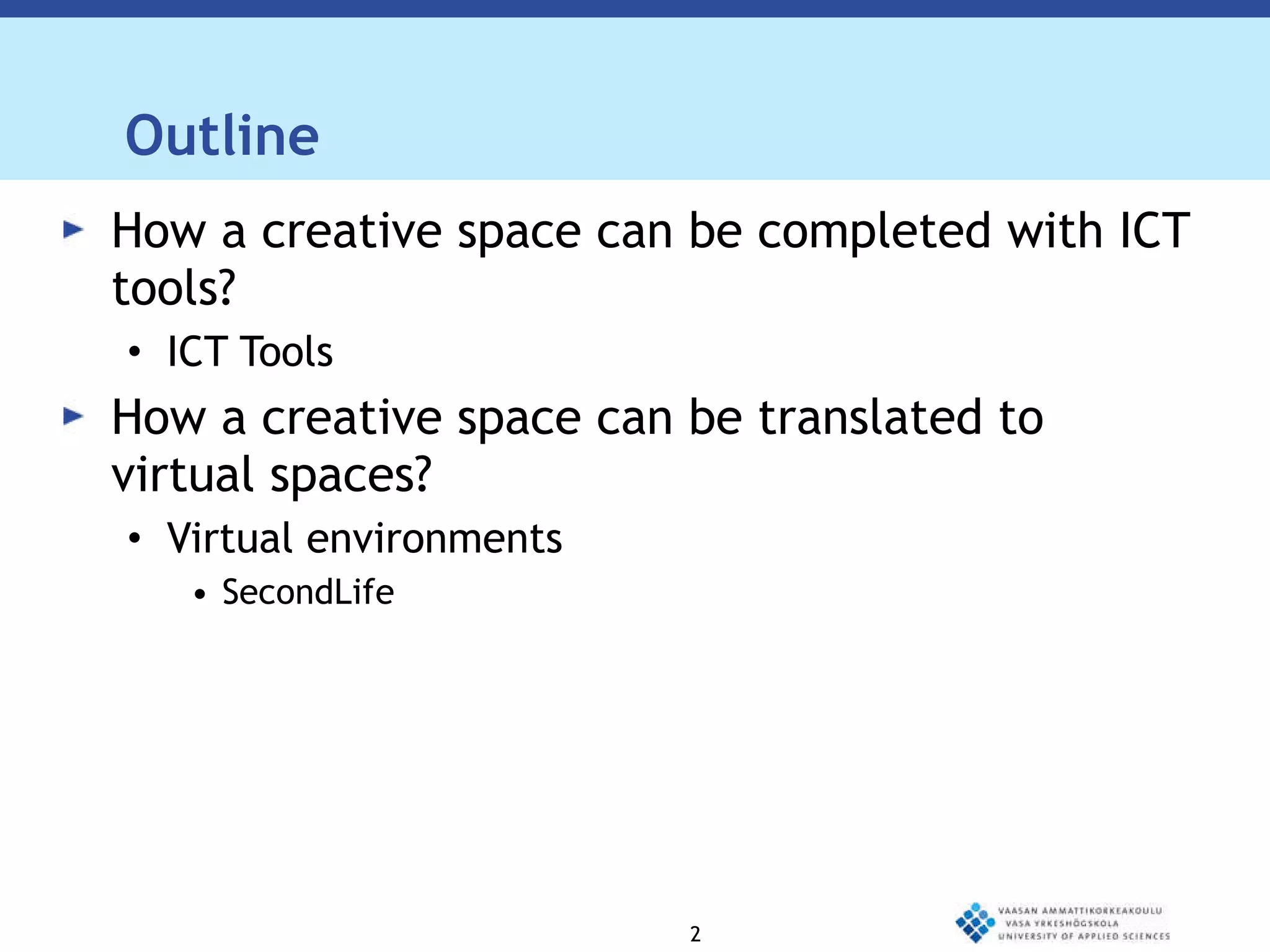
ICT Solutions for Meetings Text – levet 1  Text – level 2 Text – level 3 Ghodrat Moghadampour, PhD Michael Aro Victor Abedi-Lartey VAMK, University of Applied Sciences Vaasa, Finland
Outline How a creative space can be completed with ICT tools? ICT Tools How a creative space can be translated to virtual spaces? Virtual environments SecondLife
Creative Spaces Creative spaces require careful design.  Many factors should be taken into account in order to prepare them so that they promote activity.  The general atmosphere, furnishings, decoration and available facilities all affect the nature of the creative space.  Creative activity requires easy and fast access to available information.

Creative Spaces There are many ways to access needed information and some of them might require a lot of time and effort.  Provided that the infrastructure is ready, ICT tools offer a fast and easy way to access needed information.  The information can be obtained through search in Internet or by accessing experts, who are not present in the same place. ICT
Creative Spaces tools provide a quick and comfortable gateway to access the huge source of information available on Internet and make it possible to meet other people virtually just in time. ICT tools and virtual environments also provide interesting technology for designing different types of environments and testing ideas.
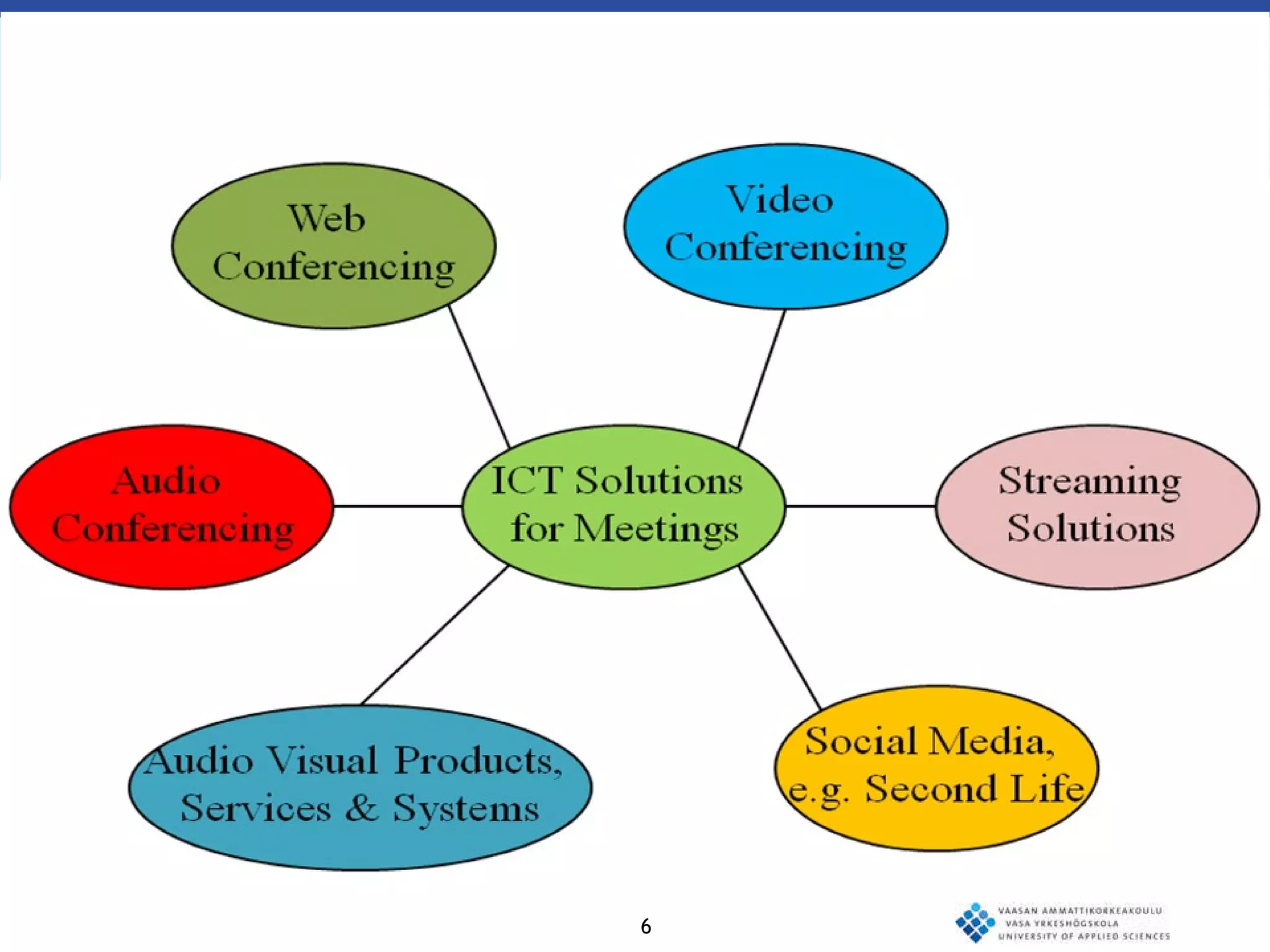
Videoconferencing  “ Video conferencing is a live connection between people in separate locations for the purpose of communication, usually involving audio and often text as well as video.” http://searchmobilecomputing.techtarget.com/definition/videoconference
Telepresence  “ A virtual meeting experience unlike any other, telepresence creates the illusion that remote participants are in the same room  together.” http://www.ivci.com/telepresence-index.html
Audio conferencing  “ Audio conferencing is an audio communications session among three or more people who are geographically dispersed.” http://www.pcmag.com/encyclopedia_term/0,2542,t=audioconferencing&i=38177,00.asp
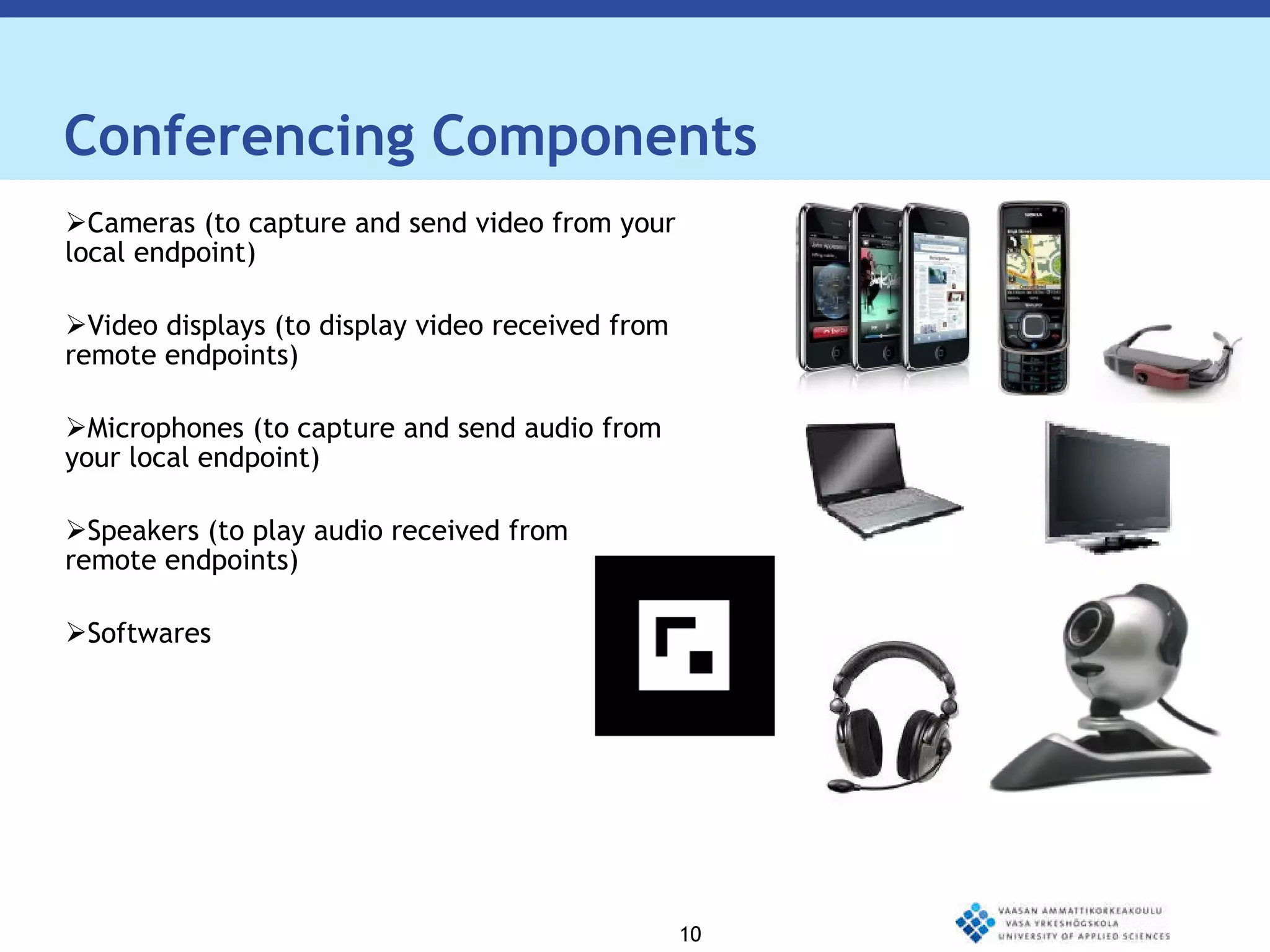
Conferencing Components Cameras (to capture and send video from your local endpoint)  Video displays (to display video received from remote endpoints) Microphones (to capture and send audio from your local endpoint) Speakers (to play audio received from  remote endpoints) Softwares
In Addition, Two Additional Requirements: Codec - "compressor/de-compressor“ - makes the audio/video data "small enough" to be practical for sending over expensive network connections. A codec takes analog signals, compresses and digitizes them, and transmits the signals over digital phone lines. The Supporting System and the Network Connection
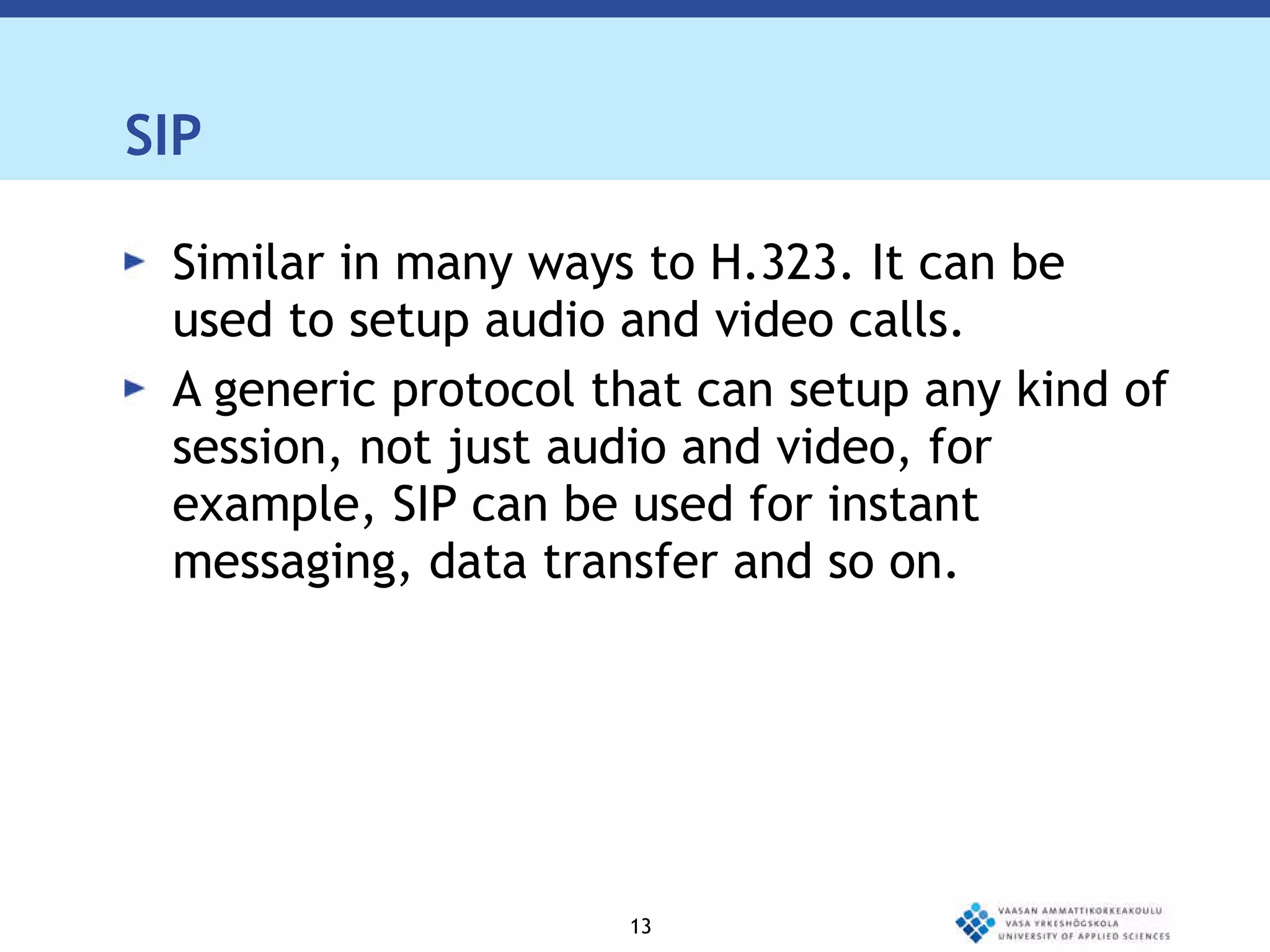
H.323  Standard for interoperability in audio, video and data transmissions as well as Internet phone and voice-over-IP (VoIP) Originally defined for multimedia communications and perfectly fits the videoconferencing application It has mechanisms for audio and video call setup as well as capability exchange setup
SIP Similar in many ways to H.323. It can be used to setup audio and video calls. A generic protocol that can setup any kind of session, not just audio and video, for example, SIP can be used for instant messaging, data transfer and so on.
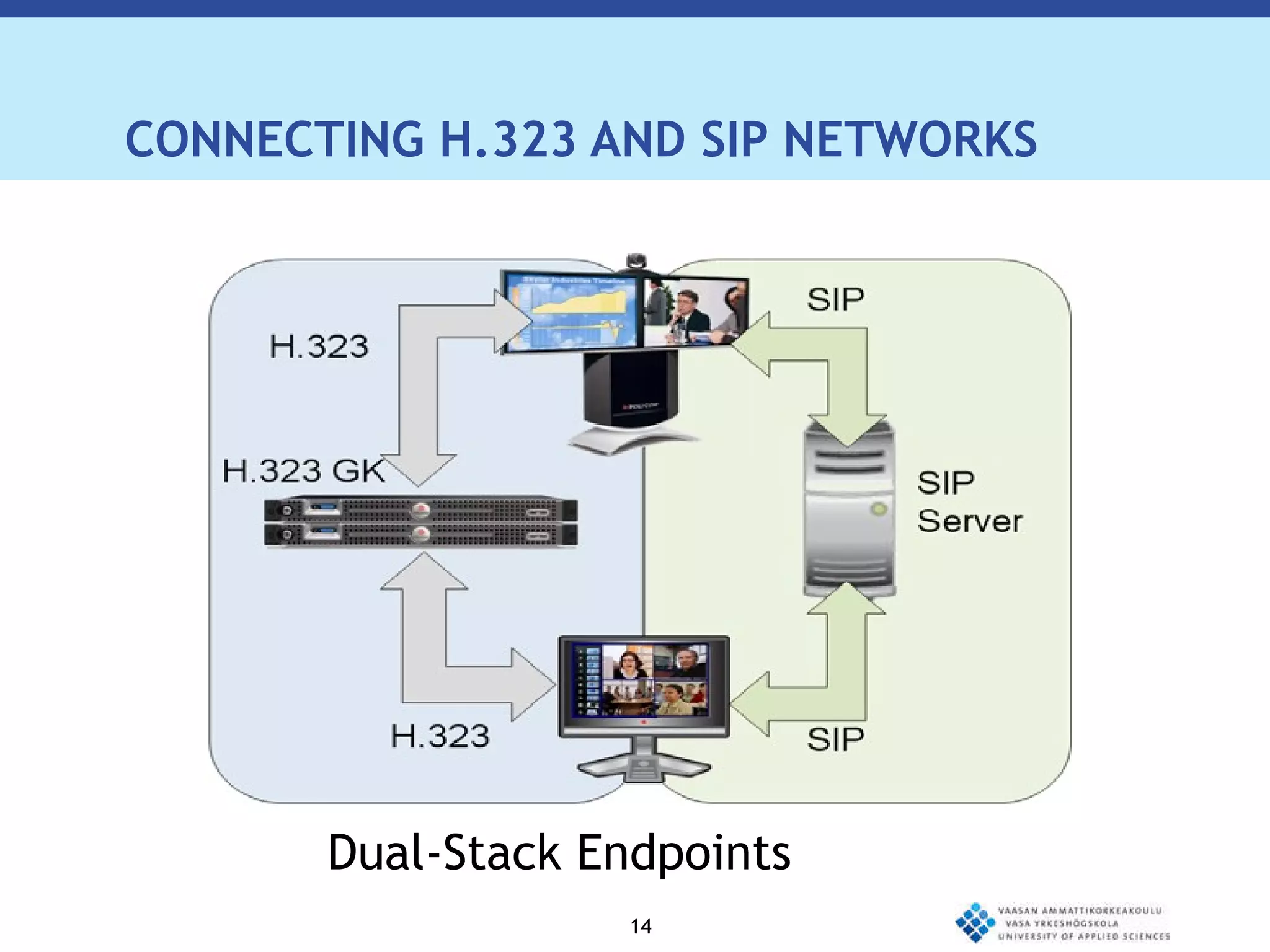
CONNECTING H.323 AND SIP NETWORKS Dual-Stack Endpoints
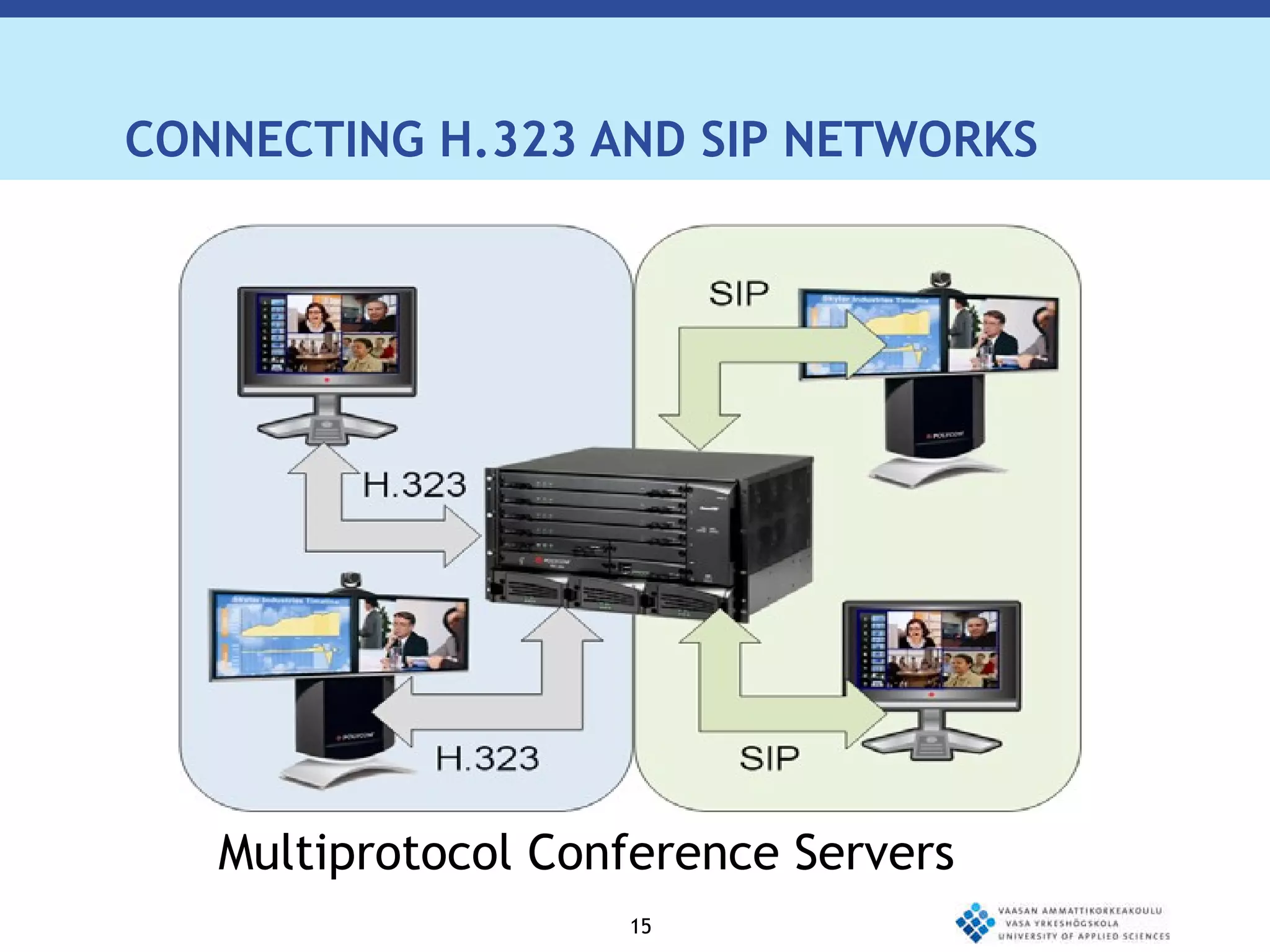
CONNECTING H.323 AND SIP NETWORKS Multiprotocol Conference Servers
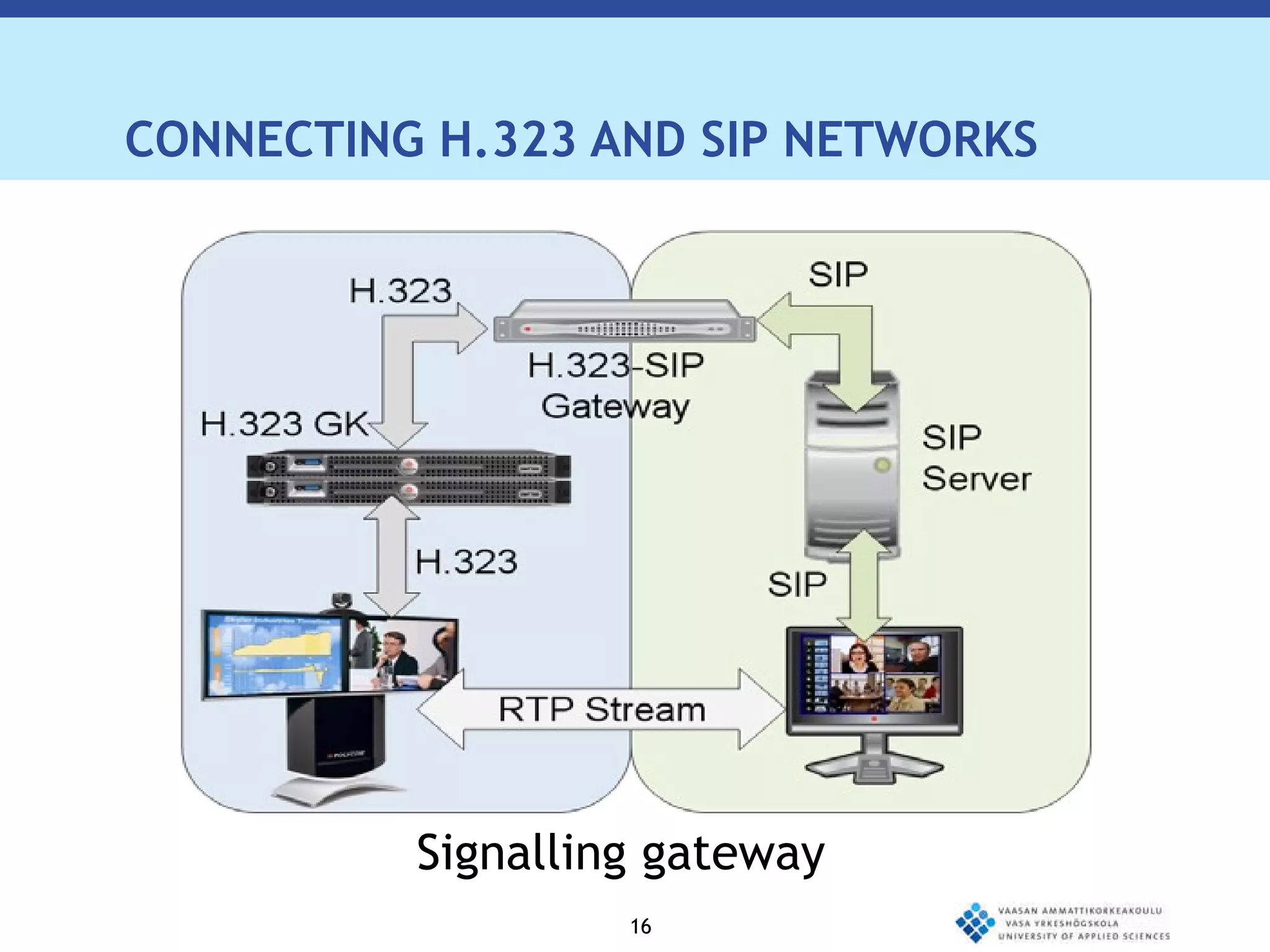
CONNECTING H.323 AND SIP NETWORKS Signalling gateway
Polycom Polycom is one of the market leaders in endpoint voice and video communications.
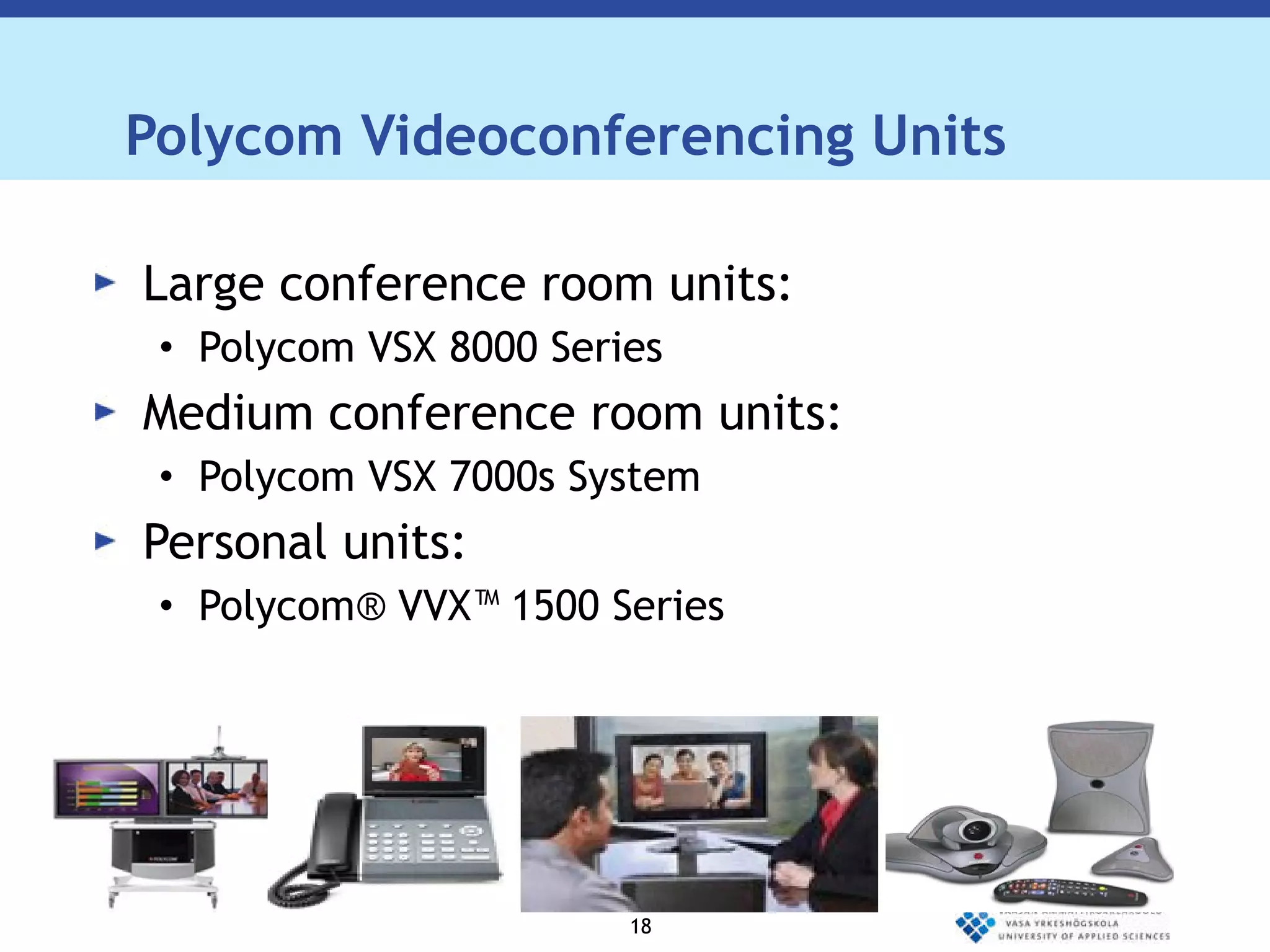
Polycom Videoconferencing Units Large conference room units: Polycom VSX 8000 Series Medium conference room units: Polycom VSX 7000s System Personal units:  Polycom® VVX™ 1500 Series
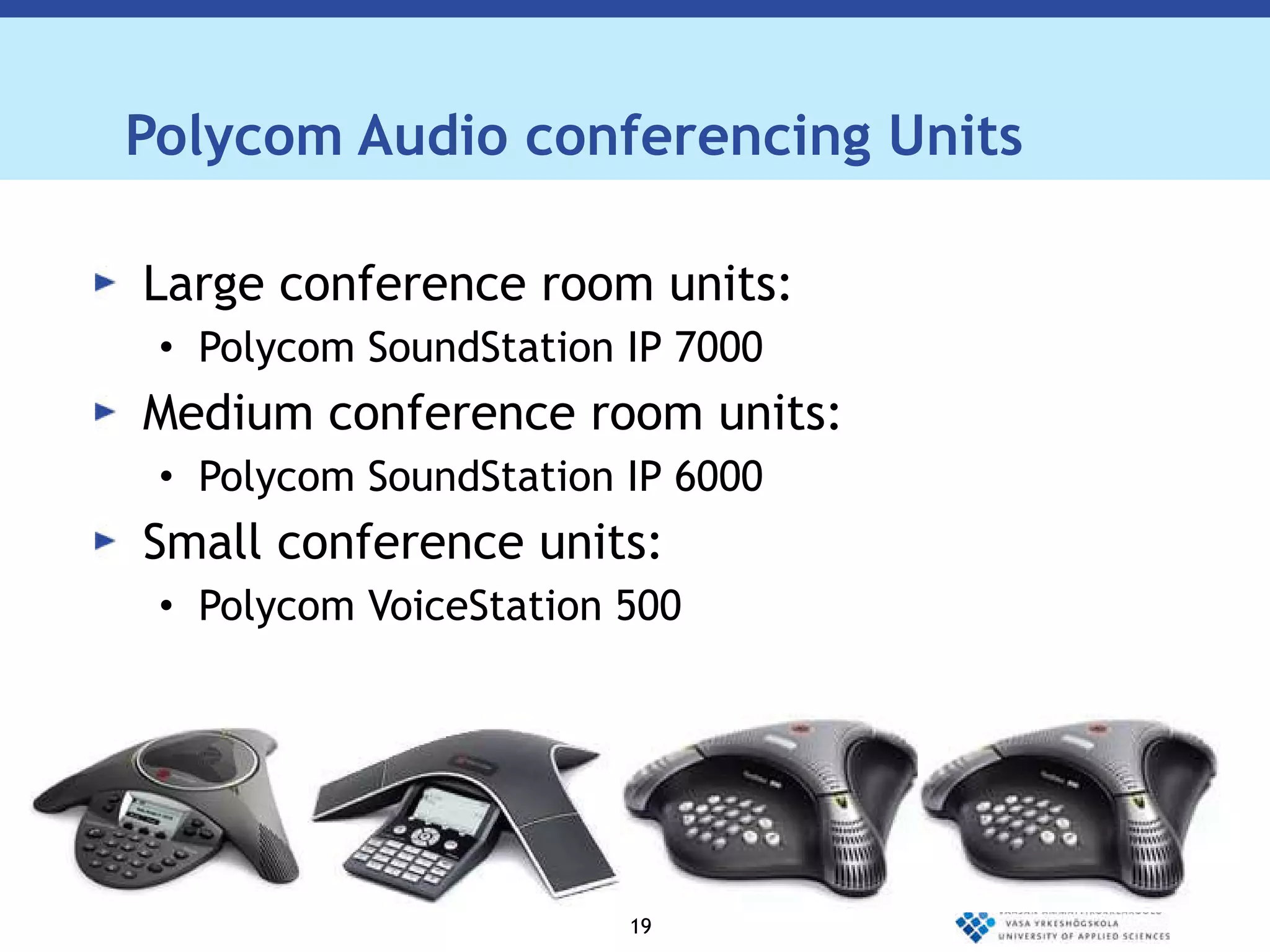
Polycom Audio conferencing Units Large conference room units: Polycom SoundStation IP 7000 Medium conference room units: Polycom SoundStation IP 6000 Small conference units:  Polycom VoiceStation 500
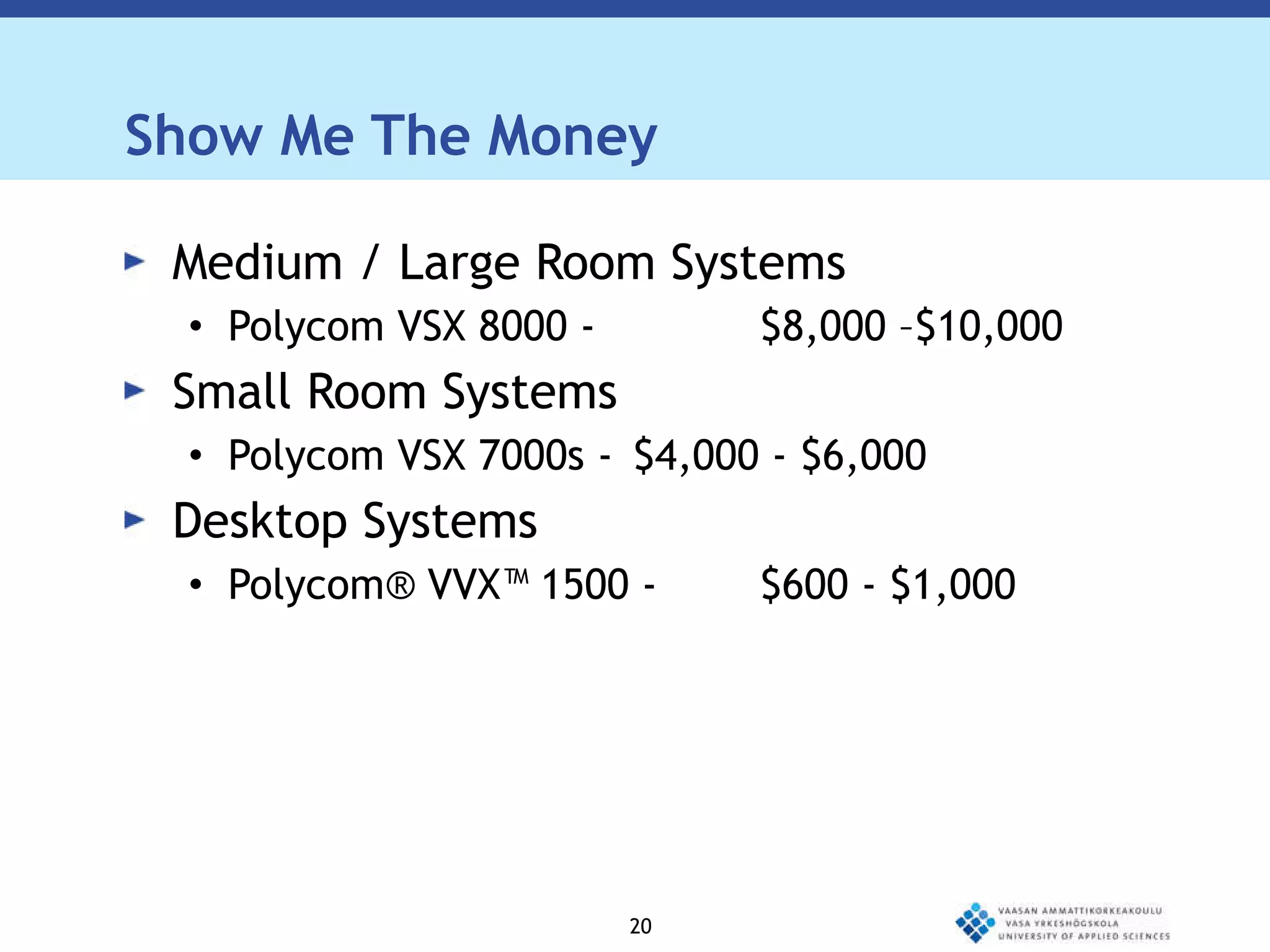
Show Me The Money Medium / Large Room Systems Polycom VSX 8000 -  $8,000 –$10,000 Small Room Systems Polycom VSX 7000s - $4,000 - $6,000 Desktop Systems Polycom® VVX™ 1500 - $600 - $1,000
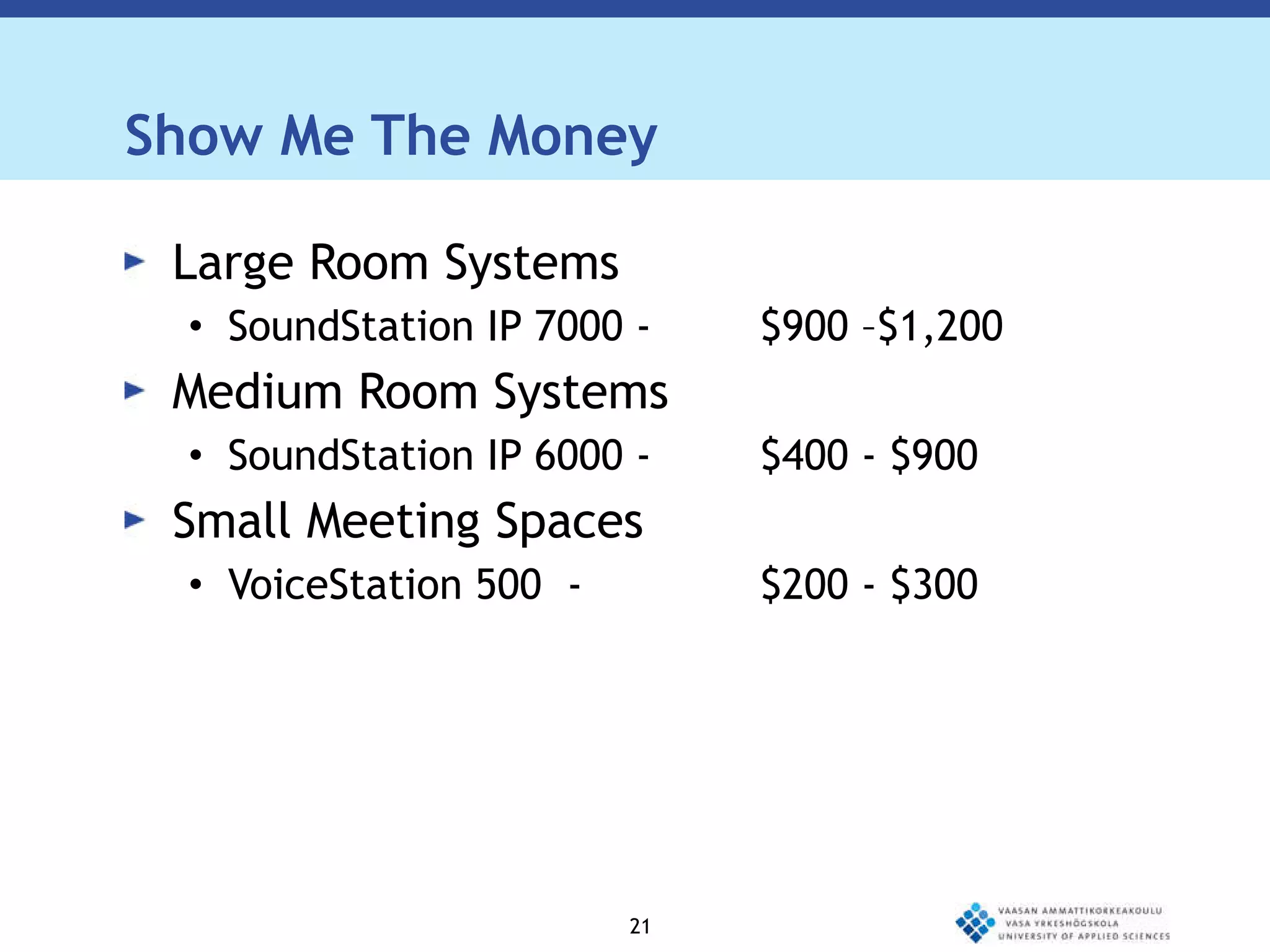
Show Me The Money Large Room Systems SoundStation IP 7000 -  $900 –$1,200 Medium Room Systems SoundStation IP 6000 - $400 - $900 Small Meeting Spaces VoiceStation 500  - $200 - $300
Cisco Cisco is one of the market leaders in unified communications.
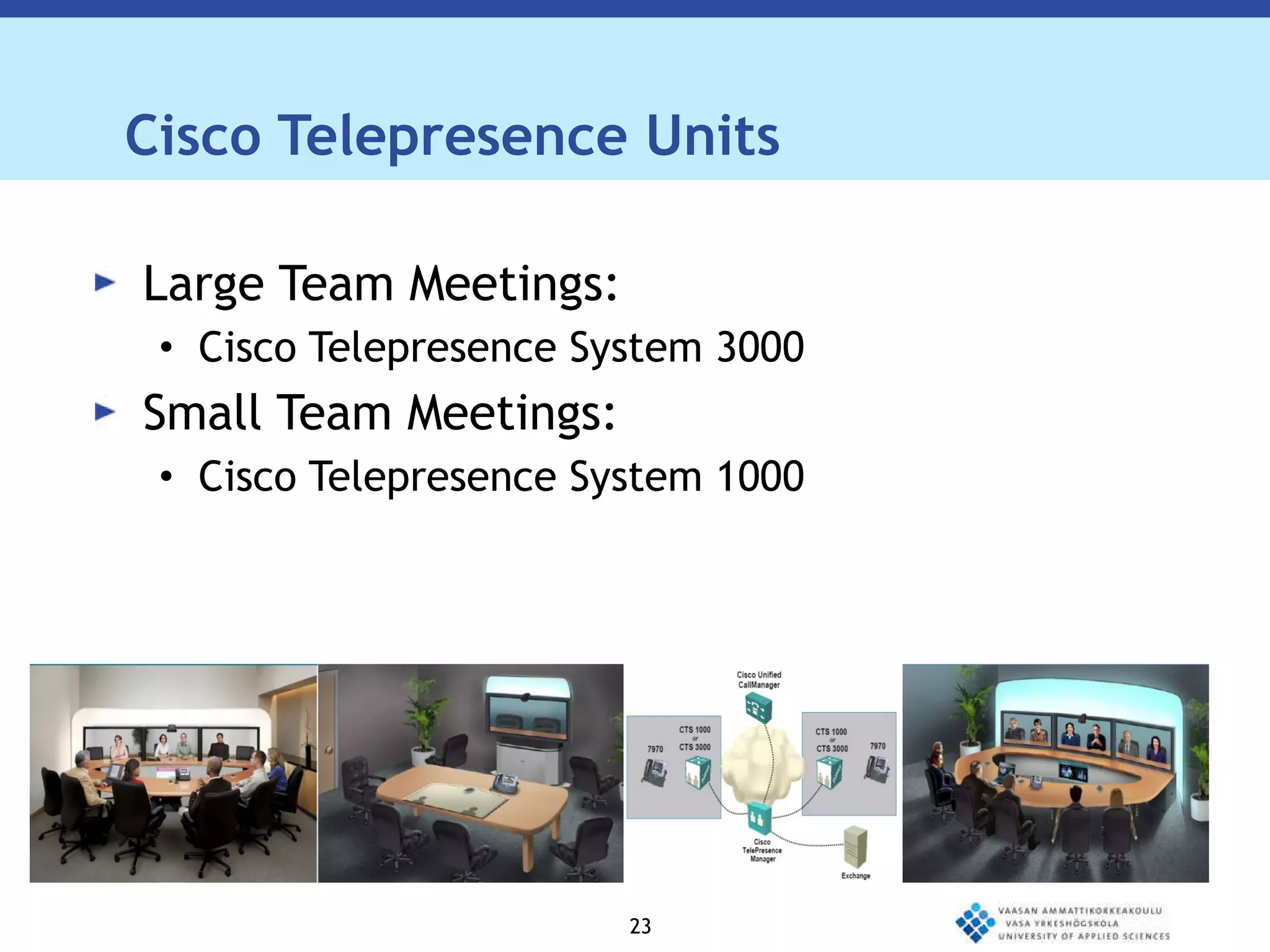
Cisco Telepresence Units Large Team Meetings: Cisco Telepresence System 3000 Small Team Meetings: Cisco Telepresence System 1000
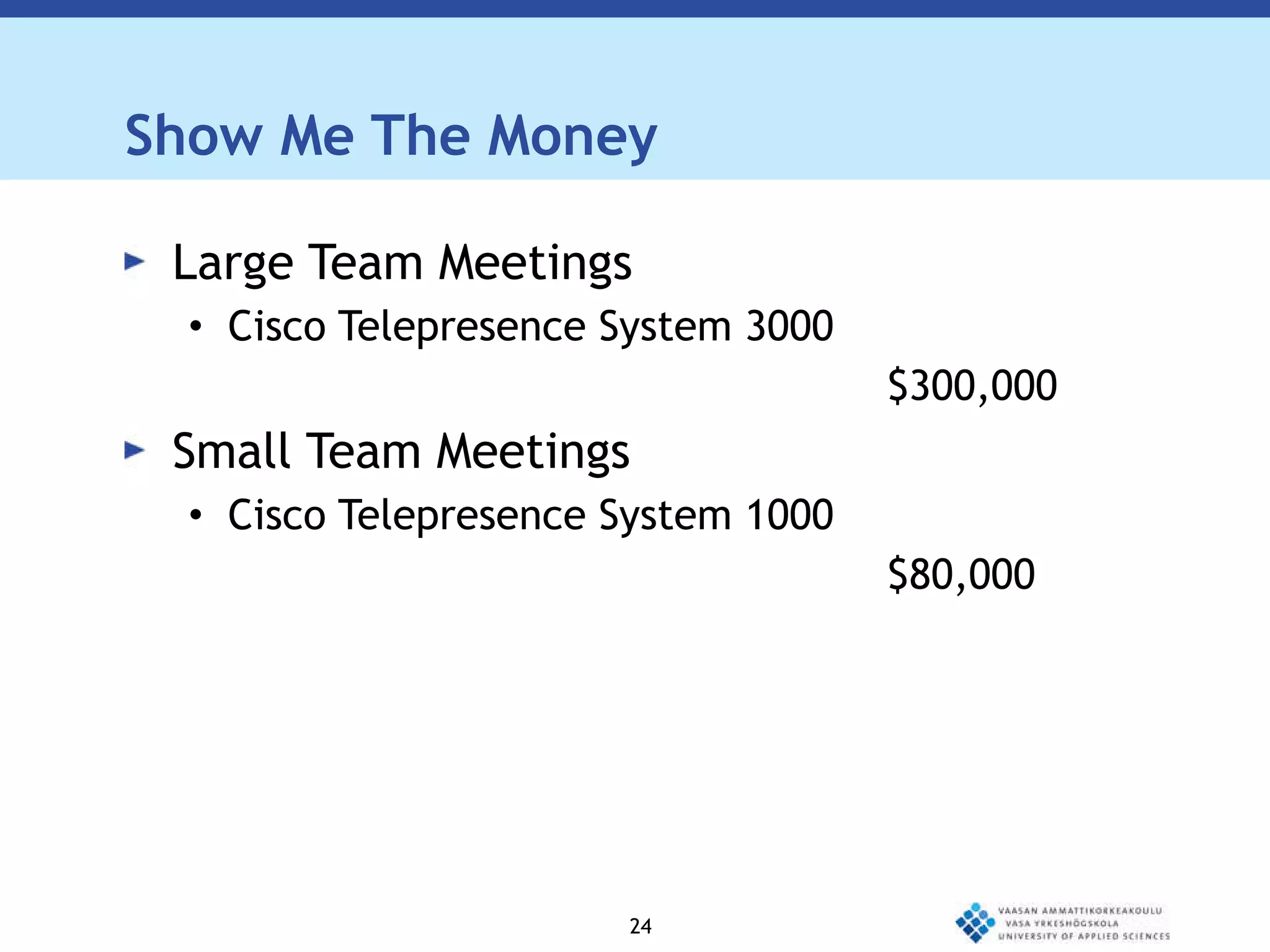
Show Me The Money Large Team Meetings Cisco Telepresence System 3000   $300,000  Small Team Meetings Cisco Telepresence System 1000 $80,000
Point-to-point Conferences Point-to-point – A conference solution that connects two locations.  Each site sees and hears the other sites at all times
Multipoint Conferences Point-to-multipoint – A conference solution  that connects to more than two sites through the use of a multi-point control unit, or MCU. Participants at all sites can hear one another at all times and see the site that is currently speaking. Voice activated switching Multi-point conferencing can be effective although the scheduling, technical, and logistical dimensions of MCU conferences can be imposing.
Web Conferencing Hosting meetings on a web browser  Dimdim:  http://www.dimdim.com/ Google Wave, Open meeting  Bigbluebutton, MEETECHO  Cisco WebEx, Adobe Acrobat Connect Pro  GoToMeeting, GoToWebinar, GoToTraining  Mikogo, LogMeIn, Glance:  http://www.glance.net/
Streaming  Youtube Vimeo  Metacafe  Livestream :  http://www.livestream.com/ghodrat Ustream:  http://www.ustream.tv/
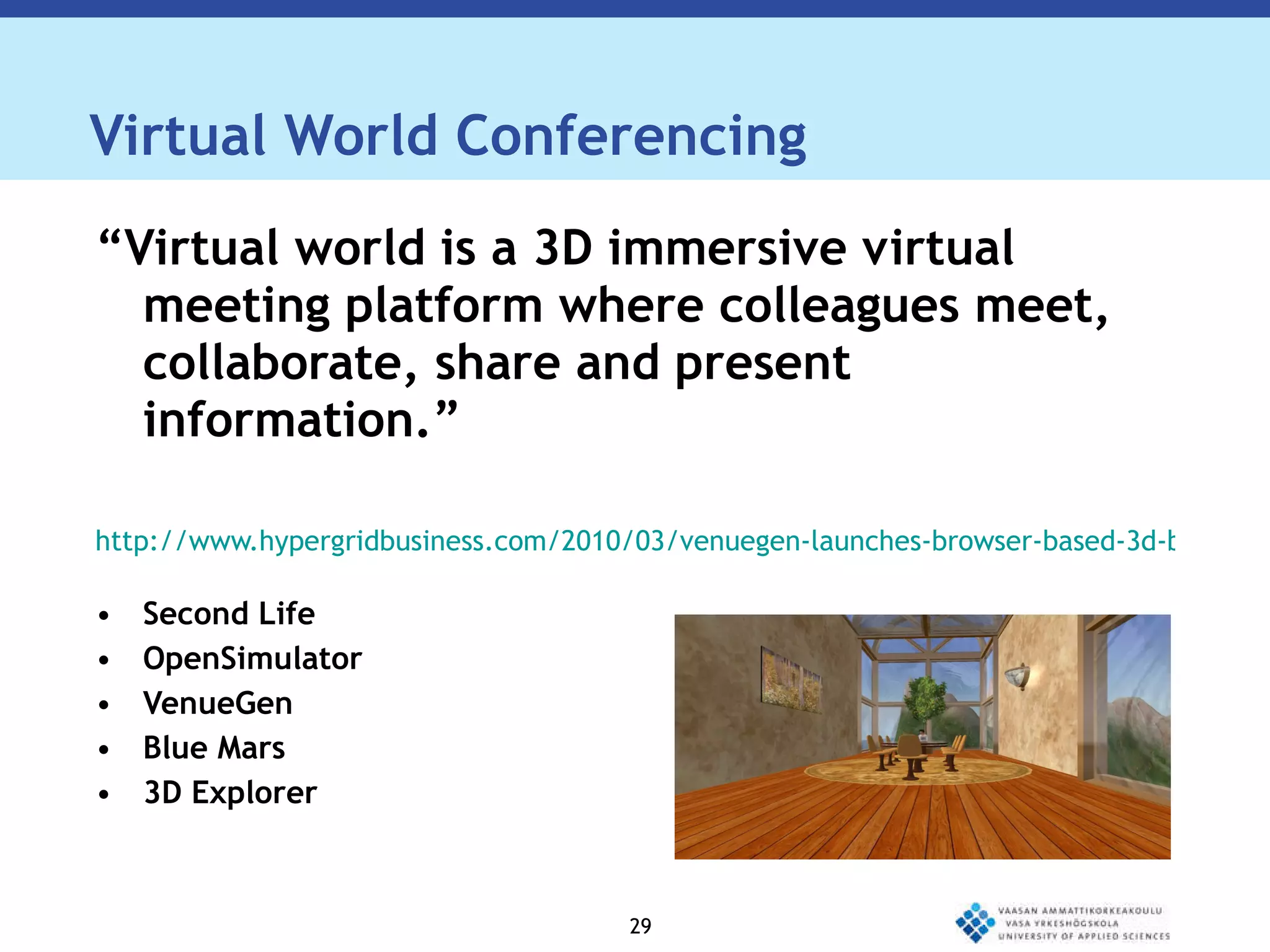
Virtual World Conferencing “ Virtual world is a 3D immersive virtual meeting platform where colleagues meet, collaborate, share and present information.” http://www.hypergridbusiness.com/2010/03/venuegen-launches-browser-based-3d-business-meeting-platform/ Second Life OpenSimulator VenueGen Blue Mars 3D Explorer
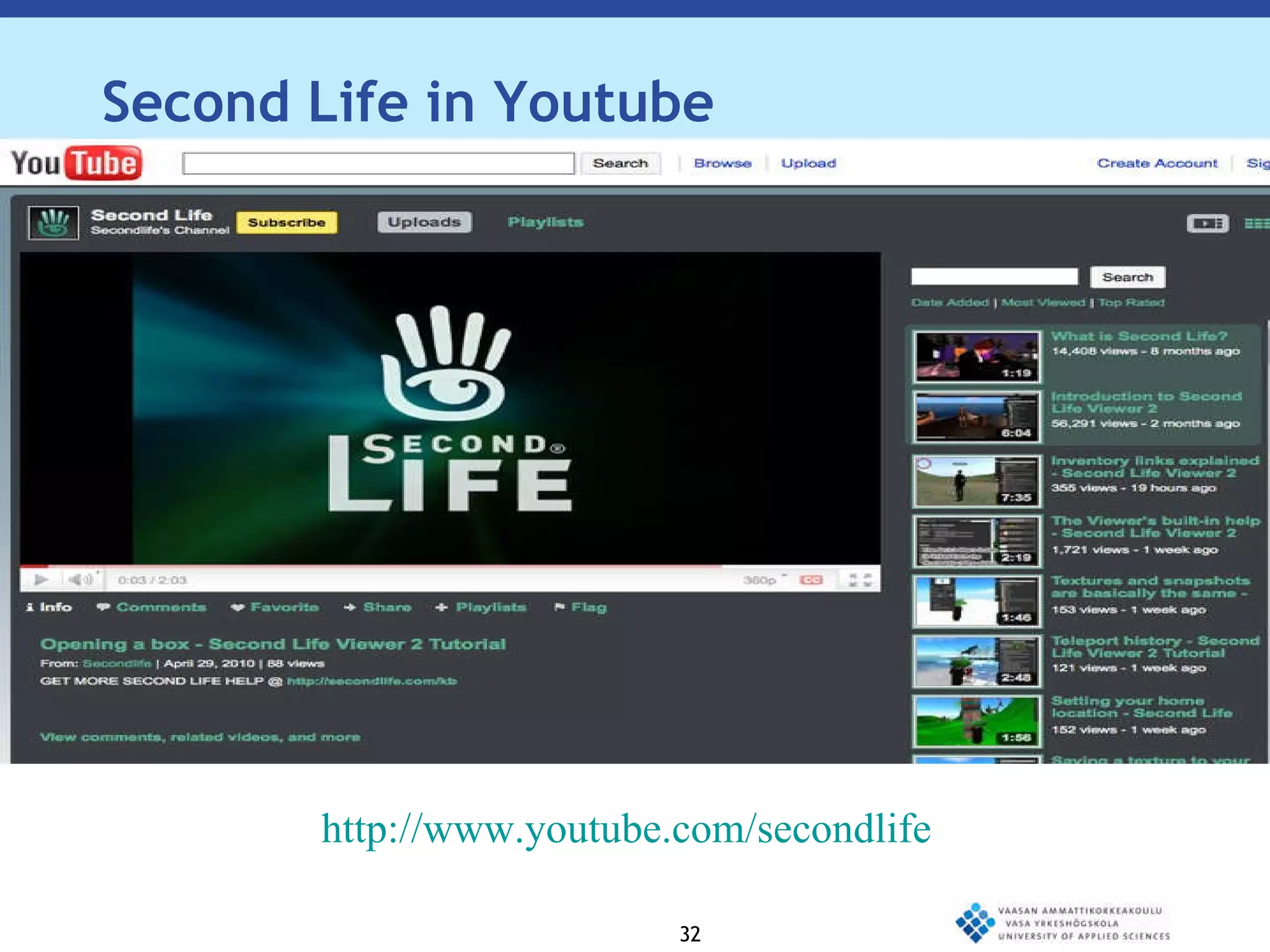
http://www.youtube.com/secondlife Second Life in Youtube
OpenSimulator  “ OpenSimulator, often referred to as OpenSim is an open source server platform for hosting virtual worlds.” http://opensimulator.org/wiki/Main_Page
VenueGen “ VenueGen is a browser-based 3D business meeting platform.” http://www.venuegen.com
Blue Mars “ Blue Mars is a 3D world and gaming platform.” http://www.bluemars.com
3D Explorer “ 3D Explorer is a Web3D platform that allows users to browse virtual spaces and interact with people right from within their Web browser.” http://www.3dxplorer.com
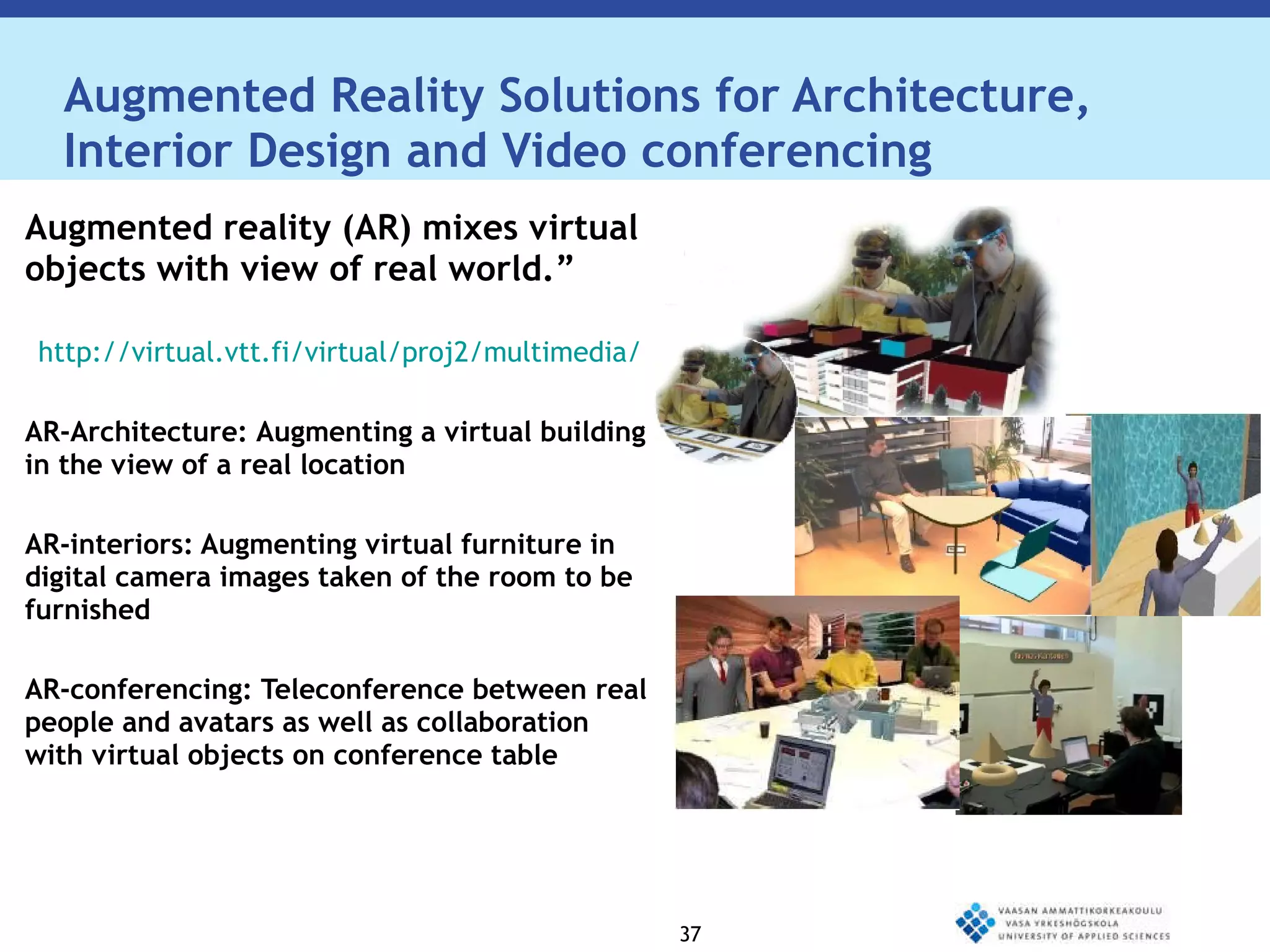
Augmented Reality Solutions for Architecture, Interior Design and Video conferencing Augmented reality (AR) mixes virtual objects with view of real world.” http://virtual.vtt.fi/virtual/proj2/multimedia/ AR-Architecture:  Augmenting a virtual building in the view of a real location AR-interiors: Augmenting virtual furniture in digital camera images taken of the room to be furnished AR-conferencing: Teleconference between real people and avatars as well as collaboration with virtual objects on conference table
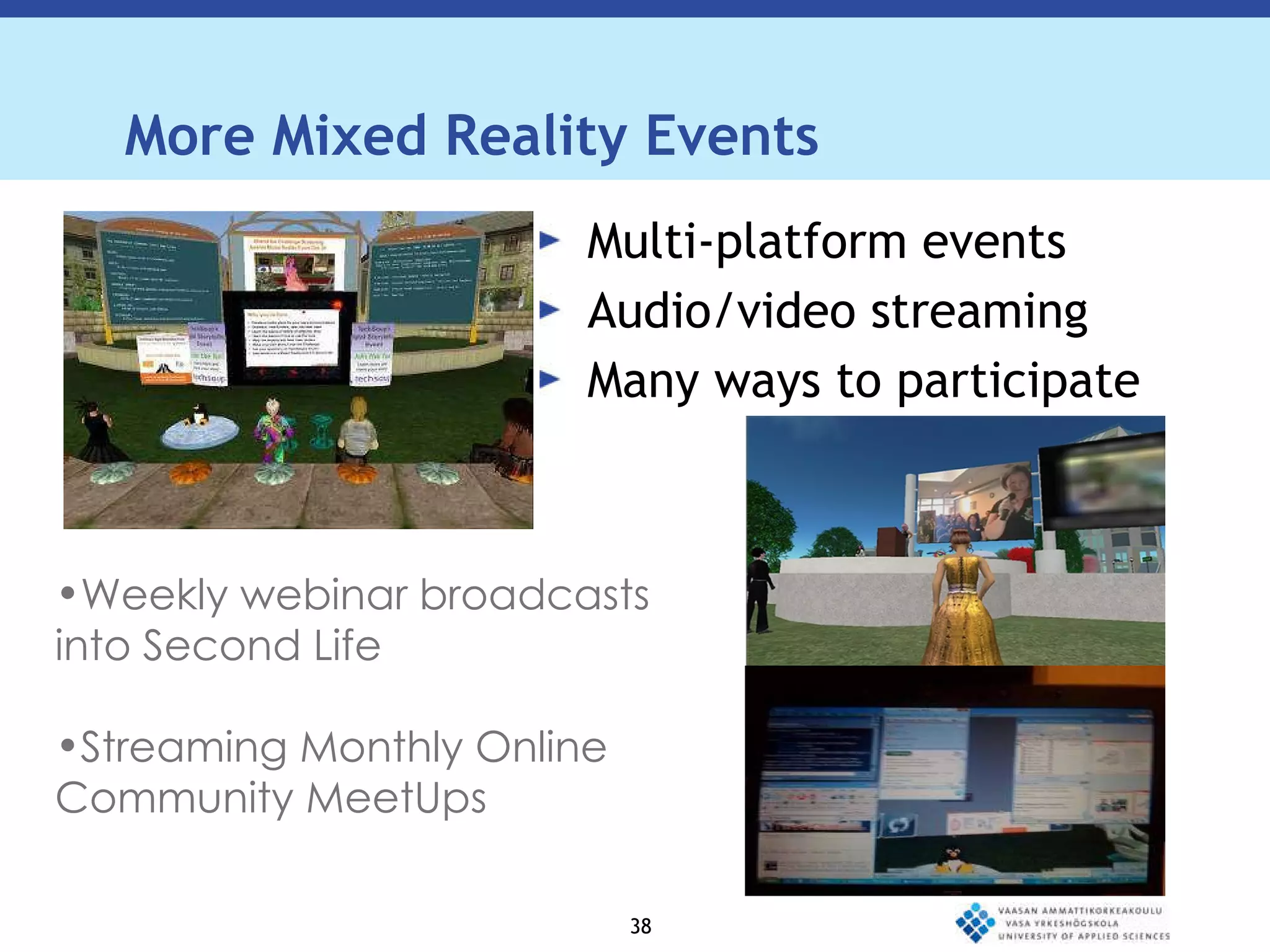
More Mixed Reality Events Multi-platform events Audio/video streaming Many ways to participate Weekly webinar broadcasts into Second Life Streaming Monthly Online Community MeetUps
Various Uses: Presentations  Virtual meetings Videoconference-based learning JIT (just in time) events Recruitment/search committees General meetings  Project coordination  Informal work sessions  Question and answer sessions
Benefits of conferencing Can improve work quality Increase productivity Reduce costs Improves communication Groups can meet more frequently Critical meetings can be convened in less time
Thank You! Demonstration

Creative spaces design_final

  • 1.
    ICT Solutions forMeetings Text – levet 1 Text – level 2 Text – level 3 Ghodrat Moghadampour, PhD Michael Aro Victor Abedi-Lartey VAMK, University of Applied Sciences Vaasa, Finland
  • 2.
    Outline How acreative space can be completed with ICT tools? ICT Tools How a creative space can be translated to virtual spaces? Virtual environments SecondLife
  • 3.
    Creative Spaces Creativespaces require careful design. Many factors should be taken into account in order to prepare them so that they promote activity. The general atmosphere, furnishings, decoration and available facilities all affect the nature of the creative space. Creative activity requires easy and fast access to available information.
  • 4.
    Creative Spaces Thereare many ways to access needed information and some of them might require a lot of time and effort. Provided that the infrastructure is ready, ICT tools offer a fast and easy way to access needed information. The information can be obtained through search in Internet or by accessing experts, who are not present in the same place. ICT
  • 5.
    Creative Spaces toolsprovide a quick and comfortable gateway to access the huge source of information available on Internet and make it possible to meet other people virtually just in time. ICT tools and virtual environments also provide interesting technology for designing different types of environments and testing ideas.
  • 7.
    Videoconferencing “Video conferencing is a live connection between people in separate locations for the purpose of communication, usually involving audio and often text as well as video.” http://searchmobilecomputing.techtarget.com/definition/videoconference
  • 8.
    Telepresence “A virtual meeting experience unlike any other, telepresence creates the illusion that remote participants are in the same room together.” http://www.ivci.com/telepresence-index.html
  • 9.
    Audio conferencing “ Audio conferencing is an audio communications session among three or more people who are geographically dispersed.” http://www.pcmag.com/encyclopedia_term/0,2542,t=audioconferencing&i=38177,00.asp
  • 10.
    Conferencing Components Cameras(to capture and send video from your local endpoint) Video displays (to display video received from remote endpoints) Microphones (to capture and send audio from your local endpoint) Speakers (to play audio received from remote endpoints) Softwares
  • 11.
    In Addition, TwoAdditional Requirements: Codec - "compressor/de-compressor“ - makes the audio/video data "small enough" to be practical for sending over expensive network connections. A codec takes analog signals, compresses and digitizes them, and transmits the signals over digital phone lines. The Supporting System and the Network Connection
  • 12.
    H.323 Standardfor interoperability in audio, video and data transmissions as well as Internet phone and voice-over-IP (VoIP) Originally defined for multimedia communications and perfectly fits the videoconferencing application It has mechanisms for audio and video call setup as well as capability exchange setup
  • 13.
    SIP Similar inmany ways to H.323. It can be used to setup audio and video calls. A generic protocol that can setup any kind of session, not just audio and video, for example, SIP can be used for instant messaging, data transfer and so on.
  • 14.
    CONNECTING H.323 ANDSIP NETWORKS Dual-Stack Endpoints
  • 15.
    CONNECTING H.323 ANDSIP NETWORKS Multiprotocol Conference Servers
  • 16.
    CONNECTING H.323 ANDSIP NETWORKS Signalling gateway
  • 17.
    Polycom Polycom isone of the market leaders in endpoint voice and video communications.
  • 18.
    Polycom Videoconferencing UnitsLarge conference room units: Polycom VSX 8000 Series Medium conference room units: Polycom VSX 7000s System Personal units: Polycom® VVX™ 1500 Series
  • 19.
    Polycom Audio conferencingUnits Large conference room units: Polycom SoundStation IP 7000 Medium conference room units: Polycom SoundStation IP 6000 Small conference units: Polycom VoiceStation 500
  • 20.
    Show Me TheMoney Medium / Large Room Systems Polycom VSX 8000 - $8,000 –$10,000 Small Room Systems Polycom VSX 7000s - $4,000 - $6,000 Desktop Systems Polycom® VVX™ 1500 - $600 - $1,000
  • 21.
    Show Me TheMoney Large Room Systems SoundStation IP 7000 - $900 –$1,200 Medium Room Systems SoundStation IP 6000 - $400 - $900 Small Meeting Spaces VoiceStation 500 - $200 - $300
  • 22.
    Cisco Cisco isone of the market leaders in unified communications.
  • 23.
    Cisco Telepresence UnitsLarge Team Meetings: Cisco Telepresence System 3000 Small Team Meetings: Cisco Telepresence System 1000
  • 24.
    Show Me TheMoney Large Team Meetings Cisco Telepresence System 3000 $300,000 Small Team Meetings Cisco Telepresence System 1000 $80,000
  • 25.
    Point-to-point Conferences Point-to-point– A conference solution that connects two locations. Each site sees and hears the other sites at all times
  • 26.
    Multipoint Conferences Point-to-multipoint– A conference solution that connects to more than two sites through the use of a multi-point control unit, or MCU. Participants at all sites can hear one another at all times and see the site that is currently speaking. Voice activated switching Multi-point conferencing can be effective although the scheduling, technical, and logistical dimensions of MCU conferences can be imposing.
  • 27.
    Web Conferencing Hostingmeetings on a web browser Dimdim: http://www.dimdim.com/ Google Wave, Open meeting Bigbluebutton, MEETECHO Cisco WebEx, Adobe Acrobat Connect Pro GoToMeeting, GoToWebinar, GoToTraining Mikogo, LogMeIn, Glance: http://www.glance.net/
  • 28.
    Streaming YoutubeVimeo Metacafe Livestream : http://www.livestream.com/ghodrat Ustream: http://www.ustream.tv/
  • 29.
    Virtual World Conferencing“ Virtual world is a 3D immersive virtual meeting platform where colleagues meet, collaborate, share and present information.” http://www.hypergridbusiness.com/2010/03/venuegen-launches-browser-based-3d-business-meeting-platform/ Second Life OpenSimulator VenueGen Blue Mars 3D Explorer
  • 32.
  • 33.
    OpenSimulator “OpenSimulator, often referred to as OpenSim is an open source server platform for hosting virtual worlds.” http://opensimulator.org/wiki/Main_Page
  • 34.
    VenueGen “ VenueGenis a browser-based 3D business meeting platform.” http://www.venuegen.com
  • 35.
    Blue Mars “Blue Mars is a 3D world and gaming platform.” http://www.bluemars.com
  • 36.
    3D Explorer “3D Explorer is a Web3D platform that allows users to browse virtual spaces and interact with people right from within their Web browser.” http://www.3dxplorer.com
  • 37.
    Augmented Reality Solutionsfor Architecture, Interior Design and Video conferencing Augmented reality (AR) mixes virtual objects with view of real world.” http://virtual.vtt.fi/virtual/proj2/multimedia/ AR-Architecture: Augmenting a virtual building in the view of a real location AR-interiors: Augmenting virtual furniture in digital camera images taken of the room to be furnished AR-conferencing: Teleconference between real people and avatars as well as collaboration with virtual objects on conference table
  • 38.
    More Mixed RealityEvents Multi-platform events Audio/video streaming Many ways to participate Weekly webinar broadcasts into Second Life Streaming Monthly Online Community MeetUps
  • 40.
    Various Uses: Presentations Virtual meetings Videoconference-based learning JIT (just in time) events Recruitment/search committees General meetings Project coordination Informal work sessions Question and answer sessions
  • 41.
    Benefits of conferencingCan improve work quality Increase productivity Reduce costs Improves communication Groups can meet more frequently Critical meetings can be convened in less time
  • 42.