Creating Voice powered web apps with
Ribbit
James Williams
BT/Ribbit
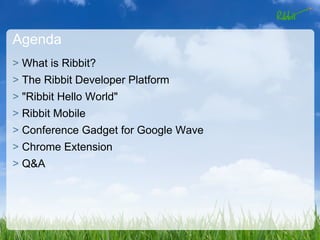
Agenda
> What is Ribbit?
> The Ribbit Developer Platform
> "Ribbit Hello World"
> Ribbit Mobile
> Conference Gadget for Google Wave
> Chrome Extension
> Q&A
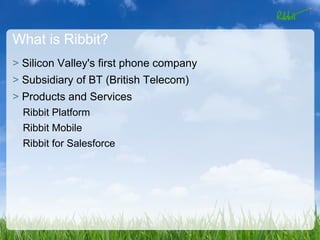
What is Ribbit?
> Silicon Valley's first phone company
> Subsidiary of BT (British Telecom)
> Products and Services
  Ribbit Platform
  Ribbit Mobile
  Ribbit for Salesforce
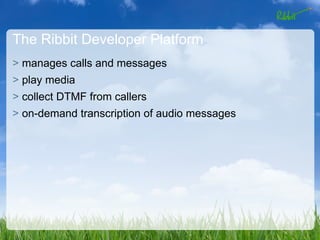
The Ribbit Developer Platform
> manages calls and messages
> play media
> collect DTMF from callers
> on-demand transcription of audio messages
Supported Languages
> PHP
> Java
> .NET/Silverlight
> Javascript
> AS3 (Coming soon!)
Logging in
function init() {
    var token = localStorage["token"];
    var appId = localStorage["appId"];
    var username = localStorage["username"];
    var password = localStorage["password"];

    if (token != "") {
        Ribbit.init(token, appId);
        Ribbit.Login(loginCallback, username, password);
        console.log("Attempting login with stored credentials.");
    }

    console.log("Attempting login");
}
Creating a Call
function call(textbox) {
    var phonenums = new Array();
    var myPhoneNumber = localStorage["phone"];
    var number = "tel:"+textbox.value;

    phonenums.push("tel:"+myPhoneNumber);
    phonenums.push(number);
    Ribbit.Calls().createCall(createCallCallback, phonenums, null,
null);
}

function createCallCallback(result){
    if (result.hasError){
        $("#result").html(result.message);
    } else {
        $("#result").html("Calling you...");
    }
}
Sending a SMS
function sendMessage(receiver, message) {
        var recipients = ['tel:'+receiver.value];
        $("#result").html("Sending message...");
        Ribbit.Messages().createMessage(sendMessageCallback,
recipients, message.value, null, "Text Message");
}

function sendMessageCallback(result){
    if (result.hasError){
        $("#result").html(result.message);
    } else {
        $("#result").html("Message sent.");
    }
}
Ribbit Mobile
> http://www.ribbitmobile.com
> online message inbox
> voicemail transcription
> intelligent call routing
> web-based calling
> custom Ribbit Mobile inbound numbers
Conference Gadget for Google Wave
> one of the featured gadgets during the Wave launch
> built using our JS REST APIs
> has connected over 50,000 calls since launch
> coded by me!
Ribbit Chrome Extension
> send text messages
> listen to voicemails
> find phone numbers within web pages
> mobile dialing - at least until JS gets microphone support :(
Ribbit Links
> http:/developer.ribbit.com
> http://ribbitmobile.com
> http://ribbit.com/wave
Contact Me
> Twitter: @ecspike
> Email: james@ribbit.com
> Personal Blog: http://jameswilliams.be/blog
> Developer Blog: http://developer.ribbit.com/blog

Creating Voice Powered Apps with Ribbit

  • 1.
    Creating Voice poweredweb apps with Ribbit James Williams BT/Ribbit
  • 2.
    Agenda > What isRibbit? > The Ribbit Developer Platform > "Ribbit Hello World" > Ribbit Mobile > Conference Gadget for Google Wave > Chrome Extension > Q&A
  • 3.
    What is Ribbit? >Silicon Valley's first phone company > Subsidiary of BT (British Telecom) > Products and Services Ribbit Platform Ribbit Mobile Ribbit for Salesforce
  • 4.
    The Ribbit DeveloperPlatform > manages calls and messages > play media > collect DTMF from callers > on-demand transcription of audio messages
  • 5.
    Supported Languages > PHP >Java > .NET/Silverlight > Javascript > AS3 (Coming soon!)
  • 6.
    Logging in function init(){ var token = localStorage["token"]; var appId = localStorage["appId"]; var username = localStorage["username"]; var password = localStorage["password"]; if (token != "") { Ribbit.init(token, appId); Ribbit.Login(loginCallback, username, password); console.log("Attempting login with stored credentials."); } console.log("Attempting login"); }
  • 7.
    Creating a Call functioncall(textbox) { var phonenums = new Array(); var myPhoneNumber = localStorage["phone"]; var number = "tel:"+textbox.value; phonenums.push("tel:"+myPhoneNumber); phonenums.push(number); Ribbit.Calls().createCall(createCallCallback, phonenums, null, null); } function createCallCallback(result){ if (result.hasError){ $("#result").html(result.message); } else { $("#result").html("Calling you..."); } }
  • 8.
    Sending a SMS functionsendMessage(receiver, message) { var recipients = ['tel:'+receiver.value]; $("#result").html("Sending message..."); Ribbit.Messages().createMessage(sendMessageCallback, recipients, message.value, null, "Text Message"); } function sendMessageCallback(result){ if (result.hasError){ $("#result").html(result.message); } else { $("#result").html("Message sent."); } }
  • 9.
    Ribbit Mobile > http://www.ribbitmobile.com >online message inbox > voicemail transcription > intelligent call routing > web-based calling > custom Ribbit Mobile inbound numbers
  • 10.
    Conference Gadget forGoogle Wave > one of the featured gadgets during the Wave launch > built using our JS REST APIs > has connected over 50,000 calls since launch > coded by me!
  • 11.
    Ribbit Chrome Extension >send text messages > listen to voicemails > find phone numbers within web pages > mobile dialing - at least until JS gets microphone support :(
  • 12.
    Ribbit Links > http:/developer.ribbit.com >http://ribbitmobile.com > http://ribbit.com/wave
  • 13.
    Contact Me > Twitter:@ecspike > Email: james@ribbit.com > Personal Blog: http://jameswilliams.be/blog > Developer Blog: http://developer.ribbit.com/blog