Developing Components and
                          Extensions for Ext JS


                                           2010 Mats Bryntse
Monday, November 29, 2010
About me
              {
                    name : ”Mats Bryntse”,
                    extForumAlias: ’mankz’,
                    age : 33,
                    from: ”Helsingborg, Sweden”,
                    usingExtSince : 2007,
                    creatorOf: [”Ext Scheduler”, ”Ext Gantt”],
                    twitter : ”@extscheduler”
              }


Monday, November 29, 2010
Agenda

              * What is an Ext extension?
              * Extension vs override vs plugin.
              * Solve a simple silly problem in 3 ways
              * Create a clock plugin, Ext.ux.Clock
              * 10 Do’s and Dont’s when creating a UX


Monday, November 29, 2010
What is an Ext JS extension?

                              ?
           An extension is a reusable component, normally
           derived from an existing Ext JS class.

           Let’s look at some popular community extensions.


Monday, November 29, 2010
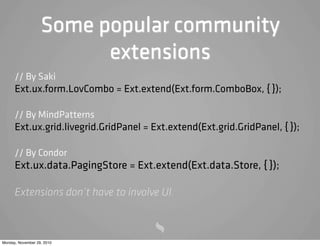
Some popular community
                         extensions
      // By Saki
      Ext.ux.form.LovCombo = Ext.extend(Ext.form.ComboBox, { });

      // By MindPatterns
      Ext.ux.grid.livegrid.GridPanel = Ext.extend(Ext.grid.GridPanel, { });

      // By Condor
      Ext.ux.data.PagingStore = Ext.extend(Ext.data.Store, { });

      Extensions don’t have to involve UI.


Monday, November 29, 2010
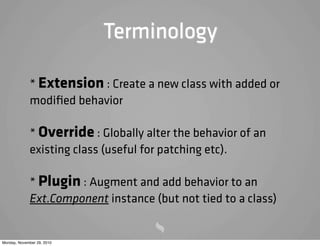
Terminology

             * Extension : Create a new class with added or
             modified behavior

             * Override : Globally alter the behavior of an
             existing class (useful for patching etc).

             * Plugin : Augment and add behavior to an
             Ext.Component instance (but not tied to a class)


Monday, November 29, 2010
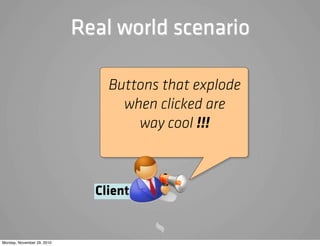
Real world scenario

                                Buttons that explode
                                  when clicked are
                                    way cool !!!


                              Client:


Monday, November 29, 2010
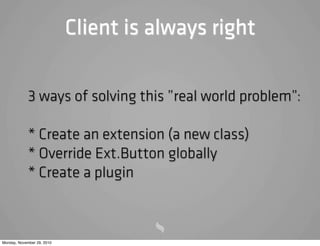
Client is always right

            3 ways of solving this ”real world problem”:

            * Create an extension (a new class)
            * Override Ext.Button globally
            * Create a plugin


Monday, November 29, 2010
Let’s create a simple
                                 extension!


            Using Ext.Button as the base class seems
            reasonable.

            First let’s take a look at Ext.extend


Monday, November 29, 2010
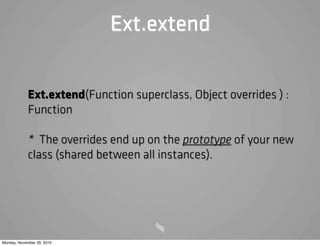
Ext.extend


            Ext.extend(Function superclass, Object overrides ) :
            Function

            * The overrides end up on the prototype of your new
            class (shared between all instances).


Monday, November 29, 2010
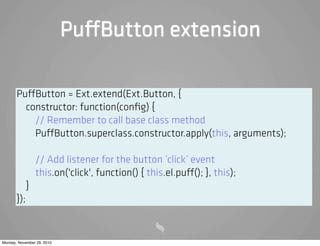
Pu Button extension

       Pu Button = Ext.extend(Ext.Button, {
         constructor: function(config) {
           // Remember to call base class method
           Pu Button.superclass.constructor.apply(this, arguments);

                 // Add listener for the button ’click’ event
                 this.on('click', function() { this.el.pu (); }, this);
             }
       });


Monday, November 29, 2010
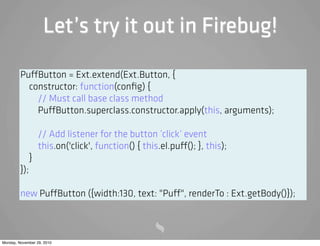
Let’s try it out in Firebug!

         Pu Button = Ext.extend(Ext.Button, {
           constructor: function(config) {
             // Must call base class method
             Pu Button.superclass.constructor.apply(this, arguments);

                   // Add listener for the button ’click’ event
                   this.on('click', function() { this.el.pu (); }, this);
               }
         });

         new Pu Button ({width:130, text: "Pu ", renderTo : Ext.getBody()});


Monday, November 29, 2010
Ext.extend review


            We extended an existing Ext class to create
            our own class encapsulating new behaviour.


Monday, November 29, 2010
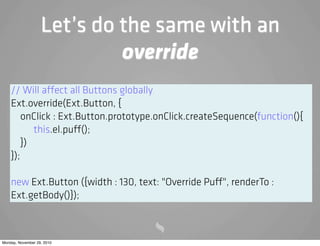
Let’s do the same with an
                            override
    // Will a ect all Buttons globally
    Ext.override(Ext.Button, {
        onClick : Ext.Button.prototype.onClick.createSequence(function(){
           this.el.pu ();
        })
    });

    new Ext.Button ({width : 130, text: "Override Pu ", renderTo :
    Ext.getBody()});


Monday, November 29, 2010
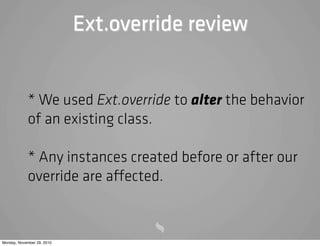
Ext.override review


            * We used Ext.override to alter the behavior
            of an existing class.

            * Any instances created before or after our
            override are a ected.


Monday, November 29, 2010
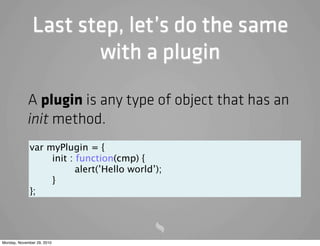
Last step, let’s do the same
                      with a plugin

            A plugin is any type of object that has an
            init method.
             var      myPlugin = {
             
         init : function(cmp) {
             
         
      alert(’Hello world’);
             
         }
             };


Monday, November 29, 2010
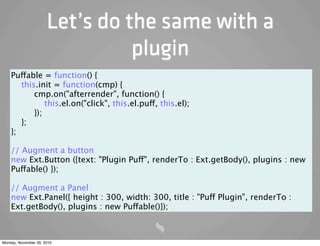
Let’s do the same with a
                                plugin
    Puffable = function() {
       this.init = function(cmp) {
           cmp.on("afterrender", function() {
               this.el.on("click", this.el.puff, this.el);
           });
       };
    };

    // Augment a button
    new Ext.Button ({text: "Plugin Puff", renderTo : Ext.getBody(), plugins : new
    Puffable() });

    // Augment a Panel
    new Ext.Panel({ height : 300, width: 300, title : "Puff Plugin", renderTo :
    Ext.getBody(), plugins : new Puffable()});


Monday, November 29, 2010
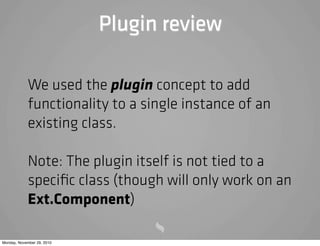
Plugin review

            We used the plugin concept to add
            functionality to a single instance of an
            existing class.

            Note: The plugin itself is not tied to a
            specific class (though will only work on an
            Ext.Component)

Monday, November 29, 2010
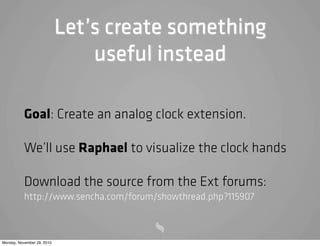
Let’s create something
                                useful instead

           Goal: Create an analog clock extension.

           We’ll use Raphael to visualize the clock hands

           Download the source from the Ext forums:
           http://www.sencha.com/forum/showthread.php?115907


Monday, November 29, 2010
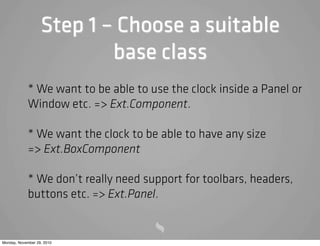
Step 1 – Choose a suitable
                           base class
            * We want to be able to use the clock inside a Panel or
            Window etc. => Ext.Component.

            * We want the clock to be able to have any size
            => Ext.BoxComponent

            * We don’t really need support for toolbars, headers,
            buttons etc. => Ext.Panel.


Monday, November 29, 2010
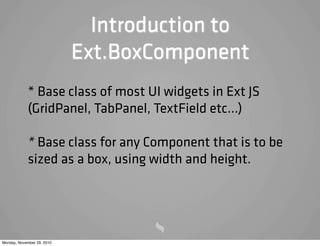
Introduction to
                            Ext.BoxComponent
            * Base class of most UI widgets in Ext JS
            (GridPanel, TabPanel, TextField etc...)

            * Base class for any Component that is to be
            sized as a box, using width and height.


Monday, November 29, 2010
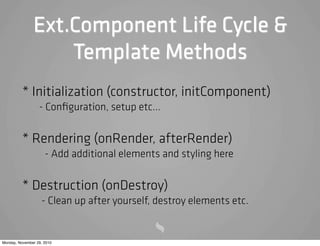
Ext.Component Life Cycle &
                   Template Methods
          * Initialization (constructor, initComponent)
                  - Configuration, setup etc...

          * Rendering (onRender, afterRender)
                     - Add additional elements and styling here

          * Destruction (onDestroy)
                   - Clean up after yourself, destroy elements etc.


Monday, November 29, 2010
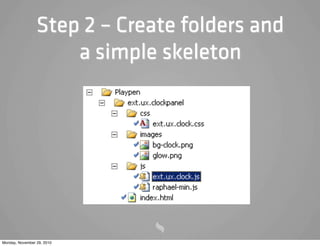
Step 2 – Create folders and
                     a simple skeleton


Monday, November 29, 2010
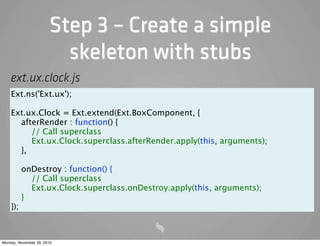
Step 3 – Create a simple
                         skeleton with stubs
    ext.ux.clock.js
    Ext.ns('Ext.ux');

    Ext.ux.Clock = Ext.extend(Ext.BoxComponent, {
      afterRender : function() {
         // Call superclass
         Ext.ux.Clock.superclass.afterRender.apply(this, arguments);
      },

          onDestroy : function() {
            // Call superclass
            Ext.ux.Clock.superclass.onDestroy.apply(this, arguments);
          }
    });


Monday, November 29, 2010
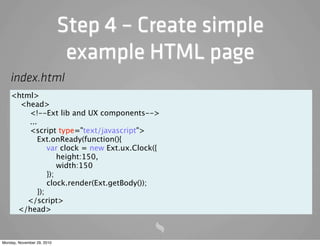
Step 4 – Create simple
                             example HTML page
    index.html
    <html>
      <head>
        <!--Ext lib and UX components-->
        ...
        <script type="text/javascript">
            Ext.onReady(function(){
                var clock = new Ext.ux.Clock({
                    height:150,
                    width:150
                });
                clock.render(Ext.getBody());
            });
       </script>
     </head>


Monday, November 29, 2010
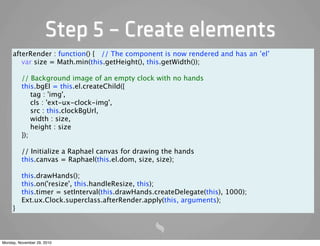
Step 5 – Create elements
     afterRender : function() { // The component is now rendered and has an ’el’
        var size = Math.min(this.getHeight(), this.getWidth());

         // Background image of an empty clock with no hands
         this.bgEl = this.el.createChild({
             tag : 'img',
             cls : 'ext-ux-clock-img',
             src : this.clockBgUrl,
             width : size,
             height : size
         });

         // Initialize a Raphael canvas for drawing the hands
         this.canvas = Raphael(this.el.dom, size, size);

         this.drawHands();
         this.on('resize', this.handleResize, this);
         this.timer = setInterval(this.drawHands.createDelegate(this), 1000);
         Ext.ux.Clock.superclass.afterRender.apply(this, arguments);
     }


Monday, November 29, 2010
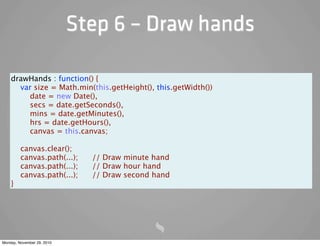
Step 6 – Draw hands

    drawHands : function() {
      var size = Math.min(this.getHeight(), this.getWidth())
        date = new Date(),
        secs = date.getSeconds(),
        mins = date.getMinutes(),
        hrs = date.getHours(),
        canvas = this.canvas;

         canvas.clear();
         canvas.path(...);    // Draw minute hand
         canvas.path(...);    // Draw hour hand
         canvas.path(...);    // Draw second hand
    }


Monday, November 29, 2010
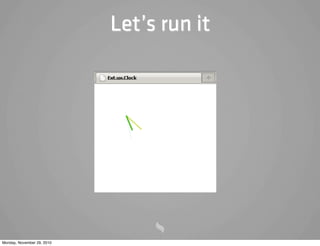
Let’s run it


Monday, November 29, 2010
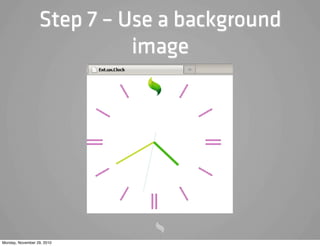
Step 7 – Use a background
                            image


Monday, November 29, 2010
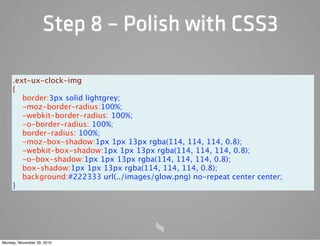
Step 8 – Polish with CSS3

     .ext-ux-clock-img
     {
        border:3px solid lightgrey;
        -moz-border-radius:100%;
        -webkit-border-radius: 100%;
        -o-border-radius: 100%;
        border-radius: 100%;
        -moz-box-shadow:1px 1px 13px rgba(114, 114, 114, 0.8);
        -webkit-box-shadow:1px 1px 13px rgba(114, 114, 114, 0.8);
        -o-box-shadow:1px 1px 13px rgba(114, 114, 114, 0.8);
        box-shadow:1px 1px 13px rgba(114, 114, 114, 0.8);
        background:#222333 url(../images/glow.png) no-repeat center center;
     }


Monday, November 29, 2010
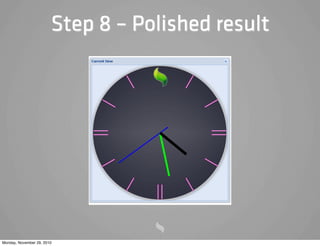
Step 8 – Polished result


Monday, November 29, 2010
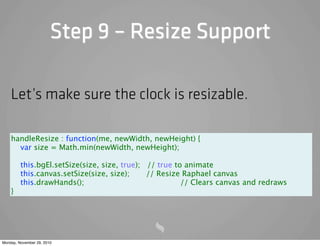
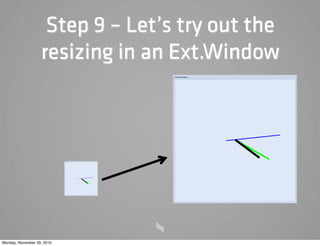
Step 9 – Resize Support

    Let’s make sure the clock is resizable.

    handleResize : function(me, newWidth, newHeight) {
      var size = Math.min(newWidth, newHeight);

         this.bgEl.setSize(size, size, true); // true to animate
         this.canvas.setSize(size, size);     // Resize Raphael canvas
         this.drawHands();


         // Clears canvas and redraws
    }


Monday, November 29, 2010
Step 9 – Let’s try out the
                   resizing in an Ext.Window


Monday, November 29, 2010
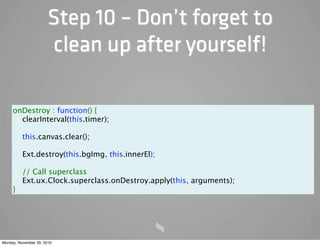
Step 10 – Don’t forget to
                        clean up after yourself!

     onDestroy : function() {
       clearInterval(this.timer);

          this.canvas.clear();

          Ext.destroy(this.bgImg, this.innerEl);

          // Call superclass
          Ext.ux.Clock.superclass.onDestroy.apply(this, arguments);
     }


Monday, November 29, 2010
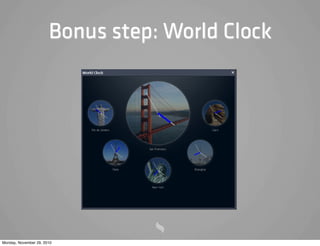
Bonus step: World Clock


Monday, November 29, 2010
10 Do’s and Don’ts when
                    creating an Ext extension

                            10
            Here is a list of some things to think about
            when creating your extension.

Monday, November 29, 2010
1. Follow Ext JS coding patterns


             ? Why?
             ! Other developers will have a better chance of
             understanding (and maintaining) your code.
             Additionally, the Ext JS source contains lots of best
             practices.


Monday, November 29, 2010
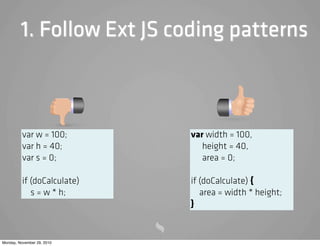
1. Follow Ext JS coding patterns


          var w = 100;       var width = 100,
          var h = 40;           height = 40,
          var s = 0;            area = 0;

          if (doCalculate)   if (doCalculate) {
             s = w * h;         area = width * height;
                             }


Monday, November 29, 2010
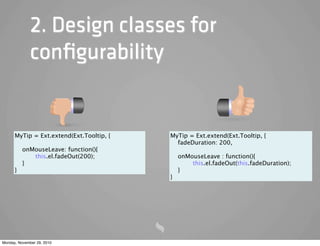
2. Design classes for
              configurability

             ? Why?
             ! It will allow your class to be easily configured
             without the use of huge overrides. This concept is
             seen throughout all of Ext JS.


Monday, November 29, 2010
2. Design classes for
              configurability


      MyTip = Ext.extend(Ext.Tooltip, {   MyTip = Ext.extend(Ext.Tooltip, {
                                            fadeDuration: 200,
          onMouseLeave: function(){
             this.el.fadeOut(200);          onMouseLeave : function(){
          }                               
     this.el.fadeOut(this.fadeDuration);
      }                                     }
                                          }


Monday, November 29, 2010
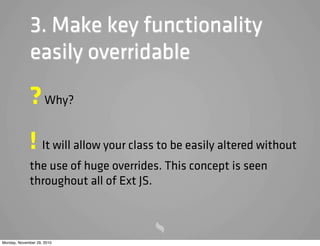
3. Make key functionality
              easily overridable

             ? Why?
             ! It will allow your class to be easily altered without
             the use of huge overrides. This concept is seen
             throughout all of Ext JS.


Monday, November 29, 2010
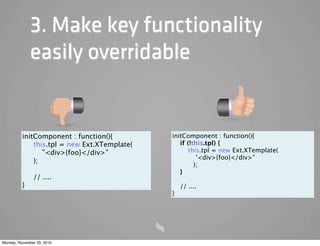
3. Make key functionality
              easily overridable


          initComponent : function(){         initComponent : function(){
              this.tpl = new Ext.XTemplate(      if (!this.tpl) {
                 ”<div>{foo}</div>”                  this.tpl = new Ext.XTemplate(
                                                        '<div>{foo}</div>”
              );
                                                       );
                                                 }
               // ....
          }                                       // ....
                                              }


Monday, November 29, 2010
4. Make classes localizable


             ? Why?
             ! Because you know your boss will ask about
             localization support at some point.


Monday, November 29, 2010
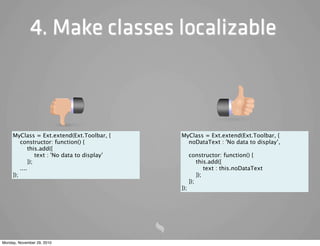
4. Make classes localizable


     MyClass = Ext.extend(Ext.Toolbar, {        MyClass = Ext.extend(Ext.Toolbar, {
         constructor: function() {                noDataText : 'No data to display’,
              this.add({
                  text : 'No data to display’       constructor: function() {
              });                                       this.add({
         ....                                               text : this.noDataText
     });                                                });
                                                    });
                                                });


Monday, November 29, 2010
5. Use a syntax checker


             ? Why?
             ! Helps you find global variable leaks, extra commas
             etc. Use JsLint or JavaScriptLint (beware, JsLint WILL
             hurt your feelings).


Monday, November 29, 2010
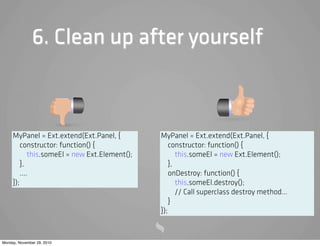
6. Clean up after yourself

             ? Why?
             ! Because noone likes memory leaks. Override the
             onDestroy method to clean up any additional
             elements, event listeners etc...


Monday, November 29, 2010
6. Clean up after yourself


     MyPanel = Ext.extend(Ext.Panel, {          MyPanel = Ext.extend(Ext.Panel, {
         constructor: function() {                  constructor: function() {
             this.someEl = new Ext.Element();          this.someEl = new Ext.Element();
         },                                         },
         ....                                       onDestroy: function() {
     });                                               this.someEl.destroy();
                                                       // Call superclass destroy method...
                                                    }
                                                });


Monday, November 29, 2010
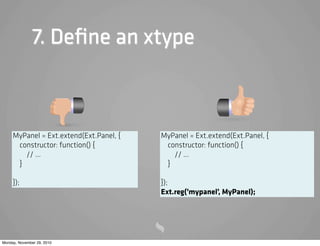
7. Define an xtype

             ? Why?
             ! Because you (or someone else) may want to make
             use of the lazy instantiation mechanism provided by
             Ext.


Monday, November 29, 2010
7. Define an xtype


     MyPanel = Ext.extend(Ext.Panel, {   MyPanel = Ext.extend(Ext.Panel, {
      constructor: function() {           constructor: function() {
        // ...                              // ...
      }                                   }

     });                                 });
                                         Ext.reg(’mypanel’, MyPanel);


Monday, November 29, 2010
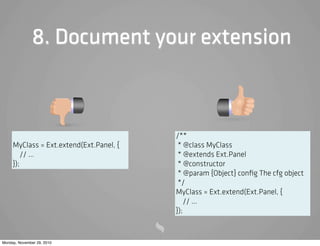
8. Document your extension

             ? Why?
             ! Because other developers will likely read your code.
             By using the JSDoc syntax you can generate beautiful
             documentation looking like the Ext online API (using
             Ext-Doc).


Monday, November 29, 2010
8. Document your extension


                                         /**
     MyClass = Ext.extend(Ext.Panel, {    * @class MyClass
         // ...                           * @extends Ext.Panel
     });                                  * @constructor
                                          * @param {Object} config The cfg object
                                          */
                                         MyClass = Ext.extend(Ext.Panel, {
                                             // ...
                                         });


Monday, November 29, 2010
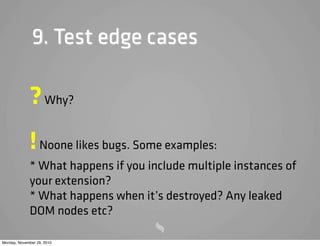
9. Test edge cases

             ? Why?
             ! Noone likes bugs. Some examples:
             * What happens if you include multiple instances of
             your extension?
             * What happens when it’s destroyed? Any leaked
             DOM nodes etc?

Monday, November 29, 2010
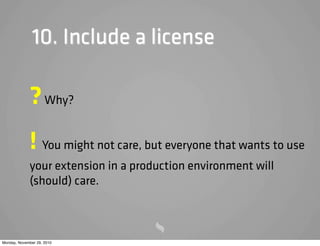
10. Include a license

             ? Why?
             ! You might not care, but everyone that wants to use
             your extension in a production environment will
             (should) care.


Monday, November 29, 2010
Additional resources


            • Sencha Learning Center: http://
            www.sencha.com/learn/Ext_2_Overview

            • Saki’s Blog:
            http://blog.extjs.eu/know-how/extension-or-
            plugin/


Monday, November 29, 2010
Questions?


                            mats@ext-scheduler.com


Monday, November 29, 2010

Creating Ext JS Extensions and Components

  • 1.
    Developing Components and Extensions for Ext JS 2010 Mats Bryntse Monday, November 29, 2010
  • 2.
    About me { name : ”Mats Bryntse”, extForumAlias: ’mankz’, age : 33, from: ”Helsingborg, Sweden”, usingExtSince : 2007, creatorOf: [”Ext Scheduler”, ”Ext Gantt”], twitter : ”@extscheduler” } Monday, November 29, 2010
  • 3.
    Agenda * What is an Ext extension? * Extension vs override vs plugin. * Solve a simple silly problem in 3 ways * Create a clock plugin, Ext.ux.Clock * 10 Do’s and Dont’s when creating a UX Monday, November 29, 2010
  • 4.
    What is anExt JS extension? ? An extension is a reusable component, normally derived from an existing Ext JS class. Let’s look at some popular community extensions. Monday, November 29, 2010
  • 5.
    Some popular community extensions // By Saki Ext.ux.form.LovCombo = Ext.extend(Ext.form.ComboBox, { }); // By MindPatterns Ext.ux.grid.livegrid.GridPanel = Ext.extend(Ext.grid.GridPanel, { }); // By Condor Ext.ux.data.PagingStore = Ext.extend(Ext.data.Store, { }); Extensions don’t have to involve UI. Monday, November 29, 2010
  • 6.
    Terminology * Extension : Create a new class with added or modified behavior * Override : Globally alter the behavior of an existing class (useful for patching etc). * Plugin : Augment and add behavior to an Ext.Component instance (but not tied to a class) Monday, November 29, 2010
  • 7.
    Real world scenario Buttons that explode when clicked are way cool !!! Client: Monday, November 29, 2010
  • 8.
    Client is alwaysright 3 ways of solving this ”real world problem”: * Create an extension (a new class) * Override Ext.Button globally * Create a plugin Monday, November 29, 2010
  • 9.
    Let’s create asimple extension! Using Ext.Button as the base class seems reasonable. First let’s take a look at Ext.extend Monday, November 29, 2010
  • 10.
    Ext.extend Ext.extend(Function superclass, Object overrides ) : Function * The overrides end up on the prototype of your new class (shared between all instances). Monday, November 29, 2010
  • 11.
    Pu Button extension Pu Button = Ext.extend(Ext.Button, { constructor: function(config) { // Remember to call base class method Pu Button.superclass.constructor.apply(this, arguments); // Add listener for the button ’click’ event this.on('click', function() { this.el.pu (); }, this); } }); Monday, November 29, 2010
  • 12.
    Let’s try itout in Firebug! Pu Button = Ext.extend(Ext.Button, { constructor: function(config) { // Must call base class method Pu Button.superclass.constructor.apply(this, arguments); // Add listener for the button ’click’ event this.on('click', function() { this.el.pu (); }, this); } }); new Pu Button ({width:130, text: "Pu ", renderTo : Ext.getBody()}); Monday, November 29, 2010
  • 13.
    Ext.extend review We extended an existing Ext class to create our own class encapsulating new behaviour. Monday, November 29, 2010
  • 14.
    Let’s do thesame with an override // Will a ect all Buttons globally Ext.override(Ext.Button, { onClick : Ext.Button.prototype.onClick.createSequence(function(){ this.el.pu (); }) }); new Ext.Button ({width : 130, text: "Override Pu ", renderTo : Ext.getBody()}); Monday, November 29, 2010
  • 15.
    Ext.override review * We used Ext.override to alter the behavior of an existing class. * Any instances created before or after our override are a ected. Monday, November 29, 2010
  • 16.
    Last step, let’sdo the same with a plugin A plugin is any type of object that has an init method. var myPlugin = { init : function(cmp) { alert(’Hello world’); } }; Monday, November 29, 2010
  • 17.
    Let’s do thesame with a plugin Puffable = function() { this.init = function(cmp) { cmp.on("afterrender", function() { this.el.on("click", this.el.puff, this.el); }); }; }; // Augment a button new Ext.Button ({text: "Plugin Puff", renderTo : Ext.getBody(), plugins : new Puffable() }); // Augment a Panel new Ext.Panel({ height : 300, width: 300, title : "Puff Plugin", renderTo : Ext.getBody(), plugins : new Puffable()}); Monday, November 29, 2010
  • 18.
    Plugin review We used the plugin concept to add functionality to a single instance of an existing class. Note: The plugin itself is not tied to a specific class (though will only work on an Ext.Component) Monday, November 29, 2010
  • 19.
    Let’s create something useful instead Goal: Create an analog clock extension. We’ll use Raphael to visualize the clock hands Download the source from the Ext forums: http://www.sencha.com/forum/showthread.php?115907 Monday, November 29, 2010
  • 20.
    Step 1 –Choose a suitable base class * We want to be able to use the clock inside a Panel or Window etc. => Ext.Component. * We want the clock to be able to have any size => Ext.BoxComponent * We don’t really need support for toolbars, headers, buttons etc. => Ext.Panel. Monday, November 29, 2010
  • 21.
    Introduction to Ext.BoxComponent * Base class of most UI widgets in Ext JS (GridPanel, TabPanel, TextField etc...) * Base class for any Component that is to be sized as a box, using width and height. Monday, November 29, 2010
  • 22.
    Ext.Component Life Cycle& Template Methods * Initialization (constructor, initComponent) - Configuration, setup etc... * Rendering (onRender, afterRender) - Add additional elements and styling here * Destruction (onDestroy) - Clean up after yourself, destroy elements etc. Monday, November 29, 2010
  • 23.
    Step 2 –Create folders and a simple skeleton Monday, November 29, 2010
  • 24.
    Step 3 –Create a simple skeleton with stubs ext.ux.clock.js Ext.ns('Ext.ux'); Ext.ux.Clock = Ext.extend(Ext.BoxComponent, { afterRender : function() { // Call superclass Ext.ux.Clock.superclass.afterRender.apply(this, arguments); }, onDestroy : function() { // Call superclass Ext.ux.Clock.superclass.onDestroy.apply(this, arguments); } }); Monday, November 29, 2010
  • 25.
    Step 4 –Create simple example HTML page index.html <html> <head> <!--Ext lib and UX components--> ... <script type="text/javascript"> Ext.onReady(function(){ var clock = new Ext.ux.Clock({ height:150, width:150 }); clock.render(Ext.getBody()); }); </script> </head> Monday, November 29, 2010
  • 26.
    Step 5 –Create elements afterRender : function() { // The component is now rendered and has an ’el’ var size = Math.min(this.getHeight(), this.getWidth()); // Background image of an empty clock with no hands this.bgEl = this.el.createChild({ tag : 'img', cls : 'ext-ux-clock-img', src : this.clockBgUrl, width : size, height : size }); // Initialize a Raphael canvas for drawing the hands this.canvas = Raphael(this.el.dom, size, size); this.drawHands(); this.on('resize', this.handleResize, this); this.timer = setInterval(this.drawHands.createDelegate(this), 1000); Ext.ux.Clock.superclass.afterRender.apply(this, arguments); } Monday, November 29, 2010
  • 27.
    Step 6 –Draw hands drawHands : function() { var size = Math.min(this.getHeight(), this.getWidth()) date = new Date(), secs = date.getSeconds(), mins = date.getMinutes(), hrs = date.getHours(), canvas = this.canvas; canvas.clear(); canvas.path(...); // Draw minute hand canvas.path(...); // Draw hour hand canvas.path(...); // Draw second hand } Monday, November 29, 2010
  • 28.
    Let’s run it Monday,November 29, 2010
  • 29.
    Step 7 –Use a background image Monday, November 29, 2010
  • 30.
    Step 8 –Polish with CSS3 .ext-ux-clock-img { border:3px solid lightgrey; -moz-border-radius:100%; -webkit-border-radius: 100%; -o-border-radius: 100%; border-radius: 100%; -moz-box-shadow:1px 1px 13px rgba(114, 114, 114, 0.8); -webkit-box-shadow:1px 1px 13px rgba(114, 114, 114, 0.8); -o-box-shadow:1px 1px 13px rgba(114, 114, 114, 0.8); box-shadow:1px 1px 13px rgba(114, 114, 114, 0.8); background:#222333 url(../images/glow.png) no-repeat center center; } Monday, November 29, 2010
  • 31.
    Step 8 –Polished result Monday, November 29, 2010
  • 32.
    Step 9 –Resize Support Let’s make sure the clock is resizable. handleResize : function(me, newWidth, newHeight) { var size = Math.min(newWidth, newHeight); this.bgEl.setSize(size, size, true); // true to animate this.canvas.setSize(size, size); // Resize Raphael canvas this.drawHands(); // Clears canvas and redraws } Monday, November 29, 2010
  • 33.
    Step 9 –Let’s try out the resizing in an Ext.Window Monday, November 29, 2010
  • 34.
    Step 10 –Don’t forget to clean up after yourself! onDestroy : function() { clearInterval(this.timer); this.canvas.clear(); Ext.destroy(this.bgImg, this.innerEl); // Call superclass Ext.ux.Clock.superclass.onDestroy.apply(this, arguments); } Monday, November 29, 2010
  • 35.
    Bonus step: WorldClock Monday, November 29, 2010
  • 36.
    10 Do’s andDon’ts when creating an Ext extension 10 Here is a list of some things to think about when creating your extension. Monday, November 29, 2010
  • 37.
    1. Follow ExtJS coding patterns ? Why? ! Other developers will have a better chance of understanding (and maintaining) your code. Additionally, the Ext JS source contains lots of best practices. Monday, November 29, 2010
  • 38.
    1. Follow ExtJS coding patterns var w = 100; var width = 100, var h = 40; height = 40, var s = 0; area = 0; if (doCalculate) if (doCalculate) { s = w * h; area = width * height; } Monday, November 29, 2010
  • 39.
    2. Design classesfor configurability ? Why? ! It will allow your class to be easily configured without the use of huge overrides. This concept is seen throughout all of Ext JS. Monday, November 29, 2010
  • 40.
    2. Design classesfor configurability MyTip = Ext.extend(Ext.Tooltip, { MyTip = Ext.extend(Ext.Tooltip, { fadeDuration: 200, onMouseLeave: function(){ this.el.fadeOut(200); onMouseLeave : function(){ } this.el.fadeOut(this.fadeDuration); } } } Monday, November 29, 2010
  • 41.
    3. Make keyfunctionality easily overridable ? Why? ! It will allow your class to be easily altered without the use of huge overrides. This concept is seen throughout all of Ext JS. Monday, November 29, 2010
  • 42.
    3. Make keyfunctionality easily overridable initComponent : function(){ initComponent : function(){ this.tpl = new Ext.XTemplate( if (!this.tpl) { ”<div>{foo}</div>” this.tpl = new Ext.XTemplate( '<div>{foo}</div>” ); ); } // .... } // .... } Monday, November 29, 2010
  • 43.
    4. Make classeslocalizable ? Why? ! Because you know your boss will ask about localization support at some point. Monday, November 29, 2010
  • 44.
    4. Make classeslocalizable MyClass = Ext.extend(Ext.Toolbar, { MyClass = Ext.extend(Ext.Toolbar, { constructor: function() { noDataText : 'No data to display’, this.add({ text : 'No data to display’ constructor: function() { }); this.add({ .... text : this.noDataText }); }); }); }); Monday, November 29, 2010
  • 45.
    5. Use asyntax checker ? Why? ! Helps you find global variable leaks, extra commas etc. Use JsLint or JavaScriptLint (beware, JsLint WILL hurt your feelings). Monday, November 29, 2010
  • 46.
    6. Clean upafter yourself ? Why? ! Because noone likes memory leaks. Override the onDestroy method to clean up any additional elements, event listeners etc... Monday, November 29, 2010
  • 47.
    6. Clean upafter yourself MyPanel = Ext.extend(Ext.Panel, { MyPanel = Ext.extend(Ext.Panel, { constructor: function() { constructor: function() { this.someEl = new Ext.Element(); this.someEl = new Ext.Element(); }, }, .... onDestroy: function() { }); this.someEl.destroy(); // Call superclass destroy method... } }); Monday, November 29, 2010
  • 48.
    7. Define anxtype ? Why? ! Because you (or someone else) may want to make use of the lazy instantiation mechanism provided by Ext. Monday, November 29, 2010
  • 49.
    7. Define anxtype MyPanel = Ext.extend(Ext.Panel, { MyPanel = Ext.extend(Ext.Panel, { constructor: function() { constructor: function() { // ... // ... } } }); }); Ext.reg(’mypanel’, MyPanel); Monday, November 29, 2010
  • 50.
    8. Document yourextension ? Why? ! Because other developers will likely read your code. By using the JSDoc syntax you can generate beautiful documentation looking like the Ext online API (using Ext-Doc). Monday, November 29, 2010
  • 51.
    8. Document yourextension /** MyClass = Ext.extend(Ext.Panel, { * @class MyClass // ... * @extends Ext.Panel }); * @constructor * @param {Object} config The cfg object */ MyClass = Ext.extend(Ext.Panel, { // ... }); Monday, November 29, 2010
  • 52.
    9. Test edgecases ? Why? ! Noone likes bugs. Some examples: * What happens if you include multiple instances of your extension? * What happens when it’s destroyed? Any leaked DOM nodes etc? Monday, November 29, 2010
  • 53.
    10. Include alicense ? Why? ! You might not care, but everyone that wants to use your extension in a production environment will (should) care. Monday, November 29, 2010
  • 54.
    Additional resources • Sencha Learning Center: http:// www.sencha.com/learn/Ext_2_Overview • Saki’s Blog: http://blog.extjs.eu/know-how/extension-or- plugin/ Monday, November 29, 2010
  • 55.
    Questions? mats@ext-scheduler.com Monday, November 29, 2010