https://www.facebook.com/Oxus20 
oxus20@gmail.com 
JAVA Splash Screen 
»JTimer 
»JProgressBar 
»JWindow 
»Splash Screen 
Prepared By: Azita Azimi 
Edited By: Abdul Rahman Sherzad
Agenda 
»Splash Screen 
˃Introduction 
˃Demos 
»JTimer 
»JProgressBar 
»JWindow 
»Splash Screen Code 
2 
https://www.facebook.com/Oxus20
Splash Screen Introduction 
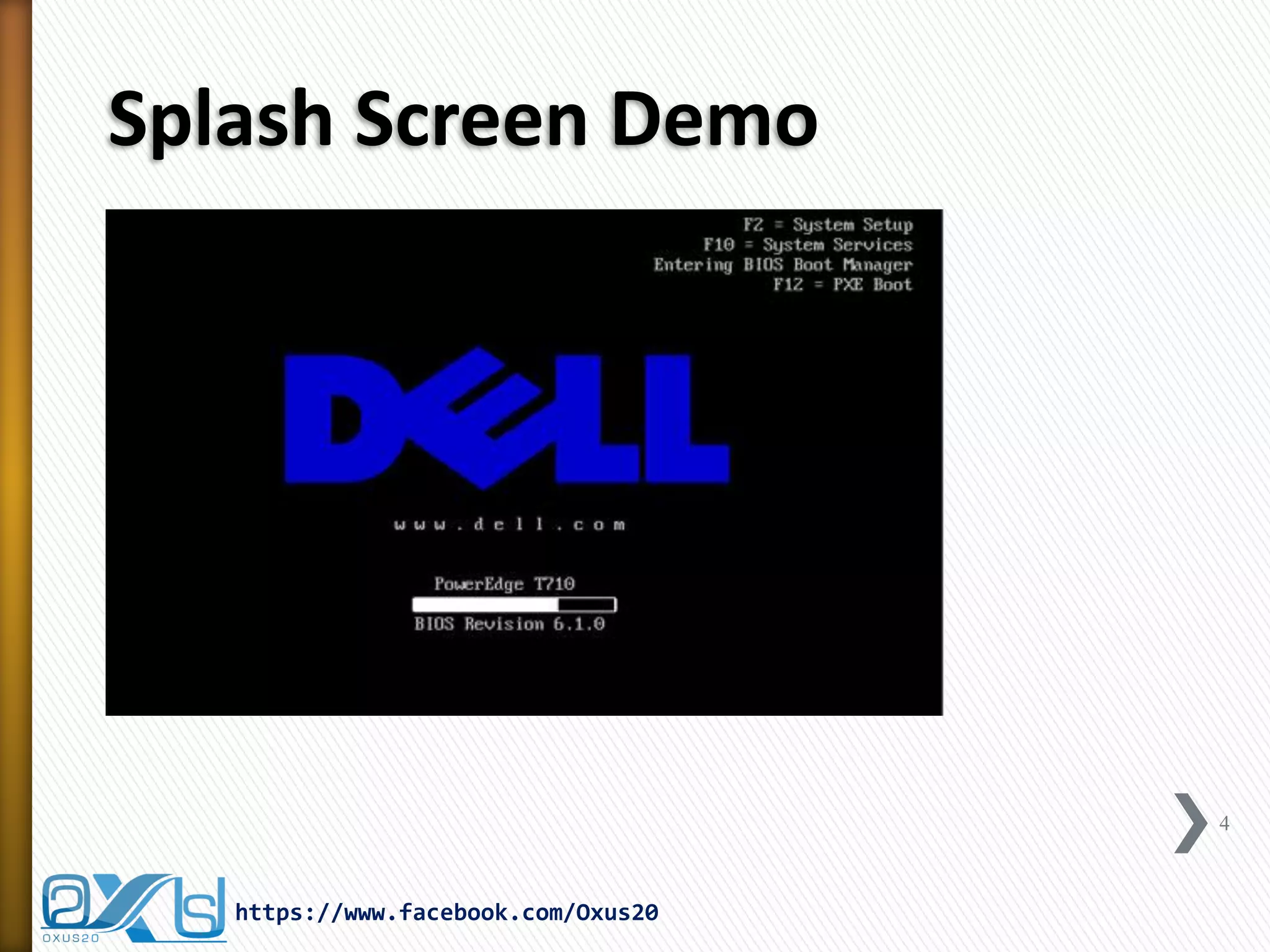
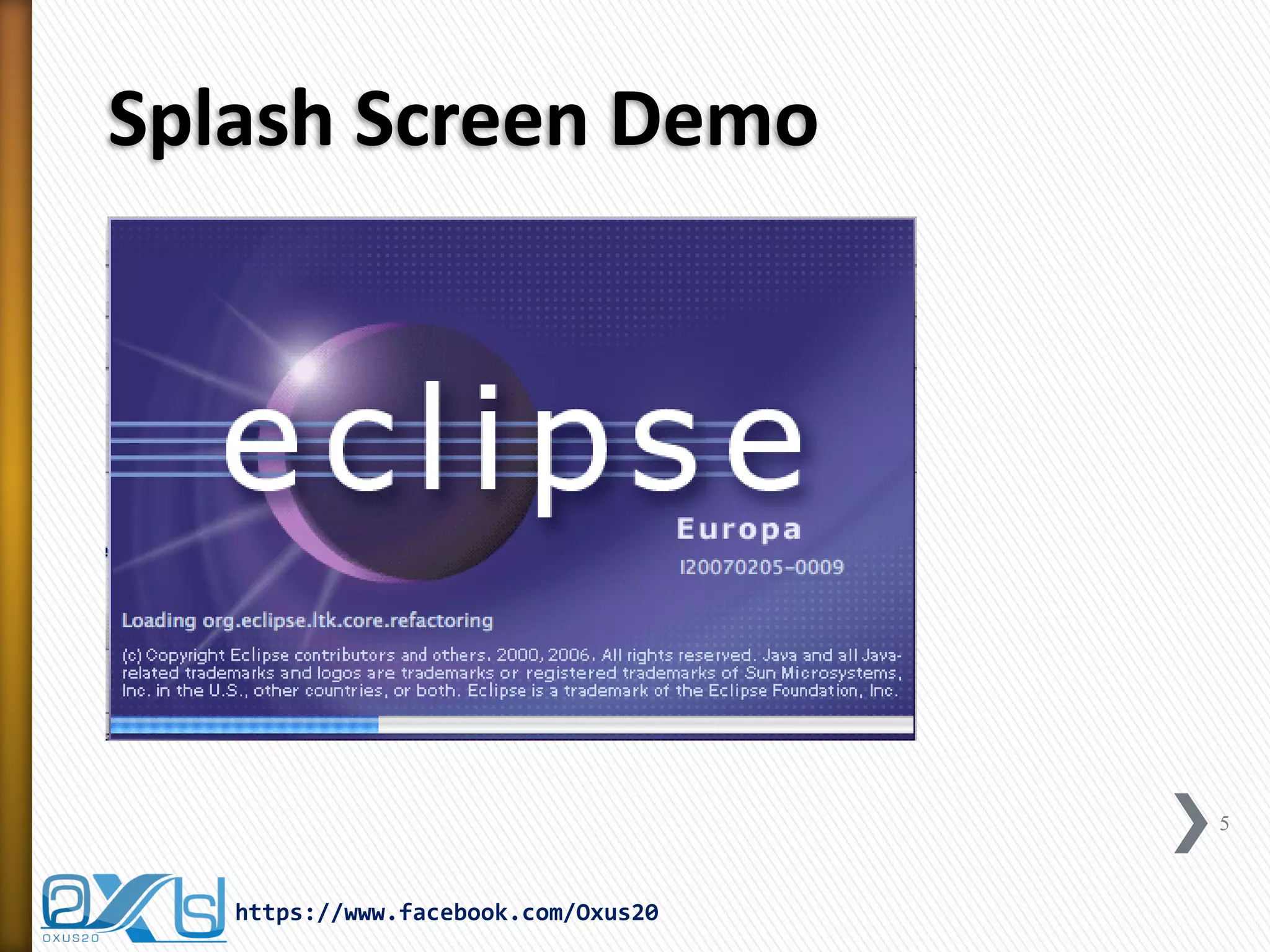
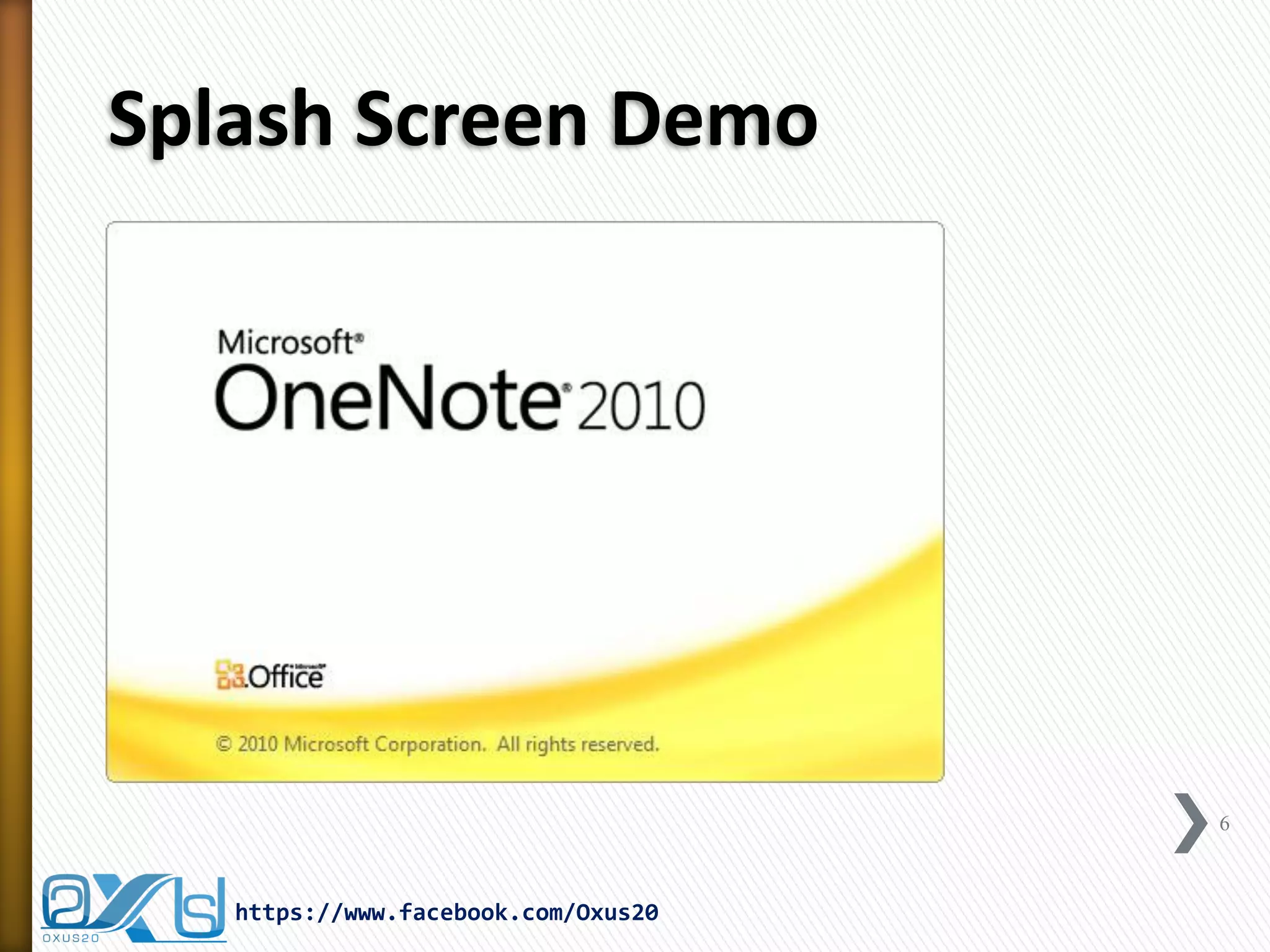
»A Splash Screen is an image that appears while a game or program is loading… 
»Splash Screens are typically used by particularly large applications to notify the user that the program is in the process of loading… 
»Also, sometimes can be used for the advertisement purpose … 
3 
https://www.facebook.com/Oxus20
Splash Screen Demo 
4 
https://www.facebook.com/Oxus20
Splash Screen Demo 
5 
https://www.facebook.com/Oxus20
Splash Screen Demo 
6 
https://www.facebook.com/Oxus20
Required Components to Build a Splash Screen 
»JTimer 
»JProgressBar 
»JWindow 
7 
https://www.facebook.com/Oxus20
JTimer (Swing Timer) 
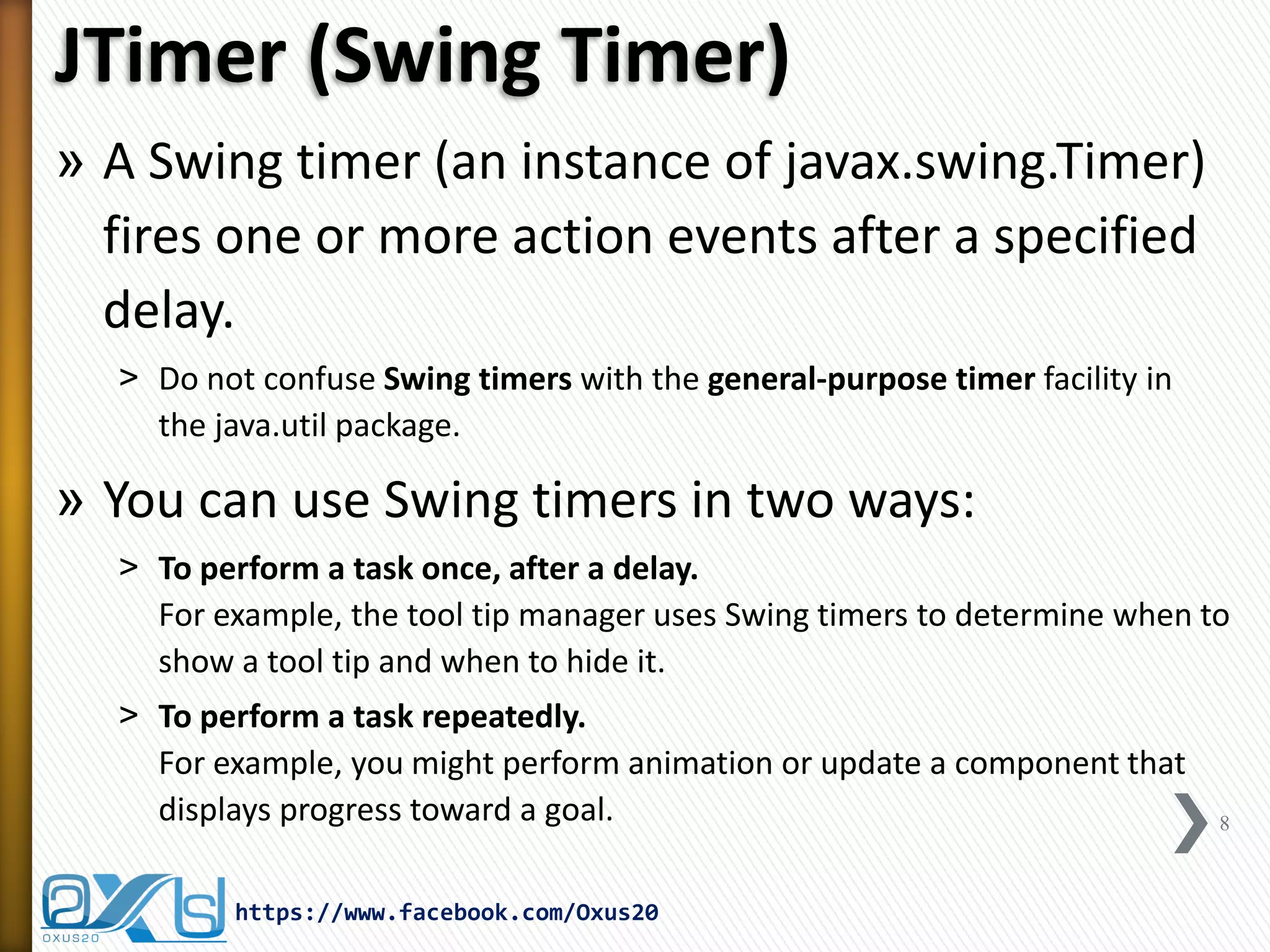
»A Swing timer (an instance of javax.swing.Timer) fires one or more action events after a specified delay. 
˃Do not confuse Swing timers with the general-purpose timer facility in the java.util package. 
»You can use Swing timers in two ways: 
˃To perform a task once, after a delay. For example, the tool tip manager uses Swing timers to determine when to show a tool tip and when to hide it. 
˃To perform a task repeatedly. For example, you might perform animation or update a component that displays progress toward a goal. 
8 
https://www.facebook.com/Oxus20
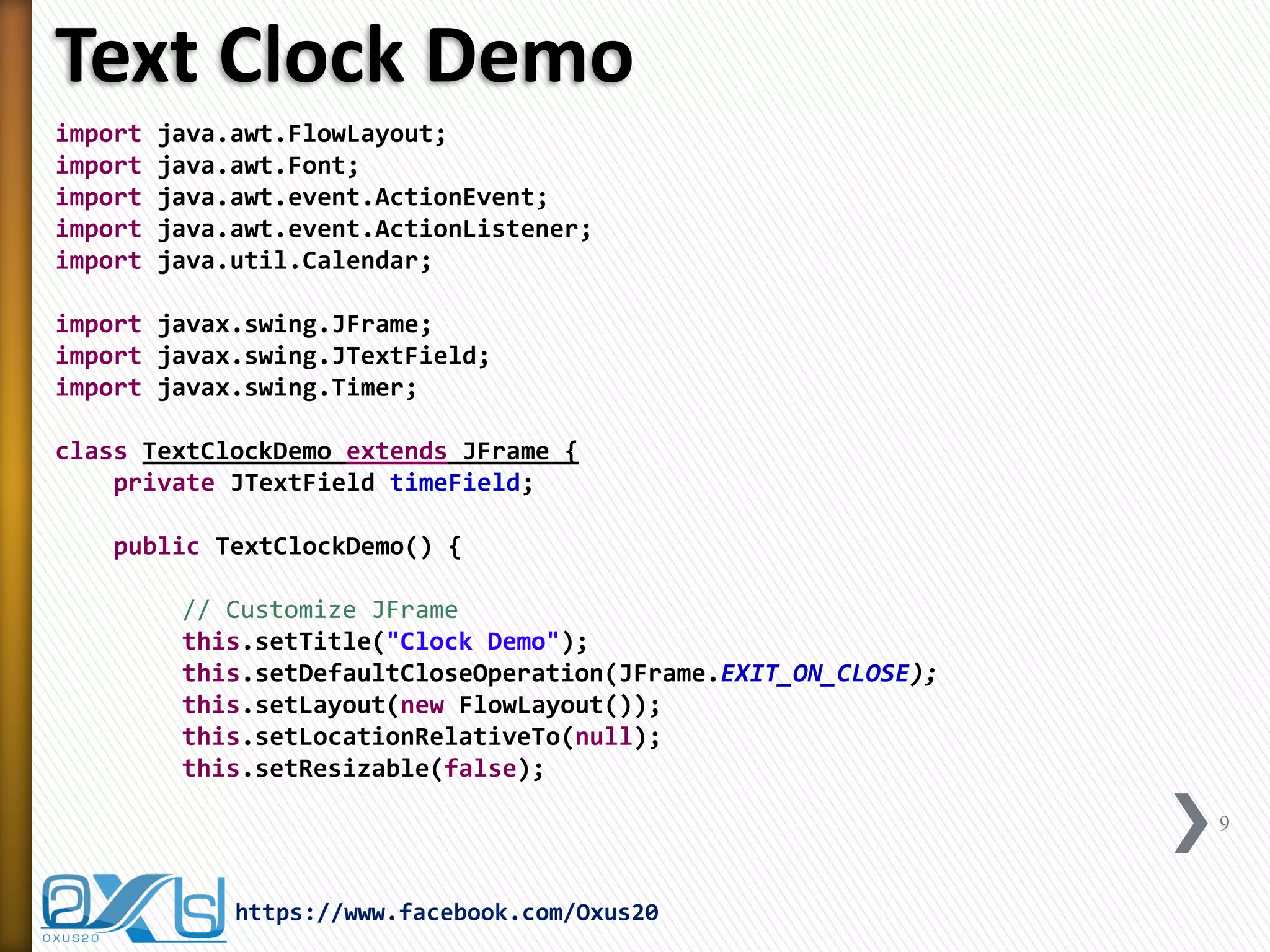
Text Clock Demo 
import java.awt.FlowLayout; 
import java.awt.Font; 
import java.awt.event.ActionEvent; 
import java.awt.event.ActionListener; 
import java.util.Calendar; 
import javax.swing.JFrame; 
import javax.swing.JTextField; 
import javax.swing.Timer; 
class TextClockDemo extends JFrame { 
private JTextField timeField; 
public TextClockDemo() { 
// Customize JFrame 
this.setTitle("Clock Demo"); 
this.setDefaultCloseOperation(JFrame.EXIT_ON_CLOSE); 
this.setLayout(new FlowLayout()); 
this.setLocationRelativeTo(null); 
this.setResizable(false); 
9 
https://www.facebook.com/Oxus20
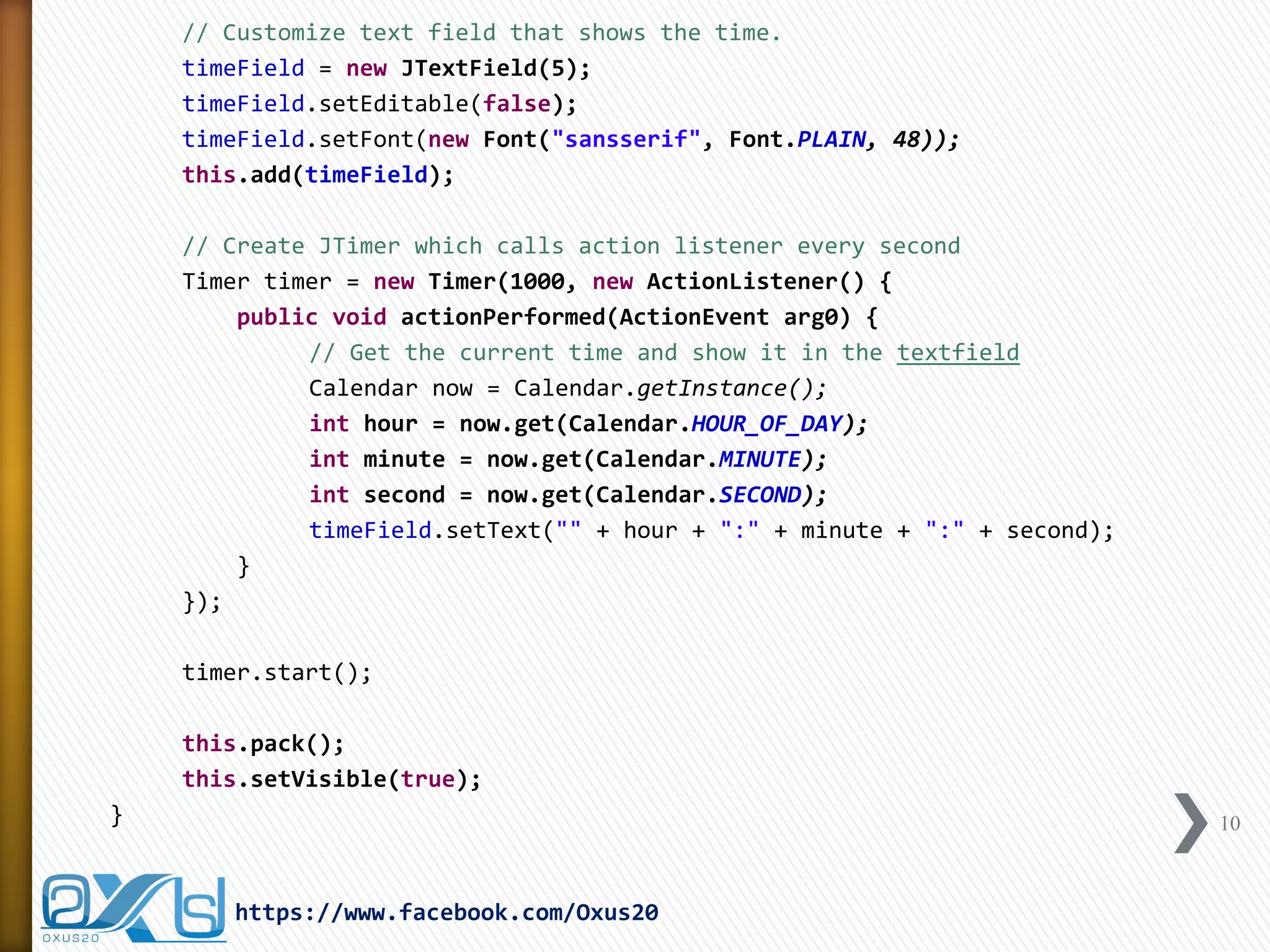
// Customize text field that shows the time. 
timeField = new JTextField(5); 
timeField.setEditable(false); 
timeField.setFont(new Font("sansserif", Font.PLAIN, 48)); 
this.add(timeField); 
// Create JTimer which calls action listener every second 
Timer timer = new Timer(1000, new ActionListener() { 
public void actionPerformed(ActionEvent arg0) { 
// Get the current time and show it in the textfield 
Calendar now = Calendar.getInstance(); 
int hour = now.get(Calendar.HOUR_OF_DAY); 
int minute = now.get(Calendar.MINUTE); 
int second = now.get(Calendar.SECOND); 
timeField.setText("" + hour + ":" + minute + ":" + second); 
} 
}); 
timer.start(); 
this.pack(); 
this.setVisible(true); 
} 
10 
https://www.facebook.com/Oxus20
public static void main(String[] args) { 
new TextClockDemo(); 
} 
} 
11 
https://www.facebook.com/Oxus20
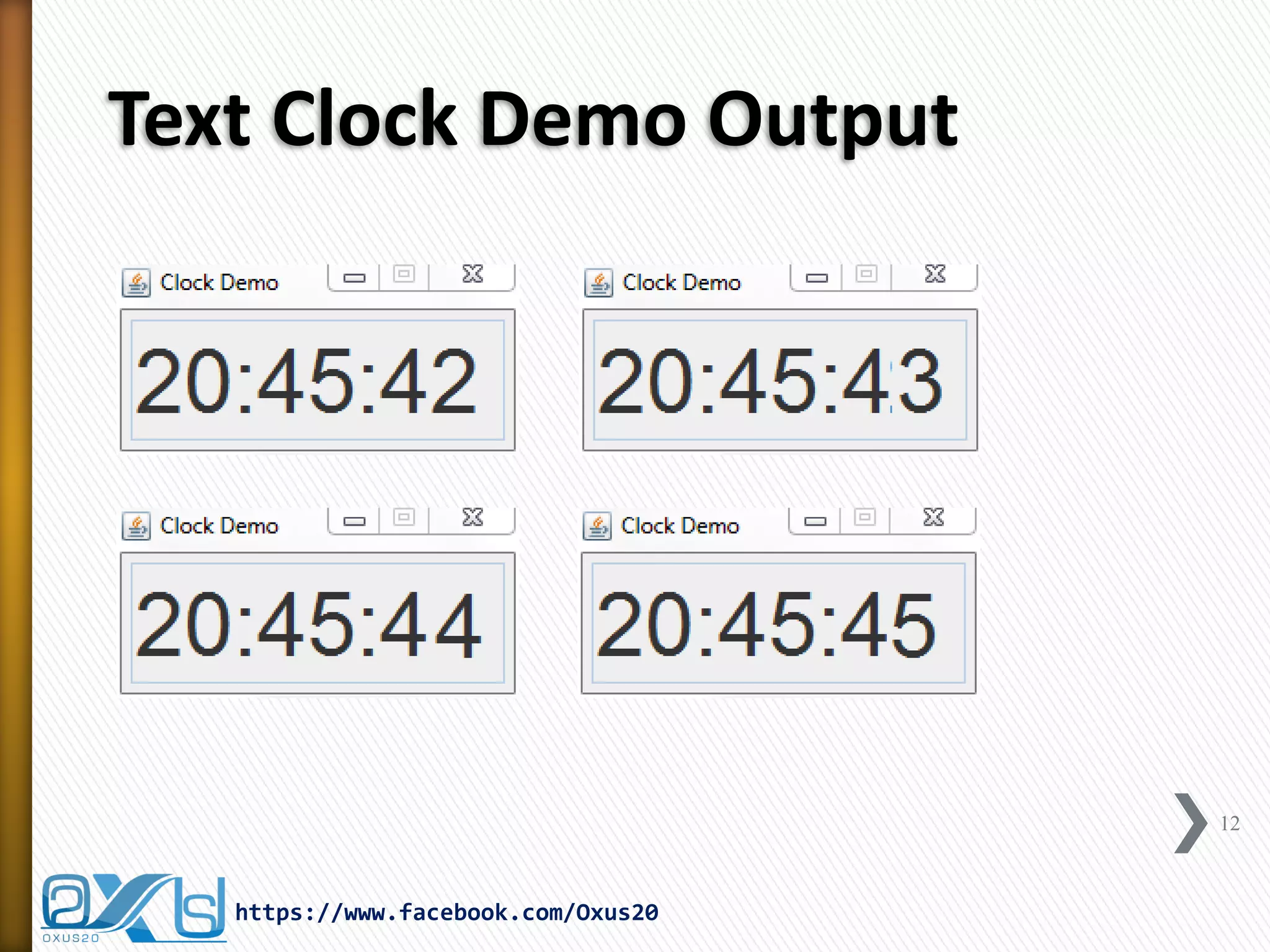
Text Clock Demo Output 
12 
https://www.facebook.com/Oxus20
JProgressBar 
»A progress bar is a component in a Graphical User Interface (GUI) used to visualize the progression of an extended computer operation such as 
˃a download 
˃file transfer 
˃or installation 
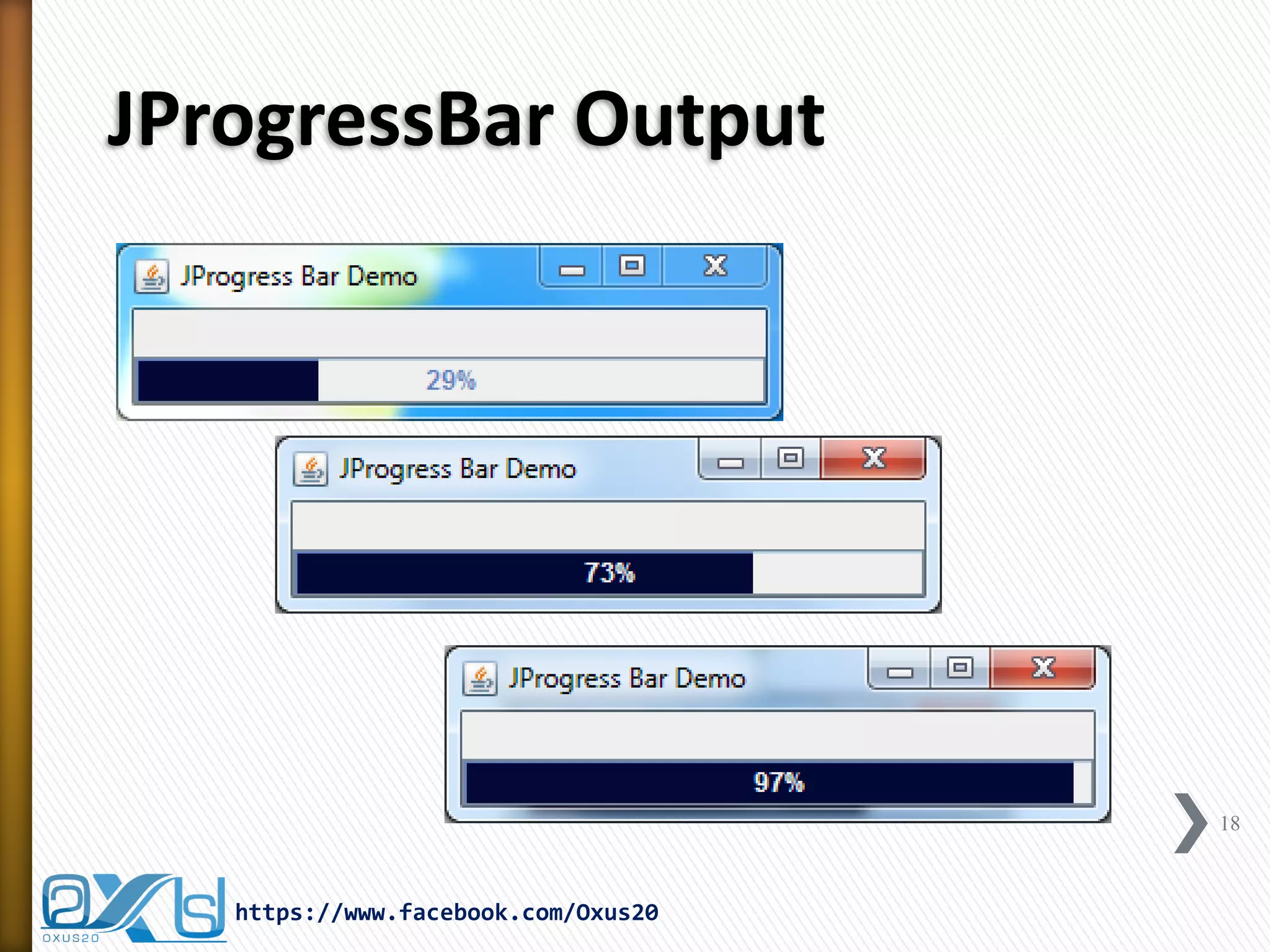
»Sometimes, the graphic is accompanied by a textual representation of the progress in a percent format. 
13 
https://www.facebook.com/Oxus20
JProgressBar Constructors: 
»public JProgressBar() 
JProgressBar aJProgressBar = new JProgressBar(); 
»public JProgressBar(int orientation) 
JProgressBar aJProgressBar = new JProgressBar(JProgressBar.VERTICAL); 
JProgressBar bJProgressBar = new JProgressBar(JProgressBar.HORIZONTAL); 
»public JProgressBar(int minimum, int maximum) 
JProgressBar aJProgressBar = new JProgressBar(0, 100); 
»public JProgressBar(int orientation, int minimum, int maximum) 
JProgressBar aJProgressBar = new JProgressBar(JProgressBar.VERTICAL, 0, 100); 
»public JProgressBar(BoundedRangeModel model) 
DefaultBoundedRangeModel model = new DefaultBoundedRangeModel(0, 0, 0, 250); 
JProgressBar aJProgressBar = new JProgressBar(model); 
14 
https://www.facebook.com/Oxus20
JProgressBar Demo 
import java.awt.BorderLayout; 
import java.awt.Color; 
import java.awt.event.ActionEvent; 
import java.awt.event.ActionListener; 
import javax.swing.JFrame; 
import javax.swing.JProgressBar; 
import javax.swing.Timer; 
public class JProgressDemo extends JFrame { 
private static JProgressBar progressBar; 
private Timer timer; 
private static int count = 1; 
private static int PROGBAR_MAX = 100; 
public JProgressDemo() { 
this.setTitle("JProgress Bar Demo"); 
this.setDefaultCloseOperation(EXIT_ON_CLOSE); 
this.setLocationRelativeTo(null); 
this.setSize(300, 80); 
15 
https://www.facebook.com/Oxus20
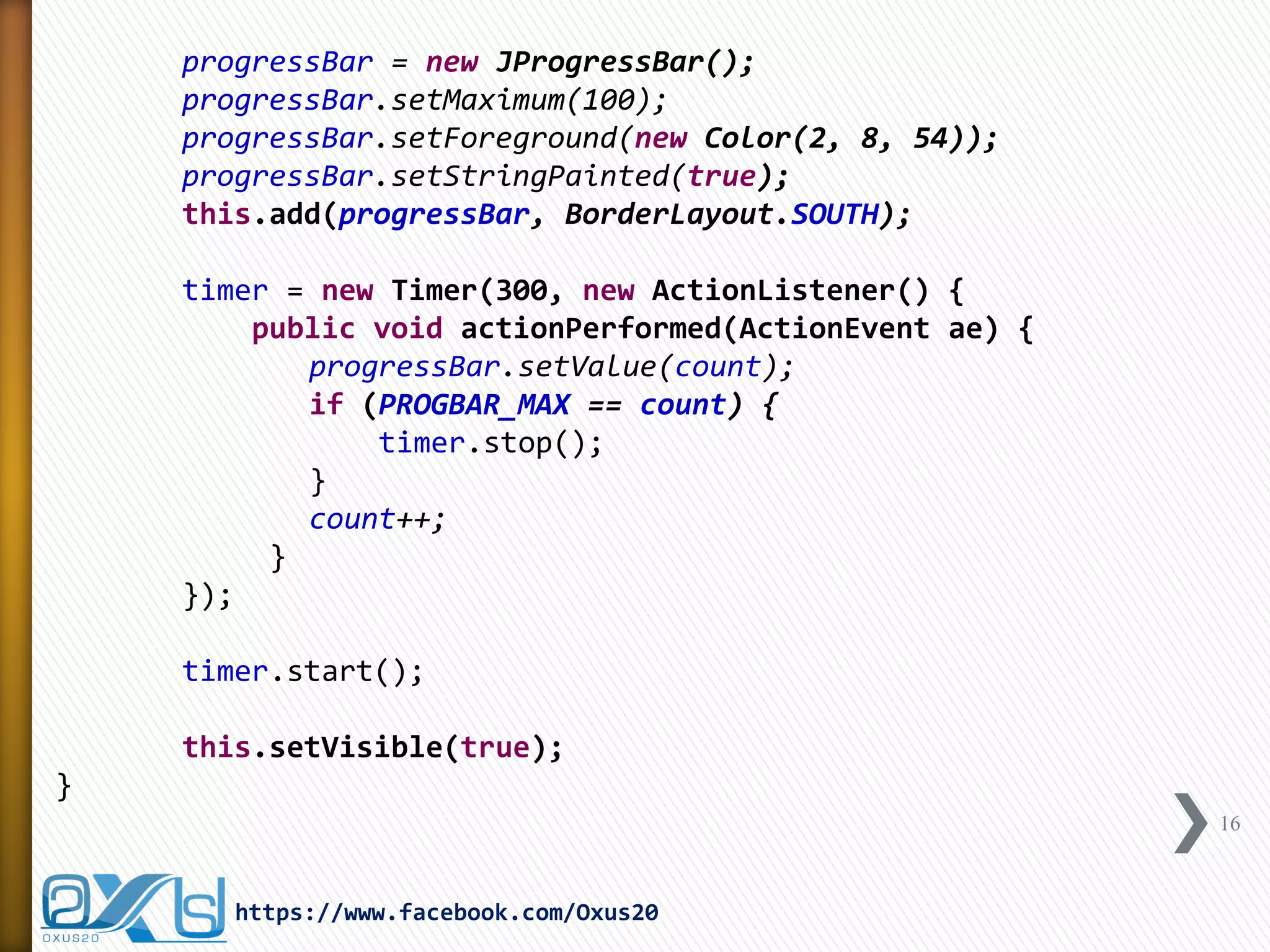
progressBar = new JProgressBar(); 
progressBar.setMaximum(100); 
progressBar.setForeground(new Color(2, 8, 54)); 
progressBar.setStringPainted(true); 
this.add(progressBar, BorderLayout.SOUTH); 
timer = new Timer(300, new ActionListener() { 
public void actionPerformed(ActionEvent ae) { 
progressBar.setValue(count); 
if (PROGBAR_MAX == count) { 
timer.stop(); 
} 
count++; 
} 
}); 
timer.start(); 
this.setVisible(true); 
} 
16 
https://www.facebook.com/Oxus20
public static void main(String[] args) { 
new JProgressDemo(); 
} 
} 
17 
https://www.facebook.com/Oxus20
JProgressBar Output 
18 
https://www.facebook.com/Oxus20
JWindow 
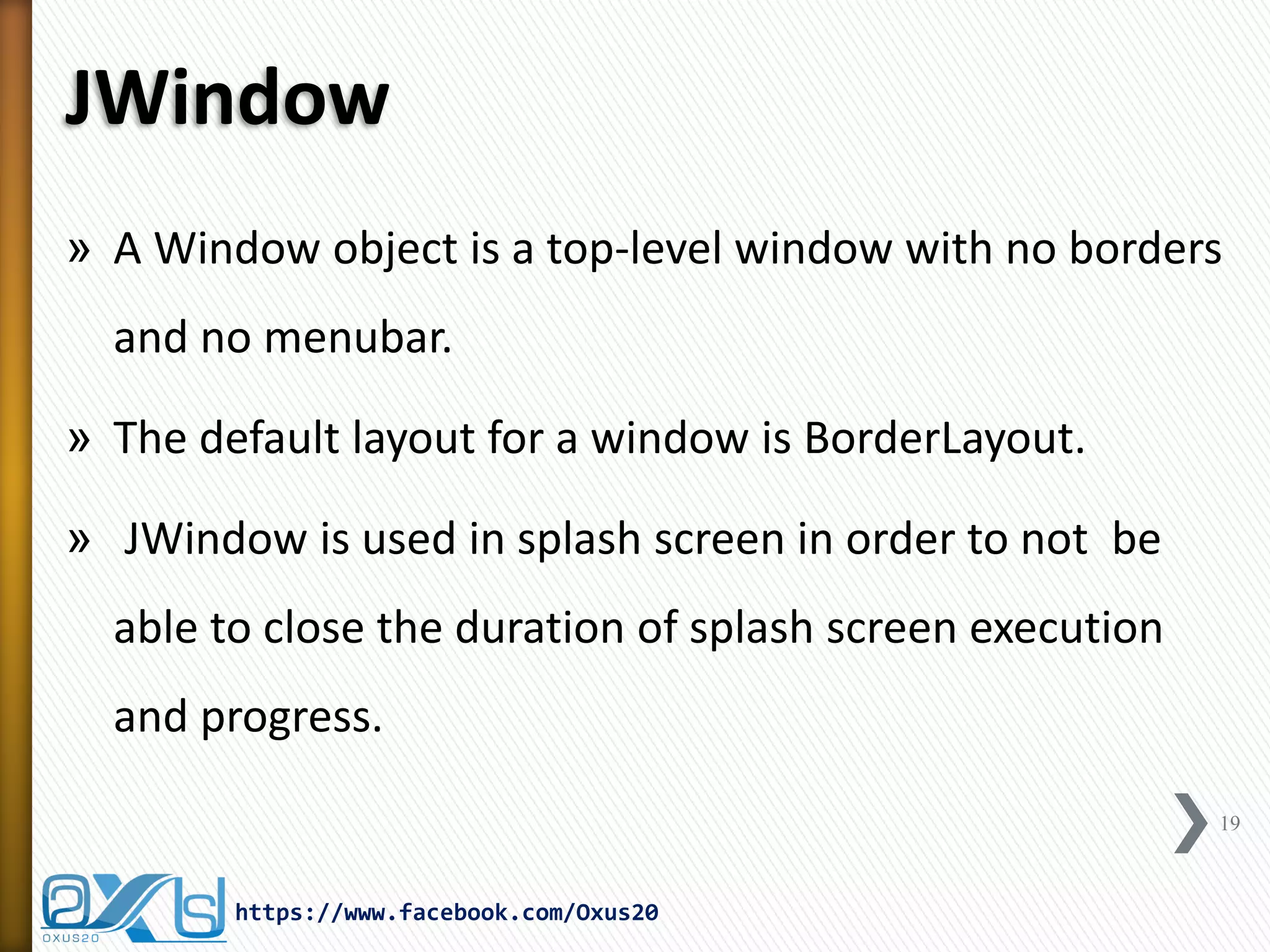
»A Window object is a top-level window with no borders and no menubar. 
»The default layout for a window is BorderLayout. 
» JWindow is used in splash screen in order to not be able to close the duration of splash screen execution and progress. 
19 
https://www.facebook.com/Oxus20
Splash Screen Code 
import java.awt.BorderLayout; 
import java.awt.Color; 
import java.awt.event.ActionEvent; 
import java.awt.event.ActionListener; 
import javax.swing.BorderFactory; 
import javax.swing.ImageIcon; 
import javax.swing.JLabel; 
import javax.swing.JPanel; 
import javax.swing.JProgressBar; 
import javax.swing.JWindow; 
import javax.swing.Timer; 
public class SplashScreen extends JWindow { 
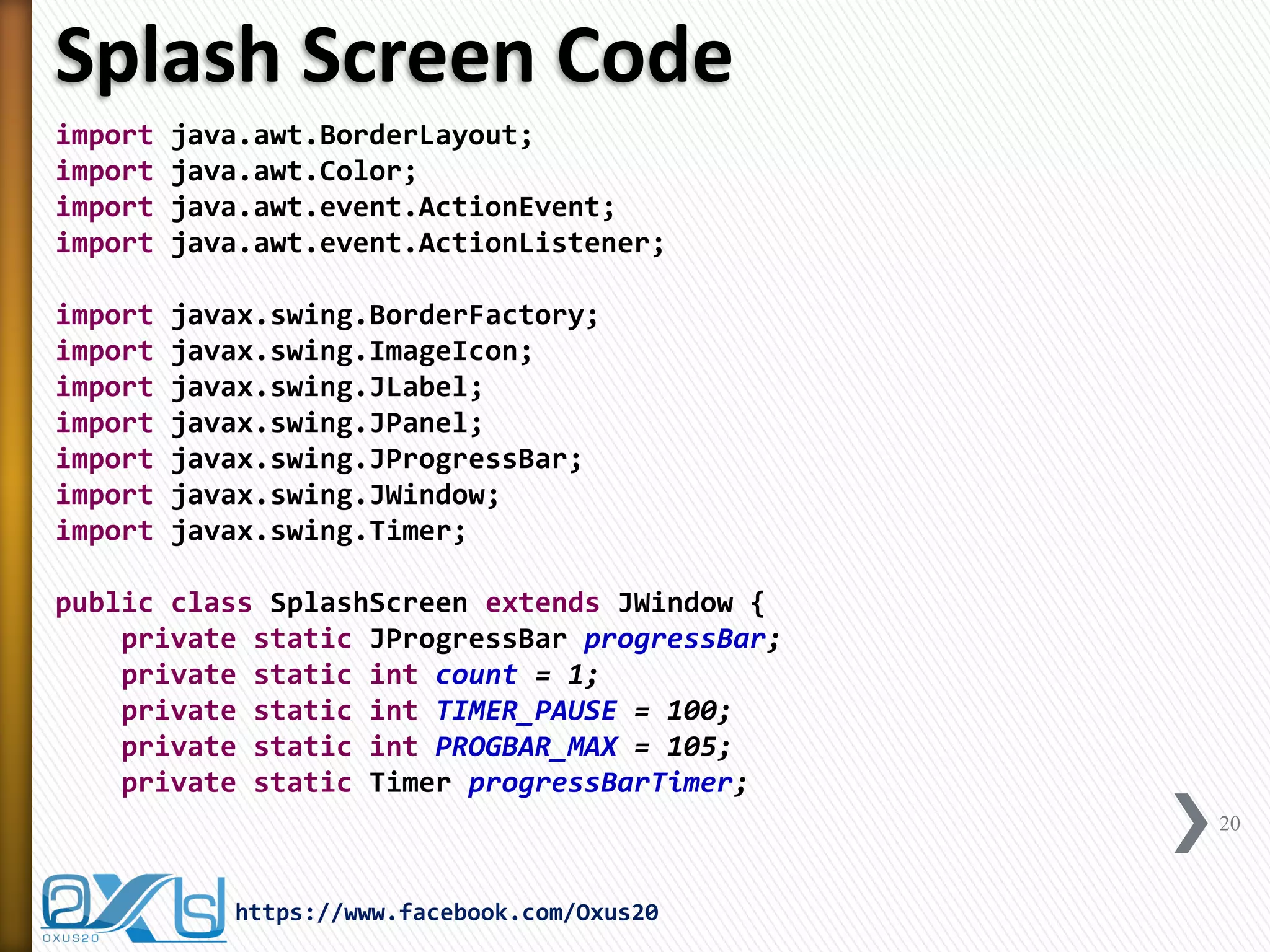
private static JProgressBar progressBar; 
private static int count = 1; 
private static int TIMER_PAUSE = 100; 
private static int PROGBAR_MAX = 105; 
private static Timer progressBarTimer; 
20 
https://www.facebook.com/Oxus20
public SplashScreen() { 
createSplash(); 
} 
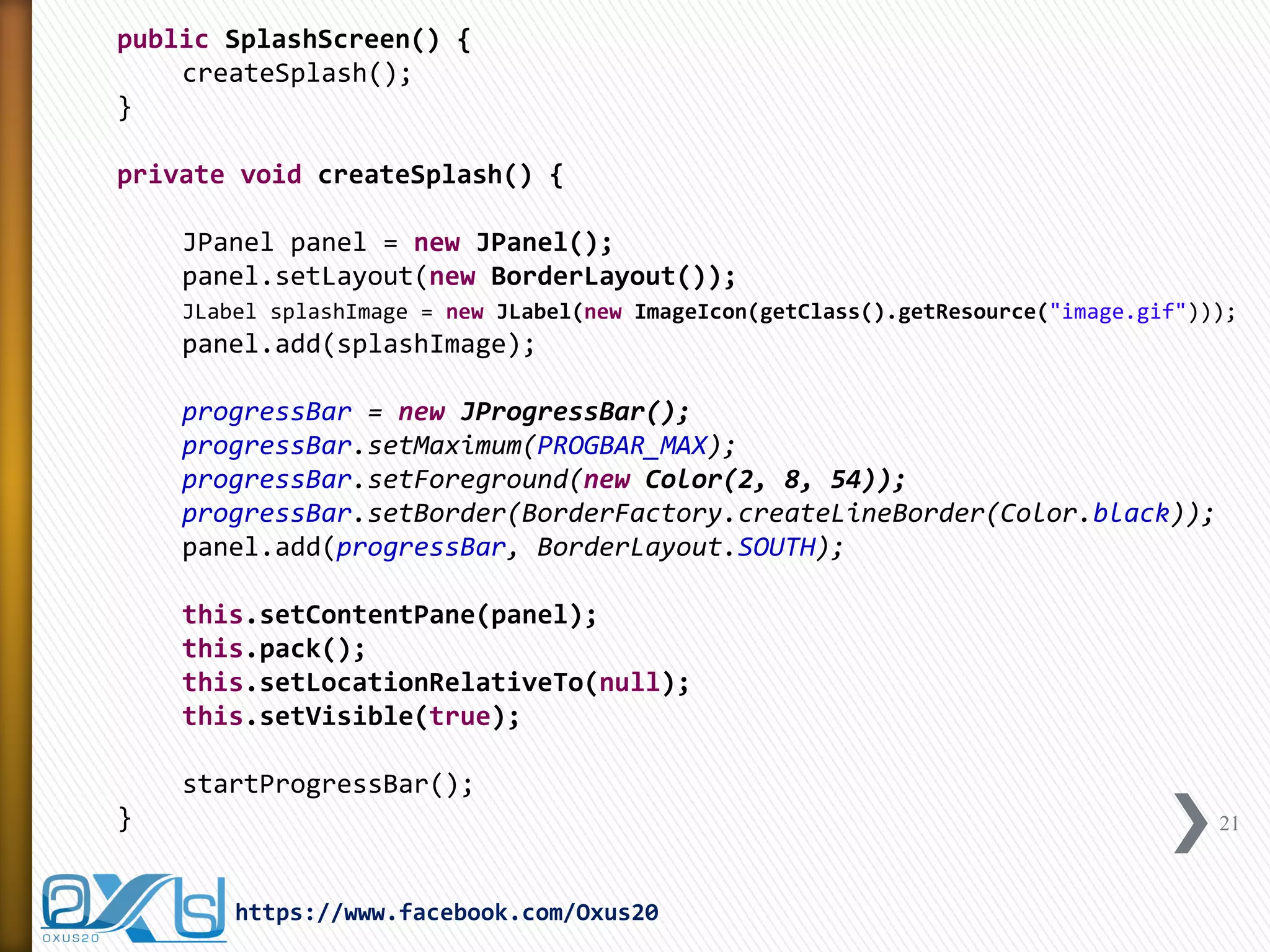
private void createSplash() { 
JPanel panel = new JPanel(); 
panel.setLayout(new BorderLayout()); 
JLabel splashImage = new JLabel(new ImageIcon(getClass().getResource("image.gif"))); 
panel.add(splashImage); 
progressBar = new JProgressBar(); 
progressBar.setMaximum(PROGBAR_MAX); 
progressBar.setForeground(new Color(2, 8, 54)); 
progressBar.setBorder(BorderFactory.createLineBorder(Color.black)); 
panel.add(progressBar, BorderLayout.SOUTH); 
this.setContentPane(panel); 
this.pack(); 
this.setLocationRelativeTo(null); 
this.setVisible(true); 
startProgressBar(); 
} 
21 
https://www.facebook.com/Oxus20
private void startProgressBar() { 
progressBarTimer = new Timer(TIMER_PAUSE, new ActionListener() { 
public void actionPerformed(ActionEvent arg0) { 
progressBar.setValue(count); 
if (PROGBAR_MAX == count) { 
SplashScreen.this.dispose(); 
progressBarTimer.stop(); 
} 
count++; 
} 
}); 
progressBarTimer.start(); 
} 
public static void main(String[] args) { 
new SplashScreen(); 
} 
} 
22 
https://www.facebook.com/Oxus20
END 
https://www.facebook.com/Oxus20 
23

Create Splash Screen with Java Step by Step

  • 1.
    https://www.facebook.com/Oxus20 oxus20@gmail.com JAVASplash Screen »JTimer »JProgressBar »JWindow »Splash Screen Prepared By: Azita Azimi Edited By: Abdul Rahman Sherzad
  • 2.
    Agenda »Splash Screen ˃Introduction ˃Demos »JTimer »JProgressBar »JWindow »Splash Screen Code 2 https://www.facebook.com/Oxus20
  • 3.
    Splash Screen Introduction »A Splash Screen is an image that appears while a game or program is loading… »Splash Screens are typically used by particularly large applications to notify the user that the program is in the process of loading… »Also, sometimes can be used for the advertisement purpose … 3 https://www.facebook.com/Oxus20
  • 4.
    Splash Screen Demo 4 https://www.facebook.com/Oxus20
  • 5.
    Splash Screen Demo 5 https://www.facebook.com/Oxus20
  • 6.
    Splash Screen Demo 6 https://www.facebook.com/Oxus20
  • 7.
    Required Components toBuild a Splash Screen »JTimer »JProgressBar »JWindow 7 https://www.facebook.com/Oxus20
  • 8.
    JTimer (Swing Timer) »A Swing timer (an instance of javax.swing.Timer) fires one or more action events after a specified delay. ˃Do not confuse Swing timers with the general-purpose timer facility in the java.util package. »You can use Swing timers in two ways: ˃To perform a task once, after a delay. For example, the tool tip manager uses Swing timers to determine when to show a tool tip and when to hide it. ˃To perform a task repeatedly. For example, you might perform animation or update a component that displays progress toward a goal. 8 https://www.facebook.com/Oxus20
  • 9.
    Text Clock Demo import java.awt.FlowLayout; import java.awt.Font; import java.awt.event.ActionEvent; import java.awt.event.ActionListener; import java.util.Calendar; import javax.swing.JFrame; import javax.swing.JTextField; import javax.swing.Timer; class TextClockDemo extends JFrame { private JTextField timeField; public TextClockDemo() { // Customize JFrame this.setTitle("Clock Demo"); this.setDefaultCloseOperation(JFrame.EXIT_ON_CLOSE); this.setLayout(new FlowLayout()); this.setLocationRelativeTo(null); this.setResizable(false); 9 https://www.facebook.com/Oxus20
  • 10.
    // Customize textfield that shows the time. timeField = new JTextField(5); timeField.setEditable(false); timeField.setFont(new Font("sansserif", Font.PLAIN, 48)); this.add(timeField); // Create JTimer which calls action listener every second Timer timer = new Timer(1000, new ActionListener() { public void actionPerformed(ActionEvent arg0) { // Get the current time and show it in the textfield Calendar now = Calendar.getInstance(); int hour = now.get(Calendar.HOUR_OF_DAY); int minute = now.get(Calendar.MINUTE); int second = now.get(Calendar.SECOND); timeField.setText("" + hour + ":" + minute + ":" + second); } }); timer.start(); this.pack(); this.setVisible(true); } 10 https://www.facebook.com/Oxus20
  • 11.
    public static voidmain(String[] args) { new TextClockDemo(); } } 11 https://www.facebook.com/Oxus20
  • 12.
    Text Clock DemoOutput 12 https://www.facebook.com/Oxus20
  • 13.
    JProgressBar »A progressbar is a component in a Graphical User Interface (GUI) used to visualize the progression of an extended computer operation such as ˃a download ˃file transfer ˃or installation »Sometimes, the graphic is accompanied by a textual representation of the progress in a percent format. 13 https://www.facebook.com/Oxus20
  • 14.
    JProgressBar Constructors: »publicJProgressBar() JProgressBar aJProgressBar = new JProgressBar(); »public JProgressBar(int orientation) JProgressBar aJProgressBar = new JProgressBar(JProgressBar.VERTICAL); JProgressBar bJProgressBar = new JProgressBar(JProgressBar.HORIZONTAL); »public JProgressBar(int minimum, int maximum) JProgressBar aJProgressBar = new JProgressBar(0, 100); »public JProgressBar(int orientation, int minimum, int maximum) JProgressBar aJProgressBar = new JProgressBar(JProgressBar.VERTICAL, 0, 100); »public JProgressBar(BoundedRangeModel model) DefaultBoundedRangeModel model = new DefaultBoundedRangeModel(0, 0, 0, 250); JProgressBar aJProgressBar = new JProgressBar(model); 14 https://www.facebook.com/Oxus20
  • 15.
    JProgressBar Demo importjava.awt.BorderLayout; import java.awt.Color; import java.awt.event.ActionEvent; import java.awt.event.ActionListener; import javax.swing.JFrame; import javax.swing.JProgressBar; import javax.swing.Timer; public class JProgressDemo extends JFrame { private static JProgressBar progressBar; private Timer timer; private static int count = 1; private static int PROGBAR_MAX = 100; public JProgressDemo() { this.setTitle("JProgress Bar Demo"); this.setDefaultCloseOperation(EXIT_ON_CLOSE); this.setLocationRelativeTo(null); this.setSize(300, 80); 15 https://www.facebook.com/Oxus20
  • 16.
    progressBar = newJProgressBar(); progressBar.setMaximum(100); progressBar.setForeground(new Color(2, 8, 54)); progressBar.setStringPainted(true); this.add(progressBar, BorderLayout.SOUTH); timer = new Timer(300, new ActionListener() { public void actionPerformed(ActionEvent ae) { progressBar.setValue(count); if (PROGBAR_MAX == count) { timer.stop(); } count++; } }); timer.start(); this.setVisible(true); } 16 https://www.facebook.com/Oxus20
  • 17.
    public static voidmain(String[] args) { new JProgressDemo(); } } 17 https://www.facebook.com/Oxus20
  • 18.
    JProgressBar Output 18 https://www.facebook.com/Oxus20
  • 19.
    JWindow »A Windowobject is a top-level window with no borders and no menubar. »The default layout for a window is BorderLayout. » JWindow is used in splash screen in order to not be able to close the duration of splash screen execution and progress. 19 https://www.facebook.com/Oxus20
  • 20.
    Splash Screen Code import java.awt.BorderLayout; import java.awt.Color; import java.awt.event.ActionEvent; import java.awt.event.ActionListener; import javax.swing.BorderFactory; import javax.swing.ImageIcon; import javax.swing.JLabel; import javax.swing.JPanel; import javax.swing.JProgressBar; import javax.swing.JWindow; import javax.swing.Timer; public class SplashScreen extends JWindow { private static JProgressBar progressBar; private static int count = 1; private static int TIMER_PAUSE = 100; private static int PROGBAR_MAX = 105; private static Timer progressBarTimer; 20 https://www.facebook.com/Oxus20
  • 21.
    public SplashScreen() { createSplash(); } private void createSplash() { JPanel panel = new JPanel(); panel.setLayout(new BorderLayout()); JLabel splashImage = new JLabel(new ImageIcon(getClass().getResource("image.gif"))); panel.add(splashImage); progressBar = new JProgressBar(); progressBar.setMaximum(PROGBAR_MAX); progressBar.setForeground(new Color(2, 8, 54)); progressBar.setBorder(BorderFactory.createLineBorder(Color.black)); panel.add(progressBar, BorderLayout.SOUTH); this.setContentPane(panel); this.pack(); this.setLocationRelativeTo(null); this.setVisible(true); startProgressBar(); } 21 https://www.facebook.com/Oxus20
  • 22.
    private void startProgressBar(){ progressBarTimer = new Timer(TIMER_PAUSE, new ActionListener() { public void actionPerformed(ActionEvent arg0) { progressBar.setValue(count); if (PROGBAR_MAX == count) { SplashScreen.this.dispose(); progressBarTimer.stop(); } count++; } }); progressBarTimer.start(); } public static void main(String[] args) { new SplashScreen(); } } 22 https://www.facebook.com/Oxus20
  • 23.