ELEVATING USER EXPERIENCES
THROUGH INNOVATIVE UX
INTERFACE DESIGN
Welcome to UserXD Ltd
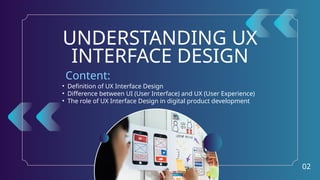
• Definition of UX Interface Design
• Difference between UI (User Interface) and UX (User Experience)
• The role of UX Interface Design in digital product development
UNDERSTANDING UX
INTERFACE DESIGN
Content:
02
DEFINITION OF UX
INTERFACE DESIGN
03
UX Interface Design refers to the
process of designing and structuring
the interface of a digital product with
the user’s experience in mind. It
combines the principles of user
experience (UX) design, which focuses
on how a user interacts with and feels
about a product, with the visual and
interactive elements of user interface
(UI) design.
User-Centered Approach
Usability and Functionality
Interaction Design
Consistency and Aesthetics
Feedback Mechanisms
Key Aspects:
DIFFERENCE B/W UI (USER INTERFACE) & UX
(USER EXPERIENCE)
Focuses on the visual and interactive elements of a product, such as
buttons, icons, typography, and layout. It’s about how the product
looks and feels.
Encompasses the overall experience a user has when interacting
with a product. It involves research, design, usability, and user
satisfaction, ensuring that the product is not only functional but also
enjoyable and easy to use.
In summary, UI is about the aesthetics and interaction design,
while UX is about the entire experience and how it meets the
user’s needs.
04
UI (User
Interface)
UX (User
Experience)
Summary
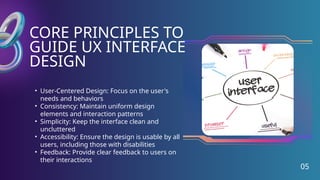
CORE PRINCIPLES TO
GUIDE UX INTERFACE
DESIGN
05
• User-Centered Design: Focus on the user's
needs and behaviors
• Consistency: Maintain uniform design
elements and interaction patterns
• Simplicity: Keep the interface clean and
uncluttered
• Accessibility: Ensure the design is usable by all
users, including those with disabilities
• Feedback: Provide clear feedback to users on
their interactions
STEPS TO EFFECTIVE UX
INTERFACE DESIGN
06
• Research: Understand user needs, goals, and pain points
• Wireframing & Prototyping: Create low-fidelity wireframes and interactive
prototypes
• User Testing: Gather feedback through usability testing
• Iteration: Refine design based on user feedback and testing results
• Implementation: Collaborate with developers to bring the design to life
• Overview of design tools
(e.g., Figma, Sketch, Adobe
XD)
• Importance of prototyping
and user testing tools
• Collaboration tools for
cross-functional teams
07
TOOLS AND TECHNIQUES
FOR UX INTERFACE DESIGN
08
CHALLENGES IN UX
INTERFACE DESIGN
Balancing aesthetics with functionality
Meeting diverse user needs
Ensuring accessibility
Adapting to evolving user expectations
09
TRENDS AND
INNOVATIONS IN UX
INTERFACE DESIGN
⚬ AI and machine learning in UX design
⚬ The rise of voice and gesture-based interfaces
⚬ Personalization and adaptive interfaces
⚬ The growing importance of ethical design
10
G E T I N T O U C H W I T H U S !
+6421 034 6814 www.userxd.co hello@userxd.co
STAY CONNECTED

Crafting Intuitive Digital Journeys: UX Interface Design by UserXD Ltd

  • 1.
    ELEVATING USER EXPERIENCES THROUGHINNOVATIVE UX INTERFACE DESIGN Welcome to UserXD Ltd
  • 2.
    • Definition ofUX Interface Design • Difference between UI (User Interface) and UX (User Experience) • The role of UX Interface Design in digital product development UNDERSTANDING UX INTERFACE DESIGN Content: 02
  • 3.
    DEFINITION OF UX INTERFACEDESIGN 03 UX Interface Design refers to the process of designing and structuring the interface of a digital product with the user’s experience in mind. It combines the principles of user experience (UX) design, which focuses on how a user interacts with and feels about a product, with the visual and interactive elements of user interface (UI) design. User-Centered Approach Usability and Functionality Interaction Design Consistency and Aesthetics Feedback Mechanisms Key Aspects:
  • 4.
    DIFFERENCE B/W UI(USER INTERFACE) & UX (USER EXPERIENCE) Focuses on the visual and interactive elements of a product, such as buttons, icons, typography, and layout. It’s about how the product looks and feels. Encompasses the overall experience a user has when interacting with a product. It involves research, design, usability, and user satisfaction, ensuring that the product is not only functional but also enjoyable and easy to use. In summary, UI is about the aesthetics and interaction design, while UX is about the entire experience and how it meets the user’s needs. 04 UI (User Interface) UX (User Experience) Summary
  • 5.
    CORE PRINCIPLES TO GUIDEUX INTERFACE DESIGN 05 • User-Centered Design: Focus on the user's needs and behaviors • Consistency: Maintain uniform design elements and interaction patterns • Simplicity: Keep the interface clean and uncluttered • Accessibility: Ensure the design is usable by all users, including those with disabilities • Feedback: Provide clear feedback to users on their interactions
  • 6.
    STEPS TO EFFECTIVEUX INTERFACE DESIGN 06 • Research: Understand user needs, goals, and pain points • Wireframing & Prototyping: Create low-fidelity wireframes and interactive prototypes • User Testing: Gather feedback through usability testing • Iteration: Refine design based on user feedback and testing results • Implementation: Collaborate with developers to bring the design to life
  • 7.
    • Overview ofdesign tools (e.g., Figma, Sketch, Adobe XD) • Importance of prototyping and user testing tools • Collaboration tools for cross-functional teams 07 TOOLS AND TECHNIQUES FOR UX INTERFACE DESIGN
  • 8.
    08 CHALLENGES IN UX INTERFACEDESIGN Balancing aesthetics with functionality Meeting diverse user needs Ensuring accessibility Adapting to evolving user expectations
  • 9.
    09 TRENDS AND INNOVATIONS INUX INTERFACE DESIGN ⚬ AI and machine learning in UX design ⚬ The rise of voice and gesture-based interfaces ⚬ Personalization and adaptive interfaces ⚬ The growing importance of ethical design
  • 10.
    10 G E TI N T O U C H W I T H U S ! +6421 034 6814 www.userxd.co hello@userxd.co STAY CONNECTED