Using e-Infrastructures for
Biodiversity Conservation
Gianpaolo Coro
ISTI-CNR, Pisa, Italy
• Geospatial data: description and access
• Catalogues
• Visualisation
• Processing
• Processing examples
• Use Case: the European Geothermal Information
Platform
Module 2 - Outline
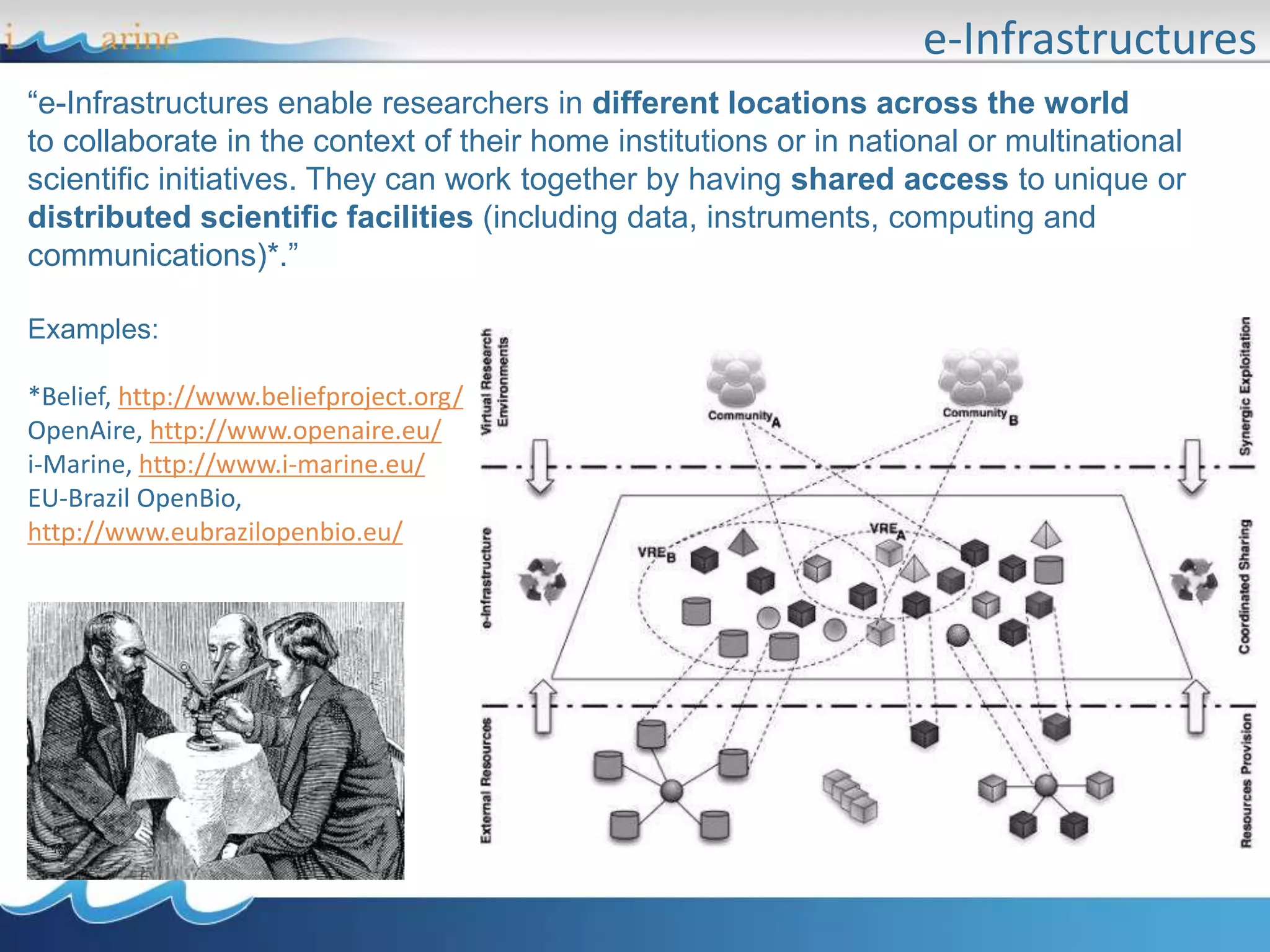
e-Infrastructures
“e-Infrastructures enable researchers in different locations across the world
to collaborate in the context of their home institutions or in national or multinational
scientific initiatives. They can work together by having shared access to unique or
distributed scientific facilities (including data, instruments, computing and
communications)*.”
Examples:
*Belief, http://www.beliefproject.org/
OpenAire, http://www.openaire.eu/
i-Marine, http://www.i-marine.eu/
EU-Brazil OpenBio,
http://www.eubrazilopenbio.eu/
Virtual Research Environments
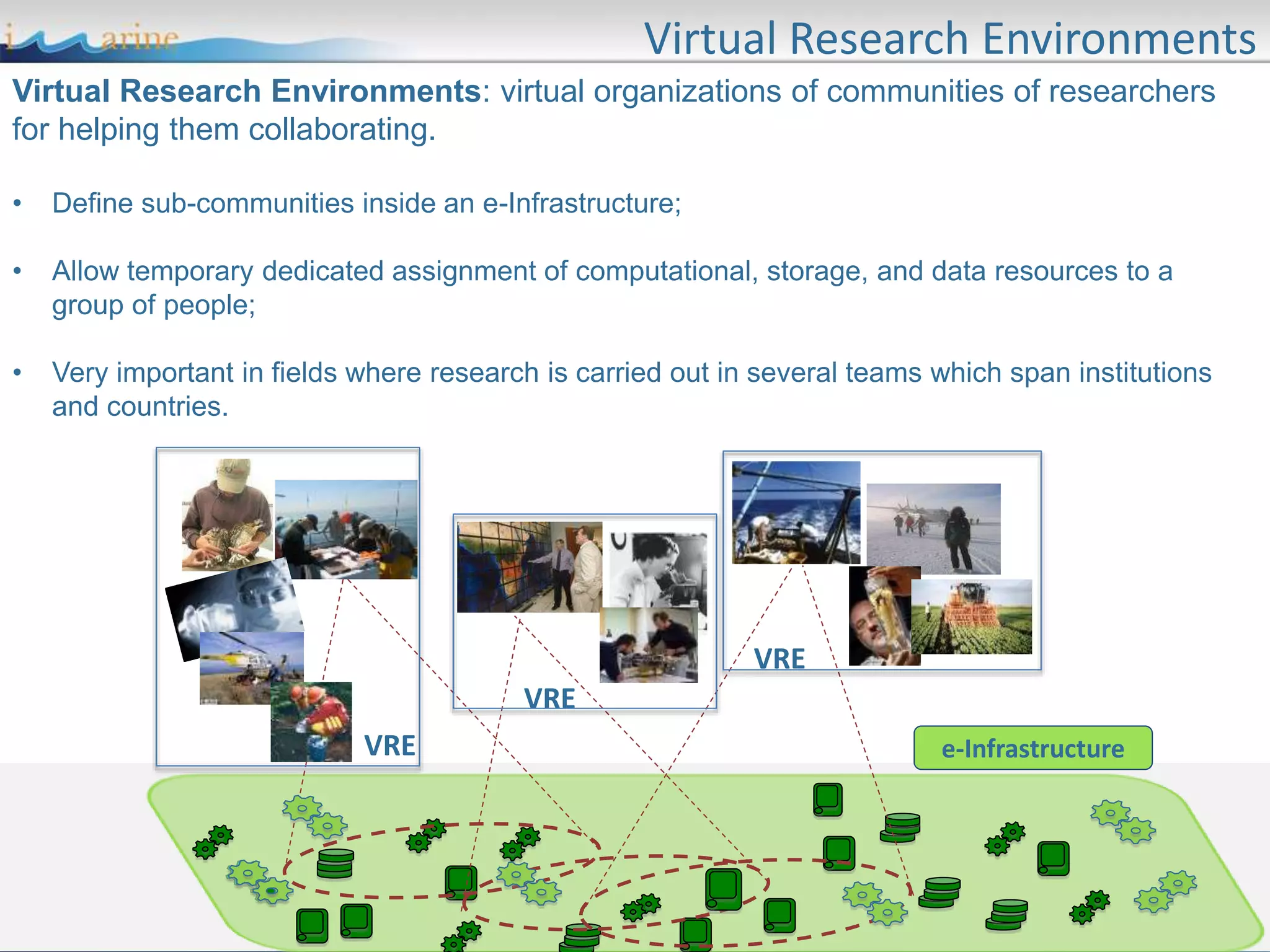
Virtual Research Environments: virtual organizations of communities of researchers
for helping them collaborating.
• Define sub-communities inside an e-Infrastructure;
• Allow temporary dedicated assignment of computational, storage, and data resources to a
group of people;
• Very important in fields where research is carried out in several teams which span institutions
and countries.
e-InfrastructureVRE
VRE
VRE
D4Science
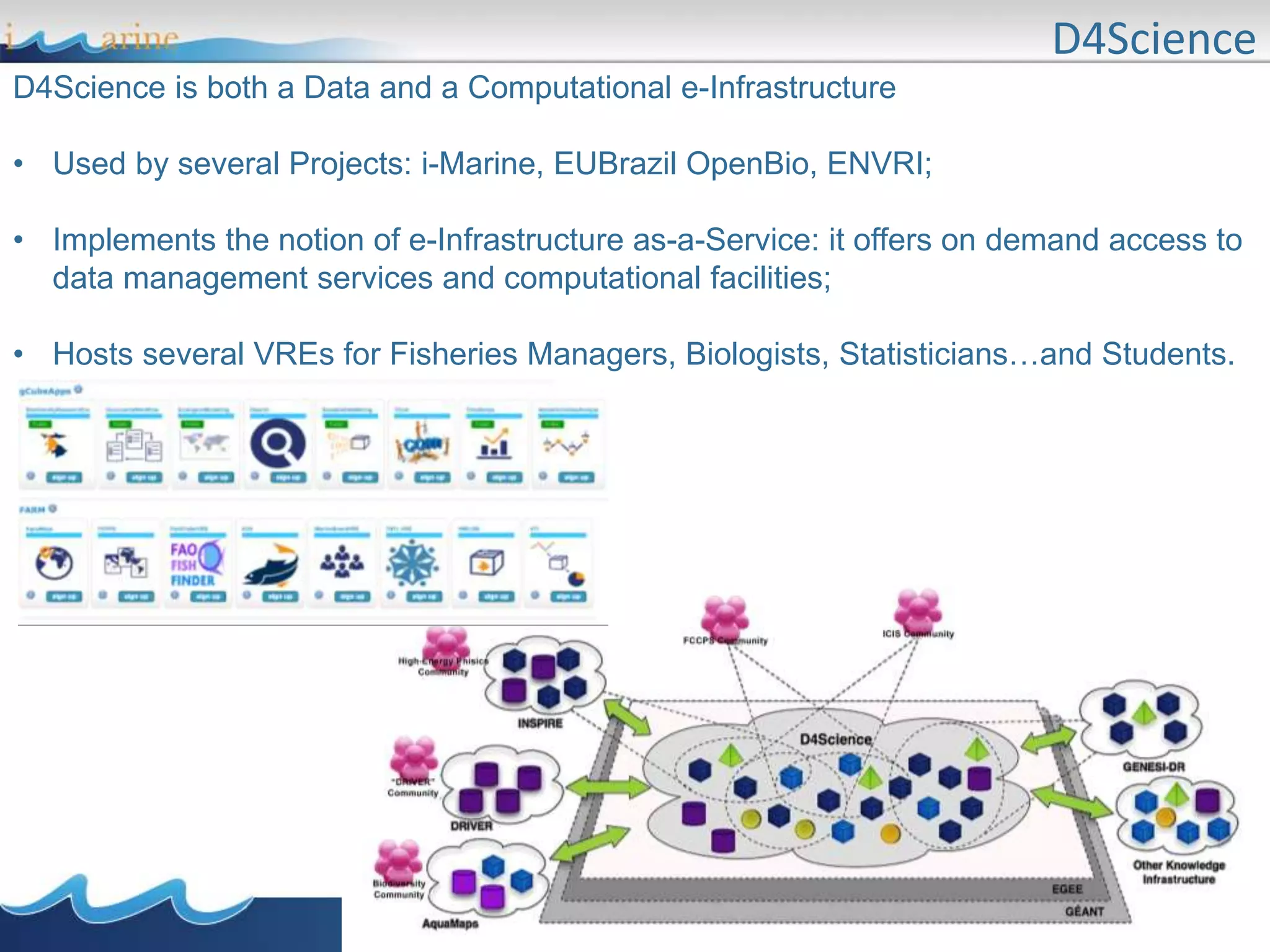
D4Science is both a Data and a Computational e-Infrastructure
• Used by several Projects: i-Marine, EUBrazil OpenBio, ENVRI;
• Implements the notion of e-Infrastructure as-a-Service: it offers on demand access to
data management services and computational facilities;
• Hosts several VREs for Fisheries Managers, Biologists, Statisticians…and Students.
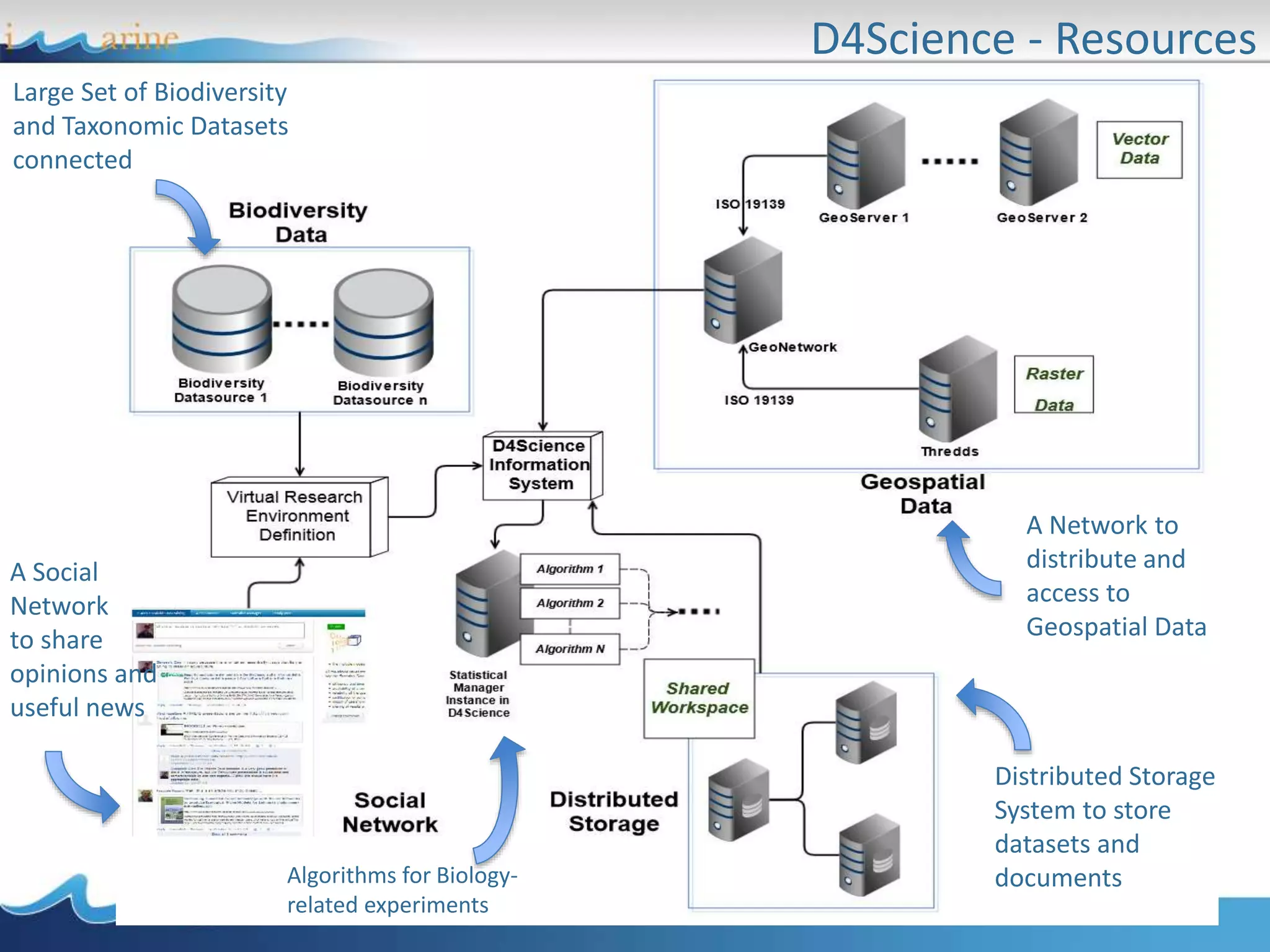
D4Science - Resources
Large Set of Biodiversity
and Taxonomic Datasets
connected
A Network to
distribute and
access to
Geospatial Data
Distributed Storage
System to store
datasets and
documents
A Social
Network
to share
opinions and
useful news
Algorithms for Biology-
related experiments
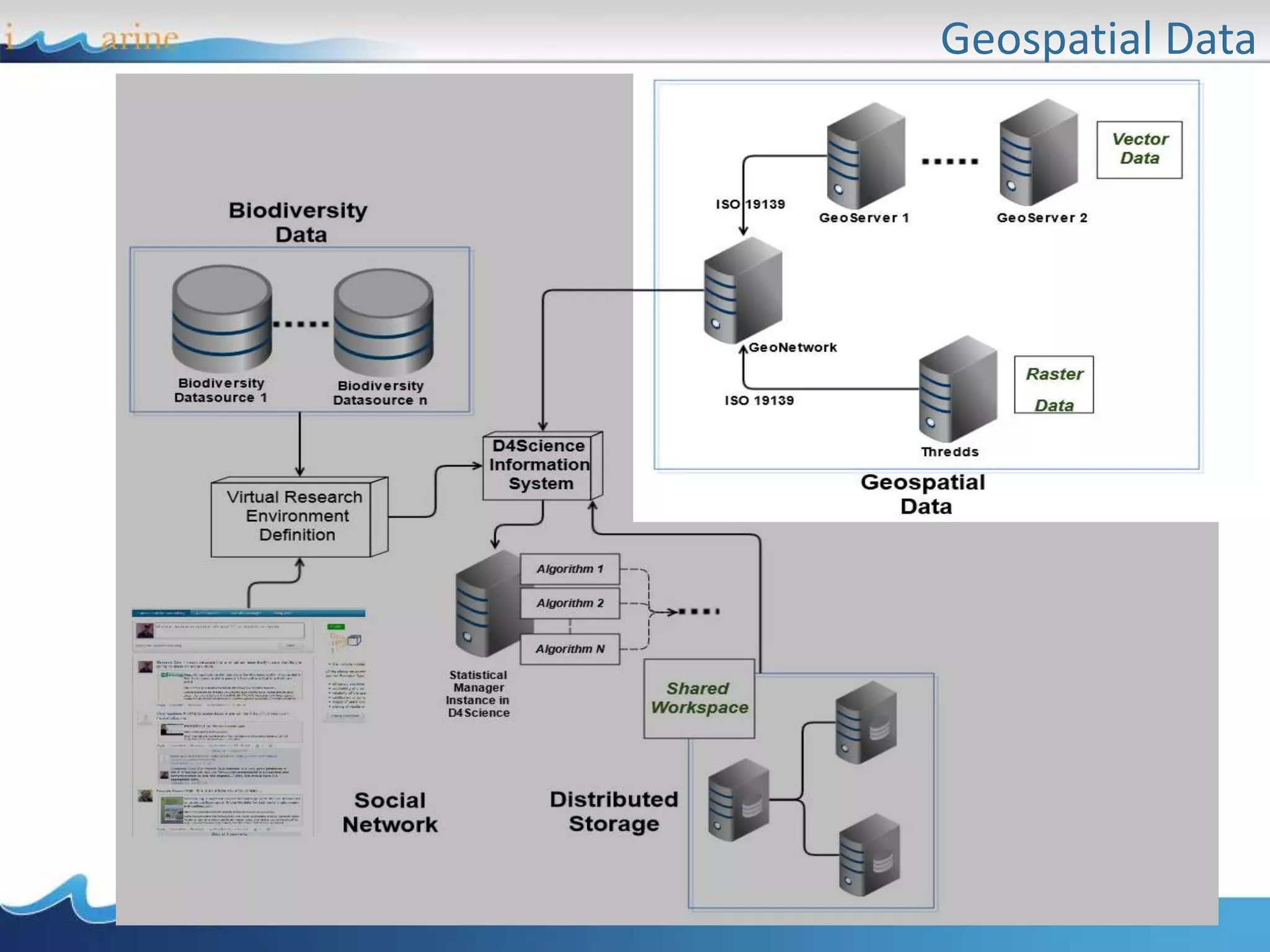
Geospatial Data
• Geospatial data: description and access
• Catalogues
• Visualisation
• Processing
• Processing examples
• Use Case: the European Geothermal Information
Platform
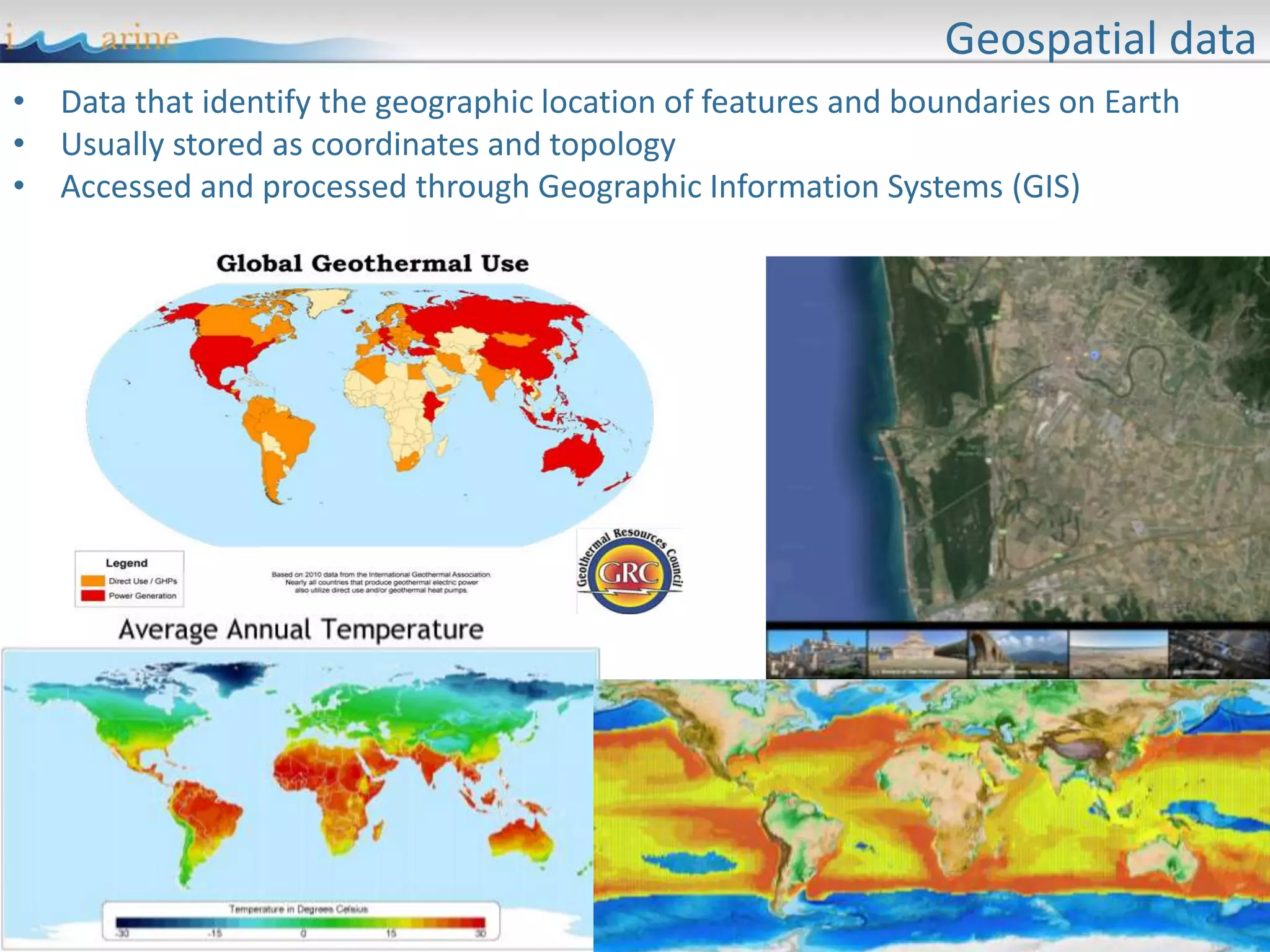
Geospatial data
• Data that identify the geographic location of features and boundaries on Earth
• Usually stored as coordinates and topology
• Accessed and processed through Geographic Information Systems (GIS)
Projections
• Spatial feature need to be referenced to a location:
– to permit flexible georeferenced visualization
– to permit correct measurements
– to permit operations between datasets based on
different reference systems
• Spatial reference systems allow defining positions
on the Earth‘s surface
• Issue: the Earth is irregular and has spherical shape
Coordinates Systems
• Several solutions are possible as coordinates
systems:
– Cartesian: coordinate values locate a point in relation to
mutually perpendicular axes
– Polar: coordinates locate a point by angular direction(s)
and distance from center.
– Spherical: point on surface located by angular
measurements from center (latitude, longitude)
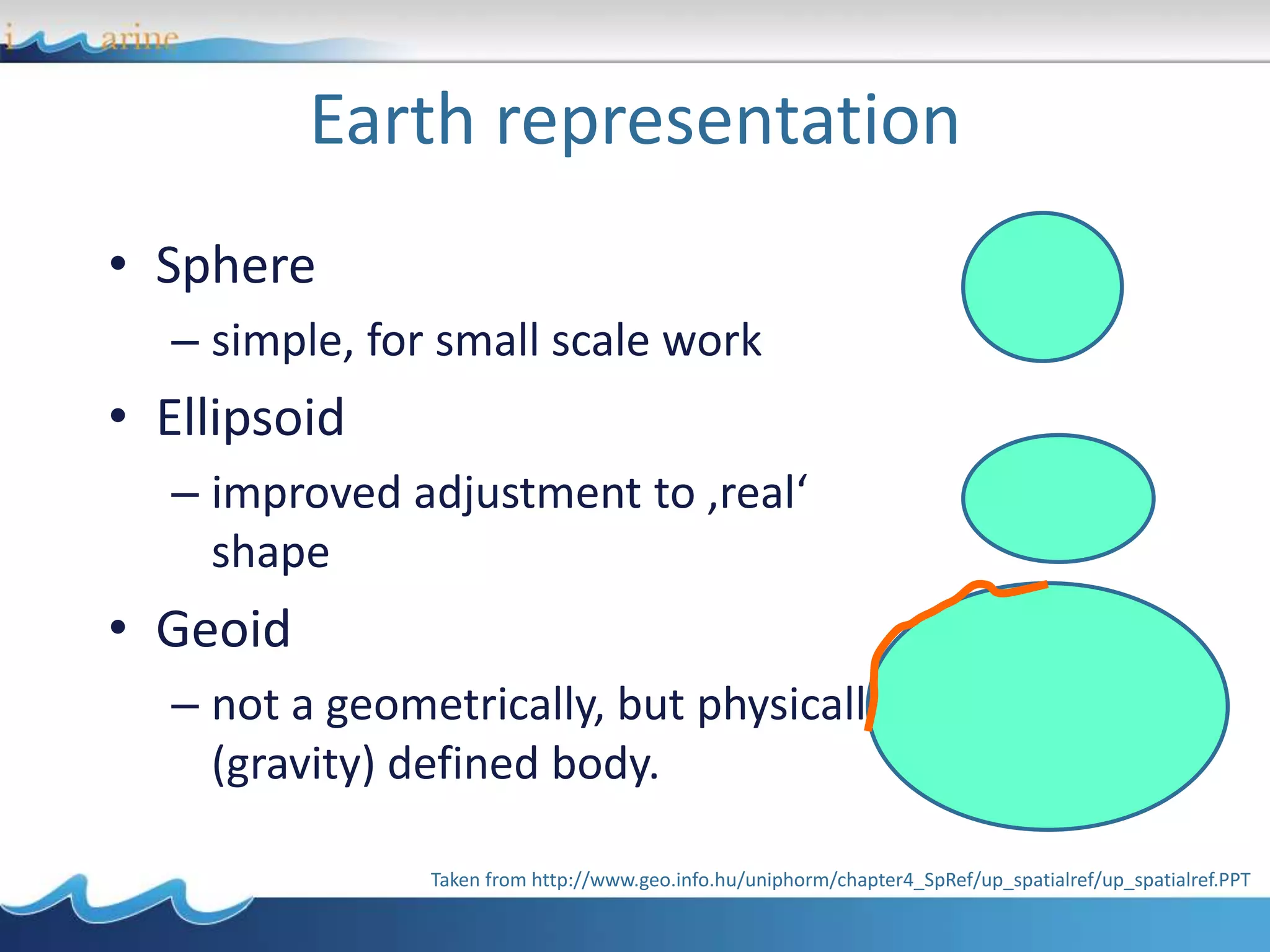
Earth representation
• Sphere
– simple, for small scale work
• Ellipsoid
– improved adjustment to ‚real‘
shape
• Geoid
– not a geometrically, but physically
(gravity) defined body.
Taken from http://www.geo.info.hu/uniphorm/chapter4_SpRef/up_spatialref/up_spatialref.PPT
• Coordinate systems are defined by
– number of dimensions (1, 2 or 3)
– sequence/name of coordinate values (x, y, z)
– unit scaling factor and system (meters)
– origin of axes
– direction of axes
• Coordinate systems can be based on a
geodetic reference (datum) and a map
projection
Coordinate systems
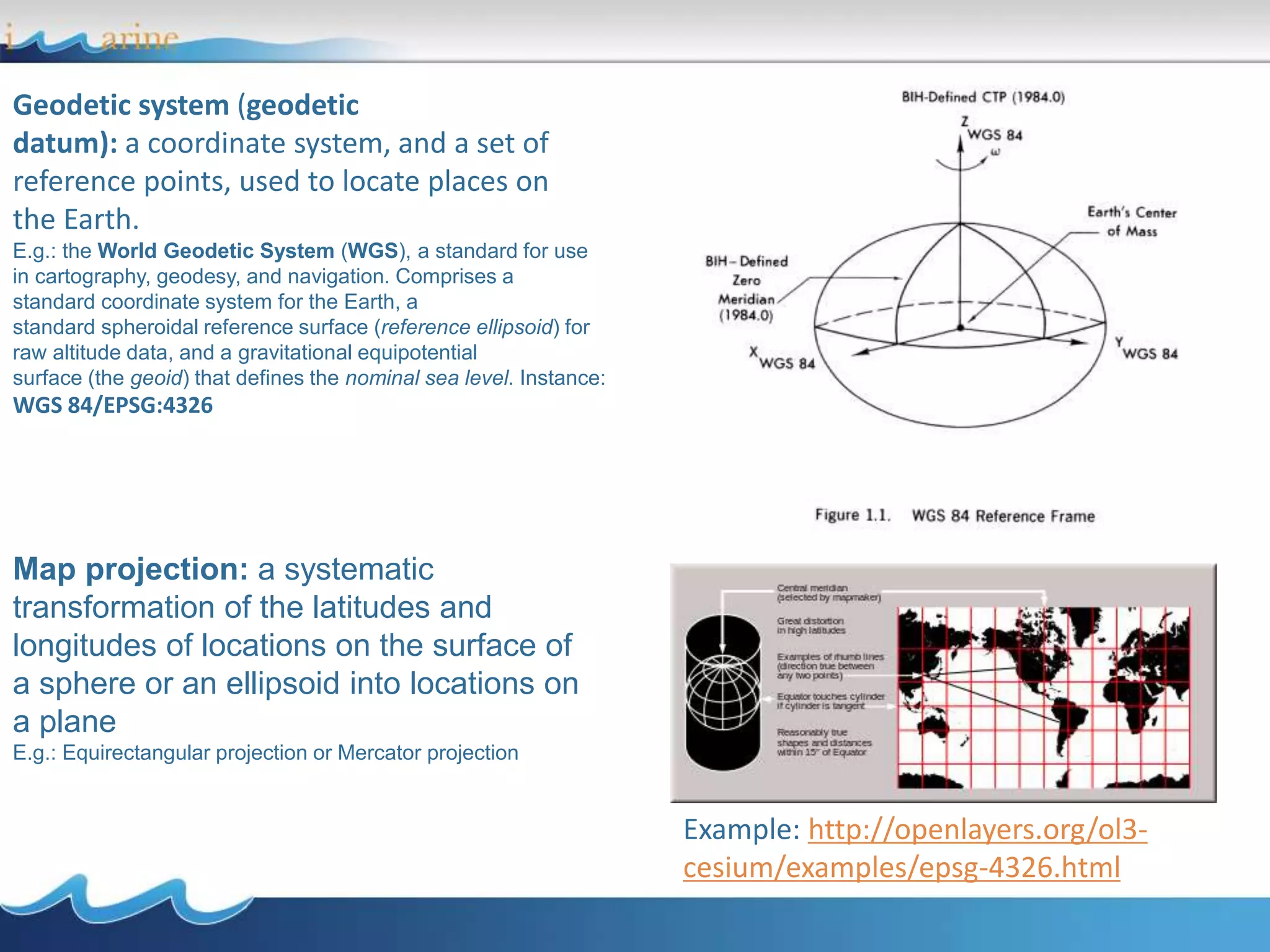
Geodetic system (geodetic
datum): a coordinate system, and a set of
reference points, used to locate places on
the Earth.
E.g.: the World Geodetic System (WGS), a standard for use
in cartography, geodesy, and navigation. Comprises a
standard coordinate system for the Earth, a
standard spheroidal reference surface (reference ellipsoid) for
raw altitude data, and a gravitational equipotential
surface (the geoid) that defines the nominal sea level. Instance:
WGS 84/EPSG:4326
Map projection: a systematic
transformation of the latitudes and
longitudes of locations on the surface of
a sphere or an ellipsoid into locations on
a plane
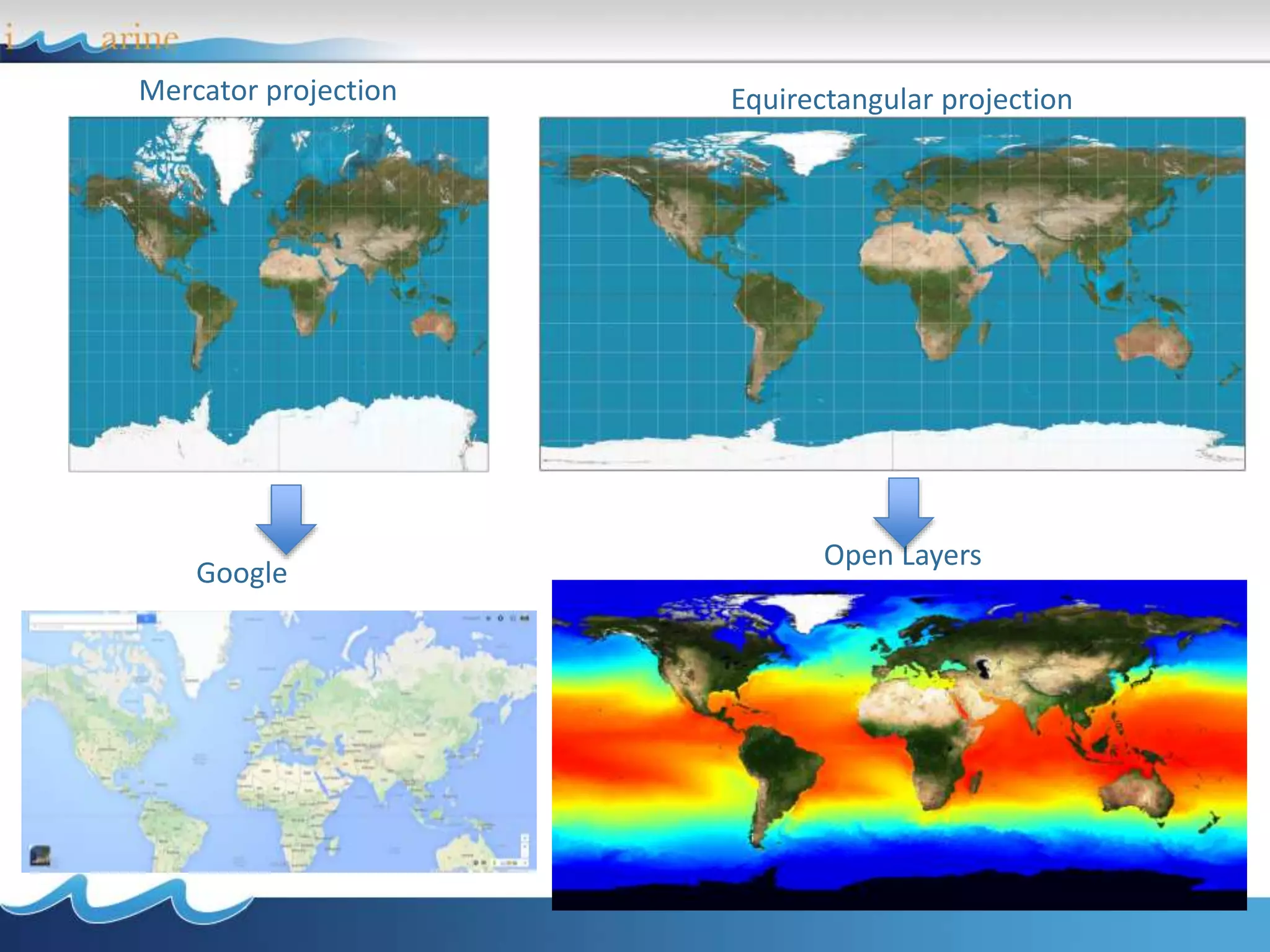
E.g.: Equirectangular projection or Mercator projection
Example: http://openlayers.org/ol3-
cesium/examples/epsg-4326.html
Mercator projection
Google
Open Layers
Equirectangular projection
OGC Standards
Some standards:
Web Maps Service (WMS): XML-based protocol that allows to display the datasets on
an interactive map viewer;
Web Coverage Service (WCS): XML-based representation of space-time varying
phenomena (especially used for raster maps)
Web Features Service (WFS): XML-based representation for discrete geospatial
features (especially used for polygonal maps)
The Open Geospatial Consortium (OGC) is an international organization involving
more than 400 organizations. Promotes the development and implementation of
standards to describe geospatial data content and processing.
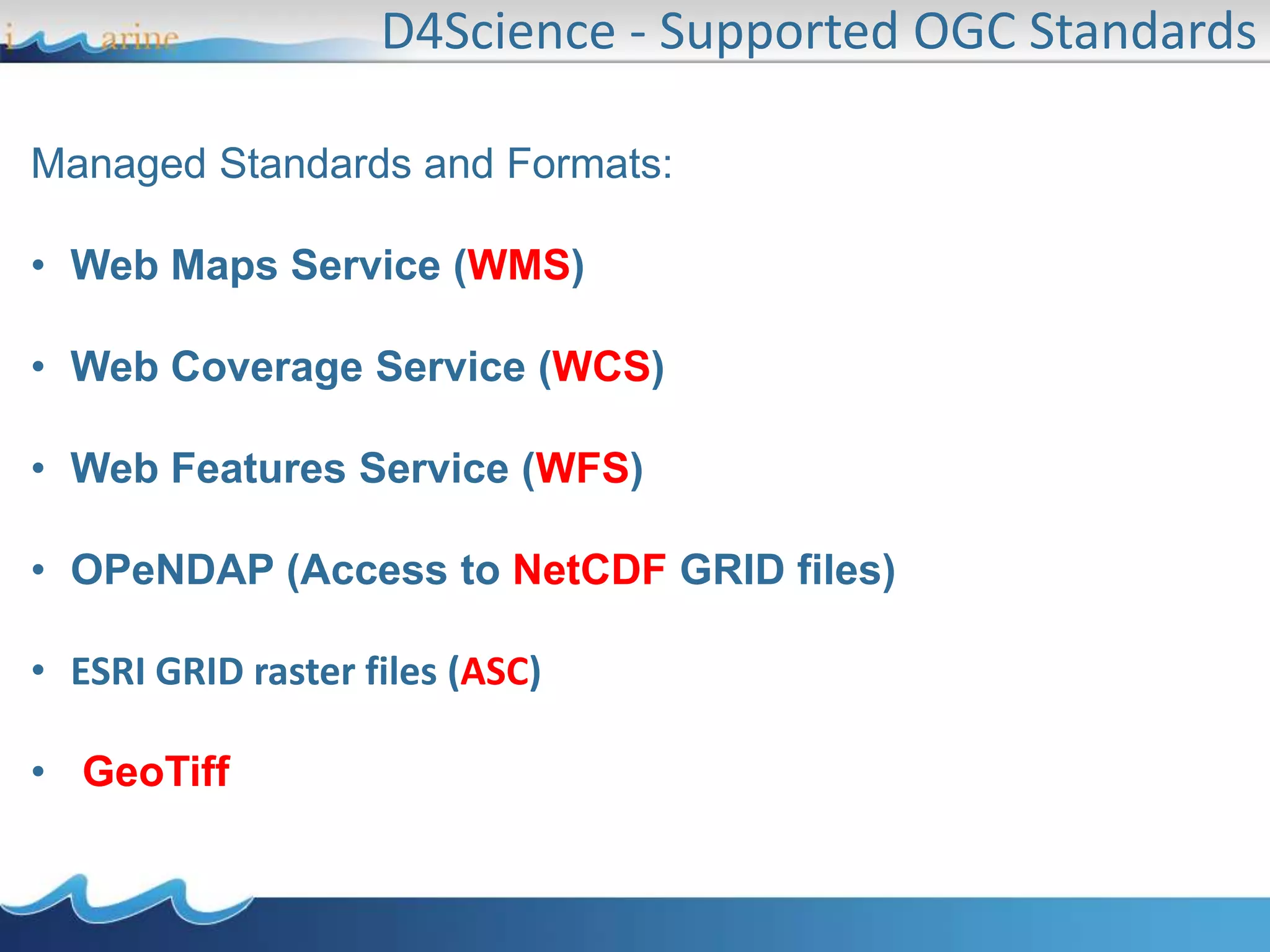
Managed Standards and Formats:
• Web Maps Service (WMS)
• Web Coverage Service (WCS)
• Web Features Service (WFS)
• OPeNDAP (Access to NetCDF GRID files)
• ESRI GRID raster files (ASC)
• GeoTiff
D4Science - Supported OGC Standards
• Geospatial data: description and access
• Catalogues
• Visualisation
• Processing
• Processing examples
• Use Case: the European Geothermal Information
Platform
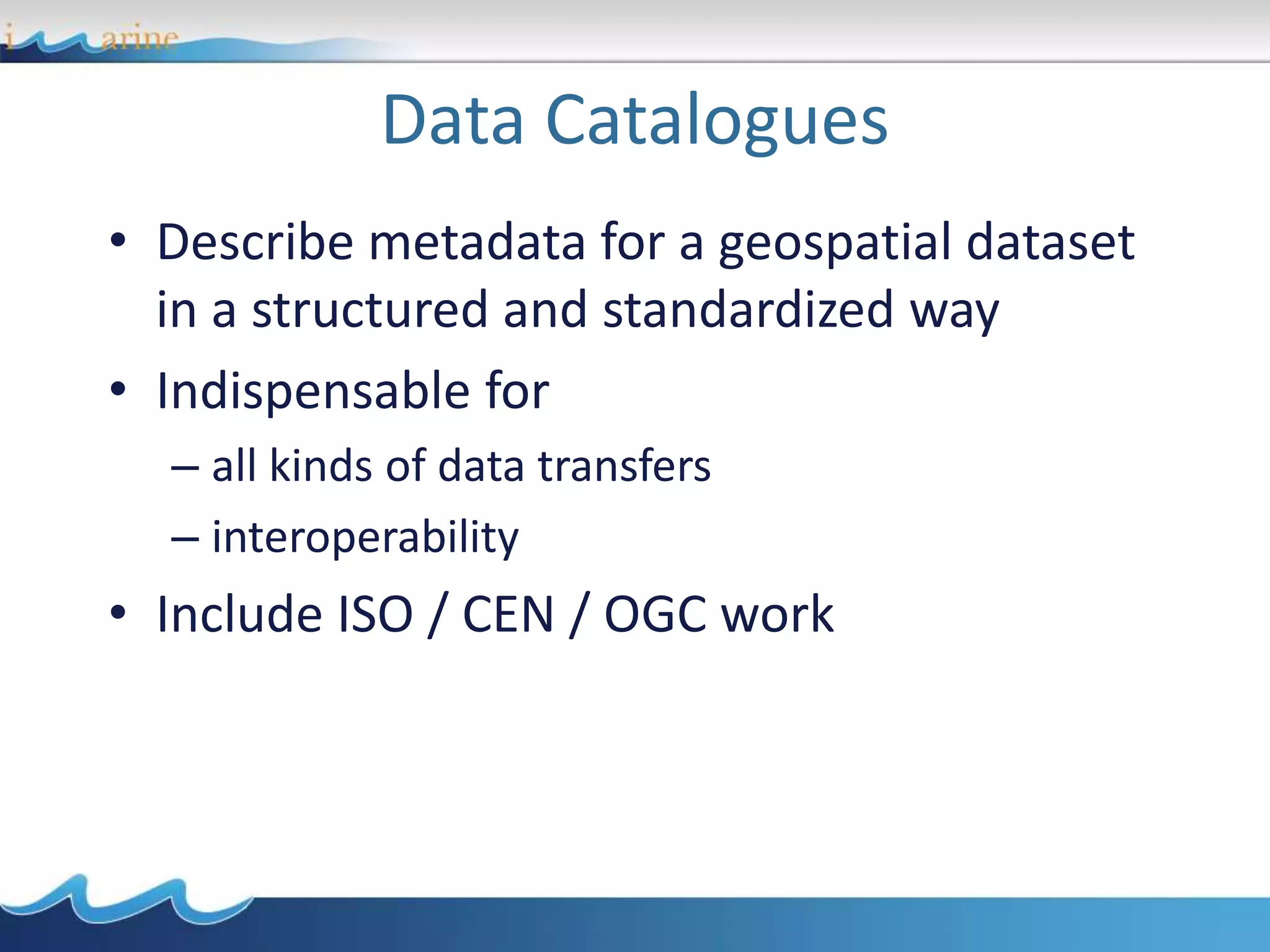
Data Catalogues
• Describe metadata for a geospatial dataset
in a structured and standardized way
• Indispensable for
– all kinds of data transfers
– interoperability
• Include ISO / CEN / OGC work
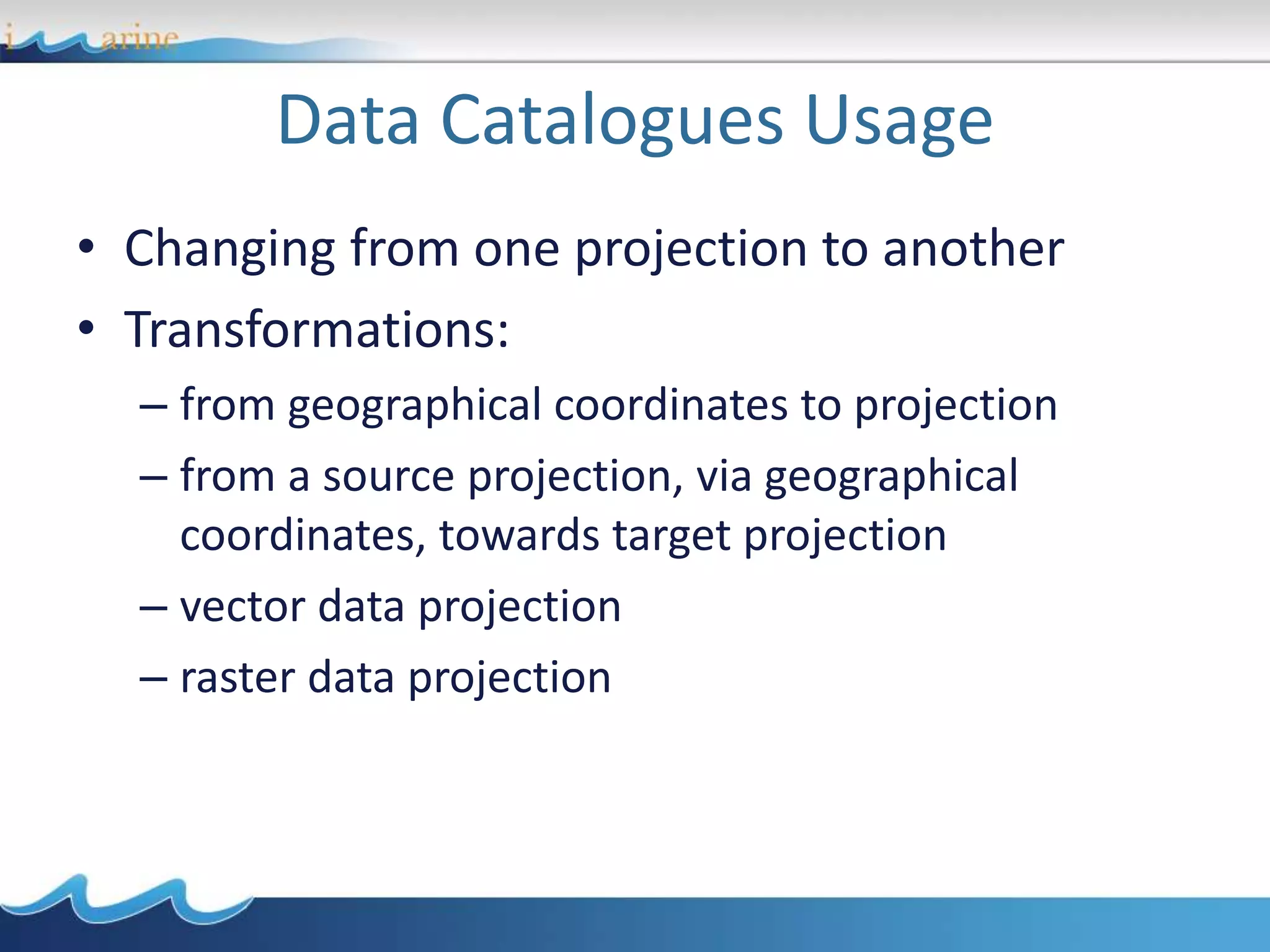
Data Catalogues Usage
• Changing from one projection to another
• Transformations:
– from geographical coordinates to projection
– from a source projection, via geographical
coordinates, towards target projection
– vector data projection
– raster data projection
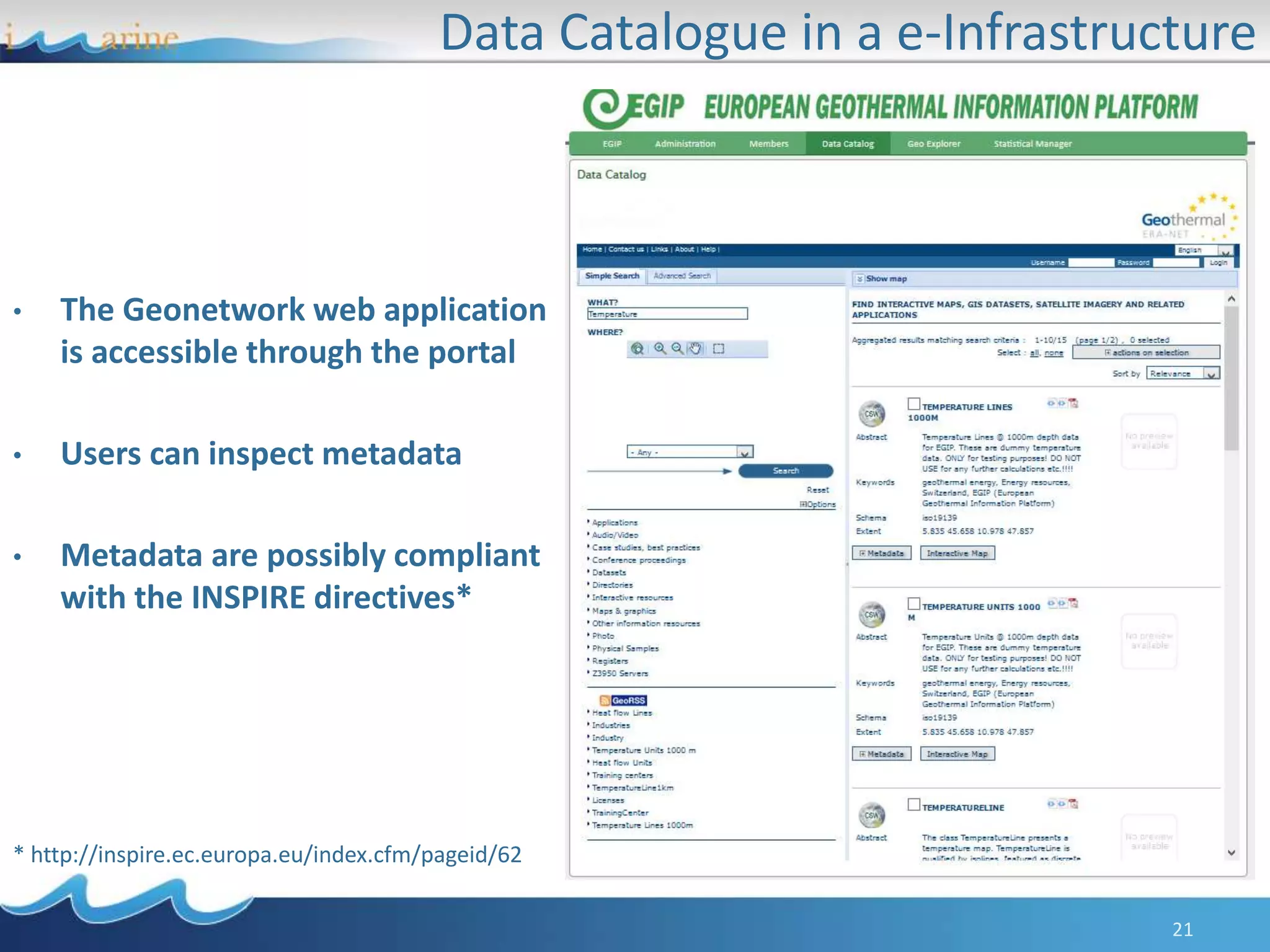
Data Catalogue in a e-Infrastructure
21
• The Geonetwork web application
is accessible through the portal
• Users can inspect metadata
• Metadata are possibly compliant
with the INSPIRE directives*
* http://inspire.ec.europa.eu/index.cfm/pageid/62
Online examples:
GeoNetwork
http://geonetwork.d4science.org/geonetwork/
http://geonetwork.geothermaldata.d4science.org/geonetwork/srv/en/
main.home
• Geospatial data: description and access
• Catalogues
• Visualisation
• Processing
• Processing examples
• Use Case: the European Geothermal Information
Platform
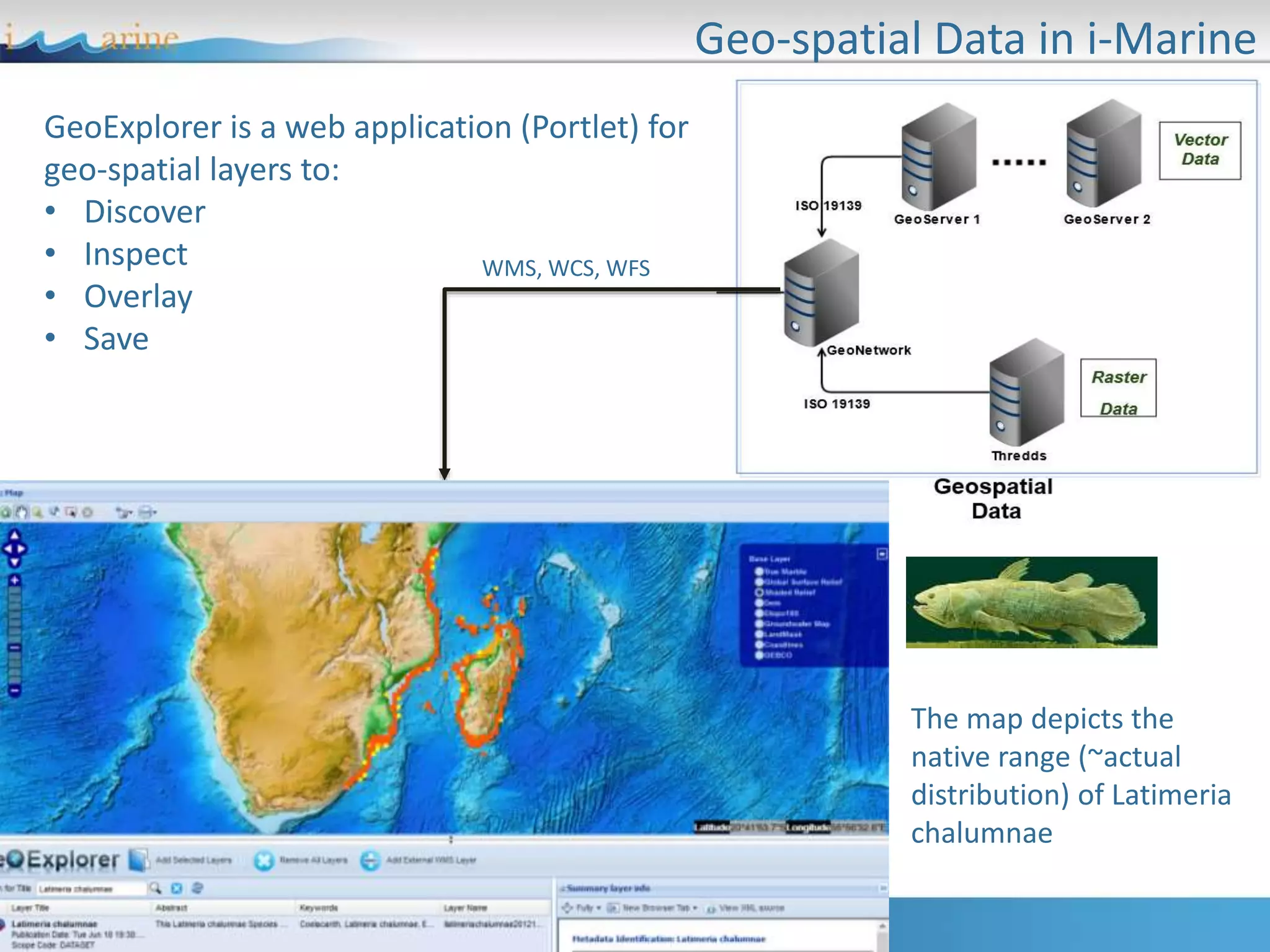
Geo-spatial Data in i-Marine
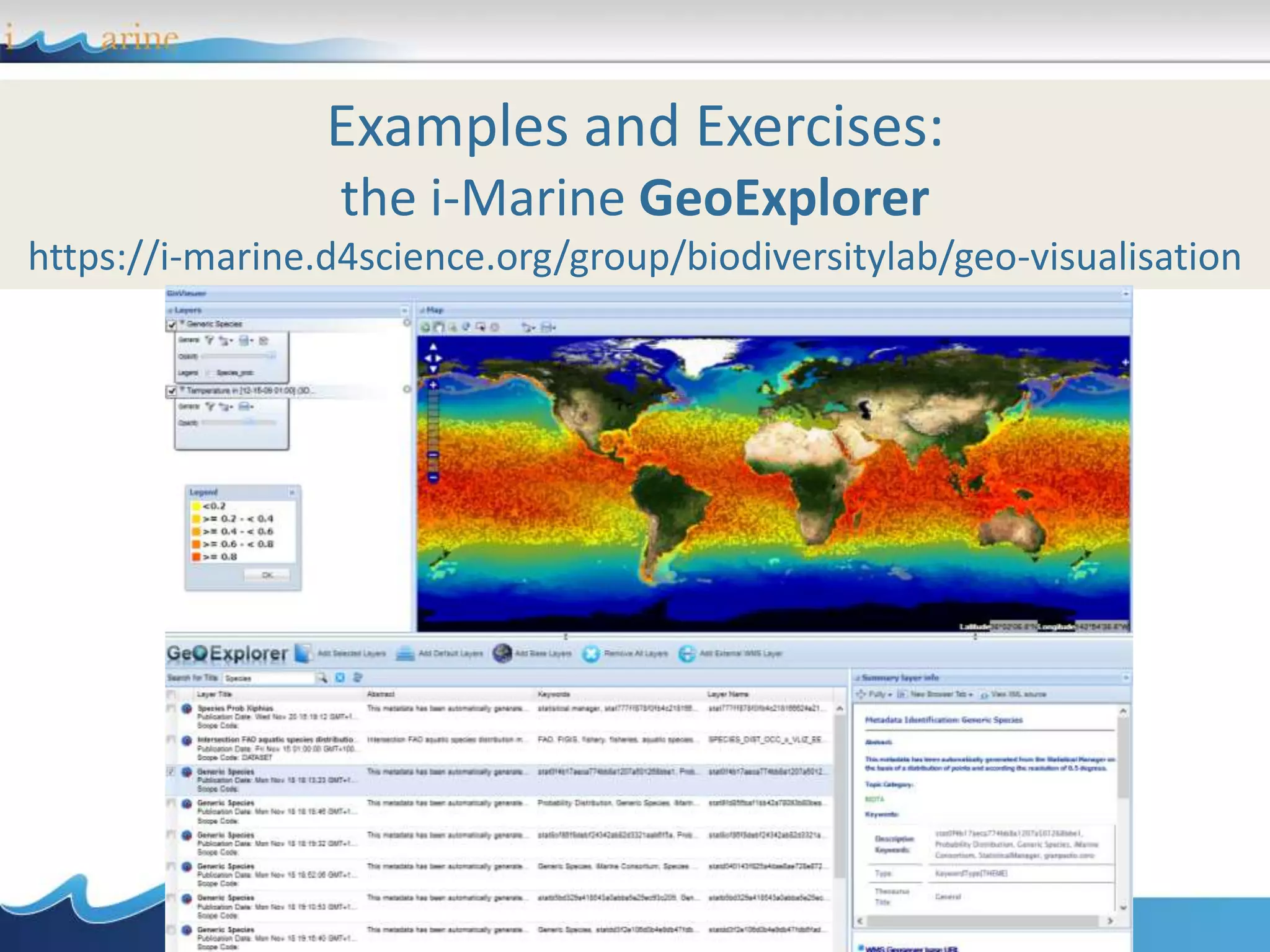
GeoExplorer is a web application (Portlet) for
geo-spatial layers to:
• Discover
• Inspect
• Overlay
• Save
WMS, WCS, WFS
The map depicts the
native range (~actual
distribution) of Latimeria
chalumnae
GeoExplorer: Data Discovery and Visualization
25
Layers Stack
Functions
Visualization
Discovery Metadata
Examples and Exercises:
the i-Marine GeoExplorer
https://i-marine.d4science.org/group/biodiversitylab/geo-visualisation
• Geospatial data: description and access
• Catalogues
• Visualisation
• Processing
• Processing examples
• Use Case: the European Geothermal Information
Platform
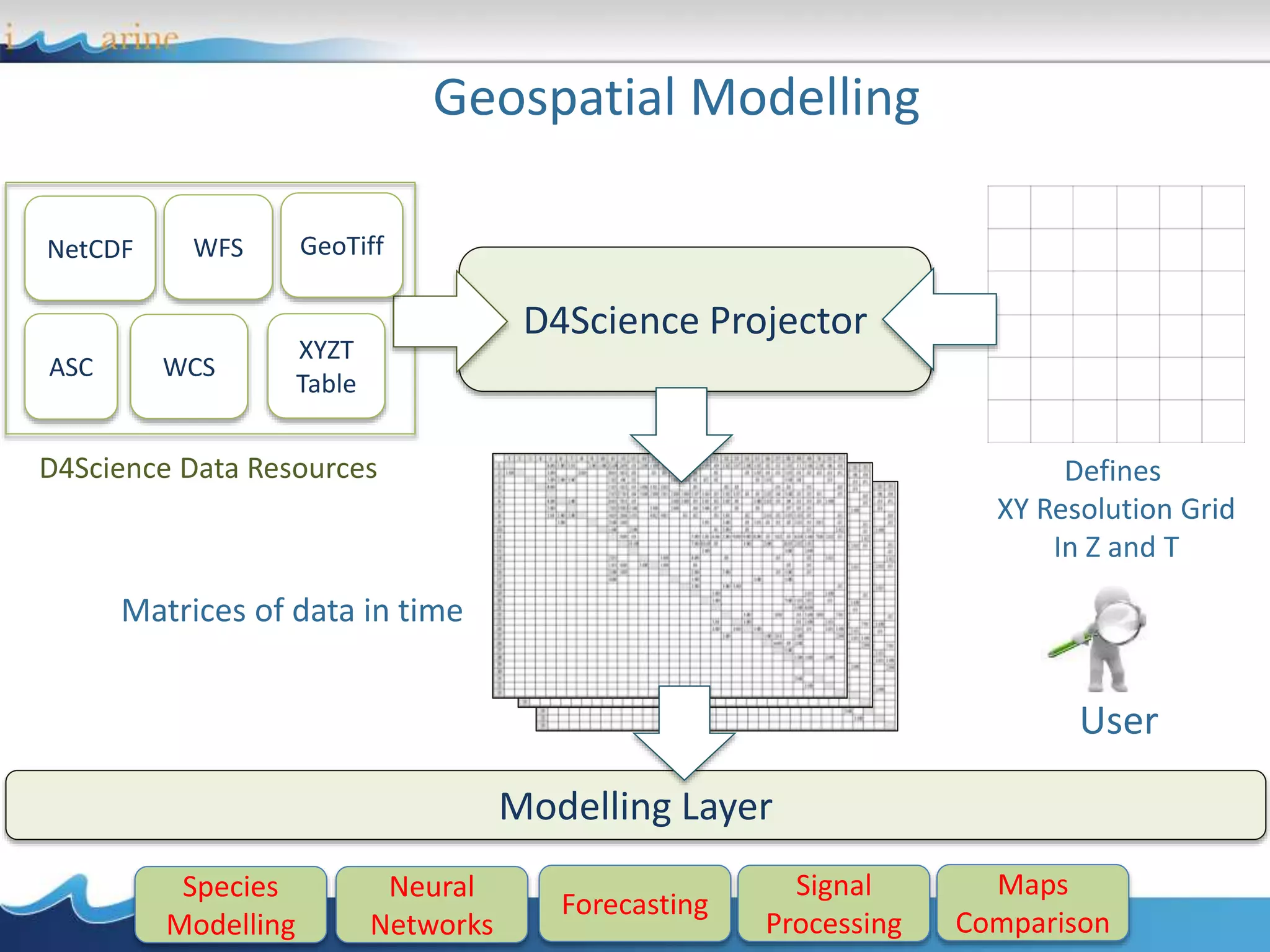
Geospatial Modelling
NetCDF
ASC
WFS
WCS
XYZT
Table
Species
Modelling
Neural
Networks
Forecasting
Signal
Processing
Maps
Comparison
User
Defines
XY Resolution Grid
In Z and T
D4Science Data Resources
D4Science Projector
Modelling Layer
Matrices of data in time
GeoTiff
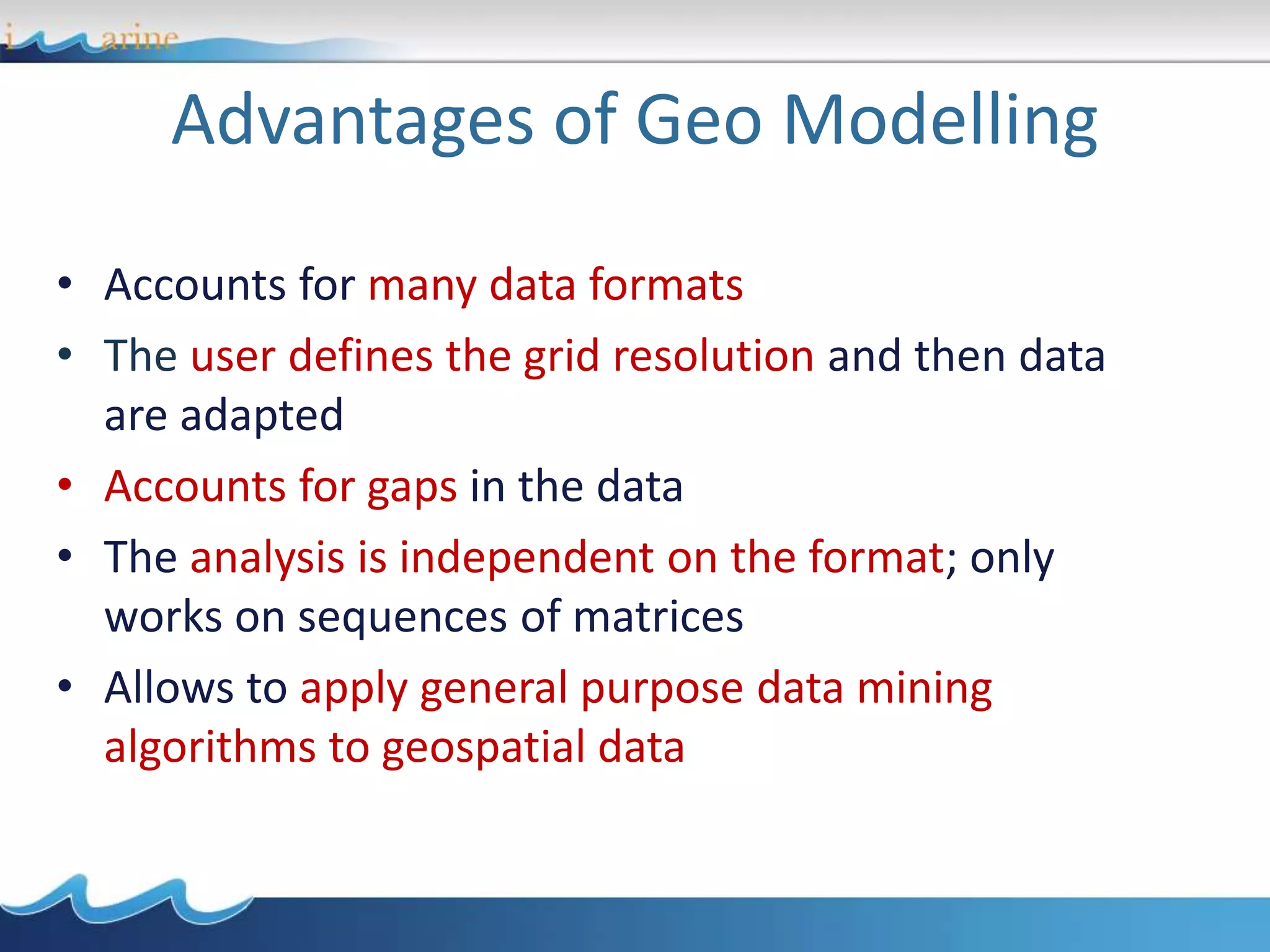
Advantages of Geo Modelling
• Accounts for many data formats
• The user defines the grid resolution and then data
are adapted
• Accounts for gaps in the data
• The analysis is independent on the format; only
works on sequences of matrices
• Allows to apply general purpose data mining
algorithms to geospatial data
• Geospatial data: description and access
• Catalogues
• Visualisation
• Processing
• Processing examples
• Use Case: the European Geothermal Information
Platform
Area Selection in Z and Time
Select a Bounding Box at fixed Z
and Time
Produce a table containing
environmental values in the
selected area
ENVRI Workshop, 10-13 Feb. 2014
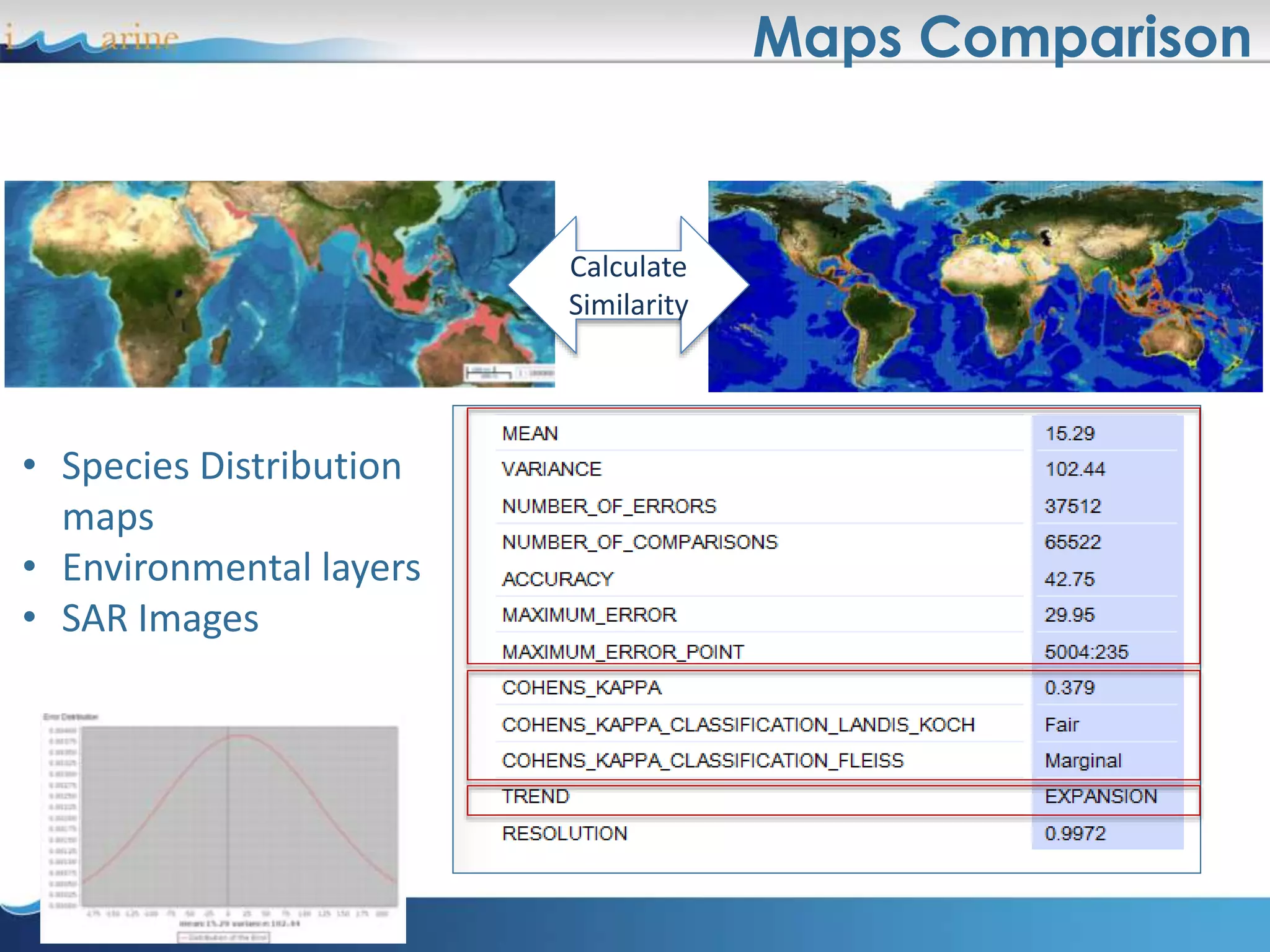
Maps Comparison
Calculate
Similarity
• Species Distribution
maps
• Environmental layers
• SAR Images
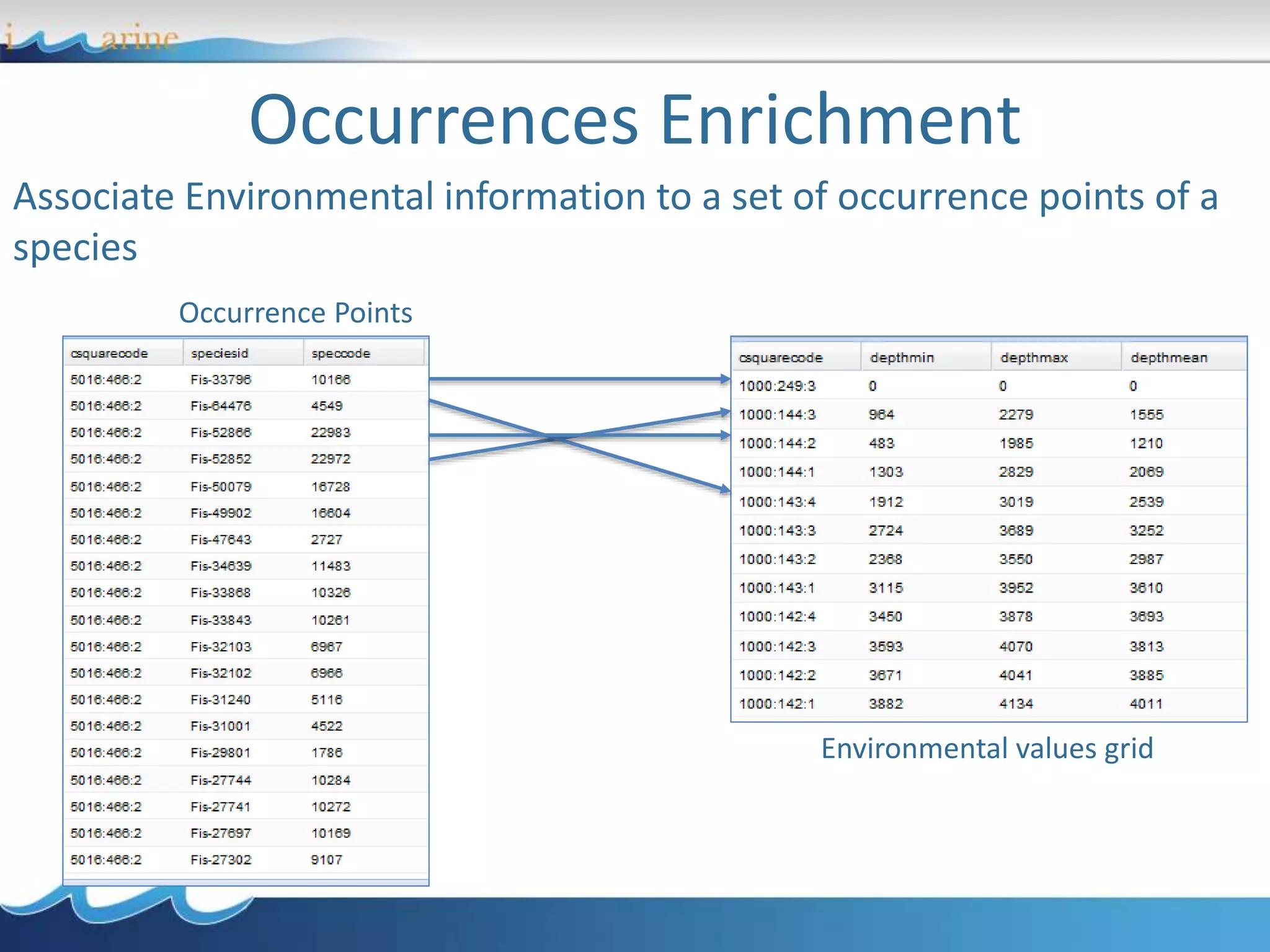
Occurrences Enrichment
Associate Environmental information to a set of occurrence points of a
species
Environmental values grid
Occurrence Points
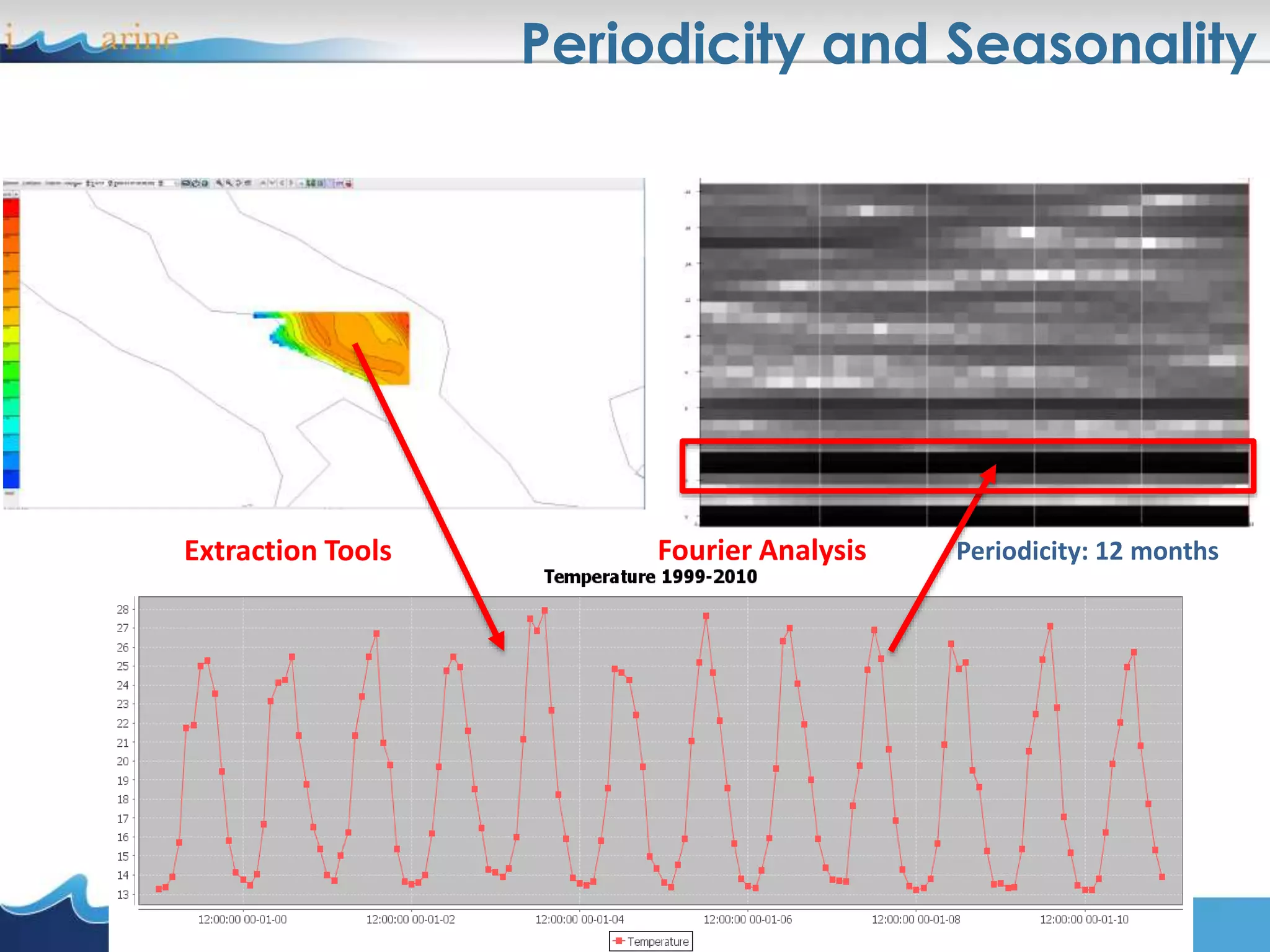
Periodicity and Seasonality
Periodicity: 12 monthsExtraction Tools Fourier Analysis
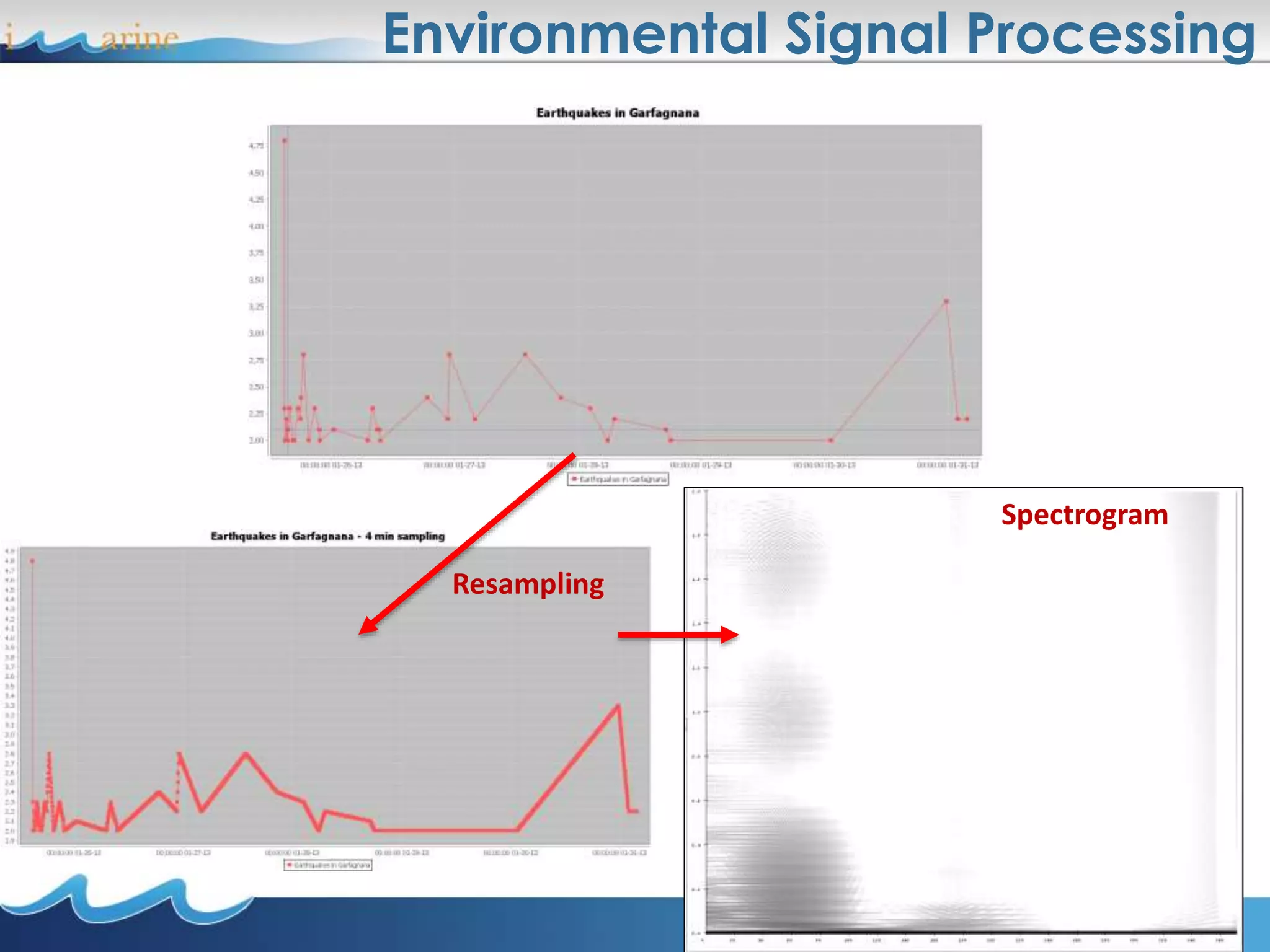
Environmental Signal Processing
Resampling
Spectrogram
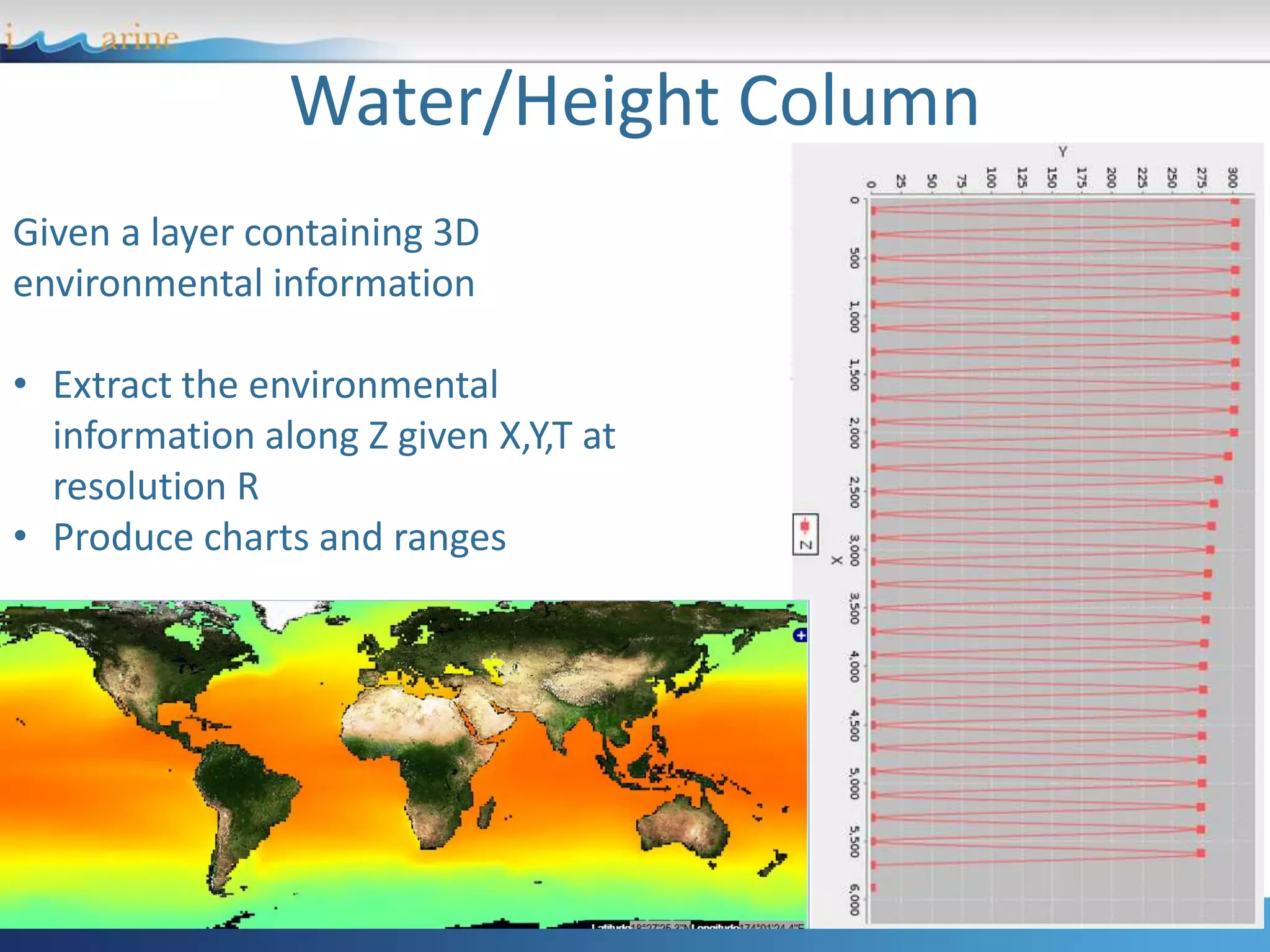
Water/Height Column
Given a layer containing 3D
environmental information
• Extract the environmental
information along Z given X,Y,T at
resolution R
• Produce charts and ranges
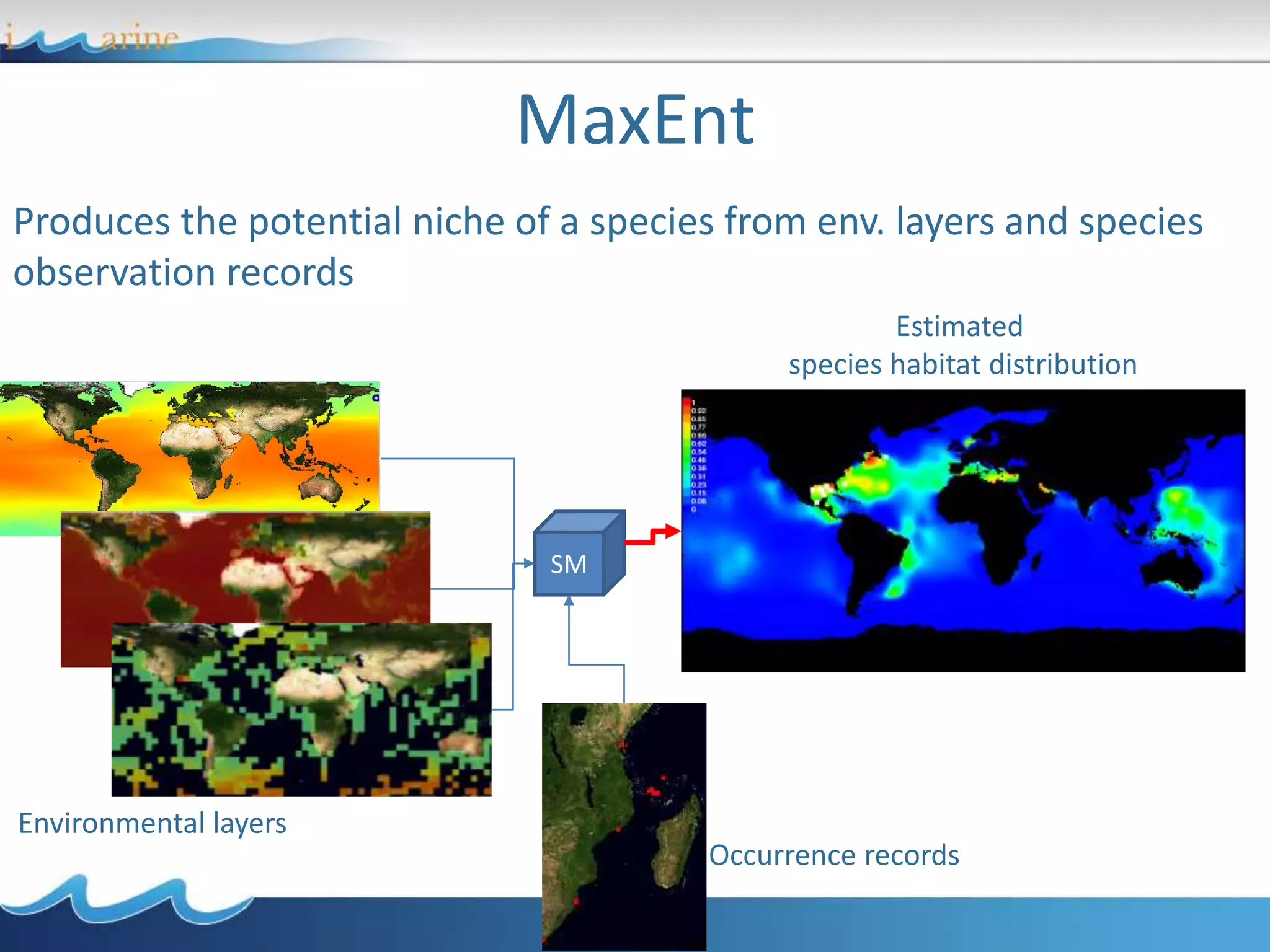
MaxEnt
Produces the potential niche of a species from env. layers and species
observation records
Environmental layers
Occurrence records
Estimated
species habitat distribution
SM
• Geospatial data: description and access
• Catalogues
• Visualisation
• Processing
• Processing examples
• Use Case: the European Geothermal Information
Platform
An Infrastructure for Geothermal data: the EGIP case
• European Geothermal Information Platform (EGIP):
makes disperse and heterogeneous data available to
stakeholder communities in the Geothermal domain
• A Pilot e-Infrastructure instance has been created:
egip.d4science.org
39
Architecture
40
Visualization:
GeoExplorer
Processing:
Statistical
Manager
Documents
Sharing:
Workspace
Social
EGIP
GeoNetwork
GeoServer
Italy
GeoServer
Hungary
GeoServer
Switzerland
MapServer
France
D4S
I.S.
GeoServer
[Others]
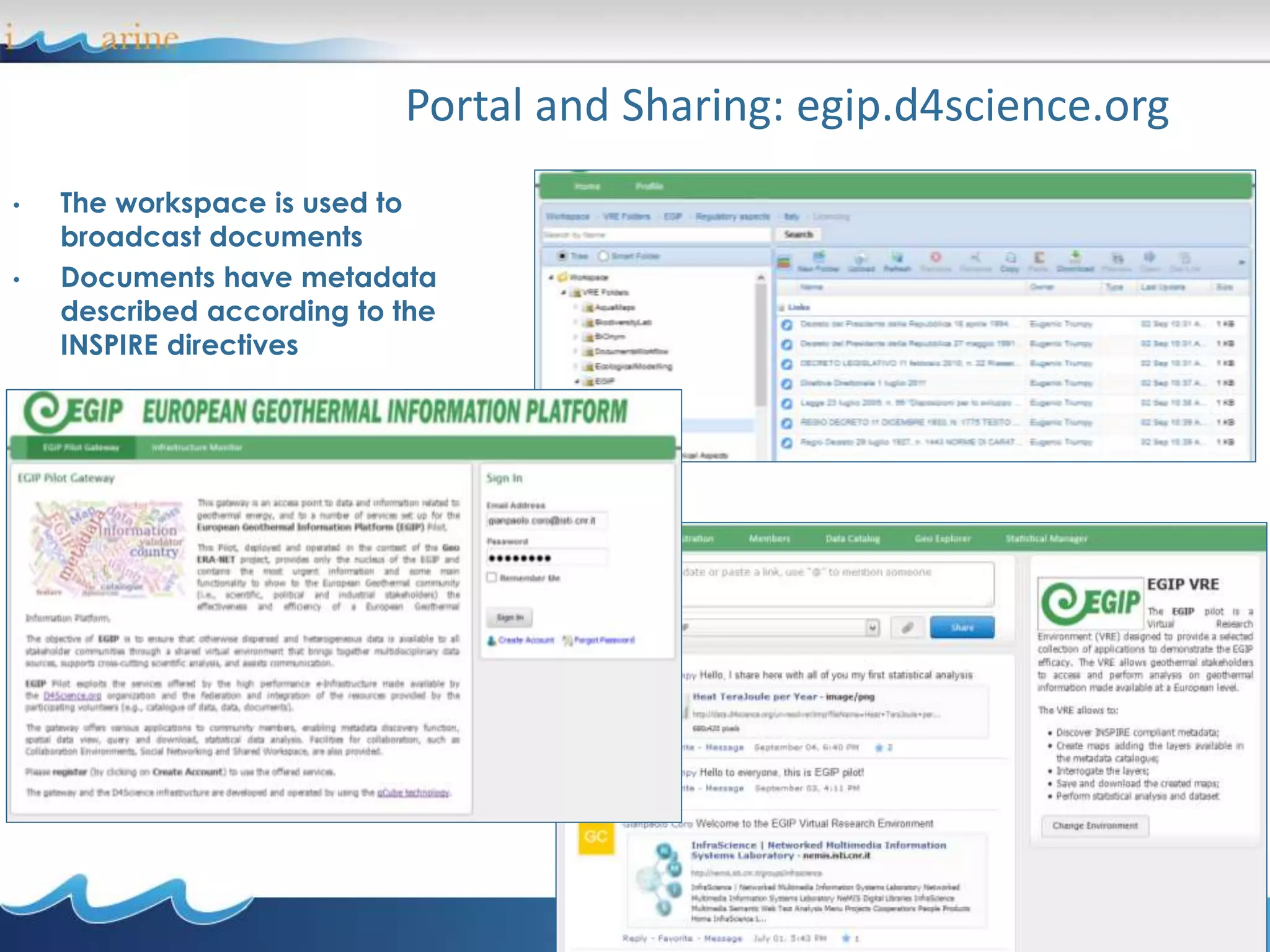
Portal and Sharing: egip.d4science.org
41
• The workspace is used to
broadcast documents
• Documents have metadata
described according to the
INSPIRE directives
42
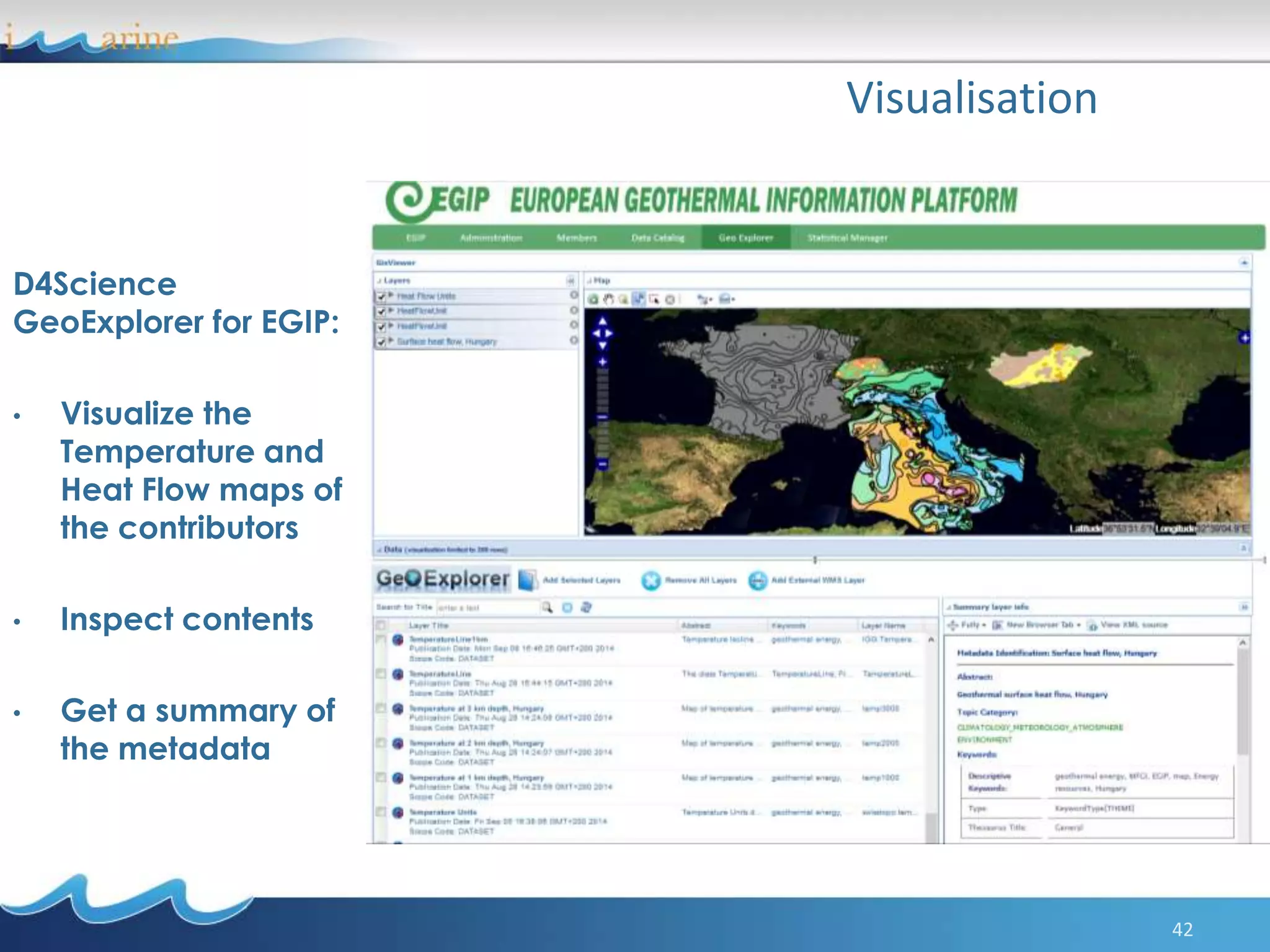
Visualisation
D4Science
GeoExplorer for EGIP:
• Visualize the
Temperature and
Heat Flow maps of
the contributors
• Inspect contents
• Get a summary of
the metadata
43
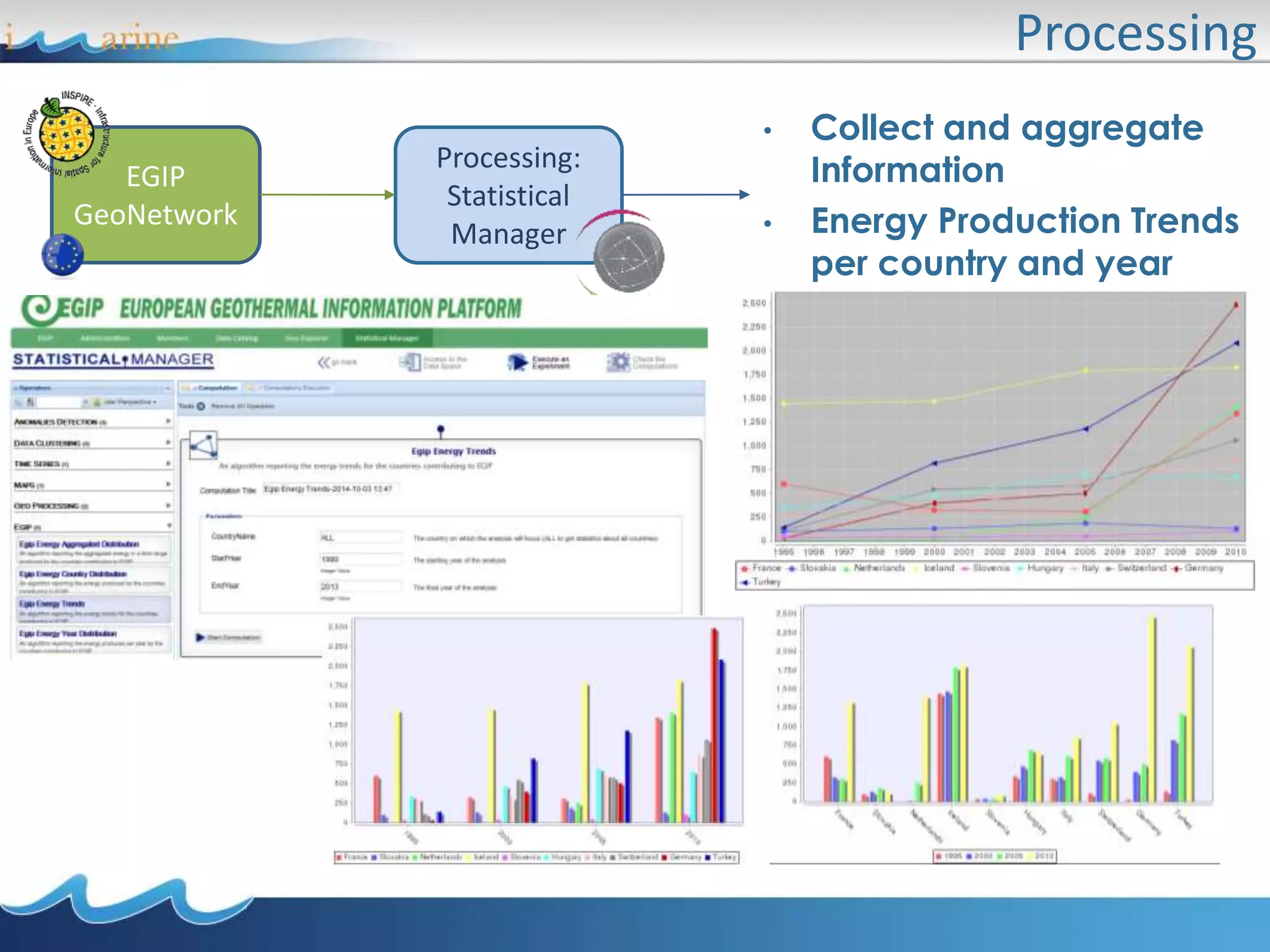
Processing
EGIP
GeoNetwork
Processing:
Statistical
Manager
• Collect and aggregate
Information
• Energy Production Trends
per country and year
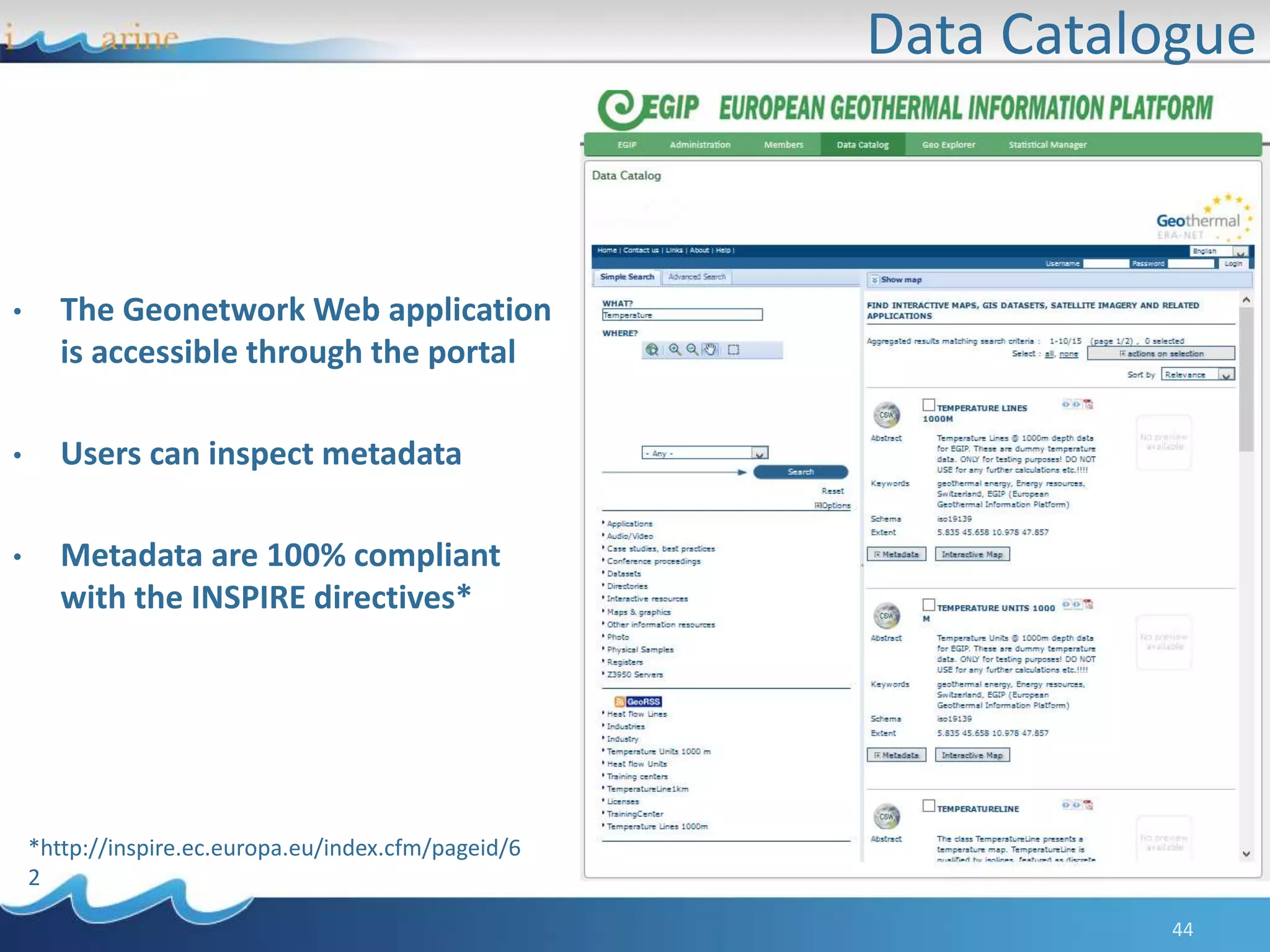
Data Catalogue
44
• The Geonetwork Web application
is accessible through the portal
• Users can inspect metadata
• Metadata are 100% compliant
with the INSPIRE directives*
*http://inspire.ec.europa.eu/index.cfm/pageid/6
2
Online example:
The EGIP Web portal
http://egip.d4science.org

USING E-INFRASTRUCTURES FOR BIODIVERSITY CONSERVATION - Module 2

  • 1.
    Using e-Infrastructures for BiodiversityConservation Gianpaolo Coro ISTI-CNR, Pisa, Italy
  • 2.
    • Geospatial data:description and access • Catalogues • Visualisation • Processing • Processing examples • Use Case: the European Geothermal Information Platform Module 2 - Outline
  • 3.
    e-Infrastructures “e-Infrastructures enable researchersin different locations across the world to collaborate in the context of their home institutions or in national or multinational scientific initiatives. They can work together by having shared access to unique or distributed scientific facilities (including data, instruments, computing and communications)*.” Examples: *Belief, http://www.beliefproject.org/ OpenAire, http://www.openaire.eu/ i-Marine, http://www.i-marine.eu/ EU-Brazil OpenBio, http://www.eubrazilopenbio.eu/
  • 4.
    Virtual Research Environments VirtualResearch Environments: virtual organizations of communities of researchers for helping them collaborating. • Define sub-communities inside an e-Infrastructure; • Allow temporary dedicated assignment of computational, storage, and data resources to a group of people; • Very important in fields where research is carried out in several teams which span institutions and countries. e-InfrastructureVRE VRE VRE
  • 5.
    D4Science D4Science is botha Data and a Computational e-Infrastructure • Used by several Projects: i-Marine, EUBrazil OpenBio, ENVRI; • Implements the notion of e-Infrastructure as-a-Service: it offers on demand access to data management services and computational facilities; • Hosts several VREs for Fisheries Managers, Biologists, Statisticians…and Students.
  • 6.
    D4Science - Resources LargeSet of Biodiversity and Taxonomic Datasets connected A Network to distribute and access to Geospatial Data Distributed Storage System to store datasets and documents A Social Network to share opinions and useful news Algorithms for Biology- related experiments
  • 7.
  • 8.
    • Geospatial data:description and access • Catalogues • Visualisation • Processing • Processing examples • Use Case: the European Geothermal Information Platform
  • 9.
    Geospatial data • Datathat identify the geographic location of features and boundaries on Earth • Usually stored as coordinates and topology • Accessed and processed through Geographic Information Systems (GIS)
  • 10.
    Projections • Spatial featureneed to be referenced to a location: – to permit flexible georeferenced visualization – to permit correct measurements – to permit operations between datasets based on different reference systems • Spatial reference systems allow defining positions on the Earth‘s surface • Issue: the Earth is irregular and has spherical shape
  • 11.
    Coordinates Systems • Severalsolutions are possible as coordinates systems: – Cartesian: coordinate values locate a point in relation to mutually perpendicular axes – Polar: coordinates locate a point by angular direction(s) and distance from center. – Spherical: point on surface located by angular measurements from center (latitude, longitude)
  • 12.
    Earth representation • Sphere –simple, for small scale work • Ellipsoid – improved adjustment to ‚real‘ shape • Geoid – not a geometrically, but physically (gravity) defined body. Taken from http://www.geo.info.hu/uniphorm/chapter4_SpRef/up_spatialref/up_spatialref.PPT
  • 13.
    • Coordinate systemsare defined by – number of dimensions (1, 2 or 3) – sequence/name of coordinate values (x, y, z) – unit scaling factor and system (meters) – origin of axes – direction of axes • Coordinate systems can be based on a geodetic reference (datum) and a map projection Coordinate systems
  • 14.
    Geodetic system (geodetic datum):a coordinate system, and a set of reference points, used to locate places on the Earth. E.g.: the World Geodetic System (WGS), a standard for use in cartography, geodesy, and navigation. Comprises a standard coordinate system for the Earth, a standard spheroidal reference surface (reference ellipsoid) for raw altitude data, and a gravitational equipotential surface (the geoid) that defines the nominal sea level. Instance: WGS 84/EPSG:4326 Map projection: a systematic transformation of the latitudes and longitudes of locations on the surface of a sphere or an ellipsoid into locations on a plane E.g.: Equirectangular projection or Mercator projection Example: http://openlayers.org/ol3- cesium/examples/epsg-4326.html
  • 15.
  • 16.
    OGC Standards Some standards: WebMaps Service (WMS): XML-based protocol that allows to display the datasets on an interactive map viewer; Web Coverage Service (WCS): XML-based representation of space-time varying phenomena (especially used for raster maps) Web Features Service (WFS): XML-based representation for discrete geospatial features (especially used for polygonal maps) The Open Geospatial Consortium (OGC) is an international organization involving more than 400 organizations. Promotes the development and implementation of standards to describe geospatial data content and processing.
  • 17.
    Managed Standards andFormats: • Web Maps Service (WMS) • Web Coverage Service (WCS) • Web Features Service (WFS) • OPeNDAP (Access to NetCDF GRID files) • ESRI GRID raster files (ASC) • GeoTiff D4Science - Supported OGC Standards
  • 18.
    • Geospatial data:description and access • Catalogues • Visualisation • Processing • Processing examples • Use Case: the European Geothermal Information Platform
  • 19.
    Data Catalogues • Describemetadata for a geospatial dataset in a structured and standardized way • Indispensable for – all kinds of data transfers – interoperability • Include ISO / CEN / OGC work
  • 20.
    Data Catalogues Usage •Changing from one projection to another • Transformations: – from geographical coordinates to projection – from a source projection, via geographical coordinates, towards target projection – vector data projection – raster data projection
  • 21.
    Data Catalogue ina e-Infrastructure 21 • The Geonetwork web application is accessible through the portal • Users can inspect metadata • Metadata are possibly compliant with the INSPIRE directives* * http://inspire.ec.europa.eu/index.cfm/pageid/62
  • 22.
  • 23.
    • Geospatial data:description and access • Catalogues • Visualisation • Processing • Processing examples • Use Case: the European Geothermal Information Platform
  • 24.
    Geo-spatial Data ini-Marine GeoExplorer is a web application (Portlet) for geo-spatial layers to: • Discover • Inspect • Overlay • Save WMS, WCS, WFS The map depicts the native range (~actual distribution) of Latimeria chalumnae
  • 25.
    GeoExplorer: Data Discoveryand Visualization 25 Layers Stack Functions Visualization Discovery Metadata
  • 26.
    Examples and Exercises: thei-Marine GeoExplorer https://i-marine.d4science.org/group/biodiversitylab/geo-visualisation
  • 27.
    • Geospatial data:description and access • Catalogues • Visualisation • Processing • Processing examples • Use Case: the European Geothermal Information Platform
  • 28.
    Geospatial Modelling NetCDF ASC WFS WCS XYZT Table Species Modelling Neural Networks Forecasting Signal Processing Maps Comparison User Defines XY ResolutionGrid In Z and T D4Science Data Resources D4Science Projector Modelling Layer Matrices of data in time GeoTiff
  • 29.
    Advantages of GeoModelling • Accounts for many data formats • The user defines the grid resolution and then data are adapted • Accounts for gaps in the data • The analysis is independent on the format; only works on sequences of matrices • Allows to apply general purpose data mining algorithms to geospatial data
  • 30.
    • Geospatial data:description and access • Catalogues • Visualisation • Processing • Processing examples • Use Case: the European Geothermal Information Platform
  • 31.
    Area Selection inZ and Time Select a Bounding Box at fixed Z and Time Produce a table containing environmental values in the selected area ENVRI Workshop, 10-13 Feb. 2014
  • 32.
    Maps Comparison Calculate Similarity • SpeciesDistribution maps • Environmental layers • SAR Images
  • 33.
    Occurrences Enrichment Associate Environmentalinformation to a set of occurrence points of a species Environmental values grid Occurrence Points
  • 34.
    Periodicity and Seasonality Periodicity:12 monthsExtraction Tools Fourier Analysis
  • 35.
  • 36.
    Water/Height Column Given alayer containing 3D environmental information • Extract the environmental information along Z given X,Y,T at resolution R • Produce charts and ranges
  • 37.
    MaxEnt Produces the potentialniche of a species from env. layers and species observation records Environmental layers Occurrence records Estimated species habitat distribution SM
  • 38.
    • Geospatial data:description and access • Catalogues • Visualisation • Processing • Processing examples • Use Case: the European Geothermal Information Platform
  • 39.
    An Infrastructure forGeothermal data: the EGIP case • European Geothermal Information Platform (EGIP): makes disperse and heterogeneous data available to stakeholder communities in the Geothermal domain • A Pilot e-Infrastructure instance has been created: egip.d4science.org 39
  • 40.
  • 41.
    Portal and Sharing:egip.d4science.org 41 • The workspace is used to broadcast documents • Documents have metadata described according to the INSPIRE directives
  • 42.
    42 Visualisation D4Science GeoExplorer for EGIP: •Visualize the Temperature and Heat Flow maps of the contributors • Inspect contents • Get a summary of the metadata
  • 43.
    43 Processing EGIP GeoNetwork Processing: Statistical Manager • Collect andaggregate Information • Energy Production Trends per country and year
  • 44.
    Data Catalogue 44 • TheGeonetwork Web application is accessible through the portal • Users can inspect metadata • Metadata are 100% compliant with the INSPIRE directives* *http://inspire.ec.europa.eu/index.cfm/pageid/6 2
  • 45.
    Online example: The EGIPWeb portal http://egip.d4science.org