Core ML 相關 Sessions
濃縮呈現
Marvin Lin
https://github.com/MoonAndEye/CoreMLDemo
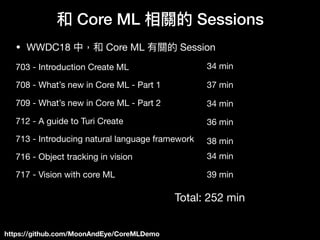
• WWDC18 中,和 Core ML 有關的 Session

703 - Introduction Create ML 

708 - What’s new in Core ML - Part 1

709 - What’s new in Core ML - Part 2

712 - A guide to Turi Create

713 - Introducing natural language framework

716 - Object tracking in vision

717 - Vision with core ML
和 Core ML 相關的 Sessions
34 min
37 min
34 min
36 min
38 min
34 min
39 min
Total: 252 min
https://github.com/MoonAndEye/CoreMLDemo
無法在這個 talk 放入的內容
Session 703 - CreateML
Quantization (縮⼩小模型的容量量)

batch processing (提升批次處理理訓練的速度)

custom layer in CNN (導入最新理理論的 layer 在繼有模型上).
使⽤用 Playground 訓練模型 (下⼀一個 talk 的講者在這個場地會介紹),如果是
Image Classification 的任務,建議⽤用 Create ML
Session 708 & 709 - What’s new in Core ML (部分內容)
Session 716 & 717 - Vision (部分內容)
VNTranslationalImageRegistrationRequest (比對畫⾯面移動,減少硬體消耗)

Tracking Object (追蹤的演算法比較輕量量,且畫⾯面呈現比較滑順)
⽤用結構化資料訓練模型
https://github.com/MoonAndEye/CoreMLDemo
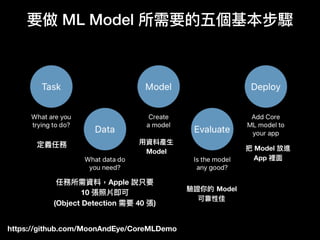
要做 ML Model 所需要的五個基本步驟
定義任務
任務所需資料,Apple 說只要
10 張照片即可 

(Object Detection 需要 40 張)
⽤用資料產⽣生
Model
驗證你的 Model
可靠性佳
把 Model 放進
App 裡⾯面
https://github.com/MoonAndEye/CoreMLDemo
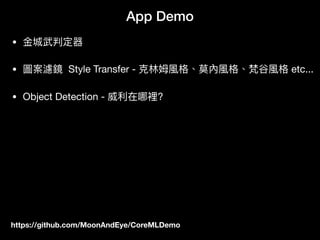
App Demo
• ⾦金金城武判定器

• 圖案濾鏡 Style Transfer - 克林林姆風格、莫內風格、梵⾕谷風格 etc...

• Object Detection - 威利利在哪裡?
https://github.com/MoonAndEye/CoreMLDemo
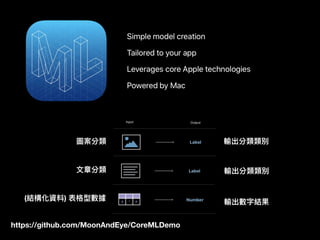
圖案分類
⽂文章分類
(結構化資料) 表格型數據
輸出分類類別
輸出分類類別
輸出數字結果
https://github.com/MoonAndEye/CoreMLDemo
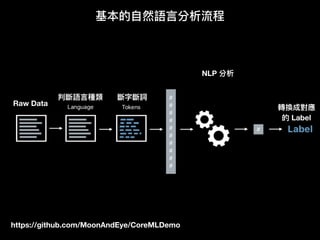
基本的⾃自然語⾔言分析流程
Raw Data
判斷語⾔言種類 斷字斷詞
NLP 分析
轉換成對應
的 Label
https://github.com/MoonAndEye/CoreMLDemo
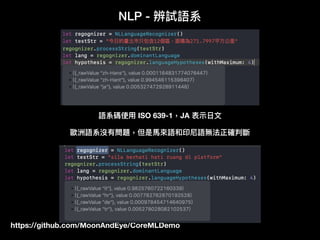
NLP - 辨試語系
語系碼使⽤用 ISO 639-1,JA 表⽰示⽇日⽂文
歐洲語系沒有問題,但是⾺馬來來語和印尼語無法正確判斷
https://github.com/MoonAndEye/CoreMLDemo
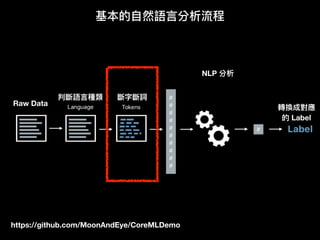
基本的⾃自然語⾔言分析流程
Raw Data
判斷語⾔言種類 斷字斷詞
NLP 分析
轉換成對應
的 Label
https://github.com/MoonAndEye/CoreMLDemo
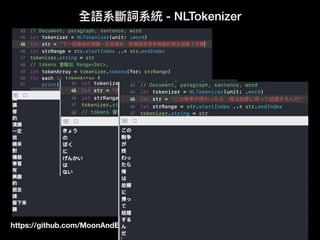
全語系斷詞系統 - NLTokenizer
https://github.com/MoonAndEye/CoreMLDemo
⽬目前知名的 ML 框架
https://github.com/MoonAndEye/CoreMLDemo
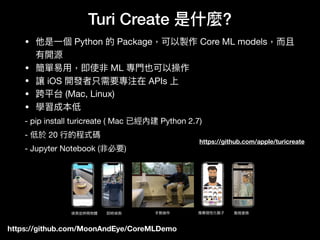
Turi Create 是什什麼?
• 他是⼀一個 Python 的 Package,可以製作 Core ML models,⽽而且
有開源 

• 簡單易易⽤用,即使非 ML 專⾨門也可以操作

• 讓 iOS 開發者只需要專注在 APIs 上

• 跨平台 (Mac, Linux)

• 學習成本低

- pip install turicreate ( Mac 已經內建 Python 2.7)

- 低於 20 ⾏行行的程式碼

- Jupyter Notebook (非必要)
https://github.com/apple/turicreate
https://github.com/MoonAndEye/CoreMLDemo
Jupyter Notebook
• Image Classifier

• Style Transfer

• Object Detection
https://github.com/MoonAndEye/CoreMLDemo
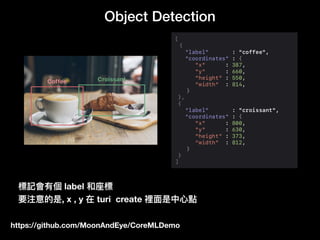
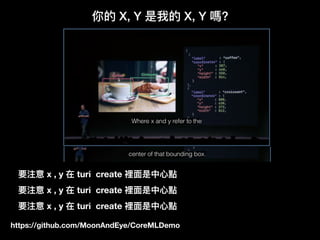
Object Detection
標記會有個 label 和座標
要注意的是, x , y 在 turi create 裡⾯面是中⼼心點
https://github.com/MoonAndEye/CoreMLDemo
你的 X, Y 是我的 X, Y 嗎?
要注意 x , y 在 turi create 裡⾯面是中⼼心點
https://github.com/MoonAndEye/CoreMLDemo
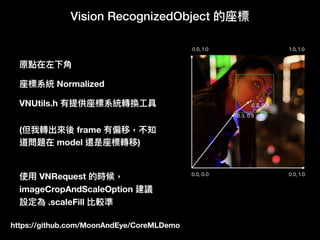
Vision RecognizedObject 的座標
原點在左下⾓角
座標系統 Normalized
(但我轉出來來後 frame 有偏移,不知
道問題在 model 還是座標轉移)
VNUtils.h 有提供座標系統轉換⼯工具
使⽤用 VNRequest 的時候,
imageCropAndScaleOption 建議
設定為 .scaleFill 比較準
https://github.com/MoonAndEye/CoreMLDemo
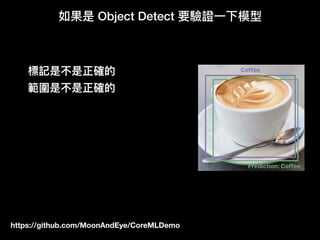
如果是 Object Detect 要驗證⼀一下模型
標記是不是正確的
範圍是不是正確的
https://github.com/MoonAndEye/CoreMLDemo
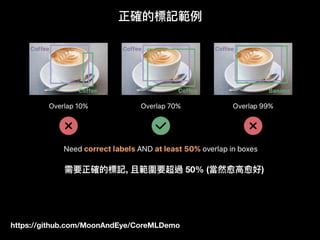
正確的標記範例例
需要正確的標記, 且範圍要超過 50% (當然愈⾼高愈好)
https://github.com/MoonAndEye/CoreMLDemo
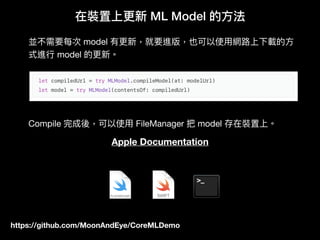
在裝置上更更新 ML Model 的⽅方法
並不需要每次 model 有更更新,就要進版,也可以使⽤用網路路上下載的⽅方
式進⾏行行 model 的更更新。
Compile 完成後,可以使⽤用 FileManager 把 model 存在裝置上。
Apple Documentation
https://github.com/MoonAndEye/CoreMLDemo
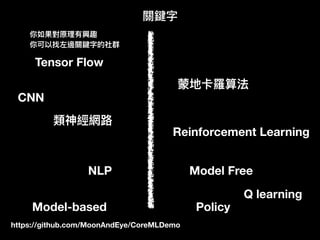
關鍵字
Tensor Flow
CNN
類神經網路路
NLP
蒙地卡羅算法
Reinforcement Learning
Model Free
Model-based
Q learning
Policy
你如果對原理理有興趣
你可以找左邊關鍵字的社群
https://github.com/MoonAndEye/CoreMLDemo
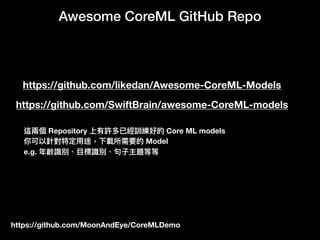
Awesome CoreML GitHub Repo
https://github.com/likedan/Awesome-CoreML-Models
https://github.com/SwiftBrain/awesome-CoreML-models
這兩兩個 Repository 上有許多已經訓練好的 Core ML models
你可以針對特定⽤用途,下載所需要的 Model
e.g. 年年齡識別、⽬目標識別、句句⼦子主題等等
https://github.com/MoonAndEye/CoreMLDemo
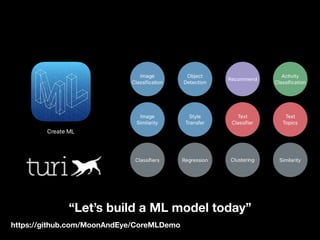
“Let’s build a ML model today”

Core ML Sessions in WWDC 18