
Glory IT Technologies
Core Java Online Training
Prerequisites
Should have a basic knowledge of oops.
1. Introduction to Java
 Evolutions of Programming languages and
History of Java
 Features of Java
 Understand Java platform and environment(Java
Compilers, VM and API)
 Installation of Java and Path settings
2. Language Fundamentals
 Basic structure of Java program
 IDEs and example of IDEs like eclipse and Net
Beans
 Explanation of Basic OOPs concepts like Class
and Object
 Data types, Variables ,Literals and default values
 Identifiers and Keywords
3. Operators and Assignments
Assignment operators
Arithmetic operators
Relational operators
Logical operators
Misc operators (Conditional operator and
Instance of Operator)
Operator precedence.
4. Loop Control and Decision
making
 While, do…while , for loop
 If, If…else, If…else… if…else
 Break and Continue keywords
 Switch statement
4. Loop Control and Decision
making
Programming sessions
 Hellow World Example
 Creating Bank Account, Employee Class and
Objects
 Calculating Factorial of Number
 Calculating Fibonacci series
 Student Result program
 Practice program for using break and continue
statements
 Quiz
5. Object oriented programming
 Class and Object: define class, creating objects and
member access
 Constructors :default, parameterized and
overloading of constructors
 Methods: creating and accessing of methods, return
types and overloading of methods
 Method Pass by value and Pass by reference
 Inheritance : extends keyword, inheritance hierarchy
 Super keyword: Constructors, methods and
variables.
 Type Casting of Object
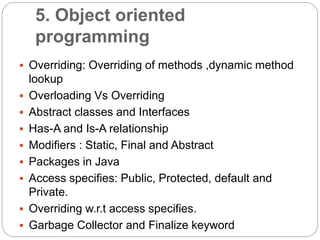
5. Object oriented
programming
 Overriding: Overriding of methods ,dynamic method
lookup
 Overloading Vs Overriding
 Abstract classes and Interfaces
 Has-A and Is-A relationship
 Modifiers : Static, Final and Abstract
 Packages in Java
 Access specifies: Public, Protected, default and
Private.
 Overriding w.r.t access specifies.
 Garbage Collector and Finalize keyword
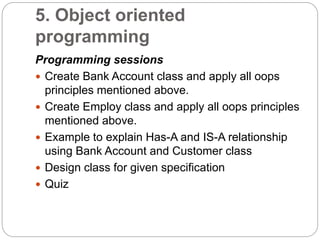
5. Object oriented
programming
Programming sessions
 Create Bank Account class and apply all oops
principles mentioned above.
 Create Employ class and apply all oops principles
mentioned above.
 Example to explain Has-A and IS-A relationship
using Bank Account and Customer class
 Design class for given specification
 Quiz
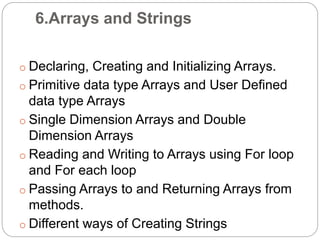
6.Arrays and Strings
o Declaring, Creating and Initializing Arrays.
o Primitive data type Arrays and User Defined
data type Arrays
o Single Dimension Arrays and Double
Dimension Arrays
o Reading and Writing to Arrays using For loop
and For each loop
o Passing Arrays to and Returning Arrays from
methods.
o Different ways of Creating Strings
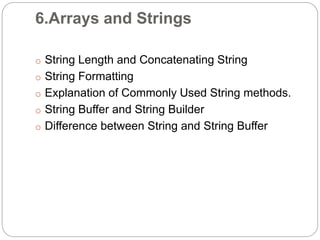
6.Arrays and Strings
o String Length and Concatenating String
o String Formatting
o Explanation of Commonly Used String methods.
o String Buffer and String Builder
o Difference between String and String Buffer
6.Arrays and Strings
Programming Sessions
 Program for Sorting of Array
 Program for Searching of element inside Array
 Program to explain storing and retrieval of Objects in
Array
 Program to explain Array Index OutofBound
exception
 Program to explain String object creation in String
Pool
6.Arrays and Strings
 Program to explain splitting of String based on
special character
 Program to explain creating substrings
 Program to Revers String
 Program to explain Usage of String Buffer and
String Builder
 Quiz
7. Fundamental Classes
 Object class
 Overview of java. lang package
 Wrapper classes
 Math class
 System class
 Date and Calendar class
7. Fundamental Classes
Programming session
Program to Display Current date and time
Program to explain adding of days,
months, years to Current Date.
Program to explain different formats of
Date.
Program to explain different functions of
Math class
Program to explain different functions of
System class
Quiz
8. Exception Handling
Understand Exception handling mechanism
Difference between error and exception?
Why Exception handling is important?
Usage of Try, Catch, Finally, Throws and Throw
in exception handling mechanism.
Understand different types of Exception
(Checked Exception and Unchecked Exception)
How to write Custom Exception class and need
for it?
Rules on overriding of methods
8. Exception Handling
Programming session:
 Program to explain abnormal situations in
execution
 Handling of different exceptions using try,
catch and finally.
 Example to explain propagation of
Exceptions using throws clause.
 Example to explain Throw usage
 Writing Custom Exceptions
 Printing stack trace to console
 Quiz
9. Threads
What is Process and Thread?
Why use Threads?
Creating Thread using Thread class and Runnable
interface.
Thread life cycle
Thread control methods :
Start(),Sleep(),Join(),Yield();
Thread scheduler and priority
Thread synchronization: Synchronize, wait(),notify(),
notify All
9. Threads
Programming session:
Program to identify name of Running Thread
Program to know status of Threads
Creation of Nubmer Thread and Character
Threads to explain Thread creation methods and
control methods.
Banking Application to explain Thread
synchronization
Quiz
10. Collection framework
o Understand Collection Framework
o List :Array List, Linked List and Vector
o Implementing equals and Hash code method
o Set :Hash Set ,Linked Hash Set and Tree Set
o Maps: Hash Map, Linked Hash Map ,Tree
Map and Hash Table
o Stack and Queues
o Usage of Comparator and Comparable
o Collections class
o Generics
10. Collection framework
Programming session:
 Print sum of numbers in Array List
 Get first and last element of Linked List
 Usage of different types of Collection like List,
Set and Maps
 Removing specific elements from Collection
 Sorting Employee objects in List based on
Name using Comparable and Comparator.
 Usage of Generics
 Quiz
11. Files and I/O
 Console I/O
 Byte streams
 Character streams
 Reading and Writing files
 I/O wrapper classes
 Serialization
11. Files and I/O
Programming session:
Reading data from File
Writing data to File
Usage of I/O wrapper classes to read or
write data from file
List our all files inside directory
Serialization and deserialization of
Employee class.
Quiz
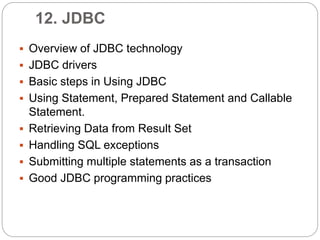
12. JDBC
 Overview of JDBC technology
 JDBC drivers
 Basic steps in Using JDBC
 Using Statement, Prepared Statement and Callable
Statement.
 Retrieving Data from Result Set
 Handling SQL exceptions
 Submitting multiple statements as a transaction
 Good JDBC programming practices
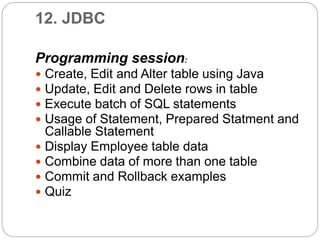
12. JDBC
Programming session:
 Create, Edit and Alter table using Java
 Update, Edit and Delete rows in table
 Execute batch of SQL statements
 Usage of Statement, Prepared Statment and
Callable Statement
 Display Employee table data
 Combine data of more than one table
 Commit and Rollback examples
 Quiz
THANK YOU

Core java online training

  • 1.
    Glory IT Technologies CoreJava Online Training
  • 2.
    Prerequisites Should have abasic knowledge of oops.
  • 3.
    1. Introduction toJava  Evolutions of Programming languages and History of Java  Features of Java  Understand Java platform and environment(Java Compilers, VM and API)  Installation of Java and Path settings
  • 4.
    2. Language Fundamentals Basic structure of Java program  IDEs and example of IDEs like eclipse and Net Beans  Explanation of Basic OOPs concepts like Class and Object  Data types, Variables ,Literals and default values  Identifiers and Keywords
  • 5.
    3. Operators andAssignments Assignment operators Arithmetic operators Relational operators Logical operators Misc operators (Conditional operator and Instance of Operator) Operator precedence.
  • 6.
    4. Loop Controland Decision making  While, do…while , for loop  If, If…else, If…else… if…else  Break and Continue keywords  Switch statement
  • 7.
    4. Loop Controland Decision making Programming sessions  Hellow World Example  Creating Bank Account, Employee Class and Objects  Calculating Factorial of Number  Calculating Fibonacci series  Student Result program  Practice program for using break and continue statements  Quiz
  • 8.
    5. Object orientedprogramming  Class and Object: define class, creating objects and member access  Constructors :default, parameterized and overloading of constructors  Methods: creating and accessing of methods, return types and overloading of methods  Method Pass by value and Pass by reference  Inheritance : extends keyword, inheritance hierarchy  Super keyword: Constructors, methods and variables.  Type Casting of Object
  • 9.
    5. Object oriented programming Overriding: Overriding of methods ,dynamic method lookup  Overloading Vs Overriding  Abstract classes and Interfaces  Has-A and Is-A relationship  Modifiers : Static, Final and Abstract  Packages in Java  Access specifies: Public, Protected, default and Private.  Overriding w.r.t access specifies.  Garbage Collector and Finalize keyword
  • 10.
    5. Object oriented programming Programmingsessions  Create Bank Account class and apply all oops principles mentioned above.  Create Employ class and apply all oops principles mentioned above.  Example to explain Has-A and IS-A relationship using Bank Account and Customer class  Design class for given specification  Quiz
  • 11.
    6.Arrays and Strings oDeclaring, Creating and Initializing Arrays. o Primitive data type Arrays and User Defined data type Arrays o Single Dimension Arrays and Double Dimension Arrays o Reading and Writing to Arrays using For loop and For each loop o Passing Arrays to and Returning Arrays from methods. o Different ways of Creating Strings
  • 12.
    6.Arrays and Strings oString Length and Concatenating String o String Formatting o Explanation of Commonly Used String methods. o String Buffer and String Builder o Difference between String and String Buffer
  • 13.
    6.Arrays and Strings ProgrammingSessions  Program for Sorting of Array  Program for Searching of element inside Array  Program to explain storing and retrieval of Objects in Array  Program to explain Array Index OutofBound exception  Program to explain String object creation in String Pool
  • 14.
    6.Arrays and Strings Program to explain splitting of String based on special character  Program to explain creating substrings  Program to Revers String  Program to explain Usage of String Buffer and String Builder  Quiz
  • 15.
    7. Fundamental Classes Object class  Overview of java. lang package  Wrapper classes  Math class  System class  Date and Calendar class
  • 16.
    7. Fundamental Classes Programmingsession Program to Display Current date and time Program to explain adding of days, months, years to Current Date. Program to explain different formats of Date. Program to explain different functions of Math class Program to explain different functions of System class Quiz
  • 17.
    8. Exception Handling UnderstandException handling mechanism Difference between error and exception? Why Exception handling is important? Usage of Try, Catch, Finally, Throws and Throw in exception handling mechanism. Understand different types of Exception (Checked Exception and Unchecked Exception) How to write Custom Exception class and need for it? Rules on overriding of methods
  • 18.
    8. Exception Handling Programmingsession:  Program to explain abnormal situations in execution  Handling of different exceptions using try, catch and finally.  Example to explain propagation of Exceptions using throws clause.  Example to explain Throw usage  Writing Custom Exceptions  Printing stack trace to console  Quiz
  • 19.
    9. Threads What isProcess and Thread? Why use Threads? Creating Thread using Thread class and Runnable interface. Thread life cycle Thread control methods : Start(),Sleep(),Join(),Yield(); Thread scheduler and priority Thread synchronization: Synchronize, wait(),notify(), notify All
  • 20.
    9. Threads Programming session: Programto identify name of Running Thread Program to know status of Threads Creation of Nubmer Thread and Character Threads to explain Thread creation methods and control methods. Banking Application to explain Thread synchronization Quiz
  • 21.
    10. Collection framework oUnderstand Collection Framework o List :Array List, Linked List and Vector o Implementing equals and Hash code method o Set :Hash Set ,Linked Hash Set and Tree Set o Maps: Hash Map, Linked Hash Map ,Tree Map and Hash Table o Stack and Queues o Usage of Comparator and Comparable o Collections class o Generics
  • 22.
    10. Collection framework Programmingsession:  Print sum of numbers in Array List  Get first and last element of Linked List  Usage of different types of Collection like List, Set and Maps  Removing specific elements from Collection  Sorting Employee objects in List based on Name using Comparable and Comparator.  Usage of Generics  Quiz
  • 23.
    11. Files andI/O  Console I/O  Byte streams  Character streams  Reading and Writing files  I/O wrapper classes  Serialization
  • 24.
    11. Files andI/O Programming session: Reading data from File Writing data to File Usage of I/O wrapper classes to read or write data from file List our all files inside directory Serialization and deserialization of Employee class. Quiz
  • 25.
    12. JDBC  Overviewof JDBC technology  JDBC drivers  Basic steps in Using JDBC  Using Statement, Prepared Statement and Callable Statement.  Retrieving Data from Result Set  Handling SQL exceptions  Submitting multiple statements as a transaction  Good JDBC programming practices
  • 26.
    12. JDBC Programming session: Create, Edit and Alter table using Java  Update, Edit and Delete rows in table  Execute batch of SQL statements  Usage of Statement, Prepared Statment and Callable Statement  Display Employee table data  Combine data of more than one table  Commit and Rollback examples  Quiz
  • 27.