Topic 2: Java Basics
Readings: Chapter 3
Advanced Programming Techniques
Objective and Outline
• Objective
– Show basic programming concepts
• Outline
– What do java programs look like?
– Basic ingredients
• Java primitive types
• Variables and constants
• Operators and control flow
– Simple commonly used built-ins.
• Simple input/output
• Arrays and Strings
What do java program look like?
public class MyProgram {
public static void main(String
args[])
{
System.out.println(“Hello world!”);
}
} //File: MyProgram.javapublic: Access modifier
class: everything is inside a class
MyProgram: class name.
matches file name.
Case sensitive
main: method of the wrapping
class
Compilation and run:
javac MyProgram.java
=> MyProgram.class
java MyProgram
Objective and Outline
• Outline
– What do java programs look like?
– Basic ingredients
• Java primitive types
• Variables and constants
• Operators and control flow
– Simple commonly used built-ins.
• Simple input/output
• Arrays and Strings
Basic Ingredients/Primitive Types
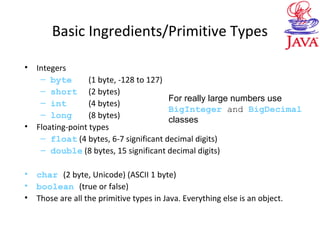
• Integers
– byte (1 byte, -128 to 127)
– short (2 bytes)
– int (4 bytes)
– long (8 bytes)
• Floating-point types
– float (4 bytes, 6-7 significant decimal digits)
– double (8 bytes, 15 significant decimal digits)
• char (2 byte, Unicode) (ASCII 1 byte)
• boolean (true or false)
• Those are all the primitive types in Java. Everything else is an object.
For really large numbers use
BigInteger and BigDecimal
classes
Basic Ingredients/Primitive Types
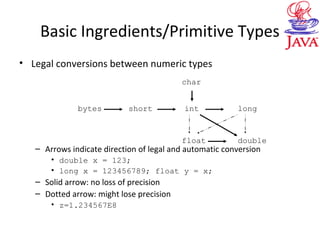
• Legal conversions between numeric types
– Arrows indicate direction of legal and automatic conversion
• double x = 123;
• long x = 123456789; float y = x;
– Solid arrow: no loss of precision
– Dotted arrow: might lose precision
• z=1.234567E8
bytes short
double
int long
float
char
Basic Ingredients/Primitive Types
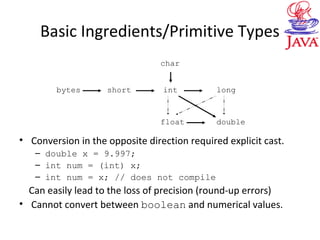
• Conversion in the opposite direction required explicit cast.
– double x = 9.997;
– int num = (int) x;
– int num = x; // does not compile
Can easily lead to the loss of precision (round-up errors)
• Cannot convert between boolean and numerical values.
bytes short
double
int long
float
char
Objective and Outline
• Outline
– What do java programs look like?
– Basic ingredients
• Java primitive types
• Variables and constants
• Operators and control flow
– Simple commonly used built-ins.
• Simple input/output
• Arrays and Strings
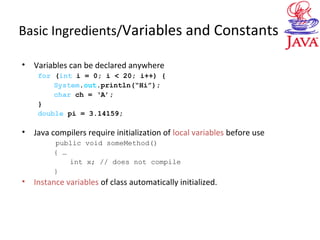
Basic Ingredients/Variables and Constants
• Variables can be declared anywhere
for (int i = 0; i < 20; i++) {
System.out.println(“Hi”);
char ch = ‘A’;
}
double pi = 3.14159;
• Java compilers require initialization of local variables before use
public void someMethod()
{ …
int x; // does not compile
}
• Instance variables of class automatically initialized.
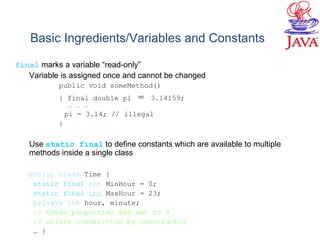
Basic Ingredients/Variables and Constants
final marks a variable “read-only”
Variable is assigned once and cannot be changed
public void someMethod()
{ final double pi = 3.14159;
.. .. ..
pi = 3.14; // illegal
}
Use static final to define constants which are available to multiple
methods inside a single class
public class Time {
static final int MinHour = 0;
static final int MaxHour = 23;
private int hour, minute;
// these properties are set to 0
// unless overwritten by constructor
… }
Objective and Outline
• Outline
– What do java programs look like?
– Basic ingredients
• Java primitive types
• Variables and constants
• Operators and control flow
– Simple commonly used built-ins.
• Simple input/output
• Arrays and Strings
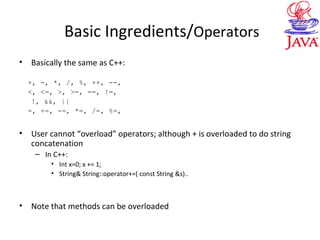
Basic Ingredients/Operators
• Basically the same as C++:
+, -, *, /, %, ++, --,
<, <=, >, >=, ==, !=,
!, &&, ||
=, +=, -=, *=, /=, %=,
• User cannot “overload” operators; although + is overloaded to do string
concatenation
– In C++:
• Int x=0; x += 1;
• String& String::operator+=( const String &s)..
• Note that methods can be overloaded
Basic Ingredients /Operators
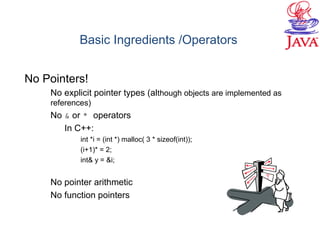
No Pointers!
No explicit pointer types (although objects are implemented as
references)
No & or * operators
In C++:
int *i = (int *) malloc( 3 * sizeof(int));
(i+1)* = 2;
int& y = &i;
No pointer arithmetic
No function pointers
Basic Ingredients/Control flow
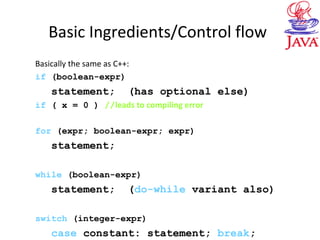
Basically the same as C++:
if (boolean-expr)
statement; (has optional else)
if ( x = 0 ) //leads to compiling error
for (expr; boolean-expr; expr)
statement;
while (boolean-expr)
statement; (do-while variant also)
switch (integer-expr)
case constant: statement; break;
Basic Ingredients/Control flow
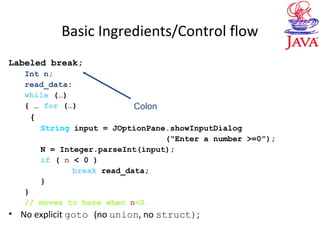
Labeled break;
Int n;
read_data:
while (…)
{ … for (…)
{
String input = JOptionPane.showInputDialog
(“Enter a number >=0”);
N = Integer.parseInt(input);
if ( n < 0 )
break read_data;
}
}
// moves to here when n<0.
• No explicit goto (no union, no struct);
Colon
Basic Ingredients/Control flow
Recursion
Basically the same as C++:
public class Factorial
{
public static int factorial( int n ) {
if ( n <=1 ) return 1;
return factorial( n-1 ) * n;
}
public static void main(String args[])
{
System.out.println( factorial ( 4 ) );
}
}//Factorial.java
Objective and Outline
• Outline
– What do java programs look like?
– Basic ingredients
• Java primitive types
• Variables and constants
• Operators and control flow
– Simple commonly used built-ins.
• Simple input/output
• Arrays and Strings
Simple Input/Output
• Contents
– Writing to standard output
– Reading keyboard input via dialog box
– Formatting output
• We discuss I/O in more detail later.
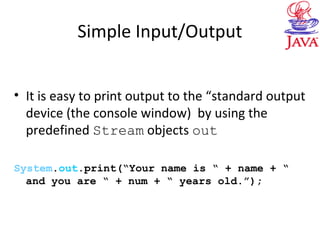
Simple Input/Output
• It is easy to print output to the “standard output
device (the console window) by using the
predefined Stream objects out
System.out.print(“Your name is “ + name + “
and you are “ + num + “ years old.”);
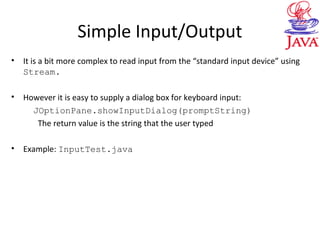
Simple Input/Output
• It is a bit more complex to read input from the “standard input device” using
Stream.
• However it is easy to supply a dialog box for keyboard input:
JOptionPane.showInputDialog(promptString)
The return value is the string that the user typed
• Example: InputTest.java
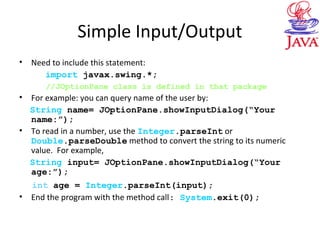
Simple Input/Output
• Need to include this statement:
import javax.swing.*;
//JOptionPane class is defined in that package
• For example: you can query name of the user by:
String name= JOptionPane.showInputDialog(“Your
name:”);
• To read in a number, use the Integer.parseInt or
Double.parseDouble method to convert the string to its numeric
value. For example,
String input= JOptionPane.showInputDialog(“Your
age:”);
int age = Integer.parseInt(input);
• End the program with the method call: System.exit(0);
Simple Input/Output
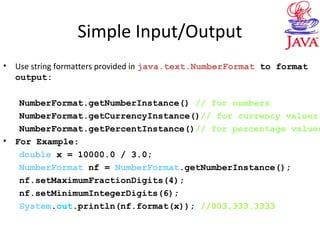
• Use string formatters provided in java.text.NumberFormat to format
output:
NumberFormat.getNumberInstance() // for numbers
NumberFormat.getCurrencyInstance()// for currency values
NumberFormat.getPercentInstance()// for percentage values
• For Example:
double x = 10000.0 / 3.0;
NumberFormat nf = NumberFormat.getNumberInstance();
nf.setMaximumFractionDigits(4);
nf.setMinimumIntegerDigits(6);
System.out.println(nf.format(x)); //003,333.3333
Objective and Outline
• Outline
– What do java programs look like?
– Basic ingredients
• Java primitive types
• Variables and constants
• Operators and control flow
– Simple commonly used built-ins.
• Simple input/output
• Arrays and Strings
Arrays
• Contents
– Arrays are objects
– Arrays are implemented as references
– Multidimensional arrays
Arrays
• Arrays are objects of class java.lang.reflect.Array
• Can’t specify size when declaring array
int arr[3]; // not legal in Java!
int arr[]; // okay
int[] arr; // okay (same as previous line)
• Arrays (as all objects) are dynamically allocated
int[] arr = new int[3];
• Before allocation, array variable is null
• All elements are zeroed when array allocated
• Destroyed automatically by garbage collector. No delete operator
• Shorthand to declare, allocate, and initialize
int[] arr = { 5, 10, 15, 20};
Arrays
• Java array (object) always knows its own length
int[] arr = {5, 20, 15, 10};
System.out.println(“Length is ” + arr.length);
• Elements indexed from 0 to length-1, like C++
• Raises exception for “ArrayIndexOutOfBounds”
• Length is fixed when allocated; create new array and
copy over to change length
Arrays
• Used in similar way as ordinary arrays
int sum(int[] arr)
{
int i, sum = 0;
for (i=0; i < arr.length; i++)
sum += arr[i];
return sum;
}
Arrays are references
• Arrays are objects, hence, are implemented as references
(reference is a pointer in disguise)
int[] arr = {5, 20, 15, 10};
int[] b = arr;
b[0] = 3; // arr[0] also becomes 3!
• Array copying (java.lang.System)
System.arraycopy(from, fromIndex, to, toindex, count);
int[] c;
System.arraycopy(arr, 0, c, 0, 4);
• Array sorting (java.util.Arrays)
Arrays.sort(arr) //use a tuned QuickSort
Array Examples
public class ArrayRef {
public static void main( String[] args ) {
int [] a = {0, 1, 2, 3, 4};
int [] b = {10, 11, 12, 13, 14};
a = b;
b = new int[] { 20, 21, 22, 23, 24 };
for (int i=0; i<a.length && i<b.length; i++)
{ System.out.println( a[i]+ ” ”+ b[i] ); }
}
}
// ArrayRef.java
//what is the output ?
Notice this quote
public class Swapping
{ public static void main(String argv[])
{ int[] a = {1,2,3};
for (int i=0; i<3; i++)
System.out.print(a[i]+" ");
System.out.print(“n”);
swap(a,0,2);
for (int i=0; i<3; i++)
System.out.print(a[i]+" ");
System.out.print(“n”);
}
public static void swap(int[] a, int i, int j)
{ int temp = a[j];
a[j]=a[i];
a[i]=temp;
}
} //Swapping.java
Multidimensional Arrays
int[][] matrix = new int[5][10];
int[] firstRow = matrix[0]; //ref to
1st row
int[] secondRow = matrix[1]; //ref to
2nd row
int firstElem = matrix[0][0];
firstElem = firstRow[0];
Strings
• Contents
– Strings are objects, immutable, differ from arrays
– Basic methods on Strings
– Convert String representation of numbers into
numbers
– StringBuffer, mutable version of Strings
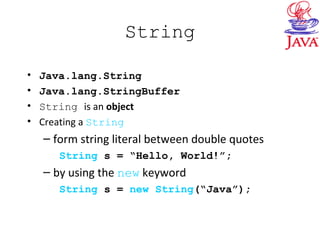
String
• Java.lang.String
• Java.lang.StringBuffer
• String is an object
• Creating a String
– form string literal between double quotes
String s = “Hello, World!”;
– by using the new keyword
String s = new String(“Java”);
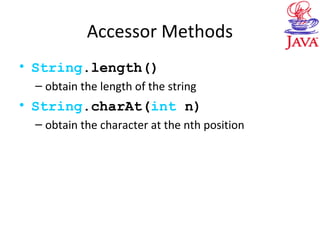
Accessor Methods
• String.length()
– obtain the length of the string
• String.charAt(int n)
– obtain the character at the nth position
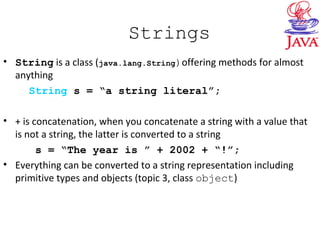
Strings
• String is a class (java.lang.String)offering methods for almost
anything
String s = “a string literal”;
• + is concatenation, when you concatenate a string with a value that
is not a string, the latter is converted to a string
s = “The year is ” + 2002 + “!”;
• Everything can be converted to a string representation including
primitive types and objects (topic 3, class object)
Strings
• A String is not an array. It is immutable. You cannot change a String
– but you can change the contents of a String variable and make it refer to a
different String.
String s = “Hello”;
s[2]=‘a’; // Illegal
s = “Bye”; //Legal
• Equality test:
s.equals(t) // determines whether s and t are same
s == t// determines whether s and t stored at same location
String Example
public class StringExample
{ public static void main(String argv[])
{
String h = “hello”;
String w = “world”;
System.out.println(h + “ “ +w);
w = h.substring(1,3);
w += "binky";
for (int i = 0; i < w.length(); i++)
System.out.println(w.charAt(i));
int pos = w.indexOf("in");
System.out.println("Starting position of "in
" in string " " + w + " " is " + pos);
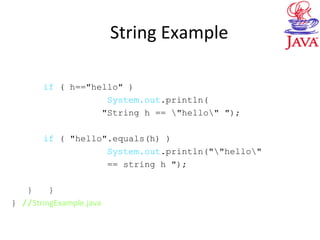
String Example
if ( h=="hello" )
System.out.println(
"String h == "hello" ");
if ( "hello".equals(h) )
System.out.println(""hello"
== string h ");
} }
} //StringExample.java
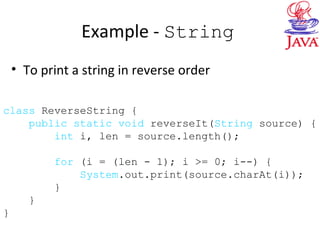
Example - String
• To print a string in reverse order
class ReverseString {
public static void reverseIt(String source) {
int i, len = source.length();
for (i = (len - 1); i >= 0; i--) {
System.out.print(source.charAt(i));
}
}
}
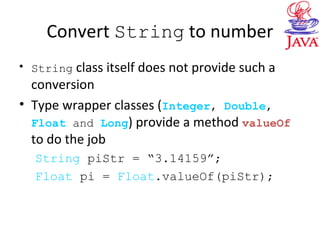
Convert String to number
• String class itself does not provide such a
conversion
• Type wrapper classes (Integer, Double,
Float and Long) provide a method valueOf
to do the job
String piStr = “3.14159”;
Float pi = Float.valueOf(piStr);
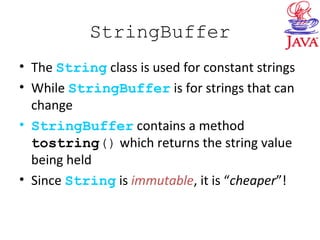
StringBuffer
• The String class is used for constant strings
• While StringBuffer is for strings that can
change
• StringBuffer contains a method
tostring() which returns the string value
being held
• Since String is immutable, it is “cheaper”!
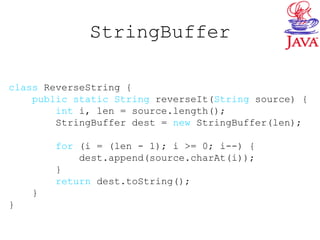
StringBuffer
class ReverseString {
public static String reverseIt(String source) {
int i, len = source.length();
StringBuffer dest = new StringBuffer(len);
for (i = (len - 1); i >= 0; i--) {
dest.append(source.charAt(i));
}
return dest.toString();
}
}
StringBuffer
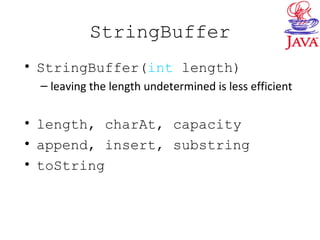
• StringBuffer(int length)
– leaving the length undetermined is less efficient
• length, charAt, capacity
• append, insert, substring
• toString
StringBuffer
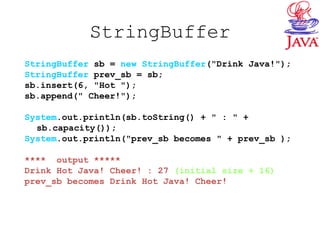
StringBuffer sb = new StringBuffer("Drink Java!");
StringBuffer prev_sb = sb;
sb.insert(6, "Hot ");
sb.append(" Cheer!");
System.out.println(sb.toString() + " : " +
sb.capacity());
System.out.println("prev_sb becomes " + prev_sb );
**** output *****
Drink Hot Java! Cheer! : 27 (initial size + 16)
prev_sb becomes Drink Hot Java! Cheer!

02basics

  • 1.
    Topic 2: JavaBasics Readings: Chapter 3 Advanced Programming Techniques
  • 2.
    Objective and Outline •Objective – Show basic programming concepts • Outline – What do java programs look like? – Basic ingredients • Java primitive types • Variables and constants • Operators and control flow – Simple commonly used built-ins. • Simple input/output • Arrays and Strings
  • 3.
    What do javaprogram look like? public class MyProgram { public static void main(String args[]) { System.out.println(“Hello world!”); } } //File: MyProgram.javapublic: Access modifier class: everything is inside a class MyProgram: class name. matches file name. Case sensitive main: method of the wrapping class Compilation and run: javac MyProgram.java => MyProgram.class java MyProgram
  • 4.
    Objective and Outline •Outline – What do java programs look like? – Basic ingredients • Java primitive types • Variables and constants • Operators and control flow – Simple commonly used built-ins. • Simple input/output • Arrays and Strings
  • 5.
    Basic Ingredients/Primitive Types •Integers – byte (1 byte, -128 to 127) – short (2 bytes) – int (4 bytes) – long (8 bytes) • Floating-point types – float (4 bytes, 6-7 significant decimal digits) – double (8 bytes, 15 significant decimal digits) • char (2 byte, Unicode) (ASCII 1 byte) • boolean (true or false) • Those are all the primitive types in Java. Everything else is an object. For really large numbers use BigInteger and BigDecimal classes
  • 6.
    Basic Ingredients/Primitive Types •Legal conversions between numeric types – Arrows indicate direction of legal and automatic conversion • double x = 123; • long x = 123456789; float y = x; – Solid arrow: no loss of precision – Dotted arrow: might lose precision • z=1.234567E8 bytes short double int long float char
  • 7.
    Basic Ingredients/Primitive Types •Conversion in the opposite direction required explicit cast. – double x = 9.997; – int num = (int) x; – int num = x; // does not compile Can easily lead to the loss of precision (round-up errors) • Cannot convert between boolean and numerical values. bytes short double int long float char
  • 8.
    Objective and Outline •Outline – What do java programs look like? – Basic ingredients • Java primitive types • Variables and constants • Operators and control flow – Simple commonly used built-ins. • Simple input/output • Arrays and Strings
  • 9.
    Basic Ingredients/Variables andConstants • Variables can be declared anywhere for (int i = 0; i < 20; i++) { System.out.println(“Hi”); char ch = ‘A’; } double pi = 3.14159; • Java compilers require initialization of local variables before use public void someMethod() { … int x; // does not compile } • Instance variables of class automatically initialized.
  • 10.
    Basic Ingredients/Variables andConstants final marks a variable “read-only” Variable is assigned once and cannot be changed public void someMethod() { final double pi = 3.14159; .. .. .. pi = 3.14; // illegal } Use static final to define constants which are available to multiple methods inside a single class public class Time { static final int MinHour = 0; static final int MaxHour = 23; private int hour, minute; // these properties are set to 0 // unless overwritten by constructor … }
  • 11.
    Objective and Outline •Outline – What do java programs look like? – Basic ingredients • Java primitive types • Variables and constants • Operators and control flow – Simple commonly used built-ins. • Simple input/output • Arrays and Strings
  • 12.
    Basic Ingredients/Operators • Basicallythe same as C++: +, -, *, /, %, ++, --, <, <=, >, >=, ==, !=, !, &&, || =, +=, -=, *=, /=, %=, • User cannot “overload” operators; although + is overloaded to do string concatenation – In C++: • Int x=0; x += 1; • String& String::operator+=( const String &s).. • Note that methods can be overloaded
  • 13.
    Basic Ingredients /Operators NoPointers! No explicit pointer types (although objects are implemented as references) No & or * operators In C++: int *i = (int *) malloc( 3 * sizeof(int)); (i+1)* = 2; int& y = &i; No pointer arithmetic No function pointers
  • 14.
    Basic Ingredients/Control flow Basicallythe same as C++: if (boolean-expr) statement; (has optional else) if ( x = 0 ) //leads to compiling error for (expr; boolean-expr; expr) statement; while (boolean-expr) statement; (do-while variant also) switch (integer-expr) case constant: statement; break;
  • 15.
    Basic Ingredients/Control flow Labeledbreak; Int n; read_data: while (…) { … for (…) { String input = JOptionPane.showInputDialog (“Enter a number >=0”); N = Integer.parseInt(input); if ( n < 0 ) break read_data; } } // moves to here when n<0. • No explicit goto (no union, no struct); Colon
  • 16.
    Basic Ingredients/Control flow Recursion Basicallythe same as C++: public class Factorial { public static int factorial( int n ) { if ( n <=1 ) return 1; return factorial( n-1 ) * n; } public static void main(String args[]) { System.out.println( factorial ( 4 ) ); } }//Factorial.java
  • 17.
    Objective and Outline •Outline – What do java programs look like? – Basic ingredients • Java primitive types • Variables and constants • Operators and control flow – Simple commonly used built-ins. • Simple input/output • Arrays and Strings
  • 18.
    Simple Input/Output • Contents –Writing to standard output – Reading keyboard input via dialog box – Formatting output • We discuss I/O in more detail later.
  • 19.
    Simple Input/Output • Itis easy to print output to the “standard output device (the console window) by using the predefined Stream objects out System.out.print(“Your name is “ + name + “ and you are “ + num + “ years old.”);
  • 20.
    Simple Input/Output • Itis a bit more complex to read input from the “standard input device” using Stream. • However it is easy to supply a dialog box for keyboard input: JOptionPane.showInputDialog(promptString) The return value is the string that the user typed • Example: InputTest.java
  • 21.
    Simple Input/Output • Needto include this statement: import javax.swing.*; //JOptionPane class is defined in that package • For example: you can query name of the user by: String name= JOptionPane.showInputDialog(“Your name:”); • To read in a number, use the Integer.parseInt or Double.parseDouble method to convert the string to its numeric value. For example, String input= JOptionPane.showInputDialog(“Your age:”); int age = Integer.parseInt(input); • End the program with the method call: System.exit(0);
  • 22.
    Simple Input/Output • Usestring formatters provided in java.text.NumberFormat to format output: NumberFormat.getNumberInstance() // for numbers NumberFormat.getCurrencyInstance()// for currency values NumberFormat.getPercentInstance()// for percentage values • For Example: double x = 10000.0 / 3.0; NumberFormat nf = NumberFormat.getNumberInstance(); nf.setMaximumFractionDigits(4); nf.setMinimumIntegerDigits(6); System.out.println(nf.format(x)); //003,333.3333
  • 23.
    Objective and Outline •Outline – What do java programs look like? – Basic ingredients • Java primitive types • Variables and constants • Operators and control flow – Simple commonly used built-ins. • Simple input/output • Arrays and Strings
  • 24.
    Arrays • Contents – Arraysare objects – Arrays are implemented as references – Multidimensional arrays
  • 25.
    Arrays • Arrays areobjects of class java.lang.reflect.Array • Can’t specify size when declaring array int arr[3]; // not legal in Java! int arr[]; // okay int[] arr; // okay (same as previous line) • Arrays (as all objects) are dynamically allocated int[] arr = new int[3]; • Before allocation, array variable is null • All elements are zeroed when array allocated • Destroyed automatically by garbage collector. No delete operator • Shorthand to declare, allocate, and initialize int[] arr = { 5, 10, 15, 20};
  • 26.
    Arrays • Java array(object) always knows its own length int[] arr = {5, 20, 15, 10}; System.out.println(“Length is ” + arr.length); • Elements indexed from 0 to length-1, like C++ • Raises exception for “ArrayIndexOutOfBounds” • Length is fixed when allocated; create new array and copy over to change length
  • 27.
    Arrays • Used insimilar way as ordinary arrays int sum(int[] arr) { int i, sum = 0; for (i=0; i < arr.length; i++) sum += arr[i]; return sum; }
  • 28.
    Arrays are references •Arrays are objects, hence, are implemented as references (reference is a pointer in disguise) int[] arr = {5, 20, 15, 10}; int[] b = arr; b[0] = 3; // arr[0] also becomes 3! • Array copying (java.lang.System) System.arraycopy(from, fromIndex, to, toindex, count); int[] c; System.arraycopy(arr, 0, c, 0, 4); • Array sorting (java.util.Arrays) Arrays.sort(arr) //use a tuned QuickSort
  • 29.
    Array Examples public classArrayRef { public static void main( String[] args ) { int [] a = {0, 1, 2, 3, 4}; int [] b = {10, 11, 12, 13, 14}; a = b; b = new int[] { 20, 21, 22, 23, 24 }; for (int i=0; i<a.length && i<b.length; i++) { System.out.println( a[i]+ ” ”+ b[i] ); } } } // ArrayRef.java //what is the output ? Notice this quote
  • 30.
    public class Swapping {public static void main(String argv[]) { int[] a = {1,2,3}; for (int i=0; i<3; i++) System.out.print(a[i]+" "); System.out.print(“n”); swap(a,0,2); for (int i=0; i<3; i++) System.out.print(a[i]+" "); System.out.print(“n”); } public static void swap(int[] a, int i, int j) { int temp = a[j]; a[j]=a[i]; a[i]=temp; } } //Swapping.java
  • 31.
    Multidimensional Arrays int[][] matrix= new int[5][10]; int[] firstRow = matrix[0]; //ref to 1st row int[] secondRow = matrix[1]; //ref to 2nd row int firstElem = matrix[0][0]; firstElem = firstRow[0];
  • 32.
    Strings • Contents – Stringsare objects, immutable, differ from arrays – Basic methods on Strings – Convert String representation of numbers into numbers – StringBuffer, mutable version of Strings
  • 33.
    String • Java.lang.String • Java.lang.StringBuffer •String is an object • Creating a String – form string literal between double quotes String s = “Hello, World!”; – by using the new keyword String s = new String(“Java”);
  • 34.
    Accessor Methods • String.length() –obtain the length of the string • String.charAt(int n) – obtain the character at the nth position
  • 35.
    Strings • String isa class (java.lang.String)offering methods for almost anything String s = “a string literal”; • + is concatenation, when you concatenate a string with a value that is not a string, the latter is converted to a string s = “The year is ” + 2002 + “!”; • Everything can be converted to a string representation including primitive types and objects (topic 3, class object)
  • 36.
    Strings • A Stringis not an array. It is immutable. You cannot change a String – but you can change the contents of a String variable and make it refer to a different String. String s = “Hello”; s[2]=‘a’; // Illegal s = “Bye”; //Legal • Equality test: s.equals(t) // determines whether s and t are same s == t// determines whether s and t stored at same location
  • 37.
    String Example public classStringExample { public static void main(String argv[]) { String h = “hello”; String w = “world”; System.out.println(h + “ “ +w); w = h.substring(1,3); w += "binky"; for (int i = 0; i < w.length(); i++) System.out.println(w.charAt(i)); int pos = w.indexOf("in"); System.out.println("Starting position of "in " in string " " + w + " " is " + pos);
  • 38.
    String Example if (h=="hello" ) System.out.println( "String h == "hello" "); if ( "hello".equals(h) ) System.out.println(""hello" == string h "); } } } //StringExample.java
  • 39.
    Example - String •To print a string in reverse order class ReverseString { public static void reverseIt(String source) { int i, len = source.length(); for (i = (len - 1); i >= 0; i--) { System.out.print(source.charAt(i)); } } }
  • 40.
    Convert String tonumber • String class itself does not provide such a conversion • Type wrapper classes (Integer, Double, Float and Long) provide a method valueOf to do the job String piStr = “3.14159”; Float pi = Float.valueOf(piStr);
  • 41.
    StringBuffer • The Stringclass is used for constant strings • While StringBuffer is for strings that can change • StringBuffer contains a method tostring() which returns the string value being held • Since String is immutable, it is “cheaper”!
  • 42.
    StringBuffer class ReverseString { publicstatic String reverseIt(String source) { int i, len = source.length(); StringBuffer dest = new StringBuffer(len); for (i = (len - 1); i >= 0; i--) { dest.append(source.charAt(i)); } return dest.toString(); } }
  • 43.
    StringBuffer • StringBuffer(int length) –leaving the length undetermined is less efficient • length, charAt, capacity • append, insert, substring • toString
  • 44.
    StringBuffer StringBuffer sb =new StringBuffer("Drink Java!"); StringBuffer prev_sb = sb; sb.insert(6, "Hot "); sb.append(" Cheer!"); System.out.println(sb.toString() + " : " + sb.capacity()); System.out.println("prev_sb becomes " + prev_sb ); **** output ***** Drink Hot Java! Cheer! : 27 (initial size + 16) prev_sb becomes Drink Hot Java! Cheer!