Chapter 4
Control Structures


                     http://www.java2all.com
Structured Programming
           “ There is No goto in Java ”
• Structured programming: the building blocks
• There are 3 different kinds of operations in a program:
      perform a sequence of actions,
      perform a selection between alternative actions, or
      perform a repetition or iteration of the same action.


            Sequence, Selection,       Iteration

                                                   http://www.java2all.com
Structured Programming
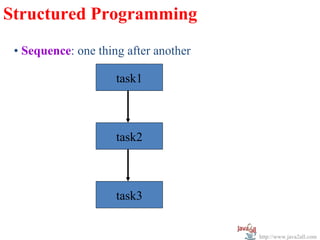
 • Sequence: one thing after another

                     task1


                     task2


                     task3


                                       http://www.java2all.com
Structured Programming
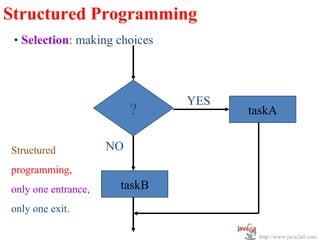
 • Selection: making choices


                               YES
                          ?          taskA


Structured           NO
programming,
only one entrance,    taskB
only one exit.

                                      http://www.java2all.com
Structured Programming
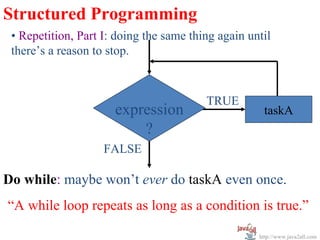
 • Repetition, Part I: doing the same thing again until
 there’s a reason to stop.


                                         TRUE
                      expression                     taskA
                          ?
                    FALSE

Do while: maybe won’t ever do taskA even once.
“A while loop repeats as long as a condition is true.”

                                                    http://www.java2all.com
Structured Programming
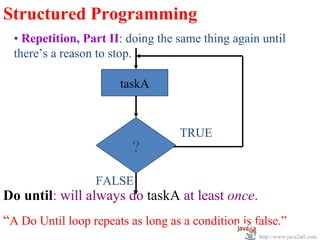
  • Repetition, Part II: doing the same thing again until
  there’s a reason to stop.

                       taskA


                                    TRUE
                          ?

                  FALSE
Do until: will always do taskA at least once.
“A Do Until loop repeats as long as a condition is false.”
                                                    http://www.java2all.com
Structured Programming


  Procedural Structured Programming
  • Begin at the top, move to the bottom.
  • Each program unit has only one entrance and only
  one exit.


                                                http://www.java2all.com
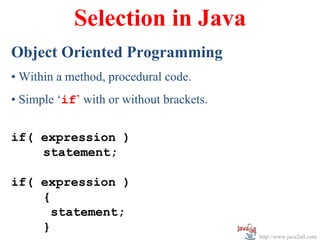
Selection in Java
Object Oriented Programming
• Within a method, procedural code.
• Simple ‘if’ with or without brackets.


if( expression )
    statement;

if( expression )
    {
      statement;
    }
                                          http://www.java2all.com
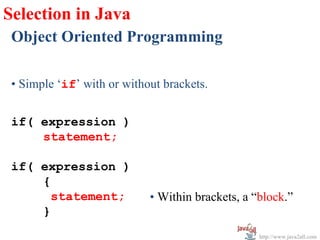
Selection in Java
 Object Oriented Programming

 • Simple ‘if’ with or without brackets.


 if( expression )
     statement;

 if( expression )
     {
       statement;           • Within brackets, a “block.”
     }
                                                  http://www.java2all.com
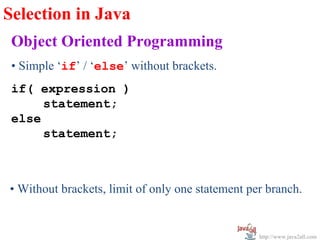
Selection in Java
 Object Oriented Programming
 • Simple ‘if’ / ‘else’ without brackets.
 if( expression )
      statement;
 else
      statement;


• Without brackets, limit of only one statement per branch.


                                                  http://www.java2all.com
w
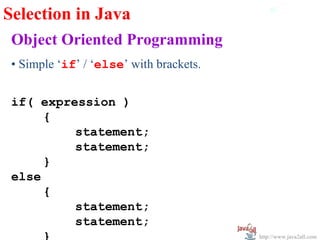
Selection in Java
 Object Oriented Programming
 • Simple ‘if’ / ‘else’ with brackets.


 if( expression )
      {
          statement;
          statement;
      }
 else
      {
          statement;
          statement;
      }                                  http://www.java2all.com
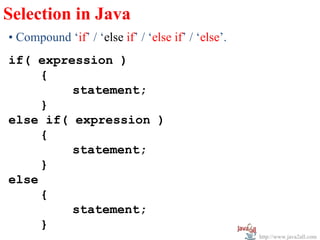
Selection in Java
• Compound ‘if’ / ‘else if’ / ‘else if’ / ‘else’.
if( expression )
     {
         statement;
     }
else if( expression )
     {
         statement;
     }
else
     {
         statement;
     }
                                                    http://www.java2all.com
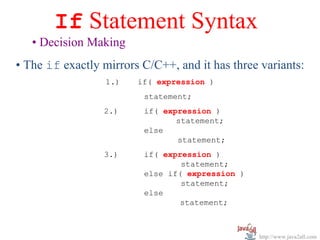
If Statement Syntax
   • Decision Making
• The if exactly mirrors C/C++, and it has three variants:
                  1.)   if( expression )
                         statement;
                 2.)     if( expression )
                                statement;
                         else
                                statement;
                 3.)     if( expression )
                                 statement;
                         else if( expression )
                                 statement;
                         else
                                 statement;


                                                 http://www.java2all.com
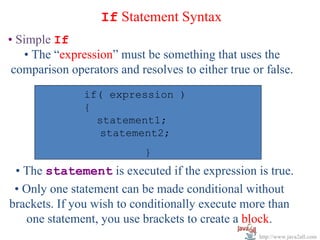
If Statement Syntax
• Simple If
   • The “expression” must be something that uses the
 comparison operators and resolves to either true or false.
               if( expression )
               if( expression )
               {         statement;
                 statement1;
                 statement2;
                            }
 • The statement is executed if the expression is true.
 • Only one statement can be made conditional without
brackets. If you wish to conditionally execute more than
   one statement, you use brackets to create a block.
                                                    http://www.java2all.com
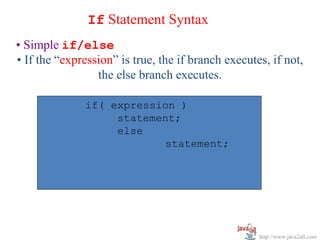
If Statement Syntax
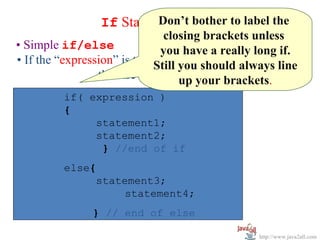
• Simple if/else
• If the “expression” is true, the if branch executes, if not,
                 the else branch executes.

              if( expression )
                   statement;
                   else
                           statement;


                                                    http://www.java2all.com
If Statement Syntax to label the
                           Don’t bother
                                closing brackets unless
• Simple if/else                you have a really long if.
• If the “expression” is true,Still if branch executes, if not,
                               the you should always line
                 the else branch executes. brackets.
                                     up your
         if( expression )
         if( expression )
         {
         {
              statement1;
              statement1;
              statement2;
              statement2;
       }       } //end of if              else
                                            {
          else{
               statement3;
         statement3;
                    statement4;
         statement4;                        }
              } // end of else

                                                     http://www.java2all.com
If Statement Syntax
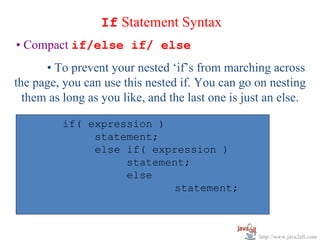
• Compact if/else if/ else
      • To prevent your nested ‘if’s from marching across
the page, you can use this nested if. You can go on nesting
  them as long as you like, and the last one is just an else.

          if( expression )
               statement;
               else if( expression )
                    statement;
                    else
                            statement;


                                                   http://www.java2all.com
Multiple-Selection Structure
  (switch selection statement)
• Once you start nesting many ‘if’s, it becomes a nuisance.
• Java—like C and C++ before it—provides the switch
structure, which provides multiple selections.
• Unfortunately—in contrast to Visual Basic’s Select
Case and even COBOL’s Evaluate—you cannot use
any of type of argument in the switch statement other
than an integer.

                                                 http://www.java2all.com
Multiple-Selection Structure
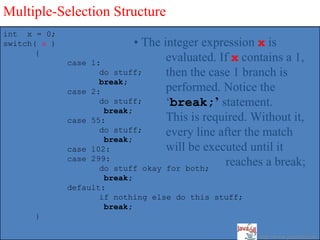
int x = 0;
switch( x )                    • The integer expression x is
       {
              case   1:
                                      evaluated. If x contains a 1,
                       do stuff;      then the case 1 branch is
                       break;
              case   2:               performed. Notice the
                       do stuff;      ‘break;’ statement.
                        break;
              case   55:              This is required. Without it,
                       do stuff;      every line after the match
                        break;
              case   102:             will be executed until it
              case   299:
                       do stuff okay for both;
                                                  reaches a break;
                      break;
              default:
                     if nothing else do this stuff;
                      break;
      }                                            w
                                                         http://www.java2all.com
Multiple-Selection Structure
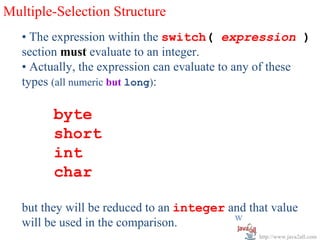
   • The expression within the switch( expression )
   section must evaluate to an integer.
   • Actually, the expression can evaluate to any of these
   types (all numeric but long):

         byte
         short
         int
         char

   but they will be reduced to an integer and that value
                                           w
   will be used in the comparison.
                                                http://www.java2all.com
Multiple-Selection Structure

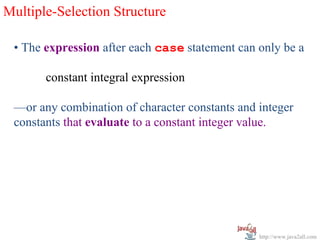
 • The expression after each case statement can only be a

       constant integral expression

 —or any combination of character constants and integer
 constants that evaluate to a constant integer value.


                                                http://www.java2all.com
Multiple-Selection Structure
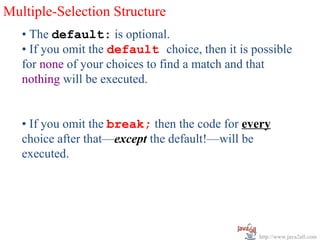
   • The default: is optional.
   • If you omit the default choice, then it is possible
   for none of your choices to find a match and that
   nothing will be executed.


   • If you omit the break; then the code for every
   choice after that—except the default!—will be
   executed.


                                                 http://www.java2all.com
Multiple-Selection Structure
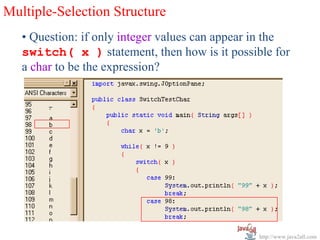
   • Question: if only integer values can appear in the
   switch( x ) statement, then how is it possible for
   a char to be the expression?


                                                 http://www.java2all.com
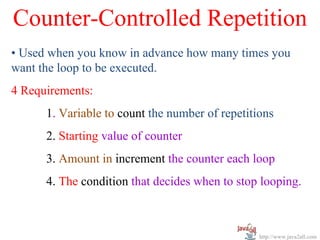
Counter-Controlled Repetition
• Used when you know in advance how many times you
want the loop to be executed.
4 Requirements:
      1. Variable to count the number of repetitions
      2. Starting value of counter
      3. Amount in increment the counter each loop
      4. The condition that decides when to stop looping.


                                                 http://www.java2all.com
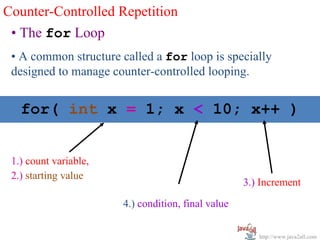
Counter-Controlled Repetition
 • The for Loop
 • A common structure called a for loop is specially
 designed to manage counter-controlled looping.


   for( int x = 1; x < 10; x++ )


 1.) count variable,
 2.) starting value
                                                    3.) Increment

                       4.) condition, final value

                                                       http://www.java2all.com
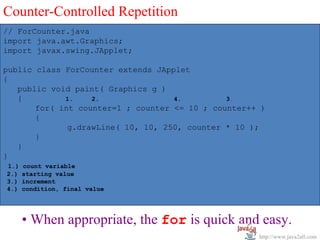
Counter-Controlled Repetition
// ForCounter.java
import java.awt.Graphics;
import javax.swing.JApplet;

public class ForCounter extends JApplet
{
   public void paint( Graphics g )
   {         1.    2.               4.         3.
       for( int counter=1 ; counter <= 10 ; counter++ )
       {
              g.drawLine( 10, 10, 250, counter * 10 );
       }
   }
}
1.)   count variable
2.)   starting value
3.)   increment
4.)   condition, final value


      • When appropriate, the for is quick and easy.
                                                     http://www.java2all.com
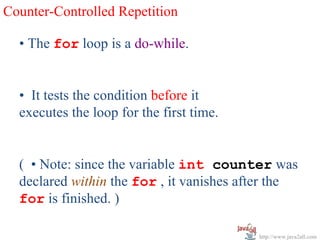
Counter-Controlled Repetition

  • The for loop is a do-while.


  • It tests the condition before it
  executes the loop for the first time.


  ( • Note: since the variable int counter was
  declared within the for , it vanishes after the
  for is finished. )

                                          http://www.java2all.com
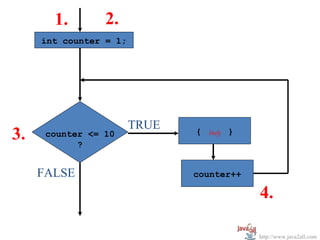
1.        2.
     int counter = 1;


                        TRUE
3.    counter <= 10
            ?
                               { body }


     FALSE                     counter++

                                           4.

                                           http://www.java2all.com
Counter-Controlled Repetition
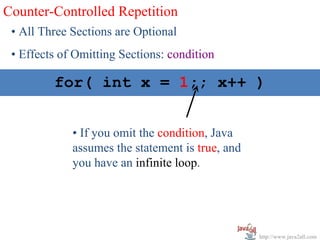
 • All Three Sections are Optional
 • Effects of Omitting Sections: condition

  for( int int x = x < 10; x++ )
      for( x = 1; 1;; x++ )


             • If you omit the condition, Java
             assumes the statement is true, and
             you have an infinite loop.


                                                  http://www.java2all.com
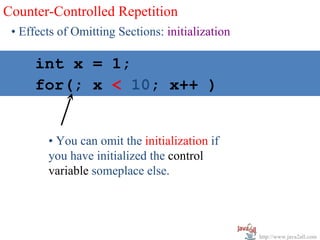
Counter-Controlled Repetition
 • Effects of Omitting Sections: initialization

    int x = 1;
   for( int x = 1; x++ )
    for(; x < 10; x < 10; x++ )


        • You can omit the initialization if
        you have initialized the control
        variable someplace else.


                                                  http://www.java2all.com
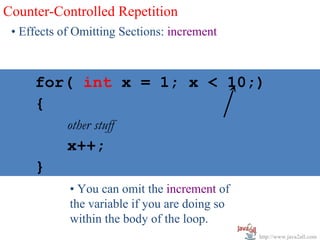
Counter-Controlled Repetition
 • Effects of Omitting Sections: increment


  for( int x x = 1; x < 10;)
   for( int = 1; x < 10; x++ )
   {
            other stuff
            x++;
     }
            • You can omit the increment of
            the variable if you are doing so
            within the body of the loop.
                                               http://www.java2all.com
Counter-Controlled Repetition


 • Can Use the while Loop
 • Although the while is usually used when we don’t
 know how many times we’re going to loop, it works just
 fine.
 • Still must supply the 4 Requirements.


                                                http://www.java2all.com
Repetition: while Part I

while—“the Do While”
• The Test is First


 while( expression )
          statement;


                       http://www.java2all.com
Repetition: while Part I
                       w

while—“the Do While”
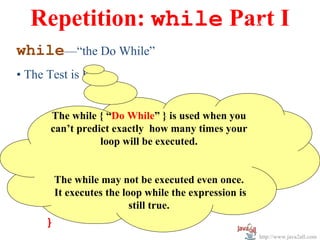
• The Test is First


       The while { “Do While” } is used when you
       can’t predict exactly how many times your
                  loop will be executed.

while( expression )
    { The while may not be executed even once.
            statement;
      It executes the loop while the expression is
            statement;  still true.
    }
                                                     http://www.java2all.com
// WhileTest.java
// Since "c" is already false when it reaches the
// test, the loop never executes.

public class DoWhile
{
   public static void main( String args[] )
   {
      boolean c = false

      while( c )
      {
          System.out.println( ”Execute DoWhile while c is
true" );
      }

        System.exit( 0 );
    }
}


                                                    http://www.java2all.com
Repetition: while Part w
                       II
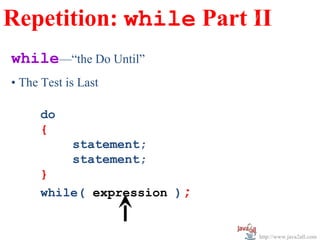
while—“the Do Until”
• The Test is Last

      do
      {
            statement;
            statement;
      }
      while( expression );


                             http://www.java2all.com
Repetition: while Part w
                       II
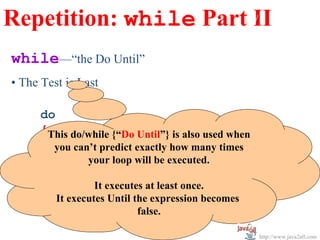
while—“the Do Until”
• The Test is Last

      do
      {This do/while {“Do Until”} is also used when
        you statement;
             can’t predict exactly how many times
             statement; be executed.
                your loop will
      }
                  It executes at least once.
      while( expression ); becomes
         It executes Until the expression
                          false.

                                                      http://www.java2all.com
// DoUntil.java
// Even though "c" begins the loop false,
// it still executes at least once.

public class DoUntil
{
   public static void main( String args[] )
   {
       boolean c = false;

        do
        {
             System.out.println( ”Execute DoUntil at least once " );
        }
        while( c );

        System.exit( 0 );
    }
}


                                                        http://www.java2all.com
Statements
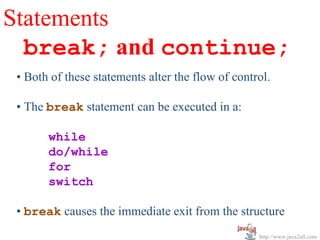
  break; and continue;
 • Both of these statements alter the flow of control.

 • The break statement can be executed in a:

       while
       do/while
       for
       switch

 • break causes the immediate exit from the structure
                                                   http://www.java2all.com
Statements break; and continue;
 • After a break exits the “structure”—whatever that
 is—execution resumes with the first statement
 following the structure.

 • If you have nested structures—be they a while,
 do/while/ for or switch—the break will only exit the
 innermost nesting.

 • break will not exit you out of all nests. To do that,
 you need another break*

 * There is a variant of the break called a labeled break
 —but this is similar to a goto and is frowned upon.

                                                   http://www.java2all.com
Statements break; and continue;
 • The continue statement, when used in a while or
 do/while or a for, skips the remaining code in the
 structure and returns up to the condition.

 • If the condition permits it, the next iteration of the
 loop is permitted to continue.

 • So, the continue is a “temporary break.”

 • The continue is only used in iterative structures,
 such as the while, do/while and for.


                                                     http://www.java2all.com
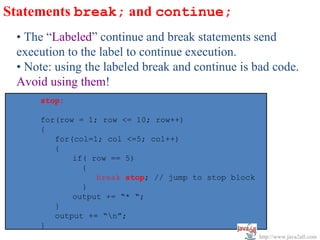
Statements break; and continue;
 • The “Labeled” continue and break statements send
 execution to the label to continue execution.
 • Note: using the labeled break and continue is bad code.
 Avoid using them!
     stop:

     for(row = 1; row <= 10; row++)
     {
        for(col=1; col <=5; col++)
        {
            if( row == 5)
              {
                 break stop; // jump to stop block
              }
            output += “* “;
        }
        output += “n”;
     }
                                                     http://www.java2all.com

Control statements

  • 1.
    Chapter 4 Control Structures http://www.java2all.com
  • 2.
    Structured Programming “ There is No goto in Java ” • Structured programming: the building blocks • There are 3 different kinds of operations in a program: perform a sequence of actions, perform a selection between alternative actions, or perform a repetition or iteration of the same action. Sequence, Selection, Iteration http://www.java2all.com
  • 3.
    Structured Programming •Sequence: one thing after another task1 task2 task3 http://www.java2all.com
  • 4.
    Structured Programming •Selection: making choices YES ? taskA Structured NO programming, only one entrance, taskB only one exit. http://www.java2all.com
  • 5.
    Structured Programming •Repetition, Part I: doing the same thing again until there’s a reason to stop. TRUE expression taskA ? FALSE Do while: maybe won’t ever do taskA even once. “A while loop repeats as long as a condition is true.” http://www.java2all.com
  • 6.
    Structured Programming • Repetition, Part II: doing the same thing again until there’s a reason to stop. taskA TRUE ? FALSE Do until: will always do taskA at least once. “A Do Until loop repeats as long as a condition is false.” http://www.java2all.com
  • 7.
    Structured Programming Procedural Structured Programming • Begin at the top, move to the bottom. • Each program unit has only one entrance and only one exit. http://www.java2all.com
  • 8.
    Selection in Java ObjectOriented Programming • Within a method, procedural code. • Simple ‘if’ with or without brackets. if( expression ) statement; if( expression ) { statement; } http://www.java2all.com
  • 9.
    Selection in Java Object Oriented Programming • Simple ‘if’ with or without brackets. if( expression ) statement; if( expression ) { statement; • Within brackets, a “block.” } http://www.java2all.com
  • 10.
    Selection in Java Object Oriented Programming • Simple ‘if’ / ‘else’ without brackets. if( expression ) statement; else statement; • Without brackets, limit of only one statement per branch. http://www.java2all.com
  • 11.
    w Selection in Java Object Oriented Programming • Simple ‘if’ / ‘else’ with brackets. if( expression ) { statement; statement; } else { statement; statement; } http://www.java2all.com
  • 12.
    Selection in Java •Compound ‘if’ / ‘else if’ / ‘else if’ / ‘else’. if( expression ) { statement; } else if( expression ) { statement; } else { statement; } http://www.java2all.com
  • 13.
    If Statement Syntax • Decision Making • The if exactly mirrors C/C++, and it has three variants: 1.) if( expression ) statement; 2.) if( expression ) statement; else statement; 3.) if( expression ) statement; else if( expression ) statement; else statement; http://www.java2all.com
  • 14.
    If Statement Syntax •Simple If • The “expression” must be something that uses the comparison operators and resolves to either true or false. if( expression ) if( expression ) { statement; statement1; statement2; } • The statement is executed if the expression is true. • Only one statement can be made conditional without brackets. If you wish to conditionally execute more than one statement, you use brackets to create a block. http://www.java2all.com
  • 15.
    If Statement Syntax •Simple if/else • If the “expression” is true, the if branch executes, if not, the else branch executes. if( expression ) statement; else statement; http://www.java2all.com
  • 16.
    If Statement Syntaxto label the Don’t bother closing brackets unless • Simple if/else you have a really long if. • If the “expression” is true,Still if branch executes, if not, the you should always line the else branch executes. brackets. up your if( expression ) if( expression ) { { statement1; statement1; statement2; statement2; } } //end of if else { else{ statement3; statement3; statement4; statement4; } } // end of else http://www.java2all.com
  • 17.
    If Statement Syntax •Compact if/else if/ else • To prevent your nested ‘if’s from marching across the page, you can use this nested if. You can go on nesting them as long as you like, and the last one is just an else. if( expression ) statement; else if( expression ) statement; else statement; http://www.java2all.com
  • 18.
    Multiple-Selection Structure (switch selection statement) • Once you start nesting many ‘if’s, it becomes a nuisance. • Java—like C and C++ before it—provides the switch structure, which provides multiple selections. • Unfortunately—in contrast to Visual Basic’s Select Case and even COBOL’s Evaluate—you cannot use any of type of argument in the switch statement other than an integer. http://www.java2all.com
  • 19.
    Multiple-Selection Structure int x= 0; switch( x ) • The integer expression x is { case 1: evaluated. If x contains a 1, do stuff; then the case 1 branch is break; case 2: performed. Notice the do stuff; ‘break;’ statement. break; case 55: This is required. Without it, do stuff; every line after the match break; case 102: will be executed until it case 299: do stuff okay for both; reaches a break; break; default: if nothing else do this stuff; break; } w http://www.java2all.com
  • 20.
    Multiple-Selection Structure • The expression within the switch( expression ) section must evaluate to an integer. • Actually, the expression can evaluate to any of these types (all numeric but long): byte short int char but they will be reduced to an integer and that value w will be used in the comparison. http://www.java2all.com
  • 21.
    Multiple-Selection Structure •The expression after each case statement can only be a constant integral expression —or any combination of character constants and integer constants that evaluate to a constant integer value. http://www.java2all.com
  • 22.
    Multiple-Selection Structure • The default: is optional. • If you omit the default choice, then it is possible for none of your choices to find a match and that nothing will be executed. • If you omit the break; then the code for every choice after that—except the default!—will be executed. http://www.java2all.com
  • 23.
    Multiple-Selection Structure • Question: if only integer values can appear in the switch( x ) statement, then how is it possible for a char to be the expression? http://www.java2all.com
  • 24.
    Counter-Controlled Repetition • Usedwhen you know in advance how many times you want the loop to be executed. 4 Requirements: 1. Variable to count the number of repetitions 2. Starting value of counter 3. Amount in increment the counter each loop 4. The condition that decides when to stop looping. http://www.java2all.com
  • 25.
    Counter-Controlled Repetition •The for Loop • A common structure called a for loop is specially designed to manage counter-controlled looping. for( int x = 1; x < 10; x++ ) 1.) count variable, 2.) starting value 3.) Increment 4.) condition, final value http://www.java2all.com
  • 26.
    Counter-Controlled Repetition // ForCounter.java importjava.awt.Graphics; import javax.swing.JApplet; public class ForCounter extends JApplet { public void paint( Graphics g ) { 1. 2. 4. 3. for( int counter=1 ; counter <= 10 ; counter++ ) { g.drawLine( 10, 10, 250, counter * 10 ); } } } 1.) count variable 2.) starting value 3.) increment 4.) condition, final value • When appropriate, the for is quick and easy. http://www.java2all.com
  • 27.
    Counter-Controlled Repetition • The for loop is a do-while. • It tests the condition before it executes the loop for the first time. ( • Note: since the variable int counter was declared within the for , it vanishes after the for is finished. ) http://www.java2all.com
  • 28.
    1. 2. int counter = 1; TRUE 3. counter <= 10 ? { body } FALSE counter++ 4. http://www.java2all.com
  • 29.
    Counter-Controlled Repetition •All Three Sections are Optional • Effects of Omitting Sections: condition for( int int x = x < 10; x++ ) for( x = 1; 1;; x++ ) • If you omit the condition, Java assumes the statement is true, and you have an infinite loop. http://www.java2all.com
  • 30.
    Counter-Controlled Repetition •Effects of Omitting Sections: initialization int x = 1; for( int x = 1; x++ ) for(; x < 10; x < 10; x++ ) • You can omit the initialization if you have initialized the control variable someplace else. http://www.java2all.com
  • 31.
    Counter-Controlled Repetition •Effects of Omitting Sections: increment for( int x x = 1; x < 10;) for( int = 1; x < 10; x++ ) { other stuff x++; } • You can omit the increment of the variable if you are doing so within the body of the loop. http://www.java2all.com
  • 32.
    Counter-Controlled Repetition •Can Use the while Loop • Although the while is usually used when we don’t know how many times we’re going to loop, it works just fine. • Still must supply the 4 Requirements. http://www.java2all.com
  • 33.
    Repetition: while PartI while—“the Do While” • The Test is First while( expression ) statement; http://www.java2all.com
  • 34.
    Repetition: while PartI w while—“the Do While” • The Test is First The while { “Do While” } is used when you can’t predict exactly how many times your loop will be executed. while( expression ) { The while may not be executed even once. statement; It executes the loop while the expression is statement; still true. } http://www.java2all.com
  • 35.
    // WhileTest.java // Since"c" is already false when it reaches the // test, the loop never executes. public class DoWhile { public static void main( String args[] ) { boolean c = false while( c ) { System.out.println( ”Execute DoWhile while c is true" ); } System.exit( 0 ); } } http://www.java2all.com
  • 36.
    Repetition: while Partw II while—“the Do Until” • The Test is Last do { statement; statement; } while( expression ); http://www.java2all.com
  • 37.
    Repetition: while Partw II while—“the Do Until” • The Test is Last do {This do/while {“Do Until”} is also used when you statement; can’t predict exactly how many times statement; be executed. your loop will } It executes at least once. while( expression ); becomes It executes Until the expression false. http://www.java2all.com
  • 38.
    // DoUntil.java // Eventhough "c" begins the loop false, // it still executes at least once. public class DoUntil { public static void main( String args[] ) { boolean c = false; do { System.out.println( ”Execute DoUntil at least once " ); } while( c ); System.exit( 0 ); } } http://www.java2all.com
  • 39.
    Statements break;and continue; • Both of these statements alter the flow of control. • The break statement can be executed in a: while do/while for switch • break causes the immediate exit from the structure http://www.java2all.com
  • 40.
    Statements break; andcontinue; • After a break exits the “structure”—whatever that is—execution resumes with the first statement following the structure. • If you have nested structures—be they a while, do/while/ for or switch—the break will only exit the innermost nesting. • break will not exit you out of all nests. To do that, you need another break* * There is a variant of the break called a labeled break —but this is similar to a goto and is frowned upon. http://www.java2all.com
  • 41.
    Statements break; andcontinue; • The continue statement, when used in a while or do/while or a for, skips the remaining code in the structure and returns up to the condition. • If the condition permits it, the next iteration of the loop is permitted to continue. • So, the continue is a “temporary break.” • The continue is only used in iterative structures, such as the while, do/while and for. http://www.java2all.com
  • 42.
    Statements break; andcontinue; • The “Labeled” continue and break statements send execution to the label to continue execution. • Note: using the labeled break and continue is bad code. Avoid using them! stop: for(row = 1; row <= 10; row++) { for(col=1; col <=5; col++) { if( row == 5) { break stop; // jump to stop block } output += “* “; } output += “n”; } http://www.java2all.com

Editor's Notes

  • #3 White Space Characters
  • #4 White Space Characters
  • #5 White Space Characters
  • #6 White Space Characters
  • #7 White Space Characters
  • #8 White Space Characters
  • #9 White Space Characters
  • #10 White Space Characters
  • #11 White Space Characters
  • #12 White Space Characters
  • #13 White Space Characters
  • #27 White Space Characters
  • #28 White Space Characters
  • #29 White Space Characters
  • #31 White Space Characters
  • #32 White Space Characters
  • #33 White Space Characters
  • #34 White Space Characters
  • #35 White Space Characters
  • #37 White Space Characters
  • #38 White Space Characters