Configuring AnsibleConfiguring Ansible
To UseTo Use
Jump ServerJump Server
Ompragash ViswanathanOmpragash Viswanathan
linkedin.com/in/ompragash
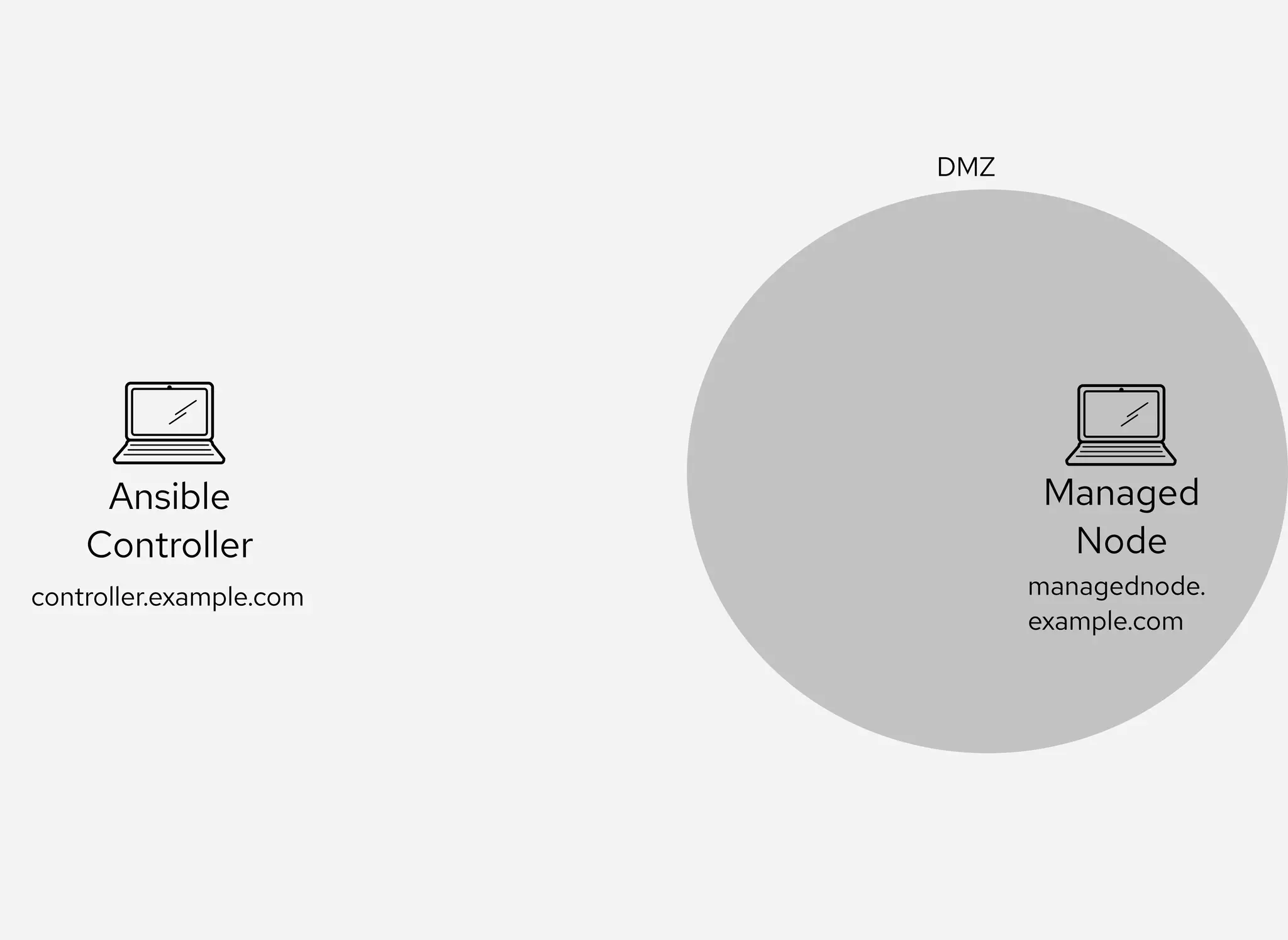
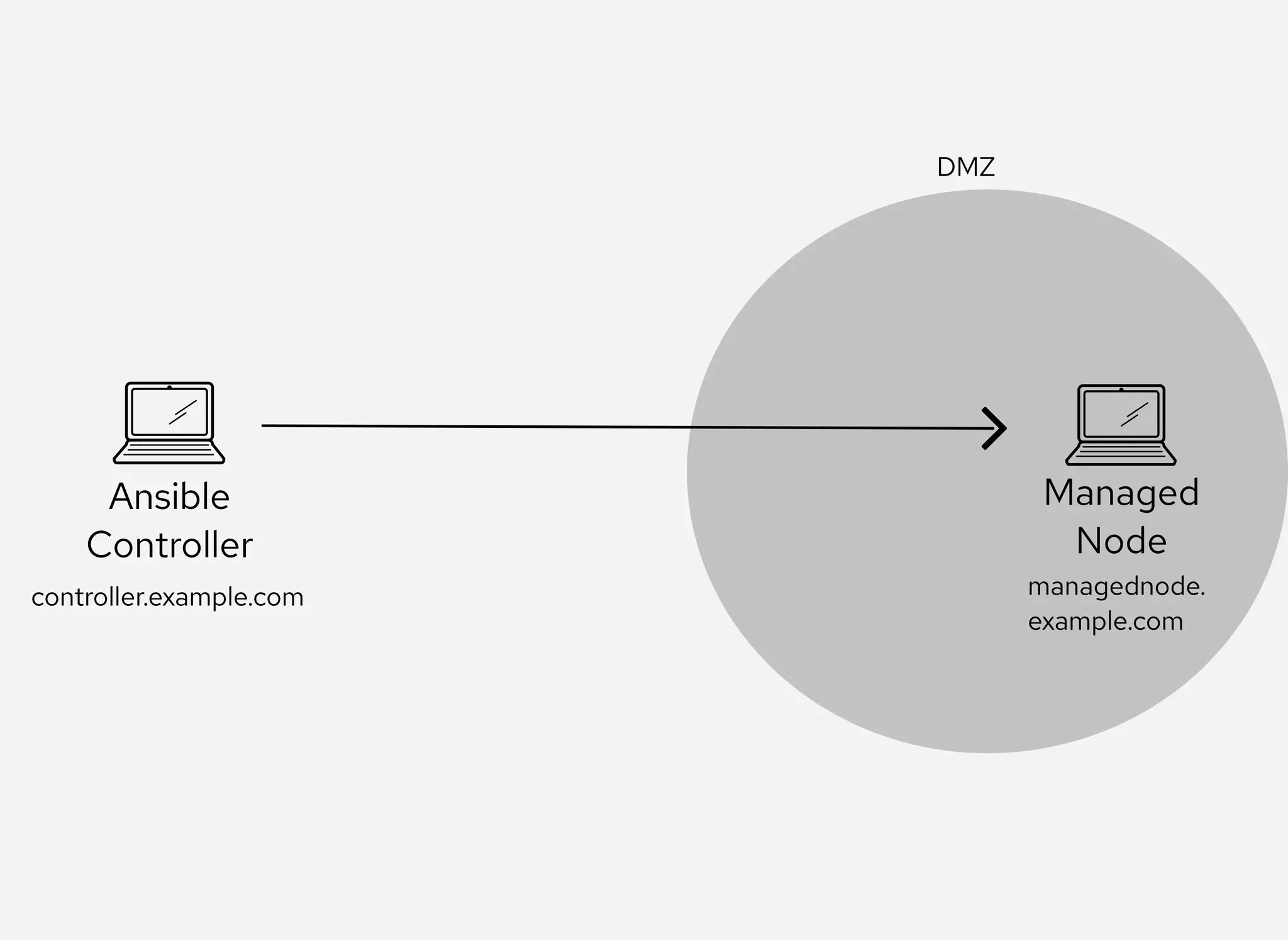
ArchitectureArchitecture Overview Overview
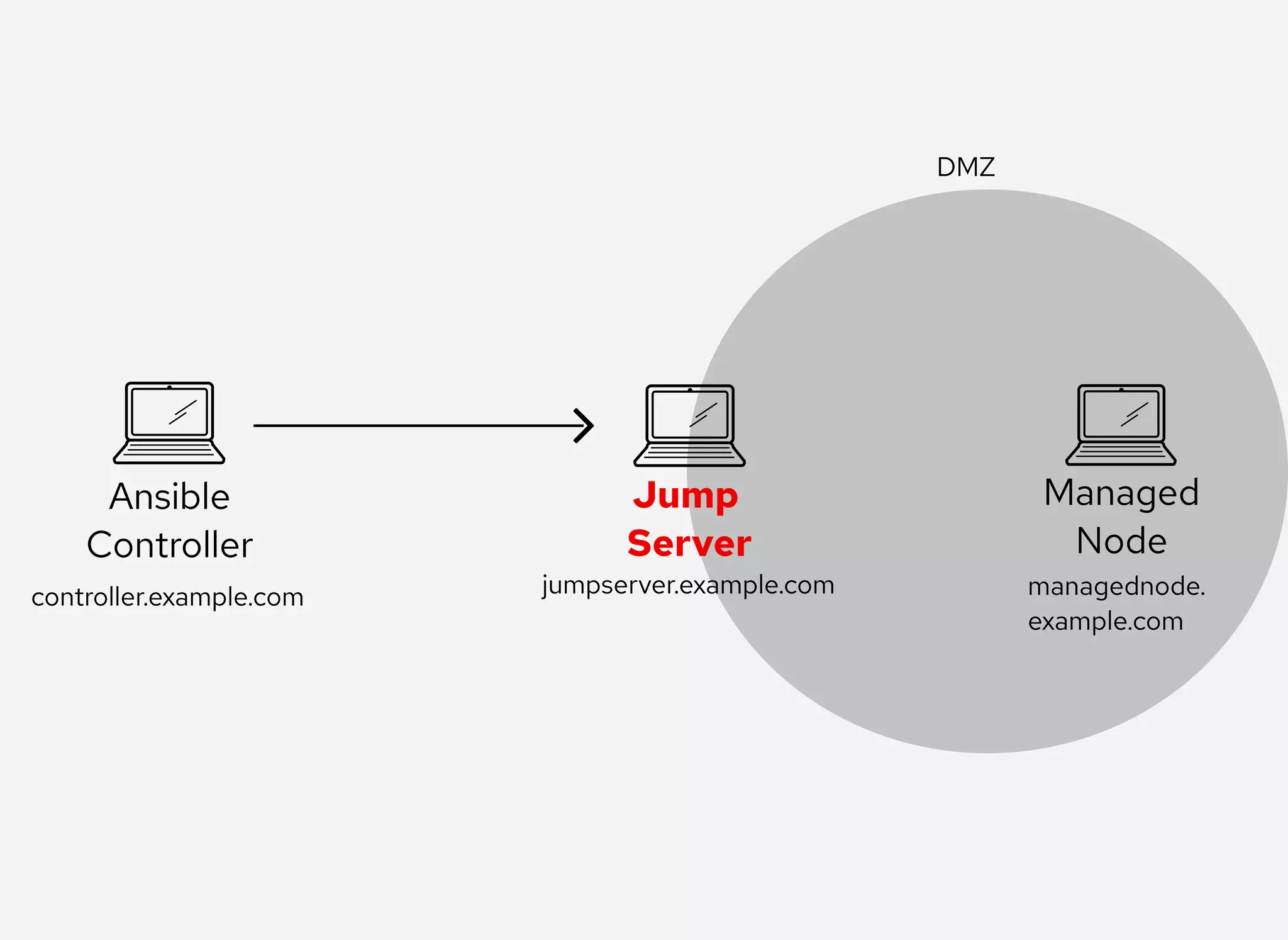
Ansible
Controller
controller.example.com
Ansible
Controller
DMZ
controller.example.com
Ansible
Controller
Managed
Node
DMZ
controller.example.com managednode.
example.com
Ansible
Controller
Managed
Node
DMZ
controller.example.com managednode.
example.com
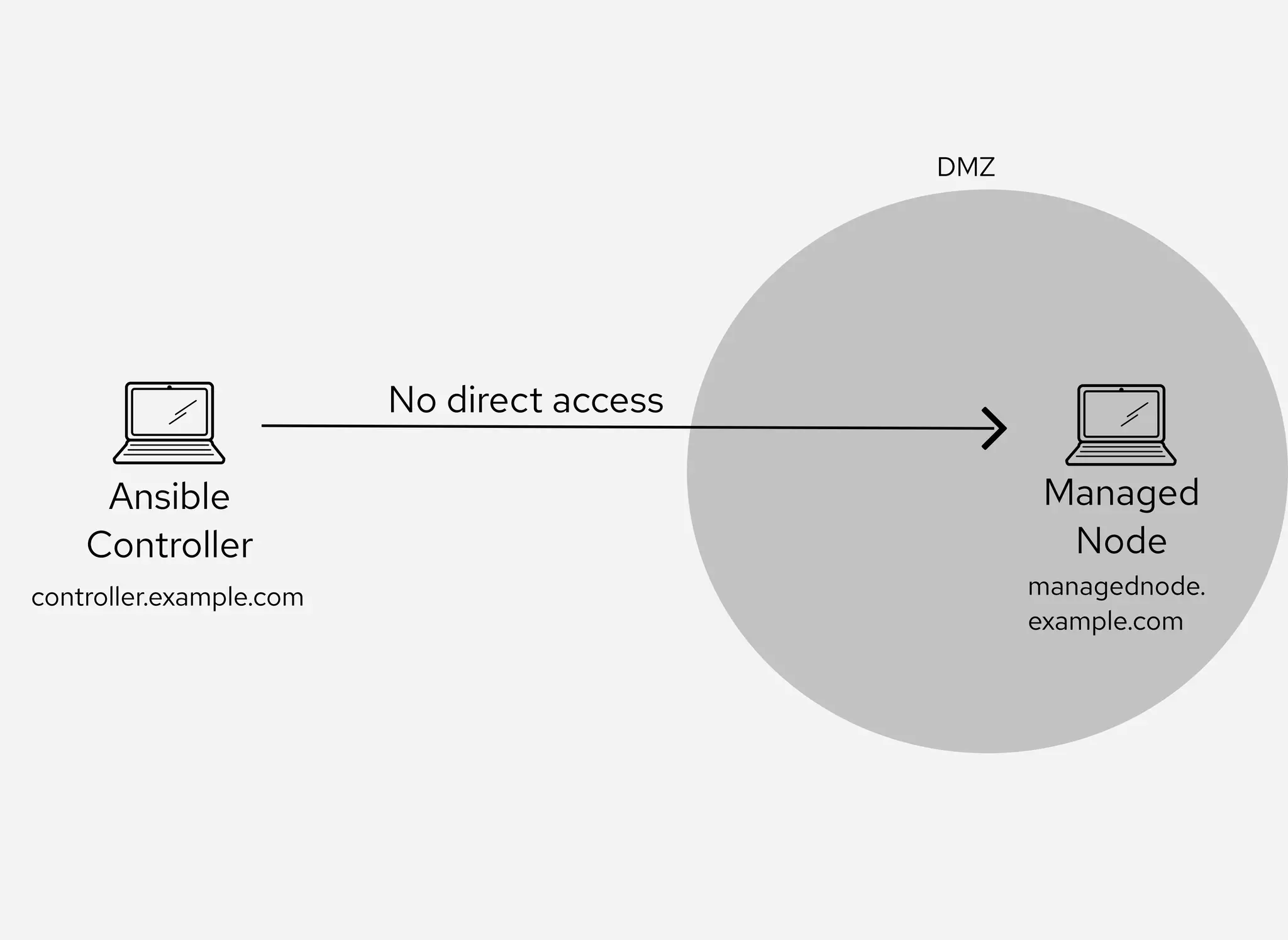
Ansible
Controller
Managed
Node
DMZ
No direct access
controller.example.com managednode.
example.com
Ansible
Controller
Managed
Node
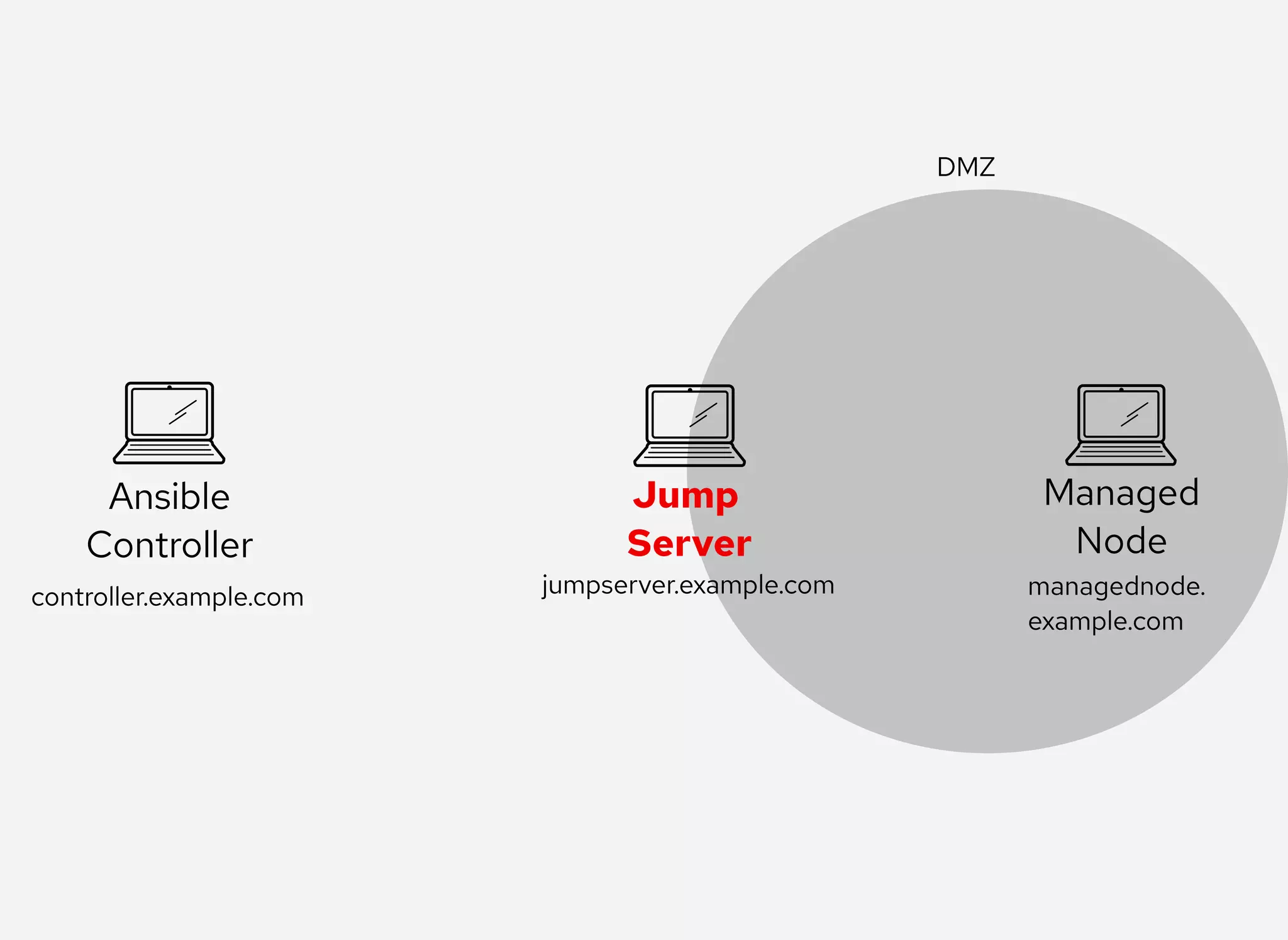
DMZ
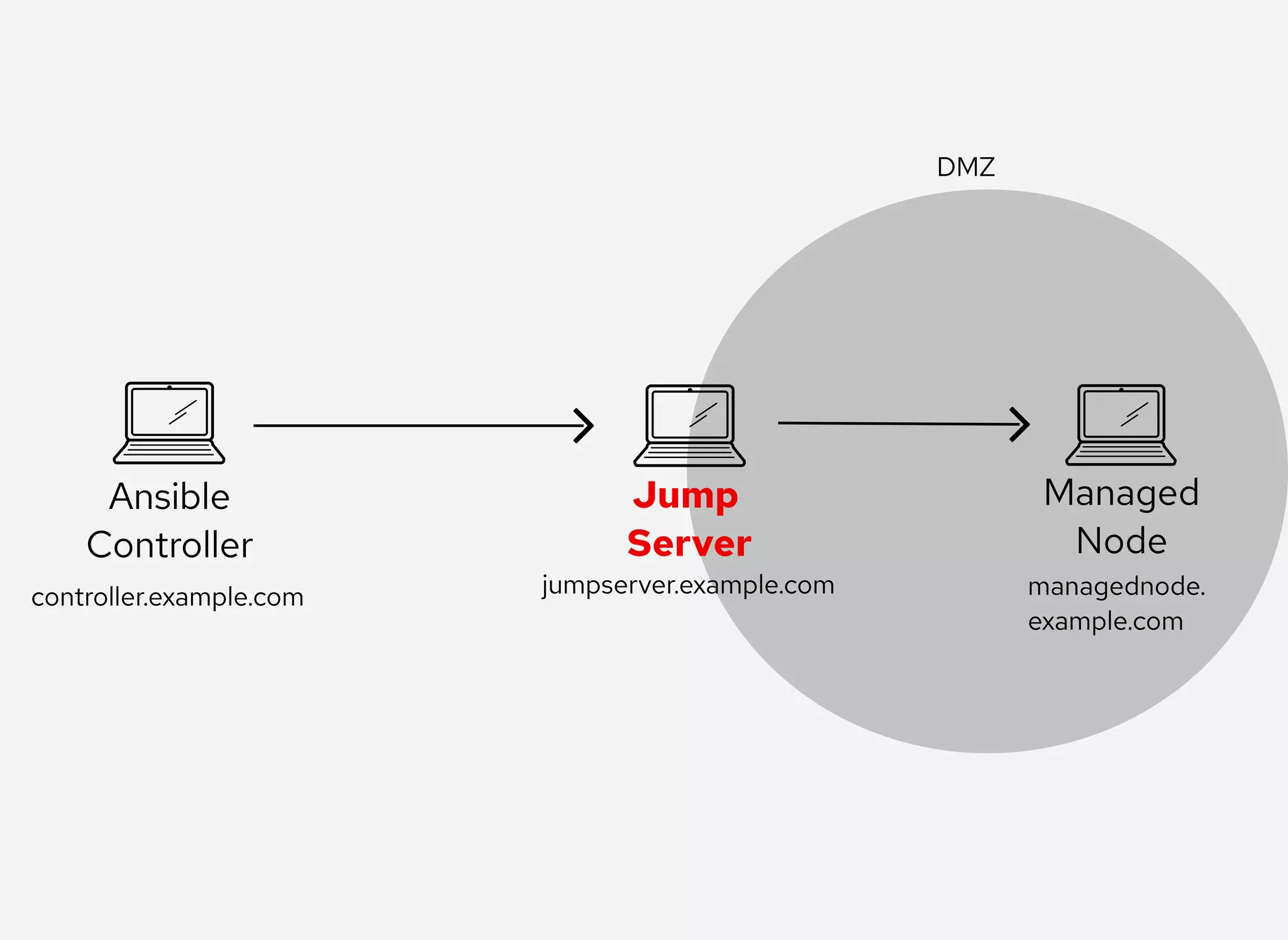
Jump 
Server
controller.example.com managednode.
example.com
jumpserver.example.com
Ansible
Controller
Managed
Node
DMZ
Jump 
Server
controller.example.com managednode.
example.com
jumpserver.example.com
Ansible
Controller
Managed
Node
DMZ
Jump 
Server
controller.example.com managednode.
example.com
jumpserver.example.com
Ansible
Controller
Managed
Node
DMZ
Jump 
Server
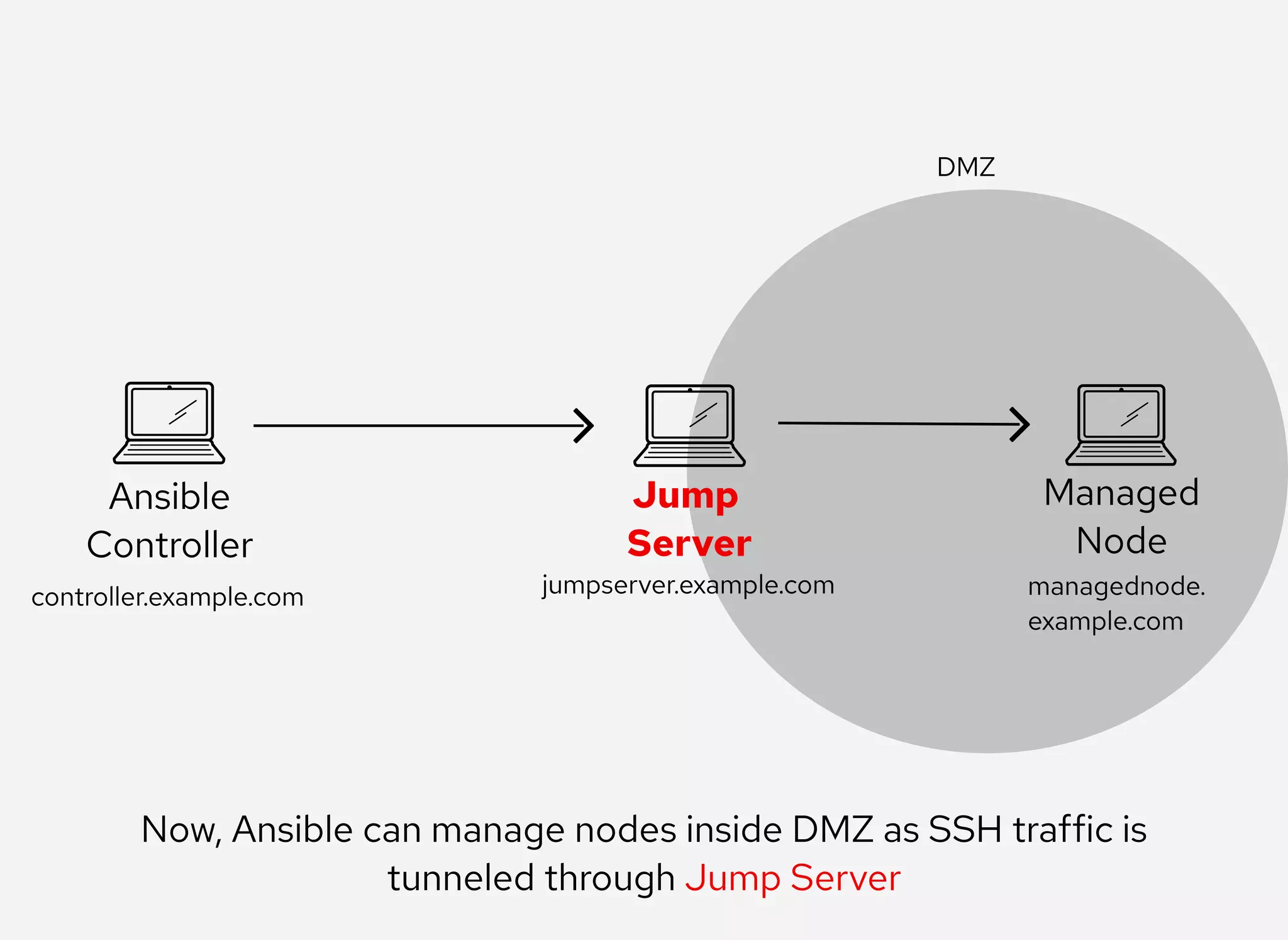
Now, Ansible can manage nodes inside DMZ as SSH traffic is
tunneled through Jump Server
controller.example.com managednode.
example.com
jumpserver.example.com
DemoDemo
Check the connectivity between Ansible
controller and Jump Server
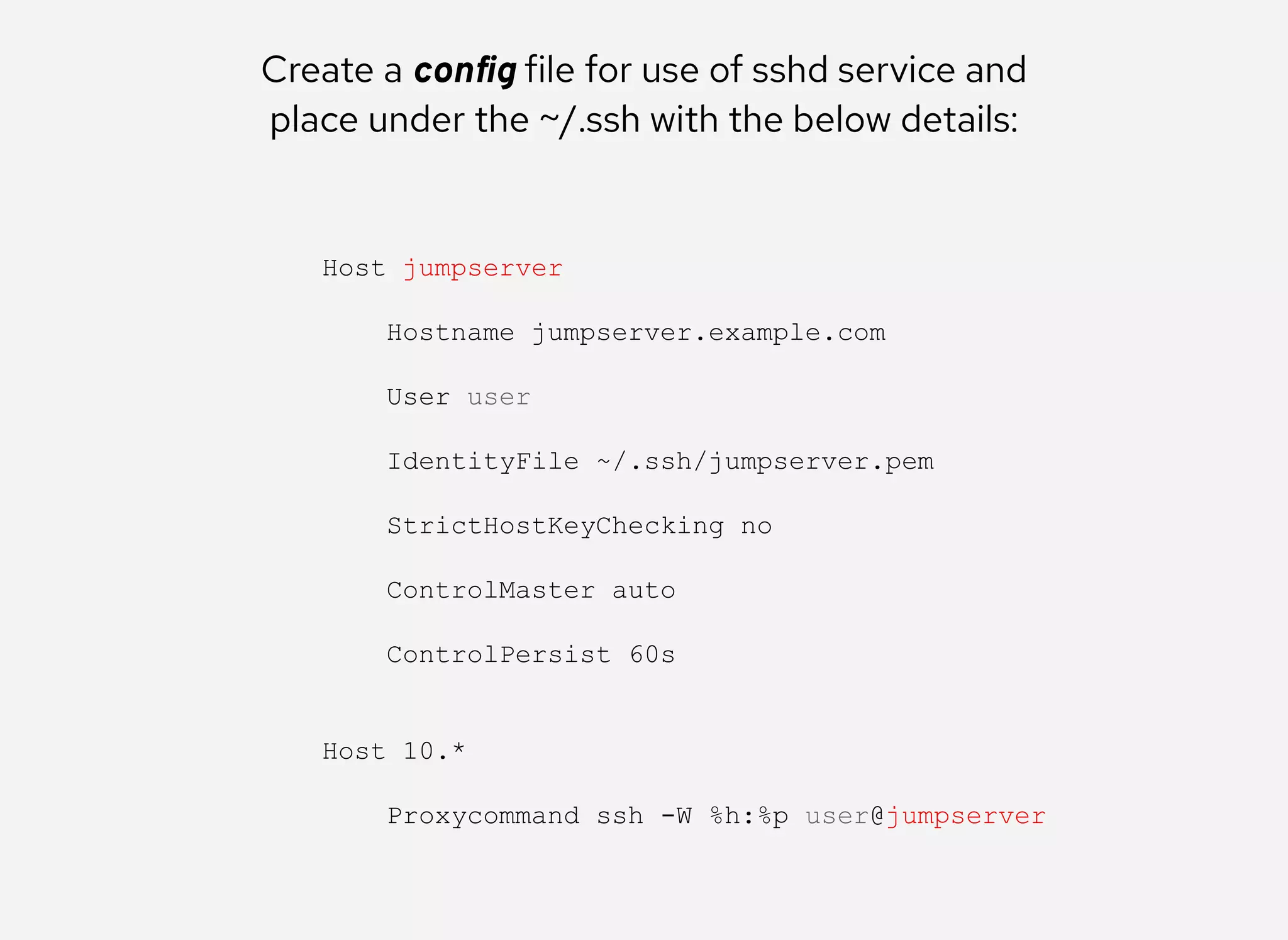
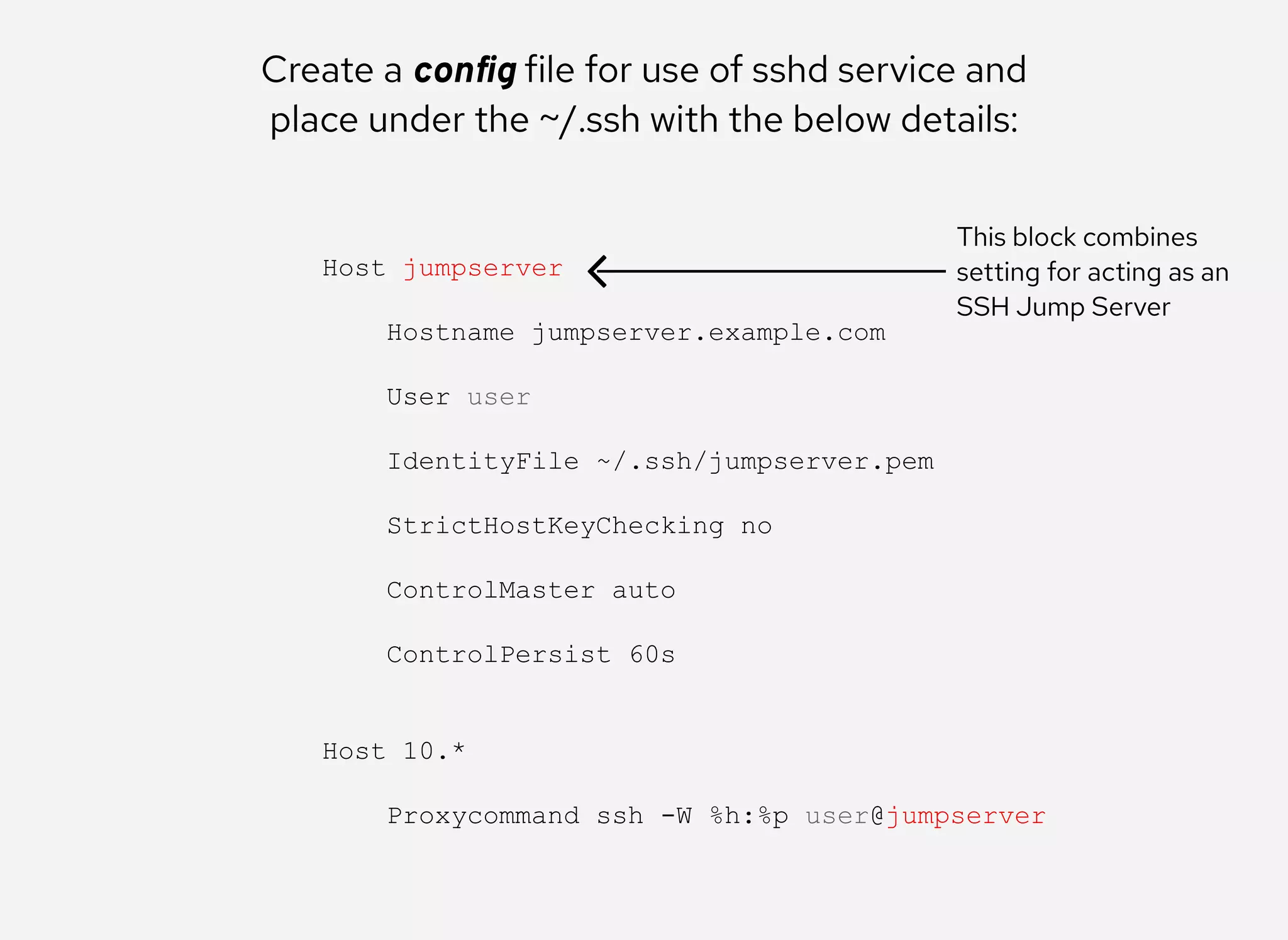
Create a config file for use of sshd service and
place under the ~/.ssh with the below details:
Host jumpserver 
 
    Hostname jumpserver.example.com 
 
    User user 
 
    IdentityFile ~/.ssh/jumpserver.pem 
 
    StrictHostKeyChecking no 
 
    ControlMaster auto 
 
    ControlPersist 60s 
 
 
Host 10.* 
 
    Proxycommand ssh ­W %h:%p user@jumpserver
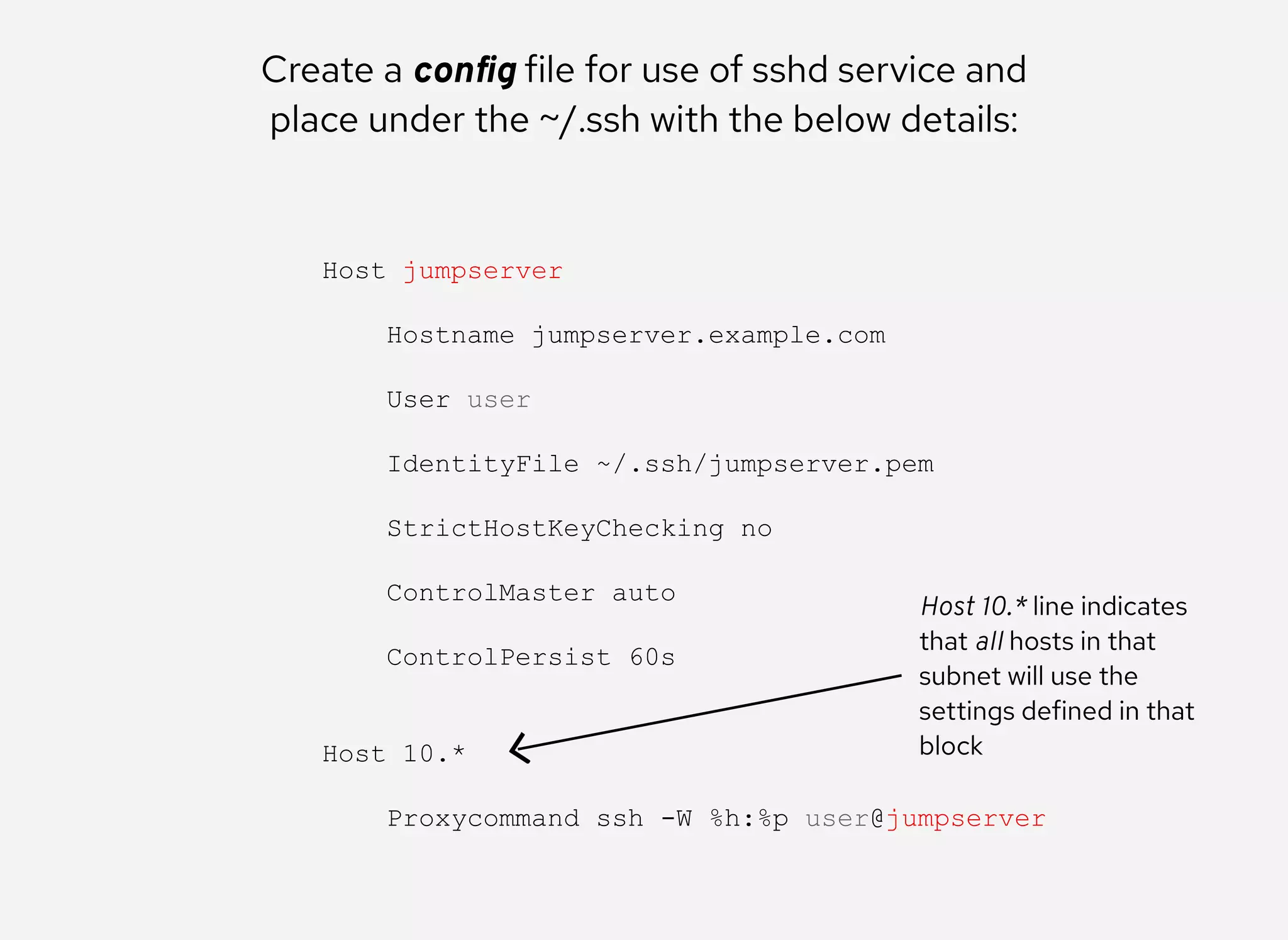
Create a config file for use of sshd service and
place under the ~/.ssh with the below details:
Host jumpserver 
 
    Hostname jumpserver.example.com 
 
    User user 
 
    IdentityFile ~/.ssh/jumpserver.pem 
 
    StrictHostKeyChecking no 
 
    ControlMaster auto 
 
    ControlPersist 60s 
 
 
Host 10.* 
 
    Proxycommand ssh ­W %h:%p user@jumpserver
This block combines
setting for acting as an
SSH Jump Server
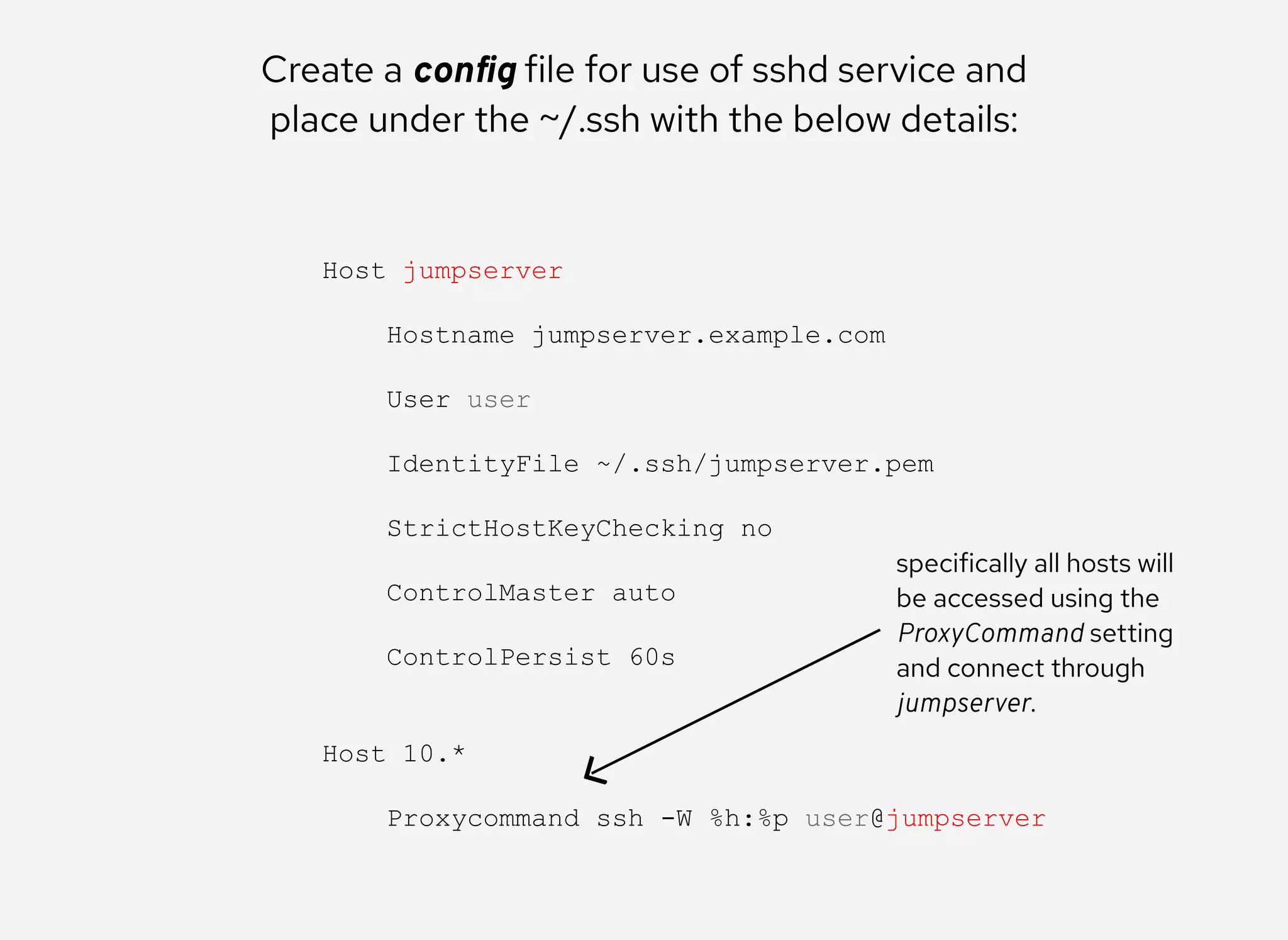
Create a config file for use of sshd service and
place under the ~/.ssh with the below details:
Host jumpserver 
 
    Hostname jumpserver.example.com 
 
    User user 
 
    IdentityFile ~/.ssh/jumpserver.pem 
 
    StrictHostKeyChecking no 
 
    ControlMaster auto 
 
    ControlPersist 60s 
 
 
Host 10.* 
 
    Proxycommand ssh ­W %h:%p user@jumpserver
Host 10.* line indicates
that all hosts in that
subnet will use the
settings defined in that
block
Create a config file for use of sshd service and
place under the ~/.ssh with the below details:
Host jumpserver 
 
    Hostname jumpserver.example.com 
 
    User user 
 
    IdentityFile ~/.ssh/jumpserver.pem 
 
    StrictHostKeyChecking no 
 
    ControlMaster auto 
 
    ControlPersist 60s 
 
 
Host 10.* 
 
    Proxycommand ssh ­W %h:%p user@jumpserver
specifically all hosts will
be accessed using the
ProxyCommand setting
and connect through
jumpserver.
Now if you manually SSH into Managed Node, you
can notice that the connection is tunneled through
Jump Server in journalctl or /var/log/secure logs
Finally, execute Ansible ad-hoc command/playbook
to manage a node which is running in DMZ
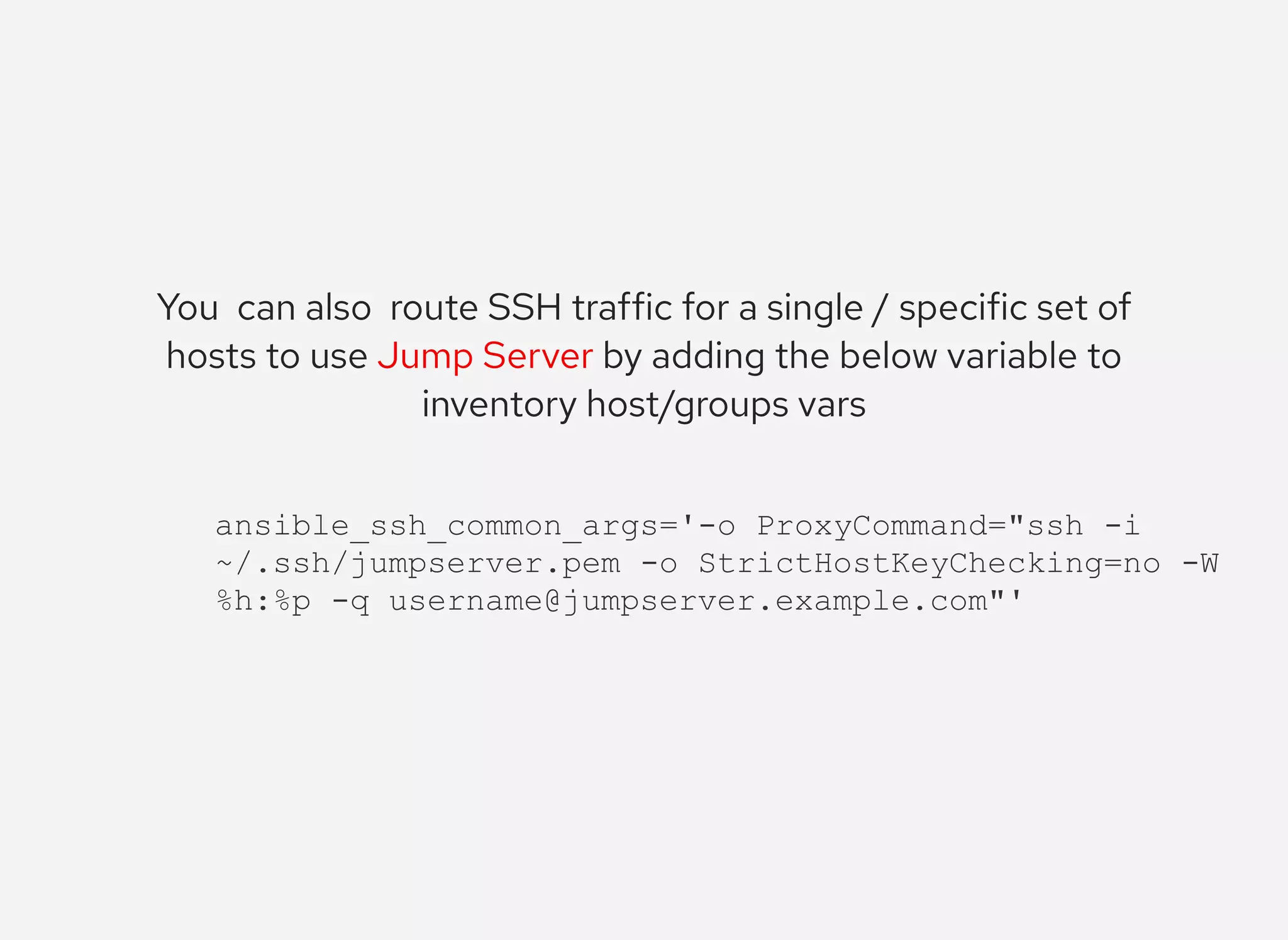
You  can also  route SSH traffic for a single / specific set of
hosts to use Jump Server by adding the below variable to
inventory host/groups vars
ansible_ssh_common_args='­o ProxyCommand="ssh ­i 
~/.ssh/jumpserver.pem ­o StrictHostKeyChecking=no ­W 
%h:%p ­q username@jumpserver.example.com"'
Check video description for references and
useful links
linkedin.com/in/ompragash
twitter.com/ompragash_v

Configuring Ansible To Use JumpServer