Computer Malware
By:
JATIN KUMAR & CHANCHAL JANGRAL
(NIT HAMIRPUR)
(9882926918-9882877417)
Introduction
• Malware, short for malicious software is any kind of unwanted
software that is installed without your consent on your computer.
• It is intended to take control, permanent damage, or corrupt
computer systems.
Viruses
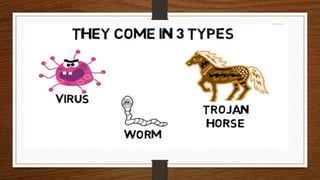
• Computer viruses are small software programs that are designed
to spread from one computer to another and to interfere with
computer operation.
• They cause huge economic damage each year.
• A virus cannot be spread without a human action, (such as
running an infected program) to keep it going.
History of Viruses
• First computer virus Brain was created by two brothers Basit Farooq
and Amjad Farooq Alvi in 1986.
• They created it because they customers were selling illegal copies of
software's made by them.
• The purpose of this virus was to infect the booting system of
computer and hence preventing it from booting.
Types of Virus
• Boot Sector Virus
• Web Scripting Virus
• Resident Virus
• Polymorphic Virus
Why do People Create Computer
Viruses?
• To take control of a computer and use it
for specific tasks.
• To steal sensitive information (credit
card numbers, passwords, personal
details, data etc.)
• To prove ones skill or for revenge purposes.
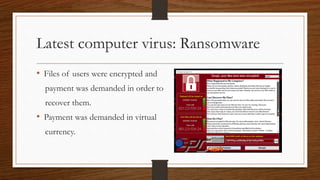
Latest computer virus: Ransomware
• Files of users were encrypted and
payment was demanded in order to
recover them.
• Payment was demanded in virtual
currency.
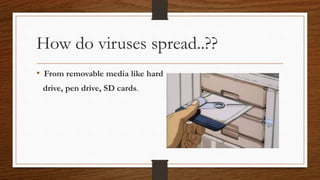
How do viruses spread..??
• From removable media like hard
drive, pen drive, SD cards.
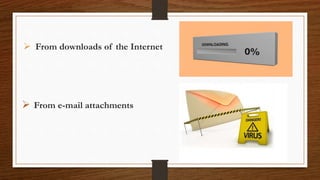
 From downloads of the Internet
 From e-mail attachments
How to detect virus?
• Program takes longer to load.
• The program size keeps changing.
• Your computer functions slower than normal.
• You see uncommon error messages.
Worms
• A computer worm is similar to a computer virus, but unlike a virus it does
not need to attach itself to an existing program.
• It can spread copies of itself from one computer to another without being
activated by users.
• Worm is designed to replicate itself and disperse throughout the user’s
network.
Trojan Horse
• Trojan horses are applications which appear to be
useful, legitimate applications but run malicious,
hidden code.
• The application may appear to perform tasks, such
as scanning for viruses, but actually steal personal
data from your system.
.
Trojan Horse Cont.
• Trojans are not worms since they do not replicate ,
but Trojan horse programs can be just as destructive.
• Executing Trojans may result in changing desktop
wallpaper, creating pop-ups, or even deleting files
Actions to prevent virus infection
• Use an antivirus program and keep it up to date.
• Don’t open e-mail that you are not sure.
• Keep your Operating System up to date.
Actions to prevent virus infection
• Never use infected drives.
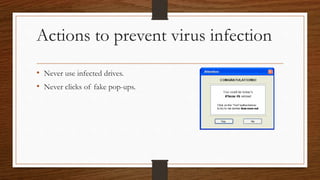
• Never clicks of fake pop-ups.
How Antivirus works..??
• It compares the specific bits of your
application with the bits that are present
in it’s database.
• If it matches with the database then it
considers it as virus.
QUESTIONS…
Computer Malware and its types

Computer Malware and its types

  • 1.
    Computer Malware By: JATIN KUMAR& CHANCHAL JANGRAL (NIT HAMIRPUR) (9882926918-9882877417)
  • 2.
    Introduction • Malware, shortfor malicious software is any kind of unwanted software that is installed without your consent on your computer. • It is intended to take control, permanent damage, or corrupt computer systems.
  • 4.
    Viruses • Computer virusesare small software programs that are designed to spread from one computer to another and to interfere with computer operation. • They cause huge economic damage each year. • A virus cannot be spread without a human action, (such as running an infected program) to keep it going.
  • 5.
    History of Viruses •First computer virus Brain was created by two brothers Basit Farooq and Amjad Farooq Alvi in 1986. • They created it because they customers were selling illegal copies of software's made by them. • The purpose of this virus was to infect the booting system of computer and hence preventing it from booting.
  • 6.
    Types of Virus •Boot Sector Virus • Web Scripting Virus • Resident Virus • Polymorphic Virus
  • 7.
    Why do PeopleCreate Computer Viruses? • To take control of a computer and use it for specific tasks. • To steal sensitive information (credit card numbers, passwords, personal details, data etc.) • To prove ones skill or for revenge purposes.
  • 8.
    Latest computer virus:Ransomware • Files of users were encrypted and payment was demanded in order to recover them. • Payment was demanded in virtual currency.
  • 9.
    How do virusesspread..?? • From removable media like hard drive, pen drive, SD cards.
  • 10.
     From downloadsof the Internet  From e-mail attachments
  • 11.
    How to detectvirus? • Program takes longer to load. • The program size keeps changing. • Your computer functions slower than normal. • You see uncommon error messages.
  • 12.
    Worms • A computerworm is similar to a computer virus, but unlike a virus it does not need to attach itself to an existing program. • It can spread copies of itself from one computer to another without being activated by users. • Worm is designed to replicate itself and disperse throughout the user’s network.
  • 13.
    Trojan Horse • Trojanhorses are applications which appear to be useful, legitimate applications but run malicious, hidden code. • The application may appear to perform tasks, such as scanning for viruses, but actually steal personal data from your system. .
  • 14.
    Trojan Horse Cont. •Trojans are not worms since they do not replicate , but Trojan horse programs can be just as destructive. • Executing Trojans may result in changing desktop wallpaper, creating pop-ups, or even deleting files
  • 15.
    Actions to preventvirus infection • Use an antivirus program and keep it up to date. • Don’t open e-mail that you are not sure. • Keep your Operating System up to date.
  • 16.
    Actions to preventvirus infection • Never use infected drives. • Never clicks of fake pop-ups.
  • 17.
    How Antivirus works..?? •It compares the specific bits of your application with the bits that are present in it’s database. • If it matches with the database then it considers it as virus.
  • 18.