Compute Security
Container Security
Hello!
I am Eng Teong Cheah
Microsoft MVP
2
Container Security
3
Containers
4
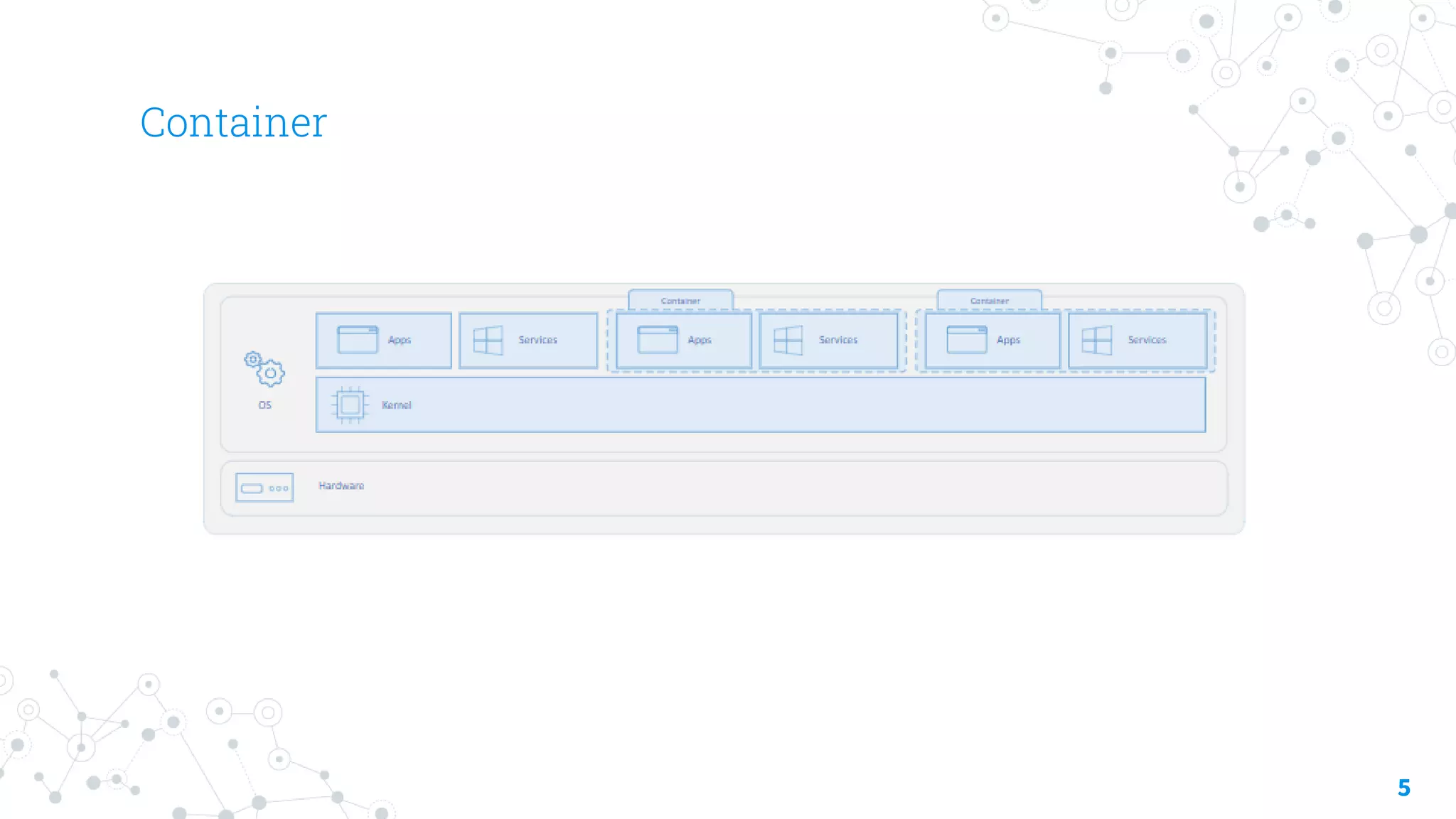
A container is an isolated, lightweight silo for running an
application on the host operating system.
Containers build on top of the host operating system’s
kernel (which can be thought as the buried plumbing of
the operating system), and contain only apps and some
lightweight operating system APIs and services that run
in user mode.
Container
5
Azure Container Instances (ACI) Security
6
◎ Continuously scan registry images
◎ Use approved images – chain of custody, signing
◎ Run with least privileges
◎ Whitelist files the container can access
◎ Maintain network segmentation
◎ Monitor and log activities
Azure Container Instances (ACI)
7
◎ PaaS Service
◎ Custom sizes – fast startup times
◎ Public IP connectivity and DNS name
◎ Hypervisor-level security
◎ Isolation features
◎ Co-scheduled groups
◎ Persistent storage
◎ Linux and Windows containers
◎ Virtual network deployments
Azure Container Registry (ACR)
8
◎ Docker registry service
◎ Private and hosted in Azure
◎ Build, store, and manage images
◎ Push and pull with the Docker CLI or the Azure CLI
◎ Access with Azure AD
◎ RBAC to assign permissions
◎ Automate using DevOps
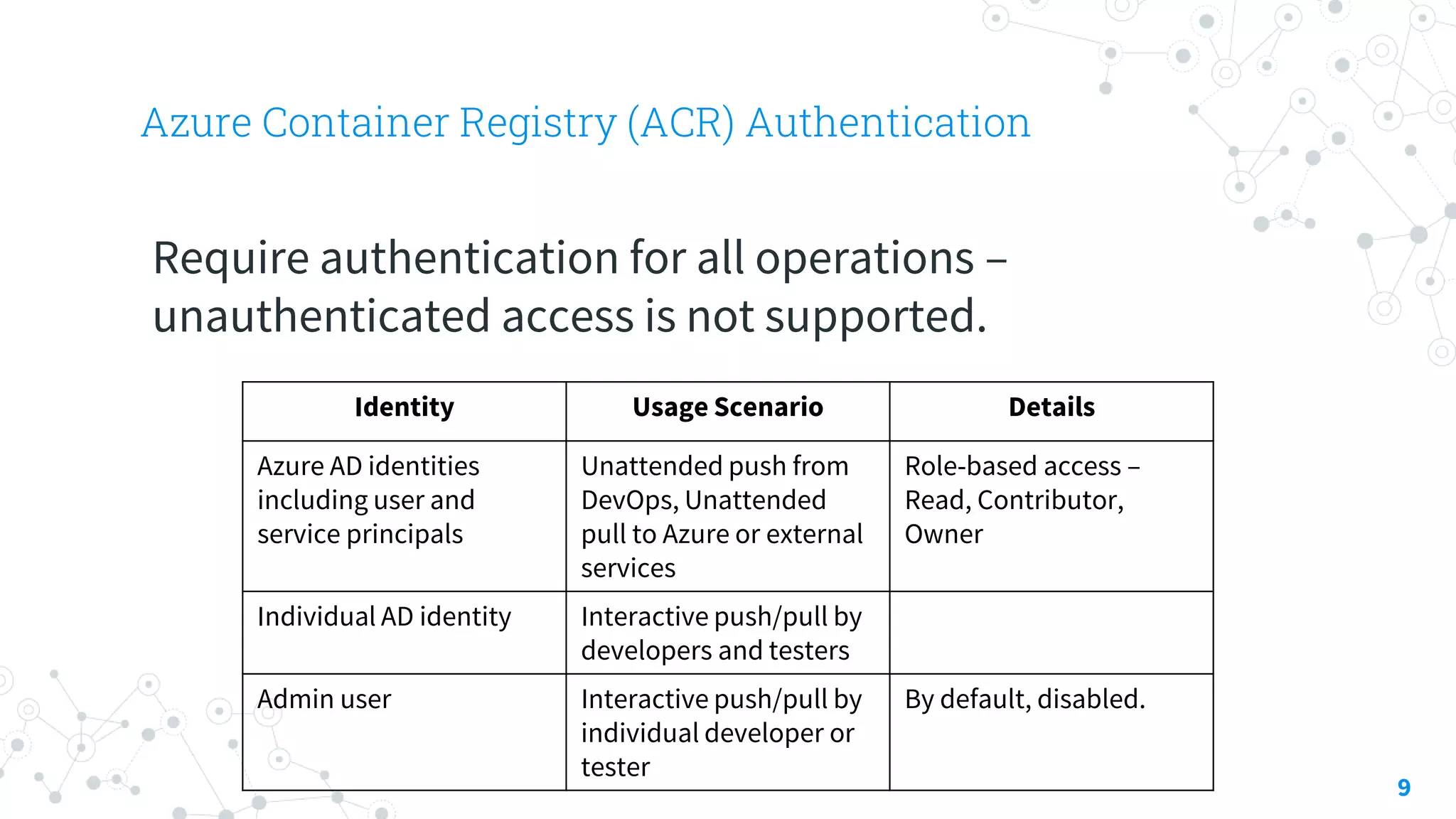
Azure Container Registry (ACR) Authentication
9
Require authentication for all operations –
unauthenticated access is not supported.
Identity Usage Scenario Details
Azure AD identities
including user and
service principals
Unattended push from
DevOps, Unattended
pull to Azure or external
services
Role-based access –
Read, Contributor,
Owner
Individual AD identity Interactive push/pull by
developers and testers
Admin user Interactive push/pull by
individual developer or
tester
By default, disabled.
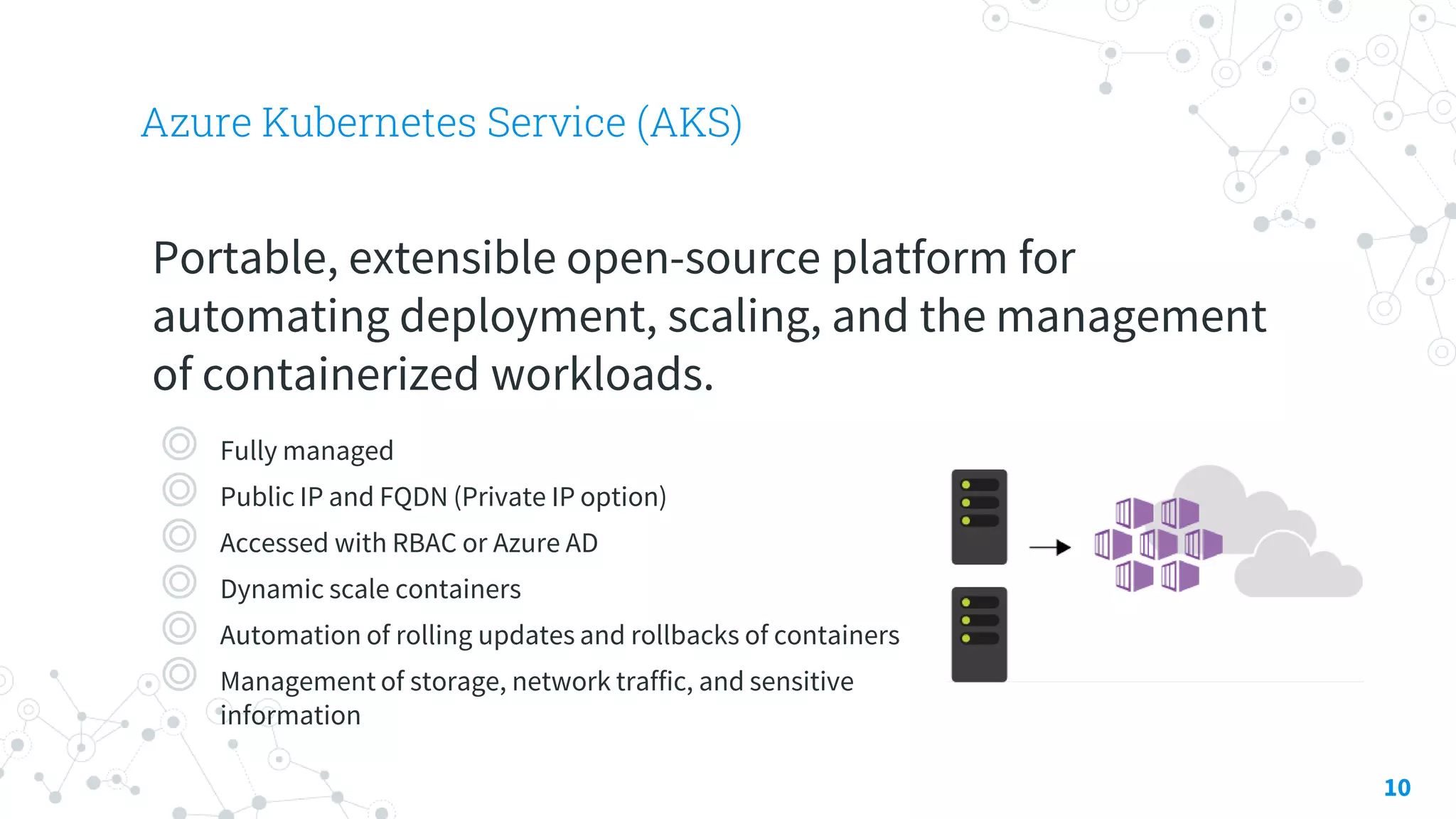
Azure Kubernetes Service (AKS)
10
Portable, extensible open-source platform for
automating deployment, scaling, and the management
of containerized workloads.
◎ Fully managed
◎ Public IP and FQDN (Private IP option)
◎ Accessed with RBAC or Azure AD
◎ Dynamic scale containers
◎ Automation of rolling updates and rollbacks of containers
◎ Management of storage, network traffic, and sensitive
information
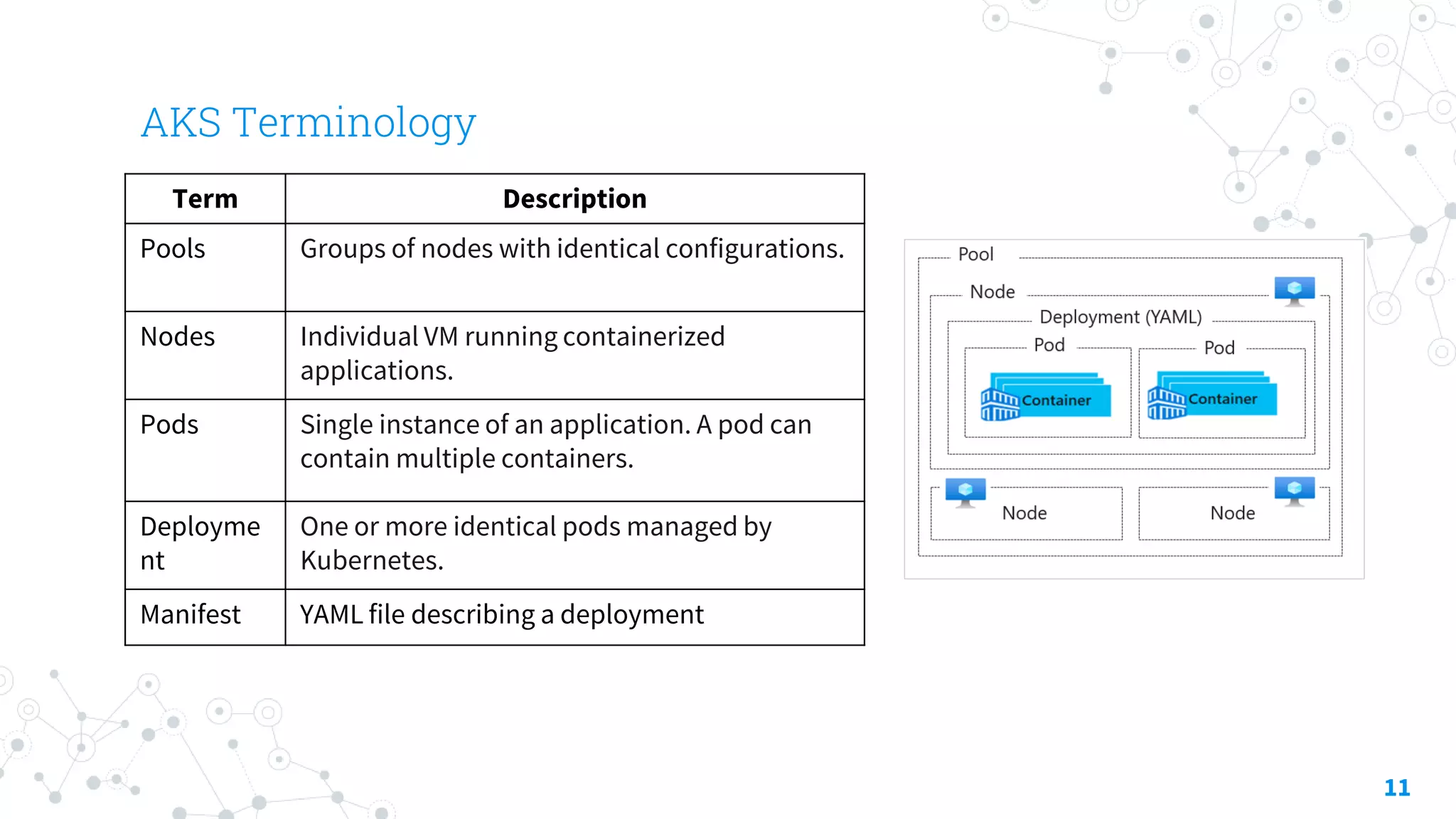
AKS Terminology
11
Term Description
Pools Groups of nodes with identical configurations.
Nodes Individual VM running containerized
applications.
Pods Single instance of an application. A pod can
contain multiple containers.
Deployme
nt
One or more identical pods managed by
Kubernetes.
Manifest YAML file describing a deployment
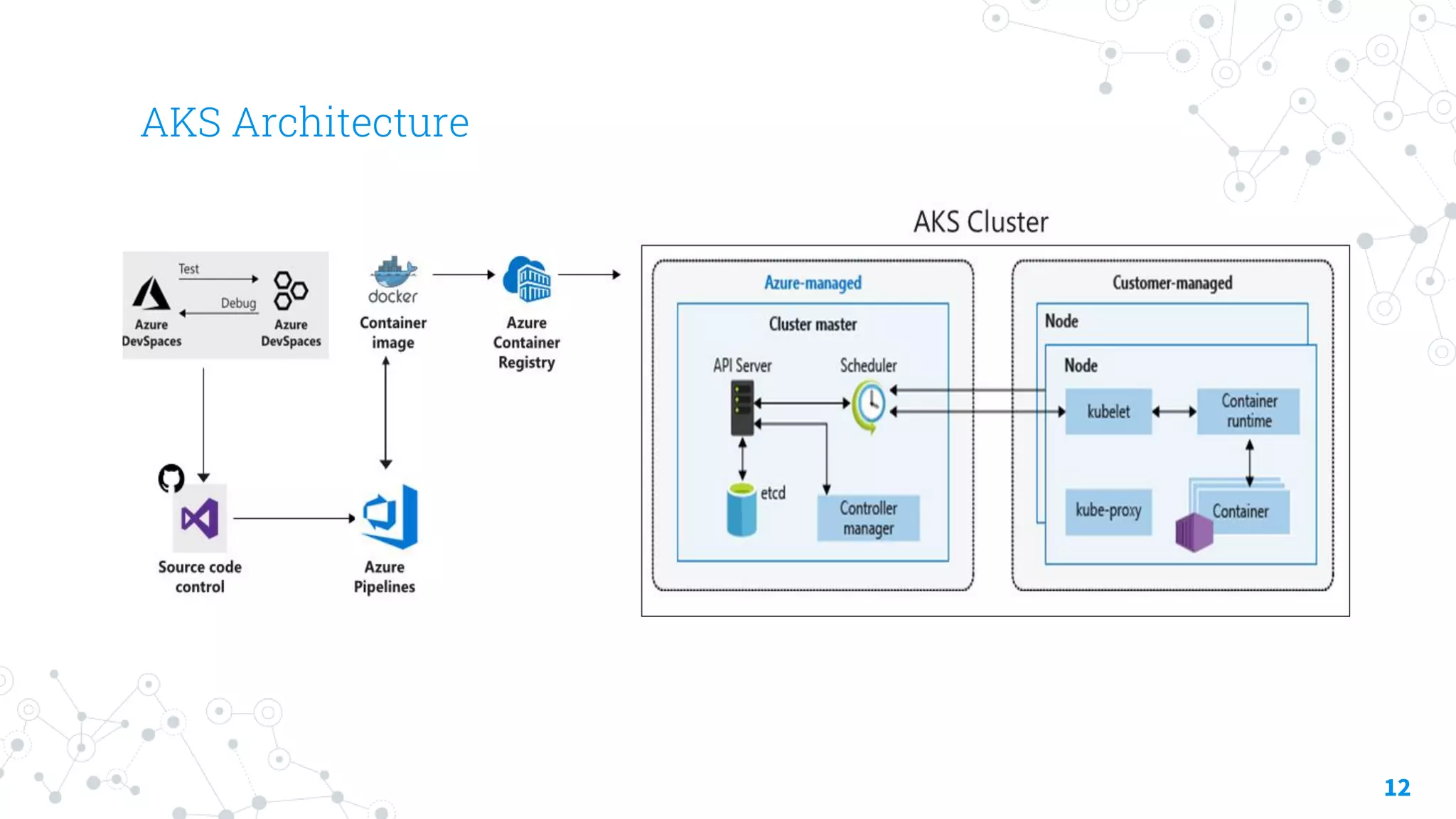
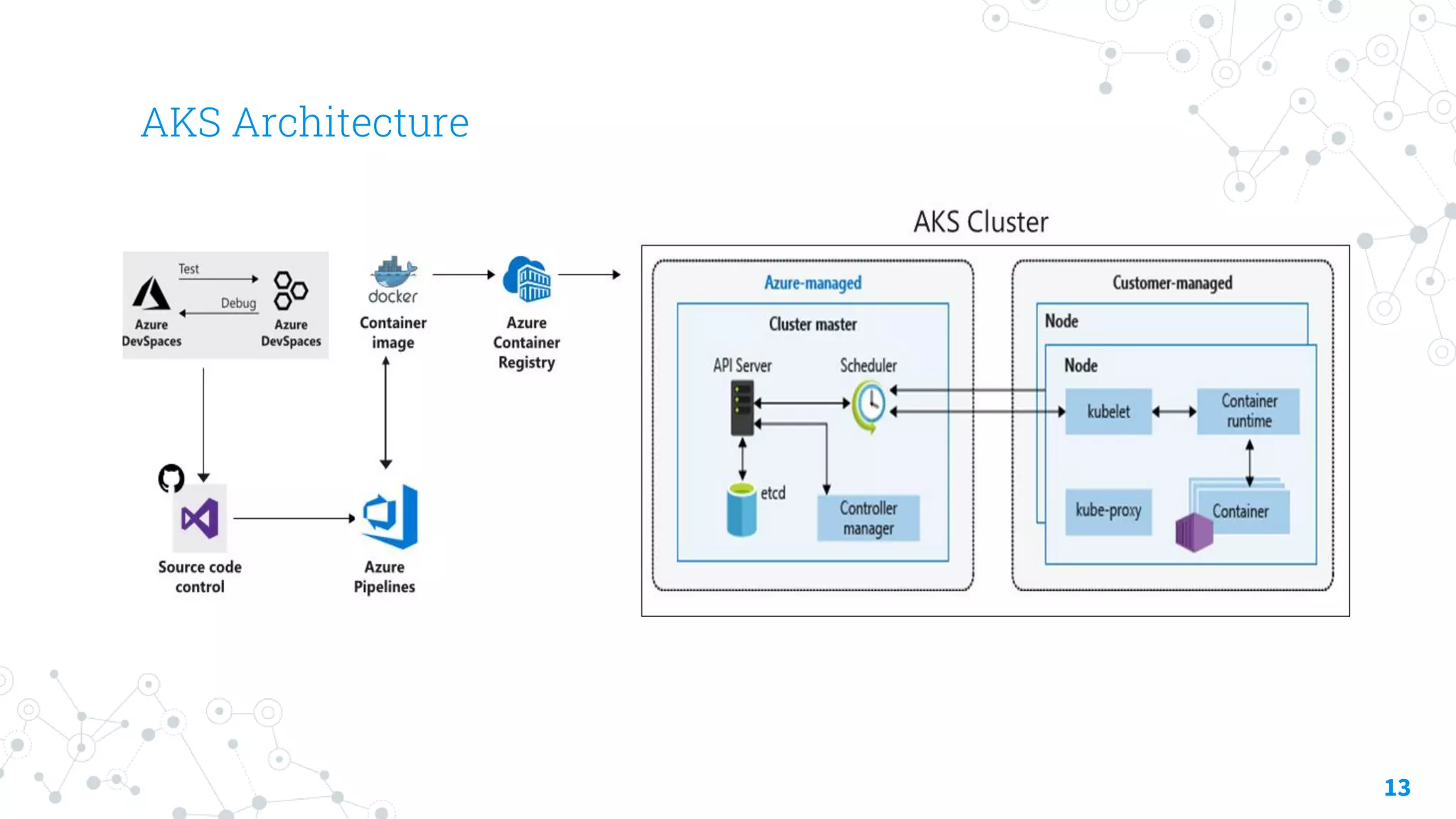
AKS Architecture
12
AKS Architecture
13
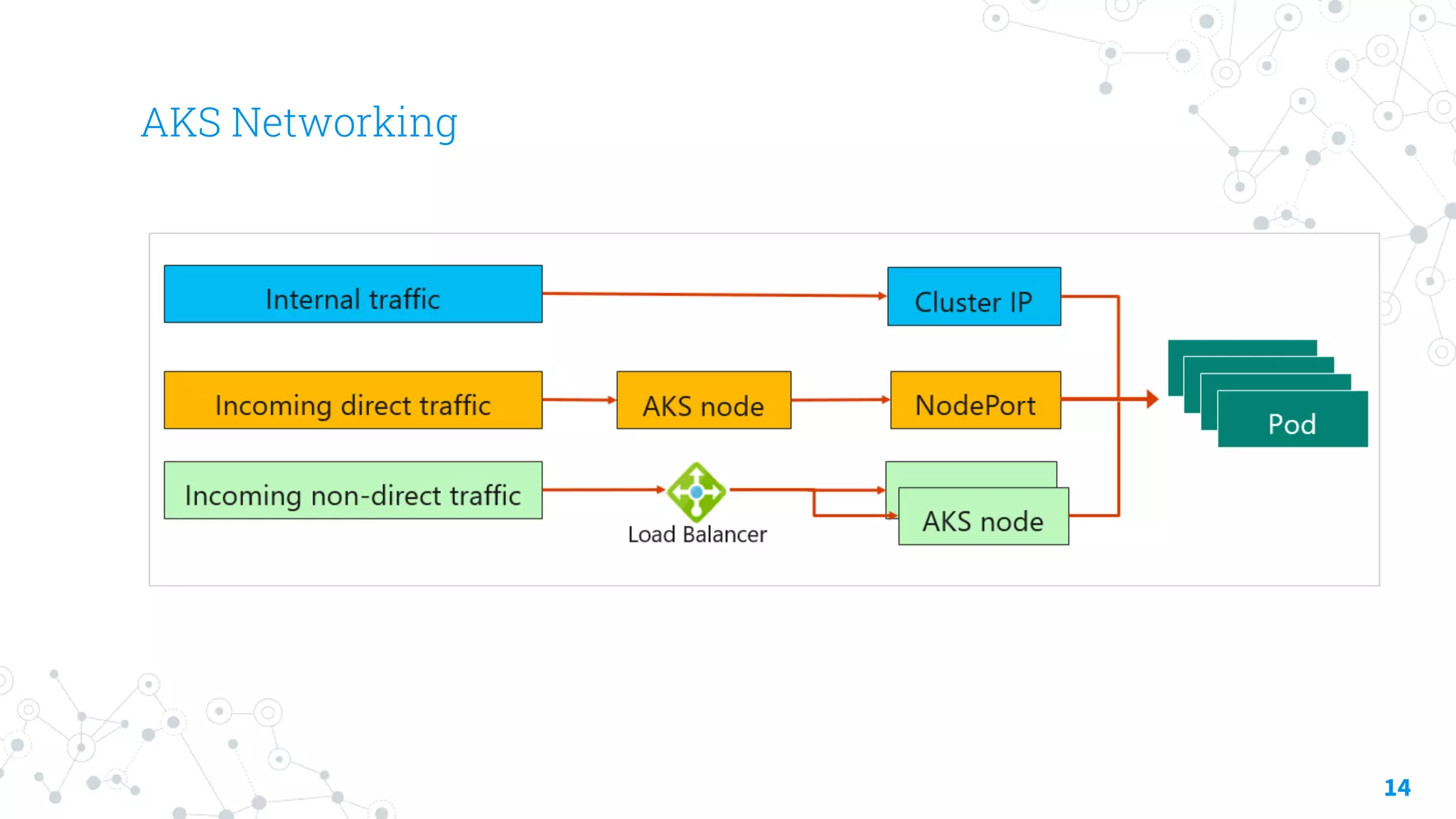
AKS Networking
14
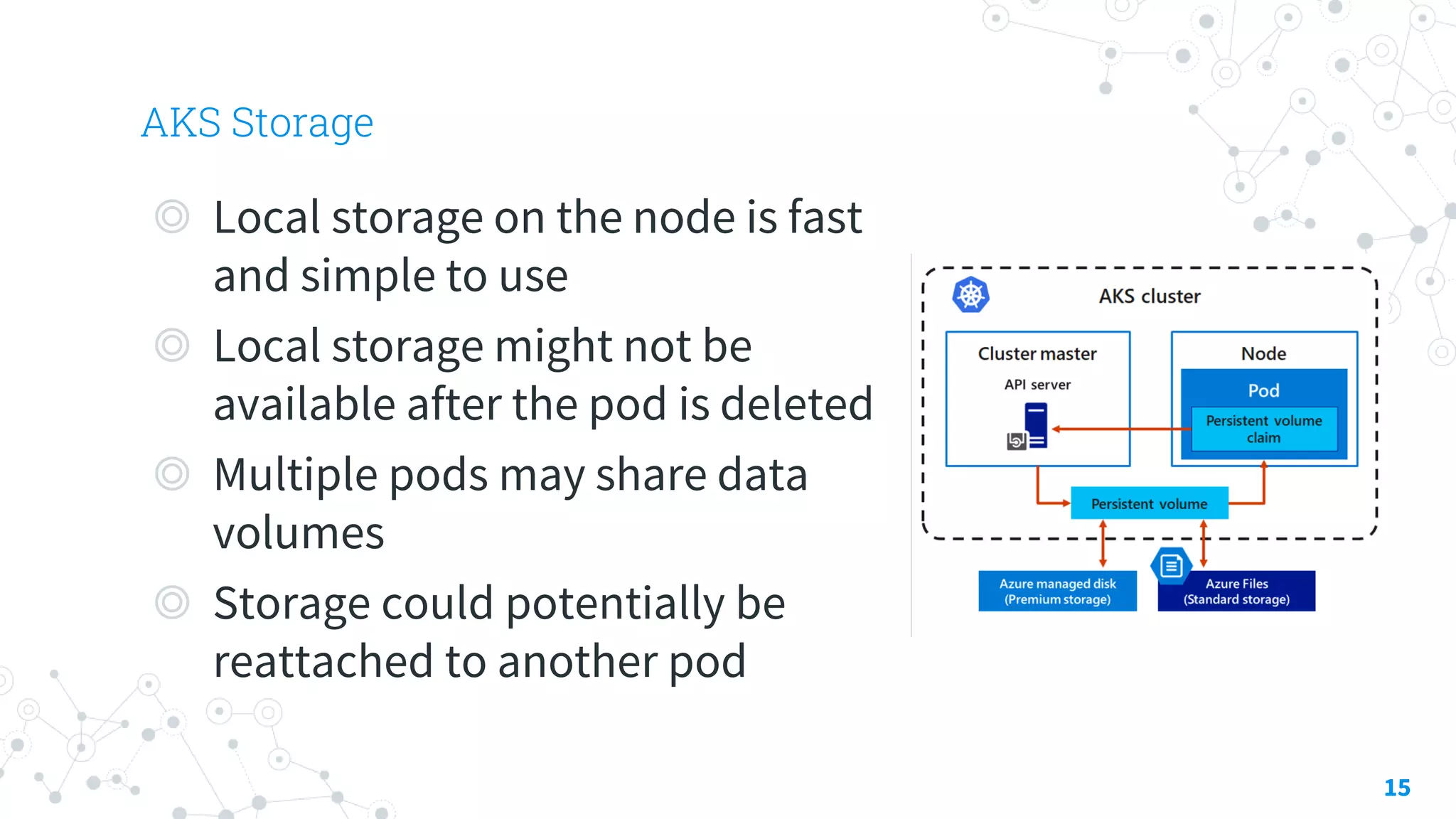
AKS Storage
15
◎ Local storage on the node is fast
and simple to use
◎ Local storage might not be
available after the pod is deleted
◎ Multiple pods may share data
volumes
◎ Storage could potentially be
reattached to another pod
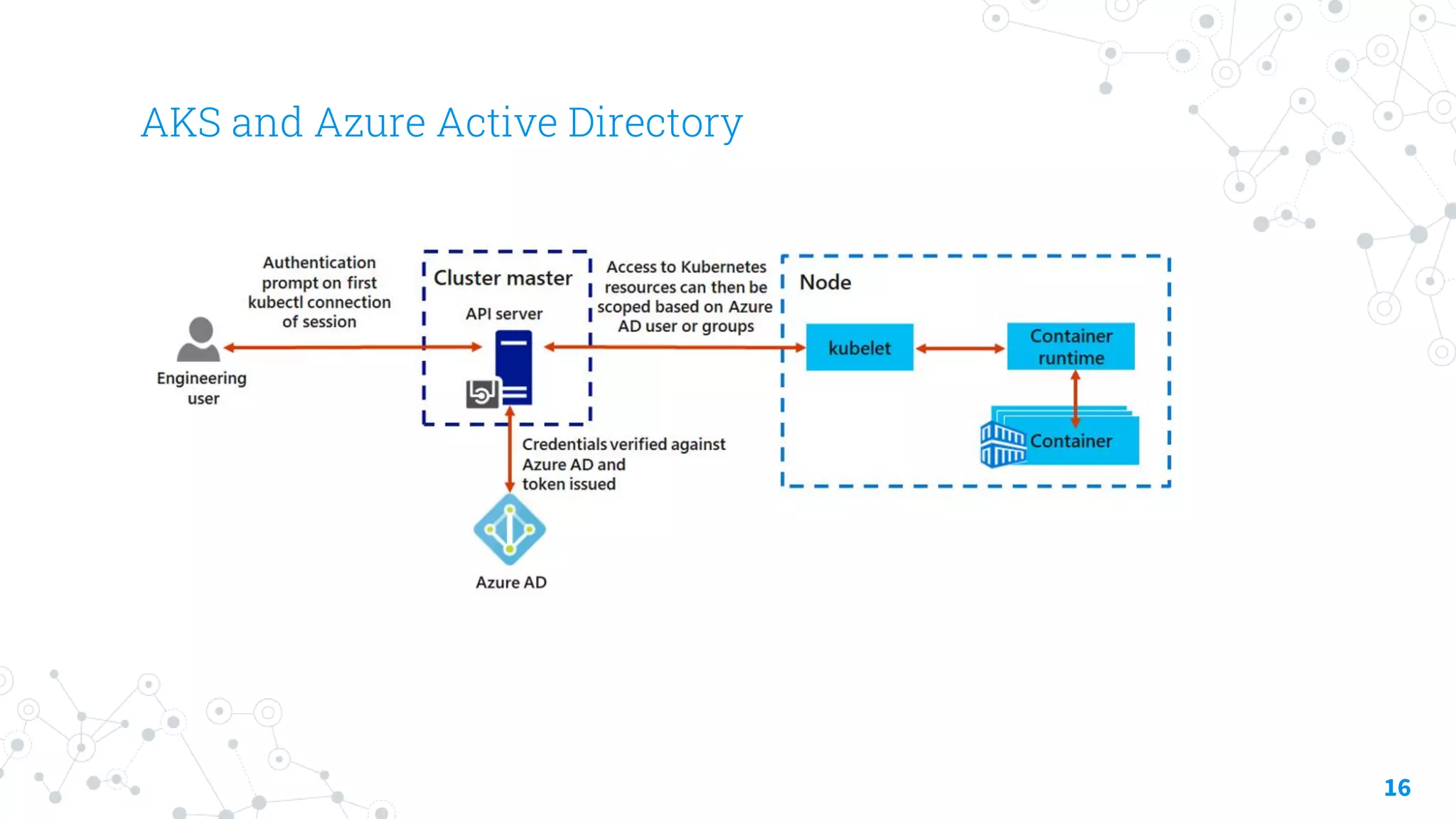
AKS and Azure Active Directory
16
Demostrations
Configuring and Securing ACR and AKS
17
Thanks!
Any questions?
You can find me at:
@walkercet
18
References
◎ https://docs.microsoft.com/en-us/
19

Compute Security - Container Security

  • 1.
  • 2.
    Hello! I am EngTeong Cheah Microsoft MVP 2
  • 3.
  • 4.
    Containers 4 A container isan isolated, lightweight silo for running an application on the host operating system. Containers build on top of the host operating system’s kernel (which can be thought as the buried plumbing of the operating system), and contain only apps and some lightweight operating system APIs and services that run in user mode.
  • 5.
  • 6.
    Azure Container Instances(ACI) Security 6 ◎ Continuously scan registry images ◎ Use approved images – chain of custody, signing ◎ Run with least privileges ◎ Whitelist files the container can access ◎ Maintain network segmentation ◎ Monitor and log activities
  • 7.
    Azure Container Instances(ACI) 7 ◎ PaaS Service ◎ Custom sizes – fast startup times ◎ Public IP connectivity and DNS name ◎ Hypervisor-level security ◎ Isolation features ◎ Co-scheduled groups ◎ Persistent storage ◎ Linux and Windows containers ◎ Virtual network deployments
  • 8.
    Azure Container Registry(ACR) 8 ◎ Docker registry service ◎ Private and hosted in Azure ◎ Build, store, and manage images ◎ Push and pull with the Docker CLI or the Azure CLI ◎ Access with Azure AD ◎ RBAC to assign permissions ◎ Automate using DevOps
  • 9.
    Azure Container Registry(ACR) Authentication 9 Require authentication for all operations – unauthenticated access is not supported. Identity Usage Scenario Details Azure AD identities including user and service principals Unattended push from DevOps, Unattended pull to Azure or external services Role-based access – Read, Contributor, Owner Individual AD identity Interactive push/pull by developers and testers Admin user Interactive push/pull by individual developer or tester By default, disabled.
  • 10.
    Azure Kubernetes Service(AKS) 10 Portable, extensible open-source platform for automating deployment, scaling, and the management of containerized workloads. ◎ Fully managed ◎ Public IP and FQDN (Private IP option) ◎ Accessed with RBAC or Azure AD ◎ Dynamic scale containers ◎ Automation of rolling updates and rollbacks of containers ◎ Management of storage, network traffic, and sensitive information
  • 11.
    AKS Terminology 11 Term Description PoolsGroups of nodes with identical configurations. Nodes Individual VM running containerized applications. Pods Single instance of an application. A pod can contain multiple containers. Deployme nt One or more identical pods managed by Kubernetes. Manifest YAML file describing a deployment
  • 12.
  • 13.
  • 14.
  • 15.
    AKS Storage 15 ◎ Localstorage on the node is fast and simple to use ◎ Local storage might not be available after the pod is deleted ◎ Multiple pods may share data volumes ◎ Storage could potentially be reattached to another pod
  • 16.
    AKS and AzureActive Directory 16
  • 17.
  • 18.
    Thanks! Any questions? You canfind me at: @walkercet 18
  • 19.