Ashot Engibaryan
Expert in MS Excel

Master-Class
Common MS Excel and MS
Excel 2013
useful tricks
What we are going to learn during the class…
Working with some array functions

Data import from web and quick processing

Basics of working with macro tools
Essence of Pivot tables. Power Pivot tables in MS Excel
2013 (new tool)
Power view in MS Excel 2013 (new tool)
1. Most often used array functions

1

•Vlookup

2

•SUMIF

3

•Complex array functions
1.1 Vlookup. When can we use it?

1

2

• While comparing text, or number components
of one table with another table components

• When we need to find and bring into our table a
value from another table by specific condition
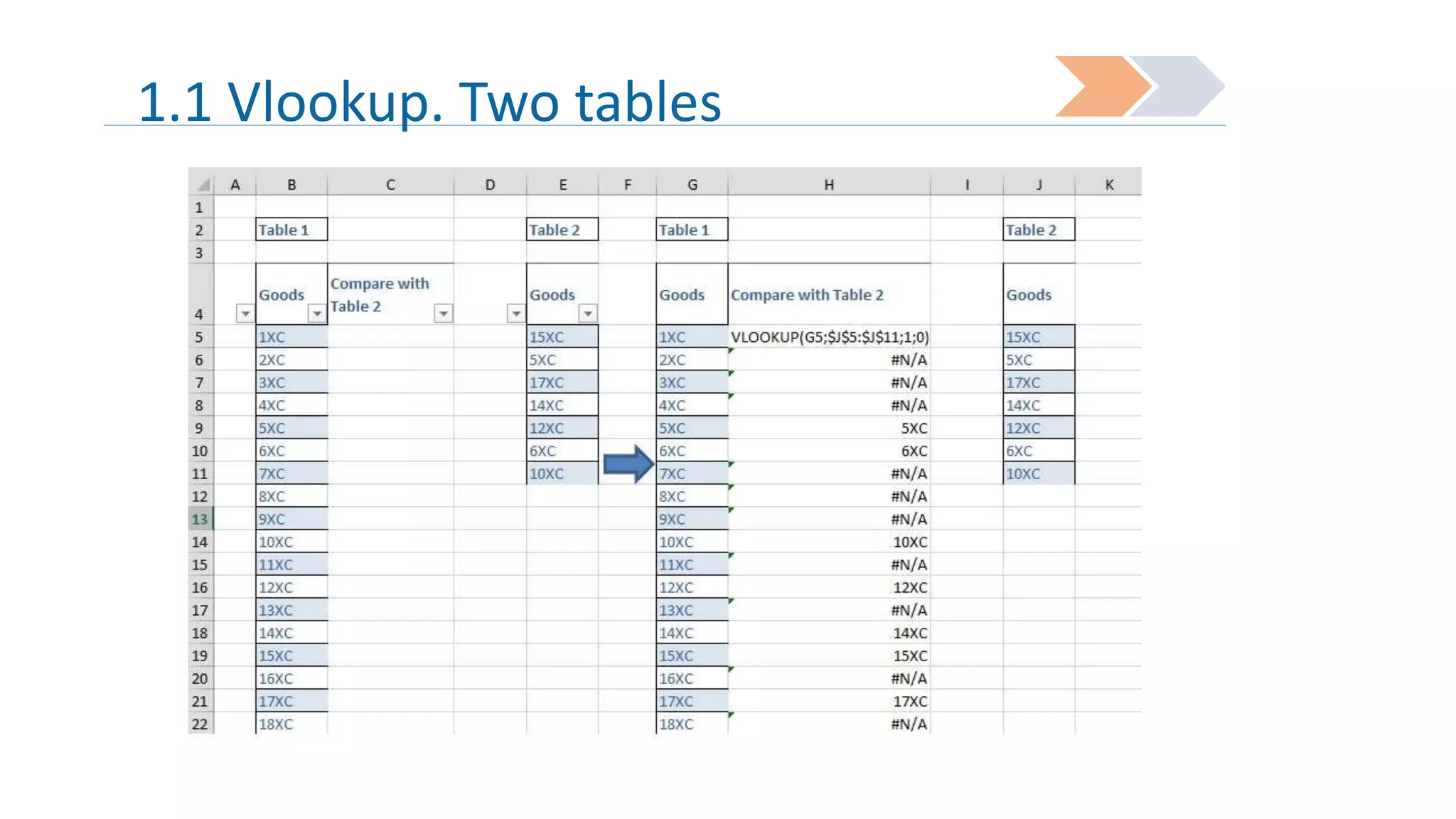
1.1 Vlookup. Two tables
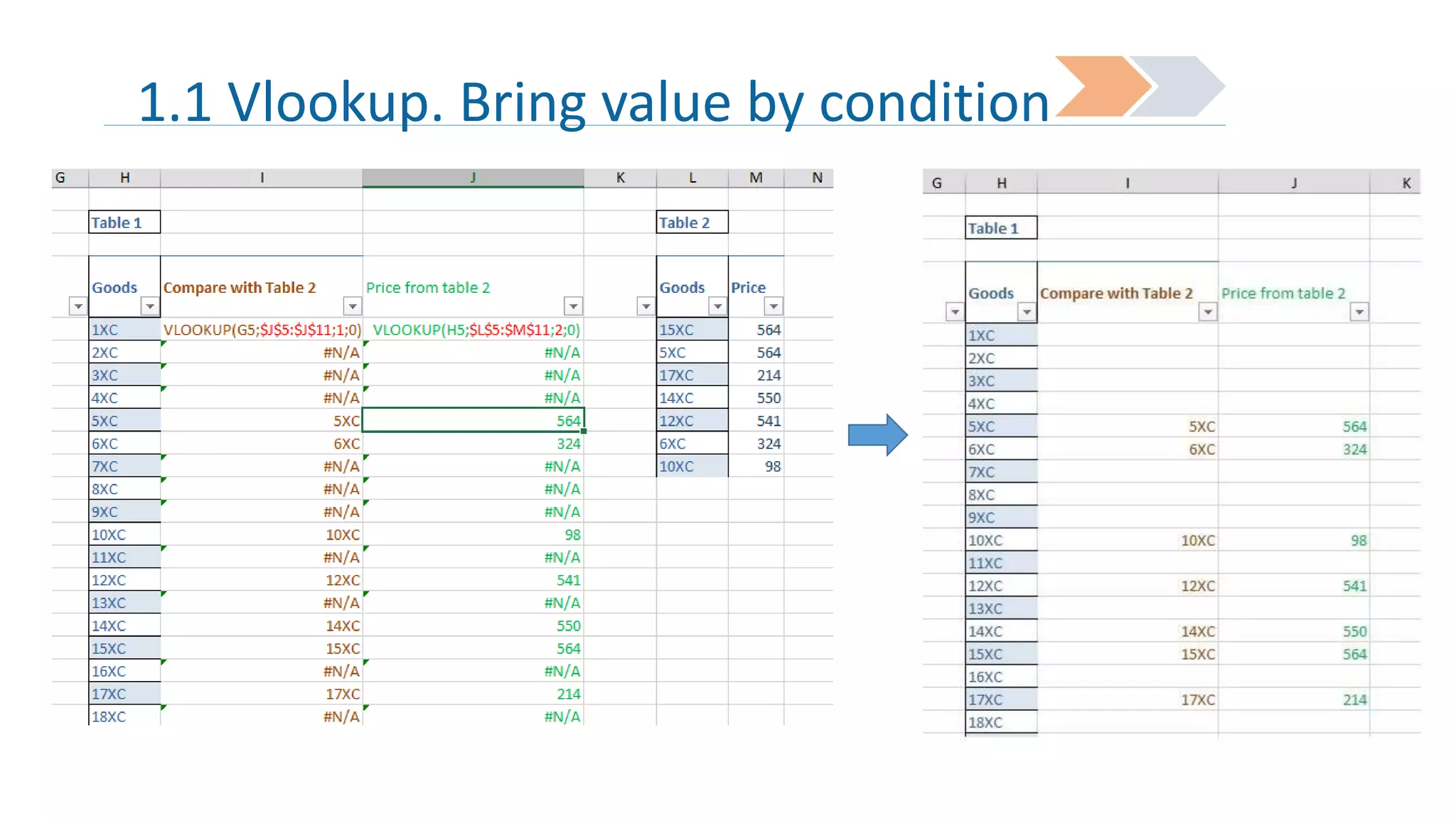
1.1 Vlookup. Bring value by condition
1.2 SUMIF. When we can use it?

1

•When we need to sum certain cell
values by repeating condition
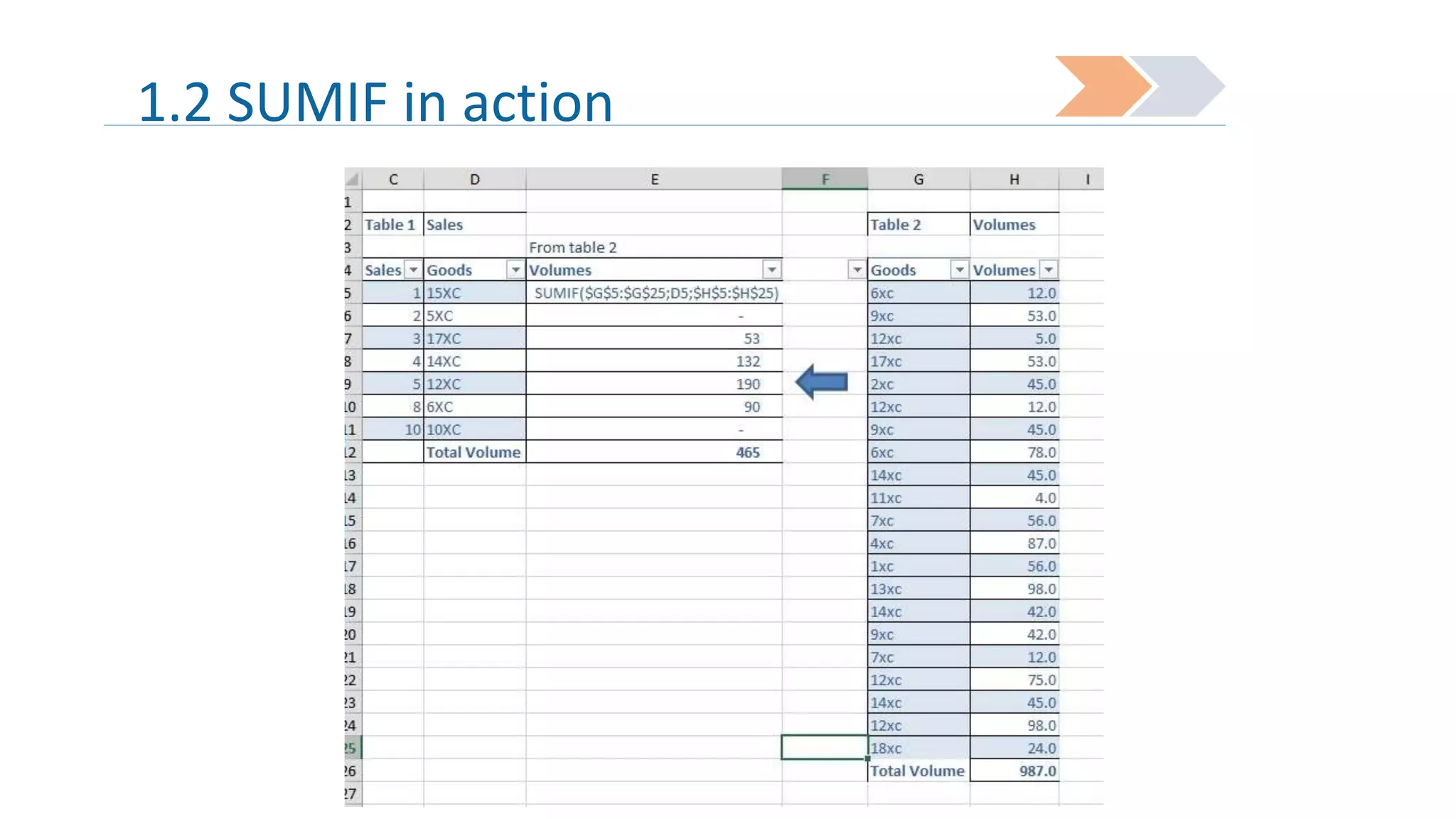
1.2 SUMIF in action
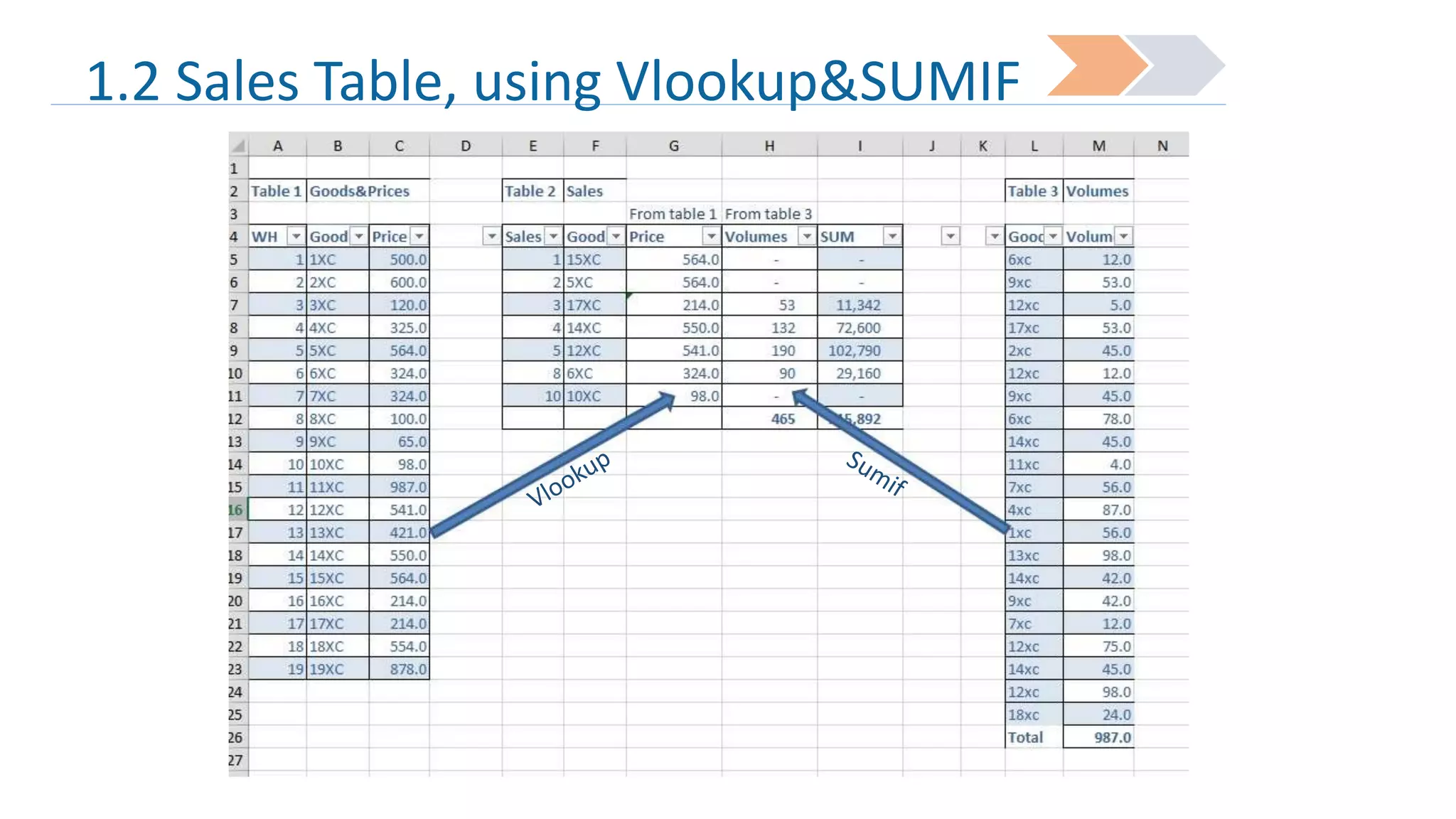
1.2 Sales Table, using Vlookup&SUMIF
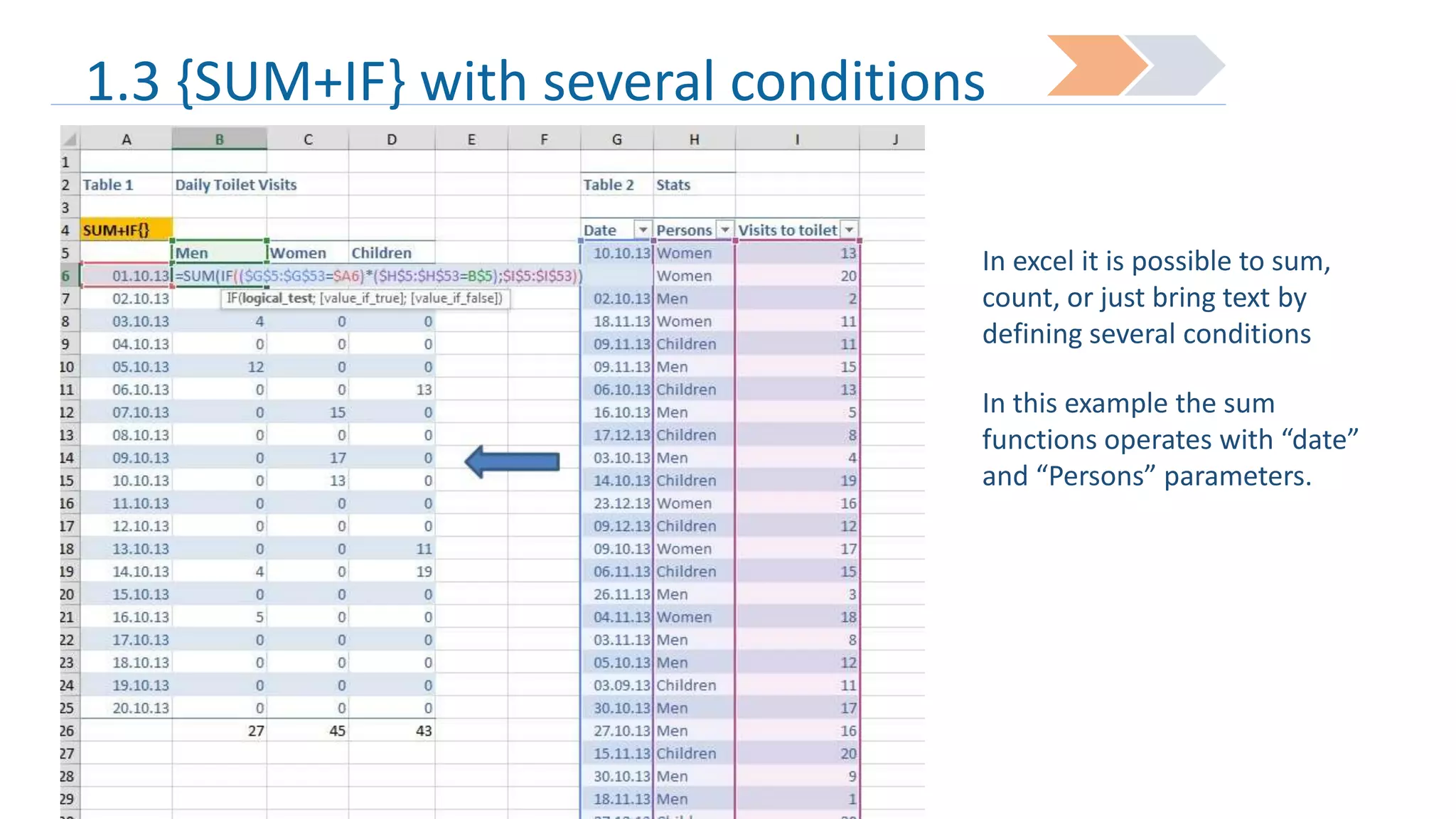
1.3 {SUM+IF} with several conditions
In excel it is possible to sum,
count, or just bring text by
defining several conditions
In this example the sum
functions operates with “date”
and “Persons” parameters.
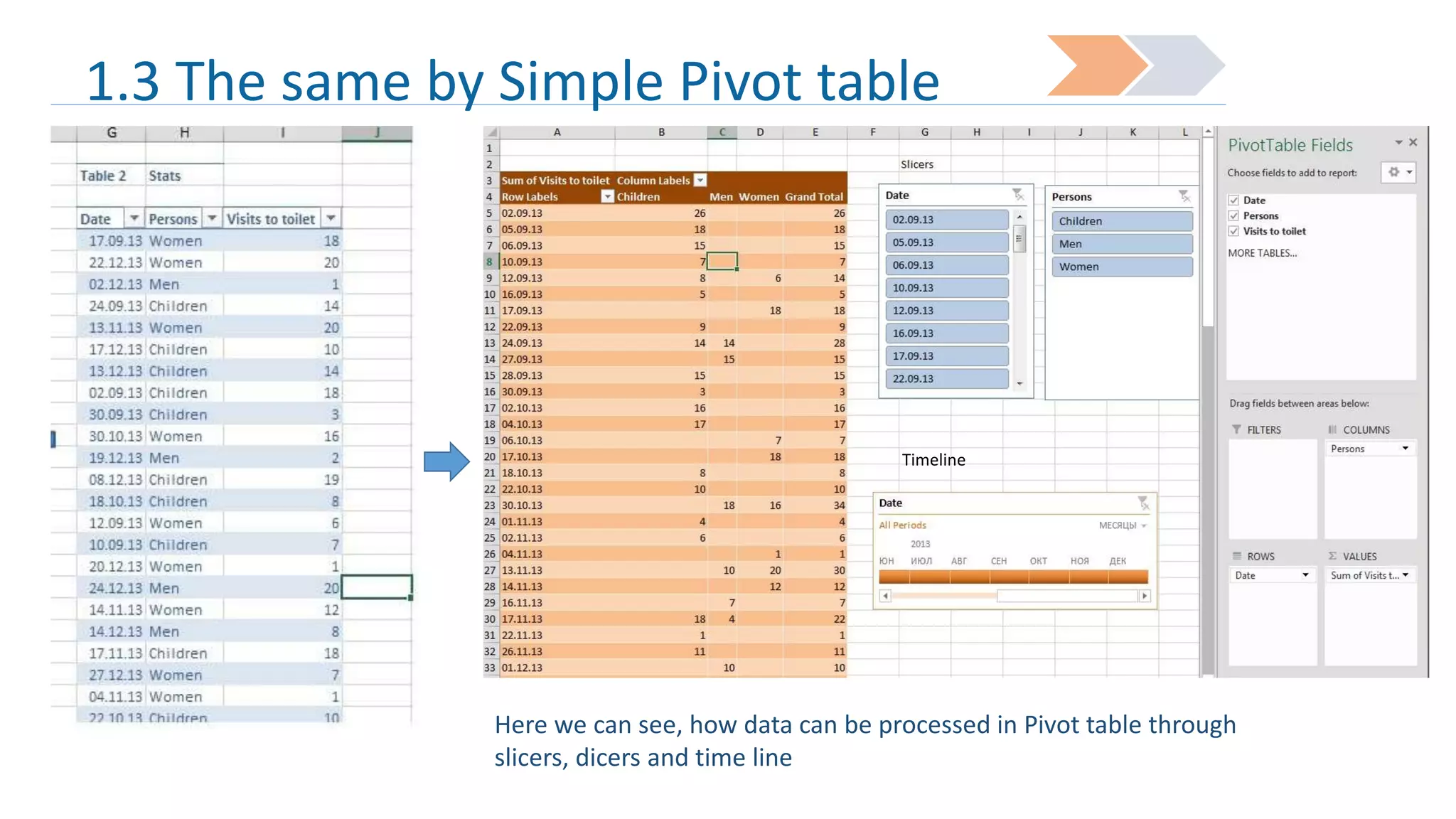
1.3 The same by Simple Pivot table

Timeline

Here we can see, how data can be processed in Pivot table through
slicers, dicers and time line
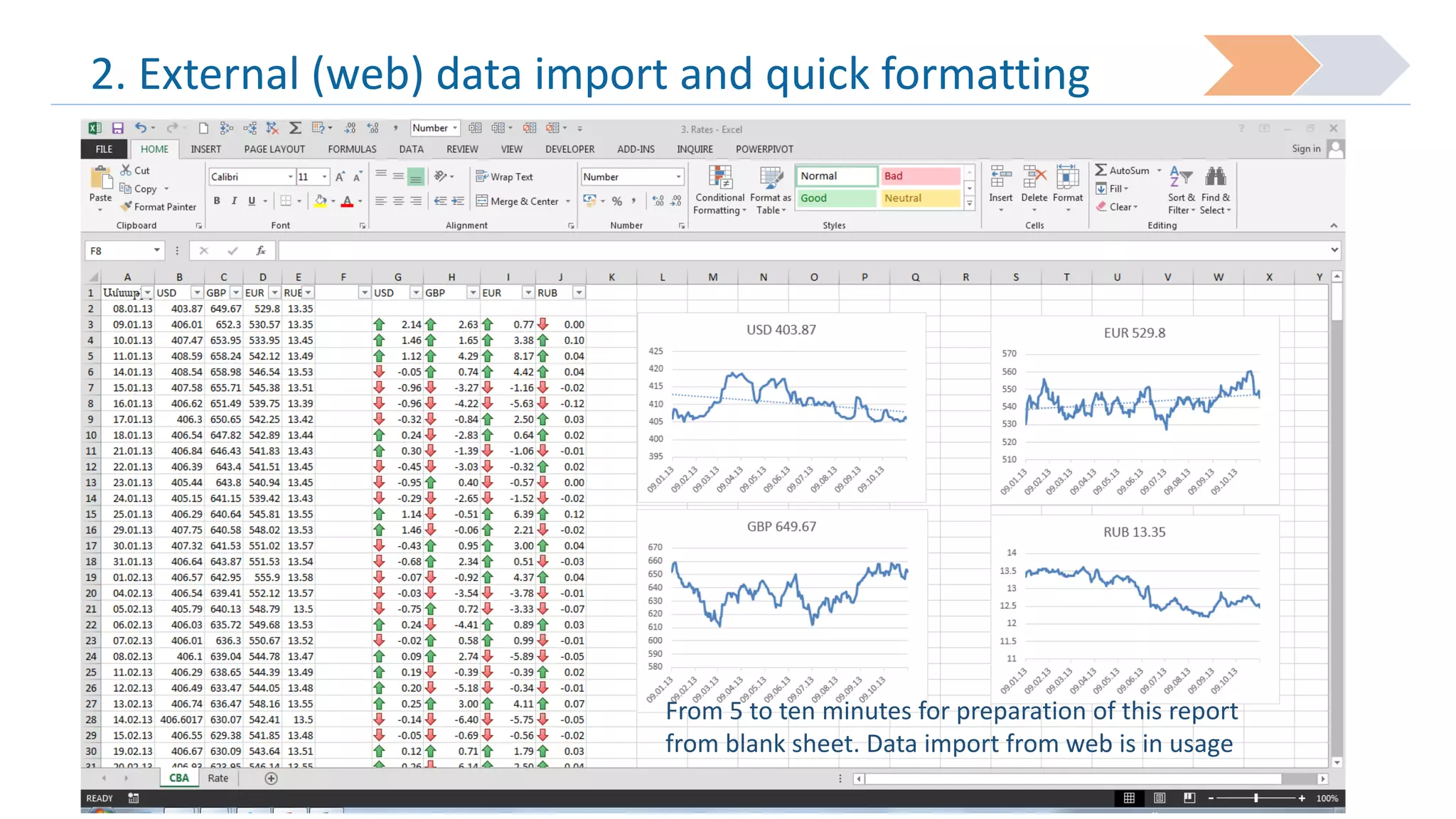
2. External (web) data import and quick formatting

From 5 to ten minutes for preparation of this report
from blank sheet. Data import from web is in usage
3. Macro tool usage

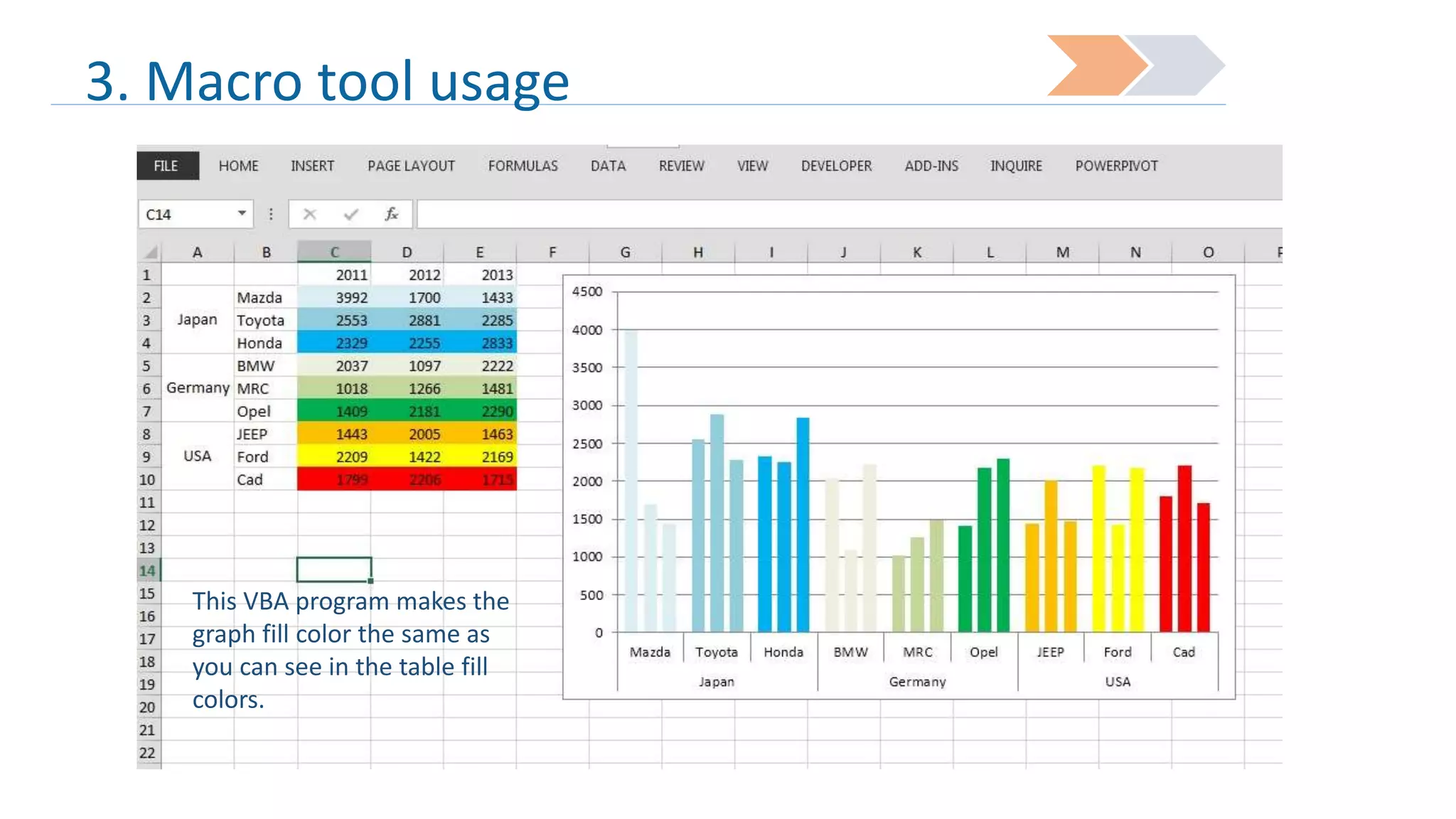
This VBA program makes the
graph fill color the same as
you can see in the table fill
colors.
3. Macro tool usage

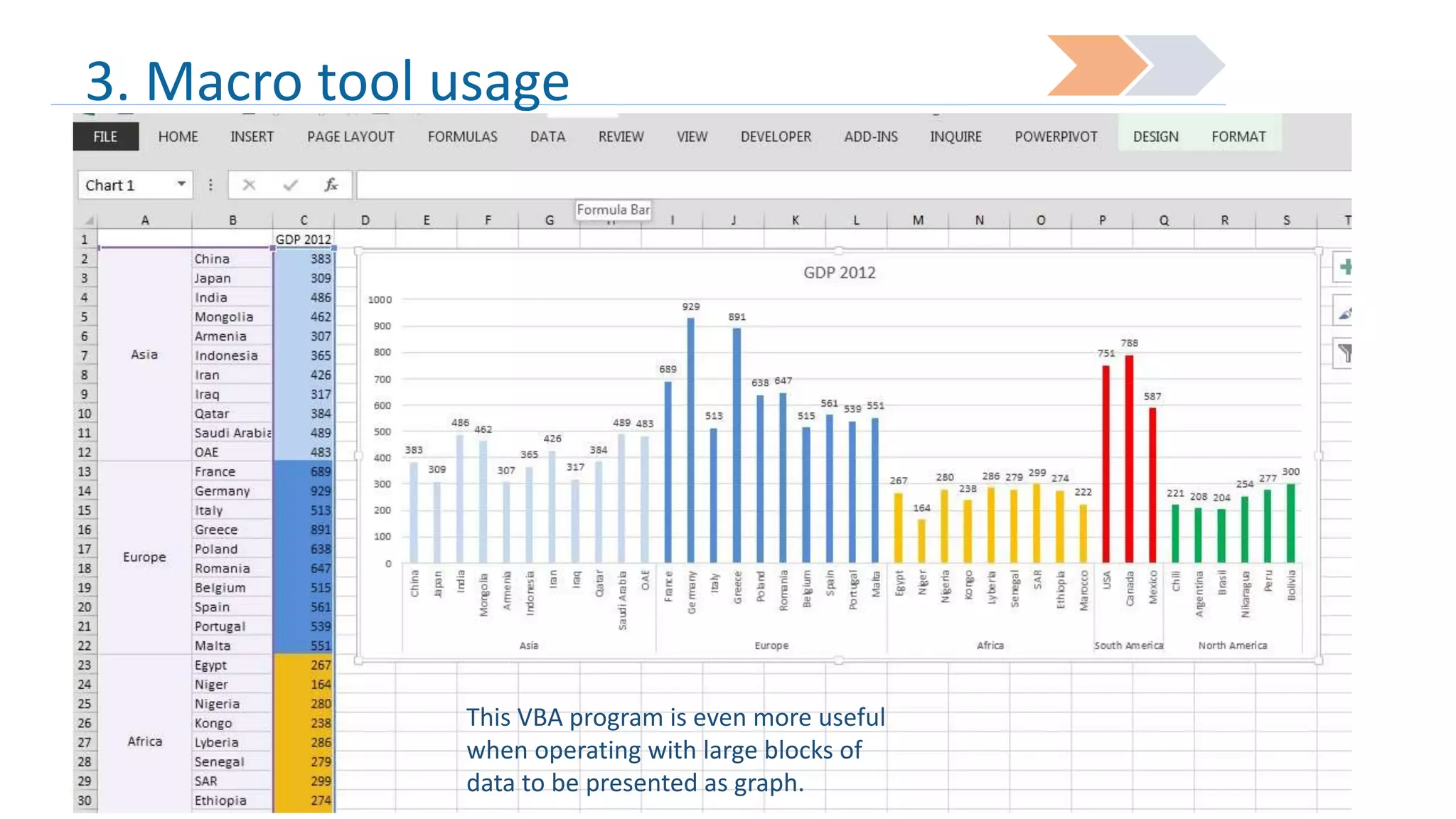
This VBA program is even more useful
when operating with large blocks of
data to be presented as graph.
4. Power Pivot tool

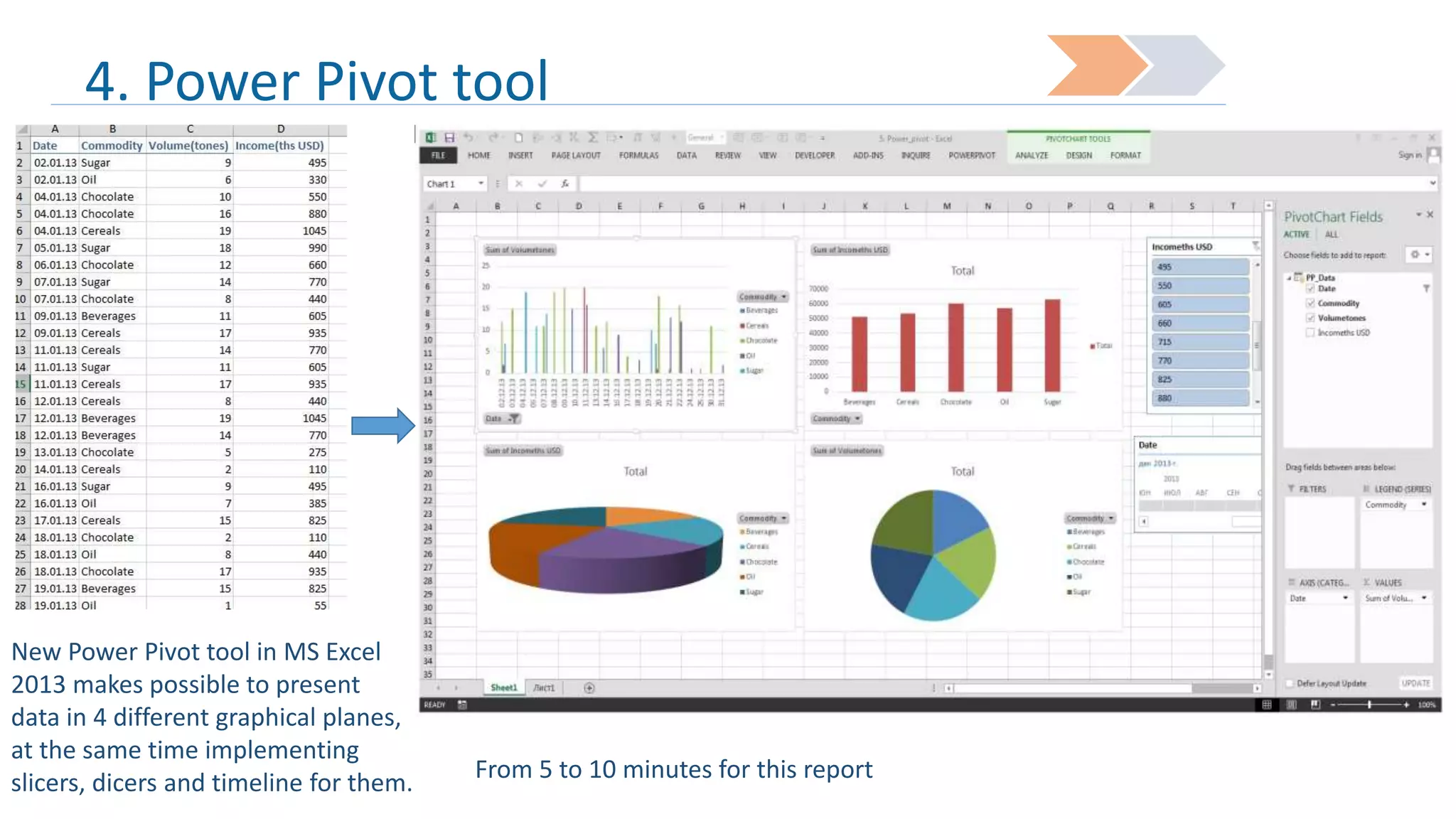
New Power Pivot tool in MS Excel
2013 makes possible to present
data in 4 different graphical planes,
at the same time implementing
slicers, dicers and timeline for them.

From 5 to 10 minutes for this report
5. Power View tool
City
Population
Yerevan
1500000
Gyumri
200000
Vanzdzor
250000
Ashtarak
20000
Abovyan
35000
Hrazdan
45000
Ijevan
25000
Dilijan
15000

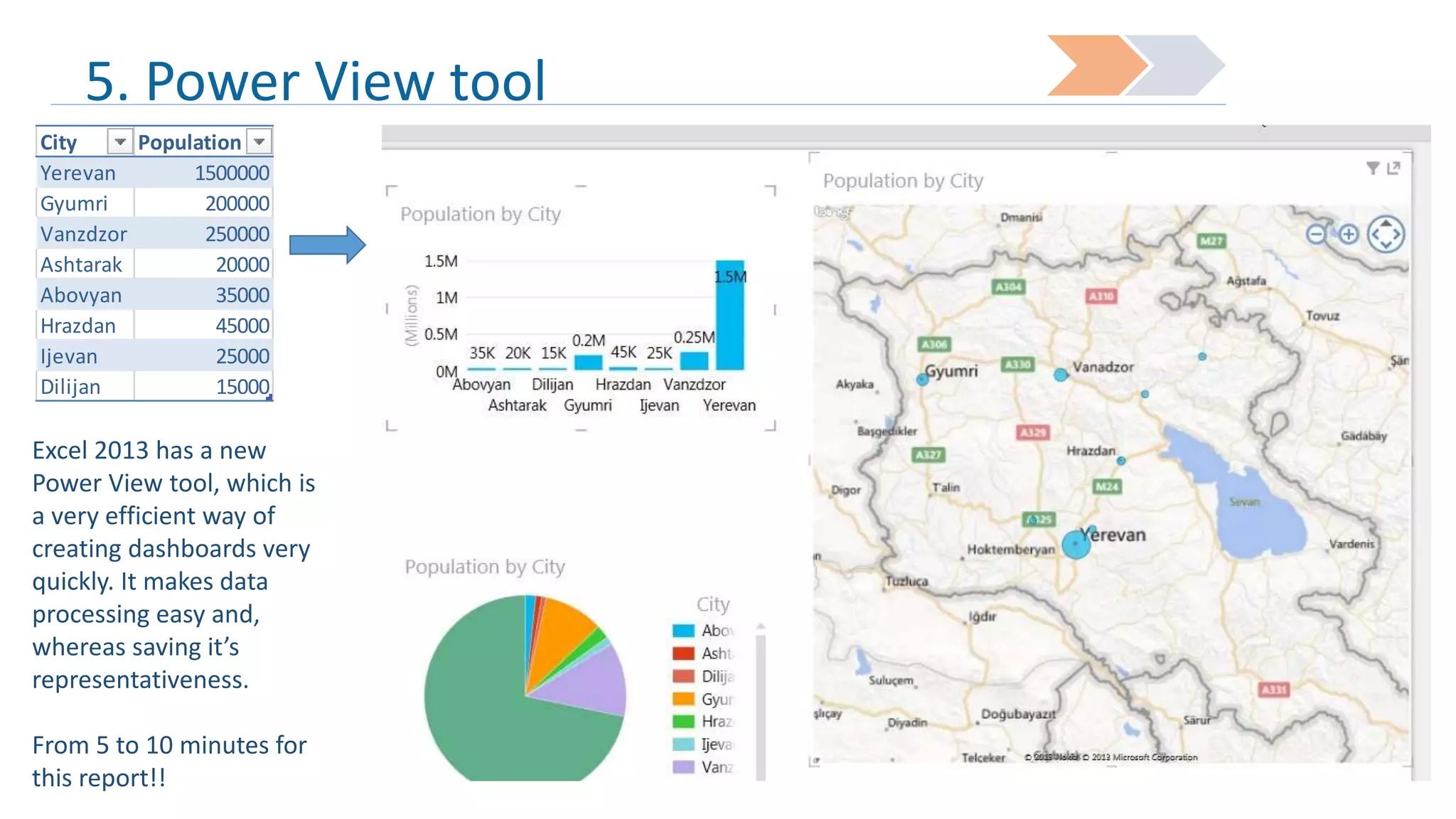
Excel 2013 has a new
Power View tool, which is
a very efficient way of
creating dashboards very
quickly. It makes data
processing easy and,
whereas saving it’s
representativeness.
From 5 to 10 minutes for
this report!!
GOOD LUCK!

Common MS Excel and MS Excel 2013 useful tricks. By Ashot Engibaryan

  • 1.
    Ashot Engibaryan Expert inMS Excel Master-Class Common MS Excel and MS Excel 2013 useful tricks
  • 2.
    What we aregoing to learn during the class… Working with some array functions Data import from web and quick processing Basics of working with macro tools Essence of Pivot tables. Power Pivot tables in MS Excel 2013 (new tool) Power view in MS Excel 2013 (new tool)
  • 3.
    1. Most oftenused array functions 1 •Vlookup 2 •SUMIF 3 •Complex array functions
  • 4.
    1.1 Vlookup. Whencan we use it? 1 2 • While comparing text, or number components of one table with another table components • When we need to find and bring into our table a value from another table by specific condition
  • 5.
  • 6.
    1.1 Vlookup. Bringvalue by condition
  • 7.
    1.2 SUMIF. Whenwe can use it? 1 •When we need to sum certain cell values by repeating condition
  • 8.
  • 9.
    1.2 Sales Table,using Vlookup&SUMIF
  • 10.
    1.3 {SUM+IF} withseveral conditions In excel it is possible to sum, count, or just bring text by defining several conditions In this example the sum functions operates with “date” and “Persons” parameters.
  • 11.
    1.3 The sameby Simple Pivot table Timeline Here we can see, how data can be processed in Pivot table through slicers, dicers and time line
  • 12.
    2. External (web)data import and quick formatting From 5 to ten minutes for preparation of this report from blank sheet. Data import from web is in usage
  • 13.
    3. Macro toolusage This VBA program makes the graph fill color the same as you can see in the table fill colors.
  • 14.
    3. Macro toolusage This VBA program is even more useful when operating with large blocks of data to be presented as graph.
  • 15.
    4. Power Pivottool New Power Pivot tool in MS Excel 2013 makes possible to present data in 4 different graphical planes, at the same time implementing slicers, dicers and timeline for them. From 5 to 10 minutes for this report
  • 16.
    5. Power Viewtool City Population Yerevan 1500000 Gyumri 200000 Vanzdzor 250000 Ashtarak 20000 Abovyan 35000 Hrazdan 45000 Ijevan 25000 Dilijan 15000 Excel 2013 has a new Power View tool, which is a very efficient way of creating dashboards very quickly. It makes data processing easy and, whereas saving it’s representativeness. From 5 to 10 minutes for this report!!
  • 17.