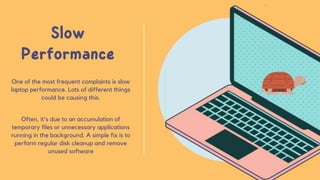
One of the most frequent complaints is slow
laptop performance. Lots of different things
could be causing this.
Often, it's due to an accumulation of
temporary files or unnecessary applications
running in the background. A simple fix is to
perform regular disk cleanup and remove
unused software
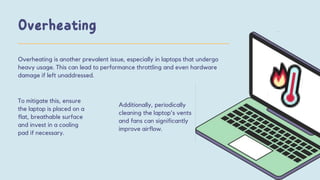
Overheating is another prevalent issue, especially in laptops that undergo
heavy usage. This can lead to performance throttling and even hardware
damage if left unaddressed.
To mitigate this, ensure
the laptop is placed on a
flat, breathable surface
and invest in a cooling
pad if necessary.
Additionally, periodically
cleaning the laptop's vents
and fans can significantly
improve airflow.
Many users find their Dell laptops struggling with battery life. This may be
due to settings, background processes, or even a deteriorating battery.
Optimizing power settings, reducing screen brightness, and closing
unused applications can help extend battery life. If the problem keeps
happening, think about getting a new battery.
Issues with Wi-Fi connectivity can be incredibly frustrating. This can
result from outdated drivers, signal interference, or router problems.
Updating Wi-Fi drivers and ensuring the laptop is within a
reasonable range of the router can resolve many of these issues.
Additionally, checking for interference from other devices can
improve signal stability.
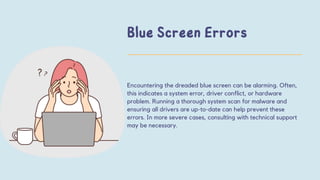
Encountering the dreaded blue screen can be alarming. Often,
this indicates a system error, driver conflict, or hardware
problem. Running a thorough system scan for malware and
ensuring all drivers are up-to-date can help prevent these
errors. In more severe cases, consulting with technical support
may be necessary.
In conclusion, while Dell laptops are renowned for
their reliability, they are not exempt from occasional
hiccups. By understanding and addressing these
common issues, users can enjoy a smoother and more
efficient computing experience. Remember, regular
maintenance and timely troubleshooting are key to
keeping your Dell laptop in prime condition.
CONTACT
INFORMATION
9041813480
https://snehaitsolutions.com
Sector 35C, SCO 485-486,
Above ICICI Bank, Cabin
No. 106, Chandigarh, 160022

Common Dell Laptop Problems and How to Fix Them

  • 3.
    One of themost frequent complaints is slow laptop performance. Lots of different things could be causing this. Often, it's due to an accumulation of temporary files or unnecessary applications running in the background. A simple fix is to perform regular disk cleanup and remove unused software
  • 4.
    Overheating is anotherprevalent issue, especially in laptops that undergo heavy usage. This can lead to performance throttling and even hardware damage if left unaddressed. To mitigate this, ensure the laptop is placed on a flat, breathable surface and invest in a cooling pad if necessary. Additionally, periodically cleaning the laptop's vents and fans can significantly improve airflow.
  • 5.
    Many users findtheir Dell laptops struggling with battery life. This may be due to settings, background processes, or even a deteriorating battery. Optimizing power settings, reducing screen brightness, and closing unused applications can help extend battery life. If the problem keeps happening, think about getting a new battery.
  • 6.
    Issues with Wi-Ficonnectivity can be incredibly frustrating. This can result from outdated drivers, signal interference, or router problems. Updating Wi-Fi drivers and ensuring the laptop is within a reasonable range of the router can resolve many of these issues. Additionally, checking for interference from other devices can improve signal stability.
  • 7.
    Encountering the dreadedblue screen can be alarming. Often, this indicates a system error, driver conflict, or hardware problem. Running a thorough system scan for malware and ensuring all drivers are up-to-date can help prevent these errors. In more severe cases, consulting with technical support may be necessary.
  • 8.
    In conclusion, whileDell laptops are renowned for their reliability, they are not exempt from occasional hiccups. By understanding and addressing these common issues, users can enjoy a smoother and more efficient computing experience. Remember, regular maintenance and timely troubleshooting are key to keeping your Dell laptop in prime condition.
  • 9.
    CONTACT INFORMATION 9041813480 https://snehaitsolutions.com Sector 35C, SCO485-486, Above ICICI Bank, Cabin No. 106, Chandigarh, 160022