INTRODUCTION
Cloud Computing providesus a means by which
we can access the applications as utilities, over
the Internet. It allows us to create, configure, and
customize applications online.
With Cloud Computing users can access database
resources via the internet from anywhere for as
long as they need without worrying about any
maintenance or management of actual resources.
3.
What is Cloud?
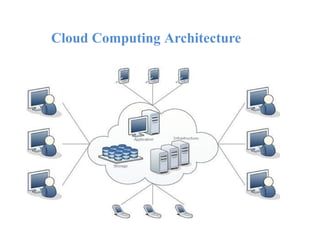
Theterm Cloud refers to a Network or Internet.
In other words, we can say that Cloud is something,
which is present at remote location.
Cloud can provide services over network, i.e.,
on public networks or on private networks, i.e.,
WAN, LAN or VPN.
Applications such as e-mail, web conferencing,
customer relationship management (CRM),
all run in cloud.
4.
What is CloudComputing?
Cloud Computing refers to manipulating,
configuring, and accessing the applications online.
It offers online data storage, infrastructure and
application.
Cloud Computing is both a combination of software and
hardware based computing resources delivered as a
network service.
Basic Concepts
There arecertain services and models working behind the
scene making the cloud computing feasible and accessible
to end users. Following are the working models for cloud
computing:
1. Deployment Models
2. Service Models
7.
Deployment Models
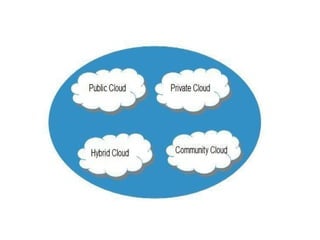
Deployment modelsdefine the type of access to the
cloud, i.e., how the cloud is located? Cloud can have any
of the four types of access: Public, Private, Hybrid and
Community.
9.
PUBLIC CLOUD :The Public Cloud allows systems and services to be
easily accessible to the general public. Public cloud may be less secure because
of its openness, e.g., e-mail.
PRIVATE CLOUD : The Private Cloud allows systems and services to be
accessible within an organization. It offers increased security because of its
private nature.
COMMUNITY CLOUD : The Community Cloud allows systems and
services to be accessible by group of organizations.
HYBRID CLOUD : The Hybrid Cloud is mixture of public and private
cloud. However, the critical activities are performed using private cloud while
the non-critical activities are performed using public cloud.
10.
Service Models
Service Modelsare the reference models on which the
Cloud Computing is based. These can be categorized
into three basic service models as listed below:
11.
1.Infrastructure as aService (IaaS)
2. Platform as a Service (PaaS)
3. Software as a Service (SaaS)
12.
Infrastructure as aService (IaaS)
IaaS is the delivery of technology infrastructure as an on
demand scalable service.
IaaS provides access to fundamental resources such as
physical machines, virtual machines, virtual storage, etc.
•Usually billed based on usage
•Usually multi tenant virtualized environment
•Can be coupled with Managed Services for OS and
application support
Platform as aService (PaaS)
PaaS provides the runtime environment for applications,
development & deployment tools, etc.
PaaS provides all of the facilities required to support
the complete life cycle of building and delivering web
applications and services entirely from the Internet.
Typically applications must be developed with a particular
platform in mind
•Multi tenant environments
•Highly scalable multi tier architecture
Software as aService (SaaS)
SaaS model allows to use software applications as a service
to end users.
SaaS is a software delivery methodology that provides
licensed multi-tenant access to software and its functions
remotely as a Web-based service.
•
•
•
Usually billed based on usage
Usually multi tenant environment
Highly scalable architecture
Disadvantages
•
•
•
•
•
•
Requires a constantInternet connection
Does not work well with low-speed connections
Features might be limited
Can be slow
Stored data can be lost
Stored data might not be secure
21.
Cloud Storage
• Createan Account
User name and
password.
• Content lives with the
account in the cloud.
• Log onto any
computer with Wi-Fi
to find your content
22.
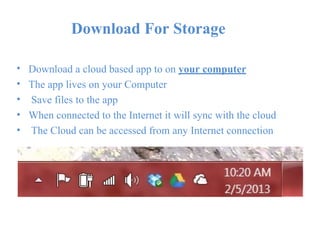
Download For Storage
•
•
•
•
•
Downloada cloud based app to on your computer
The app lives on your Computer
Save files to the app
When connected to the Internet it will sync with the cloud
The Cloud can be accessed from any Internet connection