Introduction
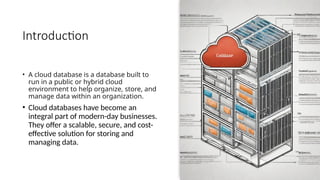
• A clouddatabase is a database built to
run in a public or hybrid cloud
environment to help organize, store, and
manage data within an organization.
• Cloud databases have become an
integral part of modern-day businesses.
They offer a scalable, secure, and cost-
effective solution for storing and
managing data.
3.
TYPES OF CLOUDDATABASES
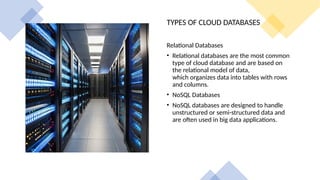
Relational Databases
• Relational databases are the most common
type of cloud database and are based on
the relational model of data,
which organizes data into tables with rows
and columns.
• NoSQL Databases
• NoSQL databases are designed to handle
unstructured or semi-structured data and
are often used in big data applications.
4.
Graph Databases
• Graphdatabases are designed to handle
highly connected data and are often used in
social networking, recommendation
engines, and fraud detection applications.
Object-Oriented Databases
• Object-oriented databases are designed to
handle complex data structures and are
often used in scientific and engineering
applications.
5.
Advantages of CloudDatabases
Scalability
• Cloud databases offer unparalleled scalability, allowing businesses to easily expand their storage
capacity as needed without the need for additional hardware or infrastructure.
Cost Savings
• Cloud databases can be more cost-effective than traditional on-premise databases, as they
eliminate the need for expensive hardware, maintenance, and IT staff. Additionally, businesses
can pay for only the storage space and resources they need, rather than investing in excess
capacity.
6.
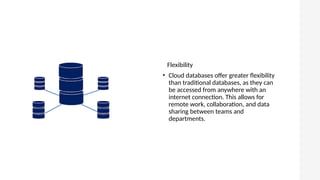
Flexibility
• Cloud databasesoffer greater flexibility
than traditional databases, as they can
be accessed from anywhere with an
internet connection. This allows for
remote work, collaboration, and data
sharing between teams and
departments.
7.
Challenges of
Cloud Databases
Security
•One of the biggest challenges of cloud
databases is security. As data is stored
off-site, it can be vulnerable to cyber
attacks and unauthorized access. It is
important to have a strong security
protocol in place to protect sensitive
information.
Cost
• While cloud databases can offer cost
savings compared to on-premise
solutions, they can also incur
unexpected costs such as data
transfer fees and charges for
exceeding storage limits. It is
important to carefully manage and
monitor costs to avoid any surprises.
8.
Performance
• Cloud databasescan experience
performance issues due to factors
such as network latency and shared
resources. It is important to
optimize database design and
configuration to ensure optimal
performance.
9.
• Best Practicesfor Cloud Database Management
• Cloud database management requires a
different set of best practices than traditional
on-premise database management. Here are
some key best practices to keep in mind:
• Automate Processes
• Automating processes such as backups, scaling,
and monitoring can help reduce the risk of
human error and ensure that your database is
always performing optimally.
10.
Future of CloudDatabases
Continued Growth and
Advancements
• The future of cloud databases looks
bright, with continued growth and
advancements in technology. As
more and more businesses move
their operations to the cloud, the
demand for cloud databases is only
expected to increase.
Advancements in technology will
also lead to improved performance,
scalability, and security.
Integration with AI and Machine
Learning
• As AI and machine learning
become more prevalent in
business operations, cloud
databases will need to be able to
integrate with these
technologies. This will allow for
more efficient data processing
and analysis, leading to better
insights and decision-making.
11.
• Choose theRight Provider
• Choosing the right cloud database
provider is crucial to ensuring that your
database is reliable, secure, and scalable.
Look for providers with a proven track
record and strong security measures in
place.
• Monitor Performance
• Regularly monitoring your database's
performance can help you identify and
address issues before they become
major problems. Use tools such as cloud
monitoring and logging to keep an eye
on your database's performance.