Managing Users
Objectives
After completing this lesson, you should be able to
do the following:
• Create new database users
• Alter and drop existing database users
• Monitor information about existing users
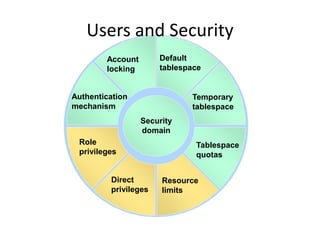
Account
locking
Tablespace
quotas
Temporary
tablespace
Default
tablespace
Role
privileges
Resource
limits
Security
domain
Direct
privileges
Authentication
mechanism
Users and Security
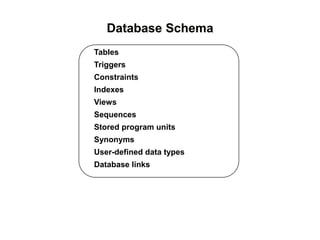
Tables
Triggers
Constraints
Indexes
Views
Sequences
Stored program units
Synonyms
User-defined data types
Database links
Database Schema
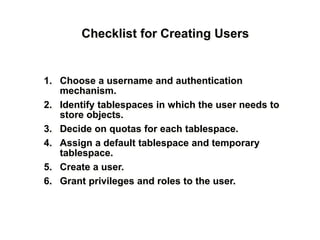
Checklist for Creating Users
1. Choose a username and authentication
mechanism.
2. Identify tablespaces in which the user needs to
store objects.
3. Decide on quotas for each tablespace.
4. Assign a default tablespace and temporary
tablespace.
5. Create a user.
6. Grant privileges and roles to the user.
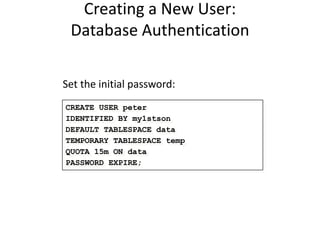
Creating a New User:
Database Authentication
Set the initial password:
CREATE USER peter
IDENTIFIED BY my1stson
DEFAULT TABLESPACE data
TEMPORARY TABLESPACE temp
QUOTA 15m ON data
PASSWORD EXPIRE;
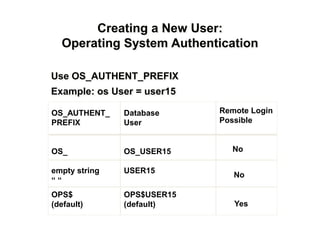
Remote Login
Possible
Creating a New User:
Operating System Authentication
OS_AUTHENT_
PREFIX
OS_
empty string
“ “
OPS$
(default)
Database
User
OS_USER15
USER15
OPS$USER15
(default)
Use OS_AUTHENT_PREFIX
Example: os User = user15
No
No
Yes
Creating a New
User: Guidelines
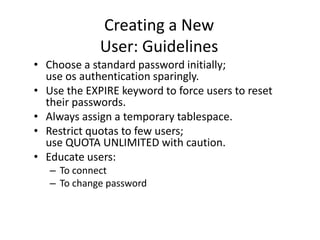
• Choose a standard password initially;
use os authentication sparingly.
• Use the EXPIRE keyword to force users to reset
their passwords.
• Always assign a temporary tablespace.
• Restrict quotas to few users;
use QUOTA UNLIMITED with caution.
• Educate users:
– To connect
– To change password
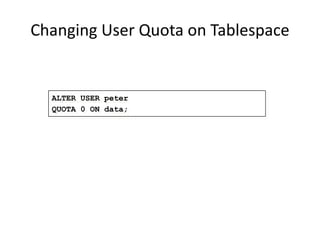
Changing User Quota on Tablespace
ALTER USER peter
QUOTA 0 ON data;
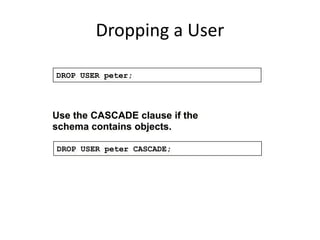
Dropping a User
Use the CASCADE clause if the
schema contains objects.
DROP USER peter;
DROP USER peter CASCADE;
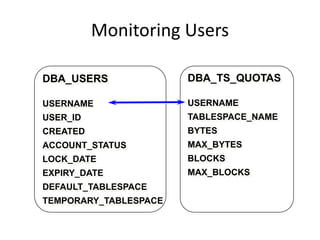
Monitoring Users
DBA_USERS
USERNAME
USER_ID
CREATED
ACCOUNT_STATUS
LOCK_DATE
EXPIRY_DATE
DEFAULT_TABLESPACE
TEMPORARY_TABLESPACE
DBA_TS_QUOTAS
USERNAME
TABLESPACE_NAME
BYTES
MAX_BYTES
BLOCKS
MAX_BLOCKS
Summary
In this lesson, you should have learned how to:
• Create users specifying the appropriate password
mechanism
• Control usage of space by users

Clase 17 manejo usuarios modificada