CLOUD TECHNOLOGY
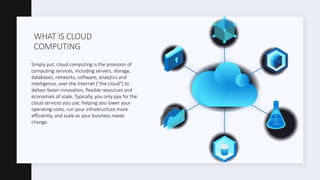
WHAT IS CLOUD
COMPUTING
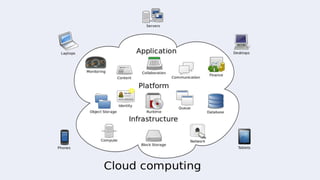
Simply put, cloud computing is the provision of
computing services, including servers, storage,
databases, networks, software, analytics and
intelligence, over the Internet ("the cloud") to
deliver faster innovation, flexible resources and
economies of scale. Typically, you only pay for the
cloud services you use, helping you lower your
operating costs, run your infrastructure more
efficiently, and scale as your business needs
change.
Principales beneficios de la computación en la nube
Cloud computing is a big change from the traditional way of thinking about Information Technology resources. Here are
seven common reasons why organizations are turning to cloud computing services:
1. Cost
2. Speed
3. Global Scaling
4. Productivity
5. Performance
6. Reliability
7. Security
COST
Cloud computing eliminates:
• the expense of purchasing hardware and software and
configuring and running on-site data centers
• server racks
• electricity 24 hours a day for energy and cooling
• IT experts to manage the infrastructure.
SPEED
Most cloud computing services are self-service and on-demand,
so even large amounts of computing resources can be
provisioned in minutes, usually with just a few clicks of the
mouse, giving businesses a lot of flexibility and takes the
pressure off of capacity planning.
GLOBAL SCALE
The benefits of cloud computing services include the ability to
scale elastically.
In the cloud, that means delivering the right amount of IT
resources - for example, more or less computing power, storage,
bandwidth, just when they are needed and from the right
geographic location.
PRODUCTIVITY
On-site data centers generally require a large number of "racks
and stacks" - hardware setup, software patches, and other time-
consuming IT management tasks.
Cloud computing eliminates the need for many of these tasks, so
IT teams can spend time achieving more important business
goals.
PERFORMANCE
The largest cloud computing services run on a global network of
secure data centers, which are regularly updated to the latest
generation of fast and efficient computing hardware.
This offers several benefits over a single corporate data center,
including reduced network latency for applications and greater
economies of scale.
RELIABILITY
The largest cloud computing services run on a global network of
secure data centers, which are regularly updated to the latest
generation of fast and efficient computing hardware.
This offers several benefits over a single corporate data center,
including reduced network latency for applications and greater
economies of scale.
SECURITY
Many cloud providers offer a comprehensive set of policies,
technologies, and controls that strengthen their overall security
posture, helping to protect their data, applications, and
infrastructure from potential threats.
Not all clouds are created equal and no type of cloud computing is suitable for everyone. Several
different models, types and services have evolved to help offer the right solution for your needs.
First, you need to determine the type of cloud deployment, or cloud computing architecture, in
which your cloud services will be deployed.
There are three different ways to implement cloud services: in a public, private, or hybrid cloud.
CLOUD COMPUTING TYPES
PUBLIC CLOUD
Public clouds are owned and operated by external cloud service
providers, who deliver their computing resources, such as
servers and storage, over the Internet.
Microsoft Azure is an example of a public cloud. With a public
cloud, all hardware, software, and other supporting
infrastructure is owned and managed by the cloud provider.
Access these services and manage your account using a web
browser.
PRIVATE CLOUD
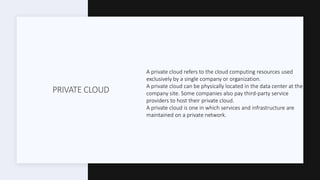
A private cloud refers to the cloud computing resources used
exclusively by a single company or organization.
A private cloud can be physically located in the data center at the
company site. Some companies also pay third-party service
providers to host their private cloud.
A private cloud is one in which services and infrastructure are
maintained on a private network.
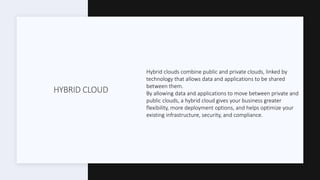
HYBRID CLOUD
Hybrid clouds combine public and private clouds, linked by
technology that allows data and applications to be shared
between them.
By allowing data and applications to move between private and
public clouds, a hybrid cloud gives your business greater
flexibility, more deployment options, and helps optimize your
existing infrastructure, security, and compliance.
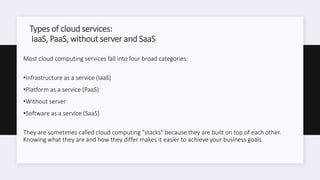
Types of cloud services:
IaaS, PaaS, without server and SaaS
Most cloud computing services fall into four broad categories:
•Infrastructure as a service (IaaS)
•Platform as a service (PaaS)
•Without server
•Software as a service (SaaS)
They are sometimes called cloud computing "stacks" because they are built on top of each other.
Knowing what they are and how they differ makes it easier to achieve your business goals.
INFRAESTRUCTURE AS A SERVICE
(IAAS)
The most basic category of cloud computing services.
With IaaS, you rent IT infrastructure (servers and virtual
machines (VMs), storage, networks, operating systems) to a
cloud provider on a pay-as-you-go basis.
PLATAFORM AS A SERVCIE (PAAS)
Platform as a service refers to cloud computing services that
provide an on-demand environment to develop, test, deliver and
manage software applications.
PaaS is designed to make it easy for developers to quickly create
web or mobile applications, without worrying about configuring
or managing the underlying infrastructure of servers, storage,
network and databases necessary for development.
WITHOUT SERVER
Overlapping with PaaS, serverless computing focuses on
developing application functionality without wasting time
continually managing servers and the infrastructure required to
do so.
The cloud provider handles configuration, capacity planning, and
server administration for you.
Serverless architectures are highly scalable and event-driven,
only using resources when a specific function or trigger occurs.
SOFTWARE AS A SERVICE (SAAS)
Software as a service is a method of delivering software
applications over the Internet, on demand and generally by
subscription.
With SaaS, cloud providers host and manage the software
application and underlying infrastructure, and handle any
maintenance, such as software updates and security patches.
Users connect to the application via the Internet, usually with a
web browser on their phone, tablet, or PC.
BY LUIS DE LEON

CIT-382 Cloud Technology

  • 1.
  • 3.
    WHAT IS CLOUD COMPUTING Simplyput, cloud computing is the provision of computing services, including servers, storage, databases, networks, software, analytics and intelligence, over the Internet ("the cloud") to deliver faster innovation, flexible resources and economies of scale. Typically, you only pay for the cloud services you use, helping you lower your operating costs, run your infrastructure more efficiently, and scale as your business needs change.
  • 4.
    Principales beneficios dela computación en la nube Cloud computing is a big change from the traditional way of thinking about Information Technology resources. Here are seven common reasons why organizations are turning to cloud computing services: 1. Cost 2. Speed 3. Global Scaling 4. Productivity 5. Performance 6. Reliability 7. Security
  • 5.
    COST Cloud computing eliminates: •the expense of purchasing hardware and software and configuring and running on-site data centers • server racks • electricity 24 hours a day for energy and cooling • IT experts to manage the infrastructure.
  • 6.
    SPEED Most cloud computingservices are self-service and on-demand, so even large amounts of computing resources can be provisioned in minutes, usually with just a few clicks of the mouse, giving businesses a lot of flexibility and takes the pressure off of capacity planning.
  • 7.
    GLOBAL SCALE The benefitsof cloud computing services include the ability to scale elastically. In the cloud, that means delivering the right amount of IT resources - for example, more or less computing power, storage, bandwidth, just when they are needed and from the right geographic location.
  • 8.
    PRODUCTIVITY On-site data centersgenerally require a large number of "racks and stacks" - hardware setup, software patches, and other time- consuming IT management tasks. Cloud computing eliminates the need for many of these tasks, so IT teams can spend time achieving more important business goals.
  • 9.
    PERFORMANCE The largest cloudcomputing services run on a global network of secure data centers, which are regularly updated to the latest generation of fast and efficient computing hardware. This offers several benefits over a single corporate data center, including reduced network latency for applications and greater economies of scale.
  • 10.
    RELIABILITY The largest cloudcomputing services run on a global network of secure data centers, which are regularly updated to the latest generation of fast and efficient computing hardware. This offers several benefits over a single corporate data center, including reduced network latency for applications and greater economies of scale.
  • 11.
    SECURITY Many cloud providersoffer a comprehensive set of policies, technologies, and controls that strengthen their overall security posture, helping to protect their data, applications, and infrastructure from potential threats.
  • 12.
    Not all cloudsare created equal and no type of cloud computing is suitable for everyone. Several different models, types and services have evolved to help offer the right solution for your needs. First, you need to determine the type of cloud deployment, or cloud computing architecture, in which your cloud services will be deployed. There are three different ways to implement cloud services: in a public, private, or hybrid cloud. CLOUD COMPUTING TYPES
  • 13.
    PUBLIC CLOUD Public cloudsare owned and operated by external cloud service providers, who deliver their computing resources, such as servers and storage, over the Internet. Microsoft Azure is an example of a public cloud. With a public cloud, all hardware, software, and other supporting infrastructure is owned and managed by the cloud provider. Access these services and manage your account using a web browser.
  • 14.
    PRIVATE CLOUD A privatecloud refers to the cloud computing resources used exclusively by a single company or organization. A private cloud can be physically located in the data center at the company site. Some companies also pay third-party service providers to host their private cloud. A private cloud is one in which services and infrastructure are maintained on a private network.
  • 15.
    HYBRID CLOUD Hybrid cloudscombine public and private clouds, linked by technology that allows data and applications to be shared between them. By allowing data and applications to move between private and public clouds, a hybrid cloud gives your business greater flexibility, more deployment options, and helps optimize your existing infrastructure, security, and compliance.
  • 16.
    Types of cloudservices: IaaS, PaaS, without server and SaaS Most cloud computing services fall into four broad categories: •Infrastructure as a service (IaaS) •Platform as a service (PaaS) •Without server •Software as a service (SaaS) They are sometimes called cloud computing "stacks" because they are built on top of each other. Knowing what they are and how they differ makes it easier to achieve your business goals.
  • 17.
    INFRAESTRUCTURE AS ASERVICE (IAAS) The most basic category of cloud computing services. With IaaS, you rent IT infrastructure (servers and virtual machines (VMs), storage, networks, operating systems) to a cloud provider on a pay-as-you-go basis.
  • 18.
    PLATAFORM AS ASERVCIE (PAAS) Platform as a service refers to cloud computing services that provide an on-demand environment to develop, test, deliver and manage software applications. PaaS is designed to make it easy for developers to quickly create web or mobile applications, without worrying about configuring or managing the underlying infrastructure of servers, storage, network and databases necessary for development.
  • 19.
    WITHOUT SERVER Overlapping withPaaS, serverless computing focuses on developing application functionality without wasting time continually managing servers and the infrastructure required to do so. The cloud provider handles configuration, capacity planning, and server administration for you. Serverless architectures are highly scalable and event-driven, only using resources when a specific function or trigger occurs.
  • 20.
    SOFTWARE AS ASERVICE (SAAS) Software as a service is a method of delivering software applications over the Internet, on demand and generally by subscription. With SaaS, cloud providers host and manage the software application and underlying infrastructure, and handle any maintenance, such as software updates and security patches. Users connect to the application via the Internet, usually with a web browser on their phone, tablet, or PC.
  • 21.