
New developer choices -
comparing SharePoint add-ins
(apps) with Office 365 apps
Chris O’Brien – MVP
www.sharepointnutsandbolts.com
Independent Consultant
Head of Development, Content
and Code
www.sharepointnutsandbolts.com
@ChrisO_Brien
http://cob-sp.com/COBLinkedIn
About me
Warning! Name change 
Agenda
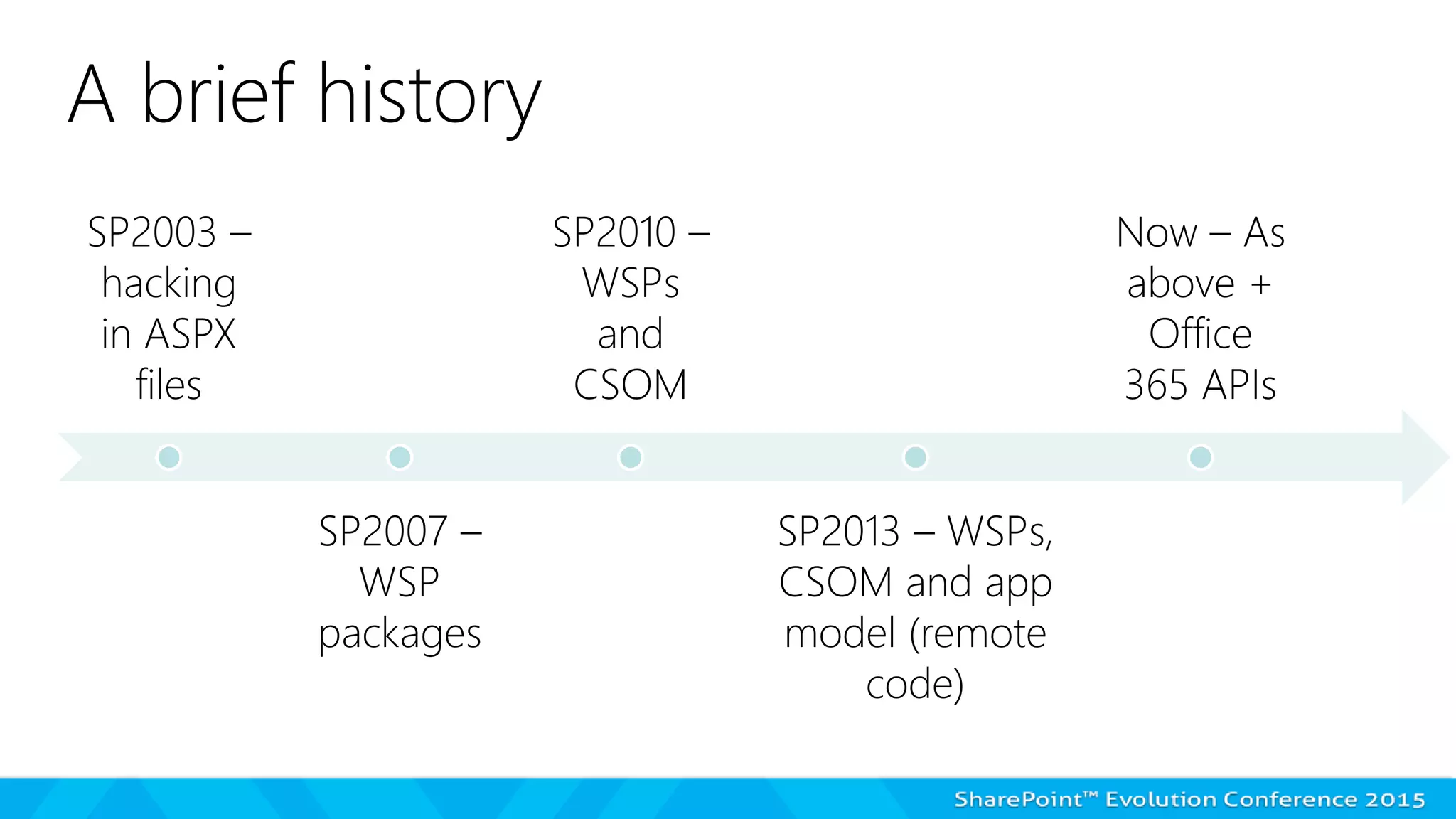
SP2003 –
hacking
in ASPX
files
SP2007 –
WSP
packages
SP2010 –
WSPs
and
CSOM
SP2013 – WSPs,
CSOM and app
model (remote
code)
Now – As
above +
Office
365 APIs
A brief history
The SharePoint App Model –
"State of the Nation"
Apps, 2 years on – THE GOOD
The model is WORKING! Office 365 IS customisable AND stable
Apps, 2 years on – THE BAD
Raises the bar even higher to be a SharePoint developer?
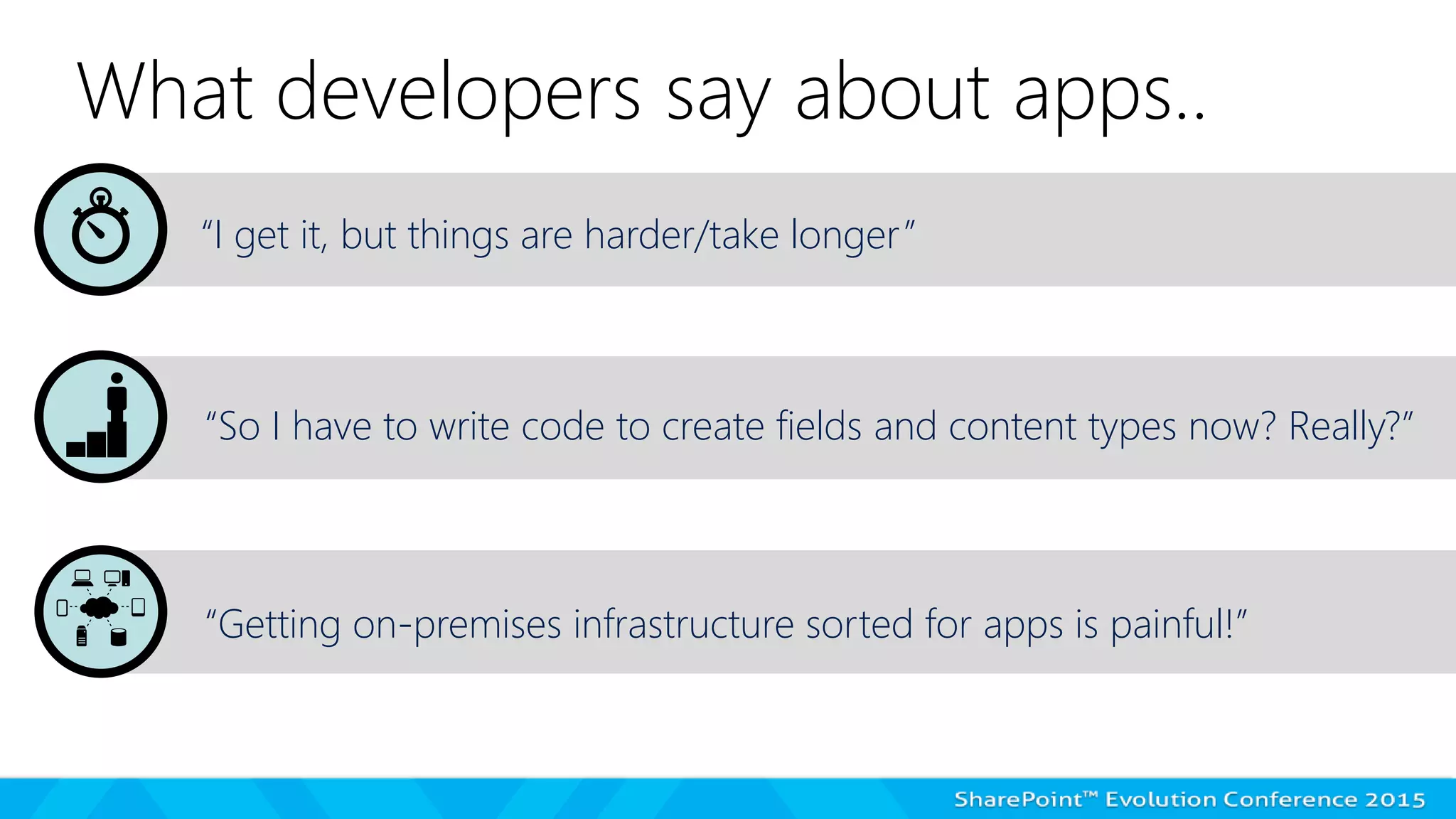
What developers say about apps..
“I get it, but things are harder/take longer”
“So I have to write code to create fields and content types now? Really?”
“Getting on-premises infrastructure sorted for apps is painful!”
What end-users say about apps..
“Why can’t I go directly into [tool X] in my browser?“
“It doesn’t make sense to go from a SharePoint site!”
“It doesn’t work well on my phone!”
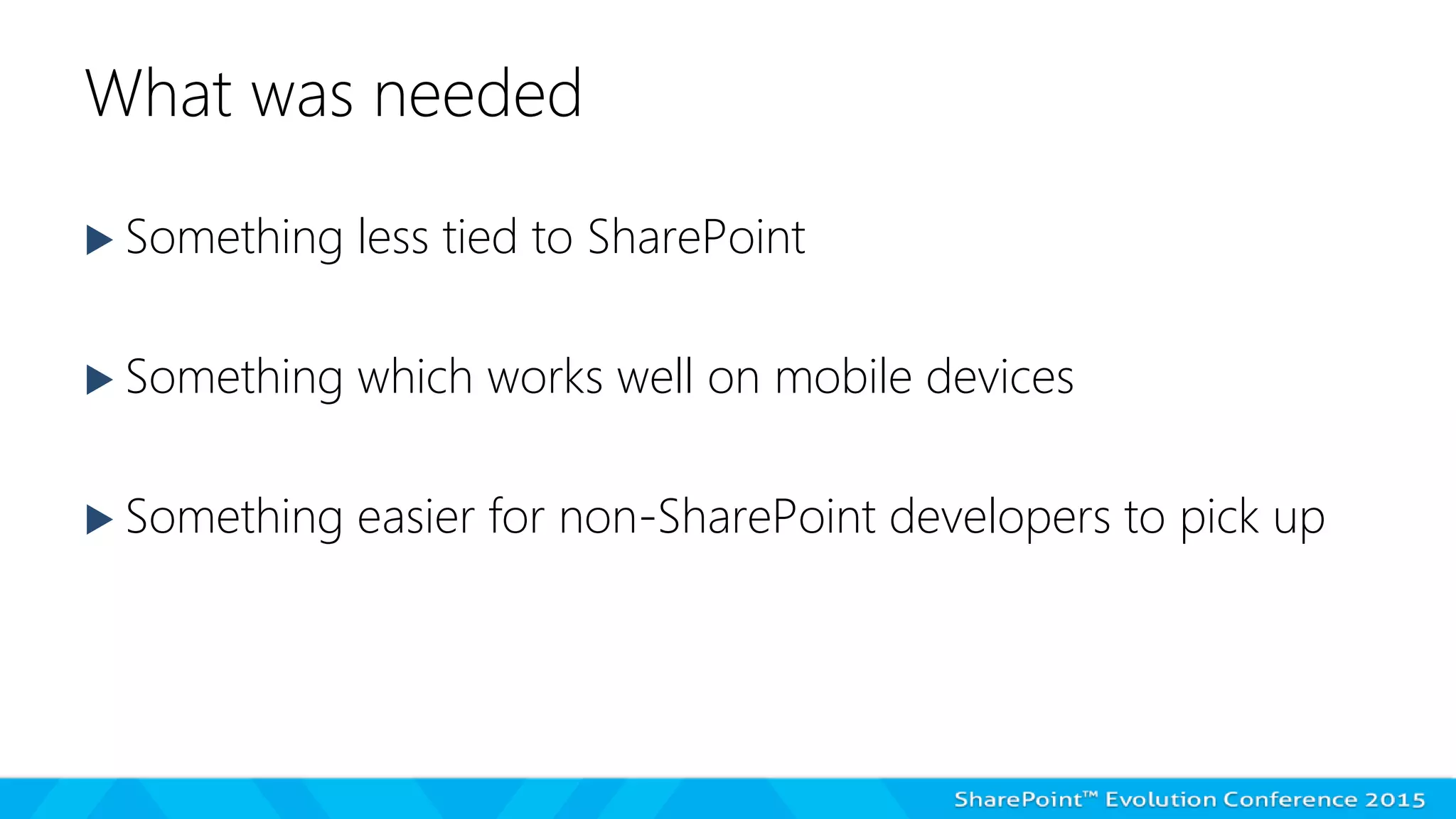
What was needed
 Something less tied to SharePoint
 Something which works well on mobile devices
 Something easier for non-SharePoint developers to pick up
Let me introduce our client..
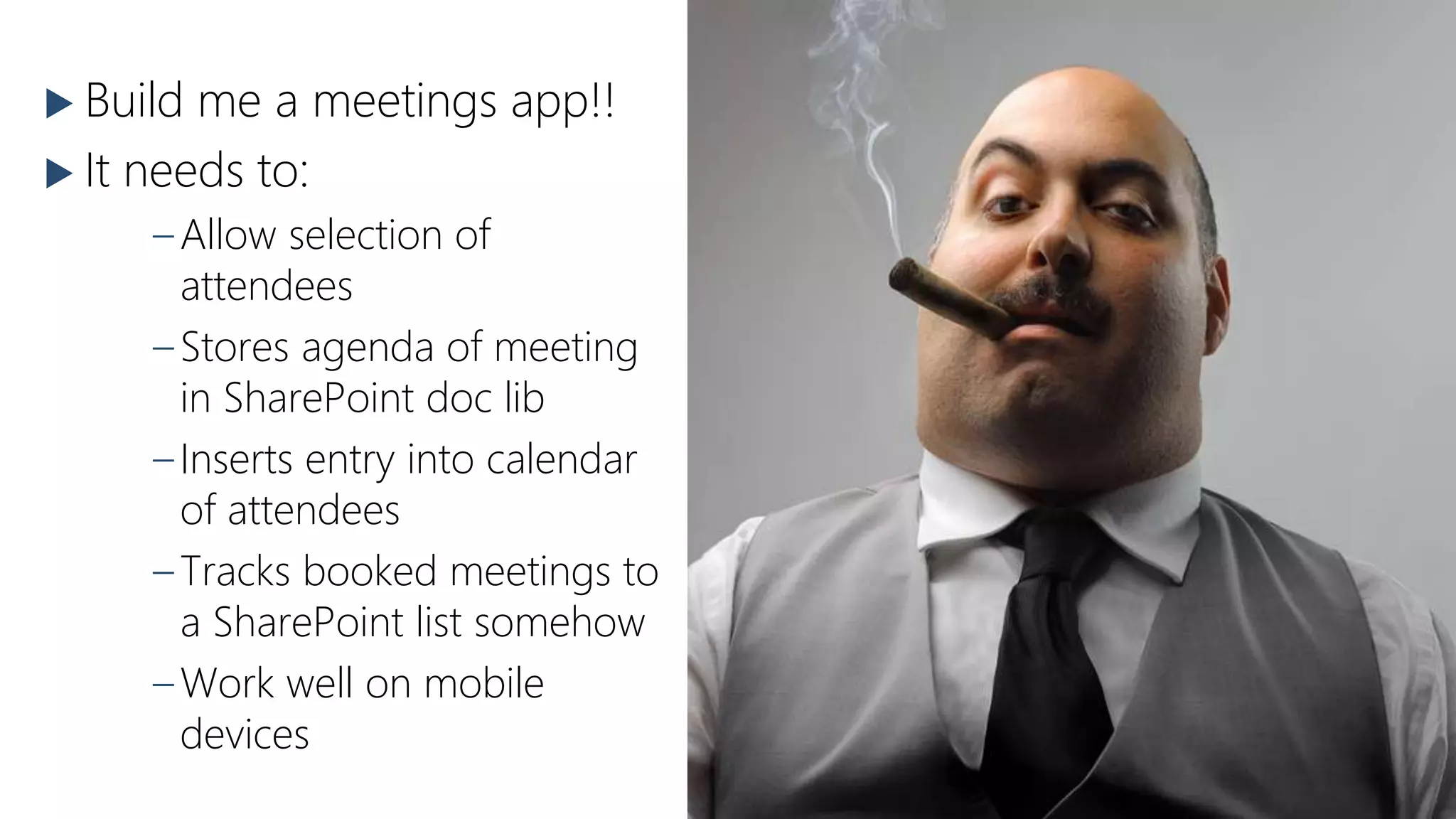
This is Joe 
(Office 365
intranet
manager)
 Build me a meetings app!!
 It needs to:
–Allow selection of
attendees
–Stores agenda of meeting
in SharePoint doc lib
–Inserts entry into calendar
of attendees
–Tracks booked meetings to
a SharePoint list somehow
–Work well on mobile
devices
This is our
brave dev
team 
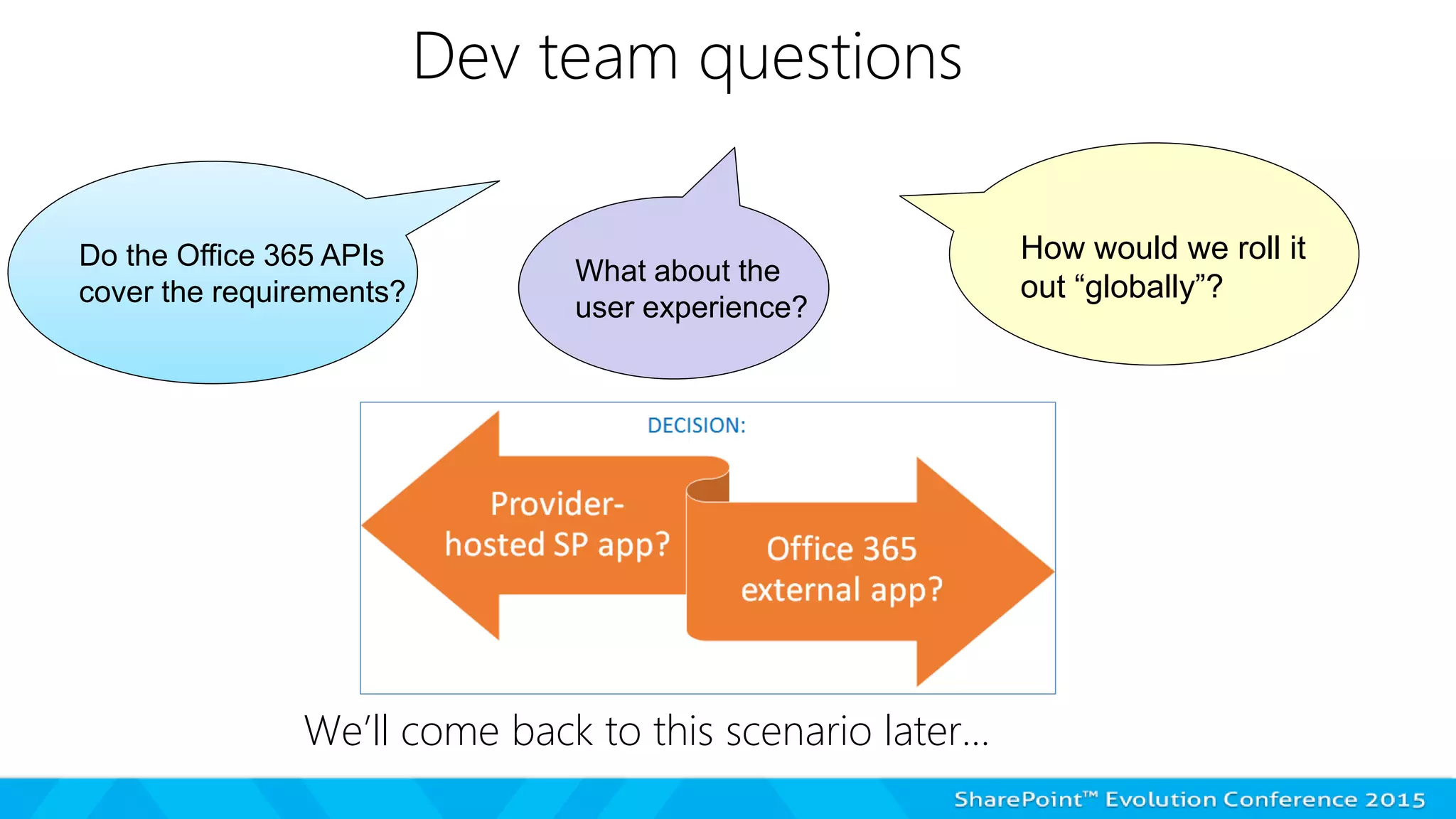
Dev team questions
We’ll come back to this scenario later…
Do the Office 365 APIs
cover the requirements?
What about the
user experience?
How would we roll it
out “globally”?
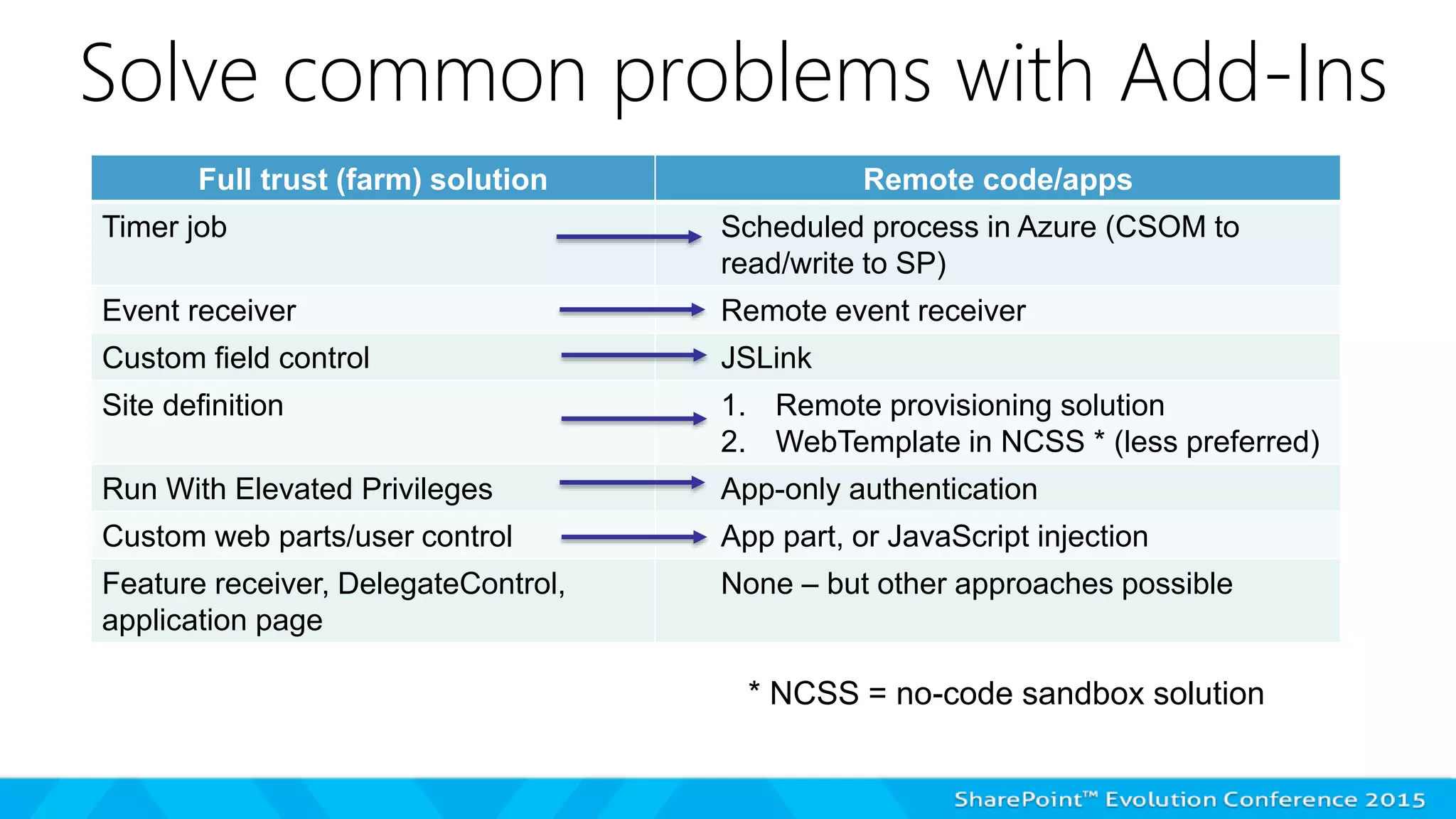
Solve common problems with Add-Ins
Full trust (farm) solution Remote code/apps
Timer job Scheduled process in Azure (CSOM to
read/write to SP)
Event receiver Remote event receiver
Custom field control JSLink
Site definition 1. Remote provisioning solution
2. WebTemplate in NCSS * (less preferred)
Run With Elevated Privileges App-only authentication
Custom web parts/user control App part, or JavaScript injection
Feature receiver, DelegateControl,
application page
None – but other approaches possible
* NCSS = no-code sandbox solution
SHAREPOINT ADD-INS: END-USER
AND ADMIN
Click “next slide” to see this demo
on YouTube, or use link:
https://www.youtube.com/watch?
v=cNi353Mpwyk
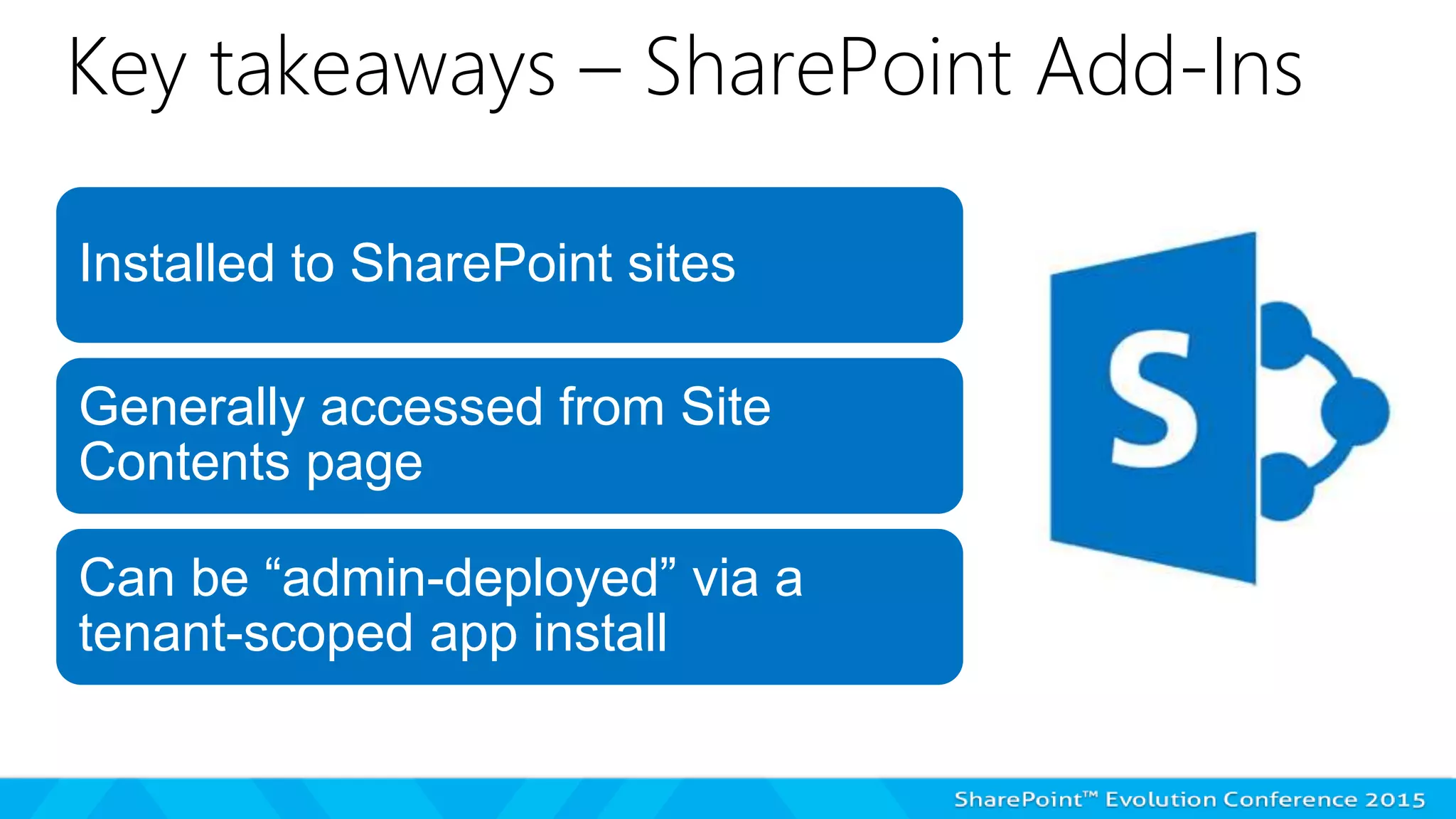
Key takeaways – SharePoint Add-Ins
Installed to SharePoint sites
Generally accessed from Site
Contents page
Can be “admin-deployed” via a
tenant-scoped app install
Office 365 apps
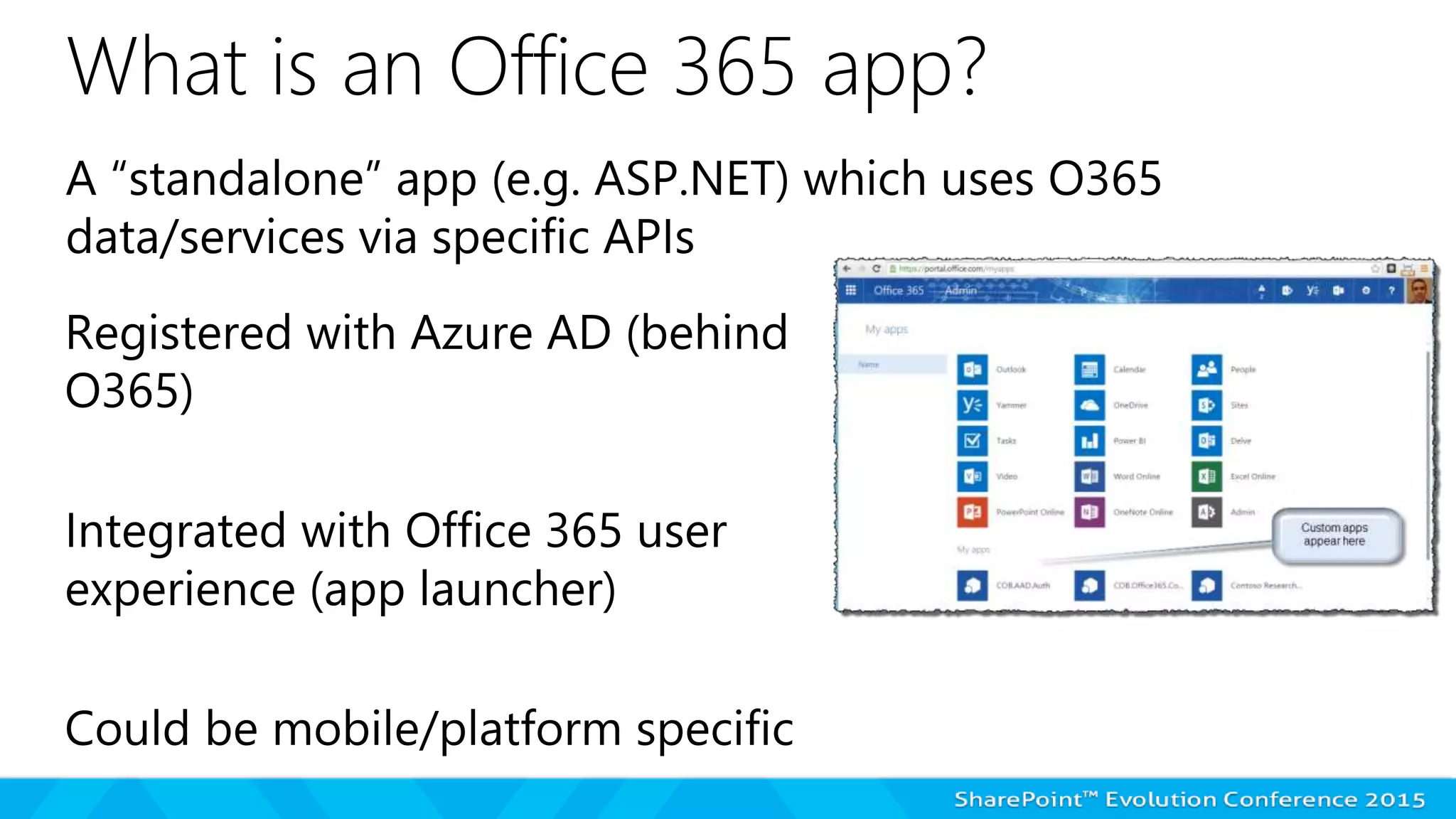
What is an Office 365 app?
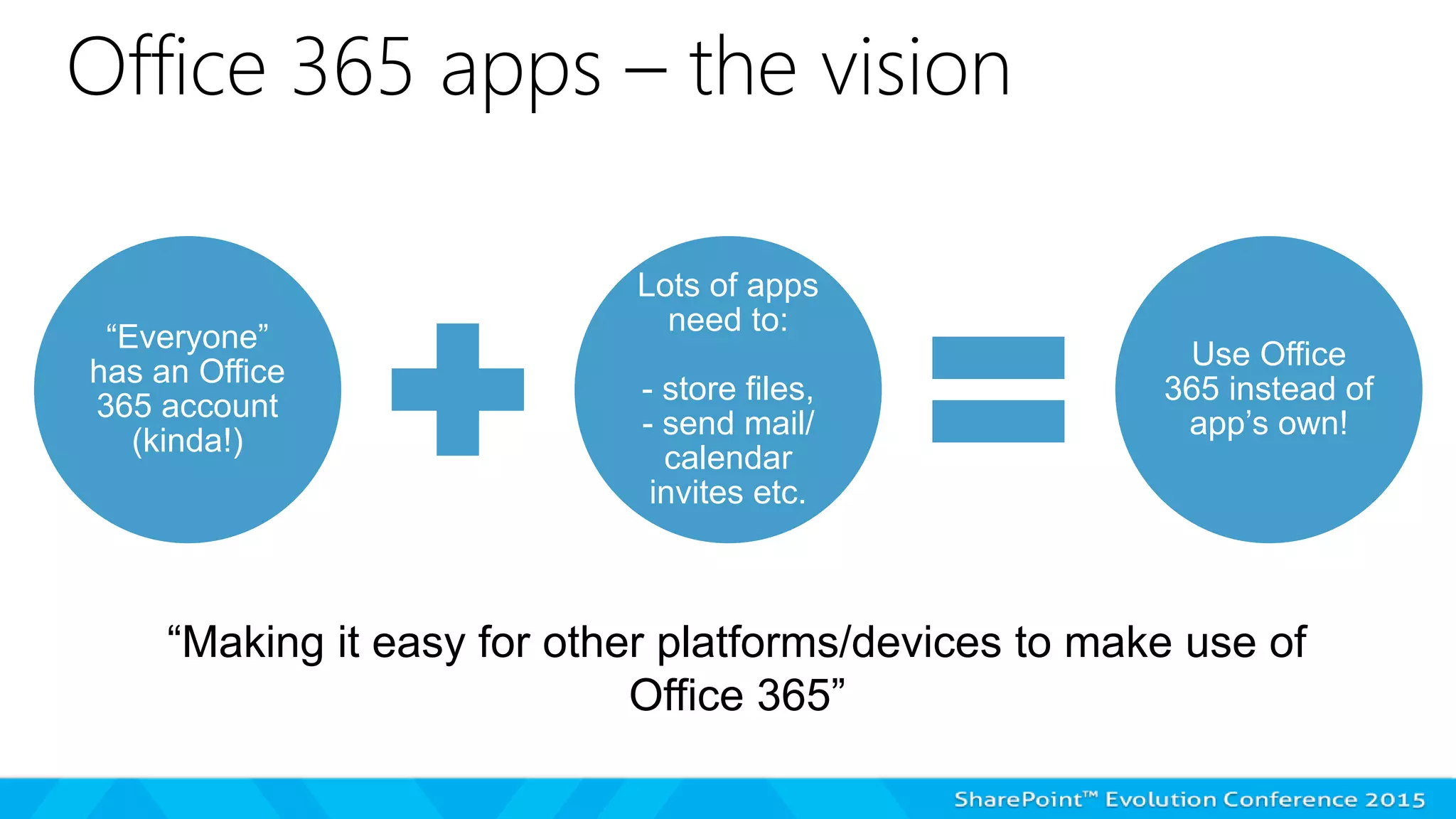
Office 365 apps – the vision
“Everyone”
has an Office
365 account
(kinda!)
Lots of apps
need to:
- store files,
- send mail/
calendar
invites etc.
Use Office
365 instead of
app’s own!
“Making it easy for other platforms/devices to make use of
Office 365”
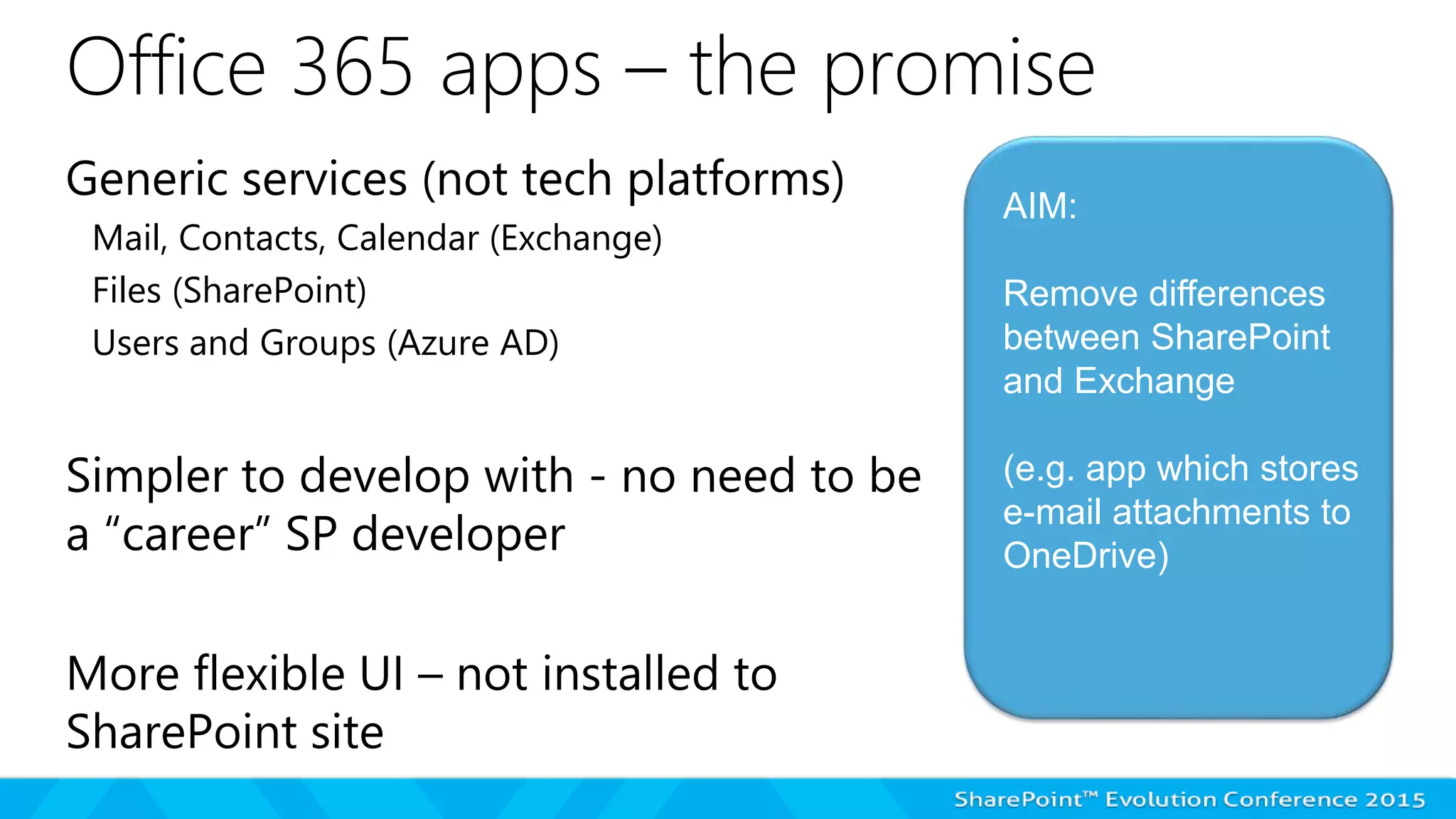
Office 365 apps – the promise
Mail, Contacts, Calendar (Exchange)
Files (SharePoint)
Users and Groups (Azure AD)
AIM:
Remove differences
between SharePoint
and Exchange
(e.g. app which stores
e-mail attachments to
OneDrive)
OFFICE 365 APPS: END-USER AND
ADMIN
Click “next slide” to see this demo
on YouTube, or use link:
https://www.youtube.com/watch?
v=xznfjNFIlAU
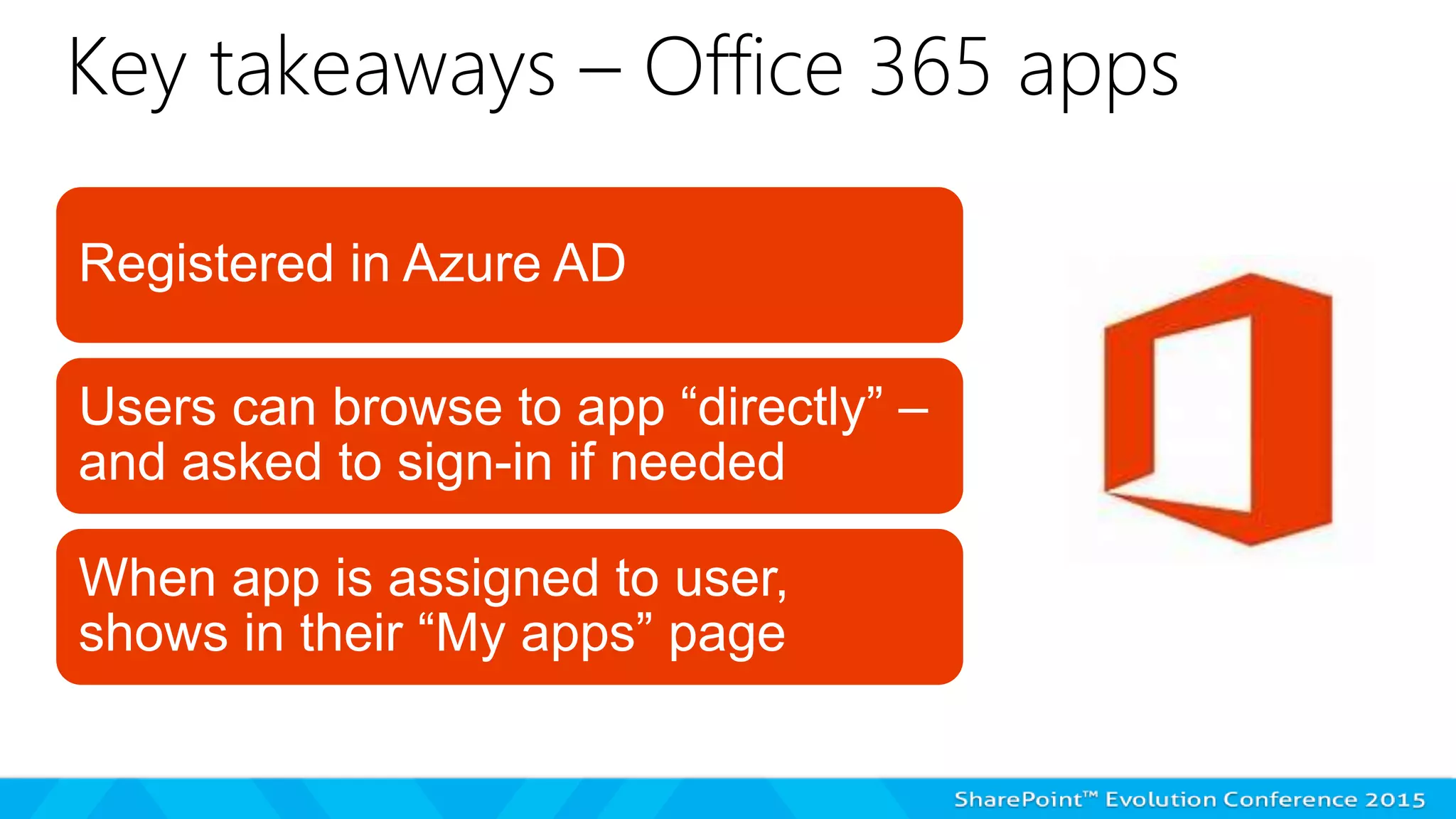
Key takeaways – Office 365 apps
Registered in Azure AD
Users can browse to app “directly” –
and asked to sign-in if needed
When app is assigned to user,
shows in their “My apps” page
Development differences
API forms
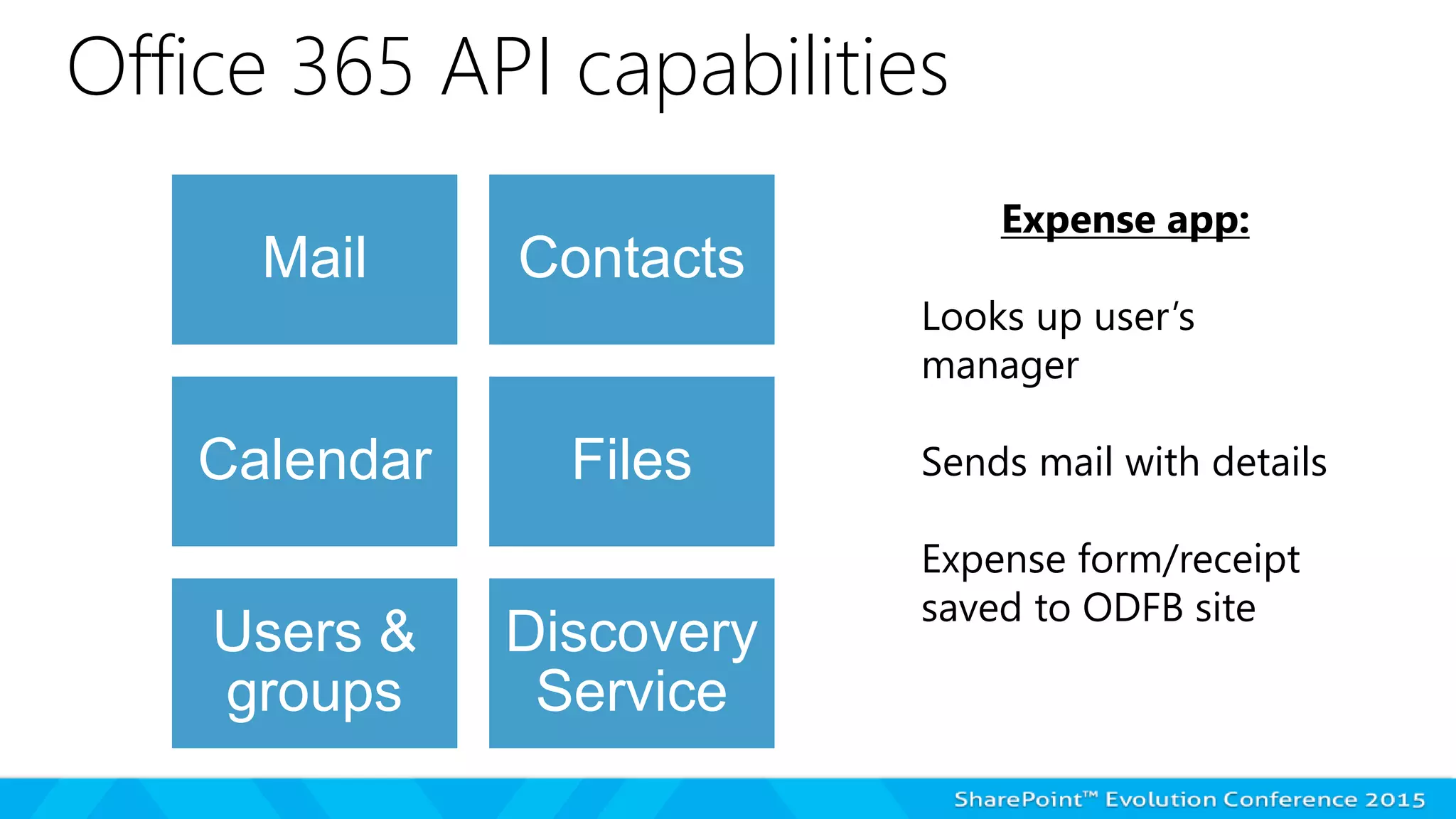
Office 365 API capabilities
Mail Contacts
Calendar Files
Users &
groups
Discovery
Service
Expense app:
Looks up user’s
manager
Sends mail with details
Expense form/receipt
saved to ODFB site
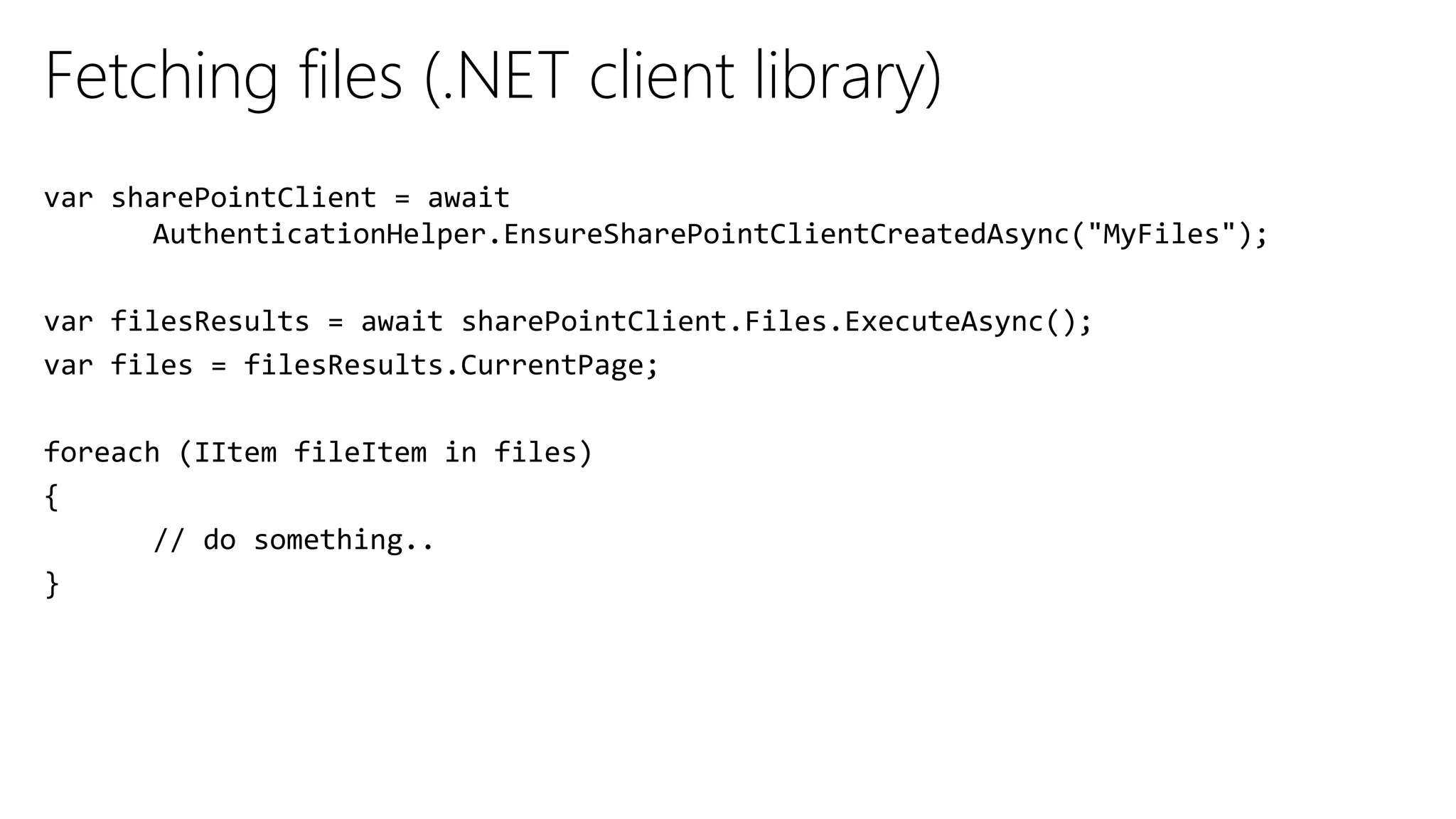
Fetching files (.NET client library)
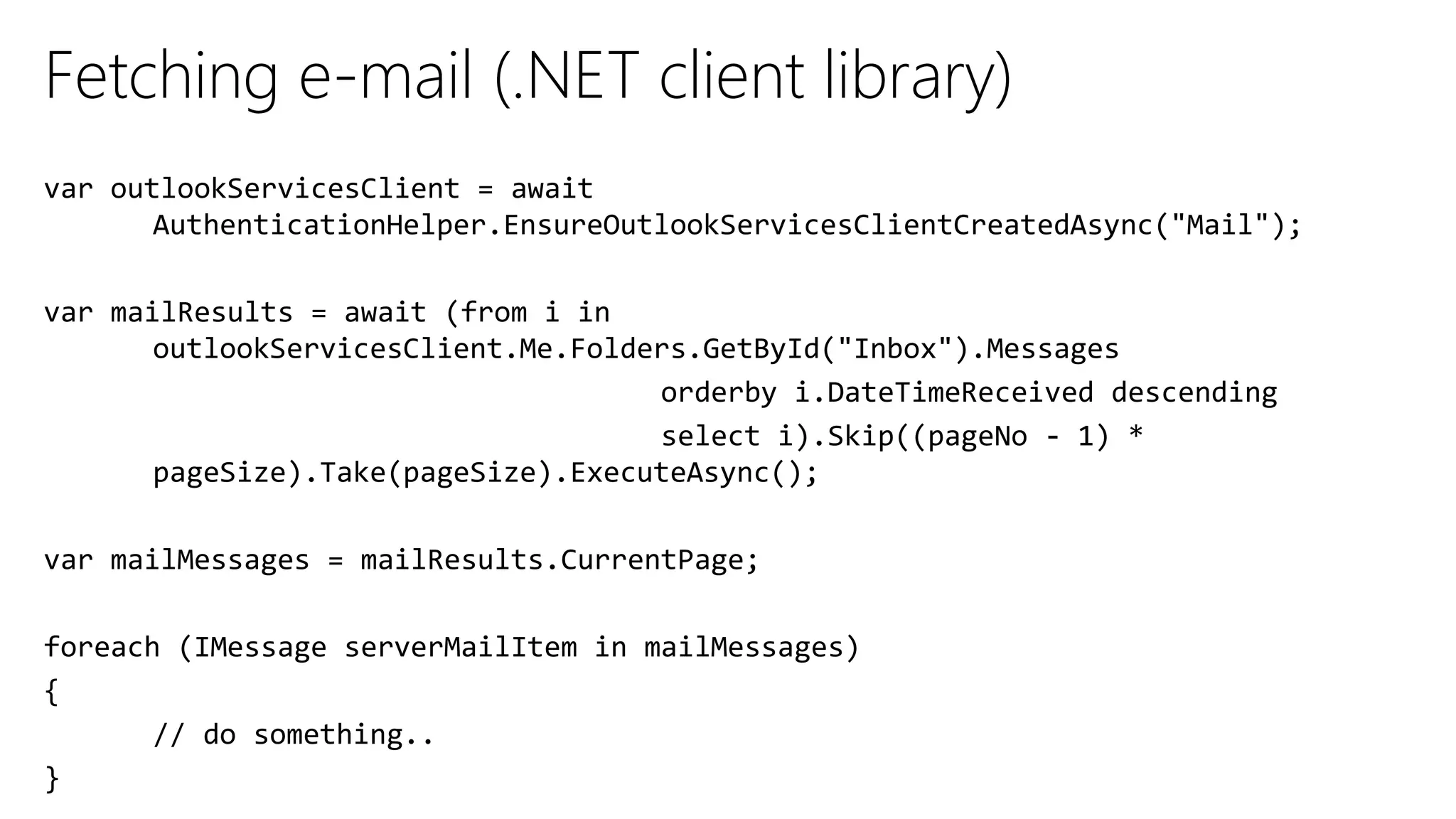
Fetching e-mail (.NET client library)
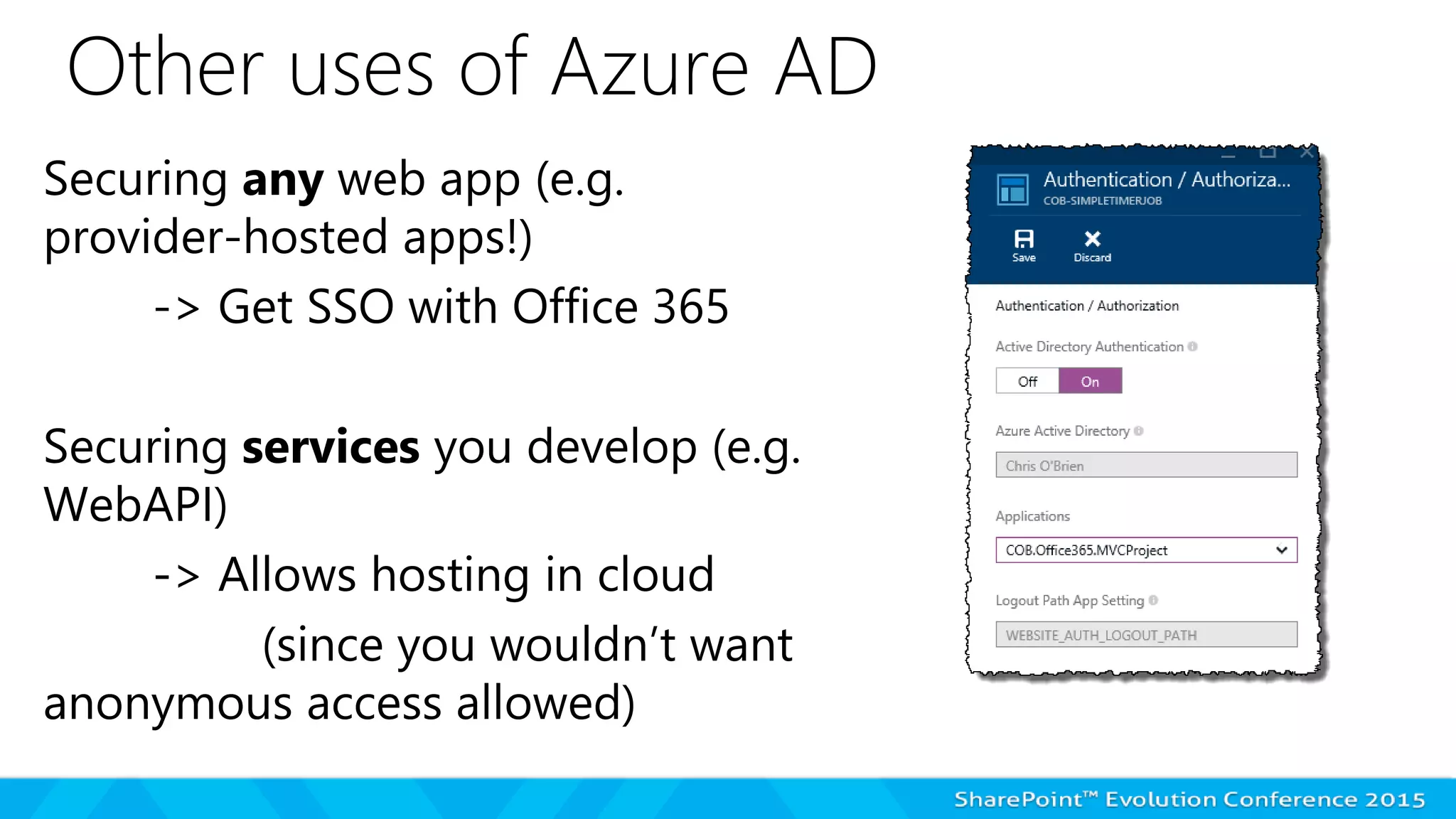
Other uses of Azure AD
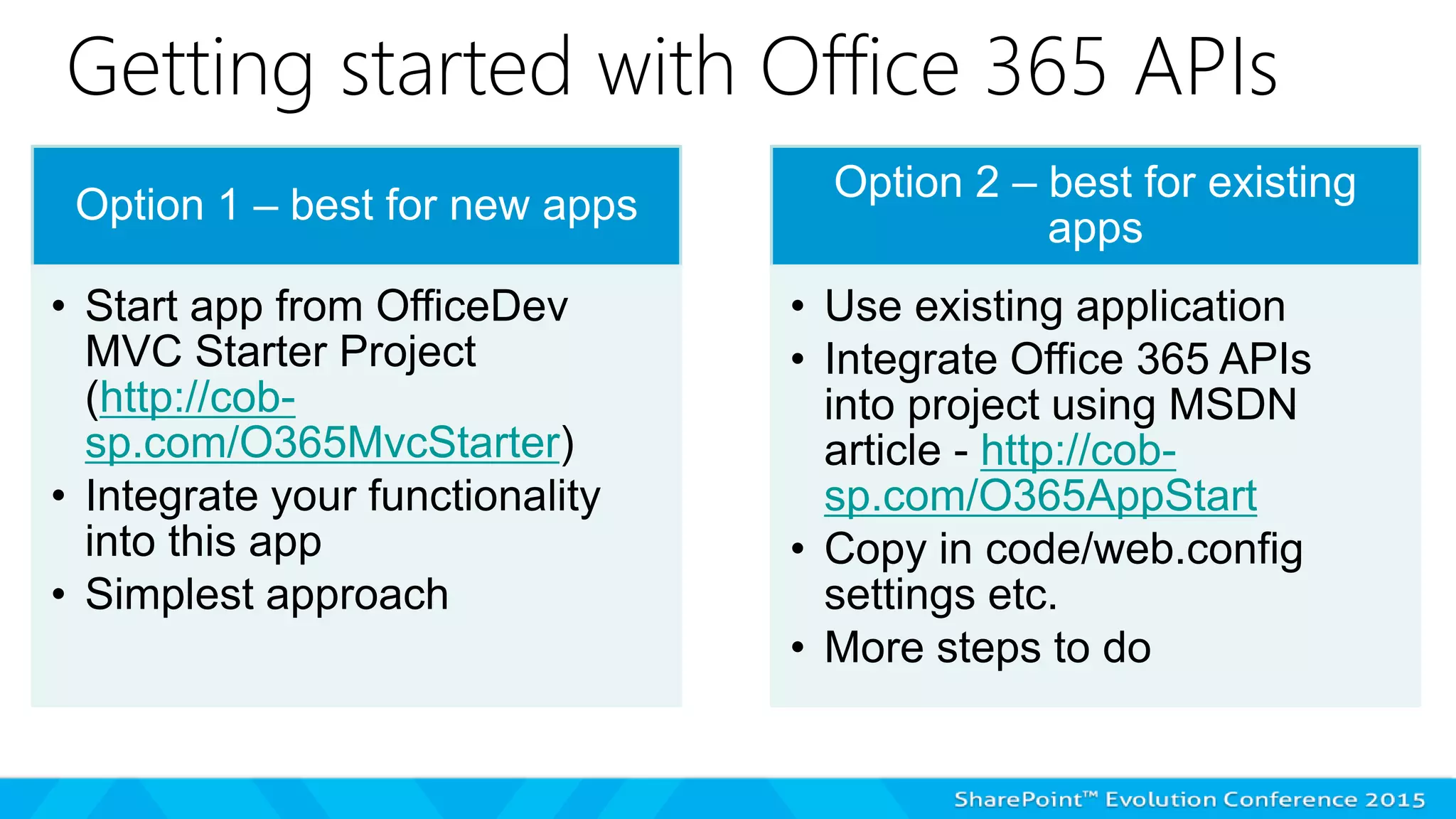
Getting started with Office 365 APIs
Option 1 – best for new apps
• Start app from OfficeDev
MVC Starter Project
(http://cob-
sp.com/O365MvcStarter)
• Integrate your functionality
into this app
• Simplest approach
Option 2 – best for existing
apps
• Use existing application
• Integrate Office 365 APIs
into project using MSDN
article - http://cob-
sp.com/O365AppStart
• Copy in code/web.config
settings etc.
• More steps to do
DEVELOPING OFFICE 365 APPS:
GETTING STARTED
Click “next slide” to see this demo
on YouTube, or use link:
https://www.youtube.com/watch?
v=B8w1oJj3eJw
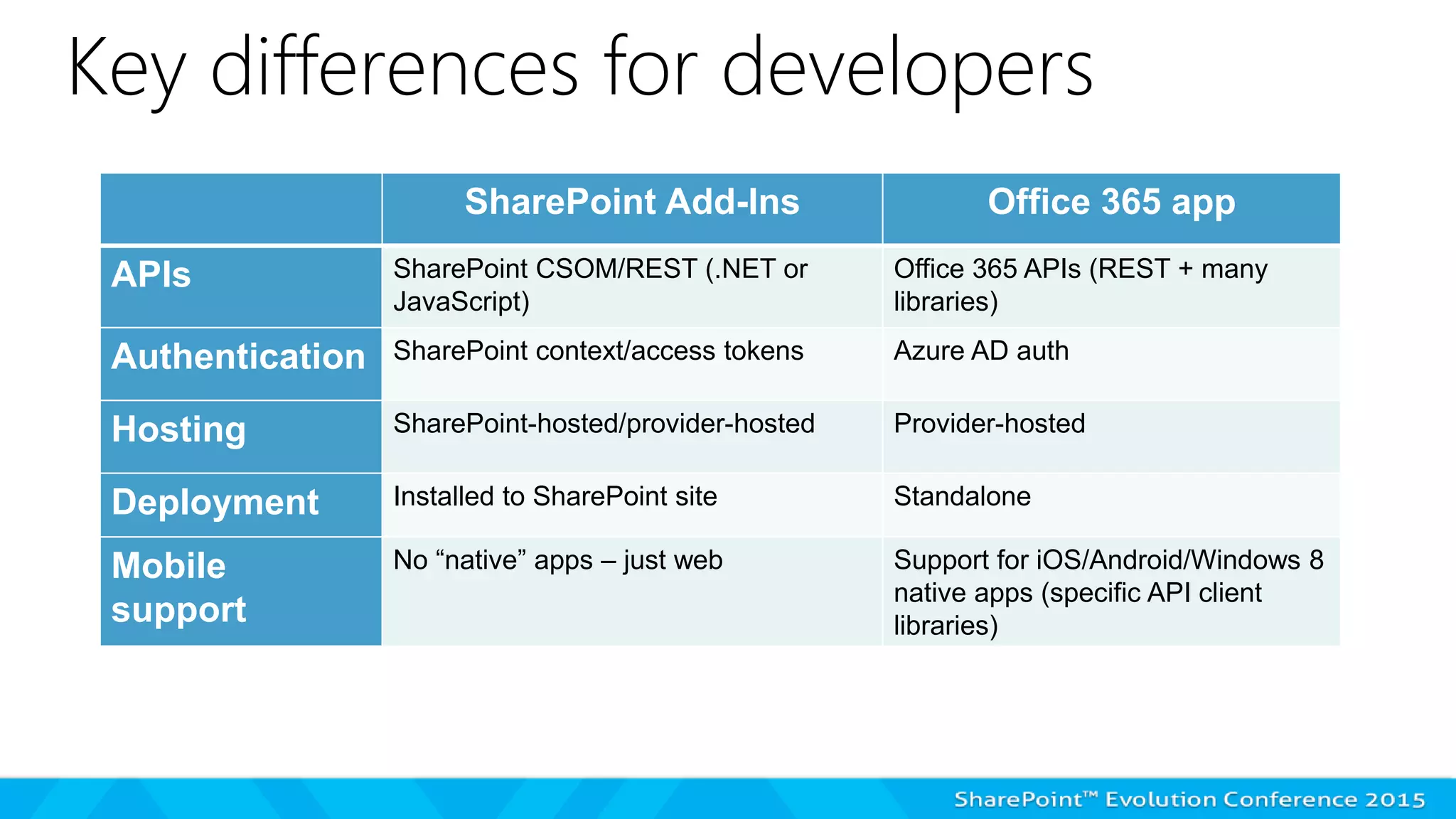
Key differences for developers
SharePoint Add-Ins Office 365 app
APIs SharePoint CSOM/REST (.NET or
JavaScript)
Office 365 APIs (REST + many
libraries)
Authentication SharePoint context/access tokens Azure AD auth
Hosting SharePoint-hosted/provider-hosted Provider-hosted
Deployment Installed to SharePoint site Standalone
Mobile
support
No “native” apps – just web Support for iOS/Android/Windows 8
native apps (specific API client
libraries)
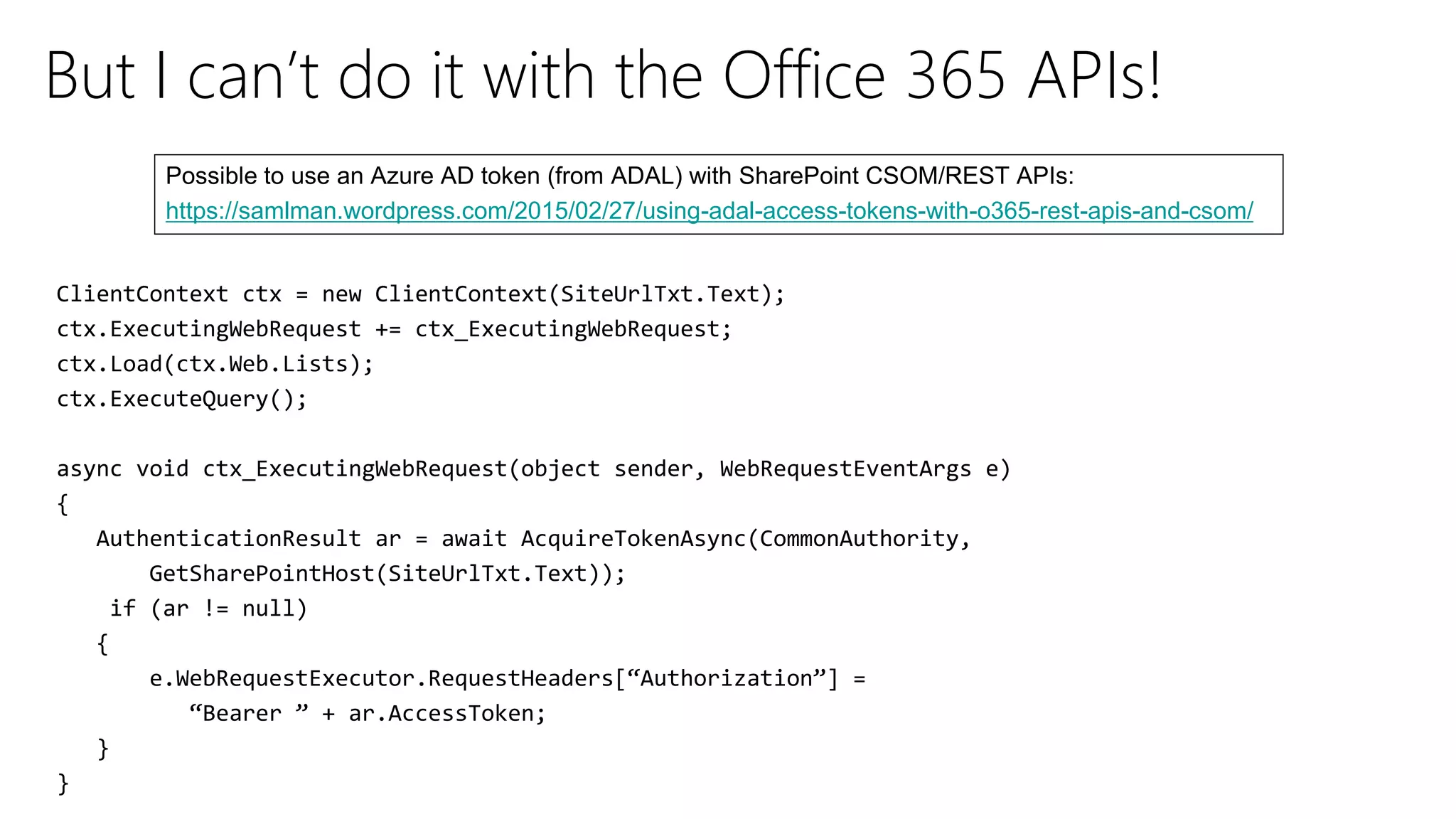
But I can’t do it with the Office 365 APIs!
https://samlman.wordpress.com/2015/02/27/using-adal-access-tokens-with-o365-rest-apis-and-csom/
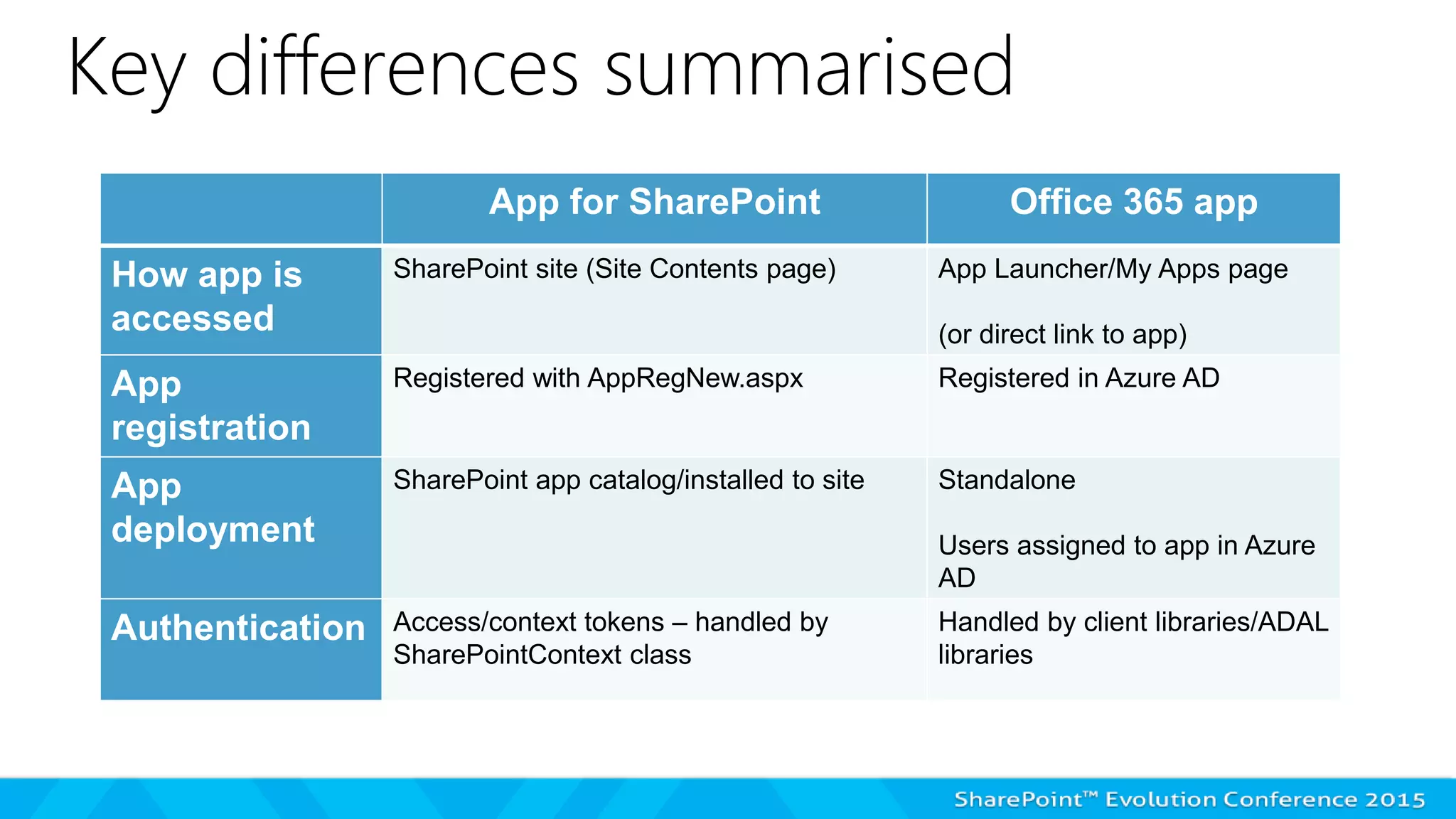
Key differences summarised
App for SharePoint Office 365 app
How app is
accessed
SharePoint site (Site Contents page) App Launcher/My Apps page
(or direct link to app)
App
registration
Registered with AppRegNew.aspx Registered in Azure AD
App
deployment
SharePoint app catalog/installed to site Standalone
Users assigned to app in Azure
AD
Authentication Access/context tokens – handled by
SharePointContext class
Handled by client libraries/ADAL
libraries
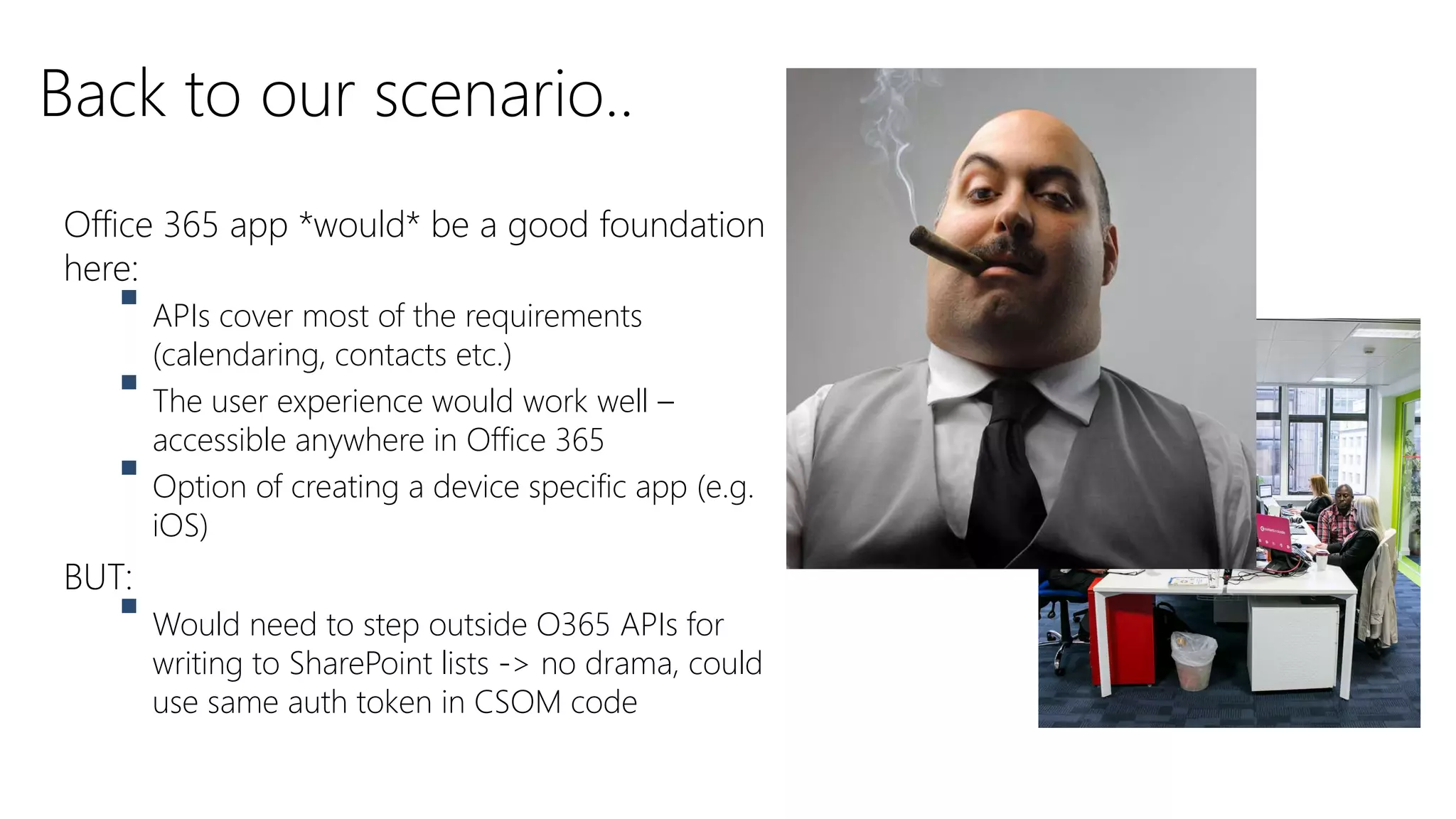
Office 365 app *would* be a good foundation
here:
 APIs cover most of the requirements
(calendaring, contacts etc.)
 The user experience would work well –
accessible anywhere in Office 365
 Option of creating a device specific app (e.g.
iOS)
BUT:
 Would need to step outside O365 APIs for
writing to SharePoint lists -> no drama, could
use same auth token in CSOM code
Back to our scenario..
Summary
 Apps are really about REMOTE CODE
 Office 365 apps = just an extension of this model
 Office 365 apps are great for “cross-service” capability
 Capability will grow – this will become a standard approach
 Some differences to consider:
 End-user | Admin | Developer
Thank you for attending!
Chris O’Brien
www.sharepointnutsandbolts.com

Chris O'Brien - Comparing SharePoint add-ins (apps) with Office 365 apps

  • 1.
    New developer choices- comparing SharePoint add-ins (apps) with Office 365 apps Chris O’Brien – MVP www.sharepointnutsandbolts.com
  • 2.
    Independent Consultant Head ofDevelopment, Content and Code www.sharepointnutsandbolts.com @ChrisO_Brien http://cob-sp.com/COBLinkedIn About me
  • 3.
  • 4.
  • 5.
  • 6.
    SP2003 – hacking in ASPX files SP2007– WSP packages SP2010 – WSPs and CSOM SP2013 – WSPs, CSOM and app model (remote code) Now – As above + Office 365 APIs A brief history
  • 7.
    The SharePoint AppModel – "State of the Nation"
  • 8.
    Apps, 2 yearson – THE GOOD The model is WORKING! Office 365 IS customisable AND stable
  • 9.
    Apps, 2 yearson – THE BAD Raises the bar even higher to be a SharePoint developer?
  • 10.
    What developers sayabout apps.. “I get it, but things are harder/take longer” “So I have to write code to create fields and content types now? Really?” “Getting on-premises infrastructure sorted for apps is painful!”
  • 11.
    What end-users sayabout apps.. “Why can’t I go directly into [tool X] in my browser?“ “It doesn’t make sense to go from a SharePoint site!” “It doesn’t work well on my phone!”
  • 12.
    What was needed Something less tied to SharePoint  Something which works well on mobile devices  Something easier for non-SharePoint developers to pick up
  • 13.
    Let me introduceour client..
  • 14.
    This is Joe (Office 365 intranet manager)
  • 15.
     Build mea meetings app!!  It needs to: –Allow selection of attendees –Stores agenda of meeting in SharePoint doc lib –Inserts entry into calendar of attendees –Tracks booked meetings to a SharePoint list somehow –Work well on mobile devices
  • 16.
    This is our bravedev team 
  • 17.
    Dev team questions We’llcome back to this scenario later… Do the Office 365 APIs cover the requirements? What about the user experience? How would we roll it out “globally”?
  • 18.
    Solve common problemswith Add-Ins Full trust (farm) solution Remote code/apps Timer job Scheduled process in Azure (CSOM to read/write to SP) Event receiver Remote event receiver Custom field control JSLink Site definition 1. Remote provisioning solution 2. WebTemplate in NCSS * (less preferred) Run With Elevated Privileges App-only authentication Custom web parts/user control App part, or JavaScript injection Feature receiver, DelegateControl, application page None – but other approaches possible * NCSS = no-code sandbox solution
  • 19.
  • 20.
    Click “next slide”to see this demo on YouTube, or use link: https://www.youtube.com/watch? v=cNi353Mpwyk
  • 21.
    Key takeaways –SharePoint Add-Ins Installed to SharePoint sites Generally accessed from Site Contents page Can be “admin-deployed” via a tenant-scoped app install
  • 22.
  • 23.
    What is anOffice 365 app?
  • 24.
    Office 365 apps– the vision “Everyone” has an Office 365 account (kinda!) Lots of apps need to: - store files, - send mail/ calendar invites etc. Use Office 365 instead of app’s own! “Making it easy for other platforms/devices to make use of Office 365”
  • 25.
    Office 365 apps– the promise Mail, Contacts, Calendar (Exchange) Files (SharePoint) Users and Groups (Azure AD) AIM: Remove differences between SharePoint and Exchange (e.g. app which stores e-mail attachments to OneDrive)
  • 26.
    OFFICE 365 APPS:END-USER AND ADMIN
  • 27.
    Click “next slide”to see this demo on YouTube, or use link: https://www.youtube.com/watch? v=xznfjNFIlAU
  • 28.
    Key takeaways –Office 365 apps Registered in Azure AD Users can browse to app “directly” – and asked to sign-in if needed When app is assigned to user, shows in their “My apps” page
  • 29.
  • 30.
  • 31.
    Office 365 APIcapabilities Mail Contacts Calendar Files Users & groups Discovery Service Expense app: Looks up user’s manager Sends mail with details Expense form/receipt saved to ODFB site
  • 32.
    Fetching files (.NETclient library)
  • 33.
    Fetching e-mail (.NETclient library)
  • 34.
    Other uses ofAzure AD
  • 35.
    Getting started withOffice 365 APIs Option 1 – best for new apps • Start app from OfficeDev MVC Starter Project (http://cob- sp.com/O365MvcStarter) • Integrate your functionality into this app • Simplest approach Option 2 – best for existing apps • Use existing application • Integrate Office 365 APIs into project using MSDN article - http://cob- sp.com/O365AppStart • Copy in code/web.config settings etc. • More steps to do
  • 36.
    DEVELOPING OFFICE 365APPS: GETTING STARTED
  • 37.
    Click “next slide”to see this demo on YouTube, or use link: https://www.youtube.com/watch? v=B8w1oJj3eJw
  • 38.
    Key differences fordevelopers SharePoint Add-Ins Office 365 app APIs SharePoint CSOM/REST (.NET or JavaScript) Office 365 APIs (REST + many libraries) Authentication SharePoint context/access tokens Azure AD auth Hosting SharePoint-hosted/provider-hosted Provider-hosted Deployment Installed to SharePoint site Standalone Mobile support No “native” apps – just web Support for iOS/Android/Windows 8 native apps (specific API client libraries)
  • 39.
    But I can’tdo it with the Office 365 APIs! https://samlman.wordpress.com/2015/02/27/using-adal-access-tokens-with-o365-rest-apis-and-csom/
  • 40.
    Key differences summarised Appfor SharePoint Office 365 app How app is accessed SharePoint site (Site Contents page) App Launcher/My Apps page (or direct link to app) App registration Registered with AppRegNew.aspx Registered in Azure AD App deployment SharePoint app catalog/installed to site Standalone Users assigned to app in Azure AD Authentication Access/context tokens – handled by SharePointContext class Handled by client libraries/ADAL libraries
  • 41.
    Office 365 app*would* be a good foundation here:  APIs cover most of the requirements (calendaring, contacts etc.)  The user experience would work well – accessible anywhere in Office 365  Option of creating a device specific app (e.g. iOS) BUT:  Would need to step outside O365 APIs for writing to SharePoint lists -> no drama, could use same auth token in CSOM code Back to our scenario..
  • 42.
    Summary  Apps arereally about REMOTE CODE  Office 365 apps = just an extension of this model  Office 365 apps are great for “cross-service” capability  Capability will grow – this will become a standard approach  Some differences to consider:  End-user | Admin | Developer
  • 43.
    Thank you forattending! Chris O’Brien www.sharepointnutsandbolts.com

Editor's Notes

  • #25 Many people in the world (especially workers, students, government) will have an Office 365 account Lots of apps and systems need to store files, send mail/calendar invites etc. Wouldn’t it be cool if those apps could use the user’s Office 365 space for this?