
SharePoint 2013
What’s new under the hood
Office apps, SharePoint Designer and Visual
Studio
About me
In what year was
SharePoint started
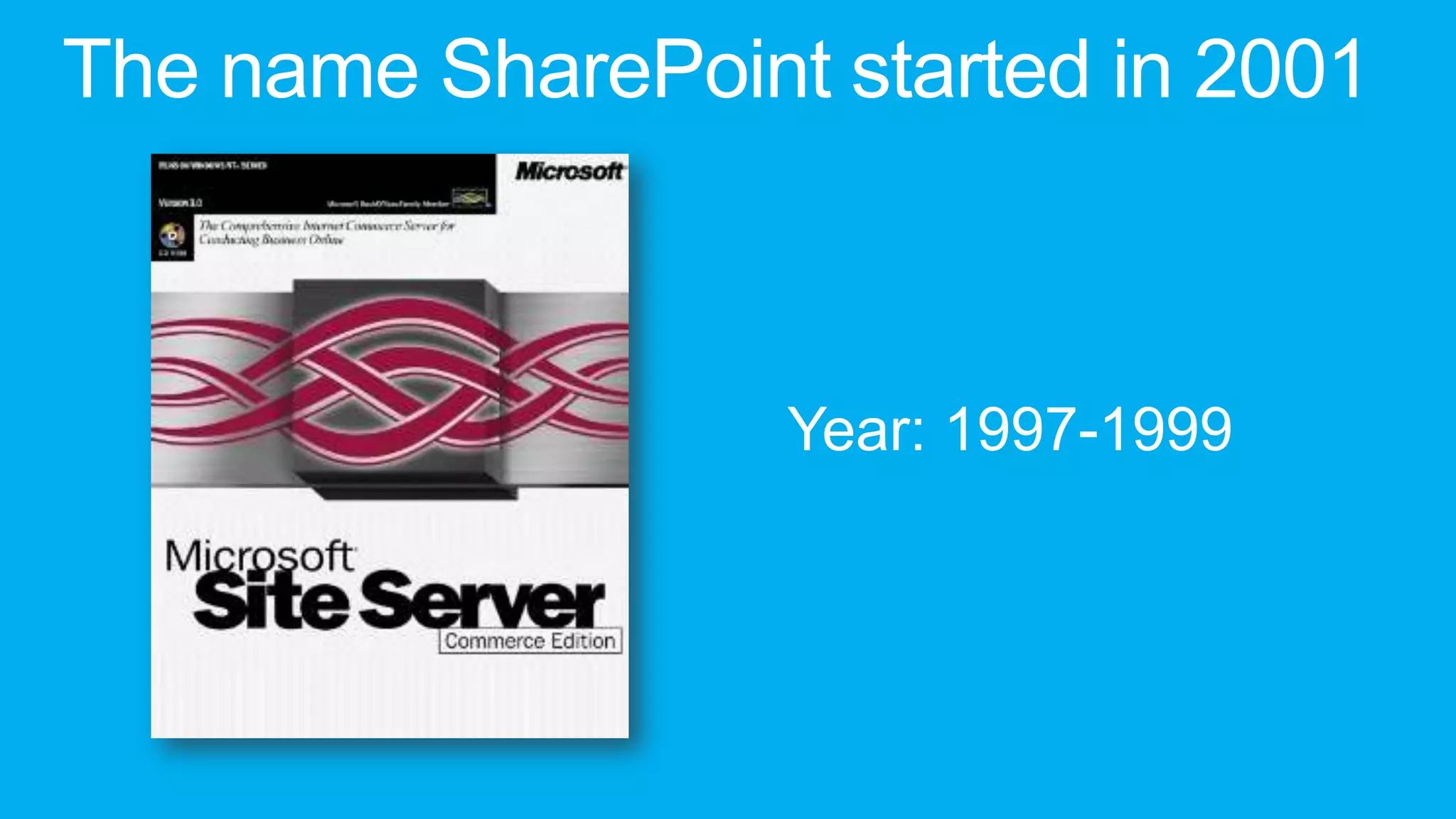
The name SharePoint started in 2001


                   Year: 1997-1999
Apps for Office
Agave
               Agave?
                   /əˈɡɑːveɪ/   /əˈɡeɪviː/
genus   monocots                  perennial
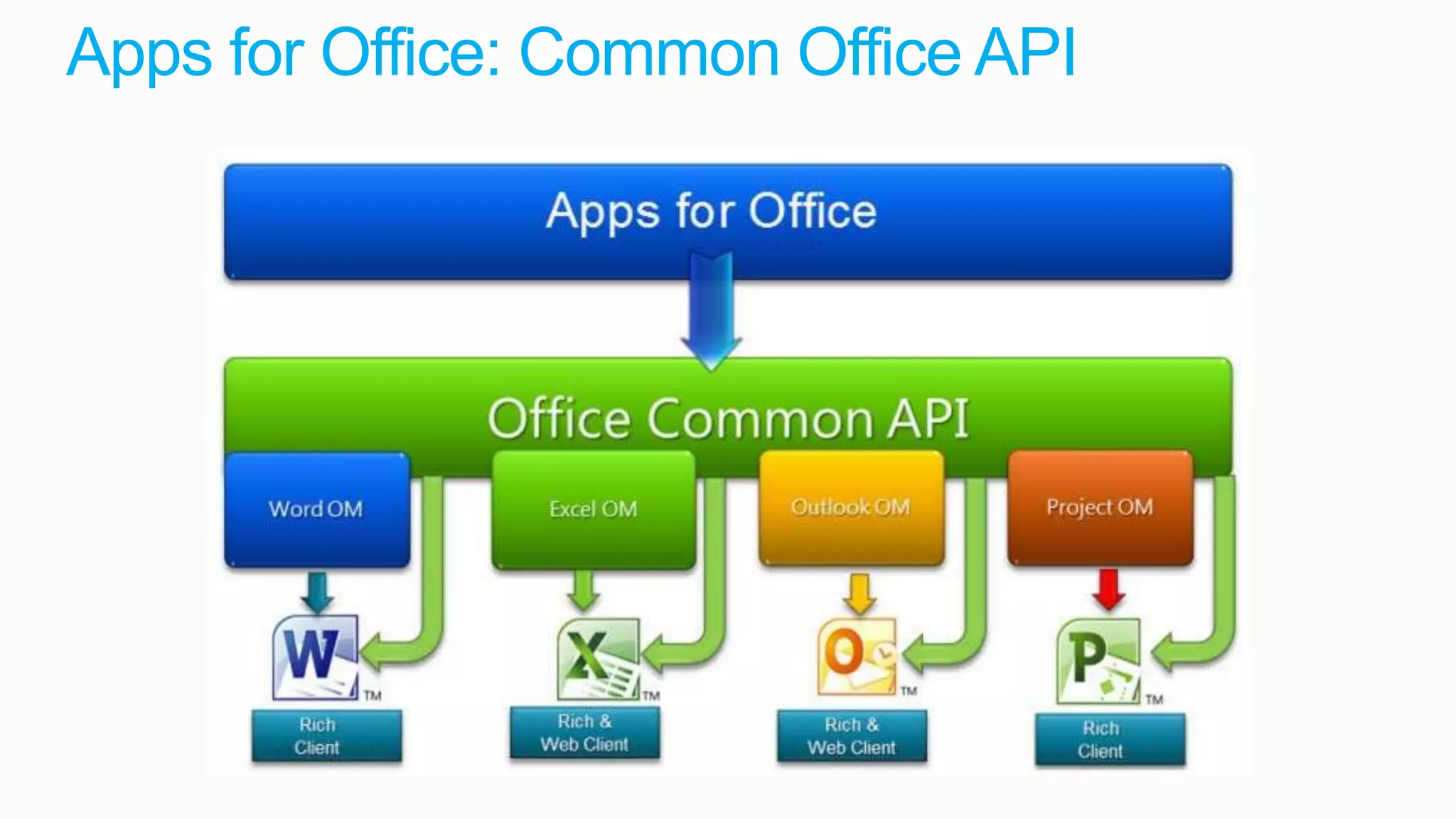
Apps for Office: Common Office API
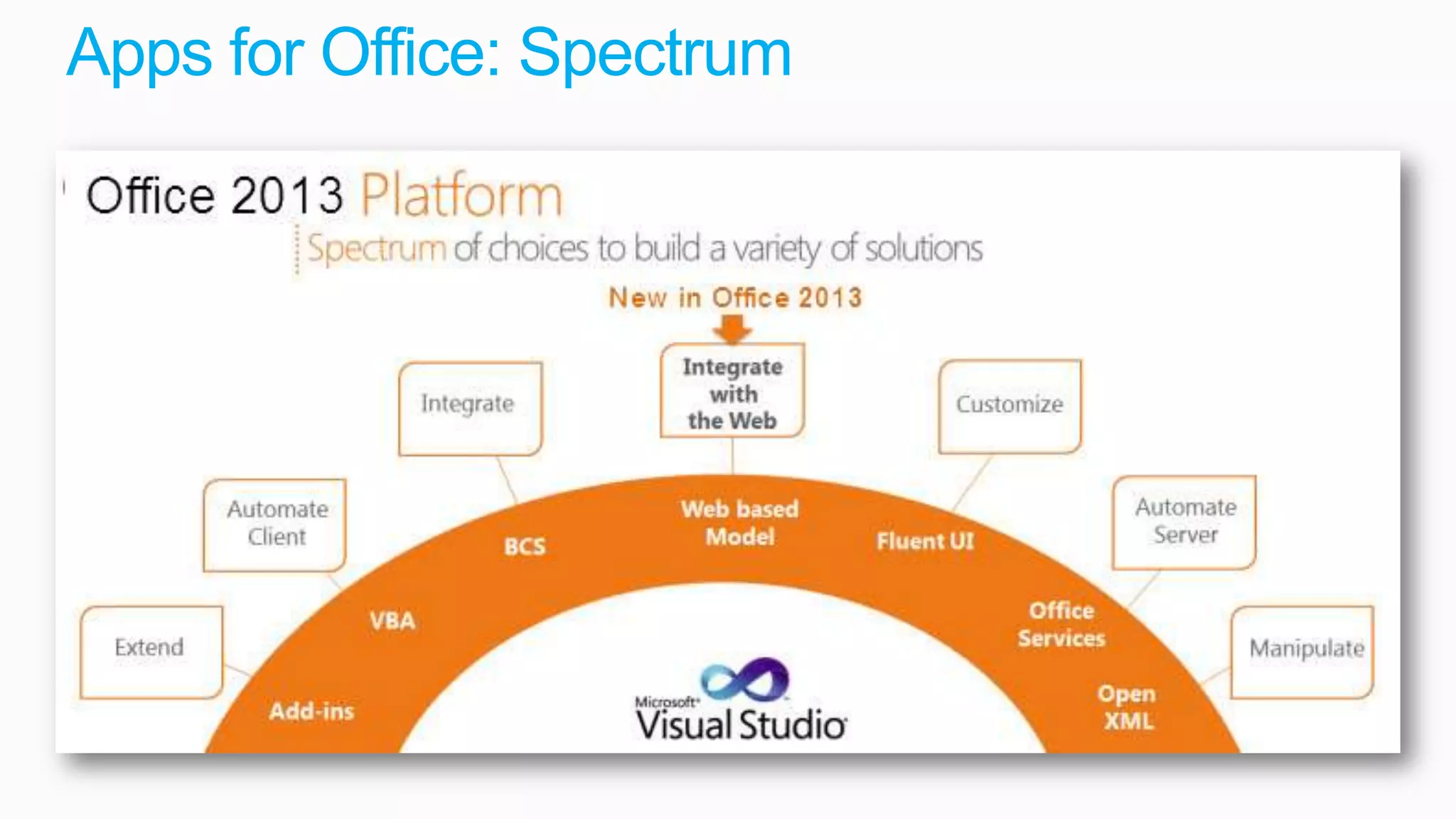
Apps for Office: Spectrum
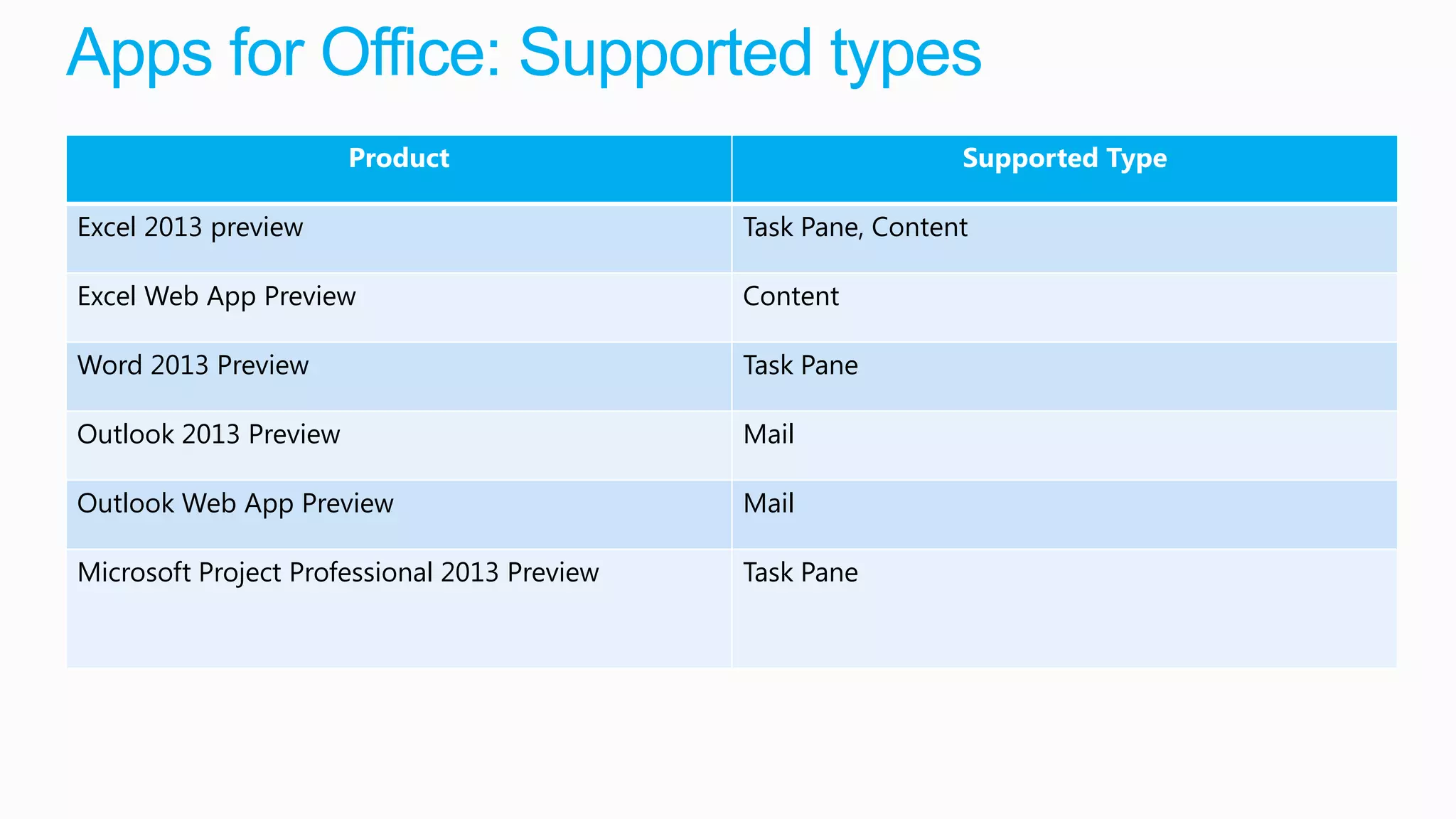
Apps for Office: Supported types
                       Product                                 Supported Type

Excel 2013 preview                            Task Pane, Content

Excel Web App Preview                         Content

Word 2013 Preview                             Task Pane

Outlook 2013 Preview                          Mail

Outlook Web App Preview                       Mail

Microsoft Project Professional 2013 Preview   Task Pane
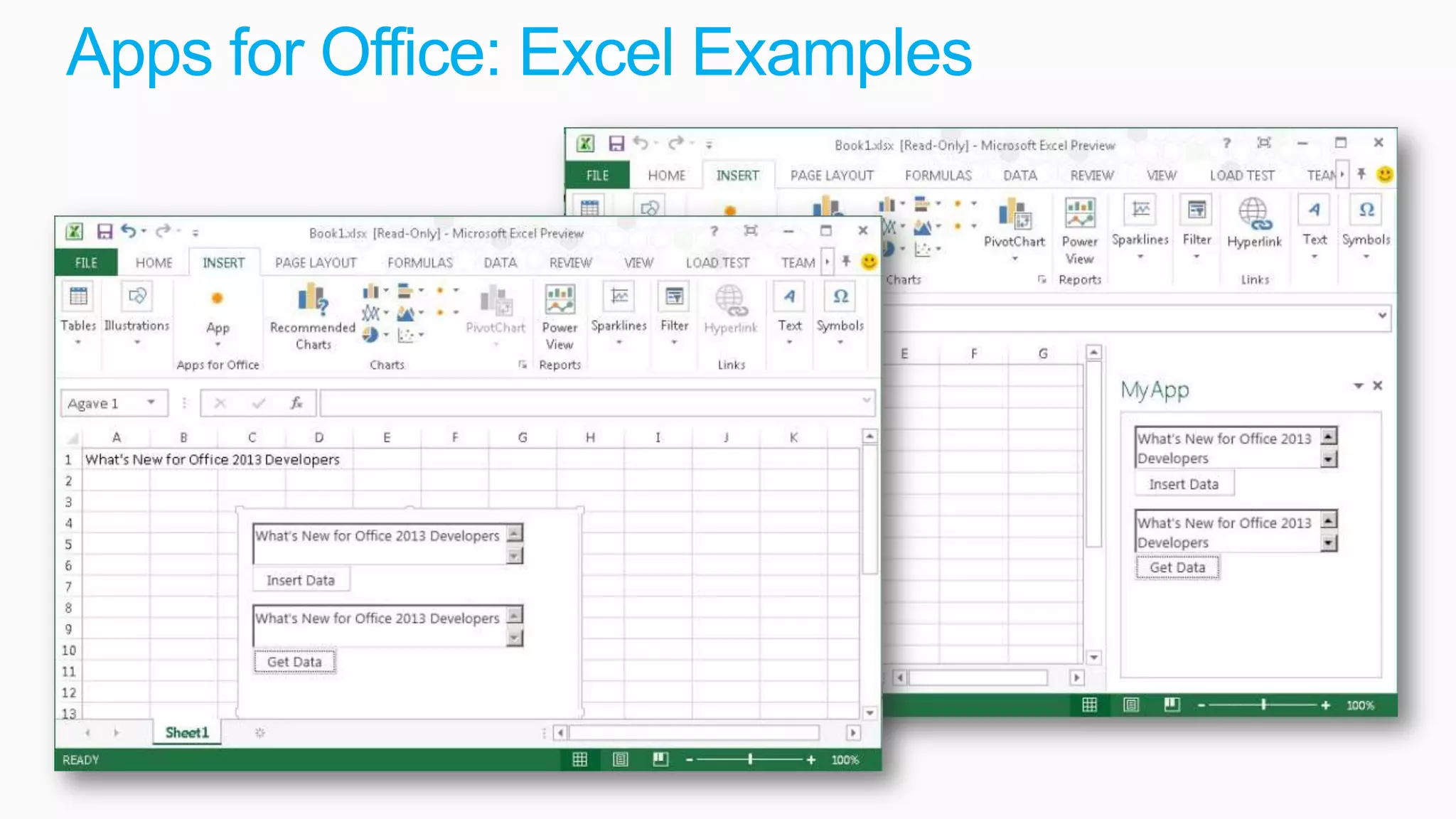
Apps for Office: Excel Examples
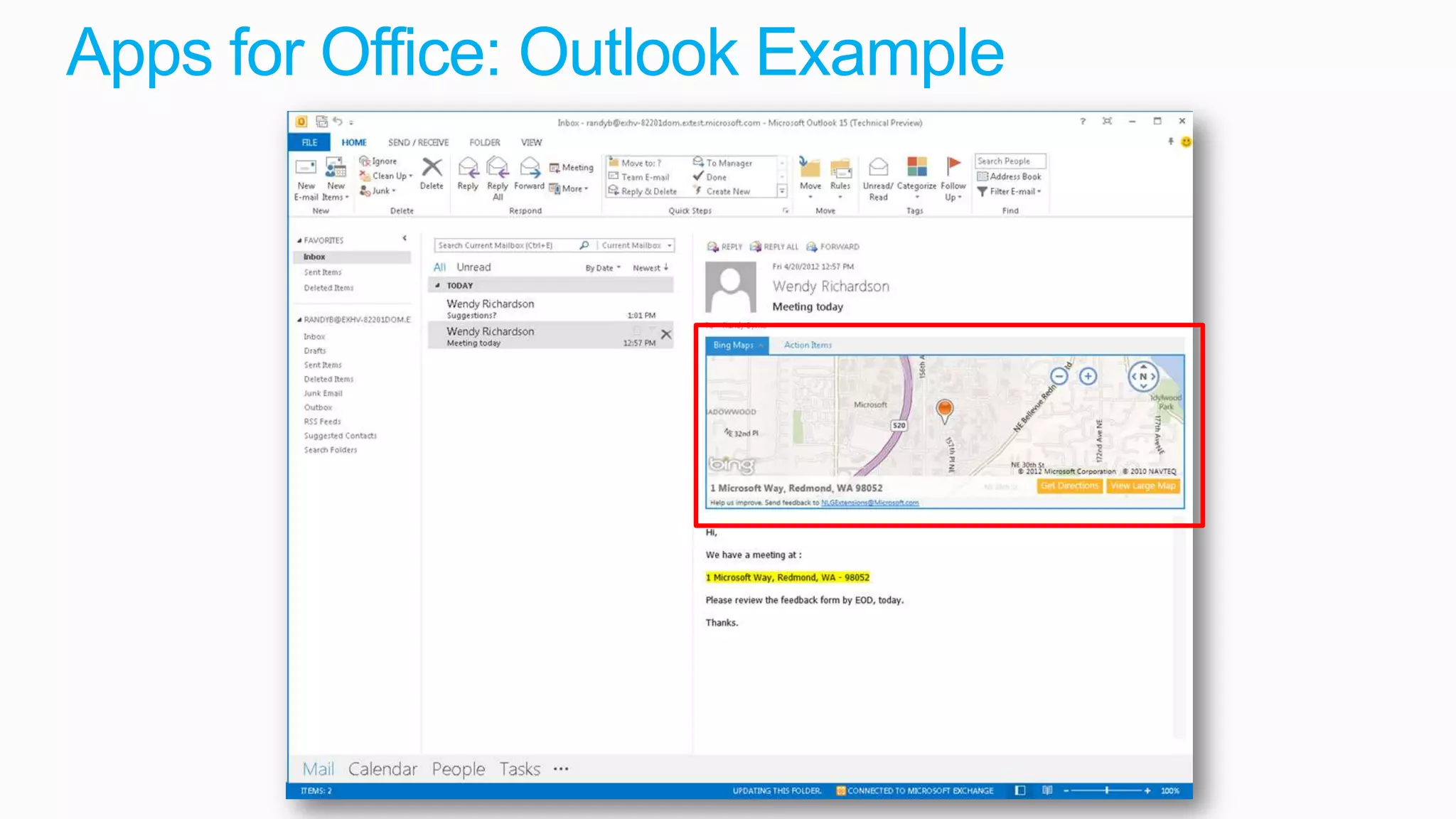
Apps for Office: Outlook Example
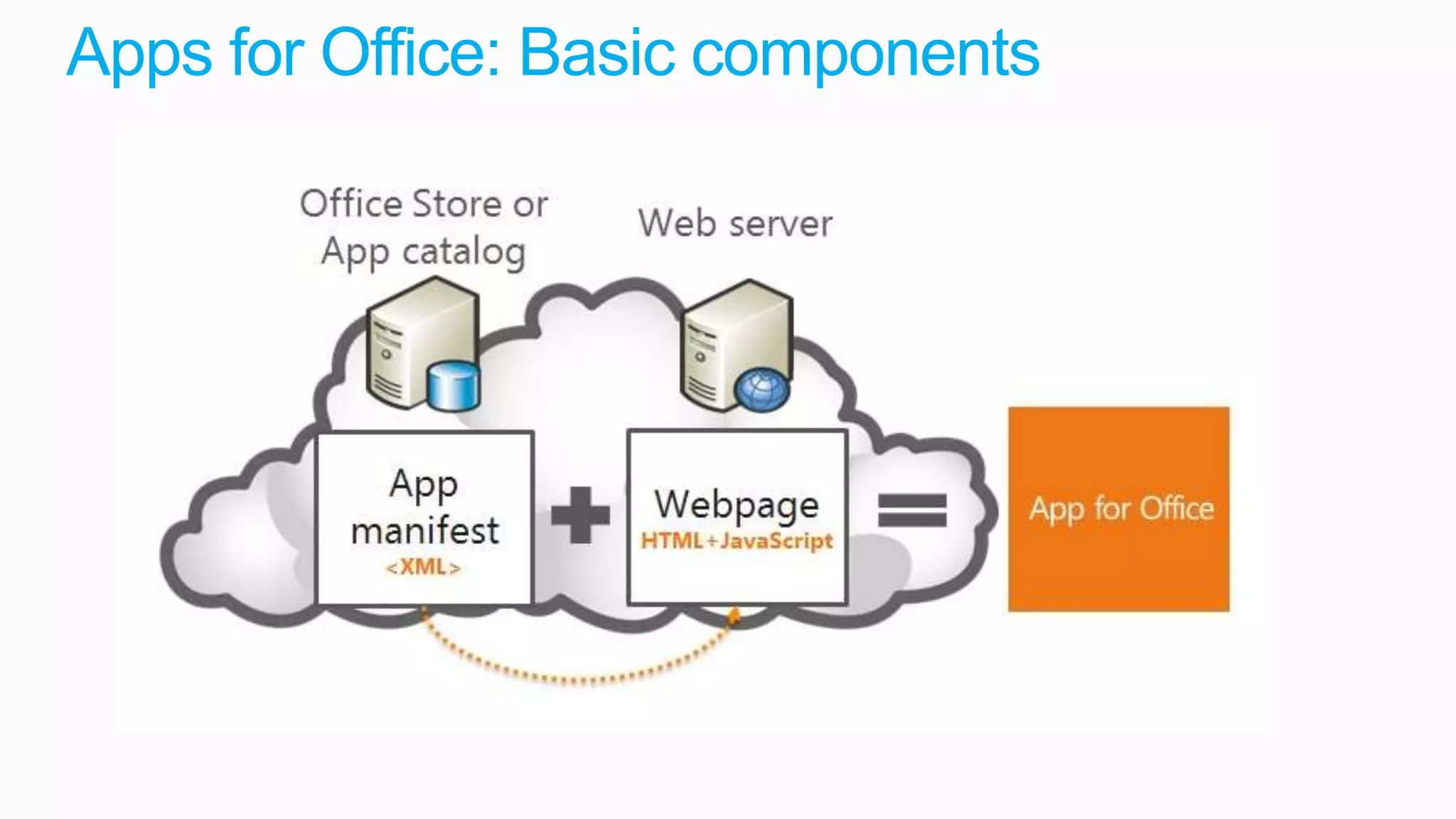
Apps for Office: Basic components
SharePoint Apps
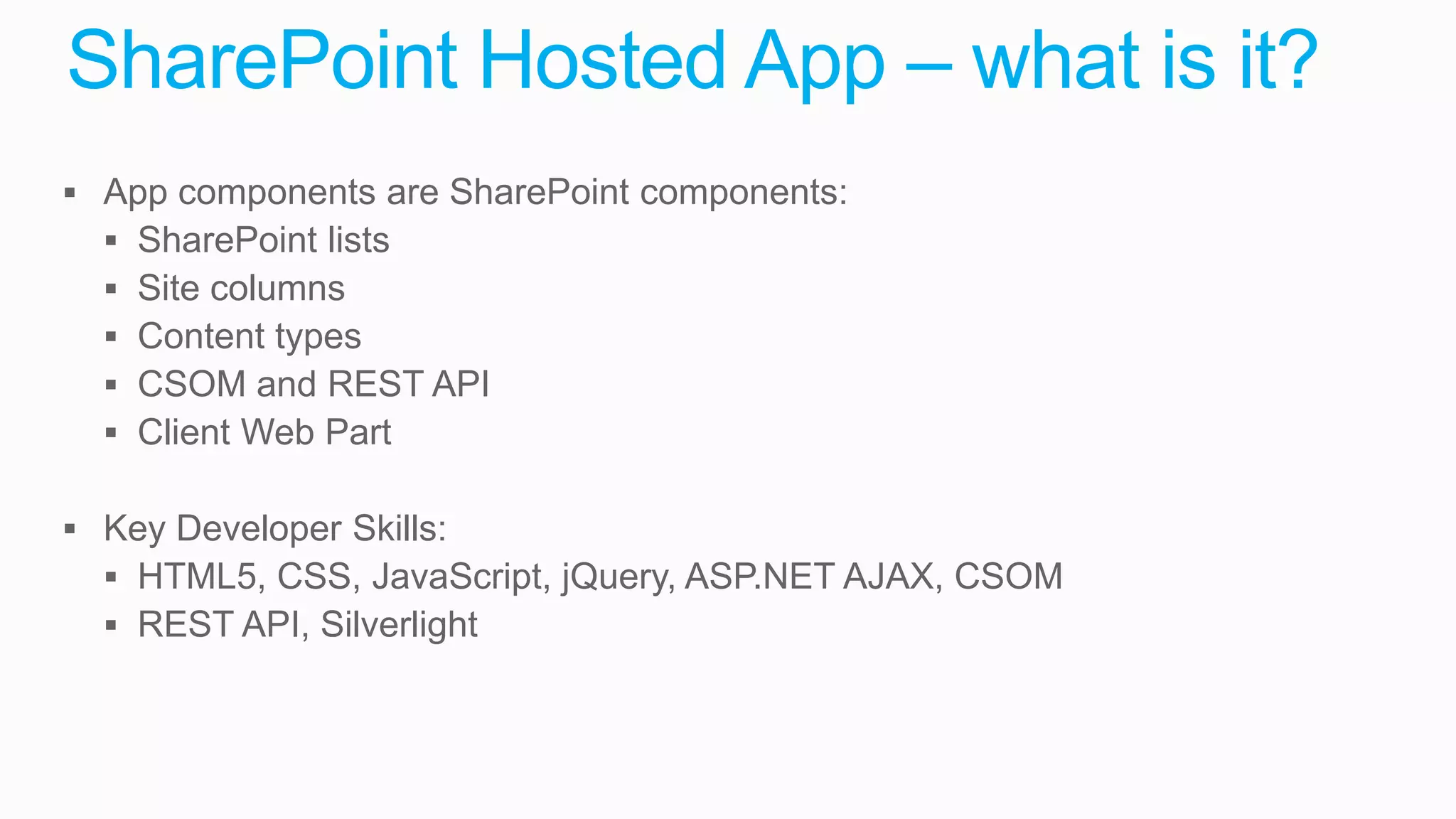
SharePoint Hosted App – what is it?
 App components are SharePoint components:
   SharePoint lists
   Site columns
   Content types
   CSOM and REST API
   Client Web Part

 Key Developer Skills:
   HTML5, CSS, JavaScript, jQuery, ASP.NET AJAX, CSOM
   REST API, Silverlight
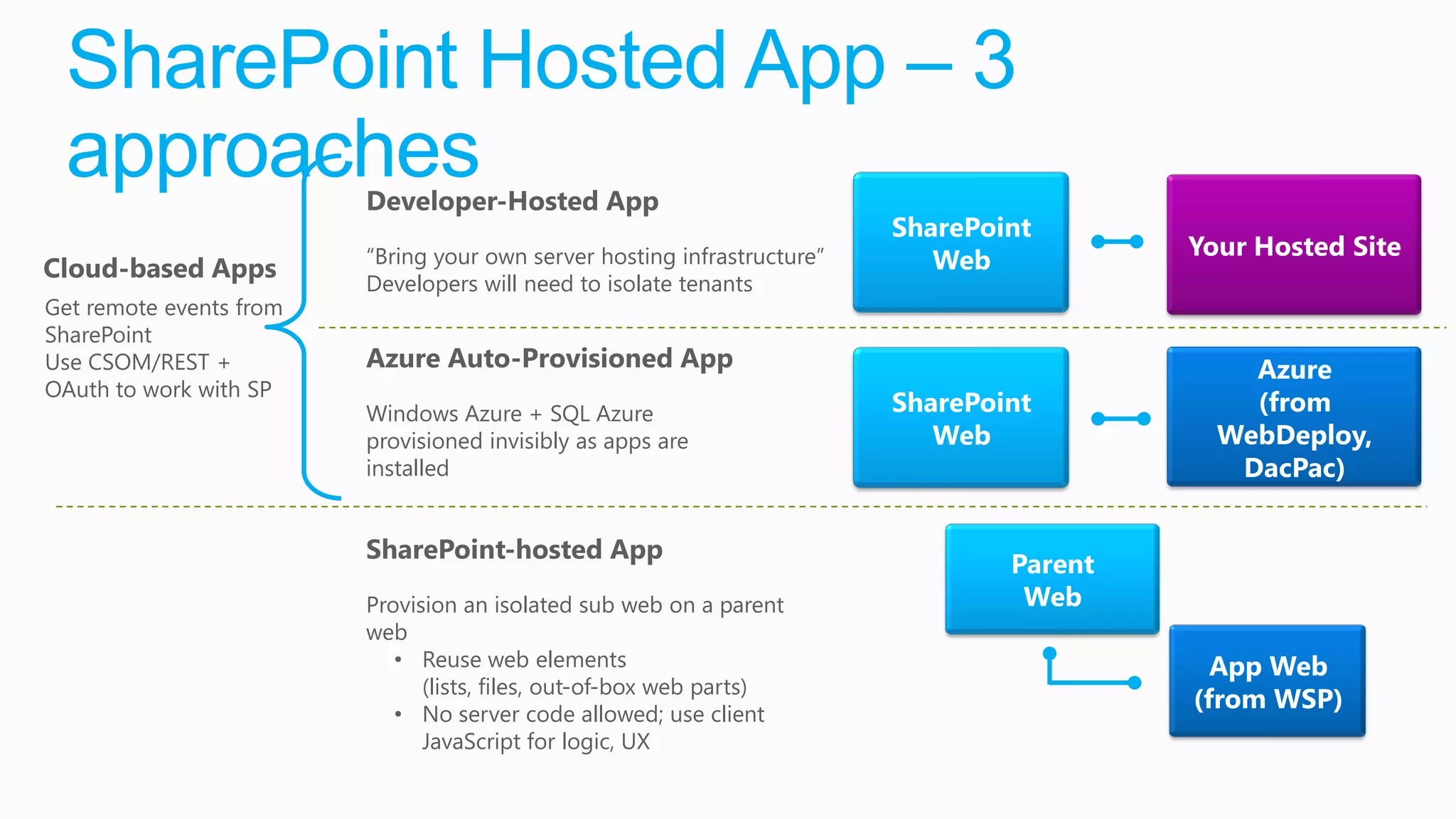
SharePoint Hosted App – 3
 approaches              Developer-Hosted App
                                                                          SharePoint
                         “Bring your own server hosting infrastructure”                    Your Hosted Site
Cloud-based Apps                                                             Web
                         Developers will need to isolate tenants
Get remote events from
SharePoint
Use CSOM/REST +          Azure Auto-Provisioned App                                            Azure
OAuth to work with SP
                         Windows Azure + SQL Azure                        SharePoint           (from
                         provisioned invisibly as apps are                   Web             WebDeploy,
                         installed                                                            DacPac)

                         SharePoint-hosted App
                                                                                  Parent
                         Provision an isolated sub web on a parent                 Web
                         web
                            • Reuse web elements                                             App Web
                               (lists, files, out-of-box web parts)
                            • No server code allowed; use client
                                                                                           (from WSP)
                               JavaScript for logic, UX
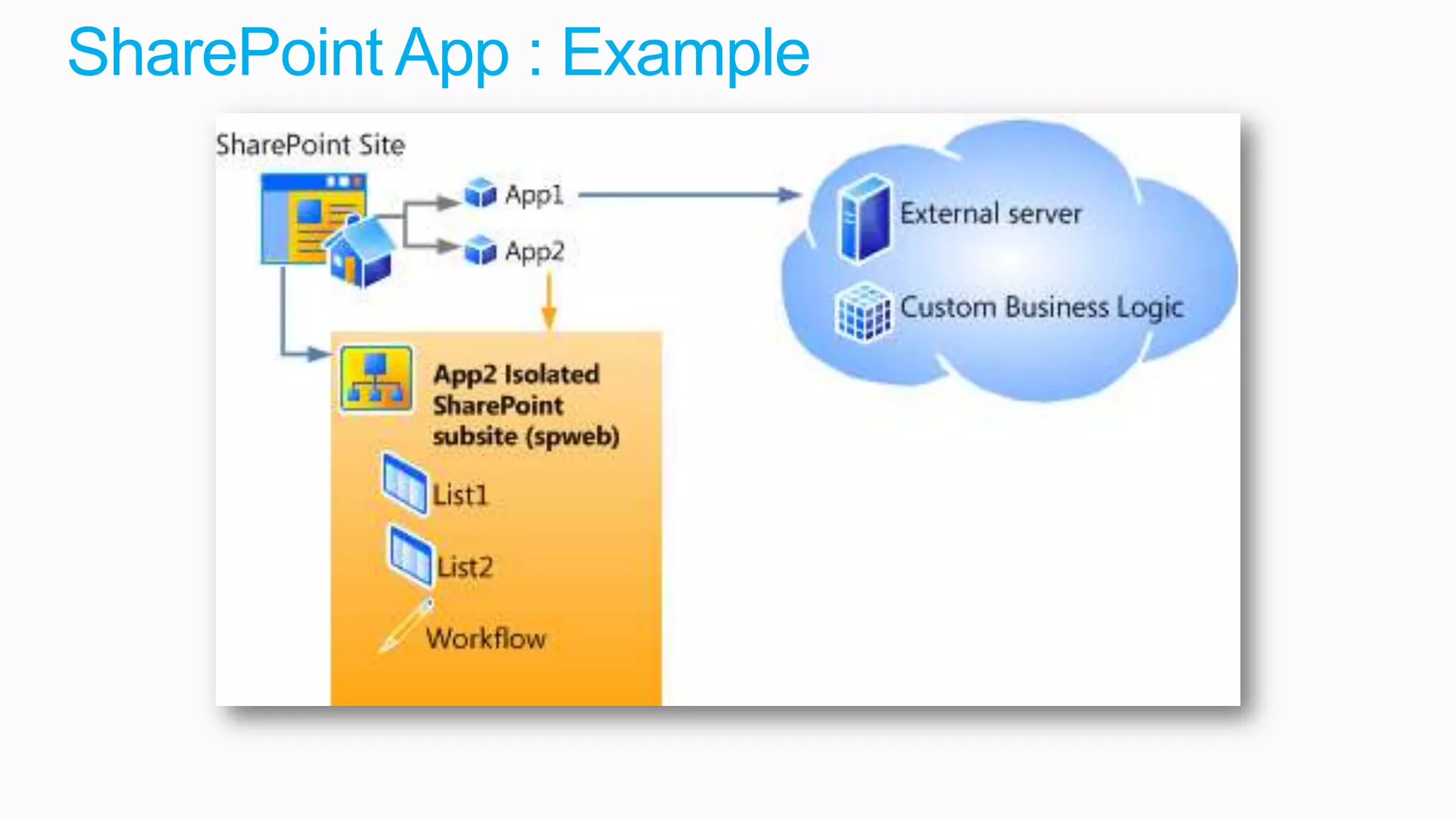
SharePoint App : Example
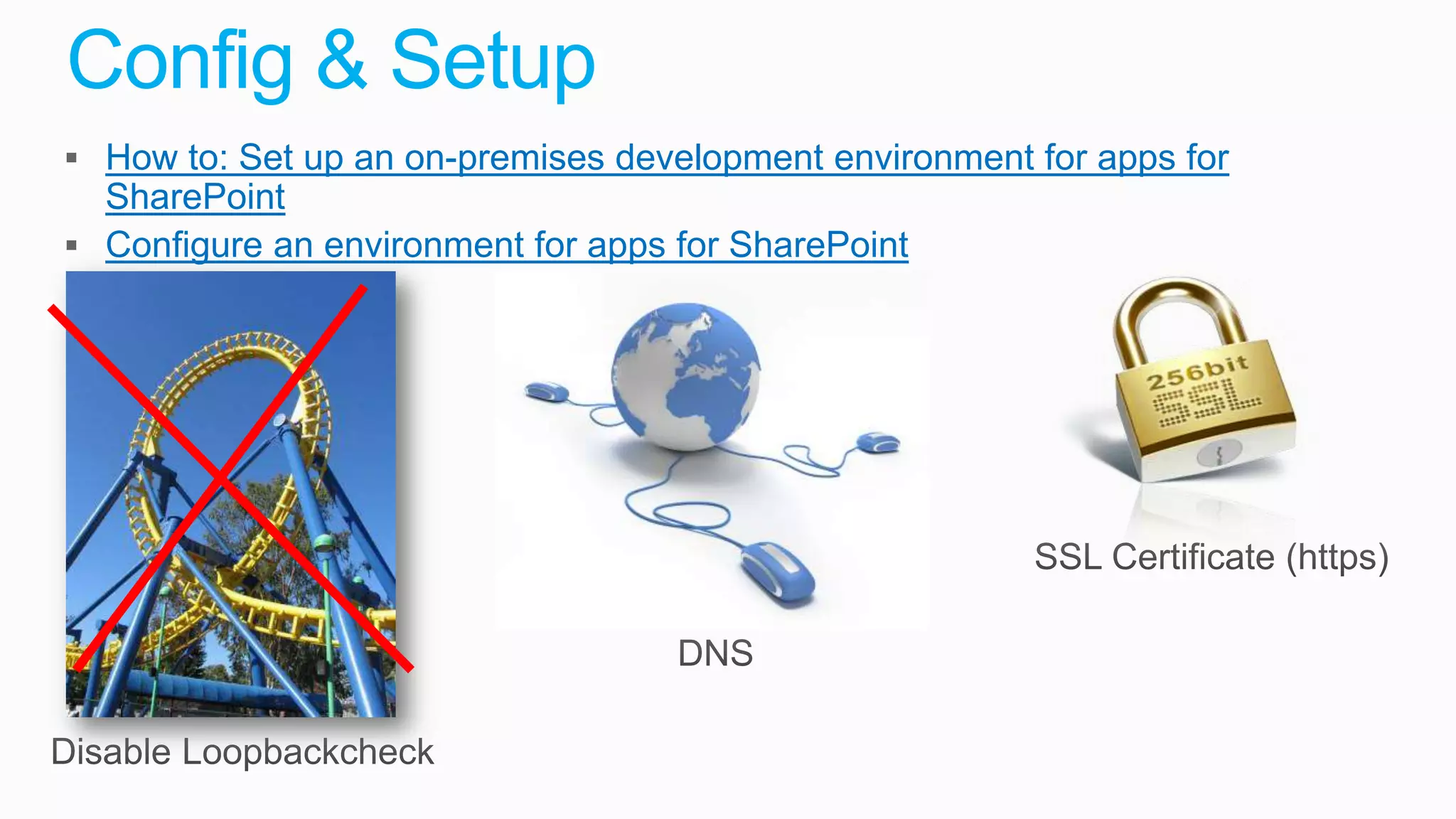
Config & Setup
 How to: Set up an on-premises development environment for apps for
  SharePoint
 Configure an environment for apps for SharePoint
What about Sandbox
Solutions
Development
What’s new in Visual Studio 2012
 Create Lists, Content Types and Site Columns with new
  designers
 Publish SharePoint Solutions to remote SharePoint servers
 Support for Javascript debugging and intellisense

 Test SharePoint Performance by using profiling tools
 Test your code by using Microsoft Fakes Framework
Developer dashboard
• Developer Dashboard rebuild for SP15 to provide more
 additional information for its user
 • Running in separate window to avoid affecting rendering of actual
   page
 • Detailed request information per page with chant view
 • Dedicated tab for ULS log entries for particular request
 • Additional detailed information included for request analyzing


• Works by using dedicated WCF service (diagnosticsdata.svc )
 designed for the purpose of providing tracing information for
 developer dashboard
How to enable developer dashboard
• PowerShell
  $content = ([Microsoft.SharePoint.Administration.SPWebService]::ContentService)
  $appsetting =$content.DeveloperDashboardSettings
  $appsetting.DisplayLevel = [Microsoft.SharePoint.Administration.SPDeveloperDashboardLevel]::On
  $appsetting.Update()


• SP15 will support only On/Off settings
  • On = shows icon in page
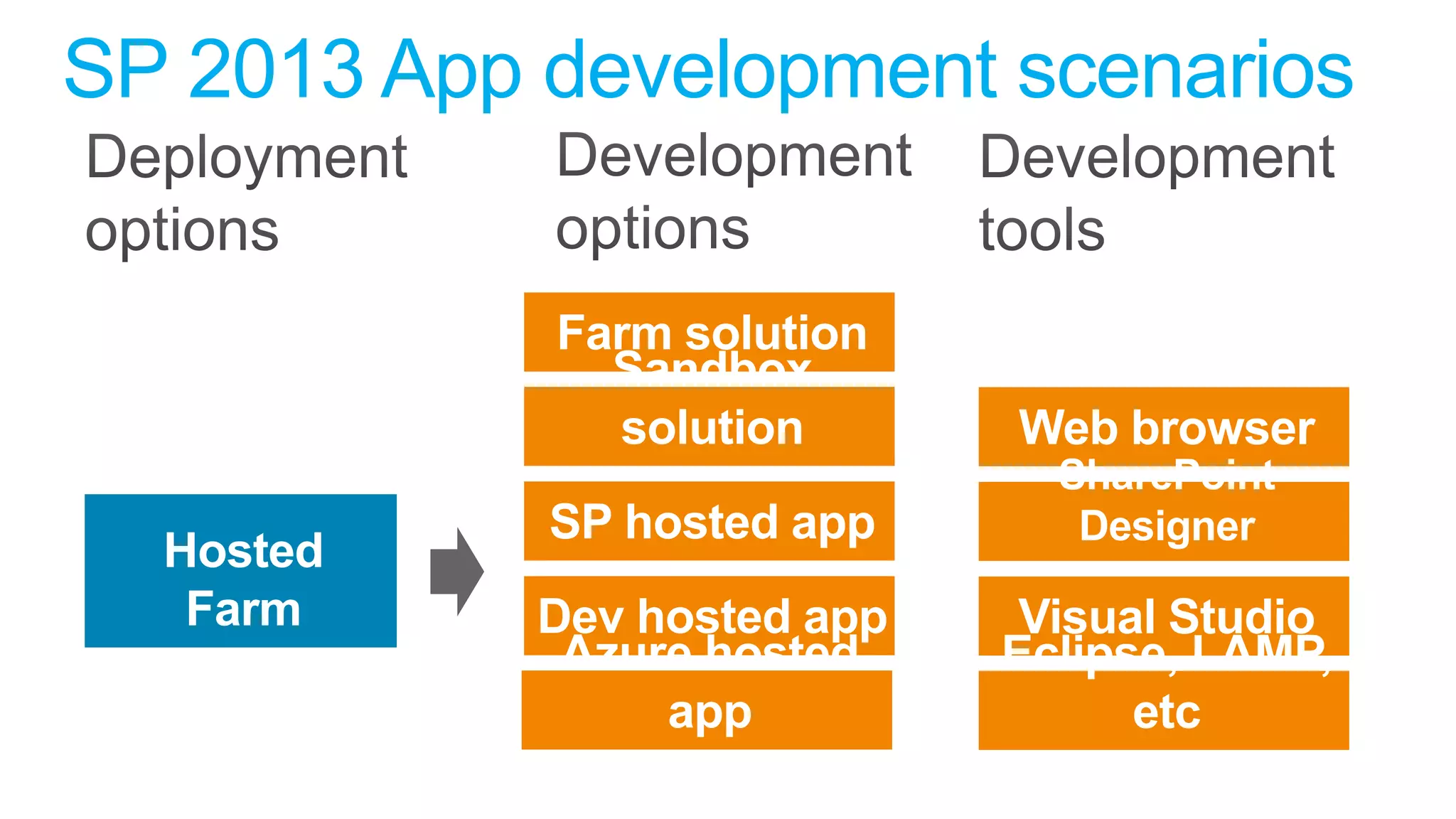
SP 2013 App development scenarios
Workflow
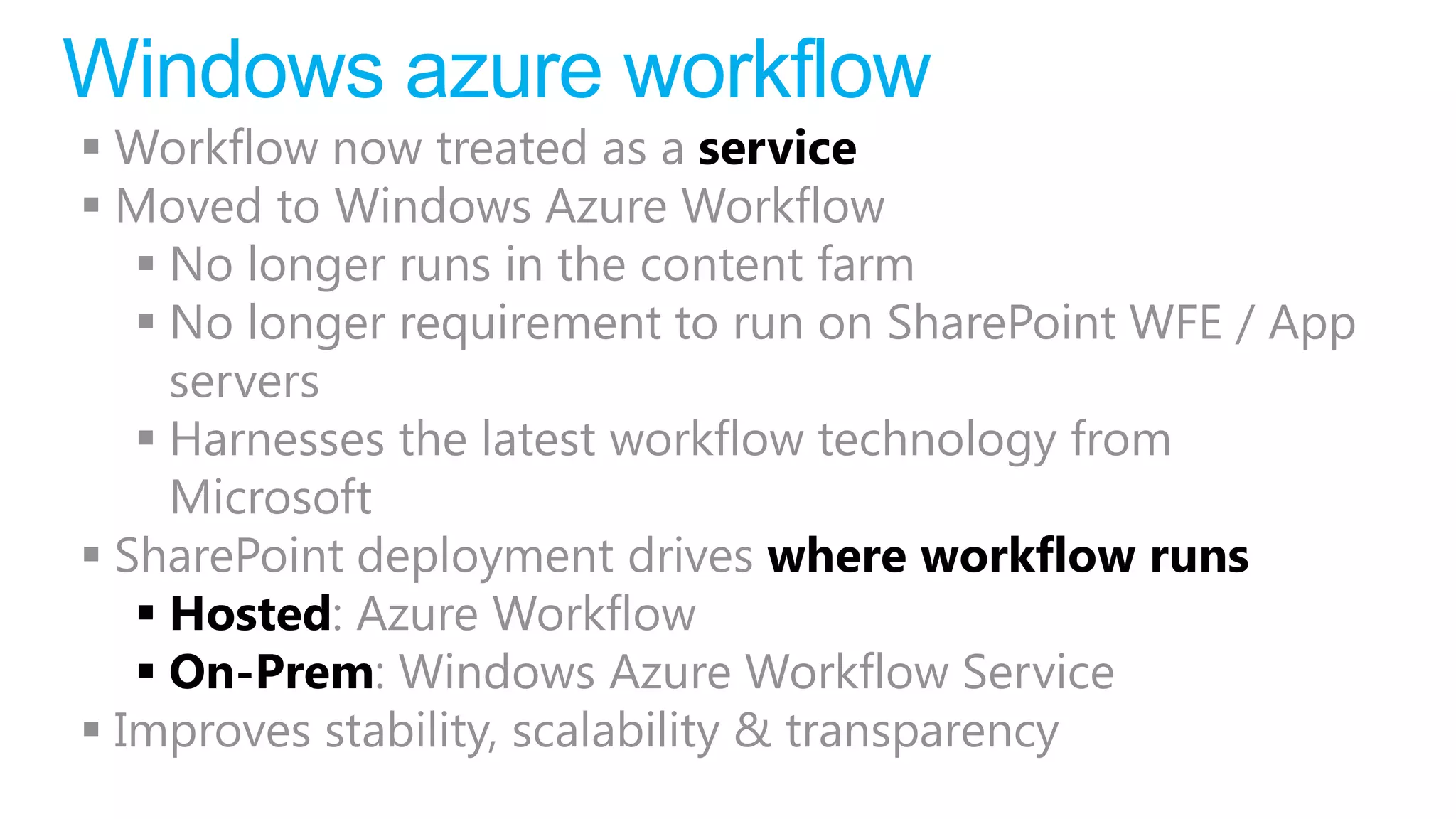
Windows azure workflow
 Workflow now treated as a service
 Moved to Windows Azure Workflow
    No longer runs in the content farm
    No longer requirement to run on SharePoint WFE / App
     servers
    Harnesses the latest workflow technology from
     Microsoft
 SharePoint deployment drives where workflow runs
    Hosted: Azure Workflow
    On-Prem: Windows Azure Workflow Service
 Improves stability, scalability & transparency
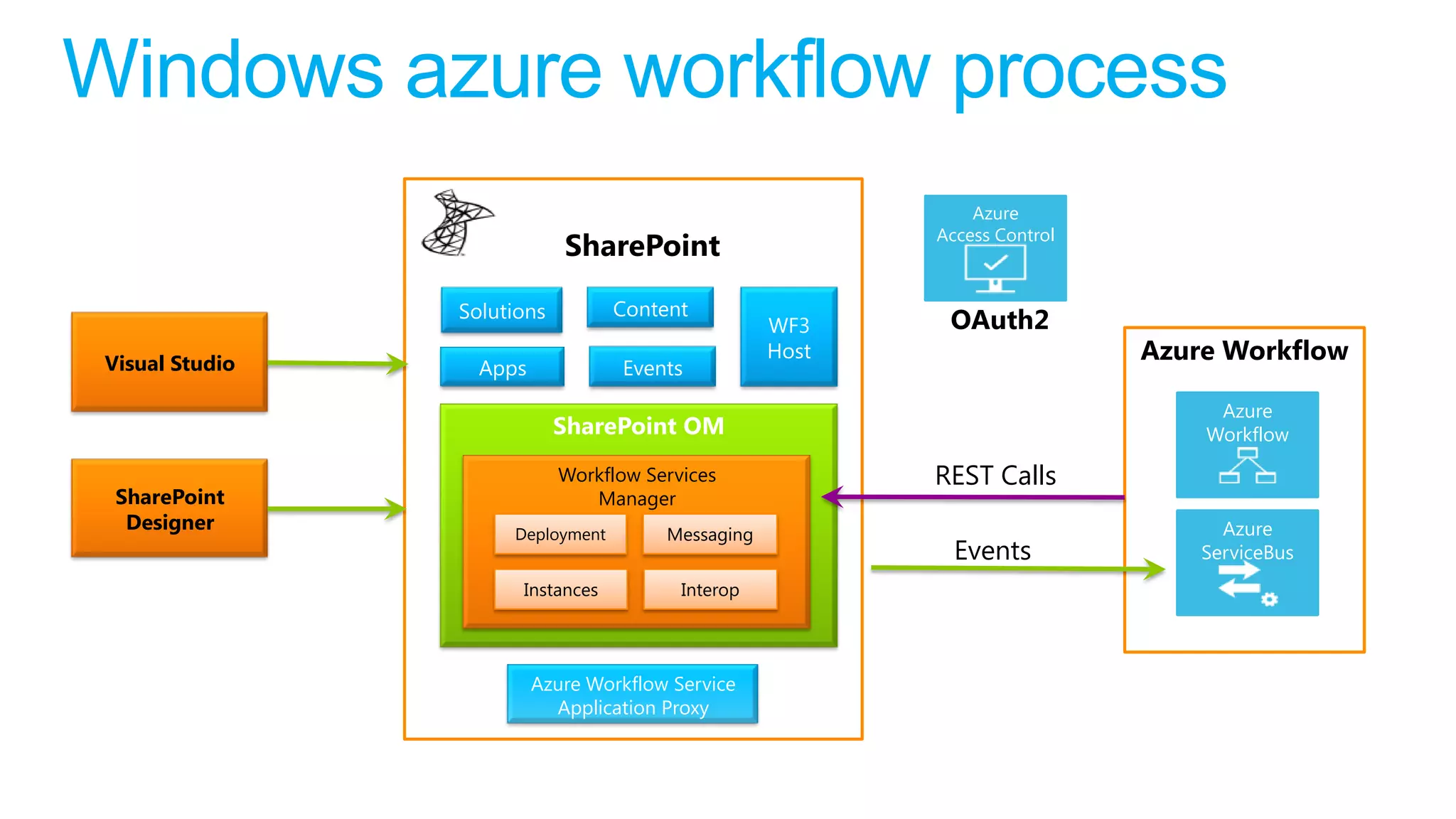
Windows azure workflow process
                                                               Azure
                                                           Access Control
                             SharePoint

                 Solutions         Content
                                                    WF3     OAuth2
 Visual Studio
                                                    Host                    Azure Workflow
                   Apps            Events
                                                                                 Azure
                             SharePoint OM                                      Workflow

                             Workflow Services             REST Calls
  SharePoint                    Manager
   Designer                                                                       Azure
                      Deployment        Messaging
                                                             Events             ServiceBus
                       Instances          Interop


                          Azure Workflow Service
                            Application Proxy
Question   Answer
Summary
• Lotz to learn!
• 2 kind of apps
  • Apps for Office
  • SharePoint apps
• Improved development methods
• Client side vs Server side code
Sp2013 overview biwug

Sp2013 overview biwug

  • 1.
    SharePoint 2013 What’s newunder the hood Office apps, SharePoint Designer and Visual Studio
  • 2.
  • 3.
    In what yearwas SharePoint started
  • 4.
    The name SharePointstarted in 2001 Year: 1997-1999
  • 5.
  • 6.
    Agave Agave? /əˈɡɑːveɪ/ /əˈɡeɪviː/ genus monocots perennial
  • 7.
    Apps for Office:Common Office API
  • 8.
  • 9.
    Apps for Office:Supported types Product Supported Type Excel 2013 preview Task Pane, Content Excel Web App Preview Content Word 2013 Preview Task Pane Outlook 2013 Preview Mail Outlook Web App Preview Mail Microsoft Project Professional 2013 Preview Task Pane
  • 10.
    Apps for Office:Excel Examples
  • 11.
    Apps for Office:Outlook Example
  • 12.
    Apps for Office:Basic components
  • 14.
  • 15.
    SharePoint Hosted App– what is it?  App components are SharePoint components:  SharePoint lists  Site columns  Content types  CSOM and REST API  Client Web Part  Key Developer Skills:  HTML5, CSS, JavaScript, jQuery, ASP.NET AJAX, CSOM  REST API, Silverlight
  • 16.
    SharePoint Hosted App– 3 approaches Developer-Hosted App SharePoint “Bring your own server hosting infrastructure” Your Hosted Site Cloud-based Apps Web Developers will need to isolate tenants Get remote events from SharePoint Use CSOM/REST + Azure Auto-Provisioned App Azure OAuth to work with SP Windows Azure + SQL Azure SharePoint (from provisioned invisibly as apps are Web WebDeploy, installed DacPac) SharePoint-hosted App Parent Provision an isolated sub web on a parent Web web • Reuse web elements App Web (lists, files, out-of-box web parts) • No server code allowed; use client (from WSP) JavaScript for logic, UX
  • 17.
  • 18.
    Config & Setup How to: Set up an on-premises development environment for apps for SharePoint  Configure an environment for apps for SharePoint
  • 19.
  • 20.
  • 21.
    What’s new inVisual Studio 2012  Create Lists, Content Types and Site Columns with new designers  Publish SharePoint Solutions to remote SharePoint servers  Support for Javascript debugging and intellisense  Test SharePoint Performance by using profiling tools  Test your code by using Microsoft Fakes Framework
  • 22.
    Developer dashboard • DeveloperDashboard rebuild for SP15 to provide more additional information for its user • Running in separate window to avoid affecting rendering of actual page • Detailed request information per page with chant view • Dedicated tab for ULS log entries for particular request • Additional detailed information included for request analyzing • Works by using dedicated WCF service (diagnosticsdata.svc ) designed for the purpose of providing tracing information for developer dashboard
  • 23.
    How to enabledeveloper dashboard • PowerShell $content = ([Microsoft.SharePoint.Administration.SPWebService]::ContentService) $appsetting =$content.DeveloperDashboardSettings $appsetting.DisplayLevel = [Microsoft.SharePoint.Administration.SPDeveloperDashboardLevel]::On $appsetting.Update() • SP15 will support only On/Off settings • On = shows icon in page
  • 24.
    SP 2013 Appdevelopment scenarios
  • 26.
  • 27.
    Windows azure workflow Workflow now treated as a service  Moved to Windows Azure Workflow  No longer runs in the content farm  No longer requirement to run on SharePoint WFE / App servers  Harnesses the latest workflow technology from Microsoft  SharePoint deployment drives where workflow runs  Hosted: Azure Workflow  On-Prem: Windows Azure Workflow Service  Improves stability, scalability & transparency
  • 28.
    Windows azure workflowprocess Azure Access Control SharePoint Solutions Content WF3 OAuth2 Visual Studio Host Azure Workflow Apps Events Azure SharePoint OM Workflow Workflow Services REST Calls SharePoint Manager Designer Azure Deployment Messaging Events ServiceBus Instances Interop Azure Workflow Service Application Proxy
  • 30.
    Question Answer
  • 31.
    Summary • Lotz tolearn! • 2 kind of apps • Apps for Office • SharePoint apps • Improved development methods • Client side vs Server side code

Editor's Notes

  • #4 http://www.joiningdots.net/blog/2006/08/sharepoint-history.html
  • #9 http://www.joiningdots.net/blog/2006/08/sharepoint-history.html
  • #10 Apps for officeWhat is Agave? - Agave is a code-name for Office Web Extensions. By using Agave(Web Extension for Office 2012) Developers will be able to build a third-party ‘Agave’ extensions application using client side and server side technologies such as HTML5, CSS, JavaScript, Client Object Model, and REST There are only three types of ‘Agaves’ have been detailed so far:Task Pane agave Content agave Contextual agave Task Pane Agave: By this you can get the data from webservice and display the returned data into document.Content Agave: Similar to LinkedIn Feature add Link(Which adds content from that site) will embed the content of that webpage into office document. That content may come from any website or Sharepoint List or document Libraries.Contextual agave - View parallel data from site/service for email or contact
  • #12 http://msdn.microsoft.com/en-us/library/office/jj229830(v=office.15).aspx
  • #13 Nog overtypen
  • #14 Nog overtypen
  • #16 An app for Office is basically a webpage that is hosted inside an Office client application. You can use apps to extend the functionality of a document, email message, meeting request, or appointment. Apps can run in multiple environments and clients, including rich Office desktop clients, Office Web Apps, mobile browsers, and also on-premises and in the cloud. After you develop and publish your apps to the Office Store or to an onsite catalog, they will be available to consumers from their Office 2013 Preview applications. http://msdn.microsoft.com/en-us/library/jj220082(v=office.15).aspxhttp://msdn.microsoft.com/en-us/library/fp179930(v=office.15).aspxhttp://msdn.microsoft.com/en-us/library/fp179897(v=office.15).aspx
  • #18 http://www.joiningdots.net/blog/2006/08/sharepoint-history.html
  • #20 Slide verderuitzoeken + azure hosted app & dev hosted app, slides verderuitwerkenA SharePoint-hosted app is the easiest to create and deploy because its contents are deployed to a single SharePoint site
  • #21 http://technet.microsoft.com/en-us/library/fp161230(v=office.15).aspx
  • #22 Slide verderuitzoekenhttp://technet.microsoft.com/en-us/library/fp161236(v=office.15).aspx
  • #24 http://msdn.microsoft.com/en-us/library/jj220049%28v=office.15%29.aspxhttp://msdn.microsoft.com/en-us/library/ee290856.aspx
  • #26 dev dashboard:http://www.silver-it.com/node/112http://www.wictorwilen.se/sharepoint-2013-developer-dashboard-shows-no-data-issuehttp://blah.winsmarts.com/2012-7-SharePoint_2013_Developer_dashboard.aspxIt’s an app
  • #27 http://blah.winsmarts.com/2012-7-SharePoint_2013_Developer_dashboard.aspxhttp://www.wictorwilen.se/sharepoint-2013-developer-dashboard-shows-no-data-issueStephaneEyskens's blog