CS221N, Data Structures
Data Structure #2: Arrays
1
The Array
 Most commonly used data structure
 Common operations
 Insertion
 Searching
 Deletion
 How do these differ for an ‘ordered array’?
 How do these differ for an array which does not allow
duplicates?
2
Array Storage
3
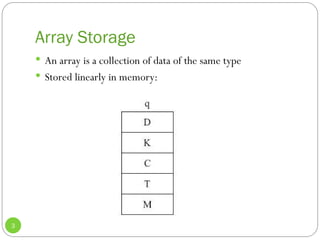
 An array is a collection of data of the same type
 Stored linearly in memory:
Remember, value vs. reference…
4
 In Java:
 Data of a primitive type is a ____________.
 All objects are ________________.
 Java arrays are also considered references.
Defining a Java Array
5
 Say, of 100 integers:
 int[] intArray;
 intArray = new int[100];
 We can combine these statements:
 Or, change the [] to after the variable name
 What do the [] signify?
We said an array was a reference…
6
 That means if we do this:
 int[] intArray;
 intArray = new int[100];
 What exactly does intArray contain? Let’s look internally.
The Size
7
 Size of an array cannot change once it’s been declared:
 intArray = new int[100];
 But, one nice thing is that arrays are objects. So you can
access its size easily:
 int arrayLength = intArray.length;
 Getting an array size is difficult in many other languages
Access
8
 Done by using an index number in square brackets:
 int temp = intArray[3]; // Gets 4th
element
 intArray[7] = 66; // Sets 8th
element
 How do we access the last element of the array, if we don’t
remember its size?
 What range of indices will generate the IndexOutOfBounds
exception?
 The index is an offset. Let’s look at why.
Initialization
9
 What do the elements of this array contain:
 int[] intArray = new int[100];
 How about this one:
 BankAccount[] myAccounts = new BankAccount[100];
 What happens if we attempt to access one of these values?
 int[] intArray = {0, 3, 6, 9, 12, 15, 18, 21, 24,
27};
 Automatically determines the size
 Can do this with primitives or objects
Look at a book example…
10
 See the example on p. 41-42, where we do the following:
 Insert 10 elements into an array of integers
 Display them
 Find item with key 66
 Delete item with key 55
 Display them
 Ask ourselves:
 How could we make the initialization shorter?
 How could we save declaring nElems?
This did not use OOP
11
 So our next task will be to divide it up (p. 45)
 What will we want for the array class? Let’s think about the
purpose of classes. They have data, and functions to manipulate
that data.
 So in this case, what will our data be?
 For functions, we’ll provide:
 A constructor which takes a size and initializes the array
 A function to retrieve a single element
 A function to set a single element
 And then modify main()
The LowArray interface
12
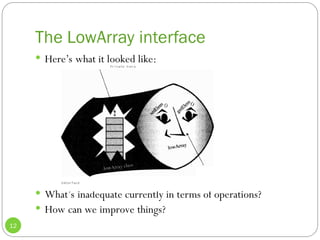
 Here’s what it looked like:
 What’s inadequate currently in terms of operations?
 How can we improve things?
Further division…
13
 Let’s make a new HighArray class (p. 49) which includes the
following functions:
 Constructor which takes an integer for the size
 Function to find an element
 Function to insert an element
 Function to delete an element
 One more data member
 nElems, which holds the number of occupied cells
 Then, let’s modify main().
Abstraction
14
 This illustrates the concept of abstraction
 The way in which an operation is performed inside a class is
invisible
 Client of HighArray performs more complex operations
through simple method invocations
 Never directly accesses the private data in the array
 Now we can reuse HighArray much easier
 Note – a client does not even really know about the member
array!
 Hint, we’ll see later how we can change it.
The Ordered Array
15
 An array in which the data items are arranged in ascending
order
 Smallest value is at index:
 Largest value is at index:
 Think about what functions we’d have to modify
 Why could this be a nice feature? What operation could be
much faster?
That’s right, searching!
16
 We can still do a linear search, which is what we’ve seen.
 Step through the elements
 In the average case, would this be faster than an unordered
array?
 We can also do what’s called binary search, which is much
faster
 Especially for large arrays
Binary Search: Idea
17
 Ever see the Price is Right?
 Guess the price on an item
 If guess is too low, Bob Barker says “higher”
 If guess is too high, Bob Barker says “lower”
 This can work if we are using ordered arrays
 Check the middle element
 If it’s too low, restrict search to the first half of the array
 Otherwise restrict search to the second half of the array
 And repeat.
Note what this can save!
18
 Let’s take a simple case, where we search for an item in a
100-element array:
 int[] arr = {1,2,3,4,5,6,…..,100}
 For an unordered array where we must use linear search,
how many comparisons on average must we perform?
 How about for binary search on an ordered array? Let’s look
for the element 33.
Binary Search
19
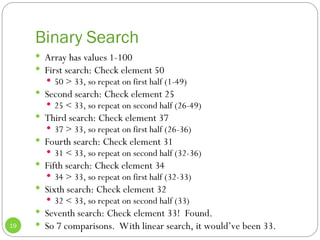
 Array has values 1-100
 First search: Check element 50
 50 > 33, so repeat on first half (1-49)
 Second search: Check element 25
 25 < 33, so repeat on second half (26-49)
 Third search: Check element 37
 37 > 33, so repeat on first half (26-36)
 Fourth search: Check element 31
 31 < 33, so repeat on second half (32-36)
 Fifth search: Check element 34
 34 > 33, so repeat on first half (32-33)
 Sixth search: Check element 32
 32 < 33, so repeat on second half (33)
 Seventh search: Check element 33! Found.
 So 7 comparisons. With linear search, it would’ve been 33.
Affect on Operations
20
 We saw how binary search sped up the searching operation
 Can it also speed up deletion?
 What about, insertion of a new element into an ordered
array?
Implementation
21
 Let’s go through the Java implementation, on pages 56-57.
 At any given time:
 lowerBound holds the lower index of the range we are
searching
 upperBound holds the upper index of the range we are
searching
 curIn holds the current index we are looking at
 What if the element is not in the array? What happens?
Now, let’s implement the OrdArray
22
 Data
 The array itself
 The number of occupied slots
 Methods
 Constructor
 Size
 Find (with binary search)
 Insert (with binary search)
 Delete (with binary search)
 Display
Analysis
23
 What have we gained by using ordered arrays?
 Is searching faster or slower?
 Is insertion faster or slower?
 Is deletion faster or slower?
 All in all, ordered arrays would be useful in situations where
insertion/deletion are infrequent, but searching is frequent
 Employee records – hiring/firing is less frequent than accessing
or updating an employee record
Ordered Array: Operation Counts
24
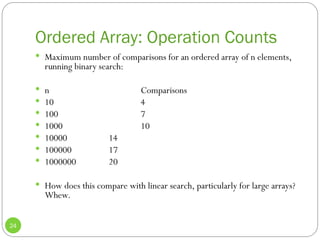
 Maximum number of comparisons for an ordered array of n elements,
running binary search:
 n Comparisons
 10 4
 100 7
 1000 10
 10000 14
 100000 17
 1000000 20
 How does this compare with linear search, particularly for large arrays?
Whew.
A Deeper Analysis
25
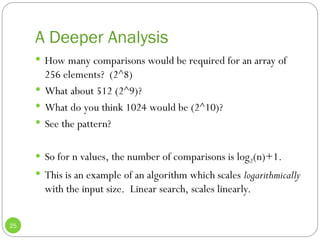
 How many comparisons would be required for an array of
256 elements? (2^8)
 What about 512 (2^9)?
 What do you think 1024 would be (2^10)?
 See the pattern?
 So for n values, the number of comparisons is log2(n)+1.
 This is an example of an algorithm which scales logarithmically
with the input size. Linear search, scales linearly.
Computing log2n
26
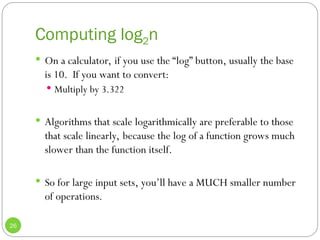
 On a calculator, if you use the “log” button, usually the base
is 10. If you want to convert:
 Multiply by 3.322
 Algorithms that scale logarithmically are preferable to those
that scale linearly, because the log of a function grows much
slower than the function itself.
 So for large input sets, you’ll have a MUCH smaller number
of operations.
Storing Objects
27
 We’ve seen an example where we used arrays to store
primitive data. Now let’s look at an example which stores
objects. What’s our situation now with values and
references?
 The array itself is still a _________________.
 The elements of the array are ________________.
 Implications?
Person Class
28
 Let’s go through the Person class on page 65.
 Data:
 First name and last name (String objects), age (integer value)
 Functions
 Constructor which takes two strings and an integer
 Function to display information
 Function to return the last name (we’ll eventually use this for
searching)
Adapting our HighArray class
29
 Rewrite the implementation on page 49
 Change to operate on Persons instead of integers
 Watch out for the ==!
 In main() construct Person objects
Big-Oh Notation
30
 Provides a metric for evaluating the efficiency of an
algorithm
 Analogy: Automobiles
 Subcompacts
 Compacts
 Midsize
 etc.
How it’s done
31
 It’s difficult to simply say: A is twice as fast as B
 We saw with linear search vs. binary search, the comparison
can be different when you change the input size. For
example, for an array of size n:
 n=16, linear search comparisons = 10, binary search
comparisons = 5
 Binary search is 2x as fast
 n=32, linear search comparisons = 32, binary search
comparisons = 6
 Binary search is 5.3x as fast
Example: Insertion into Unordered
Array
32
 Suppose we just insert at the next available position:
 Position is a[nElems]
 Increment nElems
 Both of these operations are independent of the size of the
array n.
 So they take some time, K, which is not a function of n
 We say this is O(1), or constant time
 Meaning that the runtime is proportional to 1.
Example: Linear search
33
 You’ll require a loop which runs in the worst case n times
 Each time, you have to:
 Increment a loop counter
 Compare the loop counter to n
 Compare the current element to the key
 Each of these operations take time independent of n, so let’s say
they consume a total time of K.
 Then the algorithm would take K*n total time
 We say this is O(n).
Example: Binary Search
34
 We’ve already said that for an array of n elements, we need
log(n)+1 comparisons.
 Each comparison takes time independent of n, call it K
 Total time is then: K(log(n)+1) = K*log(n) + K
 For large n, this grows proportional to log(n), i.e. the
leading term dominates.
 We say this is O(log n)
Why this is useful
35
 Useful to evaluate how well an algorithm scales with input
size n. For example:
 O(1) scales better than…
 O(log n), which scales better than…
 O(n), which scales better than…
 O(n log n), which scales better than…
 O(n^2), etc.
 Each of these successively grows faster with n.
Generally speaking…
36
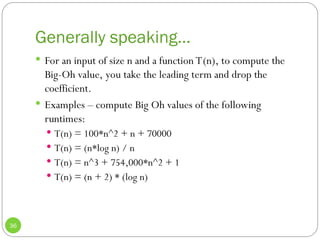
 For an input of size n and a function T(n), to compute the
Big-Oh value, you take the leading term and drop the
coefficient.
 Examples – compute Big Oh values of the following
runtimes:
 T(n) = 100*n^2 + n + 70000
 T(n) = (n*log n) / n
 T(n) = n^3 + 754,000*n^2 + 1
 T(n) = (n + 2) * (log n)
But, these large constants must mean
something…
37
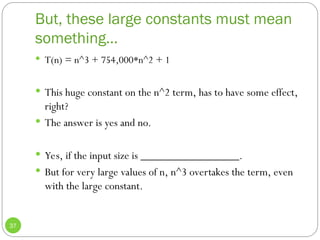
 T(n) = n^3 + 754,000*n^2 + 1
 This huge constant on the n^2 term, has to have some effect,
right?
 The answer is yes and no.
 Yes, if the input size is _________________.
 But for very large values of n, n^3 overtakes the term, even
with the large constant.
Algorithms we’ve discussed…
38
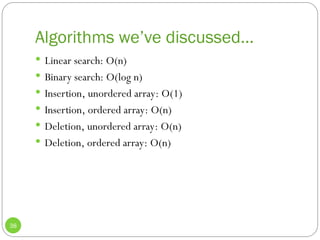
 Linear search: O(n)
 Binary search: O(log n)
 Insertion, unordered array: O(1)
 Insertion, ordered array: O(n)
 Deletion, unordered array: O(n)
 Deletion, ordered array: O(n)
Graph of Big O times.
39
 See page 72.
Unordered/Ordered Array Tradeoffs
40
 Unordered
 Insertion is fast – O(1)
 Searching is slow – O(n)
 Ordered
 Searching is fast – O(log n)
 Insertion is slow – O(n)
 Deletion is even – O(n)
 Memory can be wasted, or even misused. Let’s discuss.
What we will see…
41
 There are structures (trees) which can insert, delete and
search in O(log n) time
 Of course as you’d expect, they’re more complex
 We will also learn about structures with flexible sizes
 java.util has class Vector – what you should know:
 Array of flexible size
 Some efficiency is lost (why do you think?)
 What happens when we try to go beyond the current size?
 Why is this penalty very large at the beginning of array population?

Chapter three data structure and algorithms qaybta quee

  • 1.
    CS221N, Data Structures DataStructure #2: Arrays 1
  • 2.
    The Array  Mostcommonly used data structure  Common operations  Insertion  Searching  Deletion  How do these differ for an ‘ordered array’?  How do these differ for an array which does not allow duplicates? 2
  • 3.
    Array Storage 3  Anarray is a collection of data of the same type  Stored linearly in memory:
  • 4.
    Remember, value vs.reference… 4  In Java:  Data of a primitive type is a ____________.  All objects are ________________.  Java arrays are also considered references.
  • 5.
    Defining a JavaArray 5  Say, of 100 integers:  int[] intArray;  intArray = new int[100];  We can combine these statements:  Or, change the [] to after the variable name  What do the [] signify?
  • 6.
    We said anarray was a reference… 6  That means if we do this:  int[] intArray;  intArray = new int[100];  What exactly does intArray contain? Let’s look internally.
  • 7.
    The Size 7  Sizeof an array cannot change once it’s been declared:  intArray = new int[100];  But, one nice thing is that arrays are objects. So you can access its size easily:  int arrayLength = intArray.length;  Getting an array size is difficult in many other languages
  • 8.
    Access 8  Done byusing an index number in square brackets:  int temp = intArray[3]; // Gets 4th element  intArray[7] = 66; // Sets 8th element  How do we access the last element of the array, if we don’t remember its size?  What range of indices will generate the IndexOutOfBounds exception?  The index is an offset. Let’s look at why.
  • 9.
    Initialization 9  What dothe elements of this array contain:  int[] intArray = new int[100];  How about this one:  BankAccount[] myAccounts = new BankAccount[100];  What happens if we attempt to access one of these values?  int[] intArray = {0, 3, 6, 9, 12, 15, 18, 21, 24, 27};  Automatically determines the size  Can do this with primitives or objects
  • 10.
    Look at abook example… 10  See the example on p. 41-42, where we do the following:  Insert 10 elements into an array of integers  Display them  Find item with key 66  Delete item with key 55  Display them  Ask ourselves:  How could we make the initialization shorter?  How could we save declaring nElems?
  • 11.
    This did notuse OOP 11  So our next task will be to divide it up (p. 45)  What will we want for the array class? Let’s think about the purpose of classes. They have data, and functions to manipulate that data.  So in this case, what will our data be?  For functions, we’ll provide:  A constructor which takes a size and initializes the array  A function to retrieve a single element  A function to set a single element  And then modify main()
  • 12.
    The LowArray interface 12 Here’s what it looked like:  What’s inadequate currently in terms of operations?  How can we improve things?
  • 13.
    Further division… 13  Let’smake a new HighArray class (p. 49) which includes the following functions:  Constructor which takes an integer for the size  Function to find an element  Function to insert an element  Function to delete an element  One more data member  nElems, which holds the number of occupied cells  Then, let’s modify main().
  • 14.
    Abstraction 14  This illustratesthe concept of abstraction  The way in which an operation is performed inside a class is invisible  Client of HighArray performs more complex operations through simple method invocations  Never directly accesses the private data in the array  Now we can reuse HighArray much easier  Note – a client does not even really know about the member array!  Hint, we’ll see later how we can change it.
  • 15.
    The Ordered Array 15 An array in which the data items are arranged in ascending order  Smallest value is at index:  Largest value is at index:  Think about what functions we’d have to modify  Why could this be a nice feature? What operation could be much faster?
  • 16.
    That’s right, searching! 16 We can still do a linear search, which is what we’ve seen.  Step through the elements  In the average case, would this be faster than an unordered array?  We can also do what’s called binary search, which is much faster  Especially for large arrays
  • 17.
    Binary Search: Idea 17 Ever see the Price is Right?  Guess the price on an item  If guess is too low, Bob Barker says “higher”  If guess is too high, Bob Barker says “lower”  This can work if we are using ordered arrays  Check the middle element  If it’s too low, restrict search to the first half of the array  Otherwise restrict search to the second half of the array  And repeat.
  • 18.
    Note what thiscan save! 18  Let’s take a simple case, where we search for an item in a 100-element array:  int[] arr = {1,2,3,4,5,6,…..,100}  For an unordered array where we must use linear search, how many comparisons on average must we perform?  How about for binary search on an ordered array? Let’s look for the element 33.
  • 19.
    Binary Search 19  Arrayhas values 1-100  First search: Check element 50  50 > 33, so repeat on first half (1-49)  Second search: Check element 25  25 < 33, so repeat on second half (26-49)  Third search: Check element 37  37 > 33, so repeat on first half (26-36)  Fourth search: Check element 31  31 < 33, so repeat on second half (32-36)  Fifth search: Check element 34  34 > 33, so repeat on first half (32-33)  Sixth search: Check element 32  32 < 33, so repeat on second half (33)  Seventh search: Check element 33! Found.  So 7 comparisons. With linear search, it would’ve been 33.
  • 20.
    Affect on Operations 20 We saw how binary search sped up the searching operation  Can it also speed up deletion?  What about, insertion of a new element into an ordered array?
  • 21.
    Implementation 21  Let’s gothrough the Java implementation, on pages 56-57.  At any given time:  lowerBound holds the lower index of the range we are searching  upperBound holds the upper index of the range we are searching  curIn holds the current index we are looking at  What if the element is not in the array? What happens?
  • 22.
    Now, let’s implementthe OrdArray 22  Data  The array itself  The number of occupied slots  Methods  Constructor  Size  Find (with binary search)  Insert (with binary search)  Delete (with binary search)  Display
  • 23.
    Analysis 23  What havewe gained by using ordered arrays?  Is searching faster or slower?  Is insertion faster or slower?  Is deletion faster or slower?  All in all, ordered arrays would be useful in situations where insertion/deletion are infrequent, but searching is frequent  Employee records – hiring/firing is less frequent than accessing or updating an employee record
  • 24.
    Ordered Array: OperationCounts 24  Maximum number of comparisons for an ordered array of n elements, running binary search:  n Comparisons  10 4  100 7  1000 10  10000 14  100000 17  1000000 20  How does this compare with linear search, particularly for large arrays? Whew.
  • 25.
    A Deeper Analysis 25 How many comparisons would be required for an array of 256 elements? (2^8)  What about 512 (2^9)?  What do you think 1024 would be (2^10)?  See the pattern?  So for n values, the number of comparisons is log2(n)+1.  This is an example of an algorithm which scales logarithmically with the input size. Linear search, scales linearly.
  • 26.
    Computing log2n 26  Ona calculator, if you use the “log” button, usually the base is 10. If you want to convert:  Multiply by 3.322  Algorithms that scale logarithmically are preferable to those that scale linearly, because the log of a function grows much slower than the function itself.  So for large input sets, you’ll have a MUCH smaller number of operations.
  • 27.
    Storing Objects 27  We’veseen an example where we used arrays to store primitive data. Now let’s look at an example which stores objects. What’s our situation now with values and references?  The array itself is still a _________________.  The elements of the array are ________________.  Implications?
  • 28.
    Person Class 28  Let’sgo through the Person class on page 65.  Data:  First name and last name (String objects), age (integer value)  Functions  Constructor which takes two strings and an integer  Function to display information  Function to return the last name (we’ll eventually use this for searching)
  • 29.
    Adapting our HighArrayclass 29  Rewrite the implementation on page 49  Change to operate on Persons instead of integers  Watch out for the ==!  In main() construct Person objects
  • 30.
    Big-Oh Notation 30  Providesa metric for evaluating the efficiency of an algorithm  Analogy: Automobiles  Subcompacts  Compacts  Midsize  etc.
  • 31.
    How it’s done 31 It’s difficult to simply say: A is twice as fast as B  We saw with linear search vs. binary search, the comparison can be different when you change the input size. For example, for an array of size n:  n=16, linear search comparisons = 10, binary search comparisons = 5  Binary search is 2x as fast  n=32, linear search comparisons = 32, binary search comparisons = 6  Binary search is 5.3x as fast
  • 32.
    Example: Insertion intoUnordered Array 32  Suppose we just insert at the next available position:  Position is a[nElems]  Increment nElems  Both of these operations are independent of the size of the array n.  So they take some time, K, which is not a function of n  We say this is O(1), or constant time  Meaning that the runtime is proportional to 1.
  • 33.
    Example: Linear search 33 You’ll require a loop which runs in the worst case n times  Each time, you have to:  Increment a loop counter  Compare the loop counter to n  Compare the current element to the key  Each of these operations take time independent of n, so let’s say they consume a total time of K.  Then the algorithm would take K*n total time  We say this is O(n).
  • 34.
    Example: Binary Search 34 We’ve already said that for an array of n elements, we need log(n)+1 comparisons.  Each comparison takes time independent of n, call it K  Total time is then: K(log(n)+1) = K*log(n) + K  For large n, this grows proportional to log(n), i.e. the leading term dominates.  We say this is O(log n)
  • 35.
    Why this isuseful 35  Useful to evaluate how well an algorithm scales with input size n. For example:  O(1) scales better than…  O(log n), which scales better than…  O(n), which scales better than…  O(n log n), which scales better than…  O(n^2), etc.  Each of these successively grows faster with n.
  • 36.
    Generally speaking… 36  Foran input of size n and a function T(n), to compute the Big-Oh value, you take the leading term and drop the coefficient.  Examples – compute Big Oh values of the following runtimes:  T(n) = 100*n^2 + n + 70000  T(n) = (n*log n) / n  T(n) = n^3 + 754,000*n^2 + 1  T(n) = (n + 2) * (log n)
  • 37.
    But, these largeconstants must mean something… 37  T(n) = n^3 + 754,000*n^2 + 1  This huge constant on the n^2 term, has to have some effect, right?  The answer is yes and no.  Yes, if the input size is _________________.  But for very large values of n, n^3 overtakes the term, even with the large constant.
  • 38.
    Algorithms we’ve discussed… 38 Linear search: O(n)  Binary search: O(log n)  Insertion, unordered array: O(1)  Insertion, ordered array: O(n)  Deletion, unordered array: O(n)  Deletion, ordered array: O(n)
  • 39.
    Graph of BigO times. 39  See page 72.
  • 40.
    Unordered/Ordered Array Tradeoffs 40 Unordered  Insertion is fast – O(1)  Searching is slow – O(n)  Ordered  Searching is fast – O(log n)  Insertion is slow – O(n)  Deletion is even – O(n)  Memory can be wasted, or even misused. Let’s discuss.
  • 41.
    What we willsee… 41  There are structures (trees) which can insert, delete and search in O(log n) time  Of course as you’d expect, they’re more complex  We will also learn about structures with flexible sizes  java.util has class Vector – what you should know:  Array of flexible size  Some efficiency is lost (why do you think?)  What happens when we try to go beyond the current size?  Why is this penalty very large at the beginning of array population?