Java Programming: From Problem Analysis to Program Design, 3e Chapter 9 Arrays
Chapter Objectives Learn about arrays Explore how to declare and manipulate data into arrays Understand the meaning of “array index out of bounds” Become familiar with the restrictions on array processing
Chapter Objectives (continued) Discover how to pass an array as a parameter to a method Discover how to manipulate data in a two-dimensional array Learn about multidimensional arrays
Array Definition: structured data type with a fixed number of elements Elements of an array are also called components of the array Every element is of the same type Elements  are accessed using their relative positions in the array
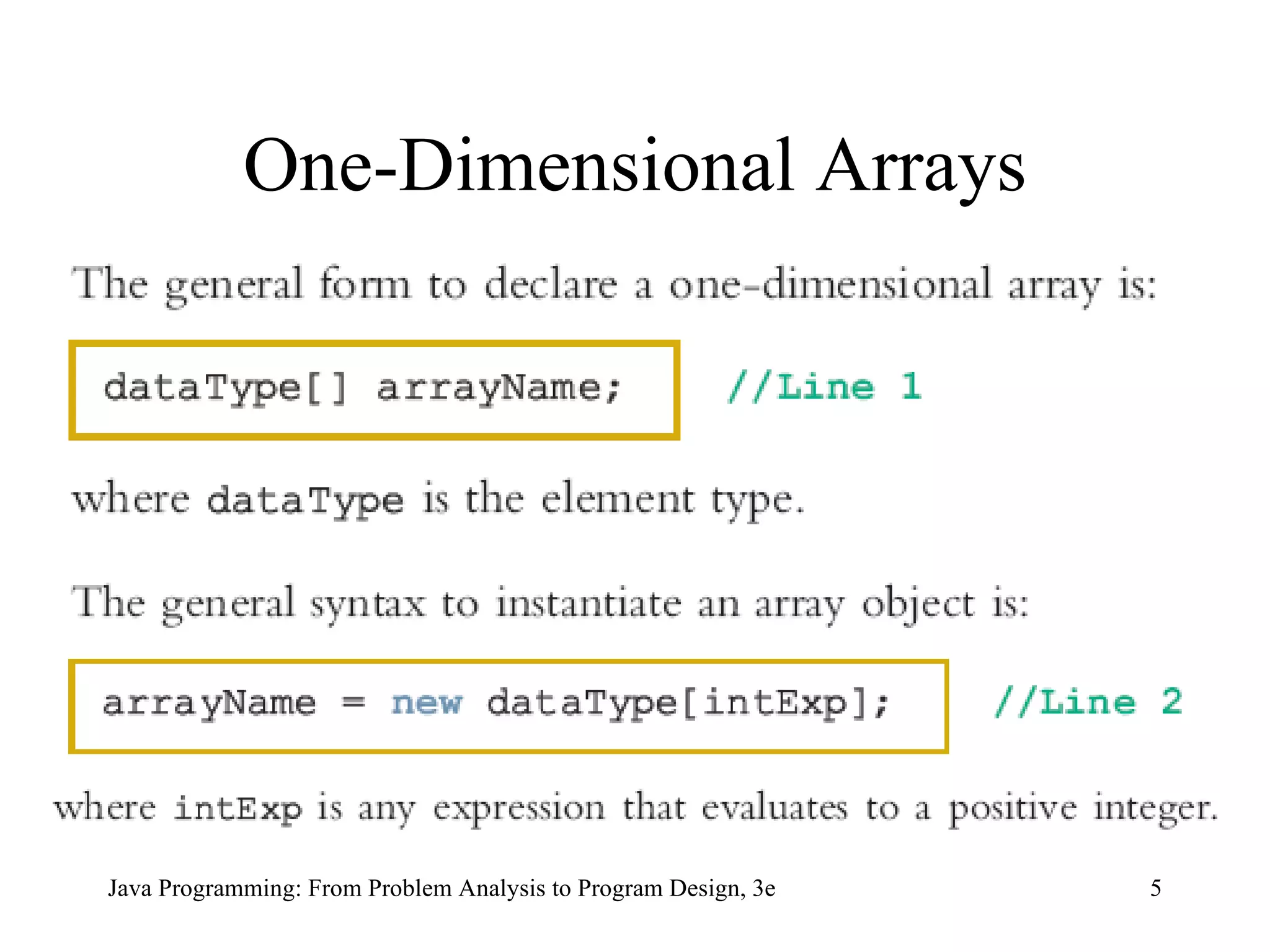
One-Dimensional Arrays
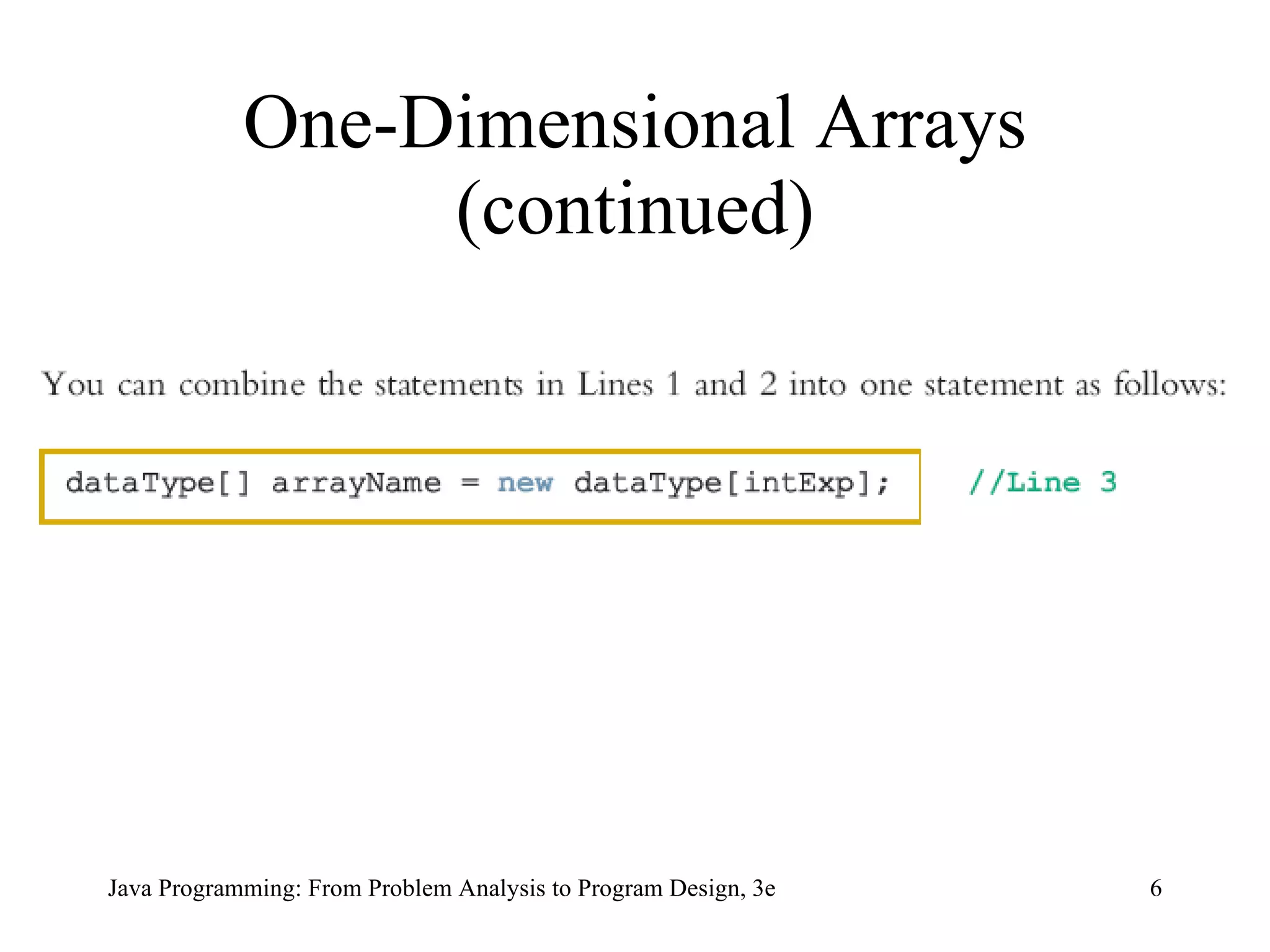
One-Dimensional Arrays (continued)
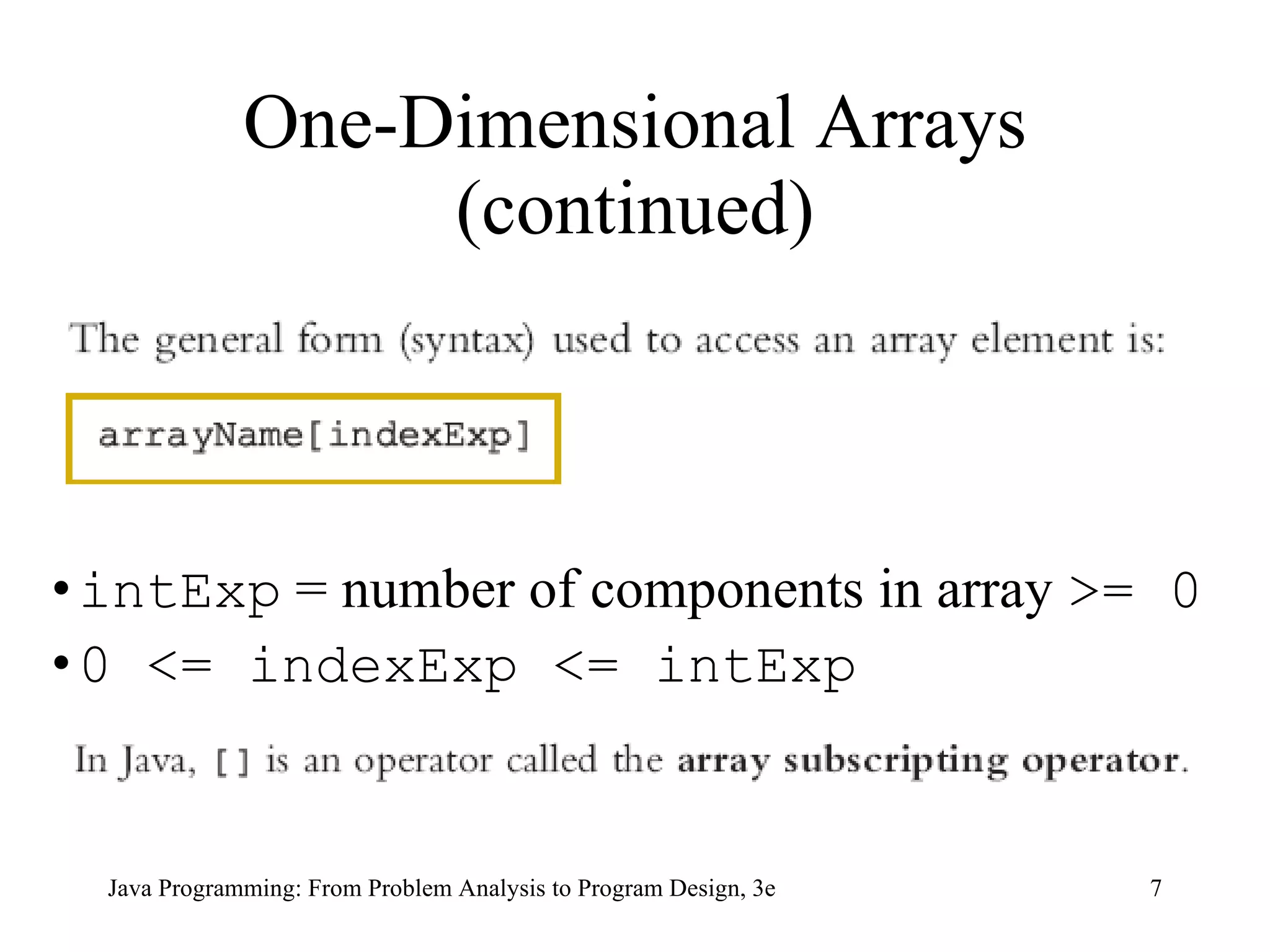
One-Dimensional Arrays (continued) intExp  = number of components in array  >= 0 0 <= indexExp <= intExp
Array num: int[] num =  new  int[5]; Arrays
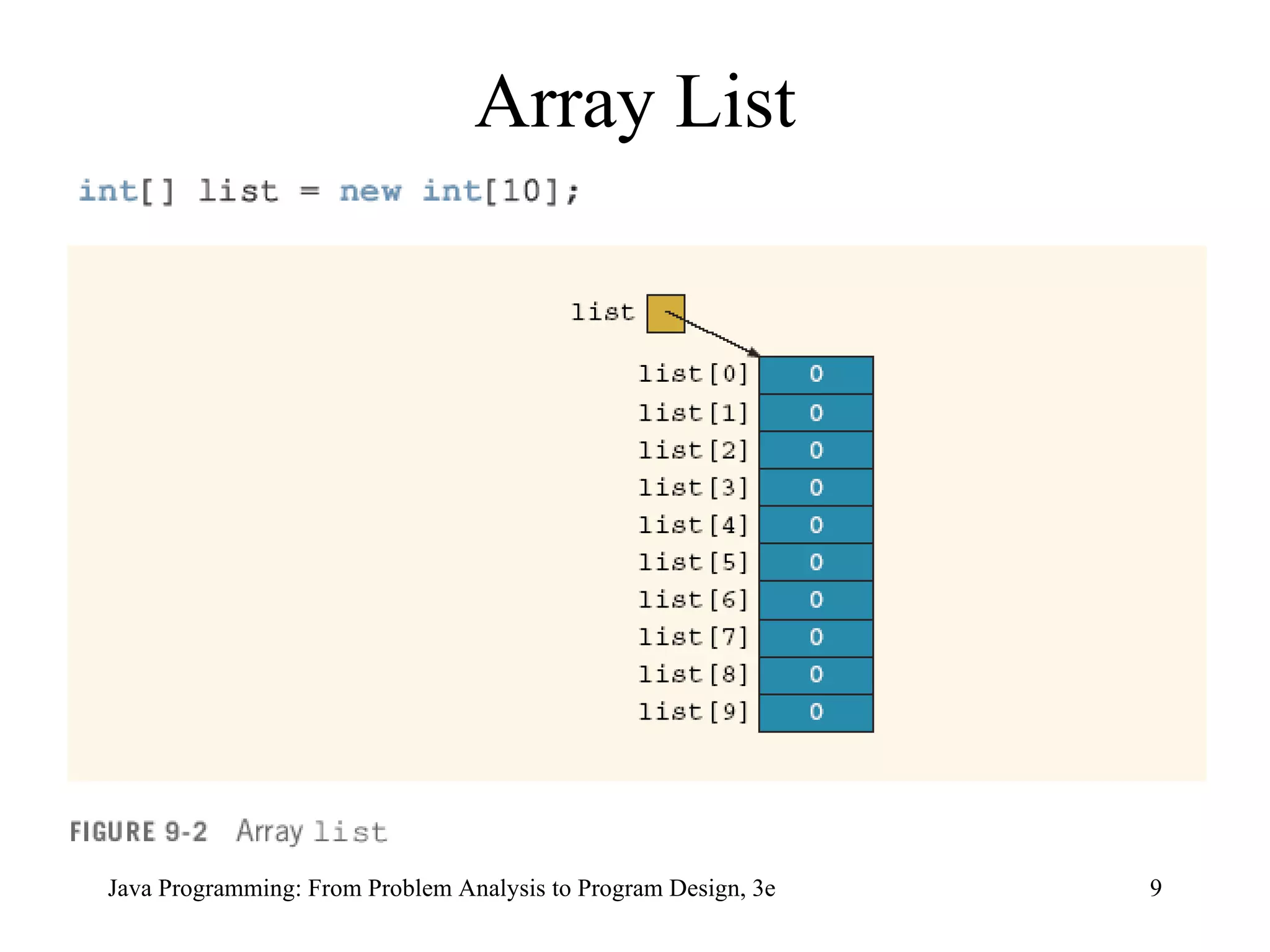
Array List
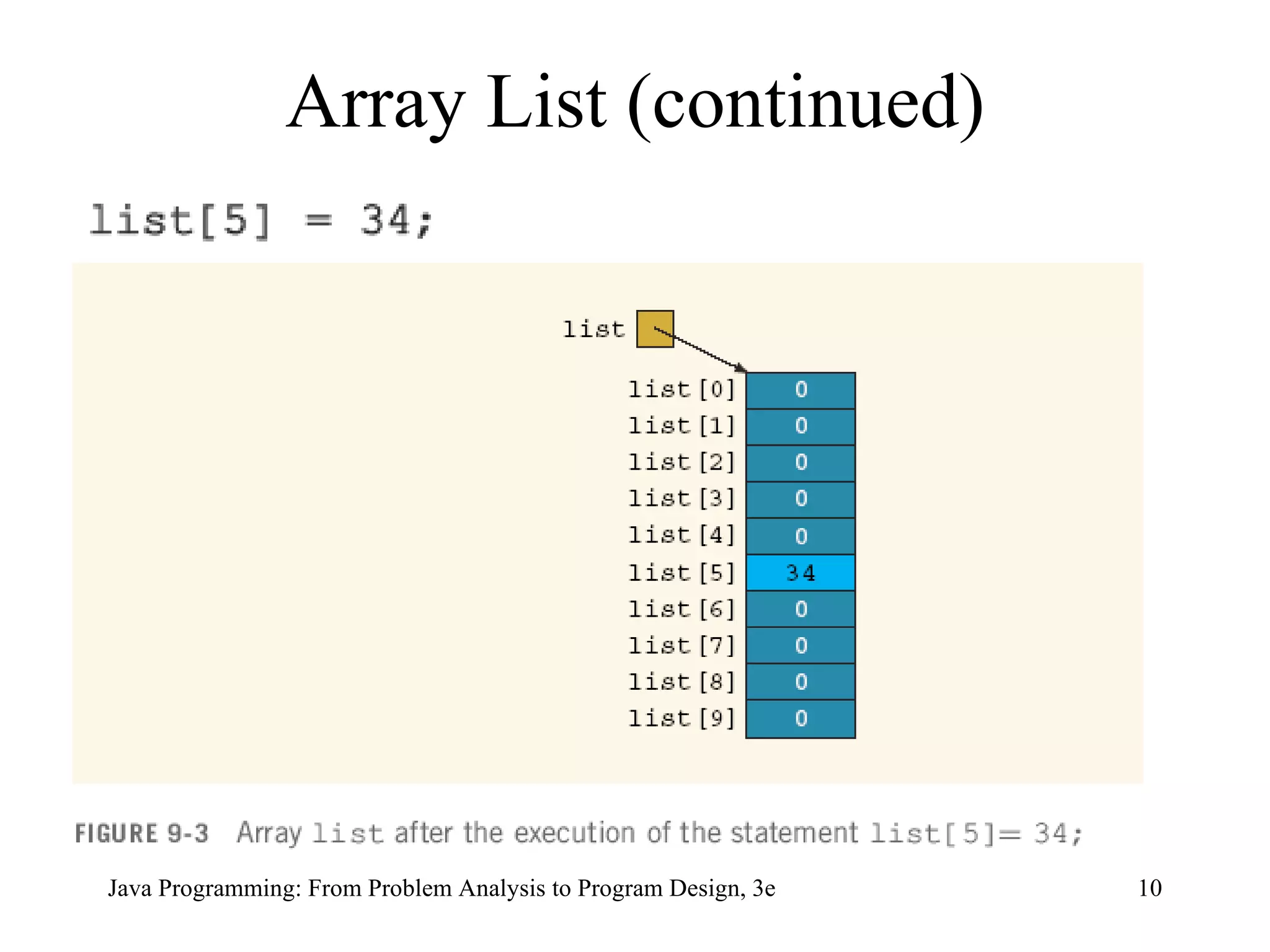
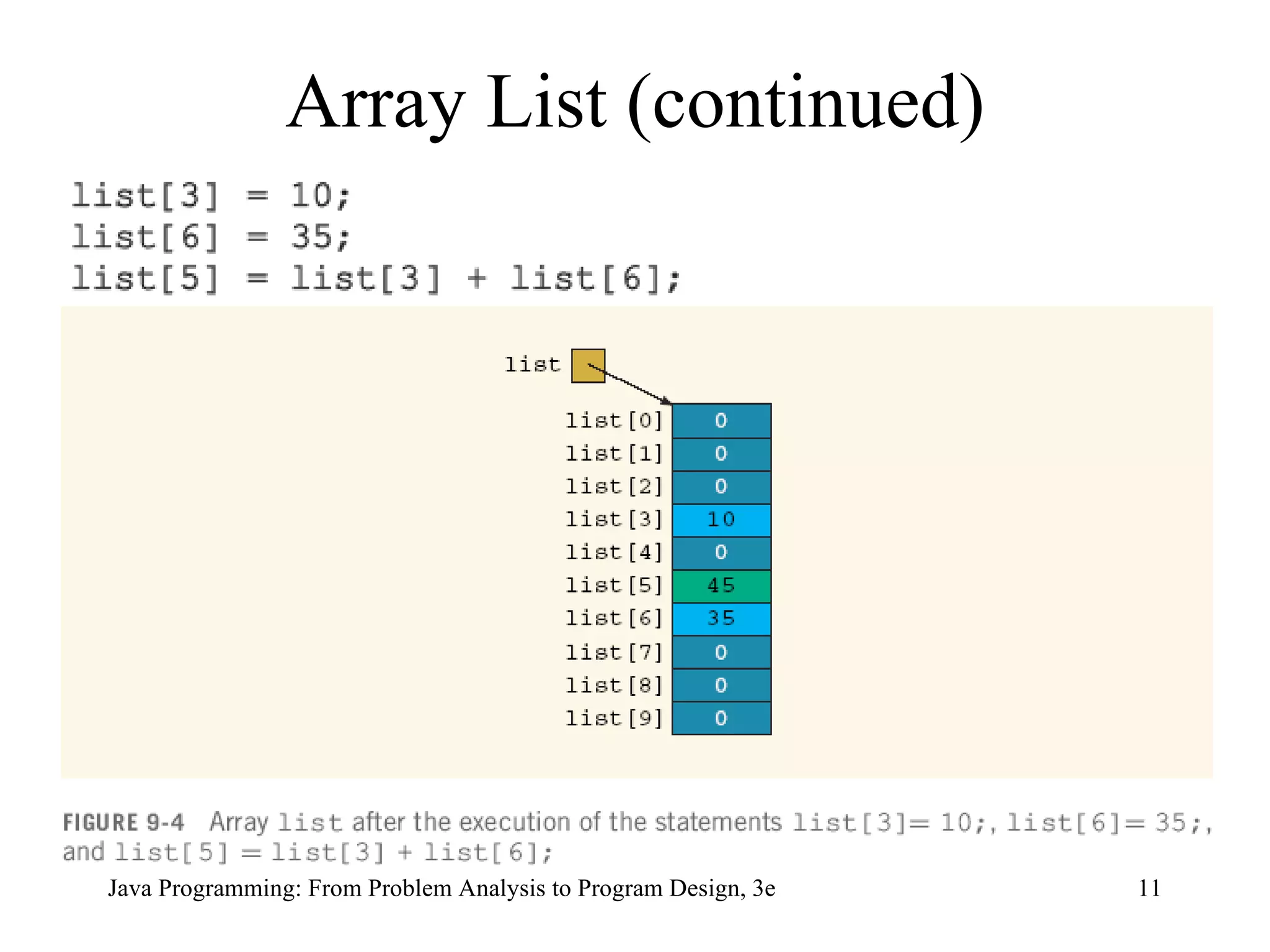
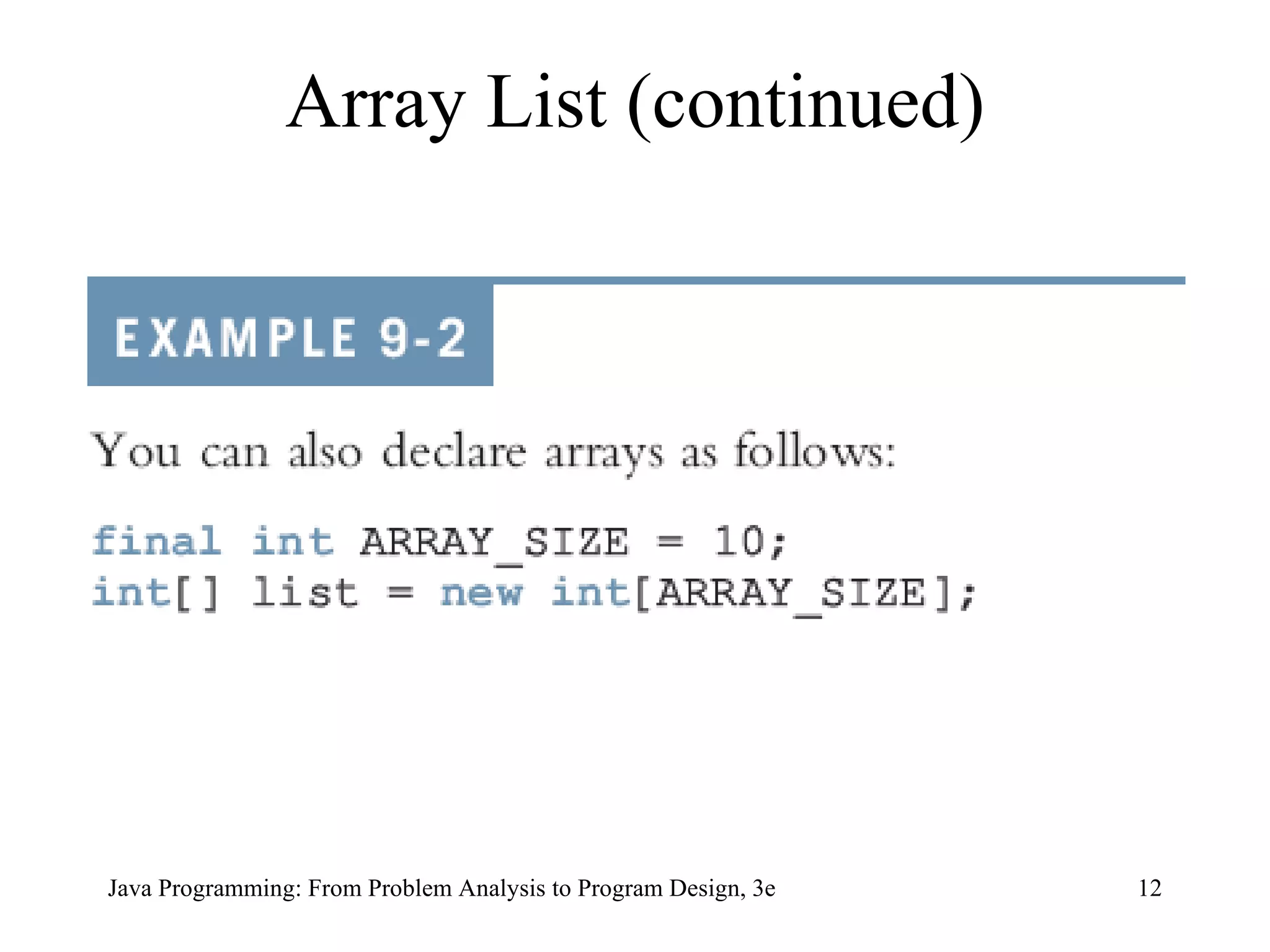
Array List (continued)
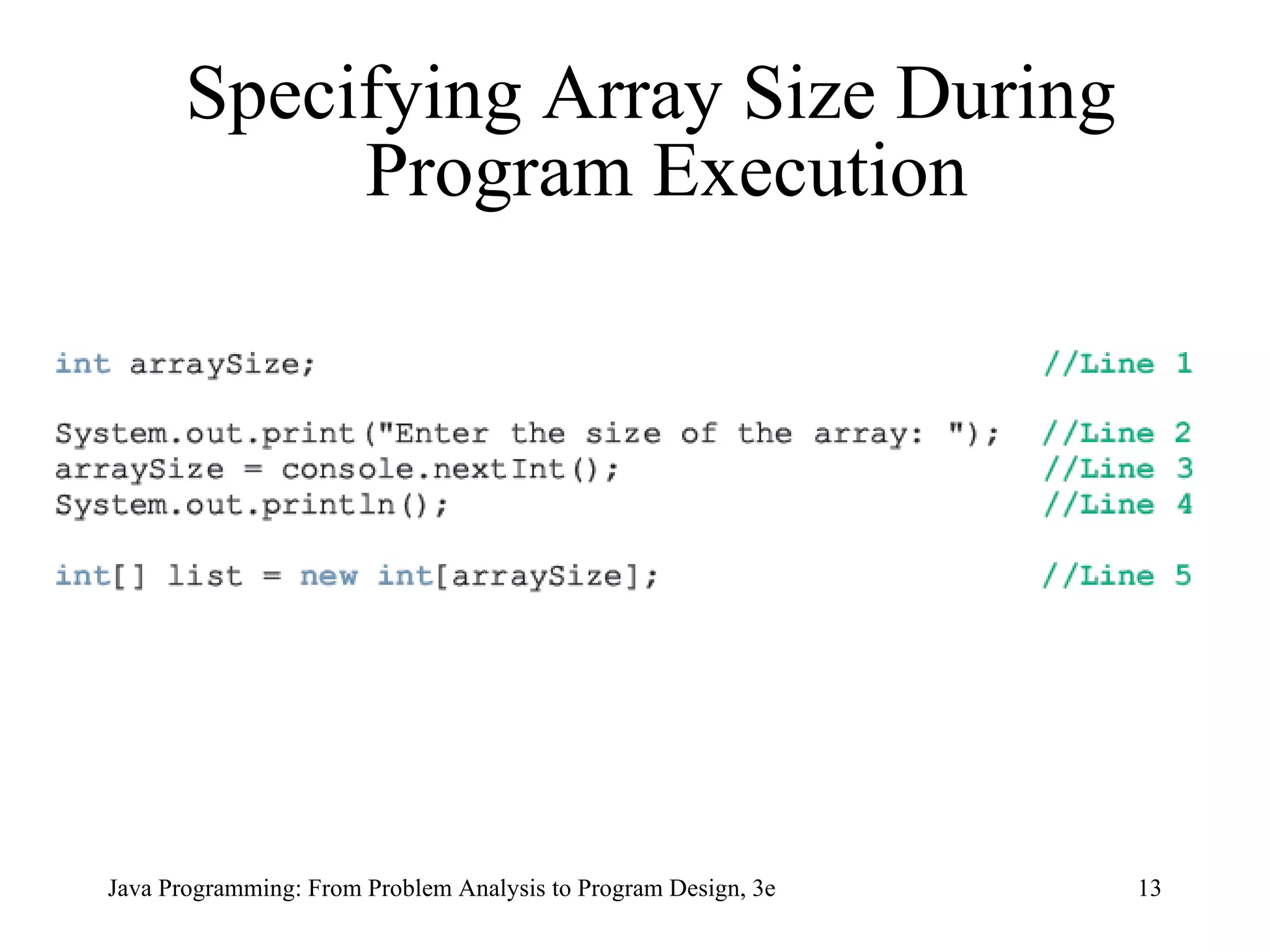
Specifying Array Size During Program Execution
The  initializer list  contains   values,  called initial values , that are placed between braces and separated by commas   Here,  sales[0]= 12.25 ,  sales[1]= 32.50 ,  sales[2]= 16.90 ,  sales[3]= 23.00 , and  sales[4]= 45.68 Array Initialization During Declaration
Array Initialization During Declaration (continued) When declaring and initializing arrays, the size of the array is determined by the number of initial values within the braces If an array is declared and initialized simultaneously, we do not use the operator  new  to instantiate the array object
Associated with each array that has been instantiated, there is a  public  ( final ) instance variable  length The variable  length  contains the size of the array  The variable  length  can be directly accessed in a program using the array name and the dot operator int [] list = {10, 20, 30, 40, 50, 60}; Arrays and the Instance Variable  length
Arrays and the Instance Variable  length  (continued) This statement creates the array list of six components and initializes the components using the values given Here  list.length  is  6 int [] numList =  new  int[10];  This statement creates the array  numList  of 10 components and initializes each component to 0
The value of  numList.length  is  10   numList[0] = 5; numList[1] = 10; numList[2] = 15; numList[3] = 20; These statements store  5 ,  10 ,  15 , and  20 , respectively, in the first four components of  numList   You can store the number of filled elements, that is, the actual number of elements, in the array in a variable, say  numOfElement It is a common practice for a program to keep track of the number of filled elements in an array Arrays and the Instance Variable  length  (continued)
Loops used to step through elements in array and perform operations int [] list =  new  int[100]; int  i; for  (i = 0; i < list.length; i++) //process list[i], the (i + 1)th  //element of list   for  (i = 0; i < list.length; i++) list[i] = console.nextInt();  for  (i = 0; i < list.length; i++) System.out.print(list[i] + &quot; &quot;);   Processing One-Dimensional Arrays
Arrays (continued)  Some operations on arrays: Initialize  Input data Output stored data Find largest/smallest/sum/average of elements double [] sales =  new   double [10]; int  index; double  largestSale, sum, average;
Code to Initialize Array to Specific Value (10.00) for  (index = 0; index < sales.length; index++) sales[index] = 10.00;
Code to Read Data into Array for  (index = 0; index < sales.length;  index++) sales[index] = console.nextDouble();
Code to Print Array for  (index = 0; index < sales.length; index++) System.out.print(sales[index] + &quot; &quot;);
Code to Find Sum and Average of Array sum = 0; for  (index = 0; index < sales.length;  index++) sum = sum + sales[index]; if  (sales.length != 0) average = sum / sales.length; else average = 0.0;
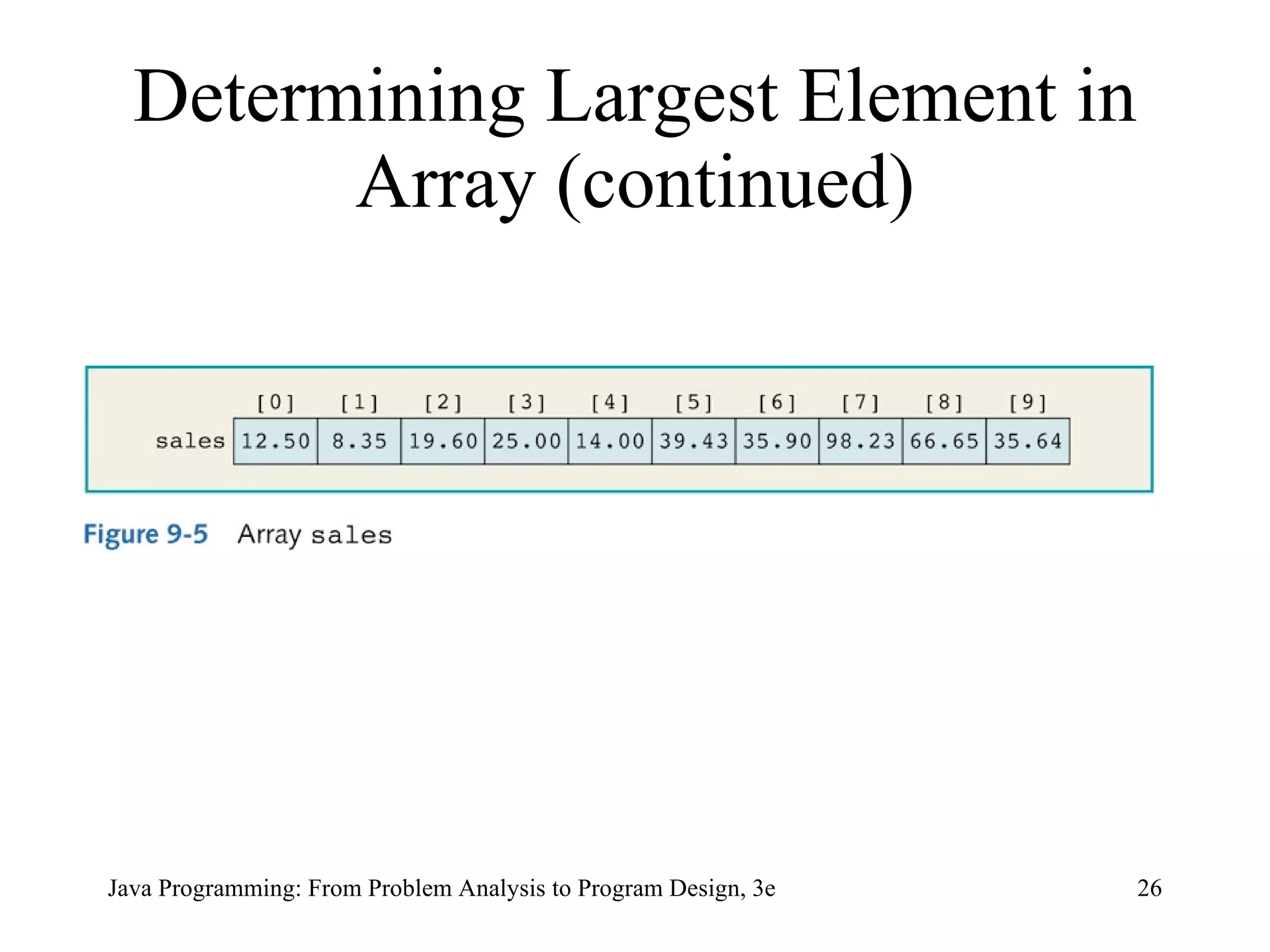
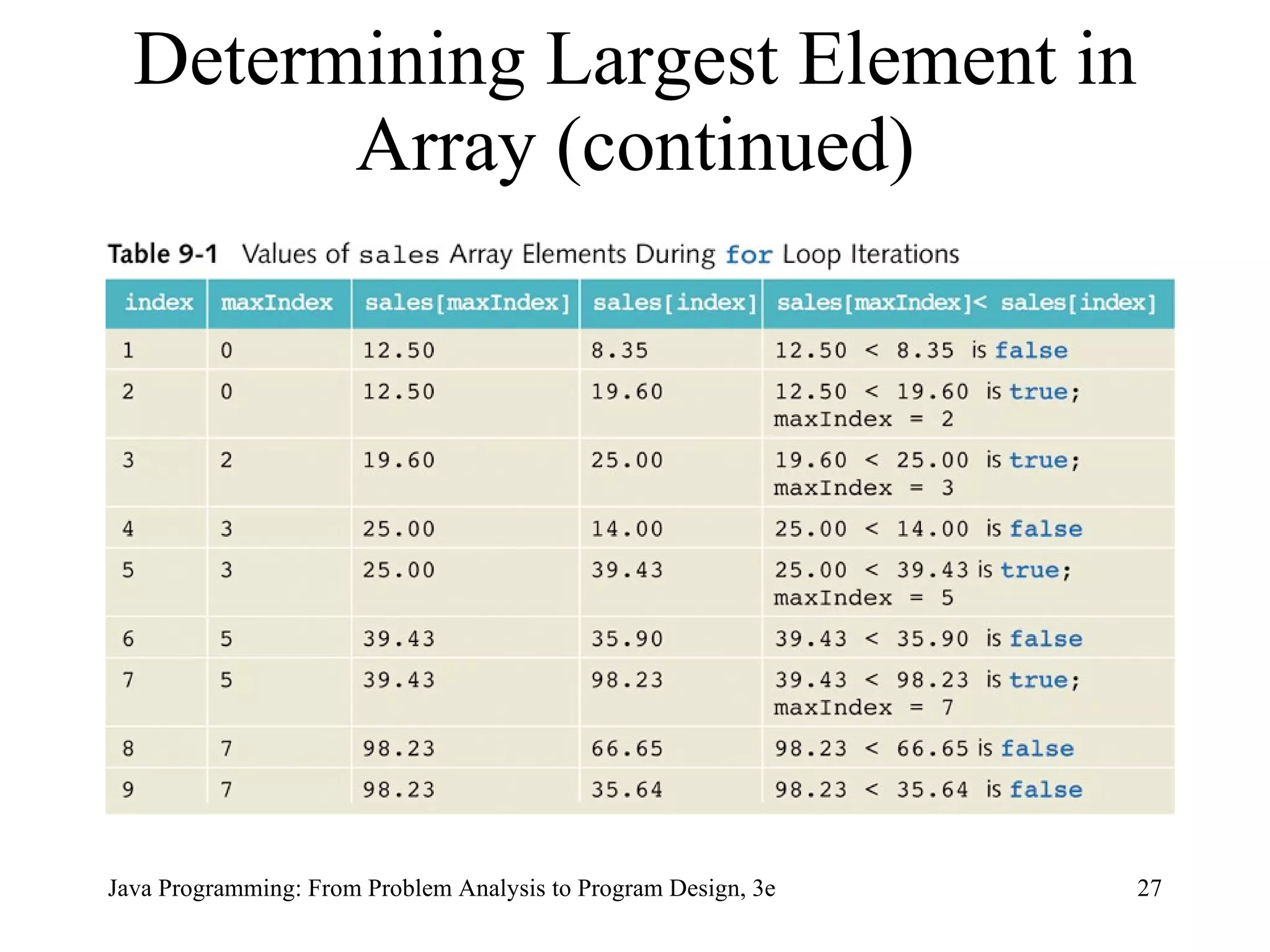
Determining Largest Element in Array maxIndex = 0;  for  (index = 1; index < sales.length;  index++) if  (sales[maxIndex] < sales[index]) maxIndex = index; largestSale = sales[maxIndex];
Determining Largest Element in Array (continued)
Array Index Out of Bounds  Array in bounds if: 0 <= index <= arraySize – 1 If  index < 0  or  index > arraySize : ArrayIndexOutOfBoundsException  exception is thrown Base address: memory location of first component in array
Declaring Arrays as Formal Parameters to Methods A general syntax to declare an array as a formal parameter  dataType[] arrayName public static void  arraysAsFormalParameter( int [] listA,  double [] listB,  int  num) { //... } int [] intList =  new   int [10]; double [] doubleNumList =  new   double [15]; int  number;  arraysAsFormalParameter(intList, doubleNumList, number);
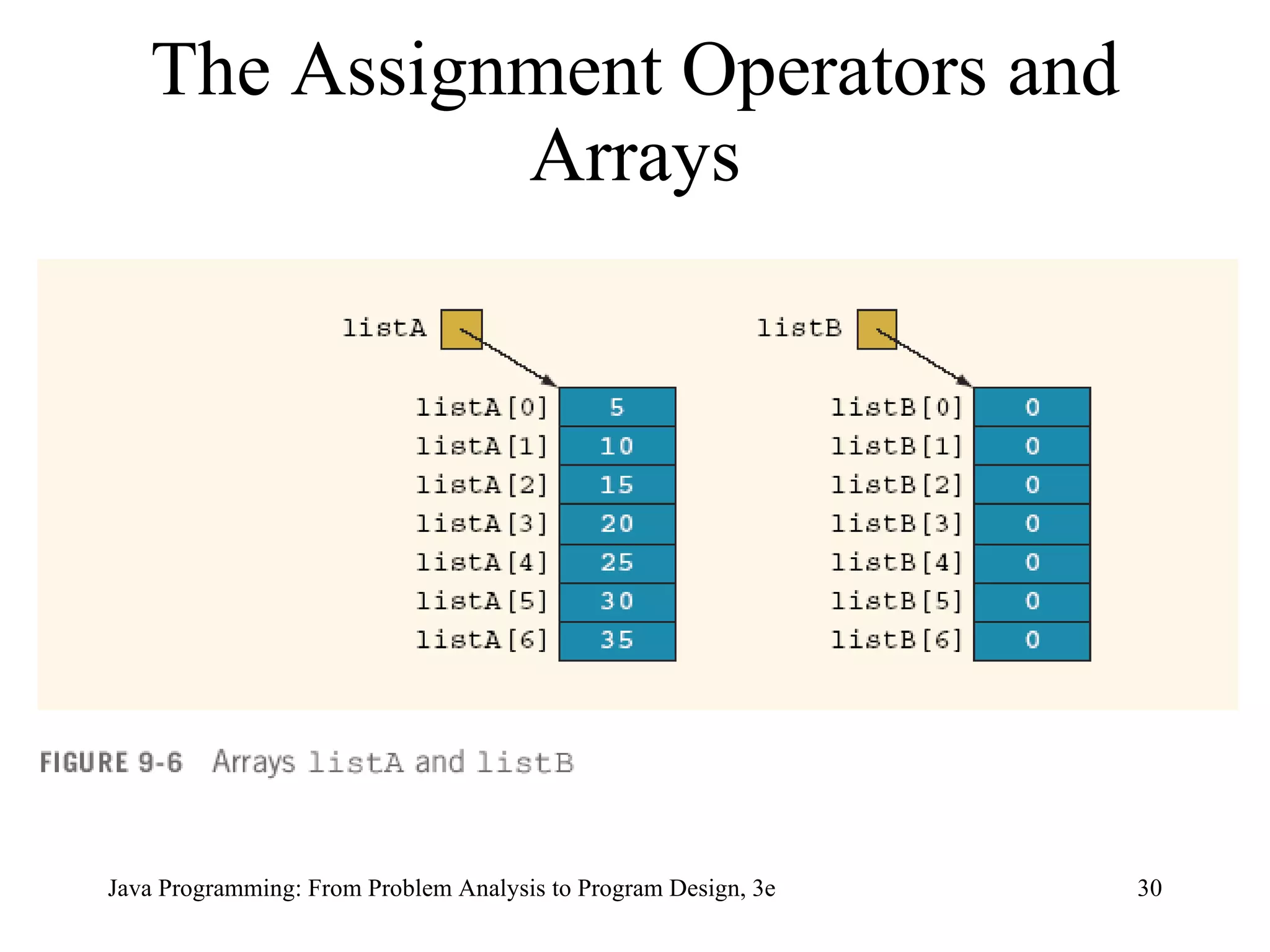
The Assignment Operators and Arrays
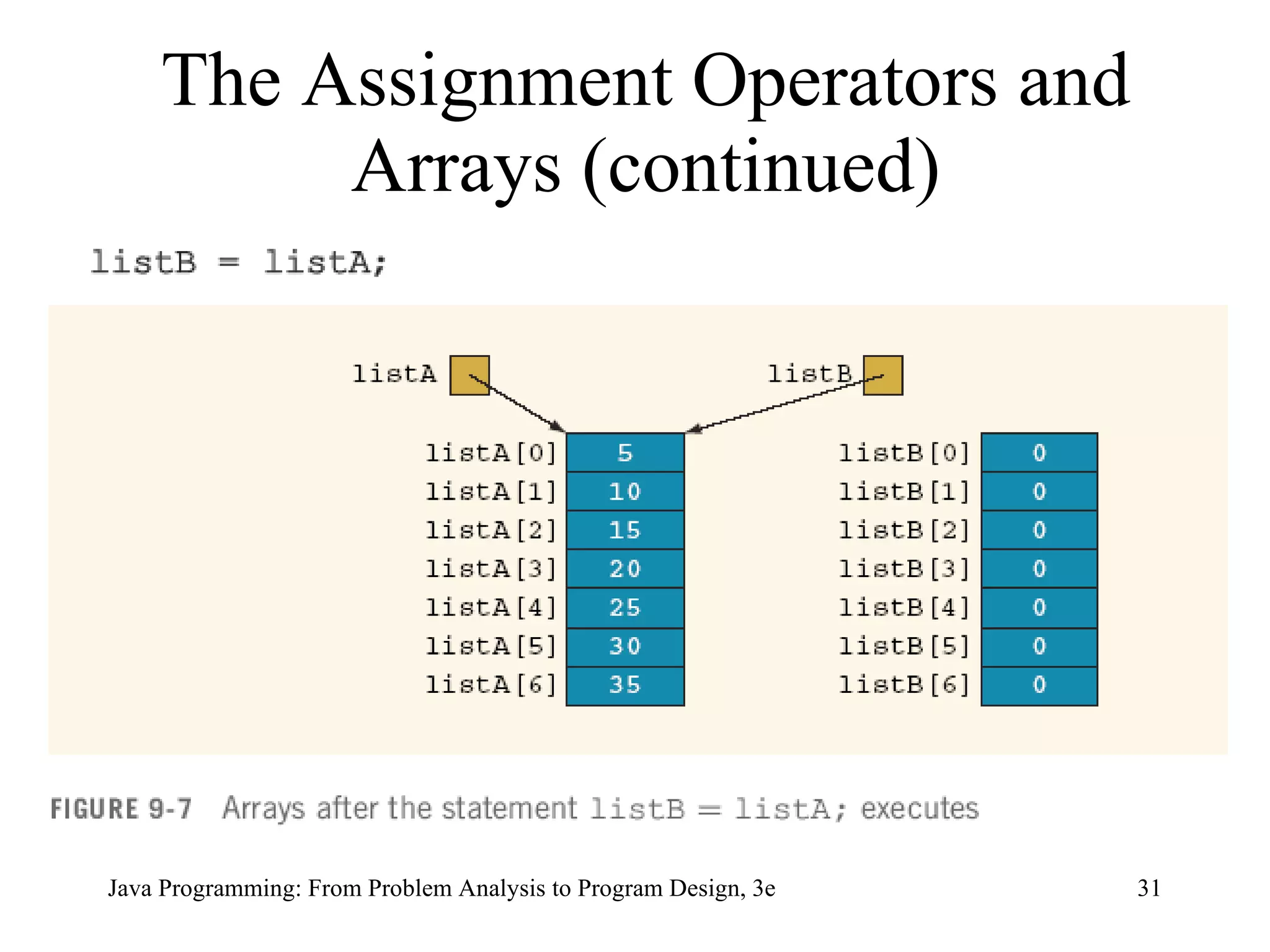
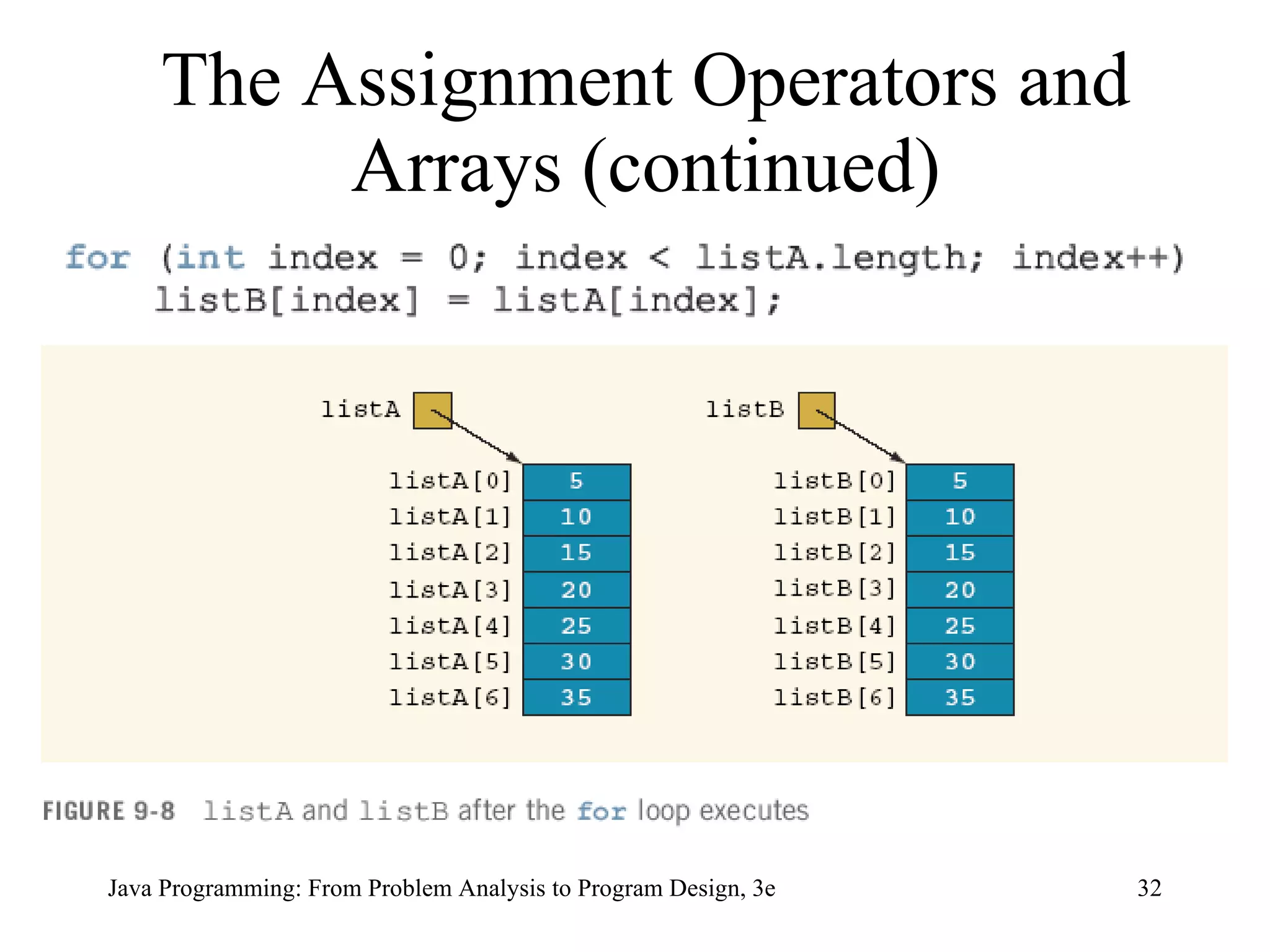
The Assignment Operators and Arrays (continued)
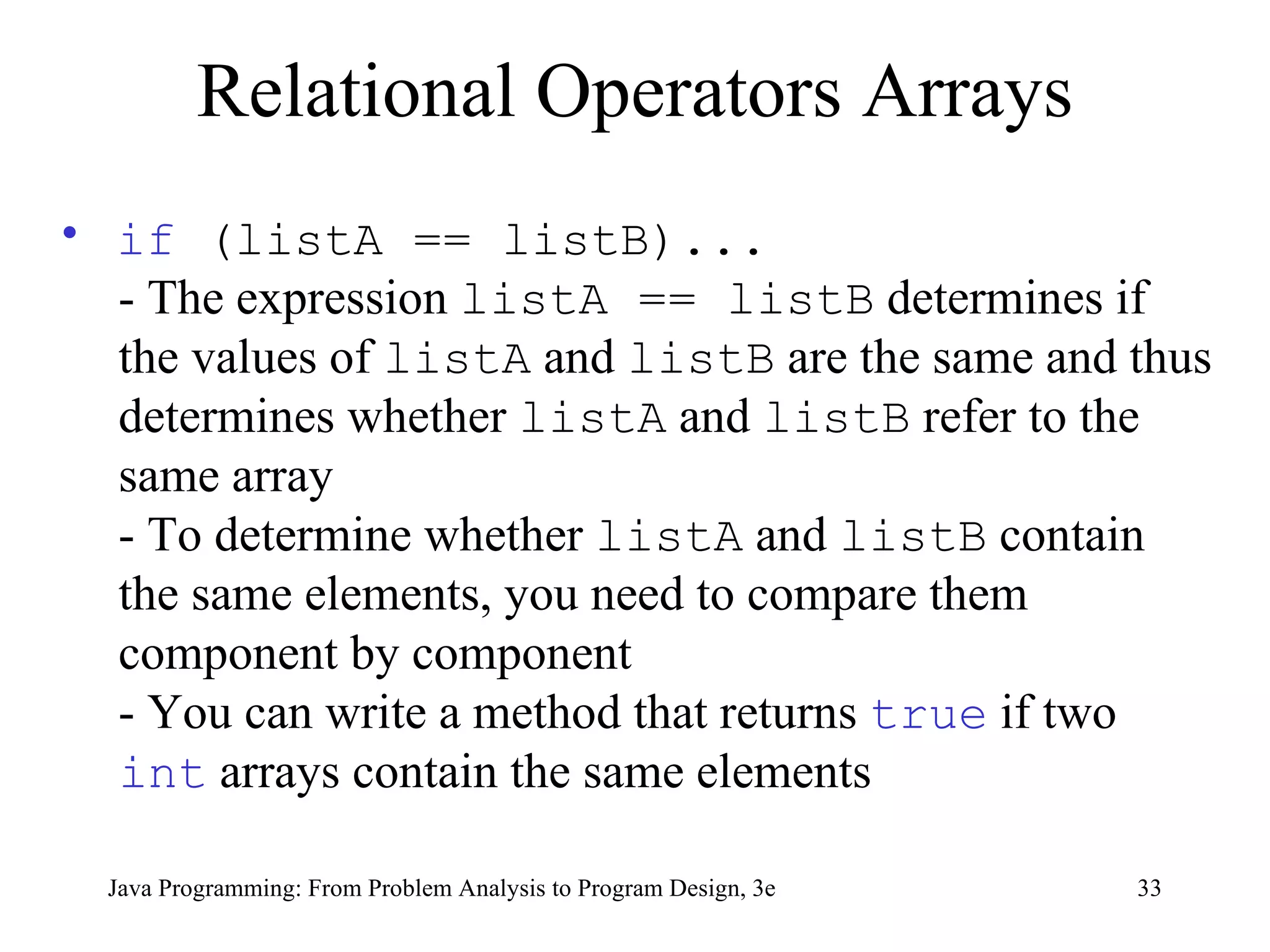
Relational Operators Arrays if  (listA == listB)... - The expression  listA == listB  determines if the values of  listA  and  listB  are the same and thus determines whether  listA  and  listB  refer to the same array - To determine whether  listA  and  listB  contain the same elements, you need to compare them component by component  - You can write a method that returns  true  if two  int  arrays contain the same elements
Relational Operators and Arrays (continued) boolean  isEqualArrays( int [] firstArray,  int [] secondArray) { if  (firstArray.length != secondArray.length) return false ; for  ( int  index = 0; index < firstArray.length;  index++) if  (firstArray[index] != secondArray[index]) return false ;  return true ; } if  (isEqualArrays(listA, listB)) ...
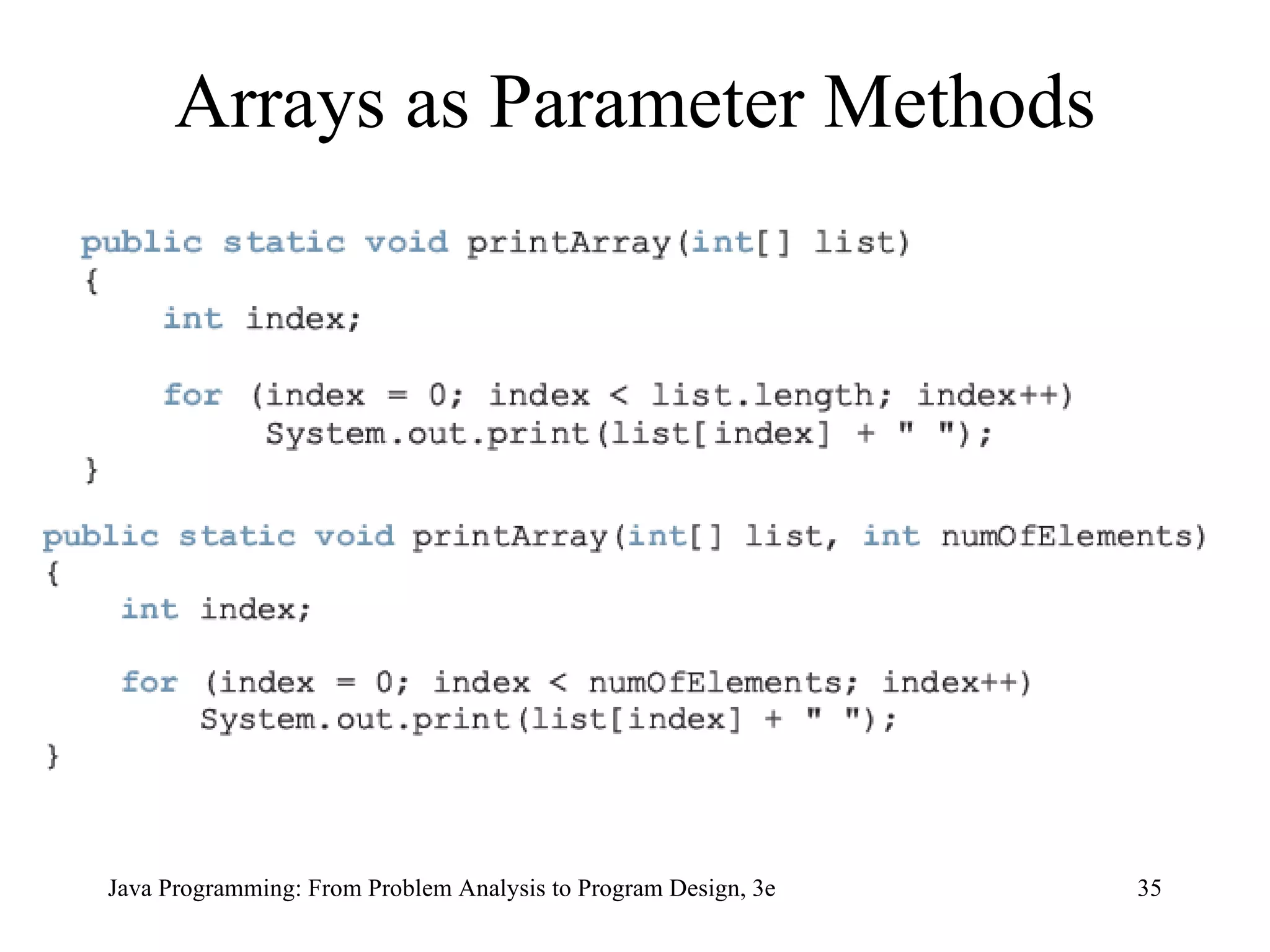
Arrays as Parameter Methods
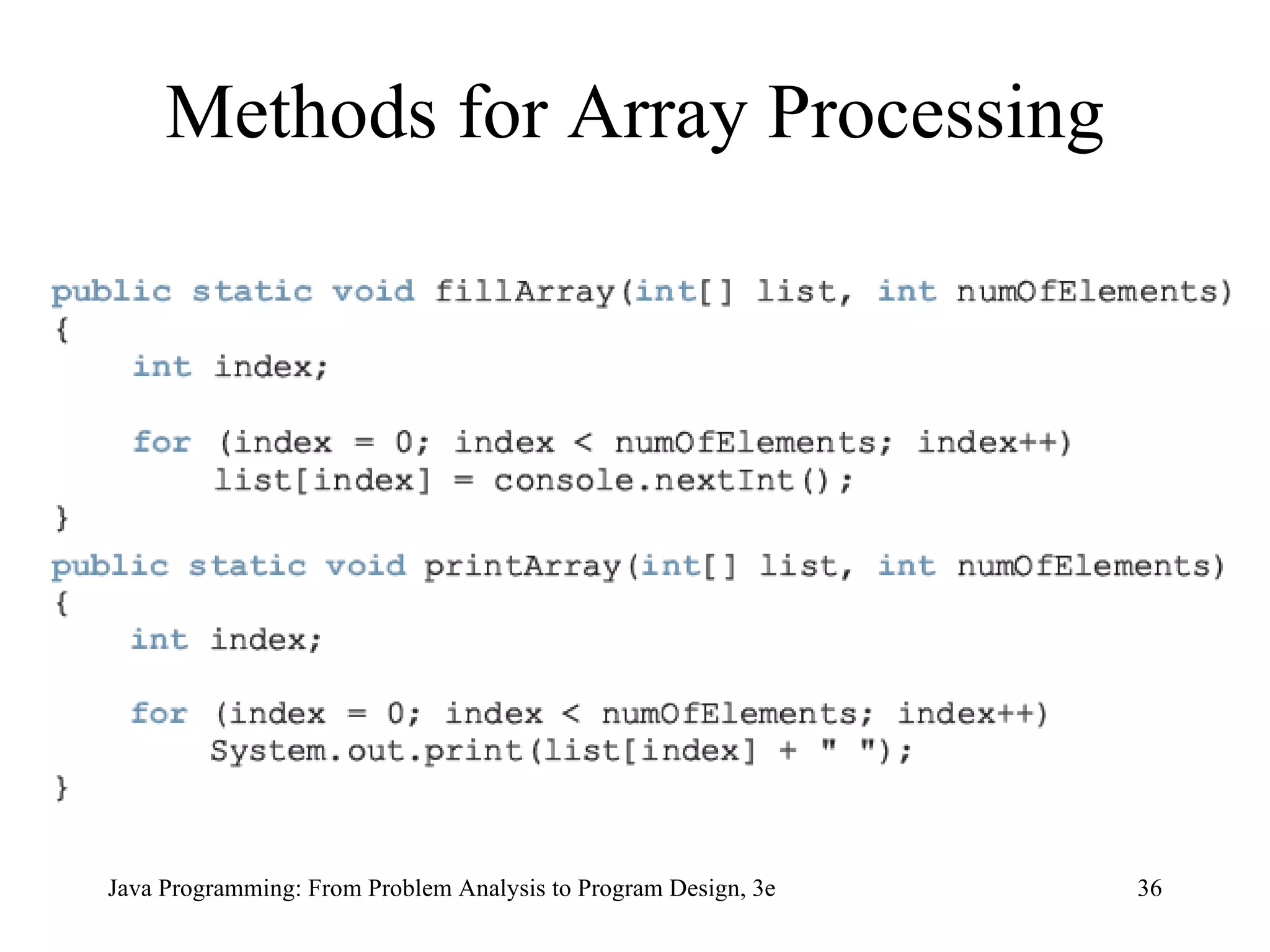
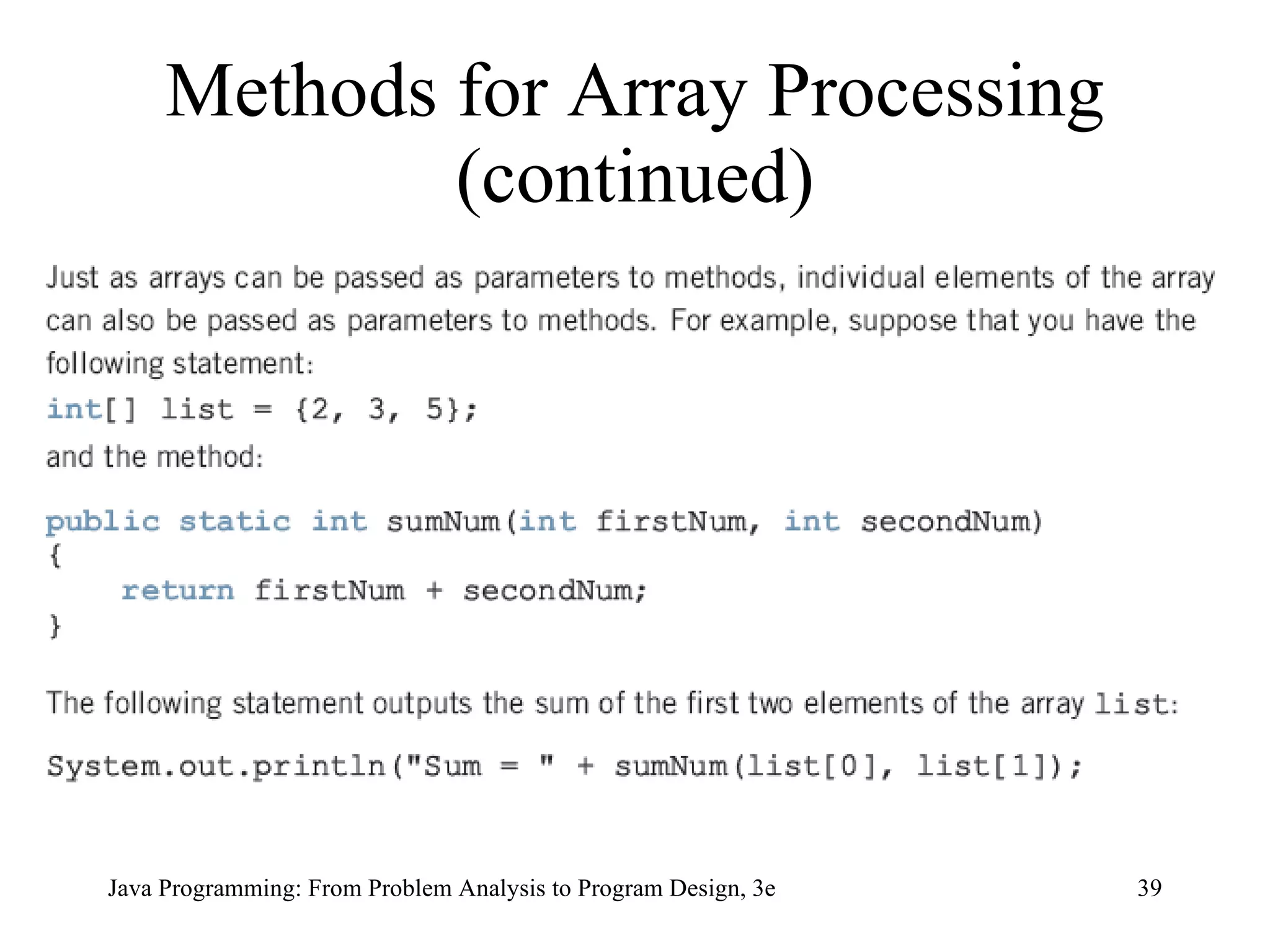
Methods for Array Processing
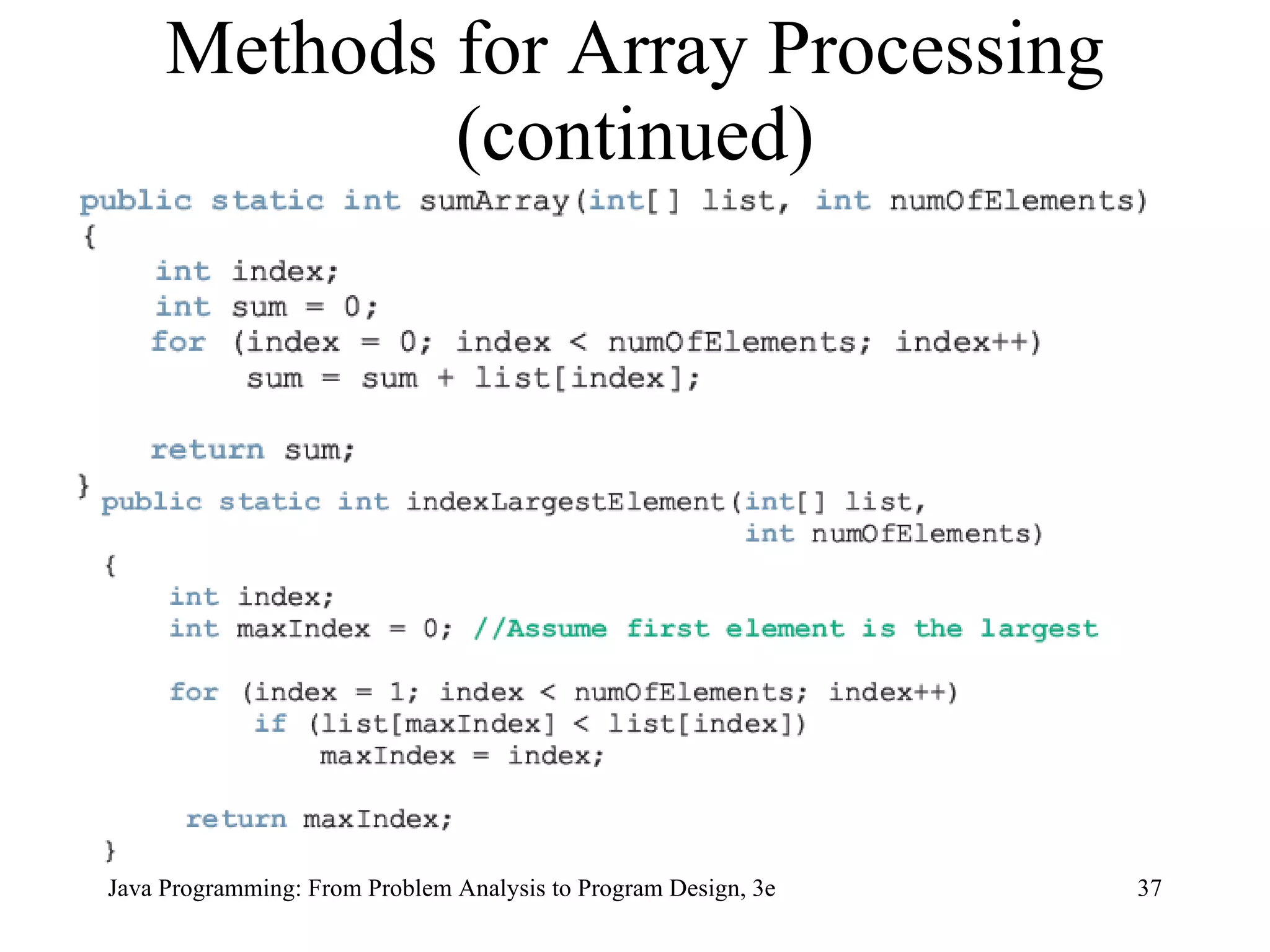
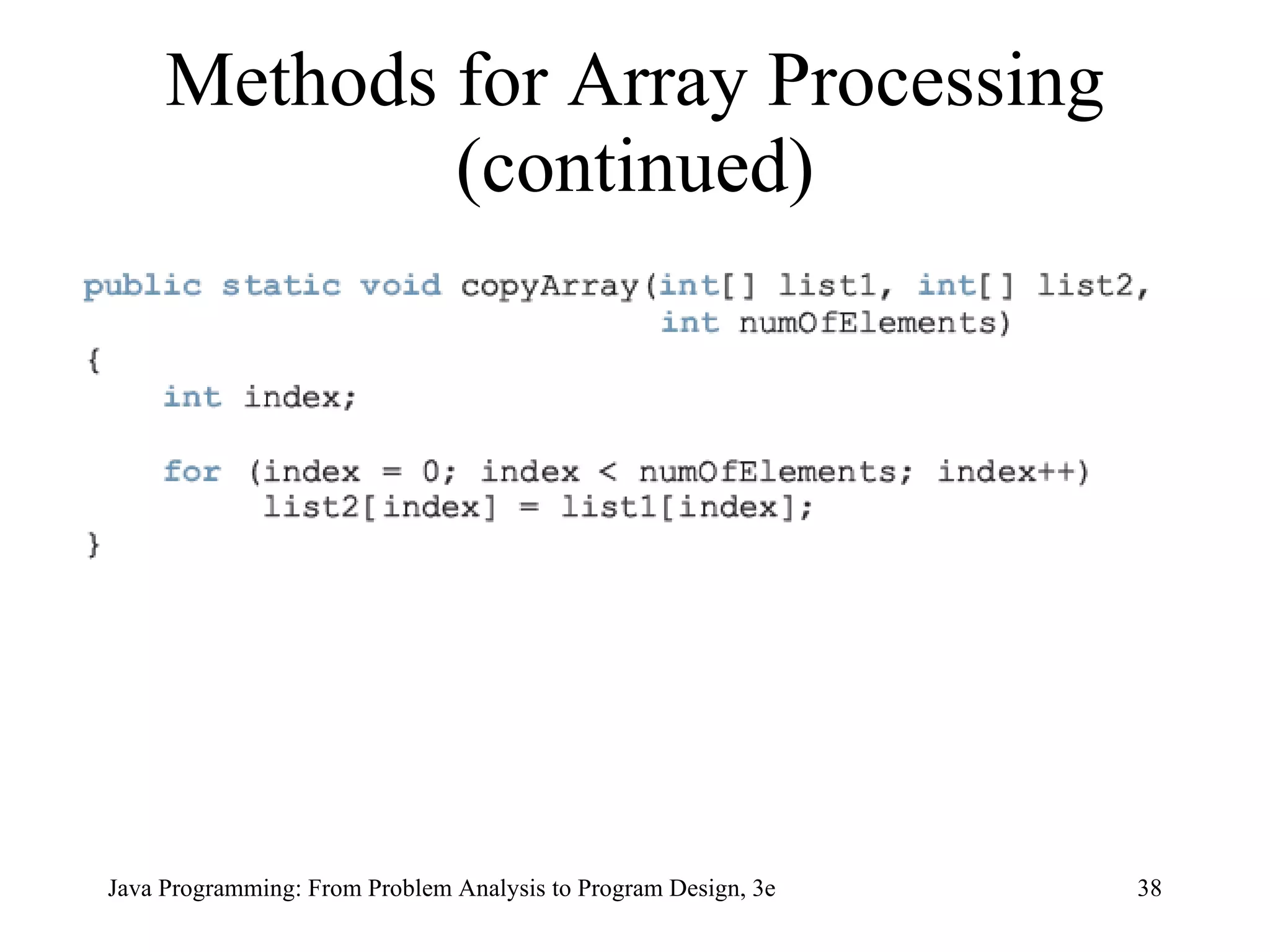
Methods for Array Processing (continued)
Parallel Arrays Arrays are parallel if corresponding components hold related information
Arrays of Objects Can use arrays to manipulate objects Example:  create array named  array1  with  N  objects of type  T   T[] array1 =  new  T[N]  Can instantiate  array1  as follows: for(int j=0; j <array1.length; j++) array1[j] =  new  T();
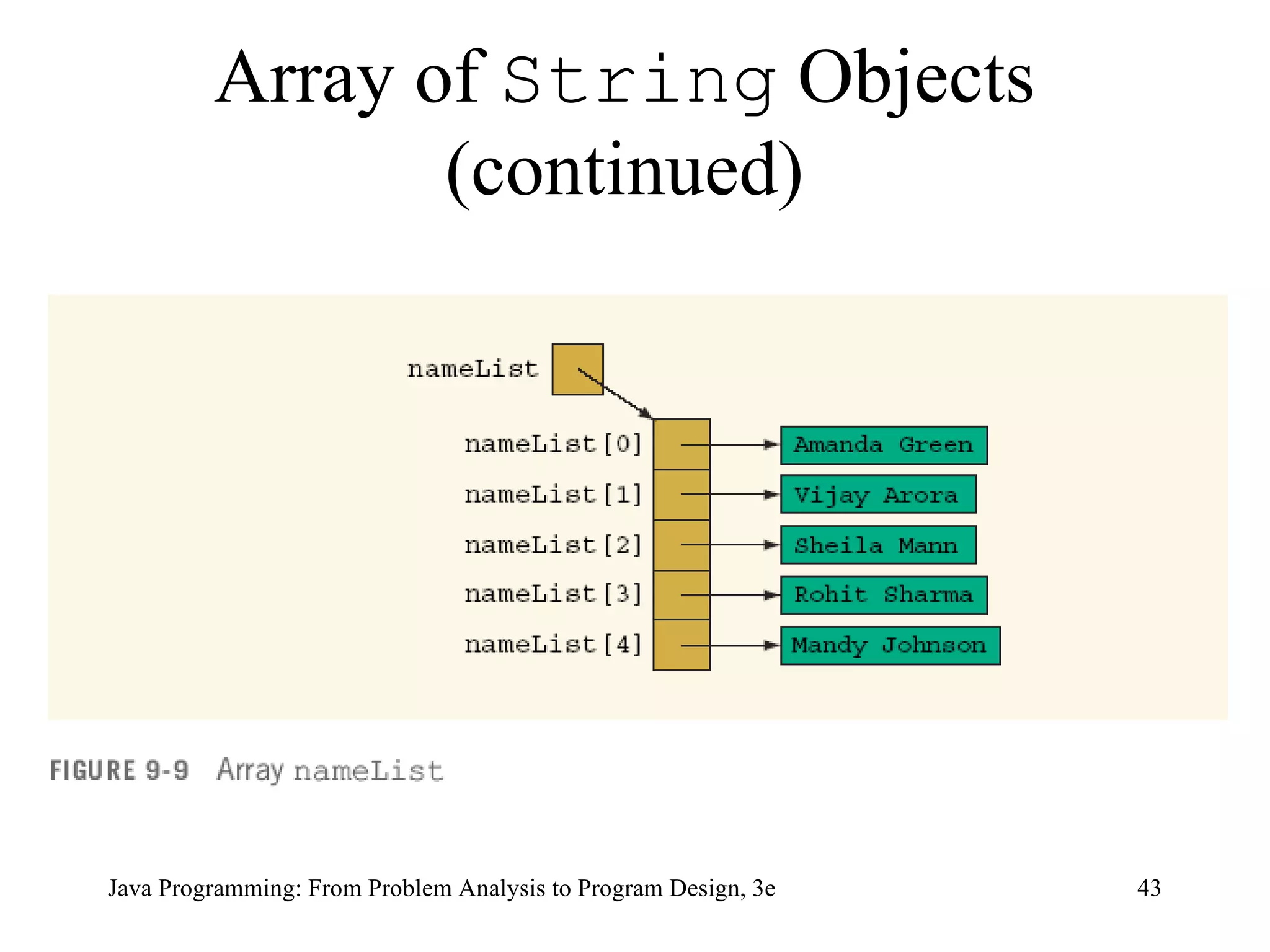
Array of  String  Objects String[] nameList =  new  String[5];  nameList[0] = &quot;Amanda Green&quot;;  nameList[1] = &quot;Vijay Arora&quot;;  nameList[2] = &quot;Sheila Mann&quot;;  nameList[3] = &quot;Rohit Sharma&quot;;  nameList[4] = &quot;Mandy Johnson&quot;;
Array of  String  Objects (continued)
Clock[] arrivalTimeEmp =  new  Clock[100];   Arrays of Objects (continued)
Instantiating Array Objects for  ( int  j = 0; j < arrivalTimeEmp.length; j++)  arrivalTimeEmp[j] =  new  Clock();
arrivalTimeEmp[49].setTime(8, 5, 10);   Instantiating Array Objects (continued)
Arrays and Variable Length Parameter List The syntax to declare a variable length formal parameter (list) is: dataType ... identifier
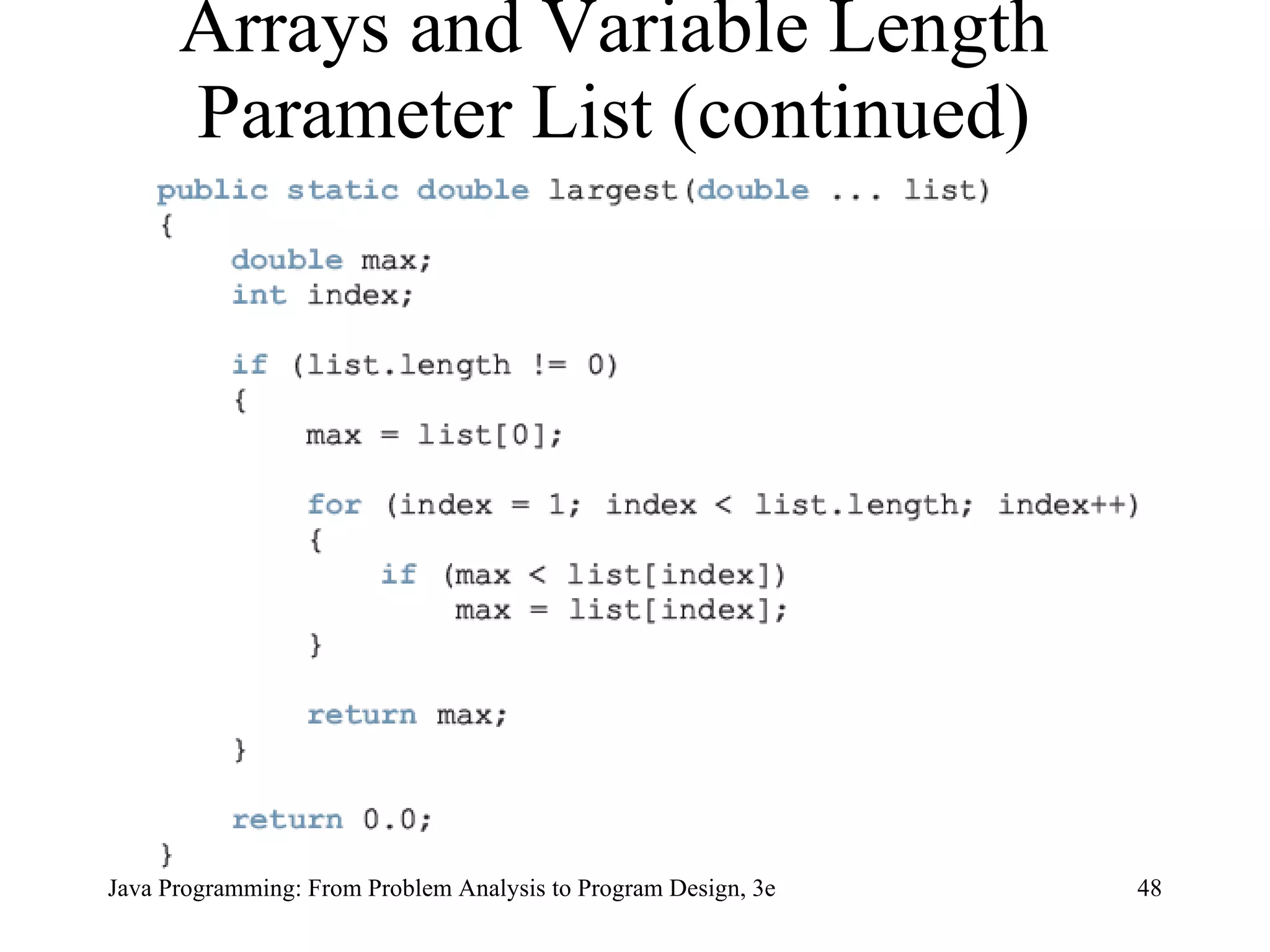
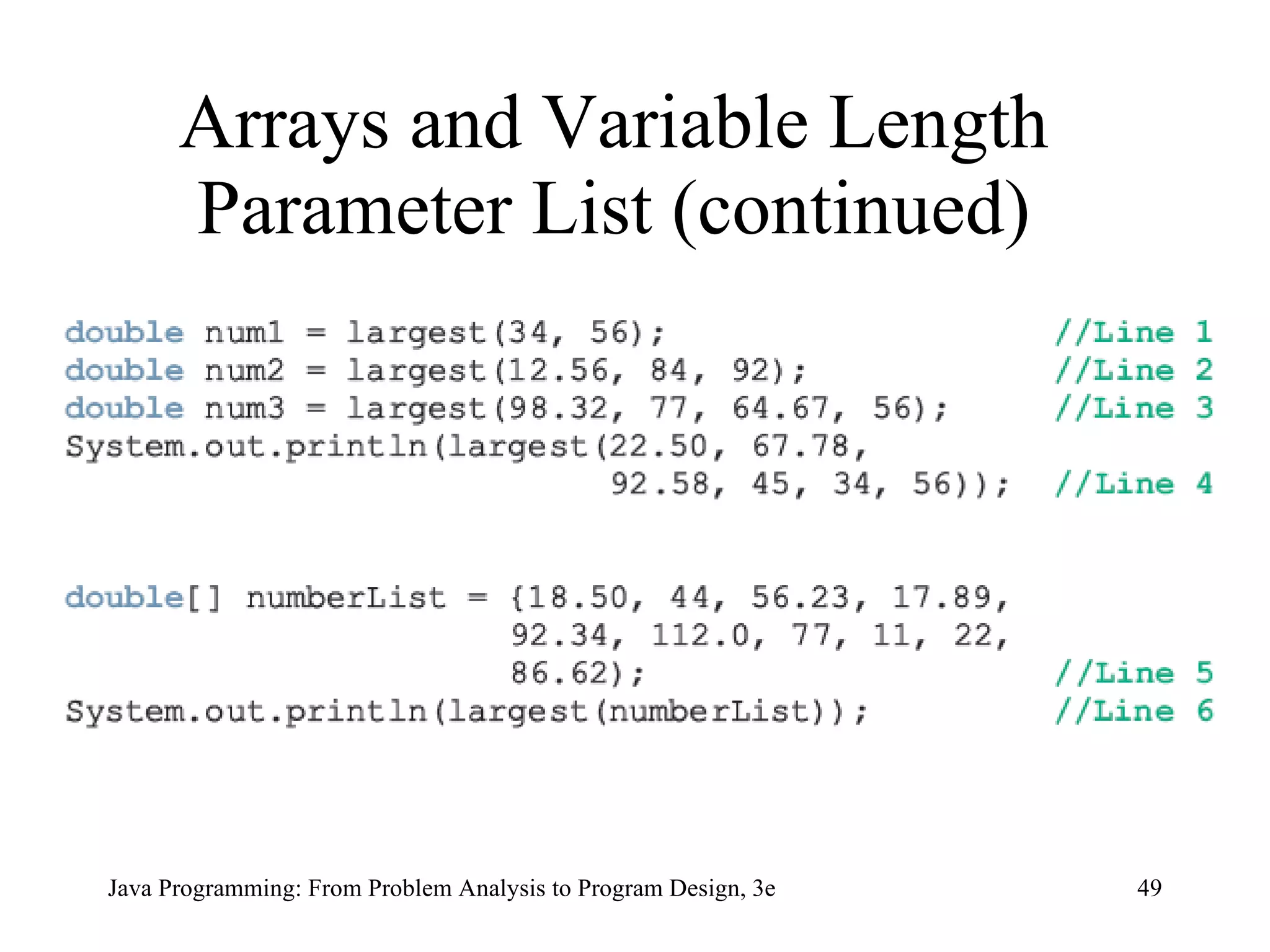
Arrays and Variable Length Parameter List (continued)
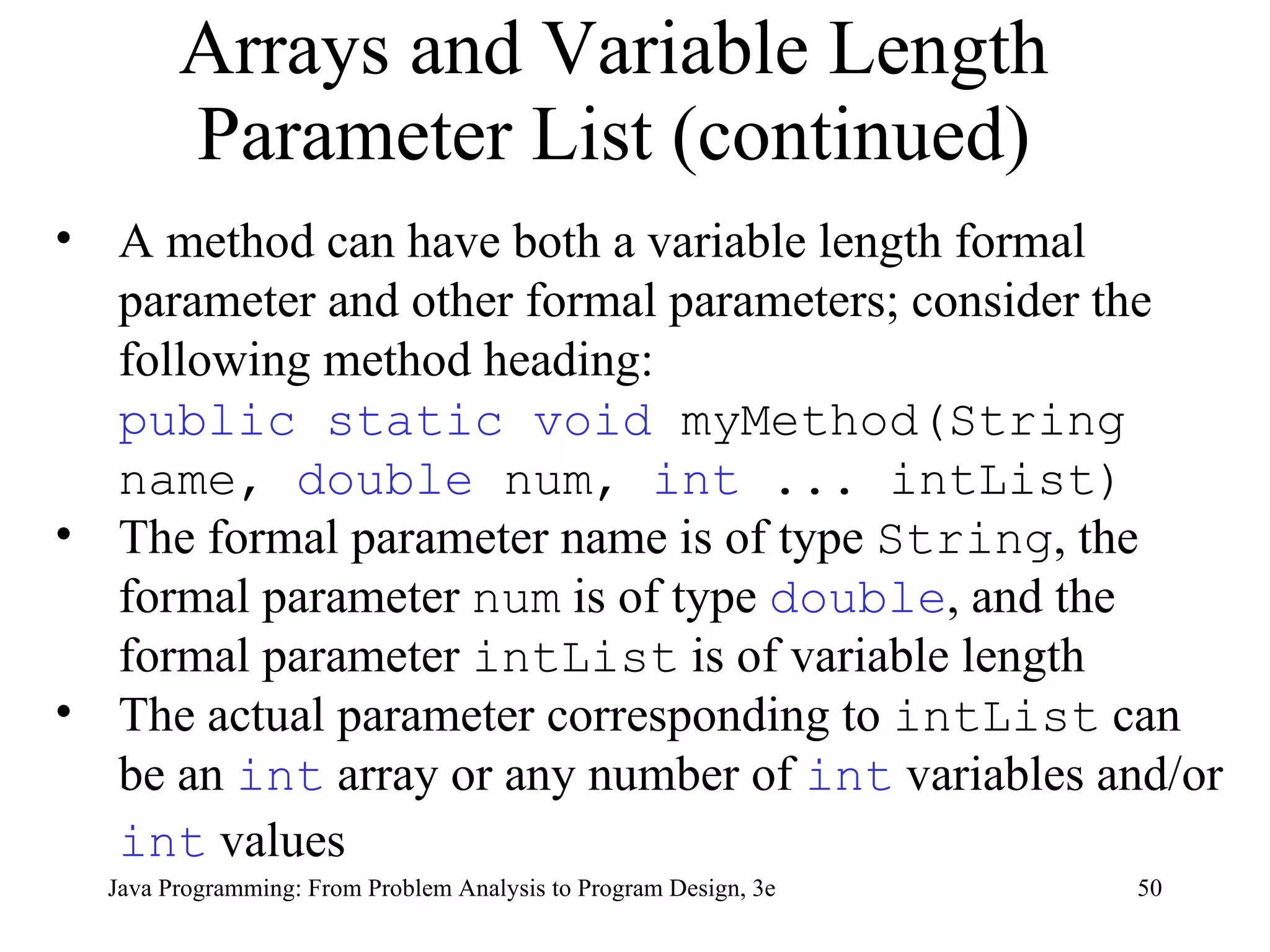
Arrays and Variable Length Parameter List (continued) A method can have both a variable length formal parameter and other formal parameters; consider the following method heading:  public static void  myMethod(String name,  double  num,  int  ... intList) The formal parameter name is of type  String , the formal parameter  num  is of type  double , and the formal parameter  intList  is of variable length The actual parameter corresponding to  intList  can be an  int  array or any number of  int  variables and/or  int  values
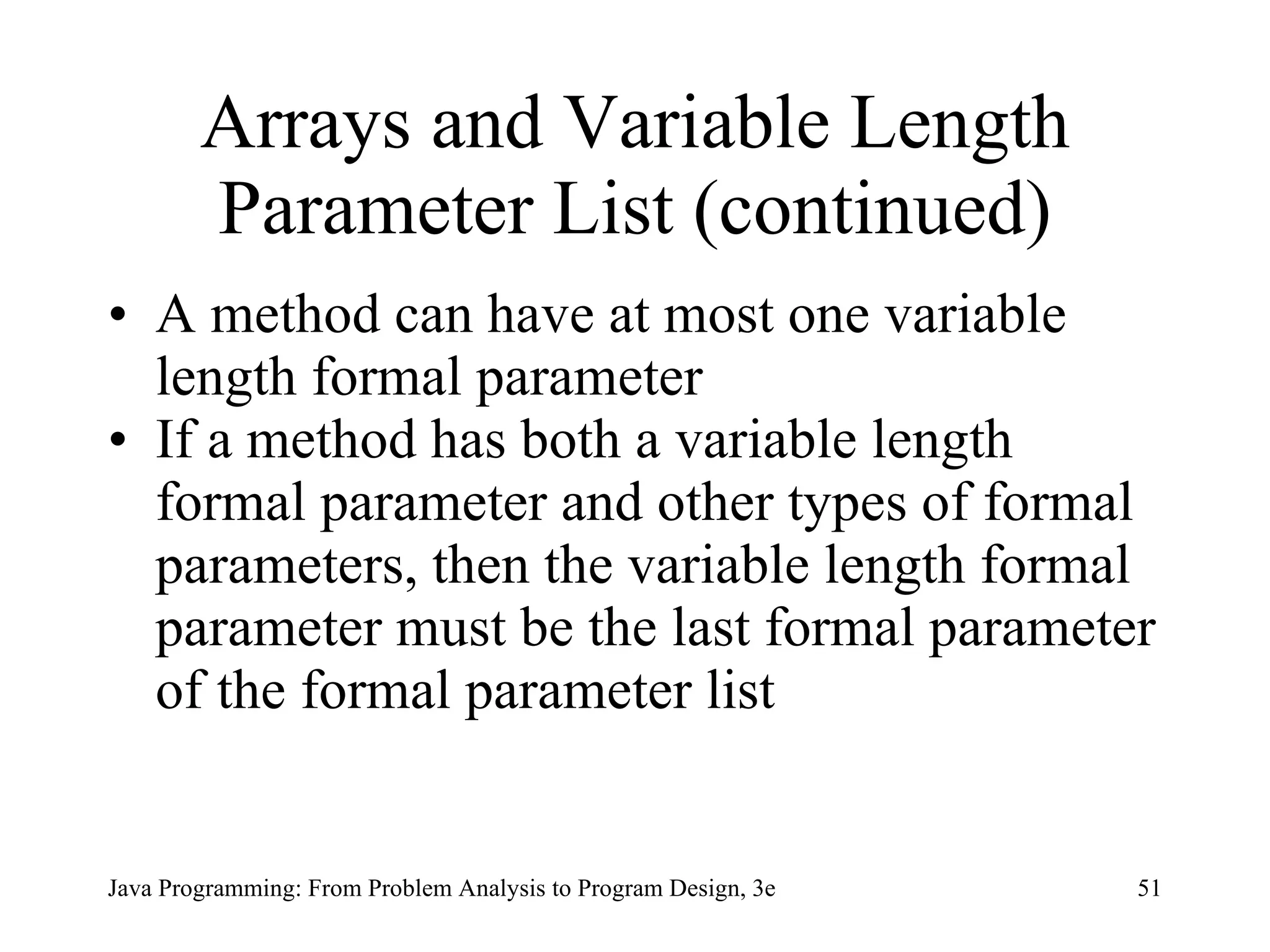
Arrays and Variable Length Parameter List (continued) A method can have at most one variable length formal parameter If a method has both a variable length formal parameter and other types of formal parameters, then the variable length formal parameter must be the last formal parameter of the formal parameter list
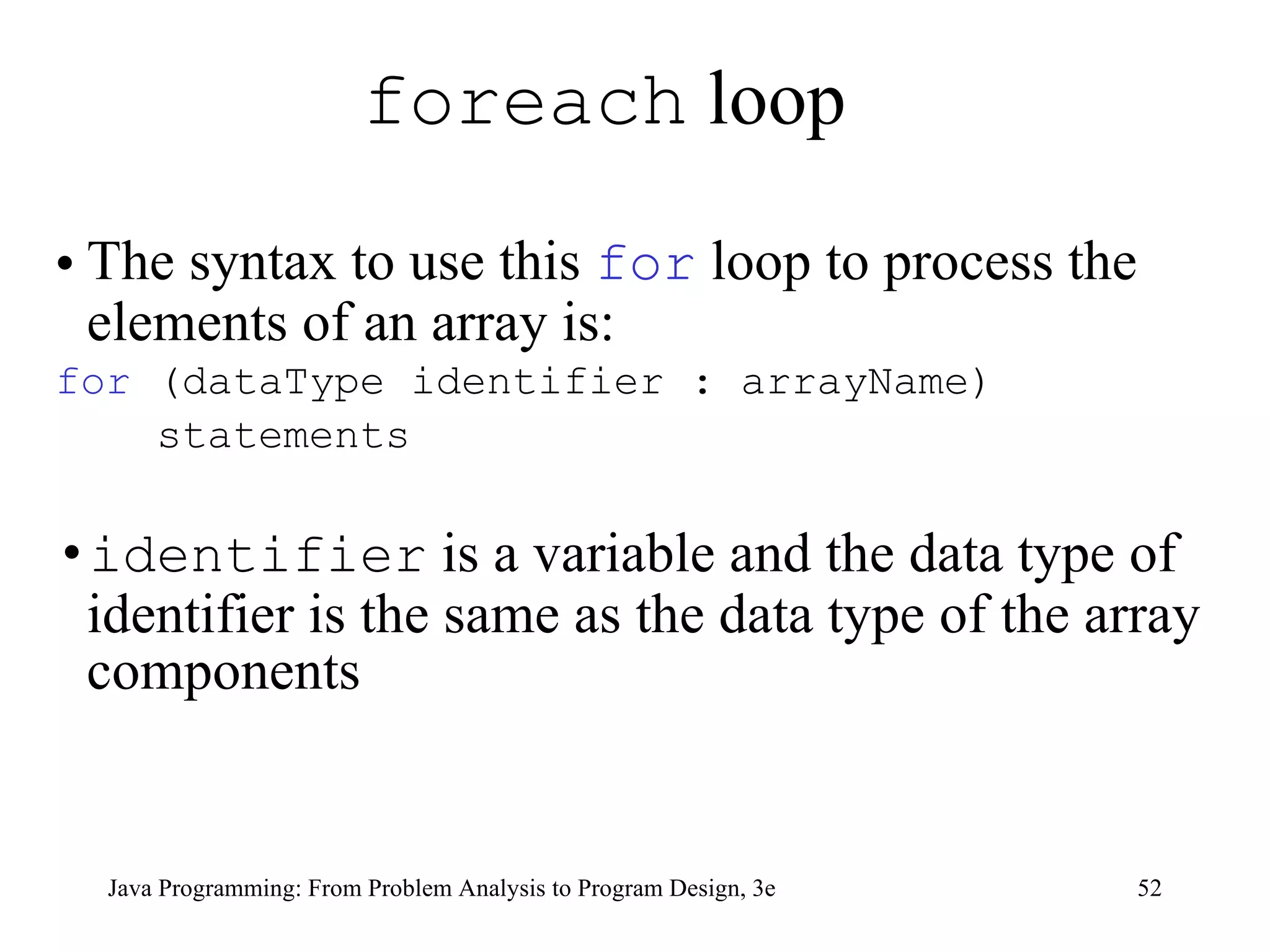
foreach  loop  The syntax to use this  for  loop to process the elements of an array is: for  (dataType identifier : arrayName) statements identifier  is a variable and the data type of identifier is the same as the data type of the array components
foreach  loop (continued) sum = 0;  for  ( double  num : list)  sum = sum + num;   The  for  statement in Line 2 is read: for each  num  in  list The identifier  num  is initialized to  list[0 In the next iteration, the value of  num  is  list[1] , and so on for  ( double  num : numList) { if  (max < num) max = num; }
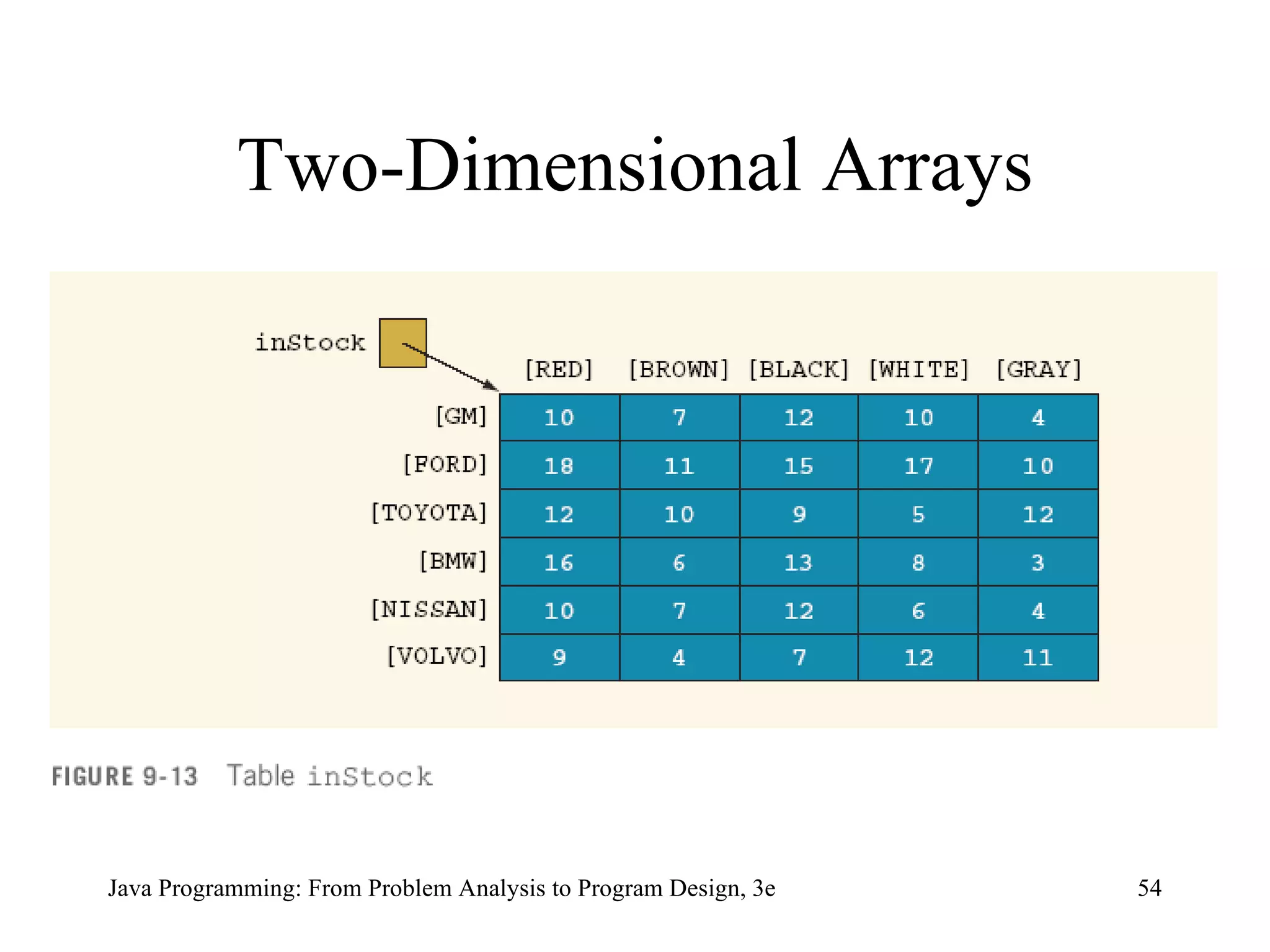
Two-Dimensional Arrays
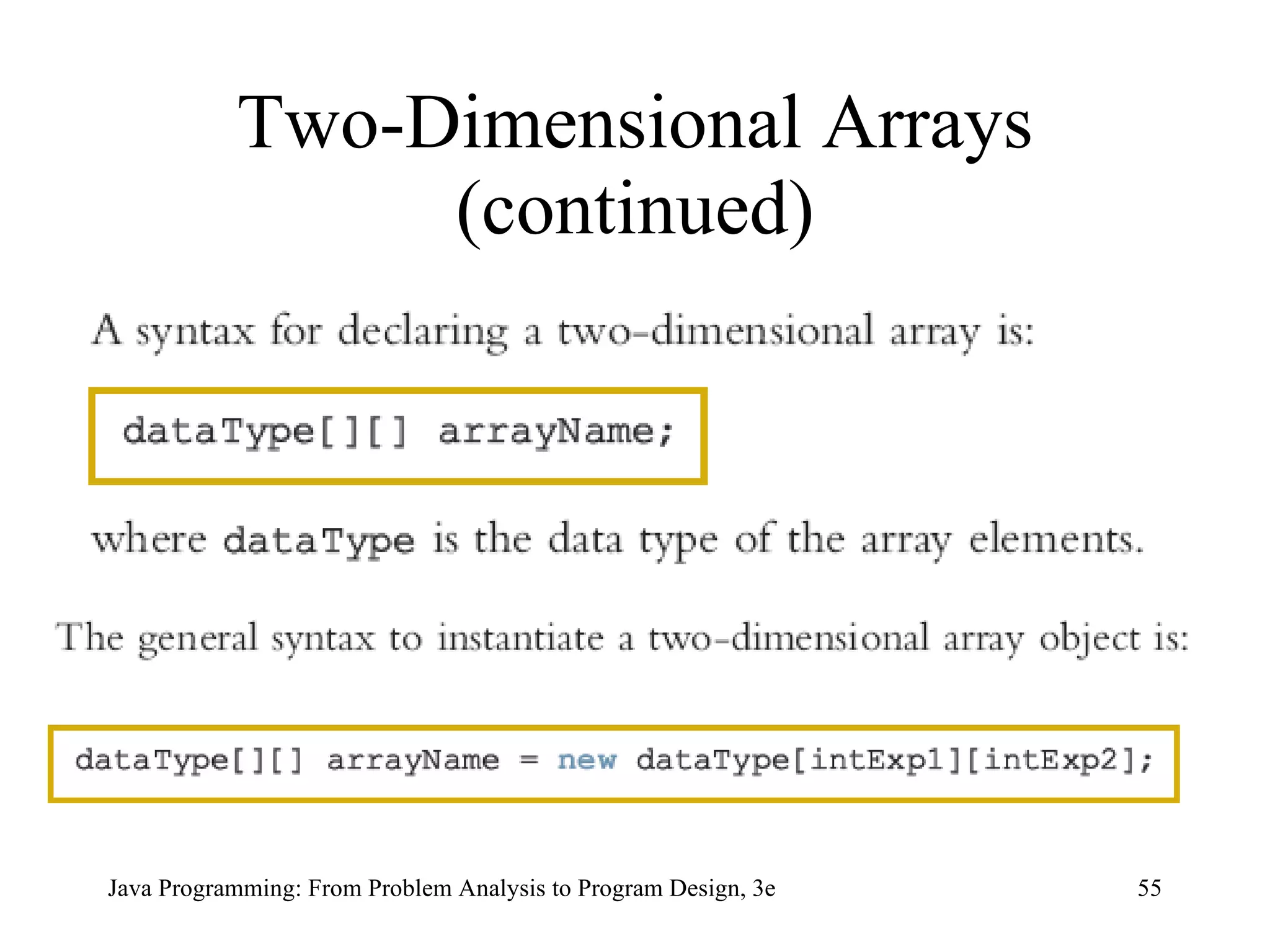
Two-Dimensional Arrays (continued)
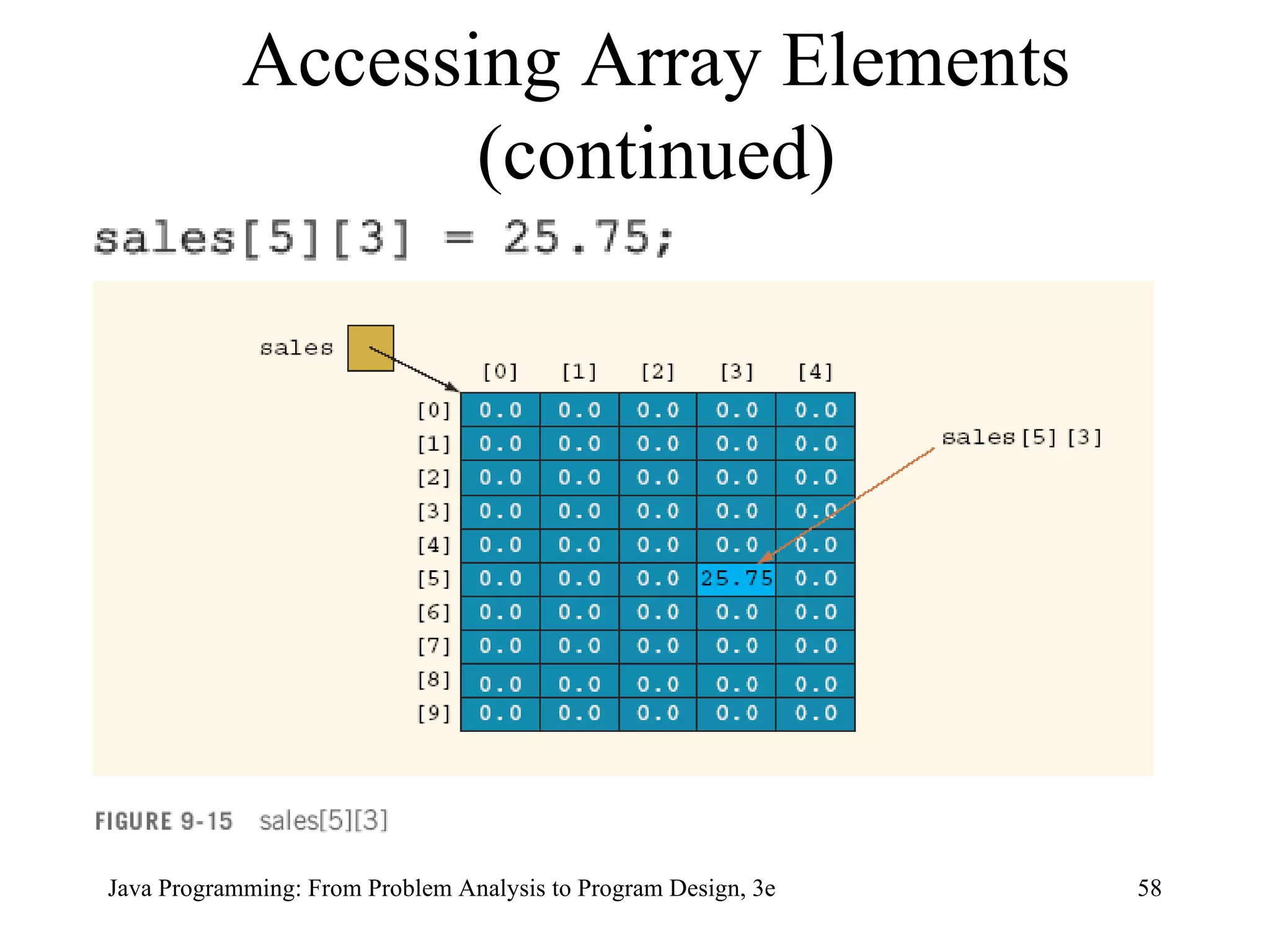
double [][] sales =  new   double [10][5]; Two-Dimensional Arrays (continued)
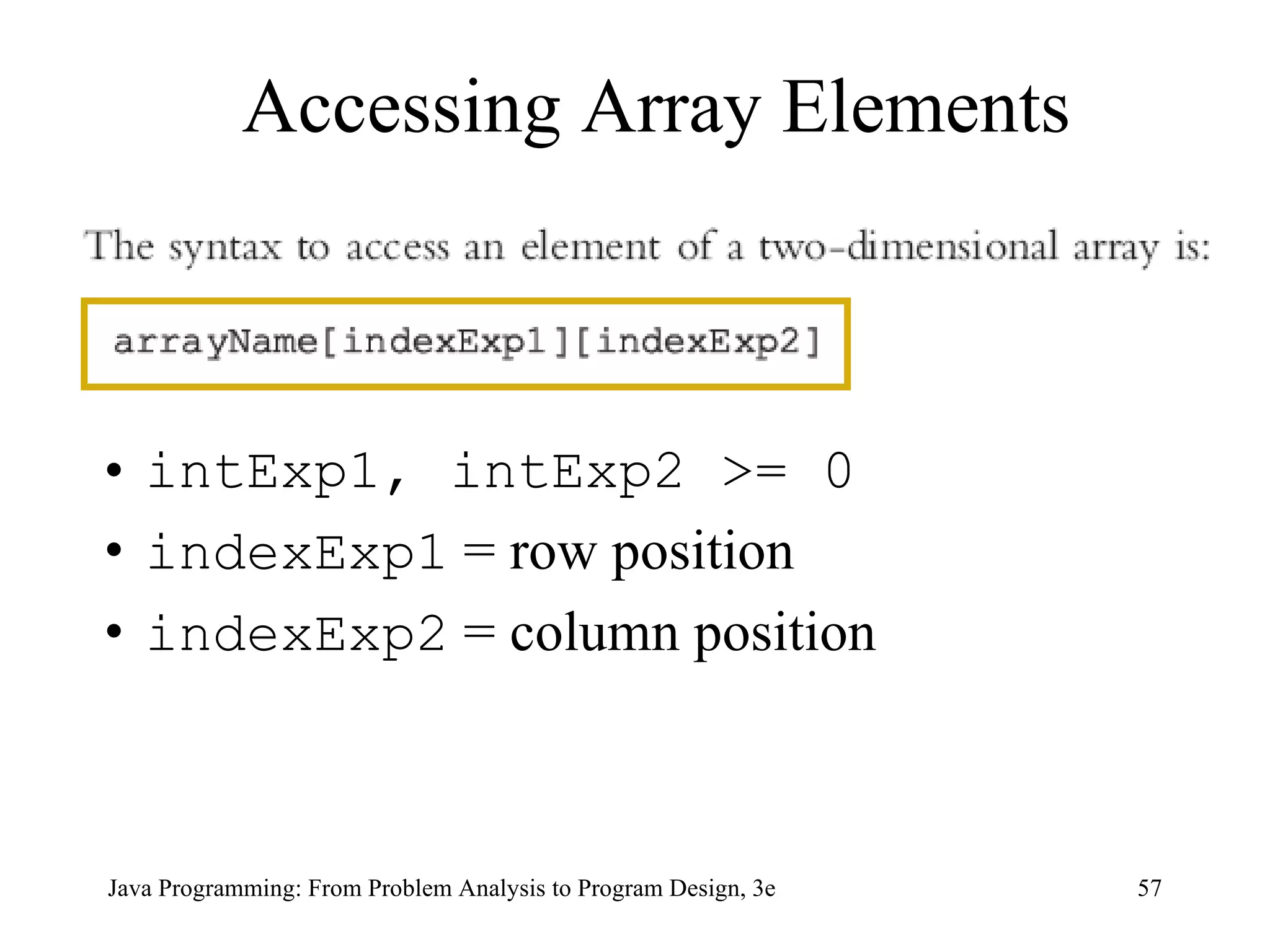
intExp1, intExp2 >= 0 indexExp1  = row position indexExp2  = column position Accessing Array Elements
Accessing Array Elements (continued)
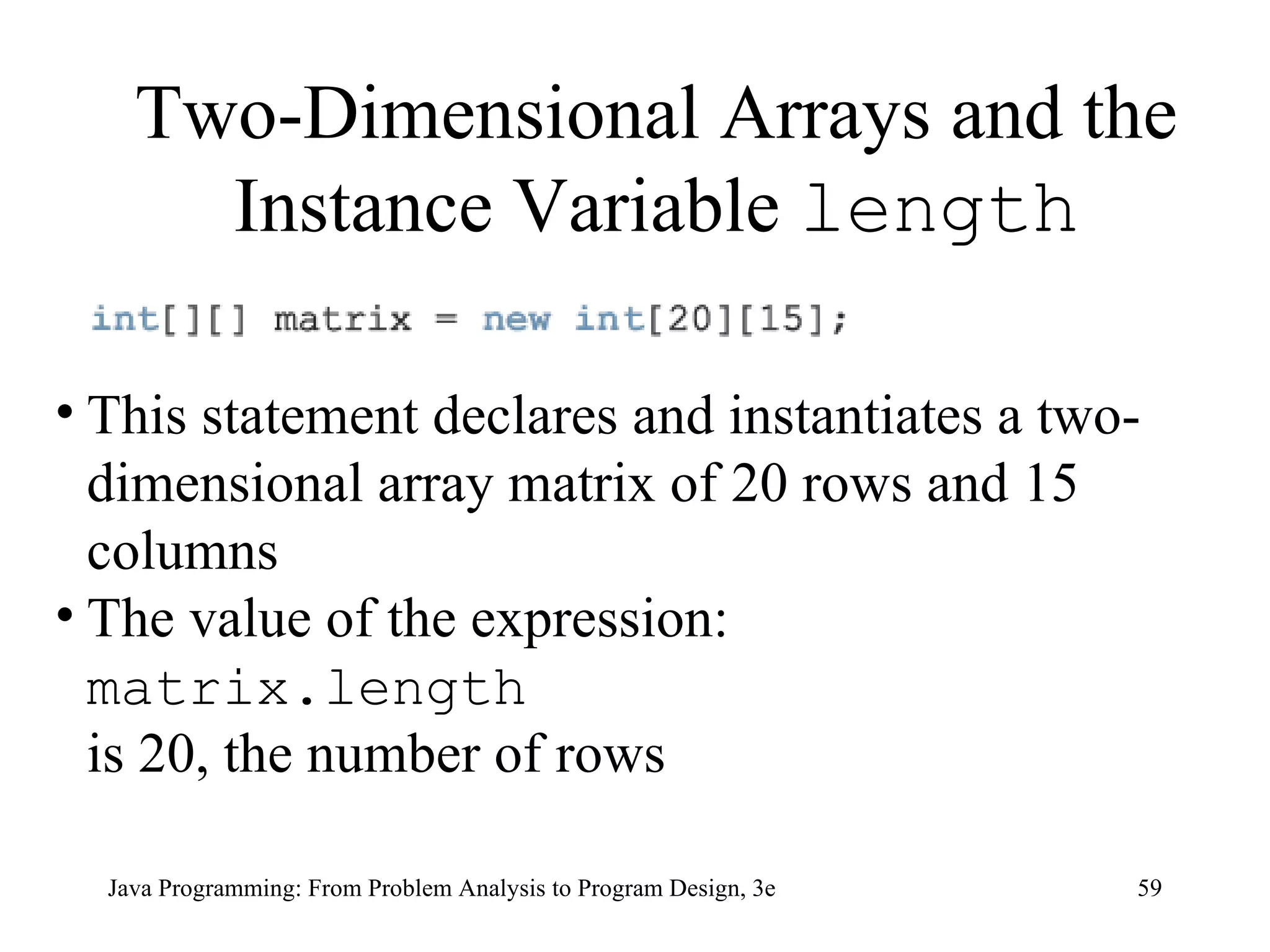
This statement declares and instantiates a two-dimensional array matrix of 20 rows and 15 columns The value of the expression: matrix.length  is 20, the number of rows Two-Dimensional Arrays and the Instance Variable  length
Two-Dimensional Arrays and the Instance Variable  length  (continued)  Each row of matrix is a one-dimensional array;  matrix[0] , in fact, refers to the first row The value of the expression: matrix[0].length is 15, the number of columns in the first row matrix[1].length  gives the number of columns in the second row, which in this case is 15, and so on
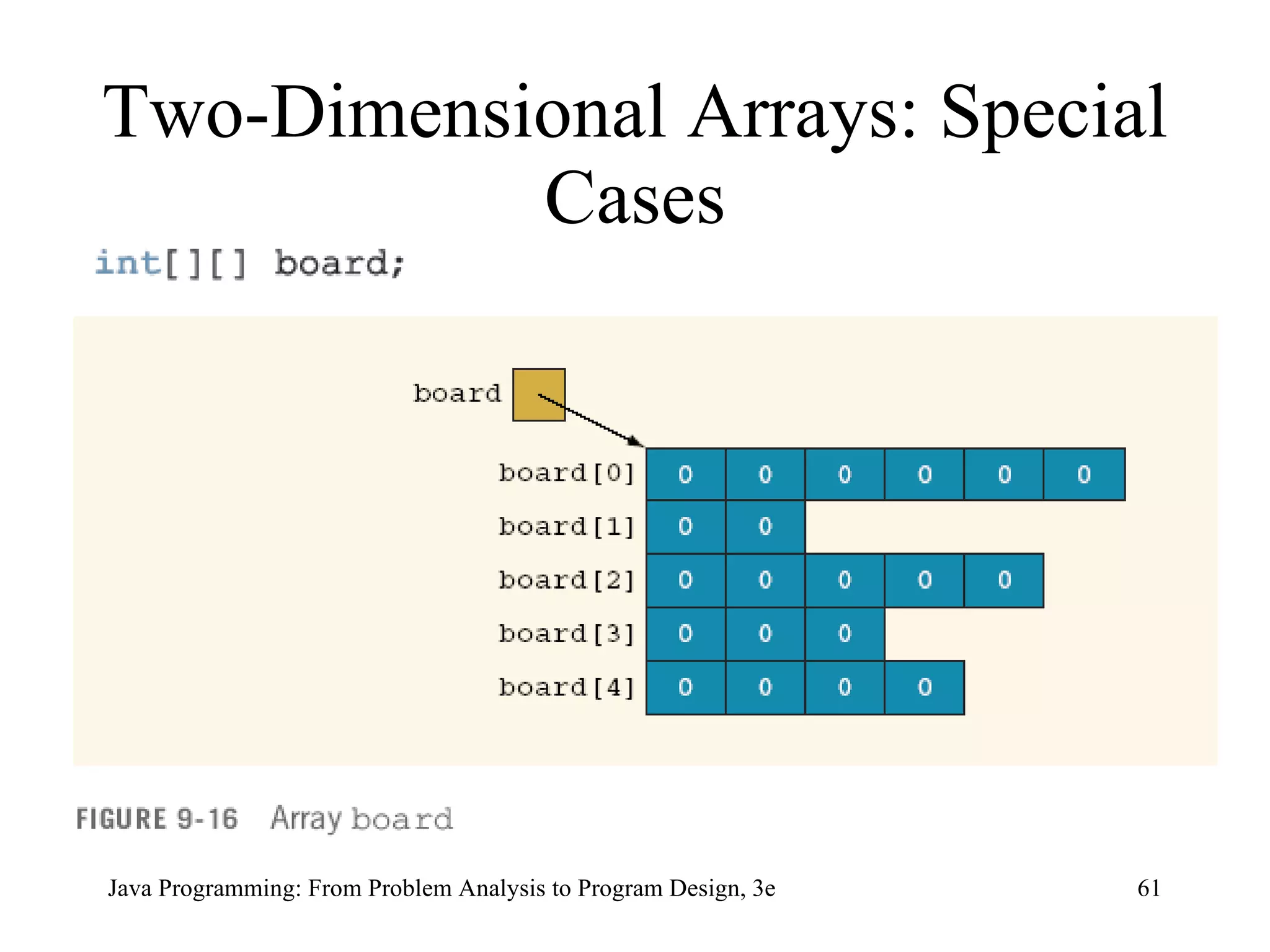
Two-Dimensional Arrays: Special Cases
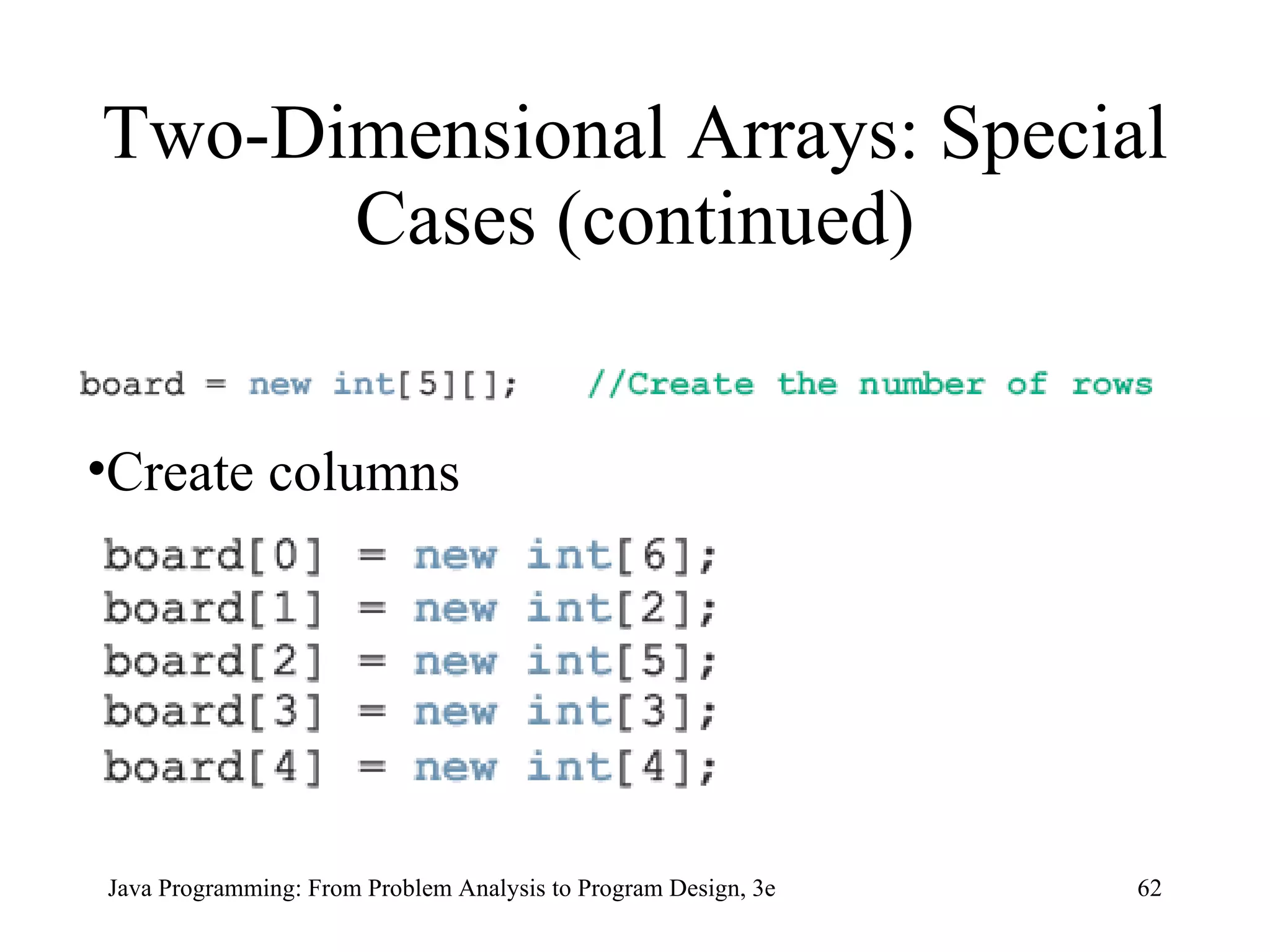
Two-Dimensional Arrays: Special Cases (continued) Create columns
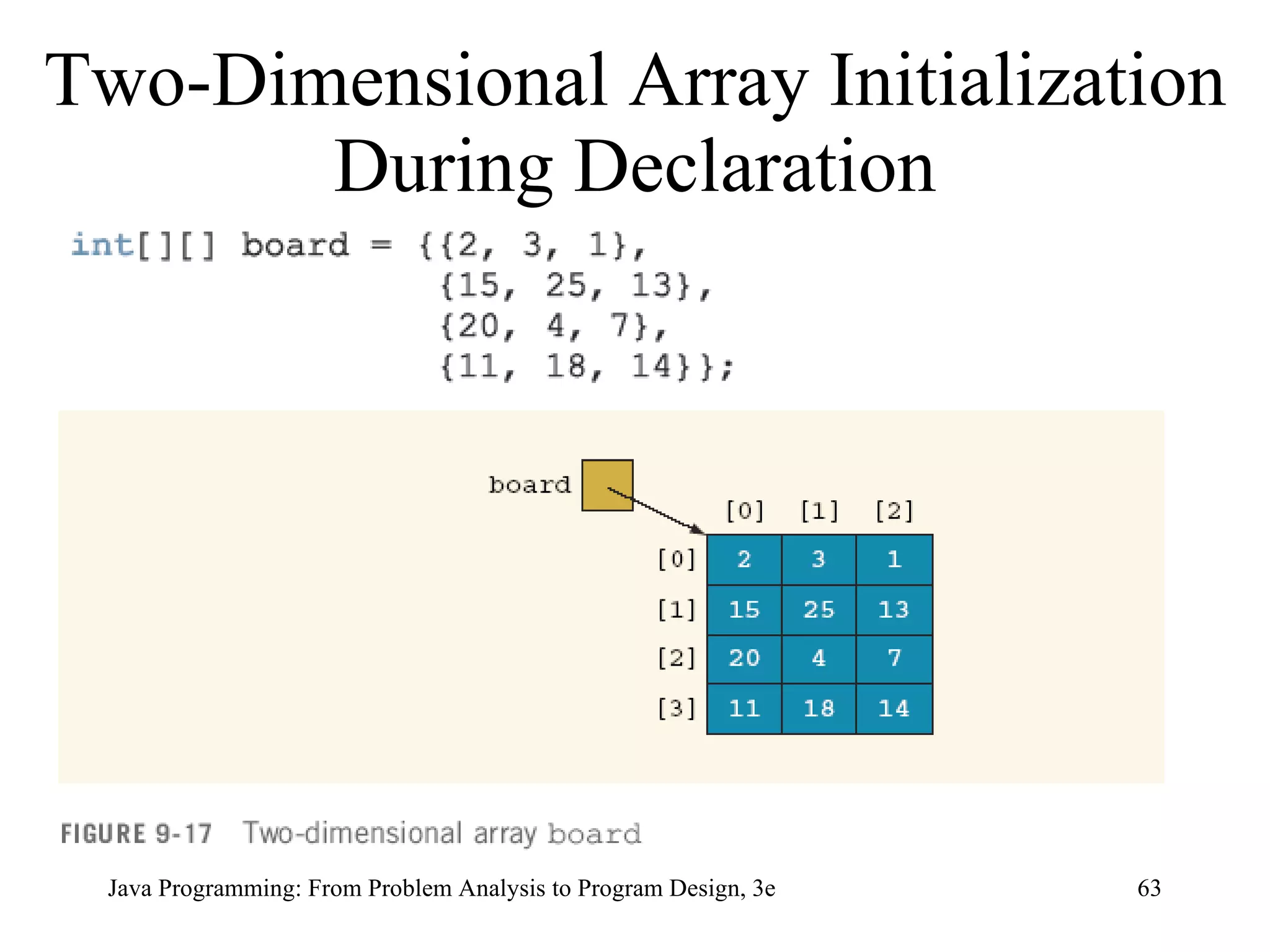
Two-Dimensional Array Initialization During Declaration
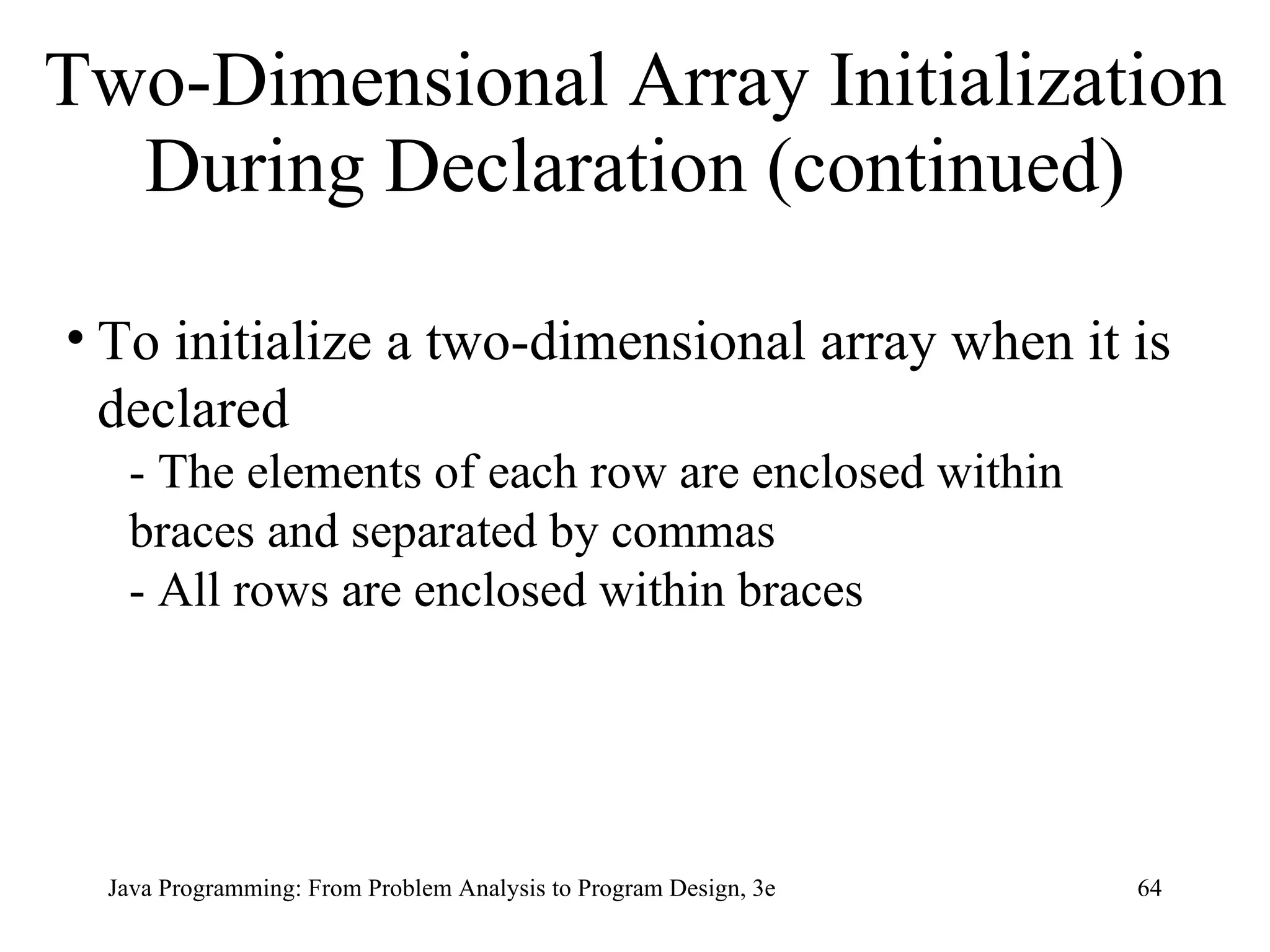
Two-Dimensional Array Initialization During Declaration (continued) To initialize a two-dimensional array when it is declared - The elements of each row are enclosed within braces and separated by commas - All rows are enclosed within braces
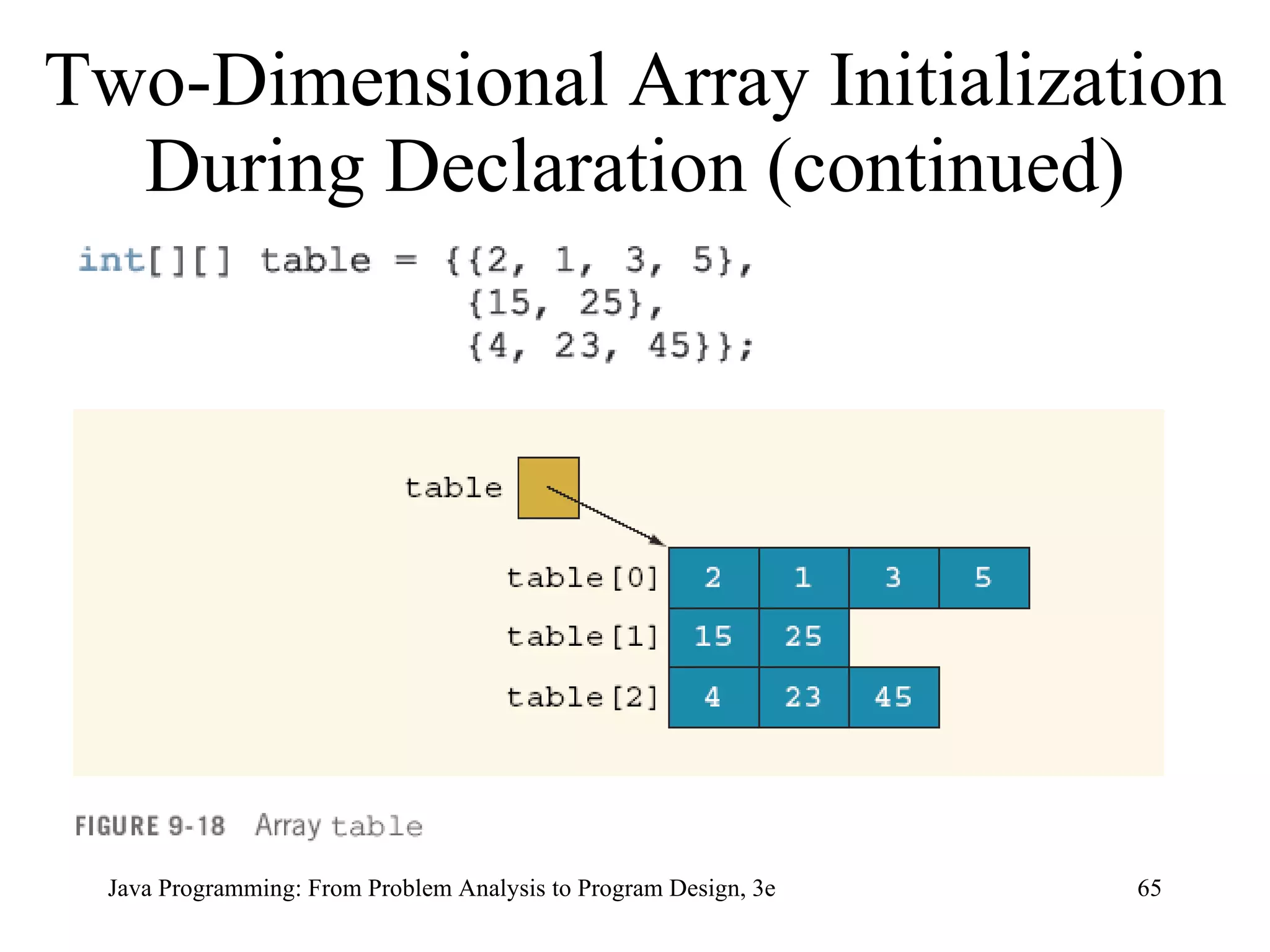
Two-Dimensional Array Initialization During Declaration (continued)
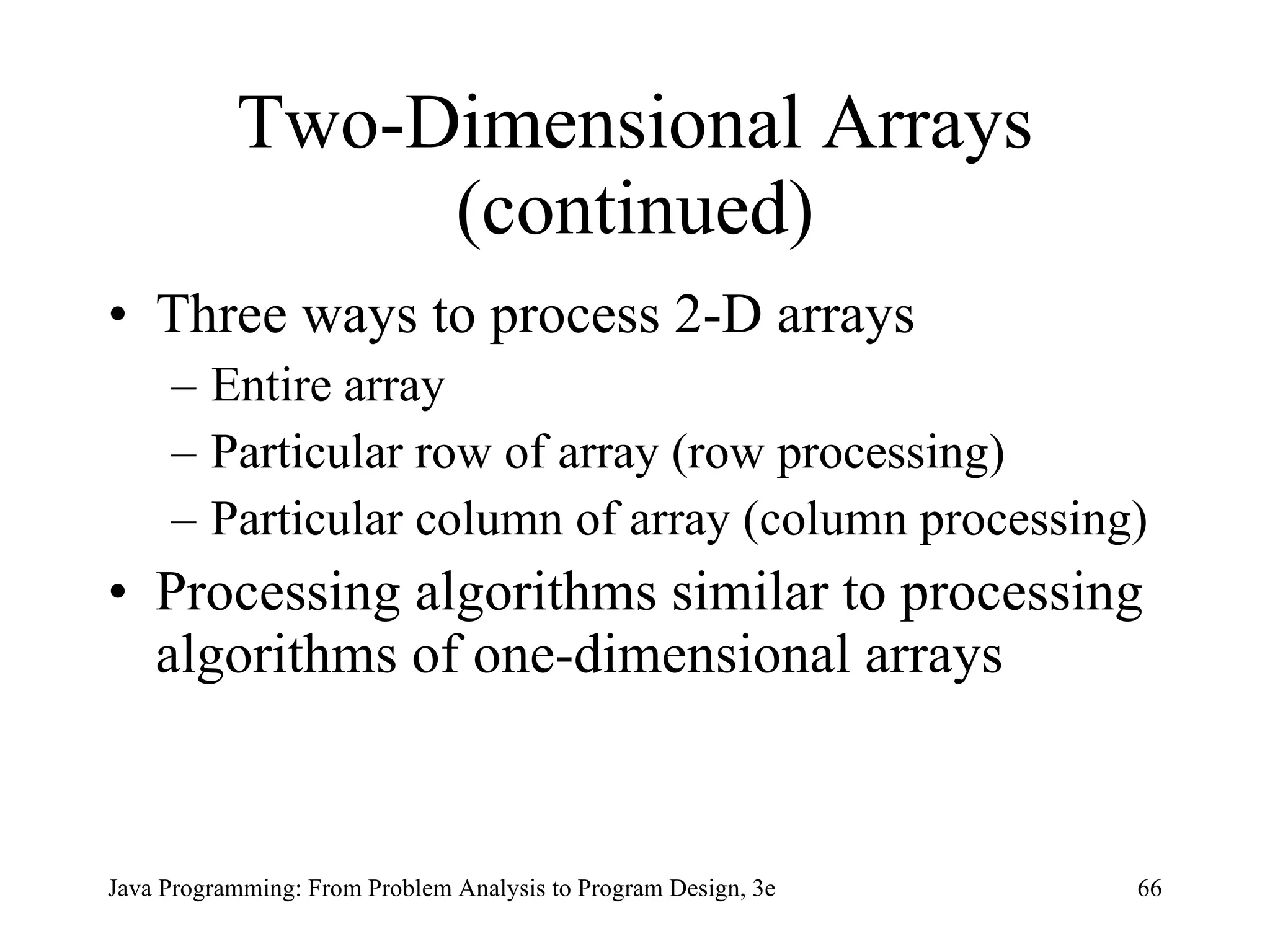
Two-Dimensional Arrays (continued) Three ways to process 2-D arrays Entire array Particular row of array (row processing) Particular column of array (column processing)  Processing algorithms similar to processing algorithms of one-dimensional arrays
Two-Dimensional Arrays: Processing Initialization for  (row = 0; row < matrix.length; row++) for  (col = 0; col < matrix[row].length; col++) matrix[row][col] = 10; Print for  (row = 0; row < matrix.length; row++) { for  (col = 0; col < matrix[row].length;  col++) System.out.printf(&quot;%7d&quot;, matrix[row][col]); System.out.println(); }
Two-Dimensional Arrays: Processing (continued) Input for  (row = 0; row < matrix.length; row++) for  (col = 0; col < matrix[row].length; col++) matrix[row][col] = console.nextInt();   Sum by Row for  (row = 0; row < matrix.length; row++) { sum = 0; for  (col = 0; col < matrix[row].length;  col++) sum = sum + matrix[row][col]; System.out.println(&quot;Sum of row &quot; + (row + 1)  + &quot; = &quot;+ sum); }
Two-Dimensional Arrays: Processing (continued) Sum by Column   for  (col = 0; col < matrix[0].length; col++) { sum = 0; for  (row = 0; row < matrix.length; row++) sum = sum + matrix[row][col]; System.out.println(&quot;Sum of column &quot; + (col + 1)  + &quot; = &quot; + sum); }
Two-Dimensional Arrays: Processing (continued) Largest Element in Each Row for  (row = 0; row < matrix.length; row++) { largest = matrix[row][0];  for  (col = 1; col < matrix[row].length;  col++) if  (largest < matrix[row][col]) largest = matrix[row][col]; System.out.println(&quot;The largest element of row &quot;  + (row + 1) + &quot; = &quot; +  largest); }
Two-Dimensional Arrays: Processing (continued) Largest Element in Each Column for  (col = 0; col < matrix[0].length; col++) { largest = matrix[0][col];  for  (row = 1; row < matrix.length; row++) if  (largest < matrix[row][col]) largest = matrix[row][col]; System.out.println(&quot;The largest element of col &quot;  + (col + 1) + &quot; = &quot; + largest); }
Multidimensional Arrays Can define three-dimensional arrays or n-dimensional array (n can be any number) Syntax to declare and instantiate array d ataType[][]…[] arrayName =  new   dataType[intExp1][intExp2]…[intExpn]; Syntax to access component arrayName[indexExp1][indexExp2]…[indexExpn]   intExp1 ,  intExp2 , ...,  intExpn  = positive integers indexExp1,indexExp2 , ...,  indexExpn  = non-negative integers
Loops to Process Multidimensional Arrays double [][][] carDealers =  new double [10][5][7]; for  (i = 0; i < 10; i++) for  (j = 0; j < 5; j++) for  (k = 0; k < 7; k++) carDealers[i][j][k] = 10.00;
Programming Example:  Text Processing Program:  reads given text; outputs the text as is; prints number of lines and number of times each letter appears in text Input: file containing text to be processed Output: file containing text, number of lines, number of times letter appears in text
Programming Example Solution:  Text Processing An array of 26 representing the letters in the alphabet Three methods copyText  characterCount  writeTotal   Value in appropriate index incremented using methods and depending on character read from text
Chapter Summary Arrays Definition Uses Different Arrays One-dimensional Two-dimensional Multidimensional (n-dimensional) Arrays of objects Parallel arrays
Chapter Summary (continued) Declaring arrays Instantiating arrays Processing arrays Entire array Row processing Column processing Common operations and methods performed on arrays Manipulating data in arrays

Chap09

  • 1.
    Java Programming: FromProblem Analysis to Program Design, 3e Chapter 9 Arrays
  • 2.
    Chapter Objectives Learnabout arrays Explore how to declare and manipulate data into arrays Understand the meaning of “array index out of bounds” Become familiar with the restrictions on array processing
  • 3.
    Chapter Objectives (continued)Discover how to pass an array as a parameter to a method Discover how to manipulate data in a two-dimensional array Learn about multidimensional arrays
  • 4.
    Array Definition: structureddata type with a fixed number of elements Elements of an array are also called components of the array Every element is of the same type Elements are accessed using their relative positions in the array
  • 5.
  • 6.
  • 7.
    One-Dimensional Arrays (continued)intExp = number of components in array >= 0 0 <= indexExp <= intExp
  • 8.
    Array num: int[]num = new int[5]; Arrays
  • 9.
  • 10.
  • 11.
  • 12.
  • 13.
    Specifying Array SizeDuring Program Execution
  • 14.
    The initializerlist contains values, called initial values , that are placed between braces and separated by commas Here, sales[0]= 12.25 , sales[1]= 32.50 , sales[2]= 16.90 , sales[3]= 23.00 , and sales[4]= 45.68 Array Initialization During Declaration
  • 15.
    Array Initialization DuringDeclaration (continued) When declaring and initializing arrays, the size of the array is determined by the number of initial values within the braces If an array is declared and initialized simultaneously, we do not use the operator new to instantiate the array object
  • 16.
    Associated with eacharray that has been instantiated, there is a public ( final ) instance variable length The variable length contains the size of the array The variable length can be directly accessed in a program using the array name and the dot operator int [] list = {10, 20, 30, 40, 50, 60}; Arrays and the Instance Variable length
  • 17.
    Arrays and theInstance Variable length (continued) This statement creates the array list of six components and initializes the components using the values given Here list.length is 6 int [] numList = new int[10]; This statement creates the array numList of 10 components and initializes each component to 0
  • 18.
    The value of numList.length is 10 numList[0] = 5; numList[1] = 10; numList[2] = 15; numList[3] = 20; These statements store 5 , 10 , 15 , and 20 , respectively, in the first four components of numList You can store the number of filled elements, that is, the actual number of elements, in the array in a variable, say numOfElement It is a common practice for a program to keep track of the number of filled elements in an array Arrays and the Instance Variable length (continued)
  • 19.
    Loops used tostep through elements in array and perform operations int [] list = new int[100]; int i; for (i = 0; i < list.length; i++) //process list[i], the (i + 1)th //element of list for (i = 0; i < list.length; i++) list[i] = console.nextInt(); for (i = 0; i < list.length; i++) System.out.print(list[i] + &quot; &quot;); Processing One-Dimensional Arrays
  • 20.
    Arrays (continued) Some operations on arrays: Initialize Input data Output stored data Find largest/smallest/sum/average of elements double [] sales = new double [10]; int index; double largestSale, sum, average;
  • 21.
    Code to InitializeArray to Specific Value (10.00) for (index = 0; index < sales.length; index++) sales[index] = 10.00;
  • 22.
    Code to ReadData into Array for (index = 0; index < sales.length; index++) sales[index] = console.nextDouble();
  • 23.
    Code to PrintArray for (index = 0; index < sales.length; index++) System.out.print(sales[index] + &quot; &quot;);
  • 24.
    Code to FindSum and Average of Array sum = 0; for (index = 0; index < sales.length; index++) sum = sum + sales[index]; if (sales.length != 0) average = sum / sales.length; else average = 0.0;
  • 25.
    Determining Largest Elementin Array maxIndex = 0; for (index = 1; index < sales.length; index++) if (sales[maxIndex] < sales[index]) maxIndex = index; largestSale = sales[maxIndex];
  • 26.
    Determining Largest Elementin Array (continued)
  • 27.
    Determining Largest Elementin Array (continued)
  • 28.
    Array Index Outof Bounds Array in bounds if: 0 <= index <= arraySize – 1 If index < 0 or index > arraySize : ArrayIndexOutOfBoundsException exception is thrown Base address: memory location of first component in array
  • 29.
    Declaring Arrays asFormal Parameters to Methods A general syntax to declare an array as a formal parameter dataType[] arrayName public static void arraysAsFormalParameter( int [] listA, double [] listB, int num) { //... } int [] intList = new int [10]; double [] doubleNumList = new double [15]; int number; arraysAsFormalParameter(intList, doubleNumList, number);
  • 30.
  • 31.
    The Assignment Operatorsand Arrays (continued)
  • 32.
    The Assignment Operatorsand Arrays (continued)
  • 33.
    Relational Operators Arraysif (listA == listB)... - The expression listA == listB determines if the values of listA and listB are the same and thus determines whether listA and listB refer to the same array - To determine whether listA and listB contain the same elements, you need to compare them component by component - You can write a method that returns true if two int arrays contain the same elements
  • 34.
    Relational Operators andArrays (continued) boolean isEqualArrays( int [] firstArray, int [] secondArray) { if (firstArray.length != secondArray.length) return false ; for ( int index = 0; index < firstArray.length; index++) if (firstArray[index] != secondArray[index]) return false ; return true ; } if (isEqualArrays(listA, listB)) ...
  • 35.
  • 36.
  • 37.
    Methods for ArrayProcessing (continued)
  • 38.
    Methods for ArrayProcessing (continued)
  • 39.
    Methods for ArrayProcessing (continued)
  • 40.
    Parallel Arrays Arraysare parallel if corresponding components hold related information
  • 41.
    Arrays of ObjectsCan use arrays to manipulate objects Example: create array named array1 with N objects of type T T[] array1 = new T[N] Can instantiate array1 as follows: for(int j=0; j <array1.length; j++) array1[j] = new T();
  • 42.
    Array of String Objects String[] nameList = new String[5]; nameList[0] = &quot;Amanda Green&quot;; nameList[1] = &quot;Vijay Arora&quot;; nameList[2] = &quot;Sheila Mann&quot;; nameList[3] = &quot;Rohit Sharma&quot;; nameList[4] = &quot;Mandy Johnson&quot;;
  • 43.
    Array of String Objects (continued)
  • 44.
    Clock[] arrivalTimeEmp = new Clock[100]; Arrays of Objects (continued)
  • 45.
    Instantiating Array Objectsfor ( int j = 0; j < arrivalTimeEmp.length; j++) arrivalTimeEmp[j] = new Clock();
  • 46.
    arrivalTimeEmp[49].setTime(8, 5, 10); Instantiating Array Objects (continued)
  • 47.
    Arrays and VariableLength Parameter List The syntax to declare a variable length formal parameter (list) is: dataType ... identifier
  • 48.
    Arrays and VariableLength Parameter List (continued)
  • 49.
    Arrays and VariableLength Parameter List (continued)
  • 50.
    Arrays and VariableLength Parameter List (continued) A method can have both a variable length formal parameter and other formal parameters; consider the following method heading: public static void myMethod(String name, double num, int ... intList) The formal parameter name is of type String , the formal parameter num is of type double , and the formal parameter intList is of variable length The actual parameter corresponding to intList can be an int array or any number of int variables and/or int values
  • 51.
    Arrays and VariableLength Parameter List (continued) A method can have at most one variable length formal parameter If a method has both a variable length formal parameter and other types of formal parameters, then the variable length formal parameter must be the last formal parameter of the formal parameter list
  • 52.
    foreach loop The syntax to use this for loop to process the elements of an array is: for (dataType identifier : arrayName) statements identifier is a variable and the data type of identifier is the same as the data type of the array components
  • 53.
    foreach loop(continued) sum = 0; for ( double num : list) sum = sum + num; The for statement in Line 2 is read: for each num in list The identifier num is initialized to list[0 In the next iteration, the value of num is list[1] , and so on for ( double num : numList) { if (max < num) max = num; }
  • 54.
  • 55.
  • 56.
    double [][] sales= new double [10][5]; Two-Dimensional Arrays (continued)
  • 57.
    intExp1, intExp2 >=0 indexExp1 = row position indexExp2 = column position Accessing Array Elements
  • 58.
  • 59.
    This statement declaresand instantiates a two-dimensional array matrix of 20 rows and 15 columns The value of the expression: matrix.length is 20, the number of rows Two-Dimensional Arrays and the Instance Variable length
  • 60.
    Two-Dimensional Arrays andthe Instance Variable length (continued) Each row of matrix is a one-dimensional array; matrix[0] , in fact, refers to the first row The value of the expression: matrix[0].length is 15, the number of columns in the first row matrix[1].length gives the number of columns in the second row, which in this case is 15, and so on
  • 61.
  • 62.
    Two-Dimensional Arrays: SpecialCases (continued) Create columns
  • 63.
  • 64.
    Two-Dimensional Array InitializationDuring Declaration (continued) To initialize a two-dimensional array when it is declared - The elements of each row are enclosed within braces and separated by commas - All rows are enclosed within braces
  • 65.
    Two-Dimensional Array InitializationDuring Declaration (continued)
  • 66.
    Two-Dimensional Arrays (continued)Three ways to process 2-D arrays Entire array Particular row of array (row processing) Particular column of array (column processing) Processing algorithms similar to processing algorithms of one-dimensional arrays
  • 67.
    Two-Dimensional Arrays: ProcessingInitialization for (row = 0; row < matrix.length; row++) for (col = 0; col < matrix[row].length; col++) matrix[row][col] = 10; Print for (row = 0; row < matrix.length; row++) { for (col = 0; col < matrix[row].length; col++) System.out.printf(&quot;%7d&quot;, matrix[row][col]); System.out.println(); }
  • 68.
    Two-Dimensional Arrays: Processing(continued) Input for (row = 0; row < matrix.length; row++) for (col = 0; col < matrix[row].length; col++) matrix[row][col] = console.nextInt(); Sum by Row for (row = 0; row < matrix.length; row++) { sum = 0; for (col = 0; col < matrix[row].length; col++) sum = sum + matrix[row][col]; System.out.println(&quot;Sum of row &quot; + (row + 1) + &quot; = &quot;+ sum); }
  • 69.
    Two-Dimensional Arrays: Processing(continued) Sum by Column for (col = 0; col < matrix[0].length; col++) { sum = 0; for (row = 0; row < matrix.length; row++) sum = sum + matrix[row][col]; System.out.println(&quot;Sum of column &quot; + (col + 1) + &quot; = &quot; + sum); }
  • 70.
    Two-Dimensional Arrays: Processing(continued) Largest Element in Each Row for (row = 0; row < matrix.length; row++) { largest = matrix[row][0]; for (col = 1; col < matrix[row].length; col++) if (largest < matrix[row][col]) largest = matrix[row][col]; System.out.println(&quot;The largest element of row &quot; + (row + 1) + &quot; = &quot; + largest); }
  • 71.
    Two-Dimensional Arrays: Processing(continued) Largest Element in Each Column for (col = 0; col < matrix[0].length; col++) { largest = matrix[0][col]; for (row = 1; row < matrix.length; row++) if (largest < matrix[row][col]) largest = matrix[row][col]; System.out.println(&quot;The largest element of col &quot; + (col + 1) + &quot; = &quot; + largest); }
  • 72.
    Multidimensional Arrays Candefine three-dimensional arrays or n-dimensional array (n can be any number) Syntax to declare and instantiate array d ataType[][]…[] arrayName = new dataType[intExp1][intExp2]…[intExpn]; Syntax to access component arrayName[indexExp1][indexExp2]…[indexExpn] intExp1 , intExp2 , ..., intExpn = positive integers indexExp1,indexExp2 , ..., indexExpn = non-negative integers
  • 73.
    Loops to ProcessMultidimensional Arrays double [][][] carDealers = new double [10][5][7]; for (i = 0; i < 10; i++) for (j = 0; j < 5; j++) for (k = 0; k < 7; k++) carDealers[i][j][k] = 10.00;
  • 74.
    Programming Example: Text Processing Program: reads given text; outputs the text as is; prints number of lines and number of times each letter appears in text Input: file containing text to be processed Output: file containing text, number of lines, number of times letter appears in text
  • 75.
    Programming Example Solution: Text Processing An array of 26 representing the letters in the alphabet Three methods copyText characterCount writeTotal Value in appropriate index incremented using methods and depending on character read from text
  • 76.
    Chapter Summary ArraysDefinition Uses Different Arrays One-dimensional Two-dimensional Multidimensional (n-dimensional) Arrays of objects Parallel arrays
  • 77.
    Chapter Summary (continued)Declaring arrays Instantiating arrays Processing arrays Entire array Row processing Column processing Common operations and methods performed on arrays Manipulating data in arrays