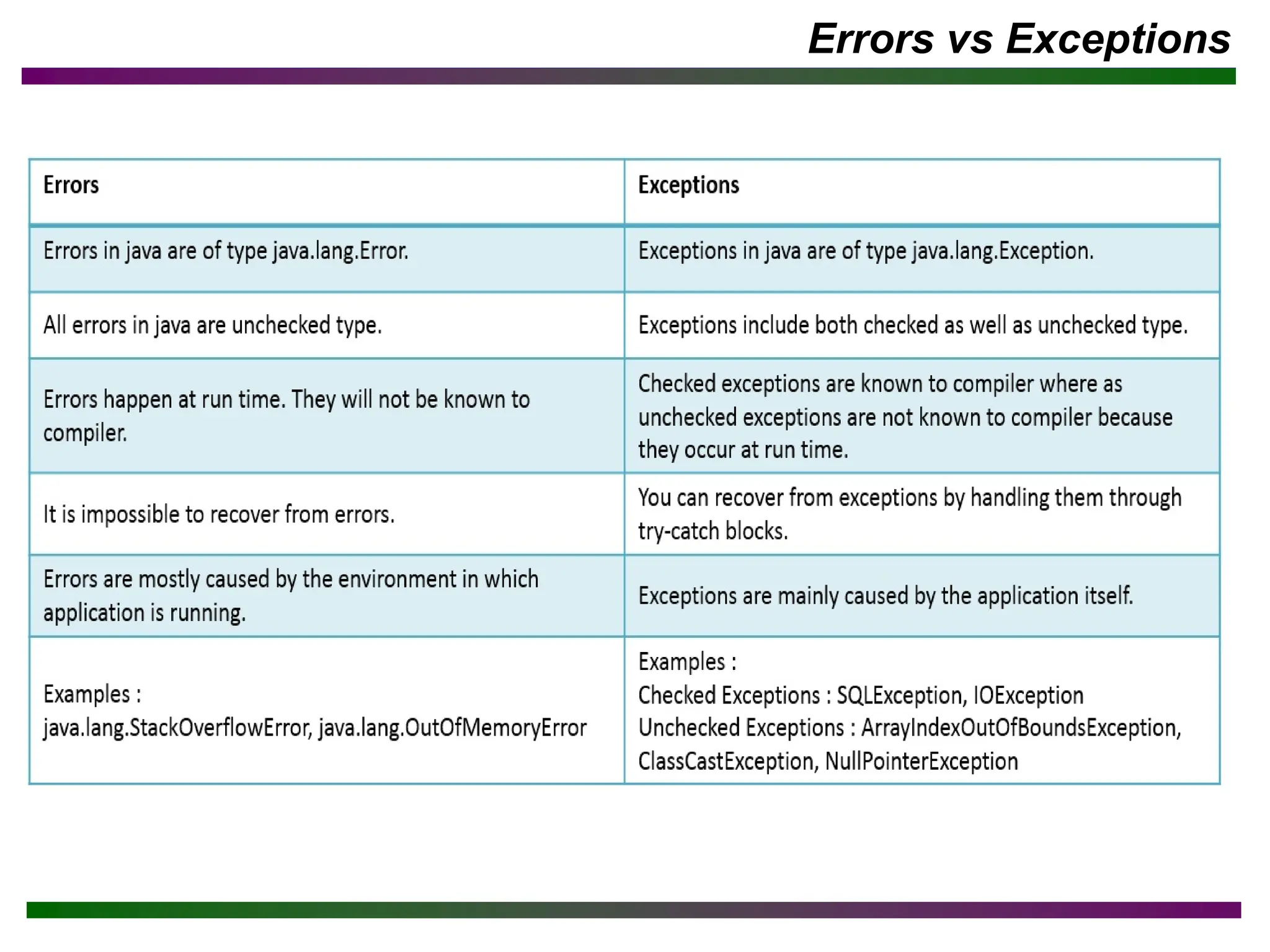
The document discusses exception handling in Java. It defines exceptions as abnormal conditions that occur during runtime and disrupt normal program flow. It describes different types of exceptions like checked, unchecked, and errors. It explains concepts like exception handling syntax using try, catch, finally blocks to maintain program flow. It provides examples to demonstrate exception handling and resolving exceptions in catch blocks.
Objective
After completing thischapter you will be able to
▪ Understand exception handling
▪ Understand exception handling syntax
3.
Exception
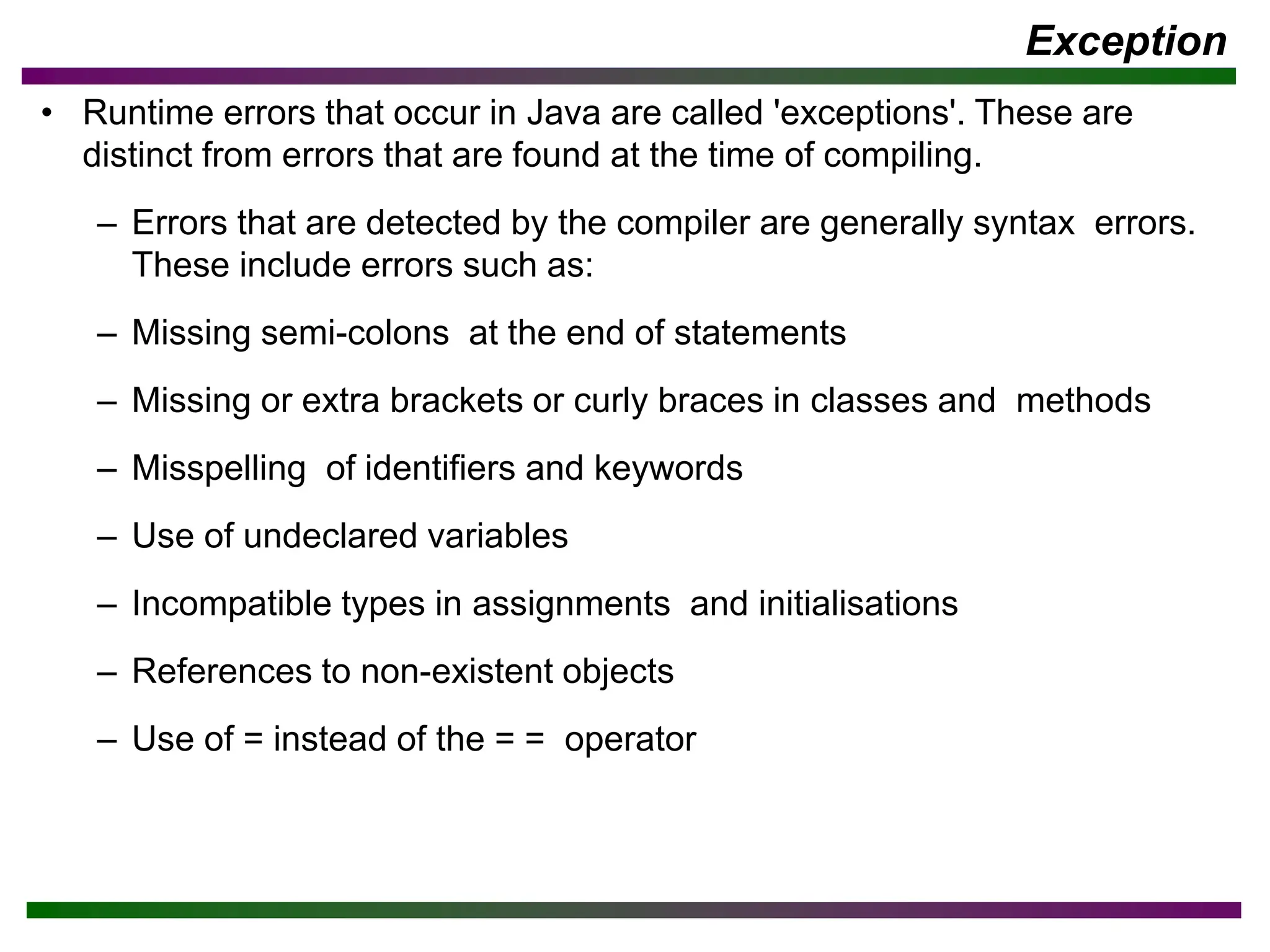
• Runtime errorsthat occur in Java are called 'exceptions'. These are
distinct from errors that are found at the time of compiling.
– Errors that are detected by the compiler are generally syntax errors.
These include errors such as:
– Missing semi-colons at the end of statements
– Missing or extra brackets or curly braces in classes and methods
– Misspelling of identifiers and keywords
– Use of undeclared variables
– Incompatible types in assignments and initialisations
– References to non-existent objects
– Use of = instead of the = = operator
4.
Exception …
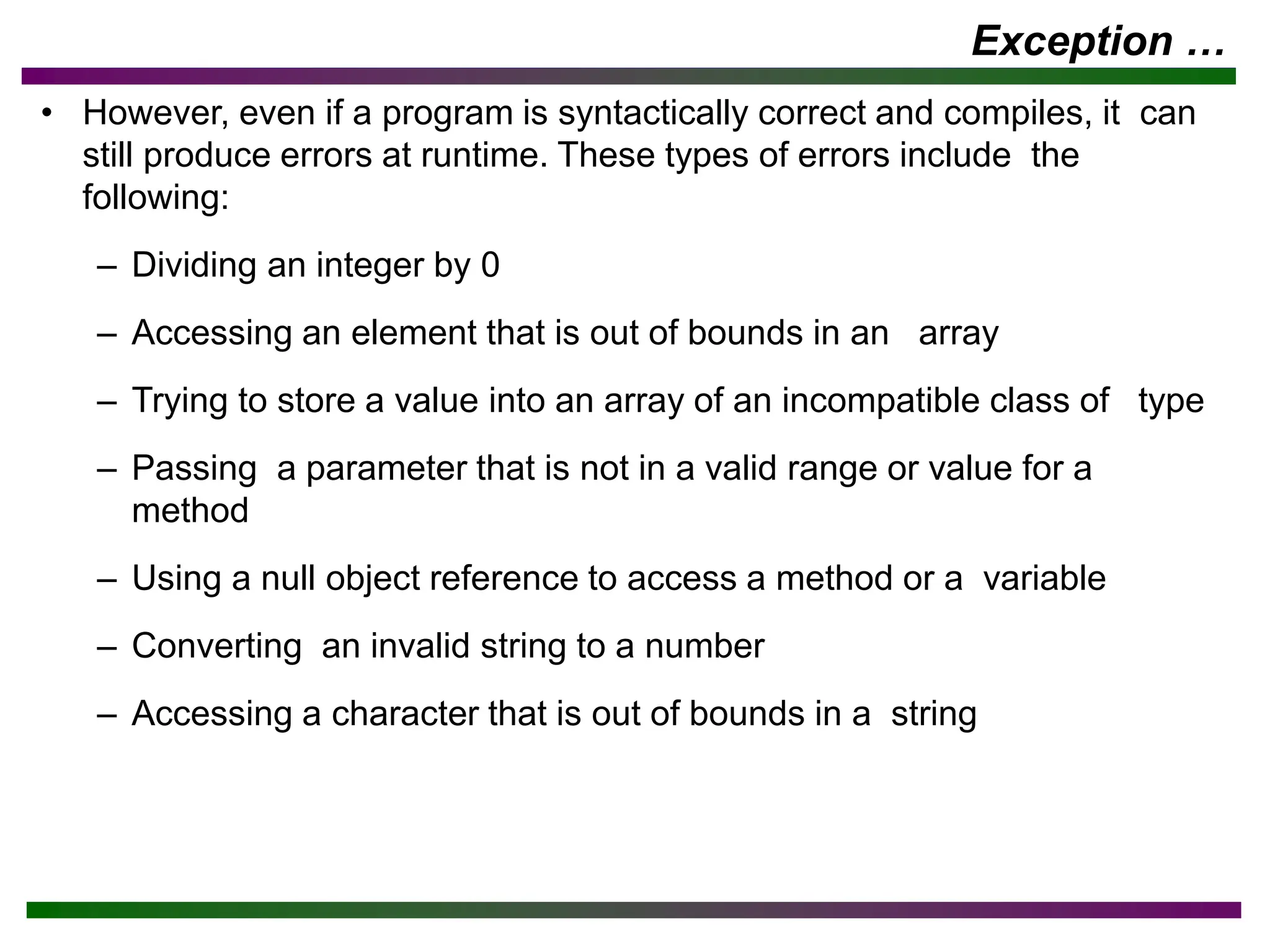
• However,even if a program is syntactically correct and compiles, it can
still produce errors at runtime. These types of errors include the
following:
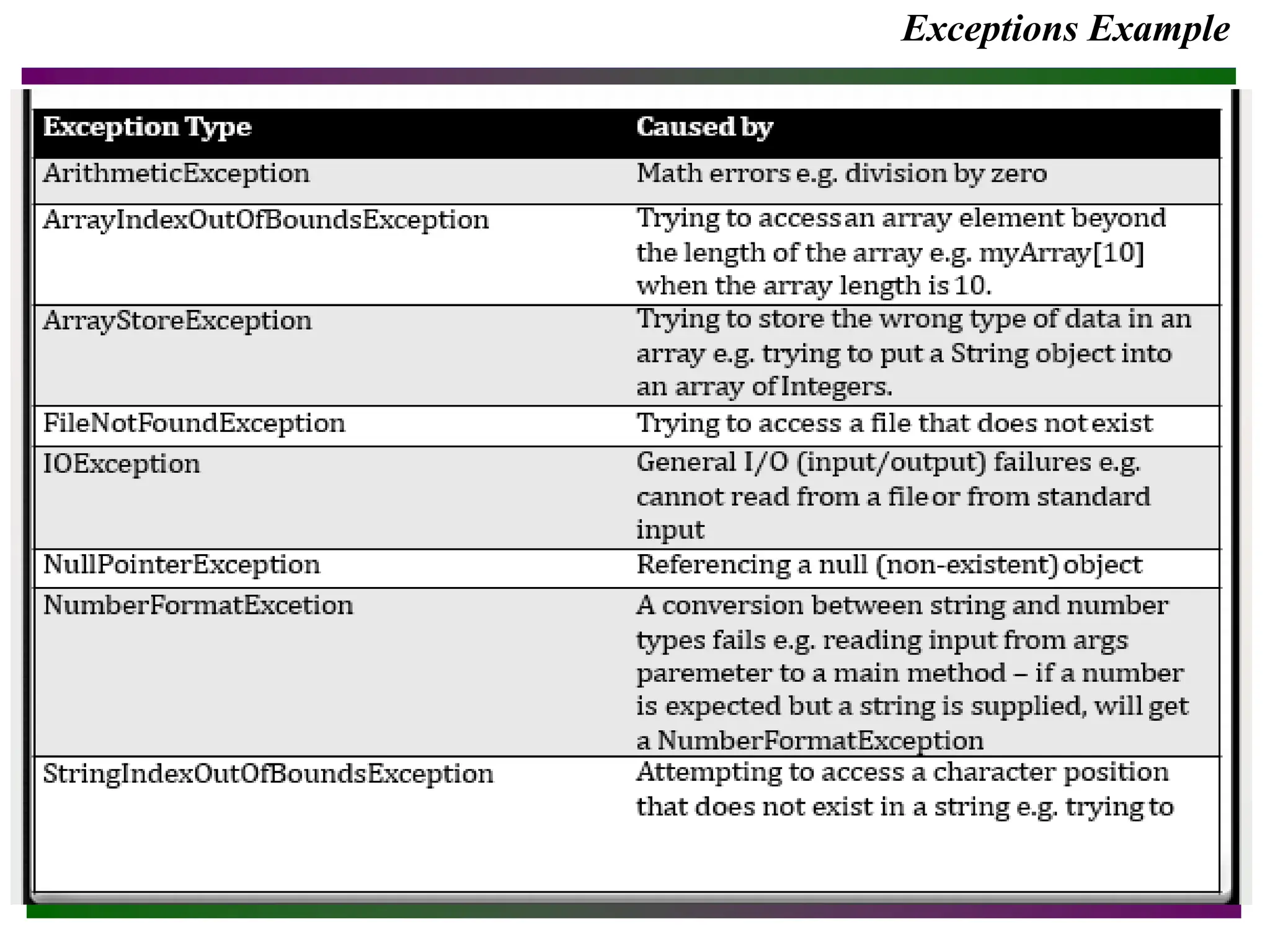
– Dividing an integer by 0
– Accessing an element that is out of bounds in an array
– Trying to store a value into an array of an incompatible class of type
– Passing a parameter that is not in a valid range or value for a
method
– Using a null object reference to access a method or a variable
– Converting an invalid string to a number
– Accessing a character that is out of bounds in a string
Exception Handling?
▪ Whatis Exception?
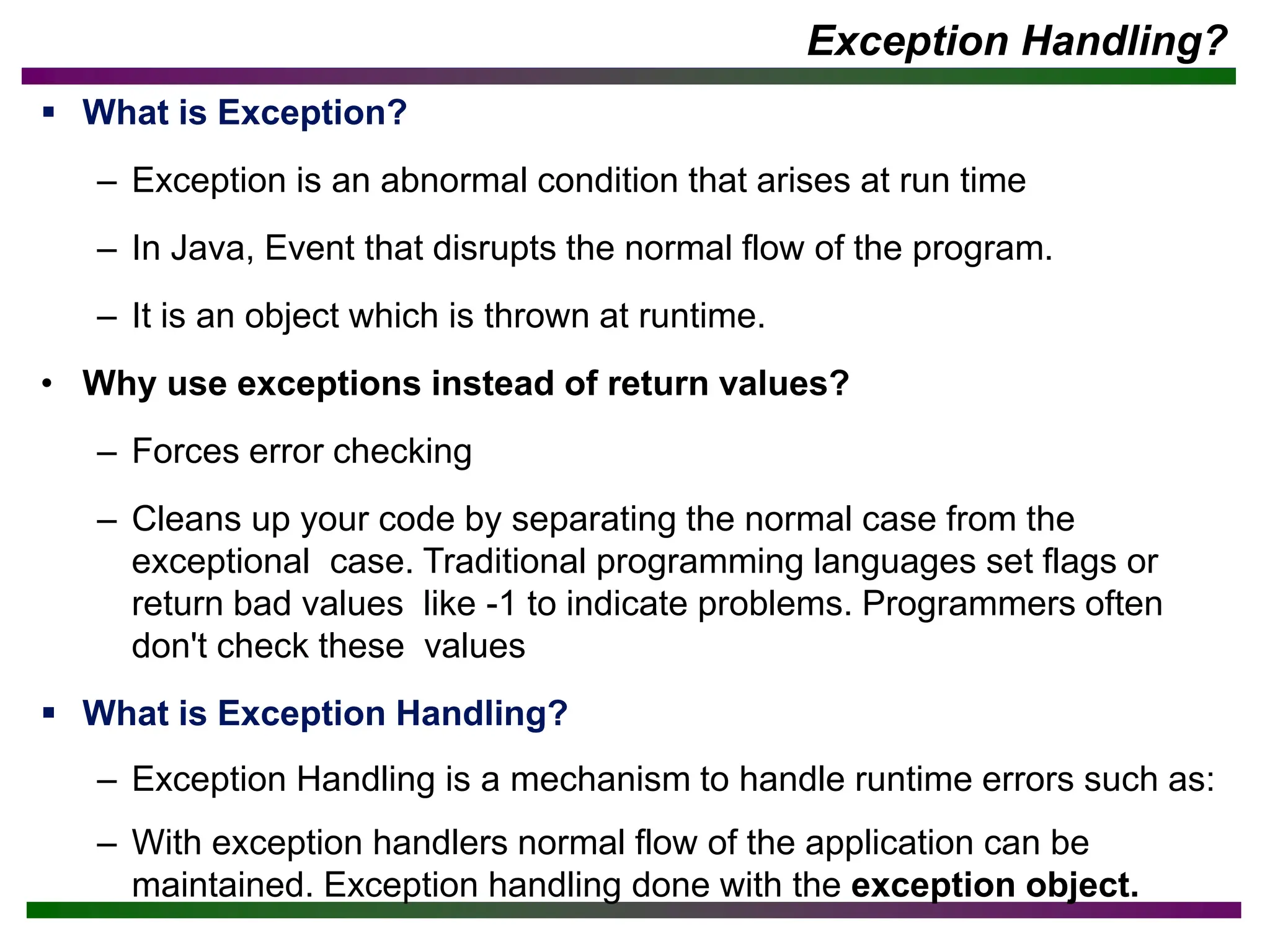
– Exception is an abnormal condition that arises at run time
– In Java, Event that disrupts the normal flow of the program.
– It is an object which is thrown at runtime.
• Why use exceptions instead of return values?
– Forces error checking
– Cleans up your code by separating the normal case from the
exceptional case. Traditional programming languages set flags or
return bad values like -1 to indicate problems. Programmers often
don't check these values
▪ What is Exception Handling?
– Exception Handling is a mechanism to handle runtime errors such as:
– With exception handlers normal flow of the application can be
maintained. Exception handling done with the exception object.
7.
Source of Exception
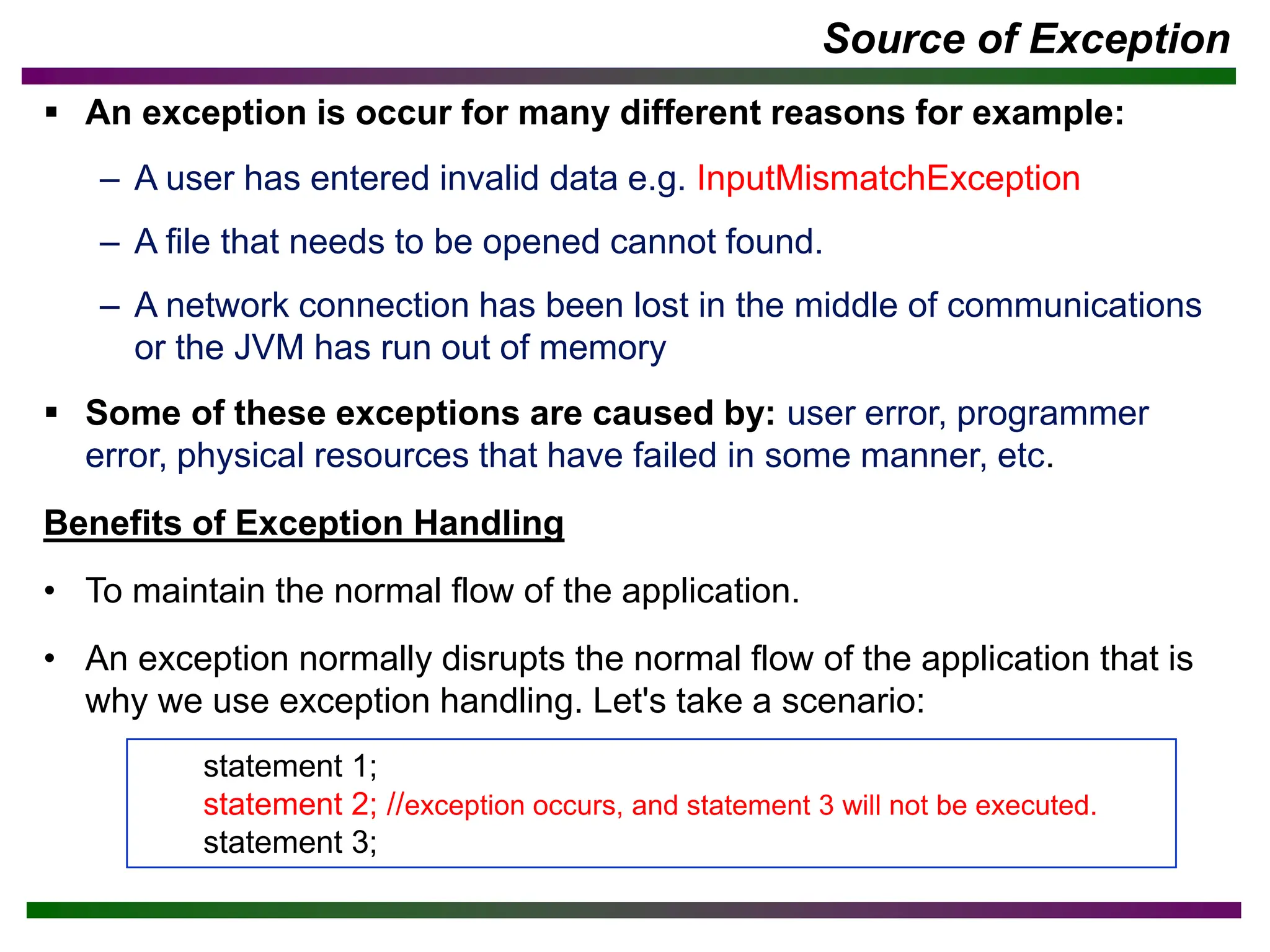
▪An exception is occur for many different reasons for example:
– A user has entered invalid data e.g. InputMismatchException
– A file that needs to be opened cannot found.
– A network connection has been lost in the middle of communications
or the JVM has run out of memory
▪ Some of these exceptions are caused by: user error, programmer
error, physical resources that have failed in some manner, etc.
Benefits of Exception Handling
• To maintain the normal flow of the application.
• An exception normally disrupts the normal flow of the application that is
why we use exception handling. Let's take a scenario:
statement 1;
statement 2; //exception occurs, and statement 3 will not be executed.
statement 3;
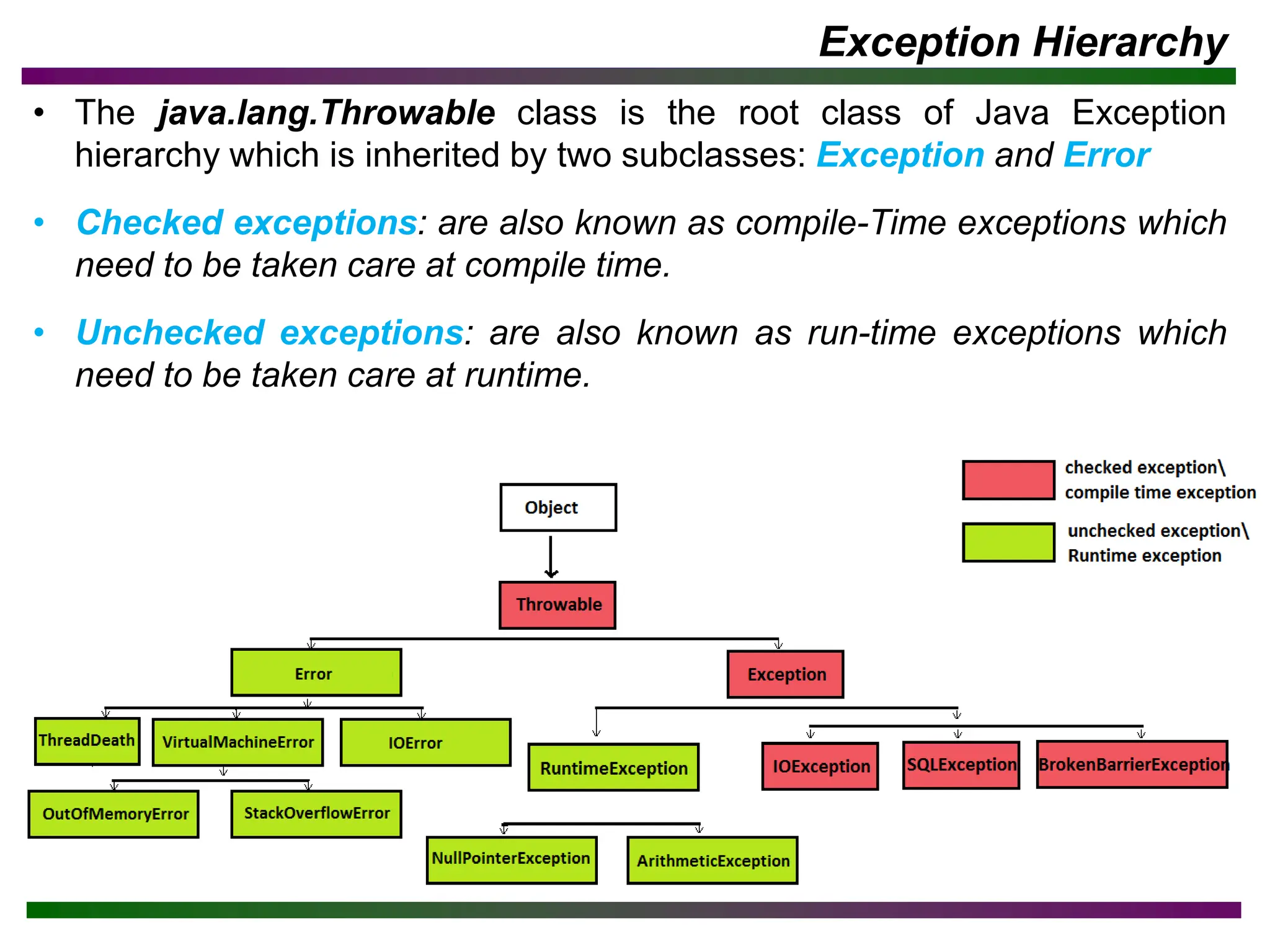
Exception Hierarchy
• Thejava.lang.Throwable class is the root class of Java Exception
hierarchy which is inherited by two subclasses: Exception and Error
• Checked exceptions: are also known as compile-Time exceptions which
need to be taken care at compile time.
• Unchecked exceptions: are also known as run-time exceptions which
need to be taken care at runtime.
10.
Checked vs UncheckedException
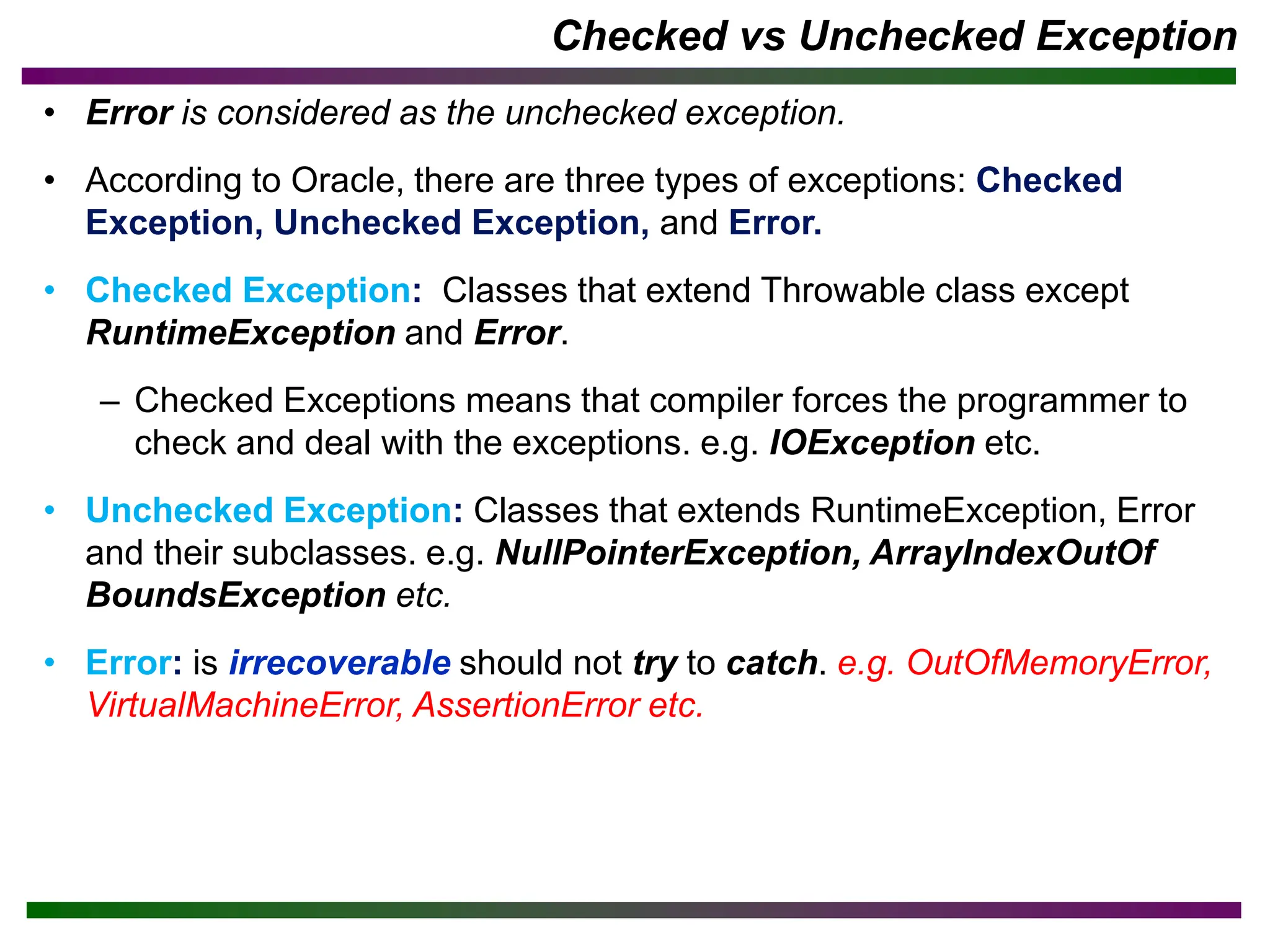
• Error is considered as the unchecked exception.
• According to Oracle, there are three types of exceptions: Checked
Exception, Unchecked Exception, and Error.
• Checked Exception: Classes that extend Throwable class except
RuntimeException and Error.
– Checked Exceptions means that compiler forces the programmer to
check and deal with the exceptions. e.g. IOException etc.
• Unchecked Exception: Classes that extends RuntimeException, Error
and their subclasses. e.g. NullPointerException, ArrayIndexOutOf
BoundsException etc.
• Error: is irrecoverable should not try to catch. e.g. OutOfMemoryError,
VirtualMachineError, AssertionError etc.
11.
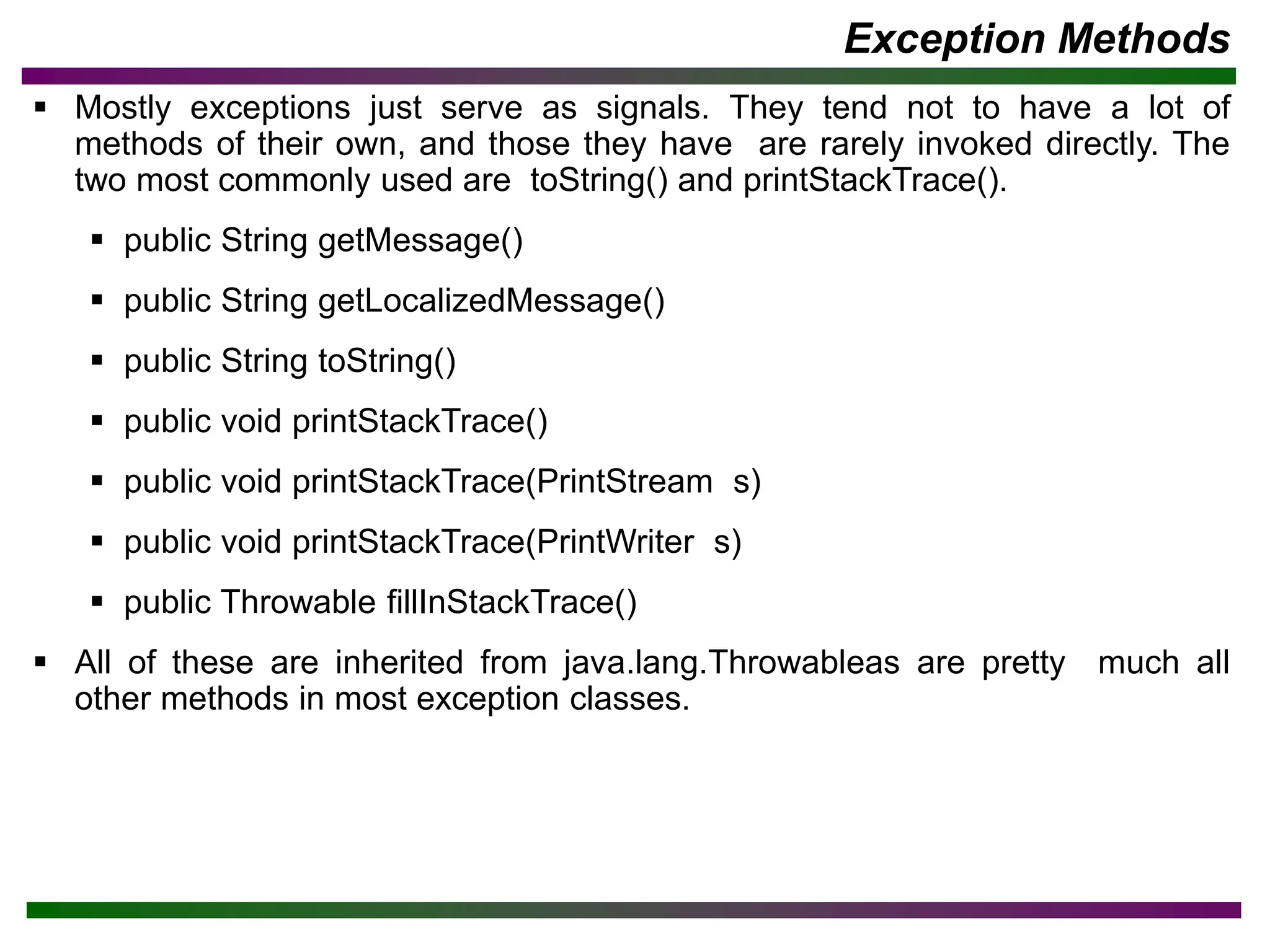
Exception Methods
▪ Mostlyexceptions just serve as signals. They tend not to have a lot of
methods of their own, and those they have are rarely invoked directly. The
two most commonly used are toString() and printStackTrace().
▪ public String getMessage()
▪ public String getLocalizedMessage()
▪ public String toString()
▪ public void printStackTrace()
▪ public void printStackTrace(PrintStream s)
▪ public void printStackTrace(PrintWriter s)
▪ public Throwable fillInStackTrace()
▪ All of these are inherited from java.lang.Throwableas are pretty much all
other methods in most exception classes.
12.
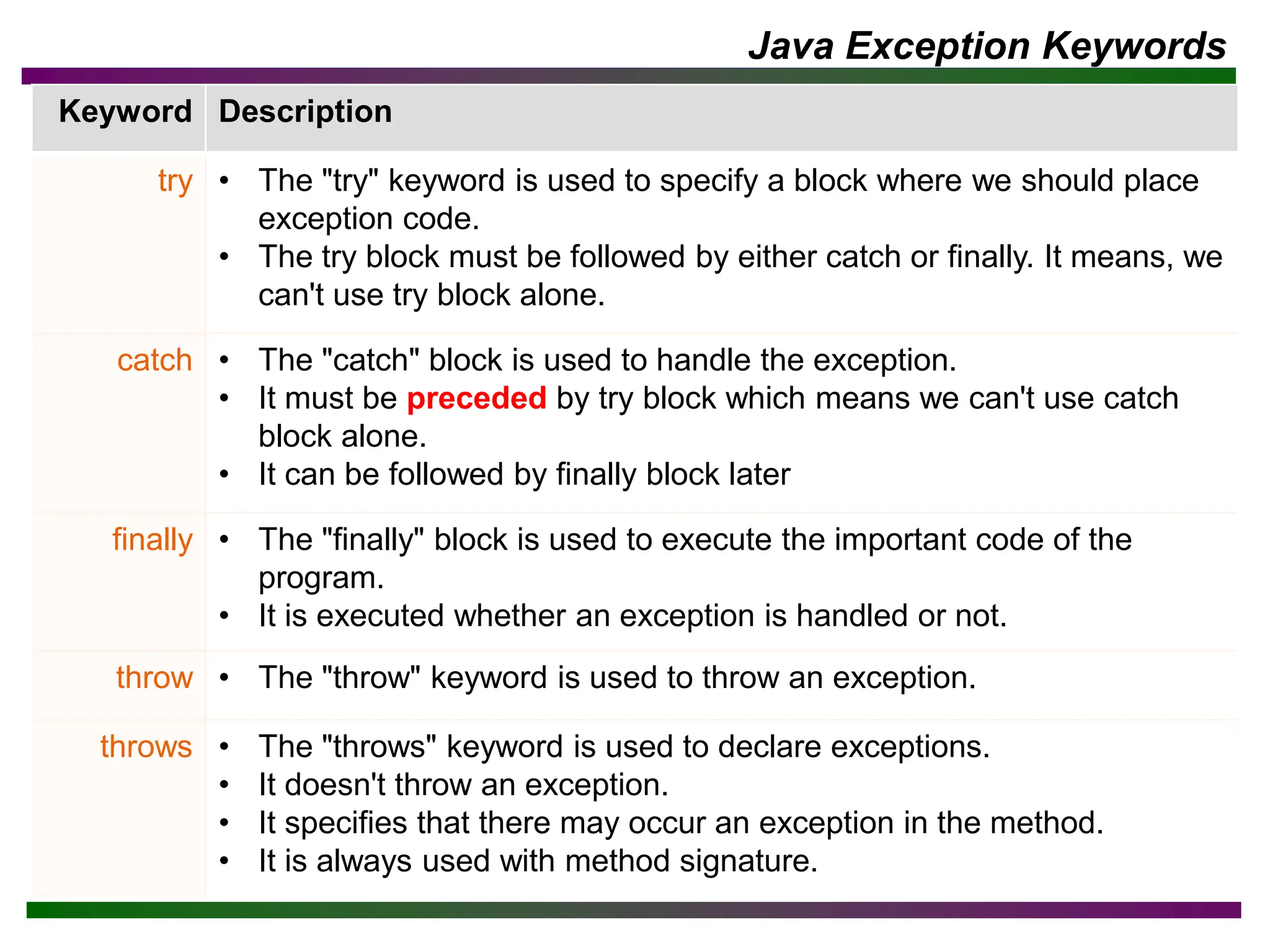
Java Exception Keywords
KeywordDescription
try • The "try" keyword is used to specify a block where we should place
exception code.
• The try block must be followed by either catch or finally. It means, we
can't use try block alone.
catch • The "catch" block is used to handle the exception.
• It must be preceded by try block which means we can't use catch
block alone.
• It can be followed by finally block later
finally • The "finally" block is used to execute the important code of the
program.
• It is executed whether an exception is handled or not.
throw • The "throw" keyword is used to throw an exception.
throws • The "throws" keyword is used to declare exceptions.
• It doesn't throw an exception.
• It specifies that there may occur an exception in the method.
• It is always used with method signature.
13.
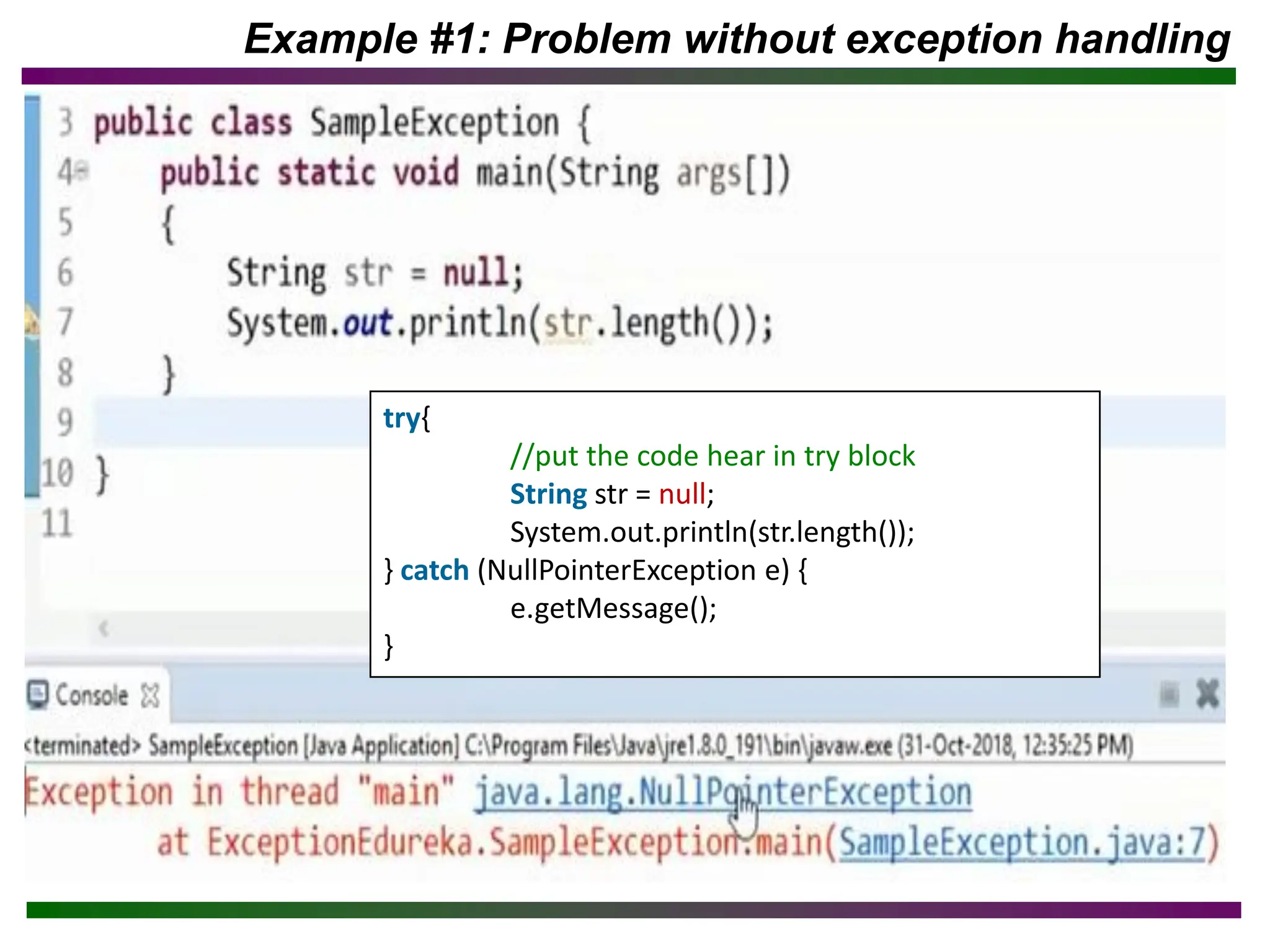
Example #1: Problemwithout exception handling
try{
//put the code hear in try block
String str = null;
System.out.println(str.length());
} catch (NullPointerException e) {
e.getMessage();
}
• Exception inthread main java.lang.ArithmeticException:/ by zero Rest of
the code is not executed (rest of the code..)statement is not printed.
• First, JVM checks whether the exception is handled or not.
• If exception is not handled, JVM provides a default exception handler:
– Prints out exception description.
– Prints the stack trace (Hierarchy of methods for exception occurred).
– Causes the program to terminate.
• If exception is handled by the application programmer, normal flow of the
application is maintained i.e. rest of the code is executed.
Example #3: Problem without exception handling
class Simple {
public void printString (String[ ] days) {
int data = 50 / 0;
System.out.println(“Rest of the code …”);
}
}
16.
Built-in Exceptions vsUser defined Exceptions
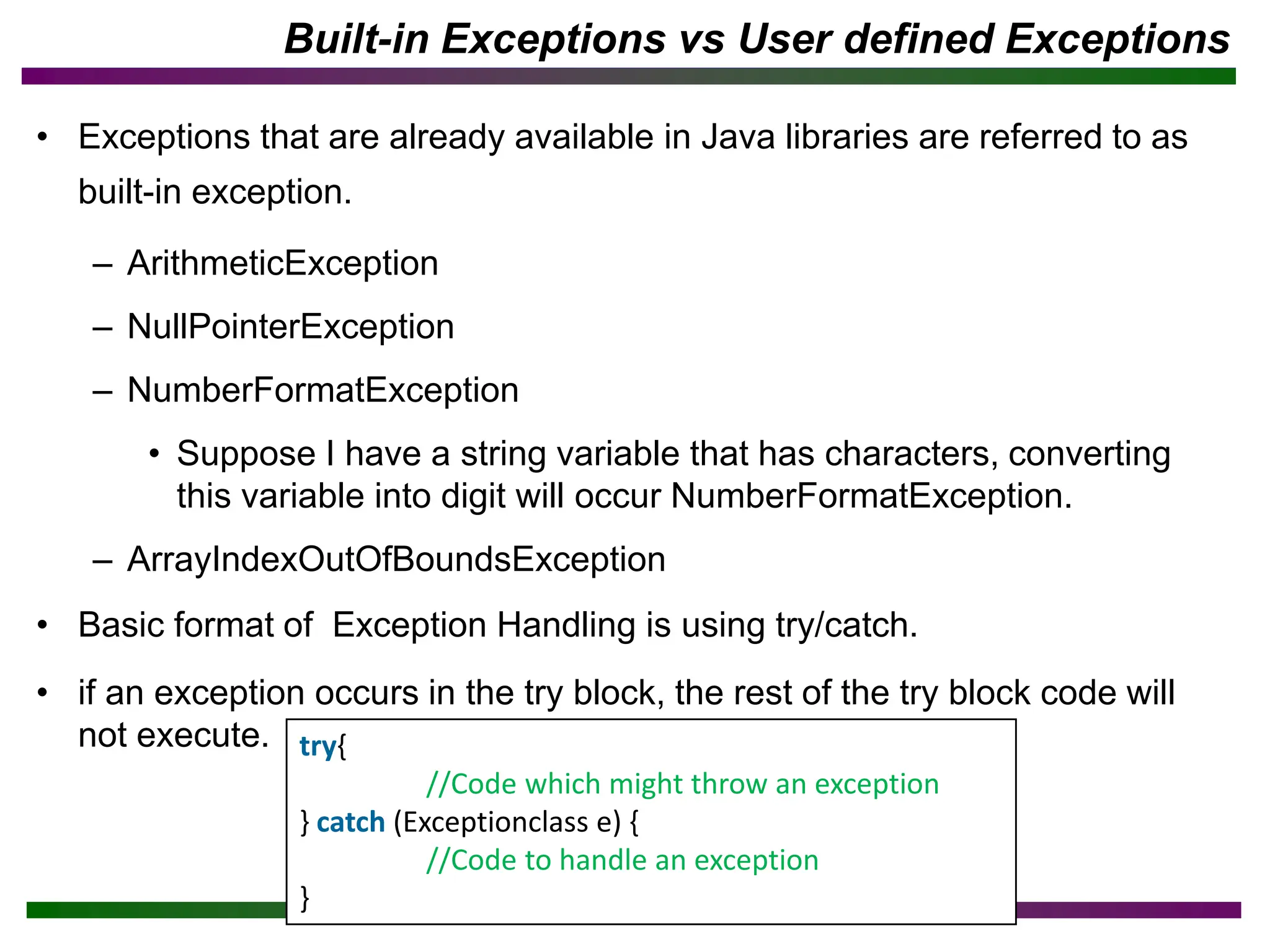
• Exceptions that are already available in Java libraries are referred to as
built-in exception.
– ArithmeticException
– NullPointerException
– NumberFormatException
• Suppose I have a string variable that has characters, converting
this variable into digit will occur NumberFormatException.
– ArrayIndexOutOfBoundsException
• Basic format of Exception Handling is using try/catch.
• if an exception occurs in the try block, the rest of the try block code will
not execute. try{
//Code which might throw an exception
} catch (Exceptionclass e) {
//Code to handle an exception
}
17.
Example 4: toresolve the exception in a catch block
• Why we write e in catch in java exception, what is the meaning of e?
– 'e' is just a variable. ('e' stands for exception, but you can rename it
anything you like, however, the data type has to remain 'Exception')
The 'e' variable stores an exception-type object in this case.
public class Main {
public static void main(String[ ] args) {
int a = 50, b = 0, c;
try {
c = a / b; //may throw ex.
System.out.println(c);
} catch (Exception e) {
System.out.println("Something went wrong.");
// resolving the exception in catch block
System.out.println(a / (b+2));
}
}
}
18.
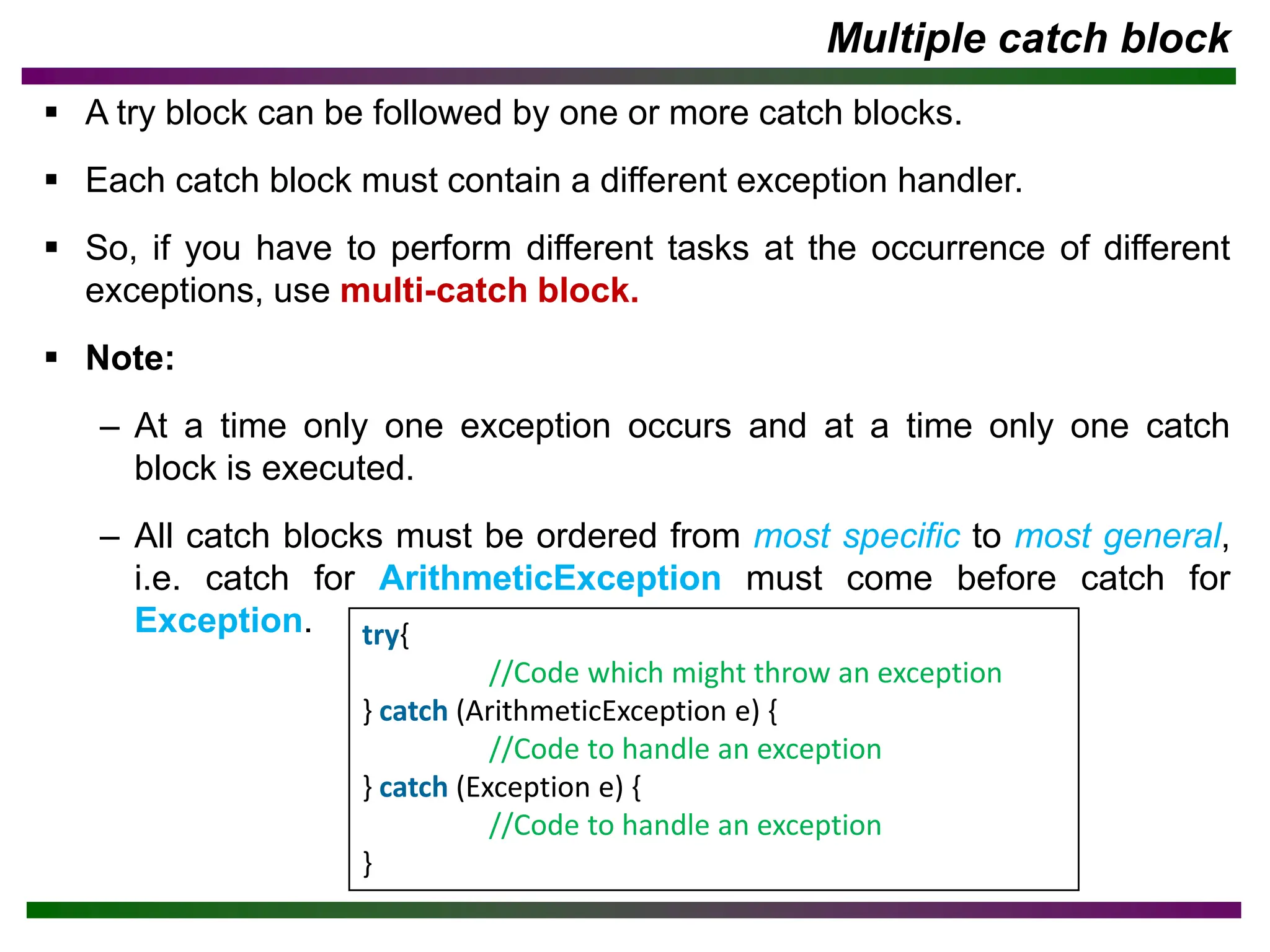
Multiple catch block
▪A try block can be followed by one or more catch blocks.
▪ Each catch block must contain a different exception handler.
▪ So, if you have to perform different tasks at the occurrence of different
exceptions, use multi-catch block.
▪ Note:
– At a time only one exception occurs and at a time only one catch
block is executed.
– All catch blocks must be ordered from most specific to most general,
i.e. catch for ArithmeticException must come before catch for
Exception. try{
//Code which might throw an exception
} catch (ArithmeticException e) {
//Code to handle an exception
} catch (Exception e) {
//Code to handle an exception
}
19.
Finally block
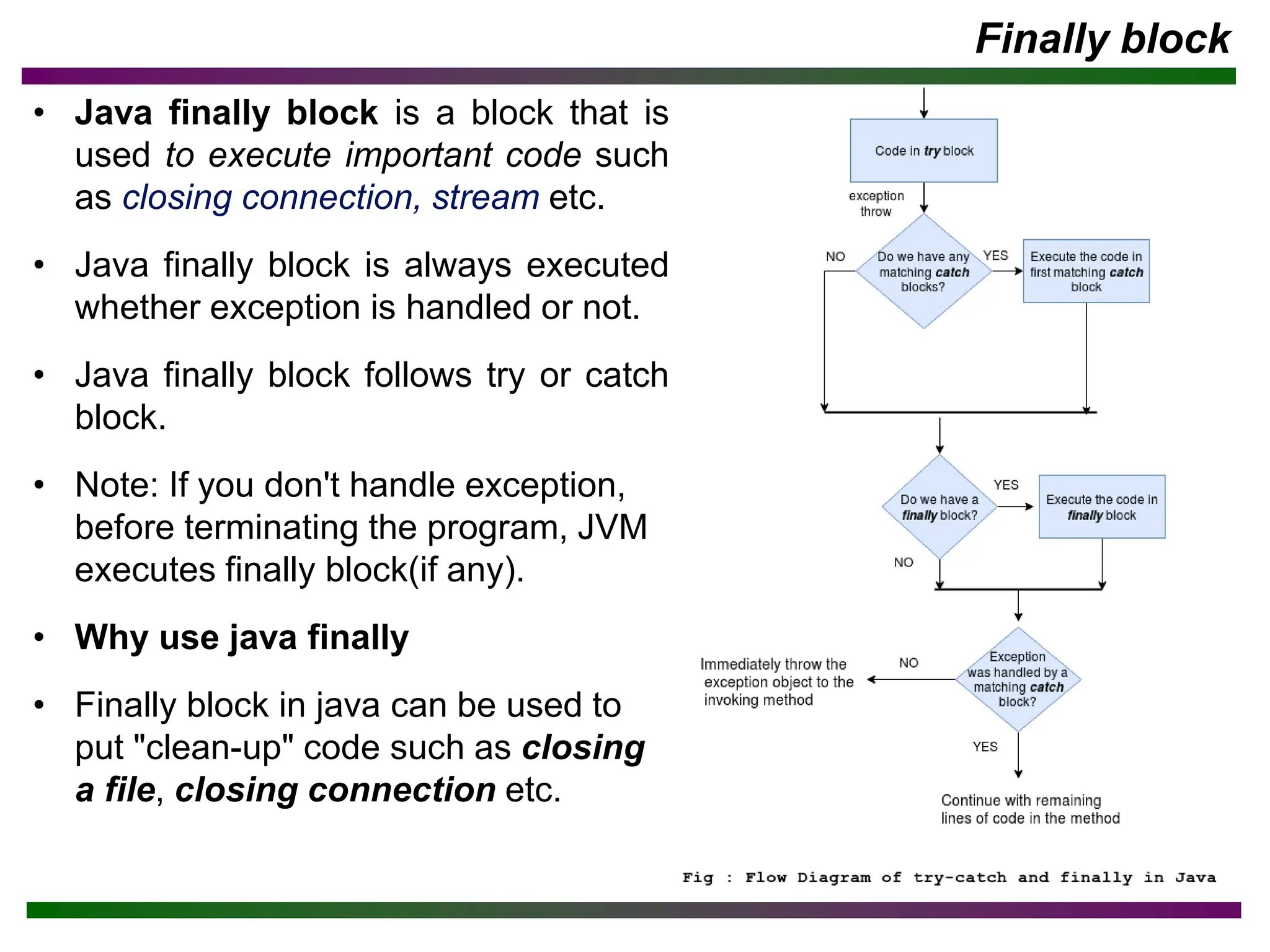
• Javafinally block is a block that is
used to execute important code such
as closing connection, stream etc.
• Java finally block is always executed
whether exception is handled or not.
• Java finally block follows try or catch
block.
• Note: If you don't handle exception,
before terminating the program, JVM
executes finally block(if any).
• Why use java finally
• Finally block in java can be used to
put "clean-up" code such as closing
a file, closing connection etc.
20.
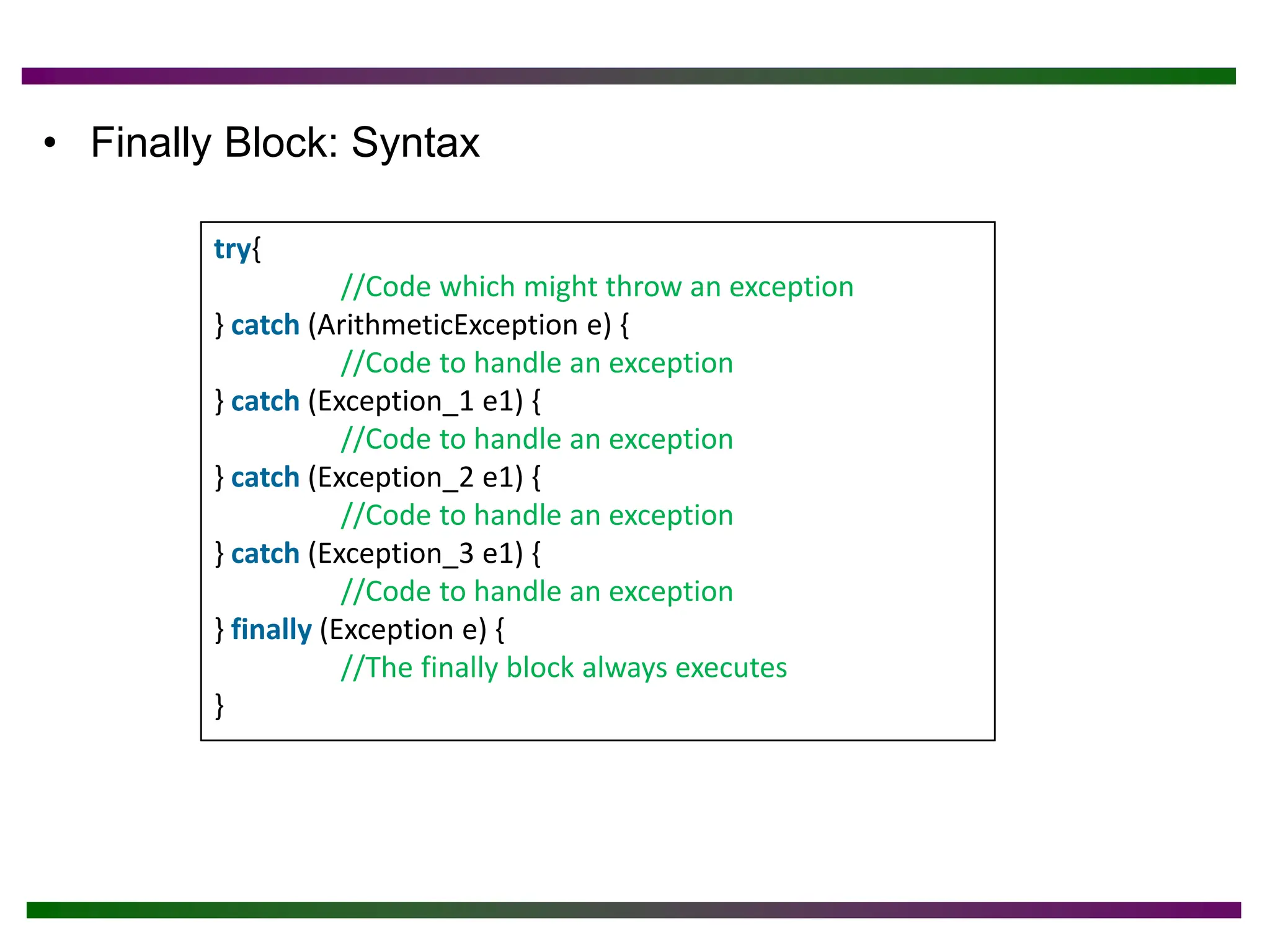
• Finally Block:Syntax
try{
//Code which might throw an exception
} catch (ArithmeticException e) {
//Code to handle an exception
} catch (Exception_1 e1) {
//Code to handle an exception
} catch (Exception_2 e1) {
//Code to handle an exception
} catch (Exception_3 e1) {
//Code to handle an exception
} finally (Exception e) {
//The finally block always executes
}
21.
Note the following
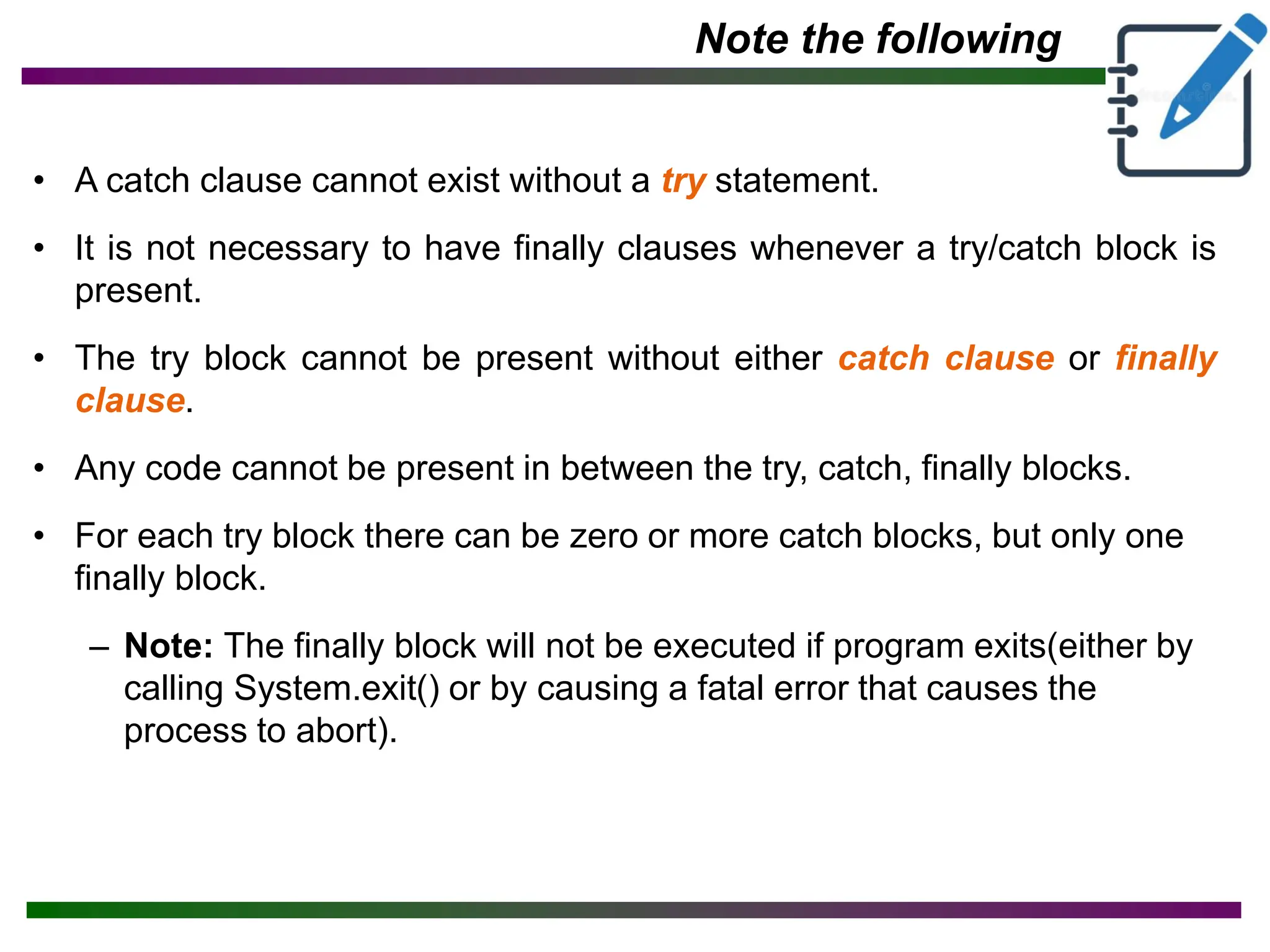
•A catch clause cannot exist without a try statement.
• It is not necessary to have finally clauses whenever a try/catch block is
present.
• The try block cannot be present without either catch clause or finally
clause.
• Any code cannot be present in between the try, catch, finally blocks.
• For each try block there can be zero or more catch blocks, but only one
finally block.
– Note: The finally block will not be executed if program exits(either by
calling System.exit() or by causing a fatal error that causes the
process to abort).
22.
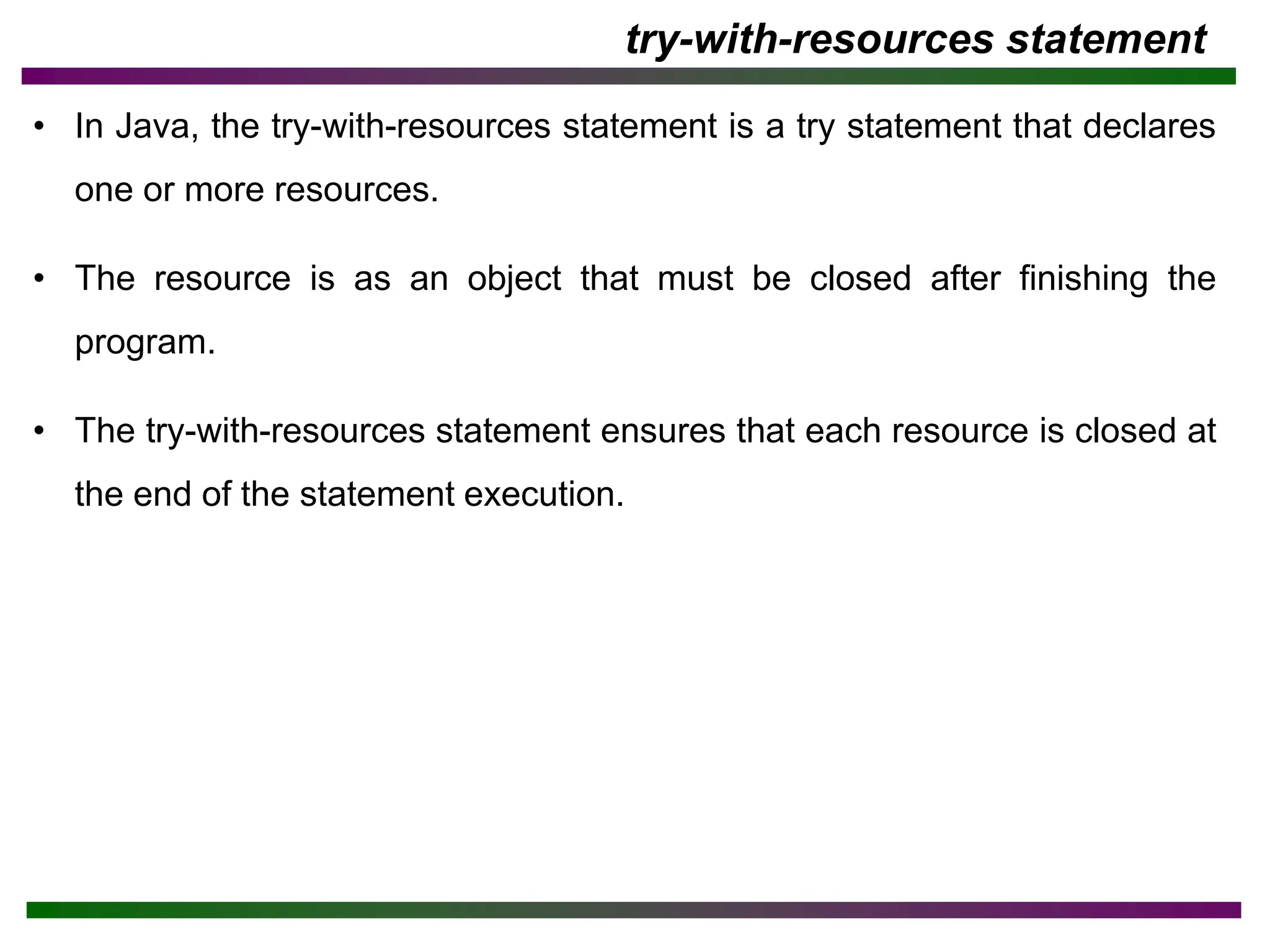
try-with-resources statement
• InJava, the try-with-resources statement is a try statement that declares
one or more resources.
• The resource is as an object that must be closed after finishing the
program.
• The try-with-resources statement ensures that each resource is closed at
the end of the statement execution.
23.
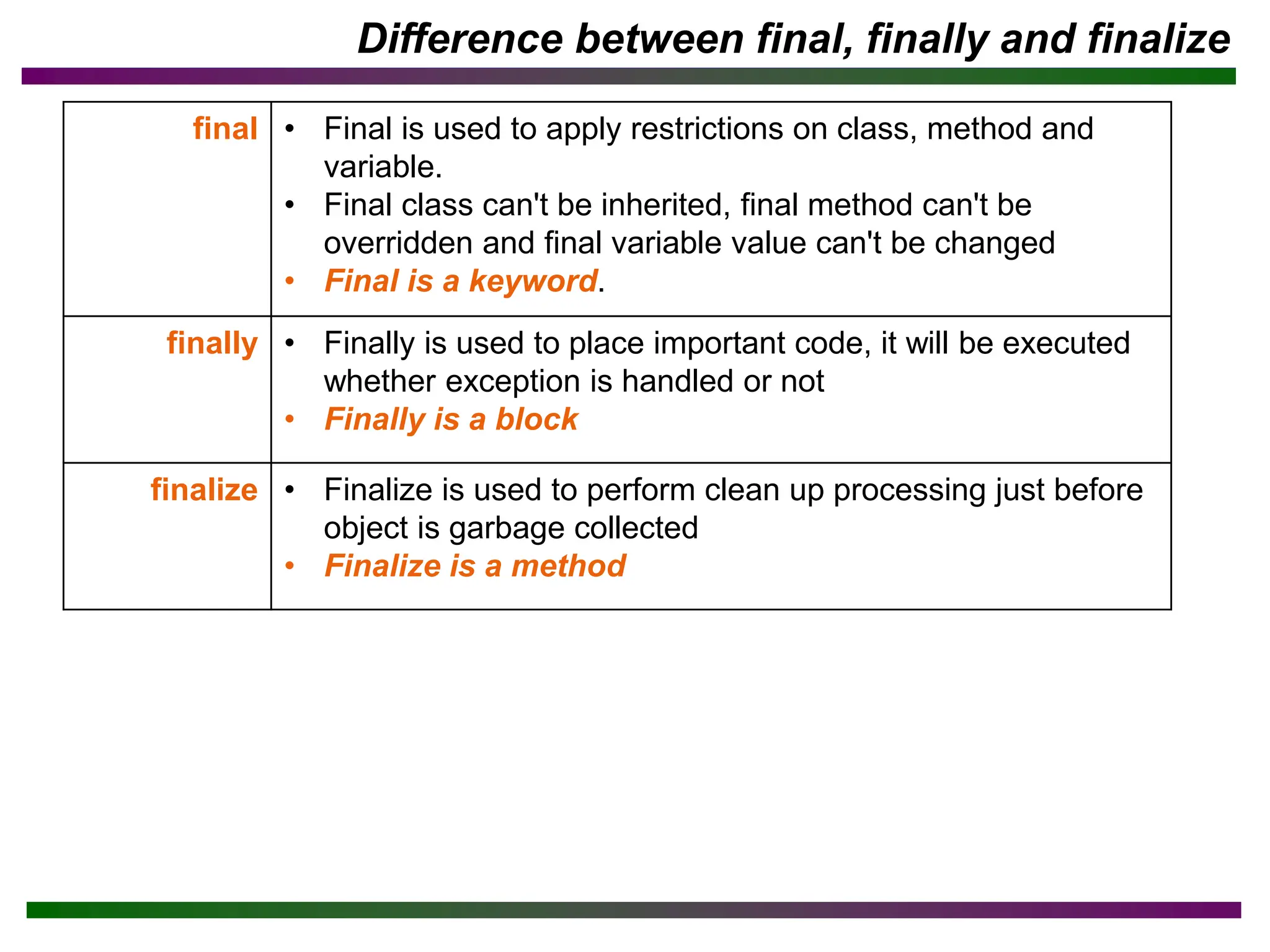
Difference between final,finally and finalize
final • Final is used to apply restrictions on class, method and
variable.
• Final class can't be inherited, final method can't be
overridden and final variable value can't be changed
• Final is a keyword.
finally • Finally is used to place important code, it will be executed
whether exception is handled or not
• Finally is a block
finalize • Finalize is used to perform clean up processing just before
object is garbage collected
• Finalize is a method
24.
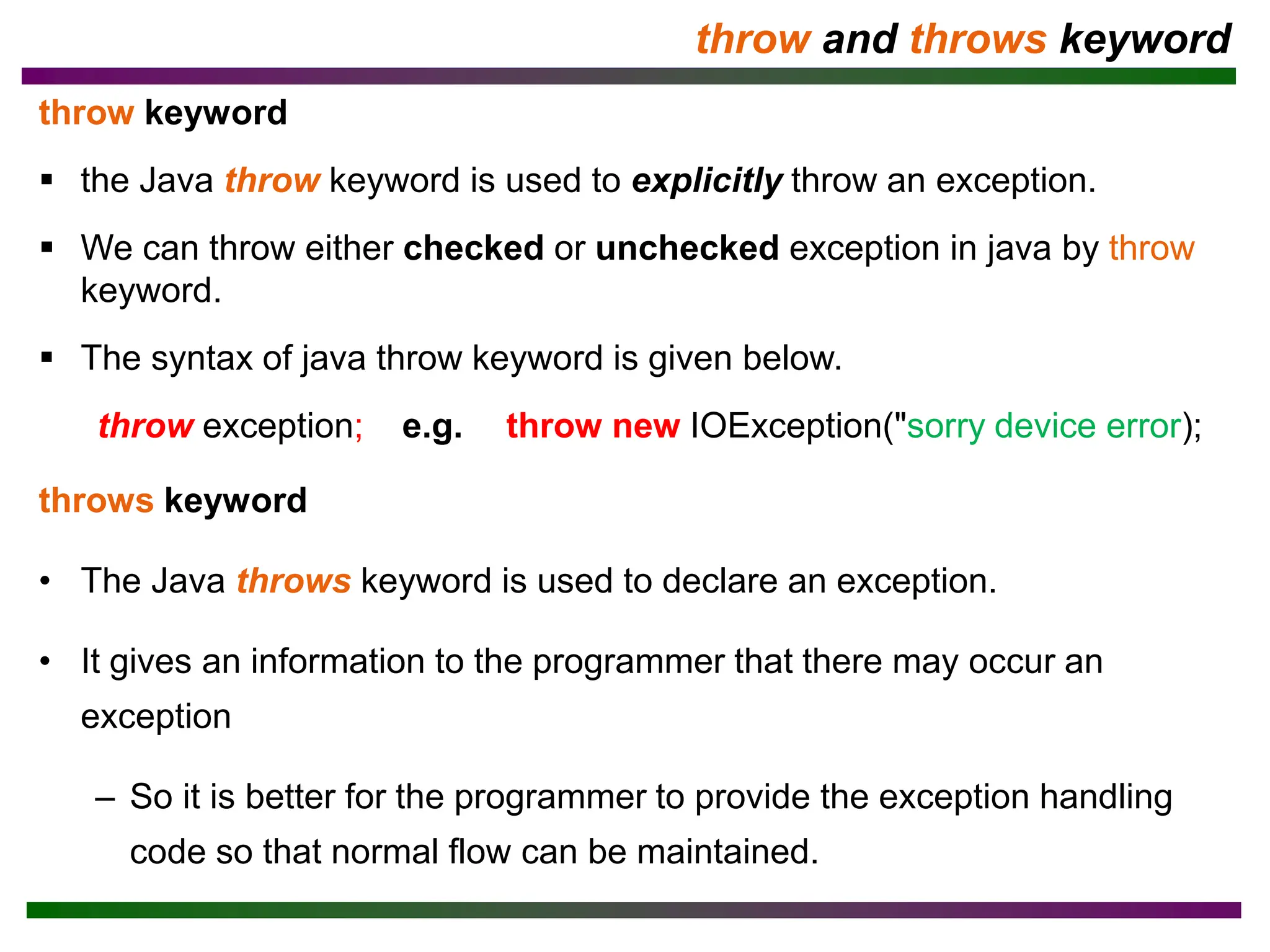
throw and throwskeyword
throw keyword
▪ the Java throw keyword is used to explicitly throw an exception.
▪ We can throw either checked or unchecked exception in java by throw
keyword.
▪ The syntax of java throw keyword is given below.
throw exception; e.g. throw new IOException("sorry device error);
throws keyword
• The Java throws keyword is used to declare an exception.
• It gives an information to the programmer that there may occur an
exception
– So it is better for the programmer to provide the exception handling
code so that normal flow can be maintained.
25.
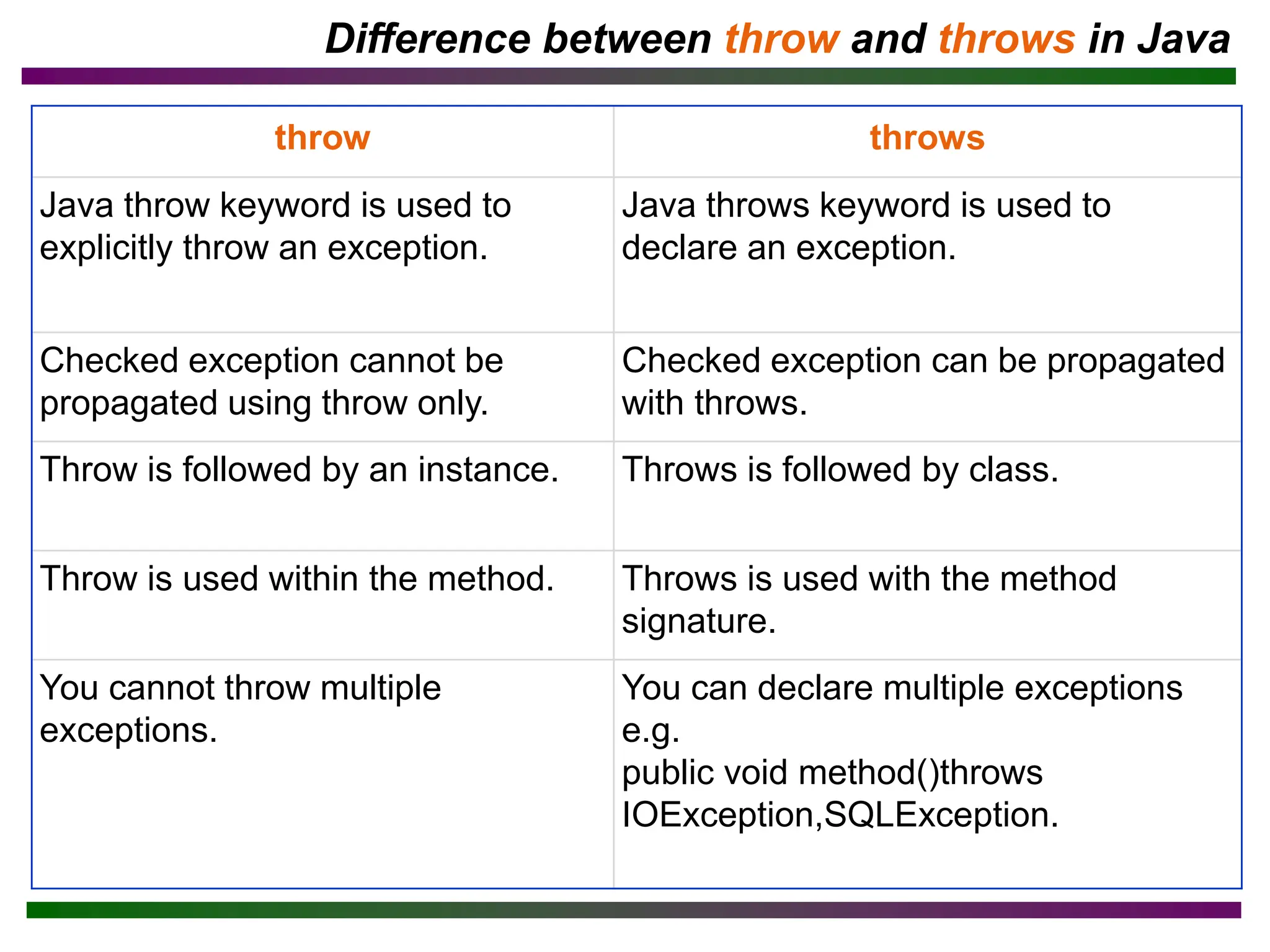
Difference between throwand throws in Java
throw throws
Java throw keyword is used to
explicitly throw an exception.
Java throws keyword is used to
declare an exception.
Checked exception cannot be
propagated using throw only.
Checked exception can be propagated
with throws.
Throw is followed by an instance. Throws is followed by class.
Throw is used within the method. Throws is used with the method
signature.
You cannot throw multiple
exceptions.
You can declare multiple exceptions
e.g.
public void method()throws
IOException,SQLException.
![• Exception Message
Example #2
class Simple {
public static void main(String args[]) {
String[] greek = {"Alpha", "Beta"};
System.out.println(greek [2]);
}
}](https://image.slidesharecdn.com/ch-15-240401061447-d7de224d/75/Ch-1_5-pdf-this-is-java-tutorials-for-all-14-2048.jpg)
![• Exception in thread main java.lang.ArithmeticException:/ by zero Rest of
the code is not executed (rest of the code..)statement is not printed.
• First, JVM checks whether the exception is handled or not.
• If exception is not handled, JVM provides a default exception handler:
– Prints out exception description.
– Prints the stack trace (Hierarchy of methods for exception occurred).
– Causes the program to terminate.
• If exception is handled by the application programmer, normal flow of the
application is maintained i.e. rest of the code is executed.
Example #3: Problem without exception handling
class Simple {
public void printString (String[ ] days) {
int data = 50 / 0;
System.out.println(“Rest of the code …”);
}
}](https://image.slidesharecdn.com/ch-15-240401061447-d7de224d/75/Ch-1_5-pdf-this-is-java-tutorials-for-all-15-2048.jpg)
![Example 4: to resolve the exception in a catch block
• Why we write e in catch in java exception, what is the meaning of e?
– 'e' is just a variable. ('e' stands for exception, but you can rename it
anything you like, however, the data type has to remain 'Exception')
The 'e' variable stores an exception-type object in this case.
public class Main {
public static void main(String[ ] args) {
int a = 50, b = 0, c;
try {
c = a / b; //may throw ex.
System.out.println(c);
} catch (Exception e) {
System.out.println("Something went wrong.");
// resolving the exception in catch block
System.out.println(a / (b+2));
}
}
}](https://image.slidesharecdn.com/ch-15-240401061447-d7de224d/75/Ch-1_5-pdf-this-is-java-tutorials-for-all-17-2048.jpg)