Capturing the
opportunity of
Microsoft Surface
Copilot+ PCs
A roadmap for leaders
AI is accelerating. Is your business ready?
New ways of working are ready to be unlocked.
AI has the power to elevate employee experiences, maximize
productivity, and drive innovation for your business. With the
arrival of on-device AI processing, endpoints are now a critical
component of a comprehensive AI strategy.
Surface Copilot+ PCs deliver premium experiences, powerful
on-device processing, and AI-ready security and privacy to
provide greater value for your organization today and
tomorrow.
This e-book outlines a process for incorporating Microsoft
Surface Copilot+ PCs into your AI adoption strategy, driving
effective usage, and maximizing your technology advantage
during this watershed moment.
AI transformation is real
Employees are embracing AI to save time, boost
productivity, and get more enjoyment out of work.1
Early adopters are already pushing the envelope
on how to use this technology effectively.
With growth in both cloud-based and on-device AI
capabilities, organizations have more options than
ever to capitalize on this momentum while meeting
security, compliance, and management needs. One
of the most exciting developments is the
availability of Surface Copilot+ PCs.
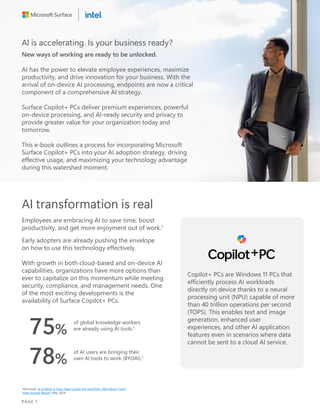
75%
of global knowledge workers
are already using AI tools.1
78%
of AI users are bringing their
own AI tools to work (BYOAI).1
1Microsoft, AI at Work Is Here. Now Comes the Hard Part: 2024 Work Trend
Index Annual Report, May 2024.
Copilot+ PCs are Windows 11 PCs that
efficiently process AI workloads
directly on device thanks to a neural
processing unit (NPU) capable of more
than 40 trillion operations per second
(TOPS). This enables text and image
generation, enhanced user
experiences, and other AI application
features even in scenarios where data
cannot be sent to a cloud AI service.
PAGE 1
An impactful AI
strategy includes
Surface Copilot+ PCs
The success of AI investments depends on
a solid strategy that includes AI-enabled
endpoints. There are several key factors to
consider when building such a strategy.
01 Clarity around cloud-delivered
and on-device AI, as well as the
benefits of each option
02 Progress toward calculating the
value of these new solutions, their
ROI, and reliable benchmarking
for AI tools
03 Aligning business leaders’ strategic
vision for their companies with IT
leaders’ operational responsibilities
and security concerns
04 The ability to stay ahead of
emerging technology trends with
agility and flexibility
05 Proactively integrating AI
technology into an organization’s
legacy technology ecosystem
“We’ve come to the hard part
of any tech disruption: moving
past experimentation to
business transformation.
Just as we saw with the advent
of the internet or the PC,
business transformation comes
with broad adoption.
Organizations that apply AI to
drive growth, manage costs,
and deliver greater value to
customers will pull ahead.”1
1Microsoft, AI at Work Is Here. Now Comes the Hard Part: 2024 Work Trend
Index Annual Report, May 2024.
PAGE 2
Surface Copilot+ PCs: Intelligence at the edge
AI can run in the cloud or on endpoints. The future of AI-enabled work will include both.
Surface Copilot+ PCs with Intel® Core Ultra processors (Series 2) offer businesses flexibility,
control, and high performance, enabling the rapid adoption of new features and ongoing
innovation. These devices support a hybrid AI approach, blending on-device and cloud-based AI
capabilities.
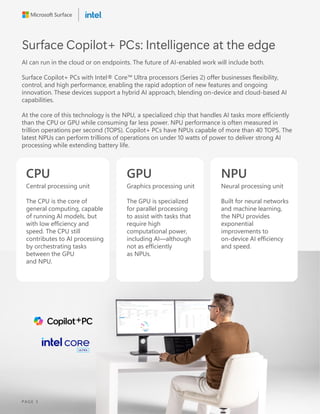
At the core of this technology is the NPU, a specialized chip that handles AI tasks more efficiently
than the CPU or GPU while consuming far less power. NPU performance is often measured in
trillion operations per second (TOPS). Copilot+ PCs have NPUs capable of more than 40 TOPS. The
latest NPUs can perform trillions of operations on under 10 watts of power to deliver strong AI
processing while extending battery life.
CPU
Central processing unit
The CPU is the core of
general computing, capable
of running AI models, but
with low efficiency and
speed. The CPU still
contributes to AI processing
by orchestrating tasks
between the GPU
and NPU.
GPU
Graphics processing unit
The GPU is specialized
for parallel processing
to assist with tasks that
require high
computational power,
including AI—although
not as efficiently
as NPUs.
NPU
Neural processing unit
Built for neural networks
and machine learning,
the NPU provides
exponential
improvements to
on-device AI efficiency
and speed.
PAGE 3
The benefits of
Surface Copilot+ PCs
Surface Copilot+ PCs deliver tangible
benefits today. They also prepare your
organization to take advantage of rapidly
advancing capabilities in the future.
Empowering talent
Getting AI into your workers’ hands means
they can benefit from the unique productivity
gains that arise from intelligent assistance.
Surface Copilot+ PCs make the most of cloud
AI experiences while delivering on-device
capabilities that improve everyday work.
Enhancing experiences
Offloading AI processing to the NPU can
increase battery life and reduce latency
for localized AI workloads. Those
performance benefits both improve
the employee experience and unlock
greater productivity.
Unlocking innovation
Developers who want to work with
local AI models need powerful on-device
processing, and the number of these
technology innovators is only increasing.
As AI app development becomes
more prevalent, Surface Copilot+ PCs will
gain even greater relevance.
Outpacing competition
While many businesses struggle to get
their AI strategies up and running,
incorporating Surface Copilot+ PCs now
gives you the opportunity to surge ahead
by taking advantage of new capabilities
as soon as they emerge.
Reinforcing security
Surface Copilot+ PCs provide features
that empower employees to use AI in
secure and compliant ways. In the future,
on-device AI will support new
security capabilities.
PAGE 4
New ways to work. New choices for leaders.
To build AI experiences into your employees’ work, it’s
crucial to identify and understand its technical
parameters.
This information can help you decide which device
features will have the largest impact on employee
productivity, where to use on-device versus cloud-based
AI workflows, and which Surface Copilot+ PCs to invest in.
Understanding how cloud and on-device AI interact is your first step toward building a strategy
that includes Surface Copilot+ PCs.
Three modes of AI delivery
Cloud, hybrid, and on-device AI each have unique abilities and advantages. Understanding them
helps you unlock new capabilities and optimize workflows.
Cloud AI
• Operates independently of
device capabilities
• Sophisticated content generation
and analytics through access to
LLMs
• Typically based on a subscription
or pay-per-use model
Example
Prompting Microsoft Copilot
to pull content from a variety
of enterprise sources and
assemble it into a presentation.
On-device AI
• Efficiently processes AI workloads
locally using smaller models.
• Enables offline AI processing for
compliance scenarios and
reduced latency.
• Fast performance with lower
energy consumption using NPUs
Example
Windows Studio Effects that
enhance video calls with AI-driven
background blur, eye contact
correction, and voice clarity.
Hybrid AI
• Combines cloud and on-device AI
processing to optimize speed,
quality, and user experience
• Enables real-time performance for
time-sensitive tasks with cloud scale
for more complex needs
• Frees your business to rapidly adopt
the latest AI features without waiting
Example
Running a localized text-recognition
model to quickly process a written
passage, then analyzing that text
against a large cloud database to
see if its content corresponds to
other available material.
PAGE 5
Defining your AI
strategy in seven steps
Every organization is unique, but these
steps will help you define your AI device
strategy and how Surface Copilot+ PCs can
support it.
01 Assess capabilities and
determine goals
Evaluate existing infrastructure and
identify areas where AI can have a high
impact. Ask yourself the question: Where
can AI add the most value?
Areas include:
• Improving operational efficiency
• Enhancing customer experiences
• Streamlining collaboration
• Accelerating creativity
• Advancing research and development
02 Define success metrics
Determine precise, measurable
benchmarks for your AI initiatives. These
metrics will help you assess the success of
your AI rollout. Consider both qualitative
and quantitative measurements, as well
as the tools you’ll use to collect them.
These could include:
• Customer response times
• Number of tasks automated
• Improved predictive maintenance
• Time savings per employee per cycle
• Meetings eliminated
• Number of communications crafted
• Employee capability enhancements
• Volume of cloud compute offloaded
to on-device AI
PAGE 6
03 Consider where AI-enabled
capabilities are most useful
Take a broad view of the employee
experience and consider who will gain
the most value from Surface Copilot+ PCs
based on their needs. Think about who will
benefit from the following features.
• Better battery life
• Enhanced collaborative experiences
• Premium audiovisual capabilities
• The opportunity to experiment with AI
development
• Enhanced security
• Greater accessibility
04 Understand the AI user
personas in your business
Not everyone shares the same level of
enthusiasm about AI in the workplace.
Understanding different personas’ wants
and needs can help you choose the right
Surface Copilot+ PCs to accelerate AI
adoption across your business.
Adopters
Adopters are already on board with
your AI transformation, so supporting
them is about empowerment. They’re
looking for advanced tools, leader
sponsorship, and guidelines or
examples to fuel further exploration.
Observers
Observers aren’t yet all-in on AI, but
they aren’t resistant. They benefit from
educational resources, positive use
cases, and opportunities to engage
with optimistic adopters.
Bystanders
Bystanders may be skeptical or fearful—
or they simply haven’t had the time or
motivation to adopt AI. To encourage
bystanders to move forward, leaders need
to provide concrete evidence of AI’s
value, certainty about its ethical use, and
assurance that their jobs are secure.
Employees toward the top of this
spectrum will be helpful resources
during listening and focus groups
as you build out your AI strategy.
PAGE 7
05 Build on existing
knowledge
Because Surface Copilot+ PCs are
premium Windows devices, they fit
seamlessly into existing IT and employee
workflows. That makes adopting new
capabilities easier.
A smaller learning curve empowers
employees to adopt new features
quickly. It also builds confidence among
leadership and excitement around AI for
the rest of your workforce.
Tip: Incorporate optimists and early
adopters into your pilot program or initial
rollout stage to capitalize on their
expertise, engagement, and leadership.
06 Conduct learning and
development initiatives
AI capabilities on Surface Copilot+ PCs
are designed to be intuitive and seamless.
At the same time, investing in continuous
learning increases AI’s benefits and keeps
your team ahead of the curve. Incorporate
resources from AI technology providers
and platforms like LinkedIn Learning or
Microsoft Viva Learning.
Tip: Identify high-value areas for
employee training.
These could include:
• AI security and data protection
• Prompt engineering
• Scenario-specific use cases
• Low-code/no-code development
07 Assess built-in security
capabilities
Seamless security gives employees the
confidence to use AI boldly. As you
choose devices, evaluate the security
capabilities of Surface Copilot+ PCs.
Consider crucial features for defending
your devices against modern threats.
Capabilities include:
• Seamless and effective user
authentication methods
• Protection against complex threats like
firmware attacks
• Continually and automatically updated
protections
PAGE 8
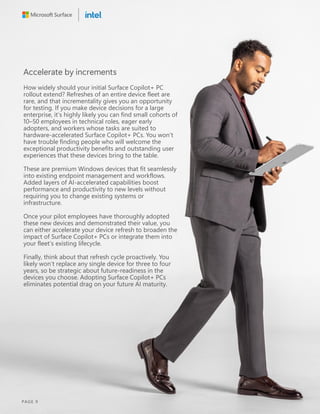
Accelerate by increments
How widely should your initial Surface Copilot+ PC
rollout extend? Refreshes of an entire device fleet are
rare, and that incrementality gives you an opportunity
for testing. If you make device decisions for a large
enterprise, it’s highly likely you can find small cohorts of
10–50 employees in technical roles, eager early
adopters, and workers whose tasks are suited to
hardware-accelerated Surface Copilot+ PCs. You won’t
have trouble finding people who will welcome the
exceptional productivity benefits and outstanding user
experiences that these devices bring to the table.
These are premium Windows devices that fit seamlessly
into existing endpoint management and workflows.
Added layers of AI-accelerated capabilities boost
performance and productivity to new levels without
requiring you to change existing systems or
infrastructure.
Once your pilot employees have thoroughly adopted
these new devices and demonstrated their value, you
can either accelerate your device refresh to broaden the
impact of Surface Copilot+ PCs or integrate them into
your fleet’s existing lifecycle.
Finally, think about that refresh cycle proactively. You
likely won’t replace any single device for three to four
years, so be strategic about future-readiness in the
devices you choose. Adopting Surface Copilot+ PCs
eliminates potential drag on your future AI maturity.
PAGE 9
Harmonizing your
technology with
Surface Copilot+ PCs
In the enterprise space, a unified technology
stack amplifies the benefits of your devices
for both employees and your business. It’s
important to choose the Surface Copilot+
PCs that complement your existing solution
environment most effectively.
Security, manageability, and
responsible AI
From device capabilities to productivity tools
to enterprise security to the AI assistant
itself, think about the following criteria when
you choose which Surface Copilot+ PCs to
incorporate into your fleet.
• AI processing power paired with familiar
and robust device management
infrastructure
• Security capabilities that help you protect
data across both conventional and AI-
driven scenarios
• The visibility of Surface Copilot+ PCs
within your existing device monitoring
solutions
• The device manufacturer’s engagement
with Responsible AI principles
• Intuitive access to core AI experiences
through multi-modal inputs like special
keys, touch, and voice
Device experiences your
teams trust
Optimization isn’t only about AI. Not all
devices are built specifically for business,
and the same criteria that factor into
conventional device decisions apply to
Surface Copilot+ PCs. Investing in an
experience consistent with your existing
technology provides a boost for both end
users and IT teams.
Consider how the following factors will
affect employee engagement, satisfaction,
and your workers’ ability to access AI
experiences while supporting IT teams in
managing and protecting your organization:
• Design
• Accessibility
• Sustainability
• Durability and repairability
• Hardware-based security features
PAGE 10
Choose your path to AI.
Choose Surface.
A well-crafted end-to-end AI strategy helps you
engage employees, drive innovation, and keep your
data safe. AI-capable devices are critical to realizing
these benefits.
Surface Copilot+ PCs accelerate value with premium
experiences that make AI more useful, accessible,
and engaging, whether it runs on the device, in the
cloud, or both.
Flexible solutions,
innovative experiences
Through exceptional experiences and thoughtful
design, Surface powers greater productivity for
employees with different needs, preferences, and
work styles. To complement that flexibility,
on-device AI acceleration enhances productivity
and collaboration across any setting or scenario.
Secure and responsible AI
Microsoft has always run on trust. In this new era,
we’re leading the industry in Responsible AI by
enacting the principles of fairness, reliability and
safety, privacy and security, inclusiveness,
transparency, and accountability.
Capitalize on AI
innovation faster
Surface can play a key role in an AI strategy. By
choosing Surface Copilot+ PCs, businesses can
immediately adopt the latest AI applications and
features to drive competitive advantage and
deliver greater value.
Harmonize,
optimize, accelerate
We’ve designed every part of the Microsoft
technology environment to work better together,
and AI is no exception. Surface Copilot+ PCs benefit
from a unified data estate governed by Microsoft
tools, powerful Windows 11 Pro security, and
streamlined operations and device management.
PAGE 11
Choose the right partner to help build
business resilience
In a world of complex IT challenges, choosing the right partner can help businesses build
resilience and become more proactive. A good IT partner recommends the most suitable
hardware, software, and security solutions customized for their clients and reduces the need to
juggle multiple vendors or solutions. A valuable IT partner has the knowledge and experience to
help businesses implement productive technology, improve agility, and build cyber resilience.
Ultimately, an IT partner should have their client’s best interests in mind and work toward meeting
their business goals.
Microsoft designed Surface to help businesses adapt to an ever-changing world and stay ahead
of the curve. With modern devices designed with versatility and performance in mind, IT decision-
makers can feel confident investing resources in strategies and technologies that will keep their
organizations on the cutting edge.
Find a Microsoft Partner
Authorized Microsoft Resellers – Surface for Business
PAGE 12

Capturing the opportunity of Microsoft Surface Copilot+ PCs

  • 1.
    Capturing the opportunity of MicrosoftSurface Copilot+ PCs A roadmap for leaders
  • 2.
    AI is accelerating.Is your business ready? New ways of working are ready to be unlocked. AI has the power to elevate employee experiences, maximize productivity, and drive innovation for your business. With the arrival of on-device AI processing, endpoints are now a critical component of a comprehensive AI strategy. Surface Copilot+ PCs deliver premium experiences, powerful on-device processing, and AI-ready security and privacy to provide greater value for your organization today and tomorrow. This e-book outlines a process for incorporating Microsoft Surface Copilot+ PCs into your AI adoption strategy, driving effective usage, and maximizing your technology advantage during this watershed moment. AI transformation is real Employees are embracing AI to save time, boost productivity, and get more enjoyment out of work.1 Early adopters are already pushing the envelope on how to use this technology effectively. With growth in both cloud-based and on-device AI capabilities, organizations have more options than ever to capitalize on this momentum while meeting security, compliance, and management needs. One of the most exciting developments is the availability of Surface Copilot+ PCs. 75% of global knowledge workers are already using AI tools.1 78% of AI users are bringing their own AI tools to work (BYOAI).1 1Microsoft, AI at Work Is Here. Now Comes the Hard Part: 2024 Work Trend Index Annual Report, May 2024. Copilot+ PCs are Windows 11 PCs that efficiently process AI workloads directly on device thanks to a neural processing unit (NPU) capable of more than 40 trillion operations per second (TOPS). This enables text and image generation, enhanced user experiences, and other AI application features even in scenarios where data cannot be sent to a cloud AI service. PAGE 1
  • 3.
    An impactful AI strategyincludes Surface Copilot+ PCs The success of AI investments depends on a solid strategy that includes AI-enabled endpoints. There are several key factors to consider when building such a strategy. 01 Clarity around cloud-delivered and on-device AI, as well as the benefits of each option 02 Progress toward calculating the value of these new solutions, their ROI, and reliable benchmarking for AI tools 03 Aligning business leaders’ strategic vision for their companies with IT leaders’ operational responsibilities and security concerns 04 The ability to stay ahead of emerging technology trends with agility and flexibility 05 Proactively integrating AI technology into an organization’s legacy technology ecosystem “We’ve come to the hard part of any tech disruption: moving past experimentation to business transformation. Just as we saw with the advent of the internet or the PC, business transformation comes with broad adoption. Organizations that apply AI to drive growth, manage costs, and deliver greater value to customers will pull ahead.”1 1Microsoft, AI at Work Is Here. Now Comes the Hard Part: 2024 Work Trend Index Annual Report, May 2024. PAGE 2
  • 4.
    Surface Copilot+ PCs:Intelligence at the edge AI can run in the cloud or on endpoints. The future of AI-enabled work will include both. Surface Copilot+ PCs with Intel® Core Ultra processors (Series 2) offer businesses flexibility, control, and high performance, enabling the rapid adoption of new features and ongoing innovation. These devices support a hybrid AI approach, blending on-device and cloud-based AI capabilities. At the core of this technology is the NPU, a specialized chip that handles AI tasks more efficiently than the CPU or GPU while consuming far less power. NPU performance is often measured in trillion operations per second (TOPS). Copilot+ PCs have NPUs capable of more than 40 TOPS. The latest NPUs can perform trillions of operations on under 10 watts of power to deliver strong AI processing while extending battery life. CPU Central processing unit The CPU is the core of general computing, capable of running AI models, but with low efficiency and speed. The CPU still contributes to AI processing by orchestrating tasks between the GPU and NPU. GPU Graphics processing unit The GPU is specialized for parallel processing to assist with tasks that require high computational power, including AI—although not as efficiently as NPUs. NPU Neural processing unit Built for neural networks and machine learning, the NPU provides exponential improvements to on-device AI efficiency and speed. PAGE 3
  • 5.
    The benefits of SurfaceCopilot+ PCs Surface Copilot+ PCs deliver tangible benefits today. They also prepare your organization to take advantage of rapidly advancing capabilities in the future. Empowering talent Getting AI into your workers’ hands means they can benefit from the unique productivity gains that arise from intelligent assistance. Surface Copilot+ PCs make the most of cloud AI experiences while delivering on-device capabilities that improve everyday work. Enhancing experiences Offloading AI processing to the NPU can increase battery life and reduce latency for localized AI workloads. Those performance benefits both improve the employee experience and unlock greater productivity. Unlocking innovation Developers who want to work with local AI models need powerful on-device processing, and the number of these technology innovators is only increasing. As AI app development becomes more prevalent, Surface Copilot+ PCs will gain even greater relevance. Outpacing competition While many businesses struggle to get their AI strategies up and running, incorporating Surface Copilot+ PCs now gives you the opportunity to surge ahead by taking advantage of new capabilities as soon as they emerge. Reinforcing security Surface Copilot+ PCs provide features that empower employees to use AI in secure and compliant ways. In the future, on-device AI will support new security capabilities. PAGE 4
  • 6.
    New ways towork. New choices for leaders. To build AI experiences into your employees’ work, it’s crucial to identify and understand its technical parameters. This information can help you decide which device features will have the largest impact on employee productivity, where to use on-device versus cloud-based AI workflows, and which Surface Copilot+ PCs to invest in. Understanding how cloud and on-device AI interact is your first step toward building a strategy that includes Surface Copilot+ PCs. Three modes of AI delivery Cloud, hybrid, and on-device AI each have unique abilities and advantages. Understanding them helps you unlock new capabilities and optimize workflows. Cloud AI • Operates independently of device capabilities • Sophisticated content generation and analytics through access to LLMs • Typically based on a subscription or pay-per-use model Example Prompting Microsoft Copilot to pull content from a variety of enterprise sources and assemble it into a presentation. On-device AI • Efficiently processes AI workloads locally using smaller models. • Enables offline AI processing for compliance scenarios and reduced latency. • Fast performance with lower energy consumption using NPUs Example Windows Studio Effects that enhance video calls with AI-driven background blur, eye contact correction, and voice clarity. Hybrid AI • Combines cloud and on-device AI processing to optimize speed, quality, and user experience • Enables real-time performance for time-sensitive tasks with cloud scale for more complex needs • Frees your business to rapidly adopt the latest AI features without waiting Example Running a localized text-recognition model to quickly process a written passage, then analyzing that text against a large cloud database to see if its content corresponds to other available material. PAGE 5
  • 7.
    Defining your AI strategyin seven steps Every organization is unique, but these steps will help you define your AI device strategy and how Surface Copilot+ PCs can support it. 01 Assess capabilities and determine goals Evaluate existing infrastructure and identify areas where AI can have a high impact. Ask yourself the question: Where can AI add the most value? Areas include: • Improving operational efficiency • Enhancing customer experiences • Streamlining collaboration • Accelerating creativity • Advancing research and development 02 Define success metrics Determine precise, measurable benchmarks for your AI initiatives. These metrics will help you assess the success of your AI rollout. Consider both qualitative and quantitative measurements, as well as the tools you’ll use to collect them. These could include: • Customer response times • Number of tasks automated • Improved predictive maintenance • Time savings per employee per cycle • Meetings eliminated • Number of communications crafted • Employee capability enhancements • Volume of cloud compute offloaded to on-device AI PAGE 6
  • 8.
    03 Consider whereAI-enabled capabilities are most useful Take a broad view of the employee experience and consider who will gain the most value from Surface Copilot+ PCs based on their needs. Think about who will benefit from the following features. • Better battery life • Enhanced collaborative experiences • Premium audiovisual capabilities • The opportunity to experiment with AI development • Enhanced security • Greater accessibility 04 Understand the AI user personas in your business Not everyone shares the same level of enthusiasm about AI in the workplace. Understanding different personas’ wants and needs can help you choose the right Surface Copilot+ PCs to accelerate AI adoption across your business. Adopters Adopters are already on board with your AI transformation, so supporting them is about empowerment. They’re looking for advanced tools, leader sponsorship, and guidelines or examples to fuel further exploration. Observers Observers aren’t yet all-in on AI, but they aren’t resistant. They benefit from educational resources, positive use cases, and opportunities to engage with optimistic adopters. Bystanders Bystanders may be skeptical or fearful— or they simply haven’t had the time or motivation to adopt AI. To encourage bystanders to move forward, leaders need to provide concrete evidence of AI’s value, certainty about its ethical use, and assurance that their jobs are secure. Employees toward the top of this spectrum will be helpful resources during listening and focus groups as you build out your AI strategy. PAGE 7
  • 9.
    05 Build onexisting knowledge Because Surface Copilot+ PCs are premium Windows devices, they fit seamlessly into existing IT and employee workflows. That makes adopting new capabilities easier. A smaller learning curve empowers employees to adopt new features quickly. It also builds confidence among leadership and excitement around AI for the rest of your workforce. Tip: Incorporate optimists and early adopters into your pilot program or initial rollout stage to capitalize on their expertise, engagement, and leadership. 06 Conduct learning and development initiatives AI capabilities on Surface Copilot+ PCs are designed to be intuitive and seamless. At the same time, investing in continuous learning increases AI’s benefits and keeps your team ahead of the curve. Incorporate resources from AI technology providers and platforms like LinkedIn Learning or Microsoft Viva Learning. Tip: Identify high-value areas for employee training. These could include: • AI security and data protection • Prompt engineering • Scenario-specific use cases • Low-code/no-code development 07 Assess built-in security capabilities Seamless security gives employees the confidence to use AI boldly. As you choose devices, evaluate the security capabilities of Surface Copilot+ PCs. Consider crucial features for defending your devices against modern threats. Capabilities include: • Seamless and effective user authentication methods • Protection against complex threats like firmware attacks • Continually and automatically updated protections PAGE 8
  • 10.
    Accelerate by increments Howwidely should your initial Surface Copilot+ PC rollout extend? Refreshes of an entire device fleet are rare, and that incrementality gives you an opportunity for testing. If you make device decisions for a large enterprise, it’s highly likely you can find small cohorts of 10–50 employees in technical roles, eager early adopters, and workers whose tasks are suited to hardware-accelerated Surface Copilot+ PCs. You won’t have trouble finding people who will welcome the exceptional productivity benefits and outstanding user experiences that these devices bring to the table. These are premium Windows devices that fit seamlessly into existing endpoint management and workflows. Added layers of AI-accelerated capabilities boost performance and productivity to new levels without requiring you to change existing systems or infrastructure. Once your pilot employees have thoroughly adopted these new devices and demonstrated their value, you can either accelerate your device refresh to broaden the impact of Surface Copilot+ PCs or integrate them into your fleet’s existing lifecycle. Finally, think about that refresh cycle proactively. You likely won’t replace any single device for three to four years, so be strategic about future-readiness in the devices you choose. Adopting Surface Copilot+ PCs eliminates potential drag on your future AI maturity. PAGE 9
  • 11.
    Harmonizing your technology with SurfaceCopilot+ PCs In the enterprise space, a unified technology stack amplifies the benefits of your devices for both employees and your business. It’s important to choose the Surface Copilot+ PCs that complement your existing solution environment most effectively. Security, manageability, and responsible AI From device capabilities to productivity tools to enterprise security to the AI assistant itself, think about the following criteria when you choose which Surface Copilot+ PCs to incorporate into your fleet. • AI processing power paired with familiar and robust device management infrastructure • Security capabilities that help you protect data across both conventional and AI- driven scenarios • The visibility of Surface Copilot+ PCs within your existing device monitoring solutions • The device manufacturer’s engagement with Responsible AI principles • Intuitive access to core AI experiences through multi-modal inputs like special keys, touch, and voice Device experiences your teams trust Optimization isn’t only about AI. Not all devices are built specifically for business, and the same criteria that factor into conventional device decisions apply to Surface Copilot+ PCs. Investing in an experience consistent with your existing technology provides a boost for both end users and IT teams. Consider how the following factors will affect employee engagement, satisfaction, and your workers’ ability to access AI experiences while supporting IT teams in managing and protecting your organization: • Design • Accessibility • Sustainability • Durability and repairability • Hardware-based security features PAGE 10
  • 12.
    Choose your pathto AI. Choose Surface. A well-crafted end-to-end AI strategy helps you engage employees, drive innovation, and keep your data safe. AI-capable devices are critical to realizing these benefits. Surface Copilot+ PCs accelerate value with premium experiences that make AI more useful, accessible, and engaging, whether it runs on the device, in the cloud, or both. Flexible solutions, innovative experiences Through exceptional experiences and thoughtful design, Surface powers greater productivity for employees with different needs, preferences, and work styles. To complement that flexibility, on-device AI acceleration enhances productivity and collaboration across any setting or scenario. Secure and responsible AI Microsoft has always run on trust. In this new era, we’re leading the industry in Responsible AI by enacting the principles of fairness, reliability and safety, privacy and security, inclusiveness, transparency, and accountability. Capitalize on AI innovation faster Surface can play a key role in an AI strategy. By choosing Surface Copilot+ PCs, businesses can immediately adopt the latest AI applications and features to drive competitive advantage and deliver greater value. Harmonize, optimize, accelerate We’ve designed every part of the Microsoft technology environment to work better together, and AI is no exception. Surface Copilot+ PCs benefit from a unified data estate governed by Microsoft tools, powerful Windows 11 Pro security, and streamlined operations and device management. PAGE 11
  • 13.
    Choose the rightpartner to help build business resilience In a world of complex IT challenges, choosing the right partner can help businesses build resilience and become more proactive. A good IT partner recommends the most suitable hardware, software, and security solutions customized for their clients and reduces the need to juggle multiple vendors or solutions. A valuable IT partner has the knowledge and experience to help businesses implement productive technology, improve agility, and build cyber resilience. Ultimately, an IT partner should have their client’s best interests in mind and work toward meeting their business goals. Microsoft designed Surface to help businesses adapt to an ever-changing world and stay ahead of the curve. With modern devices designed with versatility and performance in mind, IT decision- makers can feel confident investing resources in strategies and technologies that will keep their organizations on the cutting edge. Find a Microsoft Partner Authorized Microsoft Resellers – Surface for Business PAGE 12