CAP6135: Malware and Software
Vulnerability Analysis
Spam and Phishing
Cliff Zou
Spring 2016
2
Acknowledgement
 This lecture uses some contents from the lecture
notes from:
 Dr. Dan Boneh (Stanford):
CS155:Computer and Network Security
 Jim Kurose, Keith Ross. Computer Networking: A Top Down
Approach Featuring the Internet, 5th edition.
3
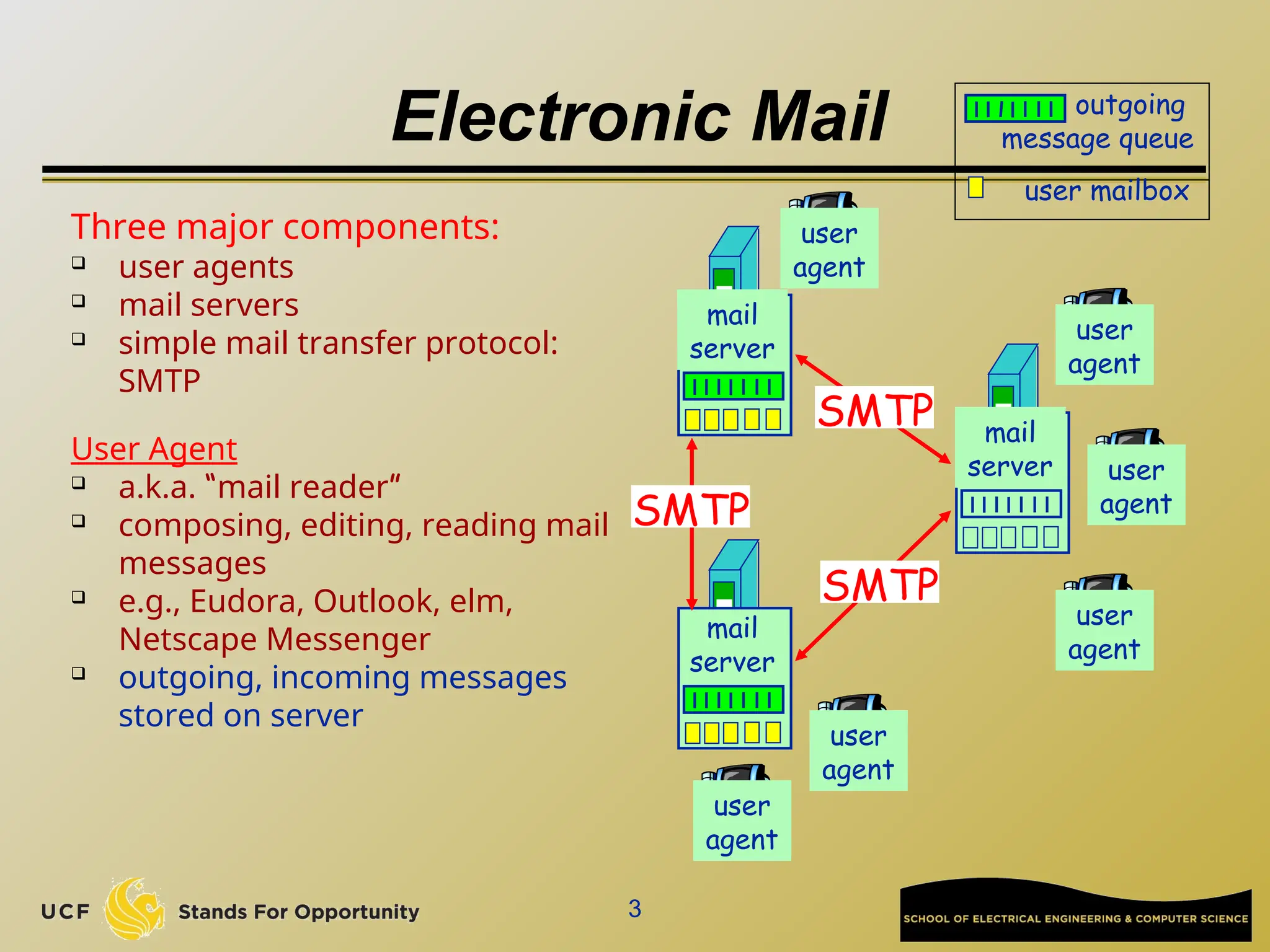
Electronic Mail
Three major components:
 user agents
 mail servers
 simple mail transfer protocol:
SMTP
User Agent
 a.k.a. “mail reader”
 composing, editing, reading mail
messages
 e.g., Eudora, Outlook, elm,
Netscape Messenger
 outgoing, incoming messages
stored on server
user mailbox
outgoing
message queue
mail
server
user
agent
user
agent
user
agent
mail
server
user
agent
user
agent
mail
server
user
agent
SMTP
SMTP
SMTP
4
How email works: SMTP
(RFC 821, 1982)
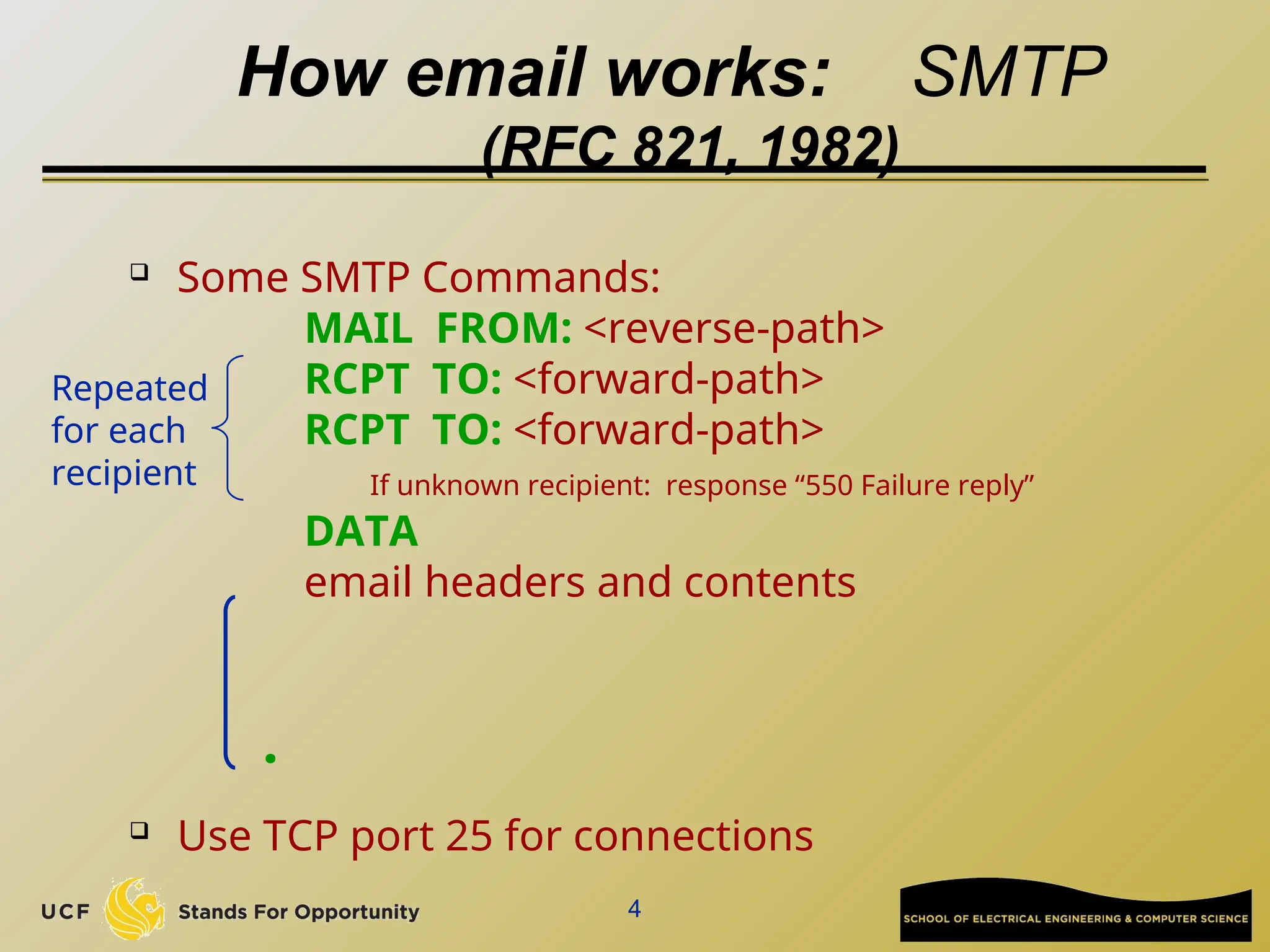
 Some SMTP Commands:
MAIL FROM: <reverse-path>
RCPT TO: <forward-path>
If unknown recipient: response “550 Failure reply”
DATA
email headers and contents
 Use TCP port 25 for connections
.
Repeated
for each
recipient
5
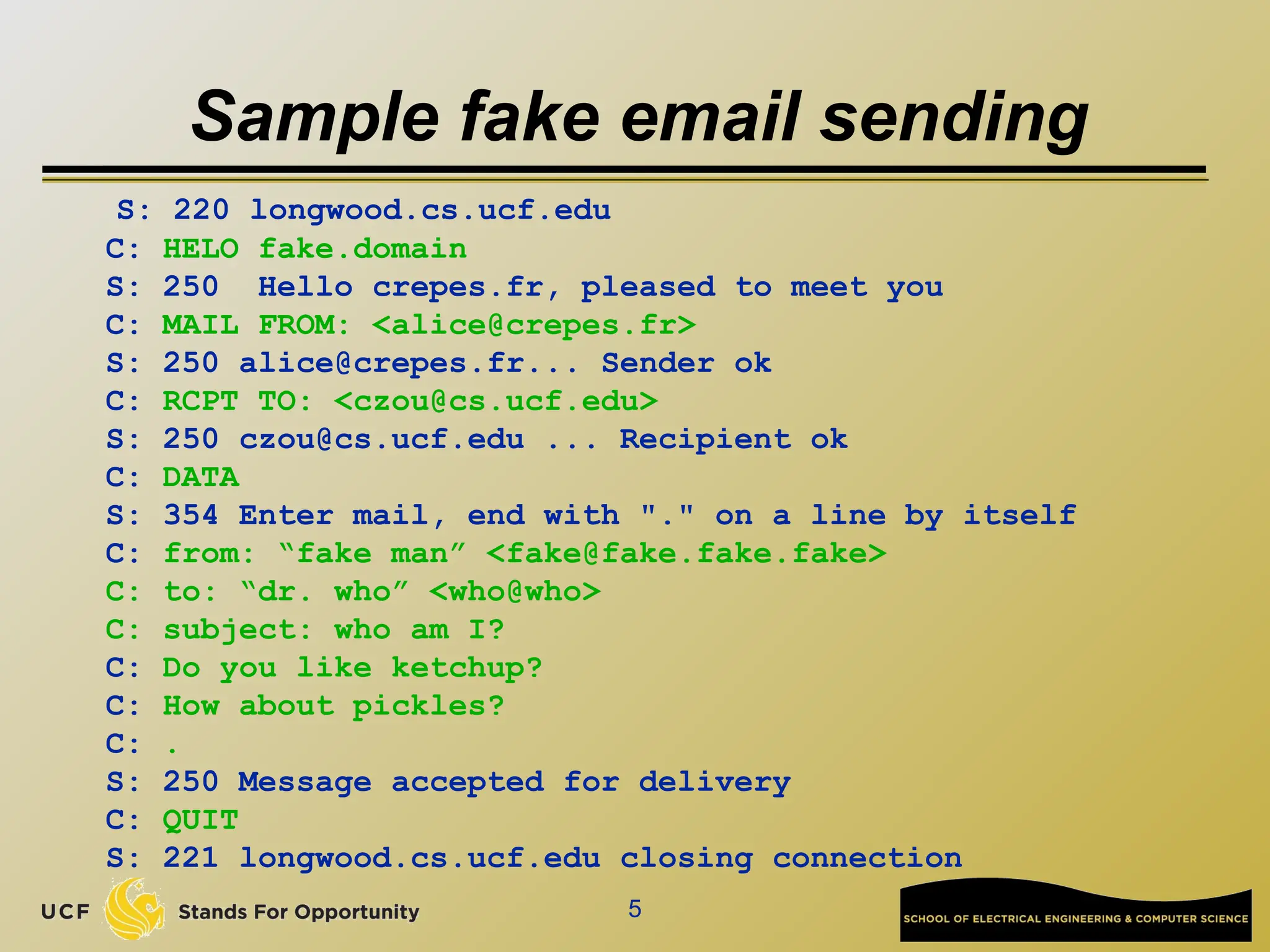
Sample fake email sending
S: 220 longwood.cs.ucf.edu
C: HELO fake.domain
S: 250 Hello crepes.fr, pleased to meet you
C: MAIL FROM: <alice@crepes.fr>
S: 250 alice@crepes.fr... Sender ok
C: RCPT TO: <czou@cs.ucf.edu>
S: 250 czou@cs.ucf.edu ... Recipient ok
C: DATA
S: 354 Enter mail, end with "." on a line by itself
C: from: “fake man” <fake@fake.fake.fake>
C: to: “dr. who” <who@who>
C: subject: who am I?
C: Do you like ketchup?
C: How about pickles?
C: .
S: 250 Message accepted for delivery
C: QUIT
S: 221 longwood.cs.ucf.edu closing connection
6
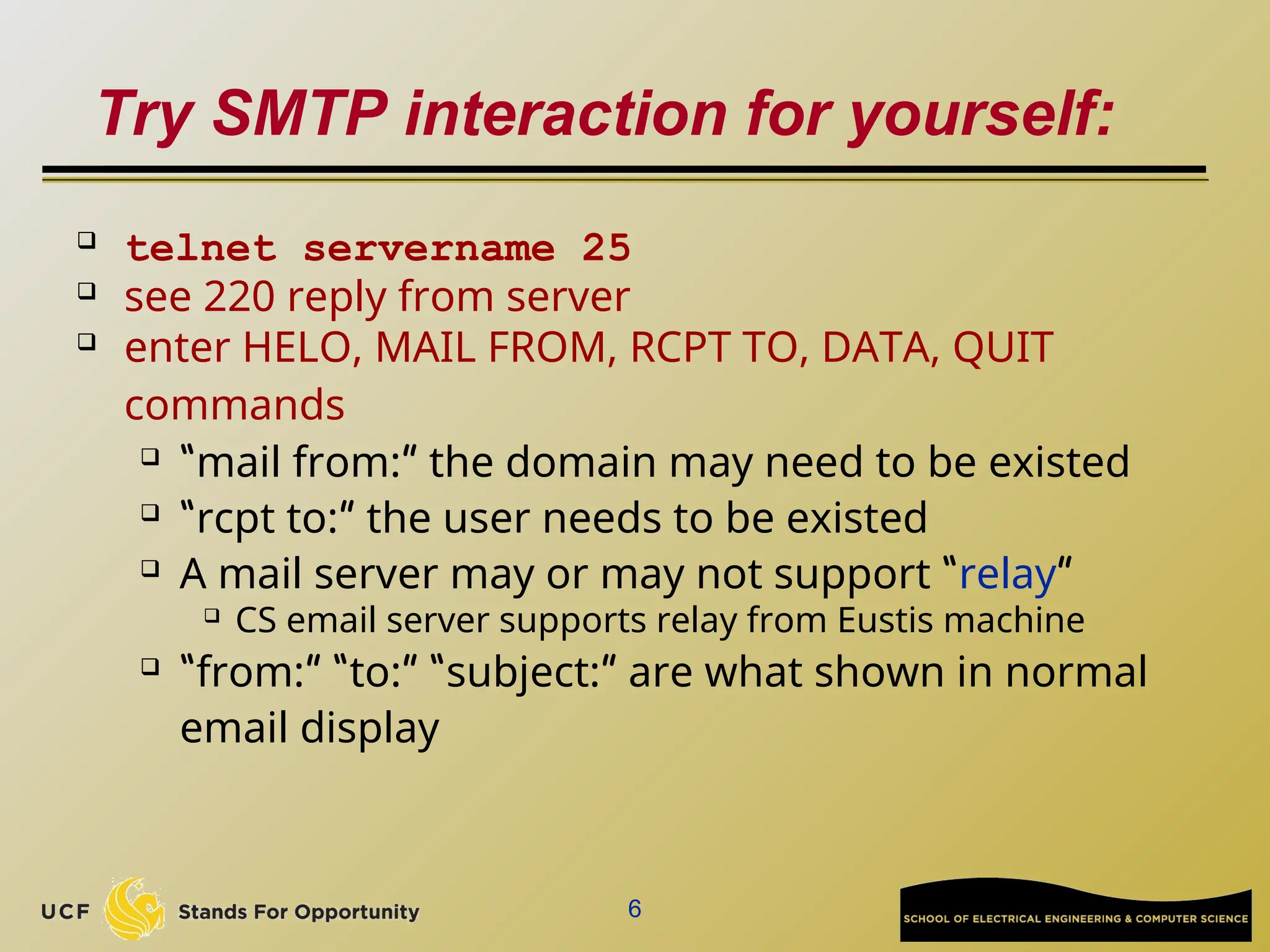
Try SMTP interaction for yourself:
 telnet servername 25
 see 220 reply from server
 enter HELO, MAIL FROM, RCPT TO, DATA, QUIT
commands
 “mail from:” the domain may need to be existed
 “rcpt to:” the user needs to be existed
 A mail server may or may not support “relay”
 CS email server supports relay from Eustis machine
 “from:” “to:” “subject:” are what shown in normal
email display
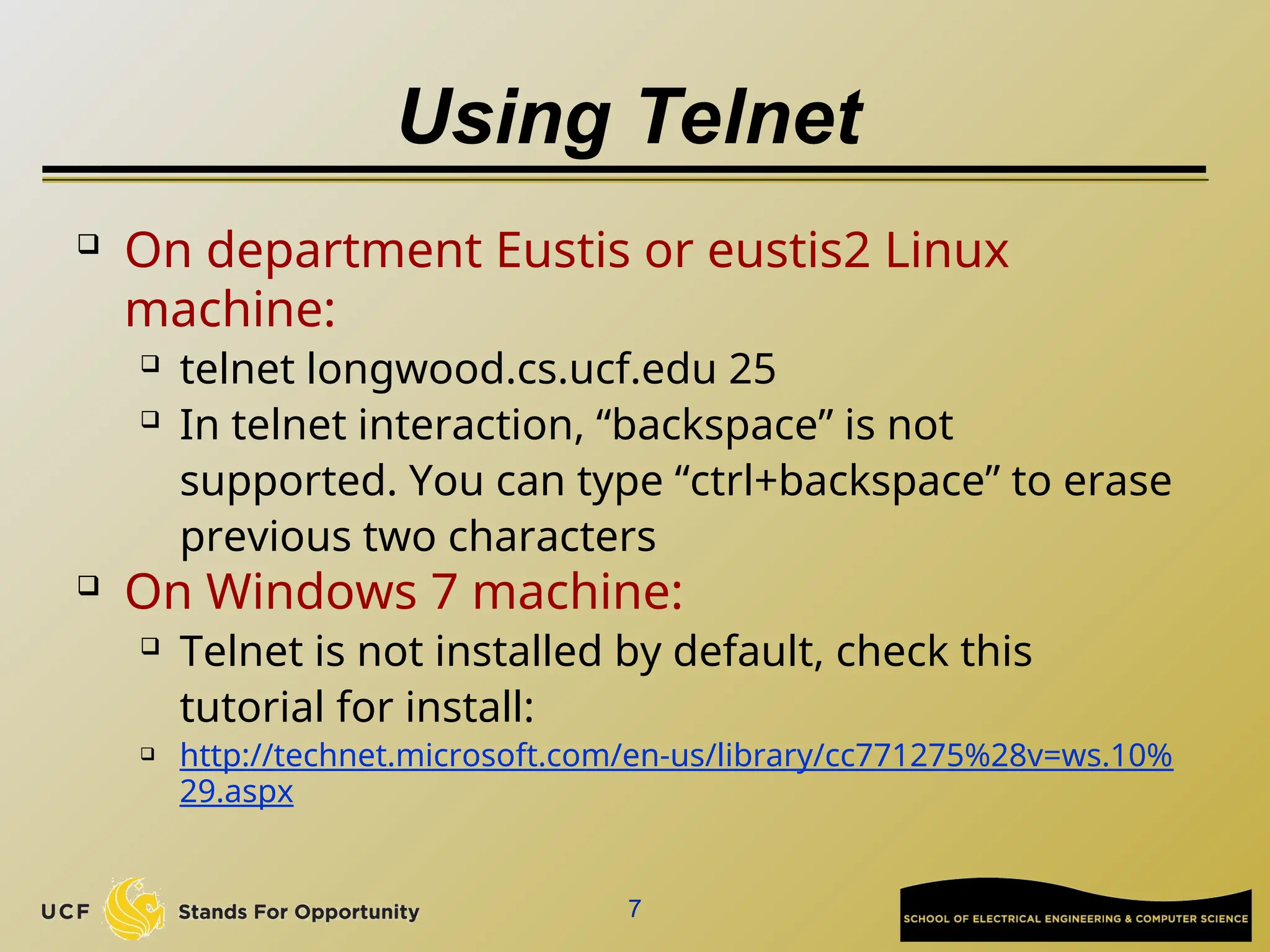
Using Telnet
 On department Eustis or eustis2 Linux
machine:
 telnet longwood.cs.ucf.edu 25
 In telnet interaction, “backspace” is not
supported. You can type “ctrl+backspace” to erase
previous two characters
 On Windows 7 machine:
 Telnet is not installed by default, check this
tutorial for install:
 http://technet.microsoft.com/en-us/library/cc771275%28v=ws.10%
29.aspx
7
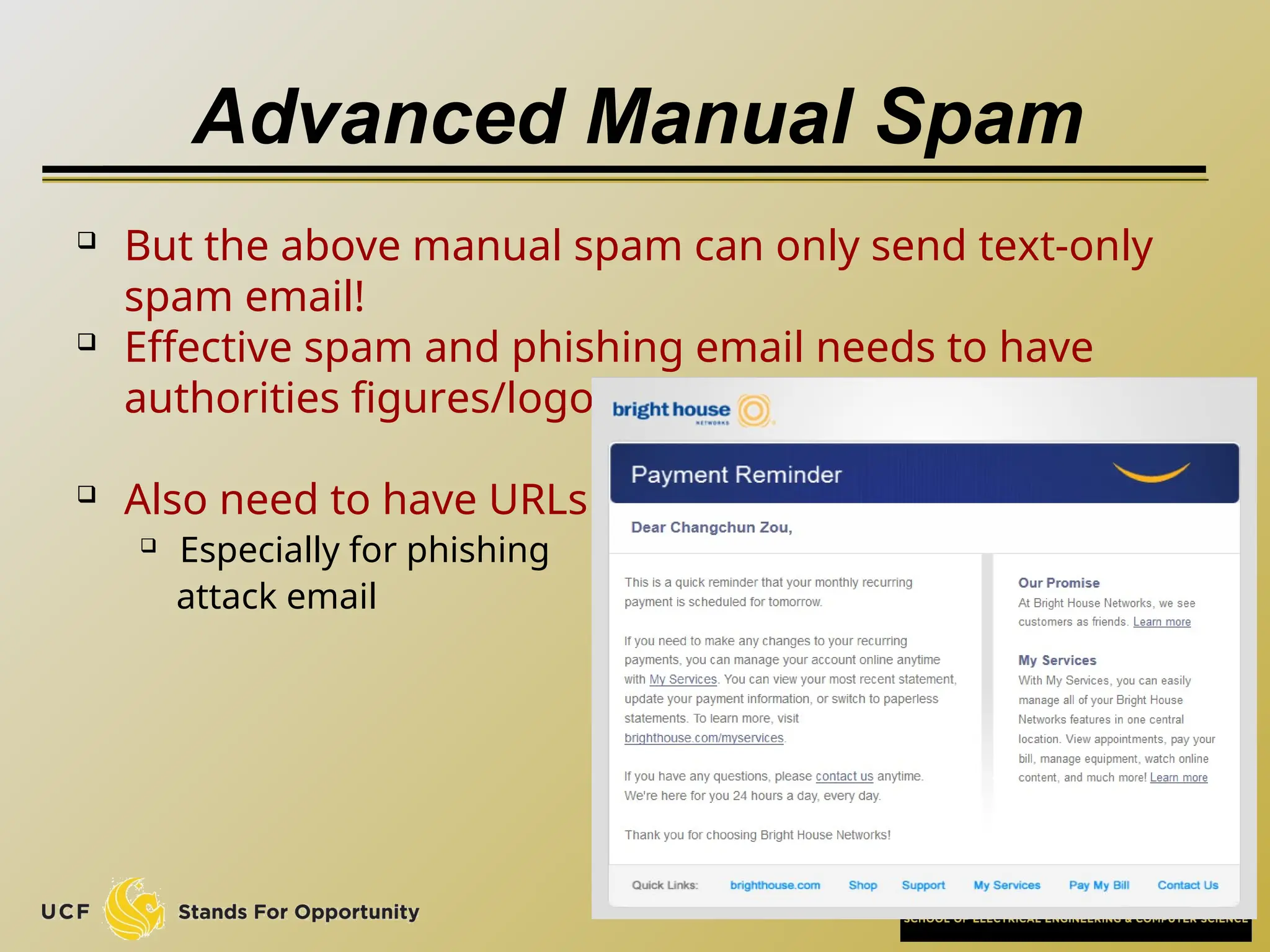
Advanced Manual Spam
 But the above manual spam can only send text-only
spam email!
 Effective spam and phishing email needs to have
authorities figures/logos.
 Also need to have URLs
 Especially for phishing
attack email
8
Email with Attachment?
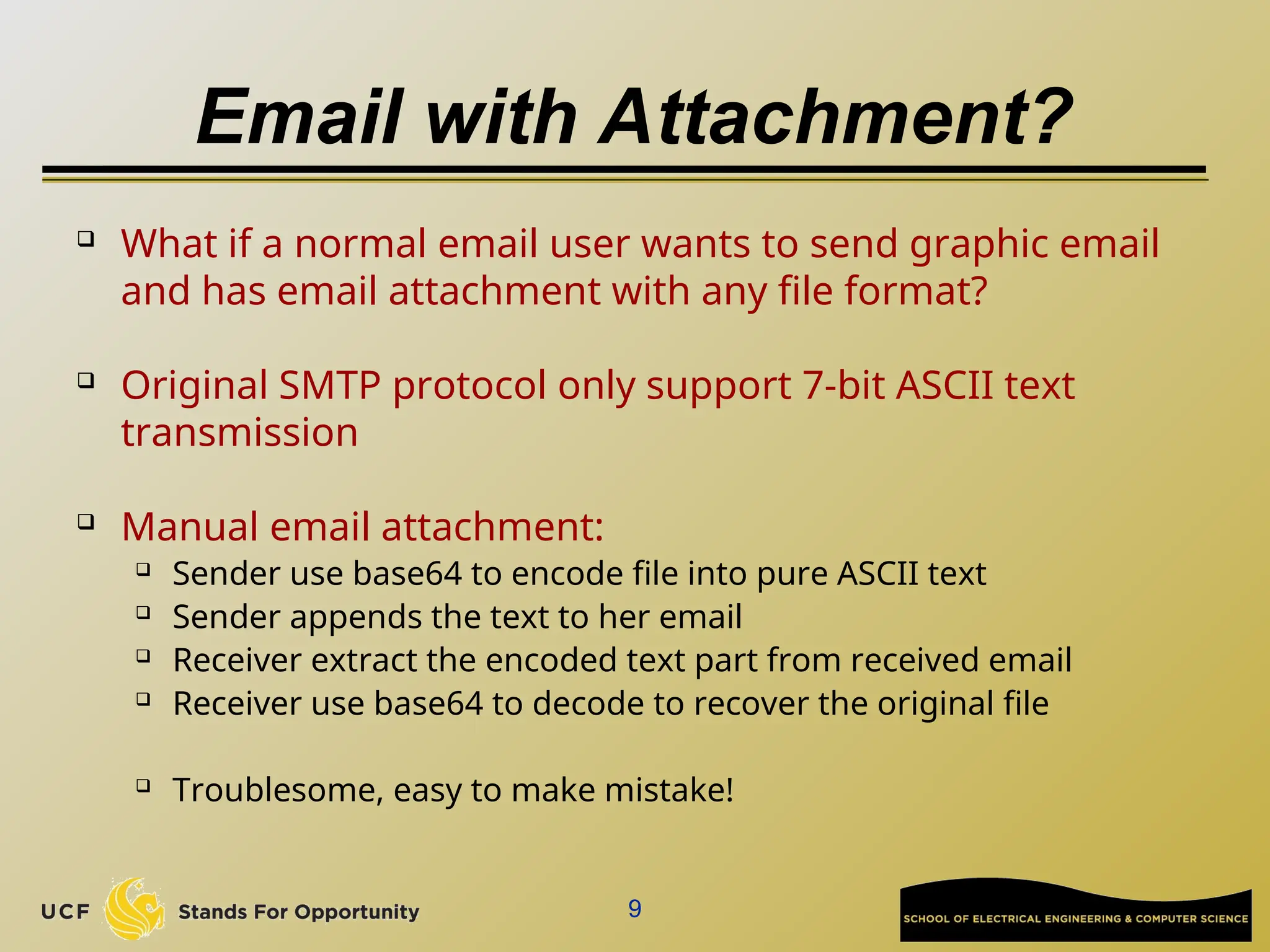
 What if a normal email user wants to send graphic email
and has email attachment with any file format?
 Original SMTP protocol only support 7-bit ASCII text
transmission

Manual email attachment:
 Sender use base64 to encode file into pure ASCII text
 Sender appends the text to her email
 Receiver extract the encoded text part from received email
 Receiver use base64 to decode to recover the original file
 Troublesome, easy to make mistake!
9
Message format: multimedia extensions
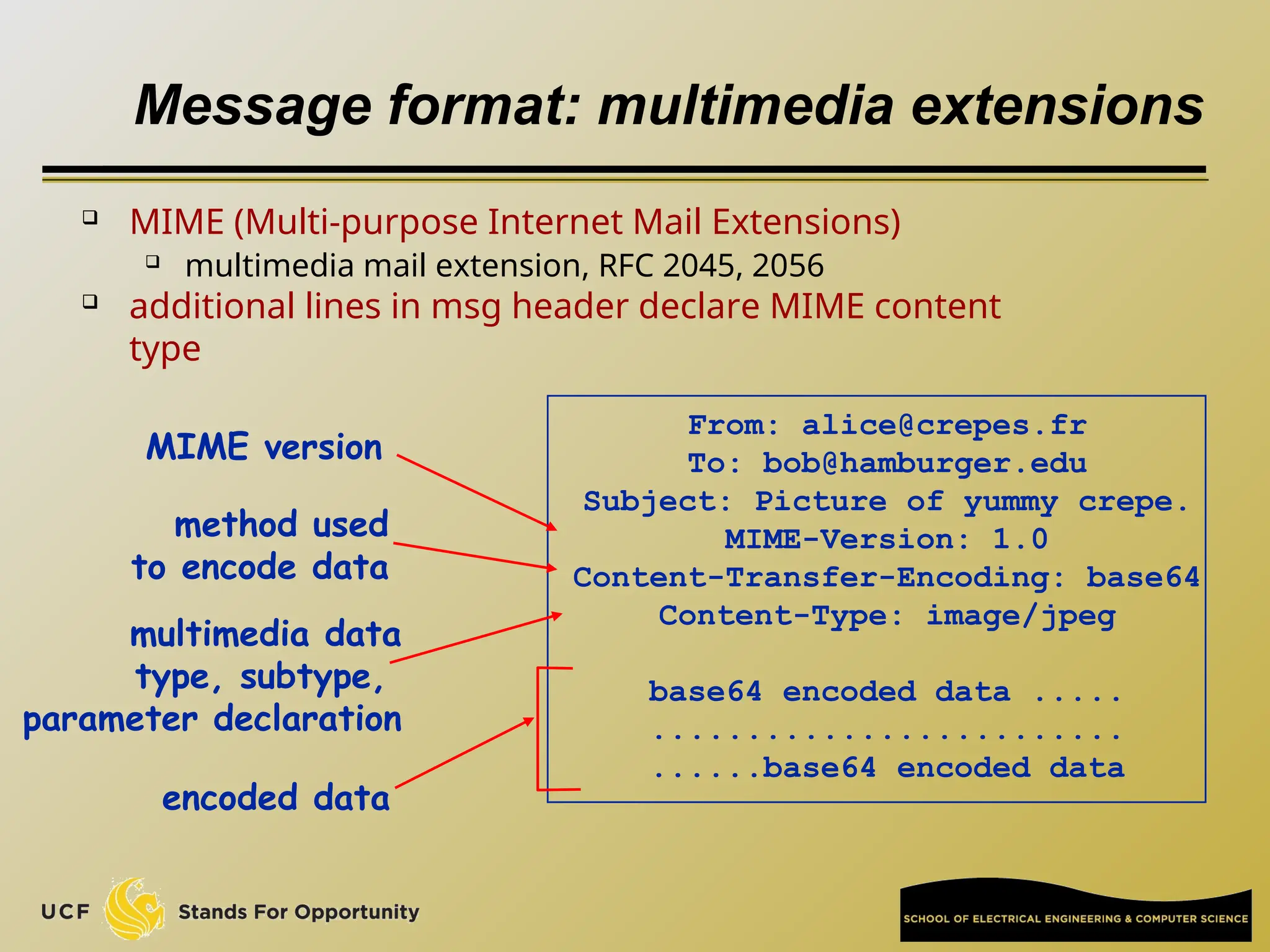
 MIME (Multi-purpose Internet Mail Extensions)
 multimedia mail extension, RFC 2045, 2056
 additional lines in msg header declare MIME content
type
From: alice@crepes.fr
To: bob@hamburger.edu
Subject: Picture of yummy crepe.
MIME-Version: 1.0
Content-Transfer-Encoding: base64
Content-Type: image/jpeg
base64 encoded data .....
.........................
......base64 encoded data
multimedia data
type, subtype,
parameter declaration
method used
to encode data
encoded data
MIME version
MIME

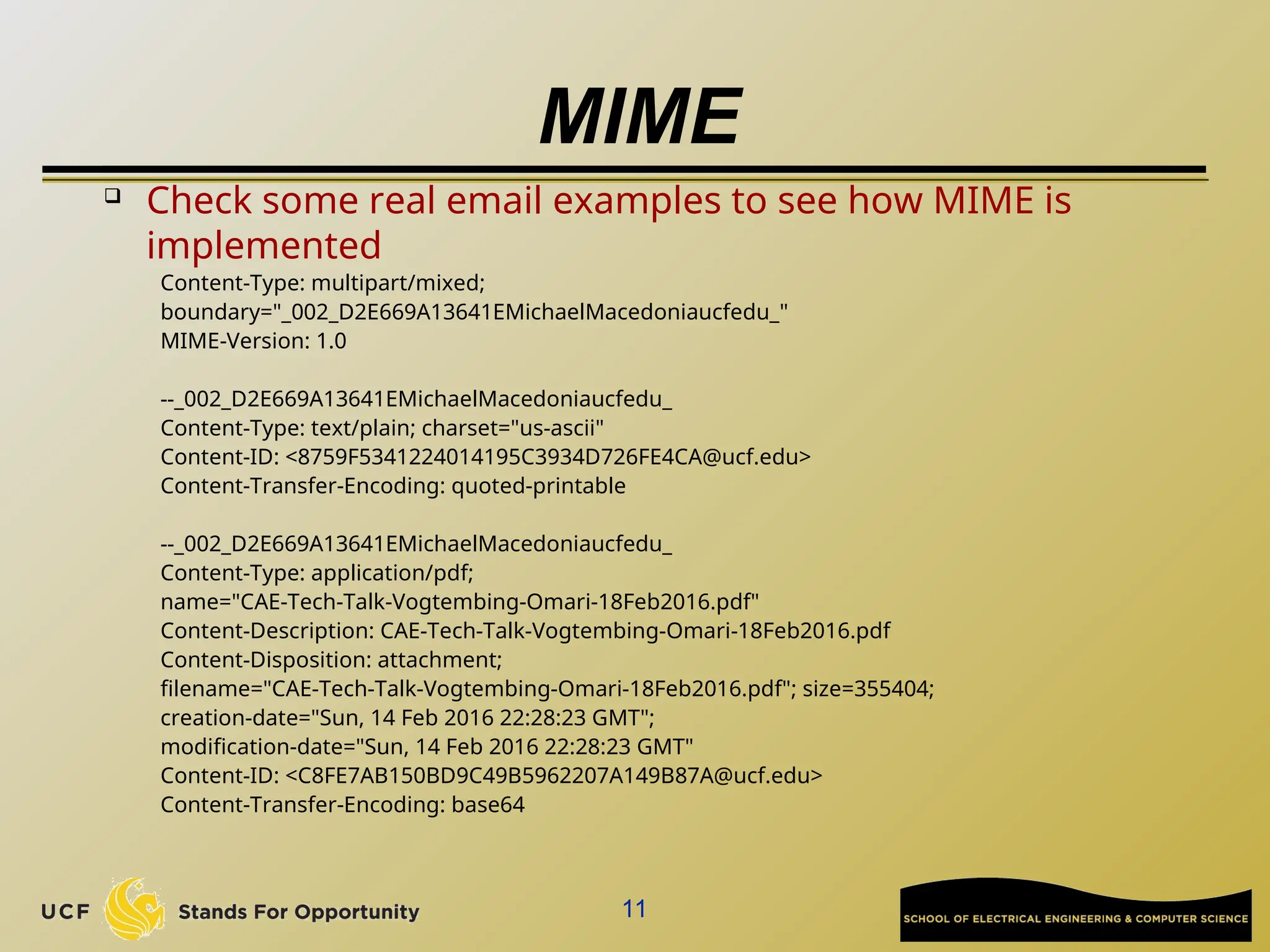
Check some real email examples to see how MIME is
implemented
Content-Type: multipart/mixed;
boundary="_002_D2E669A13641EMichaelMacedoniaucfedu_"
MIME-Version: 1.0
--_002_D2E669A13641EMichaelMacedoniaucfedu_
Content-Type: text/plain; charset="us-ascii"
Content-ID: <8759F5341224014195C3934D726FE4CA@ucf.edu>
Content-Transfer-Encoding: quoted-printable
--_002_D2E669A13641EMichaelMacedoniaucfedu_
Content-Type: application/pdf;
name="CAE-Tech-Talk-Vogtembing-Omari-18Feb2016.pdf"
Content-Description: CAE-Tech-Talk-Vogtembing-Omari-18Feb2016.pdf
Content-Disposition: attachment;
filename="CAE-Tech-Talk-Vogtembing-Omari-18Feb2016.pdf"; size=355404;
creation-date="Sun, 14 Feb 2016 22:28:23 GMT";
modification-date="Sun, 14 Feb 2016 22:28:23 GMT"
Content-ID: <C8FE7AB150BD9C49B5962207A149B87A@ucf.edu>
Content-Transfer-Encoding: base64
11
Advanced Manual Spam
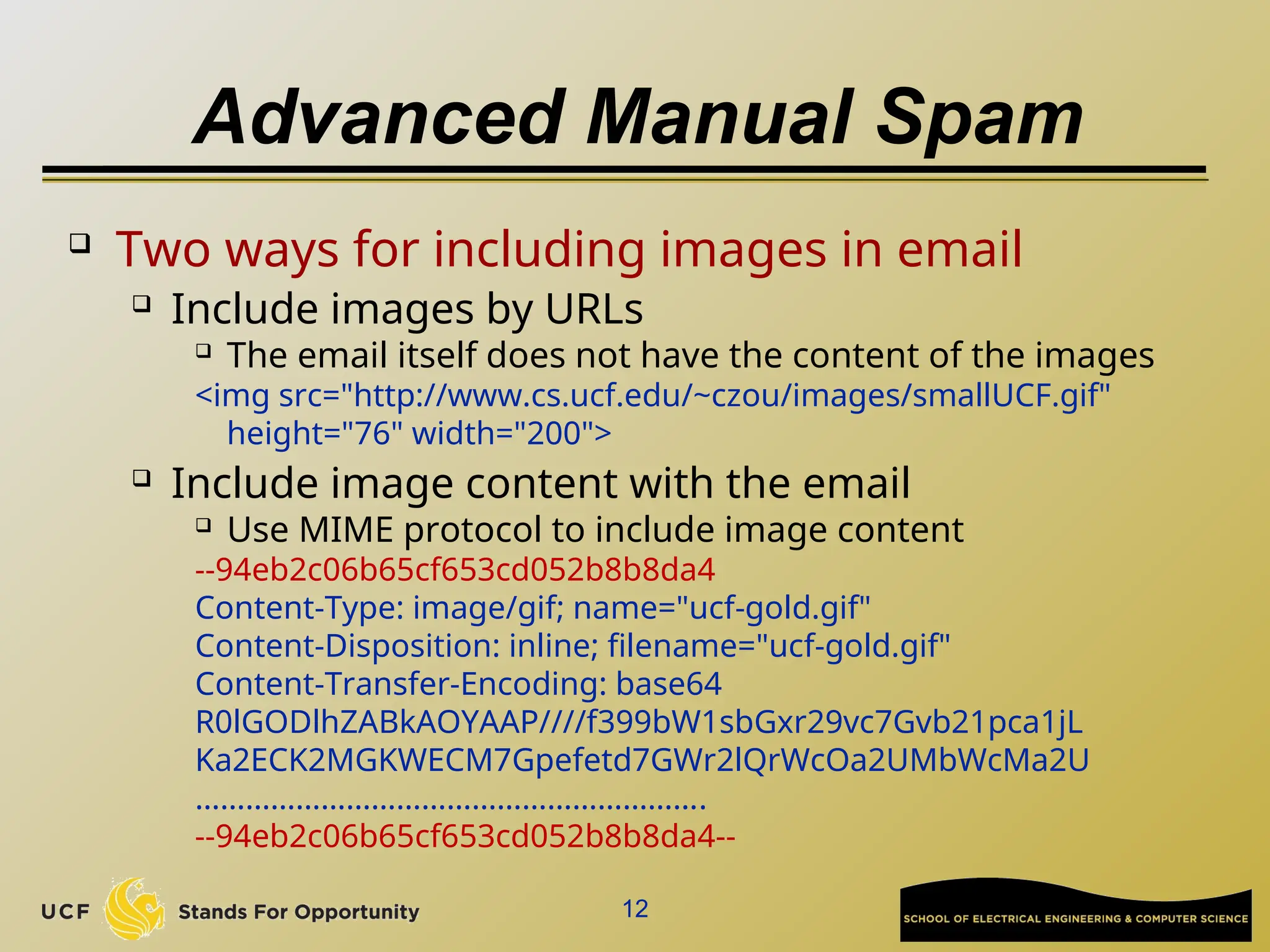
 Two ways for including images in email
 Include images by URLs
 The email itself does not have the content of the images
<img src="http://www.cs.ucf.edu/~czou/images/smallUCF.gif"
height="76" width="200">
 Include image content with the email
 Use MIME protocol to include image content
--94eb2c06b65cf653cd052b8b8da4
Content-Type: image/gif; name="ucf-gold.gif"
Content-Disposition: inline; filename="ucf-gold.gif"
Content-Transfer-Encoding: base64
R0lGODlhZABkAOYAAP////f399bW1sbGxr29vc7Gvb21pca1jL
Ka2ECK2MGKWECM7Gpefetd7GWr2lQrWcOa2UMbWcMa2U
…………………………………………………….
--94eb2c06b65cf653cd052b8b8da4--
12
Advanced Manual Spam
 But how to generate the Figure-based spam
email manually with ease?
 Send the email to yourself by using a web-based
email service
 Upon receiving the email, show the email original
text
 Gmail has the option “Show Original”
 Copy the text of the email into a pure text editor
(such as notepad, notepad++,…)
 In Telnet manual spam sending, after “Data”
command, paste those text
13
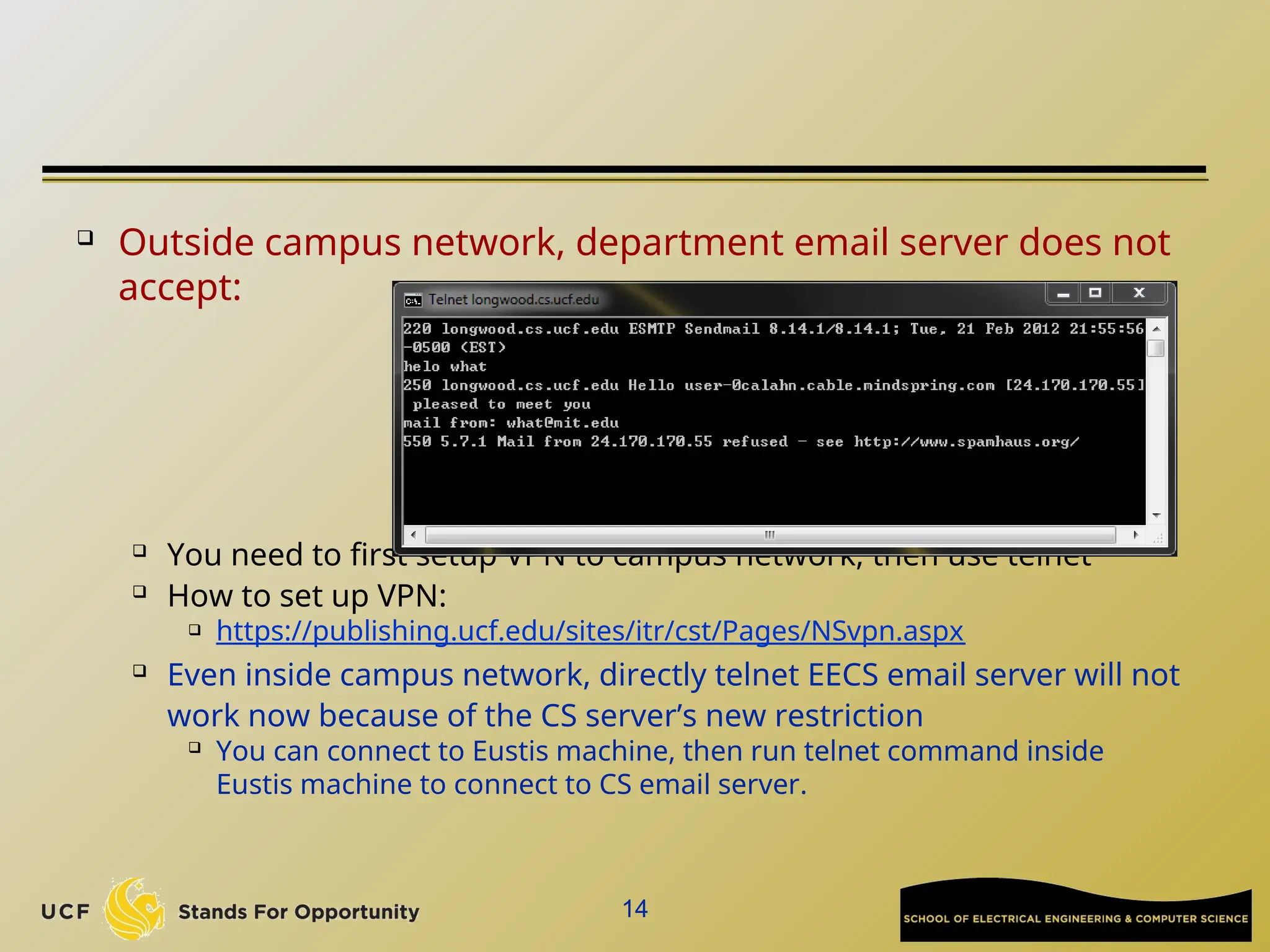
 Outside campus network, department email server does not
accept:

You need to first setup VPN to campus network, then use telnet

How to set up VPN:
 https://publishing.ucf.edu/sites/itr/cst/Pages/NSvpn.aspx
 Even inside campus network, directly telnet EECS email server will not
work now because of the CS server’s new restriction

You can connect to Eustis machine, then run telnet command inside
Eustis machine to connect to CS email server.
14
15
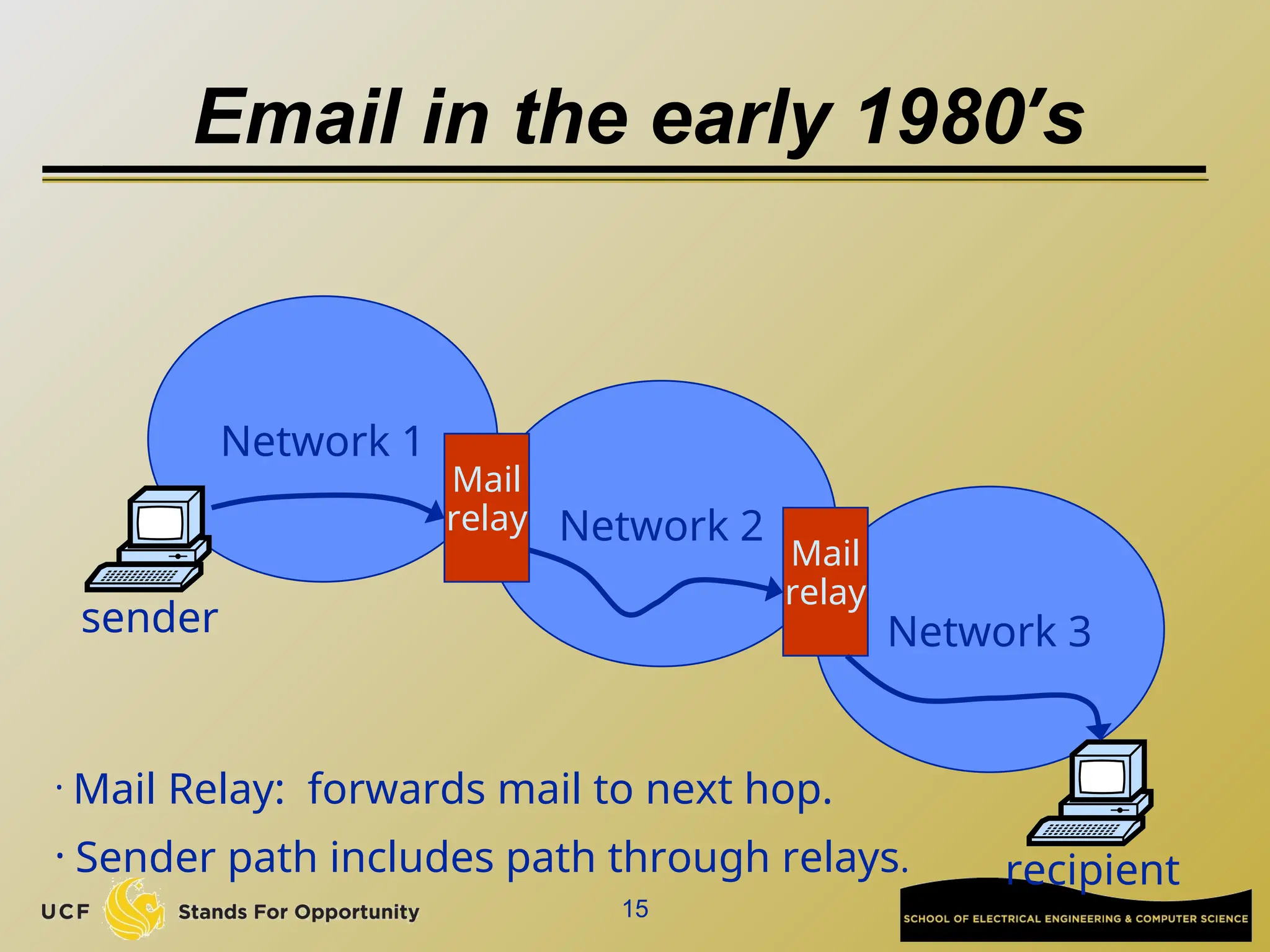
Email in the early 1980’s
Network 1
Network 2
Network 3
Mail
relay
Mail
relay
sender
recipient
• Mail Relay: forwards mail to next hop.
• Sender path includes path through relays.
Why Email Server Support Relay?

Wiki tutorial:
 http://en.wikipedia.org/wiki/Open_mail_relay
 Old days network constraint makes it necessary
 Email agent uses SMTP to send email on behalf of a user
 The user could choose which email address to use as the sender
 Email server supports email group list:
 The “sender” shown in email is the group list address, but the real
sender is a different person
 Closing Relay:
 Messages from local IP addresses to local mailboxes

Messages from local IP addresses to non-local mailboxes

Messages from non-local IP addresses to local mailboxes
 Messages from clients that are authenticated and authorized
16
17
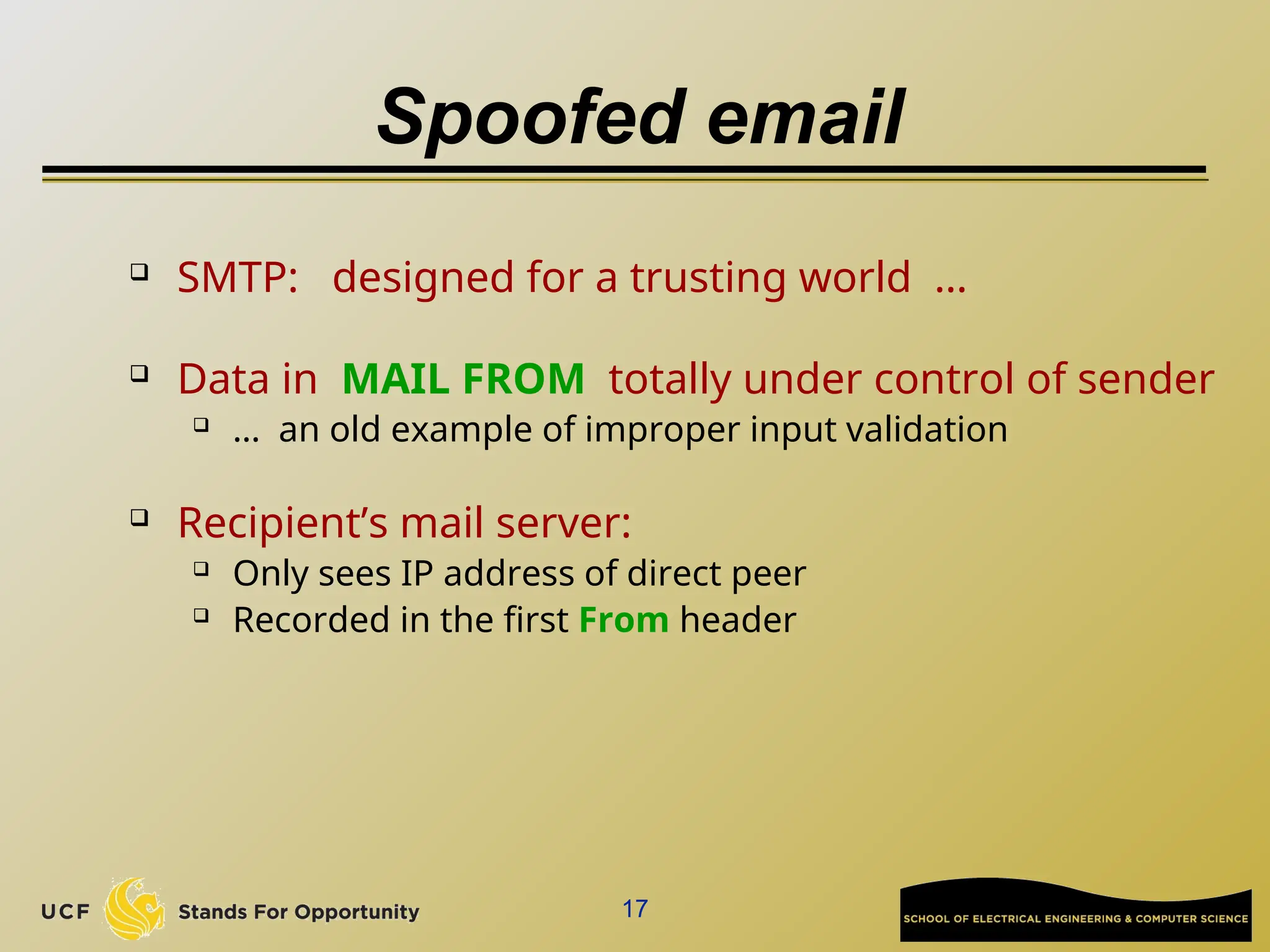
Spoofed email
 SMTP: designed for a trusting world …
 Data in MAIL FROM totally under control of sender
 … an old example of improper input validation
 Recipient’s mail server:
 Only sees IP address of direct peer
 Recorded in the first From header
18
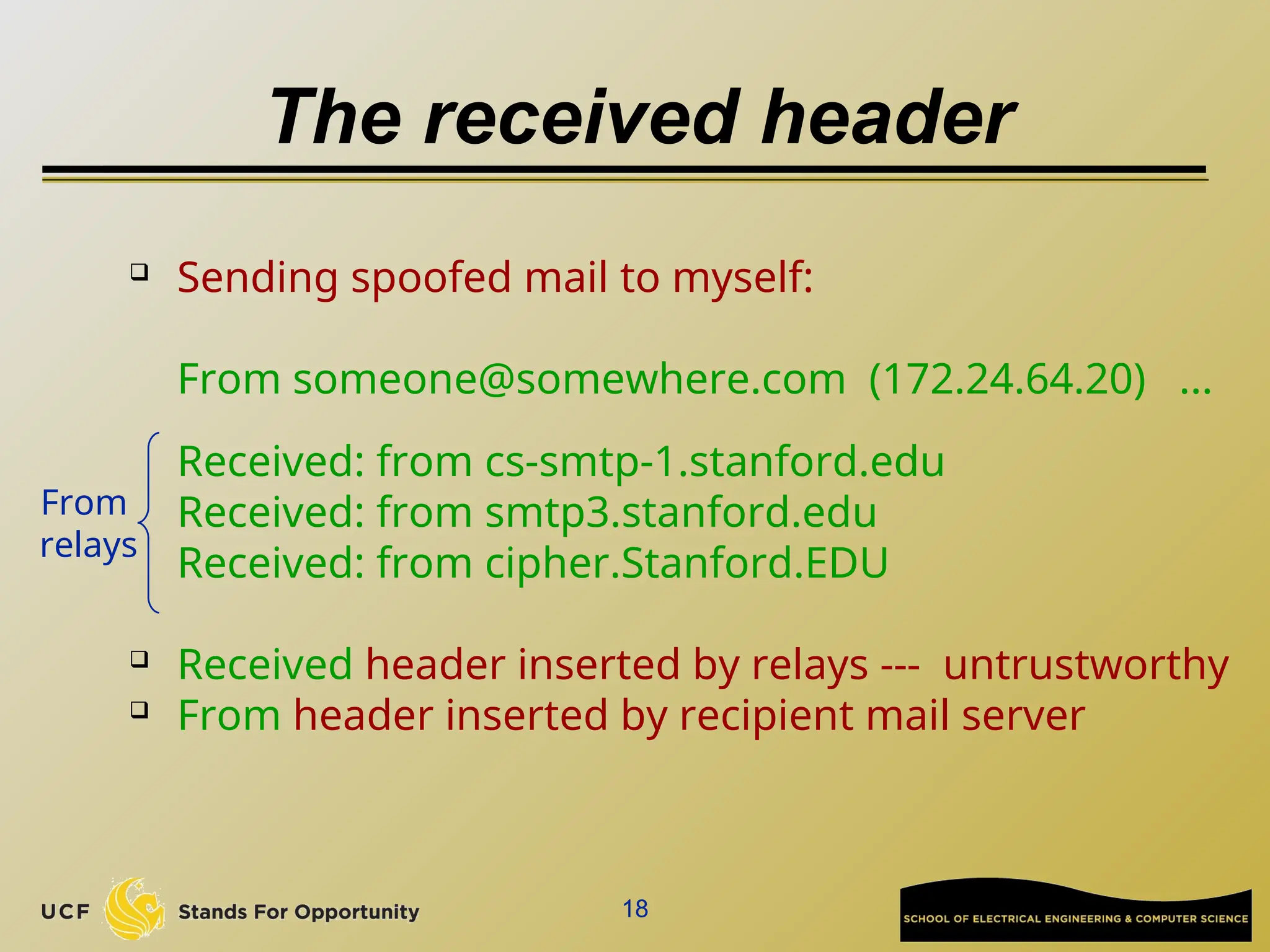
The received header
 Sending spoofed mail to myself:
From someone@somewhere.com (172.24.64.20) ...
Received: from cs-smtp-1.stanford.edu
Received: from smtp3.stanford.edu
Received: from cipher.Stanford.EDU
 Received header inserted by relays --- untrustworthy
 From header inserted by recipient mail server
From
relays
19
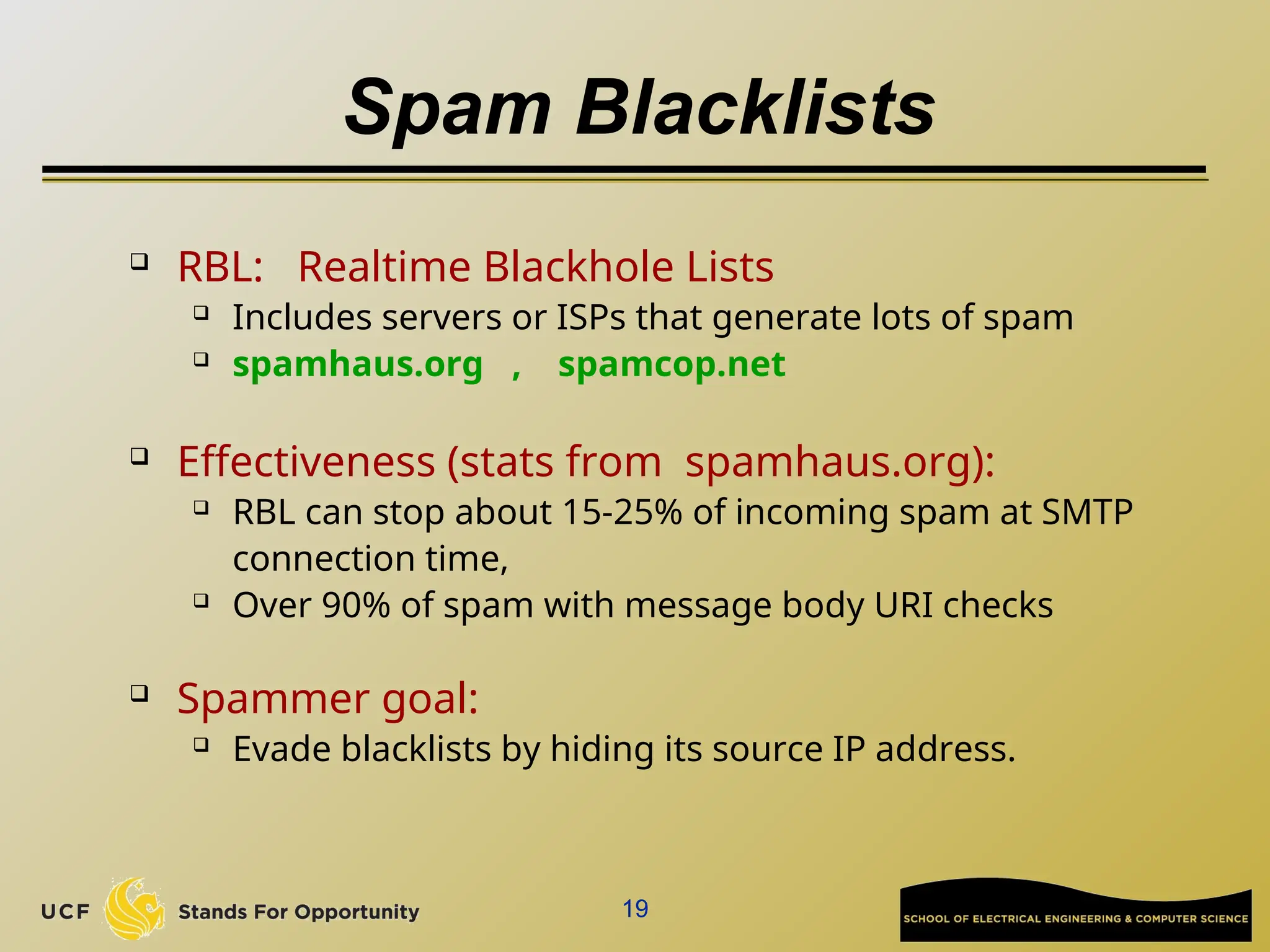
Spam Blacklists
 RBL: Realtime Blackhole Lists
 Includes servers or ISPs that generate lots of spam
 spamhaus.org , spamcop.net
 Effectiveness (stats from spamhaus.org):
 RBL can stop about 15-25% of incoming spam at SMTP
connection time,
 Over 90% of spam with message body URI checks
 Spammer goal:
 Evade blacklists by hiding its source IP address.
Spamming techniques
21
Open relays
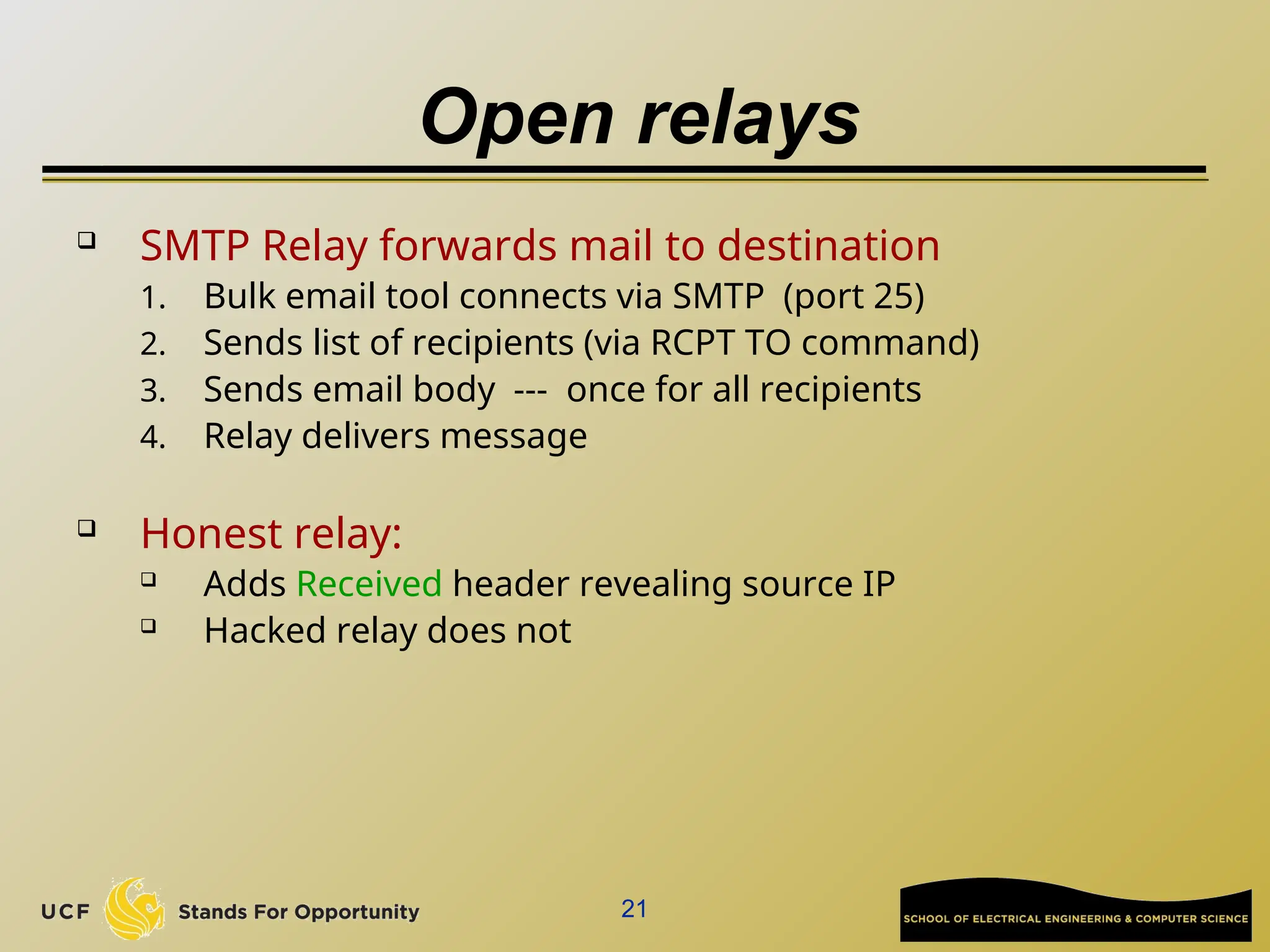
 SMTP Relay forwards mail to destination
1. Bulk email tool connects via SMTP (port 25)
2. Sends list of recipients (via RCPT TO command)
3. Sends email body --- once for all recipients
4. Relay delivers message
 Honest relay:
 Adds Received header revealing source IP
 Hacked relay does not
22
Example: bobax worm
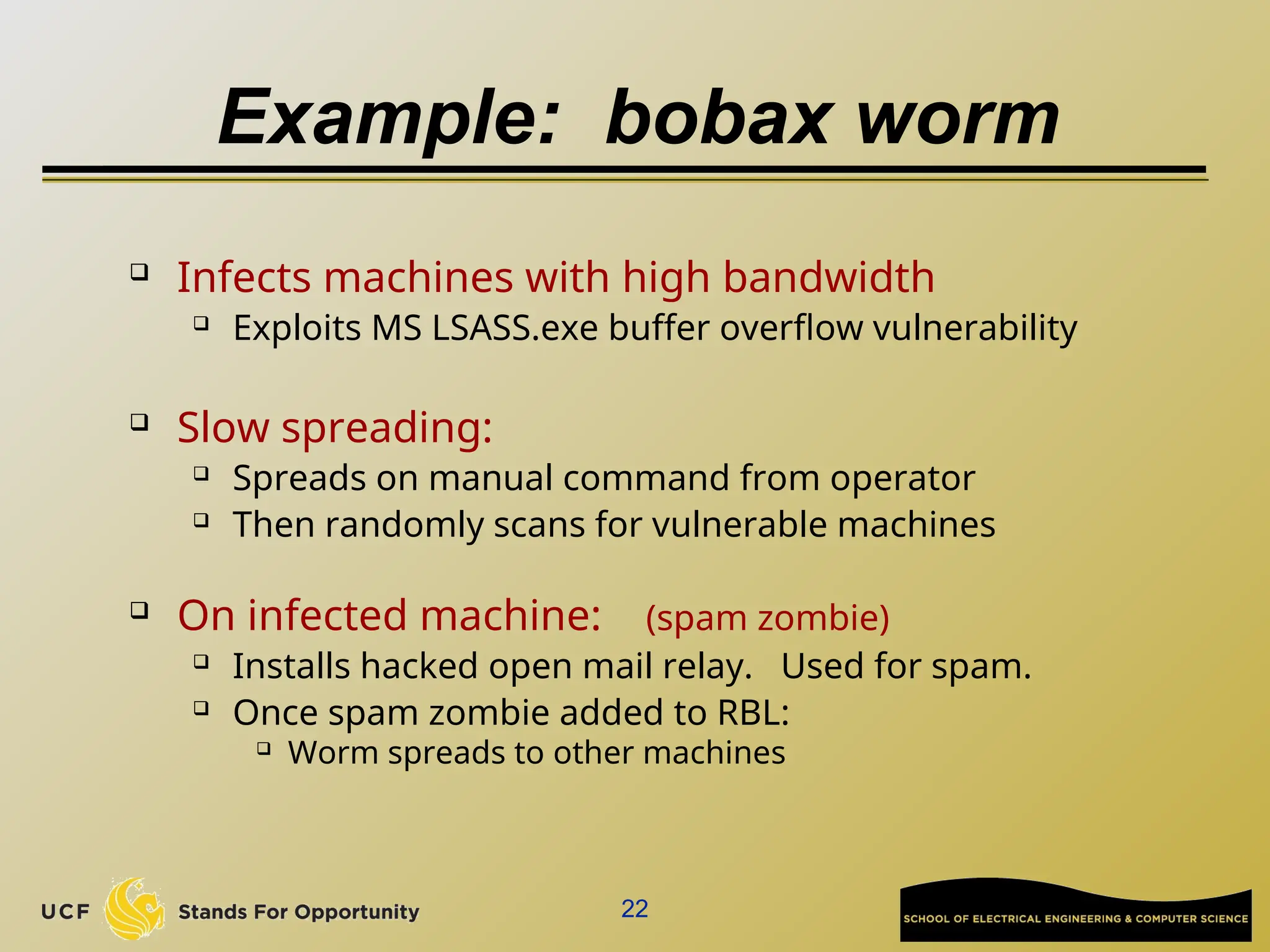
 Infects machines with high bandwidth
 Exploits MS LSASS.exe buffer overflow vulnerability
 Slow spreading:
 Spreads on manual command from operator
 Then randomly scans for vulnerable machines
 On infected machine: (spam zombie)
 Installs hacked open mail relay. Used for spam.
 Once spam zombie added to RBL:
 Worm spreads to other machines
23
Open HTTP proxies
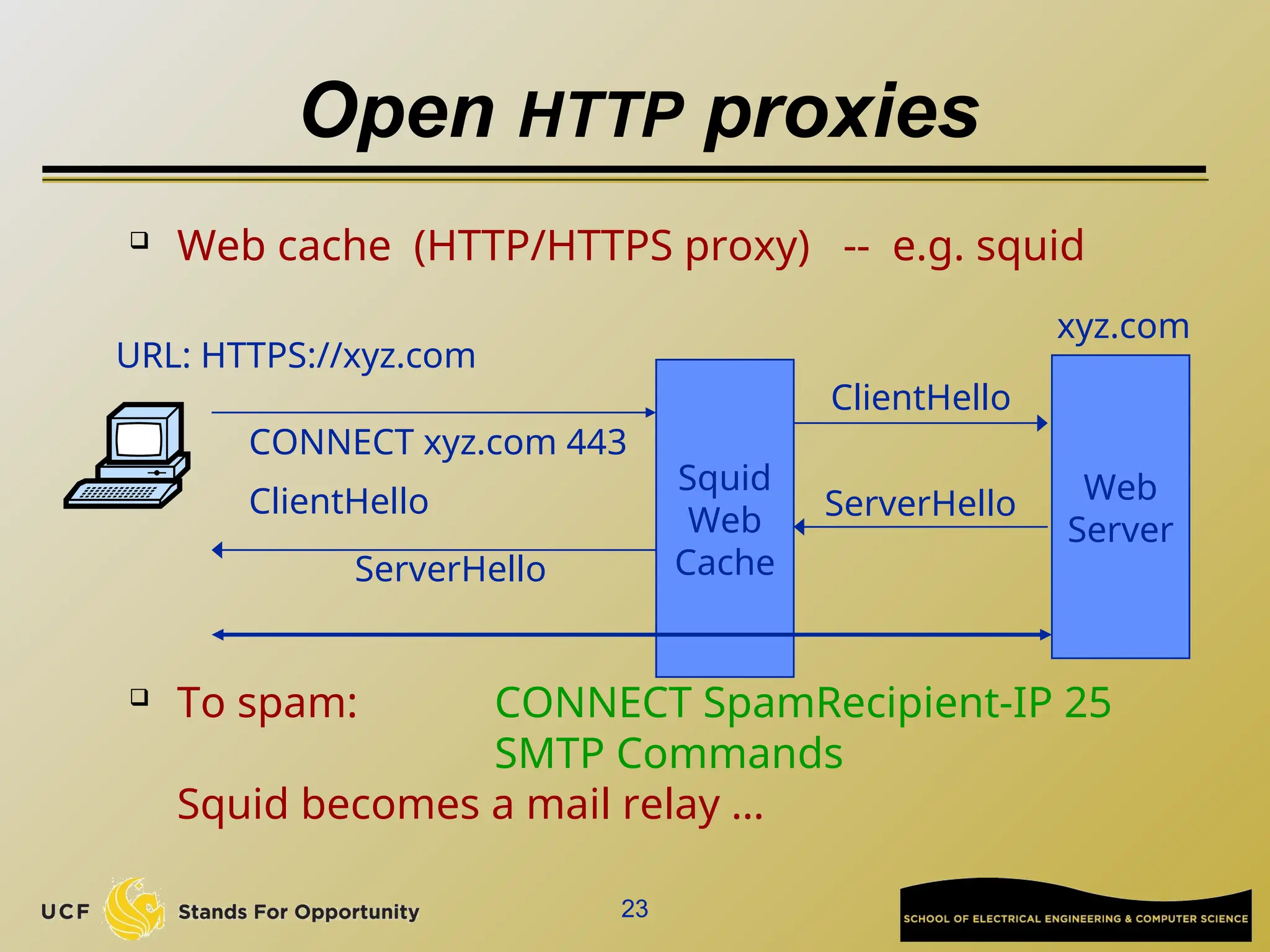
 Web cache (HTTP/HTTPS proxy) -- e.g. squid
 To spam: CONNECT SpamRecipient-IP 25
SMTP Commands
Squid becomes a mail relay …
Squid
Web
Cache
CONNECT xyz.com 443
ClientHello Web
Server
xyz.com
URL: HTTPS://xyz.com
ClientHello
ServerHello
ServerHello
24
Finding proxies
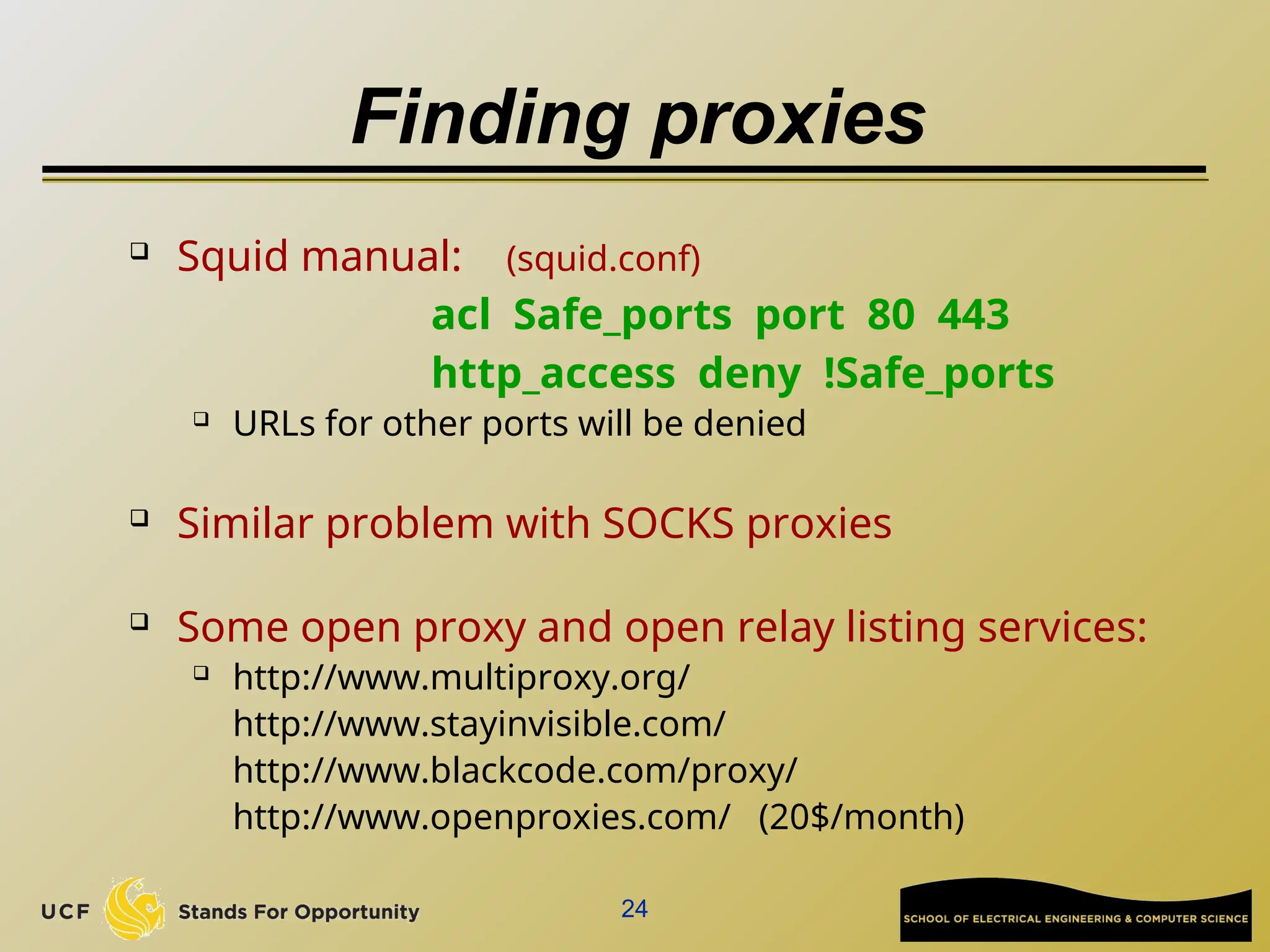
 Squid manual: (squid.conf)
acl Safe_ports port 80 443
http_access deny !Safe_ports
 URLs for other ports will be denied
 Similar problem with SOCKS proxies
 Some open proxy and open relay listing services:
 http://www.multiproxy.org/
http://www.stayinvisible.com/
http://www.blackcode.com/proxy/
http://www.openproxies.com/ (20$/month)
25
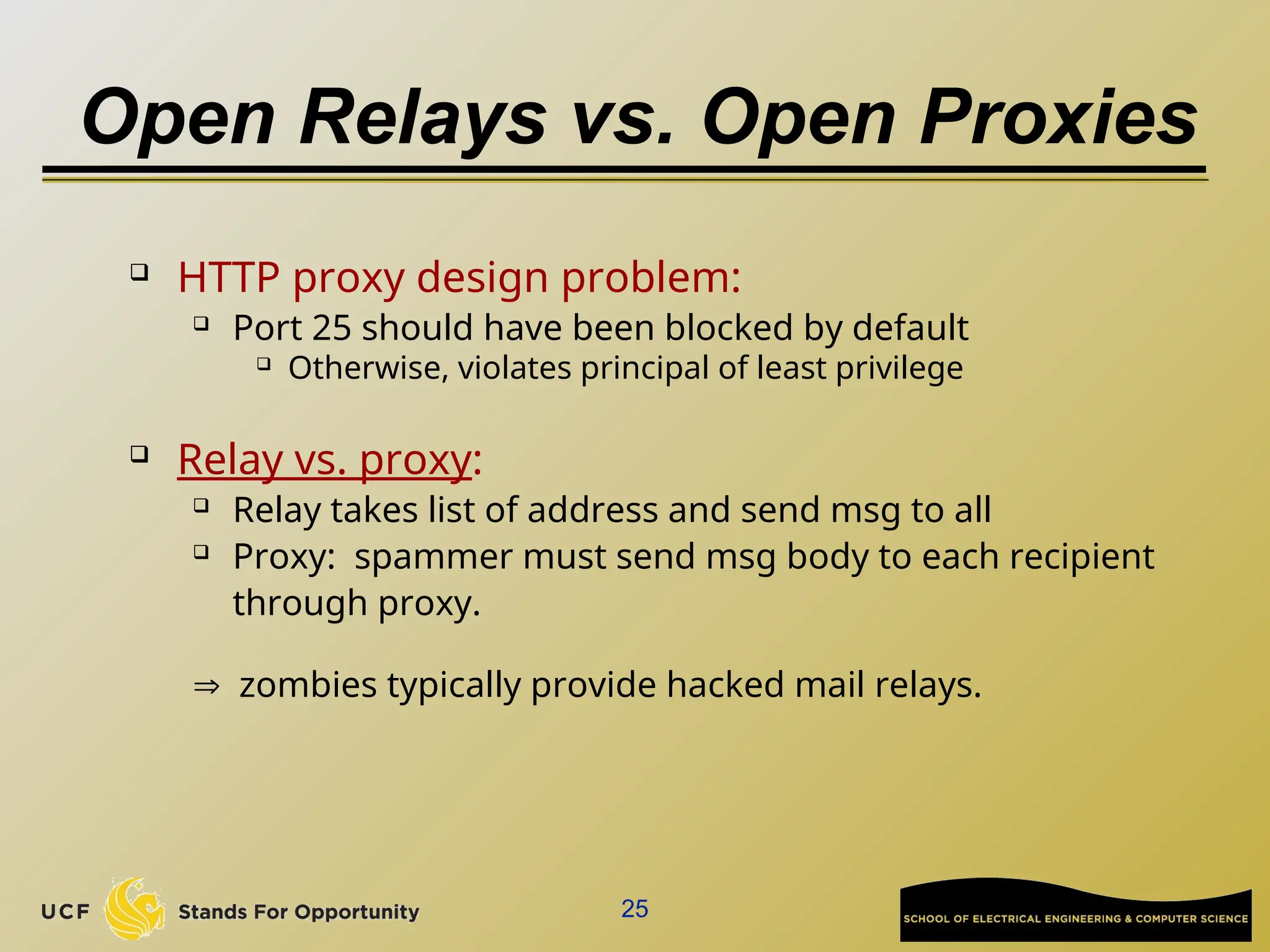
Open Relays vs. Open Proxies
 HTTP proxy design problem:
 Port 25 should have been blocked by default
 Otherwise, violates principal of least privilege
 Relay vs. proxy:
 Relay takes list of address and send msg to all
 Proxy: spammer must send msg body to each recipient
through proxy.
 zombies typically provide hacked mail relays.
26
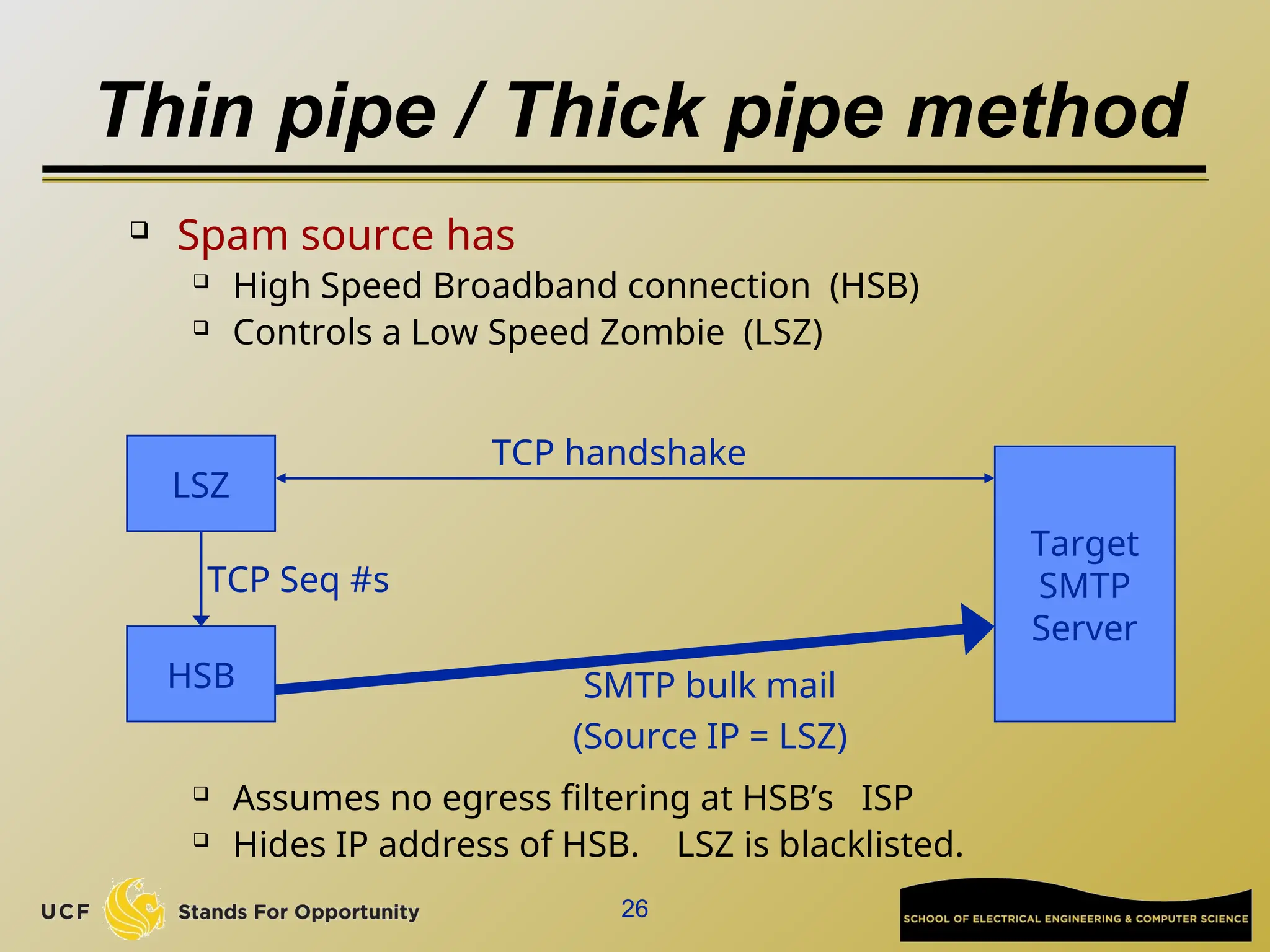
Thin pipe / Thick pipe method
 Spam source has
 High Speed Broadband connection (HSB)
 Controls a Low Speed Zombie (LSZ)
 Assumes no egress filtering at HSB’s ISP
 Hides IP address of HSB. LSZ is blacklisted.
Target
SMTP
Server
HSB
LSZ
TCP handshake
TCP Seq #s
SMTP bulk mail
(Source IP = LSZ)
27
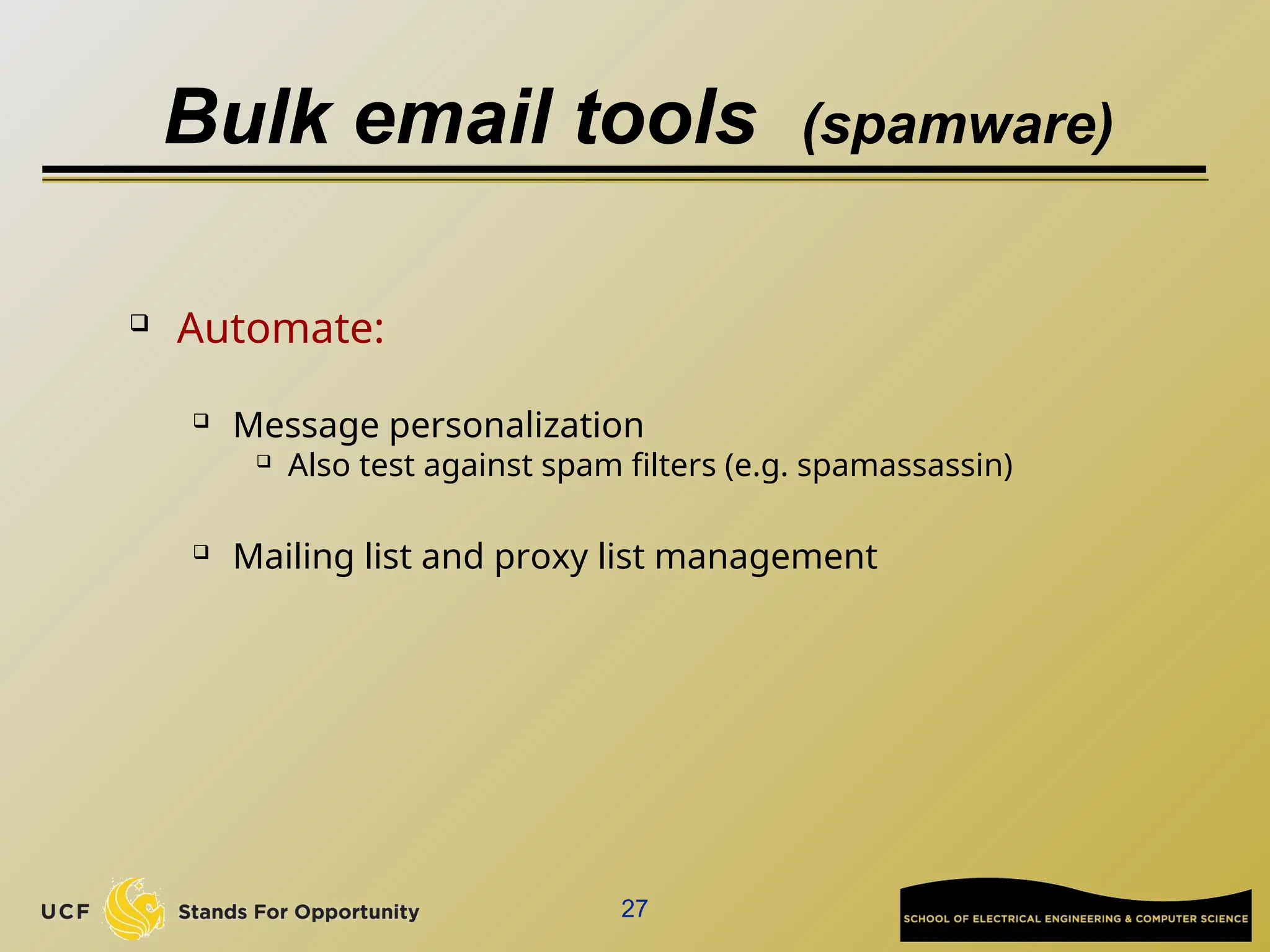
Bulk email tools (spamware)
 Automate:
 Message personalization
 Also test against spam filters (e.g. spamassassin)
 Mailing list and proxy list management
28
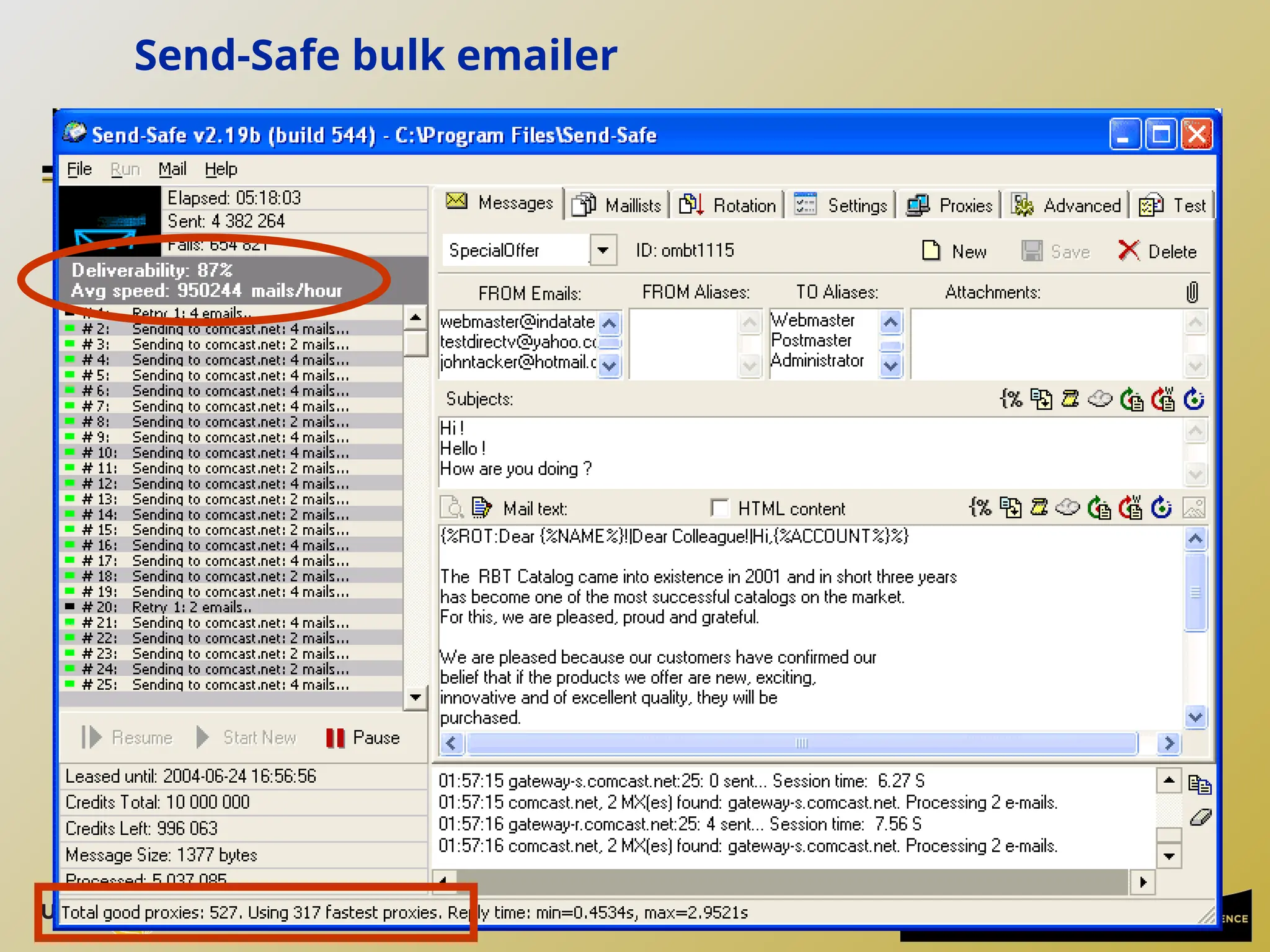
Send-Safe bulk emailer
Anti-spam methods
30
The law: CAN-SPAM act (Jan. 2004)
 Bans false or misleading header information
 To: and From: headers must be accurate
 Prohibits deceptive subject lines
 Requires an opt-out method
 Requires that email be identified as advertisement
 ... and include sender's physical postal address
 Also prohibits various forms of email harvesting
and the use of proxies
31
Effectiveness of CAN-SPAM
 Enforced by the FTC:
 FTC spam archive spam@uce.gov

Penalties: 11K per act

Dec ’05 FTC report on effectiveness of CAN-SPAM:
 50 cases in the US pursued by the FTC
 No impact on spam originating outside the US
 Open relays hosted on bot-nets make it difficult
to collect evidence
http://www.ftc.gov/spam/
32
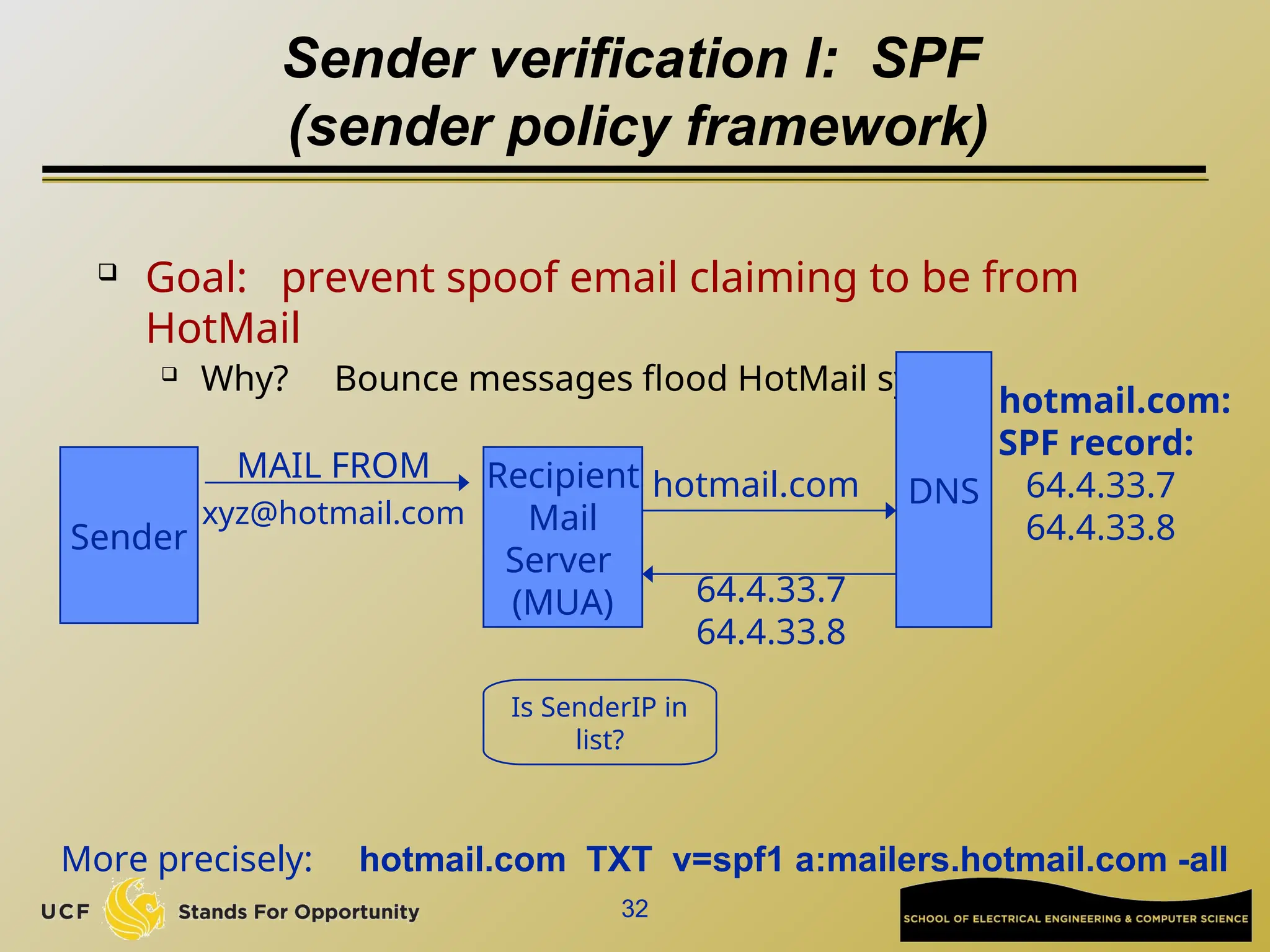
Sender verification I: SPF
(sender policy framework)
 Goal: prevent spoof email claiming to be from
HotMail
 Why? Bounce messages flood HotMail system
DNS
hotmail.com:
SPF record:
64.4.33.7
64.4.33.8
Recipient
Mail
Server
(MUA)
Sender
MAIL FROM
xyz@hotmail.com
hotmail.com
64.4.33.7
64.4.33.8
Is SenderIP in
list?
More precisely: hotmail.com TXT v=spf1 a:mailers.hotmail.com -all
33
Sender verification II: DKIM
 Domain Keys Identified Mail (DKIM)
 Same goal as SPF. Harder to spoof.
 Basic idea:
 Sender’s MTA signs email
 Including body and selected header fields
 Receiver’s MUA checks signature
 Rejects email if invalid
 Sender’s public key managed by DNS
 Subdomain: _domainkey.hotmail.com
34
Graylists
 Recipient’s mail server records triples:
 (sender email, recipient email, peer IP)
 Mail server maintains DB of triples
 First time: triple not in DB:
 Mail server sends 421 reply: “I am busy”
 Records triple in DB
 Second time (after 5 minutes): allow email to pass
 Triples kept for 3 days (configurable)
 Easy to defeat but currently works well.
35
Puzzles and CAPTCHA
 General DDoS defense techniques
 Puzzles: slow down spam server
 Every email contains solution to puzzle where
challenge = (sender, recipient, time)
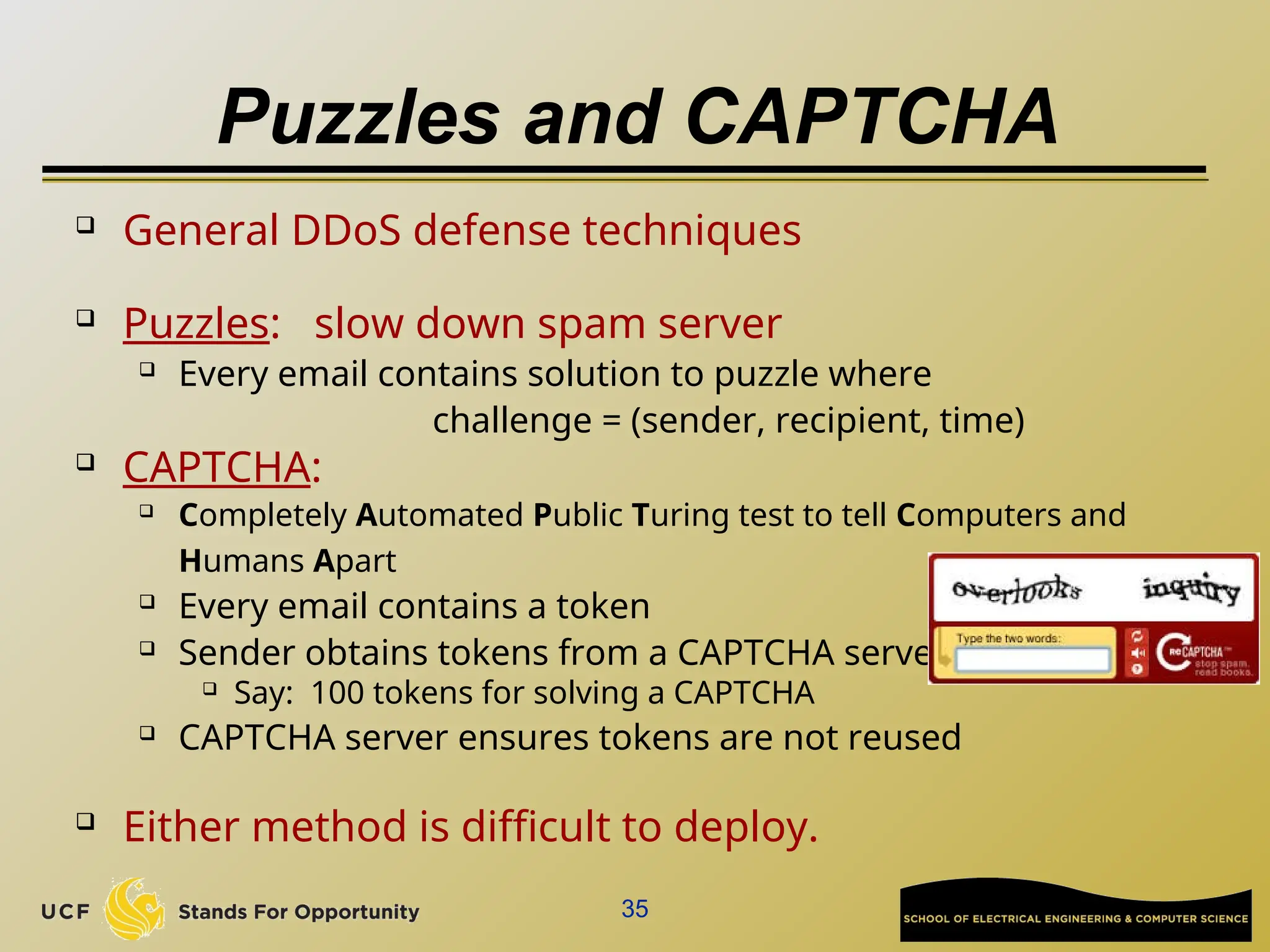
 CAPTCHA:
 Completely Automated Public Turing test to tell Computers and
Humans Apart
 Every email contains a token
 Sender obtains tokens from a CAPTCHA server
 Say: 100 tokens for solving a CAPTCHA
 CAPTCHA server ensures tokens are not reused
 Either method is difficult to deploy.
SpamAssasin
 Wiki tutorial:
 http://en.wikipedia.org/wiki/SpamAssassin

Mainly a rule-based spam filter
 Many rules to give scores for all fields in an email
 Email header, special keywords in email, URLs in email, images in email, …..

Final decision is the combined score compared with a threshold
 Has false positive (treat normal as spam), and false negative (treat
spam as normal)
 False positive is very damaging!
 Nobody wants to lose an important email!

Also contains Bayesian filtering to match a user’s statistical
profile

Need known “ham” and “spam” email samples for training

36
SpamAssasin
 You can find the rule list at:
 http://spamassassin.apache.org/tests_3_3_x.html
 Your manual spam is possible to be labeled by our CS
email server as spam, based on SpamAssasin’s score

The text information added by SpamAssasin tells you what
rule gives the email suspicious positive score

It could help real Spammer to improve their spam email to
circumvent SpamAssasin detection
 Gmail spam detection algorithm is not public

A helpful article:
https://www.quora.com/How-does-Gmail-spam-detection-wo
rks
37
Part II:
Phishing & Pharming
39
40
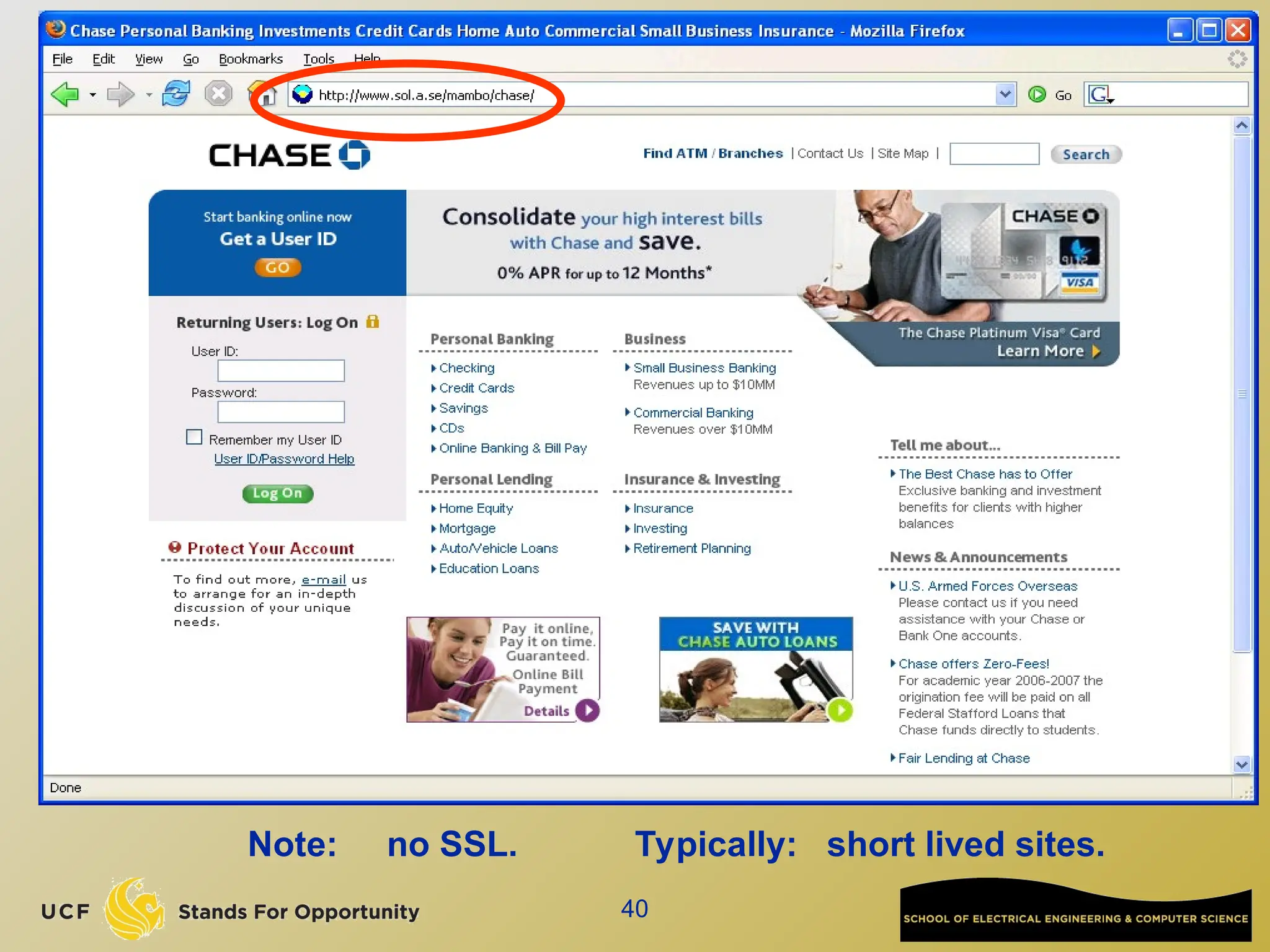
Note: no SSL. Typically: short lived sites.
41
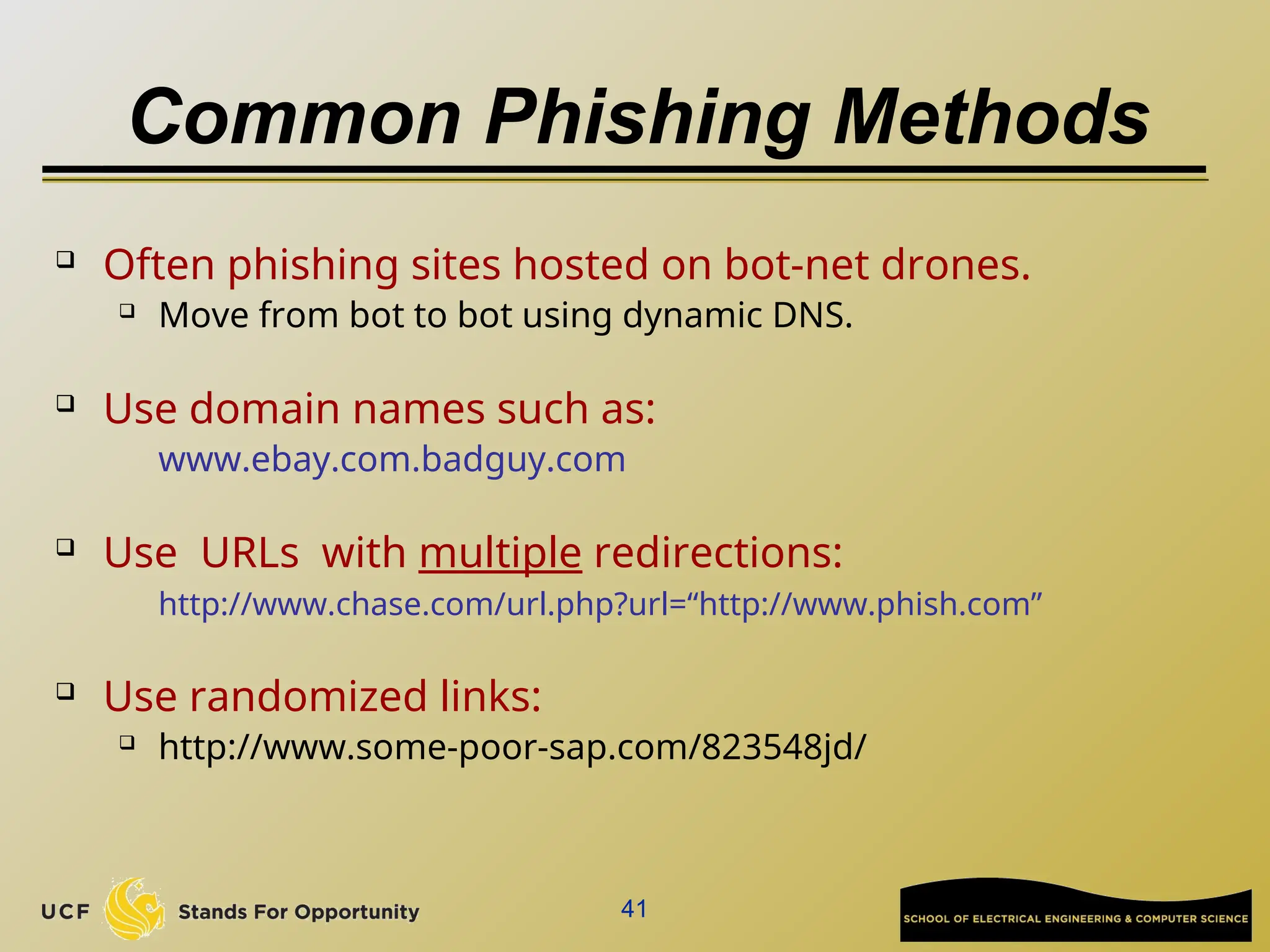
Common Phishing Methods
 Often phishing sites hosted on bot-net drones.
 Move from bot to bot using dynamic DNS.
 Use domain names such as:
www.ebay.com.badguy.com
 Use URLs with multiple redirections:
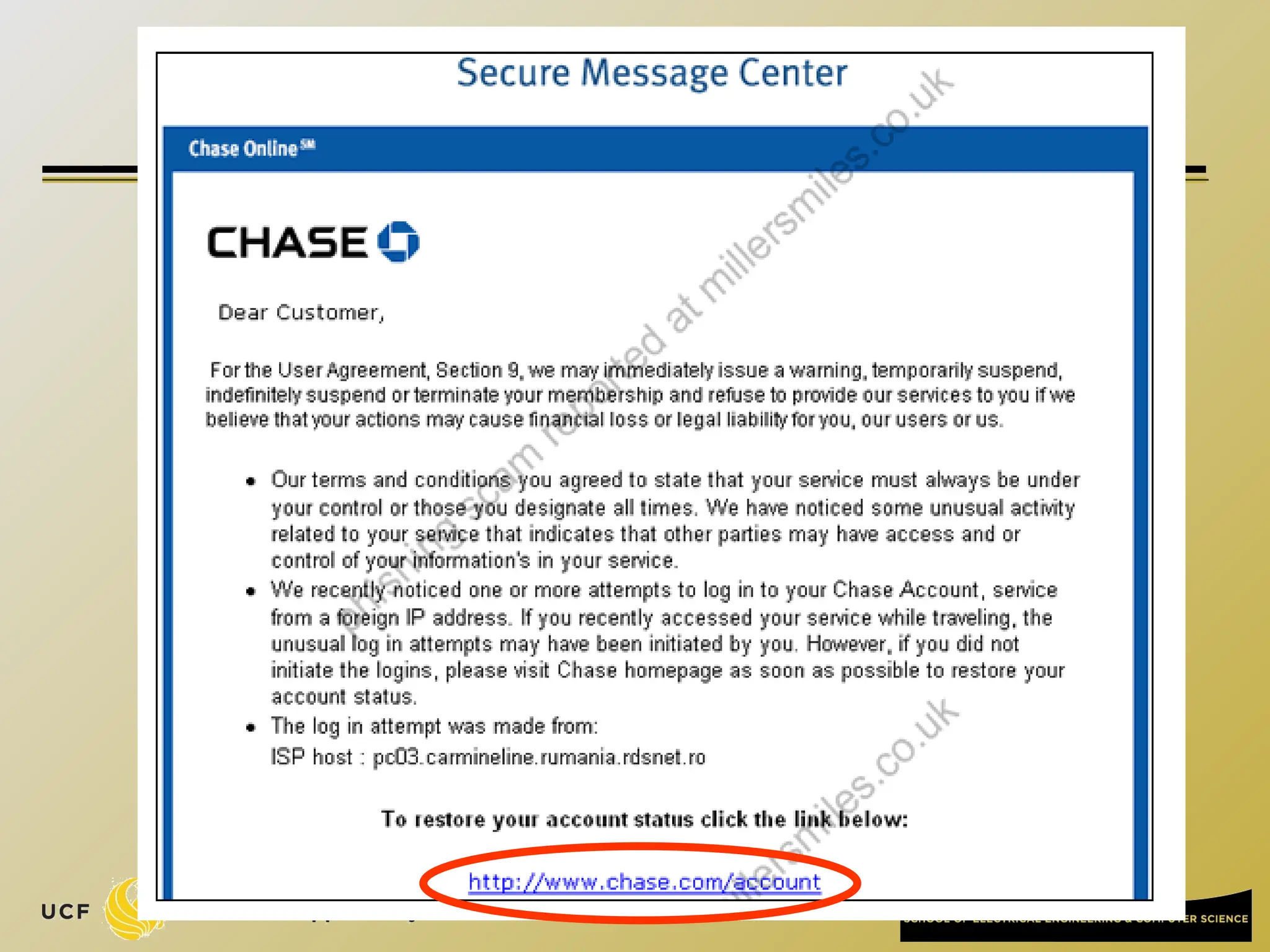
http://www.chase.com/url.php?url=“http://www.phish.com”
 Use randomized links:
 http://www.some-poor-sap.com/823548jd/
42
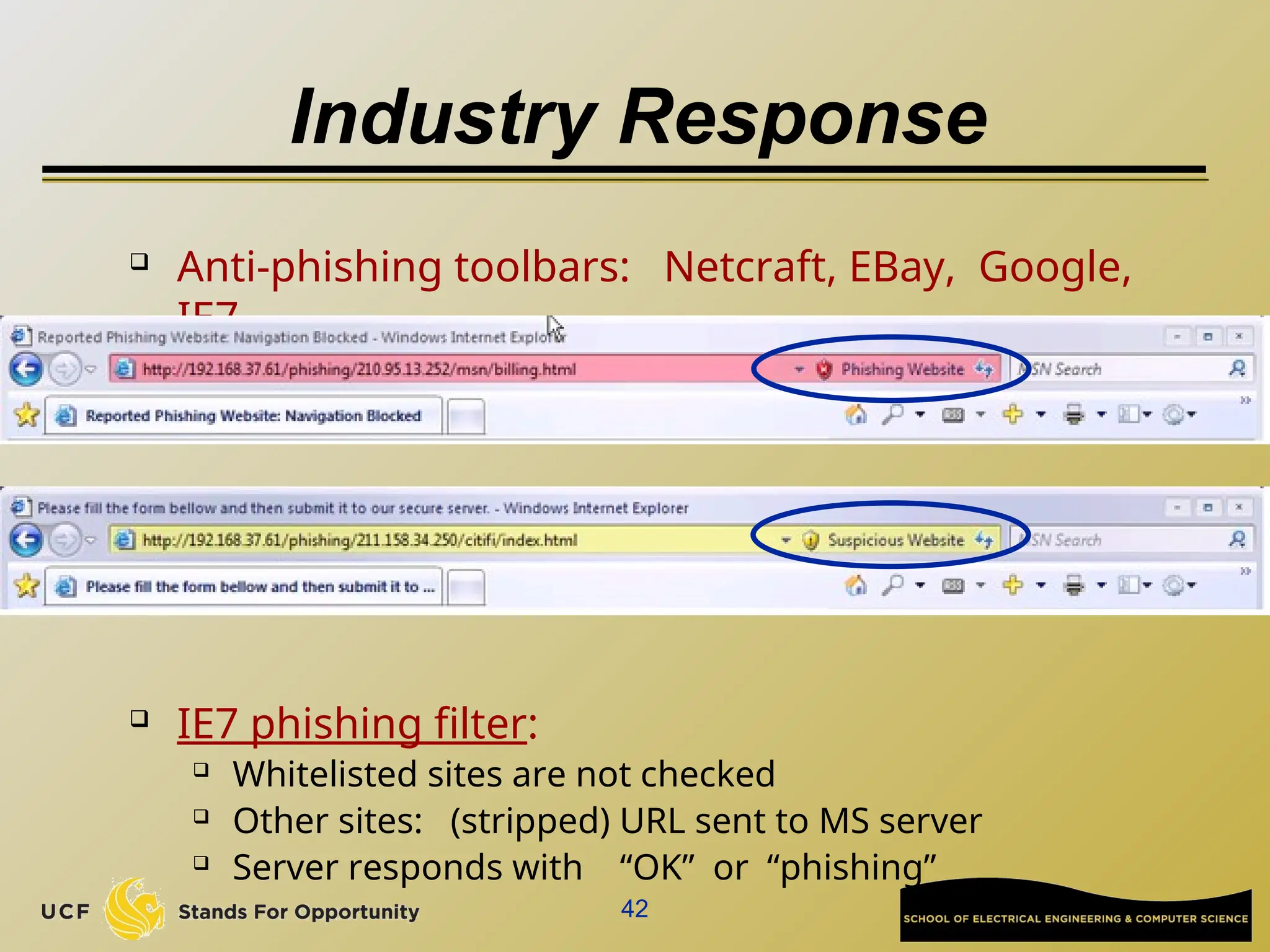
Industry Response
 Anti-phishing toolbars: Netcraft, EBay, Google,
IE7
 IE7 phishing filter:
 Whitelisted sites are not checked
 Other sites: (stripped) URL sent to MS server
 Server responds with “OK” or “phishing”
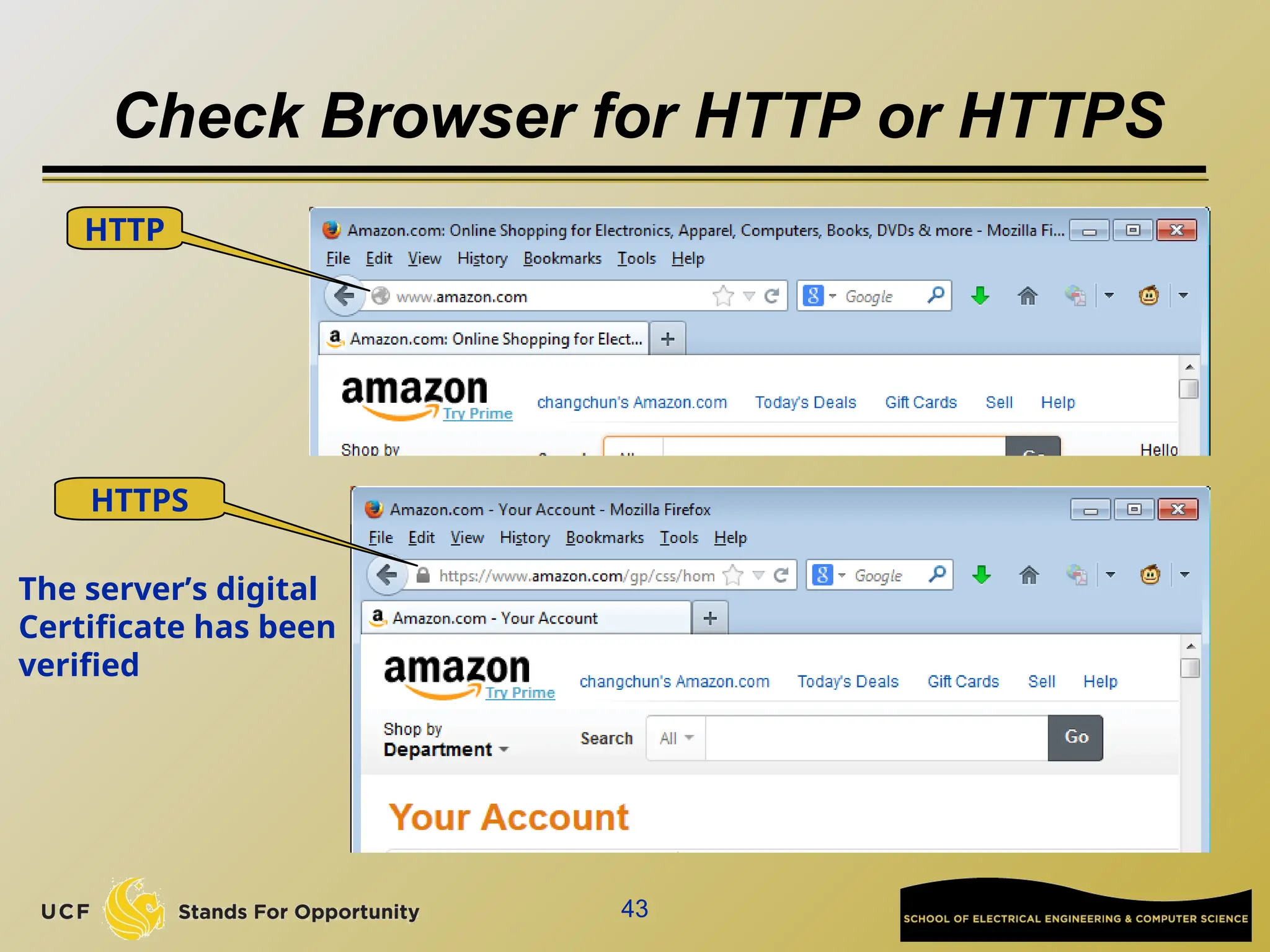
Check Browser for HTTP or HTTPS
43
HTTP
HTTPS
The server’s digital
Certificate has been
verified
44
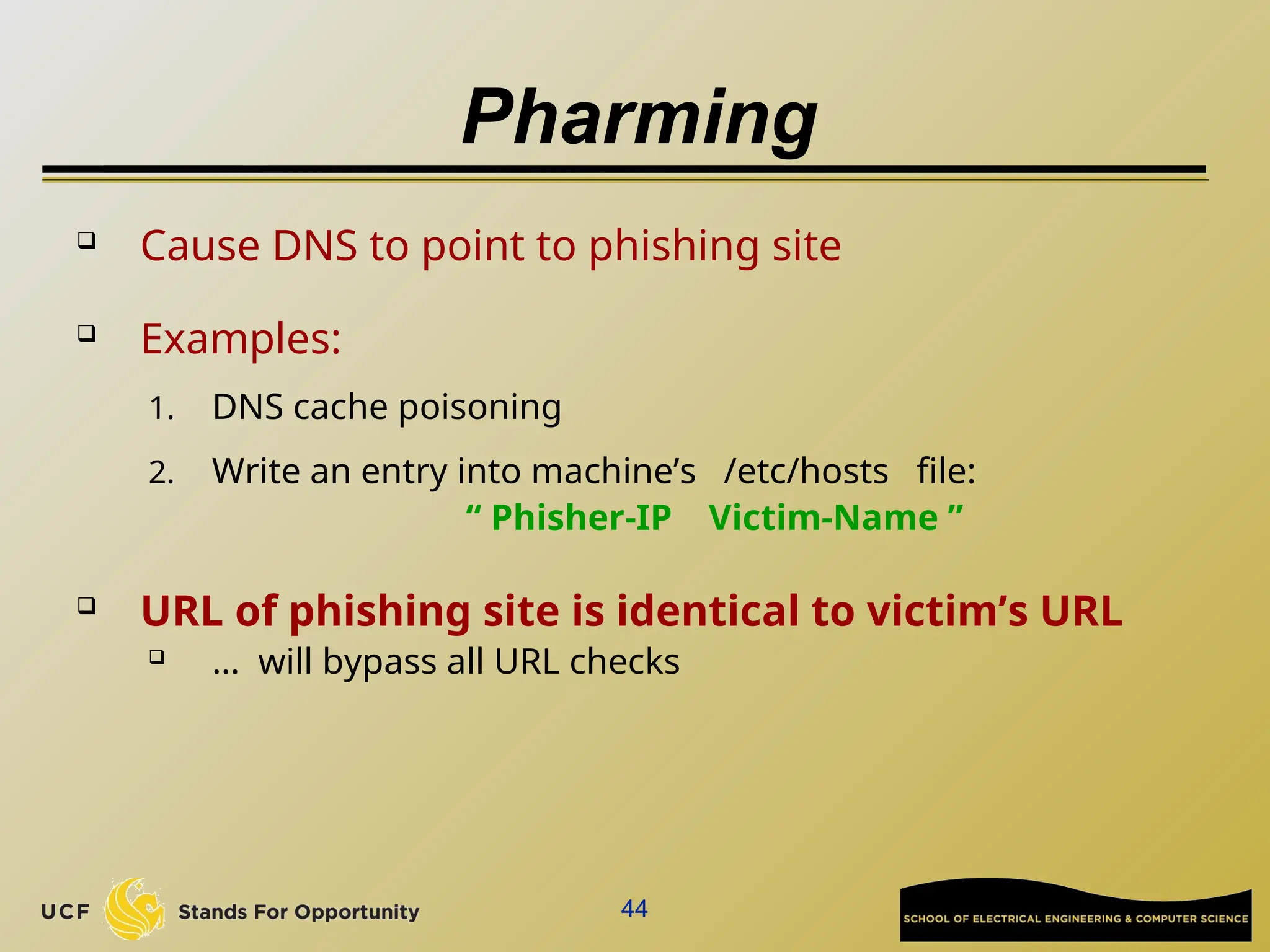
Pharming
 Cause DNS to point to phishing site
 Examples:
1. DNS cache poisoning
2. Write an entry into machine’s /etc/hosts file:
“ Phisher-IP Victim-Name ”
 URL of phishing site is identical to victim’s URL
 … will bypass all URL checks
45
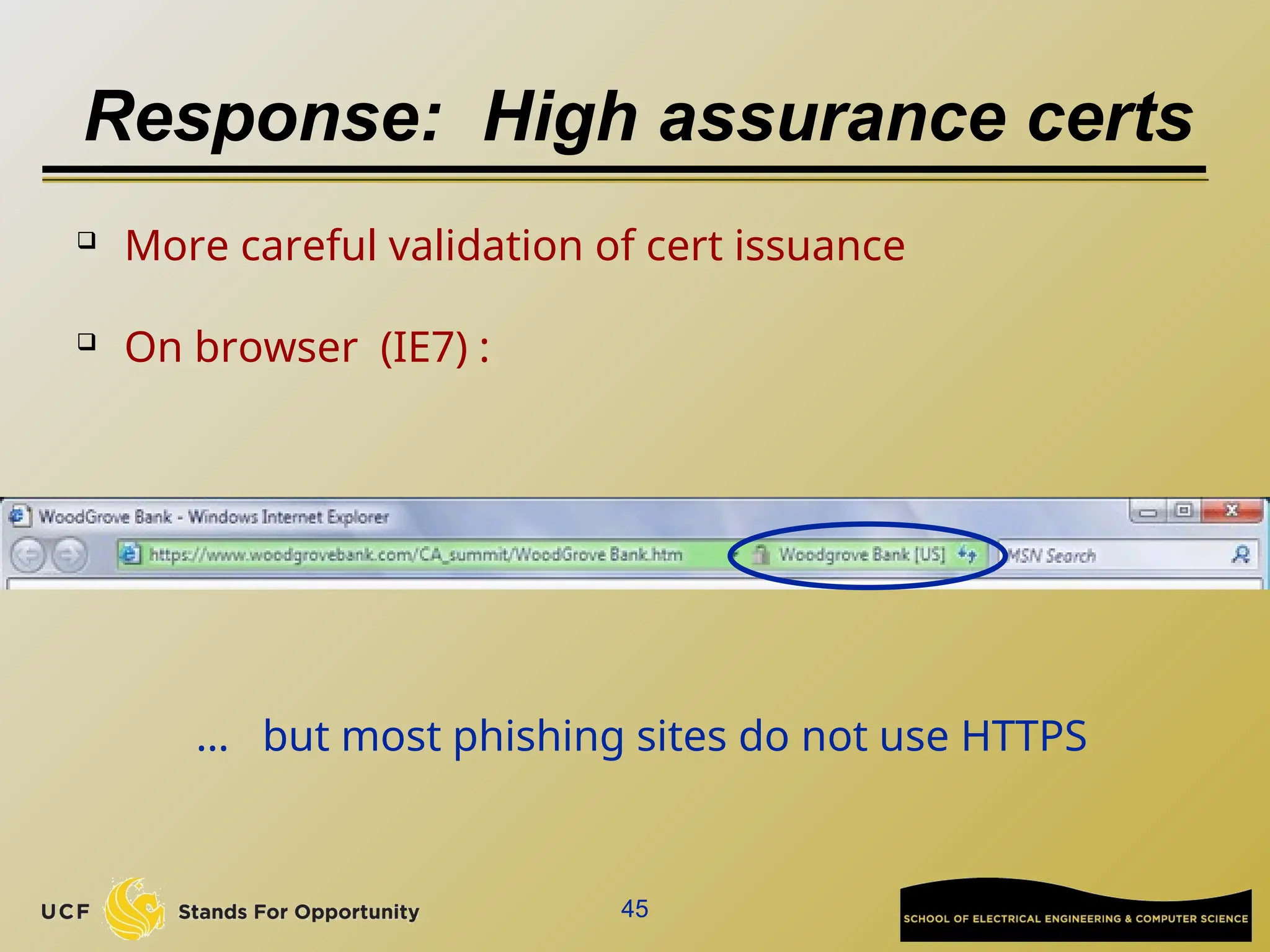
Response: High assurance certs
 More careful validation of cert issuance
 On browser (IE7) :
… but most phishing sites do not use HTTPS
46
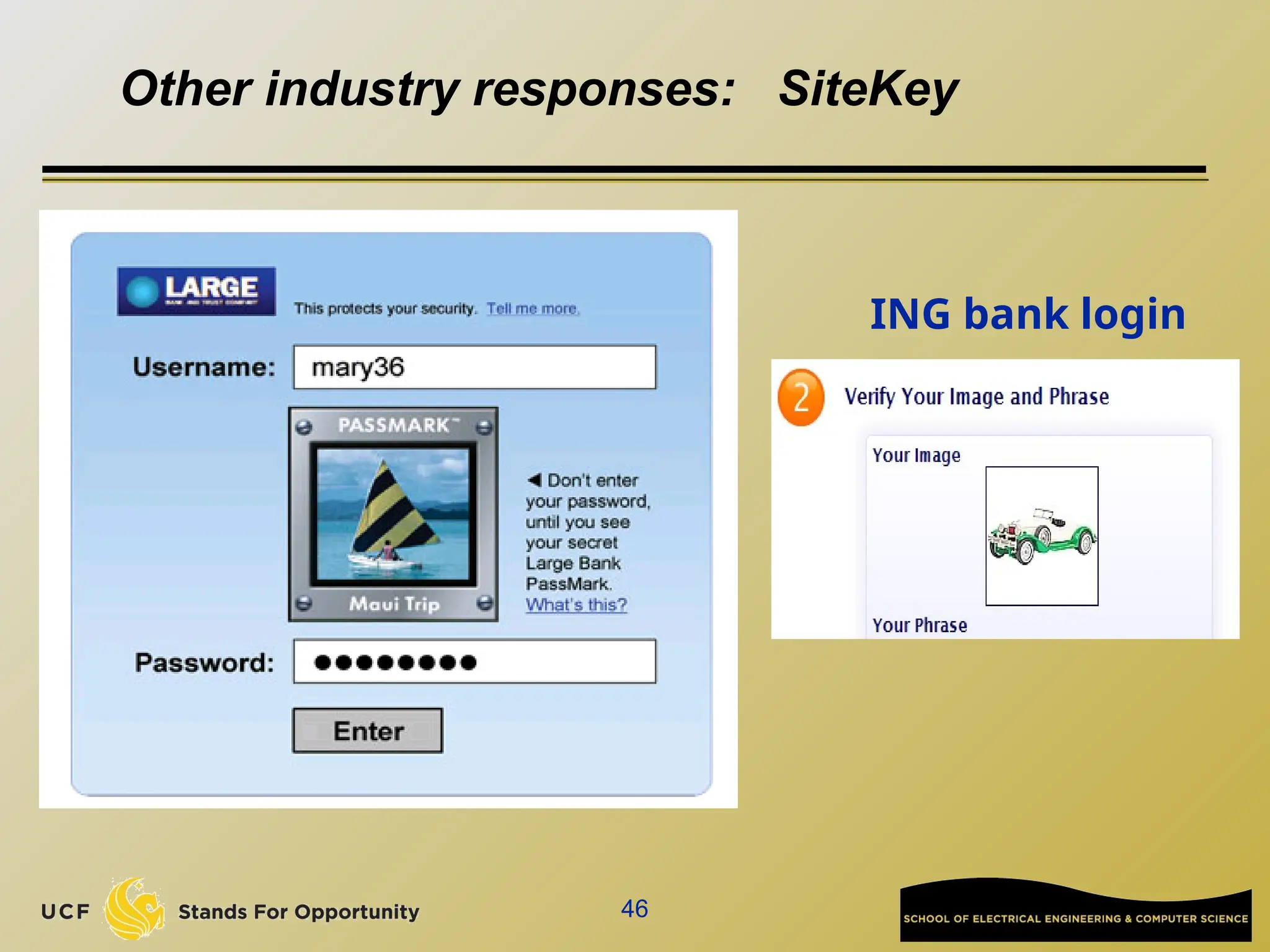
Other industry responses: SiteKey
ING bank login
Research: SiteKey is not secure
47
 “The Emperor's New Security Indicators”. Stuart E.
Schechter, Rachna Dhamija, Andy Ozment, and Ian
Fischer. IEEE Security & Privacy 2007.
 MITM attack: man-in-the-middle attack that strips off SSL. The only visible
indication of the attack is that lack of a HTTPS indicator (no HTTPS in the
address bar, no lock icon, etc.).
 Security image attack: The researchers simulated a phishing attack. In this
attack, it looks like the users are interacting with the real bank site, except
that the SiteKey security image (and security phrase) is missing. In its place,
the attack places the following text:
SiteKey Maintanance Notice: Bank of America is currently upgrading our
award winning SiteKey feature. Please contact customer service if your
SiteKey does not reappear within the next 24 hours.
48
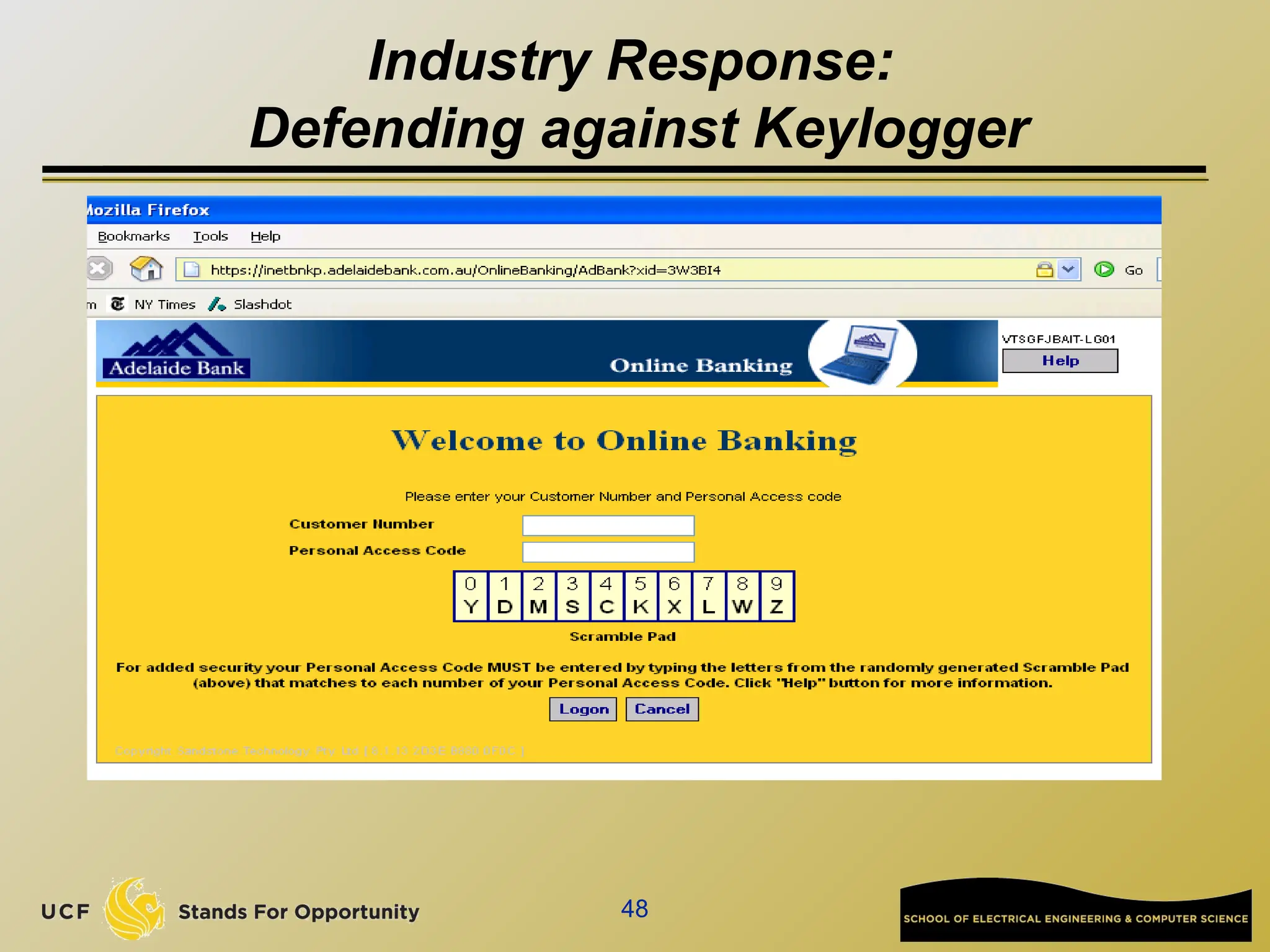
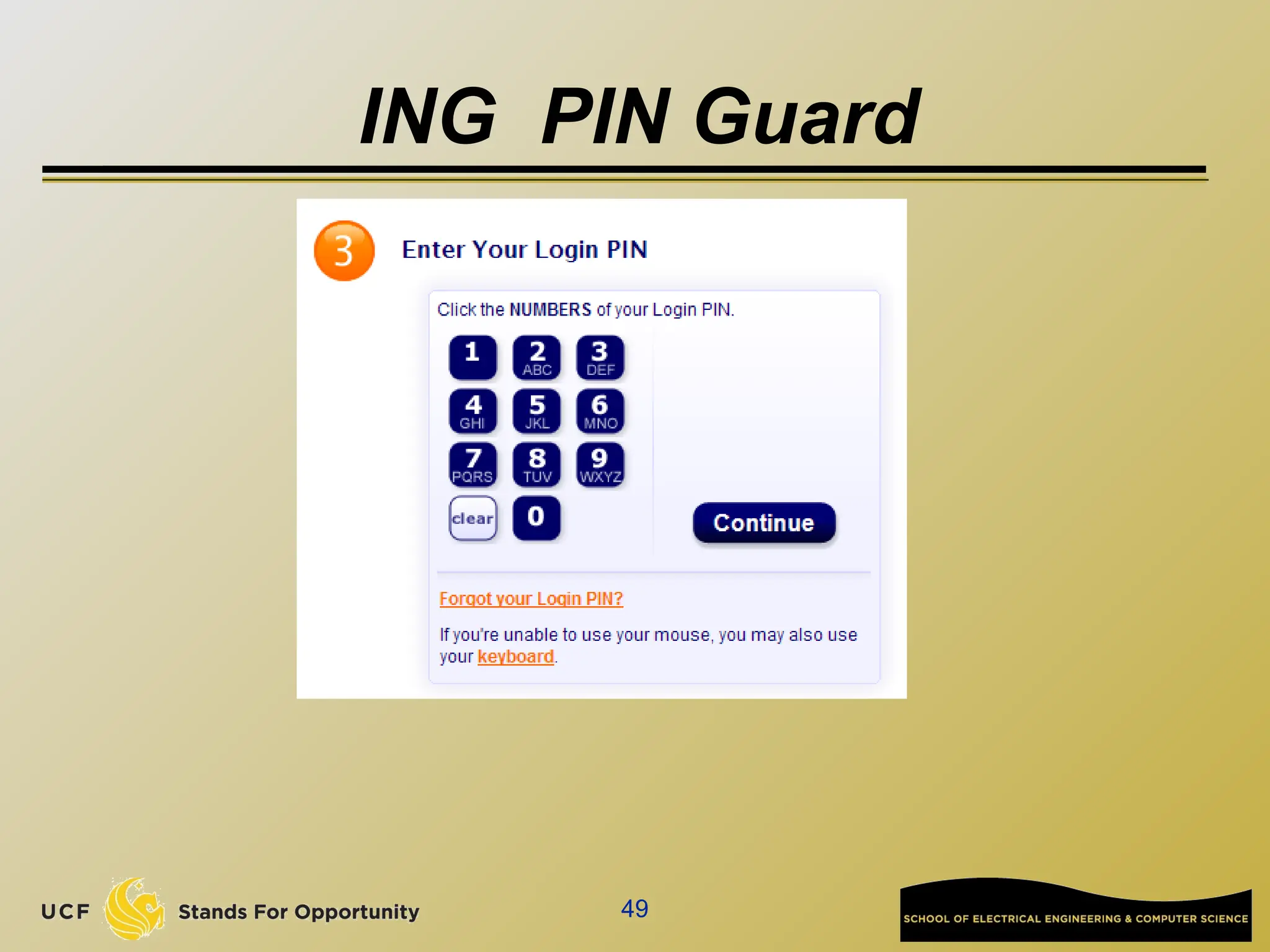
Industry Response:
Defending against Keylogger
49
ING PIN Guard
50
Some ID Protection Tools
 SpoofGuard: (NDSS ’04)
 Alerts user when viewing a spoofed web page.
 Uses variety of heuristics to identify spoof pages.
 Some SpoofGuard heuristics used in
eBay toolbar and Earthlink ScamBlocker.
 PwdHash: (Usenix Sec ’05)
 Browser extension for strengthening pwd web auth.
 Being integrated with RSA SecurID.
51
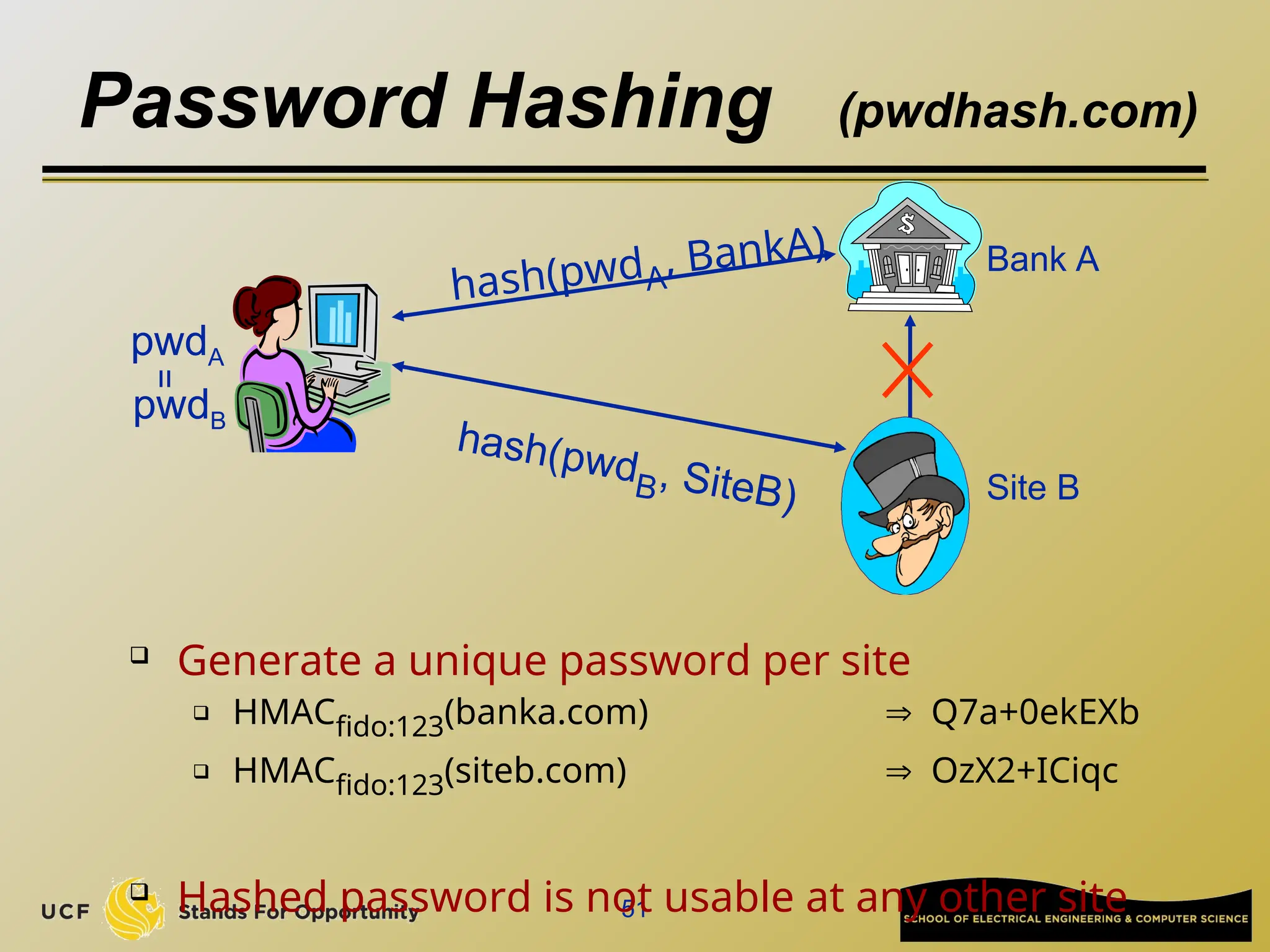
Password Hashing (pwdhash.com)
 Generate a unique password per site
 HMACfido:123(banka.com)  Q7a+0ekEXb
 HMACfido:123(siteb.com)  OzX2+ICiqc
 Hashed password is not usable at any other site
Bank A
hash(pwdB, SiteB)
hash(pwdA
, BankA)
Site B
pwdA
pwdB
=
Problems of Password Hashing
 Need to install a client program on user’s machine
 It means the user cannot use other machines to log in to
her accounts
 Different websites have different requirements on
password format
 # of characters
 Special characters, capital characters,….
 This means that the pwdHash client program must know
the formats of all users’ accounts
52
53
Take home message
 Deployed insecure services (proxies, relays)
 Quickly exploited
 Cause trouble for everyone
 Current web user authentication is vulnerable
to spoofing
 Users are easily fooled into entering password
in an insecure location

CAP6135 - Malware and Software Vulnerability Analysis

  • 1.
    CAP6135: Malware andSoftware Vulnerability Analysis Spam and Phishing Cliff Zou Spring 2016
  • 2.
    2 Acknowledgement  This lectureuses some contents from the lecture notes from:  Dr. Dan Boneh (Stanford): CS155:Computer and Network Security  Jim Kurose, Keith Ross. Computer Networking: A Top Down Approach Featuring the Internet, 5th edition.
  • 3.
    3 Electronic Mail Three majorcomponents:  user agents  mail servers  simple mail transfer protocol: SMTP User Agent  a.k.a. “mail reader”  composing, editing, reading mail messages  e.g., Eudora, Outlook, elm, Netscape Messenger  outgoing, incoming messages stored on server user mailbox outgoing message queue mail server user agent user agent user agent mail server user agent user agent mail server user agent SMTP SMTP SMTP
  • 4.
    4 How email works:SMTP (RFC 821, 1982)  Some SMTP Commands: MAIL FROM: <reverse-path> RCPT TO: <forward-path> RCPT TO: <forward-path> If unknown recipient: response “550 Failure reply” DATA email headers and contents  Use TCP port 25 for connections . Repeated for each recipient
  • 5.
    5 Sample fake emailsending S: 220 longwood.cs.ucf.edu C: HELO fake.domain S: 250 Hello crepes.fr, pleased to meet you C: MAIL FROM: <alice@crepes.fr> S: 250 alice@crepes.fr... Sender ok C: RCPT TO: <czou@cs.ucf.edu> S: 250 czou@cs.ucf.edu ... Recipient ok C: DATA S: 354 Enter mail, end with "." on a line by itself C: from: “fake man” <fake@fake.fake.fake> C: to: “dr. who” <who@who> C: subject: who am I? C: Do you like ketchup? C: How about pickles? C: . S: 250 Message accepted for delivery C: QUIT S: 221 longwood.cs.ucf.edu closing connection
  • 6.
    6 Try SMTP interactionfor yourself:  telnet servername 25  see 220 reply from server  enter HELO, MAIL FROM, RCPT TO, DATA, QUIT commands  “mail from:” the domain may need to be existed  “rcpt to:” the user needs to be existed  A mail server may or may not support “relay”  CS email server supports relay from Eustis machine  “from:” “to:” “subject:” are what shown in normal email display
  • 7.
    Using Telnet  Ondepartment Eustis or eustis2 Linux machine:  telnet longwood.cs.ucf.edu 25  In telnet interaction, “backspace” is not supported. You can type “ctrl+backspace” to erase previous two characters  On Windows 7 machine:  Telnet is not installed by default, check this tutorial for install:  http://technet.microsoft.com/en-us/library/cc771275%28v=ws.10% 29.aspx 7
  • 8.
    Advanced Manual Spam But the above manual spam can only send text-only spam email!  Effective spam and phishing email needs to have authorities figures/logos.  Also need to have URLs  Especially for phishing attack email 8
  • 9.
    Email with Attachment? What if a normal email user wants to send graphic email and has email attachment with any file format?  Original SMTP protocol only support 7-bit ASCII text transmission  Manual email attachment:  Sender use base64 to encode file into pure ASCII text  Sender appends the text to her email  Receiver extract the encoded text part from received email  Receiver use base64 to decode to recover the original file  Troublesome, easy to make mistake! 9
  • 10.
    Message format: multimediaextensions  MIME (Multi-purpose Internet Mail Extensions)  multimedia mail extension, RFC 2045, 2056  additional lines in msg header declare MIME content type From: alice@crepes.fr To: bob@hamburger.edu Subject: Picture of yummy crepe. MIME-Version: 1.0 Content-Transfer-Encoding: base64 Content-Type: image/jpeg base64 encoded data ..... ......................... ......base64 encoded data multimedia data type, subtype, parameter declaration method used to encode data encoded data MIME version
  • 11.
    MIME  Check some realemail examples to see how MIME is implemented Content-Type: multipart/mixed; boundary="_002_D2E669A13641EMichaelMacedoniaucfedu_" MIME-Version: 1.0 --_002_D2E669A13641EMichaelMacedoniaucfedu_ Content-Type: text/plain; charset="us-ascii" Content-ID: <8759F5341224014195C3934D726FE4CA@ucf.edu> Content-Transfer-Encoding: quoted-printable --_002_D2E669A13641EMichaelMacedoniaucfedu_ Content-Type: application/pdf; name="CAE-Tech-Talk-Vogtembing-Omari-18Feb2016.pdf" Content-Description: CAE-Tech-Talk-Vogtembing-Omari-18Feb2016.pdf Content-Disposition: attachment; filename="CAE-Tech-Talk-Vogtembing-Omari-18Feb2016.pdf"; size=355404; creation-date="Sun, 14 Feb 2016 22:28:23 GMT"; modification-date="Sun, 14 Feb 2016 22:28:23 GMT" Content-ID: <C8FE7AB150BD9C49B5962207A149B87A@ucf.edu> Content-Transfer-Encoding: base64 11
  • 12.
    Advanced Manual Spam Two ways for including images in email  Include images by URLs  The email itself does not have the content of the images <img src="http://www.cs.ucf.edu/~czou/images/smallUCF.gif" height="76" width="200">  Include image content with the email  Use MIME protocol to include image content --94eb2c06b65cf653cd052b8b8da4 Content-Type: image/gif; name="ucf-gold.gif" Content-Disposition: inline; filename="ucf-gold.gif" Content-Transfer-Encoding: base64 R0lGODlhZABkAOYAAP////f399bW1sbGxr29vc7Gvb21pca1jL Ka2ECK2MGKWECM7Gpefetd7GWr2lQrWcOa2UMbWcMa2U ……………………………………………………. --94eb2c06b65cf653cd052b8b8da4-- 12
  • 13.
    Advanced Manual Spam But how to generate the Figure-based spam email manually with ease?  Send the email to yourself by using a web-based email service  Upon receiving the email, show the email original text  Gmail has the option “Show Original”  Copy the text of the email into a pure text editor (such as notepad, notepad++,…)  In Telnet manual spam sending, after “Data” command, paste those text 13
  • 14.
     Outside campusnetwork, department email server does not accept:  You need to first setup VPN to campus network, then use telnet  How to set up VPN:  https://publishing.ucf.edu/sites/itr/cst/Pages/NSvpn.aspx  Even inside campus network, directly telnet EECS email server will not work now because of the CS server’s new restriction  You can connect to Eustis machine, then run telnet command inside Eustis machine to connect to CS email server. 14
  • 15.
    15 Email in theearly 1980’s Network 1 Network 2 Network 3 Mail relay Mail relay sender recipient • Mail Relay: forwards mail to next hop. • Sender path includes path through relays.
  • 16.
    Why Email ServerSupport Relay?  Wiki tutorial:  http://en.wikipedia.org/wiki/Open_mail_relay  Old days network constraint makes it necessary  Email agent uses SMTP to send email on behalf of a user  The user could choose which email address to use as the sender  Email server supports email group list:  The “sender” shown in email is the group list address, but the real sender is a different person  Closing Relay:  Messages from local IP addresses to local mailboxes  Messages from local IP addresses to non-local mailboxes  Messages from non-local IP addresses to local mailboxes  Messages from clients that are authenticated and authorized 16
  • 17.
    17 Spoofed email  SMTP:designed for a trusting world …  Data in MAIL FROM totally under control of sender  … an old example of improper input validation  Recipient’s mail server:  Only sees IP address of direct peer  Recorded in the first From header
  • 18.
    18 The received header Sending spoofed mail to myself: From someone@somewhere.com (172.24.64.20) ... Received: from cs-smtp-1.stanford.edu Received: from smtp3.stanford.edu Received: from cipher.Stanford.EDU  Received header inserted by relays --- untrustworthy  From header inserted by recipient mail server From relays
  • 19.
    19 Spam Blacklists  RBL:Realtime Blackhole Lists  Includes servers or ISPs that generate lots of spam  spamhaus.org , spamcop.net  Effectiveness (stats from spamhaus.org):  RBL can stop about 15-25% of incoming spam at SMTP connection time,  Over 90% of spam with message body URI checks  Spammer goal:  Evade blacklists by hiding its source IP address.
  • 20.
  • 21.
    21 Open relays  SMTPRelay forwards mail to destination 1. Bulk email tool connects via SMTP (port 25) 2. Sends list of recipients (via RCPT TO command) 3. Sends email body --- once for all recipients 4. Relay delivers message  Honest relay:  Adds Received header revealing source IP  Hacked relay does not
  • 22.
    22 Example: bobax worm Infects machines with high bandwidth  Exploits MS LSASS.exe buffer overflow vulnerability  Slow spreading:  Spreads on manual command from operator  Then randomly scans for vulnerable machines  On infected machine: (spam zombie)  Installs hacked open mail relay. Used for spam.  Once spam zombie added to RBL:  Worm spreads to other machines
  • 23.
    23 Open HTTP proxies Web cache (HTTP/HTTPS proxy) -- e.g. squid  To spam: CONNECT SpamRecipient-IP 25 SMTP Commands Squid becomes a mail relay … Squid Web Cache CONNECT xyz.com 443 ClientHello Web Server xyz.com URL: HTTPS://xyz.com ClientHello ServerHello ServerHello
  • 24.
    24 Finding proxies  Squidmanual: (squid.conf) acl Safe_ports port 80 443 http_access deny !Safe_ports  URLs for other ports will be denied  Similar problem with SOCKS proxies  Some open proxy and open relay listing services:  http://www.multiproxy.org/ http://www.stayinvisible.com/ http://www.blackcode.com/proxy/ http://www.openproxies.com/ (20$/month)
  • 25.
    25 Open Relays vs.Open Proxies  HTTP proxy design problem:  Port 25 should have been blocked by default  Otherwise, violates principal of least privilege  Relay vs. proxy:  Relay takes list of address and send msg to all  Proxy: spammer must send msg body to each recipient through proxy.  zombies typically provide hacked mail relays.
  • 26.
    26 Thin pipe /Thick pipe method  Spam source has  High Speed Broadband connection (HSB)  Controls a Low Speed Zombie (LSZ)  Assumes no egress filtering at HSB’s ISP  Hides IP address of HSB. LSZ is blacklisted. Target SMTP Server HSB LSZ TCP handshake TCP Seq #s SMTP bulk mail (Source IP = LSZ)
  • 27.
    27 Bulk email tools(spamware)  Automate:  Message personalization  Also test against spam filters (e.g. spamassassin)  Mailing list and proxy list management
  • 28.
  • 29.
  • 30.
    30 The law: CAN-SPAMact (Jan. 2004)  Bans false or misleading header information  To: and From: headers must be accurate  Prohibits deceptive subject lines  Requires an opt-out method  Requires that email be identified as advertisement  ... and include sender's physical postal address  Also prohibits various forms of email harvesting and the use of proxies
  • 31.
    31 Effectiveness of CAN-SPAM Enforced by the FTC:  FTC spam archive spam@uce.gov  Penalties: 11K per act  Dec ’05 FTC report on effectiveness of CAN-SPAM:  50 cases in the US pursued by the FTC  No impact on spam originating outside the US  Open relays hosted on bot-nets make it difficult to collect evidence http://www.ftc.gov/spam/
  • 32.
    32 Sender verification I:SPF (sender policy framework)  Goal: prevent spoof email claiming to be from HotMail  Why? Bounce messages flood HotMail system DNS hotmail.com: SPF record: 64.4.33.7 64.4.33.8 Recipient Mail Server (MUA) Sender MAIL FROM xyz@hotmail.com hotmail.com 64.4.33.7 64.4.33.8 Is SenderIP in list? More precisely: hotmail.com TXT v=spf1 a:mailers.hotmail.com -all
  • 33.
    33 Sender verification II:DKIM  Domain Keys Identified Mail (DKIM)  Same goal as SPF. Harder to spoof.  Basic idea:  Sender’s MTA signs email  Including body and selected header fields  Receiver’s MUA checks signature  Rejects email if invalid  Sender’s public key managed by DNS  Subdomain: _domainkey.hotmail.com
  • 34.
    34 Graylists  Recipient’s mailserver records triples:  (sender email, recipient email, peer IP)  Mail server maintains DB of triples  First time: triple not in DB:  Mail server sends 421 reply: “I am busy”  Records triple in DB  Second time (after 5 minutes): allow email to pass  Triples kept for 3 days (configurable)  Easy to defeat but currently works well.
  • 35.
    35 Puzzles and CAPTCHA General DDoS defense techniques  Puzzles: slow down spam server  Every email contains solution to puzzle where challenge = (sender, recipient, time)  CAPTCHA:  Completely Automated Public Turing test to tell Computers and Humans Apart  Every email contains a token  Sender obtains tokens from a CAPTCHA server  Say: 100 tokens for solving a CAPTCHA  CAPTCHA server ensures tokens are not reused  Either method is difficult to deploy.
  • 36.
    SpamAssasin  Wiki tutorial: http://en.wikipedia.org/wiki/SpamAssassin  Mainly a rule-based spam filter  Many rules to give scores for all fields in an email  Email header, special keywords in email, URLs in email, images in email, …..  Final decision is the combined score compared with a threshold  Has false positive (treat normal as spam), and false negative (treat spam as normal)  False positive is very damaging!  Nobody wants to lose an important email!  Also contains Bayesian filtering to match a user’s statistical profile  Need known “ham” and “spam” email samples for training  36
  • 37.
    SpamAssasin  You canfind the rule list at:  http://spamassassin.apache.org/tests_3_3_x.html  Your manual spam is possible to be labeled by our CS email server as spam, based on SpamAssasin’s score  The text information added by SpamAssasin tells you what rule gives the email suspicious positive score  It could help real Spammer to improve their spam email to circumvent SpamAssasin detection  Gmail spam detection algorithm is not public  A helpful article: https://www.quora.com/How-does-Gmail-spam-detection-wo rks 37
  • 38.
  • 39.
  • 40.
    40 Note: no SSL.Typically: short lived sites.
  • 41.
    41 Common Phishing Methods Often phishing sites hosted on bot-net drones.  Move from bot to bot using dynamic DNS.  Use domain names such as: www.ebay.com.badguy.com  Use URLs with multiple redirections: http://www.chase.com/url.php?url=“http://www.phish.com”  Use randomized links:  http://www.some-poor-sap.com/823548jd/
  • 42.
    42 Industry Response  Anti-phishingtoolbars: Netcraft, EBay, Google, IE7  IE7 phishing filter:  Whitelisted sites are not checked  Other sites: (stripped) URL sent to MS server  Server responds with “OK” or “phishing”
  • 43.
    Check Browser forHTTP or HTTPS 43 HTTP HTTPS The server’s digital Certificate has been verified
  • 44.
    44 Pharming  Cause DNSto point to phishing site  Examples: 1. DNS cache poisoning 2. Write an entry into machine’s /etc/hosts file: “ Phisher-IP Victim-Name ”  URL of phishing site is identical to victim’s URL  … will bypass all URL checks
  • 45.
    45 Response: High assurancecerts  More careful validation of cert issuance  On browser (IE7) : … but most phishing sites do not use HTTPS
  • 46.
    46 Other industry responses:SiteKey ING bank login
  • 47.
    Research: SiteKey isnot secure 47  “The Emperor's New Security Indicators”. Stuart E. Schechter, Rachna Dhamija, Andy Ozment, and Ian Fischer. IEEE Security & Privacy 2007.  MITM attack: man-in-the-middle attack that strips off SSL. The only visible indication of the attack is that lack of a HTTPS indicator (no HTTPS in the address bar, no lock icon, etc.).  Security image attack: The researchers simulated a phishing attack. In this attack, it looks like the users are interacting with the real bank site, except that the SiteKey security image (and security phrase) is missing. In its place, the attack places the following text: SiteKey Maintanance Notice: Bank of America is currently upgrading our award winning SiteKey feature. Please contact customer service if your SiteKey does not reappear within the next 24 hours.
  • 48.
  • 49.
  • 50.
    50 Some ID ProtectionTools  SpoofGuard: (NDSS ’04)  Alerts user when viewing a spoofed web page.  Uses variety of heuristics to identify spoof pages.  Some SpoofGuard heuristics used in eBay toolbar and Earthlink ScamBlocker.  PwdHash: (Usenix Sec ’05)  Browser extension for strengthening pwd web auth.  Being integrated with RSA SecurID.
  • 51.
    51 Password Hashing (pwdhash.com) Generate a unique password per site  HMACfido:123(banka.com)  Q7a+0ekEXb  HMACfido:123(siteb.com)  OzX2+ICiqc  Hashed password is not usable at any other site Bank A hash(pwdB, SiteB) hash(pwdA , BankA) Site B pwdA pwdB =
  • 52.
    Problems of PasswordHashing  Need to install a client program on user’s machine  It means the user cannot use other machines to log in to her accounts  Different websites have different requirements on password format  # of characters  Special characters, capital characters,….  This means that the pwdHash client program must know the formats of all users’ accounts 52
  • 53.
    53 Take home message Deployed insecure services (proxies, relays)  Quickly exploited  Cause trouble for everyone  Current web user authentication is vulnerable to spoofing  Users are easily fooled into entering password in an insecure location

Editor's Notes

  • #19 Some ISPs specialize in bulk email
  • #26 Makes sense if lots of targets on target SMTP server
  • #27 Lots of bulk email tools: http://www.spamsites.org/live_sites.html
  • #28 Accepts lists of possible source emails. Lists of to aliases. Message body contains personalization tags Tool will test proxies and use best ones
  • #32 ‘A’ record for mailers.hotmail.com lists IPs of all hotmail mailers.
  • #35 Receiving mail servers send tokens to CAPTHCA server
  • #41 Multiple redirection and randomized links: harder to blacklist
  • #42 Examples from IE7. Uses blacklisting Stripped URL: parameters are removed. How will this handle redirection? Local phishing filter processes parameters. It is also used in case user does not want to send URL to MS.
  • #44 Example /etc/hosts: worms write symantic.com = localhost into /etc/hosts to prevent signature updates
  • #51 Here’s how password hashing works. Suppose our user gives the same password to both bank A and site B, either because site B is a phishing site or just a site with lower security than the bank. Rather than send these passwords directly to the remote server, we instead send a hash of the password and the network name of the site. Technically we need to use a Pseudo Random Function like a HMAC, and I’ve given an example here of what the password fido:123 might look like when hashed with two different domain names. The security properties of the hash function are such that the site can’t easily recover the original password using only the hashed version. We prevent the password phishing attack from getting a password that can be used at the targeted site, as long as the phishing site has a different domain name from the bank. And we solve the common password problem by ensuring that the user has a different unique password everywhere they go.