Downloaded 20 times

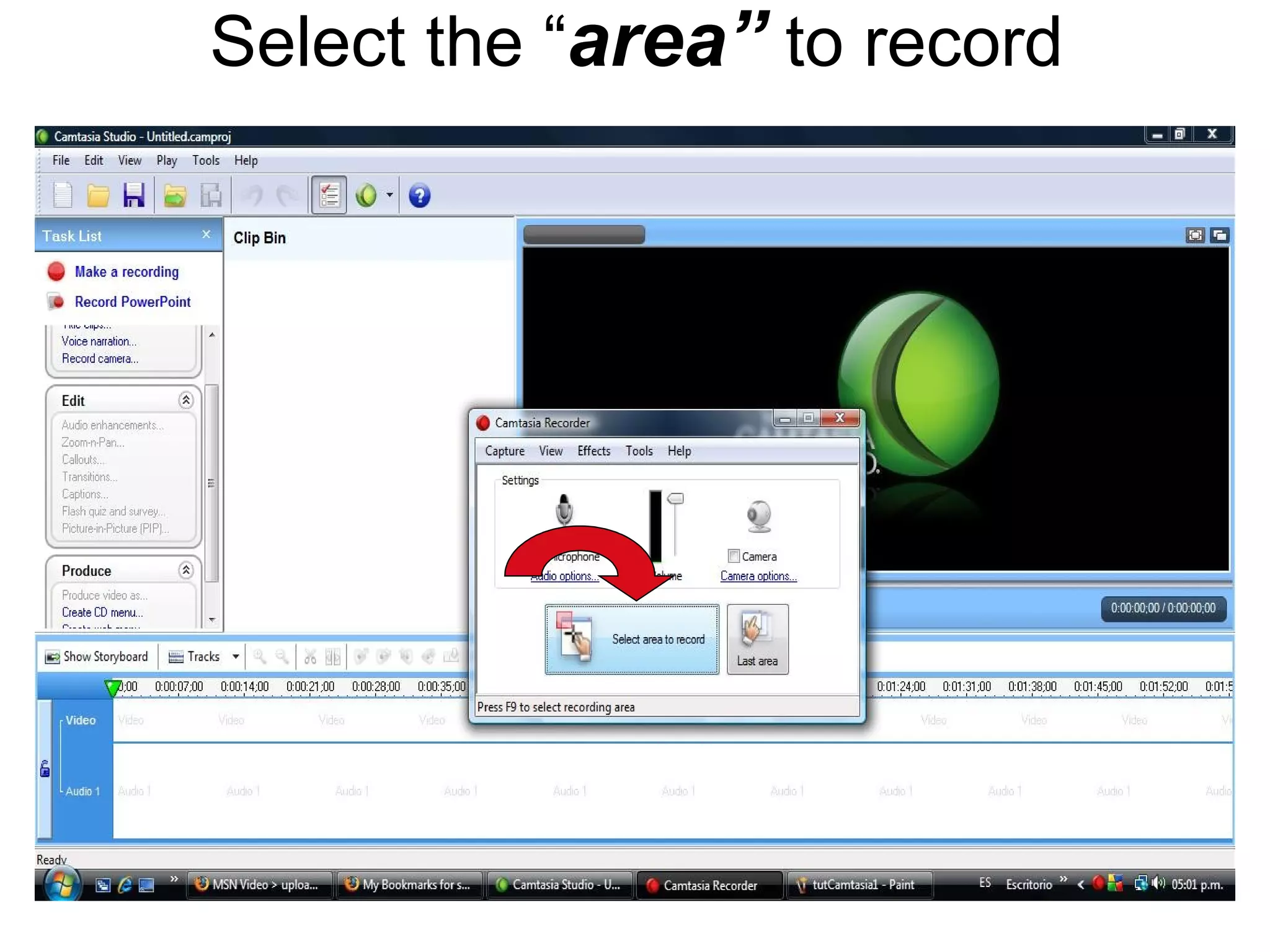
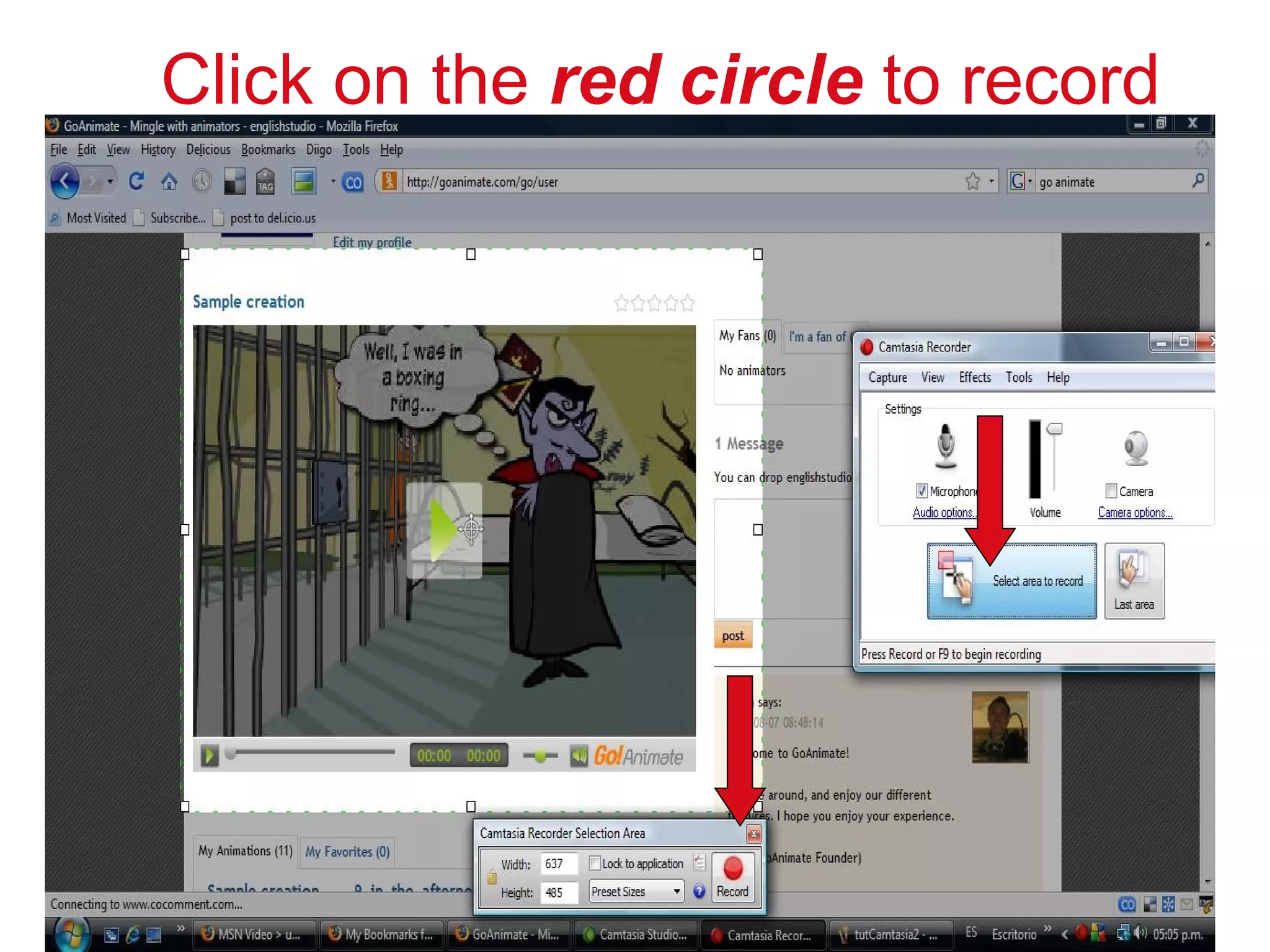

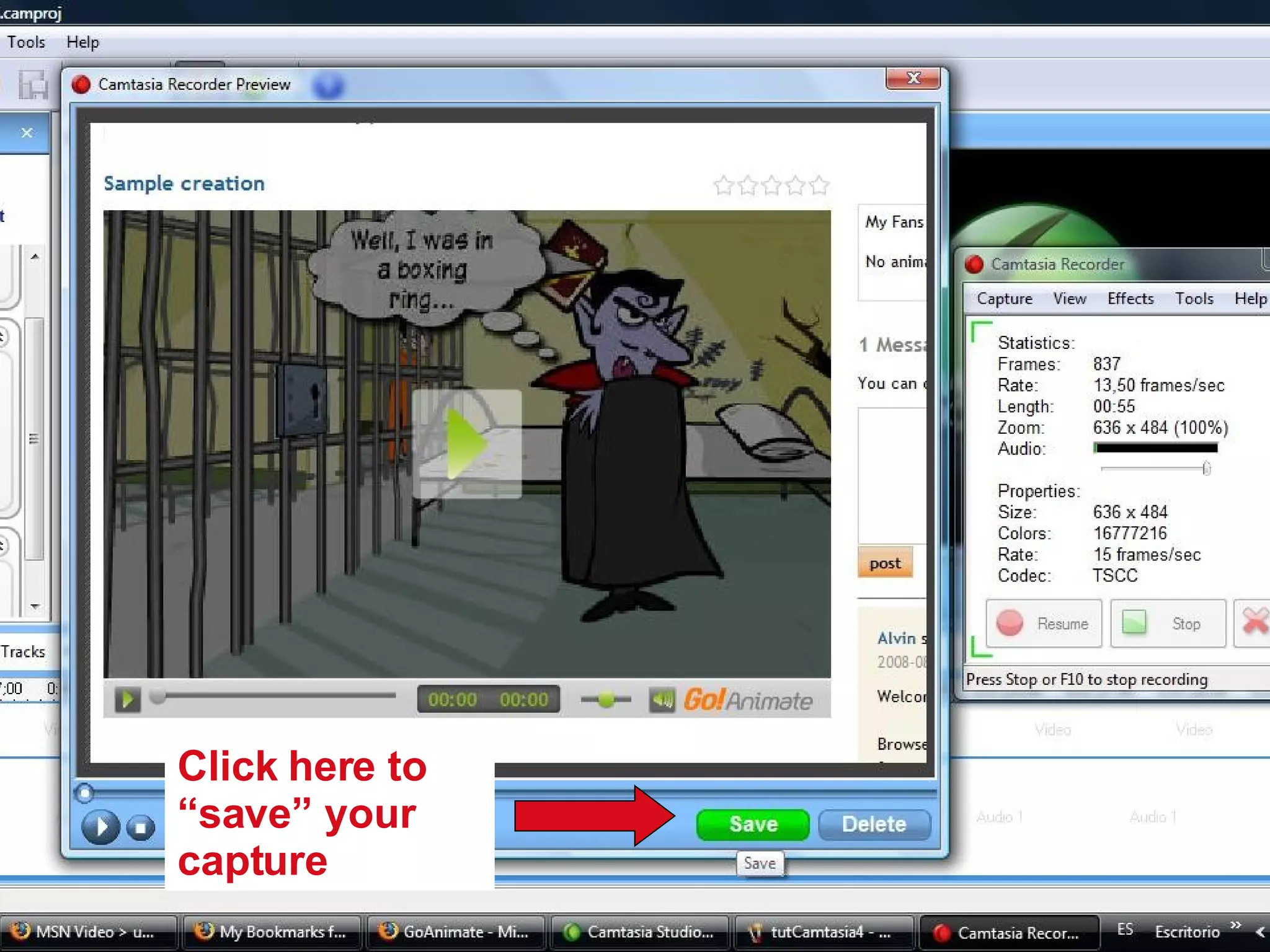


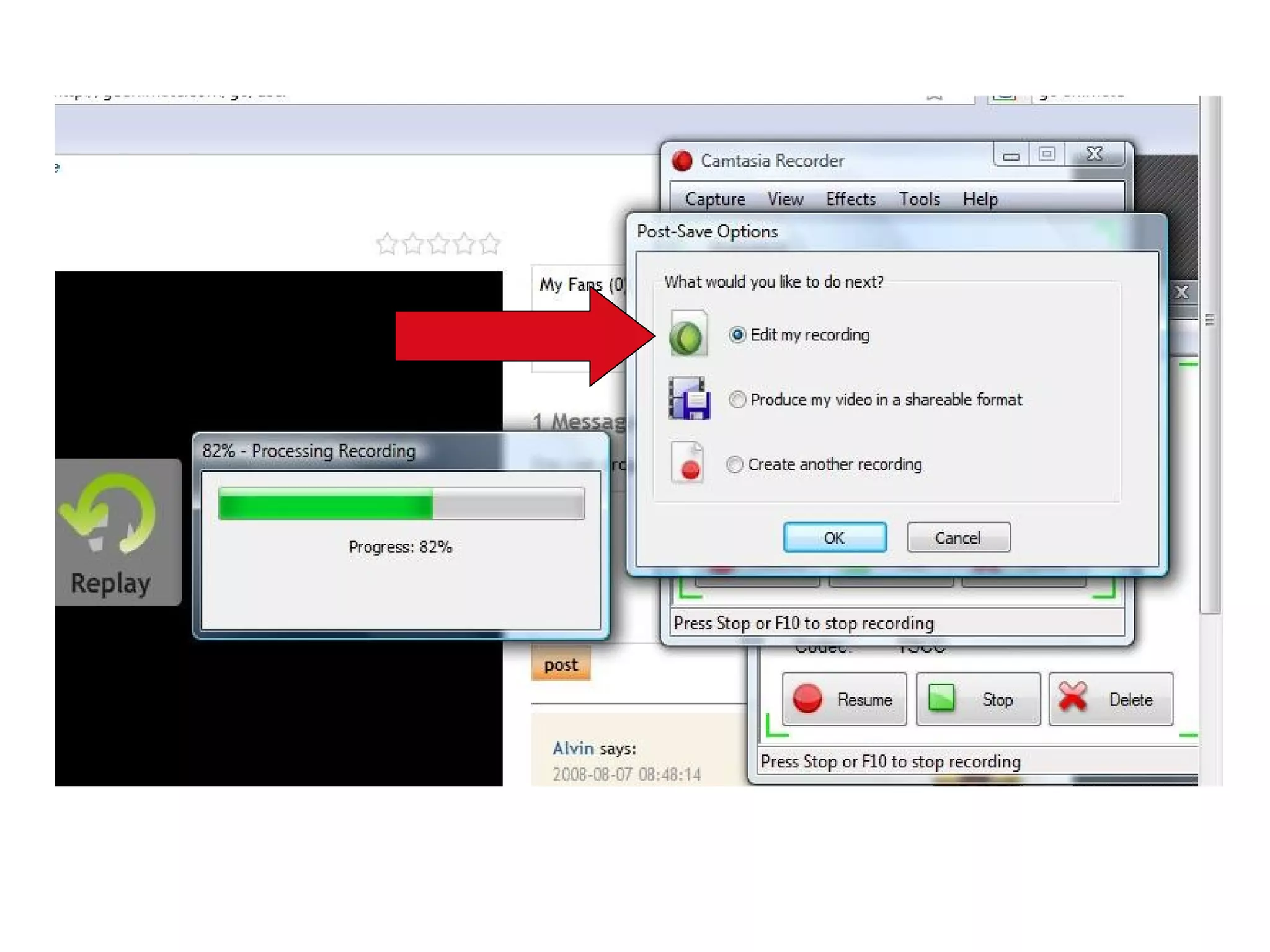


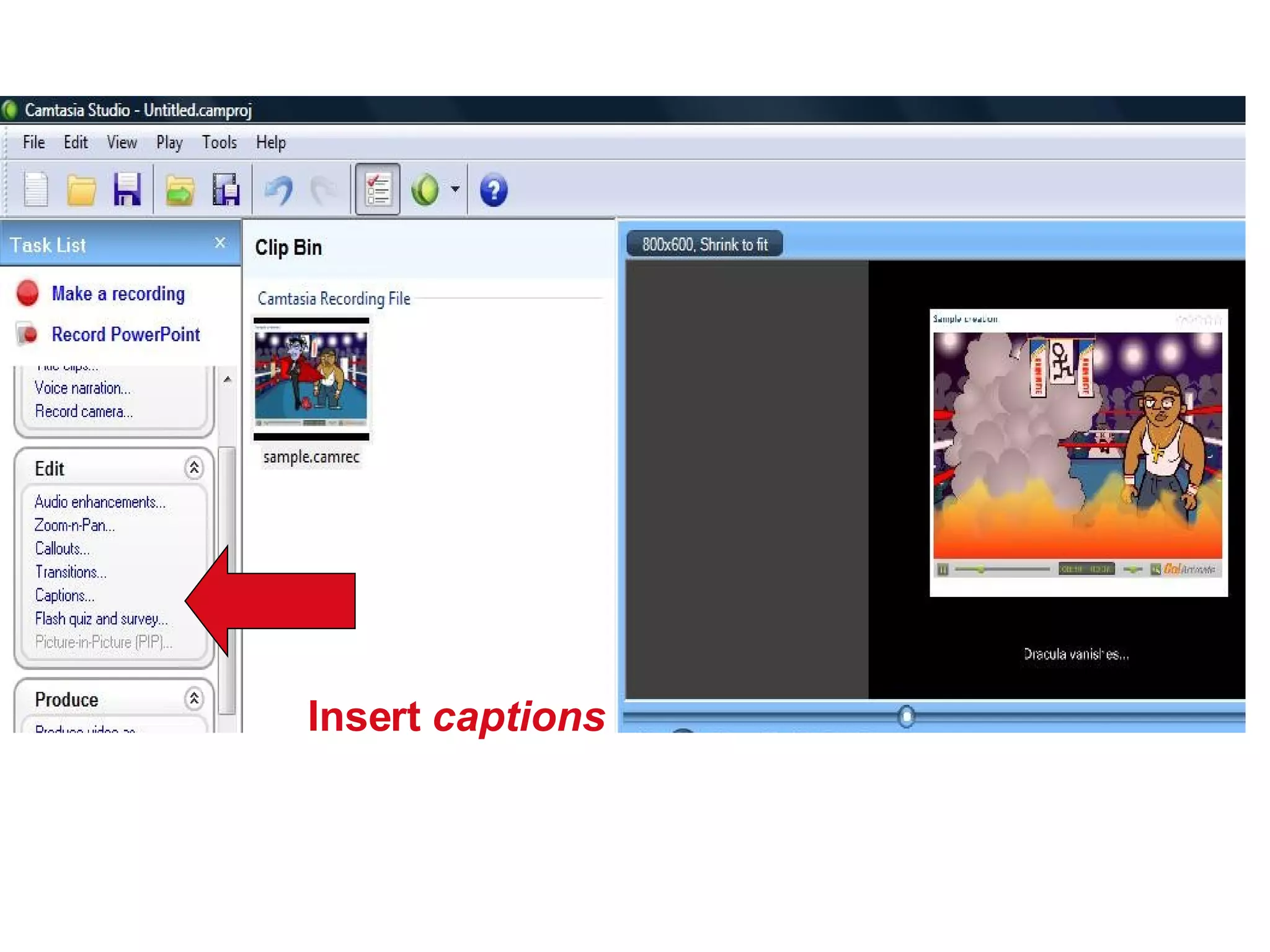
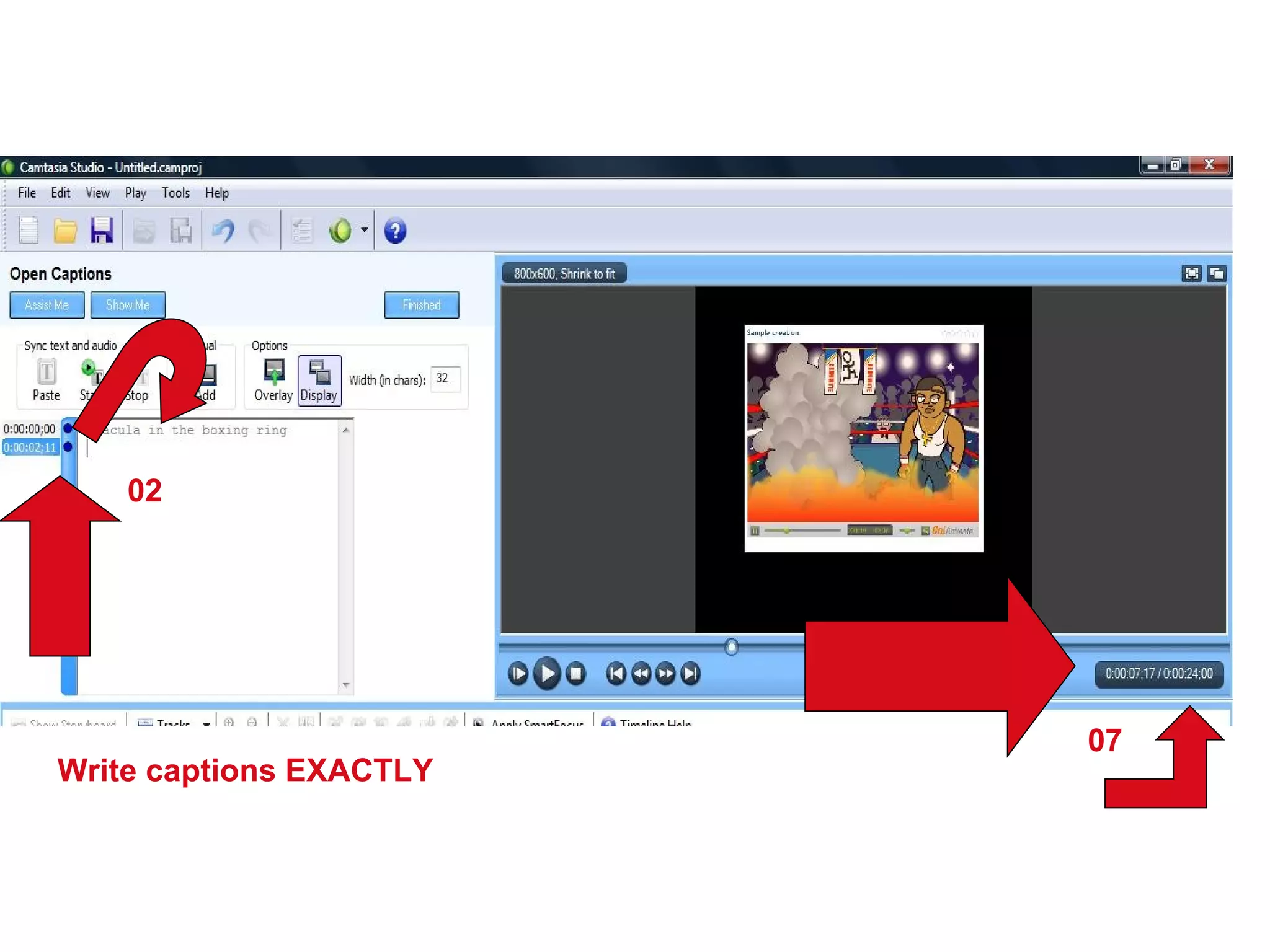
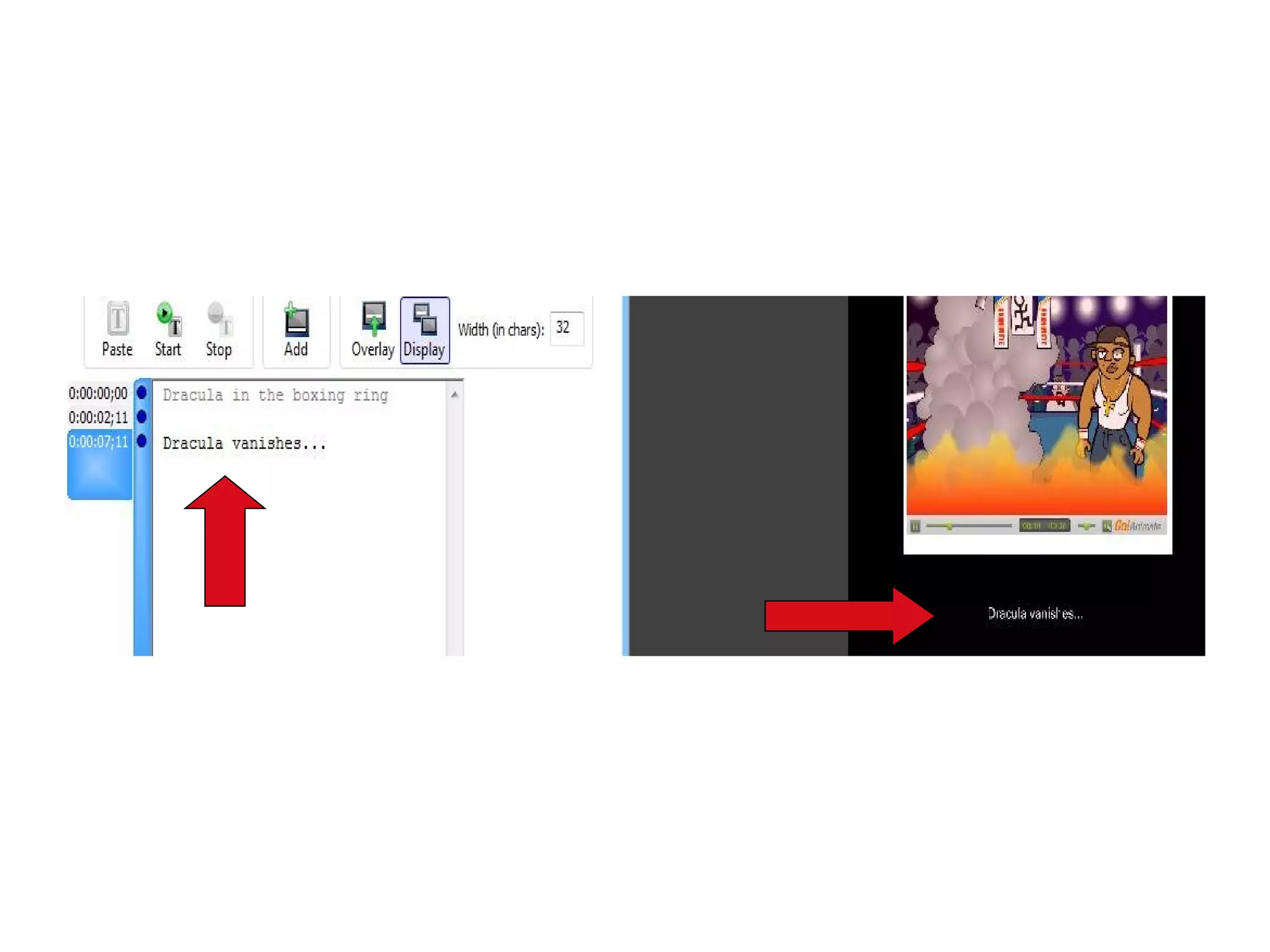
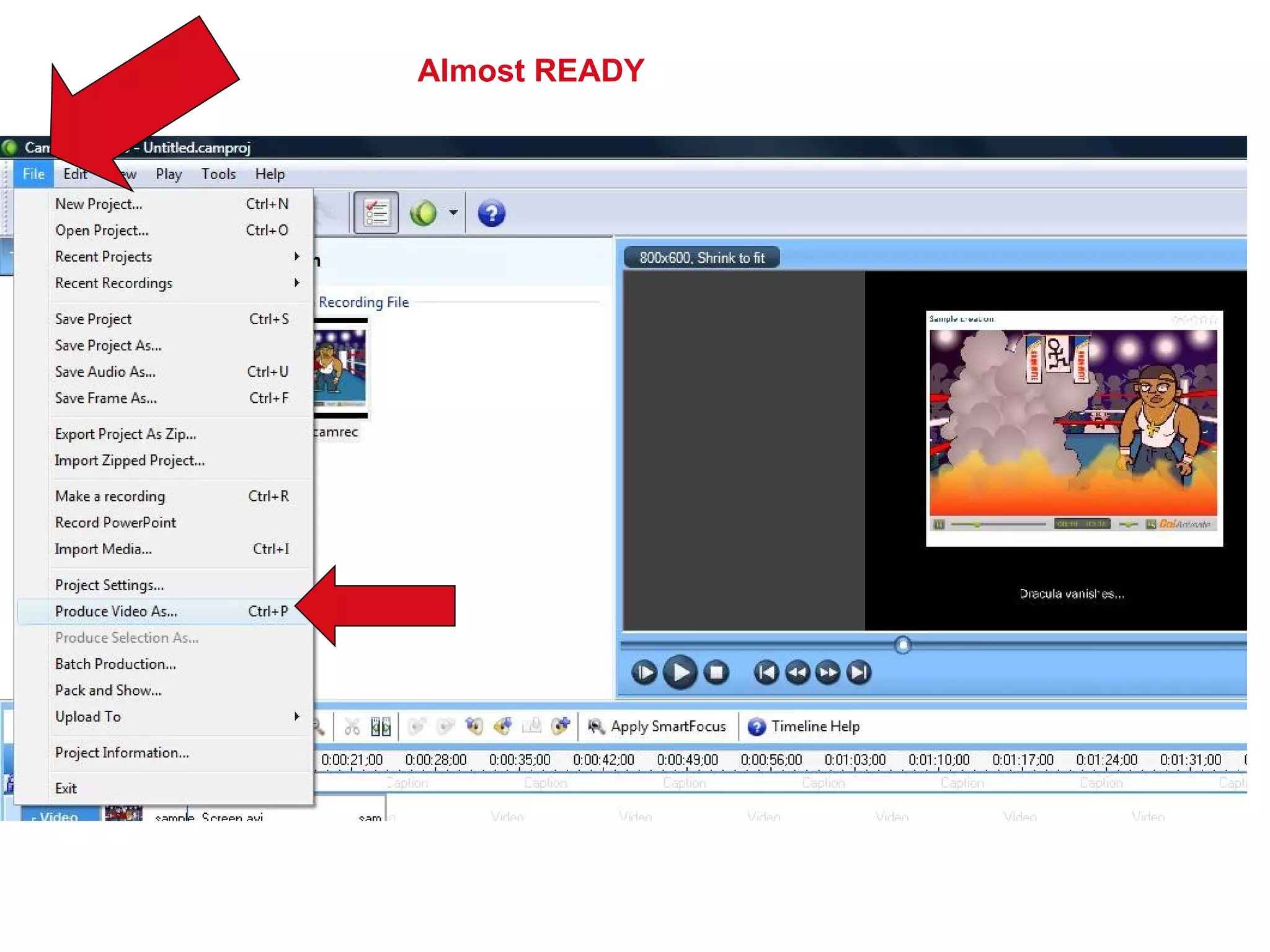


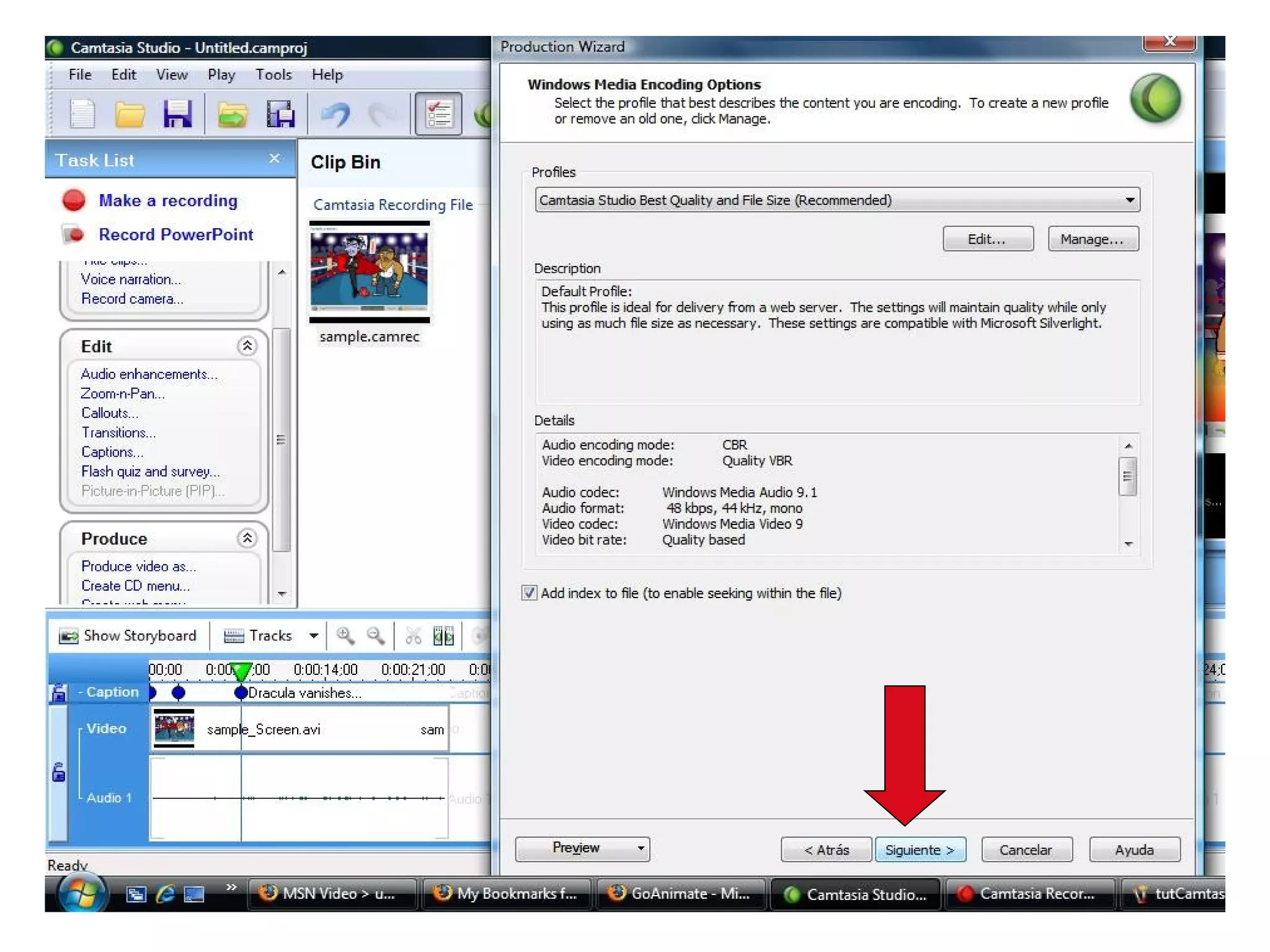


The document provides instructions for making a recording using Camtasia Studio. It outlines the steps to select the area to record, start and stop the recording, save and name the file, add captions, and finish creating the video file. The key steps are to select the area to record, click the red circle to start recording, click stop to end the recording, save and name the file, then click to finish creating the video file.


