C++ 
L01 -VARIABLES 
Programming Language 
Mohammad Shaker 
mohammadshaker.com 
@ZGTRShaker 
2010, 11, 12, 13, 14
C/ C++/ C++.NET/ C#
C/ C++/C++.NET/ C#
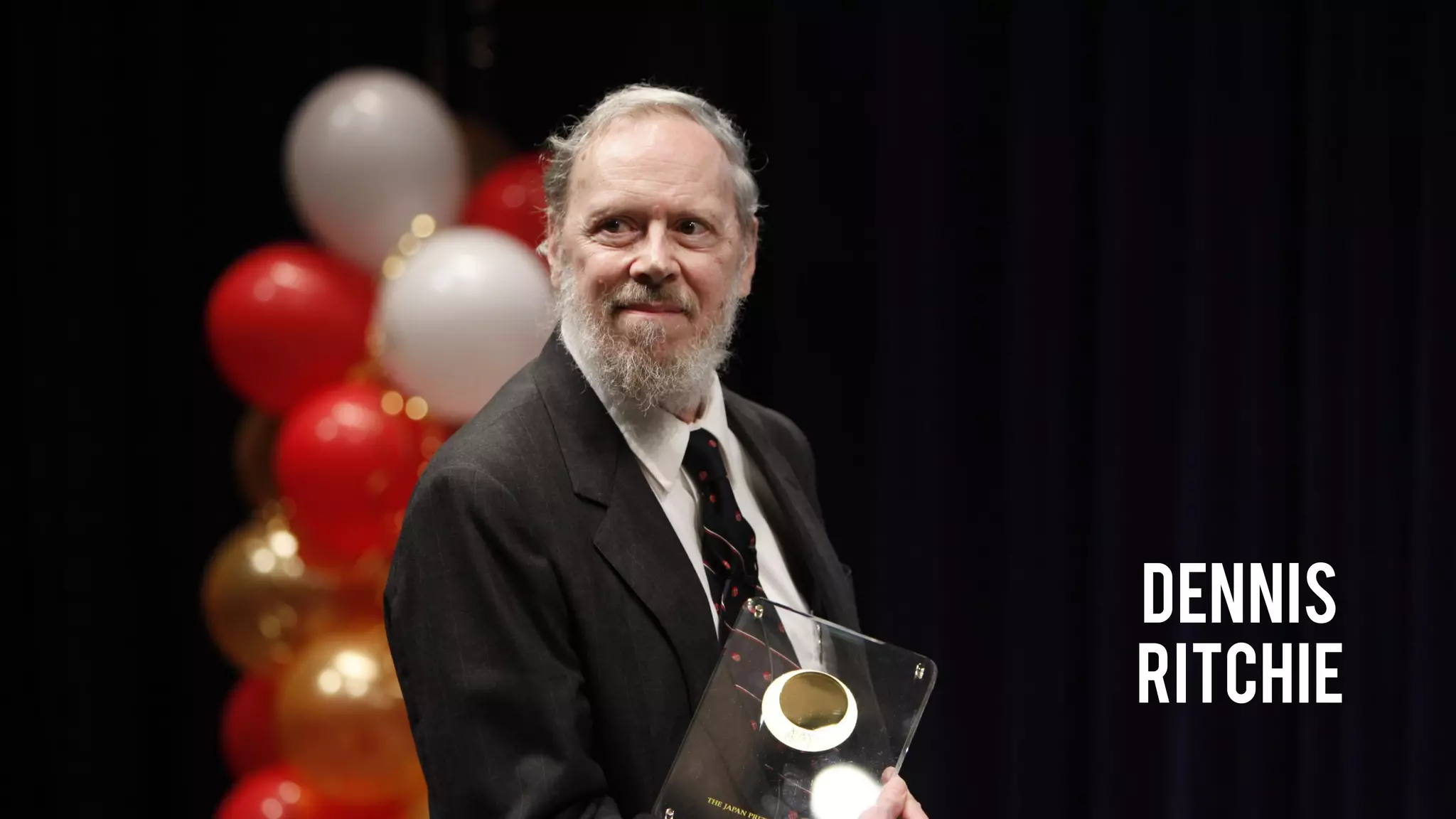
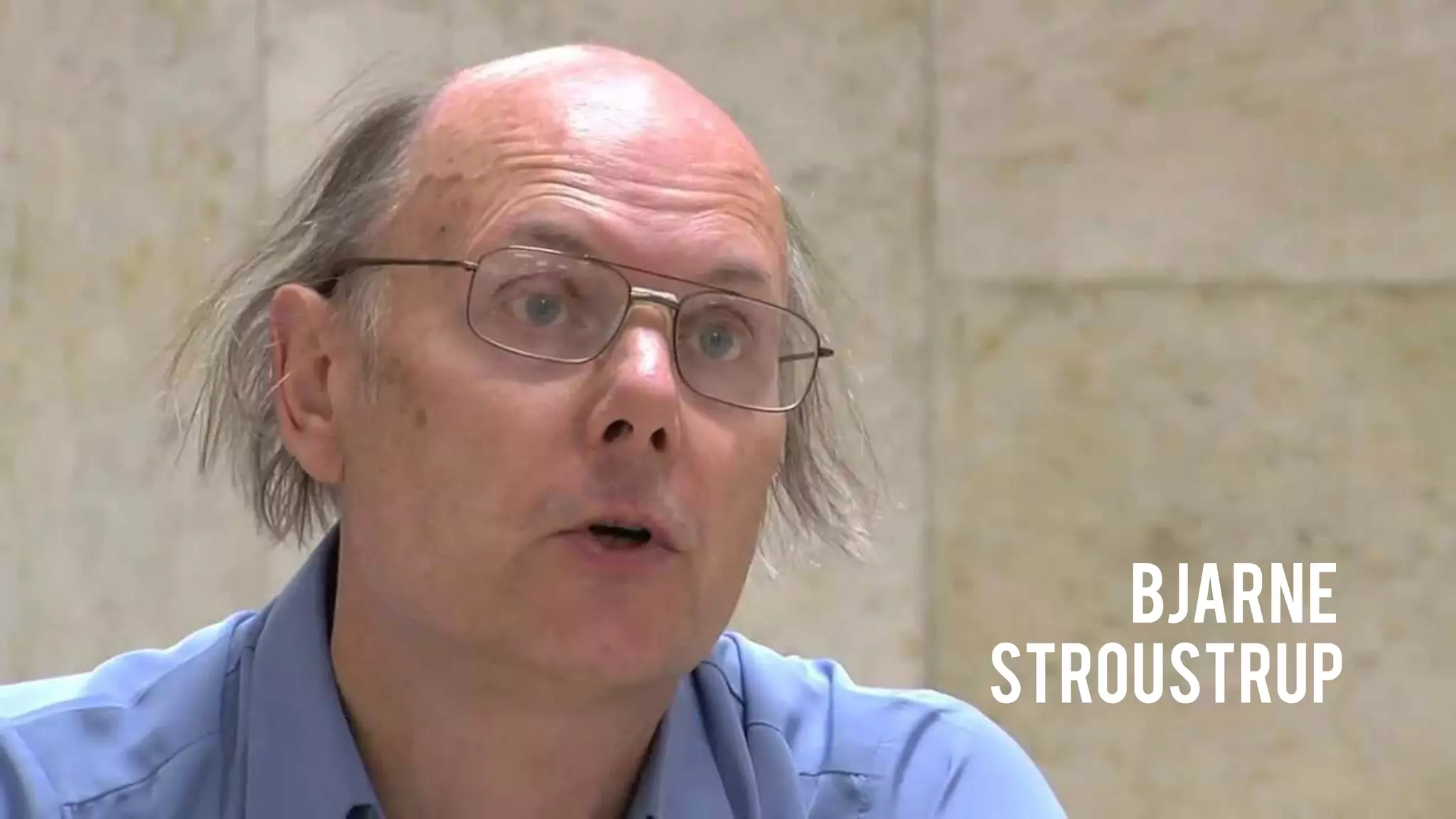
Who Are the C/C++Guys?
Dennis 
ritchie
bjarne 
stroustrup
Resources 
•Books 
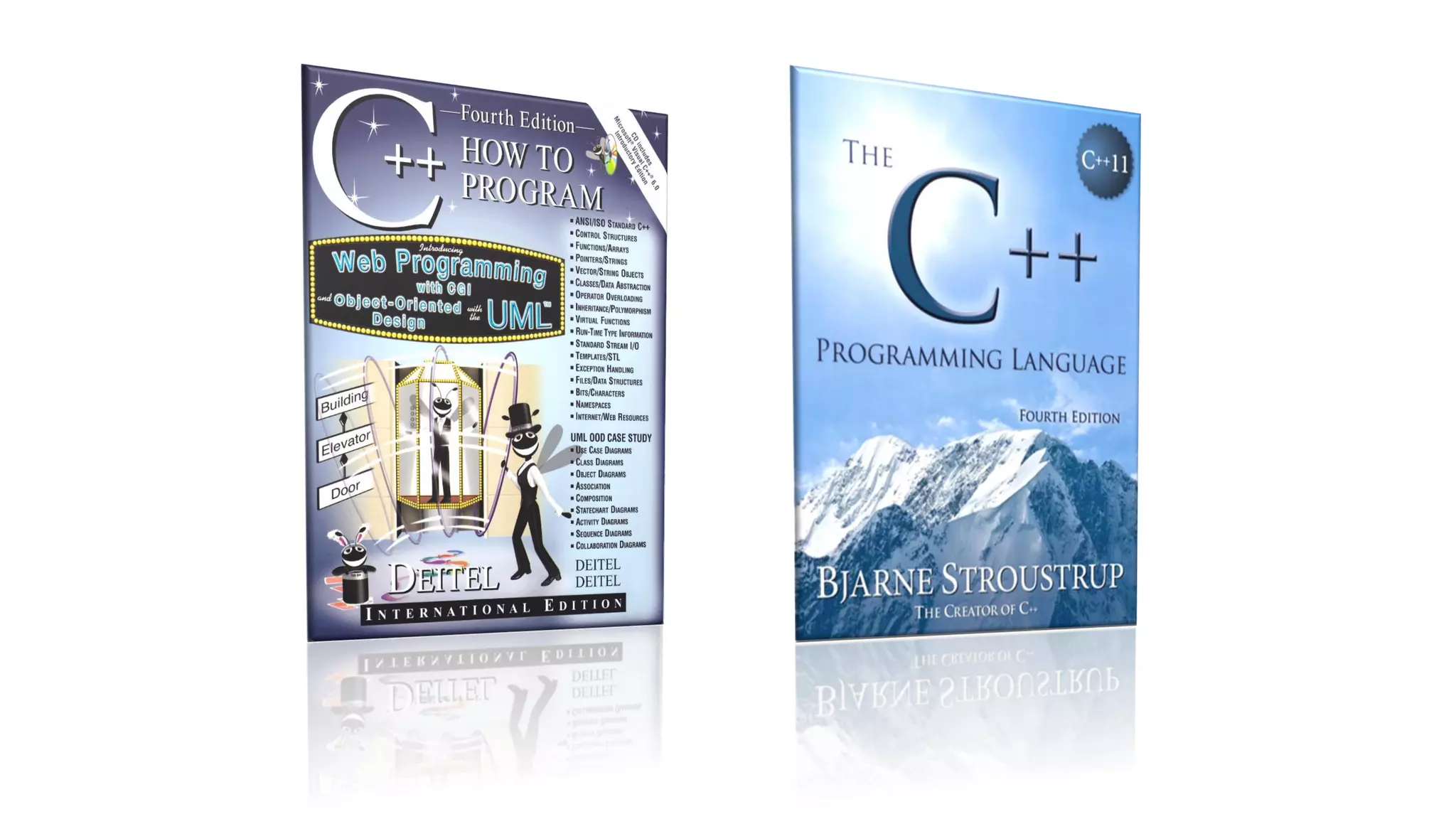
–Deitel–C++ How to program 
–The C++ Programming Language (Not for complete starters) 
•Bunshof good websites 
–www.cplusplus.com 
–www.msdn.com 
•msdnawesome library 
•stackoverflow.comand googleare always your best programming buddies
What You Will Learn 
•Concepts you already know 
–Variables 
–Control Structure 
–Functions 
–Arrays/ Pointers/ Strings 
–Structs 
•New concepts 
–Classes (OOP) 
–Inheritance (OOP) 
–Polymorphism (OOP) 
–Template 
–STL 
–Exception Handling 
–File Processing
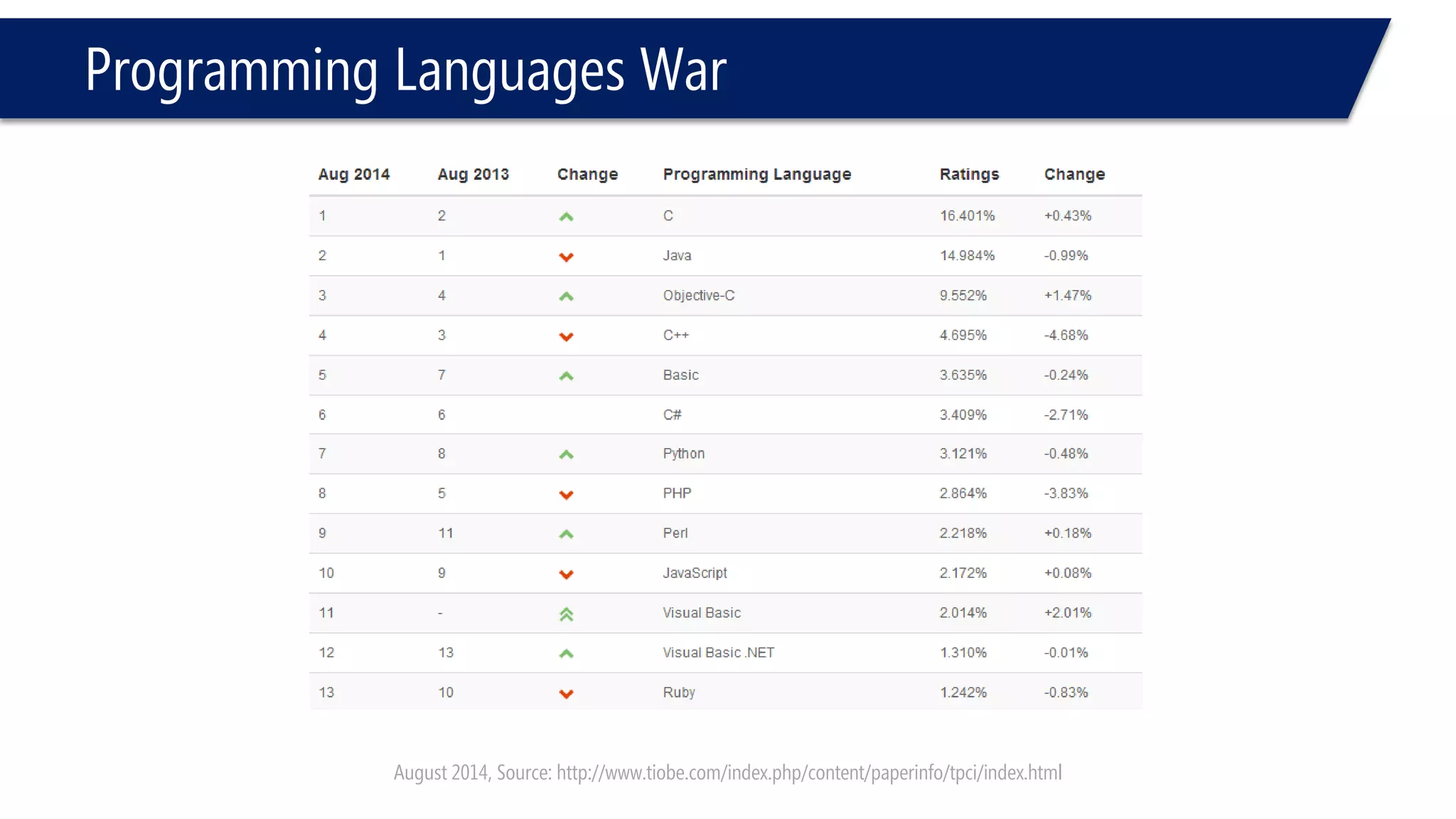
Programming Languages War 
August 2014, Source: http://www.tiobe.com/index.php/content/paperinfo/tpci/index.html
Moore’s Law and Other Stuff
C++ Preferences & features 
•Moore’s Law 
–Computer processing power can be doubled every 18-24 months 
–Software with Hardware improves together 
•More complicated Hardware 
•More advanced Software 
–Now, we are in generation that we put the "Moore’s Law" behind us!
C++ Preferences & features 
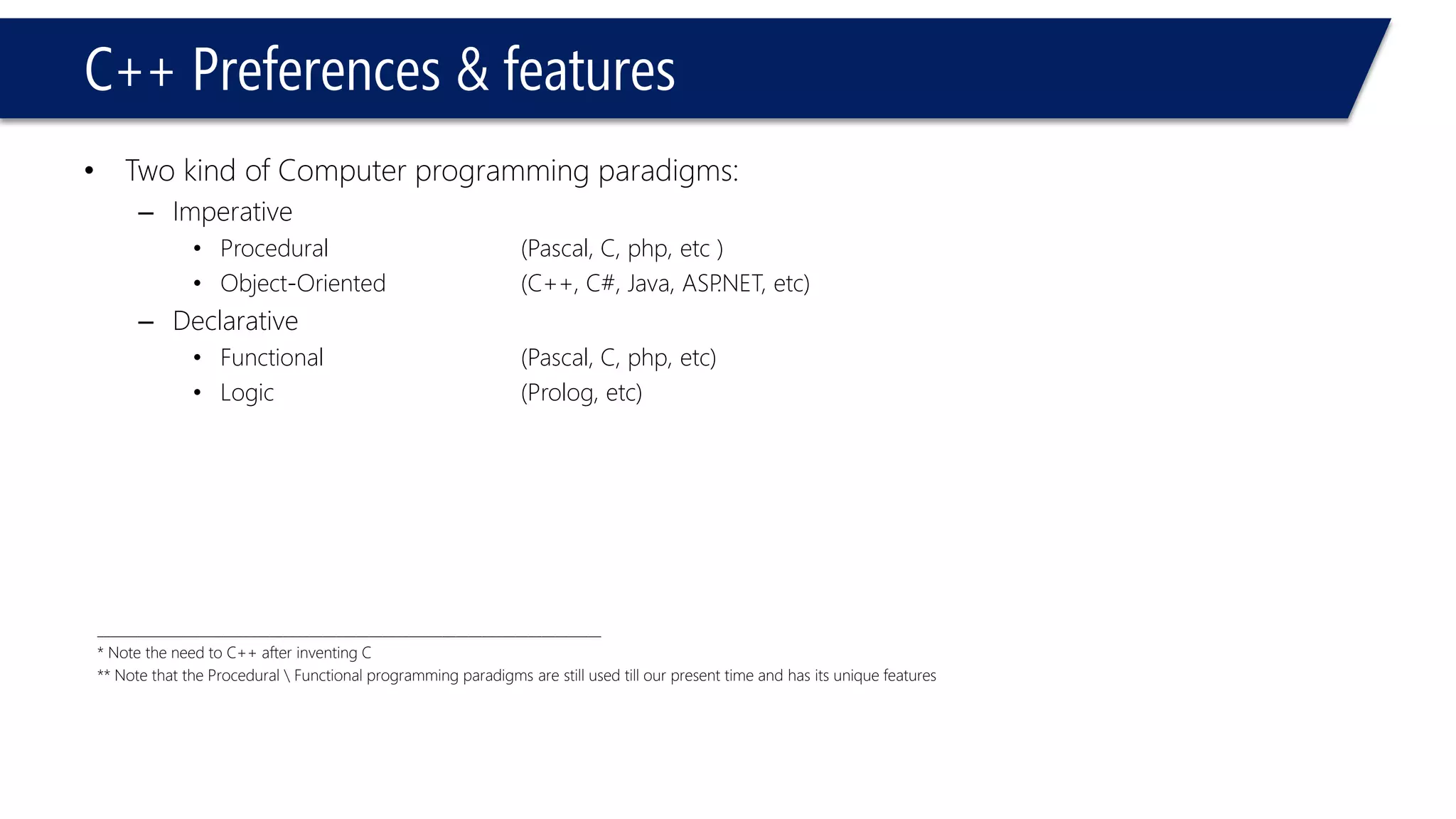
•Two kind of Computer programming paradigms: 
–Imperative 
•Procedural(Pascal, C, php, etc) 
•Object-Oriented(C++, C#, Java, ASP.NET, etc) 
–Declarative 
•Functional(Pascal, C, php, etc) 
•Logic(Prolog, etc) 
____________________________________________________________________________ 
* Note the need to C++ after inventing C 
** Note that the Procedural Functional programming paradigms are still used till our present time and has its unique features
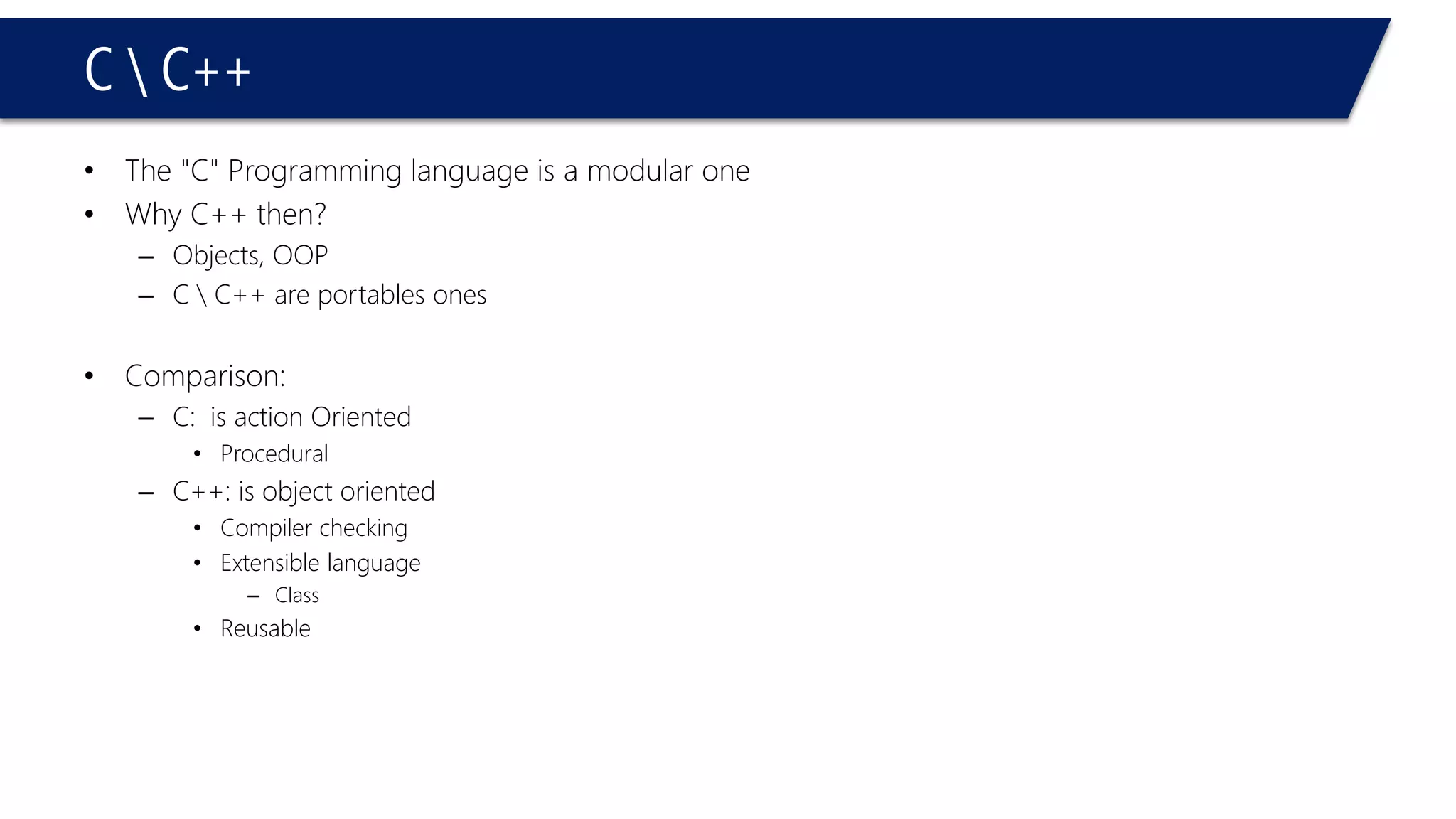
C C++ 
•The "C" Programming language is a modular one 
•Why C++ then? 
–Objects, OOP 
–C C++ are portables ones 
•Comparison: 
–C: is action Oriented 
•Procedural 
–C++: is object oriented 
•Compiler checking 
•Extensible language 
–Class 
•Reusable
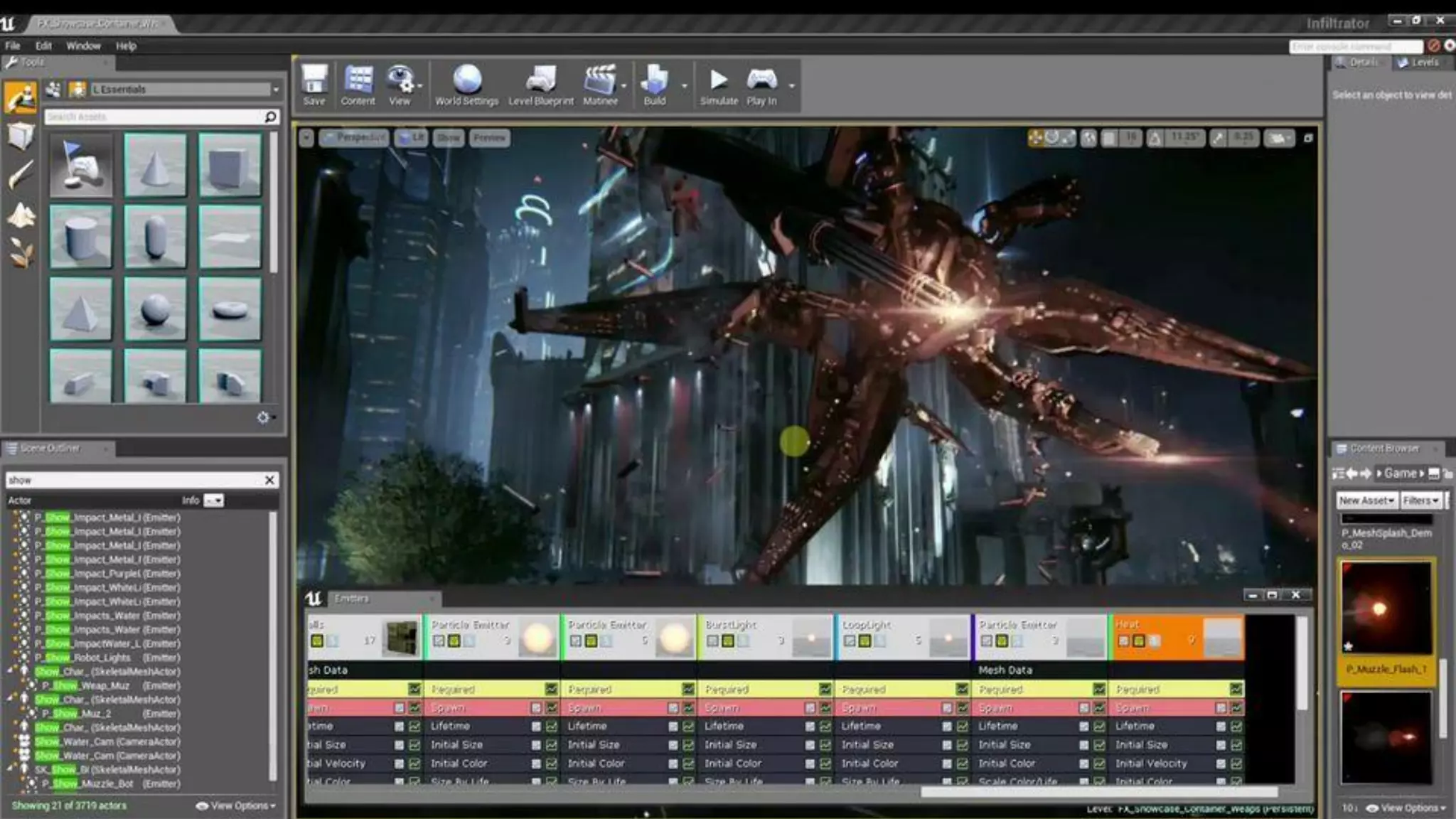
Where you can find C++?
Where you can find C++? Pretty Everywhere! (Take a look here: http://www.stroustrup.com/applications.html) Microsoft, OfficeGoogleHPAmazonAdobeMozillaMySQLINTELNokiaSunBloombergGame Engines
Enough talk! Let’s get into the Action!
The Structure of a C++ Program
Structure of C++ program 
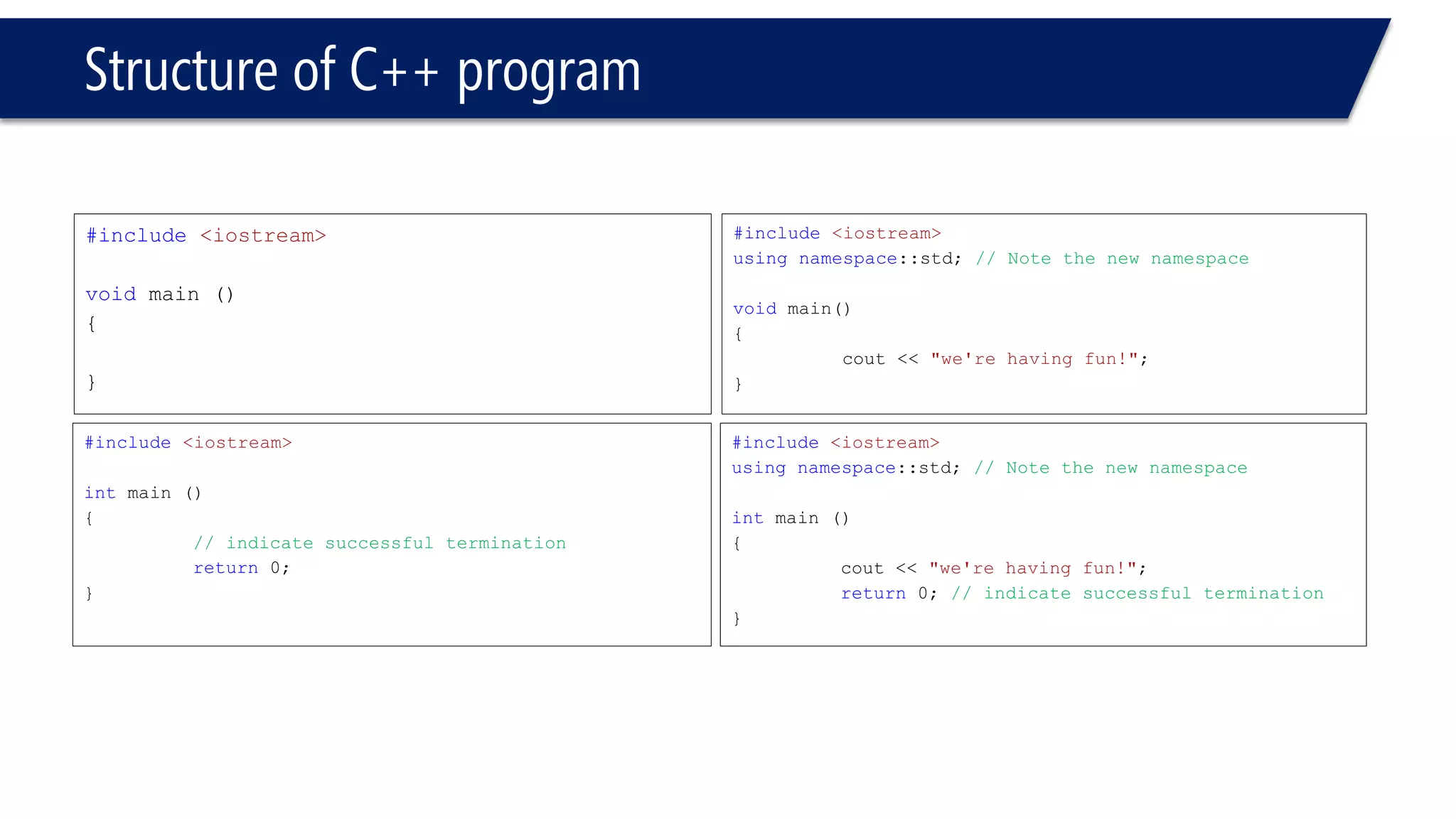
#include<iostream> 
voidmain () 
{ 
} 
#include<iostream> 
intmain () 
{ 
// indicate successful termination 
return0; 
} 
#include<iostream> 
usingnamespace::std; // Note the new namespace 
voidmain() 
{ 
cout<< "we're having fun!"; 
} 
#include<iostream> 
usingnamespace::std;// Note the new namespace 
intmain () 
{ 
cout<< "we're having fun!"; 
return0; // indicate successful termination 
}
Structure of C++ program 
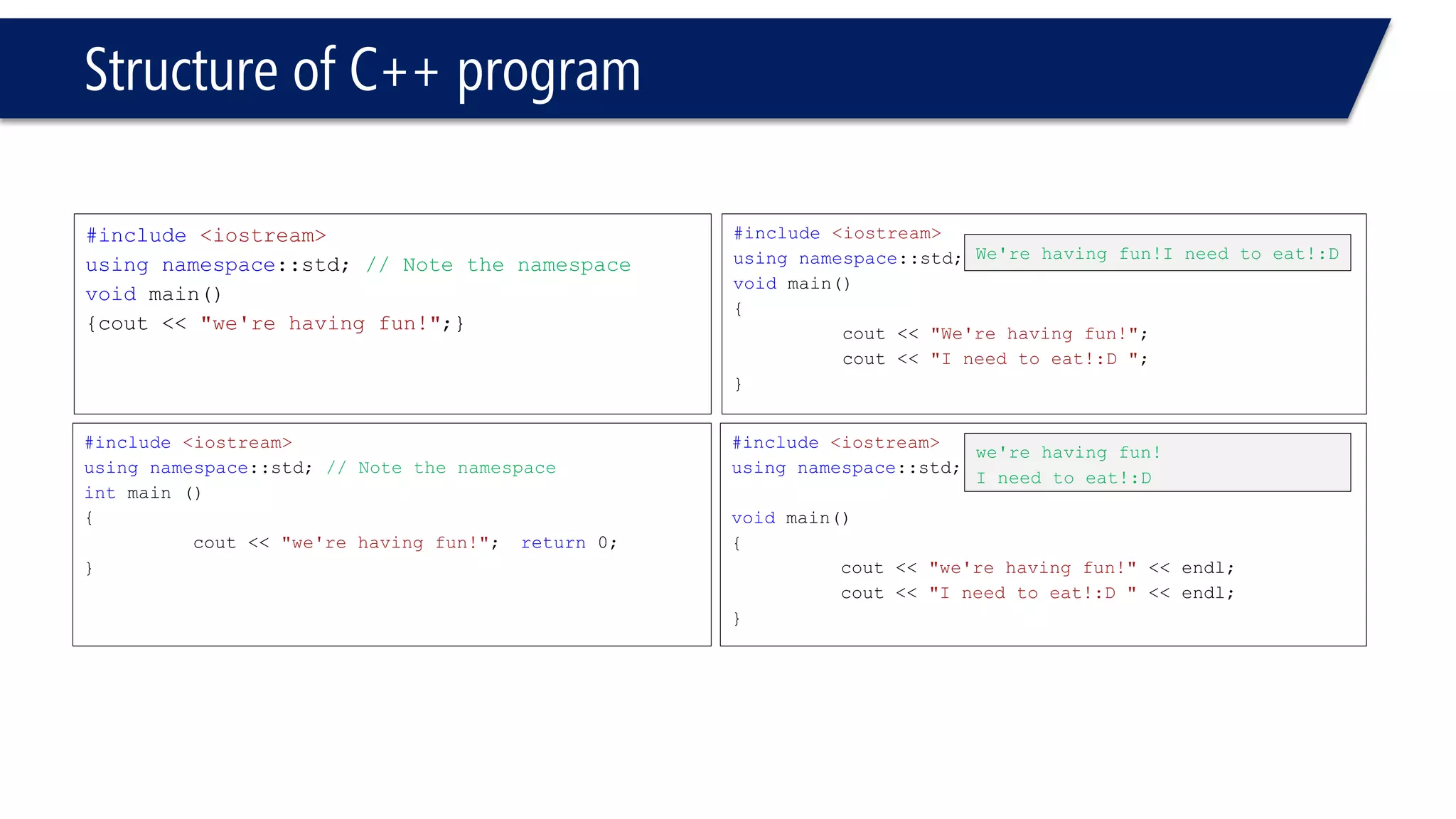
#include<iostream> 
usingnamespace::std; // Note the namespace 
voidmain() 
{cout<< "we're having fun!";} 
#include<iostream> 
usingnamespace::std;// Note the namespace 
intmain () 
{ 
cout<< "we're having fun!";return0; 
} 
#include<iostream> 
usingnamespace::std; 
voidmain() 
{ 
cout<< "We're having fun!"; 
cout<< "I need to eat!:D "; 
} 
#include<iostream> 
usingnamespace::std; 
voidmain() 
{ 
cout<< "we're having fun!" << endl; 
cout<< "I need to eat!:D " << endl; 
} 
We're having fun!Ineed to eat!:D 
we're having fun! 
I need to eat!:D
Structure of C++ program 
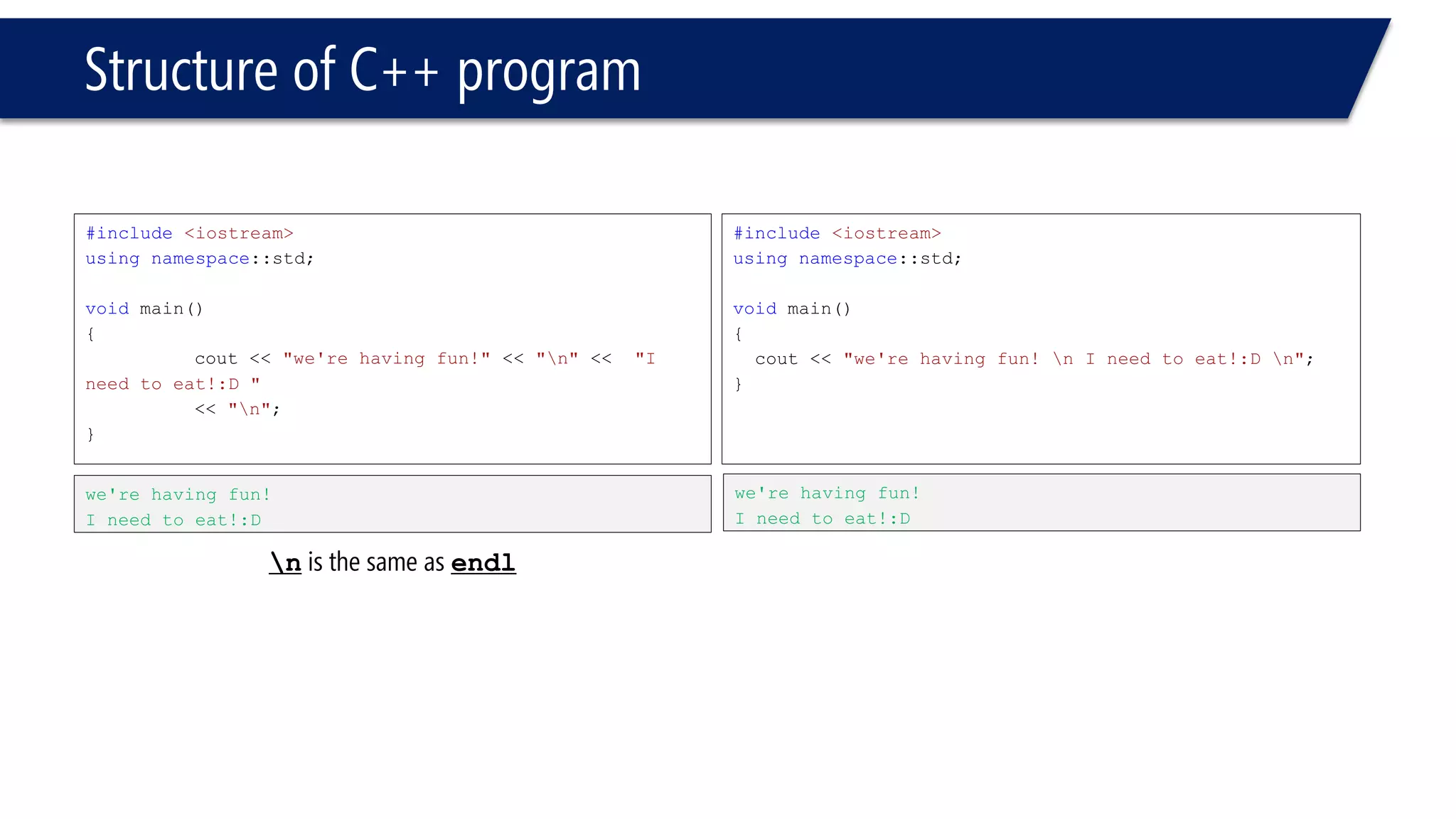
#include<iostream> 
usingnamespace::std; 
voidmain() 
{ 
cout<< "we're having fun!"<< "n"<< "I need to eat!:D " 
<< "n"; 
} 
#include<iostream> 
usingnamespace::std; 
voidmain() 
{ 
cout<< "we're having fun! n I need to eat!:D n"; 
} 
we're having fun! 
I need to eat!:D 
we're having fun! 
I need to eat!:D nis the same as endl
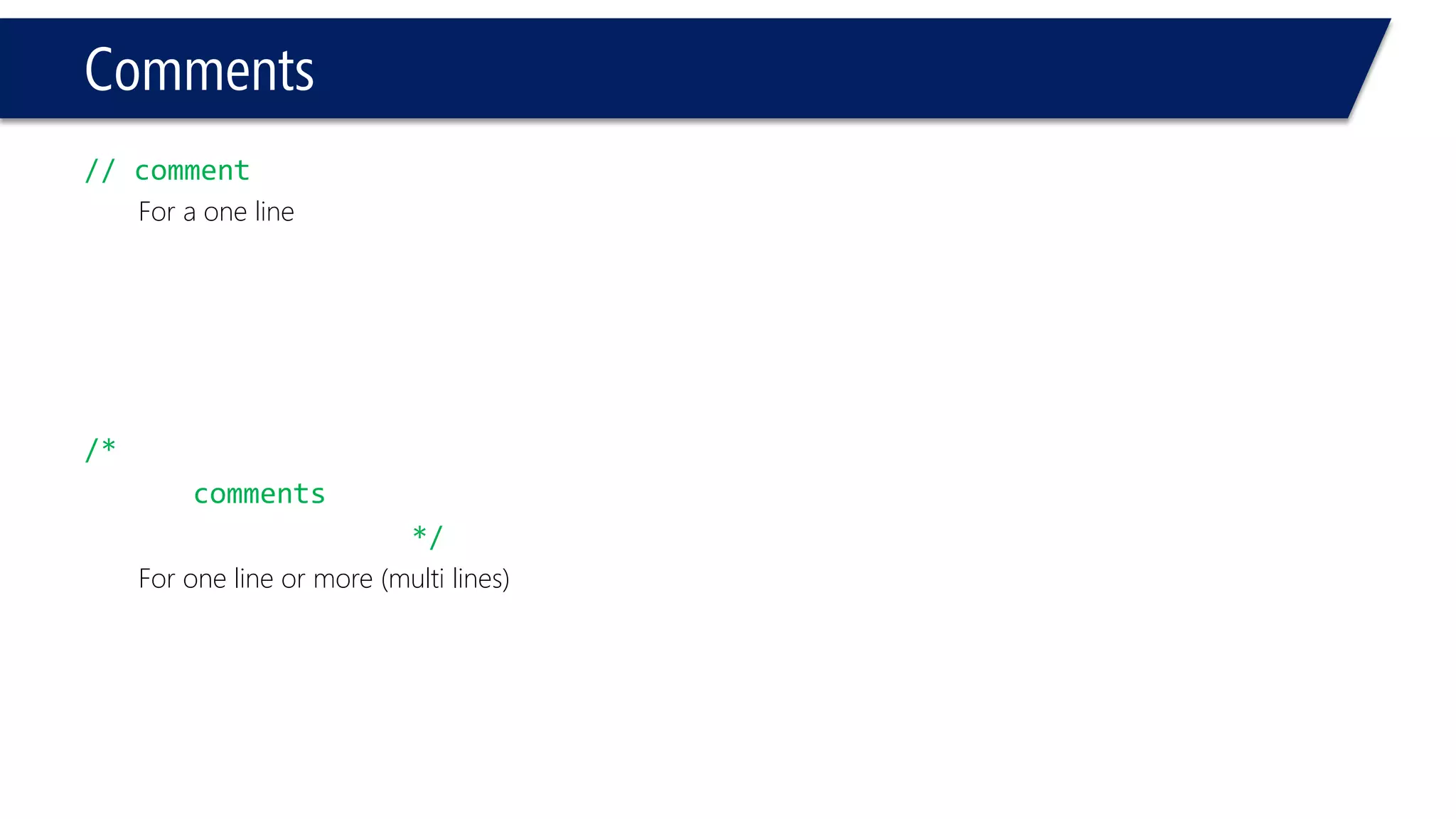
Comments 
// comment 
For a one line 
/* 
comments 
*/ 
For one line or more (multi lines)
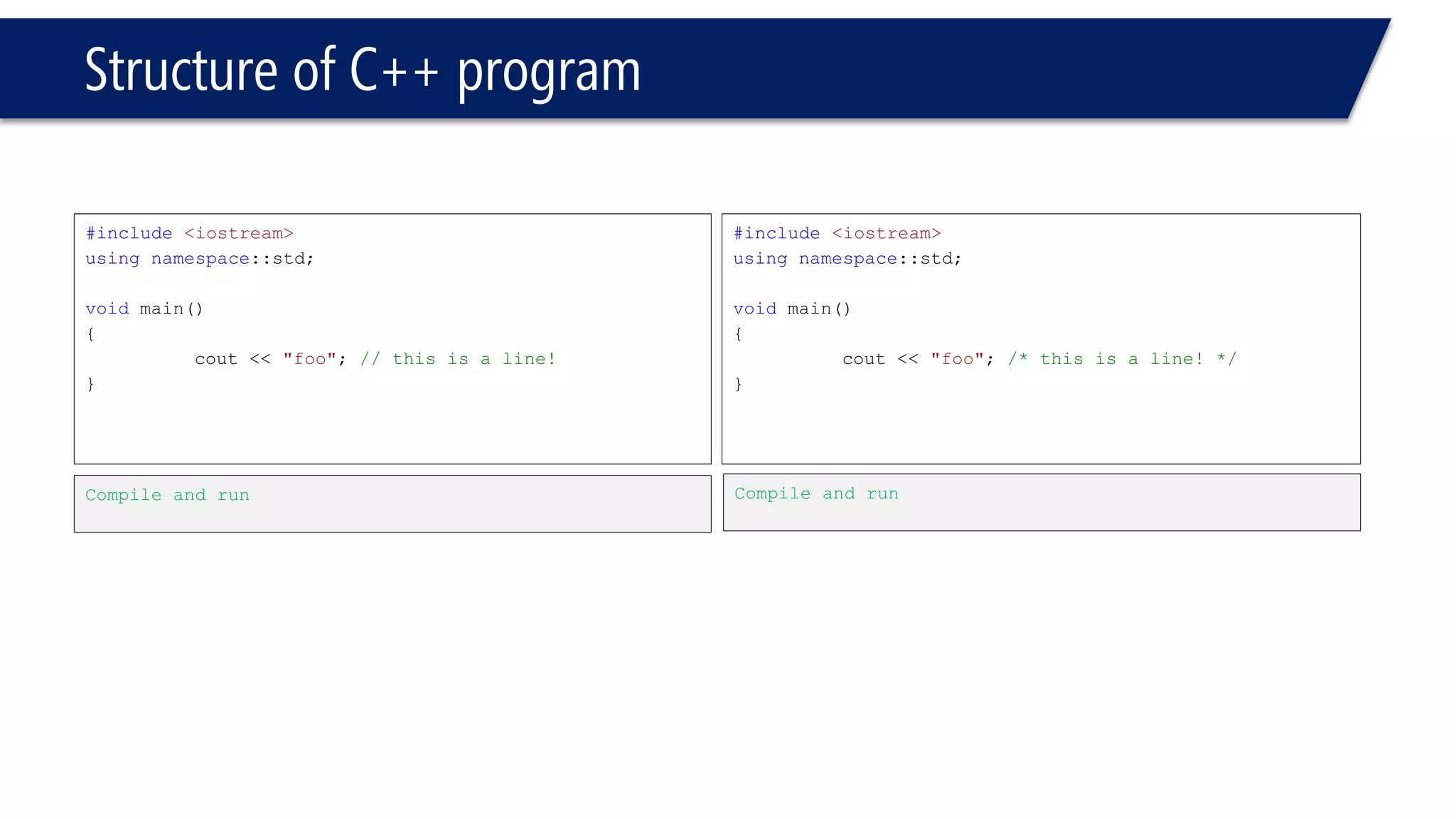
Structure of C++ program 
#include<iostream> 
usingnamespace::std; 
voidmain() 
{ 
cout<< "foo"; // this is a line! 
} 
#include<iostream> 
usingnamespace::std; 
voidmain() 
{ 
cout<< "foo"; /* this is a line! */ 
} 
Compile and run 
Compile and run
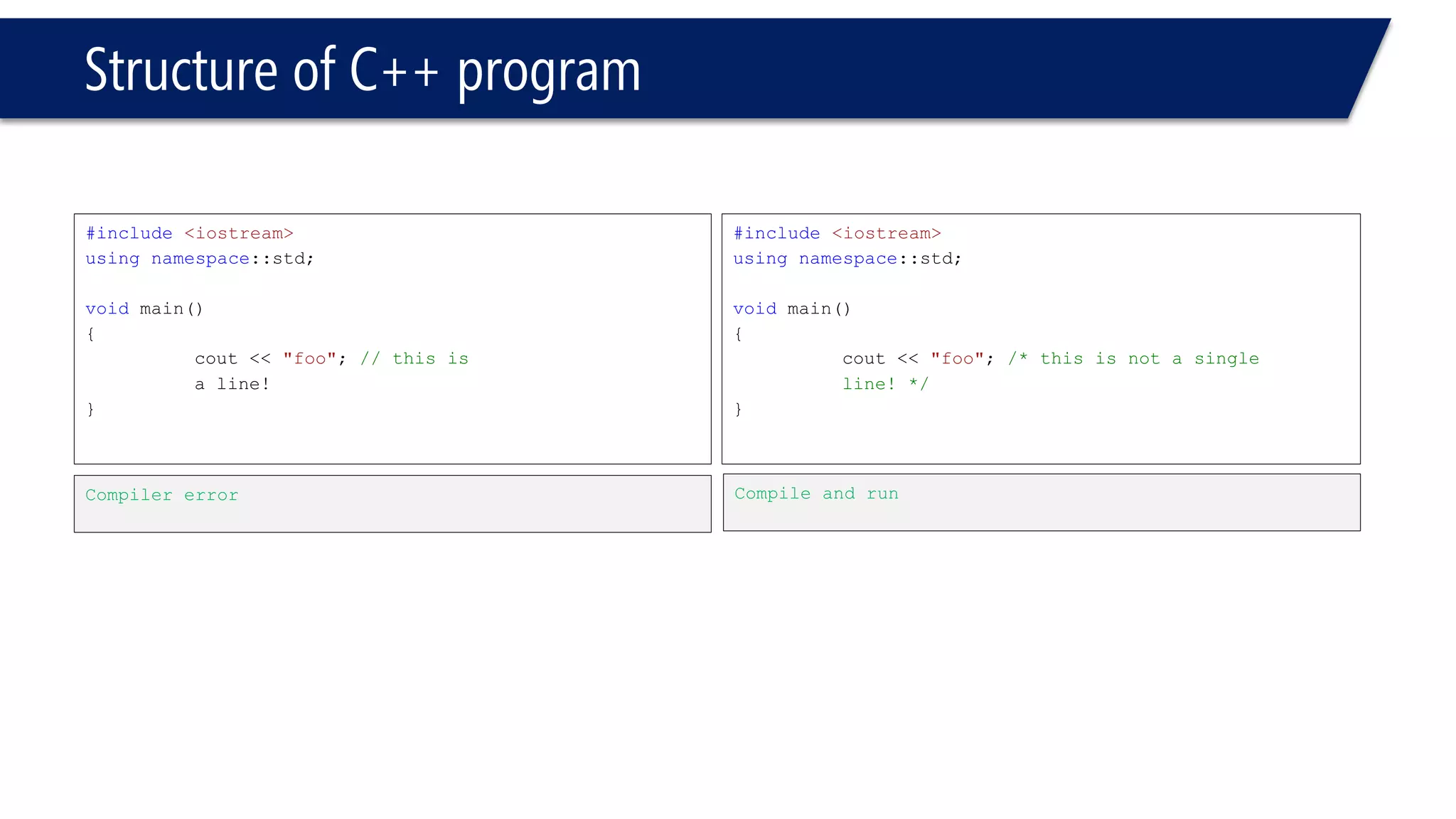
Structure of C++ program 
#include<iostream> 
usingnamespace::std; 
voidmain() 
{ 
cout<< "foo"; // this is 
a line! 
} 
#include<iostream> 
usingnamespace::std; 
voidmain() 
{ 
cout<< "foo"; /* this is not a single 
line! */ 
} 
Compiler error 
Compile and run
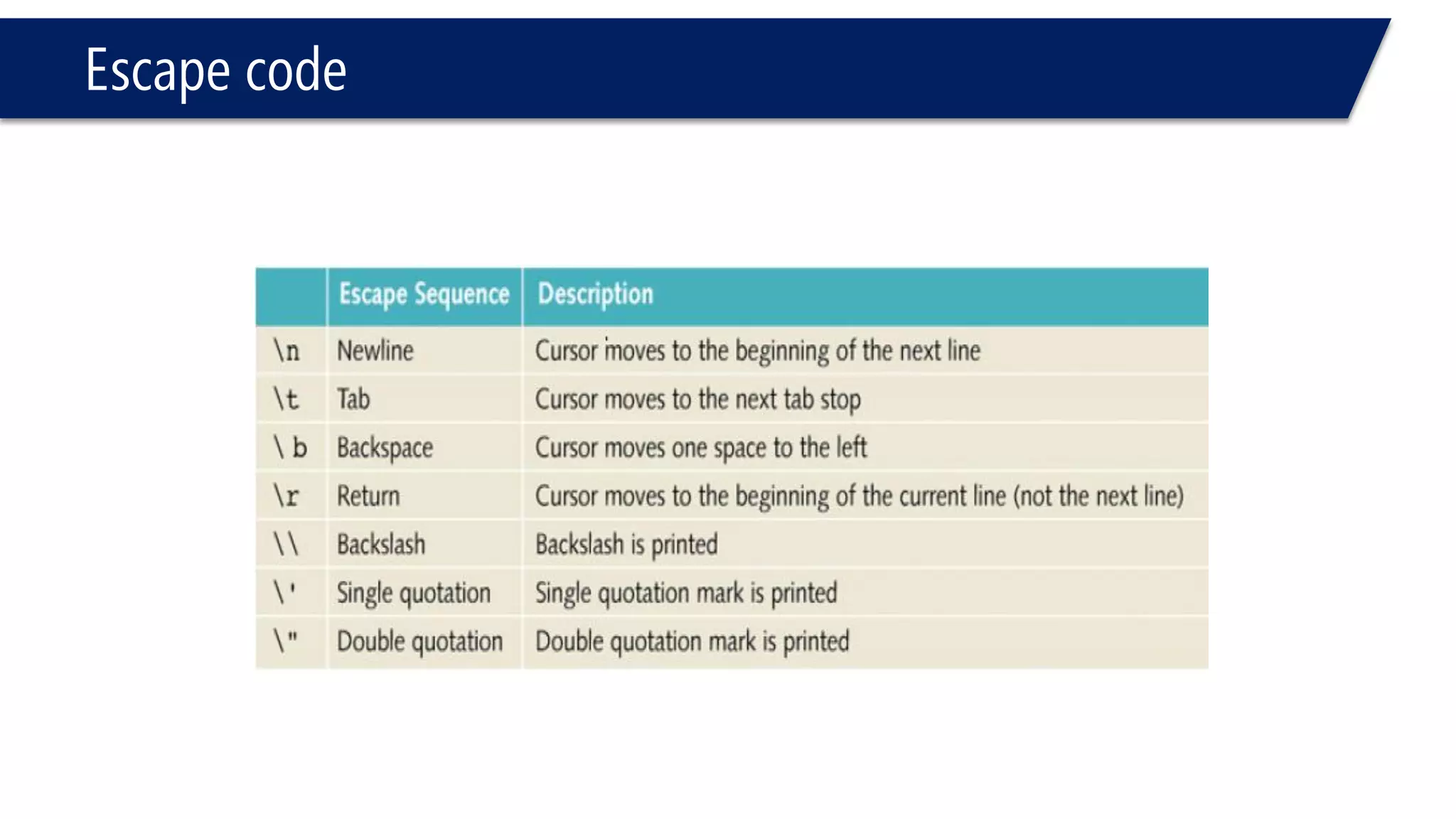
Escape code
I/O Stream 
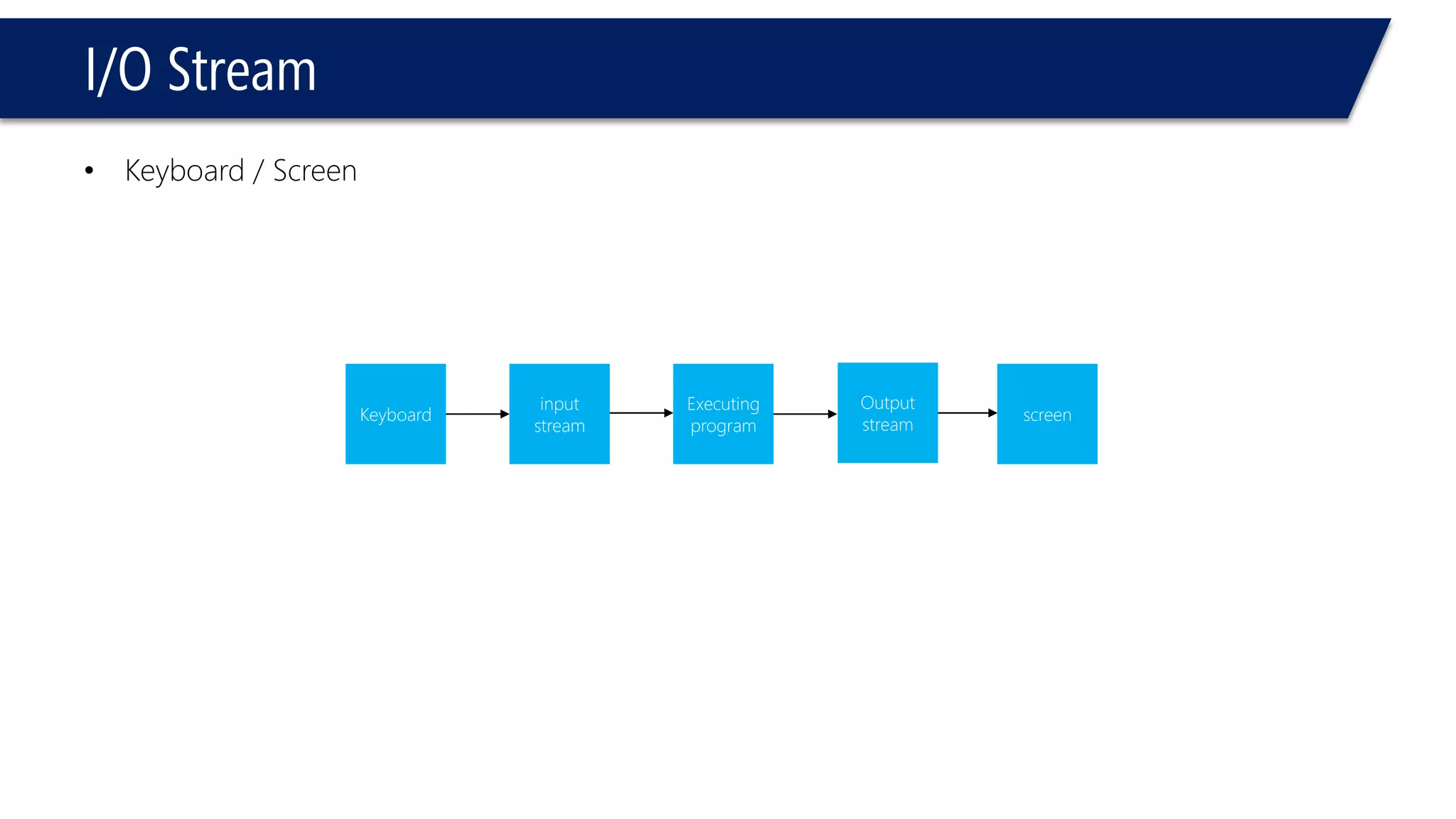
•Keyboard / Screen 
Keyboard 
input stream 
Executing program 
screen 
Output 
stream
Variables
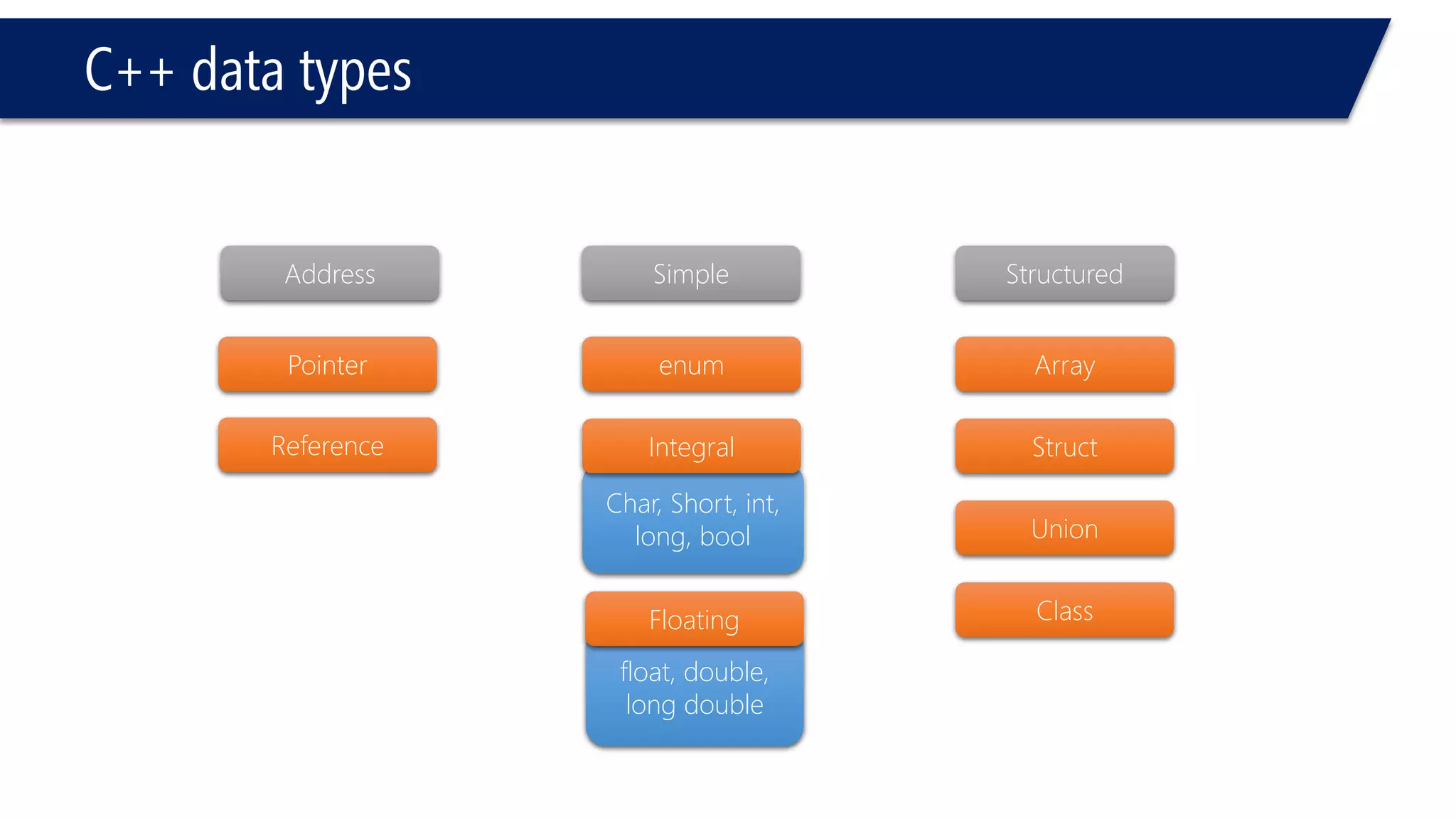
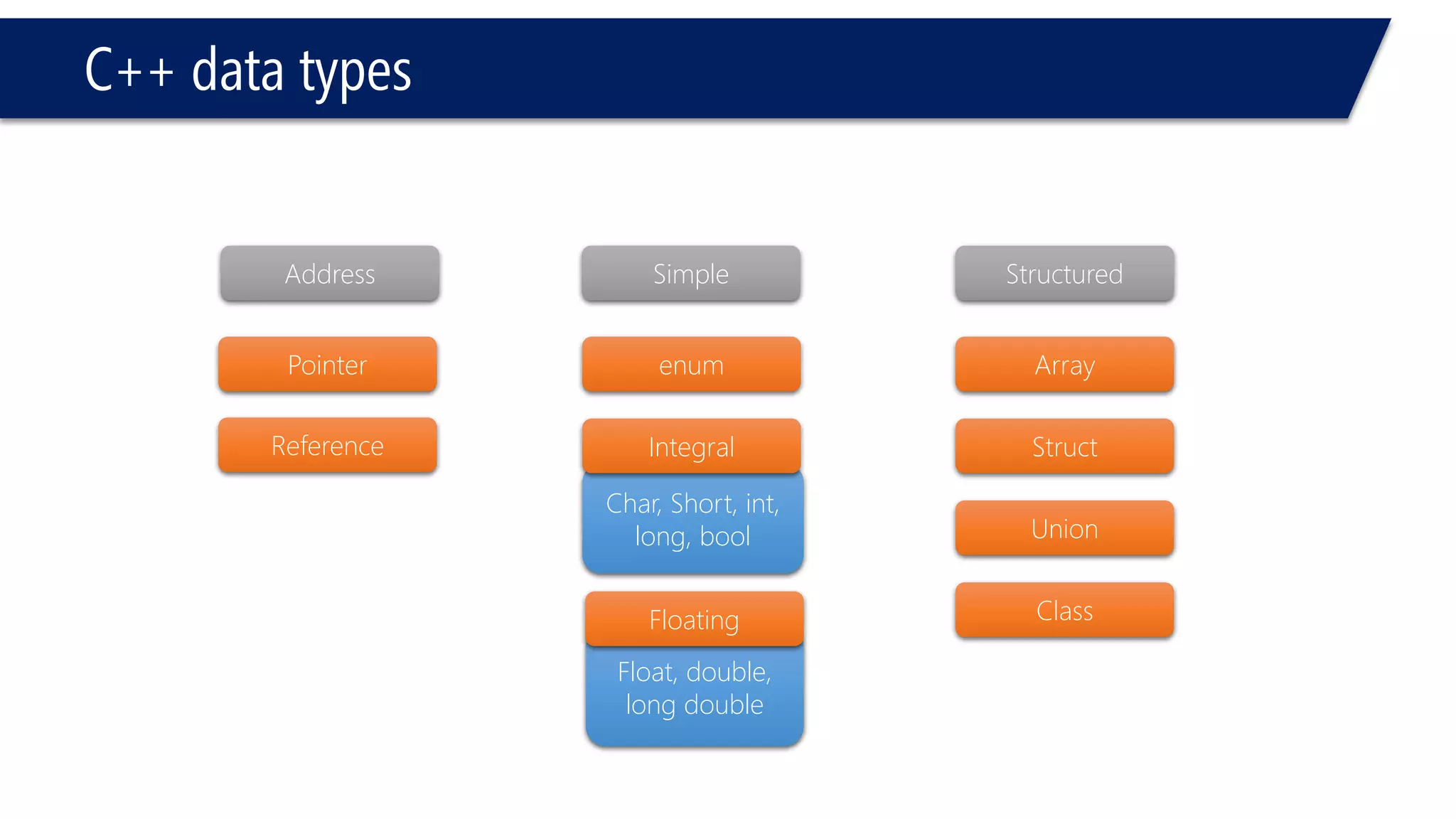
float, double, long double 
C++ data types 
Structured 
Simple 
Address 
Pointer 
Reference 
enum 
Floating 
Array 
Struct 
Union 
Class 
Char, Short, int, long, bool 
Integral
Variables 
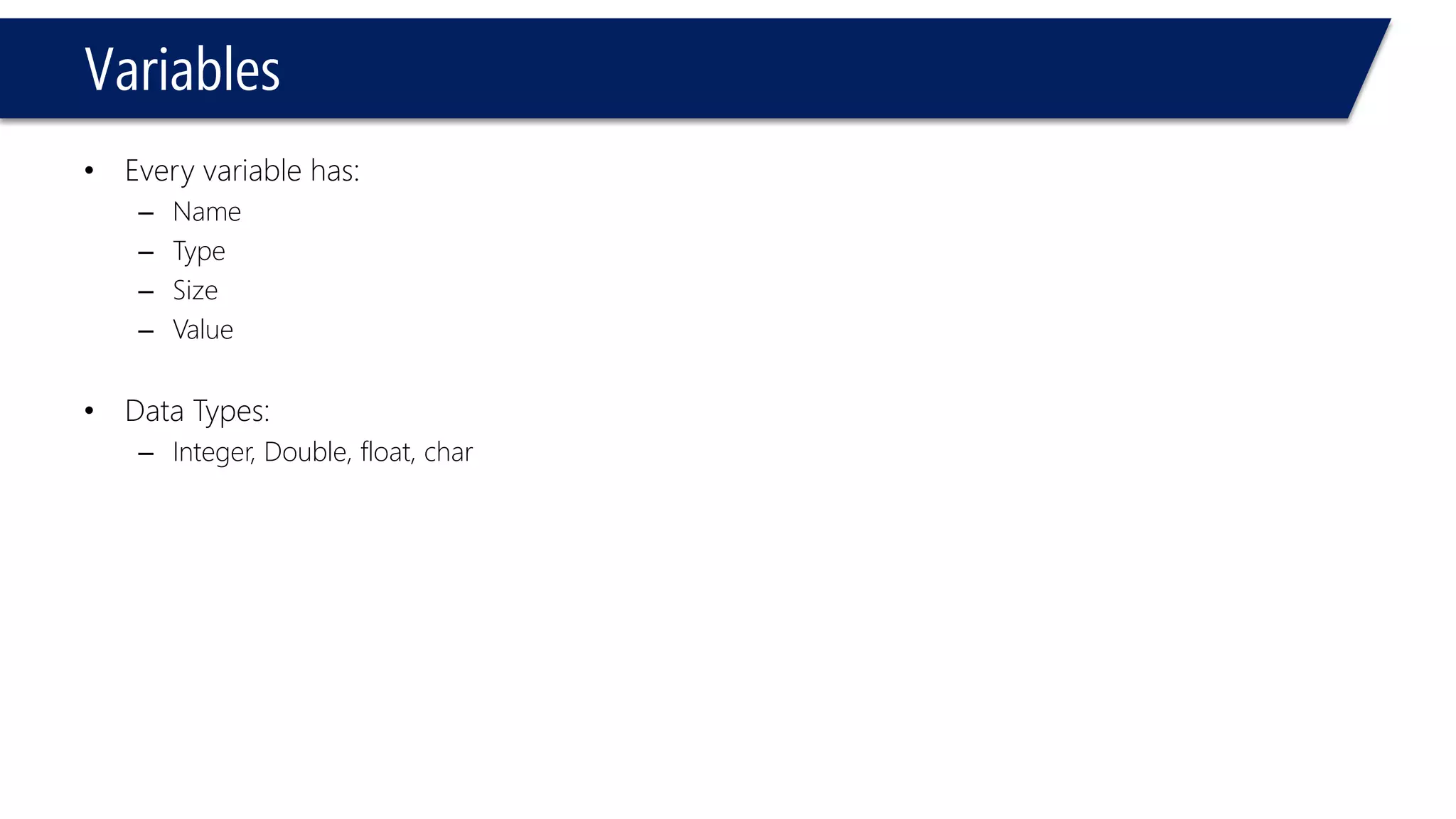
•Every variable has: 
–Name 
–Type 
–Size 
–Value 
•Data Types: 
–Integer, Double, float, char
Variables 
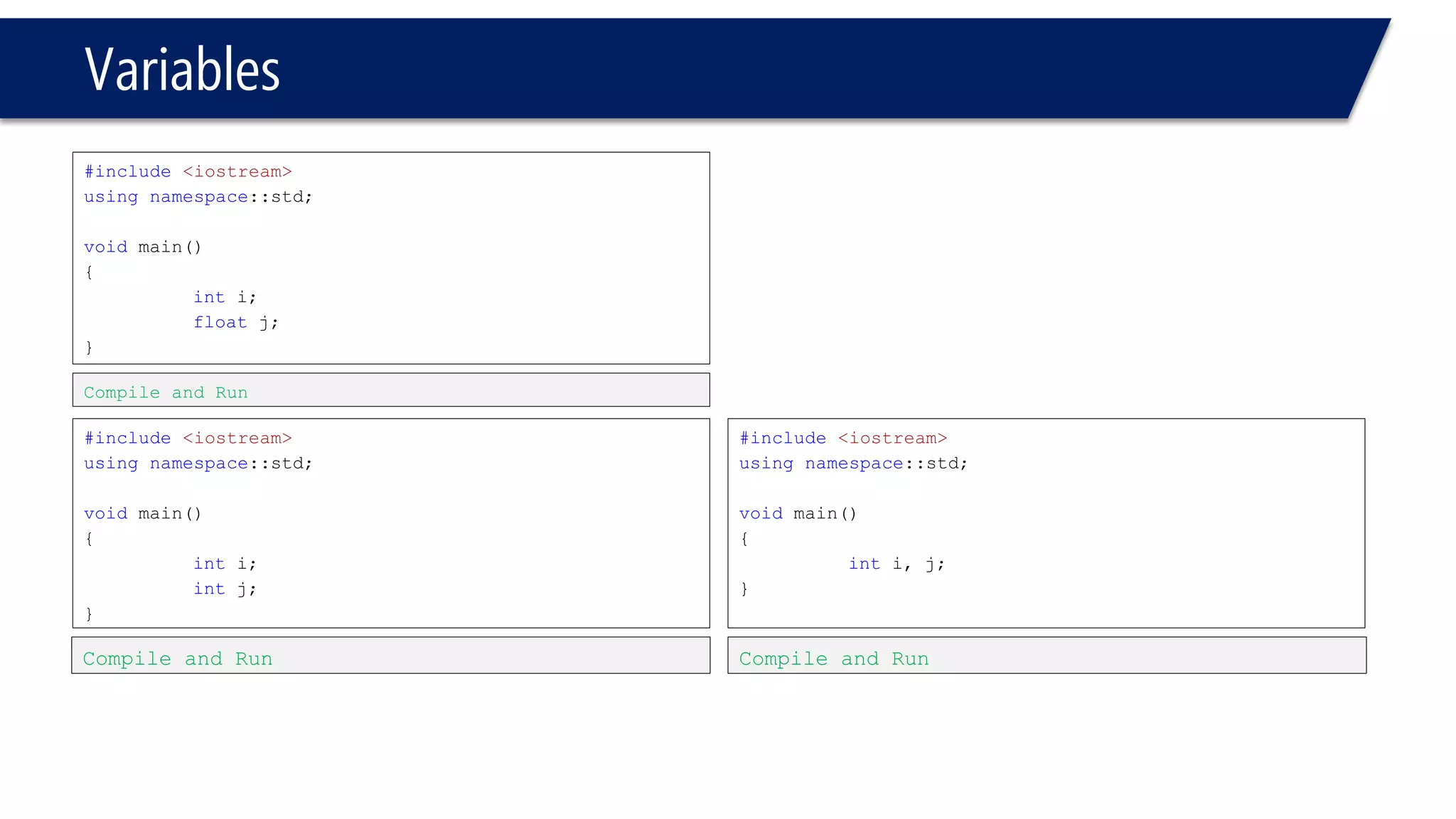
#include<iostream> 
usingnamespace::std; 
voidmain() 
{ 
inti; 
float j; 
} 
#include<iostream> 
usingnamespace::std; 
voidmain() 
{ 
inti; 
intj; 
} 
Compile and Run 
Compile and Run 
#include<iostream> 
usingnamespace::std; 
voidmain() 
{ 
inti, j; 
} 
Compile and Run
Variables 
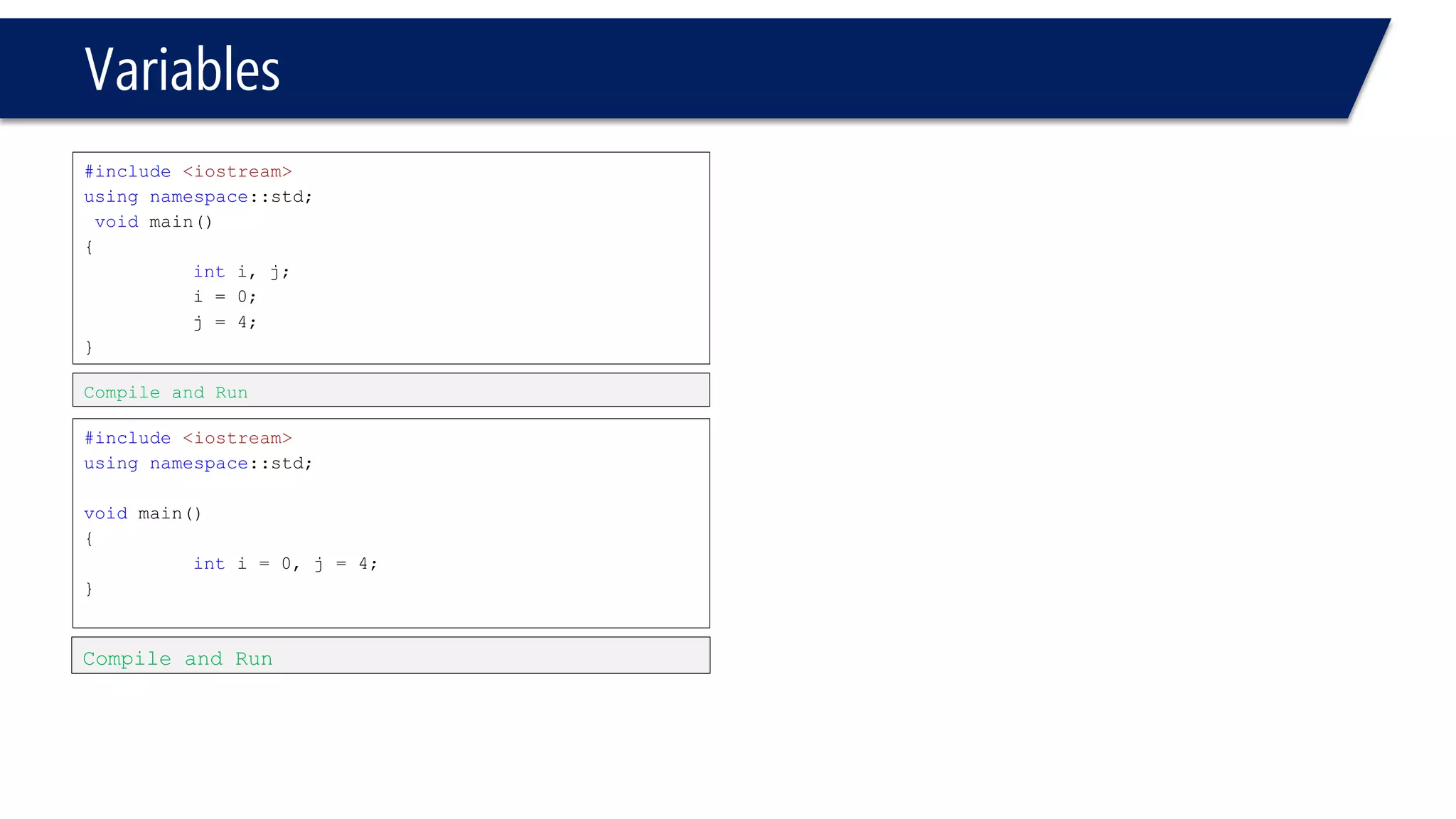
#include<iostream> 
usingnamespace::std; 
voidmain() 
{ 
inti, j; 
i= 0; 
j = 4; 
} 
#include<iostream> 
usingnamespace::std; 
voidmain() 
{ 
inti= 0, j = 4; 
} 
Compile and Run 
Compile and Run
Variables 
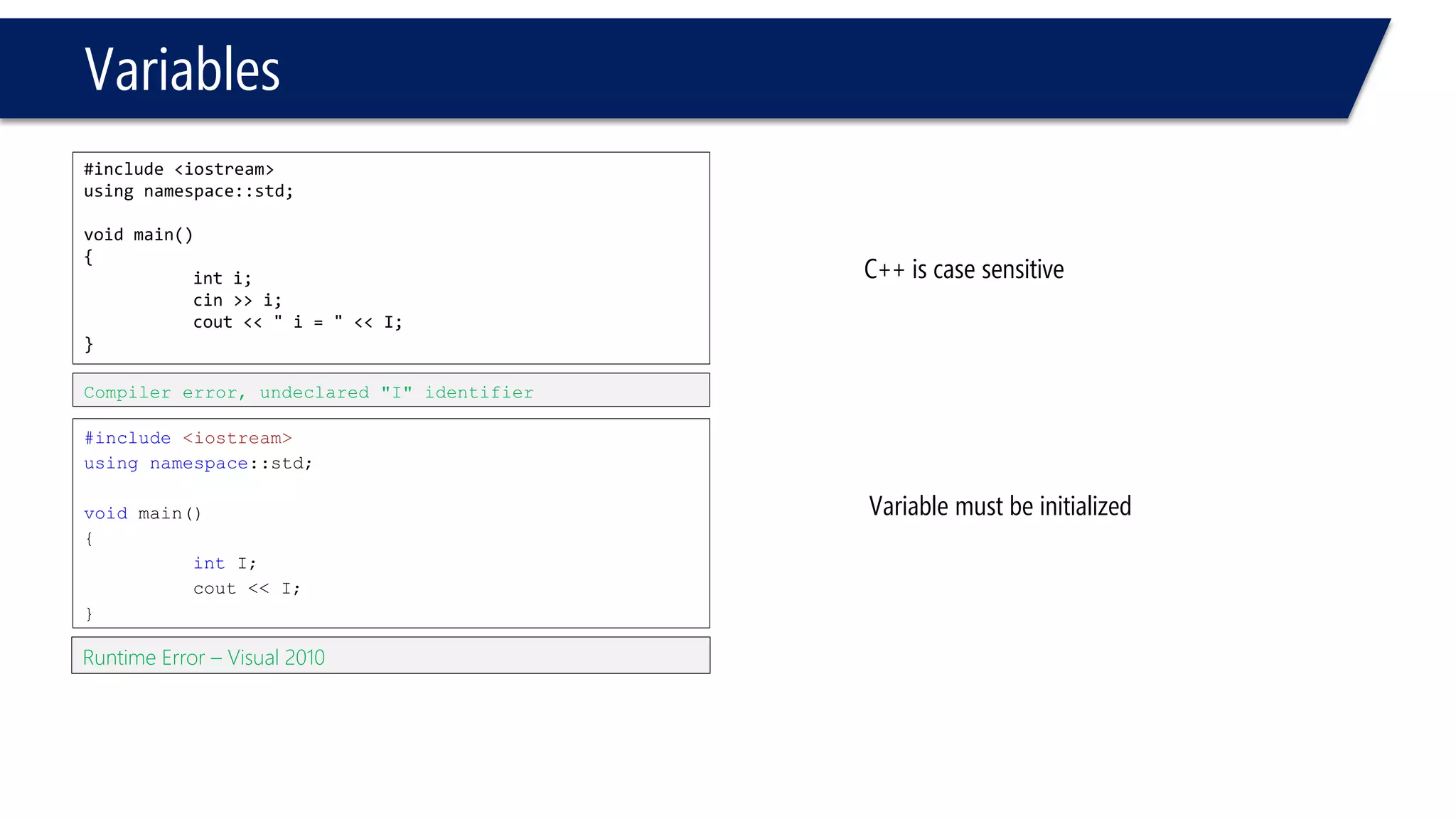
#include <iostream> 
using namespace::std; 
void main() 
{ 
inti; 
cin>> i; 
cout<< " i= " << I; 
} 
#include<iostream> 
usingnamespace::std; 
voidmain() 
{ 
intI; 
cout<< I; 
} 
Compiler error, undeclared "I" identifier 
C++ is case sensitive 
Runtime Error –Visual 2010 
Variable must be initialized
Variables 
#include<iostream> 
usingnamespace::std; 
voidmain() 
{ 
inti, j; 
cin>> i>> j; 
intsum = i+ j; 
cout<< sum; 
} 
#include<iostream> 
usingnamespace::std; 
voidmain() 
{ 
inti, j; 
cin>> i>> j; 
intsum = i+ j; 
cout<< “ sum = ” << sum; 
}
Variables 
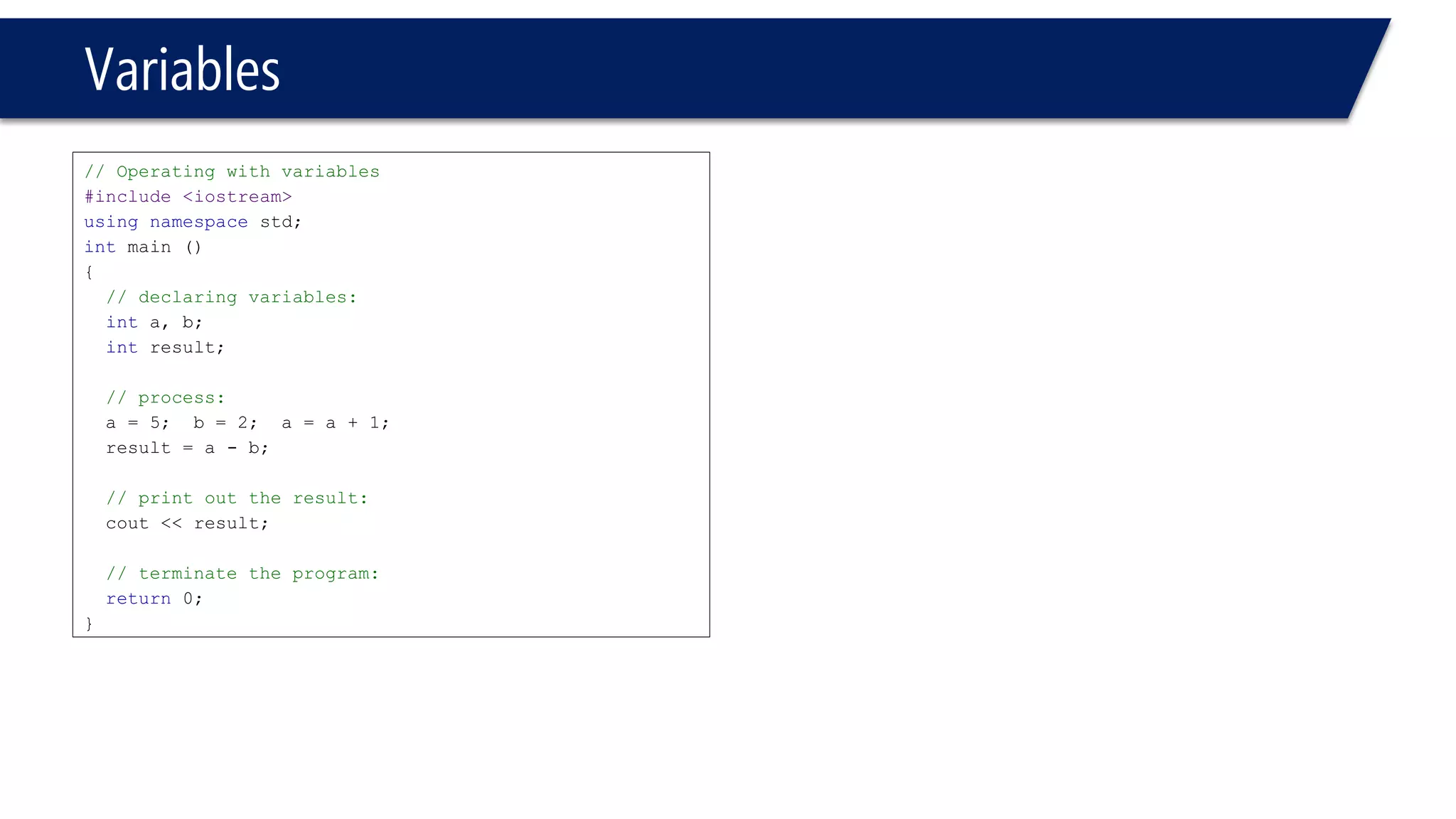
// Operating with variables 
#include <iostream> 
usingnamespacestd; 
intmain () 
{ 
// declaring variables: 
inta, b; 
intresult; 
// process: 
a = 5; b = 2; a = a + 1; 
result = a -b; 
// print out the result: 
cout<< result; 
// terminate the program: 
return0; 
}
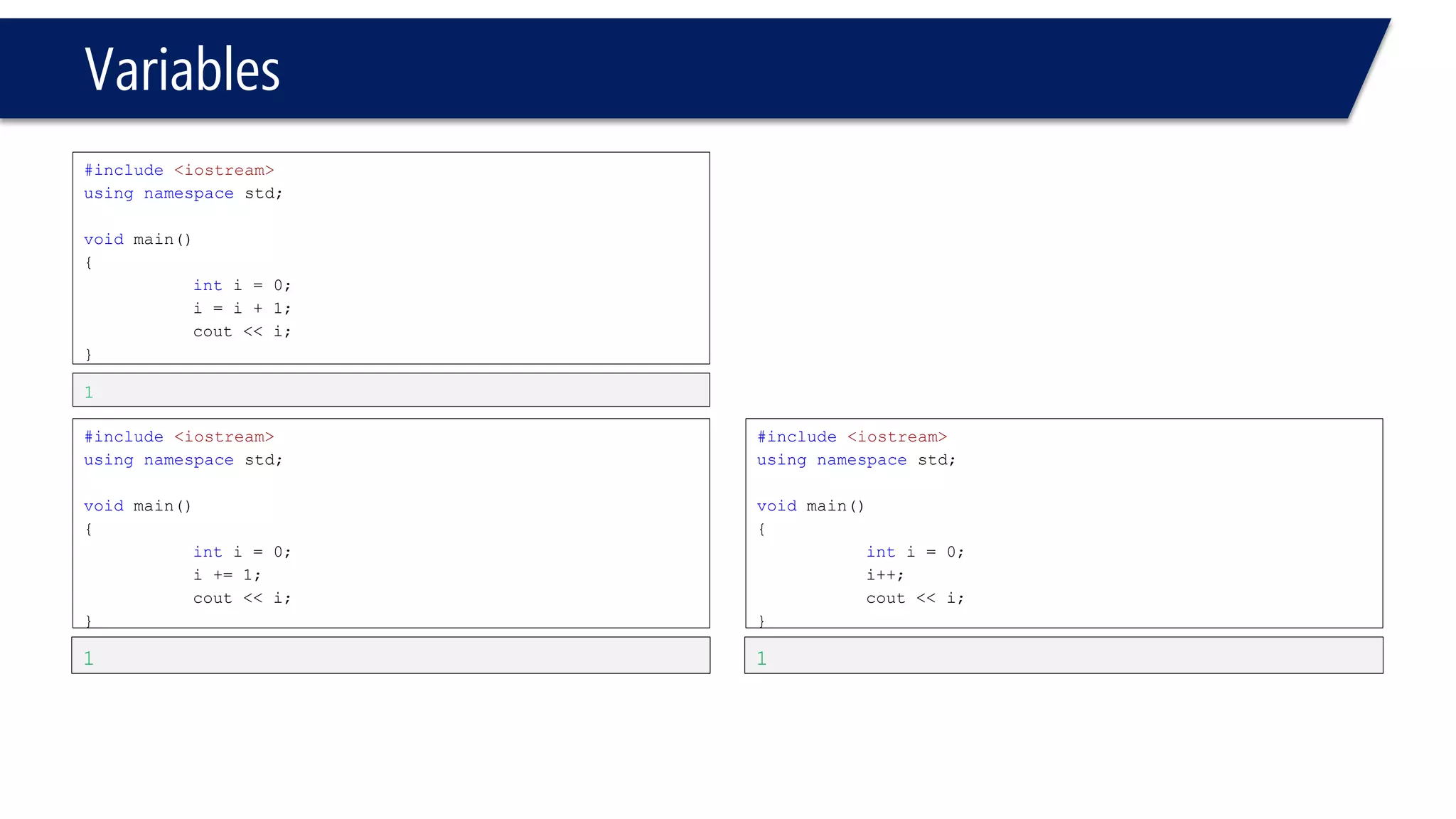
Variables 
#include<iostream> 
usingnamespacestd; 
voidmain() 
{ 
inti= 0; 
i= i+ 1; 
cout<< i; 
} 
#include<iostream> 
usingnamespacestd; 
voidmain() 
{ 
inti= 0; 
i+= 1; 
cout<< i; 
} 
1 
1 
#include<iostream> 
usingnamespacestd; 
voidmain() 
{ 
inti= 0; 
i++; 
cout<< i; 
} 
1
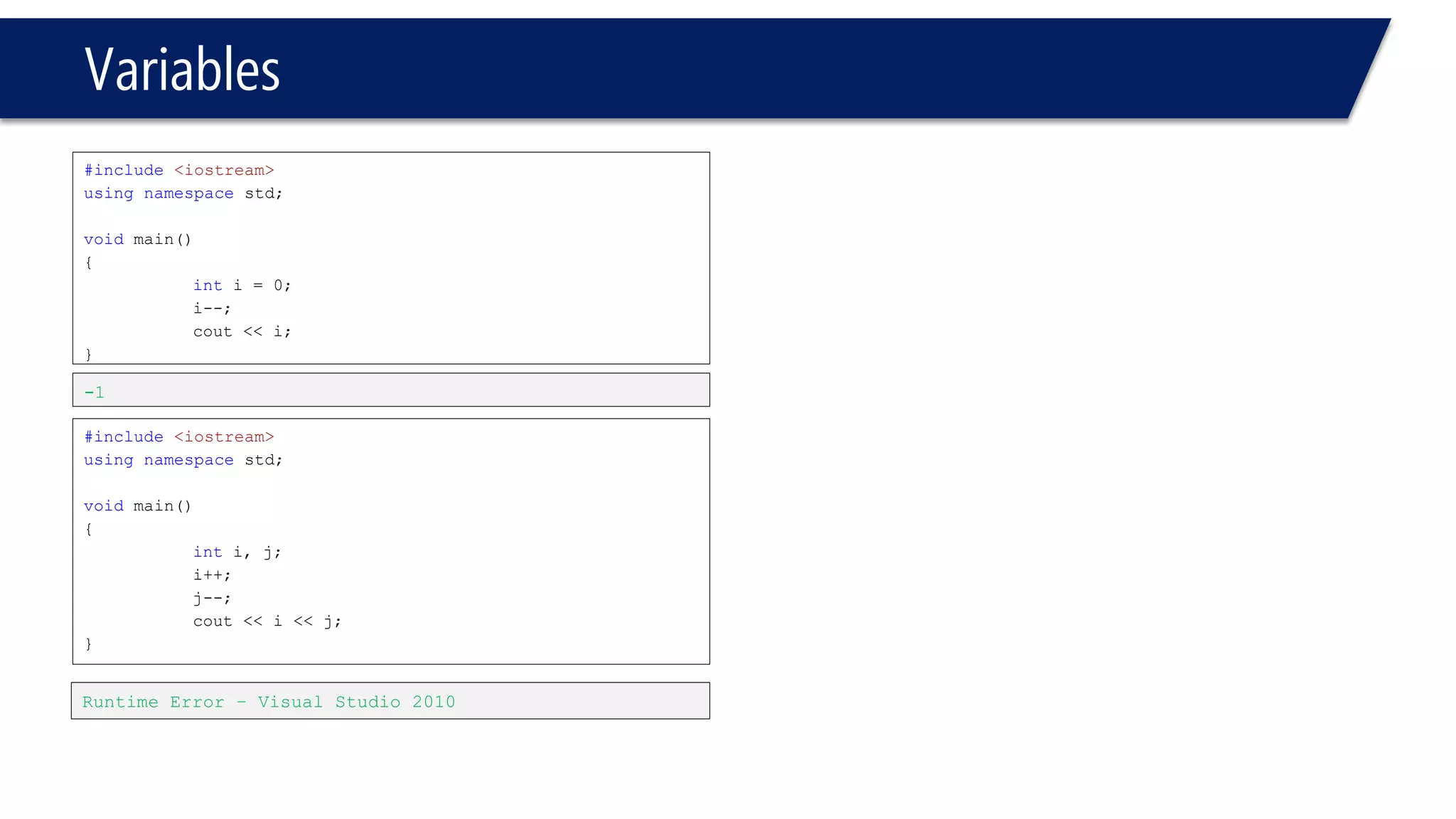
Variables 
#include<iostream> 
usingnamespacestd; 
voidmain() 
{ 
inti= 0; 
i--; 
cout<< i; 
} 
#include<iostream> 
usingnamespacestd; 
voidmain() 
{ 
inti, j; 
i++; 
j--; 
cout<< i<< j; 
} 
-1 
Runtime Error –Visual Studio 2010
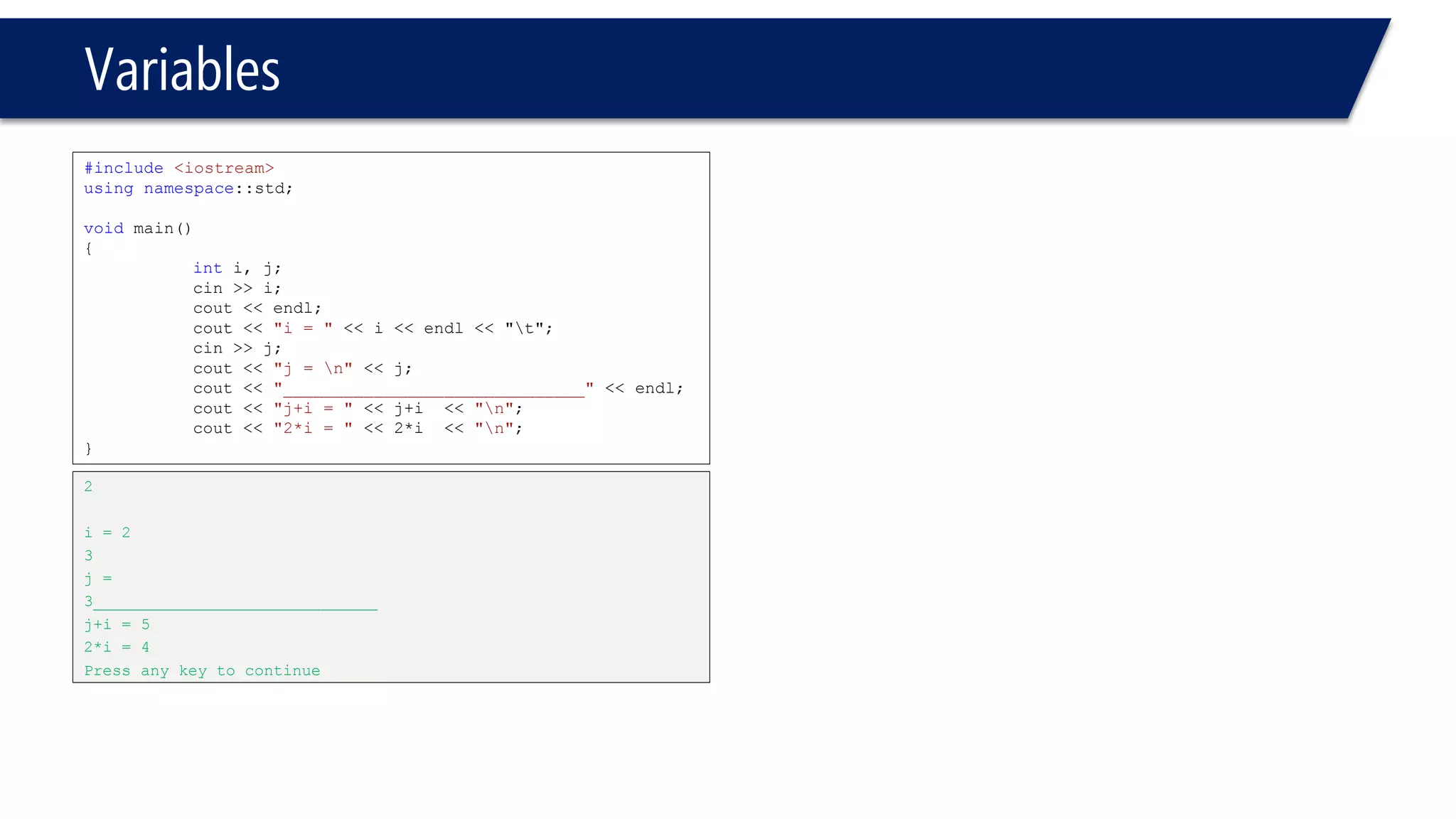
Variables 
#include<iostream> 
usingnamespace::std; 
voidmain() 
{ 
inti, j; 
cin>> i; 
cout<< endl; 
cout<< "i= "<< i<< endl<< "t"; 
cin>> j; 
cout<< "j = n"<< j; 
cout<< "______________________________"<< endl; 
cout<< "j+i= "<< j+i<< "n"; 
cout<< "2*i= "<< 2*i<< "n"; 
} 
2 
i= 2 
3 
j = 
3______________________________ 
j+i= 5 
2*i= 4 
Press any key to continue
Float, double, long double 
C++ data types 
Structured 
Simple 
Address 
Pointer 
Reference 
enum 
Floating 
Array 
Struct 
Union 
Class 
Char, Short, int, long, bool 
Integral
integral
Integral 
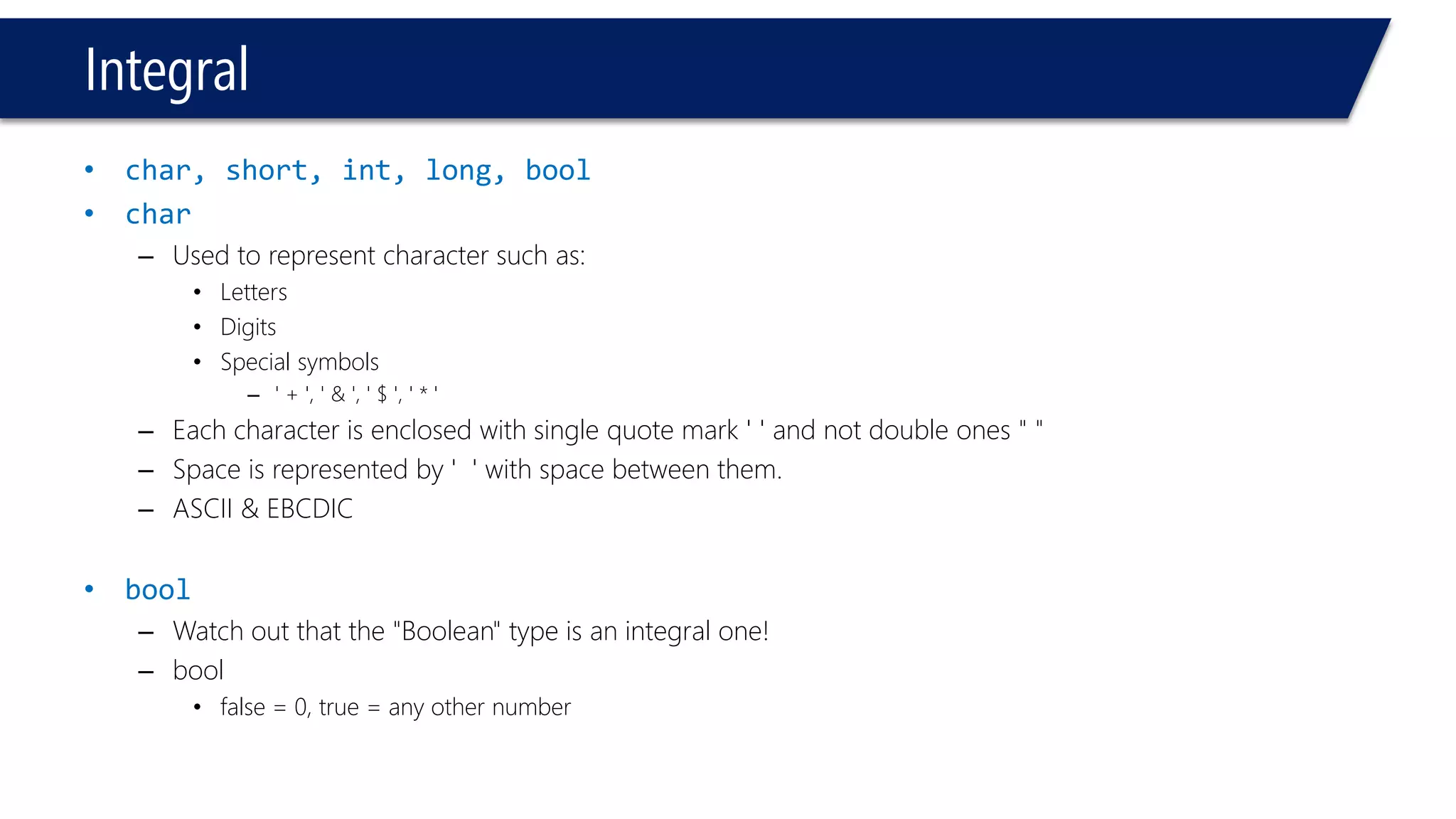
•char, short, int, long, bool 
•char 
–Used to represent character such as: 
•Letters 
•Digits 
•Special symbols 
–' + ', ' & ', ' $ ', ' * ' 
–Each character is enclosed with single quote mark ' ' and not double ones " " 
–Space is represented by ' ' with space between them. 
–ASCII & EBCDIC 
•bool 
–Watch out that the "Boolean" type is an integral one! 
–bool 
•false = 0, true = any other number
integral 
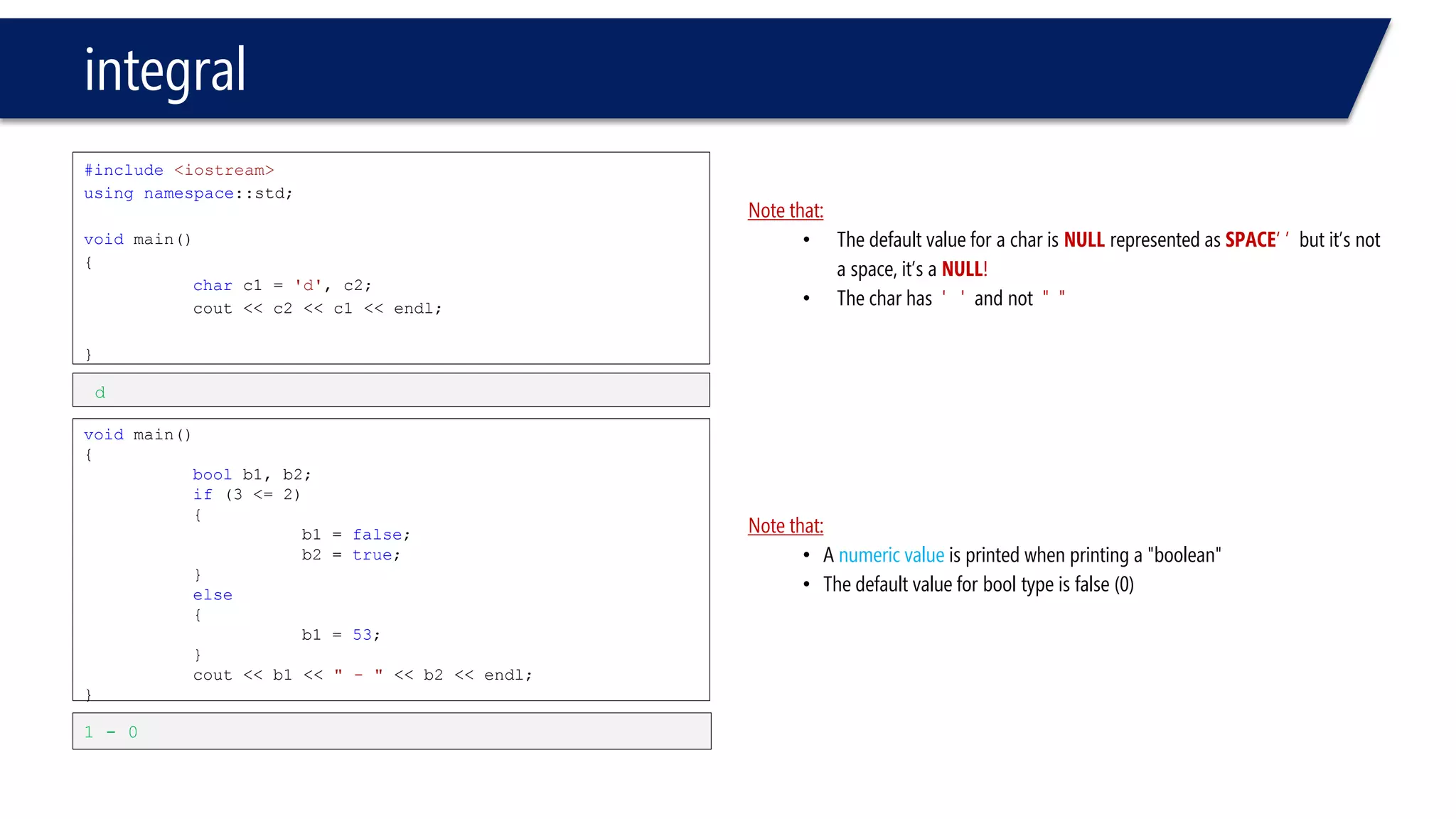
#include<iostream> 
usingnamespace::std; 
voidmain() 
{ 
charc1 = 'd', c2; 
cout<< c2 << c1 << endl; 
} 
voidmain() 
{ 
boolb1, b2; 
if(3 <= 2) 
{ 
b1 = false; 
b2 = true; 
} 
else 
{ 
b1 = 53; 
} 
cout<< b1 << " -"<< b2 << endl; 
} 
d 
1 -0 
Note that: 
•The default value for a char is NULLrepresented as SPACE‘ ’ but it’s not a space, it’s a NULL! 
•The char has ' ' and not " " 
Note that: 
•A numeric value is printed when printing a "boolean" 
•The default value for booltype is false (0)
Floating point data types 
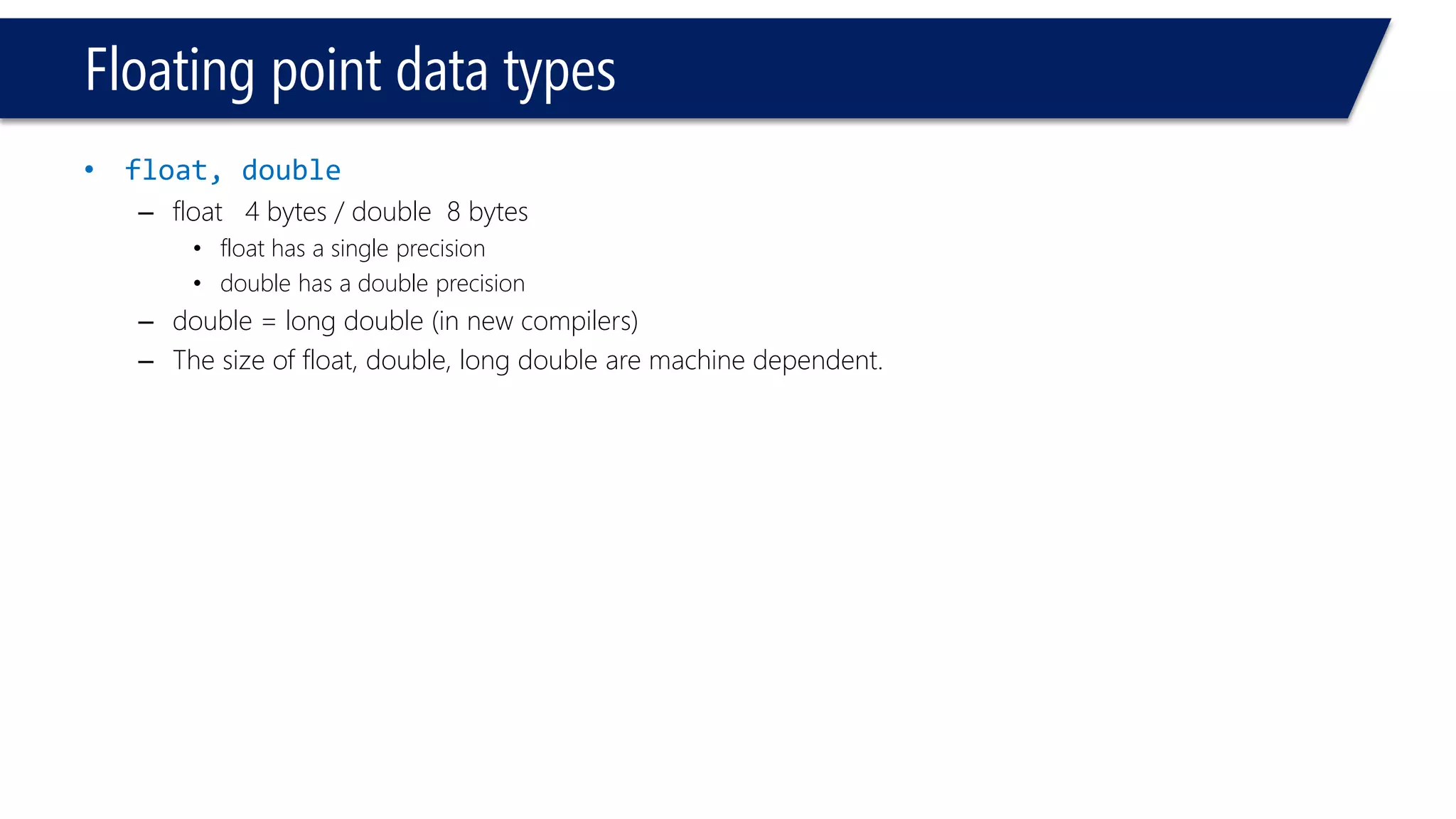
•float, double 
–float 4 bytes / double 8 bytes 
•float has a single precision 
•double has a double precision 
–double = long double (in new compilers) 
–The size of float, double, long double are machine dependent.
integral 
#include<iostream> 
usingnamespace::std; 
voidmain() 
{ 
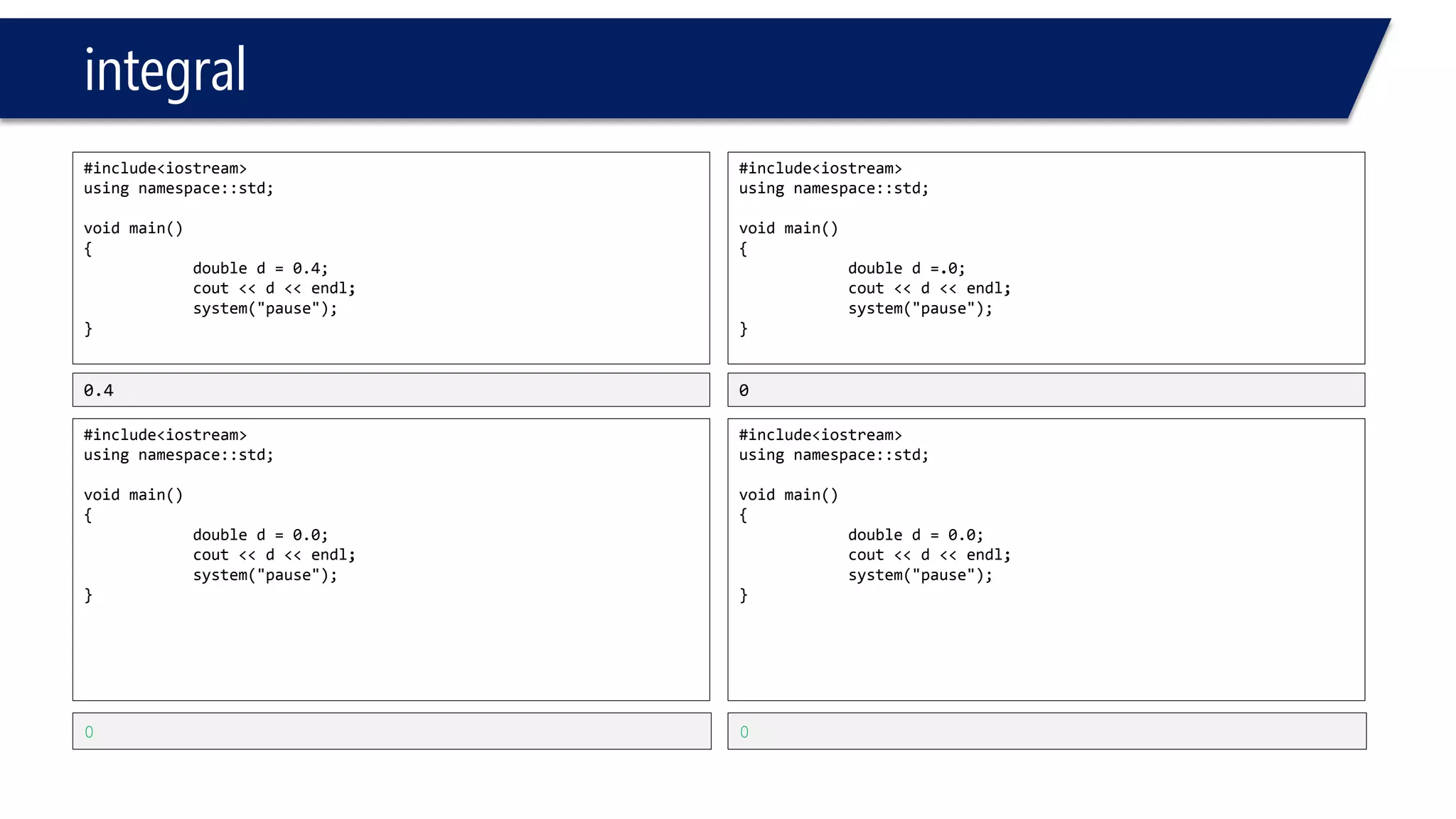
doubled=0.4; 
cout<<d<<endl; 
system("pause"); 
} 
#include<iostream> 
usingnamespace::std; 
voidmain() 
{ 
doubled=0.0; 
cout<<d<<endl; 
system("pause"); 
} 
0.4 
0 
#include<iostream> 
usingnamespace::std; 
voidmain() 
{ 
doubled=.0; 
cout<<d<<endl; 
system("pause"); 
} 
#include<iostream> 
usingnamespace::std; 
voidmain() 
{ 
doubled=0.0; 
cout<<d<<endl; 
system("pause"); 
} 
0 
0
integral 
#include<iostream> 
usingnamespace::std; 
voidmain() 
{ 
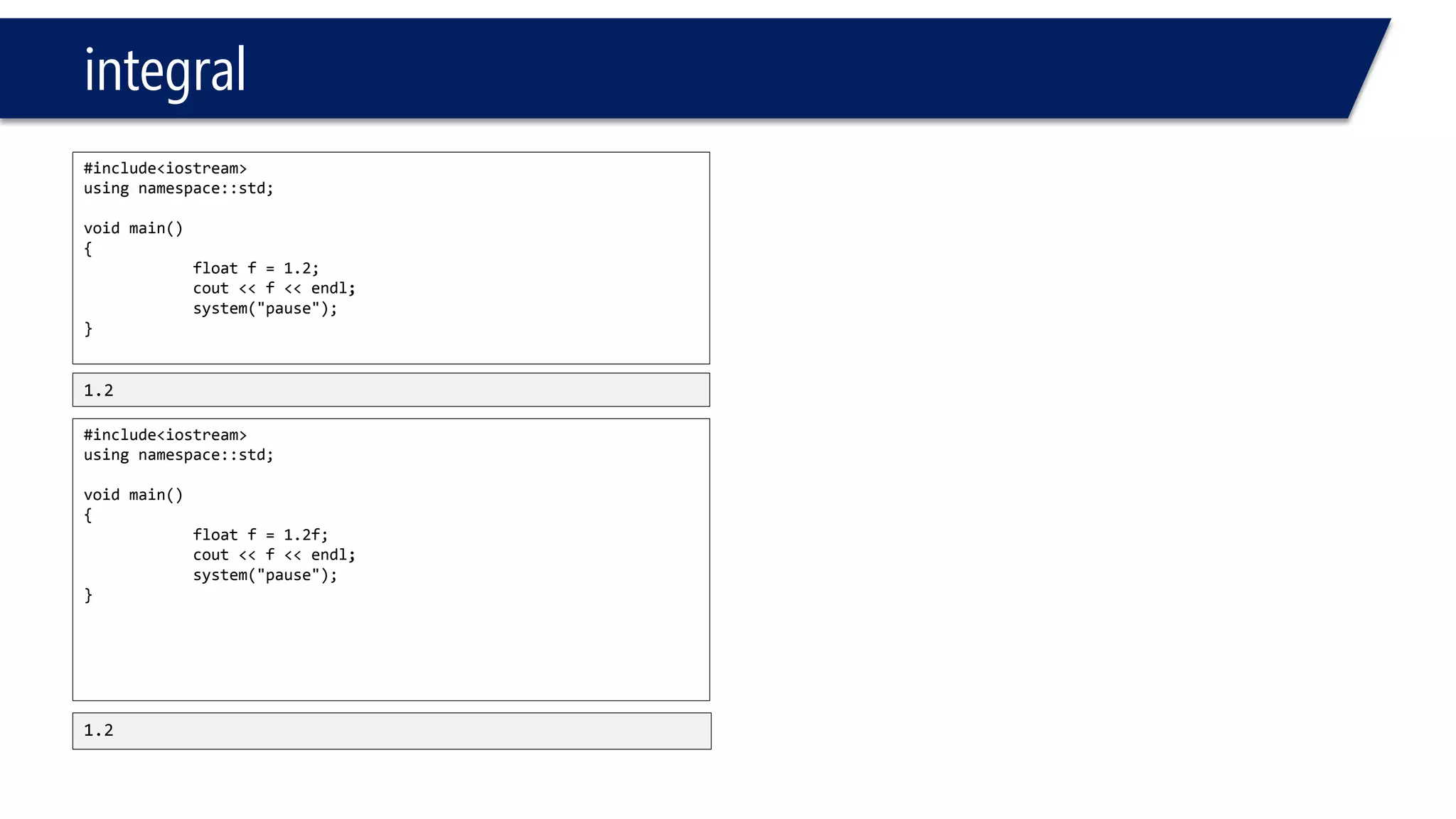
floatf=1.2; 
cout<<f<<endl; 
system("pause"); 
} 
#include<iostream> 
usingnamespace::std; 
voidmain() 
{ 
floatf=1.2f; 
cout<<f<<endl; 
system("pause"); 
} 
1.2 
1.2
Constants, const
Constants 
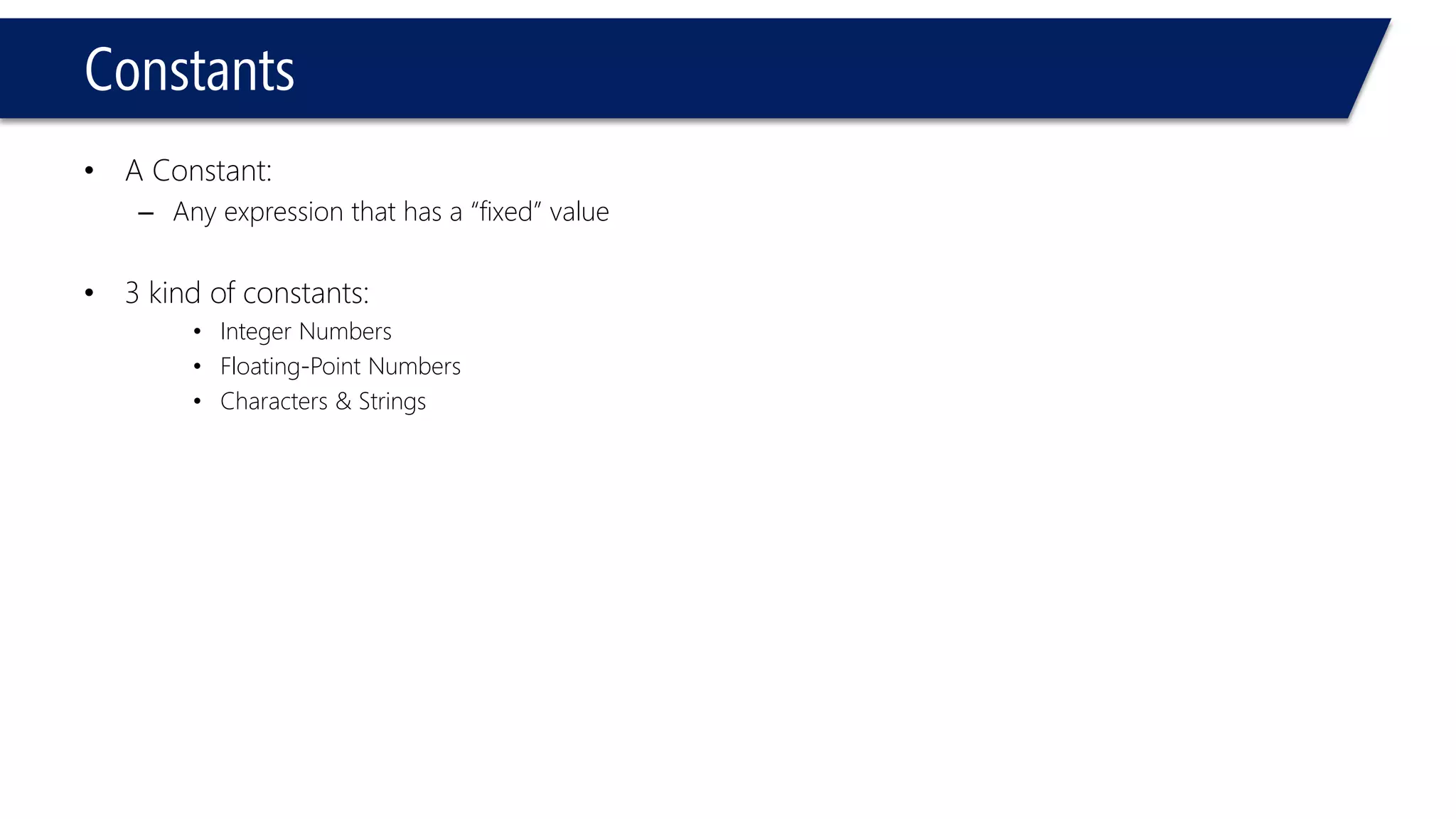
•A Constant: 
–Any expression that has a “fixed” value 
•3 kind of constants: 
•Integer Numbers 
•Floating-Point Numbers 
•Characters & Strings
Constants 
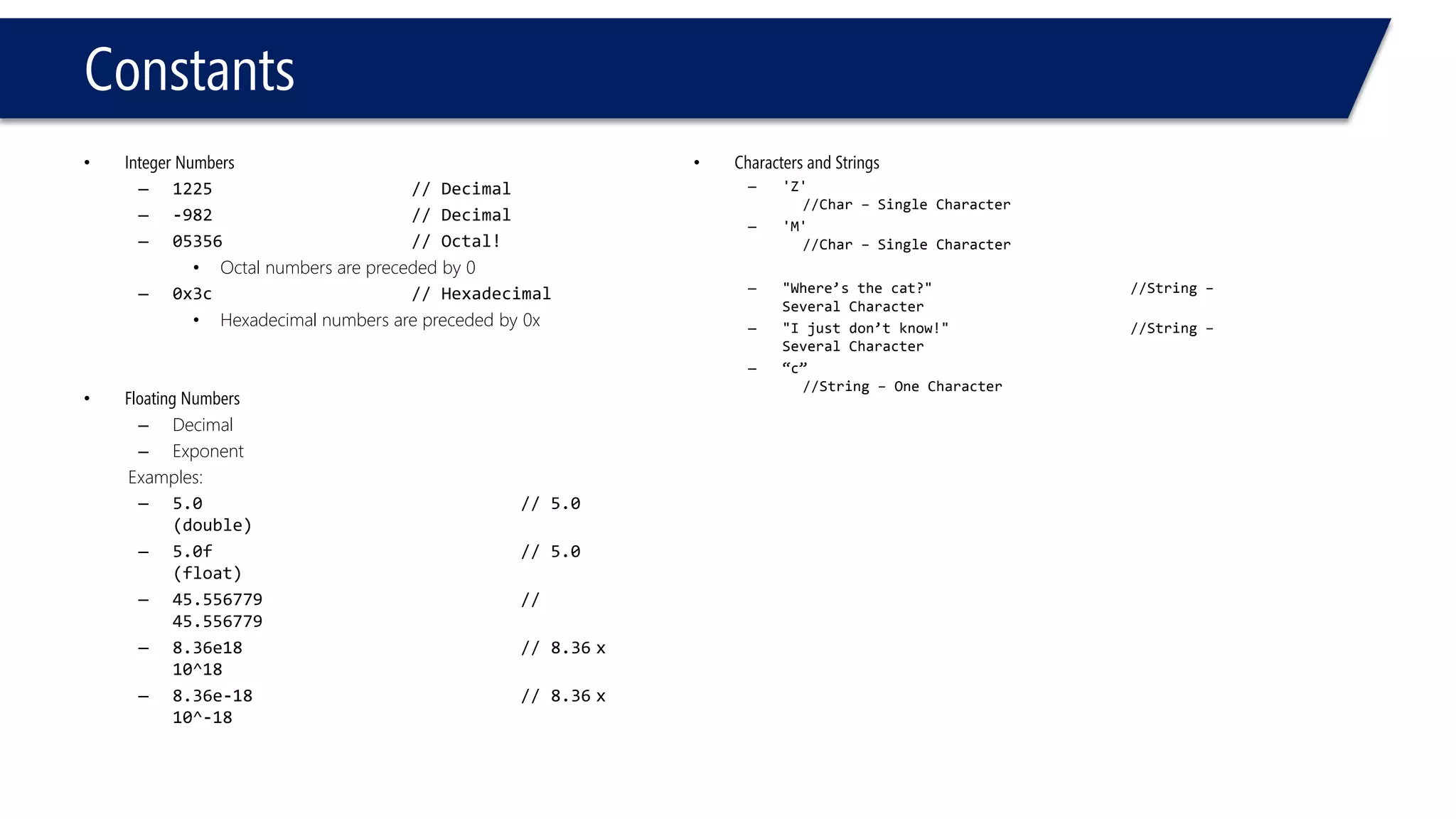
•Integer Numbers 
–1225// Decimal 
–-982// Decimal 
–05356// Octal! 
•Octal numbers are preceded by 0 
–0x3c// Hexadecimal 
•Hexadecimal numbers are preceded by 0x 
•Floating Numbers 
–Decimal 
–Exponent 
Examples: 
–5.0// 5.0 (double) 
–5.0f// 5.0 (float) 
–45.556779// 45.556779 
–8.36e18// 8.36x 10^18 
–8.36e-18// 8.36x 10^-18 
•Characters and Strings 
–'Z' //Char –Single Character 
–'M' //Char –Single Character 
–"Where’s the cat?"//String – Several Character 
–"I just don’t know!"//String – Several Character 
–“c” //String –One Character
integral 
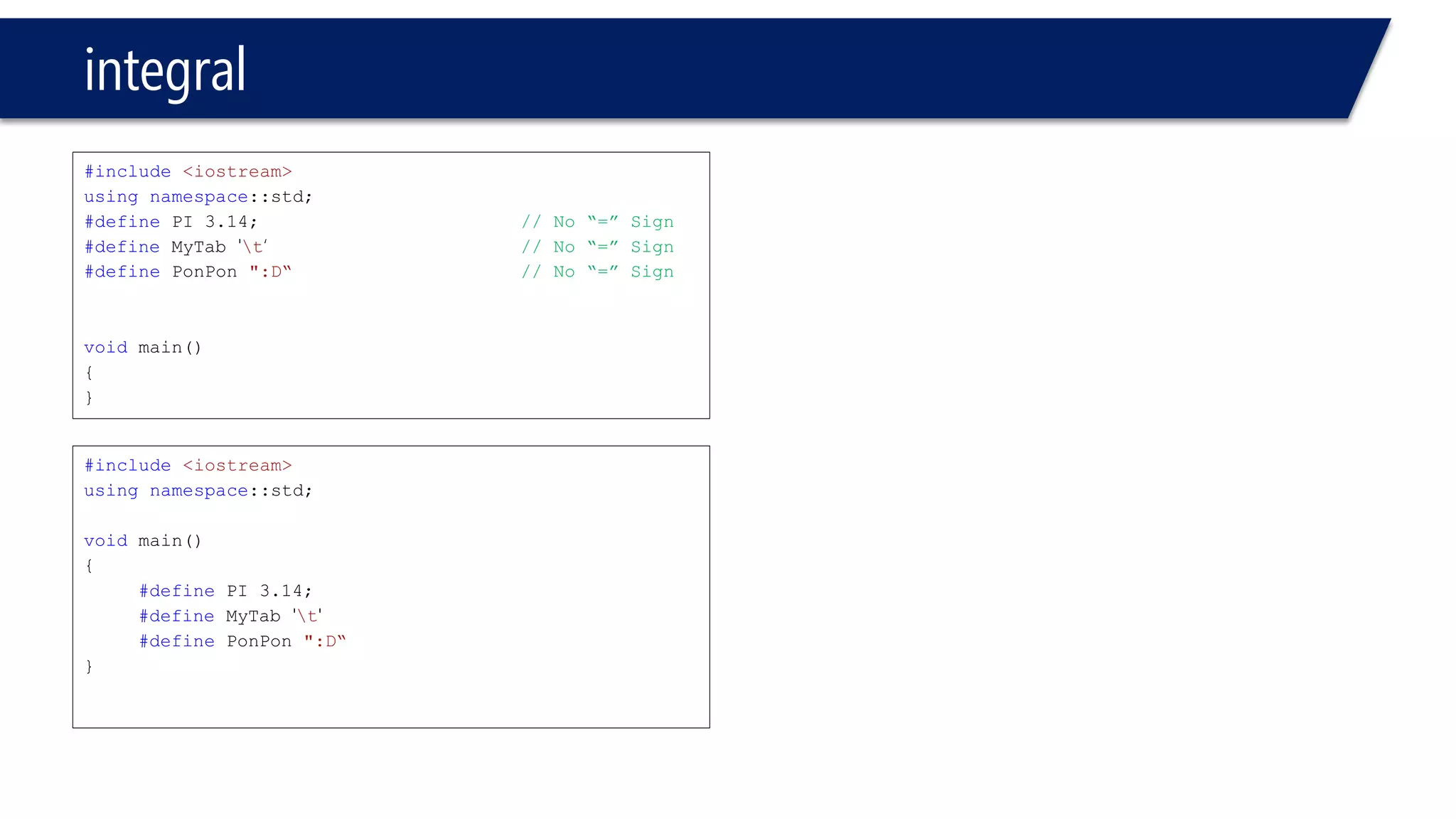
#include<iostream> 
usingnamespace::std; 
#definePI 3.14;// No “=” Sign 
#defineMyTab't‘// No “=” Sign 
#definePonPon":D“// No “=” Sign 
voidmain() 
{ 
} 
#include<iostream> 
usingnamespace::std; 
voidmain() 
{ 
#definePI 3.14; 
#defineMyTab't' 
#definePonPon":D“ 
}
integral 
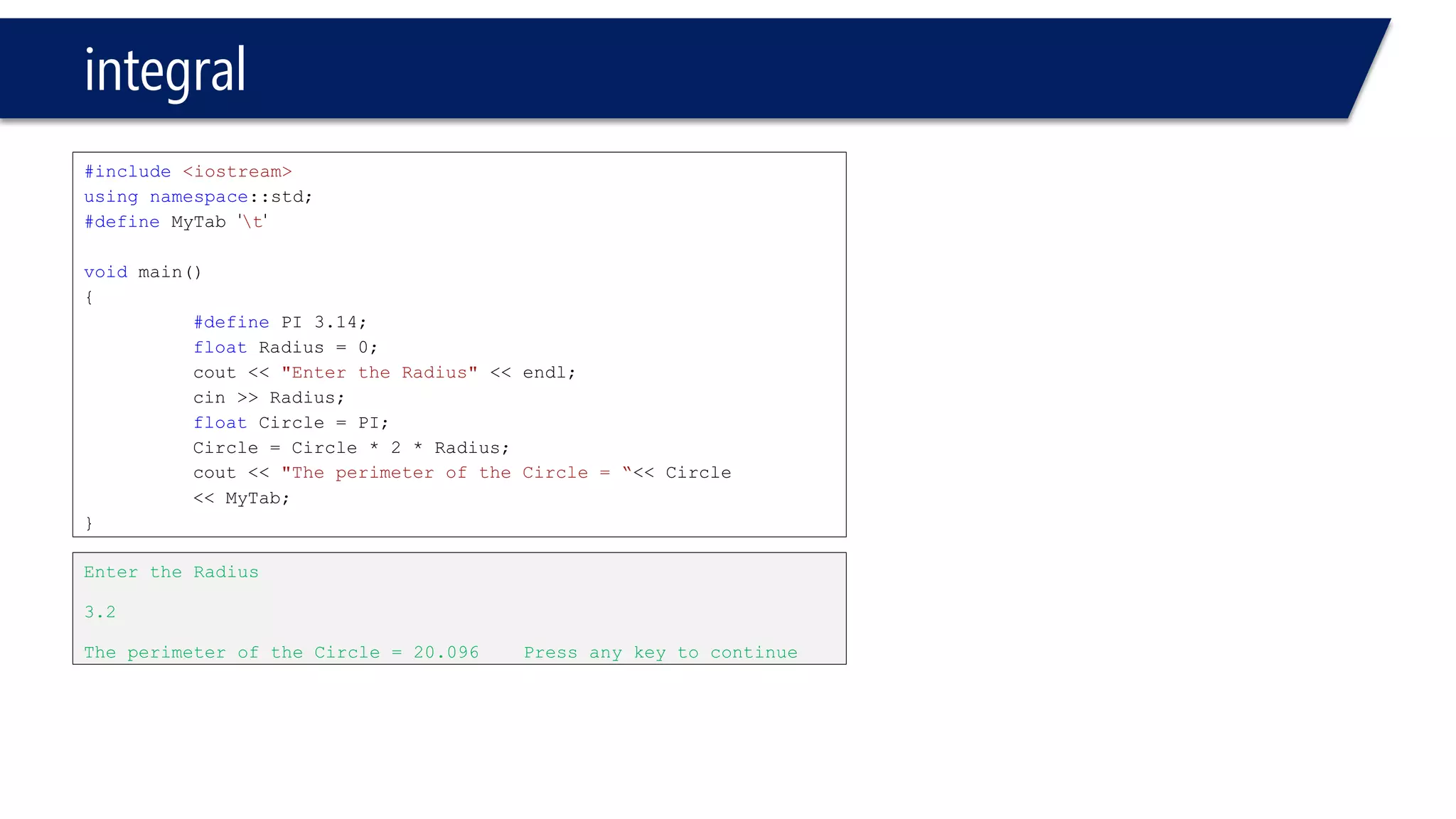
#include<iostream> 
usingnamespace::std; 
#defineMyTab't' 
voidmain() 
{ 
#definePI 3.14; 
floatRadius = 0; 
cout<< "Enter the Radius"<< endl; 
cin>> Radius; 
floatCircle = PI; 
Circle = Circle * 2 * Radius; 
cout<< "The perimeter of the Circle = “<< Circle 
<< MyTab; 
} 
Enter the Radius 
3.2 
The perimeter of the Circle = 20.096 Press any key to continue
integral 
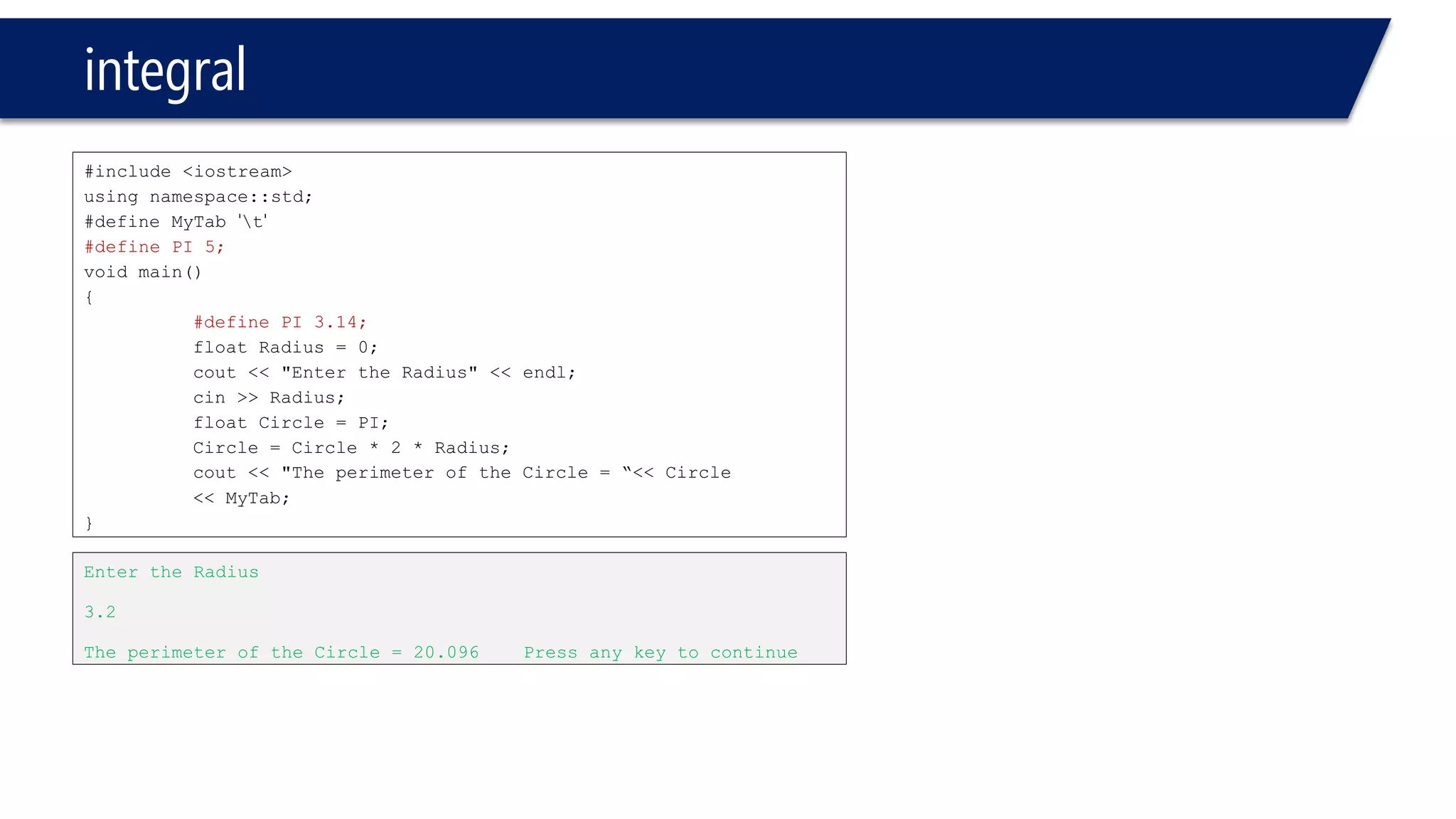
#include <iostream> 
using namespace::std; 
#define MyTab't' 
#define PI 5; 
void main() 
{ 
#define PI 3.14; 
float Radius = 0; 
cout<< "Enter the Radius" << endl; 
cin>> Radius; 
float Circle = PI; 
Circle = Circle * 2 * Radius; 
cout<< "The perimeter of the Circle = “<< Circle 
<< MyTab; 
} 
Enter the Radius 
3.2 
The perimeter of the Circle = 20.096 Press any key to continue
integral 
#include<iostream> 
usingnamespace::std; 
voidmain() 
{ 
#definePI 3.14; 
floatRadius = 0; 
cout<< "Enter the Radius"<< endl; 
cin>> Radius; 
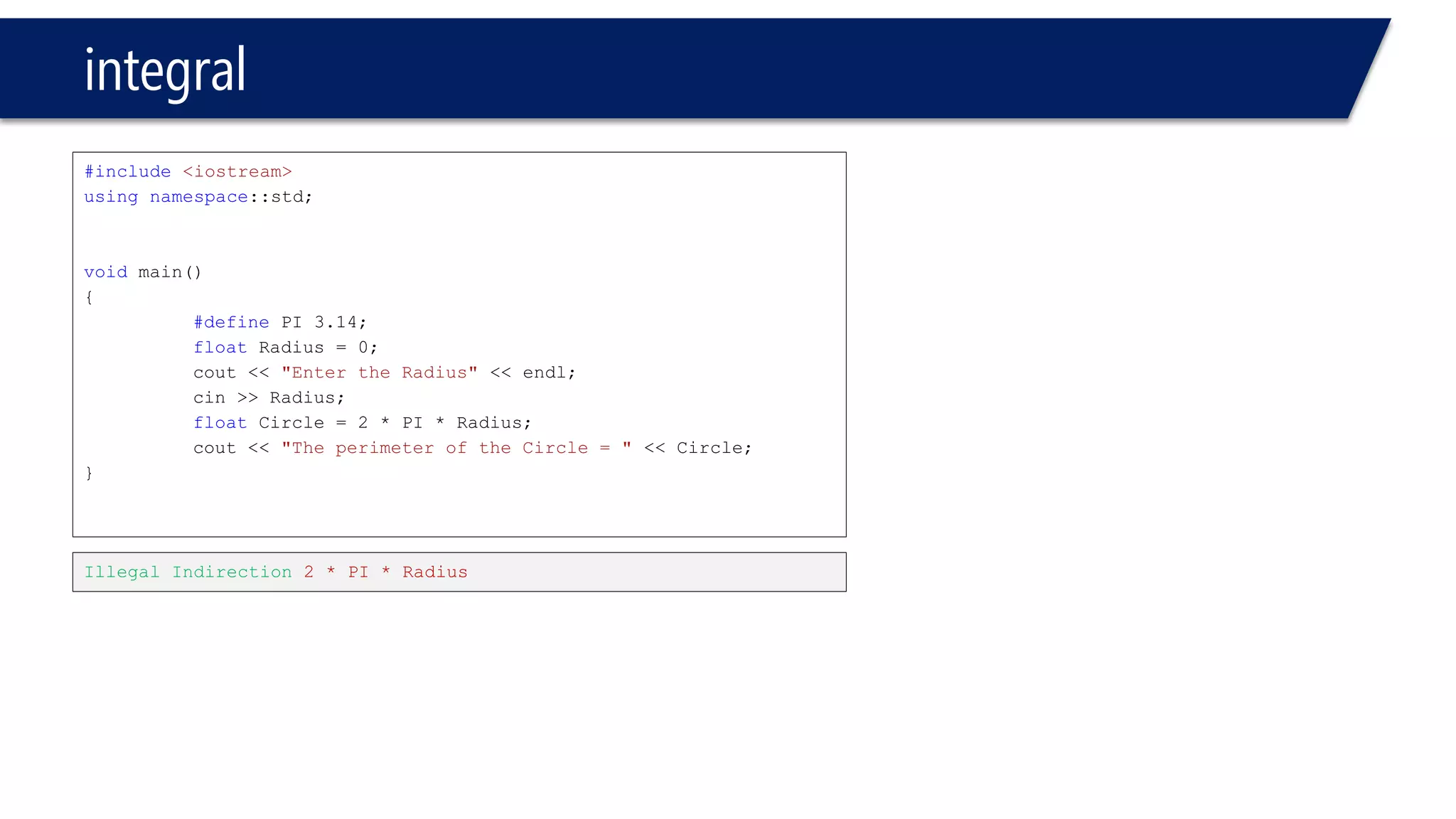
floatCircle = 2 * PI * Radius; 
cout<< "The perimeter of the Circle = "<< Circle; 
} 
Illegal Indirection 2 * PI * Radius
integral 
#include<iostream> 
usingnamespace::std; 
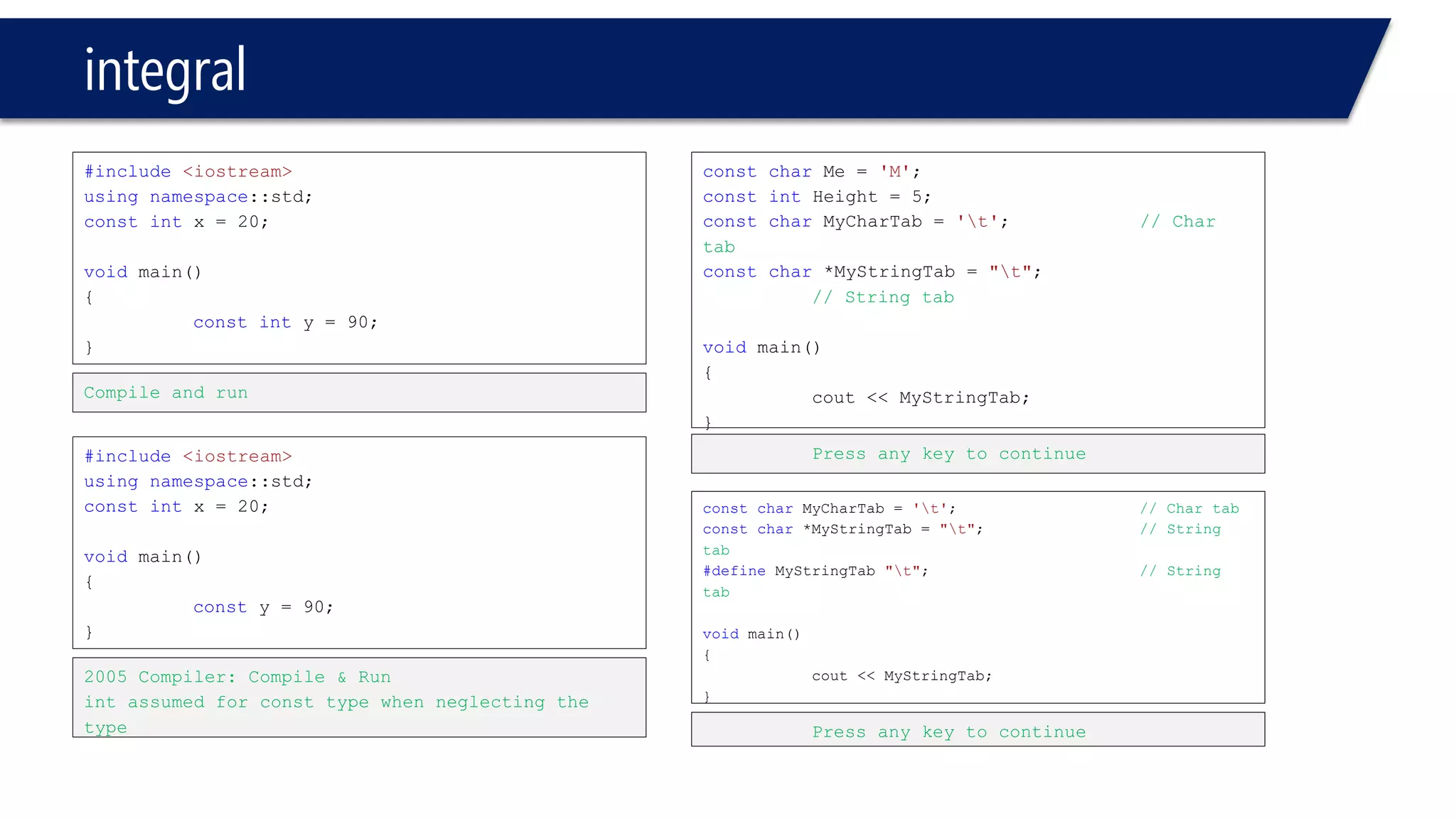
constintx = 20; 
voidmain() 
{ 
constinty = 90; 
} 
Compile and run 
#include<iostream> 
usingnamespace::std; 
constintx = 20; 
voidmain() 
{ 
consty = 90; 
} 
2005 Compiler: Compile & Run 
intassumed for consttype when neglecting the type 
constcharMe = 'M'; 
constintHeight = 5; 
constcharMyCharTab= 't';// Char tab 
constchar*MyStringTab= "t"; // String tab 
voidmain() 
{ 
cout<< MyStringTab; 
} 
Press any key to continue 
constcharMyCharTab= 't';// Char tab 
constchar*MyStringTab= "t";// String tab 
#defineMyStringTab"t"; // String tab 
voidmain() 
{ 
cout<< MyStringTab; 
} 
Press any key to continue
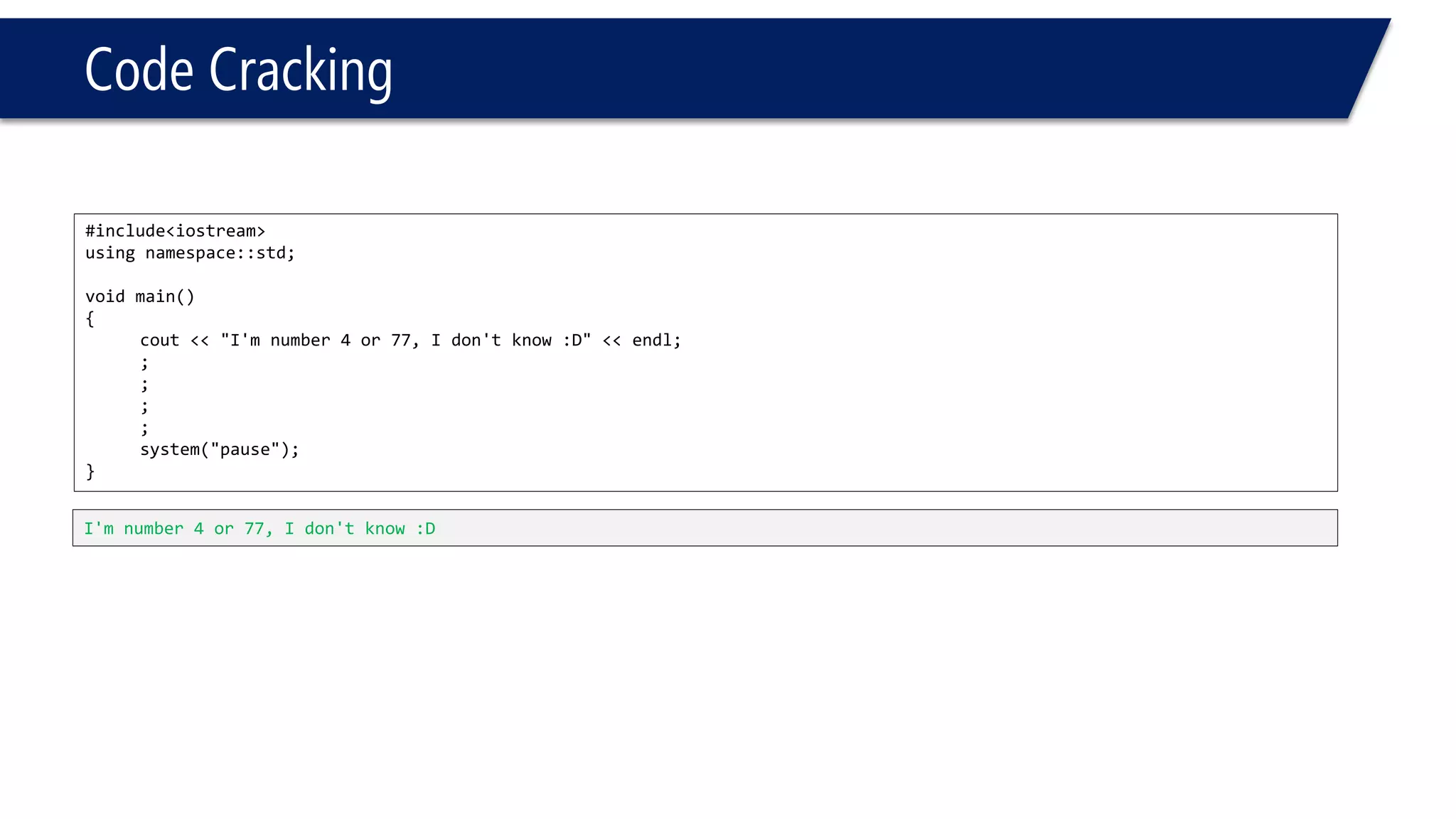
Code Cracking 
#include<iostream> 
usingnamespace::std; 
voidmain() 
{ 
cout<<"I'm number 4 or 77, I don't know :D"<<endl; 
; 
; 
; 
; 
system("pause"); 
} 
I'm number 4 or 77, I don't know :D
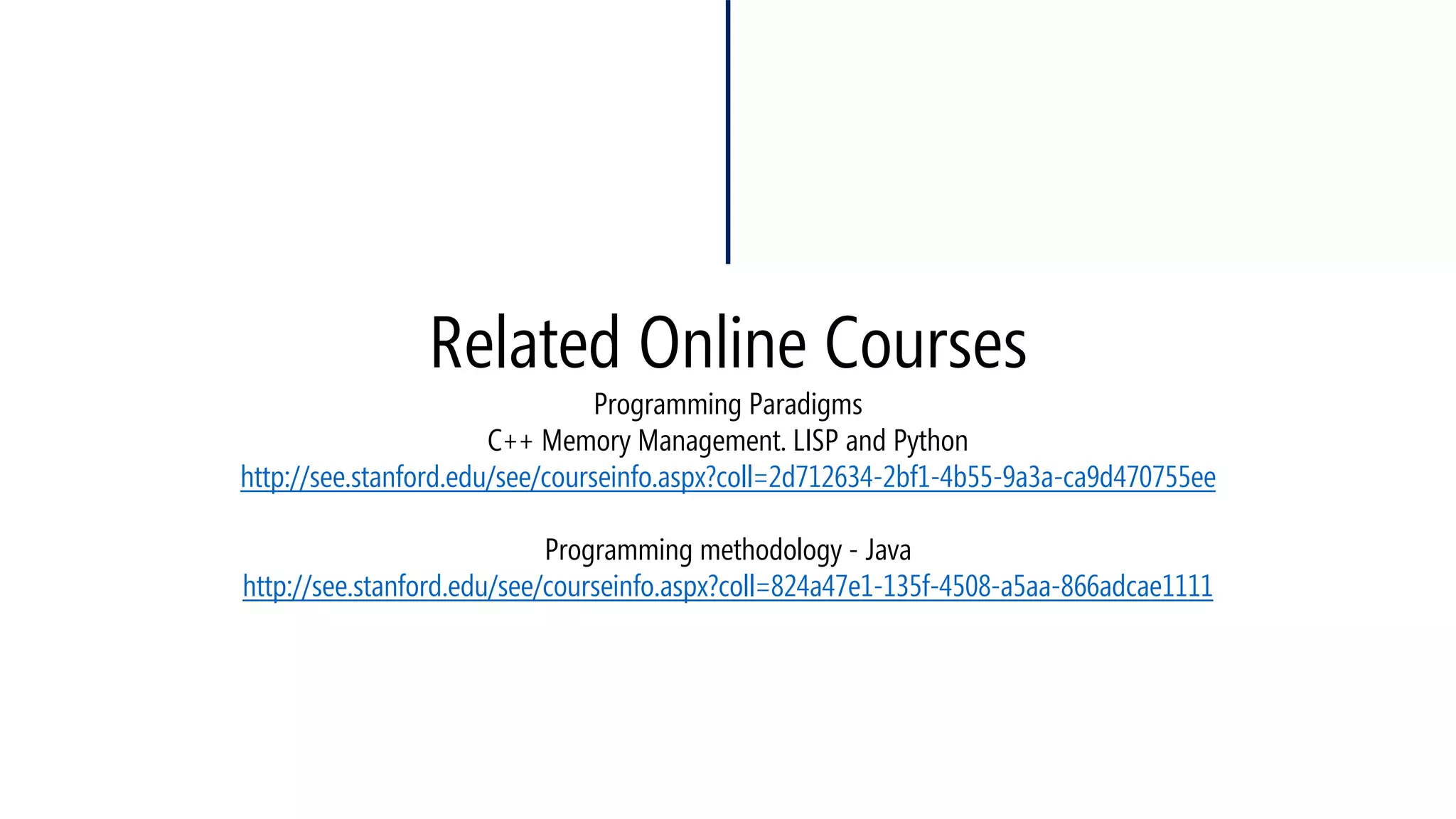
Related Online CoursesProgramming ParadigmsC++ Memory Management. LISP and Pythonhttp://see.stanford.edu/see/courseinfo.aspx?coll=2d712634-2bf1-4b55-9a3a-ca9d470755eeProgramming methodology -Javahttp://see.stanford.edu/see/courseinfo.aspx?coll=824a47e1-135f-4508-a5aa-866adcae1111
Take a look at my other courses, Especially the GUI Course, C++.NEThttp://www.slideshare.net/ZGTRZGTR/
Keep in touch and let’s connect 
http://www.mohammadshaker.com 
mohammadshakergtr@gmail.com 
https://twitter.com/ZGTRShaker@ZGTRShakerhttps://de.linkedin.com/pub/mohammad-shaker/30/122/128/ 
http://www.slideshare.net/ZGTRZGTR 
https://www.goodreads.com/user/show/11193121-mohammad-shaker 
https://plus.google.com/u/0/+MohammadShaker/ 
https://www.youtube.com/channel/UCvJUfadMoEaZNWdagdMyCRA 
http://mohammadshakergtr.wordpress.com/
Hope you have enjoyed your first class
See YOU TOMORROW!

C++ L01-Variables

  • 1.
    C++ L01 -VARIABLES Programming Language Mohammad Shaker mohammadshaker.com @ZGTRShaker 2010, 11, 12, 13, 14
  • 2.
  • 3.
  • 4.
    Who Are theC/C++Guys?
  • 5.
  • 6.
  • 7.
    Resources •Books –Deitel–C++How to program –The C++ Programming Language (Not for complete starters) •Bunshof good websites –www.cplusplus.com –www.msdn.com •msdnawesome library •stackoverflow.comand googleare always your best programming buddies
  • 9.
    What You WillLearn •Concepts you already know –Variables –Control Structure –Functions –Arrays/ Pointers/ Strings –Structs •New concepts –Classes (OOP) –Inheritance (OOP) –Polymorphism (OOP) –Template –STL –Exception Handling –File Processing
  • 10.
    Programming Languages War August 2014, Source: http://www.tiobe.com/index.php/content/paperinfo/tpci/index.html
  • 11.
    Moore’s Law andOther Stuff
  • 12.
    C++ Preferences &features •Moore’s Law –Computer processing power can be doubled every 18-24 months –Software with Hardware improves together •More complicated Hardware •More advanced Software –Now, we are in generation that we put the "Moore’s Law" behind us!
  • 13.
    C++ Preferences &features •Two kind of Computer programming paradigms: –Imperative •Procedural(Pascal, C, php, etc) •Object-Oriented(C++, C#, Java, ASP.NET, etc) –Declarative •Functional(Pascal, C, php, etc) •Logic(Prolog, etc) ____________________________________________________________________________ * Note the need to C++ after inventing C ** Note that the Procedural Functional programming paradigms are still used till our present time and has its unique features
  • 14.
    C C++ •The"C" Programming language is a modular one •Why C++ then? –Objects, OOP –C C++ are portables ones •Comparison: –C: is action Oriented •Procedural –C++: is object oriented •Compiler checking •Extensible language –Class •Reusable
  • 15.
    Where you canfind C++?
  • 16.
    Where you canfind C++? Pretty Everywhere! (Take a look here: http://www.stroustrup.com/applications.html) Microsoft, OfficeGoogleHPAmazonAdobeMozillaMySQLINTELNokiaSunBloombergGame Engines
  • 19.
    Enough talk! Let’sget into the Action!
  • 20.
    The Structure ofa C++ Program
  • 21.
    Structure of C++program #include<iostream> voidmain () { } #include<iostream> intmain () { // indicate successful termination return0; } #include<iostream> usingnamespace::std; // Note the new namespace voidmain() { cout<< "we're having fun!"; } #include<iostream> usingnamespace::std;// Note the new namespace intmain () { cout<< "we're having fun!"; return0; // indicate successful termination }
  • 22.
    Structure of C++program #include<iostream> usingnamespace::std; // Note the namespace voidmain() {cout<< "we're having fun!";} #include<iostream> usingnamespace::std;// Note the namespace intmain () { cout<< "we're having fun!";return0; } #include<iostream> usingnamespace::std; voidmain() { cout<< "We're having fun!"; cout<< "I need to eat!:D "; } #include<iostream> usingnamespace::std; voidmain() { cout<< "we're having fun!" << endl; cout<< "I need to eat!:D " << endl; } We're having fun!Ineed to eat!:D we're having fun! I need to eat!:D
  • 23.
    Structure of C++program #include<iostream> usingnamespace::std; voidmain() { cout<< "we're having fun!"<< "n"<< "I need to eat!:D " << "n"; } #include<iostream> usingnamespace::std; voidmain() { cout<< "we're having fun! n I need to eat!:D n"; } we're having fun! I need to eat!:D we're having fun! I need to eat!:D nis the same as endl
  • 24.
    Comments // comment For a one line /* comments */ For one line or more (multi lines)
  • 25.
    Structure of C++program #include<iostream> usingnamespace::std; voidmain() { cout<< "foo"; // this is a line! } #include<iostream> usingnamespace::std; voidmain() { cout<< "foo"; /* this is a line! */ } Compile and run Compile and run
  • 26.
    Structure of C++program #include<iostream> usingnamespace::std; voidmain() { cout<< "foo"; // this is a line! } #include<iostream> usingnamespace::std; voidmain() { cout<< "foo"; /* this is not a single line! */ } Compiler error Compile and run
  • 27.
  • 28.
    I/O Stream •Keyboard/ Screen Keyboard input stream Executing program screen Output stream
  • 29.
  • 30.
    float, double, longdouble C++ data types Structured Simple Address Pointer Reference enum Floating Array Struct Union Class Char, Short, int, long, bool Integral
  • 31.
    Variables •Every variablehas: –Name –Type –Size –Value •Data Types: –Integer, Double, float, char
  • 32.
    Variables #include<iostream> usingnamespace::std; voidmain() { inti; float j; } #include<iostream> usingnamespace::std; voidmain() { inti; intj; } Compile and Run Compile and Run #include<iostream> usingnamespace::std; voidmain() { inti, j; } Compile and Run
  • 33.
    Variables #include<iostream> usingnamespace::std; voidmain() { inti, j; i= 0; j = 4; } #include<iostream> usingnamespace::std; voidmain() { inti= 0, j = 4; } Compile and Run Compile and Run
  • 34.
    Variables #include <iostream> using namespace::std; void main() { inti; cin>> i; cout<< " i= " << I; } #include<iostream> usingnamespace::std; voidmain() { intI; cout<< I; } Compiler error, undeclared "I" identifier C++ is case sensitive Runtime Error –Visual 2010 Variable must be initialized
  • 35.
    Variables #include<iostream> usingnamespace::std; voidmain() { inti, j; cin>> i>> j; intsum = i+ j; cout<< sum; } #include<iostream> usingnamespace::std; voidmain() { inti, j; cin>> i>> j; intsum = i+ j; cout<< “ sum = ” << sum; }
  • 36.
    Variables // Operatingwith variables #include <iostream> usingnamespacestd; intmain () { // declaring variables: inta, b; intresult; // process: a = 5; b = 2; a = a + 1; result = a -b; // print out the result: cout<< result; // terminate the program: return0; }
  • 37.
    Variables #include<iostream> usingnamespacestd; voidmain() { inti= 0; i= i+ 1; cout<< i; } #include<iostream> usingnamespacestd; voidmain() { inti= 0; i+= 1; cout<< i; } 1 1 #include<iostream> usingnamespacestd; voidmain() { inti= 0; i++; cout<< i; } 1
  • 38.
    Variables #include<iostream> usingnamespacestd; voidmain() { inti= 0; i--; cout<< i; } #include<iostream> usingnamespacestd; voidmain() { inti, j; i++; j--; cout<< i<< j; } -1 Runtime Error –Visual Studio 2010
  • 39.
    Variables #include<iostream> usingnamespace::std; voidmain() { inti, j; cin>> i; cout<< endl; cout<< "i= "<< i<< endl<< "t"; cin>> j; cout<< "j = n"<< j; cout<< "______________________________"<< endl; cout<< "j+i= "<< j+i<< "n"; cout<< "2*i= "<< 2*i<< "n"; } 2 i= 2 3 j = 3______________________________ j+i= 5 2*i= 4 Press any key to continue
  • 40.
    Float, double, longdouble C++ data types Structured Simple Address Pointer Reference enum Floating Array Struct Union Class Char, Short, int, long, bool Integral
  • 41.
  • 42.
    Integral •char, short,int, long, bool •char –Used to represent character such as: •Letters •Digits •Special symbols –' + ', ' & ', ' $ ', ' * ' –Each character is enclosed with single quote mark ' ' and not double ones " " –Space is represented by ' ' with space between them. –ASCII & EBCDIC •bool –Watch out that the "Boolean" type is an integral one! –bool •false = 0, true = any other number
  • 43.
    integral #include<iostream> usingnamespace::std; voidmain() { charc1 = 'd', c2; cout<< c2 << c1 << endl; } voidmain() { boolb1, b2; if(3 <= 2) { b1 = false; b2 = true; } else { b1 = 53; } cout<< b1 << " -"<< b2 << endl; } d 1 -0 Note that: •The default value for a char is NULLrepresented as SPACE‘ ’ but it’s not a space, it’s a NULL! •The char has ' ' and not " " Note that: •A numeric value is printed when printing a "boolean" •The default value for booltype is false (0)
  • 44.
    Floating point datatypes •float, double –float 4 bytes / double 8 bytes •float has a single precision •double has a double precision –double = long double (in new compilers) –The size of float, double, long double are machine dependent.
  • 45.
    integral #include<iostream> usingnamespace::std; voidmain() { doubled=0.4; cout<<d<<endl; system("pause"); } #include<iostream> usingnamespace::std; voidmain() { doubled=0.0; cout<<d<<endl; system("pause"); } 0.4 0 #include<iostream> usingnamespace::std; voidmain() { doubled=.0; cout<<d<<endl; system("pause"); } #include<iostream> usingnamespace::std; voidmain() { doubled=0.0; cout<<d<<endl; system("pause"); } 0 0
  • 46.
    integral #include<iostream> usingnamespace::std; voidmain() { floatf=1.2; cout<<f<<endl; system("pause"); } #include<iostream> usingnamespace::std; voidmain() { floatf=1.2f; cout<<f<<endl; system("pause"); } 1.2 1.2
  • 47.
  • 48.
    Constants •A Constant: –Any expression that has a “fixed” value •3 kind of constants: •Integer Numbers •Floating-Point Numbers •Characters & Strings
  • 49.
    Constants •Integer Numbers –1225// Decimal –-982// Decimal –05356// Octal! •Octal numbers are preceded by 0 –0x3c// Hexadecimal •Hexadecimal numbers are preceded by 0x •Floating Numbers –Decimal –Exponent Examples: –5.0// 5.0 (double) –5.0f// 5.0 (float) –45.556779// 45.556779 –8.36e18// 8.36x 10^18 –8.36e-18// 8.36x 10^-18 •Characters and Strings –'Z' //Char –Single Character –'M' //Char –Single Character –"Where’s the cat?"//String – Several Character –"I just don’t know!"//String – Several Character –“c” //String –One Character
  • 50.
    integral #include<iostream> usingnamespace::std; #definePI 3.14;// No “=” Sign #defineMyTab't‘// No “=” Sign #definePonPon":D“// No “=” Sign voidmain() { } #include<iostream> usingnamespace::std; voidmain() { #definePI 3.14; #defineMyTab't' #definePonPon":D“ }
  • 51.
    integral #include<iostream> usingnamespace::std; #defineMyTab't' voidmain() { #definePI 3.14; floatRadius = 0; cout<< "Enter the Radius"<< endl; cin>> Radius; floatCircle = PI; Circle = Circle * 2 * Radius; cout<< "The perimeter of the Circle = “<< Circle << MyTab; } Enter the Radius 3.2 The perimeter of the Circle = 20.096 Press any key to continue
  • 52.
    integral #include <iostream> using namespace::std; #define MyTab't' #define PI 5; void main() { #define PI 3.14; float Radius = 0; cout<< "Enter the Radius" << endl; cin>> Radius; float Circle = PI; Circle = Circle * 2 * Radius; cout<< "The perimeter of the Circle = “<< Circle << MyTab; } Enter the Radius 3.2 The perimeter of the Circle = 20.096 Press any key to continue
  • 53.
    integral #include<iostream> usingnamespace::std; voidmain() { #definePI 3.14; floatRadius = 0; cout<< "Enter the Radius"<< endl; cin>> Radius; floatCircle = 2 * PI * Radius; cout<< "The perimeter of the Circle = "<< Circle; } Illegal Indirection 2 * PI * Radius
  • 54.
    integral #include<iostream> usingnamespace::std; constintx = 20; voidmain() { constinty = 90; } Compile and run #include<iostream> usingnamespace::std; constintx = 20; voidmain() { consty = 90; } 2005 Compiler: Compile & Run intassumed for consttype when neglecting the type constcharMe = 'M'; constintHeight = 5; constcharMyCharTab= 't';// Char tab constchar*MyStringTab= "t"; // String tab voidmain() { cout<< MyStringTab; } Press any key to continue constcharMyCharTab= 't';// Char tab constchar*MyStringTab= "t";// String tab #defineMyStringTab"t"; // String tab voidmain() { cout<< MyStringTab; } Press any key to continue
  • 55.
    Code Cracking #include<iostream> usingnamespace::std; voidmain() { cout<<"I'm number 4 or 77, I don't know :D"<<endl; ; ; ; ; system("pause"); } I'm number 4 or 77, I don't know :D
  • 56.
    Related Online CoursesProgrammingParadigmsC++ Memory Management. LISP and Pythonhttp://see.stanford.edu/see/courseinfo.aspx?coll=2d712634-2bf1-4b55-9a3a-ca9d470755eeProgramming methodology -Javahttp://see.stanford.edu/see/courseinfo.aspx?coll=824a47e1-135f-4508-a5aa-866adcae1111
  • 57.
    Take a lookat my other courses, Especially the GUI Course, C++.NEThttp://www.slideshare.net/ZGTRZGTR/
  • 58.
    Keep in touchand let’s connect http://www.mohammadshaker.com mohammadshakergtr@gmail.com https://twitter.com/ZGTRShaker@ZGTRShakerhttps://de.linkedin.com/pub/mohammad-shaker/30/122/128/ http://www.slideshare.net/ZGTRZGTR https://www.goodreads.com/user/show/11193121-mohammad-shaker https://plus.google.com/u/0/+MohammadShaker/ https://www.youtube.com/channel/UCvJUfadMoEaZNWdagdMyCRA http://mohammadshakergtr.wordpress.com/
  • 59.
    Hope you haveenjoyed your first class
  • 60.