Business Process Design

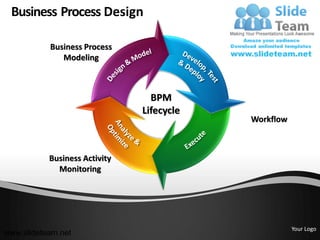
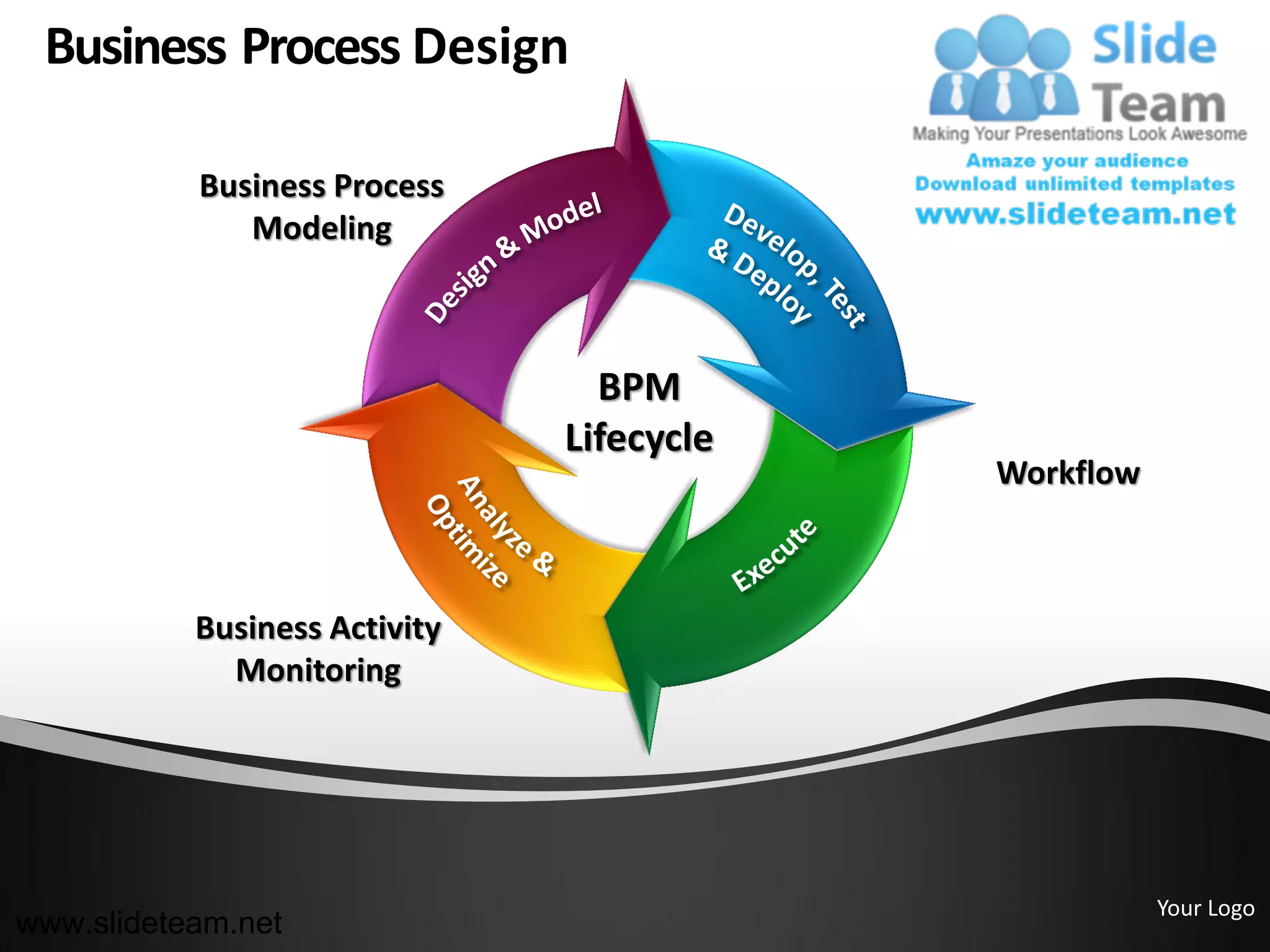
           Business Process
              Modeling


                                 BPM
                               Lifecycle
                                           Workflow


           Business Activity
             Monitoring


                                                      Your Logo
www.slideteam.net
Business Process Design
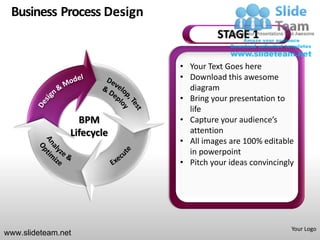
                                      STAGE 1

                            • Your Text Goes here
                            • Download this awesome
                              diagram
                            • Bring your presentation to
                              life
                  BPM       • Capture your audience’s
                Lifecycle     attention
                            • All images are 100% editable
                              in powerpoint
                            • Pitch your ideas convincingly


                                                          Your Logo
www.slideteam.net
Business Process Design
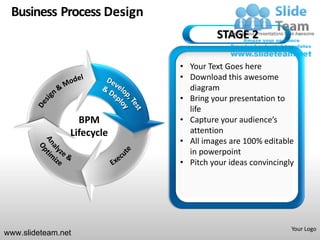
                                      STAGE 2

                            • Your Text Goes here
                            • Download this awesome
                              diagram
                            • Bring your presentation to
                              life
                  BPM       • Capture your audience’s
                Lifecycle     attention
                            • All images are 100% editable
                              in powerpoint
                            • Pitch your ideas convincingly


                                                          Your Logo
www.slideteam.net
Business Process Design
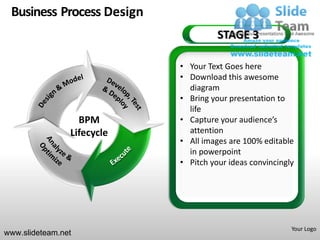
                                      STAGE 3

                            • Your Text Goes here
                            • Download this awesome
                              diagram
                            • Bring your presentation to
                              life
                  BPM       • Capture your audience’s
                Lifecycle     attention
                            • All images are 100% editable
                              in powerpoint
                            • Pitch your ideas convincingly


                                                          Your Logo
www.slideteam.net
Business Process Design
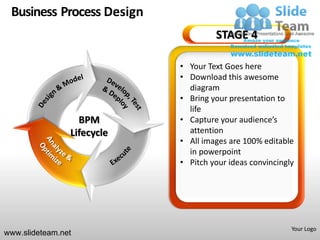
                                     STAGE 4

                            • Your Text Goes here
                            • Download this awesome
                              diagram
                            • Bring your presentation to
                              life
                  BPM       • Capture your audience’s
                Lifecycle     attention
                            • All images are 100% editable
                              in powerpoint
                            • Pitch your ideas convincingly


                                                          Your Logo
www.slideteam.net
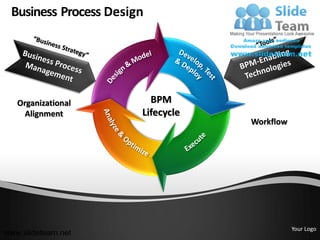
Business Process Design


   Organizational        BPM
     Alignment         Lifecycle
                                   Workflow


                                              Your Logo
www.slideteam.net
Business Process Design

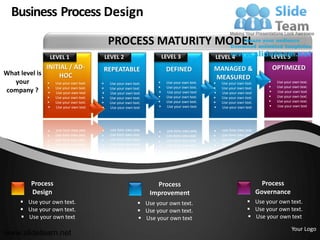
                                                 PROCESS MATURITY MODEL
                      LEVEL 1                   LEVEL 2                     LEVEL 3               LEVEL 4                      LEVEL 5
              INITIAL / AD-                 REPEATABLE                       DEFINED              MANAGED &                       OPTIMIZED
What level is      HOC                                                                            MEASURED
   your         Use your own text.             Use your own text.         Use your own text.      Use your own text.          Use your own text.
                                                                          Use your own text.                                  Use your own text.
company ?  Use your own text.
                 Use your own text          
                                                 Use your own text.
                                                 Use your own text          Use your own text    
                                                                                                      Use your own text.
                                                                                                      Use your own text           Use your own text
                      Use your own text.       Use your own text.         Use your own text.      Use your own text.          Use your own text.
                      Use your own text.       Use your own text.         Use your own text.      Use your own text.          Use your own text.
                      Use your own text        Use your own text          Use your own text       Use your own text           Use your own text


           Process                                                      Process                                              Process
           Design                                                     Improvement                                          Governance
        Use your own text.                                       Use your own text.                                Use your own text.
        Use your own text.                                       Use your own text.                                Use your own text.
        Use your own text                                        Use your own text                                 Use yourLogo text
                                                                                                                            Your own


                                                                                                                                           Your Logo
www.slideteam.net
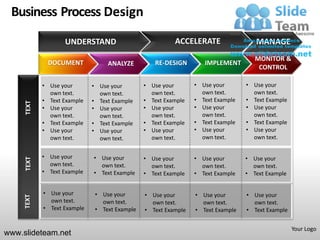
Business Process Design
                   UNDERSTAND                            ACCELERATE                 MANAGE
                                                                                    MONITOR &
              DOCUMENT            ANALYZE         RE-DESIGN        IMPLEMENT
                                                                                     CONTROL

            • Use your       • Use your        • Use your       • Use your       • Use your
              own text.        own text.         own text.        own text.        own text.
            • Text Example   • Text Example    • Text Example   • Text Example   • Text Example
     TEXT


            • Use your       • Use your        • Use your       • Use your       • Use your
              own text.        own text.         own text.        own text.        own text.
            • Text Example   • Text Example    • Text Example   • Text Example   • Text Example
            • Use your       • Use your        • Use your       • Use your       • Use your
              own text.        own text.         own text.        own text.        own text.


            • Use your       • Use your        • Use your       • Use your       • Use your
     TEXT


              own text.        own text.         own text.        own text.        own text.
            • Text Example   • Text Example    • Text Example   • Text Example   • Text Example


            • Use your        • Use your       • Use your       • Use your       • Use your
     TEXT


              own text.         own text.        own text.        own text.        own text.
            • Text Example    • Text Example   • Text Example   • Text Example   • Text Example


                                                                                                  Your Logo
www.slideteam.net
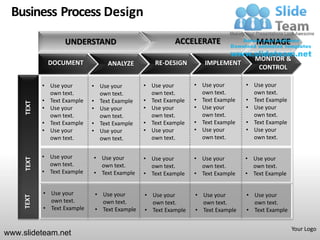
Business Process Design
                   UNDERSTAND                            ACCELERATE                 MANAGE
                                                                                    MONITOR &
              DOCUMENT            ANALYZE         RE-DESIGN        IMPLEMENT
                                                                                     CONTROL

            • Use your       • Use your        • Use your       • Use your       • Use your
              own text.        own text.         own text.        own text.        own text.
            • Text Example   • Text Example    • Text Example   • Text Example   • Text Example
     TEXT


            • Use your       • Use your        • Use your       • Use your       • Use your
              own text.        own text.         own text.        own text.        own text.
            • Text Example   • Text Example    • Text Example   • Text Example   • Text Example
            • Use your       • Use your        • Use your       • Use your       • Use your
              own text.        own text.         own text.        own text.        own text.


            • Use your       • Use your        • Use your       • Use your       • Use your
     TEXT


              own text.        own text.         own text.        own text.        own text.
            • Text Example   • Text Example    • Text Example   • Text Example   • Text Example


            • Use your        • Use your       • Use your       • Use your       • Use your
     TEXT


              own text.         own text.        own text.        own text.        own text.
            • Text Example    • Text Example   • Text Example   • Text Example   • Text Example


                                                                                                  Your Logo
www.slideteam.net
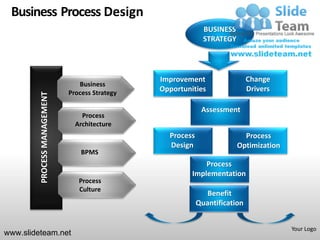
Business Process Design
                                                               BUSINESS
                                                               STRATEGY


                                                 Improvement                  Change
                                 Business
                              Process Strategy
                                                 Opportunities                Drivers
         PROCESS MANAGEMENT


                                                              Assessment
                                  Process
                                Architecture
                                                   Process                  Process
                                                   Design                 Optimization
                                  BPMS
                                                              Process
                                                          Implementation
                                 Process
                                 Culture
                                                                Benefit
                                                             Quantification


                                                                                         Your Logo
www.slideteam.net
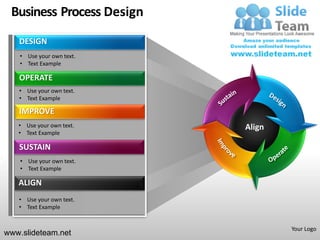
Business Process Design
   DESIGN
    • Use your own text.
    • Text Example

   OPERATE
   • Use your own text.
   • Text Example

   IMPROVE
   • Use your own text.    Align
   • Text Example

   SUSTAIN
    • Use your own text.
    • Text Example

   ALIGN
   • Use your own text.
   • Text Example


                                   Your Logo
www.slideteam.net
Business Process Design


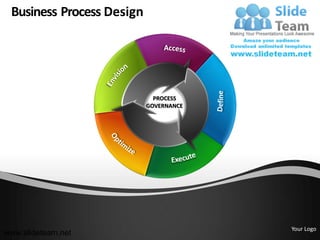
                             PROCESS
                           GOVERNANCE


                                        Your Logo
www.slideteam.net
Business Process Design


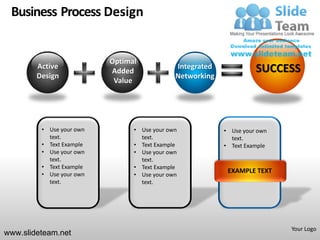
                          Optimal
        Active                               Integrated             SUCCESS
                          Added
        Design                               Networking
                           Value


         • Use your own         • Use your own            • Use your own
           text.                  text.                     text.
         • Text Example         • Text Example            • Text Example
         • Use your own         • Use your own
           text.                  text.
         • Text Example         • Text Example
         • Use your own
                                                           EXAMPLE TEXT
                                • Use your own
           text.                  text.


                                                                           Your Logo
www.slideteam.net
Business Process Design
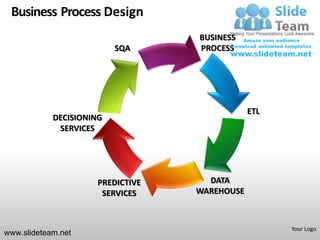
                                   BUSINESS
                          SQA      PROCESS


                                               ETL
            DECISIONING
             SERVICES


                      PREDICTIVE     DATA
                       SERVICES    WAREHOUSE


                                                     Your Logo
www.slideteam.net
Business Process Design
                                   BUSINESS
                          SQA      PROCESS


                                               ETL
            DECISIONING
             SERVICES


                      PREDICTIVE     DATA
                       SERVICES    WAREHOUSE


                                                     Your Logo
www.slideteam.net
Business Process Design

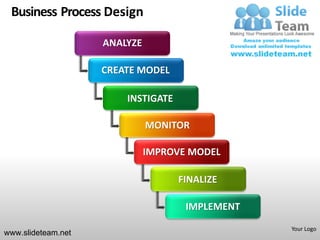
                    ANALYZE

                    CREATE MODEL

                        INSTIGATE

                              MONITOR

                              IMPROVE MODEL

                                    FINALIZE

                                     IMPLEMENT
                                                 Your Logo
www.slideteam.net
Business Process Design

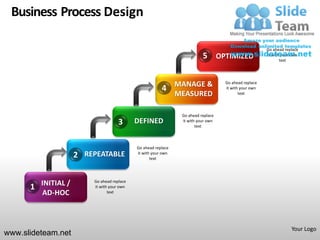
                                                                                                     Go ahead replace
                                                                         5 OPTIMIZED                 it with your own
                                                                                                            text


                                                              MANAGE &            Go ahead replace
                                                       4                          it with your own
                                                              MEASURED                   text


                                                               Go ahead replace
                                    3      DEFINED             it with your own
                                                                      text


                                           Go ahead replace
                    2 REPEATABLE           it with your own
                                                  text


                        Go ahead replace
      1 INITIAL /       it with your own
        AD-HOC                 text


                                                                                                                 Your Logo
www.slideteam.net
Business Process - Icons


          System       Objectives      Indicators    Process


          Projects    Compliance      Environment    Hazards


        System Cost   Audit Program    NC Product   Suggestions
                                                                  Your Logo
www.slideteam.net
Business Process - Icons


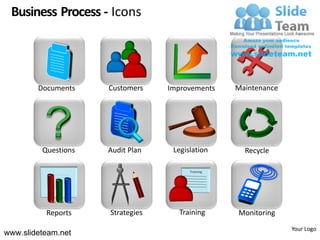
        Documents    Customers    Improvements     Maintenance


         Questions   Audit Plan    Legislation       Recycle

                                        Training


          Reports    Strategies     Training       Monitoring
                                                                 Your Logo
www.slideteam.net
All icons are 100% editable in Powerpoint
“Change color, size and orientation of any icon to your liking”


www.slideteam.net
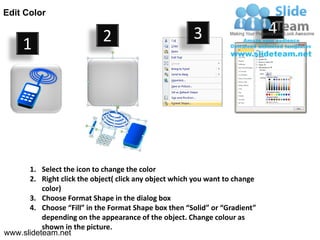
Edit Color

                             2                         3                     4
     1


      1. Select the icon to change the color
      2. Right click the object( click any object which you want to change
          color)
      3. Choose Format Shape in the dialog box
      4. Choose “Fill” in the Format Shape box then “Solid” or “Gradient”
          depending on the appearance of the object. Change colour as
          shown in the picture.
www.slideteam.net
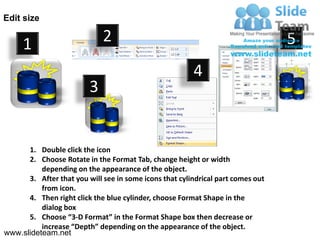
Edit size


     1                       2                                                   5
                                                        4
                         3


      1. Double click the icon
      2. Choose Rotate in the Format Tab, change height or width
          depending on the appearance of the object.
      3. After that you will see in some icons that cylindrical part comes out
          from icon.
      4. Then right click the blue cylinder, choose Format Shape in the
          dialog box
      5. Choose “3-D Format” in the Format Shape box then decrease or
          increase “Depth” depending on the appearance of the object.
www.slideteam.net
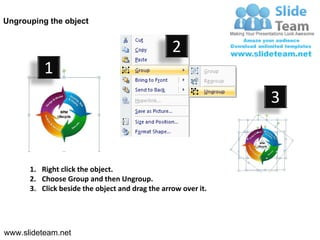
Ungrouping the object


                                                 2
          1
                                                               3


      1. Right click the object.
      2. Choose Group and then Ungroup.
      3. Click beside the object and drag the arrow over it.


www.slideteam.net
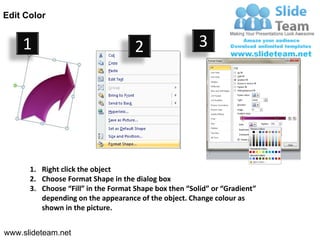
Edit Color


    1                                2                  3


      1. Right click the object
      2. Choose Format Shape in the dialog box
      3. Choose “Fill” in the Format Shape box then “Solid” or “Gradient”
         depending on the appearance of the object. Change colour as
         shown in the picture.


www.slideteam.net

Business process bpm workflow design powerpoint ppt templates.

  • 1.
    Business Process Design Business Process Modeling BPM Lifecycle Workflow Business Activity Monitoring Your Logo www.slideteam.net
  • 2.
    Business Process Design STAGE 1 • Your Text Goes here • Download this awesome diagram • Bring your presentation to life BPM • Capture your audience’s Lifecycle attention • All images are 100% editable in powerpoint • Pitch your ideas convincingly Your Logo www.slideteam.net
  • 3.
    Business Process Design STAGE 2 • Your Text Goes here • Download this awesome diagram • Bring your presentation to life BPM • Capture your audience’s Lifecycle attention • All images are 100% editable in powerpoint • Pitch your ideas convincingly Your Logo www.slideteam.net
  • 4.
    Business Process Design STAGE 3 • Your Text Goes here • Download this awesome diagram • Bring your presentation to life BPM • Capture your audience’s Lifecycle attention • All images are 100% editable in powerpoint • Pitch your ideas convincingly Your Logo www.slideteam.net
  • 5.
    Business Process Design STAGE 4 • Your Text Goes here • Download this awesome diagram • Bring your presentation to life BPM • Capture your audience’s Lifecycle attention • All images are 100% editable in powerpoint • Pitch your ideas convincingly Your Logo www.slideteam.net
  • 6.
    Business Process Design Organizational BPM Alignment Lifecycle Workflow Your Logo www.slideteam.net
  • 7.
    Business Process Design PROCESS MATURITY MODEL LEVEL 1 LEVEL 2 LEVEL 3 LEVEL 4 LEVEL 5 INITIAL / AD- REPEATABLE DEFINED MANAGED & OPTIMIZED What level is HOC MEASURED your  Use your own text.  Use your own text.  Use your own text.  Use your own text.  Use your own text.    Use your own text.   Use your own text. company ?  Use your own text. Use your own text  Use your own text. Use your own text  Use your own text  Use your own text. Use your own text  Use your own text  Use your own text.  Use your own text.  Use your own text.  Use your own text.  Use your own text.  Use your own text.  Use your own text.  Use your own text.  Use your own text.  Use your own text.  Use your own text  Use your own text  Use your own text  Use your own text  Use your own text Process Process Process Design Improvement Governance  Use your own text.  Use your own text.  Use your own text.  Use your own text.  Use your own text.  Use your own text.  Use your own text  Use your own text  Use yourLogo text Your own Your Logo www.slideteam.net
  • 8.
    Business Process Design UNDERSTAND ACCELERATE MANAGE MONITOR & DOCUMENT ANALYZE RE-DESIGN IMPLEMENT CONTROL • Use your • Use your • Use your • Use your • Use your own text. own text. own text. own text. own text. • Text Example • Text Example • Text Example • Text Example • Text Example TEXT • Use your • Use your • Use your • Use your • Use your own text. own text. own text. own text. own text. • Text Example • Text Example • Text Example • Text Example • Text Example • Use your • Use your • Use your • Use your • Use your own text. own text. own text. own text. own text. • Use your • Use your • Use your • Use your • Use your TEXT own text. own text. own text. own text. own text. • Text Example • Text Example • Text Example • Text Example • Text Example • Use your • Use your • Use your • Use your • Use your TEXT own text. own text. own text. own text. own text. • Text Example • Text Example • Text Example • Text Example • Text Example Your Logo www.slideteam.net
  • 9.
    Business Process Design UNDERSTAND ACCELERATE MANAGE MONITOR & DOCUMENT ANALYZE RE-DESIGN IMPLEMENT CONTROL • Use your • Use your • Use your • Use your • Use your own text. own text. own text. own text. own text. • Text Example • Text Example • Text Example • Text Example • Text Example TEXT • Use your • Use your • Use your • Use your • Use your own text. own text. own text. own text. own text. • Text Example • Text Example • Text Example • Text Example • Text Example • Use your • Use your • Use your • Use your • Use your own text. own text. own text. own text. own text. • Use your • Use your • Use your • Use your • Use your TEXT own text. own text. own text. own text. own text. • Text Example • Text Example • Text Example • Text Example • Text Example • Use your • Use your • Use your • Use your • Use your TEXT own text. own text. own text. own text. own text. • Text Example • Text Example • Text Example • Text Example • Text Example Your Logo www.slideteam.net
  • 10.
    Business Process Design BUSINESS STRATEGY Improvement Change Business Process Strategy Opportunities Drivers PROCESS MANAGEMENT Assessment Process Architecture Process Process Design Optimization BPMS Process Implementation Process Culture Benefit Quantification Your Logo www.slideteam.net
  • 11.
    Business Process Design DESIGN • Use your own text. • Text Example OPERATE • Use your own text. • Text Example IMPROVE • Use your own text. Align • Text Example SUSTAIN • Use your own text. • Text Example ALIGN • Use your own text. • Text Example Your Logo www.slideteam.net
  • 12.
    Business Process Design PROCESS GOVERNANCE Your Logo www.slideteam.net
  • 13.
    Business Process Design Optimal Active Integrated SUCCESS Added Design Networking Value • Use your own • Use your own • Use your own text. text. text. • Text Example • Text Example • Text Example • Use your own • Use your own text. text. • Text Example • Text Example • Use your own EXAMPLE TEXT • Use your own text. text. Your Logo www.slideteam.net
  • 14.
    Business Process Design BUSINESS SQA PROCESS ETL DECISIONING SERVICES PREDICTIVE DATA SERVICES WAREHOUSE Your Logo www.slideteam.net
  • 15.
    Business Process Design BUSINESS SQA PROCESS ETL DECISIONING SERVICES PREDICTIVE DATA SERVICES WAREHOUSE Your Logo www.slideteam.net
  • 16.
    Business Process Design ANALYZE CREATE MODEL INSTIGATE MONITOR IMPROVE MODEL FINALIZE IMPLEMENT Your Logo www.slideteam.net
  • 17.
    Business Process Design Go ahead replace 5 OPTIMIZED it with your own text MANAGE & Go ahead replace 4 it with your own MEASURED text Go ahead replace 3 DEFINED it with your own text Go ahead replace 2 REPEATABLE it with your own text Go ahead replace 1 INITIAL / it with your own AD-HOC text Your Logo www.slideteam.net
  • 18.
    Business Process -Icons System Objectives Indicators Process Projects Compliance Environment Hazards System Cost Audit Program NC Product Suggestions Your Logo www.slideteam.net
  • 19.
    Business Process -Icons Documents Customers Improvements Maintenance Questions Audit Plan Legislation Recycle Training Reports Strategies Training Monitoring Your Logo www.slideteam.net
  • 20.
    All icons are100% editable in Powerpoint “Change color, size and orientation of any icon to your liking” www.slideteam.net
  • 21.
    Edit Color 2 3 4 1 1. Select the icon to change the color 2. Right click the object( click any object which you want to change color) 3. Choose Format Shape in the dialog box 4. Choose “Fill” in the Format Shape box then “Solid” or “Gradient” depending on the appearance of the object. Change colour as shown in the picture. www.slideteam.net
  • 22.
    Edit size 1 2 5 4 3 1. Double click the icon 2. Choose Rotate in the Format Tab, change height or width depending on the appearance of the object. 3. After that you will see in some icons that cylindrical part comes out from icon. 4. Then right click the blue cylinder, choose Format Shape in the dialog box 5. Choose “3-D Format” in the Format Shape box then decrease or increase “Depth” depending on the appearance of the object. www.slideteam.net
  • 23.
    Ungrouping the object 2 1 3 1. Right click the object. 2. Choose Group and then Ungroup. 3. Click beside the object and drag the arrow over it. www.slideteam.net
  • 24.
    Edit Color 1 2 3 1. Right click the object 2. Choose Format Shape in the dialog box 3. Choose “Fill” in the Format Shape box then “Solid” or “Gradient” depending on the appearance of the object. Change colour as shown in the picture. www.slideteam.net