Download as PDF, PPTX

![LED 점등 (회로도, 코드) from bluetooth import *
import RPi.GPIO as GPIO
import time
GPIO.setmode(GPIO.BCM)
LED = 23
GPIO.setup(LED, GPIO.OUT)
GPIO.output(LED, GPIO.LOW)
server_sock = BluetoothSocket(RFCOMM)
server_sock.bind((“”, PORT_ANY))
server_sock.listen(1)
print “Waiting...”
client_sock, address = server_sock.accept()
print “Accepted connection from ”, address
try:
while True:
data = client_sock.recv(1024)
print “received [%s]” % data
if data == “on”:
GPIO.output(LED, GPIO.HIGH)
else:
GPIO.output(LED, GPIO.LOW)
time.sleep(0.5)
except KeyboardInterrupt:
GPIO.cleanup()
client_sock.close()
server_sock.close()
$ sudo python blink.py
GPIO 핀구성](https://image.slidesharecdn.com/led-150811111640-lva1-app6892/75/BT-led-2-2048.jpg)


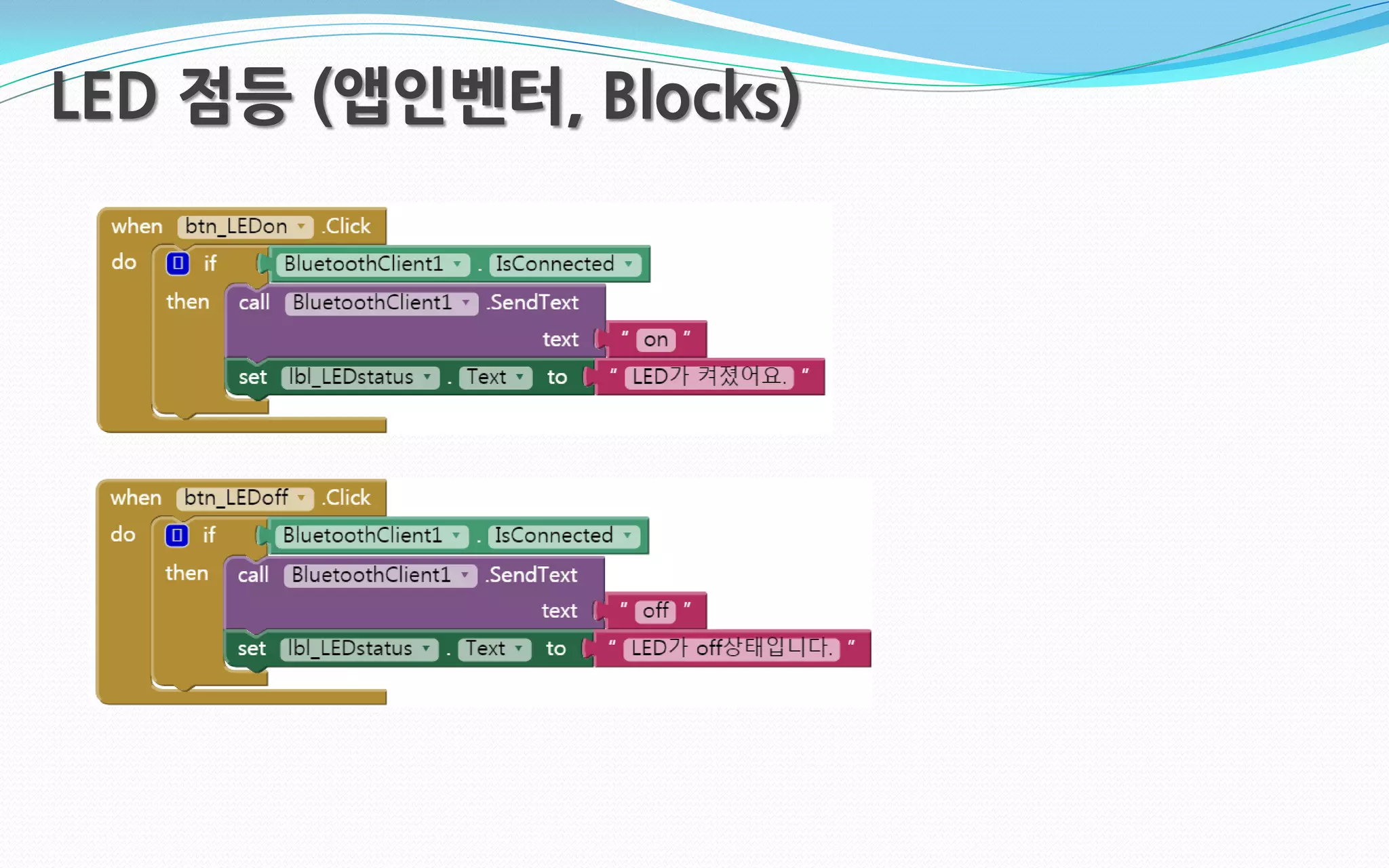
This document discusses controlling an LED light using Bluetooth from a Raspberry Pi. It includes the Python code to set up a Bluetooth server on the Raspberry Pi, listen for connections, and turn the LED on or off depending on the data received over Bluetooth. It also mentions using App Inventor to create an app with blocks to control the LED over Bluetooth.

![The Ruby Guide to *nix Plumbing: on the quest for efficiency with Ruby [M|K]RI](https://cdn.slidesharecdn.com/ss_thumbnails/presentation-091107031803-phpapp01-thumbnail.jpg?width=640&height=640&fit=bounds)


