Big Ideas in TechnologyDr. Cheryl WissickNovember 15, 2010Cwissick@sc.eduPresentation Background By PresenterMedia.com
Present Big Ideas in TechnologyProvide Tools you can use nowIntroduce Web sites Objectives
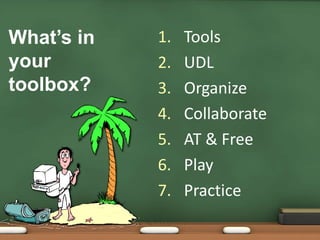
Technology as a tool to teachMake sure students know how to use the tools effectively and efficiently#1 Use Technology as a Tool
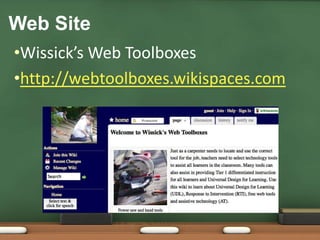
Wissick’s Web Toolboxeshttp://webtoolboxes.wikispaces.comWeb Site
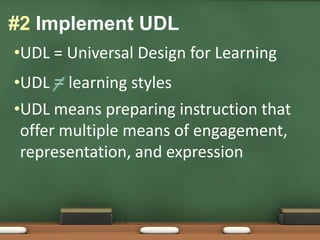
UDL = Universal Design for LearningUDL = learning stylesUDL means preparing instruction that offer multiple means of engagement, representation, and expression#2 Implement UDL
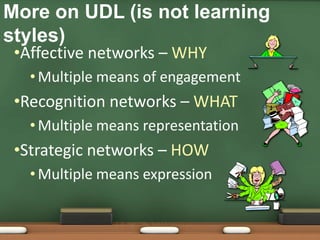
Affective networks – WHYMultiple means of engagementRecognition networks – WHAT Multiple means representationStrategic networks – HOWMultiple means expressionMore on UDL (is not learning styles)
UDL: http://www.udlcenter.org/CAST:  http://www.cast.orgWeb Sites: UDL Center & CASTCheck out the UDL Guidelines and checkpoints
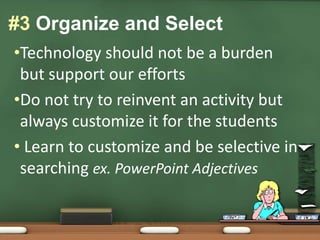
Technology should not be a burden but support our effortsDo not try to reinvent an activity but always customize it for the students Learn to customize and be selective in searching ex. PowerPoint Adjectives #3 Organize and Select
The Teachers Hubhttp://theteachershub.com/Educational Technology Guyhttp://educationaltechnologyguy.blogspot.com/Tammy's Tech Tipshttp://www.tammyworchester.comFree Tech for Teachers http://www.freetech4teachers.com/Web Sites – Subscribe for tips
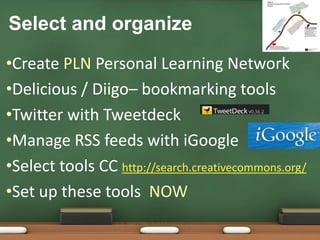
Select and organizeCreate PLN Personal Learning NetworkDelicious / Diigo– bookmarking toolsTwitter with TweetdeckManage RSS feeds with iGoogleSelect tools CC http://search.creativecommons.org/Set up these tools  NOW
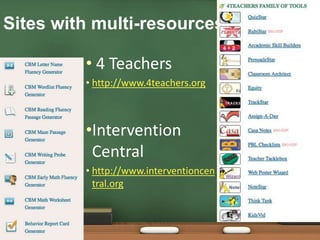
Sites with multi-resources 4 Teachershttp://www.4teachers.orgIntervention Centralhttp://www.interventioncentral.org
Work with othersShare your workCreate a wiki Personal pageCollaborate on a projectUse a Blog or Glog to extend ideasUse Jing for Screen capture # 4 Collaborate
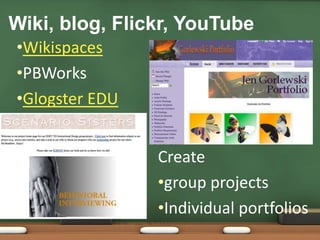
WikispacesPBWorksGlogster EDUWiki, blog, Flickr, YouTubeCreategroup projects
Individual portfolios What we use to make our life easier are considered AT in schoolUse FREE tools for ALLWord processingSpell checkerWord prediction#5 Assistive Technology & FreeWord prediction
eReaders
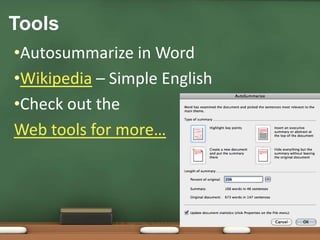
Text to speechAutosummarize in WordWikipedia – Simple EnglishCheck out theWeb tools for more…Tools
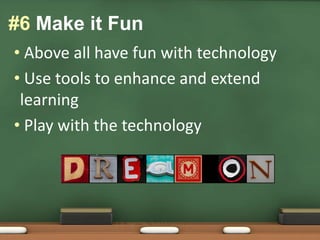
 Above all have fun with technology Use tools to enhance and extend learning Play with the technology#6 Make it Fun
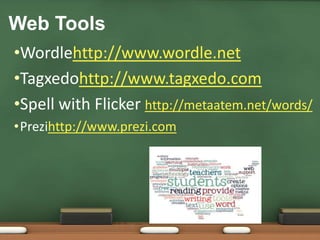
Wordlehttp://www.wordle.netTagxedohttp://www.tagxedo.comSpell with Flicker http://metaatem.net/words/Prezihttp://www.prezi.comWeb Tools
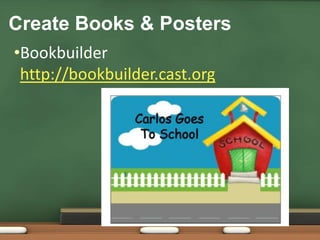
Bookbuilder http://bookbuilder.cast.orgCreate Books & Posters
When you learn a new skill or tool, practice it for another classKeep extending your technology skillsDiscover new ways to use old toolsDon’t assume you know it all just because you are a digital native !!# 7 Keep in Practice
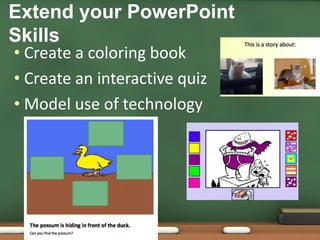
 Create a coloring book Create an interactive quiz Model use of technologyExtend your PowerPoint Skills

Big ideastech

  • 1.
    Big Ideas inTechnologyDr. Cheryl WissickNovember 15, 2010Cwissick@sc.eduPresentation Background By PresenterMedia.com
  • 2.
    Present Big Ideasin TechnologyProvide Tools you can use nowIntroduce Web sites Objectives
  • 3.
    Technology as atool to teachMake sure students know how to use the tools effectively and efficiently#1 Use Technology as a Tool
  • 4.
  • 5.
    UDL = UniversalDesign for LearningUDL = learning stylesUDL means preparing instruction that offer multiple means of engagement, representation, and expression#2 Implement UDL
  • 6.
    Affective networks –WHYMultiple means of engagementRecognition networks – WHAT Multiple means representationStrategic networks – HOWMultiple means expressionMore on UDL (is not learning styles)
  • 7.
    UDL: http://www.udlcenter.org/CAST: http://www.cast.orgWeb Sites: UDL Center & CASTCheck out the UDL Guidelines and checkpoints
  • 8.
    Technology should notbe a burden but support our effortsDo not try to reinvent an activity but always customize it for the students Learn to customize and be selective in searching ex. PowerPoint Adjectives #3 Organize and Select
  • 9.
    The Teachers Hubhttp://theteachershub.com/EducationalTechnology Guyhttp://educationaltechnologyguy.blogspot.com/Tammy's Tech Tipshttp://www.tammyworchester.comFree Tech for Teachers http://www.freetech4teachers.com/Web Sites – Subscribe for tips
  • 10.
    Select and organizeCreatePLN Personal Learning NetworkDelicious / Diigo– bookmarking toolsTwitter with TweetdeckManage RSS feeds with iGoogleSelect tools CC http://search.creativecommons.org/Set up these tools NOW
  • 11.
    Sites with multi-resources4 Teachershttp://www.4teachers.orgIntervention Centralhttp://www.interventioncentral.org
  • 13.
    Work with othersShareyour workCreate a wiki Personal pageCollaborate on a projectUse a Blog or Glog to extend ideasUse Jing for Screen capture # 4 Collaborate
  • 14.
    WikispacesPBWorksGlogster EDUWiki, blog,Flickr, YouTubeCreategroup projects
  • 15.
    Individual portfolios Whatwe use to make our life easier are considered AT in schoolUse FREE tools for ALLWord processingSpell checkerWord prediction#5 Assistive Technology & FreeWord prediction
  • 16.
  • 17.
    Text to speechAutosummarizein WordWikipedia – Simple EnglishCheck out theWeb tools for more…Tools
  • 18.
    Above allhave fun with technology Use tools to enhance and extend learning Play with the technology#6 Make it Fun
  • 19.
    Wordlehttp://www.wordle.netTagxedohttp://www.tagxedo.comSpell with Flickerhttp://metaatem.net/words/Prezihttp://www.prezi.comWeb Tools
  • 20.
  • 21.
    When you learna new skill or tool, practice it for another classKeep extending your technology skillsDiscover new ways to use old toolsDon’t assume you know it all just because you are a digital native !!# 7 Keep in Practice
  • 22.
    Create acoloring book Create an interactive quiz Model use of technologyExtend your PowerPoint Skills