 Computer is an electronic device.
 Can store large amounts of data.
 Can performing operations on data.
 Performing given function on the data & displays the
result as output.
 Process data whenever needed.
 Known from ‘to compute’
 Computer works on data as per programme is called
process.
 Processing means operations like…..
 Calculations,
 Logical decision making,
 Outputting data,
 Communicating with others computer etc.
 Speed
 Arithmetical and
Logical Operations
 Accuracy
 Reliability
 Storage
 Retrieving Data and
Programme
 Automation
 Versatility (Flexible)
 Consistency
 Communications
 Science research
 Education
 Business applications
 Banking
 Office Automation
 Desktop publishing
• Management aids
• Engineering designing
• Road traffic control
• Railway
• Medicine
• Information services
 Inter connection of many computers via network.
 Global connected through network (through LAN or WAN)
 To provide the various application services i.e. E-Mail, Usenet
(News), WWW, Telnet, FTP, etc
 Searching
 E-mail service
 Commercial Services
 Electronic books & Publication
 Video Conferencing
 Sharing data and results quickly
 Retrieving files & Program of all types
 Find information databases and tutorials
 News paper columns
 Banking
 Downloading / Uploading any information
 News, sports, stocks, music etc.
 Use of internet in various fields like education, Business, governance, etc.
 And many more ………………..
 During last decade of twentieth century there was
extraordinary development in information and communication
technology (ICT) which led to a transmutation of processes and
practices in almost all aspects of human activities.
 Information and communication technologies (ICTs) are the
technologies used in the conveying, manipulation and storage
of data by electronic means.
9
 Information is data that has been sorted and arranged.
 It consists of organized facts and opinions people receive during daily life.
 Changing data into information is called data processing or information
processing.
 It involves gathering, organizing, and reporting data so it is useful to people.
 It is often done using information technology.
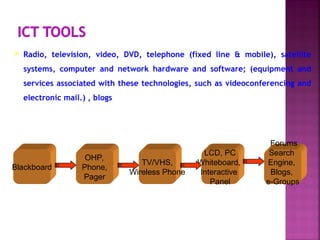
 Radio, television, video, DVD, telephone (fixed line & mobile), satellite
systems, computer and network hardware and software; (equipment and
services associated with these technologies, such as videoconferencing and
electronic mail.) , blogs
11
Blackboard
OHP,
Phone,
Pager
TV/VHS,
Wireless Phone
LCD, PC
Whiteboard,
Interactive
Panel
Forums
Search
Engine,
Blogs,
e-Groups
 People often use the terms information and communication together.
 These terms are related, but each means something different.
 Two words we need to know to understand communication technology are data
and information.
 Data includes individual facts, statistics (numerical data), and ideas.
 These facts and ideas are not sorted or arranged in any manner.
 Communication is simply the act of transferring
information from one place to another.
 Exchanging Information from computer to
another computer
 The classic communication system is made up
of an information source, an encoder, a transmitter, a
receiver, a decoder, storage, retrieval, and an
information destination.

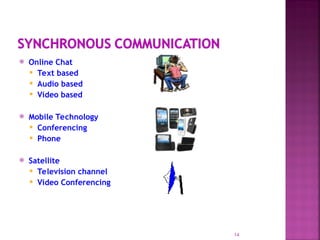
 Online Chat
 Text based
 Audio based
 Video based
 Mobile Technology
 Conferencing
 Phone
 Satellite
 Television channel
 Video Conferencing
14
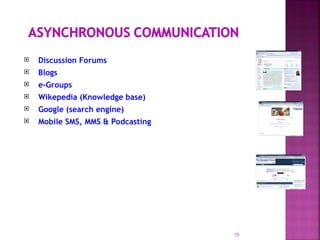
 Discussion Forums
 Blogs
 e-Groups
 Wikepedia (Knowledge base)
 Google (search engine)
 Mobile SMS, MMS & Podcasting
15
 Education
 Research
 Communication
 Leisure and Entertainment
 Exploring the world
 Finance
 Shopping
 And many more ….
16
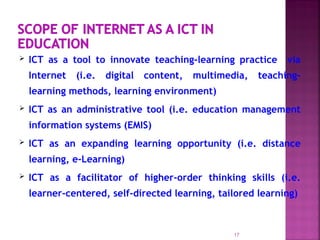
 ICT as a tool to innovate teaching-learning practice via
Internet (i.e. digital content, multimedia, teaching-
learning methods, learning environment)
 ICT as an administrative tool (i.e. education management
information systems (EMIS)
 ICT as an expanding learning opportunity (i.e. distance
learning, e-Learning)
 ICT as a facilitator of higher-order thinking skills (i.e.
learner-centered, self-directed learning, tailored learning)
17
18
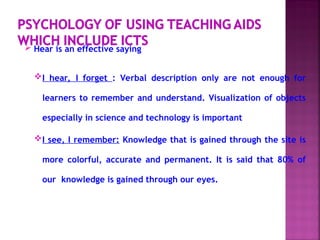
 Hear is an effective saying
I hear, I forget : Verbal description only are not enough for
learners to remember and understand. Visualization of objects
especially in science and technology is important
I see, I remember: Knowledge that is gained through the site is
more colorful, accurate and permanent. It is said that 80% of
our knowledge is gained through our eyes.
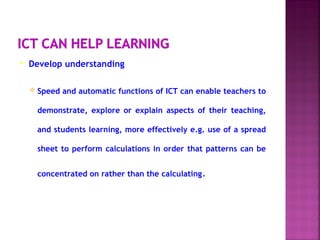
 Develop understanding
 Speed and automatic functions of ICT can enable teachers to
demonstrate, explore or explain aspects of their teaching,
and students learning, more effectively e.g. use of a spread
sheet to perform calculations in order that patterns can be
concentrated on rather than the calculating.
 Extend access to sources
 the capacity and range of ICT can enable teachers and
students to gain access to historical, recent or immediate
information, through, for example, accessing information on
CD-ROM or the Internet
 Enhance enquiry skills
 search for and compare information from different sources
 Enhance the communication of ideas
 communicate with other people, locally and over distances,
easily and effectively
 present information in ways which are accessible in different
forms for different audiences.
 Education opportunities in dispersed locations where
conventional schools are not viable;
 A choice to students and parents of what they want to learn i.e.
Choice based credit system (CBCS);
 A safety net for school drop-outs so they do not lapse into
illiteracy;
 Alternative venue to schools.
 Second chance education.
 Standardised curriculum materials
 Lifelong learning concept
 Limiting fraud in assessment process
23
 There are many web sites available for getting information
regarding agricultural products.
 One of them is “Soil Health Card” a 12th National e-governance
award winner. It reflects soil testing report (Current
composition of soil) and provides information about which crops
farmers should cultivate and which manure should be applied in
what proportion.
Agmarknet (Digital Mandi for Indian Kisan –by IIT, Kanpur)
www.kissankerala.net and Many more …
24
Green ICT refers to an approach in reducing the energy and other resources consumed
and the emissions and other waste produced across the ICT lifecycle – from
manufacture, procurement and use of ICT in an organisation to its re-use and aims to
improve environmental sustainability of organisations. Specifically, Green ICT as
applied to the use of ICT resources aims to:
 Reduce energy consumption and CO2 emissions during ICT use
 -Reduce environmental impact of disposal of ICT waste products
In addition to the above, Green ICT also explores how ICT applications can be used to help
other sectors conserve and optimise energy usage.
25
 Reducing Power Consumption of ICT equipments.
 Going Paperless
 Buying Energy-efficient ICT equipments
 Disposal, Re-use and Recycling ICT Equipments
 Server Optimisation and Virtualisation
 Indirect ICT Savings
– Tele Conferencing
– Web Conferencing
– Video Conferencing
26
Accelerating Our Daily life activities by
Convergence of Technologies & Sharing of
Experiences and Resources.
Green ICT can reduce costs and the
negative impact
on the environment, making being green
good for all businesses
27
 Network: Connecting computers with each other For exchanging
information
 Client : It is a programme or computer for getting special
information from another compute.
 Server: It is a programme or computer, which gives information
to the client computer.
 Protocol: It’s a rules for connecting to the internet. (TCP/IP)
 Portal: It is a website. Known as a gateway of internet.
(Search engine)
18/02/25 28
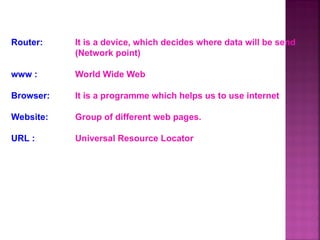
Router: It is a device, which decides where data will be send
(Network point)
www : World Wide Web
Browser: It is a programme which helps us to use internet
Website: Group of different web pages.
URL : Universal Resource Locator
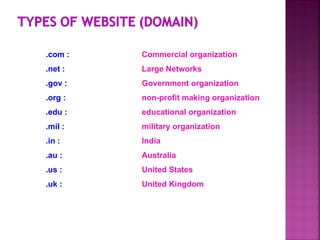
.com : Commercial organization
.net : Large Networks
.gov : Government organization
.org : non-profit making organization
.edu : educational organization
.mil : military organization
.in : India
.au : Australia
.us : United States
.uk : United Kingdom
best informative education coomputer.ppt

best informative education coomputer.ppt

  • 2.
     Computer isan electronic device.  Can store large amounts of data.  Can performing operations on data.  Performing given function on the data & displays the result as output.  Process data whenever needed.  Known from ‘to compute’
  • 3.
     Computer workson data as per programme is called process.  Processing means operations like…..  Calculations,  Logical decision making,  Outputting data,  Communicating with others computer etc.
  • 4.
     Speed  Arithmeticaland Logical Operations  Accuracy  Reliability  Storage  Retrieving Data and Programme  Automation  Versatility (Flexible)  Consistency  Communications
  • 5.
     Science research Education  Business applications  Banking  Office Automation  Desktop publishing • Management aids • Engineering designing • Road traffic control • Railway • Medicine • Information services
  • 6.
     Inter connectionof many computers via network.  Global connected through network (through LAN or WAN)  To provide the various application services i.e. E-Mail, Usenet (News), WWW, Telnet, FTP, etc
  • 7.
     Searching  E-mailservice  Commercial Services  Electronic books & Publication  Video Conferencing  Sharing data and results quickly  Retrieving files & Program of all types  Find information databases and tutorials  News paper columns  Banking  Downloading / Uploading any information  News, sports, stocks, music etc.  Use of internet in various fields like education, Business, governance, etc.  And many more ………………..
  • 9.
     During lastdecade of twentieth century there was extraordinary development in information and communication technology (ICT) which led to a transmutation of processes and practices in almost all aspects of human activities.  Information and communication technologies (ICTs) are the technologies used in the conveying, manipulation and storage of data by electronic means. 9
  • 10.
     Information isdata that has been sorted and arranged.  It consists of organized facts and opinions people receive during daily life.  Changing data into information is called data processing or information processing.  It involves gathering, organizing, and reporting data so it is useful to people.  It is often done using information technology.
  • 11.
     Radio, television,video, DVD, telephone (fixed line & mobile), satellite systems, computer and network hardware and software; (equipment and services associated with these technologies, such as videoconferencing and electronic mail.) , blogs 11 Blackboard OHP, Phone, Pager TV/VHS, Wireless Phone LCD, PC Whiteboard, Interactive Panel Forums Search Engine, Blogs, e-Groups
  • 12.
     People oftenuse the terms information and communication together.  These terms are related, but each means something different.  Two words we need to know to understand communication technology are data and information.  Data includes individual facts, statistics (numerical data), and ideas.  These facts and ideas are not sorted or arranged in any manner.
  • 13.
     Communication issimply the act of transferring information from one place to another.  Exchanging Information from computer to another computer  The classic communication system is made up of an information source, an encoder, a transmitter, a receiver, a decoder, storage, retrieval, and an information destination. 
  • 14.
     Online Chat Text based  Audio based  Video based  Mobile Technology  Conferencing  Phone  Satellite  Television channel  Video Conferencing 14
  • 15.
     Discussion Forums Blogs  e-Groups  Wikepedia (Knowledge base)  Google (search engine)  Mobile SMS, MMS & Podcasting 15
  • 16.
     Education  Research Communication  Leisure and Entertainment  Exploring the world  Finance  Shopping  And many more …. 16
  • 17.
     ICT asa tool to innovate teaching-learning practice via Internet (i.e. digital content, multimedia, teaching- learning methods, learning environment)  ICT as an administrative tool (i.e. education management information systems (EMIS)  ICT as an expanding learning opportunity (i.e. distance learning, e-Learning)  ICT as a facilitator of higher-order thinking skills (i.e. learner-centered, self-directed learning, tailored learning) 17
  • 18.
  • 19.
     Hear isan effective saying I hear, I forget : Verbal description only are not enough for learners to remember and understand. Visualization of objects especially in science and technology is important I see, I remember: Knowledge that is gained through the site is more colorful, accurate and permanent. It is said that 80% of our knowledge is gained through our eyes.
  • 20.
     Develop understanding Speed and automatic functions of ICT can enable teachers to demonstrate, explore or explain aspects of their teaching, and students learning, more effectively e.g. use of a spread sheet to perform calculations in order that patterns can be concentrated on rather than the calculating.
  • 21.
     Extend accessto sources  the capacity and range of ICT can enable teachers and students to gain access to historical, recent or immediate information, through, for example, accessing information on CD-ROM or the Internet  Enhance enquiry skills  search for and compare information from different sources
  • 22.
     Enhance thecommunication of ideas  communicate with other people, locally and over distances, easily and effectively  present information in ways which are accessible in different forms for different audiences.
  • 23.
     Education opportunitiesin dispersed locations where conventional schools are not viable;  A choice to students and parents of what they want to learn i.e. Choice based credit system (CBCS);  A safety net for school drop-outs so they do not lapse into illiteracy;  Alternative venue to schools.  Second chance education.  Standardised curriculum materials  Lifelong learning concept  Limiting fraud in assessment process 23
  • 24.
     There aremany web sites available for getting information regarding agricultural products.  One of them is “Soil Health Card” a 12th National e-governance award winner. It reflects soil testing report (Current composition of soil) and provides information about which crops farmers should cultivate and which manure should be applied in what proportion. Agmarknet (Digital Mandi for Indian Kisan –by IIT, Kanpur) www.kissankerala.net and Many more … 24
  • 25.
    Green ICT refersto an approach in reducing the energy and other resources consumed and the emissions and other waste produced across the ICT lifecycle – from manufacture, procurement and use of ICT in an organisation to its re-use and aims to improve environmental sustainability of organisations. Specifically, Green ICT as applied to the use of ICT resources aims to:  Reduce energy consumption and CO2 emissions during ICT use  -Reduce environmental impact of disposal of ICT waste products In addition to the above, Green ICT also explores how ICT applications can be used to help other sectors conserve and optimise energy usage. 25
  • 26.
     Reducing PowerConsumption of ICT equipments.  Going Paperless  Buying Energy-efficient ICT equipments  Disposal, Re-use and Recycling ICT Equipments  Server Optimisation and Virtualisation  Indirect ICT Savings – Tele Conferencing – Web Conferencing – Video Conferencing 26
  • 27.
    Accelerating Our Dailylife activities by Convergence of Technologies & Sharing of Experiences and Resources. Green ICT can reduce costs and the negative impact on the environment, making being green good for all businesses 27
  • 28.
     Network: Connectingcomputers with each other For exchanging information  Client : It is a programme or computer for getting special information from another compute.  Server: It is a programme or computer, which gives information to the client computer.  Protocol: It’s a rules for connecting to the internet. (TCP/IP)  Portal: It is a website. Known as a gateway of internet. (Search engine) 18/02/25 28
  • 29.
    Router: It isa device, which decides where data will be send (Network point) www : World Wide Web Browser: It is a programme which helps us to use internet Website: Group of different web pages. URL : Universal Resource Locator
  • 30.
    .com : Commercialorganization .net : Large Networks .gov : Government organization .org : non-profit making organization .edu : educational organization .mil : military organization .in : India .au : Australia .us : United States .uk : United Kingdom