BEM it! 
Martin Pešout / front-end developer at dotBlue 
@martinpesout
What is BEM? 
WHAT + WHY + HOW
Milestone 2013 
• 2013 
• boom of responsive design (RWD) 
• RWD means also more complex CSS styles
Milestone 2013 
• 2013 
• boom of responsive design (RWD) 
• RWD means also more complex CSS styles 
• 2014 
• boom of optimization of developed responsive 
webpages 
• Fluid web doesn’t mean fast web on mobile 
connection
Web development in 
2014 needs methodology 
We really need good rules 
! 
! 
… rather than frameworks
Why has been BEM created? 
• The way how to organize code for whole team 
on big project 
• Reusable components 
• Long-standing components 
• Easy to learn for new team members
It’s not magic 
BEM is not hard to learn. A 
lot of articles and examples 
everywhere.
Don’t use #ID selectors!
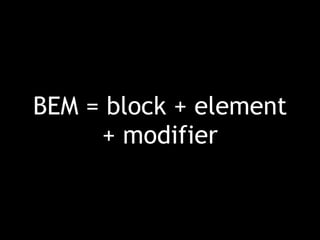
BEM = block + element 
+ modifier
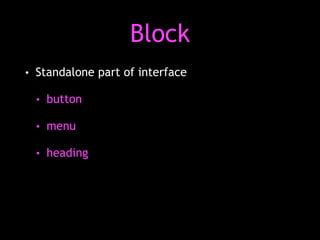
Block 
• Standalone part of interface 
• button 
• menu 
• heading
Block 
• Standalone part of interface 
• button 
• menu 
• heading 
• Reusable 
• Independent on other styles
Element 
• An internal part of block 
• button 
• menu 
• heading
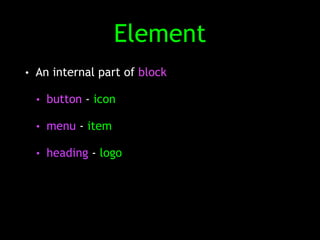
Element 
• An internal part of block 
• button - icon 
• menu - item 
• heading - logo
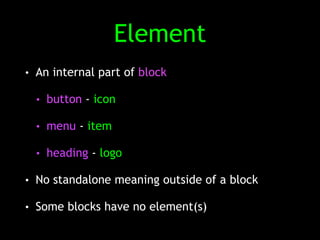
Element 
• An internal part of block 
• button - icon 
• menu - item 
• heading - logo 
• No standalone meaning outside of a block 
• Some blocks have no element(s)
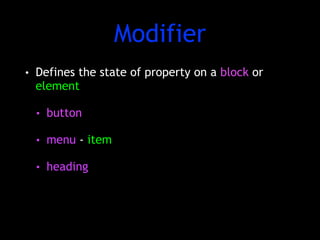
Modifier 
• Defines the state of property on a block or 
element 
• button 
• menu - item 
• heading
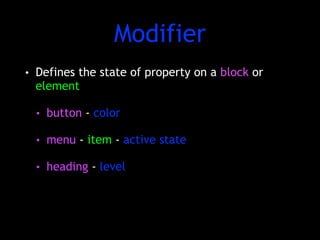
Modifier 
• Defines the state of property on a block or 
element 
• button - color 
• menu - item - active state 
• heading - level
BEM uses class names to 
describe block, elements 
and modifiers
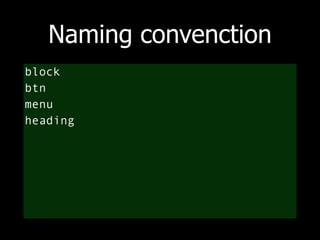
Naming convenction 
block 
btn 
menu 
heading
Naming convenction 
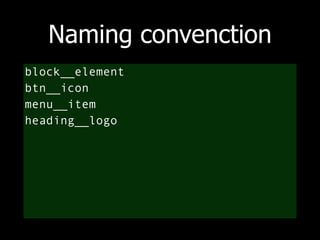
block__element 
btn__icon 
menu__item 
heading__logo
Naming convenction 
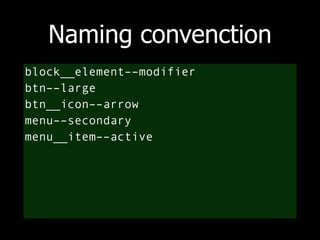
block__element––modifier 
btn––large 
btn__icon––arrow 
menu––secondary 
menu__item––active
Header 
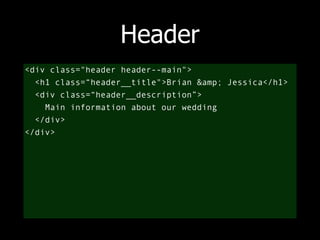
<div class="header header--main"> 
<h1 class=“header__title">Brian &amp; Jessica</h1> 
<div class=“header__description”> 
Main information about our wedding 
</div> 
</div>
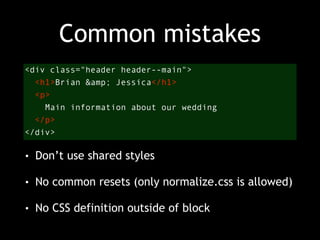
Common mistakes 
<div class="header header--main"> 
<h1>Brian &amp; Jessica</h1> 
<p> 
Main information about our wedding 
</p> 
</div> 
• Don’t use shared styles 
• No common resets (only normalize.css is allowed) 
• No CSS definition outside of block
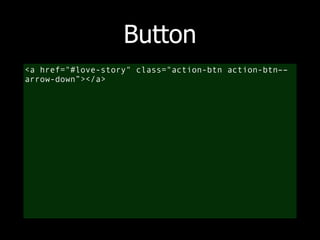
Button 
<a href="#love-story" class="action-btn action-btn–– 
arrow-down”></a>
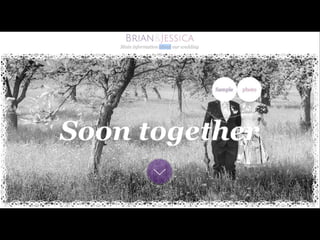
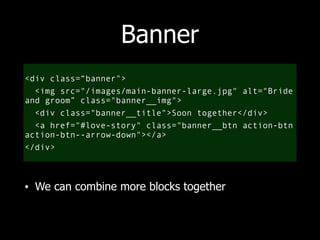
Banner 
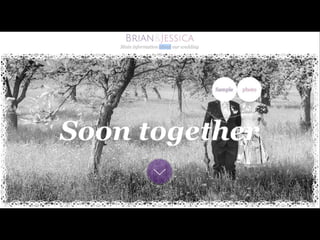
<div class=“banner"> 
<img src="/images/main-banner-large.jpg" alt="Bride 
and groom” class="banner__img"> 
<div class="banner__title">Soon together</div> 
<a href="#love-story" class="banner__btn action-btn 
action-btn--arrow-down"></a> 
</div>
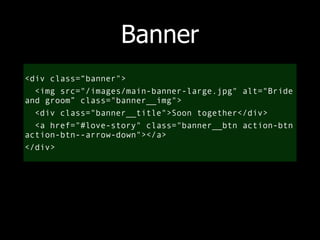
Banner 
<div class=“banner"> 
<img src="/images/main-banner-large.jpg" alt="Bride 
and groom” class="banner__img"> 
<div class="banner__title">Soon together</div> 
<a href="#love-story" class="banner__btn action-btn 
action-btn--arrow-down"></a> 
</div> 
• We can combine more blocks together
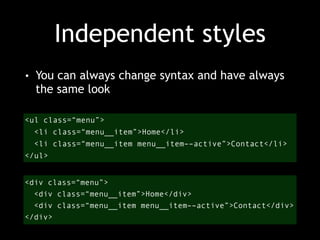
Independent styles 
• You can always change syntax and have always 
the same look 
<ul class=“menu”> 
<li class=“menu__item”>Home</li> 
<li class=“menu__item menu__item––active”>Contact</li> 
</ul> 
<div class=“menu”> 
<div class=“menu__item”>Home</div> 
<div class=“menu__item menu__item––active”>Contact</div> 
</div>
Another best practices 
• Preprocessor can help you to organize your 
styles to better file structure 
• Use prefix js- class or ID prefix for JavaScript 
selectors
Thank you 
Martin Pešout / front-end developer at dotBlue 
@martinpesout

BEM it!

  • 1.
    BEM it! MartinPešout / front-end developer at dotBlue @martinpesout
  • 3.
    What is BEM? WHAT + WHY + HOW
  • 4.
    Milestone 2013 •2013 • boom of responsive design (RWD) • RWD means also more complex CSS styles
  • 5.
    Milestone 2013 •2013 • boom of responsive design (RWD) • RWD means also more complex CSS styles • 2014 • boom of optimization of developed responsive webpages • Fluid web doesn’t mean fast web on mobile connection
  • 6.
    Web development in 2014 needs methodology We really need good rules ! ! … rather than frameworks
  • 7.
    Why has beenBEM created? • The way how to organize code for whole team on big project • Reusable components • Long-standing components • Easy to learn for new team members
  • 8.
    It’s not magic BEM is not hard to learn. A lot of articles and examples everywhere.
  • 9.
    Don’t use #IDselectors!
  • 10.
    BEM = block+ element + modifier
  • 11.
    Block • Standalonepart of interface • button • menu • heading
  • 12.
    Block • Standalonepart of interface • button • menu • heading • Reusable • Independent on other styles
  • 13.
    Element • Aninternal part of block • button • menu • heading
  • 14.
    Element • Aninternal part of block • button - icon • menu - item • heading - logo
  • 15.
    Element • Aninternal part of block • button - icon • menu - item • heading - logo • No standalone meaning outside of a block • Some blocks have no element(s)
  • 16.
    Modifier • Definesthe state of property on a block or element • button • menu - item • heading
  • 17.
    Modifier • Definesthe state of property on a block or element • button - color • menu - item - active state • heading - level
  • 18.
    BEM uses classnames to describe block, elements and modifiers
  • 19.
    Naming convenction block btn menu heading
  • 20.
    Naming convenction block__element btn__icon menu__item heading__logo
  • 21.
    Naming convenction block__element––modifier btn––large btn__icon––arrow menu––secondary menu__item––active
  • 23.
    Header <div class="headerheader--main"> <h1 class=“header__title">Brian &amp; Jessica</h1> <div class=“header__description”> Main information about our wedding </div> </div>
  • 24.
    Common mistakes <divclass="header header--main"> <h1>Brian &amp; Jessica</h1> <p> Main information about our wedding </p> </div> • Don’t use shared styles • No common resets (only normalize.css is allowed) • No CSS definition outside of block
  • 26.
    Button <a href="#love-story"class="action-btn action-btn–– arrow-down”></a>
  • 27.
    Banner <div class=“banner"> <img src="/images/main-banner-large.jpg" alt="Bride and groom” class="banner__img"> <div class="banner__title">Soon together</div> <a href="#love-story" class="banner__btn action-btn action-btn--arrow-down"></a> </div>
  • 28.
    Banner <div class=“banner"> <img src="/images/main-banner-large.jpg" alt="Bride and groom” class="banner__img"> <div class="banner__title">Soon together</div> <a href="#love-story" class="banner__btn action-btn action-btn--arrow-down"></a> </div> • We can combine more blocks together
  • 29.
    Independent styles •You can always change syntax and have always the same look <ul class=“menu”> <li class=“menu__item”>Home</li> <li class=“menu__item menu__item––active”>Contact</li> </ul> <div class=“menu”> <div class=“menu__item”>Home</div> <div class=“menu__item menu__item––active”>Contact</div> </div>
  • 30.
    Another best practices • Preprocessor can help you to organize your styles to better file structure • Use prefix js- class or ID prefix for JavaScript selectors
  • 31.
    Thank you MartinPešout / front-end developer at dotBlue @martinpesout