VietnamThailandSingaporePhilippinesMalaysiaIndonesia Russia
Changing styles quickly, without fear and pain
CSS
IS
AWESOME
Specificity
1
2
3
4
style="color: red"
#content
.link, link:active, link[href]
body, body::after
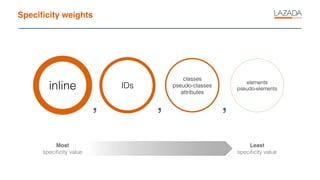
Specificity weights
inline IDs
classes
pseudo-classes
attributes
elements
pseudo-elements
Most
specificity value
Least
specificity value
, , ,
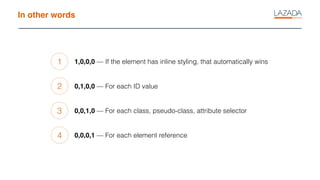
In other words
1
2
3
4
1,0,0,0 — If the element has inline styling, that automatically wins
0,1,0,0 — For each ID value
0,0,1,0 — For each class, pseudo-class, attribute selector
0,0,0,1 — For each element reference
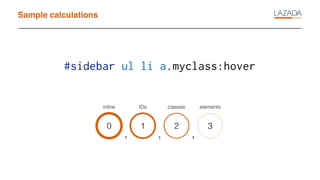
Sample calculations
0
inline
1
IDs
2
classes
3
elements
#sidebar ul li a.myclass:hover
, , ,
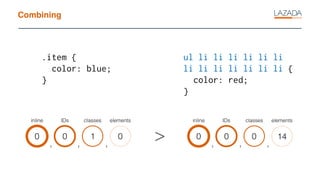
Combining
.item {
color: blue;
}
0
inline
0
IDs
1
classes
0
elements
, , ,
ul li li li li li li
li li li li li li li {
color: red;
}
0
inline
0
IDs
0
classes
14
elements
, , ,
>
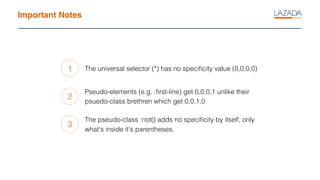
Important Notes
1
2
3
The universal selector (*) has no specificity value (0,0,0,0)
Pseudo-elements (e.g. :first-line) get 0,0,0,1 unlike their
psuedo-class brethren which get 0,0,1,0
The pseudo-class :not() adds no specificity by itself, only
what's inside it's parentheses.
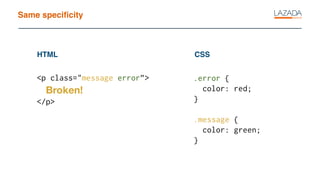
Same specificity
<p class="message error”>
Broken!
</p>
HTML CSS
.error {
color: red;
}
.message {
color: green;
}
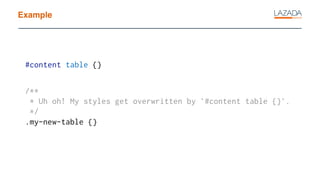
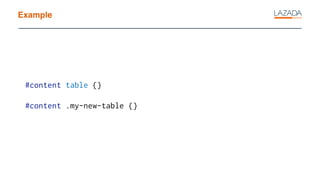
Example
#content table {}
/**
* Uh oh! My styles get overwritten by `#content table {}`.
*/
.my-new-table {}
Example
#content table {}
#content .my-new-table {}
Enter header
!important
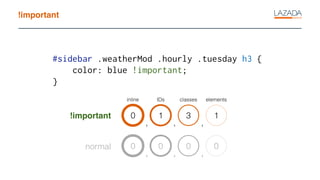
!important
0
inline
1
IDs
3
classes
1
elements
, , ,
#sidebar .weatherMod .hourly .tuesday h3 {
color: blue !important;
}
0 0 0 0
, , ,
!important
normal
!important
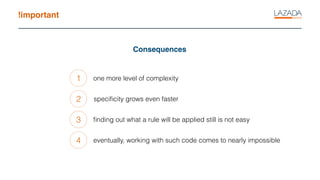
Consequences
1
2
3
one more level of complexity
specificity grows even faster
finding out what a rule will be applied still is not easy
4 eventually, working with such code comes to nearly impossible
!important
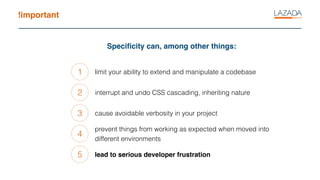
Specificity can, among other things:
1
2
3
limit your ability to extend and manipulate a codebase
interrupt and undo CSS cascading, inheriting nature
cause avoidable verbosity in your project
4
prevent things from working as expected when moved into
different environments
5 lead to serious developer frustration
Nature of CSS
http://www.thefreedictionary.com
“methodology – the system of methods and
principles used in a particular discipline”
Methodology
BEM
BEM
Block
Element
Modifier
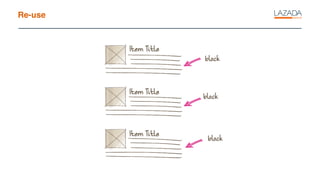
BEM block
Block is a logically and functionally independent page
component, the equivalent of a component in Web
Components.
BLOCK
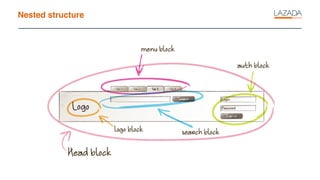
BEM blocks
Nested structure
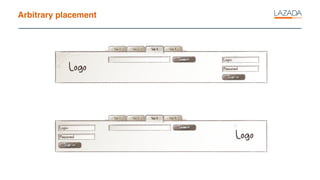
Arbitrary placement
Re-use
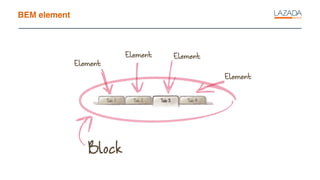
BEM element
A constituent part of a block that can’t be used and does
not make sense outside the block.
ELEMENT
BEM element
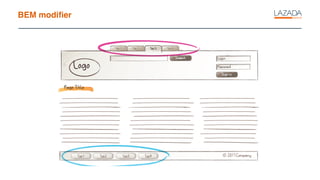
BEM modifier
A BEM entity that defines the appearance and behavior of
a block or an element.
MODIFIER
BEM modifier
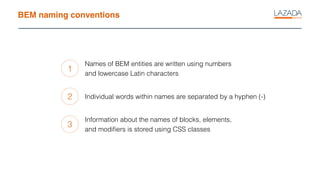
BEM naming conventions
1
2
3
Names of BEM entities are written using numbers
and lowercase Latin characters
Individual words within names are separated by a hyphen (-)
Information about the names of blocks, elements,
and modifiers is stored using CSS classes
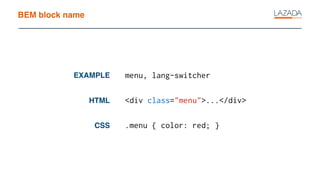
BEM block name
HTML
CSS
EXAMPLE menu, lang-switcher
<div class="menu">...</div>
.menu { color: red; }
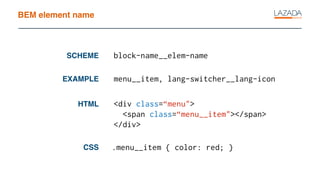
BEM element name
HTML
CSS
EXAMPLE menu__item, lang-switcher__lang-icon
<div class=“menu">
<span class=“menu__item"></span>
</div>
SCHEME block-name__elem-name
.menu__item { color: red; }
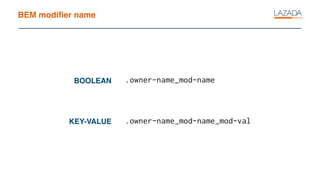
BEM modifier name
KEY-VALUE
BOOLEAN .owner-name_mod-name
.owner-name_mod-name_mod-val
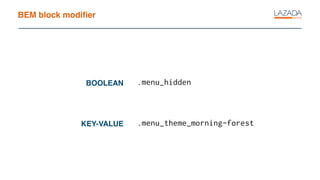
BEM block modifier
KEY-VALUE
BOOLEAN .menu_hidden
.menu_theme_morning-forest
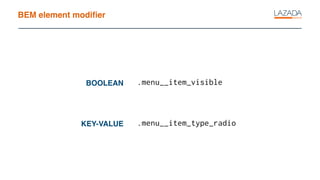
BEM element modifier
KEY-VALUE
BOOLEAN .menu__item_visible
.menu__item_type_radio
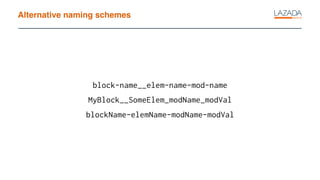
Alternative naming schemes
block-name__elem-name-mod-name
MyBlock__SomeElem_modName_modVal
blockName-elemName-modName-modVal
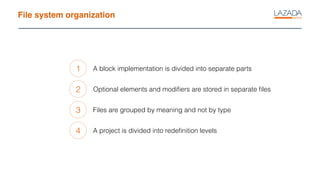
File system organization
1
2
3
A block implementation is divided into separate parts
Optional elements and modifiers are stored in separate files
Files are grouped by meaning and not by type
4 A project is divided into redefinition levels
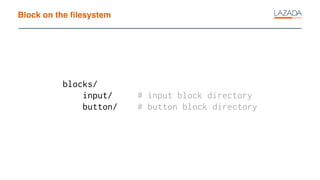
Block on the filesystem
blocks/
input/ # input block directory
button/ # button block directory
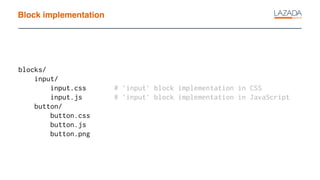
Block implementation
blocks/
input/
input.css # `input` block implementation in CSS
input.js # `input` block implementation in JavaScript
button/
button.css
button.js
button.png
How actually does BEM address the problems?
How BEM helps
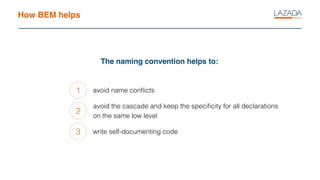
The naming convention helps to:
1
2
3
avoid name conflicts
avoid the cascade and keep the specificity for all declarations
on the same low level
write self-documenting code
Enter header
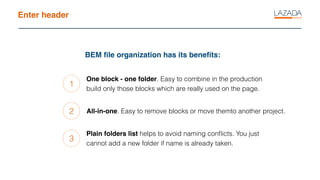
BEM file organization has its benefits:
1
2
3
One block - one folder. Easy to combine in the production
build only those blocks which are really used on the page.
All-in-one. Easy to remove blocks or move themto another project.
Plain folders list helps to avoid naming conflicts. You just
cannot add a new folder if name is already taken.
A block or an element: when should I use which?
Sophisticated file organization
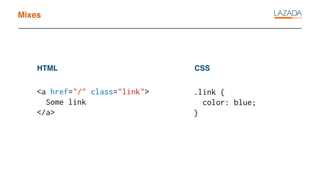
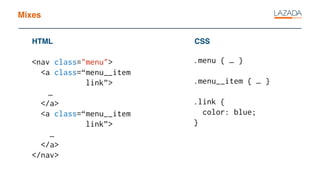
Mixes
<a href="/" class="link">
Some link
</a>
HTML CSS
.link {
color: blue;
}
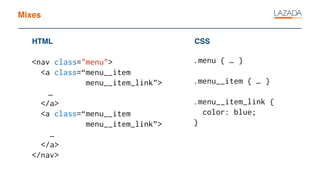
Mixes
<nav class="menu">
<a class=“menu__item
menu__item_link”>
…
</a>
<a class=“menu__item
menu__item_link”>
…
</a>
</nav>
HTML CSS
.menu { … }
.menu__item { … }
.menu__item_link {
color: blue;
}
Mixes
<nav class="menu">
<a class=“menu__item
link”>
…
</a>
<a class=“menu__item
link”>
…
</a>
</nav>
HTML CSS
.menu { … }
.menu__item { … }
.link {
color: blue;
}
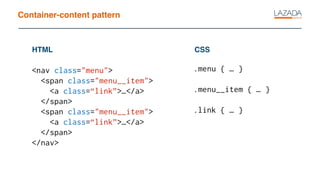
Container-content pattern
<nav class="menu">
<span class="menu__item">
<a class=“link”>…</a>
</span>
<span class="menu__item">
<a class=“link”>…</a>
</span>
</nav>
HTML CSS
.menu { … }
.menu__item { … }
.link { … }
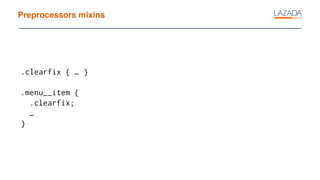
Preprocessors mixins
.clearfix { … }
.menu__item {
.clearfix;
…
}
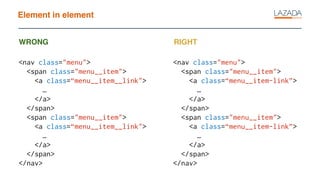
Element in element
<nav class="menu">
<span class="menu__item">
<a class=“menu__item__link">
…
</a>
</span>
<span class="menu__item">
<a class=“menu__item__link">
…
</a>
</span>
</nav>
WRONG RIGHT
<nav class="menu">
<span class="menu__item">
<a class=“menu__item-link”>
…
</a>
</span>
<span class="menu__item">
<a class=“menu__item-link”>
…
</a>
</span>
</nav>
Why global classes are bad?
.animate { … }
Why name prefixes are bad?
.l-grid { … }
When I can use a few selectors in one declaration?
.theme-dark-sky .button { … }
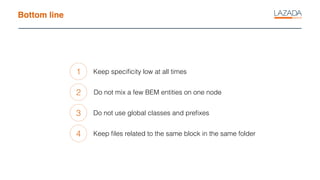
Bottom line
1
2
3
Keep specificity low at all times
Do not mix a few BEM entities on one node
Do not use global classes and prefixes
4 Keep files related to the same block in the same folder
Links
https://en.bem.info
Thank you! Questions?

BEM