Chapter 3 Hardware Basics:  Peripherals
Chapter Outline Input: From Person to Processor Output: From Pulses to People Storage Devices: Input meets Output Computer Systems: The Sum of Its Parts “ We swim in a sea of information.” Gary Snyder, poet
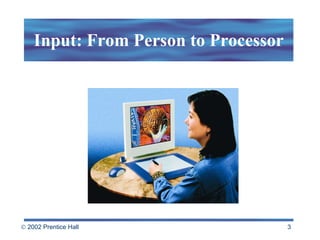
Input: From Person to Processor
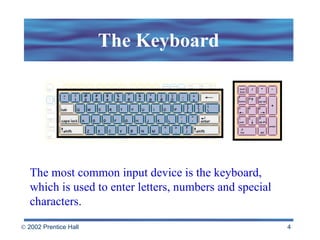
The Keyboard The most common input device is the keyboard, which is used to enter letters, numbers and special characters.
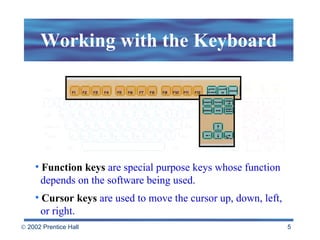
Working with the Keyboard Function keys   are special purpose keys whose function   depends on the software being used. Cursor keys   are used to move the cursor up, down, left,    or right.
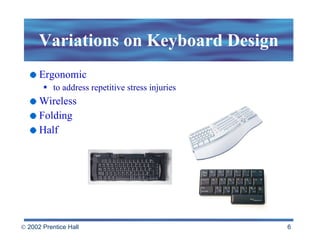
Variations on Keyboard Design Ergonomic to address repetitive stress injuries Wireless Folding Half
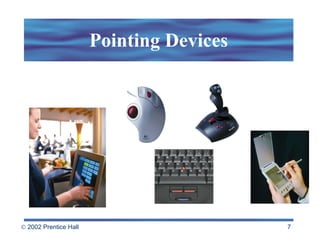
Pointing Devices
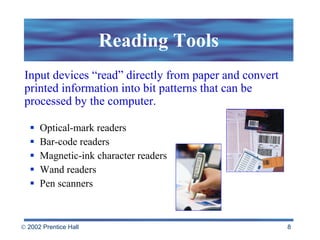
Reading Tools Optical-mark readers Bar-code readers Magnetic-ink character readers Wand readers Pen scanners Input devices “read” directly from paper and convert printed information into bit patterns that can be processed by the computer.
Digitizing the Real World Scanner Digital camera Speech recognition Sensing devices Audio and video digitizers
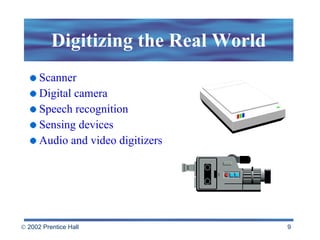
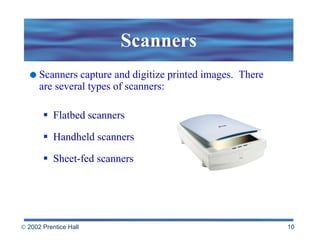
Scanners Scanners capture and digitize printed images.  There are several types of scanners: Flatbed scanners Handheld scanners Sheet-fed scanners
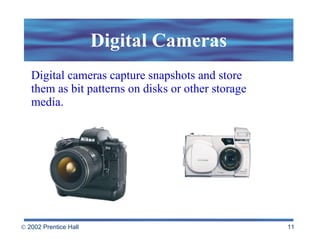
Digital Cameras Digital cameras capture snapshots and store them as bit patterns on disks or other storage media.
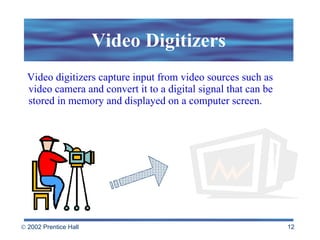
Video Digitizers Video digitizers capture input from video sources such as  video camera and convert it to a digital signal that can be  stored in memory and displayed on a computer screen.
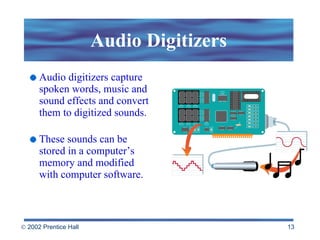
Audio Digitizers Audio digitizers capture spoken words, music and sound effects and convert them to digitized sounds. These sounds can be stored in a computer’s memory and modified with computer software.
Sensing Devices Sensing devices are used to monitor temperature, humidity, pressure and other physical quantities. The data collected provides data for use in robotics, environmental climate control, weather forecasting and other applications.
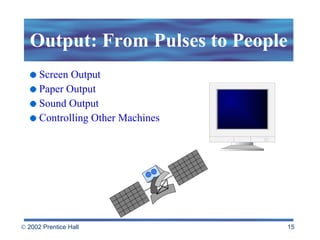
Output: From Pulses to People Screen Output Paper Output Sound Output Controlling Other Machines
Screen Output A monitor or video display terminal (VDT) displays characters, graphics, photographic  images, animation and video. Video adapter —connects the monitor to the computer VRAM  or video memory—a special portion of RAM to hold video images (the more video memory, the more detail of a picture displayed)
Screen Talk Monitor size  - measured as a diagonal line across the screen. Pixels  (or picture element) - tiny dots that compose a picture Resolution   - the number of pixels displayed on the screen (the higher the resolution, the closer together the dots)
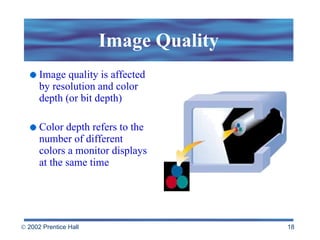
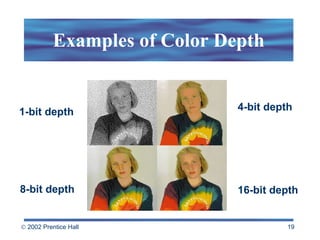
Image Quality Image quality is affected by resolution and color depth (or bit depth) Color depth refers to the number of different colors a monitor displays at the same time
Examples of Color Depth 1-bit depth 16-bit depth 8-bit depth 4-bit depth
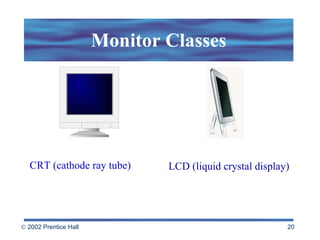
Monitor Classes CRT (cathode ray tube) LCD (liquid crystal display)
Cathode Ray Tube (CRT) The cathode ray tube has the following characteristics: Low cost Speedy response time Clear image
Liquid Crystal Display (LCD) Light-weight Compact Flat-panel  Used in overhead projection panels and video projectors to project computer images More expensive than CRTs Increasingly being seen with desktop computers
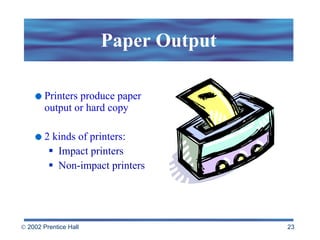
Paper Output Printers produce paper output or hard copy  2 kinds of printers: Impact printers Non-impact printers
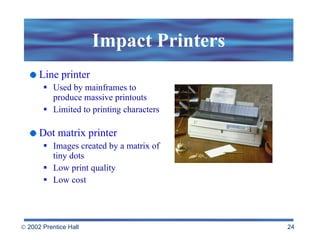
Impact Printers Line printer Used by mainframes to produce massive printouts Limited to printing characters Dot matrix printer Images created by a matrix of tiny dots Low print quality Low cost
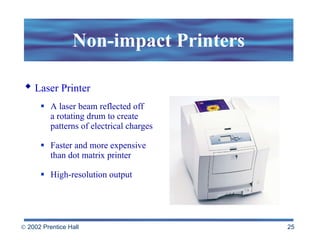
Non-impact Printers A laser beam reflected off  a rotating drum to create patterns of electrical charges Faster and more expensive  than dot matrix printer High-resolution output Laser Printer
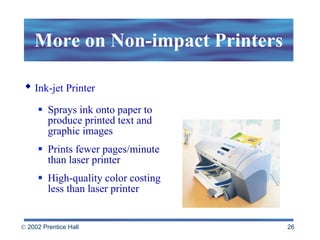
More on Non-impact Printers Sprays ink onto paper to produce printed text and graphic images Prints fewer pages/minute than laser printer High-quality color costing less than laser printer Ink-jet Printer
Additional Output Devices Multifunction peripheral or MFP combines a scanner, printer and a fax modem. A plotter is an automated drawing tool that can produce large, finely scaled engineering blueprints and maps.
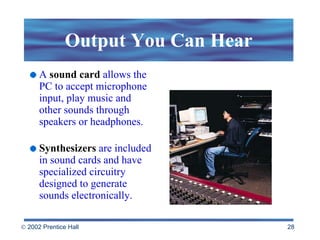
Output You Can Hear A   sound card  allows the PC to accept microphone input, play music and other sounds through speakers or headphones. Synthesizers   are included in sound cards and have specialized circuitry designed to generate sounds electronically.
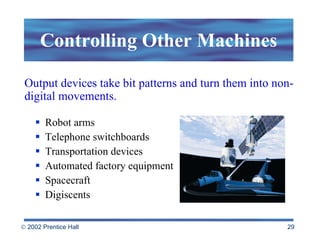
Controlling Other Machines Robot arms Telephone switchboards Transportation devices Automated factory equipment Spacecraft Digiscents Output devices take bit patterns and turn them into non-digital movements.
Rules of Thumb: Ergonomics & Health Choose equipment that’s ergonomically designed Create a healthy workspace Build flexibility into your work environment Rest your eyes Stretch to loosen tight muscles Listen to your body
Storage Devices: Input Meets Output Secondary storage devices are computer peripherals capable of performing both input  and output functions  Information is stored semi-permanently on  tape and disk drives Examples of storage devices Magnetic tapes and disks Zip, Jaz and SuperDisks Optical disks
Magnetic Media Magnetic tapes Sequential access   Can store large amounts of information in a small space at a relatively low cost Limitation: sequential access Used mainly for backup purposes
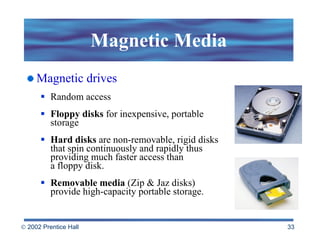
Magnetic Media Magnetic drives Random access Floppy disks  for inexpensive, portable storage Hard disks  are non-removable, rigid disks that spin continuously and rapidly thus providing much faster access than  a floppy disk. Removable media  (Zip & Jaz disks) provide high-capacity portable storage.
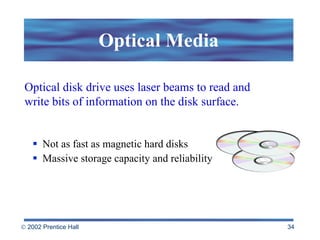
Optical Media Not as fast as magnetic hard disks Massive storage capacity and reliability Optical disk drive uses laser beams to read and write bits of information on the disk surface.
Types of Optical Media CD-ROM  drives are optical drives that  read  CD-ROMs. CD-R  are  WORM  media (write-once, read many). CD-RW  can read CD-ROMs and write, erase and rewrite data onto CD-R & CD-RW disks. DVD  (digital versatile disks) store & distribute all kinds of data. They hold between 3.8 and 17 gigabytes of information.
Solid-state Storage Devices Compact alternative No moving parts Designed for specific applications such as storing pictures in digital cameras Likely to replace disk and tape storage Flash memory is an erasable memory chip.
Ports and Slots Revisited The system or motherboard includes several standard ports: Serial Port   for attaching devices that send/receive messages one bit at a time (modems) Parallel Port   for attaching devices that send/receive bits in groups (printers) Keyboard/Mouse Port   for attaching a keyboard  and a mouse
More on Ports and Slots Other ports are typically included on expansion boards rather than the system board: Video Port   used to plug in a color monitor into  the video board Microphone, speaker, headphone, MIDI ports   used to attach sound equipment SCSI port  allows several peripherals to be  strung together and attached to a single port
Internal and External Drives Hard drive Bays Hot swapping CD or DVD Floppy disk  Zip Drive SCSI port
Expansion Made Easy USB (Universal Serial Bus ) transmits a hundred times faster than a PC serial port Firewire  (IEEE 1394) can move data between devices at 400 or more megabits per second high speed makes it ideal for data-intensive work like digital video  With the open architecture of the PC and the introduction of new interfaces, you can hot swap devices.
Putting It All Together with Networks A typical computer system might have several different input, output, and storage peripherals.  The key is compatibility.  Networks blur the boundaries between computers. Networked computers may have access to all the peripherals on a system. The computer is, in effect, just a tiny part of a global system of interconnected networks. b
 

Beekman5 std ppt_03

  • 1.
    Chapter 3 HardwareBasics: Peripherals
  • 2.
    Chapter Outline Input:From Person to Processor Output: From Pulses to People Storage Devices: Input meets Output Computer Systems: The Sum of Its Parts “ We swim in a sea of information.” Gary Snyder, poet
  • 3.
    Input: From Personto Processor
  • 4.
    The Keyboard Themost common input device is the keyboard, which is used to enter letters, numbers and special characters.
  • 5.
    Working with theKeyboard Function keys are special purpose keys whose function depends on the software being used. Cursor keys are used to move the cursor up, down, left, or right.
  • 6.
    Variations on KeyboardDesign Ergonomic to address repetitive stress injuries Wireless Folding Half
  • 7.
  • 8.
    Reading Tools Optical-markreaders Bar-code readers Magnetic-ink character readers Wand readers Pen scanners Input devices “read” directly from paper and convert printed information into bit patterns that can be processed by the computer.
  • 9.
    Digitizing the RealWorld Scanner Digital camera Speech recognition Sensing devices Audio and video digitizers
  • 10.
    Scanners Scanners captureand digitize printed images. There are several types of scanners: Flatbed scanners Handheld scanners Sheet-fed scanners
  • 11.
    Digital Cameras Digitalcameras capture snapshots and store them as bit patterns on disks or other storage media.
  • 12.
    Video Digitizers Videodigitizers capture input from video sources such as video camera and convert it to a digital signal that can be stored in memory and displayed on a computer screen.
  • 13.
    Audio Digitizers Audiodigitizers capture spoken words, music and sound effects and convert them to digitized sounds. These sounds can be stored in a computer’s memory and modified with computer software.
  • 14.
    Sensing Devices Sensingdevices are used to monitor temperature, humidity, pressure and other physical quantities. The data collected provides data for use in robotics, environmental climate control, weather forecasting and other applications.
  • 15.
    Output: From Pulsesto People Screen Output Paper Output Sound Output Controlling Other Machines
  • 16.
    Screen Output Amonitor or video display terminal (VDT) displays characters, graphics, photographic images, animation and video. Video adapter —connects the monitor to the computer VRAM or video memory—a special portion of RAM to hold video images (the more video memory, the more detail of a picture displayed)
  • 17.
    Screen Talk Monitorsize - measured as a diagonal line across the screen. Pixels (or picture element) - tiny dots that compose a picture Resolution - the number of pixels displayed on the screen (the higher the resolution, the closer together the dots)
  • 18.
    Image Quality Imagequality is affected by resolution and color depth (or bit depth) Color depth refers to the number of different colors a monitor displays at the same time
  • 19.
    Examples of ColorDepth 1-bit depth 16-bit depth 8-bit depth 4-bit depth
  • 20.
    Monitor Classes CRT(cathode ray tube) LCD (liquid crystal display)
  • 21.
    Cathode Ray Tube(CRT) The cathode ray tube has the following characteristics: Low cost Speedy response time Clear image
  • 22.
    Liquid Crystal Display(LCD) Light-weight Compact Flat-panel Used in overhead projection panels and video projectors to project computer images More expensive than CRTs Increasingly being seen with desktop computers
  • 23.
    Paper Output Printersproduce paper output or hard copy 2 kinds of printers: Impact printers Non-impact printers
  • 24.
    Impact Printers Lineprinter Used by mainframes to produce massive printouts Limited to printing characters Dot matrix printer Images created by a matrix of tiny dots Low print quality Low cost
  • 25.
    Non-impact Printers Alaser beam reflected off a rotating drum to create patterns of electrical charges Faster and more expensive than dot matrix printer High-resolution output Laser Printer
  • 26.
    More on Non-impactPrinters Sprays ink onto paper to produce printed text and graphic images Prints fewer pages/minute than laser printer High-quality color costing less than laser printer Ink-jet Printer
  • 27.
    Additional Output DevicesMultifunction peripheral or MFP combines a scanner, printer and a fax modem. A plotter is an automated drawing tool that can produce large, finely scaled engineering blueprints and maps.
  • 28.
    Output You CanHear A sound card allows the PC to accept microphone input, play music and other sounds through speakers or headphones. Synthesizers are included in sound cards and have specialized circuitry designed to generate sounds electronically.
  • 29.
    Controlling Other MachinesRobot arms Telephone switchboards Transportation devices Automated factory equipment Spacecraft Digiscents Output devices take bit patterns and turn them into non-digital movements.
  • 30.
    Rules of Thumb:Ergonomics & Health Choose equipment that’s ergonomically designed Create a healthy workspace Build flexibility into your work environment Rest your eyes Stretch to loosen tight muscles Listen to your body
  • 31.
    Storage Devices: InputMeets Output Secondary storage devices are computer peripherals capable of performing both input and output functions Information is stored semi-permanently on tape and disk drives Examples of storage devices Magnetic tapes and disks Zip, Jaz and SuperDisks Optical disks
  • 32.
    Magnetic Media Magnetictapes Sequential access Can store large amounts of information in a small space at a relatively low cost Limitation: sequential access Used mainly for backup purposes
  • 33.
    Magnetic Media Magneticdrives Random access Floppy disks for inexpensive, portable storage Hard disks are non-removable, rigid disks that spin continuously and rapidly thus providing much faster access than a floppy disk. Removable media (Zip & Jaz disks) provide high-capacity portable storage.
  • 34.
    Optical Media Notas fast as magnetic hard disks Massive storage capacity and reliability Optical disk drive uses laser beams to read and write bits of information on the disk surface.
  • 35.
    Types of OpticalMedia CD-ROM drives are optical drives that read CD-ROMs. CD-R are WORM media (write-once, read many). CD-RW can read CD-ROMs and write, erase and rewrite data onto CD-R & CD-RW disks. DVD (digital versatile disks) store & distribute all kinds of data. They hold between 3.8 and 17 gigabytes of information.
  • 36.
    Solid-state Storage DevicesCompact alternative No moving parts Designed for specific applications such as storing pictures in digital cameras Likely to replace disk and tape storage Flash memory is an erasable memory chip.
  • 37.
    Ports and SlotsRevisited The system or motherboard includes several standard ports: Serial Port for attaching devices that send/receive messages one bit at a time (modems) Parallel Port for attaching devices that send/receive bits in groups (printers) Keyboard/Mouse Port for attaching a keyboard and a mouse
  • 38.
    More on Portsand Slots Other ports are typically included on expansion boards rather than the system board: Video Port used to plug in a color monitor into the video board Microphone, speaker, headphone, MIDI ports used to attach sound equipment SCSI port allows several peripherals to be strung together and attached to a single port
  • 39.
    Internal and ExternalDrives Hard drive Bays Hot swapping CD or DVD Floppy disk Zip Drive SCSI port
  • 40.
    Expansion Made EasyUSB (Universal Serial Bus ) transmits a hundred times faster than a PC serial port Firewire (IEEE 1394) can move data between devices at 400 or more megabits per second high speed makes it ideal for data-intensive work like digital video With the open architecture of the PC and the introduction of new interfaces, you can hot swap devices.
  • 41.
    Putting It AllTogether with Networks A typical computer system might have several different input, output, and storage peripherals. The key is compatibility. Networks blur the boundaries between computers. Networked computers may have access to all the peripherals on a system. The computer is, in effect, just a tiny part of a global system of interconnected networks. b
  • 42.